#building-and-recc-chat
1 messages · Page 1282 of 1
 brittle copper
 jagged ember
hot
 frank stirrup
brittle copper
Might try that out
frank stirrup
brittle copper
Might try that out
no use for you tbh
but yeah if its at 90-95c on a 360mm arctic freezer, ur doing something wrong
there is some sort of issue
brittle copper
frank stirrup
but yeah if its at 90-95c on a 360mm arctic freezer, ur doing something wrong
Oh it’s worse than that
This one is a 420mm one
brittle copper
Nah it’s on MSI Smart Fan
brittle copper
frank stirrup
pump should always be at 100%
Don’t the liquid freezer pump and fans occupy the same header?
On the mobo
 strong raft
heck no. pump on pump header, fans on separate header (cpu_fan, Sys_fan, w/e
brittle copper
strong raft
heck no. pump on pump header, fans on separate header (cpu_fan, Sys_fan, w/e
Just to make sure we’re on the same page
We’re talking about the radiator fans right?
strong raft
yep.
frank stirrup
rad fans are all on one header
brittle copper
The AIO comes with the radiator fans daisy chained together
frank stirrup
and the pump is on another
brittle copper
And one header for the pump
frank stirrup
the pump needs to run at 100% all the time
fans can be variable
if ur aio pump isnt at 100% ur doing it wrong
strong raft
I mean did you use the pump header. Kinda weird it says pump fan instead of simply pump/aio pump, but w/e,

 potent portal
It's designed to do that, which is why pump headers default to 100%
brittle copper
potent portal
It's designed to do that, which is why pump headers default to 100%
So the the header coming out of the pump
jagged ember
no real point in reducing flow rate either as far as i know
brittle copper
Does that control only the pump
potent portal
I use vortex btw for skyrim mods
frank stirrup
yes
brittle copper
Or the pump@and the radiator fans?
brittle copper
potent portal
I use vortex btw for skyrim mods
I should try that
jagged ember
the pump header should control only the pump
potent portal
The fans can go on the cpu_fan header
jagged ember
the fans have a separate header after all
brittle copper
jagged ember
the fans have a separate header after all
Not on my aio it doesn’t
potent portal
Then you're probably overloading the header and throttling the fans and pump
brittle copper
They came daisy chained to a header plug that goes inside the radiator I think
brittle copper
jagged ember
just daisy chained
What I’m saying so that there’s no other empty headers
Other than the one attached to the pump
It came like that
jagged ember
it must be late because i do not understand lmao
potent portal
You changed the fans though, that's no longer an ideal configuration
brittle copper
jagged ember
well not to me at least
Damn bro chill
potent portal
The 6 fans alone are probably fine on one header, but adding the pump too is asking for too much power at full load like that
brittle copper
potent portal
You changed the fans though, that's no longer an ideal configuration
I set the extra 3 pull fans on a separate header
jagged ember
i'm saying im too dumb to comprehend words
brittle copper
And set CPU_FAN1 and PUMP_FAN1 to Smart Fan
Should I just set them both to 100%?
It’ll probably make the fans go to 100% too
frank stirrup
brittle copper
And set CPU_FAN1 and PUMP_FAN1 to Smart Fan
pump fan which should have the wire from the pump should be set to 100%
brittle copper
Not just the pump(?)
frank stirrup
the pump is the part that sits on the cpu
brittle copper
frank stirrup
the pump is the part that sits on the cpu
Yeah I know
brittle copper
That’s plugged into PUMP_FAN1
frank stirrup
brittle copper
That’s plugged into PUMP_FAN1
then put that to 100%
brittle copper
Ohhh
frank stirrup
and keep it at 100%
keep all ur fans at NOT 100%
just the pump
should be on 100%
nothing else
ok?
brittle copper
frank stirrup
keep all ur fans at NOT 100%
So I went on Reddit to clear up some confusion
And apparently for the liquid freezer that one header really does control the pump, vrm fan, and radiator fans all together
 jagged ember
i would not trust reddit with anything tbh
strong raft
btw header is the part on a mobo. Just say wire/cable
brittle copper
I promise you guys there’s only one header sticking out of this thing
strong raft
?...
 brittle copper
Yeah that’s it
Sticking out of the pump
That header controls the pump, the vrm fan, AND the radiator fans
Oh should I say cable
You know what I mean
strong raft
ok idk, just in bios set that pump_fan 1 to 100%.
 earnest olive
pump and fans being controlled by the same source sounds super sus
but i've never used an lf2 so idk
brittle copper
earnest olive
pump and fans being controlled by the same source sounds super sus
Yeah it’s weird but it came connected that way so maybe that how they designed it to be
 scenic turret
Too bad vintage is no longer here
earnest olive
there's 8 cables coming off of my aio lol
strong raft
Seems wack. Should maybe re-do some wiring. pump wire should be by itself on the pump_fan1 header obviously, then rad fans (w/ splitters it seems) hooked to 1 like this : (that mobo must have enough settings to easily set pump to 100% but not the fans. Worst case, set all that crap to 100% and deal w/ the noise or get lower rpm fans.
 brittle copper
strong raft
Seems wack. Should maybe re-do some wiring. pump wire should be by itself on th...
brittle copper
strong raft
Seems wack. Should maybe re-do some wiring. pump wire should be by itself on th...
Ohhh
Do AIOs typically come with splitters for the radiator fans?
earnest olive
yes
or just daisy chain into each other
but it's extremely abnormal for the pump to also be connected to the fans
since pump is usually just set to static 100%
brittle copper
earnest olive
but it's extremely abnormal for the pump to also be connected to the fans
Seems like other people have encountered this issue from arctic as wel
 earnest olive
p12s should be able to daisy chain without splitter
brittle copper
earnest olive
p12s should be able to daisy chain without splitter
They can but the ones that come with the aio are extremely short

There we go
earnest olive
oh the pump will run 100% at 40% pwm
that makes a lot more sense then
yeah just use a normal fan curve
p12s are quiet anyways so 40% minimum isn't going to be an issue
 desert gulch
earnest olive
but i've never used an lf2 so idk
desert gulch
earnest olive
but i've never used an lf2 so idk
i can confirm he is right
ive used them before
brittle copper
I need to go home and make sure the Smart Fan curve is at 40%
brittle copper
desert gulch
i can confirm he is right
Finally someone that doesn’t want to crucify me
 little osprey
Lmao
earnest olive
i never crucified you
little osprey
has anyone
desert gulch
i used the 280 and just plugged it into the aio header
it wasnt that loud tbh, even tho the fans were running at full speed
brittle copper
earnest olive
i never crucified you
Nah you were fine man
little osprey
were
brittle copper
little osprey
*were*
Silence moose
brittle copper
I guess I’ll leave the lab early and go check on my fan curve
desert gulch
earnest olive
that's actually a really smart design
yeah, then people wont forgot to plug stuff in
i was very confused aswell when i first unboxed my lf2, its since been shipped off to a customer
earnest olive
also just uses less headers for the same result
 frigid night
Wait, so set idle speed to 40%?
desert gulch
maybe theres a way too, i just never figured it out
frigid night
Yeah I feel like I'd rather be able to control the fan speed.
brittle copper
earnest olive
that's actually a really smart design
@strong raft @frank stirrup
earnest olive
desert gulch
not being able to control fans is the downside
no?
you can control the fans
desert gulch
its all on one header
brittle copper
Yeah you can control them
desert gulch
so if you control the fans, you control the pump
earnest olive
the pump runs at 100% if pwm is above 40%
so just control the fans and pump runs at 100
desert gulch
oh true, i never figured that out at the time, LOL
desert gulch
the 1600 watt psu?
brittle copper
What happens if the PWM goes below 40%
earnest olive
make it not go below 40 lol
brittle copper
desert gulch
the 1600 watt psu?
Lmfaoooo that caught me off guard
desert gulch
xD
earnest olive
if they designed it like that i'd imagine they also made 40 the minimum pwm
40 is a pretty common pwm floor
earnest olive
well, default fan curves are there to be used
brittle copper
So assuming my fan curve is 40%+
earnest olive
just plug it into cpu fan header and you're golden
brittle copper
That’s still 91C at 250W
earnest olive
sounds normal
brittle copper
On a 420mm AIO with 6 fans in push-pull
earnest olive
250w is a lot of cpu power, and cooling bottlenecks exist
brittle copper
earnest olive
250w is a lot of cpu power, and cooling bottlenecks exist
Yeah I think I hit the diminishing returns
earnest olive
you could potentially benefit from washer mod or direct die/LM
brittle copper
earnest olive
you could potentially benefit from washer mod or direct die/LM
Oh yeah I brought that up earlier
earnest olive
it's not exactly diminishing returns
brittle copper
earnest olive
it's not exactly diminishing returns
Really?
For radiator size would it not be diminishing returns?
earnest olive
it's like if you upgraded from your 8800 GTX to a 3090
but kept your core 2 duo
you're not hitting gpu diminishing returns
it's just that something else in the equation is the new limiting factor
earnest olive
such as mounting pressure
LGA1700 socket seems to have some design problems
which is why washer mod works
but it depends on the socket
91C at 250W is not bad
brittle copper
earnest olive
LGA1700 socket seems to have some design problems
Yeah I downloaded the thingiverse file from that thread
I’ll try and print the spacer
Or should I just get the washers….
brittle copper
earnest olive
91C at 250W is not bad
Yeah but I mean
My cooling is taking up half of my case man
It’s gotta do something
potent portal
The washer mod doesn't always work, and sometimes it's worse. Mounting pressure is a big problem too, either too much or too little.
earnest olive
brittle copper
It’s gotta do something
yeah, 91C is something
you're keeping it significantly below temp limit at high load
that's something
brittle copper
earnest olive
you're keeping it significantly below temp limit at high load
Oh I didn’t think of it that way
But ya know
There was that one day it went to 288 W
earnest olive
safe operating temperature is 100C 24/7/365 for 20 years lol
brittle copper
And 98C
And thermal throttled
I never thought I’d see a cpu thermal throttle under a 420MM AIO
earnest olive
please don't filter evade thanks
brittle copper
Filter evade?
earnest olive
but i mean you're pushing 1.4V+
that's usually reserved for sub ambient cooling
usually aio cooling on a 12900K should stick to like 1.2-1.25
brittle copper
Oh y’all are talking about the bot
potent portal
Deleting one letter from a swear word doesn't make it not a swear word
brittle copper
Have you guys ever watched those Beluga videos on YouTube?
potent portal
I'm not young enough to care about that lol
brittle copper
potent portal
I'm not young enough to care about that lol
You might like it
brittle copper
earnest olive
but i mean you're pushing 1.4V+
Dang I’m surprised you were able to see that that fast
potent portal
I doubt that. I know who that is at least and I'm not interested in what they play.
earnest olive
1.4V is an extremely high voltage for such a high density node
my 5800x hits throttling at 1.25V with 170W
under a galahad 360 and 12 case fans
your cooler is already doing an incredible job
potent portal
Yeah a little negative offset can go a long way, even 25mV can drop 4 degrees in some cases
earnest olive
absolute wattage isn't the entire equation, heat density matters a lot
brittle copper
earnest olive
1.4V is an extremely high voltage for such a high density node
Ahhh makes sense
earnest olive
for example, 5800x is harder to cool than 5950x despite taking significantly less wattage because the heat density is much higher
brittle copper
I think that’s good
potent portal
Manual set isn't the way to go either, it'll idle at higher power draw
earnest olive
well depends on what load i guess
brittle copper
potent portal
Yeah a little negative offset can go a long way, even 25mV can drop 4 degrees in...
I don’t know if I can stable 5.2 GHz all core with any offset
I can try
earnest olive
don't c-states override manual vcore? as long as you're on balanced power plan?
potent portal
It can but that's not reliable
potent portal
brittle copper
I don’t know if I can stable 5.2 GHz all core with any offset
It really shouldn't need 1.4v for that still, maybe 1.35v if you got a bad sample
brittle copper
potent portal
It really shouldn't need 1.4v for that still, maybe 1.35v if you got a bad sampl...
Alright I’ll give it a shot
earnest olive
i acknowledge i have limited experience with ocing intel cpus, especially modern ones, but i recall my 4770k correctly idling to 800mhz 0.6v-ish with 1.4v manual
brittle copper
earnest olive
don't c-states override manual vcore? as long as you're on balanced power plan?
Yes
I run on high performance mode Al the time
earnest olive
you really shouldn't
earnest olive
you gain 0 perf from it
brittle copper
earnest olive
you really shouldn't
Silicon degradation?
earnest olive
all it does is disable idle mode and waste power
all of my oc records are on balanced mode
brittle copper
earnest olive
all it does is disable idle mode and waste power
Oooooh
brittle copper
earnest olive
all it does is disable idle mode and waste power
Good thing my utilities are included lmao
strong raft
You mean this specific spot? idk, I often see my cpu downclock and downvolt at idle.
 earnest olive
still harming environment for no gain
potent portal
earnest olive
all it does is disable idle mode and waste power
Which ironically is how you fix certain crashes on ryzen because zen 2 and under couldn't figure out how to downclock
brittle copper
earnest olive
still harming environment for no gain
Oh dang well when you put it that way
earnest olive
thats what the ryzen power plans are for no?
i had no issues with 20+ zen 2 chips personally
potent portal
Yeah but the ryzen balanced plan sets the minimum state to like 70%
earnest olive
ryzen balanced plan
i mean minimum state 90% and minimum state 5% are the same vcore on my 5800x
strong raft
? Can always edit min/max processor state on various power modes. 
 earnest olive
i haven't checked on zen 2 but i can't imagine 70% is less efficient than 100% lol
potent portal
Well when it was at 40% on zen 2 and older it was crashing with watchdog violations
But only at idle, when it's clocking down
earnest olive
he's not on zen 2 and the issue is easily fixable on zen 2 anyways so my recommendation does not change
potent portal
Fair enough, it's a moot point
earnest olive
just tangential discussion
potent portal
Got a little sidetracked
earnest olive
use balanced
it doesn't affect you at all
it was a minor issue with ryzen 3000
you aren't on ryzen 3000
brittle copper
earnest olive
just tangential discussion
I like this guy
Everything this man says sounds well thought out
little osprey
crucified moose
earnest olive
lol im literally in a game of league while typing
earnest olive
lowkey carrying the game too
earnest olive
 potent portal
cries in Todd Howard
earnest olive
lol i had a 16 hour workday today starting from 5am i don't have the mental energy to play out a real game
i just wanna press buttons
little osprey
earnest olive
lol i had a 16 hour workday today starting from 5am i don't have the mental ener...
understandable
earnest olive
aram is perfect for that
earnest olive
they're not very good
earnest olive
little osprey
*gets a 3090 to play a game from 2009*
more like gets a 3090 to play a game from 2009 and still mine at 110 mh/s
worth
little osprey
ok thats facts
you could run like 50 instances of league and still make more $/day mining than my 1650
potent portal
I tried doing that but my psu kept tripping
potent portal
You'd think a RM850x would be enough for a 3080ti and 5800X while I play eso and mine but nooooo
brittle copper
potent portal
You'd think a RM850x would be enough for a 3080ti and 5800X while I play eso and...
Yeah that’s not right
potent portal
That's what I thought too but I just won't mine while I game ig
brittle copper
Should be plenty
little osprey
me and my 300w psu
little osprey
a ram cooler
earnest olive
and enough rgb to light up a neighborhood
brittle copper
potent portal
That's what I thought too but I just won't mine while I game ig
What GPU do you use to mine?
earnest olive
an internal monitor
potent portal
brittle copper
What GPU do you use to mine?
Currently the 3080ti, but I had a 3090 gimp edition before that
I hated everything about that 3090
That's a lie, it looked cool... Until you turned it on
earnest olive
lol
potent portal
Could barely get over 19k in time spy overclocked and vbios modded
earnest olive
everything about my 3080 was great except the overclocking potential lol
earnest olive
beautiful card, very quiet
potent portal
little osprey
💩 sample
Not even, it was a dual 8 pin
brittle copper
earnest olive
everything about my 3080 was great except the overclocking potential lol
My 2nd 3080 stable +225W on core
earnest olive
my bad sample 3080 was hitting 18.9k
brittle copper
Way better than my launch day one
little osprey
silicon lottery moment
earnest olive
my 3080 peaked at +90/+435
little osprey
wut
potent portal
The day I got my 3080ti FE was magical. I picked random numbers for an overclock and got 21k time spy.
brittle copper
I had a ASUS strix 3090 for 2 weeks
earnest olive
my 3080 peaked at 18906
brittle copper
Probably should’ve benchmarked it
little osprey
earnest olive
my 3090 has a mediocre core but great vram
vram is what is better for mining , right? (i forgot)
earnest olive
yeah
brittle copper
little osprey
vram is what is better for mining , right? (i forgot)
Memory bandwidth
For ethash
earnest olive
I might be able to push it higher if I use liquid metal
little osprey
more stuff being done at once
earnest olive
I'm thermal throttling at 550 watts
brittle copper
earnest olive
I might be able to push it higher if I use liquid metal
I wouldn’t recommend it
potent portal
Imagine a modern HBM card in mining 
earnest olive
I mean I've got plenty of experience with liquid metal
my laptop is running liquid metal on cpu and gpu
mines 24/7 cool and quiet
brittle copper
earnest olive
I mean I've got plenty of experience with liquid metal
Yeah me too
Conductonaut
Phobya LM
earnest olive
but also I'm not sure if I want to take apart this 3090 again
brittle copper
Even my own gallium mix
earnest olive
already broke one lol
potent portal
Well now you know how to not break it again lol
earnest olive
mistakes can always happen
I knew how to not make the mistake when I made it
in hindsight probably wasn't a good idea to take apart a 3090 when I was sick
brain wasn't in the best state
potent portal
So what are the odds you make the same mistake twice?
earnest olive
I dunno, but feels like more than enough to make me not care so much about the last 300 3dmark points
potent portal
Well I guess if you're fine with the temps it doesn't really matter
brittle copper
I’m in trouble
little osprey
cali summer is coming
earnest olive
i game on a 1800mhz @ 825mV undervolt and it chills at 60C at 50% fans
little osprey
temps will soon be 📈
potent portal
Oh God don't remind me
brittle copper
little osprey
cali summer is coming
Oh you’re here too?
earnest olive
not gonna lie, can't tell the 10% fps difference between 270W and 480W
little osprey
brittle copper
Oh you’re here too?
no, ive experienced it tho
potent portal
Norcal here
earnest olive
losing 10% fps to go from 480w to 270w seems super worth it to me
brittle copper
potent portal
Norcal here
Same
little osprey
big brain meetup
brittle copper
I’m at the Nvidia campus in Santa Clara
brittle copper
potent portal
Oh nice
Oh I work at the Cisco campus a couple miles north, I’m just here hanging out with some friends that work the swing shift at Nvidia
I might join their CUDA team when my Cisco contract ends
We’ll see
potent portal
earnest olive
losing 10% fps to go from 480w to 270w seems super worth it to me
When you're doing high fps sure, but if you're doing 4k at barely 60 average fps dropping the power limit will hurt
earnest olive
good thing I don't game at 4k
unable to notice the difference between 135 and 150 fps at 1440p
 rose torrent
little osprey
How cold is that
rose torrent
little osprey
How cold is that
it was 48 degrees lol
little osprey
rose torrent
it was 48 degrees lol
That’s warm af
rose torrent
little osprey
That’s warm af
not for a texan it aint
little osprey
Lol
 mossy venture
It was 46 degrees this morning, and I was thankful for that lmao
Expected it to be below 30
earnest olive
wish it would be -60
I wouldn't be happy but my computers would
overclock go brr
 fossil cedar
earnest olive
overclock go brr
fossil cedar
earnest olive
overclock go brr
Wich inturn would make you happy cuz big number = dopamine. The circle of life 
earnest olive
true
 untold vessel
Would ~$300 be better spent on upgrading my 16GB of 3200Mhz CL16 RAM to 32GB of 3600Mhz CL14 RAM, or be better spent on (saving $100-$200 more and:) upgrading my i5-11400f + B560 Motherboard to a i5-12400f + New Generation motherboard
fossil cedar
no, 3600 cl14 is not worth 300$, if you want 32gb go 150$ 3600c16
Whats the rest of the system
untold vessel
I see
untold vessel
fossil cedar
Whats the rest of the system
I’m upgrading that $999.99 deal from Newegg
fossil cedar
untold vessel
I’m upgrading that $999.99 deal from Newegg
Dont
untold vessel
fossil cedar
Dont
Don’t upgrade at all?
fossil cedar
Assuming 3060 + 11400 pc
untold vessel
Yes 3060 + 11400f
fossil cedar
untold vessel
Don’t upgrade at all?
best upgrade to it for 300 is getting the 1100 3060 ti open box or 3060ti 1300 non open box
Maybe a better case/cooler
untold vessel
I’ve already purchased it
fossil cedar
Return it or dont upgrade it lol
untold vessel
Welp 
untold vessel
fossil cedar
Return it or dont upgrade it lol
Why so
fossil cedar
maybe 32gb if you use more than 80% of ram
fossil cedar
untold vessel
Why so
Good the way it is
untold vessel
Is this system even worth upgrading
untold vessel
fossil cedar
Good the way it is
Oh thank god I thought for a second it was doodoo altogether
When should I be looking at upgrades; A year from now?
fossil cedar
Not until 40 series unless you can do 3060 + cash upgrade
untold vessel
Should I be getting the 4000 series when it comes out?
Oh oh I see
So selling my 3060 + some cash for someone else’s GPU?
untold vessel
fossil cedar
Maybe upgrade case if its not mesh
What precisely is mesh
untold vessel
Wait lmao, I mean to say what should I look for in a quality mesh
untold vessel
fossil cedar
Maybe upgrade case if its not mesh
P300A? Corsair 4/5000 Airflow?
untold vessel
fossil cedar
Not until 40 series unless you can do 3060 + cash upgrade
When the 4000 series comes, would I have to probably get a new CPU, Mobo, PSU, and others? Might I just buy an entirely new PC?
fossil cedar
Id go cougar mx330 with current prices for budget, lian li 215 for more premium
fossil cedar
untold vessel
When the 4000 series comes, would I have to probably get a new CPU, Mobo, PSU, a...
New psu possibly
Rest would be fine
untold vessel
I see
What PSU do you recommend
I guess we’re getting into more nice to haves now
fossil cedar
Depends
untold vessel
Any super quiet recommendations?
fossil cedar
All psus are innaudible over case and gpu fans
untold vessel
I see
How does one quiet down a case and GPU
Fabric muffling?
Or are there versions built to be silent
fossil cedar
untold vessel
How does one quiet down a case and GPU
Airflow and not having a fan curve not very audible but also not torturing your cpu/gpu
fossil cedar
jagged ember
can also turn on 0db PSU fan mode
tbf only on some psus and kinad dumb, fan will only spin if it needs to
andddd they left ;-;
little osprey
Lol
 restive halo
@fossil cedar What do you think I could sell this for? https://pcpartpicker.com/list/n6Ztgb
fossil cedar
restive halo
<@!191276897227898880> What do you think I could sell this for? https://pcpartpi...
sheeesh where did you find a 300$ 6600
id say you could sell that for emm 1.2k if youre lucky
restive halo

Sapphire 11310-04-20G Pulse AMD Radeon RX 6600 LITE Edition HDMI DP Gaming Graphics Card with 8GB GDDR6, AMD RDNA 2, Black
fossil cedar
restive halo
<@!191276897227898880> https://www.amazon.com/gp/product/B09S1GCLYF/ref=sw_img_1...
sheeesh thats a steal
thats gonna sell quick
mossy venture
i love my gpus being steak
fossil cedar
shhhhhhhhhhhhhhhhhhhh
mossy venture
hmm
whats the power usage of a 6600?
my partners 3400g build is calling...
@fossil cedar
mossy venture
restive halo
<@!191276897227898880> https://www.amazon.com/gp/product/B09S1GCLYF/ref=sw_img_1...
doesnt work
restive halo
sold out
mossy venture
did you actually buy it yet?
restive halo
I bought one
mossy venture
because whenever i atc it puts two protection plans into my cart
restive halo
yeah it was not doing that originally
back up tp 485 now
Sorry they went fast. It was allowing you to buy 4 max
fossil cedar
whats the laptop?
 humble fossil
fossil cedar
whats the laptop?
humble fossil
fossil cedar
whats the laptop?
Asus rog stirx g15 Ryzen 5 RTX 3050
fossil cedar
humble fossil
Asus rog stirx g15 Ryzen 5 RTX 3050
what ryzen 5?
humble fossil
Ryzen 5600H
fossil cedar
humble fossil
Ryzen 5600H
can you send me your model number?
earnest olive
any ddr4-3200 1.2v sodimm should be fine
your laptop has 2 slots
so you can do 2x8gb, 2x16gb, 2x32gb
lower speed is compatible but you'd be crippling your whole machine
so strongly recommend getting ddr4-3200
did your laptop come with 1x8gb?
@humble fossil
 stoic island
From glance at manual, seems like 2 non-soldered slots for ram sticks
stoic island
Aight
 rustic mortar
I am struggling to pick one among the 2 builds can anyone help me with some suggestions on which maybe the best or if i can change anything among that to make it more efficient.
- https://pcpartpicker.com/list/wjFzY9 build for 1440p gaming using 3060ti
- https://pcpartpicker.com/list/4fT8Y9 was wondering if anyone heard about this inno3d graphic card company, have decided to go for first option and then saw this 3070ti from this company for like 200$ cheaper than other companies at my place
little osprey
Lol, inno3d?
fossil cedar
rustic mortar
2. https://pcpartpicker.com/list/4fT8Y9 was wondering if anyone heard about this...
are you in the US, whats your budget and yes inno3d make decent gpus
fossil cedar
little osprey
Lol, inno3d?
they dont sell in us afaik
little osprey
yeah i havent seen any around
rustic mortar
fossil cedar
are you in the US, whats your budget and yes inno3d make decent gpus
from India prices are kinda way out of proportion but 🙂 some nice indian people from the community helped me pick some parts for cheap
fossil cedar
ahh that makes sense, guessing Rawr helped you the other day?
fossil cedar
rustic mortar
gave lots of nice links for cheap parts
id go with the 12600k no matter which build, and the 3060 ti or 3070 ti, personally i would go 3060 ti, as its only like ~12% less perf than a 3070 ti
rustic mortar
aah ok was just worried as i cant upgrade for next 4years till my college is done will 3060ti be decent enough till then for 1440p stuff i am not expecting for ultra settings i am fine with medium graphics too
fossil cedar
yeah that should be good
rustic mortar
😄 thanks sooo much for the info will just go for the frist option then 😄
fossil cedar
no problem
 compact jackal
Check this out on @Newegg: ABS Master Gaming PC - Windows 10 Home - Intel i5 11400F - GeForce RTX 3060 Ti - 16GB DDR4 3000MHz - 1TB M.2 NVMe SSD https://www.newegg.com/abs-ali583/p/N82E16883360218?Item=N82E16883360218&Source=socialshare&cm_mmc=snc-social-_-sr-_-83-360-218-_-03162022
can this pc change rgb colors
fossil cedar
compact jackal
can this pc change rgb colors
The cpu cooler yes, the case no
But that's a bad case and meh price
fossil cedar
compact jackal
Check this out on @Newegg: ABS Master Gaming PC - Windows 10 Home - Intel i5 114...
I'd get this, way better case, you can save 100$ https://www.newegg.com/abs-ali565/p/N82E16883360195
Only difference is 500gb ssd instead of 1tb, but for 80$ you could buy an additional 1tb ssd
 raven saffron
Hello all, my friend is looking for a good a full tower case with a 5.25 bay in it do you all have any suggestions. Thanks in advance.
fossil cedar
raven saffron
Hello all, my friend is looking for a good a full tower case with a 5.25 bay i...
The phanteks enthoo lineup
 royal dagger
So I got a msi b450 tomahawk max with a 5600x and a rtx 2060 for my first build. I tried first post and it said I had a cpu error as expected, tried a bios update did all the steps for that and pushed the flash, usb led flashed then the bios flash led flashed red three times then stopped. What do I do?
compact jackal
fossil cedar
I'd get this, way better case, you can save 100$ https://www.newegg.com/abs-ali5...
i bought a different one
 fossil cedar
Enjoy
 vague oracle
Yo @fossil cedar you like my friend’s pcpp list he put together?  https://pcpartpicker.com/list/g4G7W4
restive halo

Corsair RMX Series, RM750x, 750 Watt, 80+ Gold Certified, Fully Modular Power Supply (Low Noise, Zero RPM Fan Mode, 105°C Capacitors, Fully Modular Cables, Compact Size) Black
Fully modular 750W FOR $74
frigid night
vague oracle
Yo <@!191276897227898880> you like my friend’s pcpp list he put together? <:kekw...
He's just future proofing with that psu lol
 glossy gale
I've built computers in the past but that was before even SATA HDD. Would someone be able to tell me if I can use 3 https://www.newegg.com/samsung-1tb-980/p/N82E16820147804?Item=N82E16820147804 with this motherboard? https://www.newegg.com/asus-rog-strix-z690-e-gaming-wifi/p/N82E16813119512?Item=N82E16813119512
stoic island
glossy gale
I've built computers in the past but that was before even SATA HDD. Would someon...
To start, why not a single 2tb drive plus something extra instead of having 3 individual 1tb drives?
A bit of a weird use case
Compatibility wise, it would work, but I would say there's better ways of going at it.
glossy gale
Just wanted to keep stored files separate from the main drive. I would even be willing to reduce the size of the main drive cause its clearly overkill
stoic island
I mean, it's just nicer to have everything on a single drive, extra space for upgrades later and all, and you can make multiple partitions on the same drive if you want to keep things separate
glossy gale
Just wanting to do vid editing and in past experience its always good to save stagnant files in another drive
okay
stoic island
It's just that you can get a 2tb mp33 for 170$, and if you want to stick to sammy drives, 2tb 970 evo plus is 200$
mp33 a bit worse drive, evo plus is a better drive.
glossy gale
Okay, thank you so much for the recommendation. I will check that out and move forward
strong raft
Personally like a small boot drive separate from other drives. If need/want, could easily deal w/ reinstalling & have much less data to worry about. Although, most 500GB ssds have a somewhat high GB/$
 turbid tusk
Hi guys just upgraded to a z690 from a 390 now my NVMe isn't booting. It shows in boot but not in hard drives
mossy venture
vague oracle
Yo <@!191276897227898880> you like my friend’s pcpp list he put together? <:kekw...
I think I'm sick
 obsidian wigeon
that list is a joke
mossy venture
I cant tell if you're calling it bad or it was made as a joke
frank stirrup
rustic mortar
I am struggling to pick one among the 2 builds can anyone help me with some sugg...
do the build i sent u instead tbh
or at least dont buy that ram, ssd or cpu cooler
i gave u better alternatives
rustic mortar
🙂 ok thanks
strong raft
32GB of ballistix 3200c16 is currently $113 on Amazon btw.
frank stirrup
strong raft
32GB of ballistix 3200c16 is currently $113 on Amazon btw.
if ur telling him its no use
he indian
but nice deal
strong raft
Ah.
 reef moss
Any chance someone could build me a list for around 800 bucks. For gaming mainly, running modded Minecraft. I don't require RGB or anything like that preferably newer parts
I would appreciate it greatly
humble fossil
earnest olive
did your laptop come with 1x8gb?
there is tow model 1 is 8gb total and another one is 16gb total
humble fossil
fossil cedar
can you send me your model number?

من مكتبة جرير، واقرأ عن المواصفات والعروض وتوفر المنتج A0-G513QCHN107T اشتر الآن
 plucky timber
Top link is the 800$ one
bottom is the 600$ one
i'm kinda waiting for a second opinion on the 600$ one
reef moss
oh theres no gpu
reef moss
oh yeah thats the issue lol
plucky timber
wait oops i put a H board there
reef moss
lemme see what I have right now
reef moss
I have a NVIDIA GeForce GT 1030 right now Imao
 tight sorrel
try find 3600 cl16 memory. 3600 cl18 is not worh it
tight sorrel
yeah, its a bit garbo
reef moss
I dont know what parts to use
plucky timber
it is a tad bit more expensive but should be fine
tight sorrel
might as well get 3200cl 16, same perf
reef moss
Cheap is the goal as of now
plucky timber
actually the 3600 ram is for igpu
reef moss
Cheap but quality lol
plucky timber
BUT
if you have a 1030
and you can use that in the new build
we can bump down the price
reef moss
I think the 1030 is garbage isnt it
plucky timber
not really
reef moss
Oh I thought it was
plucky timber
if it's better than the igpu then you might as well use that
reef moss
oh
plucky timber
hm

i5 11400 : UHD 730 vs GT 1030 2GB GDDR5 l 900p
Buy games at the best prices on gamivo.com - https://gvo.deals/TestingGames
Use coupon code and get discount - TESTINGGAMES
Ad - 0:00
Games :
GTA 5 - 0:06 - https://gvo.deals/TestingGamesGTA5
Resident Evil Village - 1:03 - https://gvo.deals/TestingGamesREVillage
Rainbow Six Siege - 2:16 - https:/...
it seems the 1030 outperforms it by a lot
reef moss
Oh sick
plucky timber
depending on title ofc
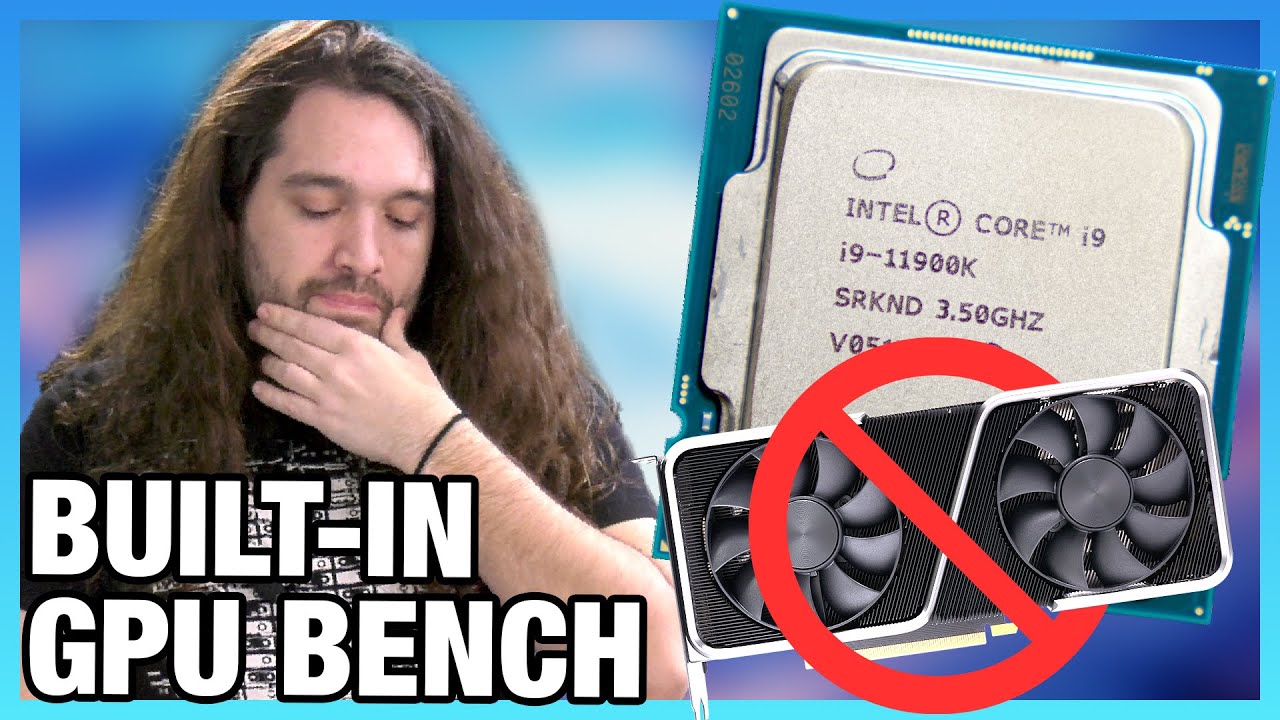
This benchmark compares the Intel UHD 750 & UHD 630 from the i5-11600K (same IGP in the 11900K) and 10900K vs. the NVIDIA GT 1030 GDDR5 cheap GPU, seeing as GPUs are now rare.
Sponsor: EVGA Z20 Keyboard on Amazon https://geni.us/kvPqEC
Watch our full review of the Intel i5-11600K: https://www.youtube.com/watch?v=lbch8LW-Bz0
And our coverage of...
reef moss
Mainly modded minecraft
plucky timber
that could really bump the price down
plucky timber
yep
reef moss
and dont buy the XFX
reef moss
Alright so lets make a new parts list I guess haha
How much does that bring the price down?
Using the GPU I have now
plucky timber
604.92$
prices may vary depending on where you are buying from
but
you could go for a better cpu
but that would bump up the price by 200-250$ so
the psu is a bit overkill but if you want to put a better gpu in the pc in the future then you don't have to buy a new one
reef moss
Hm
plucky timber
well depending on the gpu ofc
higher end gpus like the 3070 would not be a great idea on this psu
they draw a lot of power
reef moss
Sure thing
 fast dirge
Does anyone know what motherboard is in this: DELL Optiplex 9010 https://www.amazon.com/dp/B078WGWZ1X/ref=cm_sw_r_apan_glt_i_APJWMVC9N7NSNN5K5KF2?_encoding=UTF8&psc=1

DELL Optiplex 9010 SFF Desktop PC - Intel Core i5-3470 3.2GHz 16GB RAM 240GB SSD DVD Windows 10 Pro, WIFI (Renewed)']
fast dirge
I want to put a graphics card in it
fast dirge
The cheapest possible card that will run Photoshop/Lightroom/capture One
earnest olive
power supply should be a bigger issue than motherboard
fast dirge
And output to 4k while doing so
You think power will be an issue for a gpu for pshop etc ..?
earnest olive
gt 710 can do 4k 30hz
fast dirge
Think power ok for that?
earnest olive
you'll want to step up to a 1030 for 4k60, should support multiple 4k60 displays as well
yes
power supply is mainly an issue if you wanted to put in a gaming card with external power connectors that the dell psu doesn't have
humble fossil
earnest olive
did your laptop come with 1x8gb?
there is tow model 1 is 8gb total and another one is 16gb total
earnest olive
humble fossil
there is tow model 1 is 8gb total and another one is 16gb total
so which one do you have
fast dirge
I don't even really know what resources those apps are hungry for. Capture One runs on the base machine, just pretty slow
earnest olive
productivity apps tend to scale with as much power as you can afford to give them
fast dirge
earnest olive
productivity apps tend to scale with as much power as you can afford to give the...
That helps, ta 😊
humble fossil
earnest olive
so which one do you have
I will buy
earnest olive
realistically you're limited to a slot powered 75w gpu in that optiplex
fast dirge
I wanna output to two displays ultimately I guess. I output to a 4k tv @ 1080 right now, but I'll be getting a 4k monitor for editing. Can I have them both plugged into a 710 if I have one turned off? I won't need to run them both at once
earnest olive
so the most powerful gpu you could put in that pc is an RTX A2000
fast dirge
earnest olive
realistically you're limited to a slot powered 75w gpu in that optiplex
That's fair, I appreciate you telling me that limitation 🙂
earnest olive
fast dirge
I wanna output to two displays ultimately I guess. I output to a 4k tv @ 1080 ri...
yes, as long as you have the appropriate display outputs (or an HDMI switcher)
I'd consider going a bit higher end than a gt 710, 30hz is pretty miserable
fast dirge
I'm actually using display port to HDMI atm
earnest olive
you can find used gt 1030s on your local marketplace for $40-50 sometimes
could be a good solution for you
fast dirge
And rtx a2000?
earnest olive
humble fossil
I will buy
so you plan to buy 8gb and upgrade?
fast dirge
That's a good price aye!
earnest olive
well RTX A2000 is pretty expensive
fast dirge
Thanks for the help love 😊
humble fossil
what do you suggest ryzen 5 rtx 3050 8gb plus upgrade or ryzen 7 rtx 3050 ti 16gb
humble fossil
earnest olive
so you plan to buy 8gb and upgrade?
idk
earnest olive
more like $700
it's basically the professional version of the RTX 3060 but clocked down to stay within 75W
I stated that more as a "this is the theoretical maximum for your PC" than an actual recommendation
earnest olive
humble fossil
what do you suggest ryzen 5 rtx 3050 8gb plus upgrade or ryzen 7 rtx 3050 ti 16g...
price difference?
humble fossil
there is a 50% discount on ryzen 5 rtx 3050
fast dirge
earnest olive
I stated that more as a "this is the theoretical maximum for your PC" than an ac...
Fair cop lar, thank you 😊.
earnest olive
so yeah for your use case I'd look for some used gt 1030s
should allow you to drive 2 4k displays at the same time if you wish
and provide some slight graphics acceleration if your workloads benefit from that
do try to find the gddr5 version over the ddr4 version if possible, as the ddr4 version is much slower despite still being called gt 1030
earnest olive
humble fossil
there is a 50% discount on ryzen 5 rtx 3050
...so what's the price difference
earnest olive
for that much I'd just buy the 3050 and upgrade it with 1x8gb ddr4-3200 sodimm
humble fossil
are these ram compatible? Corsair Vengeance Performance SODIMM Memory 16GB (2x8GB) DDR4 3200MHz CL22 Unbuffered for 8th Generation or Newer Intel Core™ i7, and AMD Ryzen 4000 Series Notebooks
humble fossil
earnest olive
for that much I'd just buy the 3050 and upgrade it with 1x8gb ddr4-3200 sodimm
ok thanks, are these ram compatible? Corsair Vengeance Performance SODIMM Memory 16GB (2x8GB) DDR4 3200MHz CL22 Unbuffered for 8th Generation or Newer Intel Core™ i7, and AMD Ryzen 4000 Series Notebooks
obsidian wigeon
nah
laptops doesn't care too much about mismatched sticks
just make sure timings and speed matches and it's fine
which is usually just c20-c22 anyway
 limber oyster
Question, will water cooling my CPU and GPU reduce the amount of heat that exits my case?
Cause rn it's like turning on a freaking furnace in 80° weather
vague oracle
If anything it will increase the heat
Coolers move the heat from the component to outside of the PC case
Better PC cooling= hotter room
limber oyster
Darn
humble fossil
how do I make sure that the RAM is compatible with the laptop?
limber oyster
Make sure if its ddr3 or ddr4
That's really it
And make sure it's SODIMM
DIMM is desktop, SODIMM is laptop
humble fossil
ok thx
limber oyster
👍
fossil cedar
vague oracle
Yo <@!191276897227898880> you like my friend’s pcpp list he put together? <:kekw...
That made me wheezy so i fixed it
It's like 100$ more but could drop to 12400f
https://pcpartpicker.com/list/dXpq4s
tight sorrel
solid build.
 humble fossil
Pato sorry for being late yesterday
fossil cedar
No worries, someone else was able to help, i was asleep anyway
humble fossil
np
fossil cedar
Orange mushroom already answered lol, he is also very knowledgeable
humble fossil
this server is the best support for pc hardwear and software Thank you all
earnest olive
humble fossil
i think it is better to match the type and speed of the ram
by type do you mean brand?
brand doesn't matter
that laptop is going to be using a 1x8 ddr4-3200 sodimm guaranteed
so as long as you put in any 1x8 ddr4-3200 sodimm (make sure it's rated for 3200 @ 1.2V) it will be a perfect match
 humble fossil
earnest olive
by type do you mean brand?
humble fossil
earnest olive
by type do you mean brand?
yes
earnest olive
yeah brand doesn't matter at all
trust
I just pulled out a mismatched ram kit from my mom's laptop as she's getting a new one
she's been using two different brand ram sticks for a year
same speed = no problem
humble fossil
ok
earnest olive
people who say mixing different ram is bad are correct when overclocking is involved, but this doesn't matter for the majority of laptop ram
basically only MSI lets you overclock laptop ram
frank stirrup
a note to this xmp is oc too so anything above jdec is an oc
which is why its an issue on desktops
mossy venture
Yeah, xmp on desktop with two mismatching kits corrupted my windows
earnest olive
also why I said make sure it's rated for 1.2v because that means no overclocking needed to reach the rated speed
humble fossil
Does the ram come at full speed in the laptop
frank stirrup
huh
humble fossil
like desktop sometimes you if you want full speed to ram you have to bios to xmp
frank stirrup
xmp is oc
and ram oc isnt a thing on laptops really
the whole discussion has been this
lol
humble fossil
humble fossil
Does the ram come at full speed in the laptop
..
humble fossil
frank stirrup
it runs at the speed it says it runs at
that’s what I mean
humble fossil
fossil cedar
Orange mushroom already answered lol, he is also very knowledgeable
i mean sometimes the reply is fast
fossil cedar
earnest olive
<:mushflush:894777856985530368>

 bold prism
Guys question about the power supply
I have 2 cpu cables for my motherboard but my power supply only has 1 8 pin slot for it

What should I do?
frank stirrup
plug in the one you have
and ignore on screen prompts for the second one
you dont need it
frank stirrup
yes
bold prism
Ok thanks
frank stirrup
unless u plan to overclock using ln2 (even then its not really necessary) 2nd cpu plug is unecessary
bold prism
Ok
earnest olive
if your mobo doesn't have a second 8pin, its vrms are not powerful enough to need it
the only time you ever need more than 1 8-pin is when when you're doing sub ambient overclocking
 earnest olive
do you have a molex powered device?
just plug in what needs to be plugged in and ignore what you don't need okay?
 tawny wren
Hi, I have an old Mac internal 50 pin SCSI HD. Is there a SATA adapter cable I can use to access my old data. Newegg said to check here for possible help..... Thanks and happy St. Patty day.
earnest olive
It's been a long time since Macs came with SCSI drives. But if (for whatever reason) you need to get something off of an old SCSI drive and onto a modern Mac, it's doable. Here's how.
maybe this will help
jagged ember
bold prism
Is this cable required?
ew molex
only use if you have stuff that requires a molex connector, like orange said before
bold prism
Alright thanks
tawny wren
earnest olive
maybe this will help
Thank you very much!!! 😊
earnest olive
np hope it helps
 white flame
has anyone dealt with and found a fix for the LCD screen on the Aorus 3080 master rev 3.0 graphics cards? i scoured reddit and tried everyones fix to no permanent fix with RGB fusion/aorus engine
i got it working for a day and then the next day when i booted up, it was gone
fossil cedar
white flame
has anyone dealt with and found a fix for the LCD screen on the Aorus 3080 maste...
Download app centre, you can uninstall after but it just installs the dependencies needed
white flame
ok thank you
white flame
fossil cedar
Download app centre, you can uninstall after but it just installs the dependenci...
you wouldnt happen to have a link?
fossil cedar
white flame
you wouldnt happen to have a link?
Google gigabyte app centre
white flame
fasho fasho
white flame
that didnt work. rgb fusion still not detecting my card. im on the most recent versions of aorus engine and rgb fusion and the most recent driver from nvidia
 formal girder
https://pcpartpicker.com/list/RjTdXy so was given a task of doing a PC build but the budget is $1800 max and there is already an ssd that they have but any suggestions or is this a good list
mossy venture
formal girder
https://pcpartpicker.com/list/RjTdXy so was given a task of doing a PC build but...
worse cpu better gpu
actually most of it should be changed, ill do one after this game
mossy venture
formal girder
The list is for gaming and work
you happen to be near a microcenter?
mossy venture
vram might get a bit hot in that case i will say
since its not the 5000d airflow
and if he wants more storage, get the x300 4tb
 fossil cedar
formal girder
https://pcpartpicker.com/list/RjTdXy so was given a task of doing a PC build but...
formal girder
fossil cedar
formal girder
https://pcpartpicker.com/list/RjTdXy so was given a task of doing a PC build but...
formal girder
A 360 fits in a 4000D?
formal girder
Hmm
If I would've known that I would've done the same for mine instead of the 5000d
Oh wait I did 5000D cause of the front io
brittle copper
formal girder
A 360 fits in a 4000D?
He’s lying to you
brittle copper
formal girder
A 360 fits in a 4000D?
It “fits in the most obsolete way possible” meaning that it WILL NOT fit in push/pull and if you run it stock with 3 fans, it entirely defeats the purpose of buying the 4000D airflow
But if you have the old 4000D then it is what it is
formal girder
I have a 5000d myself
brittle copper
formal girder
I have a 5000d myself
That is a much better purchase
formal girder
Tho I do like the tinted tempered glass panel with the black version of the 5000d
fossil cedar
brittle copper
He’s lying to you
Lol mo I'm not
Push pull does maybe a 1c difference
And not expected lmao
Lol the point of buying the airflow is mesh
Not the 2 mediocre fans
brittle copper
fossil cedar
Push pull does maybe a 1c difference
You don’t honestly believe that do you?
formal girder
Is push pull like fans pulling air through rad and pushing into case? I always get lost with the config names
fossil cedar
Lol
stoic island
brittle copper
You don’t honestly believe that do you?
I mean, we have data from ek-aio elite testing from various reviewers as well as some GN testing iirc
fossil cedar
formal girder
Is push pull like fans pulling air through rad and pushing into case? I always g...
Push pull rad would be fans on both sides of the radiator
 I'll stick to my setup
fossil cedar
I'll stick to my setup
fossil cedar
Which is not how your expected to run and it really makes minimal difference
stoic island
Elite to normal ek-aio being 2c difference sounds to me like not worth 3 extra fans

And the elite gets a better pump too iirc
Should also be testing just for push/pull vs only push or pull on the same aio too
And yea upgraded pump from normal ek-aio too
The pump inside the CPU block is based on the company's SPC series and has seen an upgrade for this release.
brittle copper
stoic island
I mean, we have data from ek-aio elite testing from various reviewers as well as...
The EK Vardar fans on the EK 360 Al already the HIGHEST static pressure, airflow, and RPM fans on the market other than noctuas industrial fans. It hit the diminishing return ceiling way before they added the other 3
stoic island
So basically, we agree push pull doesn't matter there
And in reality, no one does good fan testing tbh
GN hasn't given us any good data yet
formal girder
I still have to install the 5 arctic p12 PWM in my case but too lazy to actually do it
brittle copper
stoic island
So basically, we agree push pull doesn't matter there
I lost 11 C by putting my liquid freezer 420 in push pull
stoic island
How do we know that's not due to something else
brittle copper
The P14s on those have much lower static pressure rpm and airflow than the ek vardar fans
brittle copper
stoic island
How do we know that's not due to something else
it was done at 260W/ 1.35V via HWINFO
5.2 all p core
4.0 all e core
stoic island
Fan speed and pump control?
Room temperature control?
Heat saturation?
Run to run variance?
brittle copper
stoic island
Fan speed and pump control?
100% fan speed and pump was 100% via arctics pump mechanism that we found about yesterday
stoic island
No offense, but I don't trust your own or my own methodology, so I prefer to see what third party reviewers get
brittle copper
There is a single PWM header that controls the Vrm fan,RADIATor fans, and pump speed
Arctic reported that the pump will always run at 100% speed if the PWM is set to 40% or more
brittle copper
stoic island
No offense, but I don't trust your own or my own methodology, so I prefer to see...
That’s fine
bold prism
Any suggestion to why my led fans aren’t lighting up?
brittle copper
bold prism
Any suggestion to why my led fans aren’t lighting up?
Disconnection from daisy chain was my problem
When that happened
bold prism
What’s a daisy chain
brittle copper
bold prism
What’s a daisy chain
Oh no
bold prism
The fans are working just the lights aren’t
stoic island
The lights take a different cable.
mossy venture
did you plug the argb plugs in?
bold prism
I plugged it into the jrainbow thing I think
brittle copper
bold prism
The fans are working just the lights aren’t
Are your A-RGB fan cables daisy chained?
 brittle copper
Basically can you connect one fan to another?
bold prism
No I don’t believe so
brittle copper
Via a cable that looks like that one?
Oh ok
Is that cable directly connected to a fan or a hub?
bold prism
Wait idk what this is
brittle copper
Uhh
 brittle copper
So it’s connected to that
bold prism
Yea
brittle copper
And it’s going straight into your motherboard?
bold prism
Yes
brittle copper
Okay so it’s case lighting
bold prism
Yep
brittle copper
Are the fans in the Front connected to that thing?
 stoic island
Some random guy's testing, oh well
https://www.reddit.com/r/watercooling/comments/av6fbr/tested_pushpull_with_2_different_fans/
reddit
9 votes and 22 comments so far on Reddit
bold prism
It’s not plugged into anything
stoic island
Might want to plug the fan into that
Assuming something like p500a, it's fan -> fan -> fan -> case thing -> mobo
Might also take sata power too, check if there's another cable that needs to be plugged in
stoic island
 unique haven
https://pcpartpicker.com/user/S1ppy108/saved/#view=Rc6rMp
unique haven
https://pcpartpicker.com/user/S1ppy108/saved/#view=Rc6rMp
Permission denied, list is not public
stoic island
Edit details, unclick the private box
brittle copper
Sorry I’m driving to work right now, Lisa Su and Gregorio might be coming to the lab today
And I’m late
stoic island
unique haven
https://pcpartpicker.com/user/S1ppy108/saved/#view=Rc6rMp
Do you already have the 980?
unique haven
Nope not yet
stoic island
Where's the price from?
stoic island
As long as you can verify you're getting what you're asking for, it's fine
unique haven
Thanks
stoic island
Do you have any part of that already?
unique haven
No i just wanted to see if the build would be good since its my first
stoic island
unique haven
https://pcpartpicker.com/user/S1ppy108/saved/#view=Rc6rMp
To start, I'd go for 12100 with something like a pa120 and a b660 d4 board
mossy venture
mr111 you have any opinions on the monitor i posted in tech deals?
stoic island
Average 2x16gb 3200c16 ram is average, could leave as is if you feel like you need that ram
Lemme check
mossy venture
my wallet is crying and i cant buy it, but i think its a good deal
just dont know much about the monitor itself other than the general specs
stoic island
Looks like cheapo 1440p144 va panel, no good reviews
unique haven
Would it be better to get 2x8 3600 ram?
brittle copper
mossy venture
do you think its a good deal at the sale price or should i take it down?
What’s the price?
brittle copper
unique haven
Would it be better to get 2x8 3600 ram?
It would be best to get micron E die 3200 C16 ram
From a price /perf perspective
unique haven
stoic island
Average 2x16gb 3200c16 ram is average, could leave as is if you feel like you ne...
I found 2x16 3600 for 130 so i think i might go for that
brittle copper
unique haven
I found 2x16 3600 for 130 so i think i might go for that
3600 C16?
unique haven
CL18
brittle copper
Oh 18
unique haven
Is that worse?
brittle copper
unique haven
Is that worse?
I mean yeah but it’s not bad
unique haven
I mean atleast its not a 3400
formal girder
Try to look for some 2x16 gb 3600mhz Cl16 from crucial ballistix
That's only if you want that higher mem frequency
bold prism
Do I need to plug this in?
 brittle copper
formal girder
Try to look for some 2x16 gb 3600mhz Cl16 from crucial ballistix
brittle copper
formal girder
Try to look for some 2x16 gb 3600mhz Cl16 from crucial ballistix
It would probably save him a lot of money to get micron e die ballistix at 3200 cl16 and OC them to 3600 cl16
fossil cedar
unique haven
https://pcpartpicker.com/user/S1ppy108/saved/#view=Rc6rMp
the aio is a big waste of money, id go gammaxx 400/vetroo v5/id cooling se 224xt or peerless assassin for not much more - more future proof cpu wise and id get this power supply instead, just as good, 750w and cheaper https://pcpartpicker.com/product/Tsbkcf/bitfenix-formula-gold-750w-80-gold-certified-atx-power-supply-bp-fm750ulag-7r
unique haven
I mean this pc is mainly for just coding and light gaming
formal girder
brittle copper
It would probably save him a lot of money to get micron e die ballistix at 3200 ...
True on that
fossil cedar
unique haven
I mean this pc is mainly for just coding and light gaming
also id go for a team mp33 or something instead, the ssd is good but its not really balanced for your build if you get me
unique haven
brittle copper
It would probably save him a lot of money to get micron e die ballistix at 3200 ...
Idk how to overclock though
Id probably mess it up
fossil cedar
thats alright, overclocking ram isnt for everyone
unique haven
fossil cedar
also id go for a team mp33 or something instead, the ssd is good but its not rea...
Is it Fully modual?
fossil cedar
unique haven
Is it Fully modual?
no but it doesnt matter
unique haven
fossil cedar
no but it doesnt matter
I was just interested
mossy venture
sorry
formal girder
I wanna finna say bacca something didn't seem right lol
unique haven
its fine
mossy venture
formal girder
I wanna finna say bacca something didn't seem right lol
lol
i find it funny that 3200c22 is worse than 2666c15
formal girder
Me bouta cry spending $600 on my ram to find out 3200 cl16 was better than my 3600 cl16
fossil cedar
mossy venture
i find it funny that 3200c22 is worse than 2666c15
- on intel maybe on amd no way
unique haven
fossil cedar
the aio is a big waste of money, id go gammaxx 400/vetroo v5/id cooling se 224xt...
But it only has one review?
fossil cedar
unique haven
But it only has one review?
customer reviews mean little to nothing btw, actual review arcticles/videos are what matter
fossil cedar
yeah id personally tweak a few things but yeah, whats your budget?>
stoic island
unique haven
Asus PRIME B560-PLUS ATX LGA1200 Motherboard
I'd go 12100 and a b660 board
unique haven
I think my cap is 1,000
unique haven
fossil cedar
yeah id personally tweak a few things but yeah, whats your budget?>
Or do you mean for my motherboard?
fossil cedar
meant full pc
unique haven
oh so yeah 1k
fossil cedar
unique haven
oh so yeah 1k
i would just do this tbh https://www.newegg.com/abs-ali569/p/N82E16883360199
https://www.newegg.com/abs-ali625/p/N82E16883360290 or this if you dont want to stretch to 1k but its worth the extra 100
vague oracle
fossil cedar
That made me wheezy so i fixed it
It's like 100$ more but could drop to 12400f
h...
I ended up just putting together an 11400F build for him mostly because he only could do $1500 max and because I have a mobo I could give him for the 11400f
Everything else in the builds looks almost exactly the same except for a 3080
fossil cedar
vague oracle
I ended up just putting together an 11400F build for him mostly because he only ...
fair enough
fossil cedar
unique haven
I think ill stay with my build
thing is at the 1k budget those prebuilt will whoop the DIY builds atm in perforance
unique haven
But im pretty sure mine could hold up pretty well
I have a friend with an older pc and it still works
unique haven
fossil cedar
thing is at the 1k budget those prebuilt will whoop the DIY builds atm in perfor...
Thank you though!
fossil cedar
unique haven
I have a friend with an older pc and it still works
i mean yeah it will work but the other one is better
vague oracle
But like why spend money on something worse when you can spend the same and get better performance?
The building experience is fun and all but like it isn’t worth losing performance just to get that experience
fossil cedar
like you could do this if you really optimised it https://pcpartpicker.com/list/gfmV6r
https://pcpartpicker.com/list/P4NJ8r actually you could get a 1tb ssd in instead
unique haven
Since i already got a case i think i could still get the aio
fossil cedar
that makes no sense but aight