#building-and-recc-chat
1 messages · Page 1193 of 1
 inland parrot

 vernal dirge
According to google it’s running a gt 610
 lyric thistle
I thought it was a microwave for a sec from that pic
620 according to the sticker in the pic
vernal dirge
Sorry that’s what I meant lol.
lyric thistle
xd
vernal dirge
Yeah that sounds like the best thing to do
 tight sorrel
I honestly dont know if an upgrade would be worht it?
lyric thistle
yes
vernal dirge
I mean, thats the thing right.
inland parrot
They are not playing games on it but it just needs a upgade
lyric thistle
oh just put an ssd in it
vernal dirge
Oh then why upgrade the GPU?
lyric thistle
maybe a bit more ram
tight sorrel
12GB of ram is odd
vernal dirge
It’s like they lost the fourth stick of ddr 3.
tight sorrel
I mean, its what? a stick of 4 and a stick of 8? so not running in dual channel
vernal dirge
I though you were gonna say something crazier like oem 6 gig sticks lmfao.
But then I assumed dual channel
lyric thistle
pretty sure my computer at home is running dual channel
tight sorrel
with a 4 and an 8? is that even legal?
vernal dirge
inland parrot
They are not playing games on it but it just needs a upgade
SSD will have the computer feeling like new.
 obsidian wigeon
^
 nimble slate
hey, i plan on buying this prebuild , cant link it , HP Pavilion Gaming Desktop TG01-2004ny, what do you guys think ? 1.3k eur
asked the staff thourgh mail the specific model of gpu
they said " NVIDIA® GeForce RTX™ 3060 Ti (8 GB GDDR6 dedicated) with LHR "
which is pretty funny
 long rock
Alrighty. Today we start the glorious return process for my CPU, I shall go drop it off at UPS here in a bit, and see what happens
 trail elbow
 gonna have to upgrade my MOBO when I upgrade my cpu cause it only supports 9th fen intel max,prob gonna switch to AMD
 fossil cedar
nimble slate
they said " NVIDIA® GeForce RTX™ 3060 Ti (8 GB GDDR6 dedicated) with LHR "
fossil cedar
nimble slate
they said " NVIDIA® GeForce RTX™ 3060 Ti (8 GB GDDR6 dedicated) with LHR "
It will be a hp gpu, no asus etc, i mean it depends on country if better options available but that's not bad
fossil cedar
trail elbow
<:200Sad:641084766820761621> gonna have to upgrade my MOBO when I upgrade my cpu...
Probs wanna upgrade ram too
long rock
Alrighty, return has been made, I need to wait about a week for the refund money
nimble slate
fossil cedar
It will be a hp gpu, no asus etc, i mean it depends on country if better options...
i'm trying to look at these hp 3060ti settings , but can't understand the parameters , is it really that bad?
nimble slate
i can't even link the photo here?
obsidian wigeon
it uses proprietary mobo and psu
nimble slate
can't you just change the mobo ? sorry i'm not the expert
nimble slate
i guess it's fine if i don't plan on upgrading it  just thinking if the 500psu will hold
for 3060ti they recommend 600w i believe
long rock
Seems bout right. I think they said it will take about a week to get the funds back on my card
 fossil cedar
nimble slate
i'm trying to look at these hp 3060ti settings , but can't understand the parame...
fossil cedar
nimble slate
i'm trying to look at these hp 3060ti settings , but can't understand the parame...
Wdym the settings? Well the bad part is mainly the hp cooler, not terrible just not great on the gpu as well as an oven for a case and using proprietary parts so basically only things that can be upgraded are cpu(in same motherboard, not much point), ram, and gpu
fossil cedar
nimble slate
i guess it's fine if i don't plan on upgrading it <:kekw:741678350791081994> ju...
Well hp cases are ovens with 0 airflow so you'll probs be sitting next to a jet engine
 glacial umbra
is it worth it to grab a 5800x with a 3060 ti or will it make no difference compared to the 5600x?
fossil cedar
glacial umbra
is it worth it to grab a 5800x with a 3060 ti or will it make no difference comp...
In gaming difference isn't noticeable
Unless you playing like csgo or valorant 720p
glacial umbra
alright, I'll stick with the 5600x then
 little osprey
Welp
My PCs dead
fossil cedar
What's wrong/happened
little osprey
Not really sure yet
Turned it on, left the room to get a drink, came back to smoke and the PC off
PSU and GPU passed a sniff test. Top vents stink of burnt circuitry though
It's definitely the board or something on it, it isn't like a controller hub or a cable or anything
little osprey
Barely visible, but yeah. I smelled it more than I saw it
glacial umbra
 topaz kestrel
"passed the sniff test" lol
topaz kestrel
"passed the sniff test" lol
 stoic island
well, be careful first off
topaz kestrel
carry on doing sniff tests
glacial umbra
delicious smoked pcb for breakfast
little osprey
Well yeah. I tipped it on its side so the rear I/o was up and sniffed the exhaust vents for the gpu and psu
Didn't smell like burning, so it probably wasn't one of those
topaz kestrel
are you in a h510
little osprey
I can't find any scorchmarks or blown capacitors or anything. I don't understand
fossil cedar
H510 isn't that bad lmao
little osprey
No, and I don't use a riser cable
topaz kestrel
whats a riser cable pato
fossil cedar
Do you use any hubs or something?
stoic island
I suggest unplug everything unnecessary
fossil cedar
A pcie cable that's used to vertical mount
stoic island
(all the fans, all the extra storage, etc)
topaz kestrel
oh
little osprey
Yeah a few, but they're all fine
topaz kestrel
did you sniff them
stoic island
if you have an air cooler, unplug cpu fan too, heatsink should be enough to at least boot
aio, can't do much about that
little osprey
I've got aios on CPU and GPU
little osprey
Wasn't a pump either. I've already checked and neither component overheats at idle even with the pumps and fans off
Like, when I built it. Out of curiosity
I really don't want to turn it back on. If its a short and it hasn't already bricked other components with it, it definitely will if I power it on again
fossil cedar
Tbf you'll probs be okay to just boot with the fans unplugged
Just go into bios or something
little osprey
Like just to see if I can make it that far, or is there something I should do in bios to try troubleshooting
stoic island
I don't really want to suggest taking the PSU out and paperclip test, because blowing up reasons, but that's the only other option tbh
if psu problem + turn on = boom?
psu problem + paperclip test = boom?
so kinda just hope it's not psu
(most likely not boom, but like sparks)
little osprey
Yeah but if it's just the fans would that even cause the whole system to shut down? I don't see how it could unless the actual header shorted out, but if that's the case I think it comes back to the shorting to ground issue
fossil cedar
Sometimes the fan headers can just fry
topaz kestrel
stoic island
I don't really want to suggest taking the PSU out and paperclip test, because bl...
whats the paper clip test?
obsidian wigeon
it basically fools the psu into powering on
topaz kestrel
cant u do that with anything metal?
obsidian wigeon
cause you short the pins
topaz kestrel
oh wait is it the mobo thing
little osprey
I really hope it's that
It would make sense too, they've been doing something kinda weird lately
IG having 10 fans on one header probably isn't optimal
But then again, why tf would they put ten ports on the hub then
topaz kestrel
yeah ik what it is
topaz kestrel
ive seen someone do it with a screwdriver before
fossil cedar
little osprey
I really hope it's that
It would make sense too, they've been doing something ki...
It's definitely cuz you had 10 fans on 1 header WTF
fossil cedar
Unless it's sata powered
topaz kestrel
https://www.amazon.co.uk/dp/B07B5F5VKM?tag=pcp0f-21&linkCode=ogi&th=1&psc=1 this is fine right @fossil cedar ?

DEEPCOOL FH-10 Hub for 10 Fans, 3 or 4 Pin PWM Function for each port, Black
obsidian wigeon
most headers handles 1 amp
which is usually 4-5 fans on average
also yes
that should do as a hub
topaz kestrel
ok just double checking lol
fossil cedar
topaz kestrel
https://www.amazon.co.uk/dp/B07B5F5VKM?tag=pcp0f-21&linkCode=ogi&th=1&psc=1 this...
Yep, bit on the spensive side tho, do you need a 10 fan hub lol?
topaz kestrel
im gonna need like a 7 fan hub ish so i dont mind spending that
its not too bad
imo*
topaz kestrel
na fc1?
topaz kestrel
it looks chonky lol
obsidian wigeon
spensiv in where i live
little osprey
It is sata powered
topaz kestrel
obsidian wigeon
spensiv in where i live
same
little osprey
The one Im using is sata powered
topaz kestrel
do you actually just know these names off heart or did you search it lol?
stoic island
na-fc1 is just lovely
little osprey
I still think it's that though
Lately when I power my PC on and the fan LEDs first come on they go really dim and the LEDs go red even though they're set to white
stoic island
topaz kestrel
do you actually just know these names off heart or did you search it lol?
noctua naming is actually really simple when you look at it
Noctua Accessary - Fan Controller 1
NA-FC1
yaknow
topaz kestrel
a12x25s
obsidian wigeon
yep
topaz kestrel
...
stoic island
NF - Noctua fan
little osprey
12cmx25mm
stoic island
a12 is the name of the 120mm fan (12cm)
topaz kestrel
oop
stoic island
and x25 means it's 25mm thick
topaz kestrel
maybe my brain just isnt wired like yours lol
obsidian wigeon
it looks puzzling
stoic island
a12x25 is just special
it's a godly fan
if you look at any best fan comparisons
it's probably going to show up
topaz kestrel
are all noctua fans that ugly brown and grey lol?
obsidian wigeon
black bois
stoic island
there's also other fans that are great, nf-a12x25 levels
fossil cedar
stoic island
na-fc1 is just lovely
Do you just keep daisy chaining it or something?
stoic island
like Nidec GT is really good
stoic island
fossil cedar
Do you just keep daisy chaining it or something?
you can keep splitting it afaik
fossil cedar
Ahh interesting
obsidian wigeon
so hmm
obsidian wigeon
My case fan makes seemingly rubbing noise after I put it back in
stoic island
also
obsidian wigeon
Could it be the cable moving?
little osprey
Phanteks t30-120 actually outperforms nf12x25
stoic island
"The Noctua PR guy also tells me they have tested the FC1 with 100 fans! Now, granted, these were Noctua fans which don’t draw much current, but you get the idea that the FC1 will control all the PWM fans that will fit in your case."
fossil cedar
Arctic p12s way better value
fossil cedar
obsidian wigeon
Could it be the cable moving?
It's a possibility ye
obsidian wigeon
mhm
i'll fix it later
it happens sparsely lol
some days it does, some it doesn't
stoic island
little osprey
Phanteks t30-120 actually outperforms nf12x25
judging by the name, it's also thicker
obsidian wigeon
yep thicker
fossil cedar
obsidian wigeon
mhm
Giving the pc a wack should displace the wire enough tbf
stoic island
but it'll be within a reasonable margin
obsidian wigeon
i wacked it a few times actually
stoic island
like nidec GTs
obsidian wigeon
doesn't fix it
fossil cedar
Damm
obsidian wigeon
it just goes away on itself
 snow turtle
any recco for starter pre builts for gaming with a budget of about $900?
obsidian wigeon

little osprey
They're brand new though, and thicker and they made such a big deal about it they sent a bunch of YouTubers these big elaborate test setups to prove that it actually moves more air than noctua fans do
They were so proud of themselves
obsidian wigeon
so imma open it up and pull on the cable a bit
stoic island
I'm waiting for GN to get their testing setup going lol
I'm mainly interested in Nidec GT vs A12x25 vs P12 in general with good testing methodology
 jagged ember
I'd wait for gn airflow testing yeah
fossil cedar
snow turtle
any recco for starter pre builts for gaming with a budget of about $900?<:da_hec...
https://www.newegg.com/abs-ala250-master/p/N82E16883360154R?itemPosition=1-12&exactIndex=1 if you don't mind open box and can spare 34$
little osprey
@stoic island no real point
The nidec ones just straight up cannot keep up
 snow turtle
fossil cedar
https://www.newegg.com/abs-ala250-master/p/N82E16883360154R?itemPosition=1-12&ex...
snow turtle
fossil cedar
https://www.newegg.com/abs-ala250-master/p/N82E16883360154R?itemPosition=1-12&ex...
iffy about open box, read too many stories of open boxes not matching what they’re described 
little osprey
Would be interesting to see it between noctua, arctic, and these new phanteks fans though
obsidian wigeon
alright
fossil cedar
snow turtle
iffy about open box, read too many stories of open boxes not matching what they’...
I've recommended open box abs pcs and haven't heard any complaints but to each their own
obsidian wigeon
224 xt literally costs the same
so wow
25 bucks
how the hell is it this cheap
with sale it's like 23
rgb edition is somewhat more but eh idc
non rgb saves cash so
stoic island
little osprey
<@278694081440251905> no real point
The nidec ones just straight up cannot keep ...
I'm 95% sure they are able to keep up
I'm talking about gentle typhoons btw
snow turtle
fossil cedar
I've recommended open box abs pcs and haven't heard any complaints but to each t...
i mean it’s not entirely a deal breaker ig i’d be more worried about returning it if it’s not as described, just not looking to upgrade it for atleast the next 3 years of having it
little osprey
@stoic island yeah I know
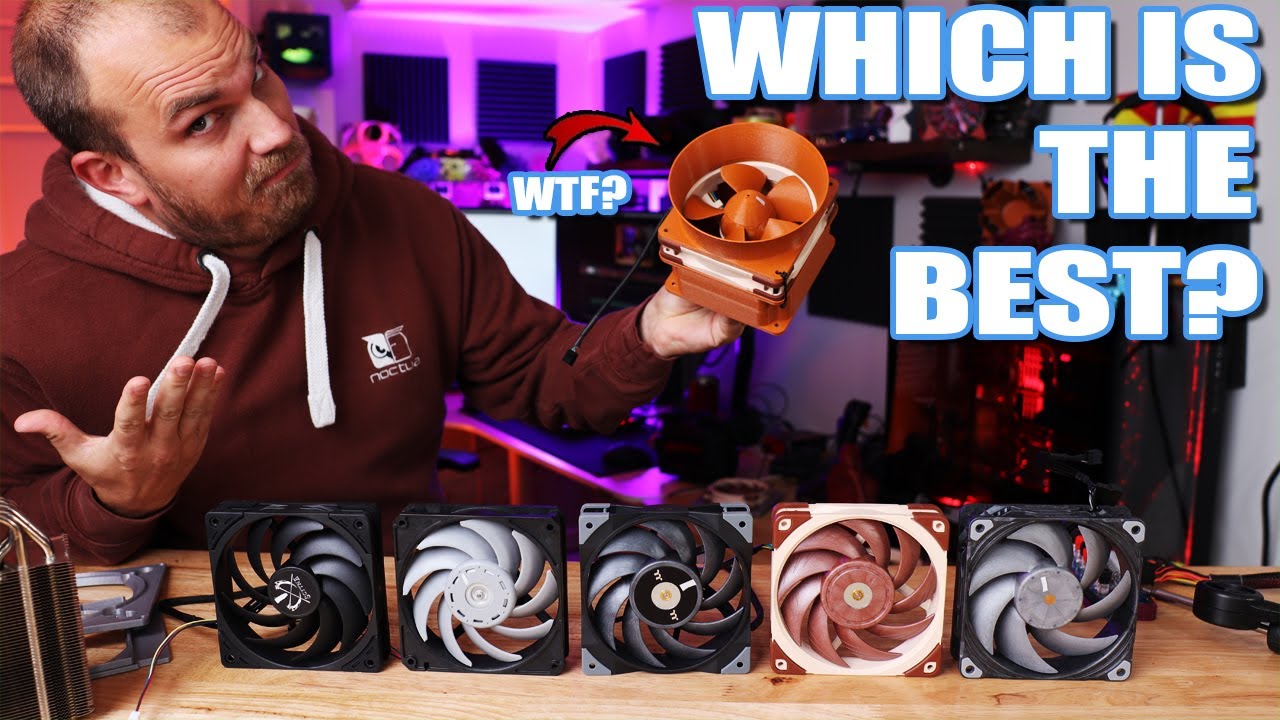
I have seen a lot of fans, I have even made a few and so have you. But today is a bit special, we are going to test out some of the BEST cooling fans on the market to see what fan is really the best of the best. Also we are going to throw in the Fan Showdown current first place fan to see where it stacks up.
Phanteks T30-120
https://amzn.to/3tE...
stoic island
wdym can't keep up
fossil cedar
snow turtle
i mean it’s not entirely a deal breaker ig i’d be more worried about returning i...
Well i can't find any decent prebuilts in stock and not open box that aren't rip offs like this pc https://www.bestbuy.com/site/ibuypower-slate-mr-gaming-desktop-intel-i3-10100f-8gb-memory-nvidia-geforce-gtx-1650-4gb-480gb-ssd/6455405.p?skuId=6455405

Best Buy
Shop iBUYPOWER Slate MR Gaming Desktop Intel i3-10100F 8GB Memory NVIDIA GeForce GTX 1650 4GB 480GB SSD at Best Buy. Find low everyday prices and buy online for delivery or in-store pick-up. Price Match Guarantee.
lyric thistle
https://airrider.my/images/default-source/default-album/history-vwts.jpg?sfvrsn=8575d132_0&size=1280
 stoic island
:p
 fossil cedar
obsidian wigeon
rgb edition is somewhat more but eh idc
fossil cedar
obsidian wigeon
rgb edition is somewhat more but eh idc
For rgb you get vetroo v5 or one of the gammaxx's
obsidian wigeon
idc about it anyway
stoic island
but anyways, still want to see GN testing it
obsidian wigeon
but nice recc
stoic island
other people testing, I don't know them
obsidian wigeon
rgb is optional for me
stoic island
sure I'm being nitpicky but I'm just a nitpicky person
obsidian wigeon
if non rgb saves me cash, imma go non rgb
but if rgb happens to be on good sale
why not
little osprey
That's noise normalized testing though
The motor isn't fast enough to keep up with the noctua kr phanteks fans at 100%
fossil cedar
Same lol
stoic island
I'm talking about noise normalized
too lazy to go over 100% vs noise normalized argument again, I prefer noise normalized.
little osprey
Well that's what I'm talking about, you asked what I mean
snow turtle
fossil cedar
Well i can't find any decent prebuilts in stock and not open box that aren't rip...
yea deff not for i3, i’ve done a bit of research and i think i7 would fit what i’m looking to do as far as gaming and video editing
stoic island
'just straight up cannot keep up' is what I was responding to
but anyways
I'm being nitpicky
fossil cedar
snow turtle
yea deff not for i3, i’ve done a bit of research and i think i7 would fit what i...
Nah you would be looking for an i5/ryzen 5 tier cpu really if you're gaming? Assuming this is a gaming pc, the gpu matters more
little osprey
That's like saying your 3060 is as fast as a 3080 because you underclocked the 3080
fossil cedar
What?
little osprey
Mr1111 and his noise normalized testing argument
stoic island
noise normalized vs 100% is a separate argument I'm just too lazy to get into today
talked with vintage about it once
little osprey
They're all basically the exact same fan just with different motors anyway
snow turtle
fossil cedar
Nah you would be looking for an i5/ryzen 5 tier cpu really if you're gaming? Ass...
ahh rlly? i was looking and compared AMD and intel a lot and most of the comparisons as far as what games i would play showed intel in the lead, not that AMD was too far behind or anything
but yea mostly for gaming
fossil cedar
snow turtle
ahh rlly? i was looking and compared AMD and intel a lot and most of the compari...

stoic island
depends on the benchmark and which models but anyways
stoic island
gonna guess some old reviews with like 3rd gen ryzen against 10th gen intel, that would make sense
snow turtle
didn’t use that benchmark site, checked out a few videos here and there bc i couldn’t find the benchmark site i had heard of awhile ago
fossil cedar
I mean the 10400 is a bit better than a 3600 but close enough, and a 5600x is a good bit better than a 11400 but ofc an i9 10900k is gonna out perform a 3600
fossil cedar
snow turtle
didn’t use that benchmark site, checked out a few videos here and there bc i cou...
If you want to compare cpus for gaming just watch gamers nexus reviews of the cpu
little osprey
Is eleventh gen Intel actually any better for gaming than tenth gen?
All I remember from that review cycle was people saying it was worse than 10th gen in a lot of cases and everything else got lost in the noise
snow turtle
^^
little osprey
Holy cow
Why even release it
They should have been honest
"Yeah our 10nm process isnt working so we backported a 10nm architecture up to 14nm and we were gonna release that as eleventh gen but it's way worse than tenth gen at everything but a handful of synthetic benchmarks so just buy a 10 series and wait a while"
stoic island
little osprey
Why even release it
They should have been honest
"Yeah our 10nm process isnt wor...
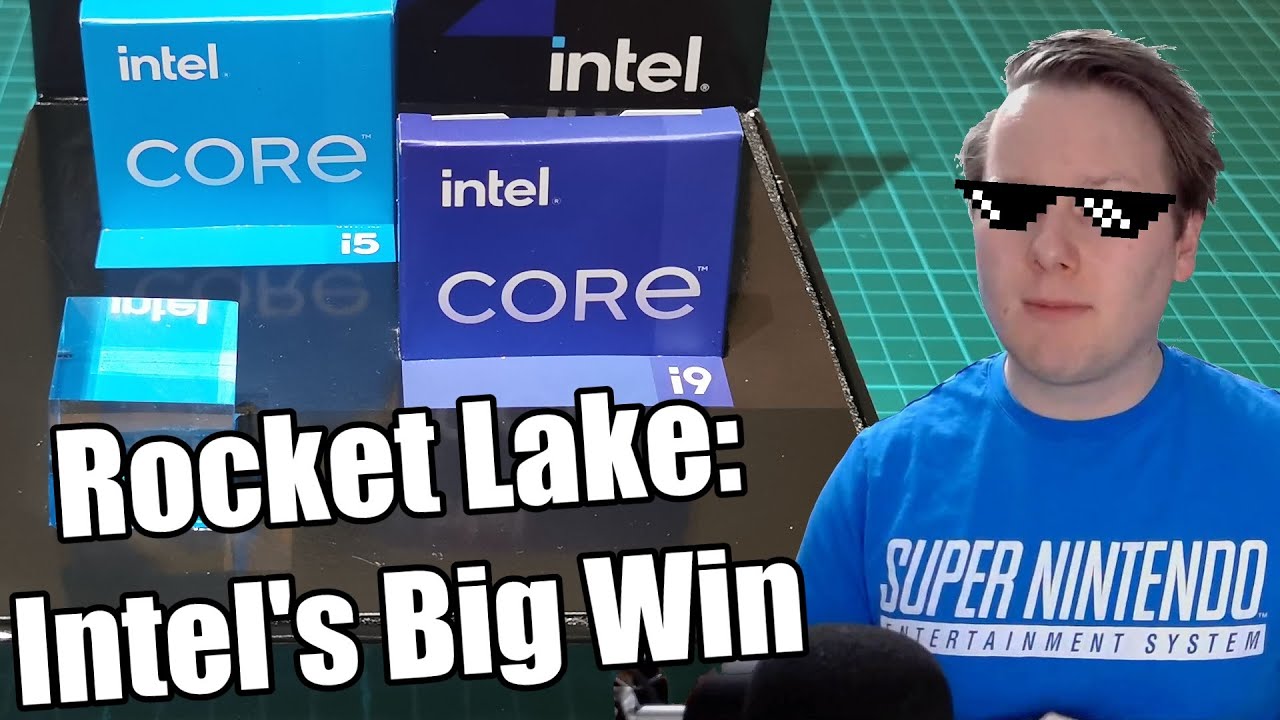
Intel’s 11th Gen Core Rocket Lake has been universally panned for Core i9 and Core i7. But in many ways, it was a massive success. Here’s why.
0:00 Intro
0:33 Reviews are in
1:31 Why Does Rocket Lake Exist
2:20 Gap in the Roadmap
3:00 Design vs Backport/Retrofit
5:29 Timing of Rocket Lake
6:03 Transistor Size Concerns
7:01 What it Takes to Back...
 vale epoch
I feel like I finally found a good deal
 stoic island
eh
little osprey
The only good thing is that it's the same socket as 10th gen so imo they're just still making cool motherboards for 10th gen
stoic island
watch the video for fun info :)
little osprey
I'm busy, I can't
stoic island
but anyways that laptop 3070 prob has a pretty low pl
tldr it's a good milestone for Intel designing chips
little osprey
Is it
Or did Intel pressure some mostly unknown YouTuber to review it positively
I wouldn't be surprised if they wrote the script themselves even
stoic island
little osprey
Is it
Or did Intel pressure some mostly unknown YouTuber to review it positively
oh techtechpotato isn't an unknown youtuber, it's the small youtube channel of a tech journalist that writes for anandtech, it's Ian Cutress
they know what they're doing
 celest horizon
Watch the vid when you have time if you want a real answer
stoic island
:)

but yea
they're not some random youtuber that got paid off
hasn't ian cutress been writing for anandtech for like 15 years now or smth
celest horizon
vale epoch
stoic island
but anyways that laptop 3070 prob has a pretty low pl
140 at max
 little osprey
They also fed into the "11th gen is 10nm" propaganda
 stoic island
if it's true then it's decent
little osprey
Doesn't really make them seem objective
stoic island
little osprey
They also fed into the "11th gen is 10nm" propaganda
11th gen Tiger Lake H is 10nm
that's mobile
the 1167g6 stuff
I can never remember the naming and will never bother to learn that naming
celest horizon
Propaganda?
fossil cedar
little osprey
Is eleventh gen Intel actually any better for gaming than tenth gen?
All I remem...
Yes
fossil cedar
little osprey
Is eleventh gen Intel actually any better for gaming than tenth gen?
All I remem...
The i7 11700 is meh just the 11900k is stupid, the i5s are good tho
fossil cedar
vale epoch
I feel like I finally found a good deal
What's the wattage of the 3070?
stoic island
little osprey
They also fed into the "11th gen is 10nm" propaganda
Right from Intel, Intel says it's on the 10 nm process
https://www.intel.com/content/www/us/en/products/sku/213801/intel-core-i911900h-processor-24m-cache-up-to-4-80-ghz/specifications.html


Intel
Intel® Core™ i9-11900H Processor (24M Cache, up to 4.80 GHz) quick reference with specifications, features, and technologies.
tpu says the same
https://www.techpowerup.com/cpu-specs/core-i9-11900h.c2475

but anyways
enough of dwelling on that
little osprey
Remember when the entire tiger lake line was supposed to be 10nm?
Cause that persisted well after the launch and review cycles for it.
Outlets ran with "they're finally off of 14nm!" For a while
@celest horizon
 still roostBOT
 analog_shower#6086 has been warned
Reason: Bad word usage
celest horizon
I'm not aware of any tiger lake that isn't 10nm
stoic island
Desktop 11th gen is called rocket lake
celest horizon

celest horizon
Please use google to educate yourself
ian's articles on anandtech are a good start
little osprey
Bruh
I don't need to be educated because I mixed up the names of two architectures I don't care about
stoic island
little osprey
They also fed into the "11th gen is 10nm" propaganda
the bit we don't like is that you applied misinformation onto a perfectly fine article by a nice guy :(
enough of that
celest horizon
This conversation can serve no further purpose
stoic island
https://youtu.be/oaB1WuFUAtw
is good video
Intel’s 11th Gen Core Rocket Lake has been universally panned for Core i9 and Core i7. But in many ways, it was a massive success. Here’s why.
0:00 Intro
0:33 Reviews are in
1:31 Why Does Rocket Lake Exist
2:20 Gap in the Roadmap
3:00 Design vs Backport/Retrofit
5:29 Timing of Rocket Lake
6:03 Transistor Size Concerns
7:01 What it Takes to Back...
little osprey
The bit I don't like is I said "11th gen intel bad" and you pulled out the one and only review anywhere that says otherwise
little osprey
Stop arguing semantics
stoic island
I can prob pull up other sources to explain
celest horizon
11th gen is a success in the same way Apollo 13 was a success.
topaz kestrel
oof
little osprey
Apollo 13 was a success because they overcame a crisis
11th gen is a success cause they managed to make money off a crisis they created by not caring about their consumer products.
Not really the same at all if you think about it
NASA never did anything to seem like they think astronauts are stupid enough they will buy anything with the NASA logo on it
stoic island
The video is about CPU design, not about overall performance
it talks about how 11th gen design is a milestone
not the performance
the video isn't about 11th gen being good chips for you to buy
it's about how 11th gen is a good step for chip design
little osprey
Then the price should have reflected that before they realized it wouldnt sell as is
stoic island
oh I'm not saying 11th gen is good
little osprey
It's grimy, cause Intel is grimy
stoic island
I think 11700k 11900k prices suck
little osprey
And the product is bad and overpriced
stoic island
But 11th gen, the architecture, is a step forwards
You should watch the video for more details on that
little osprey
It's a step they should have made internally. It never should have left the lab
It's essentially "look what we can do! It kinda works, buy it!"
Don't commit to a mistake just because you spent a lot of time making it
topaz kestrel
how did this all start lol
little osprey
I asked if 11th gen was good at anything
Got a resounding "no"
And now apparently we're talking about why 11th gen is a waste of time and money, but not for the people who sell it

stoic island
You can see some generation over generation improvements from like 10600k to 11600k and 10700k to 11700k in for example blender

we ignore 11900k because it's dumb
If you don't like Ian and anandtech, TPU as a secondary source

some more simple metrics, cinebench

tbh 11th gen improved on lower and and took a step back on higher end
11900k suck
11700k suck a bit less but still suck
11600k good
11400 great
little osprey
An IPC improvement in one benchmark does not a generational improvement make
stoic island
little osprey
I asked if 11th gen was good at anything
Got a resounding "no"
And now apparentl...
I implore you to re-read the answer you got from forks tbh, and it was also 11900k v 10900k
 stoic island
little osprey
An IPC improvement in one benchmark does not a generational improvement make
stoic island
little osprey
An IPC improvement in one benchmark does not a generational improvement make
oh I'll grab more then
decent bit here

decent bit here

decent bit here

oh and also, forky source was mostly about game performance
where it does not do much better
and also ram oc stuff
stoic island
which is true, like you can see in rdr2 here for example

it's true that it loses out in like 90% of the games
well, maybe less than 90%, but a good amount of games
there's also other benchmarks
where 11th gen wins
vale epoch
fossil cedar
What's the wattage of the 3070?
115-125 140 with dynamic boost
The 10th gen i7 is a 6 core right?
stoic island
@little osprey I'm tired of typing, you're probably tired of this too, so let's just end this here, you can make your own judgement from the information we provided, and I implore you to watch the video for more info on the architecture
fossil cedar
vale epoch
115-125 140 with dynamic boost
Bleh
vale epoch
?
topaz kestrel
@fossil cedar
stoic island
max q is like 80-90w pl
snow turtle
how do these two stack up? ik they’re in the comparison tool but my judgment isn’t too good and i’m not techy https://www.newegg.com/Product/ProductCompare?CompareItemList=9SIADT2EBY2365%2CN82E16883360101%2CN82E16883360154R ( ignore the $500 one it won’t remove it from the comparison )
topaz kestrel
will i have to flashback my mobo (Gigabyte B560M DS3H) for a intel i5-10400f or will it just work straight away?
fossil cedar
topaz kestrel
<@!191276897227898880>
Yis?
stoic island
2060 is better than 1650.
celest horizon
Max Q is such and odd branding choice for a gpu
stoic island
b560 will be fine with 10400
topaz kestrel
pog
stoic island
celest horizon
Max Q is such and odd branding choice for a gpu
it's just all soo annoying anyways
topaz kestrel
saves me effort
fossil cedar
topaz kestrel
will i have to flashback my mobo (Gigabyte B560M DS3H) for a intel i5-10400f or ...
Nope you're good
stoic island
tbh I expected a product with the word "max" in the name to perform better but eh
celest horizon
No matter which common sciencey definition you go by - it either means hot or loud, lol
vale epoch
fossil cedar
Bleh
Well here’s the technical stuff

 topaz kestrel
vale epoch
Well here’s the technical stuff
topaz kestrel
vale epoch
Well here’s the technical stuff
5g 😮
stoic island
actually
115w tdp
pretty sure that's the lowest end sku for non-max q 3070 mobile
vale epoch
topaz kestrel
5g 😮
Its att so no not 5g its fake 5g
stoic island
 topaz kestrel
lol
fossil cedar
That's not good
trail elbow
What’s the base clock for a 3070
 frank stirrup
Which 3070
 analog hearth
trail elbow
What’s the base clock for a 3070
analog hearth
trail elbow
What’s the base clock for a 3070
look it up lol
https://www.google.com/ here I got you
Search the world's information, including webpages, images, videos and more. Google has many special features to help you find exactly what you're looking for.
vale epoch
Lmao
fossil cedar
 earnest olive
<:mushstare:883798234164789268>
earnest olive
<:mushstare:883798234164789268>

 cinder crystal
https://www.amazon.com/gp/product/B08CDM2HSS/ref=ppx_yo_dt_b_asin_title_o01_s00?ie=UTF8&psc=1 Just had this delivered, just got it installed, but the PC isn't detecting it

TEAMGROUP MP33 2TB SLC Cache 3D NAND TLC NVMe 1.3 PCIe Gen3x4 M.2 2280 Internal Solid State Drive SSD (Read/Write Speed up to 1,800/1,500 MB/s) Compatible with Laptop & PC Desktop TM8FP6002T0C101
fossil cedar
ignore that made little to no sense
fossil cedar
cinder crystal
https://www.amazon.com/gp/product/B08CDM2HSS/ref=ppx_yo_dt_b_asin_title_o01_s00?...
are you trying to install windows on this or is it a 2nd drive
cinder crystal
It's a secondary drive
When I pull up Windows C Properties/Hardware it detects there is a drive, and entering the properties menu lists the device with no device information, and when I click populate it recognizes it as a drive with a size, and that there are no updates to apply, but it won't detect it as a storage device. Possibly need to install the device driver manually from the teamgroup site?
fossil cedar
cinder crystal
When I pull up Windows C Properties/Hardware it detects there is a drive, and en...
You will need to initialise it then
In disk management
cinder crystal
Found, formatted, thank you! =}
fossil cedar
Np
 jovial tendon
Alright waiting on Newegg to ship out my PSU and I will be in build mode! Really excited as I have been wanting to build another system for quite a long while! This baby is going to be a work horse
jovial tendon
it's usd
jovial tendon
some parts were really price gouged
jovial tendon
yeah I bought the CPU during the cpu shortage, and the gpu was from a month ago (3rd party seller on newegg)
stoic island
Heck, it's usually like 200$ and that's overpriced >:(
jovial tendon
the one gpu I did land at MSRP back in November though
stoic island
GPU price might actually be one of the more reasonable prices on the list lol
Motherboard ram storage PSU case
All just
Overpriced
jovial tendon
I did put in taxes just so I could keep track of cost for tax season next year
so there is that too
The motherboard was MSRP
stoic island
This isn't overpriced by 10% kind of overpriced
This is like HX1000w is less than half the price of that psu :(
jovial tendon
I pre-ordered it, $799 (857.99 after tax)
stoic island
And it's really overpriced for what it provides
You'll get the same performance out of a 150$ board :(
Welp
It's been spent
jovial tendon
The ram was actually on sale, the msrp is $934.99 I snagged it up for 719.98 (750.73 after tax)
jovial tendon
the point of the board was so I could have TB4 and 10gig ethernet without using expansion cards
stoic island
(3600c16 is faster than 3200c16)
Eh, thunderbolt might be worth a bit, but damn is that board expensive in general
jovial tendon
but I like the rgb look of the vengeance ram 🙂 it's sharp
stoic island
(and 120$ more expensive for worse performance even on sale, but if you like it)
Anyways
Splurging is not my thing
jovial tendon
I knew going into this it would be a pricey build, when I go to do watercooling in the next few months I already expected I will be up past the 10k mark
stoic island
I look at performance, not looks, and I look at price, because I like to save money, saving my own money or other people's money.
jovial tendon
I feel ya man, different strokes for artichokes I guess - I am pretty frugal about many things in life, like I will drive my cars into the ground before buying another. So I figured it would be nice to go balls to the wall on a system build. In all fairness I have been buying parts for this build over the past 10 months, so it's not like I ripped the bandaid off all at once.
still roostBOT
 m3ta#5307 has been warned
Reason: Bad word usage
jovial tendon
I also picked a bad time to buy components. A lot of fear was circling around about CPU price increases and such, along with gpus - this is why I bought the cpu at the worst possible time rather than wait till it was more available and at msrp (thought it would be the same case as gpus)
fossil cedar
The 5950x, aio, motherboard, storage, ram and psu prices make me feel pain
jovial tendon
I am just looking forward to not waiting an hour and half to render a scene, only to find something I missed or decide to change something and re-render it
fossil cedar
jovial tendon
The motherboard was MSRP
That's not the point it's extra for even an extreme overclocking ln2 board which is what it's made for
fossil cedar
jovial tendon
the point of the board was so I could have TB4 and 10gig ethernet without using ...
You can get thunderbolt on like a 300$ mobo lol 
jovial tendon
for intel maybe, not many options for x570
jovial tendon
yeah but b550 is pretty limiting, and the io is not as robust
fossil cedar

ASUS ProArt B550-Creator AMD (Ryzen 5000/3000) ATX Content Creator Motherboard (Thunderbolt 4, Dual M.2, PCIe 4.0, Dual 2.5 Gb LAN, DisplayPort/HDMI, USB 3.2 Gen 2 Type-A and Type-C, and RGB headers)
fossil cedar
jovial tendon
yeah but b550 is pretty limiting, and the io is not as robust
Nope just only has 1 pcie gen 4 ssd slot
jovial tendon
Yep, i know of that one
fossil cedar
Io is just mobo dependant
jovial tendon
the board I picked up is able to do 5 gen4 m.2 cards\
 worn wave
B550 is not that limiting really
jovial tendon
that's a big deal for me as I move away from spinning drives and 2.5 ssds
fossil cedar
Yes but do you recall even need 1 gen 4 ssd?
jovial tendon
absolutely
fossil cedar
Why?
jovial tendon
for work, I run a video production studio. As of last year I started getting into 3D elements for video using Cinema 4D. I have a NAS which has been my storage and backup, I would like to make it backup only
and keep my assets on my pc
jovial tendon
also I kinda like keeping all of my steam games installed - which is weird but I like being able to spin anything I want up on the fly
I also needed a big tax write off this year, so here we are haha
 vague oracle
Tax write offs do be nice
fossil cedar
For the games an sk hynix p31 would do just as good lmao
But ehh I'm sure for your work the 980 pro is probably useful
jovial tendon
oooo great price on that, I went with Samsung because fear of data loss and my oldest pc building rule is for psu and storage always buy from a reputable brand
but then again, there have been a lot of great quality brands that have popped up over the years I just have not heard of
vague oracle
980 pro is actually a pretty good drive if you get a good deal on it
Slightly worse rand than a p31 but a lot better sequential
fossil cedar
jovial tendon
oooo great price on that, I went with Samsung because fear of data loss and my o...
Ehhhhhhhhhh
You're not gonna loose data by going with a lesser known brand
vague oracle
I’ve had all tons of stuff fail on me including Samsung
fossil cedar
Controllers and nand are only manufactured by a handful of companies
jovial tendon
Also loosing my game drive is not such a big deal, I will check them out when I go to add more storage! My rule was from back in 2005 when I lost a system because I cheeped out with an off brand psu lol it was a lesson learned
 sand falcon
Samsung has had some super sketchy drives
Always back up your data
Which reminds me, I haven't backed up yet today
jovial tendon
yeah I read about them cheating their customers with the 970 evo 2.5 drives
jagged ember
sand falcon
Always back up your data
This is the important lesson lol
jovial tendon
3 2 1 rule (3 backups, 2 media types, 1 online)
sand falcon
Ah crap, I forgot to add a huge simulation results file to the ignore list 😢
jovial tendon
I keep client stuff on my pc, nas, and once a month I swap out drives in a safety deposit box at the bank
jovial tendon
Nice, it's more important than most people think
sand falcon
I just had a business idea
jagged ember
When you lose your data
Is when you realize how important it is
That's at least for most people lol
jovial tendon
sand falcon
I just had a business idea
what's the idea?
sand falcon
Take some small mobile processors and some 2230 SSDs, box them up into the smallest possible box and stick an RJ-45 jack on it
Call it the Lil NAS I
The second version will be the Lil NAS II
jagged ember
Pfft
stoic island
lol
sand falcon
etc
jovial tendon
lmfao
fossil cedar
jovial tendon
Also loosing my game drive is not such a big deal, I will check them out when I ...
Not cheaping out on psu is a good idea but then again my 500w evga w1 that was in my old pc(now in dads) is still running perfectly to this day, but only had an r9 380 and fx6300 on it so it probs didn't get near danger range
 cursive tusk
My case fans have 3 pinouts and mobo has 4, no biggie right?
sand falcon
No biggie
stoic island
it's just pwm vs dc control
fossil cedar
jagged ember
Is when you realize how important it is
That assumes my data consists of more than some lecture slides i can redownload and game files 
And other programs i can download again ofc
fossil cedar
sand falcon
The second version will be the Lil NAS II
BEAUTIFUL
lyric thistle
it's even fine to have a mix of 3 pin and pwm fans
as long as you don't have both types off of one header
 lofty isle

 fluid valve
Open RGB doesn’t support 3000 series yet from what I can tell :(
 desert gulch
earnest olive
no ssd is safe from an angle grinder
desert gulch
earnest olive
no ssd is safe from an angle grinder
YOU arent even safe from an angle grinder lol
some kid in my shop class had a grinder with a cutting disc blow up and the cutting disc chunk lodged itself in his safety glasses 😳
earnest olive
uh oh
obsidian wigeon
wow
desert gulch
thats what happens when someone drops a grinder and puts some micro fractures in it and you use it
earnest olive
bet he's glad he was wearing those safety glasses
 teal wraith
Hot take:
Manly case fans have a Stalling speed of 2000RPM
ok to be fair i really dont have any room to talk since my case fans are 9.2k rpm
no were not cooling a 5.0ghz 28core xeon
just a ryzen...
obsidian wigeon
^
teal wraith
San Ace 80's
earnest olive
my 5800x is pretty happy under some 700rpm fans...
teal wraith
Model 9G0812P1F03
earnest olive
but why
obsidian wigeon
you don't ever need that loud of a fan just to cool a ryzen ngl
earnest olive
better be careful which fan headers you plug them into
teal wraith
i know i dont plug them directly into fan headers
teal wraith
I use one of those Molex breakout board fan things
that just take the PWM signal from the fan header
but get the pwoer off the molex
earnest olive
do you actually run them at max speed lmao
teal wraith
no
I actually havent really tested how low they can go
so they might be able to run at a reasonable speed
 teal wraith
good point but i also run 8 HDDs with plans to add 5 more
(Yes i really do use this server chassis to its FULL potential)
\
Things a screamer but its like everything you could ever need in a computer all local too
no networking or anything
as of right now 7 HDDs in RAID 6 + 1 hotspare
i have 13.5TB usable capacity
(Yes it is a freaky computer)
920w redundant psus (TITANIUM) with standard ATX 24pin
kinda lit tbh
 calm heron
hey i got my new prebuild pc yesterday
teal wraith
explodes
stoic island
heat is heat
teal wraith
you mean like room heater ?
calm heron
is that normal
stoic island
power -> heat
teal wraith
as in room is hot?
stoic island
just how it goes
 earnest olive
teal wraith
as of right now 7 HDDs in RAID 6 + 1 hotspare
i have 13.5TB usable capacity
earnest olive
teal wraith
as of right now 7 HDDs in RAID 6 + 1 hotspare
i have 13.5TB usable capacity
i went crazy and installed my entire game library on my new build
...this is the result

lmao
my storage needs are very small
teal wraith
Im just a massive data hoarder
calm heron
so its normal to be that Hot ?
stoic island
room getting hot, yes
teal wraith
if i see a file i like if its a image, video or whatever else i save it
calm heron
like i can smell the iron
earnest olive
what
stoic island
wat
calm heron
lol i cant explain
earnest olive
can you download hwinfo and see what it reports cpu and gpu temps as
teal wraith
 earnest olive
 calm heron
although i didn't update anything
stoic island
earnest olive
you better not say 70C
inb4 idling at 30c is too hot
earnest olive
 calm heron
what should i do to check my temper
teal wraith
Personally i refuse to get RTX 3000 series just because how much power GDDR6X uses
earnest olive
not all the cards use 6x
teal wraith
I know
stoic island
if 5w is that much for you
teal wraith
but the big ones do
calm heron
how to check my temper
stoic island

Start to analyze your hardware right now! HWiNFO has available as an Installer and Portable version for Windows (32/64-bit) and Portable version for DOS.
teal wraith
stoic island
if 5w is that much for you
Nvidia
A6000 vs 3090
A6000 is massively more power efficient despite being the same GPU die
just due to using GDDR6 not GDDR6X
teal wraith
yea true but still
if there was a version of the 3090 with like not space heater memory
i would buy it
earnest olive
undervolt it
earnest olive
...he literally linked you to the download page 💀
teal wraith
What language do you natively speak?
earnest olive
looking at his status, arabic
teal wraith
I speak AMERCANISH
teal wraith
MCDONALDS OIL OIL OIL KENTUCKY FRIED CHICKEN TEXAS TEXAS OIL
Translation: Im hungry
teal wraith
bro your supposed to measure that in cheese burgers
earnest olive
i would but i can't count that high
teal wraith
My setup (my main is dismantled behind monitor)
 calm heron
 earnest olive
why did i know you were a linux user before you sent that
teal wraith
its so big
 teal wraith
earnest olive
why did i know you were a linux user before you sent that
teal wraith
earnest olive
why did i know you were a linux user before you sent that
i started speaking RAID arrays as if thats a casual game drive medium
calm heron
calm heron
i may be blind where temper
earnest olive
teal wraith
i started speaking RAID arrays as if thats a casual game drive medium
idk i think it was that AND the supermicro chassis with the hot dog slicer fans
teal wraith
hehehe
earnest olive
calm heron
i may be blind where temper
open it in sensor only mode
also... yikes

they shipped your prebuilt with jedec 2666mhz ram
😩
teal wraith
is it bad my dads computer despite only ever being used for extremely light gaming
and web browsing
has 40GB of ram
just casually
lyric thistle
 earnest olive
i upgraded my mom's laptop from 8gb to 16gb after noticing her tabs were taking like 5 seconds to load out of pagefile
she apparently did not notice the performance difference
calm heron
 earnest olive
she did notice the quadruple storage upgrade and repaste though
teal wraith
for me i was just upgrading and since me and my dad both use AM4 just me on the MUCH higher end
earnest olive
calm heron
scroll down to your 3060ti
teal wraith
when i do a upgrade he kinda just gets hand me downs
earnest olive
my mom is chilling on an i5-7200U
it's enough for her needs
but it was idling at 92c
calm heron
 earnest olive
repasted it and it went to idling at 30c and is quiet now
earnest olive
calm heron
ok now play a game for a few minutes with it open and see the max temp
61C is a very low temp
calm heron
it got cooler when i turn on the aircon
earnest olive
if it's 61C at load you have absolutely nothing to worry about
you don't need to worry until 83C
calm heron
if i hit that temp what should i do
earnest olive
what you should be worried about is enabling xmp on your ram if there is an xmp profile
your pc is running its ram at 2666mhz
did they advertise higher?
earnest olive
calm heron
if i hit that temp what should i do
power limit/undervolt it
calm heron
i didn't do anything
teal wraith
my dad has a
Quadro K4200 (Funny af just at light load like 20% load is 80c and thats with kryonaut)
Asrock B450 pro4
120GB SSD (Cheapo sata one with DISK compression enabled to be easy on the flash)
1TB Seagate HDD (ALso with disk compression enabled because it speeds things up on spinnies)
Ryzen 2400GE
450w Rosewill PSU
earnest olive
when you bought the pc what did they advertise the memory speed to be
teal wraith
and 40GB of DDR4 2666
calm heron
earnest olive
when you bought the pc what did they advertise the memory speed to be
in website it said 3000
calm heron
should i increse it ?
earnest olive

How-To Geek
If you built your own PC and bought speedy RAM, there’s a good chance that RAM isn’t actually running at its advertised timings. RAM will always run at slower speeds unless you manually tune its timings–or enable Intel’s XMP.
teal wraith
hes saying (THEY SCAMMED YOU)
obsidian wigeon
just set xmp
obsidian wigeon
prebuilts usually has xmp off
which is what, why
they probably just put it together
earnest olive
because prebuilt companies hate their customers
obsidian wigeon
do qc and ship it
obsidian wigeon
oh lol
earnest olive
you're asking too much
obsidian wigeon
dang it
earnest olive
ibuypower literally shipped steve a broken pc
earnest olive
qc isn't even a prebuilt problem
i just had an evga 3070 die because they screwed up the manufacturing
calm heron
i cant talk freely cuz im doing something
earnest olive
people reported 3080 with pads running over the cooler instead of touching vram
calm heron
just give me couple mintues
earnest olive
someone had a 3090 with a glove on the vram
my 3070 had screws falling out right next to the QC OK sticker
teal wraith
Hope these photos give y'all night mares


It sent
Twice
Wtf??
Is this just on my end

 teal wraith
tbh i have thought about replacing my finger removal fans with something more tame
but i rather like having fans that are noisy idleing
earnest olive
get rgb fans so you can be the first person to ever have rgb in a supermicro chassis

teal wraith
oh no
earnest olive
no profanity
teal wraith
but the feature of them having such a high RPM maxing them is a "Oh (BIG BOY WORDS)" mode
earnest olive
earnest olive
yes i sent a link to a guide
calm heron
it will not decreses the ram's usage ?
earnest olive
it died again this morning after 4 days
vague oracle
calm heron
it will not decreses the ram's usage ?
Nope
earnest olive
it is currently working once again but i have decided to RMA it
glacial umbra
@analog pulsar got an audience?
earnest olive
not gonna sit around and wait for it to die again
earnest olive
i mean
calm heron
nothing else just increaasing the ram ?
vague oracle
I missed something, how is it damaged?
earnest olive
or maybe it'll croak for good once warranty is over
uhhh
did you hear about how it originally died
vague oracle
Nope
earnest olive
got it sealed from evga right
so i was using it and temps seemed ok
so never bothered to check for hardware defects
but 3070 doesn't have vram temp sensors
glacial umbra
earnest olive
got it sealed from evga right
I thought you bought it off someone else?
glacial umbra
or is this a different gpu
earnest olive
the pc shut off, i rebooted and it said code 43
earnest olive
glacial umbra
I thought you bought it off someone else?
yes, but it was a sealed box with evga factory seals
glacial umbra
oh
earnest olive
so i tried DDU and reinstalling drivers
as soon as i installed drivers the screen was covered in green artifacts
chalked it up to dead and put it aside
next day i did a physical inspection
calm heron
sweet it got deleted
earnest olive
turns out they didn't screw the cooler in properly
earnest olive
calm heron
sweet it got deleted
read the rules
calm heron
sorry/
earnest olive
anyways i tightened the screws and the card started working again so i thought it was fixed
ran fine for 4 days
calm heron
is there a way to go to bois
earnest olive
this morning i had it on my test bench idling and got a VIDEO_TDR_FAILURE bsod
rebooted and saw it had code 43 again
calm heron
i couldn't do it with spamming F12 11
earnest olive
did homework for a couple hours and it started working again
it is working right now but i don't want to sit around and wait for it to die again
i assume some component like vram or vrms suffered minor but permanent damage due to improper cooler contact
that about sums it up @vague oracle
earnest olive
calm heron
i couldn't do it with spamming F12 11
spam DEL
earnest olive
try F2
calm heron
It just pitch black
earnest olive
every mobo i've ever used was either DEL or F2
calm heron
the windows logo wont show up either
earnest olive
you restarted and pressed DEL and now it's black?
earnest olive
what brand prebuilt is this
calm heron
ABS
calm heron
= (
stoic island
wat
glacial umbra
stoic island
pretty sure it worked right away
can't get into bios to enable xmp
earnest olive
ABS doesn't use anything proprietary so bios should be a thing
stoic island
they were gaming earlier
earnest olive
yeah with xmp off
calm heron
i dont understand
earnest olive
cant get into bios apparently
oh well
if you cant get into bios just forget about it
little osprey
Hello can someone help me with my pc
 kind vortex
very goood
little osprey
Im getting a black screen
little osprey
What
kind vortex
little osprey
What
do you install winodws yet
stoic island
I assume you actually have a full sized keeb with dedicated function keys and dedicated del?
since fn layers can not want to work for bios
stoic island
calm heron
is there any other way to enter bios
there's a way from windows

Windows Central
In this guide, we'll show you the steps to enter the legacy BIOS or modern UEFI firmware on your device to change advanced system settings to troubleshoot a problem, configure a new device, or enable certain features.
kind vortex
black screen sound cool
little osprey
I cant send picuters her
stoic island
yet
little osprey
I am going to dm @kind vortex
lyric thistle
 kind vortex
stoic island
you have been choosen
kind vortex
stoic island
you have been choosen
lmao
kind vortex
lyric thistle
https://tenor.com/view/star-wars-chosen-one-obiwan-you-were-the-chosen-one-gif-7...
welp that true
obsidian wigeon
little osprey
Im getting a black screen
you have a cpu without an igpu
ryzen 5 3600 has none
calm heron
stoic island
there's a way from windows
i tried it and the same results
obsidian wigeon
you need a gpu to be able to display stuff
lyric thistle
rip
calm heron
it boot up to fast
obsidian wigeon
you could do what mr1111 posted
hold shift and click restart
then it'll throw you in a menu
then get into advanced options
obsidian wigeon
no
kind vortex
dont do that
obsidian wigeon
you just simply have to enter the bios
kind vortex
calm heron
should i remove m.2
why tho
calm heron
it makes me mad
obsidian wigeon
entering bios is pretty simple process
kind vortex
just smash the delete key
calm heron
the new prevuild pc igot today works perfect but it boot up way to fast i tried smashing The key binds
but still
obsidian wigeon
you could follow the guide
calm heron
what guide
obsidian wigeon
Windows Central
In this guide, we'll show you the steps to enter the legacy BIOS or modern UEFI firmware on your device to change advanced system settings to troubleshoot a problem, configure a new device, or enable certain features.
this
kind vortex
do you need to update the mainboard bios
kind vortex
lmao
calm heron
whatever
calm heron
I used thos method
obsidian wigeon
it should throw you into that blue menu
calm heron
same results
obsidian wigeon
weird
kind vortex
do you have windows tho
calm heron
I used the windows method by going into UFIE
something like this
and after pressing restaart
just black screen and booting fast
kind vortex
you have a gpu right?
obsidian wigeon
abs usually uses f2 for bios
so try that, just mash on it after you turn the machine on
cause they use asus mobos mainly
kind vortex
obsidian wigeon
cause they use asus mobos mainly

obsidian wigeon
or delete key
 calm heron
what a day
 solemn kite

kind vortex
like this cd reader

 tribal rain
What do you guys set your AIO pump and fan speeds at?
calm heron
ugghh
obsidian wigeon
you don't have to use its cd to get into bios
calm heron
vague oracle
I’m pretty sure I found my workstations cpu block https://fluixengineering.com/store/ols/products/fl-tri-swift-str4-nickelcopper-cpu-multi-inlet-water-block-rgb

FLUIX LLC
ALL TRI-SWIFT WATER BLOCKS SHIP WITH AN INCLUDED NICKEL PLATED Y-SPLITTER FITTING FOR EASY INSTALL WITH DUAL INLETS! FLUIX TRI-SWIFT Gen 3 TRX40 Multi-Inlet CPU Water Block is our highest performance block to date. Featuring a lethal combination of our Multi-Inlet Technology and the highest surface area copper cold plates in the industry, TRI-SW...
This looks sick

