#building-and-recc-chat
1 messages · Page 1189 of 1
 desert gulch
Mine didn't come updated to the latest version at the time, but then again I bought mine back over a year ago
 obsidian wigeon
Can update bios without a cpu
desert gulch
obsidian wigeon
If socket fits but bios doesn't support it, rip
Nah
That's only the pro variant
Plus wifi pro
obsidian wigeon
ah
desert gulch
Plus doesnt
 abstract pike
doesnt amd send over cpu's for updating your bios for free on the rule you send it back
obsidian wigeon
ye
 stoic island
 desert gulch
Yea
stoic island
yes but that's annoying
abstract pike
if it needs done it needs done. oh well
stoic island
ye, good chance nowadays it's updated, but annoying if not
desert gulch
Mhmm
stoic island
flashback is also just a nice feature in general
desert gulch
Ye
 kind vortex
just get a intel cpu
abstract pike
i got stuck because if i didnt get the plus i lost out on $300 off. i wanted the pro (with flashback)
desert gulch
My x570 plus wifi had a 6 month old bios so I don't have a ton of confidence in asus
obsidian wigeon
lol he's already got parts
desert gulch
Yeah
obsidian wigeon
saying "get intel" now is too late
desert gulch
Lol yeah
kind vortex
abstract pike
i got stuck because if i didnt get the plus i lost out on $300 off. i wanted the...
sad
obsidian wigeon
well if it doesn't boot
stoic island
kind vortex
just get a intel cpu
I mean, same thing there
kind vortex
obsidian wigeon
well if it doesn't boot
then you f up
stoic island
heck
obsidian wigeon
ya could always get that and upgrade kit
abstract pike
whats the point getting intel. dont they sometimes have the same problem with bios not being up to date
obsidian wigeon
amd*
stoic island
you have stuff like b460 boards that won't even support 11th gen chips
stoic island
and z490 boards can still need bios update to support 11th gen chips
desert gulch
stoic island
you have stuff like b460 boards that won't even support 11th gen chips
It'd be a sin to even buy a b460 for anything nowadays too
obsidian wigeon
but amd is good that they actually provide you free update kit
kind vortex
no one ise 11th gen these days
obsidian wigeon
provided you ship it back to em
stoic island
desert gulch
It'd be a sin to even buy a b460 for anything nowadays too
ye example
obsidian wigeon
wut
desert gulch
Lol ye
kind vortex
WE USE 5TH GEN
abstract pike
obsidian wigeon
but amd is good that they actually provide you free update kit
whats a update kit?
desert gulch
The cpu
stoic island
it's just sending you like a 200ge or smth
kind vortex
it the epic gamers cpu gen
desert gulch
Yeah
stoic island
and then you update your bios w it
desert gulch
Buy a 10105 tbh
kind vortex
dude
desert gulch
They're sometimes cheaper, and they're better
100mhz better and a better stock cooler
kind vortex
desert gulch
They're sometimes cheaper, and they're better
SOMETIMES
desert gulch
Yeah
desert gulch
Yeah
stoic island
better stock cooler fun
desert gulch
I've seen it at like $100 recently
obsidian wigeon
Back to the 775 days
abstract pike
desert gulch
100mhz better and a better stock cooler
comparing mhz between intel and amd doesnt really mean much tbh
obsidian wigeon
We were comparing it to 10100
obsidian wigeon
10105 is its refresh
abstract pike
oh then im blind
desert gulch
Lol
desert gulch
Idk why 10105 was even created but I'm not complaining
stoic island
abstract pike
whats a update kit?
here's the specific article w boot kit info at bottom
https://www.amd.com/en/support/kb/faq/pa-105
obsidian wigeon
I wish it were made in 11th gen
abstract pike
thanks
obsidian wigeon
Comet refresh is kinda a meme
kind vortex
danm my pc is expensive now
abstract pike
if only the mobo was like $50 i would have just got the $300 off and then bought the pro. maybe next time i upgrade ill get a flashback mobo
stoic island
the thing is
a board about half the cost of x570-plus wifi has flashback (b550m pro vdh wifi, actually really competent board for the price of ~100-110$)
stoic island
eh, it's decent nowadays
obsidian wigeon
My mobo sucks ngl
Only single pwm header for case fans
And many headers were missing, but then again it's a cheaped out B550M-K
Has rog bios cause it's in an rog machine
It's such a weird thing
 cursive tusk
Hey guys if I bent a little pin in the back of the mobo is that bad
I’ll send a pic
obsidian wigeon
What pin?
abstract pike
uhhhh, maybe/maybe not
 obsidian wigeon
ehhh
cursive tusk
U can’t rlly see it on picture
 cursive tusk
Oh okay I was worried for a sec
obsidian wigeon
Just be careful
abstract pike
did you drop it or something
abstract pike
I am
abstract pike
what?
kind vortex
abstract pike
what?
need help?
abstract pike
i get everything tomarow. i only got half today
 vagrant knot
am I bottle necked by anything in my system? not really sure and came to ask for help 
 kind vortex
idk lmao
vagrant knot
kinda hard to tell
abstract pike
kind vortex
show me the pic when you done building the pc :)
i will. my desk space kinda sucks so i wont really be able to see the inside when its on the shelf. but ill take a picture without it in the shelf real quick.
vagrant knot
is it my ethernet?
kind vortex
abstract pike
i will. my desk space kinda sucks so i wont really be able to see the inside whe...
dont worry just the pc case no need to be inside the pc
abstract pike
well if all you want to see is the front of the case i can take a picture now
i thought you wanted to see a angled side view picture of the whole thing built
kind vortex
abstract pike
well if all you want to see is the front of the case i can take a picture now
NAH DONT WORRY
cursive tusk
shikes I scratched the mobo
kind vortex
obsidian wigeon
10105 is better
NO I WILL GO FOR 10100F
abstract pike
oh and i will finally be able to play pcvr too. i have a quest 2, im going to have fun with wireless
kind vortex
abstract pike
oh and i will finally be able to play pcvr too. i have a quest 2, im going to ha...
vr?
kind vortex
NICEEE
cursive tusk
If u scratch a mobo u fine right? 0-o
abstract pike
what are you doing over there!? it depends if it still works
kind vortex
cursive tusk
If u scratch a mobo u fine right? 0-o
kinda
obsidian wigeon
cursive tusk
If u scratch a mobo u fine right? 0-o
it's fine
but don't make it too deep
like what i did with mine

this is the kind of scratch that will kill the mobo
cursive tusk
well it wasn’t that big like it’s not even visible if u don’t zoom in
cursive tusk
obsidian wigeon
Oh
cursive tusk

 potent portal
obsidian wigeon
potent portal
obsidian wigeon
Yeah if you gouge it on that area you can damage the audio
cursive tusk
U can barely see the scratch
potent portal
Yeh that's just a surface scratch
potent portal
Unfortunate. I see where there's a couple traces outside the audio zone that got tagged too.
 obsidian wigeon
the audio line is the golden line
cursive tusk
Oh
obsidian wigeon
also well, onboard audio is always meh
cursive tusk
I’m rlly new to pc building as u can tell
obsidian wigeon
you need an external dac to get the most outta like high end audio stuff
but for most cases
onboard works fine
so dw too much
potent portal
Even with an isolated audio zone like that will still be subject to some electrical interference, causing some light pops and crackles
obsidian wigeon
Nah
An external dac is a dedicated dac that connects to yo pc
It improves audio quality, and solves inteference issues if it's a good one
potent portal
DAC = Digital to Analog Converter
obsidian wigeon

Audioholics Home Theater, HDTV, Receivers, Speakers, Blu-ray Reviews and News
A Digital to Analog Converter (DAC), takes your digital content and transforms it into analog so that your hifi system can amplify it and play it through your speakers. Do you need a new one? Read on.
I want dac for my laptop tbh
It loves to hiss
fiio e10k would be nice
Both dac and amp
 plain grove
Yeah I kinda have a problem I accidentally put the wrong screw when I was putting the motherboard on the case and now the screw is stuck and I don’t want to damage the mb anyone know a way to take it out?
 little osprey
Well your only option here is to gently and carefully unscrew it…
Common sense
Or just leave it in there
plain grove
I tried that
little osprey
If it’s not causing an immediate problem then just leave it
plain grove
Basically I think the screw is bent so when I try to pull it out it spins but doesn’t come out
 wispy matrix
then unbend it
 plain grove
Lol i tried that I almost broke the mb
cursive tusk
:/
 trail elbow
Finally finished by build rocking a 9900k and RTX 3070 MSI ventus 2x ive had the PC with no GPU for 9 months and finally was able to get one off of the Newegg shuffle
desert gulch
Niceeee
potent portal
Not bad at all
trail elbow
yep runs every game i play at 1440p 165 fps or above
cursive tusk
Cant plug this eps cable fully in ://
 potent portal
Try another cable or shave down the corners a bit
 celest horizon
Ask it nicely
cursive tusk
Yeah I was thinking about trimming the corner a bit because it’s a bit short
lemme get my tools
 wheat coral
celest horizon
Ask it nicely
wheat coral
celest horizon
Ask it nicely
this is true
little osprey
Took me a second to see it, but ya, shave that shizznit down
obsidian wigeon
^
plain grove
What’s pci-e
It’s labeled on the power supply but when I look on the mb I see pci 2 and 3
plain grove
So I can just put it in any pci slot
obsidian wigeon
You plug it into the gpu
Not the slot lol
The gpu goes into the slot on the mobo
Just ignore it if your gpu doesn't need one
plain grove
 obsidian wigeon
ya
potent portal
The other ones in the photo are for sata devices like hard drives or molex devices
plain grove
If only I knew what that was
I’m knew to pc building I did quite a bit of research but I’m still clueless
potent portal
Molex stuff is rare these days, usually unused
plain grove
Do I don’t need to plug it in?
obsidian wigeon
ye
potent portal
Not if you don't have anything that uses it
plain grove
What do I need to plug in so far I got the cpu gpu,cpu fan, power supply and there’s more wires
 tawny violet
@potent portal did you see my pong?
obsidian wigeon
Read your mobo's manual too tbh
 potent portal
Then the front panel headers
obsidian wigeon
ye
potent portal
It's all in the manual for your case and/or motherboard, I can tell you what page if you tell us which one it is
plain grove
MSI B560M PRO-VDH WiFi (mATX, 11th/10th Gen Intel Core, LGA 1200 Socket, DDR4, PCIe 4, CFX, M.2 Slots, USB 3.2, 2.5G LAN, DP/HDMI)
obsidian wigeon
Case?
potent portal
tawny violet
<@396513761550270464> did you see my pong?
From this morning? Was no one able to put together a $2k build? I was busy then
plain grove
Bgears b-Voguish Gaming PC Front and Side with Tempered Glass ATX Desktop Mid Tower case, USB3.0, Support E-ATX, ATX, MicroATX, ITX Motherboard
tawny violet
potent portal
From this morning? Was no one able to put together a $2k build? I was busy then
Well not one with peripherals
If you have time now
I'm curious what you would go with
potent portal
2k including monitor mouse and keyboard?
potent portal
The front panel stuff is on page 32 including a picture showing where each connector goes
The USB connector is shown on page 34
obsidian wigeon
Everything is even labeled to correct order
Well provided the case's connectors has pinout lettering
plain grove
It does
obsidian wigeon
Just follow it and it'll be fine
Match the side of the connectors to the headers and such
potent portal
Colored wires are + , black are -
If it's not labeled
Since they're all black it should be labeled
obsidian wigeon
ya
plain grove
Does it fully need to go in or can it be a little out for the pins?
potent portal
It should be as far in as you can get it ideally
obsidian wigeon
^
plain grove
alright I didn’t wanna break it
obsidian wigeon
Use some force and let go if you feel it can't go in anymore
It won't break too easily
Make sure to go in straight too
plain grove
Alright
My case didn’t come with a manual so I might be a little confused where does audio usually go?
obsidian wigeon
Does the case have extra audio connector?
plain grove
I see something that says jaud1
tawny violet
potent portal
2k including monitor mouse and keyboard?
Yeah
plain grove
No
tawny violet
I have to start from nothing
plain grove
Just one foxy
 still roostBOT
 BlAckH0le#3965 has been warned
Reason: Bad word usage
BlAckH0le#3965 has been kicked
Reason: Too many infractions
obsidian wigeon
Alright, well
potent portal
Oops
plain grove
I feel like it goes in jaud1
obsidian wigeon
for the front panel
plain grove
Alright
tawny violet
Reeee
plain grove
Yep that’s definitely the one the pins line up as well
obsidian wigeon
good
plain grove
Now I wanna make sure I did this right I only had one cable marked for usb I put it in usb1 but there’s also a usb 2
potent portal
Either one it fits in will work
obsidian wigeon
^
oh wow asus manual is pain to read
im goin thru my mobo's manual lol
msi is much easier
cause it's bigger
plain grove
That’s usb 3 right?
 obsidian wigeon
looks like it
plain grove
Alright
plain grove
Nope it doesn’t
obsidian wigeon
for the mobo that is
obsidian wigeon
Sata cable on the psu?
Nah you don't need to connect it unless you have sata drives
Besides if it's on the psu, it has to connect to sata devices anyway
Not the mobo
The mobo is for data cable for sata
plain grove
 obsidian wigeon
yeah don't worry about those right now
plain grove
So basically i don’t need these wires and don’t need to plug in the sata
obsidian wigeon
Yes, if you don't have any sata devices
obsidian wigeon
Ah
Then use the sata cable on the psu
Connect it to the hdd, smaller part of its connector
As for mobo, it should have a sata cable somewhere
Then just connect it to both mobo and hdd's data connector

 plain grove
Is that all I notice there’s something missing on the right
wispy matrix
thats not a sata cable
 obsidian wigeon
Wait it's right

PCWorld
Don't be afraid of cracking open your desktop PC's case. Installing a new hard drive is a basic task anyone can accomplish.
The guide looks like that
So ye I was confused
plain grove
Alright what about the pins on the right do I need a wire for that
Or what I already have works?
potent portal
No nothing on those pins, only power on the left and the data you already connected
plain grove
Alright good to know
obsidian wigeon
yep
 plain grove
Alright
I’m done with everything except for my fans but idk where they go or even if I did them right
potent portal
Your fan header locations are marked on page 35
 potent portal
2 per fan? They must be RGB
plain grove
Yeah
potent portal
Ok let me see if that case comes with a hub
Because you don't have enough headers for all of those
 potent portal
Looks like there's a splitter so that's good at least
The fans are rated at 0.29A so you can do 3 on a single header just fine
This one goes into one of the fan headers on the board

It's hard to tell in this angle but check if this has 3 or 4 holes
 plain grove
3
potent portal
Ok, that one goes in the header marked on page 39, jrainbow1
potent portal
That should be it for the fans but it's hard to tell if those were exactly the right connectors. We'll know when you boot it up.
The rest of the connectors are optional based on other configurations

 wintry tide
https://pcpartpicker.com/product/TtPgXL/asrock-x570-pg-velocita-atx-am4-motherboard-x570-pg-velocita What do you guys think ab this mobo?
potent portal
Seems ok but B550 is better for most people
wintry tide
heard that X570 mobo is more premium than B550 mobo
potent portal
B550 is newer so it tends to have newer VRM design. Besides that, the chipset fan on X570 has the potential to fail and adds more noise.
The only real difference going up to X570 is both M.2 slots are gen 4 (irrelevant to 99.9%) there are more PCIe lanes (doesn't matter with a single GPU) and there's up to 2 more USB ports.
wintry tide
But this Asrock is Gen2 X570. Does that make any difference?
potent portal
It might have an updated VRM design but besides that no
Most people really don't need the extra features from X570, so it's not worth the cost and other downsides.
 fossil cedar
What? No on the websites(except best buy and micro center they in person drops) it's all explained in the guide
 karmic wyvern
Ok I have a question.
This is my first time building a pc and everything is installed.
The only problem im having is the wiring. I dont know where most of the cables go.
Can some walk me through it?
 peak ginkgo
It really depends on what motherboard, parts, and PC case that you have. Some people buy motherboards that doesn't support the tech that the case allows and vice versa
 tight sorrel
karmic wyvern
Ok I have a question.
This is my first time building a pc and everything is inst...
tight sorrel
karmic wyvern
Ok I have a question.
This is my first time building a pc and everything is inst...
barring the motherboard front panel power/reset/led connectors, you will find that all cables can only go in one place.
 glacial umbra
karmic wyvern
Ok I have a question.
This is my first time building a pc and everything is inst...
glacial umbra
karmic wyvern
Ok I have a question.
This is my first time building a pc and everything is inst...
your mobo manual should have almost everything related to wires you need to know
alongside just big one go in big hole
if you're really lost on where PSU cables go, this guide should be helpful but I didn't have time time watch through all of it to double check: https://youtu.be/bZNbfgr0Y8w
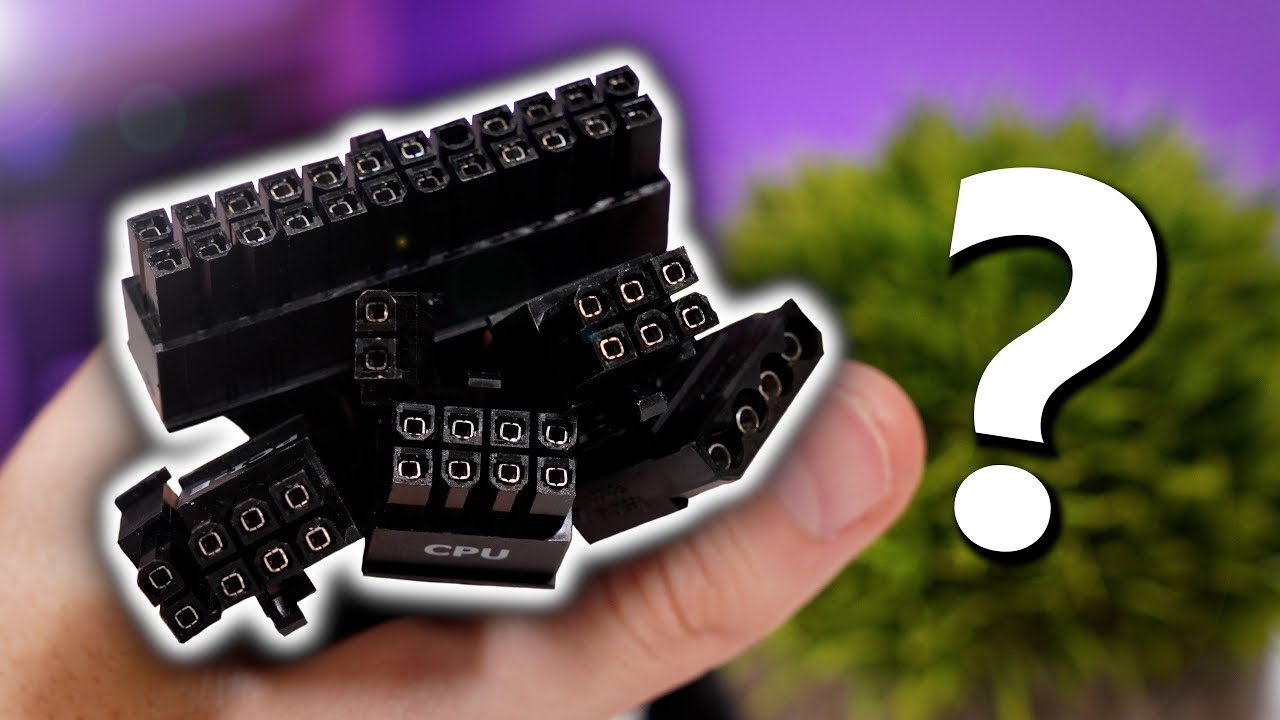
Power supply cables can be confusing for beginners. Let's explain what each does and where each goes!
SPONSOR: Snag an OEM Windows 10 Pro key and use our (updated) code 'GSL' for a 12% discount: https://bit.ly/2XQGUSp
▶ Shop power supplies
on Amazon: https://geni.us/UgAun6
on Newegg: https://bit.ly/3i4inla
PSU Buyer's Guide: https://youtu.be/...
 keen agate
Can Sombody help me with my first pc?
obsidian wigeon
Just ask away
trail elbow
idk whats the best way to map my pcie cable cuse my case (NR600) doesnt have any holes that come from the bottome that can fit the 2x 8 pin pcie cables and atm i have it coming out like at the bottom corner of my motherboard do you guys know of any better ways to map it?
stoic island
to route the cable for cable management or do you want to map the pinout...?
tight sorrel
obsidian wigeon
dude is clueless
he alright. people make mistakes
obsidian wigeon
He's quite a hack actually, but some of his contents are fine I guess
tight sorrel
trail elbow
idk whats the best way to map my pcie cable cuse my case (NR600) doesnt have any...
run them through the bottom hole in the motherboard tray
actually the way you are doing it sounds good. got a picture?
still roostBOT
 kole#0001 has been warned
Reason: Bad word usage
glacial umbra
my bad for the ghost ping foxy
but it's only plugging stuff in, even he should know that lol
obsidian wigeon
fair
trail elbow
tight sorrel
actually the way you are doing it sounds good. got a picture?
Going to school rn
 limber solstice
Alr im back
glacial umbra
timezones
trail elbow
Indeed
little osprey
Hello could someone send me a decent build for 1000€
trail elbow
little osprey
Hello could someone send me a decent build for 1000€
Games u play? Resolution? Settings u want to play on?
fossil cedar
little osprey
Hello could someone send me a decent build for 1000€
What country
limber solstice
trail elbow
<@601511328708034590>
Yeah?
limber solstice
trail elbow
Nah school starts at 8:30 pst
For me its 7:20 est and i get on the bus at 6:30
 marble gust
Did you check the HDMI is connected to the GPU, not the MOBO.
 unreal bison
:<<<<
little osprey
limber solstice
For me its 7:20 est and i get on the bus at 6:30
It’s 12:30 for me
Pm
limber solstice
Same
limber solstice
Is the monitor on?
 limber solstice
Oh
god
Try the other hdmi slots
Wait is that a asus prime mobo?
Nvm its a rog strix
Let us know if it works
I dont think the rams on or just leds are off
unreal bison
 unreal bison
No
limber solstice
Looks awesome tho
unreal bison
Thank you
unreal bison
Yes I try every slot
limber solstice
hmm
unreal bison
But no signal
limber solstice
Maybe try a dif hdmi cable
unreal bison
My moni say ram
limber solstice
If not the card might be damaged
unreal bison
Like 3000
unreal bison
:((((
 worn wave
What GPU and CPU?


 limber solstice
Well every part is booting right?
obsidian wigeon
It could be the ram at first
marble gust
@unreal bison you just had to send the PCpartpicker link =/
unreal bison
The moni light up that ram
limber solstice
mobo ym?
 limber solstice
Id say ask a techie bc i dont have to much trouble shooting exp
obsidian wigeon
The ram is the issue
obsidian wigeon
Try booting with one stick
limber solstice
Or two
obsidian wigeon
No, too much ram won't be an issue
limber solstice
Oh
obsidian wigeon
32 surely isn't too much for anything that modern
unreal bison
I am reading your supports
limber solstice
Cuz i think he did a corsair build so everything should work
unreal bison
Yeah
limber solstice
it was foxy but yw
marble gust
ohh now you need to find out which slot/ram stick is broken
limber solstice
Oh my god it looks good tho
unreal bison
Ooofffff
unreal bison
marble gust
ohh now you need to find out which slot/ram stick is broken
:(((
It hard
obsidian wigeon
yeah
Ya gotta find out which slot/stick dies
Gotta test every single stick
Then start doing two sticks at a time
obsidian wigeon
If you want
Well after you're done ya
Then if it doesn't boot well it's certainly ram being faulty
Gotta rma it
marble gust
true, or use the ram you using and try every slot
obsidian wigeon
Mobo works
marble gust
if it boots all slots then try next stick and so on
obsidian wigeon
So that's one big issue gone
marble gust
Cool it works.
unreal bison
 marble gust
yes turn it off when you install or unistall things. Also, unplug it from the wall and press the power button before touching it
obsidian wigeon
Ya hold on that
unreal bison
Hmmm my aio no on
obsidian wigeon
It'll shut off
unreal bison
 marble gust
I'll let Foxy do the help
unreal bison
Oh

 earnest olive
wait bruh did you plug in parts into your PC while it was on
unreal bison
No
obsidian wigeon
It doesn't display?
Sorry, does it display anything?
I'm kinda sleepy lol
ah nvm it has dram light
glacial umbra
tech support time?
 unreal bison
Yeah
unreal bison
Yeah me test the last one
unreal bison
Yep
obsidian wigeon
It honestly sucks to finish the build to find out something's dead, cause ya gotta wait for rma
unreal bison
So can I use 3 rams
obsidian wigeon
Yes but uh
glacial umbra
you might need to return them all
unreal bison
3x 32gb
glacial umbra
for RMA
obsidian wigeon
You paid for that ram, might as well use the warranty
But you need to return em all yes
unreal bison
Instead of 4 x32gb
obsidian wigeon
They're a kit so
unreal bison
Bc ik now one won’t work
obsidian wigeon
Nah you're actually running 24 gigs with 3 sticks
 hazy wadi
I put 32 gigs of ram in my 7 year old sisters pc
obsidian wigeon
That should work if you decide to rma thru corsair
It's still their product after all
glacial umbra
@unreal bison did you buy from a local store? they might offer returns right there and then, just depends where you bought it from
unreal bison
glacial umbra
<@535556061474586665> did you buy from a local store? they might offer returns r...
I bought from Amazon
limber solstice
Oof
glacial umbra
amazon is pretty good with broken products, atleast from my personal experience
unreal bison
4 sticks of 32 go
glacial umbra
does corsair charge shipping for RMA or will they cover it?
glacial umbra
I'd look but im in school rn sorry
unreal bison
Yeah you alright
Thank you guys so so so much
I will keep you guys posted with My pc
glacial umbra
alright good luck, hope everything goes over quick and smoothly
unreal bison
Yep
limber solstice
k
 queen heath
@fossil cedar in person drops what I can’t find any article you gotta link me man.
All the graphics card are leading me to Best Buy it’s bull.
stoic island
in person drops just kinda show up
you can see articles about past ones
not future ones
for example @queen heath
https://www.pcmag.com/news/best-buy-to-sell-rtx-3000-graphics-cards-in-select-stores-tomorrow-july

PCMAG
Expect long lines and people camping out. But this time, Best Buy will be selling a range of Nvidia RTX 3000 models, so the inventory may be more than before.
too lazy to grab an article about the one few weeks ago
but that was one a few months ago
 jovial radish
so
it makes sense to program your intake fans to run faster than exhaust, yeah?
more air coming in than going out
earnest olive
you could
I've never seen a significant difference in temps based off of air pressure alone
little osprey
My 1U rack finally arrived LESS GOOOOO
Im not home though so I havent seen it yet.
tawny violet
jovial radish
more air coming in than going out
That's not going to directly change temps
It will however create positive air pressure in the case
Meaning there will be slightly less dust in your case (especially if all the air intakes are filtered)
Or if you set it up well
A lot less maybe
jovial radish
thanks

 lyric thistle
check the manual
 mortal void
what are some good programs for stress testing my rig?
 icy thunder
What's the cheapest gaming PC you guys can come up with that will run 1080p 60fps in Apex legends
 fossil cedar
cursive tusk
fossil cedar
cursive tusk
You should u be able to use just the f_panel connecter if it matches your motherboard layout, if it doesn't then you use the thing with prongs coming out to seperste them
cursive tusk
It’s because it’s an amd board
fossil cedar
Every board can differ doesn't matter if intel or amd
Just check the pinot on your manual for front panel
Or stick the one block in and hope it is the right pinout, if it doesn't use the extender,( thing on the left) to do the layout properly
cursive tusk
 icy thunder
What's the cheapest gaming PC you guys can come up with that will run 1080p 60fp...
icy thunder
icy thunder
What's the cheapest gaming PC you guys can come up with that will run 1080p 60fp...
Anyone with a serious answer
 native jacinth
Anyone know where I can get on a waiting list for a white strix card?
 ocean tundra
I'm not sure if this is the best place to ask but I've tried everything I can think of to get my gaming laptop working. No matter what I try i get zero activity from the computer. It's a lenovo Y520. I've tested the power suppy with a voltmeter and it reads good. I've tried checking battery cable connections. Tried reseating the RAM. Literally zero activity, no charging indicator light or anything. Does this mean it's a bricked computer or is there something else i can try?
 analog hearth
it might be that the charging port is broken
I wouldn't know how to fix it, but it is fixable
ocean tundra
Is there a way i could test the port?
analog hearth
I wouldn't know that either
analog hearth
all I know about charging ports and fixing them is that it's been done before. I remember watching a JayzTwoCents video, he fixed a relative's charging port
it was a janky way of fixing it but it worked
I mean it wasn't a tutorial (iirc) but it proves that it's possible to fix it
wheat coral
analog hearth
you will have a bad experience
nah
should be fine
570 is fine with apex and apex likes FX fairly well
use 20.8.1 drivers
analog hearth
a 570 on PCIe 2.0 is not fun
plain grove
I’m having some trouble connecting a newly built pc to my monitor
wheat coral
analog hearth
a 570 on PCIe 2.0 is not fun
what?
its fine
i used a 570 on pcie3 for a long time
pcie2*
analog hearth
maybe i had a bad mobo
plain grove
I just built my pc and when I connect it to my monitor and turn it on nothing happens
lyric thistle
what's your specs
plain grove
Does the specs matter?
 topaz kestrel
plain grove
I just built my pc and when I connect it to my monitor and turn it on nothing h...
topaz kestrel
plain grove
I just built my pc and when I connect it to my monitor and turn it on nothing h...
make sure all wires are connected
topaz kestrel
plain grove
Does the specs matter?
yes
plain grove
I made sure
plain grove
Idk know them that’s the thing I just built it
topaz kestrel
you built a pc and didnt know what you put inside of it?
thats probably why its not showing lol
topaz kestrel
well then list the specs if you built it you should have boxes or receipts from where you brought it from
 fleet pagoda
I just finished my build and everything is lighting up but its not posting
Any ideas?
plain grove
Same thing with me man
topaz kestrel
fleet pagoda
I just finished my build and everything is lighting up but its not posting
list your specs for people to actually help you...
plain grove
What specifically do you need to know?
fleet pagoda
5800x
3070
Enermax liqmax 240iii
Corsair vengeance ram
Corsair 4000x case
Asus b550-f
topaz kestrel
the specs what do you not understand lol?
plain grove
Alright chill I got you😂
fleet pagoda
I tried updating bios and some other stuff the case fans are spinning either
 vague oracle
fleet pagoda
I just finished my build and everything is lighting up but its not posting
vague oracle
fleet pagoda
I just finished my build and everything is lighting up but its not posting
Any error codes/LEDs on your mobo?
fleet pagoda
vague oracle
Any error codes/LEDs on your mobo?
No
vague oracle
Try reseating your ram
fleet pagoda
I did
topaz kestrel
i know it sounds stupid but reseat your gpu
topaz kestrel
have you got another cable to test with?
fleet pagoda
Ive used this cable before so I believe it works
I could swap the ram maybe i have some extra
Is it worth a shot?
plain grove
MSI B560M PRO-VDH ProSeries Motherboard (Micro-ATX, 11th/10th Gen Intel Core, LGA 1200 Socket, DDR4, PCIe 4, M.2 Slots, SATA 6Gb/s, USB 3.2, 2.5G LAN, DP/HDMI). XPG Z1 DDR4 3000MHz (PC4 24000) 16GB (2x8GB) Gaming Memory Modules, Seagate BarraCuda 2TB Internal Hard Drive HDD – 3.5 Inch SATA 6Gb/s 7200 RPM 256MB Cache 3.5-Inch
topaz kestrel
have you got another gpu to test with? it could be a dead gpu
 plain grove
For me only boot
topaz kestrel
@plain grove you using integrated graphics?
fleet pagoda
Nah the gpu is fine it was from a prebuild i was using
vague oracle
topaz kestrel
<@!534948306418270219> you using integrated graphics?
He doesn’t have them
plain grove
No
topaz kestrel
wasnt speaking to him sorry for the misunderstanding lol
topaz kestrel
plain grove
MSI B560M PRO-VDH ProSeries Motherboard (Micro-ATX, 11th/10th Gen Intel Core, LG...
graphics card where?
vague oracle
Try reseating your boot drive
plain grove
Im not using one
vague oracle
Your ram, cpu, and gpu are fine
fleet pagoda
vague oracle
On your mobo what do these come up as?
They are just dark no color
topaz kestrel
so you are using integrated graphics @plain grove
fleet pagoda
Okay ill try reseating the nvme
plain grove
Yes possibly idk tbh
topaz kestrel
plain grove
Yes possibly idk tbh
are you plugging straight into your motherboard or nah
vague oracle
This is so goddamn confusing
vague oracle
Same problems for two people with different hardware
topaz kestrel
just ping whoever you speak to ig
vague oracle
Dom you had the B550F?
topaz kestrel
@plain grove look at the back of your case
vague oracle
And Dallying what is your motherboard?
 plain grove
Boot
vague oracle
Forget about your GPU, it’s not that
Something is up with your boot drive
Reseat whatever SSD your OS is on
plain grove
Wdym
plain grove
I’m using a hard drive
vague oracle
Are you able to get into your bios?
plain grove
What’s that?
topaz kestrel
does your pc display anything or does it stay black screen basically
plain grove
Normally if I turn it on it’s supposed to turn on the monitor with it
vague oracle
Make sure the monitor is on then do what I just said
plain grove
The pc turns on but the monitor doesn’t
vague oracle
So there’s no motherboard logo or anything like that when you turn it on?
topaz kestrel
plain grove
MSI B560M PRO-VDH ProSeries Motherboard (Micro-ATX, 11th/10th Gen Intel Core, LG...
^
vague oracle
Thanks
plain grove
MSI B560M PRO-VDH ProSeries Motherboard (Micro-ATX, 11th/10th Gen Intel Core, LGA 1200 Socket, DDR4, PCIe 4, M.2 Slots, SATA 6Gb/s, USB 3.2, 2.5G LAN, DP/HDMI)
wheat coral
what cpu?
glacial umbra
howdy
topaz kestrel
Yeah those aren’t specs it’s just going into fine details of your mobo lol
Hola @glacial umbra
glacial umbra
what be the issue here pardner
vague oracle
No post
topaz kestrel
plain grove
I just built my pc and when I connect it to my monitor and turn it on nothing h...
.
glacial umbra
lemme call in the sheriff 
vague oracle
Error LED is lighting up as something wrong with boot
plain grove
I5 10400F 10th gen
vague oracle
I wish vintage was here 
glacial umbra
vague oracle
Error LED is lighting up as something wrong with boot
so its probably drive related?
or have you narrowed it down yet
vague oracle
He has a gpu I’m pretty sure
wheat coral
bro is so confusing with his specs
topaz kestrel
Yeah wtf
wheat coral
he hasnt really said anything about it besides his mobo
topaz kestrel
@plain grove what are your specs bro
vague oracle
glacial umbra
or have you narrowed it down yet
I don’t think so because a boot drive wouldn’t really cause a no post
topaz kestrel
Cpu gpu mobo ram
wheat coral
its hard to tell what he has if he's never said what he's got
vague oracle
I’m thinking his board is bricked
topaz kestrel
If he’s using a 10400f with no gpu then that would be why there is no post lol
vague oracle
No bios whatsoever
potent portal
It won't post without a GPU of some kind
glacial umbra
oh
glacial umbra
topaz kestrel
If he’s using a 10400f with no gpu then that would be why there is no post lol
please tell me this isn't the case
that would be-
vague oracle
topaz kestrel
If he’s using a 10400f with no gpu then that would be why there is no post lol
Error LED supposedly is lighting up boot
glacial umbra
funny
topaz kestrel
I really hope not lol
vague oracle
If that’s the case I’m leaving the discord
topaz kestrel
@plain grove do you have a gpu in your computer
plain grove
Yeah still not turning on
topaz kestrel
Please say yes
plain grove
Nope
glacial umbra

topaz kestrel
THATS WHY
wheat coral
bro
lyric thistle
lyric thistle
what's your specs
the moment I said this I was thinking "no dgpu no igp...no dgpu no igp..."
topaz kestrel
Bro
wheat coral
you dont have an igpu
wheat coral
you have no gpu
plain grove
No
topaz kestrel
You need a gpu to display
glacial umbra

wheat coral
lmao
lyric thistle
go buy a gt 710
glacial umbra
lmao
topaz kestrel
Refund your 10400f and get a 10400 if you wanna use integrated that bad lol
glacial umbra
lyric thistle
go buy a gt 710
dont ever tell someone this
vague oracle
I’m so done with everything
topaz kestrel
^^
lyric thistle
ok I will
glacial umbra
at the very least, tell them to get a 1030
lyric thistle
go buy a gt 710 
topaz kestrel
This mans just had his day ruined lol
plain grove
 topaz kestrel
oh my god
lyric thistle
 wheat coral
cause you dont have a gpu
wheat coral
you literallydo not have a gpu
plain grove
So what do I do?
glacial umbra
fleet pagoda
I researed the boot drive and it still didnt post
whats your issue?
no post?
topaz kestrel
You need a gpu or return the 10400f for a 10400
wheat coral
either return your 10400f and get a 10400 non F or get a gpu
plain grove
I thought I didn’t need one
wheat coral
10400f doesnt have an igpu
glacial umbra
stuck in bios?
wheat coral
you thought wrong :)
 topaz kestrel
I was about to ask that lmfao
vague oracle
3070 that worked in a previous build
plain grove
I have a friend that has a gpu I can borrow but it’s trash
vague oracle
Cole I’m trusting you with this, I ain’t dealing with another person today
vague oracle
plain grove
I have a friend that has a gpu I can borrow but it’s trash
Better than nothing
wheat coral
plain grove
I have a friend that has a gpu I can borrow but it’s trash
literally
glacial umbra
plain grove
I have a friend that has a gpu I can borrow but it’s trash
better than no post
wheat coral
better than nothing
glacial umbra
lmao
glacial umbra
vague oracle
Cole I’m trusting you with this, I ain’t dealing with another person today
this is a bad idea
fleet pagoda
glacial umbra
whats your issue?
No post
plain grove
GeForce gtx 650
vague oracle
Have fun!
topaz kestrel
It doesn’t matter you just need any gpu
wheat coral
is betterr than nothing
fleet pagoda
The lights are on
plain grove
Alright brb I have to run to his house real quick
fleet pagoda
But it just wont post
topaz kestrel
Lol
topaz kestrel
And maybe load google
fleet pagoda
I did
stoic island
take a pic
stoic island
unplug from wall
take out cmos battery
press power button a few times for fun
wait 5 minutes
put battery back in and replug into wall
 topaz kestrel
Heave you updated your mobo to support the 5000 series @fleet pagoda
stoic island
glacial umbra
and mr1111 stole the fun troubleshooting part
aha
fleet pagoda
topaz kestrel
Heave you updated your mobo to support the 5000 series <@508410138068254735>
I tried updating bios
glacial umbra
stoic island
aha
i've never gotten to help anyone here yet
someone always gets it before I do
:(
stoic island
must be speedy
glacial umbra
i will sit here
stoic island
or be up late at weird hours
glacial umbra
every waking hour
stoic island
there's often just unanswered questions around
glacial umbra
to assist someone without a gpu trying to post 
fleet pagoda
Im gonna call it a night ive been working on this thing for like 10 hours
stoic island
then sleep and deal with it tomorrow
@fleet pagoda Tomorrow, remember to give parts list and take a picture of the build and list what you've tried.
fleet pagoda
Someone told me its probably a doa mobo what do u think everything lights up but the fans spin for 5 secs then stop and it wont post
Okay
stoic island
sleep is good
 fleet pagoda
I alr updated it
topaz kestrel
Did you do it with a usb?
fleet pagoda
Yes
stoic island
topaz kestrel
https://www.wepc.com/tips/bios-update-for-ryzen-5000/ <@508410138068254735>
won't work if they can't boot lol
flashback is good yes
topaz kestrel
I thought he said he can enter bios lol?
stoic island
article is bad
fleet pagoda
No i updated bios
lyric thistle
actully forget about gt 710
topaz kestrel
Oof
lyric thistle
get a quadro 600
stoic island
fleet pagoda
No i updated bios
did you do flashback?
glacial umbra
lyric thistle
get a quadro 600
can i beat you now?
stoic island
if you did, did you remember to rename the file?
lyric thistle
no cause I won
stoic island
or for asus use the renaming tool?
lyric thistle
😎
topaz kestrel
@lyric thistle loooking kinda expensive for my taste
 glacial umbra
fleet pagoda
Someone told me its probably a doa mobo what do u think everything lights up but...
glacial umbra
fleet pagoda
Someone told me its probably a doa mobo what do u think everything lights up but...
i know its a bit stupid but you've double checked that everything is fully plugged in right?
stoic island
pretty sure those will still use iGP btw
wheat coral
stoic island
pretty sure those will still use iGP btw
this
lyric thistle
not a quadro 600 tho
wheat coral
they literally are display adapters