#building-and-recc-chat
1 messages · Page 1128 of 1
 marsh kiln
It should be labeled on the motherboard
 fossil cedar
 little osprey
And as much as I love reading a manual
little osprey
And as much as I love reading a manual
Depends board by board tbh
little osprey
so I have a 2x16GB RAM kit that I would like to upgrade. Planning to go with either a 3600MHz or 4000MHz kit. Would a 4x8GB kit provide more performance than a 2x16?
 jade scarab
What’s a good Cheap GPU
@fossil cedar
Around 300
@granite imp
I need a Good GPU

 vague oracle
jade scarab
What’s a good Cheap GPU
vague oracle
jade scarab
What’s a good Cheap GPU
Lmao doesn’t exist rn
jade scarab
I need one my friend will Bot one so I can use it
 granite imp
you're going to overpay for an old used card that sold for $150 msrp at launch
lmao

eBay
The all-new generation of ZOTAC GAMING GeForce GTX graphics cards are here. GeForce® GTX 1650. - 90mm Single Fan. Triple Display. Single Fan. HDCP Support. Card Length. 12 API feature level 12_1.
lulz
there
fossil cedar
jade scarab
What’s a good Cheap GPU
Wait like a year and a bit for that price, nothing out yet, mb a 3050 or 3050 ti when they come out
jade scarab
fossil cedar
Wait like a year and a bit for that price, nothing out yet, mb a 3050 or 3050 ti...
My friend will Bot it
fossil cedar
jade scarab
What’s a good Cheap GPU
Use integrated graphics for the moment
jade scarab
I’m AMD
fossil cedar
jade scarab
My friend will Bot it

jade scarab
fossil cedar
<:steveconfused:722597717465104414>
He isn’t gonna bot a 3060 or anything I’m gonna trade a 3700x with a GPU
fossil cedar
Then a gt 1030 stop gap card or used 1650 super or 1660 (super/ti)
 somber cobalt
anyone want to check my build-list and tell me what I'm missing/how I could improve?
vague oracle
somber cobalt
anyone want to check my build-list and tell me what I'm missing/how I could impr...
Send it
 odd crypt
What's a good gpu that ain't a bitcoin for i3 10100
vague oracle
Budget?
somber cobalt
vague oracle
Send it
just in the chat? or DM?
odd crypt
600
vague oracle
somber cobalt
just in the chat? or DM?
Chat
I’d try to find maybe like a 1660 super, 3060, 3060ti or 3070
Of course that’s if you can find them for MSRP
somber cobalt
DIYPC AVVUS-W-ARGB White Steel / Tempered Glass ATX Mid Tower Computer Case with 1 x 120mm Halo ARGB LED Fan Pre-Installed
ASUS AMD AM4 ROG Strix X570-E Gaming ATX Motherboard with PCIe 4.0, WiFi 6, 2.5Gbps LAN, Dual M.2, SATA 6Gb/s, USB 3.2 Gen 2
ASUS ROG Strix Radeon RX 6900 XT 16GB GDDR6 PCI Express 4.0 x16 CrossFireX Support ATX Video Card ROG-STRIX-LC-RX6900XT-T16G-GAMING
AMD RYZEN 9 3900X 12-Core 3.8 GHz (4.6 GHz Max Boost) Socket AM4 105W 100-100000023BOX Desktop Processor
Toshiba 8TB Enterprise HDD SATA 6.0Gb/s 512e 7200 RPM 256MB Cache 3.5" Internal Hard Drive MG06ACA800E
GIGABYTE AORUS Gen4 M.2 2280 1TB PCI-Express 4.0 x4, NVMe 1.3 3D TLC Internal Solid State Drive (SSD) GP-AG41TB
G.SKILL TridentZ RGB Series 64GB (2 x 32GB) 288-Pin DDR4 SDRAM DDR4 3600 (PC4 28800) Intel XMP 2.0 Desktop Memory Model F4-3600C18D-64GTZR
ASUS TUF Gaming VG279QL1A 27" HDR Gaming Monitor, 1080P Full HD, 165Hz (Supports 144Hz), IPS, 1ms, FreeSync Premium, DisplayHDR 400, Extreme Low Motion Blur, Eye Care, 2x HDMI, DisplayPort
Corsair M65 RGB ELITE Tunable FPS Gaming Mouse, White, Backlit RGB LED, 18000 dpi, Optical
Microsoft Windows 10 Home - Full Retail Version 32 & 64-Bit (Download)
Gamdias Hermes M5 Mechanical Gaming Keyboard with Blue Switches
Arctic Silver 5 High-Density Polysynthetic Silver Thermal Compound AS5-3.5G
Pioneer DM-40-W Speaker System - Desktop - White
be quiet! 250W TDP Dark Rock Pro 4 CPU Cooler with Silent Wings - PWM Fan - 135 mm
ASUS ROG STRIX 850G 850W White Edition Power Supply, ROG Heatsinks, Axial-tech Fan Design, Dual Ball Fan Bearings, 0dB Technology, 80 PLUS Gold Certification, Fully Modular Cables, 10-year Warranty
little osprey
I put everything together and have been reading the manual
It says that there are qled check key components that light up if an error is detected
vague oracle
somber cobalt
DIYPC AVVUS-W-ARGB White Steel / Tempered Glass ATX Mid Tower Computer Case with...
I MEANT PC PART PICKER
little osprey

 vague oracle
little osprey
It says that there are qled check key components that light up if an error is de...
vague oracle
little osprey
It says that there are qled check key components that light up if an error is de...
Yeah there should be 4 leds somewhere on the board
What’s the problem?
little osprey
Doesn't post
VGA is lit up
But I don't know if each LED is supposed to be a certain color
little osprey
vague oracle
And are both plugs plugged in?
From the PCIE?
vague oracle
Yeah
If so, reseat the GPU and make sure it’s properly seated
Do you have integrated graphics?
If so try booting from those
somber cobalt
vague oracle
pcpartpicker.com
doh!
little osprey
Ah
And when everything is plugged up
My CPU is inactive
Though I'm guessing that is because the mobo needs a bios update
Even then
Isn't the mobo still able to post
Without the cpu
little osprey
Asus TUF Gaming X570-Pro Wifi
And a Ryzen 5 5600x
So I know the bios needs an update already
I have the file on a flash drive downloaded already
vague oracle
Yeah but it should be pretty simple with the board’s flashback
vague oracle
You extract it onto the pc you downloaded it on
Then run the file renamer in the folder
It’ll rename the other file to what is has to be named
Then drag the renamed file onto the USB
marsh kiln
What is the max supported ram in a Dell poweredge r200
somber cobalt
@vague oracle https://pcpartpicker.com/list/qkgQ4d
vague oracle
marsh kiln
What is the max supported ram in a Dell poweredge r200
8Gb
little osprey
Says to copy the name onto the root of the drive
vague oracle
somber cobalt
<@!480883524203839508> https://pcpartpicker.com/list/qkgQ4d
Ok what’s the budget?
 cerulean trellis
@somber cobalt Why 3900x
vague oracle
One sec first I just want to know the budget and I’ll fix it
vague oracle
little osprey
Says to copy the name onto the root of the drive
Extract the file into your download folder
Then send me a picture of the files in the extracted folder
somber cobalt
@vague oracle $5k
vague oracle
And what’s the use for this pc?
little osprey
 vague oracle
Run BIOSRenamer
somber cobalt
@cerulean trellis generally prefer AMD, hedging future-proofing, but open to others
@vague oracle part gaming, part dev
vague oracle
Ok yeah already was planning AMD since high end
little osprey
It's open
little osprey
It says this file has been renamed
vague oracle
Nope
 vague oracle
somber cobalt
<@!480883524203839508> part gaming, part dev
vague oracle
somber cobalt
<@!480883524203839508> part gaming, part dev
Quick question. RGB yes or no? Also are you planning to OC at all?
little osprey
Just that file by itself, only thing on the drive should be fine then
somber cobalt
@vague oracle rgb preferred, not essential. OC might be nice but I'm not going to spend a lot of time tuning this for max perf
somber cobalt
vague oracle
https://pcpartpicker.com/list/3yH8Vc
tks - reviewing
@vague oracle 5900x vs 3900x - is the 5900 worth the extra?
little osprey
Okay
I got a free copy
Of Windows 10
From the creation tool
Put on a 16gb usb
Do I update bios first and then put Windows on
 full atlas
Should I offer my 2700x + 50$ for this combo?
 somber cobalt
@vague oracle you switched AMD to NVIDIA on the GPU...?
vague oracle
full atlas
Should I offer my 2700x + 50$ for this combo?
Do it, you have nothing to lose
That’s all from me for today, goodnight y’all!
Oh quick note, unless you absolutely need a 6900xt or 3090 there’s no point to getting one
marsh kiln
What would be a good price range for a Dell poweredge r200?
little osprey
I haven't done my flashback yet
But is there a reason my cooler doesn't spin
The fan will jump for a second when I turn it on
But it just sits there
The leds don't even turn on without having the remote hooked up to the psu
 teal linden
Guys
Is putting your sata port in any port make any difference?
Like i got 6
I put it in my last one
I dont know now i need to remove it...

 marsh kiln
How well could a dell poweredge r200 run a minecraft server?
 frank stirrup
teal linden
frank stirrup
teal linden
peel the caution sticker
 white laurel
@little osprey the no post do you see any lights for CPU, DRAM, etc light up?
frank stirrup
little osprey
How do I know when it's done
blinky light go off
white laurel
Which light blink and go off?
frank stirrup
white laurel
Which light blink and go off?
depends as to what mobo it do be
white laurel
@frank stirrup I concur on that caution sticker..lol
frank stirrup
there is always some light that blinks during a flashback tho
white laurel
she said " haven't done my flashback yet"
white laurel
best way to test a no post is to have other working parts handy. Like spare cooler, RAM, GPU, PSU etc... and also always check the front panel Pins
frank stirrup
white laurel
best way to test a no post is to have other working parts handy. Like spare cool...
or
do the flashback
white laurel
yeah you can flash the board 'but if the hardware isn't working then your SOL
If it's the motherboard, the flash and reset button help 'but if you have a bricked motherboard then that's when you're really out of luck.
Had an issue with my new build, found out it was the front panel controller. solder joint to the power on was soldered together with the reset button errr
Took it apart and used my own solder job on the PCB 😉 Fixed the issue.
 fleet pagoda
Can i turn my pc on without the cpu cooler just to see if this thing still works the aio wont fit in the case so i guess thats another thing ill have to buy
The ram wont even come out
I cant switch that
white laurel
You sometimes can fool it to think the cooler is still on 'but you'll still need to have the cooler plugged into the PWM CPU on the MB.
 earnest olive
fleet pagoda
Can i turn my pc on without the cpu cooler just to see if this thing still works...
earnest olive
fleet pagoda
Can i turn my pc on without the cpu cooler just to see if this thing still works...
don't do it
white laurel
some motherboard manufacturers are different so it's worth the try
fleet pagoda
Why cant i open the ram slots the bottom one just doesnt open
white laurel
New Motherboards only have one clip on the ram slot that open the other clip normally is locked into position
again some motherboard manufacturers are different some clips on the ram slot open on both ends and others it's just the one
little osprey
why your 3080 is in rma 🤔
earnest olive
died
little osprey
which one was it
earnest olive
vision
little osprey
damn... hope my 3090 vision will not doa 
 desert gulch
earnest olive
died after 6 months
desert gulch
earnest olive
died after 6 months
So did you ever figure out why it'd work in a totally different system or when forced to pcie 3.0 speeds?
desert gulch
Oh wait it was csm itd work with right?
earnest olive
"work" is generous
i plugged it into my daily rig
seemed to work
launched a game
instant crash
fossil cedar
desert gulch
You gonna repad the next one or nah?
Highly doubt padding was the prob btw
fossil cedar
fleet pagoda
Will a nzxt h510 fit a 3070
Don't do that pls
Nzxt h510 is a literal oven
fleet pagoda
Oh
earnest olive
desert gulch
You gonna repad the next one or nah?
for sure
fleet pagoda
Ill check for a new case
earnest olive
gigglebyte's stock pads suck
fossil cedar
@fleet pagoda p360a, p400a, corsair 4000d airflow instead, all around the same price
earnest olive
repad dropped temps by more than 40c
 fossil cedar
@fleet pagoda try the p360a or p500a or corsair 4000d airflow or td500 mesh then
earnest olive
anything that has fans trying to suck air out of a solid glass panel is bad
fossil cedar
earnest olive
anything that has fans trying to suck air out of a solid glass panel is bad
What do you mean the fans can't suck air out of solid glass/metal (╯°□°)╯︵ ┻━┻
earnest olive
abkoncore in shambles
marsh kiln
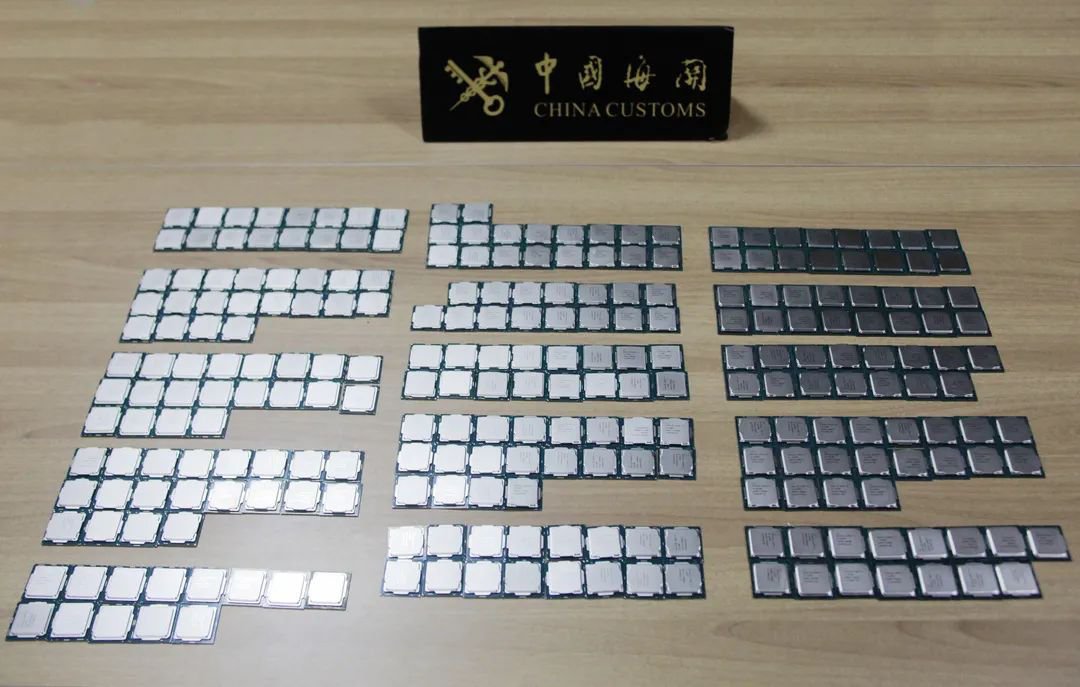
Wccftech Smugglers Caught With 256 Intel CPUs Strapped To Body intel, cpu, i7-10700K, i9-10900K, tenth gen processors, smuggling in China
Wtf
 native jacinth
Can the 3060 ti run 4K on dlss
desert gulch
native jacinth
Can the 3060 ti run 4K on dlss
Yeah
Depending on title, you may need to drop settings a bit to get playable frame rates
 rich helm
marsh kiln
https://wccftech.com/smugglers-caught-with-256-intel-cpus-strapped-to-body/
rich helm
marsh kiln
https://wccftech.com/smugglers-caught-with-256-intel-cpus-strapped-to-body/
@static ravine @mossy citrus this is what we did were going to do lol
 mossy citrus
marsh kiln
mossy citrus
marsh kiln
lol
 open oxide
hi
 hallow glen
1660 ti
uh
where did that ping come from
yeah its because you dont have a rank yet
sure
 plucky kiln
i can’t use a drill right? lol i don’t have a screw driver but i have a drill
hallow glen
plucky kiln
i can’t use a drill right? lol i don’t have a screw driver but i have a drill
get a screwdriver
plucky kiln
alr
vague oracle
earnest olive
gigglebyte's stock pads suck
FINALLY SOMEONE WHO AGREES WITH ME
 potent portal
I had accepted that as fact a long time ago and swapped my pads. Plus a heatsink on my backplate with a fan lol.
Dropped my vram temp from 108 and throttling to 94 not throttling when mining.
vague oracle
I opened my windforce 2070 a month after getting it only to find the pads completely dried out
 vague oracle
Lmao for a second I thought it was somehow mounted upside down
earnest olive
i put an intel stock cooler heatsink on my backplate
and put a fan on top of it
and even put thermal paste between the backplate and heatsink
it didn't do anything for temps
potent portal
Depends on your gpu. My backplate on my 3090 was getting SUPER hot to the touch, like it could leave a burn on my finger hot.
vague oracle
I mean yeah with a 3090 you have some VRAM chips on the back of it
 lyric thistle
don't touch the hot gpu 
earnest olive
my backplate got kinda hot too
but not burning finger hot
just "don't touch this" hot
vague oracle
^
potent portal
Active backplate seems to be a must have for 3090
If you're mining or something else heavy on the vram controller
And honestly if you have a 3090 and you're not mining, WHY?
vague oracle
Not that interested in mining
I’ve tried it but too little profit to be worth it in my case
potent portal
High power cost?
vague oracle
Yep
potent portal
That would be the one good excuse then lol
vague oracle
Lol
potent portal
It's only 10-14 cents per kw/h here
vague oracle
Lucky
potent portal
So I'm taking full advantage of that and hitting my poor fuse box with 10 amps of load 24/7
(I often hear the fuse box crying in distress if I run the vacuum while I'm mining)
vague oracle
Happens to me with one of my breakers when I have the AC and Hair Dryer going at the same time
Where I am it’s about 25 cents kw/h

Wut?
potent portal
You could still make about $5 a day but you'll also be running the AC more
potent portal
vague oracle
Wut?
Troll is my guess, or completely clueless
vague oracle
Just clueless
potent portal
Yeah, you'll have a hard time hitting 144 fps with just about any game on that cpu unless you overclock it, and even then...
And yes I saw the i7 but I get what they mean
vague oracle
The ultimate AMD/Intel collab
 static ravine
rich helm
<@!674761998805762084> <@!624806883580182540> this is what we ~~did~~ were going...
static ravine
rich helm
<@!674761998805762084> <@!624806883580182540> this is what we ~~did~~ were going...
lmao
 desert gulch
lol
frank stirrup
Bruh indians do be moving mad nowadays tho
earnest olive
if gpus are that common in india i know where im moving
frank stirrup
earnest olive
if gpus are that common in india i know where im moving
Probably knockoffs
 tough kettle
Not knocoffs
Local retailers actually have a decent stock
Being sold for absurd prices
What normal Indian prices used to be before the GPU shortage was considered as scalped prices in the US
Now scalped Indian prices are as it is much much higher than Scalped US prices
frank stirrup
tough kettle
Local retailers actually have a decent stock
Not enough for people to carry em like that
Also I live in india lol
I know
tough kettle
frank stirrup
Also I live in india lol
So do I...
tough kettle
frank stirrup
Not enough for people to carry em like that
Where do you live
frank stirrup
tough kettle
Where do you live
near mumbai
tough kettle
Should come to Nehru Place, retailers have dozens of card that they scalp heavily
I see around 7-10 cards on average
per SKU
in a single shop at times
frank stirrup
Yee but I doubt they will carry legit cards like that
tough kettle
frank stirrup
Yee but I doubt they will carry legit cards like that
It's a meme, don't really care lol

frank stirrup
Fair
 steel musk
frank stirrup
Yee but I doubt they will carry legit cards like that
steel musk
frank stirrup
Yee but I doubt they will carry legit cards like that
maybe they're not actually RTX cards
maybe something else is inside the boxes
frank stirrup
frank stirrup
Probably knockoffs
almost like I said that already
 icy kestrel
@frank stirrup @fossil cedar could you help me make a part list that would be fine till I upgrade it with a $1625 budget
frank stirrup
icy kestrel
<@!499525349109923844> <@!191276897227898880> could you help me make a part list...
The only upgrades you will be realistically doing are GPU tho btw
since all new sockets and ram coming next year
or end of this year
fossil cedar
icy kestrel
<@!499525349109923844> <@!191276897227898880> could you help me make a part list...
They only way to do that would be just not get the gpu till later on and use the integrated graphics
icy kestrel
Hmm
Well In the last part list I was going for a all white witch made me pay more for the cooler and mobo so what if I changed those and for the cpu I went with a ryzen 5 3600
Or this ryzen 7
 jagged ember
Oof why the 1700x
icy kestrel
Just pointing some ideas
fossil cedar
icy kestrel
Just pointing some ideas
Both of those are awful options my guy
icy kestrel
Well can you help me out
fossil cedar
@icy kestrel jut do your list for intel and leave the gpu for the moment, only way to really bring it down while still having a good pc you can pop the gpu in to
 obsidian wigeon
^
 maiden pawn
Final piece of the new build FINALLY arrives today. I’ve had everything else for 4-5 days
frank stirrup
maiden pawn
Final piece of the new build FINALLY arrives today. I’ve had everything else for...
Which one?
desert gulch
damn thats a rly nice one
maiden pawn
Hoping so 🤞
 untold vessel
desert gulch
damn thats a rly nice one
untold vessel
desert gulch
damn thats a rly nice one
Ayyyy Intel
I just got a raise, So my budget is more now
What do you think of this build?
untold vessel
desert gulch
Do you want to overclock or nah?
Nah no ocing
untold vessel
desert gulch
Increase cpu cooler
Which cooler do you recommend?
What do you guys think of my newest build? --->
https://pcpartpicker.com/list/wzy8Vc
***-I'll be using this Build for playing AAA Games at 4k60hz once I get a 3070 graphics card. But, for now, I'll be using it to just play Regular Minecraft with the 11600K's Integrated Graphics.
-I'm looking to save as much money as possible, but keep the same specs and levels of quality of all of the parts currently in the list. Do you guys have any suggestions to make my build cheaper?***
And here's the details of what I want to get done with this Build
fossil cedar
untold vessel
Nah no ocing
Still need scythe fuma 2 for 11600k
untold vessel
fossil cedar
Still need scythe fuma 2 for 11600k
I'm not going to OC. Have any CPU recommendations so I can get a cheaper cooler still?
fossil cedar
untold vessel
I'm not going to OC. Have any CPU recommendations so I can get a cheaper cooler ...
Then 11400, it's sclaped atm but 189 regularly
hallow glen
😩
untold vessel
F
hallow glen
Goddamnit don't remind me
desert gulch
I'd recommend different hdd
untold vessel
fossil cedar
Then 11400, it's sclaped atm but 189 regularly
I'd like the 11500 & 11600 Integrated graphics though
desert gulch
That one is smr
untold vessel
desert gulch
I'd recommend different hdd
Which one?
desert gulch
Western digital equivalent is better
untold vessel
desert gulch
Western digital equivalent is better
I'll check it out
untold vessel
desert gulch
Western digital equivalent is better
Have a link?
desert gulch
Should be in pcpp
untold vessel
Guess I'll be lookin
desert gulch
Ye
untold vessel
desert gulch
Ye
Because it's $50 more
desert gulch
I think there's a non black one
lyric thistle
Seagate Barracuda uses shingle magnetic recording which layers the recording on top of previously recorded stuff like a shingle roof
lyric thistle
Don't need black just do blue
desert gulch
Lili hates barracuda
lyric thistle
Lili is also banned
untold vessel
lyric thistle
Seagate Barracuda uses shingle magnetic recording which layers the recording on ...
I have no idea what that means but I'm intrigued nevertheless
Have a link to the blue one, guys?
lyric thistle
It allows for higher storage density and cheaper manufacturing I think
The downsides are slower speeds and lower endurance
desert gulch
Maniac you got a link?
desert gulch
Yeah
untold vessel
OOOOH i saw it
5400rpm
ok guys
new question
what's the difference between 5400rpm and 7200rpm
what even is rpm
lyric thistle
The recording type
untold vessel
ah, the shingles thingy?
lyric thistle
I forget what cmr stand sfor
lyric thistle
Should be about the same maybe
hallow glen
lyric thistle
Lili is also banned <:kekw:741678350791081994>
No
desert gulch
In reliability is where it'll stand out
hallow glen
Not anymore
desert gulch
It'll last way longer than that barracuda
untold vessel
desert gulch
In reliability is where it'll stand out
Hold on, so which is faster?
untold vessel
desert gulch
It'll last way longer than that barracuda
I don't mind the lifespan, because I can easily upgrade
untold vessel
desert gulch
It'll last way longer than that barracuda
In terms of lasting, what do you mean? And, for how long?
desert gulch
They're about equal speeds in performance
But lifespan wise barracuda has higher failure rates earlier than the wd
 sand falcon
untold vessel
**What do you guys think of my newest build? --->**
https://pcpartpicker.com/l...
sand falcon
untold vessel
**What do you guys think of my newest build? --->**
https://pcpartpicker.com/l...
Why are you getting a 11600k if you won't overclock?
sand falcon
Do you listen to us at all @untold vessel?
This is the same basic build that you started with
hallow glen
desert gulch
Ok so where is she in the server?
Did they get banned again? O crap
sand falcon
Yup
hallow glen
Lololol
desert gulch
Doubt
untold vessel
sand falcon
Why are you getting a 11600k if you won't overclock?
Because currently it's cheaper and I suppose it's a higher model
untold vessel
sand falcon
Why are you getting a 11600k if you won't overclock?
Should I go down to a 11500?
desert gulch
11400 will come back at 189.99
untold vessel
desert gulch
Not cheaper
Well, cheaper for now At least
sand falcon
Just get the 11500 at the normal price
untold vessel
desert gulch
11400 will come back at 189.99
I need the integrated graphics of 11500 or 11600
untold vessel
sand falcon
Just get the 11500 at the normal price
how long do you think that'll be?
sand falcon
Every few days
untold vessel
sand falcon
Do you listen to us at all <@!462793498689667072>?
I do, I do, But then I was told that the quality of the pc was "garbage" and I needed to go slightly higher up in reliability now that I have the parts chosen
sand falcon
The quality was fine
untold vessel
sand falcon
The quality was fine
I figured that it was going to be a long, long time since I got any replacement parts, so I wanted to now up the longevity of my pc
 untold vessel
sand falcon
And you got an SN550?
untold vessel
sand falcon
And you got an SN550?
Bob I'm going to honest with you chief I don't even know what a sn550 is
Please help
sand falcon
The SSD
untold vessel
I do, But I'd like to go up to 1tb
untold vessel
I also compared Team MP34 and Western Blue and found that Team MP scored significantly lower in every category
untold vessel
sand falcon
What happened to budget?
Yeeeeahhh funny thing about that, I just got a raise today
sand falcon
untold vessel
I also compared Team MP34 and Western Blue and found that Team MP scored signifi...
On what lol
MP34 is a much better drive
untold vessel
sand falcon
What happened to budget?
But of course even with the raise I still want to save at least a littleeee bit
untold vessel
sand falcon
On what lol
https://pangoly.com/en/compare/ssd/wd-blue-sn550-1tb-nvme-vs-teamgroup-mp33-512gb Sequential Reads and that

Pangoly
Compare Solid State Drives: WD Blue SN550 1TB NVMe vs TEAMGROUP MP33 512GB. 55% cheaper you can save $60.00.
untold vessel
sand falcon
MP34 is a much better drive
Is there a link to a 1tb version?
sand falcon
Sequential reads mean nothing
Also that's an MP33 that you're comparing it to, not an MP34
And they're two different sizes
lyric thistle
Bad faith article? Couldn't be
sand falcon
Nah, it's just self selected parts. Don't blame the site for people picking bad comparisons
@untold vessel https://pcpartpicker.com/list/ZPXMht
Here's a list with some slightly better components. Fan could be upgraded to Fuma 2, up to you
You could also go back to the MPG for the PSU if you don't mind spending the little bit extra
untold vessel
sand falcon
<@!462793498689667072> https://pcpartpicker.com/list/ZPXMht
Here's a list with s...
Could I change back to the p300A case
untold vessel
Also what do you think about what intel said about the western blue hdd
Something about the singles of the baracuda?
not reliable and that?
sand falcon
Shingles don't effect reliability that much, they more effect write speeds
untold vessel
Hold on, I'll dm you in a little Bob, brb
sand falcon
Just talk here
untold vessel
Someone is screaming outside irl
lyric thistle
sand falcon
Nah, it's just self selected parts. Don't blame the site for people picking bad ...
Ah ic
sand falcon
Main thing to note is that for the WD blue 2TB, there are two models that are the exact same size and RPM
There's the WD20EZAZ, which is faster, and the WD20EZRZ, which is slower
lyric thistle
 sand falcon
 fast widget
Hey guys I am doing my first build right now and the CORSAIR ICUE H100I RGB PRO XT (240mm) I ordered does not fit the motherboard I ordered. Could someone help me out in finding some compatible motherboards that are around $200?
fast widget
well the backplate for the cpu cooler does not fit the motherboard
fast widget
lemme look
 plush sphinx
I FOUND
fast widget
GIGABYTE X570 UD (AMD Ryzen 5000/X570/ATX/PCIe4.0/DDR4/USB3.2 Gen 1/Realtek ALC887/M.2/Realtek GbE LAN/Gaming Motherboard)
sand falcon
Those are compatible
sand falcon
Make sure you're using the AMD mounting mechanism and the the intel one
fast widget
ok i will check
plush sphinx
Asus ROG STRIX B550-F GAMING (WI-FI) ATX AM4 Motherboard
sand falcon
Looks like the AMD one doesn't use the backplate
plush sphinx
I THINK THIS ONE IS A GOOD ON E
sand falcon
Page 12 of your quickstart guide
sand falcon
You will want the AM4 mounting mechanism, not AM3
sand falcon
plush sphinx
Gigabyte B460M DS3H Micro ATX LGA1200 Motherboard
That's not even compatible with his CPU
desert gulch
Kek
plush sphinx
ITS COMPATIBLE
little osprey
desert gulch
Kek
kekse ?
plush sphinx
it is because the 5000 generation on amd also support b460
sand falcon
No it doesn't
plush sphinx
search on gooogle
sand falcon
It supports b450, b460 is intel
plush sphinx
i knoww
sand falcon
This is kinda a give away

 charred knot
i'm new to PCs and have been wanting to build one and i got selected in the shuffle for the combo: GIGABYTE Z590 AORUS ULTRA and GV-N308TAORUS X-12GD. is it worth it for $1950 pretax?
I was hoping to spend $1500-$2000 for my pc but was signing up to the shuffle thinking i would never get selected. is this combo a good way to start a pc for a beginner? and how much more would i need to spend?
thanks for any advice/help
sand falcon
It's a very expensive combo
For 1500-2000 you're probably looking more at a 3080, maybe 3070
vague oracle
sand falcon
For 1500-2000 you're probably looking more at a 3080, maybe 3070
That’s a 3080ti
vague oracle
True I thought you thought it was a 3060 because of the 12gb
sand falcon
N308TAORUS
charred knot
yeah i was looking to get a 3070 tbh but then i got selected for this and don't know if to bite the bullet on it
like i said this would be the start of my build, the only other thing i have is ssds
sand falcon
It's gonna put you a good deal above budget
There's probably at least $600 worth of parts that you'd need after that
charred knot
so just stick to budget? the benefits of the 3080 ti wouldn't be worth it over a 3070
sand falcon
~75-150 ram, ~250-350 cpu, ~100 case, ~25-100 cpu cooler, ~100-150 PSU
Stick with the budget
3070 can run every game out there at highest settings
Can even do 4k60 on most titles, easy
charred knot
alright man thanks for the help!
would a 3060 be worth it as well or just stick it out for a 3070?
sand falcon
3060ti yes, 3060 not really
The 3060ti and 3080 are the best cards price wise if you can get them at a reasonable price
charred knot
thanks again for the info! what a bad time to get into PCs lol
 violet crown
Looking for a final build... being the new top of the line potentially water cooled... never had it before not sure on maintenance of that
but probably using 2x 3080 to mine... im just unsure on the MOBO, processor, case or watercooling material
Anyone know anything about hydro x series XD7?
sand falcon
You know that 3080s don't have nvlink, right?
fossil cedar
untold vessel
I'd like the 11500 & 11600 Integrated graphics though
Then get 11500 when it get the 11500 when it goes down in price 
 median knot
can anyone help me figure out wats wrong with my browser
im playing cod and on a different monitor i have twitch and it will keep on stuttering and when i tab out of cod it works fine
same for youtube
never did this before
sand falcon
Sounds like you're pinning your CPU, GPU, or ram
static ravine
plush sphinx
it is because the 5000 generation on amd also support b460
what
 sharp tundra
Hey guys, been awhile, I was wondering if any techies here knew of a good gaming laptop for $1500, it's gonna be playing battlefront 2, D2, Battlefield 2042, and gunfire reborn mainly.
Preferable one with a 120hz display aswell
hallow glen
sharp tundra
Hey guys, been awhile, I was wondering if any techies here knew of a good gaming...
 brittle tinsel
after reinstalling my audio drivers, if I open any video in movies and tv, I will lose all sound, occasionally it only disrupts discord. Headset is a razer kraken tournament v2 if it helps
anyone here willing to help? ive gotten nowhere in general chat.
violet crown
@sand falcon whats the best bang for buck and highest mh... 3090 due to its slaughter in MH compared to the 3080 for the price?
It looks like rx580s still kill....
Almost like I should just build a test bench to see if my last 2 rx580s still work
sand falcon
What are you mining?
fossil cedar
violet crown
<@590241344803569675> whats the best bang for buck and highest mh... 3090 due to...
3090 and bang for the buck don't belong in the same sentence lol
violet crown
Preach
Not sure why anyone would give up the Mh to mine raven while its cheap....
But itd probably be etc
Unless eth2.0 effects etc
sand falcon
Ethereum is dropping GPUs in a few weeks, so that'll be weird
Raven no clue
In general, get whatever is the most power efficient
violet crown
Well lately I've been mining about $60 in etc every few days...
But people arnt staking etc right? Their still using gpus to conduct transactions?
sand falcon
Ethereum is completely changing how it works
violet crown
So what is everyone switching too?
desert gulch
sand falcon
There's not really one clear alternative for GPU mining
Chia chia chia
sand falcon
There are a few others that use the same basic set up as Ethereum, but they're not worth as much
Bitcoin and its family are impractical on GPU, chia is SSD...
Have fun lol
sand falcon
Mine dogecoin, at least then you'll be contributing to society
sand falcon
desert gulch
Can't you do chia on ram?
You can, it just uses a lot of ram
desert gulch
Ye lol
sand falcon
Join the doge F@H team and they give you doge. Win win
violet crown
Well I have a few ASICS I may set up for ltc and doge and btc.... but not sure why we need 120mh coming from a gpu if its not for mining efficiency.. just VR
sand falcon
ASICs can generally only be used for the algorithm they're designed for
If they're eth ASICs, they're not gonna work for btc or doge
Though I hope they aren't eth ASICs, cause those are kinda silly
 junior crescent
https://pcpartpicker.com/list/sGWmt8 It's for Gaming (1440p ultra), Streaming and some editing. My budget is $1900 usd
violet crown
 desert gulch
junior crescent
https://pcpartpicker.com/list/sGWmt8 It's for Gaming (1440p ultra), Streaming an...
desert gulch
junior crescent
https://pcpartpicker.com/list/sGWmt8 It's for Gaming (1440p ultra), Streaming an...
I'd change psu, ssd, and cooler and then it looks good
Psu could be enermax revolution df 850
fossil cedar
junior crescent
https://pcpartpicker.com/list/sGWmt8 It's for Gaming (1440p ultra), Streaming an...
you can use the 360 elite extra fans as case fans
desert gulch
Ye
 stoic island
sand falcon
Ethereum is dropping GPUs in a few weeks, so that'll be weird
stoic island
sand falcon
Ethereum is dropping GPUs in a few weeks, so that'll be weird
Btw, thought eth 2.0 is still going to take a few months to get implemented and for eth 1.0 to not be mineable anymore
fossil cedar
stoic island
Btw, thought eth 2.0 is still going to take a few months to get implemented and ...
Yeah thought it was a good few months at least 2022
stoic island
Yea
There's like a feature update soon, but it shouldn't do anything to mining iirc
fossil cedar
Yeah just improvements r sum
 sudden pine
Can anyone help me fix my newly upgraded build only booting into bios and not to window? Boot order on the MSI board is set to hard disk first. I have a boot 2.5in SSD drive with windows installed from my old system in SATA port 1... its just not booting to it. only to BIOS
fossil cedar
sudden pine
Can anyone help me fix my newly upgraded build only booting into bios and not to...
If the ssd is not showing up in boot order, make sure the power and data ports are plugged into it
sudden pine
fossil cedar
If the ssd is not showing up in boot order, make sure the power and data ports a...
would it be beneficial to unplug all other drives BUT that one?
fossil cedar
sudden pine
would it be beneficial to unplug all other drives BUT that one?
it shouldnt but mb try a different sata port/cable
sudden pine
hmmm kk i will try that
untold vessel
Guys, which is better? https://pangoly.com/en/compare/hdd/wd-blue-2tb-wd20ezaz-vs-seagate-barracuda-st2000dm008-2tb
The Seagate Barracuda at a quick glance, obviously has a higher RPM, but I've been told in the past that the Seagate Barracuda uses a faulty form of storage, called "Shingles" that makes the lifespan of the component short. Is that even true? Which one is better?

Pangoly
Compare Hard Disk Drives: WD Blue 2TB WD20EZAZ vs Seagate Barracuda ST2000DM008 2TB. 17% cheaper you can save $9.90, around 25% lower thermal design power.
 shadow pebble
I’m getting my newegg custom build tomorrow (only a week from order date) as opposed to cyberpowerpc who had a 2 month lead time until they possibly ship it. Stoked
somber cobalt
untold vessel
Guys, which is better? https://pangoly.com/en/compare/hdd/wd-blue-2tb-wd20ezaz-v...
saying "Seagate Barracuda... uses shingles" is a fallacy... SOME Seagate Barracuda drives use shingled media. You need to look at the specs of the specific drive you're looking at
sharp tundra
@hallow glen that laptop is over budget by $100, over $300 without sale.
somber cobalt
I can tell you that no 2TB drive is going to be shingled
hallow glen
sharp tundra
<@544309693963829248> that laptop is over budget by $100, over $300 without sale...
ok
untold vessel
somber cobalt
saying "Seagate Barracuda... uses shingles" is a fallacy... SOME Seagate Barracu...
So which one is better
somber cobalt
shingled media gets you higher media density, so may be used in 12+TB drives, but not in a 2TB drive
sharp tundra
@hallow glen if it was me buying it, I'd probably get it, but I'm not
fossil cedar
untold vessel
Guys, which is better? https://pangoly.com/en/compare/hdd/wd-blue-2tb-wd20ezaz-v...
Get the wd blue with 64mb cache instead, it's best :)
somber cobalt
untold vessel
So which one is better
not a lot to choose between those two drives.. toss a coin? 🙂
what's your use model?
untold vessel
fossil cedar
Get the wd blue with 64mb cache instead, it's best :)
Didn't Bob say that the 64mb catch is the worse one?
somber cobalt
read heavy? write heave? continuous? intermittent?
untold vessel
sand falcon
There's the WD20EZAZ, which is faster, and the WD20EZRZ, which is slower
@fossil cedar
fossil cedar
untold vessel
Didn't Bob say that the 64mb catch is the worse one?
Idk who bob is but no it's better
fossil cedar
untold vessel
<@!191276897227898880>
Ohh 1 sec
untold vessel
sand falcon
AZ has 256MB, RZ has 64MB
@fossil cedar
somber cobalt
the seagate probably outperforms the WD - faster spindle speed
sand falcon
Seagate is also SMR iirc, so it will have slower writes
fossil cedar
untold vessel
<@!191276897227898880>
I've been informed by mr1111 that the 64mb cache is better as it has cmr iirc
stoic island
The 2tb drives with a large cache usually use smr
sand falcon
One sec
stoic island
Source for checking which wd/hgst drives are smr
https://hddscan.com/blog/2020/hdd-wd-smr.html

https://hddscan.com/blog
A guide to WD and HGST hard drives with CMR and SMR technology.
Seagate is crappy and doesn't disclose which drives are cmr or smr
but in the end it doesn't matter that much to the usual consumer
sand falcon
stoic island
Seagate is crappy and doesn't disclose which drives are cmr or smr
They do though
untold vessel
sand falcon
They do though
Pangoly
Compare Hard Disk Drives: WD Blue 2TB WD20EZAZ vs Seagate Barracuda ST2000DM008 2TB. 17% cheaper you can save $9.90, around 25% lower thermal design power.
stoic island
sand falcon
They do though
I don't think they do for consumer drives
I know they say for ironwolf and such, higher end nas drives
fossil cedar
untold vessel
https://pangoly.com/en/compare/hdd/wd-blue-2tb-wd20ezaz-vs-seagate-barracuda-st2...
The 64mb cache version afaik
fossil cedar
Think it's supposed to be a compare function
untold vessel
sand falcon
What is this pangoly site lol
Its a comparison site
sand falcon
But it gives basically no actually useful information
untold vessel
I'm reading that the seagate barracuda uses shingles
sand falcon
Both do
 celest sun
Seagate is 💩
 sand falcon
@untold vessel you want 7200 or 5400 rpm?
untold vessel
sand falcon
<@!462793498689667072> you want 7200 or 5400 rpm?
7200 preferably but a link to both, please!
sand falcon
Well, here's the cheapest CMR 7200rpm 2TB HDD that's not just some weird one
https://pcpartpicker.com/product/TgDzK8/western-digital-red-pro-2tb-35-7200rpm-internal-hard-drive-wd2002ffsx
 rough acorn
Looking to get a wireless adapter for my Asus Prime b560 plus, any recommendations?
sand falcon
I really don't think you care if the drive is CMR or SMR though. You're just going to be using it for game storage, right?
fossil cedar
sand falcon
Well, here's the cheapest CMR 7200rpm 2TB HDD that's not just some weird one
htt...
At that point you could almost get a 4tb Toshiba x300 jeez
fossil cedar
rough acorn
Looking to get a wireless adapter for my Asus Prime b560 plus, any recommendatio...
Anything with intel ax200
sand falcon
https://pcpartpicker.com/product/bskwrH/western-digital-internal-hard-drive-wd20ezrz
And the cheapest CMR 5400
Again though, I don't think it will really matter
untold vessel
I see
And me NVMe storage ssd will handle everything, right bob?
what happens when my SSD is filled up though? @sand falcon
sand falcon
How do you think this works?
sand falcon
Yes
fossil cedar
untold vessel
And me NVMe storage ssd will handle everything, right bob?
You just gotta start installing stuff on your hdd? Or you can start by putting your steam library on the HDD for example
sand falcon
You need an SSD
untold vessel
I need at least 1 TB in SSD
fossil cedar
untold vessel
I thought, to save money, why not get a 3TB CMR HDD?
Odd numbers are wack get 2tb or 4tb
untold vessel
yeah yeah
 dusky kindle
Anyone have experience with the be quiet 500dx case or the fractal design Meshify 2 compact? I'm having a hard time beciding between these two
sand falcon
No, you need at least 128gb ssd
untold vessel
So my question here
fossil cedar
untold vessel
I need at least 1 TB in SSD
Even 500gb ssd is plenty
sand falcon
512gb is what I'd recommend as a max
untold vessel
is what happens once my 1TB SSD is filled up
or do SSDs not fill up
are they more like brains for the HHDs?
fossil cedar
dusky kindle
Anyone have experience with the be quiet 500dx case or the fractal design Meshif...
Why those 2 cases in specific?
celest sun
You clean it up, wtf?
untold vessel
HDDS
fossil cedar
untold vessel
are they more like brains for the HHDs?
Nope that's the cpu that's the brain
dusky kindle
fossil cedar
Why those 2 cases in specific?
They are the two I like the most. I want a compact mod atx
stoic island
SSDs are separate storage devices from HDDs
untold vessel
celest sun
You clean it up, wtf?
I'm talking LONGGG long term, like when everything in the SSD is important
stoic island
You usually don't want to pool them together
sand falcon
How storage on a gaming rigs work is you store your OS, some important files, and the games you play most often on the SSD. Everything else goes directly to the HDD
untold vessel
stoic island
SSDs are separate storage devices from HDDs
I know
celest sun
1tb that shouldnt happen if the drive is dedicated to windows
fossil cedar
untold vessel
are they more like brains for the HHDs?
You can put stuff on your hdds before your ssd fills up, it's just a separate drive
celest sun
I had a 128GB windows install on a SSD, filled up within a year with just software
untold vessel
sand falcon
How storage on a gaming rigs work is you store your OS, some important files, an...
I see. What happens when the most often games take up 1tb and beyond?
stoic island
Yea, only put programs you use most often on the SSD, or things that are more time sensitive on the SSD, everything else to the HDD
sand falcon
Generally you'll see maybe 300-400 GB used on an SSD
stoic island
untold vessel
I see. What happens when the most often games take up 1tb and beyond?
Not happening yet though
celest sun
Games don't take up 1TB? Holy crap
fossil cedar
dusky kindle
They are the two I like the most. I want a compact mod atx
I see, imo meshify 2 then
untold vessel
stoic island
Not happening yet though
I know, But what happens when / if it does?
celest sun
Ark is close, at somewhere around 180 GB
sand falcon
Then you store on the HDD
stoic island
The question isn't when, the question is if tbh
sand falcon
There's no way you play 1TB+ of games every day
fossil cedar
untold vessel
I know, But what happens when / if it does?
Just store stuff on the hdd instead
celest sun
Spread the love!
 stoic island
Technology is always advancing, I can't tell you about the future, but I can tell you about now.
sand falcon
512GB SSD and 2TB HDD is a very good balance
stoic island
Yea, 512gb SSD + 2tb hdd is pretty common
untold vessel
Okay, so you guys are basically saying, just get 1 tb ssd and 2tb hdd, and for the hdd, just don't even BOTHER with the CMR, and just get the cheaper Shingled Versions, because there is no way that I will ever play 1tb of games in 1 day?
celest sun
Or, hear me out, buy another storage drive in like a year
stoic island
@untold vessel just remember drives are relatively cheap, and are only really getting cheaper, when you need it, buy another drive will usually do the trick.
sand falcon
No, we're saying you get a 512GB SSD with a 2TB HDD
stoic island
And why not bother with cmr....?
sand falcon
SMR vs CMR is a different issue
stoic island
It's nice to have for better reads and sustained reads iirc
sand falcon
If there's a good CMR drive available for cheap, get it
sand falcon
No
stoic island
Not a need, very nice to have
untold vessel
because it is significantly faster?
sand falcon
No
untold vessel
Ok but howwwww nice to have? is it worth the extra bucks?
fossil cedar
You probs wont notice
stoic island
If you're only worried about the experience, it doesn't matter that much for most people
sand falcon
It's writes data faster, but realistically you won't notice, and game drives mostly read data anyway
untold vessel
okokok, I see
dusky kindle
stoic island
Not happening yet though
Can easily happen If you have a lot of games downloaded
sand falcon
If all you will do on the drive is store games, CMR and SMR don't really make a difference
untold vessel
So in summary, just get the cheap $49.99 2TB WD Blue HDD?
sand falcon
Yup
untold vessel
or should i spend $55.00 on the Seagate 2TB HDD for the 7200 RPM?
sand falcon
Barracuda if you want slightly faster loads, not a huge difference though
512GB MP34 and 2TB WD Blue is probably your best bang for the buck right now
And I know you want a 1TB SSD, but seriously
That is just wasted money
untold vessel
Why so, Bob?
sand falcon
Simple, you will almost certainly not need that extra space
untold vessel
(because I'll never play 1tb of games daily?)
sand falcon
Yup
untold vessel
Heh, this is cool
I think i finally at least 75% know what I'm talking about
thanks for being so patient with me bob
sand falcon
And in the off chance that you do, that motherboard that you had in the last list can have two NVMe SSDs in it
So you could just add another down the line for more storage
Same with HDDs, you can always just plug in another
fossil cedar
sand falcon
512GB MP34 and 2TB WD Blue is probably your best bang for the buck right now
I would go sn550, it's slightly cheaper atm last time i checked anyway
untold vessel
Change the case to a p300a, switch to a cheaper 650watt power source, and that's it?
sand falcon
That's a private list, I can't view it
sand falcon
fossil cedar
I would go sn550, it's slightly cheaper atm last time i checked anyway
sn550 is dramless
fossil cedar
sand falcon
sn550 is dramless
Yeah but it's still great
untold vessel
I heard that the sn550 is bad from bob
sand falcon
It's dramless
untold vessel
because I want my components to last
fossil cedar
sand falcon
It's dramless
Doesn't mean it's bad
untold vessel
longevity wise
sand falcon
MP34 is faster and has a much better TBW, and isn't that much more expensive

 pale dust
did lili get banned again
sand falcon
mp34
untold vessel
mp34 it is
sand falcon
untold vessel
https://pcpartpicker.com/list/PmDmt8
You have an MP33 in this list
Don't get the MP33
untold vessel
mp34?
untold vessel
is the mp34 worth the $12 more?
sand falcon
The mp33 is a completely different drive, it has a worse controller and uses HMB
fossil cedar
sand falcon
https://pcpartpicker.com/list/FFXhQD
I would get the msi 750w agf for that peice
untold vessel
How about the psu though bob
fossil cedar
sand falcon
Is the AGF that price right now?
Nvm price went up, think it was on sale for a bit
fossil cedar
sand falcon
Is the AGF that price right now?
The 650w is that price tho
fossil cedar
@untold vessel https://pcpartpicker.com/list/cgzHHz if you don't mind mail in rebate
desert gulch
sand falcon
https://pcpartpicker.com/product/bq6qqs/msi-650-w-80-gold-certified-fully-modula...
Amp is cheaper rn I think for 650, and supernova gt 650 is only 50 bucks rn
fossil cedar
desert gulch
Check amp still
But 85$ revo df with 15$ mir
untold vessel
Hey bob
fossil cedar
Amp only good value at the 650w usually anyway
desert gulch
Sad
untold vessel
Ok guys
So
For the past 5 days of having a crash course in pc building from the advice of 80 people in 7 different discords
here is the build
What do you guys think?
@fossil cedar @desert gulch @sand falcon @stoic island
sand falcon
I'd swap the ram out
sand falcon
One of those
untold vessel
hold on
sand falcon
Crucial if you want faster, Team if you want cheaper
sand falcon
Not really
untold vessel
shouldn't i get the 3600?
sand falcon
Not necessarily
fossil cedar
untold vessel
<@!191276897227898880> <@!473206416782655508> <@!590241344803569675> <@!27869408...
untold vessel
sand falcon
Not necessarily
Wait why
sand falcon
The 3600 you have and the 3200 that I linked end up having the same exact latency
sand falcon
Some 3600 is better
untold vessel
so this is a case of saving money?
untold vessel
yeah
fossil cedar
sand falcon
The 3600 you have and the 3200 that I linked end up having the same exact latenc...
Well that's not completely true, pcpp latency only accounts for cl and no other timings
untold vessel
They're the same ones (i think) but they are 3600 instead of 3200 and are only $2.00 more
fossil cedar
sand falcon
The ones you have are 3600cl18
And this would be better for the igpu
sand falcon
fossil cedar
Well that's not completely true, pcpp latency only accounts for cl and no other ...
Pretty sure these sticks both use the same die
untold vessel
which would be better for the igpu
desert gulch
Rev e for ballistix for sure
sand falcon
3600cl16 would be best
untold vessel
fossil cedar
sand falcon
Pretty sure these sticks both use the same die
Usually yes but still 3600cl18 most of the time better than 3200cl16
untold vessel
Should we not get the 3600 for $2.00 more?
desert gulch
Nah
sand falcon
@fossil cedar FYI, on the part page it lists the full timing
fossil cedar
untold vessel
Should we not get the 3600 for $2.00 more?
I would get ballistix 3600 if you can afford it
untold vessel
fossil cedar
I would get ballistix 3600 if you can afford it
want to keep it under 700
untold vessel
fossil cedar
I would get ballistix 3600 if you can afford it
tysm though i sincerely had that as the ram for the past 19 builds, seriously, 19 past ones
fossil cedar
sand falcon
<@!191276897227898880> FYI, on the part page it lists the full timing
Ohh didn't realize they were that loose on 3600 yikes
Lemme see what we can do
untold vessel
sand falcon
3600cl16 would be best
So which should I get?
sand falcon
https://pcpartpicker.com/list/KvqwBc
Done, under 700
untold vessel
sand falcon
https://pcpartpicker.com/list/KvqwBc
Done, under 700
wait, isn't the seagate 7200 one better
untold vessel
understood
fossil cedar
@untold vessel https://pcpartpicker.com/list/p8bVNP what about that?
fossil cedar
sand falcon
https://pcpartpicker.com/list/KvqwBc
Done, under 700
Actually yeah get the wd
fossil cedar
desert gulch
Change out that hdd
I didn't realize lol it was was in there before
fossil cedar
desert gulch
Smr barracudas suck
Ik i thought it was wd lol
desert gulch
Smh
hallow glen
hey @fossil cedar i cant find a 11500 basically anywhere, and i already have all other parts. what do you think i should do
(for a reasonable price)
fossil cedar
hallow glen
hey <@!191276897227898880> i cant find a 11500 basically anywhere, and i already...
11400 usually comes back in at 189 regularly
sand falcon
11500 goes in and out every few days
untold vessel
sand falcon
11500 goes in and out every few days
Where, how, and why?
hallow glen
sand falcon
11500 goes in and out every few days
is there a good way to get one
sand falcon
Wait a bit and watch
fossil cedar
sand falcon
11500 goes in and out every few days
Has been out for the past few weeks from what ive seen?
sand falcon
untold vessel
Where, how, and why?
- At retailers, usually in person is more likely to have it
- By getting more
- Because people buy them
You get a shipment, people buy them, and then you wait for the next shipment and people can buy more
hallow glen
lmao
untold vessel
VS.
Is it worth the Extra $16 to upgrade from Cas Latency 18 to Cas Latency 16?
untold vessel
sand falcon
Ballistix are what, 16-16-16-38?
the ones you linked are 16-18-18-38
fossil cedar
sand falcon
Ballistix are what, 16-16-16-38?
Something like that yeah
fossil cedar
untold vessel
the ones you linked are 16-18-18-38
Yeah but they're 3200 16 18 18 38
Not 3600
fossil cedar
untold vessel
https://pcpartpicker.com/product/fDn8TW/crucial-ballistix-16-gb-2-x-8-gb-ddr4-36...
Thought you meant the previous above, yes it is worth the 16$, especially when using it with your igpu
sand falcon
Hmm, yeah, that appears to be the default
They can hit 16 16 16 38 pretty reliably though
fossil cedar
sand falcon
They can hit 16 16 16 38 pretty reliably though
Sips is running 3800cl14 on 3600 ballistix so very easy for ballistix to hit those timings
untold vessel
fossil cedar
Thought you meant the previous above, yes it is worth the 16$, especially when u...
tysm then
fossil cedar
Np
sand falcon
They aren't b die, but they're the next best thing
untold vessel
what's b die?
sand falcon
It's one of the memory chips that samsung makes
sand falcon
Looks solid
sand falcon
If you're curious, this is an example of a ram kit with b die
https://pcpartpicker.com/product/tm6qqs/gskill-trident-z-neo-32-gb-2-x-16-gb-ddr4-3600-cl14-memory-f4-3600c14d-32gtzn
untold vessel
Okay gang, it took me 5 days, but I'm here. What do you think of my build?
Will it support AAA Games at 4k60hz efficiently?
sand falcon
Define efficiently lol
sharp tundra
@sand falcon hey, you know of a good gaming laptop for $1700
Like the best you can get for that price
sand falcon
I don't really do laptops. Clevo tends to be good
@stoic island The MPG 650 should be fine with an 11500 and 3070ti, right?
sharp tundra
@sand falcon could you at the other techies to see please?
earnest olive
sand falcon
<@!278694081440251905> The MPG 650 should be fine with an 11500 and 3070ti, righ...
absolutely
sharp tundra
If they know of a good one
untold vessel
sand falcon
Wait, that's a 3070ti
Yep, what do you think of the new build here Will this build support AAA Games at 4k60hz efficiently?
stoic island
sand falcon
<@!278694081440251905> The MPG 650 should be fine with an 11500 and 3070ti, righ...
I mean, the a-gf 750w was pretty cheap last I looked at it, might as well go that
stoic island
Let's see, 3070ti draws around 300w max, possibly up to 400w <20ms spikes, from TPU testing, not much testing on 11500, going to assume 11400+a bit more iGP power draw, meaning just about 65w stock, about 160w max without PL, making the total around 560w max, plus about 100w rest of system power, brings you to around 660w max, not bad considering you'll probably not go with no PL on the 11500, and those are basically counting spikes, though a-gf is multi-rail, looks like 30a on the 12v rail for the GPU power, 25a for Mobo and 25a for processor, I'm going to check some more testing for the ocp trigger point on the GPU 12v rail tho
Actually, 3070ti should still run within spec of the PSU now that I think about it, since it'll draw around 50w of that 400w when spiking from the Mobo pcie slot, maybe more, meaning 350w from the GPU 12v rail, which should handle (30a*12v) 360w within spec
Theoretically should have much risk of tripping, although it's a bit close for comfort personally @sand falcon
 delicate verge
Which case is this? I know it’s Lian Li but which model?
 untold vessel
https://pcpartpicker.com/list/
Anyone have some good, cheap replacement cases that have 3 fans?
sand falcon
Fans are cheap
untold vessel
sand falcon
Fans are cheap
Just buy fans instead?
sand falcon
stoic island
Actually, 3070ti should still run within spec of the PSU now that I think about ...
Also read this
sand falcon
untold vessel
Just buy fans instead?
If you like that case, yes
untold vessel
Could you reword what he said for dummies (Like me)
untold vessel
sand falcon
If you like that case, yes
I don't mind the case! It could even be a cardboard box for me, I don't mind. Could You link some good fans for a new case for my build?
sand falcon
The PSU will be sitting right on the edge of what it's rated for when your system is on full blast
sand falcon
untold vessel
I don't mind the case! It could even be a cardboard box for me, I don't mind. Co...
There's no list there
untold vessel
sand falcon
There's no list there
sand falcon
Also why is the 11500 at $200?
untold vessel
sand falcon
https://pcpartpicker.com/product/dLkWGX/asus-prime-b560-plus-atx-lga1200-motherb...
Is that motherboard bad?
sand falcon
It's throwing away ten bucks