#building-and-recc-chat
1 messages · Page 1056 of 1
 rich helm
Gtx 460 can’t run much can it
 earnest olive
you can get 30 fps in minecraft if you don't use shaders/texture packs
rich helm
That seems like a really old card
 jade forge
la noir no problem gta v definetly and maybe minecraft its a start for him i suppose
earnest olive
gta v will run fine at 720p
fs 2020 might not even start
but if it does it definitely won't be playable at all
rich helm
Might not meet min specs
 muted patio
isn't that card like 1 GB VRAM?
earnest olive
it has 1gb and 2gb variants
muted patio
1 GB GDDR5
jade forge
969 mb
muted patio
The MSI I found is 1 GB
jade forge
approx total memory 9114mb
earnest olive
even a 1gb gtx 460 will get 60+ fps in gta v at 720p normal
earnest olive
minecraft will be playable
just fs2020 will not
what processor is paired with it?
some modern integrated graphics are more powerful than the gtx 460
depending on what processor you have you might actually get more gaming performance by removing the gpu
jade forge
well i guess i will have to call him and explain the system will run what he needs minus fs and due to a shortage good luck and then i can also toss in a low end power supply 450 or 500 should do asrock z97 mobo and i7 4790k
jade forge
it doesnt even have a normal hdmi port its micro hdmi lol
earnest olive
fs2020 is barely playable on an rtx 3090
jade forge
so a computer just cant run the game?
earnest olive
this is with
i9-10900K 5.2ghz
32gb 3600c16 ram
rtx 3090 @ 2010mhz
recording via second pc for no frame drops

at 1080p
yeah there is currently no hardware in existence that actually runs fs2020 at 60+ fps
earnest olive
have to settle for targetting 30 fps in that game
earnest olive
 whole grove
tf u putting that on max settings or is that game just really demanding
whole grove
tf u putting that on max settings or is that game just really demanding
that's 1080p ultra
it is cpu bottlenecked though
since the fps is not much lower at 4K
fs2020 is just notoriously poorly optimized that even a 5.2ghz all core 10900K can't run it well
jade forge
i know its old and outdated how much should i exactly charge my friend for my 460? i am charing him $200 for the asrock and $100 for the i7 4790k
 potent portal
It's one of those games that's meant to be super hard to run now to nudge engineers to make faster stuff
earnest olive
$200 for a z97 mobo?
you hate him or something?
i paid $150 for a mobo that can run overclocked ryzen 9 5950x and laugh at it
jade forge
going price online hes getting the i7 for cheap
earnest olive
i just bought an i7-4770K + Z87 ROG MAXIMUS HERO VI + 16GB DDR3-2133 RAM for $110 total including shipping

jade forge
well how much should i charge for the 460? and how much would you say that z97 is worth? im just trying to get some money towards system upgrades
potent portal
jade forge
going price online hes getting the i7 for cheap
Is that listed prices or completed listings?
earnest olive
i'd say $80 for the mobo and $120 for the cpu if you want to go off of market prices
earnest olive
i've gotten z87 boards for so much cheaper lol
i got a xeon e3-1241v3 + asus z87-k + 16gb ddr3-1600 for $47
jade forge
and how much do you think the 460 is worth $80?
earnest olive
EIGHTY DOLLARS?
for that???
i know we're in a gpu shortage but wow...
you must seriously hate your friend
1gb gtx 460 was a budget offering eleven years ago
potent portal
LOL that GPU is listed for $40 or less
jade forge
well i have no clue mine was a free birthday gift
jade forge
i havnt charged him yet im going off ebay completed listings
earnest olive
fair pricing would be something like
i7-4790K: $120
Z97 mobo: $80
1GB GTX 460: a beer
that's still more than double what i've been getting similar hardware for
jade forge
3 completed listings for the 460 one went for $40 one went for $78, and the final one went for $89 thats why i have no idea what its worth those are all different
earnest olive
ebay is awful for determining pricing
jade forge
pcpartpicker has no price because its all outdated im giving him cheap ram for free only 6gb ddr3 cheap stuff
earnest olive
16gb ddr3-1600 is worth like $35
potent portal
jade forge
3 completed listings for the 460 one went for $40 one went for $78, and the fina...
I don't know why you're insisting on using the highest sale prices, I'm seeing $25 mostly, plus shipping
earnest olive
6gb is worth basically 0 because people want at least 4gb sticks
if it's 4+2 then the 4gb stick is at least worth $8
2gb stick is worth nothing
jade forge
@potent portal im looking at all completed listings and seeing $40. $78 and $89 but im honestly lost on this part
potent portal

eBay
Find many great new & used options and get the best deals for EVGA Nvidia Geforce GTX 460 SE 1GB 01G-P3-1366-TR DVI Mini HDMI at the best online prices at eBay! Free shipping for many products!
earnest olive
eww that shipping cost
potent portal

eBay
Manufacturer EVGA. This video card is USED. It is in good condition, inspected, and found free of defects. The video card will be labeled with EVGA part number 01G-P3-1372-TR. Video Port 1: DVI. This item passed all key functionality tests.
$25 and FREE SHIPPING on the second one
Those were like, the first 2 to pop up when I searched it
jade forge

eBay
I was able to test the graphics card using an in-house PC. Each video output was tested working and showing no artifacting. Tested for Key Functions, R2/Ready for Resale Secondary functions not working properly or missing components are disclosed as follows.
earnest olive
...that's not sold
potent portal
That's an active listing, they won't sell at that price
 humble rivet
that link
jade forge
i honestly have no idea what im doing i clicked sold listings sigh
earnest olive
it seems like you're just searching for validation because you know deep down that you're ripping off your friend
humble rivet

jade forge
i havnt verified any prices yet i have no clue
rich helm
Kinda sus
potent portal
There's 460s listed for $48 starting bid that aren't even selling
rich helm
Just do what sips said above
jade forge
my orignal build was just a low end pentium g620 that came with a mobo for $100
jade forge
case was hand me down RAM WAS LIKE $30 monitors where free along with keyboard and mouse
so yall are saying a low end gaming pc of asrock z97 mobo i7 4790k and a 460 is only worth $200
potent portal
Considering that the cpu is 7 years old, things depreciate
jade forge
old case from 90s $15? ram is free because its all i have extra and he refused to buy upgraded ram
jade forge
psu im hoping i can salvage from his old build that was a windows vista buisness machine but we will see pcpartpicker says 300W needed so 450 to 500 to be safe
im thinking stock cooler until he has more money to upgrade it
he just wants to play gta v laspd mod mostly
potent portal
So here's a thought for you, why should your friend pay more for a used processor than a comparable new processor? 10100 is $115 today
 nova quarry
The 10100 is that cheap??
potent portal
earnest olive
can be found cheaper sometimes
nova quarry
Ohh, an i3
jade forge
so then it comes down to the motherboard price comparable to a z97 killer?
earnest olive
the i7-4790K does have some extra value though due to being the highest upgrade for LGA1150 and for some reason people really want to max out their mobo instead of buying a new one
120 is fair
potent portal
Intel syndrome
earnest olive
not excellent but fair
potent portal
They change sockets every 2 years and no one wants to pay $200 to upgrade every 2 years
jade forge
we are all broke he already agreed we are going to take this old atx beige case from the 90s and we are spray painting it black his choice yes it will be hideous
nova quarry
Also, this is rather off topic. Sorry about that. But im seeing that a gtx 970 is still worth around $300? Is it seriously still worth that much?
 odd cosmos
Wait guys, just to make sure, a atx power supply will work with a matx board?
potent portal
nova quarry
Also, this is rather off topic. Sorry about that. But im seeing that a gtx 970 i...
Worth that much, no, but finding anything around that price is hard
earnest olive
price varies a bit depending on model
earnest olive
odd cosmos
Wait guys, just to make sure, a atx power supply will work with a matx board?
yes
nova quarry
That makes a lot more sense
nova quarry
Asus strix 4gb 970
earnest olive
start by washing the bile out of your mouth
ahh i bought a 970 strix recently for 180 shipped
earnest olive
if you are looking to sell you can probably get 200 or so for it
may increase the value a bit if you repaste it
potent portal
Personally I test everything before I put it in the case. You can safely set the motherboard on the cardboard box it comes in, plug in the CPU, RAM, and cooler, plug in power, and see if it boots to BIOS
earnest olive
i bought it for my gf's build, had to repaste when i got it cause it sounded like a vacuum cleaner
now it's very nice and quiet
odd cosmos
potent portal
Personally I test everything before I put it in the case. You can safely set the...
Alright
nova quarry
I'd have to definitely clean it at the very least before I'd even think about selling it. Hasn't been used for a while now
But thanks for the estimate for the pricing!
odd cosmos
potent portal
Personally I test everything before I put it in the case. You can safely set the...
I’m still really doubtful of my abilities to put the right cables onto the right ports
earnest olive
@odd cosmos here's a visualization of what he said lol

that is technically a complete computer
cases are optional 
earnest olive
ehh
potent portal
odd cosmos
I’m still really doubtful of my abilities to put the right cables onto the right...
It's hard to put things in the wrong place, it usually only fits one way.
earnest olive
it's worth the time though
because if you build everything into the case first and something is defective
odd cosmos
It will be lucky if I’m done in 4 hours
earnest olive
you gotta take everything back apart
potent portal
If you have an air cooler, you don't even need to take anything off to put the board in the case
earnest olive
and you don't have to fully disassemble everything
you can leave ram, cpu, cooler on there
only need to take out graphics card
ssd depends on if it's 2.5" or m.2
m.2 ssd you can leave in there, 2.5" you need to unplug
odd cosmos
Alright any general advice?
earnest olive
read the manual
odd cosmos
Already on it
Cya u guys imma go and give it my best try
If I’m not back in a day or so i prob died
earnest olive
good luck
odd cosmos
Thanks lol
earnest olive

potent portal
You can watch someone on Youtube do a build to get an idea of things, I know jayztwocents does a lot of those
 lament fulcrum
p500a great case. i love my p400a but p500a has hinge glass side panel
nova quarry
odd cosmos
Cya u guys imma go and give it my best try
Good luck!
earnest olive
hinge glass panel is a double edged sword
really annoying during build
nice after build
potent portal
Yeah it's a bit of a tradeoff
Fingerprints are a problem on those hinged glass panels too unless it has a release latch you can grab
lament fulcrum
Maybe im better off with my new p400a then lol
Thinking about getting sleeved cables bc i cant stop looking at my system now. Waste of money though
potent portal
Intel? The cpu slot cover?
jade forge
@earnest olive my friends new case as per his request good lord this is horrible
 odd cosmos
potent portal
Intel? The cpu slot cover?
odd cosmos
potent portal
Intel? The cpu slot cover?
yea
i may have pulled off the cover before putting in the cu
cpu
what do i do?
potent portal
This?
 odd cosmos
yea
potent portal
Just be careful not to bend the pins on the motherboard
odd cosmos
potent portal
Just be careful not to bend the pins on the motherboard
alr alr
potent portal
Depends on the motherboard, look at the manual
odd cosmos
can i send some pictures?
odd cosmos
alr im waitinf for my phone to charge it died
but in the mean time i found the section of the manual
lemme just c
shoot got some thermal paste on my fingers but it's the stock cooler which im not gonna use
found out how to open the latcch btw
 desert gulch
Ye latch should be easy
Should just be a lever
Kjnda tucked behind a little latch
odd cosmos
do i just drop in the cpu?
yea i opened it and now
i should drop in the cpu?
and not use any foce irght
force
nova quarry
Make sure that its lined up correctly!
odd cosmos
ok
nova quarry
Are you using an intel or amd cpu?
odd cosmos
intel
how do i know if its lined up correctly?
im scareed
thought i already broke a pin
but didn't fortunately
nova quarry
I believe there should be a little notch near one of the top corners
 halcyon cove
@jade forge what cpu fan you using on that build pic?
muted patio
halcyon cove
<@349730938214940682> what cpu fan you using on that build pic?
It's the stock AMD Wraith Prism
halcyon cove
Nice
odd cosmos
nova quarry
I believe there should be a little notch near one of the top corners
helloooo
sorry for bothering u but my hands are shaking
nova quarry
As long as its flat and looks like its in all the way. I'd go for it. But if you start to push the bar down and you feel like you start to have to really force it, stop and slightly adjust the cpu
nova quarry
But ngl. I've replaced like 3 cpus now. Its always been the most terrifying part for me
nova quarry
WOOOO!!!!
jade forge
halcyon cove
<@349730938214940682> what cpu fan you using on that build pic?
All my builds are using stock cooler amad wraith prism like vintage said for the amd except except 10600 will be using hyper 212 cooler outdated version

 fallow scroll
Sorry to interrupt but is it possible to upgrade or do anything with a CyberPower pc, being I had zero knowledge about PCs I just thought, “better better better” and listened to whatever the Best Buy guy said..........cringe I now realize but I want to try to do something with it
Also it crashes, /: shocker
nova quarry
Its loading still
odd cosmos
ok
nova quarry
On data 😅
odd cosmos
np seems right
nova quarry
Yep. Looks like it's in to me
nova quarry
Nahh, you're good lol
odd cosmos
ok
nova quarry
But to me, it looks like it should go just fine
odd cosmos
it seems like i need to apply so much pressure
and i might have just heard something like a pin crack
nova quarry
If you think you did. Carefully take it out, and make sure you didn't
But you do need to apply a little bit of pressure to it
nova quarry
I'd say that as long as you don't need to force it down. you should be good
Little bit of pressure is fine
odd cosmos
it feels like i do need to force down the leveer tho

 little osprey
yeah lever it theres lock over down there
little osprey
its normal dont worry
little osprey
force it down and theres lock mechanism if you see it
theres some metal thing holding it down
 little osprey
yeah congrats
odd cosmos
thats it?!
little osprey
yeah
odd cosmos
DID I ACTUALLY DO IT
little osprey
easy
little osprey
id go ram first
odd cosmos
ok
little osprey
dont forget apply thermal paste lmao
odd cosmos
i might have did this to the stock cooler
little osprey
oh if you use stock cooler yeah
little osprey
intel stock coolers comes with thermal paste applied lol
odd cosmos
Do u all see the image?
odd cosmos
little osprey
intel stock coolers comes with thermal paste applied lol
Yea I might ha e touched it
I can’t send the file huh
 nova quarry
little osprey
intel stock coolers comes with thermal paste applied lol
nova quarry
little osprey
intel stock coolers comes with thermal paste applied lol
Do they? I haven't used a stock cooler before tbh
odd cosmos
I accidentally touched it with my fingers trying to remove it out of the box
I’m not gonna use that one tho
little osprey
nova quarry
Do they? I haven't used a stock cooler before tbh
yeah I have few of them in box lol I dont use them either l
it may be have thermal paste in box
nova quarry
little osprey
yeah I have few of them in box lol I dont use them either l
Personally i like noctua coolers :p
odd cosmos
does the gammax 400 come with thermal paste?
little osprey
nova quarry
Personally i like noctua coolers :p
I know theyre good but i find them ugly lol
odd cosmos
and btw is there anything on the ram i need to remove
nova quarry
Colors are disgusting. But they work really well lol
odd cosmos
before putting them in
little osprey
odd cosmos
does the gammax 400 come with thermal paste?
check the box lol
little osprey
odd cosmos
and btw is there anything on the ram i need to remove
no but do you know which side you need to put it ?
little osprey
lol good then xd
 little osprey
make sure its placed right and push it from both side
odd cosmos
I also might have scratched the ram a bit by putting it in and taking it out but it’s not too visible is it still ok?
Alright
little osprey
rams are not easy to destroy so i think it will work lol
muted patio
You're gonna want the other slots
 round stream
push it harder?
odd cosmos
still not going in
odd cosmos
wait wdyM?
odd cosmos
yea thats what i did isn't it
or did i do the wrong ones
should it be the other two
muted patio
This pic
muted patio
odd cosmos
In this picture, the ram slots with the flipped levers are the wrong ones. Use the slots with the closed levers
odd cosmos
ok
muted patio
 muted patio
Stick in straight up and down
little osprey
just make sure you put it right side
muted patio
Then click one end in at a time
odd cosmos
its not going in uhhuh
muted patio
one end at a time, it'll click
little osprey
give it a try xd
muted patio
The one with out the lever
little osprey
I alwasy pushing on both sides but you can start from without lever
 muted patio
As long as both ends clicked, yes
odd cosmos
yea they did
not a very clicky sound but it did
it was not a very sharp one but more smooth if u know what i mean
is that ok?
 clear moat
hey guys does anyone know if an asus z370-i would fit into an h710
muted patio
Ya, it's fine
odd cosmos
alr
btw i cant tell if the gammax 400 come with thermal paste
it says this on the buttom so im assuming it does?
odd cosmos
 muted patio
There ya go
odd cosmos
How do o apply that onto the thing?
odd cosmos
k
also
is this concerning?

Is it designed to be like that or
The pins broke?
Or is it supposed to lack one pin
muted patio
supposed to be missing pin
odd cosmos
AHH
i was so scared
OMg
and now i have to get a screw driver
wait which way is the cooler supposed to go?
little osprey
cooler should be side that ram placed ig xd
little osprey
stock cooler is easy to setup lol
 fossil cedar
odd cosmos
the gammax 400 doesn't really fit
fossil cedar
odd cosmos
the gammax 400 doesn't really fit
Look at the manual for the gammaxx
little osprey
yeah there should be plate or something
fossil cedar
For not stock coolers you usually need a different bracket
fossil cedar
It's okay lol
 odd cosmos
lol yea im a noob alright
little osprey
its alright i believe youll make it lol
odd cosmos
thanks for the encouragement and im trying my best!
little osprey
sure xd
odd cosmos
btw i should take off the foam on the mob right?
 wispy laurel
Yes you should
 wispy laurel
The little black strip? It looks like a zip strip holding the foam to the mother board. Plus it looks like it may be going into one of the screw holes for the stand-offs. They can be cut.
desert gulch
yeah looks like protective packaging
earnest olive
it's just a ziptie yeah asrock does that for all their mobos
desert gulch
go ahead and cut that off
earnest olive
you can cut them all
desert gulch
earnest olive
it's just a ziptie yeah asrock does that for all their mobos
yet another reason ass-rock sucks
desert gulch
nah its kool
earnest olive
if anything the mobos are more protected
earnest olive
most brands just slap a sheet of loose foam in there
desert gulch
mine came with foam and in a rly well protected box
earnest olive
well how are you gonna build without a box cutter/scissors to unbox parts
desert gulch
no need to cut stuff close to mobo
earnest olive
you need it anyways
earnest olive
what if amd branded ziptie
odd cosmos
how r u supposed to put the thermal paste from a packet?
odd cosmos
 desert gulch
then open packet
it has a little slit
that you tear along
then put an X on the cpu
wispy laurel
It will not dry out.
odd cosmos
ok gud
 fluid minnow
im going to build a pc help me plz
wispy laurel
I answered in the context of his question
 midnight vigil
fluid minnow
im going to build a pc help me plz
midnight vigil
fluid minnow
im going to build a pc help me plz
instead of asking for help, maybe ask what you need help with
midnight vigil
What cpu
fluid minnow
ik absolutely nothing
midnight vigil
What case
 stoic island
Use pcpartpicker.com
 fluid minnow
midnight vigil
What case
fluid minnow
midnight vigil
What case
nzxt h10
desert gulch
budget for other parts?
fossil cedar
fluid minnow
nzxt h10
Itx build?
midnight vigil
can yall help him im just gonna lead him in the wrong direction
fluid minnow
odd cosmos
like bro why is there toothpaste on that
fluid minnow
fossil cedar
Itx build?
yh im building
midnight vigil
fluid minnow
like bro why is there toothpaste on that
thermal paste
fossil cedar
odd cosmos
Look like a tiny bit too much imo
desert gulch
ye its good
odd cosmos
ok
 manic forge
Yeah looks like too much. But it wont matter that much temp wise
midnight vigil
Yeh
fossil cedar
It doesn't look like its too too much anyway that it would leak out or something
fluid minnow
i don't understand how everything works and what it does to the pc
manic forge
You mean thermal paste? It fills air gap between cpu and heatsink for better heat transfer
midnight vigil
Yeh
stoic island
Paste
 midnight vigil
Paste
stoic island
@fluid minnow also, if you're building itx, I suggest looking at NR200p and TU150
fluid minnow
What does that mean
desert gulch
Those are tiny cases
stoic island
@fluid minnow
Cooler master NR200p
Lian Li TU150
fluid minnow
What’s itx
wispy laurel
The form factor of your mother board
fluid minnow
Oh k
stoic island
I thought you said you were building itx lol
 fluid minnow
I thought it was a typo
stoic island
What
fluid minnow
And he meant it’s build?
stoic island
Lol
fluid minnow
Is the case to small then
desert gulch
Nah
fluid minnow
The nzxt h10
desert gulch
It's good
fluid minnow
Nice
stoic island
Form factor sizes for example

Also what do you mean h10
The NZXT h1?
H510?
I don't think they have a h10
wispy laurel
They don't. I was just looking at that myself
fluid minnow
This 1
 stoic island
H510... It's sucky
odd cosmos
no that doesnt have good cooling
stoic island
Ahem, it can't suck air because the front panel is solid >:D
stoic island
H510 is a meme bad case
fluid minnow
So what should I get instead
stoic island
Your choice from some good airflow cases, for example,
Phanteks P500a, P400a, P300a*
Fractal design Meshify C*
Corsair 4000d airflow*, 5000d airflow
Coolermaster TD500 mesh, H500
Lian Li Lancool ii mesh, Lancool 215
- For might want another fan with the case, the rest of them will do fine stock without buying more fans.
odd cosmos
I place the ssd on the top right?
 stoic island
P500a and 5000d airflow on the expensive end, the rest other than 215 are in the 100$ range
fluid minnow
stoic island
Your choice from some good airflow cases, for example,
Phanteks P500a, P400a, P3...
Ok
So I prioritise airflow
stoic island
@odd cosmos you see the silver thing next to the first pcie x16 slot?
odd cosmos
ya
stoic island
Unscrew the screw there, that's a heatsink for the first m.2 slot
@fluid minnow mainly, but any case with decent airflow will do.
fluid minnow
stoic island
<@752943162980434011> mainly, but any case with decent airflow will do.
Thanks for the advice
 stoic island
:)
@fluid minnow use this, it's easier to work with, easier to share with, and easier to critique with
https://pcpartpicker.com/list/
Instead of having to list out what parts you're getting
odd cosmos
the screw is really tight is it supposed to be like that?
its like impossible to remove
the m.2 one i mean
stoic island
Shouldn't, do you have the right bit on your screwdriver?
stoic island
Lol
 earnest gorge
https://ca.pcpartpicker.com/list/VBBXz7 what do yall think
odd cosmos
how do you remove a chipped screw that is on the mother board
earnest gorge
stoic island
<@736389624146034688> what's the 980 pro for, and why 4x8 for ram?
because looks good
stoic island
odd cosmos
how do you remove a chipped screw that is on the mother board
And that's going to be very annoying..
Ick
earnest gorge
and the 980 pro well
stoic island
980 pro for looks....?
stoic island
It's like 100cad over a decent pcie 3.0 drive
earnest gorge
for the hynix gold
stoic island
P31 doesn't usually have good price in Canada
earnest gorge
ah
stoic island
Pilot e is decent pricing
Anyways I would change the mobo since pro4 doesn't have flashback
earnest gorge
yeah ik
earnest gorge
stoic island
Anyways I would change the mobo since pro4 doesn't have flashback
yeah i changed it for the motar rn
stoic island
GPU going to be wack to find but oh well

 solid dust
Excuse my terrible drawing, but I mounted my radiator on the front since it won’t fit with my ram, but will it stay cool and be able to get enough airflow even though it will be heated up by the radiator? I will be mounting 2 outtake fans on top and one rear aswell

 terse tiger
@celest horizon you asked if my o11 with a 3800x and 2060 was my pc from r/pcmasterrace, yes that is my pc and Reddit post
stoic island
@solid dust yes, it should work fine still.
solid dust
Ok thank you
earnest gorge
earnest gorge
https://ca.pcpartpicker.com/list/VBBXz7 what do yall think
https://ca.pcpartpicker.com/list/rhhhwz fixed it a little
stoic island
Oh boi that cooler, case, and fans
solid dust
My ram is like 2 inches tall for some reason paired with the fact my aio fans are like 2.5 inches with the radiator
earnest gorge
stoic island
Oh boi that cooler, case, and fans
ik
stoic island
Can I suggest Corsair 4000d airflow or 5000d airflow at least?
earnest gorge
they look good tho
stoic island
...
earnest gorge
lol
solid dust
earnest gorge
https://ca.pcpartpicker.com/list/rhhhwz fixed it a little
That CPU cooler is very expensive lmao
earnest gorge
ik
solid dust
For what it is
stoic island
It's your money to spend
solid dust
And why is that case 200 bucks lmao
earnest gorge
solid dust
And why is that case 200 bucks lmao
cuz canadian
stoic island
It is what it is
solid dust
Were you planning on swapping the fans out for the RGB ones?
earnest gorge
yes
solid dust
You might just be better off buying an rgb case
stoic island
Oh yea, you'll prob need a fan hub, I don't think the case comes with one
earnest gorge
nah the rgb one has black rgb fans
earnest gorge
stoic island
Oh yea, you'll prob need a fan hub, I don't think the case comes with one
ill get the corsair one
earnest gorge
whats wrong with the case
 solid dust
stoic island
Lancool ii mesh white is also nice >:p
solid dust
stoic island
Lancool ii mesh white is also nice >:p
I have that one. It’s great
stoic island
It's just annoying with how expensive it is for not giving you any fans you'll actually use
earnest gorge
ah
stoic island
Also, I don't think it has great airflow
stoic island
@earnest gorge try td500 mesh white or lancool ii mesh white
Both are ~100usd msrp, with 3 included rgb fans

 earnest gorge
Ik lancool sexy
Also for the fans i saw the lian li st120

the fans that come with the galahad aio
60$ for 3 fans
stoic island
Going galahad and lancool ii mesh is probably a great idea if cad pricing is fine
solid dust
The lian li saves you 250 bucks lmao just on the case
stoic island
Cad pricing is wacky but yea
solid dust
Since you aren’t buying $180 fans and a 150 case
earnest gorge
the case is 145$ man
earnest gorge
lancool 160
stoic island
Remeber usd vs cad
solid dust
Yeah, that one look better. I have the lancool ii rgb, so that’s like 125 cad ish
stoic island
Either way, having to buy less fans = profit
 echo vale
sorry to interrupt can you guys take a look at this
stoic island
160cad atm
solid dust
stoic island
Either way, having to buy less fans = profit
Except when my radiator doesn’t fit top mounted and I have to buy more fans because the ones that came with it are too short 
echo vale
alrighty
stoic island
A relatively bad performer for 2x the price of better AIOs are a bit iffy
 fading sphinx
I have an asus z590 I just put together I can’t get it to display the rgb on the board turned on but nothing else
stoic island
@echo vale what's the reasoning behind the mobo and ram?
solid dust
290 for a cpu cooler! 
stoic island
@fading sphinx check cables, if nothing, make sure it's plugged into the GPU not the mobo if you have a gpu, and reset cmos if those don't work.
echo vale
i think gskill is my fav brand of ram tbh
mobo im not to familliar with im switching from intel so any insight is fine
solid dust
It doesn’t even have the ncxt tv screen on it
stoic island
Brand loyalty aside, those choices seem slightly silly without a specific reason
solid dust
For 290
fading sphinx
It’s an I tell with the f on the end so I used a 750 ti i o ow works and nothing how do o reset cmos?
echo vale
so you mean why? 3200?
stoic island
It's just, 2x8gb of ram for more expensive than a good kit of 2x16gb ram
And the motherboard is 300$+, yea.
 balmy patio
earnest gorge
https://ca.pcpartpicker.com/list/rhhhwz fixed it a little
balmy patio
earnest gorge
https://ca.pcpartpicker.com/list/rhhhwz fixed it a little
https://ca.pcpartpicker.com/list/23hhwz this could prolly be a bit better
stoic island
@fading sphinx battery method
https://www.intel.com/content/www/us/en/support/articles/000025368/processors.html
Intel
Defines CMOS technology and how to clear CMOS using the jumper or battery methods.
echo vale
stoic island
It's just, 2x8gb of ram for more expensive than a good kit of 2x16gb ram
i do alot of rendering so 16 isnt a bother
do u have a better reccomendationg for a mobo tho or?
stoic island
No no, I was pointing out how bad the pricing is
echo vale
ohhh
stoic island
Motherboard wise, did you have any specific reason for x570-e?
Any features on it you need?
echo vale
just looked at tech videos no reason other than i also want to be able to get into overclocking aswell heard this was a good reccomendation
stoic island
@echo vale to start off, what are you looking to gain from overclocking?
fading sphinx
Hmm still not working my battery was loose I don’t see any cables that are loose
fading sphinx
It’s a 750ti no cords going to it
Trying to send an image but I’m using my phone so it’s sloooowwwww

The rgb on the board come on as soon as I turn the switch on the psu on and nothing happens
Cant power it from the case
Here’s the build
stoic island
wrong link
fading sphinx
echo vale
stoic island
<@616207550215618581> to start off, what are you looking to gain from overclocki...
i just want more juice tldr mostly for gaming other wise no crazy reason
fading sphinx
Better😁
echo vale
sorry for the late response
stoic island
Welp, don't expect too much from it, it ain't no magical button that gives you extra performance, it may, but it's annoying and not consistent
If nothing special, I'll quickly edit smth rq
echo vale
yeah thts fine haha
stoic island
Do you need wifi or do you have access to ethernet?
fading sphinx
Need wifi
echo vale
ethernet
stoic island
@echo vale Changed cooler to better cooler, mobo to nice cheaper mobo, moar ram of likely better quality, better ssd for cheaper, added a reasonable price to the 3070 listing so price is in there, same quality PSU, but higher wattage and cheaper.
https://pcpartpicker.com/list/hqx82V
stoic island
@earnest olive it was a T2 before so
earnest olive
could get a revo d.f 750 or even 650
stoic island
could, but revo 850w is nice anyways
stoic island
(I like +10$ for moar wattage)
echo vale
also
echo vale
thismotherboard is fine for the 5800x? like bios wise cause i was hearing some mobos have older bios and wat not
stoic island
echo vale
thismotherboard is fine for the 5800x? like bios wise cause i was hearing some m...
One of the reason that mobo is recommended is that it has bios flashback
 marble seal
fading sphinx
The rgb on the board come on as soon as I turn the switch on the psu on and noth...
marble seal
fading sphinx
The rgb on the board come on as soon as I turn the switch on the psu on and noth...
so the case button not powering it on is the issue - is that hooked up to the board?
stoic island
(bios flashback means you can flash it without needing to boot even if you have wrong bios version)
:)
fading sphinx
Yea it’s all hooked up
echo vale

fading sphinx
I even unplugged all of the case pins and replugged@marble seal
stoic island
Hm
marble seal
fading sphinx
I even unplugged all of the case pins and replugged<@719821125520982077>
they didnt look plugged in that pic
earnest olive
try unplugging all of the front panel jumpers and using screwdriver to short power sw pins manually
sometimes there can be an internal problem
i had a case where the power sw jumper coming out of the case didn't work, but shorting power sw manually with screwdriver worked
had to return the case as defective
fading sphinx
That was it it’s booting now
earnest olive
ah that's good that we found your problem then
the bad news is that you need to disassemble your build now and return the case
there is some kind of wire in there i believe, could have been severed during shipping or just plain defective out of the factory
not much you can do about it
 fading sphinx
Any good suggestions I want a white case
earnest olive
well if you otherwise like the case you've got right now, you could just get a same model replacement
my favorite white case is the corsair 4000D airflow white
however it's not at a good price right now
so you could consider phanteks p400a white
echo vale
 fading sphinx
It hits the ram
Sorry I’m on phone discord it’s horrible
Not sure what wire made contact but now the button works
solid dust
I have to order 3 more fans and they don’t get here until Tuesday with prime
odd cosmos
wait guys, where are the screws that are used to mount the mob to the case?
in the case or in the mob?
potent portal
Usually with the case
potent portal
Check inside the case in the drive bays
potent portal
Where the hard drive goes
odd cosmos
ok
 civic tusk
earnest olive
you could mount your radiator to the top and keep the 3 included fans as is
civic tusk
earnest olive
you could mount your radiator to the top and keep the 3 included fans as is
How do you plan to do that in a p400a it doesn't have top rad support
odd cosmos
Wait how r u suppose to open the back of the p400a?
fading sphinx
Hmm it’s not working again it posted#after power down and installing the m.2 same won’t power on
solid dust
odd cosmos
drive bays?
In the bottom where the psu goes
civic tusk
odd cosmos
Wait how r u suppose to open the back of the p400a?
What do you mean like take the side panel off
odd cosmos
What is a psu?
civic tusk
Power supply
solid dust
odd cosmos
What is a psu?
Power supply. It’s a big black box with a fan and a bunch of holes for wires
civic tusk
And to get the side panel off it just slides off once you unscrew the thumb screws at the back
earnest olive
civic tusk
How do you plan to do that in a p400a it doesn't have top rad support
my bad saw fan mounts but i see now it doesn't have enough clearance
you are correct
odd cosmos
Ok
earnest olive
thank you for the correction
odd cosmos
Thanks you app
civic tusk
Yeah I have the p400a digital it's the one major drawback it has if it is one
civic tusk
I personally don't like aios myself
earnest olive
i did a build in a darkflash dlm21 with a 240mm rad
the case said 240mm rad support
solid dust

@odd cosmos here’s where the drive bays normally are. Some cases are from the back, but mine is on the front. And that’s where the box is with the parts
earnest olive
it was really hard to squeeze the rad in the front but i managed to do it
after i got it in i looked online to see if i did something wrong
turns out if you read the fine print it says only top support
but... i got it working in the front anyways
there was just literally 0 clearance left between the rad and the front panel i/o
civic tusk
Arctic liquid freezer II is one that causes a few problems in some cases for compatibility just due to the thicker than normal rad
 fading sphinx
That’s clean
solid dust
So this should be fine for airflow? I was originally going to top mount my aio, but my ram is too tall so I’m putting it on the front with the case fans. I just need to hook them up to the radiator itself, but then otherwise my case shouldn’t get too hot with the radiator heating up the cool intake from the front. I am also planning on putting in 2 top mounted and one rear, for outtake, but they are in the mail
 earnest olive
will be fine
solid dust
Excuse my terrible drawing but I was trying to show how air would go in
earnest olive
your gpu may run a few degrees hotter due to using air that has been the cpu rad
but it will be okay
i really can't tell if i like the design of the msi z590-a pro or not lol
the lines are kinda cool but i feel like the pcb looks too busy
solid dust
I like it so far
echo vale
earnest olive
looks completely innocent lol
👀 thts so clean
earnest olive
my mobo is just a black slab
thank you
it does look quite nice for a should-be impossible rad placement
echo vale
xd
solid dust
earnest olive
i really can't tell if i like the design of the msi z590-a pro or not lol
It has a lot of heat shields everywhere, it came with 3 for m.2 drives, one over io, and one by the cpu
earnest olive
well i am talking specifically about the looks
i know it is a good board
iffy about the gray lines all over the pcb
solid dust
It looks almost like a puzzle
Like how a puzzle looks slightly dif than the og pic. And how all the lines cover it
If you get what I mean
echo vale
lmfao
it has a minimalistic look tbh
i dont like the bottom left tho
Strix looks awkward to me idk
earnest olive
what on earth
 solid dust
earnest olive
iffy about the gray lines all over the pcb
solid dust
earnest olive
iffy about the gray lines all over the pcb
I feel like it looks fuller than if it was just blank lmao, like more complex
earnest olive
why is there a 6 pin power connector on the bottom of the board
this is my build, i like that the pcb doesn't look too busy

helps everything else shine
odd cosmos
Guys how do u open up the psu screws that are stuck inside and behind the fans?
solid dust
 odd cosmos
For the p400a
echo vale
i respect it
earnest olive
stuck inside and behind the fans?
earnest olive
echo vale
oh no
i'm not even a vayne main tbh i just liked the figurine
solid dust
solid dust
Yeah, what is that for lmao
Maybe for a wifi card?
echo vale
earnest olive
i'm not even a vayne main tbh i just liked the figurine
oof its okay i understand i have a rem figure in mine
earnest olive
i am a professional self-loather jungle main
earnest olive
get away from me heathen
earnest olive
i can smell your body odor from here
echo vale
i bathe everyday
earnest olive
just kidding i'm no better i'm a single celled organism hecarim main
i also do not like chemtank though 
triforce till i die
earnest olive
pillowcase
only play norm drafts now though
i gave up on ranked i can't get out of dia to save my life
fading sphinx
Yea I can’t get this computer to power back on
earnest olive
ok this is getting too off topic now
earnest olive
even shorting the power sw pins it won't turn on?
fading sphinx
Yea shorted and no juice
earnest olive
can you take a pic i don't know what you're talking about @odd cosmos
odd cosmos
kk
earnest olive
@fading sphinx first can i see your part list
solid dust
fading sphinx
https://pcpartpicker.com/list/zsKd2V
I have the same hard drive, m.2 and cooler in my pc lmao
 fading sphinx
@solid dust you must know your ish
earnest olive
@fading sphinx is there any sign of life when you power on or just nothing
solid dust
fading sphinx
<@627940728277958677> you must know your ish
Ish? Wdym
fading sphinx
No
fading sphinx
@solid dust just good taste like me
earnest olive
unless you have a specific reason you need to remove the drive bay?
so rgb is on but the pc does not turn on?
solid dust
@earnest olive I did some digging, and that extra 6 pin at the bottom is if you had multiple gpus and needed more power
odd cosmos
earnest olive
<@!727276860806791179> those are holding in the hard drive bay i believe
The motherboard screws are in the bay and I need those
earnest olive
do you get any fan spin at all when you press power
fading sphinx
No
earnest olive
can't pull out the box without removing the drive bay?
solid dust
@fading sphinx We both have great taste lmao
earnest olive
solid dust
<@!122901618369757184> I did some digging, and that extra 6 pin at the bottom is...
that's interesting, i'm running a 3080 and a 3070 off of a single board with no extra power needed
solid dust
earnest olive
that's interesting, i'm running a 3080 and a 3070 off of a single board with no ...
Idk that’s what the manual said, it was like if you are running multiple graphics cards and need to inject more power directly yet I have no clue what that means
Lmao
Why would you want to ‘inject’ more power
fading sphinx
@earnest olive earlier it was doing this I jumped the pins and it fired right up I installed the m.2 and now it won’t
odd cosmos
earnest olive
unless you have a specific reason you need to remove the drive bay?
Yea the motherboard screws are in there
earnest olive
is the m.2 drive installed in the top slot?
fading sphinx
No the bottom left
earnest olive
oh
fading sphinx
Said drive 1 wouldent work
earnest olive
yeah the top slot is disabled with your cpu
earnest olive
do you get any fan spin when you press power button
fading sphinx
No
earnest olive
odd cosmos
Yea the motherboard screws are in there
what does the screw head look like
sorry i meant power sw, do you get any fan spin when you short power sw
odd cosmos
They are t shaped
fading sphinx
No
earnest olive
odd cosmos
They are t shaped
this model should have trays in the drive bay that slide out
can you slide out the tray that holds the accessory box? you may have to squeeze the ends together to make it come out

@fading sphinx try removing the m.2 and see if it posts again
fading sphinx
Doing it now
odd cosmos
earnest olive
this model should have trays in the drive bay that slide out
I somehow got the screw out
and
now
the problem is
the hard drive tray is blocking
fading sphinx
no go still not turning on
odd cosmos
the package with the screw
solid dust
odd cosmos
the package with the screw
The package with the screws should be in the hard drive tray
earnest olive
odd cosmos
the package with the screw
https://youtu.be/YtHCvZTqbgU?t=140 this video at 2:20 should help you
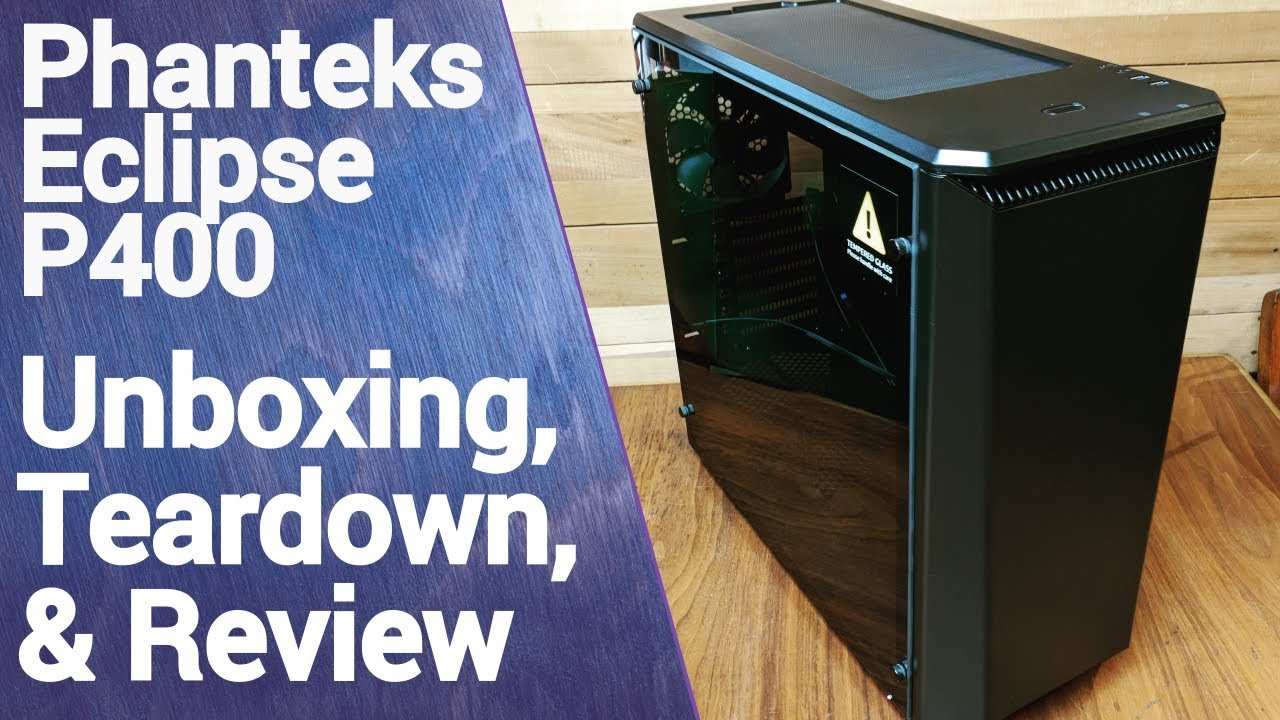
There are actually two versions of the P400, the one I review in this video which is the standard one and the "S" version which comes with sound dampening material installed on the side panels. The P400S is $10 more than the standard version, and if you're not going to be doing any modding I would say it's the smarter buy. If however you're gett...
i already put the timestamp in the link
watch how he removes it
solid dust
The box should be in just like how a hard drive should be, not blocking it @odd cosmos
earnest olive
fading sphinx
no go still not turning on
that's strange, did you maybe hit the board by accident with screwdriver during install?
solid dust
Ends up unscrewing the entire drive bay sleds and the box thingy -mounting tray they go in, and then asking how to put them back in
fading sphinx
@earnest olive no I’m sure I didn’t
earnest olive
try removing 1 stick of ram then clearing cmos
see if anything changes
keep m.2 out
fading sphinx
Ok
odd cosmos
solid dust
The box should be in just like how a hard drive should be, not blocking it <@727...
but it's behind something
it's not opening up
solid dust
odd cosmos
but it's behind something
Are you looking at them from the back or the front of the case
earnest olive
did you watch the part of the video i linked
solid dust
@odd cosmos open the back panel of your case and then you can slide them out the back
odd cosmos
I SPENT THE LAST HOUR TRYING TO DO IT