#building-and-recc-chat
1 messages · Page 923 of 1
 sharp tundra
 past harness
What do you mean
sharp tundra
dont quote me on this, but im pretty sure after you set up your bios you have to press like a "save" button, and then it will boot you into desktop, then it should boot you into desktop every time you start up your pc
past harness
Yes I did that but it would just loop me back to bios again
Somebody told me here that I had to put my old motherboard and uninstall something’s driver wise
sharp tundra
i dont think so, but i could be wrong
did you make sure all youre hardware is plugged in properly?
past harness
It makes sense but I’m still pretty new to this
I pulled my old motherboard back in and it booted fine
sharp tundra
is your new mobo in currently?
 muted patio
What's the old board?
past harness
The old board is in now
muted patio
i know, what is it. model number
past harness
It’s a b450 tomahawk max is the one currently
muted patio
And everything works fine
sharp tundra
put in the new board
muted patio
NO
past harness
Yes
muted patio
wait
past harness
It’s working fine
muted patio
yes
it should
One of two things: EIther Windows was installed in Legacy mode
Or the old drivers wouldn't let Windows boot
I was the one that told you to put the old board back in
past harness
They are both Msi boards
muted patio
Yes
sharp tundra
if you put the new board in, load into the bios and disable fast boot and set your drive as your booting device
muted patio
Different chipsets though
-_-
They already did that, didn't work
WIndows doesn't always play nice just throwing in a new board and booting
sharp tundra
whats your new board chipset?
past harness
I’m lost who do I listen to lmao
sharp tundra
both, whats the chipset of the new board
sharp tundra
whats your cpu?
past harness
R7 3700x I believe
sharp tundra
alright so your cpu is compatible with your board, so that isnt the problem
past harness
Yea
muted patio
Compatibility has nothing to do with it. Windows black screened on boot
past harness
Lmao
sharp tundra
you sure?
past harness
Do I leave the old board in for now
muted patio
Yes
Boot to the BIOS
Go to the boot section
In the Fixed Boot Order screen, is the #1 boot device UEFI or no?
sharp tundra
ill be honest, im not entirely sure about anything bios related, my buddy is the one who set up my bios on my computers
muted patio
It can be confusing
Especially with Windows 10
Because if the original board is set to Legacy but the new one is UEFI boot, it doesn't play nice
I'm 99% sure this is a driver issue though, just throwing in new hardware without uninstalling the old
 muted patio
With the new board, it POSTS, tries to load windows and then black screens.
You are right about B550 though, no 2000 or 1000 series on those
and no 1000 series on x570
past harness
sharp tundra
why is your cpu clock so low? lol
sharp tundra
100MHz??
sharp tundra
oh...
past harness
Yes
muted patio
Download this and then boot to SAFE mode
Guru3D.com
Here you can Download Display Driver Uninstaller, this Display Driver Uninstaller is a driver removal utility that can help you completely uninstall AMD/NVIDIA graphics card drivers and packages from your system, with...
and then run it and uninstall all the things
past harness
How to boot to safe mode
muted patio
Back to windows
Sign in and get to desktop
Once you get there, click the Windows Icon and then the power button
past harness
@muted patio I know have my boot drive plugged in rn is that fine
 still roostBOT
 vintageRacer79#5330 has been warned
Reason: Bad word usage
sharp tundra
Hers my next PC build
https://pcpartpicker.com/list/Pycjqp
 hollow grail
mp600 cring
hollow grail
sucks
sharp tundra
no?
hollow grail
only 5gb/s
can get a sabrent that can do 7
or the sn850
which also does 7
pcie4 drives are stupid
u just get it for big number
so might as well have it be biggest number
muted patio
@past harness When the PC restarts, choose Troubleshoot, then Advanced Options, Then at the bottom of the screen click See More Recovery Options and clik Startup Settings then restart
hollow grail
sn850 moment
sharp tundra
well, i want a good pc but i dont want overkill
past harness
Not there for me
past harness
past harness
Then click restart
muted patio
Then Enable Safe Mode
past harness
I’m in safe mode
muted patio
Run DDU
past harness
Resolution committed when I did that
muted patio
That you downloaded
still roostBOT
 NomadHorizon#8013 has been warned
Reason: Bad word usage
sharp tundra
oops
past harness
Launched
muted patio
Check all of the AMD, nVidia and Intel boxes
past harness
Ok
sharp tundra
ill be honest, i havent been on top of the latest new part specs cause ive been rebuilding a car for the past 2 weeks and before that i was moving
muted patio
Then it should be Clean and Restart
past harness
Audio or gpu
muted patio
GPu
past harness
Then clean and restart?
muted patio
yes
past harness
Sorry I don’t wana go ahead and do somthing wrong lmao
Already irritated with the damn thing
muted patio
It says GPU but it will remove all kinds of drivers
muted patio
Once it gets back to Windows, I suggest you prepare a Windows 10 installation media as backup
need an 8 GB thumbedrive
past harness
How do I do that
muted patio
Click the link
😉
Also, make sure windows 10 is tied to an email account so you don't need a key if you have to reinstall
Instructions here: https://www.auslogics.com/en/articles/link-win10-product-key-to-a-microsoft-account/

When Microsoft released the Anniversary Update for Windows 10, the tech giant made a lot of improvements to the operating system. One of the new enhancements that users loved was the easier way to activate the OS. Before, you would need to find a way to secure the product key in case you’ll need it […]
After ALL of that is done, shut it down and put your new motherboard in
First thing I'd do is go into the BIOS and set all to Defaults and make sure your boot drive is the only one connected
past harness
Alright
 strong bolt
should 750w psu have enough clearance for 5600x and 3070?
 analog hearth
 little osprey
What could cause this
little osprey
What could cause this
It actually states the cause right below the error code. I would say to make sure that all of your storage devices, I/O devices, etc. are connected properly and try to boot into Windows again
analog hearth
which GPU?
little osprey
uhd630
analog hearth
I see, integrated graphics
past harness
Please help me please I replaced my motherboard and with the new one it just constantly boots to bios I can’t go anywhere else
 stoic island
Check boot order for drives
stoic island
Boot overwrite or whatever it was called
Actually, is your drive with windows on it even detected
 gleaming quartz
change hard drive prioritization for windows boot manager and then change the actual boot priority
its weird but it worked for me
past harness
You lost me @gleaming quartz
gleaming quartz
what motherboard do you have so that i can get an idea of the bios layout
past harness
Yea
gleaming quartz
so in the bios settings, under the boot category, scroll down under the boot priorities until you see 'set harddrive order' something
and then from there make sure the windows boot manager has your actual boot drive instead of a faulty one
past harness
The only one I have plugged in rn is my boot
gleaming quartz
sure
little osprey
Is it really necessary to have an esd strap?
 small osprey
 meager pumice
 muted sluice
those cables look nice agl
meager pumice
thanks
 sterile stone
I’d say the case is the most limited part of the rig
but otherwise really nice 👍
Fits your niche regardless
So works for you
Yeah I’m using the meshify 2 (the newer case.)
I don’t use bays but it is amazing so far
 quasi snow
I think the Focus G is a good choice
sterile stone
I concur actually that case looks way better
Ahh no window right
Hm
Do any of the phanteks cases have the bay?
muted patio
Yes
sterile stone
They make super solid cases
quasi snow
https://www.coolermaster.com/catalog/cases/mid-tower/masterbox-e501l/
I don't know much about this one but it looks like it has good airflow and also the solid side panel
muted patio
Looks decent
sterile stone
Airflow looks good
muted patio
Phanteks Enthoo Pro too

Phanteks
The award-winning Enthoo Pro was designed with highperformance and flexibility in mind, offering optimized airflow and extensive (water) cooling possibilities for enthusiast systems without the premium price tag.
sterile stone
that’s the case!
muted patio
Has option for solid side panel
sterile stone
The enthoo
sterile stone
Reminds me of an nzxt case for some reason
VENGEANCE cases are designed for travelling gamers. With durable steel construction and high-airflow designs, they’,re built for LAN party dominance.
Idk if has the bay
But looks really nice
He said they have a version with it
Yeah it has the bay
3x of them
The one I linked
I just liked the appearance >.>
quasi snow
just looked it up and the nr600 with odd isn't sold in the us for some reason
sterile stone
Handles look super sturdy
Ah, cutting to the chase. Yeah looks good otherwise.
👍
past harness
Yo @muted patio
past harness
alright so i got a new motherboard and ever since ive been stuck in a loop of just booting to bios. I figured out that bios reconzies my m.2 but it doesnt give me an option to boot to that drive
little osprey
past harness
alright so i got a new motherboard and ever since ive been stuck in a loop of ju...
reinstall windows
u cant boot into it cus theres no os installed
key was prob registered to mobo hwid and went kerplunkd
thats my take on it 
little osprey
yep that seems to be the case then
past harness
your a life saver if this works lmao
little osprey
best of luck
past harness
Thanks
muted patio
Uh
Make sure BIOS is set to UEFI boot like your old motherboard
That's why it's not recognizing the boot device
If it's the same drive, there's no reason it won't work
little osprey
hm
muted patio
Went through this last night
little osprey
prob should ping him
stoic island
No key would still boot, just won't be activated
muted patio
Dollars to donuts it's a CSM or UEFI issue
little osprey
@past harness
past harness
it is set to that
stoic island
Ree set cmos
muted patio
They've done that
M.2 should be in the first top slot
Obviously GPU is working cuz we can get to BIOS
Weird drive issue, CSM maybe?
 fossil halo
past harness
fossil halo
past harness
wait so why will it not even show up as an option to boot off of @muted patio
 hot vortex
hey does anyone here think they can help me figure out why my m.2 ssd isn't working in windows?
muted patio
hot vortex
hey does anyone here think they can help me figure out why my m.2 ssd isn't work...
This article aims to tell how to add unallocated space to existing partitions like C drive step by step. Then you can take full advantage of your storage space.
hot vortex
i- what?
muted patio
past harness
wait so why will it not even show up as an option to boot off of <@!61861672284...
I have no idea. Worked fine in the old build. For some reason this motherboard doesn't like it
Update BIOS maybe?
muted patio
hot vortex
i- what?
You added the drive to the board right?
But it's not showing in Windows?
muted patio
Disk Management
hot vortex
muted patio
Did you go there?
hot vortex
yes i know it's not in disk management
muted patio
Those pCI devices don't have drivers
Go to your motherboard website
Support section
Download and install all the latest drivers
hot vortex
okay ill check that out
hot vortex
yeah i tried updating them but it said it couldn't find any
muted patio

ASUS USA
AMD B450 motherboard with Fan Xpert 2+, intelligent cooling controls with GPU temperature sensing, and Aura Sync RGB header for custom lighting personalization
hot vortex
alrighty and then which drivers do i download ?
muted patio
Newest one from each category except raid
hot vortex
and like what do i do with them / where do i download them to, if that is important
muted patio
Doesnt matter where you download them to. open them and install like a regular program
hot vortex
cool beans
I'll be back in a bit to figure out if there is a way for me to move windows from my old ssd to this one
hollow grail
magician ftw
hot vortex
no it's addlink
hollow grail
cring
hot vortex
indeed but it was cheep and had the best amazon reviews xD
past harness
muted patio
Update BIOS maybe?
how do you do that
muted patio
You installed all the drivers and rebooted?
hot vortex
rebooted twice
hollow grail

 neon condor
Ohh Windows Disk Management. 😋
hot vortex
thank u
can someone tell me how i can make windows on my little ssd go to my big one now?
neon condor
I remember when I learned how to assign a drive a letter.
I was just like...

Little to big?
muted patio
past harness
how do you do that
hot vortex
yeah i just want to make my c drive bigger basically
neon condor
That's better than if you were to say big to small.
Could probably clone it.
Jay did a video on exactly that.
hollow grail
clonezilla works
hollow grail
macrium also works
either are fine but neither are very idiot friendly, id watch a walkthrough
hot vortex
can i get a link to anything?
hollow grail
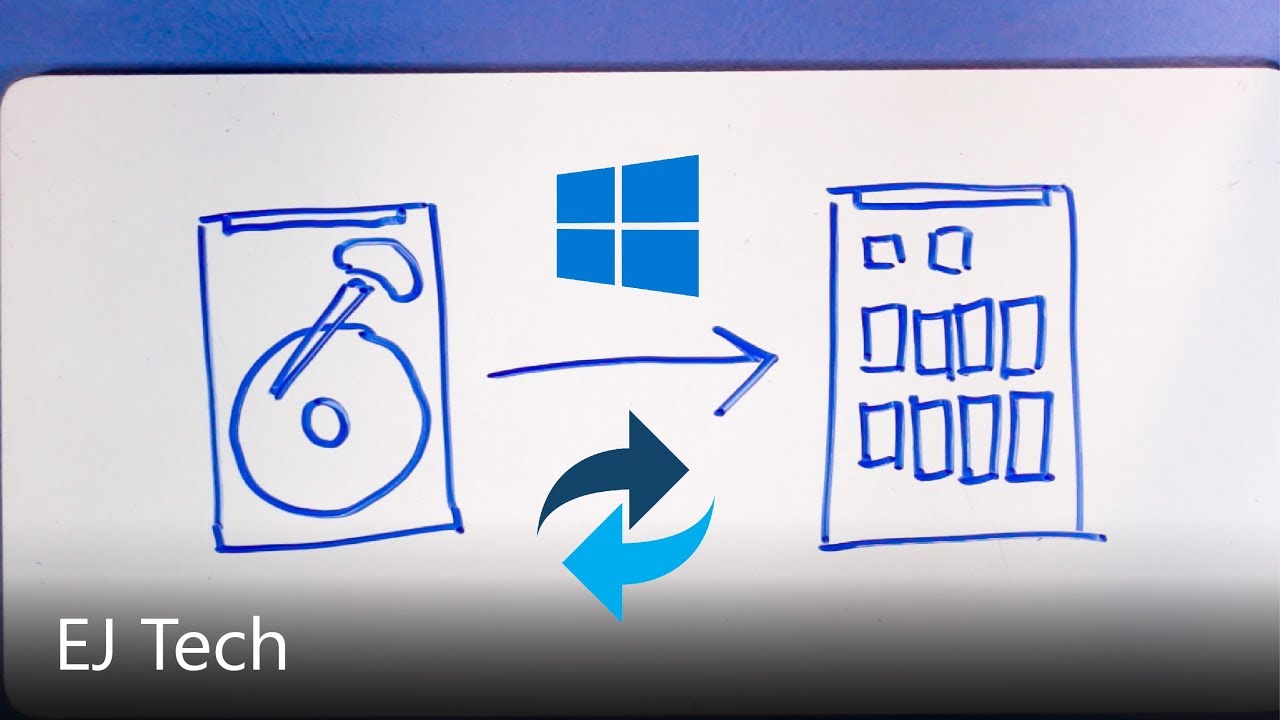
Now you have that fancy new SSD in your computer, you can either do a fresh install of Windows or, in this video, you can clone your current install to the SSD.
Download Macrium Reflect Free (not sponsored)
macrium.com/reflectfree
SSD + HDD in a Laptop (The Caddy Method - 2019)
https://www.youtube.com/watch?v=H09SEyoE8yY
MUSIC:
• Silence by...
hot vortex
muted patio
Instructions page 2-3 here: https://dlcdnets.asus.com/pub/ASUS/mb/SocketAM4/TUF_...
I just scrolled through this for a few seconds till i realized it wasn't in response to me. I need help lol
hot vortex
hollow grail
https://www.youtube.com/watch?v=wOksj16Q3ps
thanks!
hollow grail
reflect an image of your pc
hot vortex
Nothing like a good ol piece of technology making you doubt yourself
 deft geyser
Would 600w be ebough for a ryzen 5 3600 and a 1660 super?
muted patio
OH yeah
deft geyser
Nice
hot vortex
hollow grail
macrium also works
do i need to format the ssd first?
hollow grail
macrium should do that for u
hot vortex
okay
hollow grail
yeah @turbid viper i use aomei because im scared of killing the wrong drive by accident
hollow grail
yea
hot vortex
okay here goes nothin
hollow grail
idk have someone double check tho
i literally just woke up
it looks perfect tho
@muted patio double check
hollow grail
whats under cloned partition properties
hot vortex
hot vortex
hollow grail
can u make the size fill the rest of the drive
hot vortex
hot vortex
hollow grail
can u make the size fill the rest of the drive
like so?
hollow grail
yeah that looks fine
hot vortex
should i increase the other two by a little bit or just leave them?
hollow grail
nah
hot vortex
so click next?
hollow grail
yeah should be ok
hot vortex
then finish?
 burnt wind
I'm currently trying to start up my pc with a new 1070 (which should be working fine) and my cpu light is turning on. I've plugged everything out and in, reset cmos my taking out the battery, and switched my dimms' positions. This has all been with my gpu taken out. Any advice?
hollow grail
@turbid viper not just asking in general 
burnt wind
My motherboard ambient lights stay on and none of my fans start up
hollow grail
yeah im just super sleeby hehe
hot vortex
So after the backup/clone should i just try to boot to the m.2 and see if it works?
yeah i'd boot from BIOS probably
burnt wind
@stoic island
 zealous edge
burnt wind
My motherboard ambient lights stay on and none of my fans start up
zealous edge
burnt wind
My motherboard ambient lights stay on and none of my fans start up
Full system specs please.
burnt wind
Ryzen 3100 with wraith cooler
MSI B450 GAMING PRO CARBON AC
Dual Team T-FORCE VULCAN Z 8GB 288-Pin DDR4 SDRAM DDR4 3200
Asus STRIX-GTX1070 Video Card GeForce GTX 1070 8GB GDDR5
zealous edge
Send a picture from the side of the PC, please.
burnt wind
GPU is currently taken out
zealous edge
burnt wind
GPU is currently taken out
Why is the GPU taken out exactly?
burnt wind
It was left out after I was plugging everything in an out
When I try to turn it on with the gpu in I hear a buzz and nothing lights up
zealous edge
Ok
burnt wind
burnt wind
No
zealous edge
Is the PSU switch on?
burnt wind
Yes
zealous edge
Please show me the bottom right the motherboard.
burnt wind
Give me one second, going to take out the gpu so I can more easily show it
burnt wind
Assuming you wanted to see the front panel connectors
Can you clarify what that means?
burnt wind
Oh right yes
muted patio
What power supply?
burnt wind
It turns on temporarily then turns off again
muted patio
Oh
that's normal
No worries there as long as it doesn't stay on
Used 1070 though?
but new to you?
burnt wind
Thermaltake Toughpower Grand RGB 750W 80+ Gold
muted patio
The card though, is it used but new to you? You just bought it?
hot vortex
They should be identical
muted patio
You said it buzzed when plugged in
burnt wind
Used 1070 but new to me
muted patio
Fans spin?
muted patio
Hmmmmm
zealous edge
Why would it buzz though?
muted patio
I suspect the card is dead
burnt wind
The pc doesn't start up, no display
burnt wind
The ej13led1 is on whenever it's plugged in though
Would that still be on in any of those conditions?
muted patio
That just means the plug has power
zealous edge
Used PSU??
muted patio
Doesn't work buzzes, no video out fans don't spin
burnt wind
With my old power supply, my cpu fans turned on, I just didn't have a video out
zealous edge
You tried the old psu on this system?
burnt wind
I bought this used one bc it wouldn't have enough power for the 1070
Yes, the only things I have changed are the GPU and PSU, it was working fine beforehand
zealous edge
But the fans turned on with the old PSU?
burnt wind
Yes
burnt wind
550
I have another rosewill 750 80+ white that I was planning on returning bc I found this one, I can try using that
muted patio
550 is fine for the 1070
burnt wind
Okay I'll try using that, one minute
 wanton cliff
so which one is the new one, C: or Z:?
hot vortex
D is the new one
wanton cliff
oh
hot vortex
I renamed it to make it distinguishable
wanton cliff
and you changed boot order and all that?
hot vortex
Local disk is the current one, hence why I'm trying to boot to a larger disk
yeah
it's set as the highest on boot order, but like i said when it boots it goes to the windows loading screen then goes to a black screen where i can only see my cursor
wanton cliff
I would just try taking out the other drives and reinstalling windows on D:
hot vortex
but i want the data from C:
hot vortex
and then i want to wipe C: and use it for something else
wanton cliff
so do it after the fact
hot vortex
but how do i get my data from C: to D:
wanton cliff
Take out C: and Z: > reinstall on D: > put C: and Z: back in > manually put all the files on there
hollow grail
@turbid viper just walk them thru clonezilla pls
hot vortex
manually moving app data etc over sounds like a headache
wanton cliff
hot vortex
manually moving app data etc over sounds like a headache
just delete windows from that drive and then copy and paste files
burnt wind
So I plugged in my old power supply, without the gpu in it starts up fine, fans on, just don't have a vga out, and whenever I slot in my roommates 1050 ti I am able to boot up and get to the start menu
But when I put in the 1070 and try to turn it on, the ej13led2 red light turns on and the system won't start, however this time there's no buzzing noise
hot vortex
hollow grail
dont do that
What then?
wanton cliff
what cloning software did you use?
hot vortex
Macrium Reflect
hollow grail
ughhhh i dont wanna walk someone thru a cloneeee
hot vortex
I'm fine with a link to a YT tutorial or somethin
wanton cliff
hot vortex
I'm fine with a link to a YT tutorial or somethin
look up Clonezilla walkthrough or tutorial or something like that then
hollow grail
wanton cliff
and probably format D: first
hollow grail
im so tempted to just give them one of my clone tools but id be breaking my license agreement
hot vortex
it is formated
When i boot to it it loads like windows but instead of start menu i get a black screen
I mean i'd assume so
why?
burnt wind
@muted patio @zealous edge
So I plugged in my old power supply, without the gpu in it starts up fine, fans on, just don't have a vga out, and whenever I slot in my roommates 1050 ti I am able to boot up and get to the start menu. But when I put in the 1070 and try to turn it on, the ej13led2 red light turns on and the system won't start, however this time there's no buzzing noise
hot vortex
yes
my local disk C:
wait no
it should've been running off my Z: drive
i downloaded everything in the setup to my Z: drive
muted patio
burnt wind
<@618616722840223754> <@297527334712377346>
So I plugged in my old power supply...
Red light means bad power.
burnt wind
Okay
So
I now have a working computer
The extra 600 watt power supply I mentioned seems to working
Going to check bios
hot vortex
yes...
I don't know how else i would do it
But the C: drive is what i neeeed lol
is there a way for me to somehow run windows repair on the new ssd and get it working?
wanton cliff
hollow grail
but my clone tool is like god tier enterprise software lol
any idea when consumers can use it as freeware?
hollow grail
never
hot vortex
so what i'm hearing is I should just do a clean install of windows ten on my ssd then just drag and drop the main files over?
 restive nebula
@austere condor y does ur pc look like its in the verges studio
hollow grail
he works for the verge
hot vortex
i just don't know what do do here i'm lost
hollow grail
he did their pc build video
burnt wind
@muted patio with my 600 watt power supply that I was going to return my pc has booted and I'm in the start menu, it seems to be fully functioning
hot vortex
yeah that's what i'm on rn
file expl. like this currently
im on C: drive
okay, so I have an 8gb usb i believe
hollow grail
$800 per license so i dont think thats an option lul
past harness
muted patio
Instructions page 2-3 here: https://dlcdnets.asus.com/pub/ASUS/mb/SocketAM4/TUF_...
my mother board is not asus
hot vortex
Do i need clonezilla live?
I'm dead trying to understand this
which method should I use
for reference I already have BalenaEtcher if that maters
My household only had one PC
has*
hollow grail
@covert pewter why 2x cpu cooler lol
hot vortex
Thanks, I'm just trying to get this usb bootable and then i can get goin
past harness
ive been here the last two days looking
hollow grail
past harness
ive been here the last two days looking
for?
past harness
hollow grail
for?
can i dm you
past harness
hollow grail
for?
i usally get lost in the messages of this channal
hollow grail
no
past harness
Yea i understand that
hollow grail
so post here
 frail prairie
ive never built a computer but im thinking about it any advice
hollow grail
frail prairie
ive never built a computer but im thinking about it any advice
watch videos on how to build
stoic island
LTT to start off
GN as more advanced knowledge
and Buildzoid to go down the rabbithole
hot vortex
Last question @turbid viper where do i find those model numbers?
past harness
ive said it alot in here and a few have tried but nothing has worked so far but ive started to narrow it down i guess but basically my m.2 ssd shows up in bios but doesnt pop as an option to run it as a boot drive its been doing this ever since i replaced my motherboard
hot vortex
so worst case scenario i can just lean over and look in my case to confirm?
okay cool beans, here i go
stoic island
@past harness might be a "screw it, reset cmos" time, and see if that does anything
 tight sorrel
frail prairie
ive never built a computer but im thinking about it any advice
tight sorrel
frail prairie
ive never built a computer but im thinking about it any advice
YouTube : Linus tech tips, jayz two cents, bps customs are good. But for a complete 2 hour video on putting a pc together watch Christopher Flannigan
stoic island
https://www.intel.com/content/www/us/en/support/articles/000025368/processors.html
battery method, universal between intel&ryzen&laptops
Intel
Defines CMOS technology and how to clear CMOS using the jumper or battery methods.
frail prairie
tight sorrel
YouTube : Linus tech tips, jayz two cents, bps customs are good. But for a compl...
thank you
tight sorrel

A full step-by-step guide to building a £3500 PC in the Lian Li Lancool II Mesh RGB including putting all the parts together, installing windows, installing drivers, RGB software and overclocking RAM. This guide assumes no previous knowledge and is perfect for a first time PC builder. Links to parts used in the build are below.
00:00:00 The Par...
past harness
but @stoic island Im on the pc rn on a different drive that had windows on it but my ssd just wont boot
stoic island
Yes
stoic island
reset cmos
past harness
alright
stoic island
it's a fun thing to do whenever you don't have anything to do, and might fix things
past harness
can i look at the manual of the mobo and see a more precise explanation there
 earnest olive
just look for where the cmos jumper is using the manual
stoic island
I like battery method
I always forget how to do jumper (in terms of timing)
if it's like one touch, 1 second, 3 seconds, etc
earnest olive
it's like 15 seconds
past harness
i dont see anything in the user guide to where it is but i know where my mobo battery is
earnest olive
pulling battery is fine
past harness
alright why does this scare me to do
stoic island
why would it
earnest olive
it's normal to be scared of ruining expensive hardware
I was very scared during my first build
past harness
same
earnest olive
just gotta trust in experience
past harness
but ive never done somthing like this so
earnest olive
that's why we're here
past harness
do you wana walk me through it lmao
earnest olive
the battery method?
turn off pc
yoink battery
wait 10 mins
put battery back in
that's all there is to it
past harness
is there a specific way to "yoink battery" lmao
earnest olive
not really it's just like any other watch battery
past harness
never took a watch battery out
earnest olive
ah
there's like a little tab next to it that releases it
just have a hand under to catch it from falling
past harness
alright
earnest olive
@stoic island does holding power button to drain caps faster still apply with cmos battery? i've always used the jumper :d
stoic island
I always press power button
past harness
lmao i havnt done it yet im finnishing my episode first lmao
stoic island
no I'm finishing my ep first
past harness
lol
past harness
lol
 cunning sundial
Real talk though, rgb across 3+ different programs sucks to manage.
past harness
i feel that
its a pain in the ass
and does anyone elses just like not stay what you have it as
earnest olive
i've got all my rgb synced across 1 software, cannot imagine any other way
past harness
how you do that
cunning sundial
There are a handful of programs. I tried one yesterday but it didn't work. Probably interference from my wallpaper engine.
I'll be trying again tonight, any recommendations for that software?
 pliant fractal
Im currently pricing out my next PC to make. After a bit of work, i got it to $1508 . Im trying to get the price lowered. My Budget is $1500 but I was hoping to get it into the 1400 Range. If anyone has any ideas, Feel free to ping me
https://pcpartpicker.com/list/J293j2
The 250Gb M.2 is a Boot Drive btw
pliant fractal
I already got the
CPU
Case
GPU
cunning sundial
Could probably wait on one of those m.2's
Or just flat out swap out one for a decent ssd
hollow grail
250gb ssd omega cringe
past harness
lol
cunning sundial
Any specific reason you want to m.2's?
pliant fractal
The 250GB one is a boot drive. The 1TB one will be for anything I want to put on it. I already have 1TB hardrive so I dont need to get one of them
cunning sundial
Lili, what rgb software do you use to sinc your programs?
past harness
Yea im curious too
cunning sundial
You could boot from as little as a 10gb flashdrive
 rich helm
@pliant fractal get 970 evo or sn750 it’s 5 bucks cheaper
pliant fractal
maybe
rich helm
I doubt you really need a 980 pro for a 1400-1500 dollar budget build tbh
cunning sundial
Definitely don't need an m.2 for a dedicated boot drive though
rich helm
Yeah I’d say just get the budget down instead
earnest olive
technically having a dedicated boot drive is faster
but like
does booting 0.6 seconds faster really matter
i put everything on my boot drive and cold boot in 12 seconds, that's fine with me
 mild flare
Hello, I'm wanting to build a server to host Ark and Rust.. Could anyone recommend a motherboard and chipset? it would help get this ball rolling.. thx
hot vortex
I figured it out
But I do have another quandary
It's loading lol
So when I try to move the third partition to the end so I can expand the second partition it doesn't work
Yes I can boot to the new sad now
Ssd*
Yes!
Indeed, I feel less infant like
Correcto
Yes sir
Yes
Hm so those time instead of leaving zero space following the third partition I left 128mb and it didn't throw an error at my face
So this look alright?
Now that you mention it, maybe that's why my other one wouldn't boot correctly
I do have my other drive untouched
Plus I did accidently make a Linux boot somewhere on my computer so that might be it
Okay...
 celest glade
i think my gpu might have a problem
is 45c idle okay?
i have the Asus GeForce GTX 1660 SUPER 6 GB TUF GAMING
non-oc
wow now it's about 50c
 balmy patio
isn't that normal
 ripe wedge
nah. its probably going into 0 db mode when ur fans turn off
celest glade
and i even have my front panel off and a fan blowing cool air right under the gpu
hot vortex
Moving the recovery partition succeeded but growing the second partition failed
ripe wedge
so it will get a tad hotter but it will be quiet
celest glade
 next kestrel
try putting it under load
celest glade
72c
balmy patio
that's normal under load tbh
celest glade
superposition
balmy patio
i would've worried if it were in the high 80's to mid 90's
celest glade
oh and while you guys are here
i have another problem
acculy
forget it
it's okay
basically pc only boots on 2nd try
1st try it stays on asrock logo and doesn't start showing the windows spinning dots
hot vortex
That might work honestly cause this ain't
It tells me error: NTFS is inconsistent
I went into windows and repaired the drive, came back, and it throws the same error
Well that was so much more simple
Just clicked expand volume and it worked 😂
The question is I've got two more problems that I haven't the slightest idea how to deal with
As an idiot (roughly a week ago) I decided to try and run Arco Linux and somehow locked half my HDD into an EFI System Partition
yes it's a 1tb drive
I call it Big Z:
zealous edge
celest glade
is 45c idle okay?
Do you have 0rpm on low load?
Honestly thats not a problem
hot vortex
for reference this is what it looks like
doing some rough math it seems I have one more GB of data than I have room for on my ssd
it made me cringe inside
not from disk management
and from what I've read online, it seems to delete it you have to wipe the drive
 tough cedar
so i signed up for the product shuffle when do the results come out?
 magic cipher
i got a question just somebody respond if you think you can help so i have a rtx 2070 i play rainbow six seige alot and i used to get 240 fps on day it dropped down and i was only getting 150 fps so i thought maybe the drivers was out of date and i downloaded NVIDIA experience and i updated the driver now when i try to launch rainbow it crashes and wont even let me on can some one please help
hot vortex
okay I found a old external drive lying about
so do i just copy everything from my drive and paste it to this drive, wipe it, then vice versa?
cool beans
tough cedar
wait so am i not getting an email if i didnt get the product loterry
 zealous edge
@split latch
zealous edge
Ok
zealous edge
Did you mash delete or f2
zealous edge
Alright
gleaming quartz
can you boot into recovery mode?
stoic island
Side note, do you know anyone, a friend or anything, with a PS/2 keyboard?
@gleaming quartz can't go to bios
So uh
 split latch
No
gleaming quartz
oh wait really?
zealous edge
Yea
gleaming quartz
huh
zealous edge
Hes stuck
rich helm
The green and purple connector on io
split latch
?
rich helm
Circle
split latch
What
stoic island
It's a different protocol, PS/2 peripheral "interrupts", instead of just sending a signal, so it has better latency and the command is sent with higher priority than usb. Anyways, it's an older thing, but 90% of modern boards have a PS/2 port so
split latch
hot vortex
split latch
Not that i know of no
split latch
Okay
split latch
Pc unplugged now what
Like the case pc power buttonV
When it’s unplugged?
@zealous edge
zealous edge
Waiy
Wait
Yes case power button
10 seconds
Get all power out
Just in case
When unplugged
split latch
Okay done
split latch
Does that mean i need to take gpu out?
zealous edge
Nono
still roostBOT
 Nox#5236 has been warned
Reason: Bad word usage
zealous edge
Unless that's the only way to get the battery out
split latch
It is
zealous edge
Ok then yes.
split latch
The battery’s under tou
zealous edge
Take it out
past harness
Idr who was helping me but I did what you said and it didn’t work
zealous edge
Lmk when you have taken it out, left it oit for two minutes and then pit it back in
split latch
@zealous edge this thing
split latch
Is there anything i need to take out before it
zealous edge
No
split latch
Jumpers
zealous edge
No
zealous edge
Put the battery in at 6 31
little osprey
Any help?
I just built a new pc and for whatever reason it stays on this screen FOREVER
hollow grail
its searching for incredible
split latch
@little osprey same problem
little osprey
split latch
THATS WHAT MINE DOES
Fr?
split latch
Yeah
 split latch
I’m doing what @zealous edge is telling me to do
But who knows
@little osprey reset cmos
But idk
split latch
Now?
little osprey
I haven’t even done anything to my bios lol
little osprey
split latch
Now?
You know there’s a cmos reset jumper right
So you don’t have to do the whole battery thing
But idm
little osprey
I guess I’ll try resetting cmos as well
split latch
How do i put the battery in @zealous edge
little osprey
You literally just slot it back in
zealous edge
Yes
split latch
Okay
 cerulean trellis
@muted patio is this the same one you showed me https://www.walmart.com/ip/Main-Board-Computer-Motherboard-CPU-Mini-Alarm-Speakers-Beeper-Bio-Beep-Buzzer/260485519
split latch
Nothing @zealous edge
zealous edge
I think you might have to update the biks
Bios
Do you have a bios flash USB on you?
earnest olive
yeah needs a bios update
earnest olive
your board is stuck because it doesn't know what to do with a 5600x
split latch
@zealous edge i think the only usb i have is my windows 10 key
earnest olive
need a new bios that tells it what to do with a 5600x
split latch
I have the windows 10 key usb
zealous edge
Mhm
earnest olive
right now it only knows what to do with 3000 series
split latch
Could i use that?
zealous edge
Yea
split latch
Or
earnest olive
yes
zealous edge
You can
earnest olive
using a usb you used to install windows to update bios will be fine
split latch
So install the bios onto that and do the the flashback bios bottom
earnest olive
yeah
split latch
@earnest olive i haven’t installed windows yet
earnest olive
not necessary
earnest olive
you can bios flash without windows
zealous edge
^^
cerulean trellis
sheesh
earnest olive
ASUS Global
earnest olive
it doesn't matter
zealous edge
Windows installer tool?
split latch
Yes
earnest olive
my windows install usb has tons of stuff on it
zealous edge
Doesn't matter
cerulean trellis
that doesent matter
zealous edge
Yes
split latch
Okay
earnest olive
Official Support | ASUS Global
follow this guide
you really don't want to mess up a bios update
you won't need to do the usb formatting though
windows install tool should have already formatted usb to fat32
cerulean trellis
yeah if u do you have to send it back to get fixed
earnest olive
just follow steps 1-7
earnest olive
no need
zealous edge
Lol amazon?
split latch
Yep
earnest olive
it's not a problem with the board
split latch
Is there a way to check the formatting of the usb just in case
earnest olive
this is expected behavior
zealous edge
Follow the steps and you will be fine
split latch
Okay