#building-and-recc-chat
1 messages · Page 817 of 1
 fossil halo
 dawn cosmos
Alright. So far i've got the Ryzen processor and the newer RAM. Will the Ryzen processor work with the motherboard AND my current GPU?
 little osprey
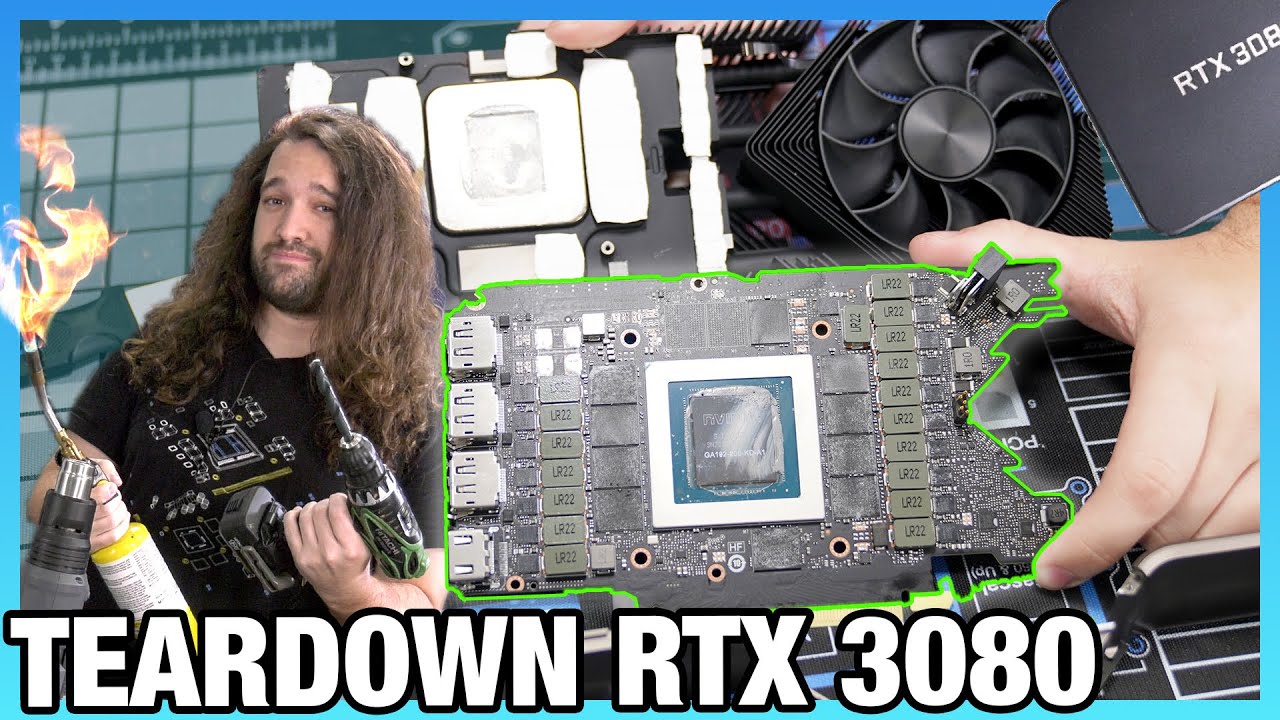
Tearing down the new NVIDIA RTX 3080 Founders Edition video card. In this one, we take apart the FE step-by-step and mostly blind, figuring out how to take it apart for water blocks & thermals.
Grab a GN Foil 1 Million Subs shirt while you can! https://store.gamersnexus.net/products/limited-gold-foil-1-mill-subs-shirt (you get something cool, hi...
Painting it looks alot harder than i thought
fossil halo
dawn cosmos
Alright. So far i've got the Ryzen processor and the newer RAM. Will the Ryzen p...
can you give us some context
like send a parts list or smth
dawn cosmos
fossil halo
can you give us some context
https://www.newegg.com/amd-ryzen-5-3600/p/N82E16819113569?Description=ryzen 5 3600&cm_re=ryzen_5 3600-_-19-113-569-_-Product&quicklink=true
https://www.newegg.com/asus-prime-x570-p/p/N82E16813119199?Description=prime X570-p&cm_re=prime_X570-p-_-13-119-199-_-Product&RandomID=792821982549116920201207064650
[10:28 AM]
These two are what the support sent me
 stoic island
@dawn cosmos yea, it will.
dawn cosmos
awesome
 prisma edge
Hey can someone tell me if this is a good build or if I should change out some parts?
PowerColor Red Devil Radeon Rx 5700xt
AMD Ryzen 7 3800XT 3.9 GHz 8-Core Processor
Cooler Master Hyper 212 RGB Black Edition 57.3 CFM CPU Cooler
Asus TUF GAMING X570-PLUS (WI-FI) ATX AM4 Motherboard
Kingston HyperX Fury RGB 32 GB (2 x 16 GB) DDR4-3200 CL16 Memory
Seagate Barracuda Compute 2 TB 3.5" 7200RPM Internal Hard Drive
Fractal Design Meshify C ATX Mid Tower Case
EVGA BQ 850 W 80+ Bronze Certified Semi-modular ATX Power Supply
1tb m.2 nvma pcie ssd
rgb fans (not sure what brand I want maybe corsair)
little osprey
Price?
 gleaming quartz
prisma edge
Hey can someone tell me if this is a good build or if I should change out some p...
gleaming quartz
prisma edge
Hey can someone tell me if this is a good build or if I should change out some p...
pcpartpicker pls
little osprey
No just price
prisma edge
Like $1500-$2000
dawn cosmos
stoic island
<@!337671478285697027> yea, it will.
But i will need BOTH of these right? Or can i JUST get the processor.
prisma edge
Trying to get parts for that graphics card I already have it so im trying tk find a good build for it
little osprey
prisma edge
Like $1500-$2000
Bad
fossil halo
and would like to upgrade
little osprey
 drifting garnet
i mean
little osprey
buy this
fossil halo
and has been recommended a r5 3600 and x570
little osprey
3600 is 300$
stoic island
@dawn cosmos you NEED the motherboard to fit the CPU
dawn cosmos
Will this require a new windows?
stoic island
hm? shouldn't
drifting garnet
No get mp34 for ssd.
stoic island
hm?
prisma edge
Well the crappy part is I already have the PowerColor Red devil and I wanted to try and build a pc for it
stoic island
3500/2500 for evo
drifting garnet
yeah, everyone tells me that mp34 is better but samsung is good too.
stoic island
3000/2700 for mp34
stoic island
mhm
drifting garnet
Ok I guess either drive is good doesn't really matter
 ancient valley
Can someone plz give me a pc list for 830 $
drifting garnet
ancient valley
Can someone plz give me a pc list for 830 $
yeah
Do you need wifi or bluetooth?
@ancient valley
fossil halo
ancient valley
Can someone plz give me a pc list for 830 $
do u need wifi or bluetooth and is that with tax included
like is it 830$ with sales tax or no
ill make one for 830 with sales tax with unactivated windows tho
 tender fjord
is there anything wrong with this build
the thing I'm worried about is the cooling
because I don't know much about cooling
drifting garnet
ancient valley
Can someone plz give me a pc list for 830 $
https://pcpartpicker.com/list/W3RK2V
Wait 'till the prices lower to something around this. I think that motherboard is normally cheaper as well.
drifting garnet
tender fjord
https://pcpartpicker.com/list/
This is a link to absolutely nothing.
tender fjord
really
drifting garnet
Just to a new part picker list
 opal stratus
 vagrant olive
copy the share link
vagrant olive
yes
tender fjord
is the cooler ok and are the parts in the green
tender fjord
what is overpriced
drifting garnet
Not that overpriced.
tender fjord
is the cooling fine
tender fjord
ok thanks
vagrant olive
@tender fjord
tender fjord
yes
tender fjord
what's wrong with it
vagrant olive
if u dont plan to overclock a lot
tender fjord
I wanna be in the safe side
vagrant olive
650w will be safe if u dont oc a ton
tender fjord
I don't overclock a lot
vagrant olive
ok
drifting garnet
vagrant olive
bc you could probably get away with 650w
This is definitely true but 750w could be good for future upgrades.
vagrant olive
true
tender fjord
the price difference between a 750 and 650 is very minimal
drifting garnet
If there is little difference, I would definitely get 750 for upgradability.
tender fjord
thanks
 vital warren
what is the budget you guys are working with here?
vagrant olive
his original build was about 1300-1400
so i tried to make it about the same if not a little less
vital warren
so 3070 + 5600x?
drifting garnet
That PSU is no where near as overpriced as the corsair one.
tender fjord
yeah
vital warren
could do 3080 + 5600x for a lil more
 ivory beacon
Thoughts?
tender fjord
the ssd is a little small
tender fjord
how much is a 3080 again
vagrant olive
and games that u want to load fast
 next kestrel
699 retail
tender fjord
can I add some apps into my ssd
vagrant olive
yes
vagrant olive
if u have games that u want to load faster
next kestrel
epic games launcher, blizzard launcher, steam
tender fjord
is the ssd better than the 970 evo?
tender fjord
what is the main difference between my previous case and my new one
vagrant olive
less moners
if youre ok with the $10 extra u can go back
plus i rly like corsairs airflow cases
lol
tender fjord
I can spare 10 dollars
vagrant olive
cases are rly subjective
drifting garnet
I have to go.
vagrant olive
np
little osprey
anyone know what the best prebuilt in cyprus is? i have like a budget of 600 euro
 balmy patio
cyprus as in the island, or is it a company
tender fjord
@vagrant olive Note:Corsair 4000D Airflow ATX Mid Tower Case has a front panel USB 3.2 Gen 2 Type C port, but the Gigabyte B550 AORUS PRO AC ATX AM4 Motherboard does not have sufficient USB 3.2 Gen 2 or Gen 1 headers. The case USB 3.2 Gen 2 Type C port will not be usable.
uhhh should I be worried
balmy patio
the b550-a pro is cheaper and has a 3.2 gen 2 header
little osprey
balmy patio
cyprus as in the island, or is it a company
the island lol
balmy patio
little osprey
the island lol
oh bruv idk about companies that sell prebuilt's there
ivory beacon
How many total usb plugs will that have?
little osprey
balmy patio
oh bruv idk about companies that sell prebuilt's there
k np
balmy patio
what are you talking about @ivory beacon
little osprey
does anyone else know what the best prebuilt is in cyprus? i have like a budget of 600 euro
ivory beacon
I'm not sure bro. I'm just trying to find a good build for my friend @balmy patio
 verbal quarry
what is the budget?
verbal quarry
oh dang
ivory beacon
At high or max graphics
verbal quarry
you can make a pretty nice build with that money
balmy patio
lemme see if i can make a list
ivory beacon
2k at the most
verbal quarry
def a 30 series gpu
balmy patio
3080 at least
vagrant olive
def a 5900x at least
verbal quarry
gotcha give me a minute and ill get you a rough idea
ivory beacon

verbal quarry
any specific brands?
 manic tapir
https://pcpartpicker.com/list/z3H668 do y’all think this will run pretty much any game 1080p ultra settings? or what do you think it will run at?
ivory beacon
I wouldn't know the difference. Good ol reliable imo
balmy patio
do you care about modularity?
ivory beacon
verbal quarry
any specific brands?
I wouldn't know the difference. Good ol reliable imo
ivory beacon
balmy patio
do you care about modularity?
Me?
balmy patio
ivory beacon
Me?
yeah as in psu modularity
ivory beacon
balmy patio
yeah as in psu modularity
I need another "as in "
balmy patio
as in, do you want to plug in all the cables you'll need, have some cables coming from the psu, or having a rat's nest of cables you don't need
 foggy hazel
neither of which matter in the grand scheme
ivory beacon
I need to plug in several usb cables
foggy hazel
that is not related to psu modularity
ivory beacon
🙃
balmy patio
do you care about having this (less clutter)
or this
or a combination of both
the top is a fully modular psu, the bottom is a non-modular psu
this is a semi-modular psu
ivory beacon
You does the top still come with cables though right
balmy patio
it does
 wanton cliff
ugly non-modular or semi-modular PSU
balmy patio
all of em
ivory beacon
Let's go with less clutter
gleaming quartz
i wish i had a power supply like that
balmy patio
https://pcpartpicker.com/list/JzjH8J at 2k i came up with this, i'm almost 100% certain someone can edit the list so that you get the most performance per money you spend
verbal quarry
ivory beacon
Let's go with less clutter
https://newegg.io/0d04eca this look good?
wanton cliff
i mean it looks pretty gud
verbal quarry
i can cut a bit more for that perfect 2k
vagrant olive
thats a based case
verbal quarry
its a case
vagrant olive
its an epic one
balmy patio
and you have a m.2 sata ssd
foggy hazel
@verbal quarry you are also a good 100watt under recommended spec for the psu for use with that GPU
gleaming quartz
vagrant olive
thats a based case
true true
verbal quarry
thats an easy fix give me a moment
verbal quarry
👍
wanton cliff
balmy patio
and you have a m.2 sata ssd
m.2 sata
balmy patio
yeah, with a sata interface
foggy hazel
@balmy patio on your list, psu warranty and money used on the Freezer
wanton cliff
makes sense
verbal quarry
anyone know the cost of the 3080 founders edition?
wanton cliff
700-ish
wanton cliff
(bot time)
verbal quarry
lol
ivory beacon
balmy patio
https://pcpartpicker.com/list/JzjH8J at 2k i came up with this, i'm almost 100% ...
Looks very nice
wanton cliff
will a 5700xt run the Witcher 3 at ultra settings 2k60?
verbal quarry
ty
ivory beacon
vagrant olive
thats a based case
?
vagrant olive
good case
verbal quarry
with the wraith coolers that come with the ryzens is that good enought for what he wants?
balmy patio
foggy hazel
<@!701918286115373216> on your list, psu warranty and money used on the Freezer
will a 5900x be fine with a nh-u12s?
balmy patio
yes and you'll be fine with the stock cooler that comes with the 5600x
 median garnet
It doesn’t
vagrant olive
ah
foggy hazel
@balmy patio aye, should be fine.
and yes, the 5600x is the only one with a stock cooler
median garnet
Is it the wraith stealth or the spire
gleaming quartz
verbal quarry
with the wraith coolers that come with the ryzens is that good enought for what ...
wraith coolers are effing loud
median garnet
That comes with the 5600x
median garnet
gleaming quartz
wraith coolers are effing loud
Tell me about it lmao I have a high fan curve on mine too
vagrant olive
wraith stealth
gleaming quartz
lol
wraith stealth isn't any better i've heard
plus it does worse than the wraith prism
median garnet
Yeah I’m getting an aio for Christmas so hopefully my temps go down as well as the overall noise
gleaming quartz
same im getting something similar
verbal quarry
https://pcpartpicker.com/list/XM7Rgt hows this one
gleaming quartz
im just hoping it can handle basic overclocking
balmy patio
median garnet
Yeah I’m getting an aio for Christmas so hopefully my temps go down as well as t...
i hope that your temps be low and fps be high
verbal quarry
its hard to tell prices but thats what i got
balmy patio
verbal quarry
https://pcpartpicker.com/list/XM7Rgt hows this one
could use a few corrections
median garnet
Lmao thank you. My fps are limited by my rx580 but it handles overclocking like a beast
verbal quarry
the compatibility issue is only with bios
median garnet
I need to get a better psu tho before I run my overclock 24/7 on my pc
balmy patio
@verbal quarry what's your overall budget?
median garnet
verbal quarry
https://pcpartpicker.com/list/XM7Rgt hows this one
Love how that builds gonna look
balmy patio
ahhh i made a list for poncho earlier, it still need a few corrections to get good perf
verbal quarry
gotcha didnt see it in chat
ivory beacon
😃
verbal quarry
tho i might save this for a future build of mine lol
ivory beacon
Same lol
balmy patio
it was this https://pcpartpicker.com/list/fZ34Bc
ivory beacon
So which one was the finished one?
verbal quarry
joesr
balmy patio
yes sir
balmy patio
oh bruv
verbal quarry
yea mine was way off lol
vagrant olive
has anyone ever actually bought parts from b h
balmy patio
vagrant olive
has anyone ever actually bought parts from b h
yeah
median garnet
I tried to once. It was a monitor that said it would be in stock in a few days. After like a week I checked and it said it wouldn’t be delivered for almost two months
verbal quarry
jeez
median garnet
They were great about me cancelling my order tho very nice people
Just make sure stuff is in stock when you order
verbal quarry
alright
balmy patio
my friend got his case from b&h
tbh i got surprised when he said that they sold pc components
median garnet
I live pretty close to their headquarters so I get one day shipping too lol
verbal quarry
nicee
balmy patio
nnice
balmy patio
at what resolution?
verbal quarry
dont know
havent really looked at specs for monitors
kinda just going by preference
balmy patio
i'm talking about 1080p, 1440p, or 4k
ivory beacon
@balmy patio not gonna lie. I really want to build that now
verbal quarry
1080p is what i would like
balmy patio
i don't know mucha bout them but you can go to #peripherals-and-displays and they've got you covered
or displays
verbal quarry
i never get a answer in displays
balmy patio
ivory beacon
<@701918286115373216> not gonna lie. I really want to build that now
same ngl
ivory beacon
Bout to post my pc on marketplace
balmy patio
sheesh, what was your old pc?
balmy patio
sheesh that looks like it was a great system
ivory beacon
It is
Haven't had a problem
Your build just looks so nice 🙃
Oh @balmy patio the build I'm looking for is. For a friend
But now I want it too 😂
balmy patio
lmao
 gritty mountain
how you people getting 3000 series cards
little osprey
There is some card drops from here and there, you just have to be lucky to get it before the bots do.
gleaming quartz
gritty mountain
how you people getting 3000 series cards
i got mine from a local component store
the price was pretty inflated though
wanton cliff
microcenter
 rotund marten
I am looking to build a pc for coding and gaming at 144hz 1440p. I was wondering what you guys think about this build (i have never built a pc)?
https://pcpartpicker.com/list/dKXBTJ
Prices are in ILS and are, compared to the price in the US, insanely high. What saves me from having to sell a kidney is the fact i can buy some parts from new egg with free shipping.
Also not sure what cpu cooler to use. Whether to use an AIO or Bulky air cooler. Anyways i figured i can always start with the stock ryzen cooler and upgrade from there.
Any suggestions/recommendations/opinions will be appreciated :)
 severe axle
I am pretty sure that ssd does not have dram
stoic island
@rotund marten that monitor is 1080p by the way
severe axle
yeah thats a 1080p 165hz not 1440p 144hz
rotund marten
stoic island
<@!303163134229741570> that monitor is 1080p by the way
Oh it's just a placeholder, not sure why i didn't delete that
stoic island
it has hmb
little osprey
Oh
rotund marten
For the dram?
severe axle
a dram-less ssd slows down over time
rotund marten
I first considered the 970 evo but went for the sn550 because of price, i don't mind investing a bit more for the evo though
For powersupply i figured 650 would be more than enough wouldn't it?
balmy patio
yes
stoic island
you might be able to do cheaper than a RM for the same/better quality tho
eh, good nuff tho
Personally I'd change the mobo for one that has bios flashback
rotund marten
I went for the rm because it is literally the only 650 gold option the local store i am planning on ordering some of the parts has
rotund marten
stoic island
Personally I'd change the mobo for one that has bios flashback
Gotcha! Would that impact the price by a lot? I have a friend with a 3600x so worst case scenario i think i can use that to update the bios to be compatible with the 5600x
stoic island
Usually no
foggy hazel
remember, sx8200 pro = not good @stoic island
stoic island
For example, MSI B550m pro vdh wifi is 110usd usually
@foggy hazel from STH testing, still good, just less good than old sx8200 pro
foggy hazel
toms found a fairly decent regression, hence my words
stoic island
hm
I remember STH testing looking fairly similar overall, just lower on the mid section
foggy hazel
but not enough that it "really" matters in the grand scheme of things
stoic island
I think it was ATTO
rotund marten
stoic island
For example, MSI B550m pro vdh wifi is 110usd usually
Price is inflated for that board in my country since only one place has it and newegg doesn't offer free shipping. I will do some more research about b550 mobos with bios flashbacks.
Also i remember reading somewhere msi with amd bad or something along those lines
Have any clue what that is about?
foggy hazel
nothing i have heard about (msi with amd bad)
 cloud oasis
little osprey
rotund marten
Also i remember reading somewhere msi with amd bad or something along those line...
cloud oasis
little osprey
rotund marten
Also i remember reading somewhere msi with amd bad or something along those line...
Msi did oopsies with amd cards...idk about mobo
ivory beacon
Boys. Overall for FS2020 as in performance and graphics. Intel or AMD? why?
vagrant olive
cpu wont rly affect graphics but amd has the best cpus as of right now
with their 5000 series
rotund marten
too bad it's overpriced and out of stock
vagrant olive
tru
rotund marten
The only good thing about my country, is i can technically get any 30 series or even 5000 series cpu from retail no resellers
the problem is retailers here take more than ebay resales lmao
stoic island
@rotund marten MSI low end x570 bad, the rest are pretty good
vagrant olive
b550 aorus mobos are epic
rotund marten
Funny you say that i am comparing the Aorus Pro and the Aorus DS3H
vagrant olive
i got the aorus pro ac
its good if u need onboard wifi
if not then the aorus elite is good
rotund marten
Was thinking about micro atx
Cause like price and stuff
So i should correct my self, b500m Pro
vagrant olive
the only real downside is less ram slots usually
rotund marten
How come? Like 90% of the matx boards i checked have 4 slots
 topaz inlet
So I’ve got an asrock steel legend b450 and I installed a kraken x63 yesterday and now the only power I’m getting is to my mobo leds any ideas what might be wrong ?
topaz inlet
I can’t find anywhere in the manual where it tells me
 mystic lagoon
 fallen escarp
can someone help me find some fans?
fallen escarp
can someone help me find some fans?
what kinf
balmy patio
topaz inlet
I can’t find anywhere in the manual where it tells me
wait do you mean the rgb on the mobo?
fallen escarp
kinf?
mystic lagoon
kind
topaz inlet
balmy patio
wait do you mean the rgb on the mobo?
Yes
balmy patio
fossil halo
to make my mic and headphone jack into a combined jack
yeah there's things like that
fossil halo
can u link
balmy patio
topaz inlet
Yes
ahhh i see, have you checked all your connections?
balmy patio
fossil halo
can u link
there's tons of them, jus search it up
mystic lagoon
lol an amazon link in newegg discord
fossil halo
what is it called
fossil halo
rotund marten
https://www.amazon.com/Kingtop-Adapter-Tablet-Headsets-Version/dp/B01I3A47I4/ref...
that makes a combined jack into a separate jack
i want the other way
topaz inlet
balmy patio
ahhh i see, have you checked all your connections?
Yeah I have but what’s weird is the leds on my power button on my h510 arnt even coming on so when I hit the power button nothing happens
fossil halo
what have you plugged in
topaz inlet
topaz inlet
Yeah I have but what’s weird is the leds on my power button on my h510 arnt even...
I tested the psu and it’s good to go
fossil halo
like to the power supply
rotund marten
No it doesn't?
balmy patio
@fossil halo like that?
topaz inlet
I have everything still connected to the psu
balmy patio
so no fans or anything?
fossil halo
balmy patio
<@!471737938829639683> like that?
yes yes i think
like basically
i want to use my earbuds mic
and the audio
topaz inlet
Nothing will turn on
fossil halo
currently i am using my webcam mic and it is dog sh!t
fossil halo
pog
topaz inlet
I did notice on my 24pin connector one of the metal piece in the connector is missing but I don’t know if that would cause it to not even boot
topaz inlet
Okay I wasn’t sure if it was supposed to be empty or not
verbal quarry
huh
topaz inlet
I’m wondering if it’s my power button on my case
stoic island
@topaz inlet If you unplug the front io connectors, you can start the mobo by bridging the power headers
like bridge them with a screwdriver or something
topaz inlet
Yeah with a screwdriver
I tried yesterday and got nothing
And btw it was running perfect before I put the x63 on
I had a wraith cooler and it was perfect for the last 6-8 months since I built it
stoic island
hm
Tried remounting the AIO yet?
maybe the mount is applying too much pressure onto the CPU
topaz inlet
I don’t think it is putting too much pressure
stoic island
(Thinking of different points of 'failure' that might be causing you issues)
stoic island
What am I supposed to be seeing in the video?
Or is there audio? Can't listen to audio atm
topaz inlet
Haha sorry it would load all the rgb and the led display on the kraken then reboot after like 10 seconds
And just kept doing that until it didn’t haha
stoic island
By the way, this server is level 3, you can take a longer video for up to 100MB without nitro, so if there's something you could show via video, could try to take a longer video again, but if it doesn't happen now, hmm.
 idle hawk
Duly noted
stoic island
Welp, cooler remount and CPU reseat will be a good place to start with debugging imo
Just in case at least.
balmy patio
idle hawk
Duly noted
ur alive 😳
topaz inlet
I noticed a couple bent pins on cpu yesterday when I reseated it would that cause this kind of issue
stoic island
hmm bent pins are quite bad
topaz inlet
I figured that would just affect windows booting
stoic island
Have you tried to bend them back CAREFULLY with a tweezer yet?
With bent pins, you have ONE TRY with bending them back, because chances are, the second time around, the pins will fall off
oh CPU bent pins are very bad for everything
with the wrong pins bent, there's effectively no CPU installed
topaz inlet
I used a razor blade and went through them to try to straighten them out
stoic island
Hm alright
@topaz inlet but try reseat again and inspect the pins again, because slightly bent pins means bad contact, which means the CPU won't work if important pins don't make contact with the socket.
And of course, this is only one possible cause, so if it still doesn't boot after you inspected it, it doesn't mean your CPU is dead, it just means something out of the many is still wrong.
topaz inlet
Just pulled it again to inspect and there are more bent but none missing so razor blade time
stoic island
hmm
@topaz inlet that seems problematic, you see any reason why the pins are being bent?
does the motherboard socket look damaged/misshaped at all?
topaz inlet
Nope it’s good only thing was a little thermal paste that I cleaned out with a toothbrush
foggy hazel
no
something else is wrong there
and those pins are NOT straight enough to actually go in the socket again
try and see if you can take a picture with a better focus please
topaz inlet
Haha I have no idea I was super careful when I took it out
idle hawk
emergency medical situation
foggy hazel
@topaz inlet see if you can get a picture that looks like this or better in regards to focus: https://cdn.discordapp.com/attachments/775572069018632203/776567993643171860/20201112_170303.jpg
 stoic island
hm looking at it again, there seems to have an awful lot of misshappen looking pins
foggy hazel
that is not the words i would use for it @stoic island
"those pins look like the members of fight club" is closer
rotund marten
How did that happen, i want to umm.. take notes
topaz inlet
Yeah I know
stoic island
might need a better photo
like left side just looks shiny, could just be camera angle
 languid nimbus
is that what could potentially happen if cpu were installed in incorrect direction? As in, you’re supposed to like it up with the arrow on the mobo, but if you didn’t
topaz inlet
languid nimbus
ouch
idle hawk
ladies and gentlemen this is why intel is a little easier then amd
topaz inlet
Yeah agreed
stoic island
@idle hawk I ask you, how easily are you going to bend back those pins on the socket?
I mean, with a CPU, you take it out, razor blade, easily bend em back.
:P
topaz inlet
I didn’t seat the thing originally and I’m guessing yes the guy that did put in originally did it poorly
idle hawk
the real answer is you dont mess up the insertion process as amd would
stoic island
Either method has pins somewhere
foggy hazel
languid nimbus
is that what could potentially happen if cpu were installed in incorrect directi...
no, that actually looks worse when you do that
stoic island
this pin looks slaughtered...
idle hawk
omg
rotund marten
We need wireless pins
foggy hazel
aye, there is another like it on the other side of the die
rotund marten
What cpu is this?
topaz inlet
Ryzen 7
foggy hazel
there are multiple pins that are touching each other
so i have no idea how you are actually getting it IN the socket
stoic island
Anyways, it will be very helpful to figure out why they are bent like that
foggy hazel
stoic island
one of the pins is literally missing
idle hawk
these zoom ins are brutal
topaz inlet
Yeah I agree they are brutal haha
foggy hazel
nah, what has been done to those pins is brutal @idle hawk
 lone portal
Does anyone know where I can find a backplate for a msi armor radeon rx 580?
rotund marten
I think we might need more than 1 razer
idle hawk
foggy hazel
nah, what has been done to those pins is brutal <@!370769050365722624>
agreed
topaz inlet
I don’t haha
 rancid echo
im gonna build my first pc soon and this is kind of scaring me
foggy hazel
lets just make it clear, that none of what is in that picture is done "normally"
topaz inlet
Agreed it’s not normally like this haha
 spare crown
lol
rancid echo
good
foggy hazel
there are people that have dropped their cpu's directly on the pins, on the floor and less pins have been bent
topaz inlet
This is my third build and only amd I e had
foggy hazel
and i am NOT joking about that
topaz inlet
I’m think an exact knife might help
stoic island
anyways that's enough about how bad the situation is, let's figure out what happened and how to fix it now.
foggy hazel
question: could you describe the actual steps you do when you instal the cpu into the socket please?
stoic island
because if something's going to bend it... like that... again, no fixing of the CPU will help.
spare crown
I legit hate amd xD
foggy hazel
for those of you that might see something wrong in what @topaz inlet says when he describes his install process, please let him finish
stoic island
dunno, bent 0 pins on my 2700 when I literally put it in my bag without any protection
rotund marten
You what
topaz inlet
I put it in lining up the arrows then applied light pressure
foggy hazel
is that all you did?
topaz inlet
Then used the clamp on the mobo to clamp it down then checked to make sure it was tight
idle hawk
for every 15 bent pins ill donate a 3060 ti in a raffle lmaooo jk
foggy hazel
question: IF i say latch. What do you say?
idle hawk
bend
topaz inlet
Latch ?
topaz inlet
Yeah the clamp thing haha
foggy hazel
its a arm that swings up
stoic island
silver lever on the side of the socket
stoic island
And if there's any "interesting events" in the history of that CPU, that'd be helpful to mention
foggy hazel
we will get to that later :)
topaz inlet
I lined up the cpu properly, put slight pressure on the cpu, pulled the latch down then ensured the cpu was tight in the socket
foggy hazel
note: "put slight pressure on the cpu" <- this should NOT be needed
IF the socket lever is UP and the socket does NOT have debris in the holes, then the cpu will fall into place by gravity alone
the reason i am being so very specific about it is that the crossed pins are physically impossible
the "walls" of the socket itself would prevent you from putting the cpu in
little osprey
AMD should never have pressure on the CPU
foggy hazel
its physically impossible for pins to be "crossed" and then actually (correctly) install the cpu.
 lapis flicker
What happens if you put the chip in first then put the lever up and then down?... Asking for a friend
 lusty gazelle
Does anyone know if its better to top mount or front mount an Aio cpu cooler?
little osprey
lapis flicker
What happens if you put the chip in first then put the lever up and then down?.....
Good way to break the pins
i think
wait no
uh
stoic island
@lusty gazelle Top mount is usually preferred, easiest way.
foggy hazel
lapis flicker
What happens if you put the chip in first then put the lever up and then down?.....
cpu does not fall into place before you lift the lever
lusty gazelle
stoic island
<@!726553483574116352> Top mount is usually preferred, easiest way.
alright thanks
foggy hazel
so @topaz inlet does any of the above actually make logical sense?
topaz inlet
Yeah I get all that
lapis flicker
After when trying to lift the heat sink it didn't take the chip with it. Ok, do chance I may have bent something
foggy hazel
now, as mr1111 asked, can you tell us anything about the history of the cpu?
lapis flicker
Any tips on setting up the motherboard outside of the case for troubleshooting and trying to bit?
stoic island
@foggy hazel quick question, anywhere we could find the pinout for the CPU pins? It's prob classified info and proprietary stuff, but if we could, we can see if the completely missing pin on the right side matters
topaz inlet
It was in the mobo when I bought it and hasn’t moved until yesterday when I was trying to install the kraken
stoic island
Did you install it into the mobo in the first place?
topaz inlet
No I did not
stoic island
Who did?
topaz inlet
I bought the mobo and cpu as a combo off OfferUp
And like I said I used the setup for 6-8 months with no issues
stoic island
..oh boy...
foggy hazel

AM4 is a socket for AMD's mainstream series of microprocessors, serving as a successor to Socket FM2+ and Socket AM3+.
there is a pin map in there
you eyes are going to cross trying to track it thou
just saying :)
stoic island
oo alright I'll try to track the missing pin
topaz inlet
I was just getting high temps cuz of the poor air flow from my case
stoic island
I gotta go for a second, but here's my hyphothesis : Pins were slightly bent at some point, and on the last install of the CPU, the bent pins wouldn't go into the socket, and just bent themselves as you placed pressure onto the CPU, and that's how some pins are criss crossed.
topaz inlet
It’s mbdata 50
foggy hazel
@stoic island crossed pins = cpu not physically able to go INTO the socket
the walls between the pins would prevent that
topaz inlet
Mbdata56*
little osprey
if it was 2 pins that have no use but were squished against the CPU other pins could probably make contact but thats really it on how it could fit
Second you would pull it off im assuming those 2 would fall off tho
would be loose too
foggy hazel
it would make the CPU physically "thicker"
little osprey
only secured by cooler
foggy hazel
and the "cross" would be pushed towards the cpu itself
not the tip of the pins like shown earlier
topaz inlet
I’m heading to a craft store to get an exacto knife anything else I should try to get the pin straightened ?
 merry bear
Is this a good build? https://www.microcenter.com/product/608746/msi-x570-mpg-gaming-edge-wifi-amd-am4-atx-motherboard?ob=1
+
https://www.newegg.com/tools/custom-pc-builder/share/y182iHYGK2AtteHHT8RteqxpeB6rR19B
+
https://www.amazon.com/AOC-PD27-2560x1440-Height-Adjust-Re-Spawned/dp/B08FJGH8DJ/ref=sr_1_2?dchild=1&keywords=Monitor&qid=1606920996&refinements=p_n_feature_twelve_browse-bin%3A17726584011%2Cp_n_size_browse-bin%3A3547805011|3547806011|3547807011%2Cp_n_feature_eleven_browse-bin%3A17726573011%2Cp_n_feature_fifteen_browse-bin%3A17751808011|17751809011&rnid=17751799011&s=pc&sr=1-2
+
6900XT Graphics Card
+
https://www.microcenter.com/product/630283/amd-ryzen-9-5900x-vermeer-37ghz-12-core-am4-boxed-processor
foggy hazel
patience, in a very very very big bottle @topaz inlet
also, if you could pickup some luck
that might help
but yeah, exacto knife should help
topaz inlet
Sweet so steal an Irish man and don’t deal with my wife
merry bear
Is this a good build? https://www.microcenter.com/product/608746/msi-x570-mpg-gaming-edge-wifi-amd-am4-atx-motherboard?ob=1
+
https://www.newegg.com/tools/custom-pc-builder/share/y182iHYGK2AtteHHT8RteqxpeB6rR19B
+
https://www.amazon.com/AOC-PD27-2560x1440-Height-Adjust-Re-Spawned/dp/B08FJGH8DJ/ref=sr_1_2?dchild=1&keywords=Monitor&qid=1606920996&refinements=p_n_feature_twelve_browse-bin%3A17726584011%2Cp_n_size_browse-bin%3A3547805011|3547806011|3547807011%2Cp_n_feature_eleven_browse-bin%3A17726573011%2Cp_n_feature_fifteen_browse-bin%3A17751808011|17751809011&rnid=17751799011&s=pc&sr=1-2
+
6900XT Graphics Card
+
https://www.microcenter.com/product/630283/amd-ryzen-9-5900x-vermeer-37ghz-12-core-am4-boxed-processor
stoic island
@foggy hazel this was what I was trying to say
took me way too long to make an illustration
@merry bear really bad motherboard for high end chips, don't do it, and also, use pcpartpicker.com
foggy hazel
aye, and as i said, that makes the cpu physically thicker @stoic island
foggy hazel
and would force a WAY more extreme cross of the pins
stoic island
Naed, does it look like the top pin is missing or no
that's the 26th pin down, and the 29th pin down
gonna match it up on the pinout now
both of those are VSS pins
idle hawk
This is cpu torture
stoic island
which are power supply pins
stoic island
hm?
foggy hazel
because we have not even started on the leftover thermal paste all over the pins
topaz inlet
What should I do to clean that off
vagrant olive
this is intense
foggy hazel
plastic toothpicks are commonly used for it
stoic island
Would thermal paste there even do anything?
foggy hazel
because they are fairly "soft"
stoic island
usually they aren't conductive
foggy hazel
i have a question for you @stoic island
what does thermal paste do when it becomes hot?
does it flow?
topaz inlet
Okay
stoic island
ah
little osprey
Anyone have a $2000 list?
stoic island
When building?
little osprey
Unsure, just want a list so see what I can get with my budget
stoic island
kk one sec
@little osprey Here, slightly over budget but I can cut it down a bit
https://pcpartpicker.com/list/qyg3mk
mostly because U12a is an amazing cooler and I love slapping it in lists
 ornate solstice
Can someone make me a build $500-900
stoic island
sure
little osprey
Thanks
 muted sluice
ornate solstice
Can someone make me a build $500-900
muted sluice
ornate solstice
Can someone make me a build $500-900
u probaly need a 2nd hand gpu. right now there pretty overpriced
stoic island
let's try this to start off @ornate solstice
https://pcpartpicker.com/list/KpK7p2
all parts new
10400+5600xt at 800usd
little osprey
Does the noctua cooler come in black?
stoic island
@little osprey when you building
ornate solstice
Thank you
muted sluice
they also sell covers on the heatsinks for some
languid nimbus
U12a > d15?
stoic island
@languid nimbus for compatibility hell yea
cooling u12a is just slightly behind
but the compatibility options makes it sooo goood
 deep skiff
thats also noctua time so add a year to it :p
muted sluice
was gonna get that for my build than got an aio instead
stoic island
@deep skiff they delivered on D15s and U9s chromax just a few months ago
https://www.youtube.com/watch?v=mg4U0keZr6s

Staying true to the successful formula of the original models, the new all-black versions of Noctua's award-winning NH-D15S and NH-U9S CPU coolers combine the same signature quiet cooling performance with a sleek stealth look.
https://noctua.at/en/noctua-expands-chromax-black-line-of-cpu-coolers
Buy NH-D15S chromax.black: https://noctua.at/en/n...
languid nimbus
Ahh I see, was gonna get d15 soon but I’m afraid it won’t fit in 220t
little osprey
One more question, how good is th noctua for basic over clocking?
stoic island
@little osprey high end air coolers (like the U12a) is compariable to good AIOs (your average 280mm aios)
so pretty good
muted sluice
yea
little osprey
Alr thanks 🙏
muted sluice
its pretty quiet to
stoic island
and also, one of the reasons why I like suggesting the TD500 mesh as a case is because of the 360mm top rad support, if you want to go crazy with big aio/custom loop, you can easily fit it.
muted sluice
is that a m case or a full case
 fleet pagoda
Do u think its broken or not since its only slightly bent
 viral ore
get butter knife
muted sluice
no
languid nimbus
So many people with bent cpu pins today
viral ore
line up the row, and push gently
fleet pagoda
My motherboard was doa
stoic island
TD500 mesh is mid tower ATX
fleet pagoda
And when i removed my cpu cooler the cpu stick to it
viral ore
it doesnt have to be perfect, the socket pressue will take care of the rest
fleet pagoda
My new mobo hasnt come yet
muted sluice
then dont do anything
fleet pagoda
So i dont have to be worried to much since it should be an easy fix
viral ore
just remember that its bent when you go to install it into the new board
viral ore
it wont just drop in, your gonna have to put it in at a goofy angle
muted sluice
i mean ur not suppose to open a cpu without a mobo
viral ore
assuming you are too lazy to just bend the pins back
muted sluice
in the first place
fleet pagoda
I would bend them back but im extremely shaky
muted sluice
dont do it
fleet pagoda
The mobo i had was defective
stoic island
don't bend by hand
fleet pagoda
I returned it today
muted sluice
fleet pagoda
The mobo i had was defective
wait for the mobo first
stoic island
if you're concerned about being shaky, find a friend.
muted sluice
fleet pagoda
I returned it today
to see if it works
muted sluice
fleet pagoda
Yesh i was gonna use a butterknife which was what he recommended w
some pins arent that important and it many not even be broken
as well
muted sluice
yea
fleet pagoda
Thank god
muted sluice
yo dont mess with alright
fleet pagoda
I wasnt sure if i should still buy my gpu not being sure abt the cpu but u think i should buy it when i can assuming it ever releases
I wont
fleet pagoda
Cpu pins are terrifying
fossil halo
^^
muted sluice
fleet pagoda
Cpu pins are terrifying
no they are not
fossil halo
it wasnt nearly as bad as i thought it was tho
went in easily
i thought my hand would be like shaking
my cpu went in easily
fleet pagoda
I mean the only reason mine is like that is bc when i was removing the cooler the cou came with it and i did it at a slight angle
I didnt think the cpu would come off the socket
muted sluice
yo dont mess with its ok. @fleet pagoda
fleet pagoda
Mobo was defective
muted sluice
its not broken
fossil halo
ouch
fleet pagoda
Ill jus leave it
muted sluice
btw were u grounded when u toched the mobo
fleet pagoda
Yes
muted sluice
yea us intel users dont have that problem
fleet pagoda
I had an anti static wrist strap
fossil halo
so annoying always gets in ur way
idle hawk
poor cpus
muted sluice
was it connected to the psu
muted sluice
to the wall
fleet pagoda
Yep
fossil halo
i just ditched mine and my build turned out fine
idle hawk


 muted sluice
or was it a livestrong bracelet from the verge
fleet pagoda
Lmao
idle hawk
lirve stroung bracelet
fossil halo
prob ceo of like origin pc or smth
fleet pagoda
The verge guy helped me ngl i learned that no matter what i do it cant turn out worse than his
severe axle
did he even put fans in the case?
rotund marten
it's a good computer build practice to bend your pins before inserting your cpu
fossil halo
ofc
idle hawk
@fleet pagoda that better be a joke lmao
rotund marten
drop on floor 3 times for good measures
muted sluice
apply thermal paste while ur at it
fossil halo
and then u bake it in the oven to make sure that the temps are fine
idle hawk
fleet pagoda
The verge guy helped me ngl i learned that no matter what i do it cant turn out ...
say JK now
fleet pagoda
Is there gonna be a 3060
fossil halo
yes
fleet pagoda
Jk lmao
fossil halo
lanuching jan
idle hawk
i stg
fossil halo
with 3080ti 3050 and 3050ti
vagrant olive
nvidia straight MILKING these gpus
fossil halo
fr tho
idle hawk
yea theres gonna be a 3050
fossil halo
but like
fossil halo
the demand is THICC
fossil halo
fleet pagoda
I wonder how much the 3050 will be
sub 300 iirc
fossil halo
3060 is rumoured to be 330 iirc
i think
i want 3060 non ti
bc i wont become broke if i get it
or 3050 doesnt even look to bad either
ti*
fleet pagoda
Yesh
fossil halo
all like the partner cards look ugly
fleet pagoda
I wonder how the performance is gonna be on the 3050
severe axle
fossil halo
all like the partner cards look ugly
not all
vagrant olive
some look nice
fleet pagoda
U think itll be maybe like a 2060 super or sum
fossil halo
^
languid nimbus
fossil halo
yes
severe axle
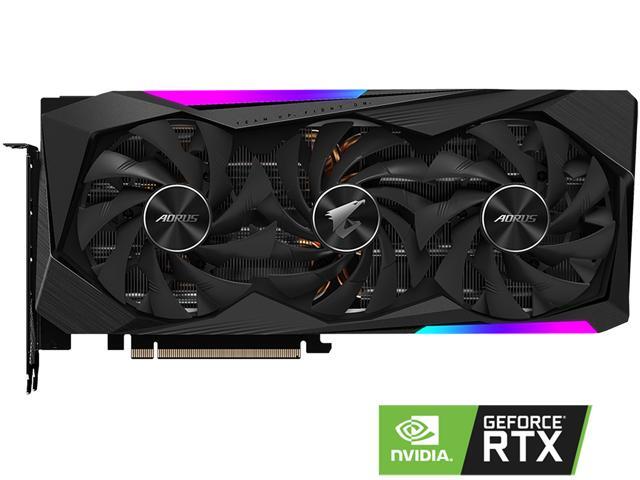
Buy GIGABYTE AORUS GeForce RTX 3060 Ti DirectX 12 GV-N306TAORUS M-8GD 8GB 256-Bit GDDR6 PCI Express 4.0 x16 ATX Video Card with fast shipping and top-rated customer service. Once you know, you Newegg!
screen on the side
fleet pagoda
Best buy still never released a gigabyte cards?
vagrant olive
that is hot
idle hawk
languid nimbus
which one is that one
languid nimbus
Asus TUF 3080
vagrant olive
aorus stays epic
idle hawk
rip
idle hawk
i have the aorus
severe axle
epic aorus
fleet pagoda
I might have to buy a 3060 combo rip
fleet pagoda
If i buy a combo can i return the extra thing?
vagrant olive
aorus can do no wrong in my eyes
fossil halo
wait is quad channel ram slower than dual channel
vagrant olive
😍
idle hawk
i have the aorus 3080
fleet pagoda
I have an r9 380
vagrant olive
fe looks nice
fossil halo
looks so clean and minimalistic
languid nimbus
I like the screen on the side of the 3080, but it’s a thicc boi
severe axle
@fossil halo 4x8 is faster on zen 3, credit gamers nexus
fossil halo
what about zen 2
i have zen 2
wait
hold up
are there any blower cards
of 30 series
fossil halo
anything else?
severe axle
nothing else I can think of
fossil halo
bc blowers look the best if not equal to the 30 series fe
radeon 5000 series fe is 😍
omg so hot
vagrant olive
idk why i just do not like the radeon gpu design
fossil halo
i dont like the 6000 series design
i like the 5000 series design
as shown in the image above
fossil halo
fr fr
foggy hazel
radial fan designs AKA blower designs are very much needed for tight multicard setups
fossil halo
ew
that looks disgusting
the gtx 10 series fe looked so nice too
i want a sub 400 with tax 30 series
but in my area like best buy is the only retailer that actually gets 30 series cards
and they make them online only like literal potheads
fleet pagoda
Does evga still have stock for the 3060ti
fleet pagoda
I signed up for the thingy at 7am pt dec 1st
fossil halo
like u sign up
fleet pagoda
Yeah i did
fossil halo
and u are guaranteed a card sometime in the future or smth right
fleet pagoda
I signed up so early
fossil halo
is there a notification to see how early u are in the queue tho
fleet pagoda
Idk but theres this thing 1sec
you can see the exact time you requested the evga notification, and if an email has been sent here - https://www.evga.com/community/myNotifies.asp
EVGA North America's #1 NVIDIA partner.
fleet pagoda
🧊
 viscid current
Hey guys, I have this issue on my new built pc where my mic plays static noises. I checked wiring and everything, but can't seem to isolate the issue. Can someone please give me some advice on how to fix this?
fleet pagoda
U signed up today?
If u signed up today i feel bad
Maybe in like 4 months you will get notified
lapis flicker
My asrock b450m pro4-F with ryzen 3800x isn't posting. The mobo days it is 3000 series ready so I don't think it is the bios
It turns on for about 10 seconds and then reboots.
I have removed ram and video card and it still does it.
I have the mobo sitting on the table not touching the case and it is still doing it (the PSU is in the case still)
Any thoughts?
I'm guessing I'm at the point of removing the cpu and seeing if I bent the pins putting it in, was hoping there was some other low hanging fruit to check first. No attempt has had success in posting to a monitor
 remote junco
🤠
stoic island
@topaz inlet next thing is reset cmos
And there's also the fact that one/two of the pins is literally gone
Can you take a picture of the bent back CPU?
lapis flicker
And just confirmed no bent pins. So I guess I'm down to trying another processor or mobo
?
idle hawk
someone on the marketplace is trying to sell a sealed 2070 super xc ultra for 795
tf is wrong with
ppl
vagrant olive
b
lapis flicker
If I took the cpu out and put the video card back in, if it still doesn't post can assume it is a bad mobo?
 solemn rampart
prbably
 night iron
Just when I thought I couldn’t see anything weird in the tech world you post that picture. I have no words 😶 @muted sluice
muted sluice
night iron
Just when I thought I couldn’t see anything weird in the tech world you post tha...
If u think that’s weird u haven’t seen much then
night iron
I have seen some weird setups trust me.