#building-and-recc-chat
1 messages · Page 715 of 1
 heavy jasper
Has anyone ever build a pc in a tv
 crude hazel
OoooO okay
 whole harbor
tomphan out of curiosity whats this gonna be used for @crude hazel
crude hazel
Gaming/streaming/content creation (video editing/after effects and photoshop)
 foggy hazel
how heavy on the video side are you going @crude hazel ?
content from other sources than the c920 or?
and the capture card ofc
crude hazel
It’s just mainly hopefully 1080p60fps if new internet speed can handle it. If not most of my videos are going to be 720p60fps
foggy hazel
hmm
scratch disk might still be something to think about then
will you ever have a use for wifi?
crude hazel
I have to use wifi until i get a new place. No ethernet connection in my@room@
foggy hazel
kk
crude hazel
Makes my life harder 😦
Tried connecting 5m wire from my pc to modem router. Not a fun experience 🥸 kek
foggy hazel
nothing that a good big drill cannot fix :)
 hoary lichen
Any one have a good 600-700 dollar build
I just check mine on a benchmark
And its kinda bad
crude hazel
Nope. My old build was an intel one
hoary lichen

crude hazel
Sadly all intel bois. And best is like a hour drive
foggy hazel
hmm
hoary lichen
Intel is more for gaming right?
crude hazel
All my@mates are upgrading zen 3 ahaha
foggy hazel
the worry is bios version of the board
whole harbor
@hoary lichen what build did u test
 hoary lichen
Alr
foggy hazel
@crude hazel nvm about the bios, there is a way around that with a different board.
whole harbor
i never sent u that wth
hoary lichen
Genshin, cod, dead by day light, csgo, and more ill find along the way
crude hazel
I thought all x570 boards come prepped for zen 3?
whole harbor
@hoary lichen what res and settings
Cause this should run fine
Dpeending on settings
hoary lichen
Prob normal or a little over
foggy hazel
@crude hazel its not that simple :)
hoary lichen

hoary lichen
Oh
whole harbor
1600x900
hoary lichen

crude hazel
Oh damn
hoary lichen
Yea
foggy hazel
@crude hazel can we take this to a dm instead?
crude hazel
Okay
hoary lichen
Prob 1600x900
whole harbor
Low high?
hoary lichen
Prob high

 hoary lichen
At least 80 or 90+
whole harbor
Ur gonna have to test it out
hoary lichen

whole harbor
But i think youll do just fine
hoary lichen
Alr
whole harbor
just mess with the settings
whole harbor
Just mess with the settinfs when u build it
 teal marten
Bro
whole harbor
@foggy hazel
foggy hazel
@whole harbor
 left shore
When is the Ryzen 5 5600X coming back 😦
 junior crescent
Can Someone make a list for 2800 aud for streaming, gaming and editing, probs with the zen 3
whole harbor
@foggy hazel someone needed help but i think they dleted their msg
 vale dome
Hey can someone tell me if this will work fine? https://uk.pcpartpicker.com/list/Yn9ht8
 modest kestrel
 buoyant pilot
 earnest olive
@vale dome as far as working it will work, however that is a horrendously overpriced 1050 Ti
earnest olive
check your local used market
probably can find used rx 580 at that price, or 1050ti for 80
 versed rock
Well, this is interesting. Apparently Zen 3 seems to run FASTER with 4 sticks of memory compared to 2.
GN just did a piece on this.
 waxen oxide
I can't find MSI Torx fan (120mm) anywhere (I'm talking the old one). It seems like the only ones are on eBay, and the delivery to my place costs as much as the fan. Is there any store in EU that still sells them with international shipping?
versed rock
I've never even heard of those fans.
So, I doubt they exist anymore.
Just replace your fans with something newer and better.
waxen oxide
It's not really for me though, my friend wants to find the exact fan for his MSI Core frozr L, cuz it comes with only one of them
And they're the previous gen
New ones are RGB, and he hates that
But I guess he'll have to go with it
versed rock
Or just replace the fans with Black Noctua Fans.
GG you get better airflow and a blackout look
 sick lichen
Working on a 5900x build and currently have some 3200mhz CL14 GSkill ram (2x8gb) and was searching for another set. Would it cause problems if the model number was one off? I have F4-3200C14-8gtzkw but I can only find F4-3200C14D-8gtzkw that's similar
 brittle tinsel
how are radiator dimensions listed?
would this: Dimension:393 x 120 x 27 mm
fit in this case?
3x 360mm radiator mountings forfeiting fan slots able to take a 90mm (top), 50mm (front), 85mm (bottom)
 rustic sandal
What rad is it?
brittle tinsel
im trying to build a i9-9900k 1660ti build with the parts all being able to sync to razer synapse
but im not sure if that rad will fit
 little osprey
Hi guys can anyone help me out pls I have 500$ for my first pc any recommendations
earnest olive
@versed rock rank interleaving is nothing new, applies to zen 2 and intel as well
@little osprey https://pcpartpicker.com/list/h3hPXb this if you want only new parts
little osprey
Does that have like rgb lights
earnest olive
you can grab a used RX 570 for $80 and get better gaming performance
frankly rgb should not be a priority at this budget
but the asrock b450 pro4 does have a few rgb headers
little osprey
Got it
earnest olive
so you could add rgb stuff yes
little osprey
Awesome
earnest olive
i would recommend the second list if your local used market allows for it
rgb strips aren't terribly expensive
$16-20
little osprey
But there’s an issue I’ve never built a pc nor know how to build one
little osprey
Ok thank you guys
earnest olive
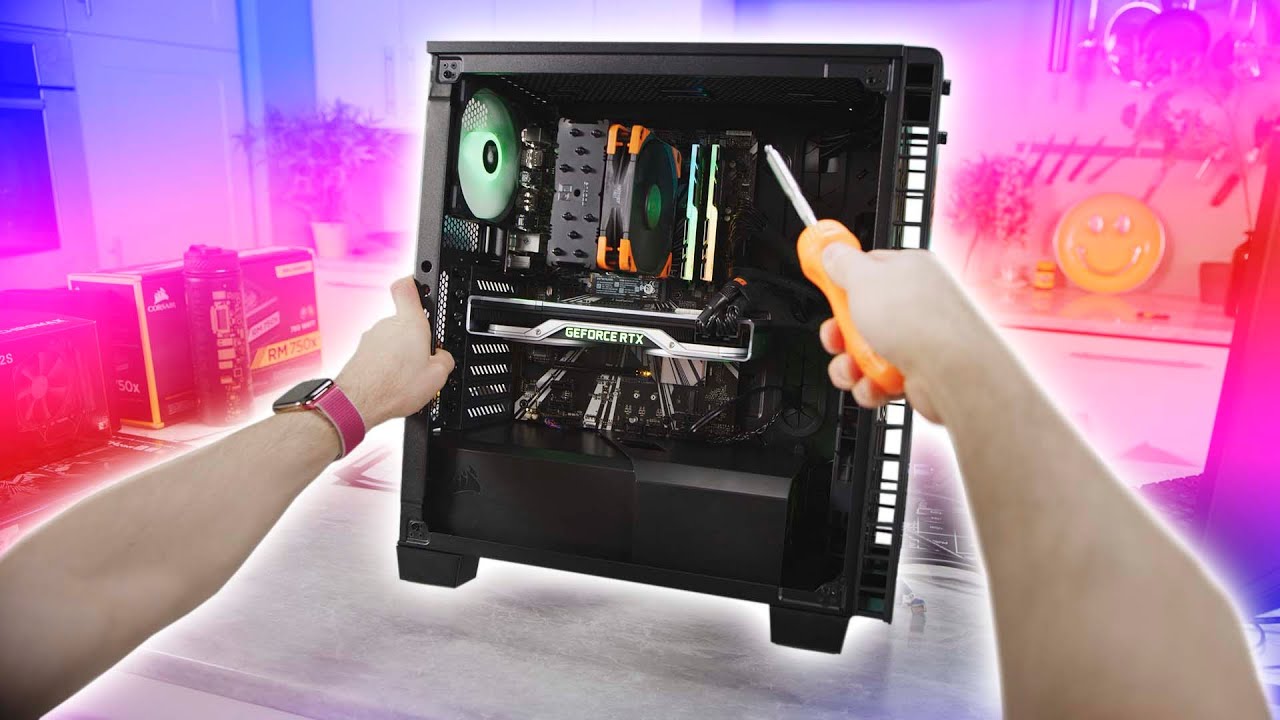
Thanks Intel for sponsoring this video! Learn more about how to build your own gaming PC at https://lmg.gg/edWob
Linus is taking the reins away from our film team and giving you his own view of building a gaming PC. This is a first person build guide featuring Intel's 9700K C...
this video helped me for my first build
seeing it in first person was helpful
brittle tinsel
yo sips, how do you know if the mb has rgb headers? pcpartpicker doesnt list for me i dont think]
earnest olive
google the motherboard name
go to the website
go to specifications
internal connectors
earnest olive
 jagged ember
But, website is easier
earnest olive
i've also done 5 builds on the b450 pro4
little osprey
on the asus z390-a, the 5V RGB header is next to the fan header?
earnest olive
asus prime z390-a does not have any 5V rgb headers
only 12V rgb headers
which board?
earnest olive
strongly recommend against paying $664 for a 9900K and mobo when 5600X just came out
you also should look for a 4x8 set of ram instead of 2x2x8
brittle tinsel
im not into amd, I prefer intel
earnest olive
not sure why you have 2 ssds that are 750gb total for the cost of a 1tb ssd
 gritty zenith
its for the chroma
earnest olive
or 2 2tb hdds instead of a 4tb hdd
gritty zenith
more rgb go brr
earnest olive
also 1660ti with 9900k is a pretty questionable pairing
brittle tinsel
250gb boot drive and a 500gb ssd because 1800 is really the limit for now, this way i can add more storage down the road
earnest olive
$1900 for a 1660ti build
i've done builds that will perform within 1% of this rig for $700
lol
 weak field
woah
earnest olive
9900K is no better than a ryzen 5 3600 if you're gonna bottleneck it with a 1660ti
gritty zenith
@earnest olive but the rgb
earnest olive
hell you can comfortably do an rtx 3080 build with rgb for less than this
brittle tinsel
is the 1660 ti not better than the 1060?
weak field
delete that list!
little osprey
@little osprey sure I would be down to go into a vid chat so you guys can help me
brittle tinsel
I prefer intel and nvidia, its what i have used for a long time and i am not comfortable with swapping
gritty zenith
1660 ti is better but at a really bad price
little osprey
Also on the second list it said compatibility issues @earnest olive
gritty zenith
lordy
gritty zenith
guys just leave this dude b if they dont wanna swap to better price to perf then just
leave it
earnest olive
because not all b450 boards are compatible with ryzen 3000 out of box
that board is always compatible out of box
gritty zenith
gigabyte b450m ds3h wifi is compatible out the box, but you might as well get the b550 ds3h bc its like $20 more only
but thats outta budget
lol
weak field
10$ more
versed rock
Then just add 20 bucks to the budget and eat ramen for a week to save the money.
gritty zenith
ah even better
earnest olive
https://pcpartpicker.com/list/BL6Mbh just destroyed that guy's list lol
weak field
newegg says overridden
earnest olive
3080 rig with plenty of rgb for cheaper than his 1660ti rig
gritty zenith
that toshiba hdd tho lel
weak field
sus
versed rock
Broslays when the competition is destroying Intel by 50% or more, you move to AMD.
weak field
yes
brittle tinsel
im open to suggestion here, im just trying to go with a good intel and nvidia, along with the thermaltake parts that sync to razer synapse, with my peripherals
versed rock
Because AMD is just THAT much better
gritty zenith
sorry latency
earnest olive
cl18 is fine for dual rank
weak field
5600x absolutely booty smacks the 10900k
earnest olive
it's harder to get tightened timings on dual rank
gritty zenith
5600x op af
earnest olive
more important to get high FCLK on ryzen
gritty zenith
MM
versed rock
@brittle tinsel Intel is quite literally dumpster trash right now.
weak field
yes
earnest olive
i run my ram at 3800C16 but that's 2x8gb single rank
versed rock
The 10900K is getting beaten by the 300 dollar 5600X
brittle tinsel
i understand the compatablilty and chipsets with intel, with amd, all i see is that i have to update the bios and if i do i cant go back
gritty zenith
if you trynna go good intel and nvidia then go with i5-10600k and 1660 super and you can enjoy allllll the rgb you want
versed rock
Not just beaten, Slapped around like it's a Whet Noodle
earnest olive
if you buy a 5600X why do you care about being able to put a 2600 in it? lol
brittle tinsel
im just trying to build a pc that can handle any game while streaming (same pc) for about $1500 - $1800
gritty zenith
then buy amd
earnest olive
the list i put there is more than twice as powerful as your list for cheaper
gritty zenith
ez
earnest olive
lol
versed rock
Yeah, and that's an AMD + Nvidia machine right now.
Until we see the performance of the RX 6000 cards.
earnest olive
eh if you want to waste your money that's on you
gritty zenith
false
versed rock
Yeah, that's what we call Effing Stupid.
gritty zenith
BUT THE RGB AND UM THE BRAND
INTEL PLS
ok sorry but like fr amd is better rn
savings + performance
earnest olive
true, gotta pair my i9-10980xe with gt 710
gritty zenith
i mean cmon
earnest olive
gotta get that sweet sweet intel flagship
gritty zenith
gt ten thiddy
weak field
yepper
foggy hazel
@earnest olive acting condescending about it, is not going to help anyone.
help people
dont belittle them
earnest olive
i did
foggy hazel
this should not be a hard concept to grasp for anyone.
weak field
amd is better
earnest olive
tried twice 🙂
weak field
intel dog crap
weak field
JUST GRAB THE AMD
foggy hazel
and remember, no one forces you to respond
earnest olive
it's not even about the brand
gritty zenith
tru
earnest olive
spending $700 on cpu and mobo to pair with a 1660ti :/
gritty zenith
but then ppl will complain about not receiving help
earnest olive
but he must have his 9900k at all costs
foggy hazel
@gritty zenith this is a volunteer based server. Everyone has a choice in what they do
if you ask for help. That is all you do
gritty zenith
10600k and 1660 super in a sub $1000 build im p sure is more than possible even with nice rgb
earnest olive
i've had my questions ignored plenty of times but that's fine, it's not like i'm paying for tech support here
figure people just don't know the answer
foggy hazel
@earnest olive a lot of questions get lost in the random bla bla bla semi-spam that people do.
earnest olive
i mean you could make an intel build more sensible than that anyways
gritty zenith
^
foggy hazel
hence why i am NOT helping anyone in #general-chat
gritty zenith
yeah i hate microcenter deals
earnest olive
9900K is still within spitting distance of a 5600X
foggy hazel
i swing by once in a while and if i see something, i ask them to move to another channel
gritty zenith
"Only in store!!!" lives in florida
earnest olive
fwiw i asked in #old-cooling
earnest olive
i'm trying to figure out how to set case fan curves based on GPU temp
foggy hazel
aye, and there are only "so" many people that actually answer questions @earnest olive
earnest olive
it's not very helpful to set case fan curves based on CPU when my CPU is running 45C and GPU is running 72C
foggy hazel
you would have to use a software solution that can read that info and pass it through to the fans
earnest olive
well yes i did say i didn't mind not getting an answer
foggy hazel
not blaming you Sips
earnest olive
i don't expect to be catered to 24/7 by a server full of random people not getting paid
foggy hazel
just highlighting the reality of this server :)
earnest olive
any software recommendation? i saw speedfan recommended on some old forums but apparently it has very limited support for modern chipsets
weak field
hm
weak field
yeah
earnest olive
it could only detect the temperatures of my drives, which is even less useful than cpu temp
foggy hazel
i dont know of any software that does that on the desktop Sips
earnest olive
it didn't even recognize any of my 9 fans
my motherboard has a temp source in bios named "pciex16" that got me excited... then i tried it
foggy hazel
speedfan is not the solution (from my knowledge of it)
earnest olive
turns out it monitors the temperature of the actual pcie slot...
foggy hazel
its a temp sensor near the slot itself
gritty zenith
speedfan give nice info
earnest olive
at full gaming load the pcie slot was reading 8C over ambient
little osprey
Does anyone here still play fortnite ime trying to sell my account so I can get a pc
gritty zenith
pls dont laugh at my i5-4590
foggy hazel
Maybe, just maybe, there might be some kind of synergy with some of the mainboard monitoring suites
earnest olive
well you have a i5-4590 which is quite old, like i said support for modern chipsets is very limited
i have a b550 chipset
gritty zenith
i used it with my 9900k when i had it
weak field
uh huh
earnest olive
b550 is still considerably newer than z390
foggy hazel
fx, like the AI suite that asus has SIPS
gritty zenith
tru
earnest olive
it only detects my ssd and hdd
earnest olive
0/9 fans detected, gpu not detected, cpu not detected, water pump not detected
as far as speedfan is concerned i am running a system without a cpu
gritty zenith
lmo
foggy hazel
see what i said above Sips
brittle tinsel
parts aside, back to my original question,
How do i know if Thermaltake Floe Riing RGB 360 TT Premium Edition 42.34 CFM Liquid CPU Cooler will fit in Lian Li PC-O11 Dynamic Razer ATX Full Tower Case
Sorry i am just not understanding how to read the dimensions
earnest olive
i've got a gigabyte board
gritty zenith
ugh velka 3 build really out here makin my gpu idle at 56C
earnest olive
you think gigabyte software would have gpu temp monitoring?
gritty zenith
mayb
earnest olive
my old board was msi and the msi software did not
 small osprey
parts aside, back to my original question,
How do i know if Thermaltake Floe Riing RGB 360 TT Premium Edition 42.34 CFM Liquid CPU Cooler will fit in Lian Li PC-O11 Dynamic Razer ATX Full Tower CaseSorry i am just not understanding how to read the dimensions
@brittle tinsel ok first off why that aio
gritty zenith
msi wack lowkey
earnest olive
i actually switched board just because i hated msi software so much
foggy hazel
as i said Sips, there MIGHT be synergy
because i know how i would solve it myself. but that involves a soldering iron
earnest olive
msi b450 tomahawk max... fine piece of hardware, software not so much
foggy hazel
@small osprey not what they are asking
earnest olive
yeah i'm not interested in any hardware modding solutions, i don't have the tools or skills to do it
gritty zenith
lol my old pc case could prob get temps better than softwares
brittle tinsel
i dont want to go down this road again, I am just asking a simple quesiton, i dont want to get criticized over everything i do
small osprey
Check the case specifications
foggy hazel
@brittle tinsel go to the case manufacturers site, there should be a list of "these AIO sizes will fit" list
gritty zenith
@brittle tinsel we were trying to help you, but you refuse to do what's best for your money, which is our goal here
small osprey
It should say something like top: radiator sizes
brittle tinsel
I struggled in school and im struggling here, i dont feel comfortable swapping out of intel and nividia
gritty zenith
you want to play games and stream
foggy hazel
@gritty zenith you are missing the point
brittle tinsel
@foggy hazel will try that
small osprey
And then if 360mm is supported then it will fit
gritty zenith
i mean i did suggest them something for what they want, they said they wanted intel nvidia so i suggested something intel nvidia
foggy hazel
@brittle tinsel also, always keep in mind. Dont trust seller posted info. Always check the manufacturers page
@gritty zenith did you ask if they wanted what you suggested?
gritty zenith
they never responded
foggy hazel
as in. the actual suggestion about it
because a bunch of people here just started asking about everything BUT the question that @brittle tinsel asked.
again.
try and HELP people
gritty zenith
@brittle tinsel do you want an intel nvidia suggestion that is good for your money?
earnest olive
sadly gpu temp is not displayed in gigabyte software
gritty zenith
sadboihours
brittle tinsel
this is really all i can find, which is why im having issues, i dont understand the dimensions
how are radiator dimensions listed?
would this: Dimension:393 x 120 x 27 mm
fit in this case?
3x 360mm radiator mountings forfeiting fan slots able to take a 90mm (top), 50mm (front), 85mm (bottom)
gritty zenith
hold on
foggy hazel
2sec @brittle tinsel
brittle tinsel
the last line is the case desc, and and 4th to last line is the rad dimensions
earnest olive
hmm, this software named argus monitor claims to be able to do gpu temp as a source
let's try it out
gritty zenith
wait radiator dimensions just come down to the fan count don't it? at least it can be simplified to that right?
earnest olive
30 day free trial
foggy hazel
gritty zenith
bc a case that can fit 2 fans up top can fit radiator that is two fans long
earnest olive
you also need to consider radiator and fan thickness
foggy hazel
that is from Lian-Li @gritty zenith
earnest olive
but usually less important
small osprey
Wait 393x120??
brittle tinsel
thats what the case said unless it was a typo
small osprey
Shouldnt it be 360x120
foggy hazel
@small osprey that number is the "full" measure
earnest olive
you got 360 for the fans but there needs to be space for the tank and tubing to go in
brittle tinsel
so then a 3 120mm fan rad will fit in a 3 120mm fan space?
gritty zenith
should
earnest olive
yes but make sure you have enough clearance considering rad and fan thickness
foggy hazel
@brittle tinsel
weak field
what are yall talking bout
earnest olive
if you mount rad in the front it reduces gpu clearance
weak field
its a fan
earnest olive
if you mount rad on the top it may reduce ram clearance
foggy hazel
@weak field read up.
earnest olive
i have top mounted rad and it limits my ram clearance to 44mm
gritty zenith
smh
earnest olive
luckily my ram is 42mm
small osprey
Is that a thing
gritty zenith
@small osprey you got 6800xt early?
gritty zenith
well hopefully you won't have to change your name on the 18th for not getting it lol
good luck
imma try to get one for my dad for his first build
small osprey
Lmao ikr
brittle tinsel
how good is the pcpartpicker compatibility checker? cause so far it hasnt flagged anything but my ram i have selected isnt showing support for z390 chipset
gritty zenith
it should be good up to like dimensions
foggy hazel
@brittle tinsel page 9 in the manual for the case answers your question
small osprey
I did manage to get a 5600x tho
gritty zenith
it always warns that it can't check dimensions very well
 fallen escarp
are getting two ssds, one for general purpose and the other for storing games, better and faster than getting an ssd and an hdd seperately?
brittle tinsel
manual?
gritty zenith
nah
foggy hazel
@brittle tinsel yes, there is a manual for your case. that has all the measurements
its part of the reason why i told you to check the manufacturers website @brittle tinsel
brittle tinsel
i dont own the case, im just browsing right now
foggy hazel
read again please @brittle tinsel
gritty zenith
better to get ssd+hdd and prioritize games which you know have longer load times to put on your ssd and the rest on your hdd, at least if you want to save money, otherwise, ssds op
versed rock
Jebus...
foggy hazel
@fallen escarp you are still in the money matters range then
gritty zenith
i didn't experience the full power of nvme til i recently put it in a pc im selling and it installed windows in like 5 minutes
versed rock
That's a large budget.
foggy hazel
but to answer your question: ssd is faster.
earnest olive
any reason you want 2 ssds? do you need 4tb of ssds?
brittle tinsel
would you look at that, thanks naed
gritty zenith
then get two 1tb wdsn750 ssds
earnest olive
there are 2tb single ssds
foggy hazel
but IF you need large amounts of storage, it gets fairly silly very quickly @fallen escarp
gritty zenith
wait they are still on sale right (.-.)
foggy hazel
you are very welcome @brittle tinsel
fallen escarp
thank you frens ill just keep the ssd + hdd i already have planned
foggy hazel
around that range yes @gritty zenith
gritty zenith
at that budget you could go with a 2tb ssd and 12tb hdd
fallen escarp
too much
gritty zenith
money or storage lol
fallen escarp
i mean
my dad might be buying it for me but right now im planning everything for fun
gritty zenith
alright, well in any case something like that would be around $400 in storage i believe
fallen escarp
fank you:) @gritty zenith
gritty zenith
scratch that, that would be for 2tb ssd and 8tb seagate
4tb off
lol
np
if you have any of the budget now, samsung 970 evo+ 2tb is on sale
$200 off
js
gritty zenith
i mean yeah
 rustic sandal
@gritty zenith no it’s not $200 off lol, it’s usually around that price. they do that so you think it’s a good deal when it’s really just msrp
gritty zenith
o so $300 is msrp? i never look at high storage nvme ssds so i wouldn't know lol
thx for pointing out
foggy hazel
there are a few regions where samsung makes sense as a ssd choice (because of availability and region pricing). The US is not one of those places
gritty zenith
yeah, im just gonna stick to mp34 when i get the money
foggy hazel
@earnest olive heh, that is a name i have NOT heard in a decade+
small osprey
yeah, im just gonna stick to mp34 when i get the money
@gritty zenith mp34 is good
earnest olive
argus monitor?
 topaz coyote
bit of a bonehead question
earnest olive
it definitely looks like an old software
topaz coyote
is it worth spending 2k on a pc?
earnest olive
but it's getting the job done
foggy hazel
aye @earnest olive
topaz coyote
like custom loop
small osprey
What r u gonna use it for
foggy hazel
i am looking at their version history, and i remember some of the bugs from back in 2009
earnest olive
my gpu used to go full windstorm mode during gaming because my case fans were all off
topaz coyote
gaming and possibly 3d modelling
earnest olive
small osprey
First build?
topaz coyote
second
small osprey
Hmm
foggy hazel
@earnest olive now you know another reason why a lot of builders use hardware toggles for case fans.
small osprey
Its probably ok to spend that much money
topaz coyote
i was gonna go for an itx build but hard to find a case to support the gpus
and cool them
small osprey
If you werent gonna do modelling I would say get r5 5600x
earnest olive
this software seems like a perfectly fine solution
brittle tinsel
@earnest olive would this leave room for ram? you were talking about top mounted rad right?
also where do you see how tall the ram is?
the manufacturer website for my ram doesnt list any sizes
really sorry if im being a pain to anybody, im trying my best to understand here
earnest olive
i literally googled "<name of my ram modules> height"
foggy hazel
@topaz coyote Slieger has some (itx cases)
earnest olive
and google said 42mm
foggy hazel
Ncase is another brand that has a case that works for you too
small osprey
@brittle tinsel the 011-d has tons of space, you should be good
earnest olive
how so?
topaz coyote
@foggy hazel issue is im EU
gritty zenith
oh?
versed rock
Watch the Gamers Nexus video on AIO Position
foggy hazel
that is not a problem for either of those two brands @topaz coyote
earnest olive
i did
small osprey
Well sips has ripjaws
small osprey
They are short
gritty zenith
wait what is fatty's goal?
versed rock
Yeah, and that is bad for Thermals
versed rock
Yes.
earnest olive
gn said top mounted is the best way to go
topaz coyote
itx case
small osprey
Broslay what ram are u gonna get
foggy hazel
@topaz coyote https://www.density.sk/

Small Form Factor cases and rugged computer systems with great design, small footprint and high quality manufacturing. The best choice for enthusiasts, professionals and gamers.
earnest olive
front mounted bottom tubes is second best
topaz coyote
with 5900x cpu
versed rock
The ideal config is Front Mount with Bottom Tubes
foggy hazel
that is the EU distro for Slieger fx
earnest olive
no... lol
brittle tinsel
all it says is 2 centimeters high and 19 centimeters wide
versed rock
Because thermally a Front Mount is ideal.
earnest olive
he said that's what to go for if your case can only front mount
gritty zenith
okay but
earnest olive
idk what to tell you man i'm gaming at 42C right now overclocked
brittle tinsel
so i think thats 20mm
earnest olive
think my thermals are fine bud
small osprey
idk what to tell you man i'm gaming at 42C right now overclocked
@earnest olive what is ur cooler
gritty zenith
are you trying to go for smallest you can with 3090 and R5900x?
earnest olive
silverstone pf360 argb
versed rock
You'd probably drop 2 to 5 c if you were on a front mount.
earnest olive
go rewatch the video you're telling me to watch... lol
versed rock
But, Liquid Cooling is bad anyway.
small osprey
Damn
brittle tinsel
@brittle tinsel the 011-d has tons of space, you should be good
@small osprey have you used it?
earnest olive
also.. if i'm at 42C while gaming with 40% pump speed and 20% fan speed, i'm not sure i'm too worried about dropping a few more degrees
small osprey
Personally? No
earnest olive
LOL
foggy hazel
@topaz coyote #build-pics message
small osprey
Meh i still think nh-d15 is best
foggy hazel
have a look there
small osprey
Broslay i have seen it hands on
earnest olive
air cooling is great... i went with this aio entirely for looks
versed rock
NH-D15 is a worse Dark Rock Pro 4
brittle tinsel
do you think front mounted rad would leave room for a gpu?
earnest olive
this aio has a really nice looking water block and also gives me more room to put figurine in my pc
versed rock
Don't go Liquid Cooling...
earnest olive
money is not an issue
topaz coyote
@foggy hazel so on the website it gives few cases, any you would recommend fromm sliger
versed rock
Still, don't go liquid
small osprey
Figurine lol
earnest olive
yup
i've spent way too much on looks
i have a custom engraved gpu stand coming in
earnest olive
i plan to once i have everything in
for now i have an ugly gtx 1060 with no backplate
looking to pick up rx 6800xt nitro+
foggy hazel
@topaz coyote check the link i posted for you earlier while i try and see if i can remember what the name if for the sliegers
small osprey
Nitro+?
versed rock
I'm super sad that there's no White GPUs for the 30 series
earnest olive
yeah the sapphire model
small osprey
Ah
versed rock
And I have no idea if there will be White RX 6000 series cards.
small osprey
Skiptrace nh-d15 is better than drp4
versed rock
No it isn't.
earnest olive
my build is pure black and white so i am VERY not interested in the reference 6800xt with its giant red accent
brittle tinsel
@versed rock whats the problem with liquid cooled?
versed rock
DRP4 is better because it's quieter.
jagged ember
No I'm pretty sure it is better
versed rock
It's expensive and basically gives no major benefits.
foggy hazel
@topaz coyote SM580 is a popular choice
small osprey
Drp4 is like 80
brittle tinsel
are you talking about full blown water cooled or rads?
small osprey
my build is pure black and white so i am VERY not interested in the reference 6800xt with its giant red accent
@earnest olive lmao get the strix 6800xt
 versed rock
And, if your cooler fails, you basically have a dead system until you replace the cooler.
small osprey
Wat
versed rock
I'm talking all facets of liquid cooling.
earnest olive
strix 6800xt? i'm interested
jagged ember
Haha
earnest olive
has it been shown?
jagged ember
Facets
small osprey
It is liquid cooled lmao
earnest olive
i'll have to see reviews though because asus has a terrible track record with AMD cards
small osprey
Has large amounts of rgb
gritty zenith
sliger CL530 is decent if you're looking for the absolute smallest it will fit an rtx 3090 but you will have to find one that has the three fans out front
earnest olive
is it 2x8 pin?
any 3x8 pin card i'm not considering
i don't want to rebuy custom cables
and i only have 2x8
i will be undervolting anyways so pushing 450W doesn't interest me
versed rock
AIO, Custom Loop. Doesn't matter. If the Liquid Cooling system dies, then you have to replace the cooler. Because a Liquid Cooling system can't function without liquid flow.
small osprey
is it 2x8 pin?
@earnest olive idk about that but it should be 2x8
earnest olive
still considering it's asus i'll have to wait for reviews
versed rock
If an Air Cooler dies, you can at least somewhat use the system while you wait for a new fan replacement.
earnest olive
sapphire i trust
small osprey
If an Air Cooler dies, you can at least somewhat use the system while you wait for a new fan replacement.
@versed rock uhm not rly
versed rock
Yes, really.
earnest olive
good thing i have a backup air cooler huh 🙂
small osprey
What are you gonna do to prevent the cpu from getting to 90c other than dont use the system
versed rock
If you are doing mostly idle tasks, a Passive air cooler with a chonky heatsink will work fine.
earnest olive
actually now i'm curious
what kind of temps would i get with my cm 212 heatsink with no fan in a high airflow case
mesh front, 4 intake, 3 exhaust
wonder if it could handle 3ghz lol
 night storm
Would be easy to duct any fan onto your heat sink so don’t know why anyone would even do that.
earnest olive
curiosity
i don't really feel like unmounting my water block and wasting some thermal paste though
i've done power up tests without thermal paste before that's about as far as i've messed with cpu coolers
temps without thermal paste were surprisingly not nearly as high as expected
guess the heatpipes were pretty flat
had a ryzen 5 3600x and enermax ets-n31-02 running without thermal paste, idle 55C on desktop
versed rock
Yikes
 stoic island
P95?
earnest olive
idle lol
earnest olive
no..
stoic island
And what temps
versed rock
My 3600 runs at 45c Idle with a Mugen 5
earnest olive
i don't wanna set it on fire man
stoic island
Lol
earnest olive
i was just doing a power on test and didn't want to waste thermal paste
versed rock
...
earnest olive
i was expecting 80C idle on desktop
earnest olive
@versed rock i was diagnosing a customer's build that was having issues and it was my 7th cooler swap... was getting tired of wasting my arctic mx-4
🙂
stoic island
It just increases efficiency of transfer of heat
earnest olive
no thermal paste is fine for desktop power on
stoic island
Without thermal paste, it's still a block of metal on the chip cooling it
versed rock
Just get some dirt cheap 5 gallon tub of thermal paste.
night storm
Just use tooth paste
earnest olive
and i wouldn't want to use that stuff in a final build
 idle compass
versed rock
idle compass
versed rock
A shelf life of a billion years
idle compass
Is this good
earnest olive
idk why you think there's any problem with running a cpu at 55C for 30 seconds
versed rock
No, Intel Bad.
earnest olive
lol..
night storm
Bernie would for sure go amd
earnest olive
@idle compass strongly recommend against ssds without dram, pick up a team mp34 1tb
cougar mx330-g is a good case but not at that price
its normal price is $49
if you're tight on budget consider a ryzen 5 2600 over an i5-9400f, it has double the thread count
earnest olive
frankly insane value
stoic island
Demonmit made a build in it a few months back
earnest olive
the pics make the fans look blue, was pleasantly surprised that they are white light in person
idle compass
if you're tight on budget consider a ryzen 5 2600 over an i5-9400f, it has double the thread count
@earnest olive Does it come with a good stock cooler
stoic island
Intel stock coolers are a joke
earnest olive
ryzen stock coolers are good enough to overclock on
intel stock coolers will barely keep it from throttling at intel spec stock
not even motherboard stock
brittle tinsel
is 1660ti the best gpu for $300 brand new or is there a better gpu for the same price?
earnest olive
you can get 1080ti used for that price
or 2070 super for a little more
but it depends on where you live
brittle tinsel
I use amazon a lot so i would prefer new
earnest olive
not everywhere has a good used market
brittle tinsel
america
earnest olive
right now is a really bad time to buy a new $300 gpu tbh
but you can definitely get a 2060 for that
 deep skiff
if it has to be new there should be 2060 or 5700 models at 300
earnest olive
strongly recommend used though..
lot of nice used gpus entering the market from people upgrading to 30 series
earnest olive
you also definitely should consider the i7-10700 or i7-10700K over the i9-9900K
the i7-10700K is better than the i9-9900K for cheaper unless you live near microcenter
and on a better platform
not nearly as hard to cool
brittle tinsel
amazon has a brand new i9-9900k for $400
earnest olive
yeah and you can get i7-10700 for like $280 or something
which has very little performance difference to a 9900K with power limits unlocked
brittle tinsel
some benchmarks i have seen showed i9-9900k handling warzone and other games while streaming better the the i7s or i5s
earnest olive
i7 what?
brittle tinsel
9600k
earnest olive
...
of course a 9900K is better than a 9600K
what i'm saying is that the i7-10700K is better than the i9-9900K
they are both 8C/16T skylake chips but the i7-10700K has a better IHS design that allows it to run cooler
@weak field that's my list what do you need adjusted?
brittle tinsel
even when streaming? i streamed tarkov for 12 hours on my current i5 3570 and i think i ran it to hot or something because it hasnt been the same since that 12 hour stream
earnest olive
they are both 8 cores and 16 threads
they are both on the same architecture
i7-10700K has higher clock speed and better thermal design
the 9900K being an i9 doesn't automatically make it better than the newer i7
you wouldn't pick an i7-860 over an i5-10600K
earnest olive
i made this list like 30 minutes ago lol it even has my manual overrides on it
weak field
i just made that in that in a ihop parking lot
earnest olive
🙄 whatever you say
weak field
brittle tinsel
i thought (example) say an i12 came out they stopped designing the older in this case i9
earnest olive
hmm
weak field
to 16gb instead of 32 on the ss
earnest olive
don't go nzxt h510
earnest olive
what is the team ms30 256gb for?
weak field
extra storage
earnest olive
dram-less ssds are not good
 delicate bobcat
Why not an hard drive if you need extra storage anyway
brittle tinsel
wait the i7 10700k is lga1200 isnt lga1151 current intel sockets?
earnest olive
no
lga1200 is current
lga1151 is old
also that's a really high price for the corsair rm750
would get something else
great psu but it's definitely not worth $180
weak field
120
earnest olive
says 180 on my screen
also the b550 aorus elite will be fine for your needs
you aren't using the features of the x570
so you can save some money there
not a big fan of the corsair aio but i figure you like the looks of it so i'll leave it
it will get the job done
i'm not super knowledgeable about peripherals so i will leave those alone
those are my recommended changes for you
weak field
thank you
earnest olive
np
if you're not a big fan of the td500 mesh
similar alternatives include
corsair icue 220t rgb
phanteks p400a mesh white
looks are subjective so you pick
I personally use a td500 mesh with front fans set to white, looks good to me
brittle tinsel
whats better 1660 ti or 2060? i noticed their both around the same price but the 2060 is a little more but has slower clock speeds?
foggy hazel
2060 is faster
earnest olive
2060
foggy hazel
you cannot compare clock speed directly like that
topaz coyote
what specs would i need for world of warcraft
earnest olive
clock speed is only a relevant performance indicator when comparing 2 of the same part
brittle tinsel
so the extra $60 for the 2060 is worth compared to the 1660 ti?
earnest olive
2060 are around $300
 sharp pelican
@topaz coyote
earnest olive
2060 is also a decent card for 144fps esports
foggy hazel

 vapid mortar
FE
foggy hazel
homework for you to read
 uncut pelican
Don't buy an fe
vapid mortar
its chad
earnest olive
alright time to go write an essay goodbye
 warm sky
cya
little osprey
wait guys, say i have 5V RGB fans, can i buy an 5v to 12v converter for my 12v RGB mobo?
weak field
im pretty sure
topaz coyote
what specs would i need for world of warcraft
topaz coyote
basically the gap between them
little osprey
whats your budget?
brittle tinsel
google and intel are useless, so last question before i stop bothering everyone, what chipset is the i7-10700k
little osprey
LGA 1200
brittle tinsel
yeah i got that but like i9-9900k was z390, the 10700k doesnt have a z(something)?
foggy hazel
aye, and a number of others
Intel® Core™ i7-10700K Processor (16M Cache, up to 5.10 GHz) quick reference guide including specifications, features, pricing, compatibility, design documentation, ordering codes, spec codes and more.
click compatible products
brittle tinsel
alright alright finale question i promise, is the difference between the i7-10700 vs i7-10700k worth the $12 in your opinion? the i7-10700k is cheaper so im lost here
ive also heard that if intel doesnt have a k on the end than you cant overclock it
 barren crypt
if im gonna practice / learn how to build pcs
i should start from the bottom right
like
gtx 1050
build lists
stoic island
@brittle tinsel k means overclockable, that's the only difference
brittle tinsel
thanks!
stoic island
And side note, Intel's only real 'advantage' at the moment is overclocking..
brittle tinsel
i know, im just more comfortable with intel and nvidia, its what ive used for years and im not much for change if its not broken
uncut pelican
@barren crypt you can build with whatever parts you want they are pretty much all the same to put together just it might be hard to choose some parts and if your new to building then this is a great place to ask questions
stoic island
@brittle tinsel I'm not trying to convince you away from intel, I'm saying you should get the -k chip because of Intel's advantage
brittle tinsel
i planned on it anyway since the i7-10700k is $12 cheaper which makes no sense
barren crypt
learning how to build pcs
warm sky
wha
stoic island
What workloads
barren crypt
i wont be using it
stoic island
@barren crypt here's the thing
warm sky
what is its intended purpose
barren crypt
gaming
stoic island
Builds are worth differently for different purposes
warm sky
ok
stoic island
You need to specify gaming/streaming/blender/etc
barren crypt
i just did
stoic island
I'm saying why you should specify.
barren crypt
gaming
stoic island
No
barren crypt
ty
brittle tinsel
@stoic island would you mind giving me a second opinion?
https://pcpartpicker.com/user/broslays/saved/#view=LQtTnQ <- is this good enough to stream and play AAA games (streaming from the game pc, not a dual pc setup) without issue?
warm sky
why the 2 120gb SSDs? are you running them in raid 0 or smthn?
 arctic jungle
@barren crypt
brittle tinsel
unbalanced?
warm sky
only a 2060 but a 10700
brittle tinsel
i have a 250gb ssd for boot and a 500gb for games with slow load times
arctic jungle
@stoic island would you mind giving me a second opinion?
https://pcpartpicker.com/user/broslays/saved/#view=LQtTnQ <- is this good enough to stream and play AAA games (streaming from the game pc, not a dual pc setup) without issue?
@brittle tinsel ditch the stupid amount of drives and get a 500 gb nvme drive, and a 4 tb 5400 rpm nas
u want nvme
not sata ssd
warm sky
or a p300, those come in 3tb sizes and are 7200rpm
and with zen 3 i wouldn't get a 10700 rn
stoic island
Hai there
brittle tinsel
i dont know anything about nvme, i know what i picked out will work with that case and mb but i dont know anything about raid, m.2 or nvme
 still leaf
how does this look https://ca.pcpartpicker.com/list/pKkF8J
stoic island
But yea what the heck is with that storage setup
warm sky
yeh
stoic island
@brittle tinsel to start off, what purposes, and what parts do you already own?
warm sky
play AAA games (streaming from the game pc, not a dual pc setup) without issue?
brittle tinsel
250gb ssd for boot, 500gb ssd for games with slow load times like tarkov, 2tb general purpose and 2tb for video game development
warm sky
the list has 2x 120gb ssds
 balmy patio
sheesh
brittle tinsel
@brittle tinsel to start off, what purposes, and what parts do you already own?
@stoic island i dont own any of it, im looking before i buy, budget is $1500-2000 (lower side the better)
stoic island
Got it
brittle tinsel
the list has 2x 120gb ssds
@warm sky those are barracude 120, if you read right after it, it should say 250 gb and 500 gb
balmy patio
you can throw out the cooler and swap out that ssd for a nvme one
warm sky
just stick with stock cooler
stoic island
@brittle tinsel My edits:
https://pcpartpicker.com/list/KBnQ68
I'd do single NVMe 1tb drive for boot and games
that's what I personally have right now
warm sky
yeh, much nicer
balmy patio
ill see what i can do, assuming the budget is about 600 @rigid stone
stoic island
(I have a 960gb MP510 + 2tb barracuda)
 rigid stone
bet @balmy patio
brittle tinsel
@brittle tinsel My edits:
https://pcpartpicker.com/list/KBnQ68
@stoic island thanks, but i would rather spend the extra 500 so that all the rgb syncs to my mouse, keyboard, mousepad and headset stand
stoic island
and I'm pretty sure CM's argb can sync to whatever @brittle tinsel
rigid stone
@balmy patio ima be honest i just wanna know if my list is good for decent fps
warm sky
3070 is so many leagues above 2060
brittle tinsel
wouldnt a 3070 bottleneck a i7-10700k anyway?
 earnest ravine

Buy and sell authentic NVIDIA and other limited edition collectibles on StockX, including the NVIDIA GeForce RTX 3070 Founders Edition Graphics Card (9001G1422510000) from .
stoic island
too hard to define as a yes or no
warm sky
mhm
warm sky
but...the 2060 would get bottlenecked by a 10700
brittle tinsel
it has
stoic island
what if you're playing at 8k
strains GPU much more than CPU
it's too hard to define as yes or no and the extent of bottlenecking
it's too broad
earnest ravine
Buy and sell authentic NVIDIA and other limited edition collectibles on StockX, including the NVIDIA GeForce RTX 3070 Founders Edition Graphics Card (9001G1422510000) from .
brittle tinsel
my current rig is a i5-3570 with a gtx 1080
warm sky
no wonder you have a cpu bottleneck
stoic island
meh
brittle tinsel
i know, after 45 minutes of streaming call of duty, i lose sound and cant run 2 programs at once unless i turn it off for about an hour after 45 minute cod stream
stoic island
what
brittle tinsel
i dont know why it does that tbh
warm sky
maybe overheating?
stoic island
but sound
stoic island
sounds like a software issue
warm sky
motherboard overheating?
brittle tinsel
hell in warzone even without anything else open after 3 games the ingame temp tracker says the gpu hits 80 and thats when i lose sound in warzone
warm sky
or software yeh
stoic island
sound chip is nowhere near the VRMs in most boards
so I dunno how it would affect sound
brittle tinsel
i dont think this has a soundcard just whatever was on the mobo
warm sky
yeh
warm sky
sound cards aren't really a thing these days
brittle tinsel
ah
warm sky
realtek right?
stoic island
mhm
warm sky
yeh most sound chips are by them I think
stoic island
there's also supremefx
warm sky
or at least from my experience
brittle tinsel
well googling those issues says its a misconfigured or outdated soundcard. using task manager while playing i notice the sound goes out when the cpu goes over 100%
but i dont know how accurate the ingame temp tracker or task manager is
warm sky
I use HWinfo for temps
stoic island
msi afterburner + RTSS is good
hoary lichen
Yo @stoic island is this build good