#building-and-recc-chat
1 messages · Page 608 of 1
 wary geode
wary geode
wary geode
yes
 little leaf
Cause in your vid looks like a red debug light in top right
 rigid ibex
Cpu
wary geode
communication between board and cpu
little leaf
Cpu
rigid ibex
For the radiator it will not fit
little leaf
Reseat cpu
 hearty scarab
Oh man, that is so infuriating. After power cycling so many times last night to try to get anything out on video, I turn it on today and it works on the first try. Hopefully it will just continue to work now.
wary geode
ok good please @ me if you need help
hearty scarab
I do have one question, the cables for the motherboard front panel, like the USB and audio and whatnot, are directly above the GPU and they tend to sit on the GPU and keep the fans from spinning. I've tried zip tying them to the PSU, but that doesn't seem like a great solution, is that just what I need to do?
I'd send a photo, but it looks like I don't have permission to attach files
little leaf
Plug them inlol
hearty scarab
Lol
They are plugged in
wary geode
video?
little leaf
Wdym then
wary geode
im confused too
hearty scarab
I don't have permissions attach any files
wary geode
just talk every minute or dm me
 sullen spoke
zip tie them to other cables
hearty scarab
The cable comes out of the motherboard above the GPU and then goes to the front of the desktop. Those cables are just resting on top of the GPU fans
little leaf
What case is this?
sullen spoke
aren't most of those cables usually on the side or bottom of mobo?
little leaf
Ya
sullen spoke
what the..
little leaf
Is upside doen
 lyric thistle
Spaghetti
sullen spoke
is the pic or the pc upsidedown lol
lyric thistle
Why not both
sullen spoke
im getting dizzy 
lyric thistle
Zd

 cosmic birch
pog
rigid ibex
@wary geode this is aio right
wary geode
si
rigid ibex
wary geode
yes
rigid ibex
What is the middle for?
wary geode
opt is optional for all water pump system fansd and other such
lyric thistle
Ah ok
wary geode
that one is from the ll120 i think so plug it into cpu fan
if not go to cpu opt
it has to
theres no way it wouldnt
rigid ibex
That is the aio
There was a cover on it. it can of without force
So now we’re do I plug the two fans in
@wary geode
wary geode
one into cpu fan
wary geode
one into the other one no cpu opt
wary geode
yes
rigid ibex
And is that all I need to do to turn it on? And if the cpu is not a dud I’m good.
@wary geode
?
What does W_Pump mean @wary geode
cosmic birch
can anyone here dm me about a graphics card upgrade? i need some help with compatibility/sizing and all
wary geode
Yes
 molten cedar
im from maui
wary geode
@rigid ibex yes all you need plug into the aio one of you can and give it a shot
cosmic birch
but basically i have a hp prebuilt and i don’t have a physical video card in it. it’s all on the cpu and i want to upgrade but idk what fits
rigid ibex
I did and nothing happened does this matter he arrow @wary geode
 stoic island
Open it up
lyric thistle
What model is the HP computer?
 ripe jasper
First time here. Not sure the correct protocol. Can somebody tell me the mb in this system: https://www.newegg.com/clx-tgmsetrth9a04br-gaming-entertainment/p/1VK-01TP-00053?Item=1VK-01TP-00053
stoic island
If there are no dangling cables that says pcie on them, your prebuilt PSU doesn't have pcie power
lyric thistle
For example, HP Compaq Elite sff, something like that
cosmic birch
envy 720
stoic island
@ripe jasper for your sake, I hope you're not buying that prebuilt, but it does list the chipset as z390
lyric thistle
Motherboard is probably subpar if it's prebuilt, but chipset is still chipset
stoic island
Prebuilts are pretty overpriced, like I would value that prebuilt closer to 1400$
ripe jasper
I am, I'm afraid. Do all z390 MB have the same number of PCIE 3.0 x16 slots?
cosmic birch
i have a picture of the pc if it helps
ripe jasper
@stoic island I believe you. Problem is timing and price. We need something quickly AND all the local custom-builders are quoting almost 2x price and weeks and weeks for delivery.
 cursive wharf
@ripe jasper why not get 10th Intel or 3rd gen ryzen
stoic island
You can try to build it yourself
cosmic birch
i don’t see any cables that say pcie
stoic island
It's quite easy
lyric thistle
Sure, share the pic in a DM with MR11
cursive wharf
1.8k is easily 10600k+2080Ti pricing
 stoic island
Yea it's at least 50% overpriced imo
cursive wharf
Don't remember my broken name?
stoic island
We people here like building ourselves
lyric thistle
😮
stoic island
It's simple, cheaper, and you can make sure you're getting quality parts.
cursive wharf
Even if prebuilt, it seems overpriced
lyric thistle
@cosmic birch pls share pic if you want 
stoic island
Well, before you buy right away, there's also other prebuilts options
@ripe jasper how tight is your timing?
cursive wharf
@little osprey yes
ripe jasper
@stoic island I'd like delivery in one week.
 cosmic birch
life without a gpu is hard
lyric thistle
It looks like it has quite a bit of room for a gpu
stoic island
You can definally buy parts and build in a week, but I'll go look at other prebuilt options for you for now
Building a PC with parts usually takes like 3 hours
ripe jasper
That would be GREAT, @stoic island !
cursive wharf
Are you also looking for that one company one warranty thing?
stoic island
Here is a fair priced prebuilt.
https://www.letsbld.com/streaming-pc
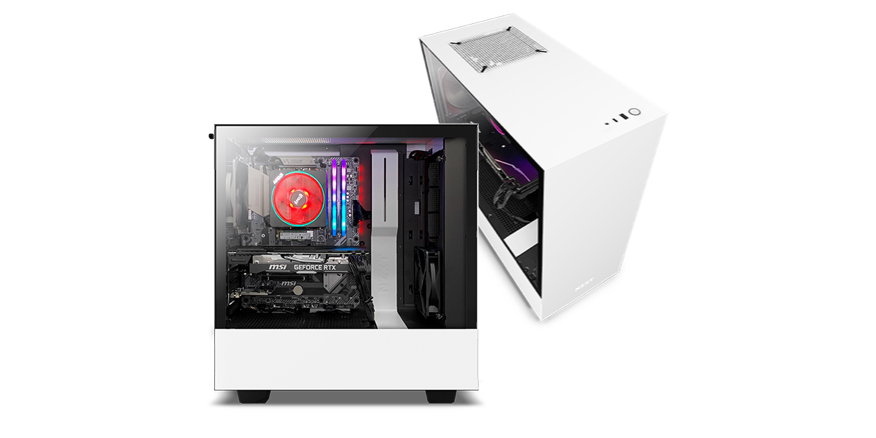
NZXT gaming PCs optimized for streaming
Only downside is NZXT tech support is bad, but we're here for that >:D
cursive wharf
Hopefully. Remember GNs review of BLD?
ripe jasper
Our budget is less than 1900 for the PC, not including the Yuan and BMD card.
stoic island
That one I linked is 1500$ for 3700x+2070s
cursive wharf
Not just tech support issues tho. It came very close to shipping with cables not connected
stoic island
He did say it was tight enough not to slip out
ripe jasper
Needs to have an Intel i7 or i7 CPU
cursive wharf
Why Intel?
stoic island
AMD Ryzen is a huge competitor in terms of performance
cursive wharf
Intel optimized workload? Or just don't know how good Ryzen is?
ripe jasper
Intel: The streaming software we use is optimized for Intel vs. AMD.
stoic island
What streaming software are you talking about?
ripe jasper
vmix
stoic island
For game streaming, NVENC is godly for Nvidia cards, and puts realtively little load on the cpu
ripe jasper
we're doing broadcast-quality, multi-camera productions w/ these pcs.
cursive wharf
Now how "Intel optimized" is this software?
ripe jasper
@cursive wharf Extremely. Both in design and support.
cursive wharf
Well if you know it's that optimized then can't say much. Idk much of the software
But just in case, have you checked 3700x perf?
stoic island
I'm doing some looking for some numbers hei, I'll report back
Anyways, take a look at this, one of the reference PCs is running a Ryzen 5
https://www.vmix.com/products/vmix-reference-systems.aspx#opal
ripe jasper
we're looking at the higher-end system: www.vmix.com/products/vmix-reference-systems.aspx#ruby
(thanks for th h t t p s tip)
cursive wharf
Seems a bit outdated, or that software is truly optimized. Cheaper to get a 10600k which is about same perf as 9700k. However, if the software is very, and I mean very, optimized the 9700k will be decent bit more powerful.
ripe jasper
Wow, the ZNXT website is fantastic. Might be a little too slow for delivery but the customization capabilities and pricing seem very impressive.
 foggy hazel
@ripe jasper what software stack are you using for your production setup?
cursive wharf
10th gen i7 Intel is either slightly better or fairly better (this is mainly based off of how much it likes hyperthreading).
foggy hazel
and is this a "live" setup or a broadcast later setup?
cursive wharf
Indeed, "hyoerthreading" is the future
foggy hazel
for those that want to make jokes, please go to #general-chat .
ripe jasper
@foggy hazel Live, LIVE. Real time live streaming.
foggy hazel
okay
was just looking at the full post history on this topic of yours @ripe jasper
normally i would strongly recommend that you ask some of the local technicians that specialize in smaller productions IF they have something you can lease/borrow that solves it for you IF time is that tight
ripe jasper
thanks, everybody. Y'all have been super helpful!
little leaf
@ripe jasper nzxt cases suck
foggy hazel
not relevant for this
ripe jasper
rut roh...why do nzxt cases suck?!?
foggy hazel
which again, depends entirely on the specific setup
ripe jasper
crap. . .just when I thot life was good. . .
little leaf
Nothing to worry about just a little more toasty
I just think there are better cases at the same price
foggy hazel
there are. But for a simple system like what you are doing (yes, its fairly standard even with the add-in cards) it is not anything to worry about.
also @ripe jasper, IF you can get in contact with any of the local technicians, there is a fair chance that some of them might have done some actual experiments with parts
and leaning on their experience could end up giving you a better system. And also give you access to someone that could build it for you.
 little osprey
this is why i hate building a pc witch one should i get its just for my games no app
little leaf
Get the 2b on
 outer heart
can i use a 1tb m.2 as my boot drive along with all my other data
little leaf
Yes
 viral ore
the x300 is 7200rpm
little leaf
Dont use either
viral ore
the seagate one is only 5400
little osprey
ok
little leaf
Get 2tb and get a 500gb ssd
little osprey
Get 2tb and get a 500gb ssd
@little leaf bruh i got a 500gb ssd and only looking for a hhd now
i need high storage
lyric thistle
Two 2TB
little osprey
??????????????
viral ore
nah, a 4tb drive is a good size
little leaf
Ive never used more than 1tb
little osprey
why would i want 2tb lol
viral ore
im filling most of my storage with my games, and thats like 3tb
lyric thistle
Me neither, but that's because I'm so limited
viral ore
and i dont have that many games
foggy hazel
@little osprey any special use case for this drive?
little osprey
yes
foggy hazel
elaborate
little osprey
cooler master 500M
little leaf
Lmao
foggy hazel
i mean, what are you going to USE it for.
little leaf
we need to stop saying that
little osprey
gaming
foggy hazel
then the 7200rpm drive is the one you want.
little osprey
im getting my friends old 1080ti next week and ive sent for a 3700X
SO MY PC WILL LOOK GOOD I THINK
lyric thistle
Fresh
little osprey
i dont know why he's giving me his old card
lyric thistle
No question just game
Though if it's wearing out or something, that might be why
Just a possibility
little leaf
My firend is giving my friend 60 bucks just because he big rich
 crystal wigeon
Hey, new here, is there a place where i can post my newegg list to receive compatibility advice or just advice in general since it's my first build and I want to be sure not to mess anything up
little leaf
@crystal wigeon sure dm it to me
 still mesa
hello
can someone help me with my cables?
i’m building a pc and the only thing to do i have left is to connect the cables
cursive wharf
@digital pecan I'd suggest waiting for Ampere too
https://pcpartpicker.com/list/LXZrTC
need to be lvl3 to post links
remove the https
 digital pecan
@digital pecan I'd suggest waiting for Ampere too
https://pcpartpicker.com/list/LXZrTC
@cursive wharf Thanks so much!
 prisma ferry
cursive wharf
prisma ferry
cursive wharf
@prisma ferry so few things I'd change or beware of
-CPU: rn the 3600X is only $6 more then the 3600 non X which is a good deal, but be careful because if it's $20 or more then it's a waste
-mobo: Tomahawk is a bad board. It has only one M2 NVMe port, bad PSU (sound processing unit), no M2 E ports, meh LAN controller, lack of x16 PCIe ports compared to b450 boards at the same price. Then let alone the PCIe gen4 from b550 boards at the slightly cheaper price.
-RAM: Good speed but bad timings. Spend the extra $12 for RAM with better timings - 3600MT/s CL16. Same ones in the list I gave Snipe
-SSD: Samsung is very overpriced for standard use. Can get a 500gb NVMe with almost exact same perf as 970 Evo for $66 instead of the $90 that the Evo is
-GPU: with a 1k budget you're at the 2060 Super/5700XT level of perf. Need a bit better budgeting thee
prisma ferry
@cursive wharf Ok thanks for the help im working on my first pc build
lyric thistle
@little osprey good night 
 fast dust
@little osprey don’t buy it until you have the rest of the parts
If it’s DOA you can just return it, as long as it’s within the return period
 woven wedge
@austere condor Do you built custom pcs for people? I dont need one i just have a couple questions about building/selling them
Or anyone who does
build custom pcs
 unborn solstice
ask away
woven wedge
So i have an opportunity to build a custom pc...
I was wondering what is the best way to charge for building it. Of course more than the parts are worth lol
unborn solstice
depends on your clinetel
unborn solstice
i would go with a standard upcharge instead of a percentage
whatever u think the work costs
woven wedge
So do i look at the hours it took and pay per hour or what
woven wedge
not sure yet
also when installing windows, what is the best way to let them put password and name etc but make sure the drivers and stuff are up to date
unborn solstice
u can install windows and then wipe the pc via windows
wary geode
CBC
 marble hedge
oh there is a build chat
 uneven rose
I wanna know how much money I would probably need for a pretty good gaming possible streaming starter pc
Not prebuilt gotta build it myself
unborn solstice
u gotta define pretty good
uneven rose
As in able to have games such as csgo, gta, rust, and r6 and be able to stream with no lag
Or minimal lag
uneven rose
What about just games no stream
little leaf
800
woven wedge
My pc can run a good 720 stream
woven wedge
My 2060 r5 handles it great
little leaf
It all depends on you settinggs
woven wedge
As long as my internet is stable lol
little leaf
And expectations
uneven rose
Ok thanks dudes also if anyone doesn’t mind about how much does your pc cost and how does it run
woven wedge
Dude I be running about max I game graphics to xD
little leaf
Rust?
little leaf
Mines 1.7k
little leaf
Nah ur is 800
uneven rose
Ok cool thanks peeps y’all are lifesavers
woven wedge
Me?
 deep skiff
▶️ 9. No sweepstakes/giveaways, e-begging, trading or selling on this server.
little osprey
I have a weird question. Is it possible for me to run an Nvidia GPU and a Radeon Pro GPU together?
I will be building a computer for workstation and gaming and would like to have the graphical horsepower of a gaming card for gaming and for simulations, and the workstation card for stability and compatibility with solidworks
I wish I could afford a Quadro 6000 or 8000
But I would also want to wait for the new Quadro line to come out but that is a ways down the road
marble hedge
Yes you can use then like that
It does take a but of knowhow for what you want to do though
It is usually advised to get an all around at that rate though
little leaf
@little osprey Wait for rtx 3000
marble hedge
Wait for the 3000 ti's
little osprey
I was planning on waiting for rtx 3000 and Big Navi
marble hedge
I'm skeptical about BN
little osprey
I would still need a workstation card for solidworks compatibility and stability though
Yeah I am as well, just curious to see what they are offering. I doubt I’ll be able to get my hands on an rtx 3090 before BN launches regardless lol
marble hedge
I'm waiting for BN then I'll get the super/ti variant if the 3000 series is already better
little osprey
That makes sense... well thanks for your input! Good to hear it will work if I have to do it like that.
marble hedge
If its NOT then I will get my first ever AMD graphics card
LTT did that when they upgraded the Mac Pro cheesegrator
 austere condor
@woven wedge i charge $100 if they bring me the parts.
if they want me to pick out the parts and order everything, i charge a % over cost of parts
 small heron
Is it all local
woven wedge
Ok thanks for the response! @austere condor
little osprey
Hey, is it possible to use apple os on any pc?
foggy hazel
look up hackintosh @little osprey
 unique kite
R5 3600 and 1080ti good combo?
stoic island
Depends on situation and budget and pricing
unique kite
i have a 1660 super rn but my friend is giving me a 1080ti for free and i wanted to know if there would be any bottlenecks or anything like that
my cpu is a r5 3600
foggy hazel
it will be good enough
unique kite
whats a 1080ti comparable to in the modern gpus
deep skiff
2080/2080s
foggy hazel
not really
the 1080ti is from march in 2017
the 2080 is from september 2018
the 2080s is july 2019
wary geode
yes
 errant berry
ohh i thought they release the ti, super, and ti at the same time
foggy hazel
the "super" versions was a update that retired some of the others
keep in mind, this was way before the 2060 got a reduction to a msrp of 300 (because of the 5600/XT launch)
 inner garnet
if i said the wrong thing sorry lol im still learning everything pc
 tiny forge
@inner garnet Possible but you might not be getting the best results with an i3 paired w/ a 1660
inner garnet
well idk what to put in it then
tiny forge
If you can get Some thermal paste, and a i5 CPU It will run better
inner garnet
well my motherboard is a ddr3 so i will have to upgrade that too
but i dont have 400 dollars
or 100 even 😂
errant berry
i was gonna say a good motherboard isnt 400😂
tiny forge
True
inner garnet
well all the upgrades i need is like 400\
errant berry
i got a b450 tomahawk max and thats pretty good for me
inner garnet
i wish i could win of those linus tech tip computers
he makes like 500000 of them
like what does he do with them
inner garnet
ive done like 50 computer givaways last month and won nothing
errant berry
true
little leaf
get a segate baracuda 2tb instead its like 50 $ at 7200rmp and you can upgrade later
I doubt you are going to use 2tbs of stoarge
 vital warren
i don't know much about toshiba hdds but seems fine to me
tiny forge
Western Digital Black is good
errant berry
bruh he really said that wasnt a simple answer lmaoooo
little leaf
Ik lmao
errant berry
just let him waste his money if he wants to
vital warren
more space is always good though
if he wants a 4tb hdd then why not
just look up some reviews and try to find the best one that fits his budget
little leaf
Extra money
foggy hazel
@little osprey didnt you get an answer yesterday?
foggy hazel
he isnt asking for a debate about the "amount" of storage
he is asking for an answer on the model
errant berry
yea but he did say if he should get that or a different hdd
so he gave him a clear answer to another
tiny forge
I go through 4 Tb easy
little leaf
From games?
tiny forge
Yes
errant berry
how long have you had it tho
little leaf
How...
tiny forge
I have lots of game
little leaf
I have never used more than 1.5tbs
foggy hazel
@little leaf there are a fair amount of people that download/install all their games.
errant berry
ya thats true
foggy hazel
most of them do it because of data caps
errant berry
but 2tb is a good start to see how much you would need
and if you need more then order more
just looking out so he wouldnt spend an extra 50 if he didnt need to
little leaf
Im just saying you could put the money else where
foggy hazel
for YOUR use case, that might be true. But again. not what he asked for :)
little leaf
Like cpu or gpu
foggy hazel
consider how you are saying it then :)
errant berry
he asked if he should get that or another hdd
and he answered
idk how that isnt clear enough
foggy hazel
the implied question was "this model or a different model (with the same amount of storage)"
errant berry
how do you know that tho
little osprey
Sometimes people just want what they want.
errant berry
ya thats fine
foggy hazel
because i remember him from yesterday @errant berry
errant berry
but he wasnt specific enough to where id know if he just wanted 4tb or just any hdd
foggy hazel
then ask for clarification :)
errant berry
and i wasnt here yesterday so how am i supposed to assume
foggy hazel
the point is, you are NOT supposed to assume. You are supposed to ask if in doubt :)
errant berry
and i didnt
if he wanted to stay at 4tb just say, "id like to stay at 4tb and not drop any lower"
in response to the 2tb hdd
not "tHiS iS wHy I dOnT lIkE aMeRiCaN"
thats just petty
errant berry
bruh
foggy hazel
you can personally think that is what he means all you want.
But please, do keep that to yourself.
errant berry
keep what to myself
foggy hazel
" not "tHiS iS wHy I dOnT lIkE aMeRiCaN" " <- that.
foggy hazel
you are quite literally putting words in his mouth right now. And that is NOT a very becoming action for anyone.
errant berry
this is why i dont like American not a simple answer
@little osprey
oh well i tried not to @ him but
well
yea
idk what you mean he was the one who said it lmao
and i will mock him bc thats just a dumb thing to say
especially if someone is trying to help you and respond like that
foggy hazel
there is absolute NO reason for going around mocking people.
 delicate herald
hey wtf is happening
delicate herald


errant berry
is it actually formatted like that lol
delicate herald
Newegg 2 comes before Newegg 1 in the emote list
errant berry
thats odd lol
errant berry
is the terminal a case?
delicate herald
the aura terminal is a fan hub, Im gonna build my first pc
errant berry
ohh
ok
arent those just the little boxes to where you plug in all your fans and put it to one connector
delicate herald
yeah
delicate herald
I know a lot about how I would build one but the cables have me stumped
errant berry
ohh
foggy hazel
check your mainboard and see what kind of connectors you have, and if they support what you intend to do.
errant berry
do you not have enough areas to plug it in
foggy hazel
then, IF they dont support that. then yes, start looking for a hub
errant berry
i had that issue with my board
delicate herald
they're rgb fans, I honestly have no idea how to use these cables. I'll just look up a guide instead, I guess that would probably help more
errant berry
ah
foggy hazel
you should have a manual that outlines how/where/what
errant berry
i just connected it to my motherboard and it still worked
 edgy cape
my fan on msi afterburner ive set it on auto and just stays on zero
this wasint happening before any fixes
stoic island
You sure the fan is on zero? On afterburner, it likes to just show 0 when you put it on auto
edgy cape
@little osprey yeah
little osprey
ok
edgy cape
You sure the fan is on zero? On afterburner, it likes to just show 0 when you put it on auto
@stoic island efore it was auto i thoguht fans starts getting higher speed when it hits a certain temp
edgy cape
msi after burn?
edgy cape
it is
 final orchid
anyone know if the nvidia quadro 4000 is good for gaming?
little osprey
quadros are not for gaming
it will work
but its really not for gaming
is it rtx
final orchid
just a nvidia quadro 4000
this is it
i got it for free from my brother who does stuff with computers
final orchid
oh i would never buy one lol
little osprey
its okay
final orchid
which is better radeon rx550 or this
little osprey
rx550
little osprey
wayyyyy better
final orchid
okay welp thanks for your input
little osprey
welcome
 desert gulch
What slots are you using?
final orchid
How many slots what motherboard and how many pieces of ram and ram speeds and GB
still mesa
anyone can answer a quick question?
 spiral zealot
go ahead and ask and someone will answer if they can
wary geode
Yes
 main mango
Does anyone know where CPU fan header is? Its for my liquid cooler, they don't fit on normal CPU fan and I can't find anywhere else to plug them in
 rapid compass
should check ur motherboard manual
main mango
I posted pics in #build-pics
There's a 3 and a 4
Even in the video guide I watched, the guy plugged them into CPU fan even though it's pins hitting pins, I don't understand
little leaf
Those arr for the fans?
little leaf
That kinda looks like molex
little leaf
Could
main mango
Theres another set of cables for the fans, those are set
little leaf
Can we see those
stoic island
the only female 3pin/4pin that might plug into that would be fans
that I can think of at elast
foggy hazel
that looks like connectors for a hub
stoic island
anyways @main mango CPU fan header on the motherboard is a male header anyways, so would be CPU_opt, so it goes somewhere else
It might be a RGB hub for maybe rgb on the fans
foggy hazel
@main mango which h100I version do you have?
main mango
Wicked, thank you so much
final orchid
So I’m using an amd fx 6120 and it’s not displaying any output through the graphics card, I tried 3 graphics cards so far.. can someone help me
stoic island
I think Naed is checking this fancy new fangled thing called "manual", dunno how it works so I'll leave him to do his magic :D
@final orchid you sure nothing else is broken, and all power plugged in?
main mango
I wish my manual worked :/
final orchid
Mhm
It’s all running fine just so display, I tried hdmi, display port, and dvi
No*
stoic island
let's see, no iGPU
little leaf
What does I wish my manuel worked lmao
final orchid
Igpu?
little leaf
Intergrated graphics
final orchid
Oh
stoic island
you sure it's running fine? try resetting cmos
little leaf
Make sure the ports your plugging it into is in the gpu
main mango
I meant my manual is giving me legit false info lol
It just says plug it into CPU fan header which is clearly false
little leaf
Is it second hand?
stoic island
@main mango ngl I wouldn't be surprised if it was a fan hub for the CPU fans xD
final orchid
There is no igpu ports on my motherboard
stoic island
Just reset cmos anyways
final orchid
Ok I’ll try that... I’ll be back maybe
stoic island
I had no display problems, re-built the thing, swapped gpu, all I had to do to fix it was reset cmos
foggy hazel
@main mango from how i read the quick start guide for the h100i rgb platinum: The 4 pin connector seems to be the RGB fan led connector
final orchid
Dang
main mango
Okay thank you so much, I don't know what's up with this manual lol
foggy hazel
where did you get the manual you have?
foggy hazel
hm, you got time for a voice/video call?
main mango
RGBs*
foggy hazel
might be the quickest way to fix it
main mango
It should be good now, it was just for the RGBs
foggy hazel
https://www.corsair.com/corsairmedia/sys_master/productcontent/WW_H100i_H115i_RGB_Platinum_QSG_revAE_.pdf <- this is the quick guide from their site
main mango
Silly error honestly
foggy hazel
:) as long as you got it solved :)
 kindred gulch
Hey, im not sure if this is the right channel but im having trouble with my predator Helios 300, i7 9thgen, laptop, I currently just have a black screen and am unable to turn it on. When I plug in the charger the LED next to it indicates its charging with a solid blue LED. ive tried ACER support but they were too much help, does anyone here know any fixes to it
main mango
Thank you all so much, again~
foggy hazel
you are very welcome @main mango and best of luck with the rest of the build :)
@kindred gulch contact the seller
kindred gulch
It was working before this just happened suddenly
Should I just go for a refund and put my money somewhere else?
foggy hazel
that doesnt change that you should talk with the seller about service
it is not that we dont want to help
but that a laptop is a wee bit hard to tear apart and still have warranty on :)
kindred gulch
Yea i guess
Just sucks i got it 2 days ago and its already broken
Dont want to wait another 1-2 weeks for repairs, ya feel?
kindred gulch
Yea it was definently an upgrade from my 2012 macbook air
foggy hazel
But i also have to be realistic, because you are best served by that.
kindred gulch
Yea i guess
foggy hazel
does the manual talk about a accessible reset button?
little leaf
Have you held down the power button for 1 min
Thats that “reset” button my gaming laptoos
final orchid
@stoic island I tried resetting cmos but it did not work
kindred gulch
Ill try it out now
Im looking at the manual rn too
Ive tried disconnecting power, hold power button for 20seconds, then reconnect power and hold power buttom
No change after holding power button for 1 minute
Nothing in the manual about a power reset button
Multiple forums give me hope but if I don’t get it working in 24 imma return it I guess and look for another laptop
foggy hazel
best of luck :)
stoic island
am back
final orchid
Resetting cmos didn’t work
kindred gulch
Thank you Naed
stoic island
hmm
final orchid
I’m going to try and see if I can get into bios
Ok I got a boot into bios with my weaker gpu, so I’m going to try my faster gpu and if it works we’ll be all good
unborn solstice
fine @sullen spoke
some ppl think all ssds are the same but they really arent. i went through a whole list of read/write speeds and picked those
they might seem expensive but they perform
 ancient hare
Hello I've been wanting to upgrade my pc, but i do now know what part needs the most upgrade of my pc. I was wondering if I could get any suggestions.
Motherboard: ASUS TUF X470-PLUS GAMING
GPU: Nvidia GTX 1060
PSU: 600W- 80+ Gold
CPU: Ryzen 5 2600x
CPU Cooler: DEEPCOOL Captain 120EX 120mm Liquid Cooling System
ancient hare
i actually use a tv and not a monitor xD
ancient hare
I have the SPECTRIX D41 DDR4 (2x8Gb)
I dont have a budget, but as long as its not super expensive im good
ancient hare
2666
vital warren
yeah a 2x8 3200 cl16 kit will only be around $50
 polar viper
@ancient hare are you having any performance issues that have made you want to upgrade? what is the refresh rate on your tv? or model#? what games/programs consume the majority of your pc-time?
 clever root
CPU: r5 1600
GPU: Rx 5600 txt
motherboard: b450m peo4
Ram: Corsair vengeance rgb pro 32 gb 2600 MHz
Do u think a 450 W is enough?
 drowsy frost
viral ore
drowsy frost
viral ore
but why 32gb of ram
fast dust
and 2600mhz
fast dust
oh yeah
fast dust
do you think 2133MHz would be ok for a zen chip or would that suck
fast dust
i have a spare 4x4gb kit 2133MHz CL15
viral ore
eww cringe
fast dust
and wanna do a ryzen pc
viral ore
oh
this is for you
i thought we were still talking about the other dude
i think the memory speed isnt as big of a factor as latency is
main mango
Is it possible for my build to not have an HDD LED cable?
I can't seem to find it if not
viral ore
cuz Zen has absolute garbage memory latency
fast dust
yes @main mango
main mango
Sick thank you
viral ore
most newer cases have HDD and Power LED, and RESET and Power buttons
fast dust
this new build (that refuses to cooperate with me for some reason btw) only has a reset and power switch so
or maybe only power and power led
viral ore
whats wrong with the HDD led cable tho
fast dust
so, will this 4x4gb kit work fine?
fast dust
mmk
main mango
I have everything else all on one cable so I think mine just doesn't have it, it's weird
viral ore
talking about ram speed
viral ore
also, which version of the 1600
fast dust
i might do intel either way. my friend might be giving me his old desktop that has an i5-6500so ill just upgrade PSU case motherboard etc and then slap the 4x4gb kit i have in there
viral ore
that would be much better
main mango
I don't think my 8+8 was even that much
fast dust
i have the case gpu psu ssd and ram so i just need cpu motherboard and cooler
and i did buy one of those $25 rosewill AIOs so
but i do want to save that for a build that i overclock on i guess kinda
ancient hare
@ancient hare are you having any performance issues that have made you want to upgrade? what is the refresh rate on your tv? or model#? what games/programs consume the majority of your pc-time?
@polar viper 60hz
and I just want to upgrade cause i feel like my pc is outdate, no performance issues atm
unborn solstice
if youre happy with performance dont update
it would just be a waste if money.
if u want those same new parts when your computer eventually does suck then theyll be cheaper and there will be even newer stuff available
unborn solstice
how heavy u oc?
 analog hearth

 silent sundial
Yes
little leaf
For a 3600x lmao
silent sundial
?
little leaf
You want a cpu cooler with a display
little leaf
Whats the gpu
silent sundial
Rtx 2060 ko ultra gaming
little leaf
Ok so you have mid tier pc and you want an aio
silent sundial
what
little leaf
That costs an extra 100
silent sundial
ok
little leaf
The aio is really not needed
little leaf
Its not worth the money
silent sundial
why
little leaf
Especially a mid tier system
silent sundial
so ryzen 5 3600x doesn’t need one ?
little leaf
Very much not
clever root
I’m thinking of getting a 2060
Or a rx 5600 xt
Someone please tell me which one is worth it
unborn solstice
^
 autumn wolf
depends on your needs and if you need a pc rn. if you plan on only playing games then 5600xt. but if you plan on streaming and playing or recording and playing or doing any creative work, then 2060 or 2060 super. otherwise, just wait for the new lineup of gpu's
 fleet pagoda
Im thinkin abt sellin my pc and buying a bettter one i have like a 400$ build😂
clever root
I’m only gonna spend at max like 320 on a card
So I’m thinking of getting the 5600 xt
Cuz I don’t stream
unborn solstice
u can do that but i really suggest u wait
u can get a way better card for the same price in a week
probably that is
fleet pagoda
Im gonna be trying to get a 1,000$ pc would i be able to play 240 fps on fortnite w tha
And also record
 coarse wadi
Best budget pc that can run 120 or even more on warzone with medium or high resolution
main mango
I have like 3 cables left on my build and I can't figure out where they go. Anyone wanna help out?
little leaf
sure can I see the cables
main mango
I have one labeled audio I can't find a place for, a sata I can't find a port for, and this one I have no clue about
 hearty mist
That’s a 5 volt argb connector
main mango
Ah okay, thank you
hearty mist
Yw
main mango
Anyone know where sata goes on a tomahawk?
hearty mist
Yes
main mango
Wicked
hearty mist
Yeah first ur aio is upside down
Then get the gpu out bc ur supposed to do the cables first
main mango
I can't imagine it matters, it was bending too much the other way
hearty mist
I can't imagine it matters, it was bending too much the other way
@main mango understood, it doesn’t, just doesn’t look as good tho. But get the gpu out like I said the SATA cables are under there
main mango
Okay will do
hearty mist
Down bottom left
JAUD1
Also I might be wrong but there isn’t a argb socket on the tomahawk
main mango
There's a few, jrainbow fits
hearty mist
Argb? I don’t see any on mine
main mango
 still roostBOT
 Reiko#2905 has been warned
Reason: Bad word usage
hearty mist
Is that the lianli lancool 2?
 long stag
I have two 8 pins from the power does it matter which? One is a 6+2 and the other is just 8
Yessir I have the GYX 1660 ti
 ripe wedge
so one set of 8pins should say pcie on them
long stag
Gtx*
ripe wedge
those are for the graphics card
long stag
Gotcha one sec
ripe wedge
the one you are looking for the cable says cpu on it
hearty mist
^
long stag
Looking rn
hearty mist
I don’t think u can
ripe wedge
post them in build pics
ripe wedge
is that the only 8 pin you have?
long stag
Yeah technically
long stag
Yeah I have 2 that are whole
ripe wedge
ah ok then that means one of them is the cpu power
not sure why there would be two of them though
long stag
It’s weird so it’s like a normal 8 pin at the end and then it extends into another 8 pin
ripe wedge
the 6+2 ones are the pcie ones (the gpu ones)
ripe wedge
like hold on
long stag
Thermal take smart 600W
deep skiff
yoooo
deep skiff
no thats the bomb psu lol
deep skiff
hm whats up
long stag
I’ve tried to find the manual for like an hour lmao
ripe wedge
he says he has 2 cpu 8 pins and seems like he has a 8+8 pin pcie
but it doesnt have the cable name labeled on them
 celest horizon
You can post pics here now
ripe wedge
ah that helps
deep skiff
yea heres what the 600w has
ripe wedge
lol
deep skiff
if you cant find the normal 8 or 6+2 that dual one should work fine tho pretty sure
ripe wedge
the atx 12v one should be the one
for cpu
the one without the hanging off side ones
not 6+2 one
long stag
Ahhh gotcha okay
ripe wedge
plug that boi in the cpu power slot then do you have storage?
do you have an m.2? or sata?
long stag
Uhhhhh I think sata?
long stag
It’s a Samsung SSD and it’s thick
deep skiff
2.5
@ripe wedge they make sata m.2 drives btw, m.2 just means its the stick vs 2.5 or 2.5
ripe wedge
ah ok ok so you will be looking for a sata power connector and use a sata cable that came with your motherboard
ooga
yea
long stag
Gotcha one second
ripe wedge
ur talking the three prong ones? @deep skiff
deep skiff
lol
ripe wedge
but did more research and found the m.2 is just the 2 one
lol
this was a while back like 9 months ago
long stag
It’s got like 3 extensions to it, does it matter which I plug in?
ripe wedge
no if they are all the same
id do the end one tho
cuz you can cable manage it easier
ah after you get done you are gonna have some real fun lol
plugging in the case connectors
long stag
What are case connectors lol
ripe wedge
is this your motherboard?
just making sure
going to need the manual on this one
for the power button and led stuff
long stag
Yah that’s the one
ripe wedge
the usb one is easy. it plugs in on the bottom and ill show u what it looks like
ripe wedge
plug that in a bit better doesnt look secure
and I cant really tell where that is
is that on the back side of the case?
long stag
Yeah
long stag
Gotcha okay one sec
long stag
This thing will not go in lmao
ripe wedge
there also might be a drive bay for that case and if so the case might have included rails for the ssd to sit on
is there a drive bay?
long stag
Oh sorry you can’t tell from the pics but it’s like bolted in?
long stag
I screwed the screws in on top of a rubber thing and slid it into place
ripe wedge
thought it was just sitting there lol
ok looking for the pin config for the power button stuff now
long stag
Took me way too long to figure out how to put it in lol
ripe wedge
also did you see what I sent earlier for the usb plug?
long stag
Got the sata in didn’t know I had to put so much force on it
ripe wedge
long stag
Yeah ! Flipping my case back over rn
long stag
Thanks a bunch btw
ripe wedge
np
hearty mist
U done w the build?
ripe wedge
yea
ripe wedge
I say think cus I havent done stuff with sata lol
hearty mist
So he plugging in the usb cable in rn?
long stag
Almost
ripe wedge
ive only used m.2s
long stag
Just got that cable in you send the pic of
ripe wedge
yea
hearty mist
ive only used m.2s
@ripe wedge rich
ripe wedge
it should plug in there
the only spot it can fit in
lol not quite rich but I could afford it
hearty mist
The SATA doesn’t click btw
ripe wedge
ah
long stag
This is my first build lol thought it would be easier but the power box has melted my brain
hearty mist
U mean psu?
long stag
Yeah lol
ripe wedge
yea when I first built it took me over a hour and half cable managing and figuring out some cables
long stag
Alright I only have 3 cables left from the PSU
hearty mist
Yes
hearty mist
^
long stag
Forsure, ill plug that in rn and send a pic of the rest