#building-and-recc-chat
1 messages · Page 597 of 1
 fallen wadi
i work on the road (in app dev / web) and previously spent most of my time on the road
it only has 16
 stoic island
128gb is just a lot of ram even for ram intensive programs,
fallen wadi
laptop of course... i have a lot (probably 30k+) images waiting to process and when we do bulk jobs or stitch is uses all ram or swap, if i can avoid swap filke it will be SOOOOOO much faster
fallen wadi
well im open to not getting that much (i didnt expect anyone to try to talk me down)
stoic island
Well I think it might be a good idea just to buy 2x32gb sticks and go from there, if you need more, you can buy more.
fallen wadi
i have some corsiar 1600s from mining days
stoic island
It's not very often people want 128gb of ram
fallen wadi
my biggest concern is around video card
i cant figure out for the life of me how to source the right one, there are like 1,000 of the
but i may replace that too
i have looked at alot of cases and i came up woth this one, 1 sec.. not on parts picker
stoic island
We can get to that next, but I feel there are places where money can be saved without loss to peprformance
fallen wadi
the only thing i have is hte i9-9900k
stoic island
Do you need wifi with the board?
fallen wadi
I really like this www.newegg.com/black-phanteks-enthoo-pro-2-atx-full-tower/p/N82E16811854098?Item=N82E16811854098 case and i found a couple builds on the build channels on YouTube ect that are almost exactly what i would want to do with it eventually
no i don't really have to have wifi
it would be a bonus if it performed well because if internet goes out i use a hotspot
I picked that board because of 3x m.2 for raid 0
stoic island
Fair enough, but is there a particular reason you went for 970 pro drives?
 slow prairie
QQ about choosing a video card...don't want to interrupt any current discussions
fallen wadi
i know they are expensive
I don't have a lot of time for downtime, i work a LOT of hours and when i sit down to do this i just want it to work..
my concern is raid 0
obviously reliability factor is what figured into that choice, from what i could see they are top ranked there
i know that performance in most benchmarks (especially if I do raid 0) it wont matter speed wise all that much i don't think.
stoic island
So anyways I'd reccomend you look into the WD sn750, good speed at much cheaper
Graphics card wise you can do a 2070 super / 2080 super right now, but it might be worth looking into next generation of Nvidia cards
fallen wadi
@slow prairie video card is likely my biggest ? too, but i haven't built computers in 15 years. I used ot own a couple stores and we sold mostly business workstations and servers, this is a totally different game today, im clueless...
stoic island
Graphics card is just the more you can spend, the higher end model you get
 fair berry
Does anyone have a recommended video to walk me step by step on how to assemble my pc I am using a cooler master q500l case
fallen wadi
my understanding is that the big deal for these cards is driver maturity and stability because it isn't just using it for display but it process app data
stoic island
The hierarchy is like 1650 super, 1660 super, 2060, 2060 super (and 5700xt in some cases), 2070 super, 2080 super, 2080ti
For you, I believe you can buy a 2080 super with your budget
stoic island
Linus did a nice first person PC guide, but that was with Intel and in an ATX case
@fallen wadi well, I don't think you need to spend more money, afaik Lightroom and Photoshop don't need that much graphics processing power
A decent 2070 super should do just fine
fallen wadi
@stoic island Im looking around now, they just offload mostly when we do "stitching" which is huge math and they had to GPU
stoic island
Anyways the next generation of Nvidia cards will be announced at the end of this month, so you could wait until then to decide on a card to buy
fallen wadi
i have had some take well over an hour on my surface
stoic island
All I've been told is that Photoshop is very CPU dependent, and favors Intel chips.
fallen wadi
yes, i do know that to be true
I fell into the 9900k for $300 so that kinda started this landslide
stoic island
That's not a bad buy, really good actually
It's just kind of sad I can't find a good 200$ z390 motherboard, the market is still kind of crap
fallen wadi
(and it results in another 2k.. slippery slope)
 viral ore
is a 200 dollar z390 board necessary tho
fallen wadi
im not afraid of the price as long as i get the performance out of that 1 in my picker list
stoic island
PC building can be an expensive hobby, but day performance tho
viral ore
also, considering z390 is now last gen, you will have much better luck on ebay
for new and used boards
stoic island
Going used is an option
fallen wadi
I make money by the hour and my free time is limited, i want nothing to get in the way of that. and with all the stuff going on I don't spend money doing anything, might as well build a "super computer"
viral ore

eBay
® Core processors maximize connectivity and speed with Dual M.2, USB 3.1 Gen 2, onboard 802.11AC Wi Fi and ASUS optimum II for better DRAM overclocking stability.

eBay
We do believe those are the worthy approaches to shape STARLIT PARTNER your most trusted source of computer products. City of Industry, CA 91748. 901 Canada Court.
viral ore
eh
stoic island
Dunno about z390 but x570 a pro was crap
viral ore
what does he need in a board tho
stoic island
SSD failure rates aren't bad, I wouldn't be opposed to running raid 0 on all of em
fallen wadi
but it makes 3 a necissity if i want m.2 x3
viral ore
true
fallen wadi
i couldnt find anyhting else decent
viral ore
how much nvme ssd are you thinking you might need?
fallen wadi
so, i know reliability , i work a lot in the financial and aviation sector and my 1st process is to assure data reliability and retention including disaster recovery.. if i decide to go 3x raid 0 I will have daily full images likely to an internal and then pushed ot teh cloud.. so not overly concerned, but i want to run tests since it may not make a speed diff 3x or 3x
I did 3 970 Pros x500
precisely for reliability factor
viral ore
i guess it just depends on how fast you really need your storage to be, and i assume you already know that running such fast storage is already worth the cost
so i wont question it
fallen wadi
(datacenter/servers)
viral ore
pcie ssd cards exist as well
you can toss 4 nvme ssds on a pcie card
thats another option, however not cheap
stoic island
Just gonna let you know, but those 170$ 500gb SSDs are more expensive than more conventional 1tb SSDs at about the same speeds
fallen wadi
yea i thought that too, i kind of thought those m.2 factor was nice to keep air flowing ect, but i know NOTHING about the new stuff honestly, what about 1 week of reading when i have time has gotten me
slow prairie
I am going to be building a PC likely based on the Ryzen 3600...I am going to be connecting it to a 4K (2160) display...so want to make sure I get a card capable of that resolution....not looking for amazing gaming performance (obviously), but I want to make sure it runs all of my apps and things like video streaming smoothly (i.e. full 4K at 60hz)
Thinking 1660TI
fallen wadi
you think if i put 3 1tb's in on sas i could get that kind of performance in transfer rate?
stoic island
Well, it's about getting the best card you can afford @slow prairie
viral ore
the NVMe protocol kicks the SAS protocols ass
stoic island
Yea...
viral ore
hands down lol
fallen wadi
that is what i read, but believe 1/2 what you read lol...
stoic island
It's like 200mb/s read write vs 3000mb/s read write
viral ore
were confirming that for you now then
stoic island
Huge difference if you work with applications that read or write a lot
viral ore
SAS III is 12Gbps theoretical, so about 1500MBps tops
fallen wadi
so i'm ok with the cost if i get the benefit. i am far from "loaded" but im doing ok so i want to do this as right as i can
viral ore
vs NVMe 1.3 running something like 5000MBps
fallen wadi
well photoshop, video editing and lightroom + other stitching and overlay software
almost 100% ramm/disk intensive if the processor can keep up
which is you didnt see above was the I9 9900k
viral ore
does all data stored locally need to be on NVMe? do you think some stuff would do fine on a SATA SSD, or even just an HDD?
fallen wadi
I considered offloading
i use a nas + i will probably throw in some local storage, 100% ill image the system with something to an internal.
viral ore
ok
fallen wadi
i was considering some smaller NVMe drives for the raid 0
stoic island
Sassy you know anything about this?
viral ore
yeh thats old news
fallen wadi
bios updates dont scare me
stoic island
Alright I never heard of any z390 issues with 32gb modules
I just didn't know it was ever a thing
viral ore
yeah, it was a long time ago
back with the z370 to z390 transition for the coffee lake refresh
confusing times
fallen wadi
😄 remember the background, i used ot be a system builder, granted it was ages ago
viral ore
oh, what size ssds were you thinking? for the raid 0? like 2 or 3x 1tb?
fallen wadi
this stuff is 1000x different so i don't pretend to know anything but i have placed 1000s of ram chips (all be it alot smaller) and prob nearly as many expansion cards..
raid zero for the NVMes
from there I haven't really thought about secondary storage
so that would be the 3x500 for 1.5Tb
stoic island
Do you have access to mass cloud storage or some storage array you can offload stuff to?
viral ore
are you planning on the 3x500gb M.2s, or do you already own them? I showed up a bit late lol
fallen wadi
only thig i own today is the I9
stoic island
Just an example of what you COULD do
https://pcpartpicker.com/list/sYhZhg
viral ore
ahh ok
stoic island
I'm trying to find a replacement mobo that's cheaper but not many support 3xM.2 M key
fallen wadi
looking
 little osprey
even my z370 supports 3 m.2
stoic island
But as you can see, switching from 500gb 970 pro to 500gb SN750 can save you 300$, while the drives themselves have similar speeds.
Of course if there is some samsung-specific feature you need, you can put some 500gb 970 evo or something else in there
fallen wadi
i have used a ton of WD and htey were always good
stoic island
little osprey
samsung pros are for a lot of writes. unless you're writing a lot its kind of useless to go that far up the line.
viral ore
cpu cooler choice?
stoic island
The GPU is somewhat of a placeholder, you might want to wait until Nvidia releases their next generation of GPUs
fallen wadi
my big concern wiht a mid teir graphics card is drivers
viral ore
2080s is by no means mid tier
stoic island
eh I just slapped in a good arctic freezer because 9900k is hot
viral ore
true
stoic island
Well today drivers are good all across the board for Nvidia
fallen wadi
Zotac <- i haven't heard of them which i realize means almost nothing but it is all about drivers for me
stoic island
AMD wise they have some driver hiccups with black screening
little osprey
2080S will be mid tier in about a month. heh.
stoic island
Zotac is just an AIB partner brand
viral ore
not from a drivers perspective
stoic island
they design the cooler, they don't design the GPU (Nvidia RTX 2080 Super)
stoic island
Yep
viral ore
yes
stoic island
The drivers for the GPU still comes from Nvidia
fallen wadi
got it
stoic island
all Zotac did was put on a cooler
fallen wadi
what about thes corsair 1600w supplies i ahve, should i consider using them or just get new
viral ore
is it an AXi?
viral ore
i mean, it probably will never die
stoic island
Check the model, high end PSUs are usually amazing and last for decades
viral ore
the only 1600w i can think of are the Hercules, the evga supernova T2, and the AXi
fallen wadi
i have ot get them from storage, i have a bunch of old miners and those in storage..
stoic island
You can use those no problem if it's AXi or RMi or HXi
fallen wadi
i may be wrong,
viral ore
see what you got for psus, im sure you can reuse one
stoic island
Yea
fallen wadi
but Iwill be retrieving those maybe tonight so i cna get what i need orderd
stoic island
This PC won't need 1600w but it will work lol
 cursive wharf
Why are you getting a 1.6kw PSU?
stoic island
They already have a few
viral ore
he probably already has one
fallen wadi
better to much that not enough. when mining with them each unit we had took 2 and they ran ant almost 90% capacity. needless to day it was HOT in the mining rooms, hard ot manage heat
I have a few
cursive wharf
Ah, mining. Seems fair
viral ore
fallen wadi
and if they aren't up to par I will replace, i know from experience that the WORS problems to diagnose are PSU
viral ore
so how about this instead of an aio
cursive wharf
DRP4?
stoic island
the AIO is just placeholder
Arctic freezer II has great performance at a good price
viral ore
or that
fallen wadi
fwiw, i would like the ability to overclock a bit if she stays stable (why not right?)
stoic island
AIO/Air cooler is your choice, arctic freezer II presents a great option at like about 30$ more
fallen wadi
i dont care about overclocking but if it will stand up, i would love to squeek every drop i can get wit hstability out of it
viral ore
AIOs are less reliable than an air cooler, not to say they arent reliable, im just not sure how much reliability factors into this build
like, in 3 years your aio stops working
stoic island
Well, less reliable as in 5 year failure vs 10 year failure kinda thing
viral ore
maybe
fallen wadi
i was thining liquid then i did some more research nad i think i want air and excessive airflow
viral ore
yeah
stoic island
That works too
You have a preference between Noctua and Be quiet, and do you care about aesthetics in the build?
fallen wadi
so i had picked this ...
cursive wharf
Also, looking for a bunch of NVMe on a board vs just getting a card to hold 4 NVMe is probs going to be pricy
stoic island
BTW You're high enough level to post links now
viral ore
we already considered that, i think M.2 cards cost more
fallen wadi
so I was thinking this because....
stoic island
I like recommending this case because it looks nice with good airflow :P
https://www.amazon.com/dp/B0839Y7933
yea full tower is a big tower
fallen wadi
as a guy who has to do a ton of system and other stuff i want to eventually throw an atx mini on the bottom and build a dual boot hackintosh/ MS server
stoic island
Yea that could be fun
fallen wadi
it is cool, there are 2 build videos where they did that and tested on youtube, it did a great job, amazing amount of space
i like al the info
hte big thing is that 2080
(ot me)
I am comfortable paying some extra for the msi if it isn't junk, i haven't been able to find anything saying it wasn't a good board and it checks the boxes, the overclocking knob is interesting ...
1 last ? how much performance difference between the 3200 ram 3600
viral ore
for 9th gen intel, not a whole lot
fallen wadi
and thanks for so much input, now i need to just bite the bullet and get it done
viral ore
but the real issue is trying to hit 3600 across 4 high capacity dimms
viral ore
so if you got 2x32gb 3600 now, and you needed more, 4x32gb probably wouldnt run at 3600
fallen wadi
i had this in my cart before i came in here
but if i cant get it that fast anyhow why bother
stoic island
a lotta ram
viral ore
so those are nice and all, but they are 3600MT/s, CL 18
when compared to 3200MT/s CL 16, they are actually slower
stoic island
Well they're about the same, but definally not an upgrade from 3200c16 to 3600c18
fallen wadi
yea for sure!
stoic island
Intel doesn't benefit much from that though
cursive wharf
But it isn't really nothing tho
viral ore
yes, except when you have specific applications that benefit from specifically 3600MT/s over 3200MT/s
stoic island
I just wouldn't really consider it an upgrade, they're about the same
viral ore
but most applications dont need that much memory bandwidth to begin with
fallen wadi
i know everyone things i am crazy but i have a friend with 64gig and his machine actually runs out of ram processing photos all the time (fwiw)
in some cases it will crash or fail because trying to use scratch disk is not efficient enough (i still might be a little crazy though)
viral ore
if you think you need 128gb, then you need it
stoic island
I mean if you do some really heavy editing you can really fill it up
viral ore
im also thinking about having an M.2 for boot and os and programs, then having a secondary 2x1tb raid 0 for files and such
fallen wadi
I guess i wouldn't mind info on what is TRULY silent as possible fans
viral ore
i feel like that would be better for you, leaving your data processing off the drive with os files
keeping the write cycles off the drive with critical files
fallen wadi
I will stop back and give you boot times fomr the raid0 im doing that, don't know if 3x or 2 x but 1 is happening
stoic island
Be quiet fans (forgot model) or Noctua Nf-a12x25
some of the best fans on the market
fallen wadi
ok
viral ore
yeah, i would strongly suggest 2x over 3x, theres only so much raw speed that software can take advantage of
fallen wadi
was in music biz much of my life, i value scilence when i cna get it
viral ore
also considering your daily backup, local redundancy might not be important
stoic island
Silent wings 3 I think it was
fallen wadi
fans kind of make me crazy (but i have them going all the time, so shooting form something as quiet as possible.
@viral ore i may try imaging system and restoring same to both configs and testing if i have the time
good way to test my disaster recovery too 😄
stoic island
Here's the nf a12x25s
https://www.amazon.com/dp/B07C5VG64V
and for 140mm the Nf a14s
https://www.amazon.com/dp/B00CP6QLY6
fallen wadi
the color is intresting
stoic island
Here are the silentwings
https://www.amazon.com/dp/B01JMEMAE8
Noctua is a great company that makes amazing cooling products
Beige coloring is like their distinguishing feature xD
fallen wadi
how did you find the case there... i didn't see it @viral ore
viral ore
i dont think its the same one
 hazy ridge
stoic island
fallen wadi
hazy ridge
stoic island
fallen wadi
close for my list though, helps huge
viral ore
i just made a custom part using the link you sent
fallen wadi
oh nice, i didn't know you could do that, a friend just sent me the partpicker link yesterday, what a great tool
stoic island
yea custom part works too
fallen wadi
you went with gigabyte over MSI? on MB ?
stoic island
It was cheaper, with about the same features.
viral ore
gigabyte makes solid boards
stoic island
Sassy what's with the 256gb drive? Seems a bit small
fallen wadi
i gt what you were suggesting there @viral ore
viral ore
its better in the long run, keeps troubleshooting to a minimum, keeps his pc running in the event an ssd goes down in the future
the MP34 will see very little in terms of read/write cycles
fallen wadi
separate that communication, so the question is does the NVMe channels on the Gigibyte share with the 6 sata slots
viral ore
i can check
fallen wadi
the MSI does so i think 4 of those become useless...
maybe all 6, im checking, i remember reading that
but im sure i could also put in an expansion card
stoic island
doesn't look like it
viral ore
yeah, im not seeing anything
stoic island
Usually they only disable the first and second SATA ports
viral ore
Z390 natively supports 6 SATA III ports
so none of them should get disabled
the MSI board has 8 right?
fallen wadi
I have to run. THANKS to all of you!!! i need to kick around a little but i now have it narrowed down, feel free to add more 😉 ill be back in 45 min. and I will probably do my final orders tonight
viral ore
k sounds good
fallen wadi
who knows i may have more ? when i start actually laying down the $$ tonight
 amber lichen
Lmao I wish you luck I’m saving up my money rn and I’m buying my stiff on black Friday
 wary geode
@stoic island mr1111 wanna be a judge in the scrayyard wars
me vs yams 250 each no tax we will add u to the doc if so
or @austere condor its fine if ya dont
 austere condor
?
austere condor
sure why not
wary geode
ok cool we have justegg and u so far we will see who else
you are the budget king i would say
ill challenge u next
austere condor
i built a $256 rig a while back that was pretty sweet
austere condor
unfortunately its old enough i dont have the photos of it anymore 🤷
wary geode
aw that sucks but we will add u to the group cvhat we ned one more hopefully a mod or staff lol
 buoyant flame
I'm excited to see what you come up with @wary geode
wary geode
hehe
buoyant flame
Yams has a pretty good plan
buoyant flame
Bet
wary geode
heres my tracking so far
buoyant flame
Lol
wary geode
wary geode
im confused which place its at rn
 fast dust
looks like its somewhere in china
buoyant flame
Understandably so lol
buoyant flame
Pog
fast dust
every penny must be saved lol
wary geode
i have like 42.76$ for a case
actually 5$ rgb is taking up the rest
hey just egg isnt it right i have a trick up my sleeve
@buoyant flame
buoyant flame
Yessir
wary geode
be afraid @fast dust
buoyant flame
I would be
fast dust
i am
buoyant flame
Lol
fast dust
idk, i have more GPU budget than him
buoyant flame
and its judged just off of gaming benchmarks?
buoyant flame
Oh
wary geode
i ahve 40 for a gpu rip
fast dust
nah, some game benchmarks, some benchmarks lik cinebench, and then looks and stuff
wary geode
very simple
fast dust
as well as basic stuff like does it have an SSD how much ram it has etc etc
also, i think we need to remove this rule:
"no telling each other the specific parts we get"
cause we've broke it kinda already lol
i say we can tell if we want but it's not needed
buoyant flame
Well, technically, you guys don't know what each other have right?
wary geode
i told u my ssd
nerd
yeah pretty much i dont know his cpu and gpu nor psu nor casse
fast dust
yeah i know his SSD, but i was probably gonna get the same one either way
buoyant flame
Lol
buoyant flame
I think its strategic to not tell each other the parts tbh
fast dust
i know his motherboard and SSD
wary geode
but there literly 30 cpus that can fit that socket
 sly sphinx
can somebody DM me the parts of a 1000 dollar pc
that i can build?
nevermind
i already got some parts
 last zenith
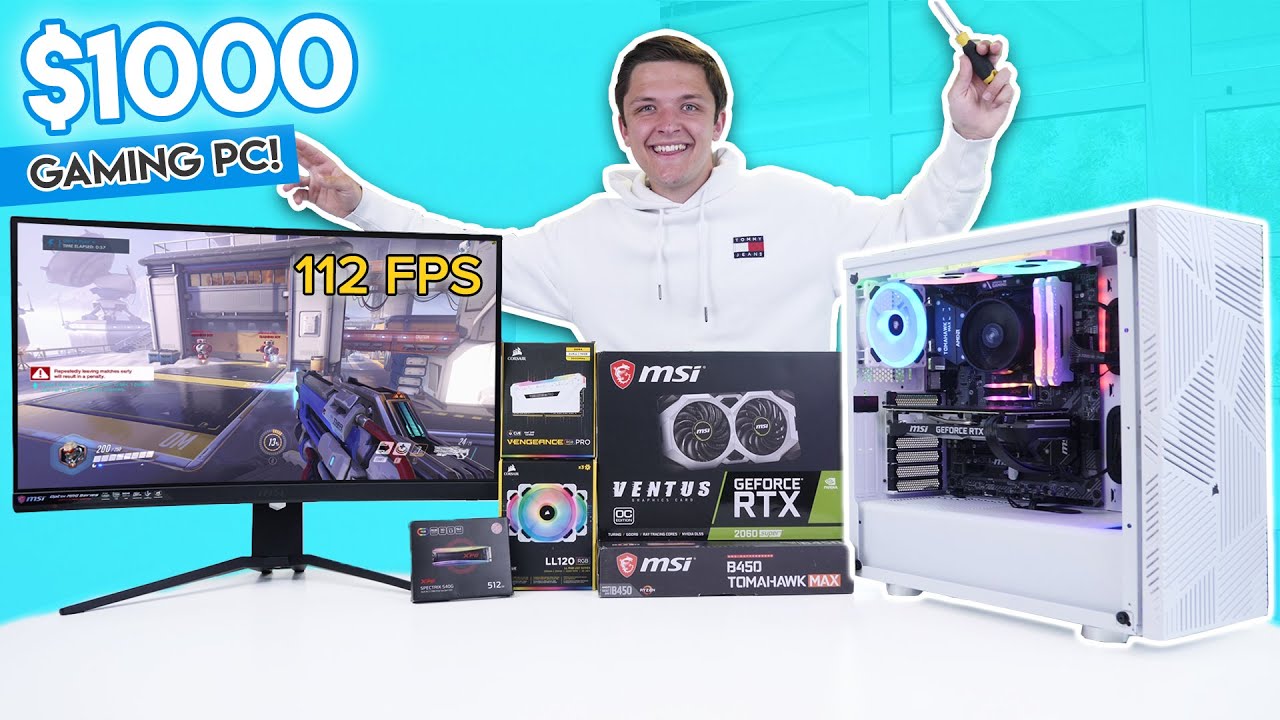
Install Raid for Free ✔️ IOS: https://clcr.me/GeekaWhat_iOS ✔️ ANDROID: https://clcr.me/GeekaWhat_Android ✔️ PC: https://clcr.me/GeekaWhat_PC and get a special starter pack 💥 Available only for the next 30 days // PC parts linked below!
Amazon (US):
CPU: https://amzn.to/2Ap4B...
Noice
 sand falcon
ooooh, that GPU though
 last zenith

buoyant flame
Is that the one you posted in #build-pics ? @austere condor
25 offers on what? @wary geode
wary geode
on the pc i posted to build pic
austere condor
yes @buoyant flame
buoyant flame
But selling entire pcs locally seems smarter then trying to ship them
austere condor
i plan on doing boutique custom orders
buoyant flame
Even if you use an app like mercari that gives you good shipping rates
austere condor
i have a good advertiser aswell that will keep me doing at least a system every week or so
last zenith
lol
austere condor
but thats doing high end custom orders, with all new parts
buoyant flame
Do custom orders tend to pay better tho?
austere condor
yes
buoyant flame
I would assume so lol
austere condor
40% profit over cost of parts is average
austere condor
yep. still WIP but making good progress
buoyant flame
Nice
austere condor
got a few things i need to change, i got too ambitious and have too many options
buoyant flame
Lol
austere condor
got to bring it down to like 4-5 different systems
right now i had it set up to have 27 different options...
buoyant flame
Oh damn
buoyant flame
I assume you buy the parts with the buyers money and not your own right?
austere condor
yeah
austere condor
its like, you make an order, and 2-3 weeks later a system shows up at your door
buoyant flame
I hope to have a similar system going in a few years
Wish i had a microcenter tho :/
Well good job lol. I always enjoy looking at your builds
You take good pictures too 
austere condor
😄
learning bit by bit
2 years ago my photos were awful
old photo of mine
compared to a photo i took today
 deep skiff
nah man that drink really adds to the photo
austere condor
yep
glass side, 4 stock RGB "rainbow" fans, mesh front, power supply basement, decent cable management options
buoyant flame
And all for like 55 bucks
stoic island
much good
buoyant flame
How do you control the fans? Because ik theyre not 4 pin
austere condor
molex
buoyant flame
Is there an included remote?
austere condor
no control
buoyant flame
No control on lights?
buoyant flame
Lol fr
wary geode
so i just want to say i got a steal
um yams i wish you good luck
i got a gpu for 10$
@buoyant flame
deep skiff
does it start with gt
 robust plover
Will a i3 9100f and a 1650 super oc run r6,scrap mechanic
sand falcon
@robust plover If you're looking at that sort of a budget build, consider using AMD. It should run though
robust plover
Ok
deep skiff
wow gtx is it a 700 card
wary geode
i cant specify sorry wait and see
deep skiff
🤔
wary geode
we wil upload video with our scrayyard
 short ruin
can someone help me my pc that won’t work
 vestal cove
@short ruin start troubleshooting with your psu first
short ruin
I have used a different psu and it still dosent work
wary geode
i helllp
 sacred obsidian
is it just not turning on?
wary geode
vdieo
vestal cove
With different cables?
short ruin
it turns on for a second and all the lights and fans turn on but after a second it turns off
sacred obsidian
if you press the up arrow on your keyboard it will edit the last message you posted
check your ram and make sure its seated properly and in the right slots
vestal cove
Did you buy it prebuilt
wary geode
well lets start does it turn on
short ruin
with coarsair vengeance pro 32gb
wary geode
did you flip the switch on the psu
sacred obsidian
so when you put in the ram did the side things go up all the way and latch themselves on their own?
short ruin
yes it turns on for a second and then turns back off
yes they latched on their own
i pulled everything out and put it back in and it’s doing the same thing
sacred obsidian
ok do you have 4 8 gig sticks of ram?
short ruin
no 2 16gb
wary geode
ok i got this nerds ive had this problem before
nvm theres a lot like that problenm
um does it sound loud
sacred obsidian
ok take em out and only put one in the far right slot and try again, if it doesnt work try the other stick in the far right slot
short ruin
ok let me try
wary geode
fans spin loud? any fans spiining
short ruin
fans spin not loud tho
short ruin
like normal and then stop
sacred obsidian
do you know the mobo model?
wary geode
any beeps
short ruin
I forget let me see
wary geode
beep beep imma sheep
sacred obsidian
beepbeep imma sheep
vestal cove
It could be the battery on the mobo
sacred obsidian
now thats going to be stuck in my head for a while
wary geode
XD
short ruin
rog b450 gaming
sacred obsidian
k ima go grab the manual
short ruin
b450-f
sacred obsidian
i doubt it has a beeper
wary geode
so you wanna take the ram water cool it and come back
sacred obsidian
quick question, did it ever work or is this like newly built and trying to turn it on for the first time?
short ruin
It worked this morning, i turned it off and it won’t turn back on for more than a minute
vestal cove
So you just built it?
short ruin
no I built it 3 months ago
wary geode
lego my ego
short ruin
it has worked fine since I built it and won’t work now
short ruin
should i try different ram?
sacred obsidian
ok so you have an led debug to the top left of the ram
short ruin
dude i hope it’s not the card
sacred obsidian
when you turn it on do any light up
short ruin
💀
wary geode
sometimes my led doesnt work one stick wont work some days 2
short ruin
yes i do
sacred obsidian
💀
short ruin
what?
sacred obsidian
cause you said dead kid
wary geode
is that vram
short ruin
Ok i’ll try that
sacred obsidian
unplug the power from the back and either take out the battery for 10 min or use a metal screwdriver to touch the CLRTC at the bottom rightish middle
make sure you unplug the power cord first thoguh
short ruin
yes I know to unplug the cord
sacred obsidian
ok i just like to specify cause not everyone does that lol 😛
sacred obsidian
alright
sacred obsidian
yeah it sucks but that could be the problem
short ruin
true
sacred obsidian
usually in my experience the turn on and off thing is related to ram or bios more often than not
short ruin
okay
sacred obsidian
it could be a cpu issue but if it was working fine this morning i doubt it
short ruin
yea i played on it for 2+ hours this morning and I turned it off, walked away and came back and it wouldn’t turn on again
sacred obsidian
and you didnt change or mess with anything at all?
sacred obsidian
ok if cmos doesnt work then we will try removing the gpu and seeing if it turns on (checking to see if it stays on cause im assuming you dont have on board graphics) and then if not you can unplug the main hard drive to see if it posts without it, and if not again youll have to find a way to test the cpu
sacred obsidian
whats the cpu?
short ruin
3700x
sacred obsidian
do you have any other am4 mobos by chance
sacred obsidian
kk lemme know what happens
short ruin
yes
sacred obsidian
yeah try unpluggin it
short ruin
k
sacred obsidian
also it was you who asked earlier, wd blue ssd does not have dram cache
i scrolled up and saw someone asked about ssds and dram cache
sacred obsidian
ok then next would be to take out the gpu
if thats not it then you've narrowed it down to either mobo or cpu is the issue
and you gotta find a way to test that either by replacing one (either bought or borrowed) or you can take it to a pc shop and ask how much to test em. I dont know a good way to figure that out in this situation :/
sacred obsidian
no problem. hope it works out, sorry bout that
you can but the chances of both going out is unlikely
you can also try different slots
sacred obsidian
if it works in one slot but not another its a mobo issue
sacred obsidian
thats good
its weird that both sticks died tho
did you oc it past the xmp/docp profile?
short ruin
I barely OC it tho so idk
sacred obsidian
you said it was like 3 months old right
sacred obsidian
most or all of your parts (gpu included) should still be in warrenty so you wouldve been able to replace it for free lol
short ruin
yea the all are
sacred obsidian
well good luck 🙂
short ruin
tysm
sacred obsidian
i mean you figured it out i just blazed past it thinking both couldn't have died lol
shouldve been a bit more thorough like you were so good job on that 😛
short ruin
yea but you still helped me so with everything else
sacred obsidian
well glad to be of help
short ruin
i’m so glad it wasn’t the expensive parts
 harsh tinsel
would the wraith prism be fine with the 3700x or should i just go with another cooler?
I was thinking if i did I would do the Noctua DS-US12
harsh tinsel
no
harsh tinsel
ok. like could is handle CPU intensive games like Total war and still be cool enough?
or should I just go with a noctua cooler
harsh tinsel
ok
harsh tinsel
i was gonna get a 3070ti-maybe a 3080
 unborn solstice
idk that the 3070ti exists
little osprey
built
harsh tinsel
it will
little osprey
Guys how often should I reapply the thermal paste to my cooler? And anyone recommend any good thermal pastes?
well if your going that high gpu
then sure you can got noctua
but stock should be fine
unborn solstice
pretty sure first release is 70 80 80ti and 90(titan)
little osprey
I got my bequite dark rock pro4 as a cooler, you wont be disappointed
harsh tinsel
ok cool. I may still go with the Noctua DS-UH 12
little osprey
same
harsh tinsel
$70 cooler
little osprey
i am going dark rock pro 4
noctua cooler is the same
as the dark rock pro 4
they are both good
harsh tinsel
how much is the dark rock one?
little osprey
its ur choice at that point
its around the same price
idk about USD
but CAD its 130
give or take
Its a good investmen> but CAD its 130
@little osprey
on amazon
harsh tinsel
$90 USD
little osprey
Yeah about $130 CAD
harsh tinsel
dang man lol
little osprey
Idk usd :/
Look get it, youll be happy
The end
🙂
the reason is high in CAD is cause
harsh tinsel
idk...i like Noctua
little osprey
the people charge more here
and plus its amazon
they can set the price higher if they want
its ur choice
the reason is high in CAD is cause
@little osprey i think its the same, just the conversion rate
noctua go ahead
its not
trust me
they charge extra 10%
min
Realllyyy
on any pc part
yea
Honestly i think that makes sense
I wanted to visit family
In US, also send some computer parts there
also not just pc parts
but everything
Yeah
not 10%
but higher
They charge duties and taxes here
even after conversion rates
And your just paying so much for shipping
And duties and taxes and some other taxes like wth
But hey, we got health cards 🙂
But dark rock pro4
Get it
harsh tinsel
will i bottleneck with a 3700x and one of the newer GPUs like the 3070 or 3080?
idk how that all really works
little osprey
no
3700x is really good
its what i am getting
4th gen version 4700x
i should say
harsh tinsel
oh ok sweet. yeah. but i dont wanna wait till december
harsh tinsel
i thought it was December?
little osprey
no
its oct
u have 3950x?
@little osprey yeah
nice if u do
nice
flexing
i wanted that
A little :p
harsh tinsel
is there a price leaked?
little osprey
but it was out of my budget
its gonna be the same price
as now
I saved up for a long time
@little osprey ur from us right?
i am from us
harsh tinsel
so what was the price of the 3700x when it came out?
little osprey
but moved to canada
around what it is now
i am from us
@little osprey right, but moved to Canada about 2 years ago
but moved to canada
@little osprey whoa mind blown lol
little osprey
329
harsh tinsel
like an AMD conference
harsh tinsel
hmmmm idk what I should do
harsh tinsel
just get the 3700x and upgrade down the line or wait
little osprey
save up till then
am5
is coming out next
so u cant upgrade
Honestly, 3950 is all you need if you realllly want to buy a cpu, the new cpu im pretty sure no one will buy it for a while
the only option you would have is 4th gen
harsh tinsel
or 4th gen wont use AM4?
harsh tinsel
problems how?
little osprey
4950x is what i want to get
Then we’d need am5 motherboards etc
not 4th gen
4th gen is am4
after 4th gen
harsh tinsel
oohhh ok
little osprey
5th gen is am5
harsh tinsel
Makes sense
little osprey
problems how?
@harsh tinsel every peace of technology that comes out, always has some tweeks to be made
Iphone, laptops, tablets etc
Am4 is reliable rn
harsh tinsel
Idk if i should wait till the 4th gen comes out or just get the 3700x and upgrade the 4th gen later
may do taht
that
little osprey
bro battery 6 % on my mac
 echo crater
I bought a motherboard from Newegg, Gigabyte b550 Aorus elite and I’m having problems with the drivers and it is occurring maybe because the mobo is faulty
harsh tinsel
Chicago
harsh tinsel
i know where Toronto is but not Scarborough
little osprey
Lollll, Toronto is the “state” and Scarborough is the “City”
harsh tinsel
?
little osprey
Like wth does that mean i still get confused a bit, but i make the reference like that
harsh tinsel
Yeah haha
You know what im confused about? Is how Nvidia is gonna require 12 pin adapter on the new GPUs. They better send an adapter or something with those
 white osprey
this wifi card any good ?


would it fit?
and where would the bluetooth plug in the last slide go ?
sand falcon
Are those PCI slots?
Yes they are
I can't vouch for the quality, but it will fit
The plug will go into one of your internal USB headers
@white osprey What mother board is this?
sand falcon
Okay
white osprey
sorry for taking so long to respond
i got it like 4 years ago brand new
i dont think its that old
 coarse jackal
I need some help purchasing a new desktop, but everything is gibberish to me... I do a lot of multiple high-res photo editing in PS and need to be able to do video editing and 3-D rendering with Zbrush. Light gaming, (LOL and sims4) I'm also looking for a monitor that has a display similar to a mac retina with true color. I'd like to keep it under 1300. Can anyone help me out? or direct me on where to go lol
little osprey
What is this for? To set up the mobo?
@little osprey No, it's to throw at Intel users.
(Disclaimer: The preceding statement was intended for entertainment purposes and should not be used in a literal sense. By reading the statement in question you hereby agree to never act in the manner described. If such actions are to be attempted all consequences and repercussions are your own.)
 next kestrel
the second one is for connecting ssd/hdds
to your mobo
first one you can snap in half
little osprey
I’m looking to build a PC with a top of the line RTX card and a Ryzen 9. Do you guys think it’s worth waiting for the RTX 3000 series and Ryzen 4000 series on zen 3? Or should I get a 2080ti and a 3950XT? Thanks!
little osprey
I always say, just buy now. But with these new parts coming in a month, I would wait.
Yeah that’s what I have heard. That was my intent as well, just wanted to see what some other people thought. It would kinda suck to spend $2500 and then not have the fastest stuff haha
Thanks for the input guys
the second one is for connecting ssd/hdds
@next kestrel they didnt put it on my mobo
next kestrel
?
little osprey
@little osprey No, it's to throw at Intel users.
(Disclaimer: The preceding statement was intended for entertainment purposes and should not be used in a literal sense. By reading the statement in question you hereby agree to never act in the manner described. If such actions are to be attempted all consequences and repercussions are your own.)
@little osprey sorry lol; i didn’t understand
next kestrel
they didnt put what
little osprey
?
@next kestrel i gave my build to a company, cause I had trouble building it
next kestrel
oh what
little osprey
Those cables
 glossy prairie
Is this worth it
Features & Details
Intel Core i9 10900K 3.70GHz (5.30GHz Turbo Boost), 10-Core 20-Thread
ASUS ROG STRIX NVIDIA GeForce RTX 2080 Ti 11GB
ASUS ROG STRIX Helios GX601 White Edition RGB Mid-Tower
ASUS ROG MAXIMUS XII FORMULA Z490, WiFi 6
ASUS ROG RYUJIN RGB AIO Liquid CPU Cooler 360mm
G.Skill TridentZ RGB 32GB DDR4 3600MHz
Samsung 970 EVO Plus 1TB NVMe M.2 SSD
Windows 10 Home 64-bit
VR Ready
little osprey
oh what
@next kestrel trouble building the pc
next kestrel
oh then did u not have a hard drive
must've been an m.2 drive then
u dont need it then
unless u plan on adding a hard drive
little osprey
Yeah i have an m.2
little osprey
or the cd
@next kestrel what is the cd for?
What is this for? To set up the mobo?
@little osprey right here
next kestrel
no reason basically
i think installing the drivers for the mobo
but u dont need it at all
little osprey
I dont have a cd place on my tower
little osprey
Okay nice
next kestrel
:))
little osprey
Thanks :), my worry is gone
next kestrel
np, hope u enjoy ur pc
 formal axle
It’s payday! And going to buy a full modular power supply what do u guys recommend? I plan on getting a 30 series gpu so I was thinking 750 or more watts
little osprey
750-850w is all you'll need nowadays. Try for an 80 Plus Gold at least.
 errant berry


 unreal canyon
Hi Doe's any one of you know, if I can sub a HP 800 G3 MT motherboard in place of a HP 600 G3 MT motherboard that has an I7 chip and 64gb 2400T-ub1 11 ram
little osprey
@harsh tinsel Scarborough is like a burrow of Toronto like New York has burrows
 potent prairie
It’s payday! And going to buy a full modular power supply what do u guys recommend? I plan on getting a 30 series gpu so I was thinking 750 or more watts
@formal axle Look at the pinned PSU tier list, do not rely only on 80+ rating
750-850w is all you'll need nowadays. Try for an 80 Plus Gold at least.
@little osprey 80+ rating doesn't necessarily mean it's a good PSU...
formal axle
K and also is 4 sticks of 8gb 3200 ram (32 gb) better or about even with 2 sticks of 3600 ram?
I ask cause I already got 2 sticks of the 8 gb 3200 was thinking of getting 2 more sticks. I game along with stream on twitch so I know ram helps with all the stuff I have open
 rigid ibex
will this https://www.newegg.com/corsair-hydro-series-h100i-rgb-platinum-se-liquid-cooling-system/p/N82E16835181179?Item=N82E16835181179 cool a i9 10900k
stock
fast dust
750-850w is all you'll need nowadays. Try for an 80 Plus Gold at least.
80+ efficiency =/= quality. don't just go buy something because it's bronze, solver, gold, titanium, etc
sure there are more good quality gold units than there are bronze units
but as an example:
Apevia Prestige. it's 80+ gold
That prestige model isn't as good, quality wise, as a corsair CX gray label, which is 80+ bronze
potent prairie
K and also is 4 sticks of 8gb 3200 ram (32 gb) better or about even with 2 sticks of 3600 ram?
@formal axle I'd go with the faster stuff, esp if it is the same price
Plus it leaves room for upgrades if you every want 64GB ram for whatever reason
little osprey
dont buy a prebuilt make it yourself
you can get better parts for the same price
if you build it yourself
its pretty good
but you can do better
 neon spire
i just bought six rgb fans and i have a kraken x73 for my liam li pc o11 dynamic. do i need an rgb hub to use the fans rgb with the msi rgb software? or will the fan hub work as that?
little osprey
can someone help me?
little osprey
can someone help me?
@little osprey what is the problem
@little osprey what is the problem
@little osprey we were discussing if my psu is failing
yea i saw
before you buy a psu
or if I have some persistent software failure
get a display port
I was gonna try that
cable and test it out
if it doesn't work
do you think it would work?
then replace your psu to 550
it should
It recognizes my monitor as a tv in nvidia control panel
it could be your hdmi cable is bad
display port is better for gaming
I tried different cable
yes that might be a problem
as a tv
not display port
can I send screen shot>
yea sure
try display port cable
then if it doesn't work
get better psu
ill have to buy one
is it prebuilt
or did you build it
I built it myself
Ive really only kept the monitor, accessories, and psu between builds