#building-and-recc-chat
1 messages · Page 581 of 1
 errant berry
yea i need an upgrade too
i was impatient with my build so it isnt as great as it should be
 vital warren
im trying to be patient w mine
errant berry
you should
vital warren
only thing i ordered so far was my case
 red sigil
can alpenfohn wing boost 3 fans connect to my nzxt smart device 2?
 night iron
Thanks for the recommendation on the phanteks p300a @inland atlas
 little osprey
Anyone know of a good build for about $1500?
 cold sorrel
I got my notification tonight my monitor should be shipping soon. I'd been sitting on the backorder list since Monday.
https://www.newegg.com/p/N82E16824475047?Item=N82E16824475047
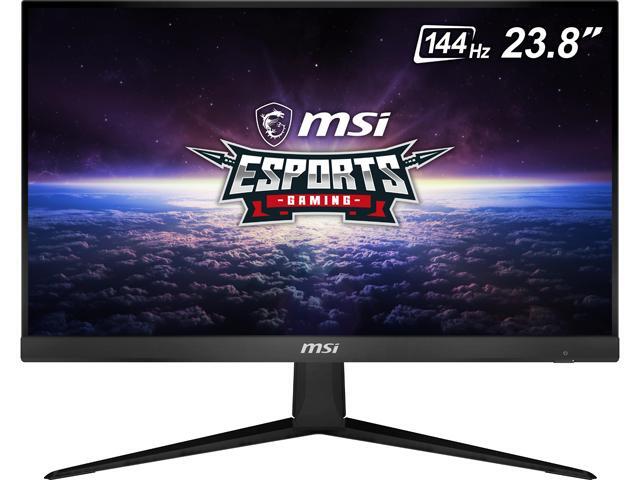
Buy MSI Optix G241 24" (Actual size 23.8") Full HD 1920 x 1080 4ms (GTG) / 1ms (MPRT) 144Hz 2 x HDMI, DisplayPort AMD FreeSync Anti-Glare Frameless Design Backlit LED IPS Gaming Monitor with fast shipping and top-rated customer service.Once you know, you Newegg!
little osprey
Thank you @errant berry
errant berry
yup
errant berry
im sure you would just send the link lol
little osprey
It’s keeps on deleting it
Then I get a message saying I’m not allowed to post links
little osprey
Dm me the link and I'll try posting it
@little osprey
Nope
Doesn't let me post links
 fast dust
@little osprey @little osprey you gotta be lvl 3 mee6 to post links or images
errant berry
hm
fast dust
@little osprey @little osprey DM me the link and I’ll post it for you
little osprey
Ok
fast dust
Since I’m lvl 37 :P
 clear pewter
Rx 5700XT red devil for $410, STRIX 5700xt for $410, or ASRock for $380
Which should I buy
fast dust
I’ve heard strix has not great cooling
clear pewter
Aesthetics and acoustics have a say
errant berry
ok
fast dust
And powercolor is generally pretty good
Here’s @little osprey’s link: https://pcpartpicker.com/list/7YFMsk
 deep skiff
the strix is one of the worst 5700 xt's for value and pretty bad for cooling
fast dust
What he said
little osprey
Damn
fast dust
It looks hawt but in reality it isn’t
little osprey
What's the difference between rtx 2080 super and rtx 2080 ti? (I'm new to pc building)
fast dust
Keep that in mind when looking for a BF/GF kids. They may be attractive on the outside but actually not on the inside
 jagged ember
Build chat related, yes
fast dust
Strix 5700 XT relates to choosing a lover
red sigil
is it smart to put a kraken z63 in my h510i nzxt case?
jagged ember
Related to building your life
clear pewter
I mean
fast dust
@little osprey 2080 ti has better performance
little osprey
I see
fast dust
and bigger price tag
deep skiff
usually the strix cards are good cooling but asus isnt really the best for amd cards
fast dust
@little osprey for future reference TI is usually a bit better than Super
clear pewter
And syncing everything through ICUE sounds sweet
jagged ember
I personally don't think just a closed loop is worth it
little osprey
So more for like future proofing?
fast dust
@clear pewter red devil
jagged ember
Thermal performance wise air coolers are on par or better
fast dust
More for like just better performance
little osprey
Oh
clear pewter
I know how to overclock and everything tho
I'm just playing devil's advocate
To see if that helps
jagged ember
I'd just go for an air cooler to save on $$ unless you don't like how they look @red sigil
clear pewter
I care about aesthetics a bit
little osprey
How good is an rtx 2070 super compared to an rtx 2060?
deep skiff
10 better
red sigil
does it matter if it is an intake or exhaust fan?
fast dust
Much better
jagged ember
Ha, not even a question
red sigil
@jagged ember
errant berry
he was asking how much better lol
jagged ember
Intake means the air coming in is slightly warmer
errant berry
we know its better😂
fast dust
he was asking how much better lol
10 better
jagged ember
Yes
errant berry
well
errant berry
there is your answer
fast dust
Nah not 10x
deep skiff
no just 10
fast dust
Just 10
deep skiff
70-60=10
errant berry
with all the specs
little osprey
Oh
errant berry
add 10
jagged ember
Remember, a 2070s is basically a 2080
errant berry
is it?
little osprey
Well I'm dumb
jagged ember
Soo, there's your answer
little osprey
😂😂
errant berry
didnt even know that
jagged ember
Just oc it and you'll get there
@red sigil from what I understand intake vs exhaust isn't much of a difference, unless your cpu pumps out a lot of heat
deep skiff
i am the best giver of tech tips
jagged ember
Tecc tip
fast dust
Nacho tecc tipp
fast dust
Nacho tecc tip X Wideus tecc tip
jagged ember
Maybe I should be wideus
jagged ember
I just built a wide cardboard box pc case
fast dust
Wideus when will the wide 2080 ti with 5 fans be released
jagged ember
Keep up with the tecc news, friend
fast dust
Yes Wideus thank you Wideus
jagged ember
It's only going to come with oem built machines like the ryzen 400 series chips
Only oem built PCs will support the absolute girth
fast dust
🥵
jagged ember
I expect cooling performance to be immense
It's gonna move so much air it'll be an intake of it's own
You know what else is immense? This segway to our sponsor
 sand falcon
Avoid it if at all possible
 white osprey
reasons y?
sand falcon
It's slow, laggy, and unstable
white osprey
all usb wifis?
sand falcon
There are some good ones, but they cost more than a decent pcie card
white osprey
so only decent wifi is pcie?
fast dust
Uh, I use USB WiFi and it works totally fine
white osprey
its for my little niece, i think she'll just be playing roblox or something
but i dont want it to be unplayable
sand falcon
It's alright, but totally worth the 10 extra dollars to get pcie
It mostly depends what usb card. You can get a good one, but those are the same price as pcie
My usb wifi would drop every 10 minutes or so and require me to restart it
white osprey
do you know if the 3 dollar windows 10 cards on ebay are legit
sand falcon
Some are, some aren't
Basically, if it looks like those "spin to win a free ipad" pop up ads, avoid it
If it just looks like a normal ebay item, should be fine
white osprey
not a single one has reviews on the seller
but 1 has reviews on the card itself
all 5 star
possible bots?
well if i get scammed its only 3 bucks i guess
sand falcon
Possible. Tomie has a site that we've used a few times. It's a bit more expensive, but it seems pretty reliable
 silk estuary
I used softwarecodes
sand falcon
@strong cliff Cable management is basically just getting all your cables and wires to run neatly and out of the way. What you have in your pic is decent, but there are some places you could improve it
 strong cliff
@sand falcon thank you bobert
 stoic island
Bobert
 desert gulch
Should a hyper 212 work for a 3600?
Wanna oc but don't want my cpu to catch on fire
desert gulch
How much is that?
stoic island
26$ iirc
stoic island
Can't predict that stuff :p
 lethal gale
VP249QGR or PX247?
sand falcon
What will it be used for?
 tepid basalt
is this necessary?
tepid basalt
little osprey
@sand falcon mostly gaming and streaming, a bit of recording and editing too
little osprey
$1500 USD
sand falcon
Okee then
little osprey
He's getting into twitch and needed a new setup from his old i3
sand falcon
This case comes with no fans 😦
little osprey
It doesn't?
little osprey
I'll tack some on
I have a few spare green ones from a build a few years ago, I could give him those
sand falcon
He has some fans on the list
vital warren
for the same price you could go for a td 500 mesh and save a bit on fans
sand falcon
Yup
I'll keep the case. It's a personal preference thing
https://pcpartpicker.com/list/GqKg9G
Here's the build with the case
little osprey
Would an Athlon 3000 be able to update the BIOS on the motherboard?
I have 2 I bought on a whim off of eBay when someone was listing 2 open box ones for $45
sand falcon
The motherboard should be fine already
It's also a gigabyte, so even if it's not you can update it without a CPU installed
sand falcon
You plug in a usb drive with the bios on it and press the button
It should come with the right bios preinstalled though
little osprey
It says on the pcpartpicker list you put in the chat it might need a BIOS update
sand falcon
np
 opal stratus
Can anyone recommend a good mITX AM4 motherboard?
sand falcon
I'd try one of the gigabyte ones
 spiral zealot
i'm using an ASRock B450 mITX board and it's been fine for me since October
opal stratus
I wanna get the gigabyte X570 board but it’s out of stock at micro center 😦
 manic sinew
what about the ASUS ROG Strix B550-I is it worth the money?
 mortal rampart
How much is it?
manic sinew
230 on newegg
mortal rampart
Lmao no
Just but an x570
*buy
Check this out on @Newegg: MSI MPG X570 GAMING EDGE WIFI Gaming Motherboard AMD AM4 SATA 6Gb/s M.2 USB 3.2 Gen 2 HDMI ATX https://www.newegg.com/msi-mpg-x570-gaming-edge-wifi/p/N82E16813144261?Item=N82E16813144261&Source=socialshare&cm_mmc=snc-social-_-sr-_-13-144-261-_-07242020
Never buy a b550
opal stratus
Looking for mITX tho :/
manic sinew
the asus rog strix x570-I
 analog hearth
X570-P from Asus is also good if you’re limited on money
 drifting timber
anyone know about x570 meg ace
fast dust
Lol that’s a pretty common gif here
little osprey
🤯
 arctic jungle
itx is so bad but so good
opal stratus
How’s it bad?
People were telling me to just go micro ATX, am starting to reconsider
analog hearth
@vestal cove it’s an IKEA Malm and the extra desk on the left of it is a Dakota I got from a store called At Home
 knotty ruin
Can anyone Msg me? I need some help involving my build
arctic jungle
@knotty ruin we can speak here, what's up?
knotty ruin
So amazon cancelled my order and locked my acct last week due to me putting a big order for my build, well my Motherboard, CPU, Gcard, case, and psu is in and I’m trying to find the right 32 gig ram for it putting everything I have on PC part picker rn for u
I can’t tell what Ram would fit it or not and I cannot find a good OS system, it all looks the same to me
knotty ruin
Windows 10
knotty ruin
Yeah I know I want windows 10 but I’m browsing everything and just can’t tell the different ones apart I see bad reviews on a lot of them I need to get the USB version
analog hearth
@vestal cove just going for performance lol
@buoyant flame thanks. I had to rearrange it lol
 buoyant flame
I like it
analog hearth
Thanks :)
 sullen spoke
umm if we are talking about windows, home or pro is fine, but you can download it on a usb from microsoft website and buy a ebay activation key or something for $5
knotty ruin
Can you send a link for that?
sullen spoke
can't find something from ebay atm for some reason, but some people have had this work https://software-codes.com/collections/top-sale/products/windows-10-pro . note this is a activation key that will probably be sent via email. you still need a usb with at least 8gb to put windows on with the media creation tool: https://www.microsoft.com/en-us/software-download/windows10 . you should only buy it when you are installing windows and entering the key. there is a chance it will not work if you don't use asap
knotty ruin
See I went in Microsoft website and they sell it all for 139
I’m lookin to get win 10 home
sullen spoke
ye the retail price is ~$100 but it really is a rip off. some keys from ebay and such for cheap can work perfectly fine if you find a good seller, most people here got their keys <$5
little osprey
Is prebuilt any good?
sullen spoke
software codes has home key too but it's 0.05 euro more https://software-codes.com/collections/top-sale/products/windows-10-home
prebuilt is often overpriced for the hardware
little osprey
I see
 stark bramble
i mean windows is p easy to get for free
little osprey
Because u was thinking of buying an HP open obelisk PC for about $1500
sullen spoke
well windows for free is technically piracy and we don't talk about that here
knotty ruin
I don’t have a USB myself im fine with paying those but I just dk which one to get there’s so many
I’ll need to order it on a USB anyway I don’t have a 8 gig one
stark bramble
get the usb one
sullen spoke
for a usb any one that is 8gb or more should work fine
little osprey
Can I do anyone my link for my prebuilt pc?
So they can post it here
And see if it's worth buying or not
 still roostBOT
 Mee7#1113 has been warned
Reason: Bad word usage
stark bramble

knotty ruin
I just ordered one through Microsoft website
stark bramble
@little osprey you can build one yourself for a lot cheaper
with better video card and ssd
but i suppose office and mcafee are included
red sigil
is a Noctua NH-D15S compatible with my ryzen 7 3800x
deep skiff
Yes
red sigil
ty!
arctic jungle
@gaunt zinc can we have a wegg minecraft server chat 🥺
red sigil
wait which cpu cooler is better for a ryzen 7 3800x? Noctua NH-D15 or the NH-D15S
knotty ruin
Lol just found out when I ordered it it gave me minecraft for free but screw Microsoft Minecraft JAVA is where the big boys with big Johnson’s go
deep skiff
D15S is the slim version of the d15 (also has a little better ram support iirc), d15 is a better performer
red sigil
what do you mean by ram support iirc, im a noob with this
stoic island
If you have RGB ram, go d15s
red sigil
tysm
 wary geode
@stoic island quick question 2060 for 313 or 5600xt for 260
red sigil
what fans should i use as front fans in my nzxt h510i, exhaust or intake?
also im thinking of putting noctua nf-p12 as a replacement for the two stock fans, is that a good idea?
red sigil
?
red sigil
yeah ik
stoic island
the usual front to back isn't gonna work
red sigil
i was thinking of just keeping it empty
stoic island
keep it empty then
stoic island
not really
not worth spending on more fans
just making the fans suck on the panel trying to get air through a 90 degree corner
 robust plover
Do you think two case fans will be good for a 13 9100f and a 1050 ti
red sigil
sorry ot bother you again but do you think the noctua nf-p12 is a good replacement for the stock fans?
robust plover
Core i3 9100f sorry
robust plover
It's a diypc case
red sigil
is it good for h510i?
stoic island
fans arn't really per case
fans are just fans
either they're good or they're bad
@robust plover which one
red sigil
o ty
stark bramble
ok
robust plover
The case is the diypc ma08 by
robust plover
Dose anyone know anything about the msi pro b365m pro lga 1151 board?
robust plover
Yeah
spiral zealot
it should be fine for an i3 and a 1050ti
larger front/side intake and smaller rear exhaust will keep positive pressure
and it comes with the front/rear fans already
 analog fjord
Im trying to build my first pc and I wanna make sure Im on the right track, Im aiming for around $1k for everything.
Cpu: AMD Ryzen 5 3600
Moba: Asus TUF Gaming X570-plus (wifi) ATX AM4
Ram: G.Skill Ripjaws V series 16 gb (2 x 8 gb) DDR4 3200 CL16
Storage: Sabrent Rocket Q 1 tb M.2-2280 NVME
Gpu: EVGA Geforce Rtx 2060 super 8 gb SC Black Gaming
Psu: Rosewill 600 W 80+ Gold Certified Semi-modular ATX
If theres anything im missing please let me know, do I need a cpu cooler? I used Pc part picker for this and it seems fine but I do get a comparability note saying the Moba has an additional 4-pin atx power connector but my psu does not, im not sure what that means.
im also having a hard time finding a Case that is at Max 16 inches tall to fit my desk and works with this setup..
spiral zealot
the motherboard warning is just because that board has an extra power connector for people doing things like liquid nitrogen overclocking, where the board is going to need to pull a TON of power
analog fjord
Oh ok thx for that tip
spiral zealot
but for the normal user, it won't matter, you'll just need the normal power connectors, which your PSU will have
analog fjord
Im waiting for it to restock on newegg, it was 79.99 a day ago and gone the next... 
 cursive wharf
@analog fjord get a cheaper mobo, get 3600CL16 RAM, get an SSD with a better cache setup/NAND type like Team MP34, if you arent going to stream/record get the 5700XT, probs get a better PSU. Lot of the cheap Rosewill PSUs are at best meh.
analog fjord
Thanks for your reply, i dont know much about mobas to know whats cheap and good, if you have any suggestions pls enlighten me. Ill look into the ssd, and im going to strictly play games on it, 5700XT?
And my knowledge is the same with psus... I thought getting a 600 watt one wiuld be good for future use.
 potent prairie
Rocket Q is also QLC
analog fjord
QLC?
potent prairie
Bits per cell, SLC (1) > MLC (2) > TLC (3) > QLC (4)
TLC is the norm
QLC is slower and less durable
I'd look at a B550 board
or B450 if you don't care about PCLe 4.0 for your SSDs
analog fjord
Ok thx
little osprey
this is my build in CAD, it has tax included for Ontario Canada, the fans are actually 30 bucks not 50, the memory is 190 not 235, and the hard drive is 75, https://ca.pcpartpicker.com/user/IntentCypress18/saved/JbKPVn
potent prairie
Nice
cursive wharf
wireless keyboard but not mouse?
little osprey
its has a usb cable
potent prairie
Wireless keyboards are so pointless for a desktop imo, unless you are gaming on a couch or something
little osprey
the problem is that all the other Cherry MX Reds
potent prairie
Like you don't move it
little osprey
are out of my budget
i got this one so i can can connect it with a usb still
if i couldn't
i would have not got it
potent prairie
Fair ig
little osprey
its the cheapest in CAD
cursive wharf
just dont focus on Corsair tbh. lots of other options and Corsair is just kinda overpriced
cursive wharf
dont focus on mx
cursive wharf
still many different branded switches
cursive wharf
Gateron, Outemu, Kailh, etc
What you're specifically looking for is Linear switches
little osprey
yea i am specifically looking for linear switches
cursive wharf
which there are lots. probs like 10 brands for linear, each brand having on average probs 2+ linear switches
Im not a keyboard warrior so dont know too much about it
little osprey
ok
 soft bison
little osprey
soft bison
little osprey
ok
 wary tundra
@vestal cove ryzen 4000 is going to be on am4 still
arctic jungle
purple switches are best
wary tundra
Don't quote me but I think Zen 3 is compatible with b450, x470, b550, x570
stoic island
that's what AMD promised
arctic jungle
@wary tundra I think they said that it's only for x570 and b550 right?
 spring jacinth
hi, I am confused with descrtiption, it this for Ryzen 9?
https://www.newegg.com/g-skill-64gb-288-pin-ddr4-sdram/p/N82E16820374003?Item=N82E16820374003
spiral zealot
Zen 3 will only be compatible with B450/X470 boards if the manufacturers decide they can make the necessary BIOS changes
AMD will provide them the code to do it
but it's up to them to implement it
because different boards have different BIOS capacities and they might have to sacrifice support of older chips to add Zen 3, etc, etc
spiral zealot
gamersnexus had a good video that explains it really well, and that's where i got my info from
 next tangle
does the asus rog strix b450-f motherboard support pcie 4.0/can I update the bios to make it support it?
spiral zealot
it does not, and you cannot iirc. it's not just a bios support thing, the actual chipset needs to support it, and B450 doesn't
little osprey
The thing that holds the CPU fan and that's under the motherboard
Is that supposed to be in a certain way
 wanton crystal
My build is sooo close! Just got a rysen 9 3900x brand new for 330. Pretty stoked about it. Feel like it was a superb deal
 hollow bridge
Anyone know a good build for under 5k
 slender owl
spiral zealot
slender owl
spiral zealot
that's partially why all-in-one coolers exist, to minimize the risk of encountering problems by giving you a fully sealed system off the shelf.
not to say they're flawless, but the risks are usually lower than building a loop yourself
wary tundra
custom loops 😋
red sigil
can a Noctua NH-D15S fit a ryzen 7 3800x in a nzxt h510i case?
little osprey
How do I update my bios
cold sorrel
Ryzen 3600 is going for about 159 USD on Newegg right now.
fast dust
Yes Ryzen 5 3600
spiral zealot
@little osprey it hasn't changed much, you need the same basics as now, but things like networking were usually done through expansion cards, both ethernet and dialup. Video cards were external as well, but AGP was the format at the time
hard drive control and all that was IDE, and was handled on the motherboard
Yeah, PCI/AGP took the lead in the early 90's
so ISA wasn't used as much
PCI Express was.
Not OG PCI.
PCI Express was...2004 iirc.
But PCI was 1992-1993ish.
I'm not OLD, but I did build my first PC in general in like...1992 at the age of 8.
I remember all of this stuff, heh.
For an era-appropriate gaming machine you'll need the usual stuff, CPU/MB/RAM/PSU/GPU, but you'll also need expansion cards for networking and sound.
Sound cards were a thing back then.
Late 90s was when integrated audio started to show up, but sound cards were still popular if you wanted higher quality audio.
I used to use a sound card with a breakout box that sat on my desk.
And had all my inputs and controls on it.
Yep.
1998 though, you're probably looking at a Pentium II, 300-400mhz. or a K6-2 450 if you were an AMD user (like I was).
Video cards in that era were still just on the verge of being able to 3d game. I think 98 was like, RIVA TNT era
ATI did have the Rage II out in the late 90s though.
I know the Pentium II 300 was around in 98, I think the 400 also came out that year as well.
The voodoo 1 came out in 96?
The Riva 128 was 1997, I remember that because my brother got one that year.
Voodoo 2 was 98 for sure, and that was when SLI first came out.
Voodoo Banshee is what I had, and it came out in 98
paired with my K6-2
The Banshee is a good one if you can find it, it doesn't require a separate 2d card.
It handles both itself.
No, AMD had the K6 series and Intel had the Pentium II, and that was it pretty much.
It's a Voodoo 2 with 2d support, but with one texture unit disabled, so it didn't cannibalize sales on the V2.
Are you hard set to 1998 releases?
Because the first GeForce, the 256, came out in 99.
And that blew EVERYTHING out of the water.
there were major innovations in the span of a few years in PC land at that time.
For simplicity sake, I'd recommend the Banshee if you can find one, specifically because it will handle both 2d and 3d without needing separate cards.
As per wikipedia "A single-chip solution, the Banshee was a combination of a 2D video card and partial (only one texture mapping unit) Voodoo2 3D hardware. Due to the missing second TMU, in 3D scenes which used multiple textures per polygon, the Voodoo2 was significantly faster. However, in scenes dominated by single-textured polygons, the Banshee could match or exceed the Voodoo2 due to its higher clock speed and resulting greater pixel fillrate. While it was not as popular as Voodoo Graphics or Voodoo2, the Banshee sold in respectable numbers."
If you really want to go beast mode, you can go with the separate 2d/3d cards, but that's up to you.
I'd look at a Pentium II 450 probably, paired with a Banshee, and like 64MB RAM.
You can even get Corsair ram from that era.
PC100 SDRAM
I think those boards could handle up to 128 or even 256MB of ram though.
They're both DRAM, SDRAM is just single data rate, vs DDR, which is double data rate.
They were but they were really expensive, CDROM was still the leading format
Picking up a solid 32x CDROM drive was pretty standard.
Motherboard wise, fi you can find an ASUS P2B, that's what I'd recommend for a Pentium II, but really anything on the 440BX chipset should be solid.
Creative was the big one with the Sound Blaster, but Turtle Beach made them as well, if memory serves.
Sound Blaster was pretty much the industry standard though.
If you can find a Sound Blaster PCI64 or PCI128, that will handle it. Or, a Sound Blaster Live! card if you want to bling it up a little.
Yeah, 1-2GB was the average, I don't remember when the larger drives came out, but 4GB might have been available then.
Case/PSU, but if you'r elucky you can find a case that has a PSU in it already from someone's old build.
You might be able to, iirc, ATX boards back then used the 20 pin connector
ATX was the by and large leader, but micro-atx did exist back then.
you can usually find combo deals on ebay for old ATX chassis with like a 300W PSU already in it
I don't think so.
Make sure that you pick up IDE cables as well, you'll need different cables for hard drive/cd drive, and the floppy drives.
Yep. HDD/CD drives used the 40pin connector, and floppy drives use a 34pin.
PS/2
Both the keyboard and mouse would use those.
Yeah, no. the motherboard will be color coded for the ps/2 ports usually.
Purple is keyboard, green is mouse.
No, and you can usually convert a USB to PS/2 with an adapter, but they don't all work across all devices.
That requires a little more research to make sure they're compatible.
🤘
Absolutely, it's good for the brain to dig up old memories like that.
It really makes you appreciate how far PC hardware has come.
fast dust
And how fast it’s increased in performance
 digital pecan
@late ice What cable extentions are you using?
 late ice
@digital pecan cablemods full length.
@digital pecan i prefer the full length sets. Much easier to manager without having to worry about the connection points being in the way. They always seemed to be whenever I used them. CableMod ModMesh Green/Black. Run about $100ish usd. Custom sets upwards of $3-400
digital pecan
Alright thanks! I'll check them out!
deep skiff
when the custom cables cost twice as much as the psu lol
late ice
I'd only ever recommend the bridged pcie cables.
If doing custom. Otherwise stick with the sets they sell. Much cheaper.
little osprey
How do I update my bios
spiral zealot
it depends on your motherboard, some have windows applications that will update, some have the ability to flash from a usb drive without booting into the os or anything
 vernal ore
uhhh best gsync monitors that’s around 300 bucks?
 karmic arch
hey so i have very small freezes when i play video game like the game runs fine at 150 but i have little freeze very brief, do you have any idea of what it could be ? all of my GPU drivers are up to date and its a brand new gpu ( 3 weeks old ) ( i5 9600kf + rx 5700xt )
any idea ?
 elfin burrow
you should be able to in most cases
desert gulch
Can you use freesync with gsync?
 exotic bison
Question should I buy another fan if my case already has two fans and the CPU has a built-in cooler?
spiral zealot
you'll probably be fine, depends on your CPU and how much heat it pushes out, but usually as long as you have one intake and one exhaust of adequate size, it'll move enough air
exotic bison
My CPU is a Ryzen 5 3600x and I'm using a RTX 2070 super for my GPU if that makes any difference. Also thanks for the quick response!
deep skiff
what case do you have? as long as ur case isnt choked for airflow it should be fine with 2 fans
exotic bison
Fractal-design Meshify C
 unreal verge
anyone have source code for a new mirai
exotic bison
Thanks I was just a little worried because I just thought about it today and was wondering if it was enough, with this being my first pc build
spiral zealot
asking for malware source code is probably not a great move @unreal verge
 vestal cove
Did someone @ me
 naive cloak
i7 8700k , rog strix z370-h gaming mb, wd 4tb + octane memory , corsair 32gb 3000mhz , nvidia rtx 2080 ti fe, cooler master 750w power supply, nzxt case + hue+ and rgb lighting. id-cooler water cooling.
just changed my gpu today
 final knot
lol i added some fans today
naive cloak
lol im a big ||fan||
@final knot my gpu was a lower than nvidia website
tell me about your fans you fitted
@vestal cove no
final knot
well the case came with 4 fans 3 of them being argb and the rear fan being black
it also came with a argb strip under the psu shroud
naive cloak
||everyone say *hi||
final knot
so what prompted me to get new fans was my dad was getting new fans for his case and was gonna have one left over because they only came in packs of 2 so he gave me one fan and i bought a pack of 2
naive cloak
awesome
final knot
its funny my fathers case is the matrexx 50 and also came with 4 argb fans
so we are like twinning so hard
 final knot
i posted a pic in the proper channel lol
naive cloak
i have 2 rgb fans to put in my case, but i didnt realise they where 4 pin
final knot
oh and i bought him that case because he was rocking some serious 2008 nzxt case
still had 5.25 drive bays ewwwww
naive cloak
i bet that looked dated
final knot
you can see for yourself in the build-pics channel lol
naive cloak
i just peeked , super dated
final knot
yeah i'm glad i could help him get a new case
i told him ditch those hdds and he went and got a gen 4 m.2
one of these day's i'll get a m.2 i swear
the next thing i want to get is some dark purple sleeved cable extensions then i'll be happy
whoops lol
naive cloak
i wondered where that pic went,oops sorry
i put it on #build-pics
@final knot i put a pic of mine in #build-pics
😆
naive cloak
dont look at the dust
final knot
i am more of a pink and green or purple and green. red and green is to christmasssy
naive cloak
there a claus i have to do it,
 oak galleon
I have a 240hz monitor but, it has FreeSync and not GSync, so is it important enough to determine if I get an AMD or Nvidia card?
 viral ore
It's not important enough to sway your decision in what GPU to buy
Besides, most freesync monitors will work with gsync
fast dust
Freesync gang
robust plover
Will rainbow six siege play good on a i3 9100f and a gtx 1050 ti
robust plover
Ok
 fallow oar
can someone look over my build?
desert gulch
fallow oar
bruh what
desert gulch
Don't ask to ask a question lol
Can you put down a link or have pcpp list components?
DM it to me real quick
fallow oar
i did
desert gulch
Ik
little osprey
Ryan do you think a 3 fan card will fit in that case with 2 case fans in the front?
desert gulch
Checking
little osprey
Cpu an gpu prices will deflate soon
desert gulch
It'll fit
cursive wharf
get a worse CPU and better GPU then
fallow oar
i got a i9 9900k
still roostBOT
 Jon.#5903 has been warned
Reason: Bad word usage
cursive wharf
F, gotta be PG13
cursive wharf
so do you have everything in the build then?
fallow oar
what?
cursive wharf
have you purchased all the parts in the pcpp list you put down
cursive wharf
what have you purchased so far?
 little leaf
ok don't get 9900k
fallow oar
none
little leaf
ok don't get 9900k
fallow oar
how come
little leaf
don't get aio
cursive wharf
better GPU comes before better CPU basically
also 9900k is overpriced
even by Intel standards
fallow oar
build a build for me for 2000$
fallow oar
2000$ budget on pc partpicker and send it to me plz
little leaf
ssd overpriced
fallow oar
bruh how
little leaf
bad speeds
little leaf
just get a 3600 and 2080s
little osprey
Bottleneckish
little leaf
why do you think ryzen is bad lol?
little leaf
what ryzen
fallow oar
ryzen 7 1700
fallow oar
they just dont compete with intel
little leaf
yes they do lmao
fallow oar
9900K is alpha
little osprey
Ryzen 5 3700x if they make that i think
little leaf
are you doing anything besides gaming?
fallow oar
streaming
cursive wharf
just get a 3600 then
fallow oar
bruh
little leaf
this guy is berating me because he thinks amd is bad lol
little osprey
JON BRO
fallow oar
what
fallow oar
bro that processor is so cheap
little osprey
Lol jons my friend and he won’t listen to me
cursive wharf
basically anyone that does workstation uses AMD
little osprey
Just because it’s cheap doesn’t mean it’s not good
fallow oar
i want to upgreade for the long run not for 2 weeks
cursive wharf
then AMD?
fallow oar
ninja doesnt use amd
cursive wharf
one out of thousands of streamers
little leaf
this guy thinks intel is like guchi
cursive wharf
what monitor do you have?
cursive wharf
why Asus?
fallow oar
only good company
little osprey
And it works perfectly
fallow oar
acer trash alien ware trash
little leaf
asus sucks
cursive wharf
Asus is actually quite bad. Poor colors and such comparative to others
little osprey
Msi sucks I realized that after I bought my gpu lowk
fallow oar
lol what do you use dell monitors
cursive wharf
MSI actually, because I have an UW-QHD display
not going to pay major ROG tax for slightly better quality
from the most budget of UW-QHD high refreshrate displays
cursive wharf
even then, LG is better
little osprey
Jon has money let him go big or go home at this point
fallow oar
bruh you probably use a dell monitor as a tv
little leaf
no
cursive wharf
no
little leaf
https://pcpartpicker.com/list/HQrjTC I would get something like this
but
over budget
fallow oar
i only got 2 grand
cursive wharf
also why not wait until new GPUs come out?
little leaf
https://pcpartpicker.com/list/pB2cwh theres this
but your paying for rgb
without rgb
fallow oar
cause i have to buy my pc rn
little leaf
its only like 1500
fallow oar
i sold mine that ium using rn to my friend
for 1k
so now im adding 1k and upgrading
little leaf
you cant wait a little ?
cursive wharf
get a used RX580 for $80 USD until 3000
fallow oar
nah iu cant
little leaf
ye just get used rx 570
fallow oar
i dont think the new cards are gonna come out this year tbh
fallow oar
with corona it got pushed back for sure
little leaf
don't think so
little leaf
doubt full they forgo launching this year
cursive wharf
at the start of corna probs thought about it. But rn things are fairly stable and people more or less know what to expect now and can plan for it
we'd most likely hear smth by now if it was delayed
little leaf
stocks are going up atm
fallow oar
im not worried ab paying like 300$ extra rn
its okay
i will save like 300$ max if i wait
but its all good i dont need it
little leaf
what?
little leaf
the new 3080 is 20% better than 2080ti
if 3080 is 700 at start
that means 2080ti goes to like 600
fallow oar
theres no way it will be that cheap
little leaf
if the 3080 is 800-900 2080ti goes to 700
little leaf
sure but I very heavily advise against it
cursive wharf
you do have a choice, buy a used RX580 for $80USD
fallow oar
wtf is that
fallow oar
amd gpu?
little leaf
yes
little leaf
omfg
fallow oar
AMD CARDS ARE SO TRASH
deep skiff
:v
deep skiff
1050 ti is cool too ig
deep skiff
anyway im going to sleep @little leaf i believe in u
little leaf
I can't convince him
cursive wharf
"amd cards trash"
5600xt beats 2060 for cheaper
5700xt beats 2060S for same price
cursive wharf
you always talk about Intel as if you know them and how great they are but you dont even think about 10th gen
little leaf
lol
fallow oar
what?
little leaf
was gonna say that
cursive wharf
therefore you shouldnt really be thinking about it if you dont even know the entire product stack
learn about it first
fallow oar
wdym
cursive wharf
10600k, 10700k, 10900k
little leaf
don't buy brands
fallow oar
yes ik
little leaf
buy products
fallow oar
those are too high out of my price range rn
little leaf
no they are not lmoa
cursive wharf
10th gen is cheaper
fallow oar
and i dont have a need for a 10 core processor
cursive wharf
10700k is a 9900k for cheaper
fallow oar
i dont want an i7
little leaf
why
fallow oar
not as good as the i9
little leaf
omfg
cursive wharf
so you're buying branding then?
fallow oar
im not
 final void
🤦♂️
little leaf
im so done with incompetance
fallow oar
i9 is better than i7 wym
little leaf
hei
final void
Not necessarily
little leaf
I cant
cursive wharf
you just compared a new i7 to an old i9
little leaf
please I can't
cursive wharf
which is better? i7 920 or i3 10350k?
little leaf
10600k
fallow oar
its better than the 9900K?
little leaf
or 10700k since streaming
silk estuary
Does this man even know what they're doing with a pc
little leaf
no
cursive wharf
or a 10700k
silk estuary
I barely knew what i was doing and I'm smarter than this person
cursive wharf
literally just get a 3600 and 2080Ti tho
little leaf
I say too much bottle neck
cursive wharf
not really
little leaf
I mean
cursive wharf
NVENC means no CPU usage basically
fallow oar
so get a 10700K ovcer a 9900K
cursive wharf
no, get a 10600k until you have a 2.5k budget
little leaf
or he could get a 10600k
little leaf
why?
cursive wharf
you want performance
fallow oar
cause its too much
cursive wharf
it isnt, a 9900k isnt too much
fallow oar
out of your mind if you thinking im spending 1200 for a card
little leaf
hei I can't
cursive wharf
but you can spend 800 on a CPU+CPU cool+mobo?
little leaf
deal with stupidity
fallow oar
bro 2070s is like 500-600
little leaf
and much worse
final void
Head hurts
fallow oar
why would i spend 600$ more for not that much of an upgrade
cursive wharf
pro a 3600 is $160 USD
why would you spend $650 more for not that much of an upgrade
fallow oar
2080ti isnt that much better than a 2070s
cursive wharf
a 9900k isnt that much better then a 3600 either
little leaf
final void
Just buy a prebuilt
fallow oar
never
little leaf
no
cursive wharf
intel gets hotter tho
little leaf
intel is hotter
fallow oar
not over AMD
cursive wharf
1.5x the power consumption or smth
fallow oar
thats what AMD is known for
little leaf
Stupidity
fallow oar
being hot
final void
The graphic cards
final void
Not the cpus
fallow oar
cpus
final void
🤦♂️
fallow oar
yeah ik i had an fx 6300
cursive wharf
That's what FX and Vega/Polaris was known for. Not Ryzen and Navi
fallow oar
trash
silk estuary
Jon
little leaf
ok lets just not help him
silk estuary
You don't know what you're talking about
fallow oar
yall keep telling me amd when i told you no
final void
hes asking for help but not open to anything
fallow oar
im doing intel
and thats that
so help me with that rather than suggesting amd over and over again
silk estuary
Just call him and idiot and move on
final void
🥱
fallow oar
i am open to it BUT I DONT WANT AMD
cursive wharf
I mean I could always say 9980XE for 2k.... right?
silk estuary
lmao
final void
They are suggesting and ur not open to anything lmao
little leaf
I don't want amd
fallow oar
I SAID IM OPEN TO YOUR HELP AND SUGGESTIONS AWAY FROM AMD
AMD EVERYTHING
NO AMD CPU OR GPU
little leaf
ok
 digital finch
I just build a 3600 5600xt muahahahaa
cursive wharf
no
little leaf
Says he doesn't want to spend too much on things
cursive wharf
10600k
final void
😴
fallow oar
why 10600K
cursive wharf
until you have a 2.5k budget
cursive wharf
because you arent using 8c/16t
little leaf
"says I won't spend 1200 on gpu" then I want to spend 850 on cpu mobo and cooler
cursive wharf
therefore perf from a 10600k to 10700k is barely anything. Not to mention 10700k is a worse OCer
and you use NVENC, never use CPU encoding
little leaf
well hei
final void
little leaf
I won't expect for him to oc
digital finch
Took me 30 mins to figure out I had to plug my case into the mobo in order to turn everything on LOL
fallow oar
wdym
silk estuary
cuz he doesn't know what he's talking about
digital finch
I was sweatin and ready to come on here and cry for help.
final void
😑
fallow oar
bruh yall want me to get an i5
silk estuary
No we want you to get an amd
final void
i-5s can outperform i-7s depending on which one it is
silk estuary
But you won't listen
final void
Lmao
cursive wharf
well do you know how to OC core, mesh ratio, cache, RAM, setup timings for RAM, etc?
digital finch
I will learn one day
fallow oar
ight im buying i9 10900K
silk estuary
idiot
fallow oar
magine lol
little leaf
A I9
fallow oar
im not
silk estuary
yeah you are
fallow oar
yall makin my head hurt
final void
just buy a prebuilt lmao