#building-and-recc-chat
1 messages · Page 572 of 1
 fast dust
 agile bear
I wonder if someone is gonna make a death stranding build from Nvidia
 little leaf
@agile bear why would you water cool 2070s?
agile bear
Cuz y not?
little leaf
cause ur spending a lot on a water cooling a card thats not worth water cooling
 cursive wharf
I mean, $200 or so for great AIO I'd assume, $150 or so for okay custom GPU only, $300 or so for entire custom loop with okay quality and RGB
little leaf
ye but could save that money for an upgrade in the furtue
 desert gulch
is 55-60 good for a cpu while just browsing the web?
I am running r5 3600 with wraith stealth
it can get to 85-90 while gaming
little leaf
for third party coolers thats really bad
desert gulch
its stock
desert gulch
sry
desert gulch
i just ordered some more case fans... that will help it i assume?
little leaf
Not by much
desert gulch
atm i have 1 intake and 1 exausht
little leaf
More intake fans
desert gulch
i have room to put 2 at the top, or i can put 2 on the front. I ordered 3... what should i do?
desert gulch
I took of the glass on my case and tried playing a game, this time it was chilling in the 70-75 region
so i think its airflow
 analog hearth
which should I enable/disable? I'm switching from an AMD GPU to an Nvidia GPU
fast dust
generally removing all traces of the old GPU would be the best bet i'd think
analog hearth
yeah that's where I was stumped lol
just don't know if I should've enabled it or not
I guess everything else looks good too
 little osprey
I currently have a build with an i5-9400f and GTX 1660. Im looking to upgrade to an RTX 2070 Super. Would I experience a harsh bottleneck from my CPU with this new setup, or would I be good to go?
fast dust
Nothing harsh
little osprey
Thank you
 velvet rock
hello people
 stoic island
hello
velvet rock
ryzyen 7 3700x or the 5 3600x I'm looking to play aaa games and have a regular computer for work and school
i want upgrade ability
 buoyant flame
Are you planning to do workstation tasks such as video editing or graphic design?
velvet rock
im not buying the new xbox so that i can purchase this, and no i do not do any edititng or graphic design, but i also never had a computer that could do those things
by budget is just around a grand+
buoyant flame
A 3600 should suffice tbh
Nearly same single core performance as a 3700x and way cheaper
leaves more room for a good gpu
buoyant flame
Not worth it imo
Your essentially paying 50 extra dollars for the letter x
You won't notice a difference in most tasks
 rigid meteor
Hey whats a good aio for the price? I just bought a 360mm master liquid and it has air in it so I wanna return it and get another.(also there controller wasn't very nice.
velvet rock
ok i will be doing the the 3600
rigid meteor
Ok ill look at that one the last one I saw by them was really pricey
rigid meteor
I guess its worth it though if I don't get issues again
velvet rock
well i just bought a cpu
rigid meteor
Yeah i just bought the x73 I wanted to fill out the top of my case again and depending on how the fans perform i have extra. And amd is the way to go @velvet rock
velvet rock
nice now i just need everything else
im on part picker trying to see what else i shoudl do with it
rigid meteor
I'd look into x570 mobos wait for a deal to pop up
And m.2 storage is amazing highly recommended 970 evo
velvet rock
so i wanted to do a big hdd like 3 tb and the like a 500 gb ssd hows that sound
fast dust
970 evo overpriced
rigid meteor
That would work out fine id install windows on ssd and games on it as well
velvet rock
so these acronyms arent helpful im still lokoking at mobos
rigid meteor
I have the evo and the WD both work really well
fast dust
evo works well just overpriced
rigid meteor
I got mine on a deal if you wait a lot of stuff pops up on hot deals on newegg
rigid meteor
Depends on what you really want to do
velvet rock
gaming home theater work school and other plus upgradable
rigid meteor
Mid tower and up would be easier to work with and upgrade
stoic island
MP510 is also good drive but not great pricing
@velvet rock what case do you want
that's the deciding factor
everything else doesn't really matter
little leaf
@stoic island know if I can use a 220t with an aio?
rigid meteor
Fractal design is a good company to look at @velvet rock good cable management and affordable
little leaf
or anyone know?
stoic island
prob
little leaf
Was looking at it
little leaf
and they said most vrm heatsinks on the block the rad
stoic island
Meshify C is a great case if you add extra fans
little leaf
and fans
little leaf
nah I just want a good looking case
and don't say the td500
I don't like the front panel on that
rigid meteor
I'm using the lian li 011 dynamic and I honestly love it lots of room i have a top rad in it but it also my first case so I'm no expert
Can easily add fans as well with it i have 9 in total and temps are great
stoic island
I love the TD500 mesh
its so good
Same front look as the Meshify C
except with argb
rigid meteor
I think case just comes down to preference mine was a little spendy to be honest
stoic island
Case goes to preference as long as theres good airflow
 hidden relic
trying to find an available alternative to the zotac gtx 1650 super for a budget build
anyone have any thoughts on going with Gigabyte 1650 super on newegg?
ive used the zotac but not this one
velvet rock
im actually looking at mobos right now
and i like the h510 case, but ive seen alot of people use them
buoyant flame
Theyre popular for sure, but they don't have the best airflow
velvet rock
im just looking through completed builds on pc part picker
hidden relic
just used the cooler master q300l in a build that i thought looked pretty good
hidden relic
L
velvet rock
i settled on Phanteks Eclipse P400 ATX Mid Tower Case
hidden relic
looks good
velvet rock
yeah i tried to get an upgraded one in white for ten extra bucks but im good
I am confused on Graphics cards
thats been kinda daunting
im seeing gforce and radeon on similiar builds
hidden relic
thats the two big options
velvet rock
i should prolly get a motherboard first ey
hidden relic
build it all on pc partpicker and order it all together. i get everything in my carts to make sure all of its available and then purchase
velvet rock
yeah thats what im doing
little osprey
laptin get the p400a
 still roostBOT
 Mando#4221 has been warned
Reason: Bad word usage
little osprey
i have the p400 and the front panel airflow is crap
p400a is just the p400 but with mesh front
 jagged ember
A stands for airflow
little osprey
I'm new to building PCs and using newegg, but I made a PC up to 1,700 basically and I was wondering if monthly payments is possible
(I'm basically a dunce to this and I'm not sure if there is one)
velvet rock
well would you look at that
 turbid narwhal
I’m in the middle of building my pc and I’m lost. Can anyone help
 mellow shuttle
Whats your issue @turbid narwhal
 hazy ridge
I need help with building my first PC my budget is $1000 CAD
I also do streaming if that changes anything
 edgy viper
probably want an nvidia gpu in that case
 honest ridge
I'm trying to upgrade my CPU and motherboard. My current CPU is a "AMD FX 8320" and my GPU is a "Radeon RX 480". I was gonna try to get suggestions from you guys.
i have a $500 dollar budget but would like to keep it around 400
 eager chasm
wait until there is no longer a motherboard shortage because the good value ones are currently gone
you either get garbage tier or overkill tier
both are a pretty bad option
 lapis zealot
question ab graphics card, can anyone help?
little osprey
me waiting for my pc parts to arrive
rx 480 still aint so bad, id upgrade the platform first for sure @honest ridge
if you can find a cheap b450 somewhere
is there any new leaks on zen 3 release?
little osprey
i put most of my pc savings into nvidia stock while i wait for ampere lol, turning that 3060 money into 3080 money lol
 mystic bridge
can i upgrade my cpu on Intel Corporation DH77KC motherboard ?
mystic bridge
thanks
 sudden turret
looks like you can slap a i7-3770K in it
mystic bridge
i have I5-3570K
mystic bridge
thanks for help 🙂
 dense gate
Ah box
sudden turret
?
 wintry gust
Hey I got a question, I got new internet of 1 gig speed. my motherboard says it has a 1 gig network adapter.. I'm only getting 400-500 megs a s econd it caps out at 500.. but the tech came test the speed. he took my direct ethernet cable that connects to my pc and measured the speed it gets 986.. but my pc is bottlenecking it and I can't figure it out why. Any suggestions?
wintry gust
I don't have wifi but not sure how to get to that screen
sudden turret
doesn't matter wifi or not
goto Network and internet Settings
double click your active connection
wintry gust
ok so when I do a speed test.. my cpu under performance jumps to 90-100%
but I still cap out at 500
sudden turret
when they check your cables, did they check from the modem? or the wall?
wintry gust
chrome and edge
sudden turret
hrm
sudden turret
what mobo?
wintry gust
msi mortar aresnal
sudden turret
have you tried updating/reinstalling network drivers
wintry gust
I did update the network drivers today
and I did turn off the energy saver for ethernet
I also ran all my spyware clean ups and everything.
the ethernet usage is at 0% to 0.1
sudden turret
open up cmd prompt
ipconfig /flushdns
nbtstat -R
nbtstat -RR
netsh int ipv4 reset
netsh int ipv6 reset
netsh winsock reset
then reboot
wintry gust
type them one at a time?
sudden turret
no one at a time
wintry gust
nbstat is failing to purge -rr access is denied
netsh ipv4-6 worked
winsock = run as admin.
sudden turret
open cmd prompt as admin
wintry gust
ok I am used to typing run/ cmd
sudden turret
sudden turret
good to go?
sudden turret
have you tried using different server?
like to test speed
or just using 'the best' it gives you
er 'optimal server'
wintry gust
I tried 2 different servers
speedtest.net says 421
the other speed test site said 220
fast.com so ya
sudden turret

Xfinity xFi Speed Test
wintry gust
I seriously appericate the help.
sudden turret
have you tried resetting the modem?
wintry gust
yes multiple times
sudden turret
is this spectrum?
wintry gust
xfinity
sudden turret
they provide hardware?
wintry gust
the tech was literally just here and we went over all of this.
ya 🙂
we reseted like 8 times
he checked the wires, he checked the box, he checked the entire house, he checked out side, he checked every cable every everything
all getting 1 gig speeds
just the second you put it in my computer it caps out at 500 😦
jagged ember
Maybe your computer doesn't have gigabit Ethernet?
wintry gust
it does
jagged ember
Or it's on some baloney power saving Ethernet mode
sudden turret
do you have another PC/laptop/phone even to try
wintry gust
I turned that off already
little osprey
hey
wintry gust
the tech replaced the cable too ya
wintry gust
he used both cables and tested the speed on his meter all 986
this is why I am so freaking confused and lost
sudden turret
it's either your mobo, or windows.
wintry gust
ummm sec
Intel Core i5-8400 Coffee Lake 6-Core 2.8 GHz (4.0 GHz Turbo) LGA 1151
I'll call msi and see what they say
but I am sure its windows
sudden turret
it's gotta be a setting
wintry gust
thats what I am thinking cause its litterally capped
but I can't find that one setting and I'll be damned if I am calling windows and paying 100 dollars for them to find it
wintry gust
exactly
sudden turret
win10 pro?
sudden turret
ok lets go back to cmd prompt (admin)
try: netsh int tcp set global autotuninglevel=disabled
sudden turret
test
sudden turret
try a few things
wintry gust
next 250
sudden turret
netsh int tcp set global autotuninglevel=normal
wintry gust
actually that did something everything that was not hitting cap hit cap now
ok one sec
hot damn speedtest.net broke 505!
getting screen
sudden turret
whats the exact model of the msi aresenal
wintry gust
MSI Arsenal Gaming Intel Coffee Lake B360 LGA 1151 DDR4 Onboard Graphics CFX Micro ATX Motherboard (B360M Mortar)
 little osprey
hi
wintry gust
hrmmm where do I see this? cause I found something but there is a lot here to take pics of
sudden turret
what
jagged ember
ugh i'm honestly not a fan of dragon centre
sudden turret
you have a 2080ti? 😮
jagged ember
but as a fellow MSI mobo user i pretty much have to
wintry gust
yes
jagged ember
wow
wintry gust
lol
jagged ember
niceee
wintry gust
hence why I am trying to get this freaking working lol
wintry gust
exactly!
sudden turret
the back I/O
wintry gust
cries
sudden turret
lol
wintry gust
I can take a pic if you want? lol
jagged ember
There should just be one, according to the website
10/100/1000 LAN Port
I'm assuming we've already reinstalled network drivers?
wintry gust
 sullen spoke
Blur
 warm nova
does that board have a Killer lan. the software is horrible?
sudden turret
yeah killer lan SUCKS
so bad
I think thats Gigabyte stuff
though
my wife has/had it.. causes so much issues
jagged ember
MSI has their weird gaming lan driver
warm nova
I have an asrock with killer and just the drivers work fine, but the killer software causes massive issues
sudden turret
yeah I asked about that fluff
jagged ember
'LAN manager'
wintry gust
one sec too many things going on at once hrmm
sullen spoke
Killer
jagged ember
cable length?
warm nova
it thats the correct board linked its an intel
sullen spoke
Not using a Ethernet splitter right?
sudden turret
they have a pretty baller system.
jagged ember
i assume it's not cable length that's the issue either
sullen spoke
Lol
sudden turret
aside from it being an i5 non K
wintry gust
sudden turret

jagged ember
ew, dragon center
jagged ember
yeah no that's fine lol
wintry gust
maybe?
wintry gust
let me try the drivers.
sudden turret
I really dunno what else to do.
wintry gust
then if that don't work I'll uninstall dragon
jagged ember
okay, sounds like a plan
wintry gust
what driver off that page box should I grab?
warm nova
Open a cmd prompt and paste the following
ping www.google.com n-20
sudden turret
wintry gust
ok got it ty
warm nova
LOL, I know nothing. fake it till you make it
jagged ember
He definitely has more knowledge than I do
jagged ember
uh oh
warm nova
huh
sudden turret
you under admin?
wintry gust
ping www.google.com n-20 (is what I put in under admin)
it says administrator command prompt
sudden turret
:\
wintry gust
sudden turret
its either spectrum cable, or dsl
wintry gust
xfinity cable
warm nova
ok, not packet loss which is good
sudden turret
no I was refering to mine 😄
wintry gust
Ohhh lol
sudden turret
delay
wintry gust
LOL bad parameter
wintry gust
one sec I'll be right back being called I gotta take this
warm nova
ping www.google.com -f -l 1500
wintry gust
ok back
 covert shale
@celest horizon https://www.newegg.com/silverstone-model-sst-ecm22-pci-express-to-sata-card/p/N82E16815256028 would that work in my set up? put it in slot 3 4x lanes from chipset and then sata
warm nova
keep lowering the mtu value by about 10 until it goes through with 0 loss
so try 1490
hopefully you end up somewhere around 1472
wintry gust
1470 0 loss
warm nova
try 1472
warm nova
ok, then you dont need to play with the mtu settings
1472 in windows is normal for cable. the value you would see in your router or modem would be 1500 because there are 28 bytes worth of header data
warm nova
Your speed issues are not due to packet loss or having to resend data
wintry gust
thats good to know.
warm nova
you are plugged straight into the xfinity hardware?
wintry gust
yes
little osprey
Yo anybody should i get the rx580 now or save up for the rx5600xt
wintry gust
direct line
warm nova
no extra router in between
warm nova
https://downloadcenter.intel.com/download/25016/Intel-Network-Adapter-Driver-for-Windows-10
those are the latest direct from intel. Slightly newer than on the msi website. I have the same driver installed on my gigabyte board.
Drivers & Software
Intel® Network Adapter Driver for Windows® 10
wintry gust
ok back
installing that now lol
ok installed
200-300 speed tests now sighs
fas.com broke 400
410 which is the highest i got on there
yup same speeds basically
i'm calling msi lol
if they can't help I'm just taking my pc to staples or something
 whole slate
I have issue with my pc. Almost the parts from Newegg.. it's restart randomly
my specs:
-AMD RYZEN 5 3600 6-Core 3.6 GHz (4.2 GHz Max Boost) Socket AM4 65W 100-100000031BOX Desktop Processor
-ASUS ROG STRIX B450-F GAMING AM4 AMD B450 SATA 6Gb/s ATX AMD Motherboard
-MSI GeForce RTX 2060 DirectX 12 RTX 2060 VENTUS 6G OC 6GB 192-Bit GDDR6 PCI Express 3.0 x16 HDCP Ready Video Card
-Team T-Force Delta RGB 16GB (2 x 8GB) 288-Pin DDR4 SDRAM DDR4 3000 (PC4 24000) Intel XMP 2.0 Desktop Memory Model TF4D416G3000HC16CDC01
-Silicon Power Ace A55 2.5" 1TB SATA III 3D NAND Internal Solid State Drive (SSD) SU001TBSS3A55S25NE
- EVGA 700 B power supply
wintry gust
@warm nova @sudden turret @jagged ember ty so much for the help 🙂
jagged ember
i tried my best
sullen spoke
you issue was rebooting randomly right @whole slate , do you oc at all?
fast dust
Do you have drivers installed correctly?
 misty obsidian
possibly a bios problem?
misty obsidian
ok ok
sullen spoke
is there something you do that usually causes it to reboot or just random
misty obsidian
are u pressing the reset button 
whole slate
if I reset optimize default will restart quickly every time with no stop you can't boot the system
sudden turret
@wintry gust sorry we couldn't fix
whole slate
when I active the xmp profile
will work the windows and will restart randomly twice a day or three times
I tried to replace the psu nothing happen
updated bios with chip driver and the same problem
misty obsidian
i got a mess of cables at the back of my desk. how can i clean them uo
sullen spoke
do you know if anything is overheating possibly
misty obsidian
it looks hideous
sullen spoke
cableties
misty obsidian
i dont think zipties can handle all of that
sullen spoke
misty obsidian
i need a modular power supply
holy crap
my monitor just died for a sec
but were good now
whole slate
@sullen spoke well it's 1.4 voltage with my cpu and the idle temp it's 63
misty obsidian
i need a modular power supply to make cables look good
sullen spoke
no bsod or error code?
whole slate
no
sullen spoke
could try this to stop the rebooting https://i.imgur.com/Kg3T8Q7.gif

uncheck the auto reboot
sullen spoke
and now i must restart my pc cuz windows is stupid 😛
sudden turret
ew pink
sullen spoke
shush box
sullen spoke
 sudden turret
lol
wintry gust
msi said that my internet provider has capped my bandwith
 sand falcon
Most internet providers do
wintry gust
cause msi forced the network adapter to only see 1 gig speed
and he said they are going to tell you that they are not and they are going to put up a fight
when I did call them they were like well you have too many devices on the network...... ffs
sand falcon
You say the device is getting gigabit?
wintry gust
well its supposed to
sand falcon
What does it get?
wintry gust
but I'm getting 300 to 500 capped
sand falcon
Wifi or ethernet?
wintry gust
ether
sand falcon
What cable type?
sudden turret
yeah bob its weird
wintry gust
the ether net is seeing 1 gig speed so.
sudden turret
I had them reset everything
they're getting 986 from the modem, but not in windows.
wintry gust
and msi did a setting that you guys didn't do either and he said whoever helped you before knew what they were doing 😉
sand falcon
So the router is getting full gigabit, but the computer down the line is only seeing 500 or so?
wintry gust
ya they had me go to speed duplex and set it to 1 gig
yup the router is getting 1 gig but the pc is not
the same cable that was test was getting 986
sudden turret
I don't know what else in windows could cap it to 500
wintry gust
it has to be ISP
sand falcon
I don;t think they can cap past the router
wintry gust
so msi lied?
wintry gust
msi tech
sand falcon
Not necessarily. How long is the cable run?
sudden turret
from modem to pc
sudden turret
the only thing I can think you could do, is buy a pci ethernet nic card
sand falcon
What motherboard do you have?
wintry gust
ya the tech said to do that
sudden turret
msi b360 mortor?
sudden turret
intel*
wintry gust
yup
sand falcon
Bah, intel
wintry gust
I do not trust amd anymore
sudden turret
they got a pretty decent build aside from that
prebuilt ye?
trident?
or something
wintry gust
I built it myself
wintry gust
rofl
sudden turret
ok so you installed windows then
wintry gust
yup
wintry gust
ummmm not since I replaced the parts..
wintry gust
a usb what?
sand falcon
Is it live boot time?
sand falcon
Can you live boot windows?
wintry gust
updated to latest windows
sudden turret
but its better with usb.. cause then you have it for backup
sand falcon
Why not do a quick test in Linux before reinstalling the whole OS?
sudden turret
bruh
its 2020
how do you not have atleast 10.
in various sizes.
and areas of the house.
lol
sand falcon
If you can find a 4GB stick that will work
sudden turret
so if you had windows previously on drive, and did a huge part swap
that could be your issue
driver*
windows thinks you still have old hardware
wintry gust
uggggggggggg
sudden turret
but also says you're good to go
sand falcon
Could be that
sudden turret
which is confusing it
sand falcon
Can you find a 4GB USB?
wintry gust
I do not have one
sudden turret
but not to the point of BSOD
sand falcon
An SD card might also work
sand falcon
Wow
sudden turret
so whats another 10 bucks
wintry gust
my account is at 35 cents atm lol
sand falcon
What are the specs? I'm curious now
sudden turret
yeah bob they got 2080ti/32gb ram
wintry gust
msi 2080 ti trio
sudden turret
its a beast.. aside from the cpu
sand falcon
What's the CPU
sudden turret
poor locked i5
wintry gust
its getting upgraded later
sand falcon
8400?
wintry gust
I think so
sand falcon
If you do upgrade though, you're gonna get a new motherboard, so that might fix the speed issues
wintry gust
Intel Core i5-8400 Coffee Lake 6-Core 2.8 GHz (4.0 GHz Turbo) LGA 1151
sand falcon
Yeah, that thing is bottlenecking you hard
wintry gust
I don't need to upgrade the motherboard from what my repair store said but I was thinking of upgrading to a newer msi gaming board
sudden turret
how did you go about picking all your parts?
wintry gust
I mean right this board is going for 160-180
sand falcon
If you want a CPU that matches that GPU, you would need a new mobo
sudden turret
yeah def
did you have someone help you pick parts?
or did you just yolo oon pc partpicker
wintry gust
ya my computer guy picked the motherboard
sand falcon
I was thinking 4600 or 10700
sudden turret
well
wintry gust
the processor is what I had on hand already sitting brand new in a box
sand falcon
11700 if it exists by then
sudden turret
oh
wintry gust
he's litteraly the best in the city lol
sand falcon
That explaind only having 6 threads in a top tier system 🙂
sudden turret
🙂
wintry gust
my city sucks... I literally have the best pc in the city.. no one in my city has this lol
sudden turret
are you sure abotu that
wintry gust
I live in amish area yes
sand falcon
You don't need one that has worked on it before, you just need one that is smart
sudden turret
ha!
wintry gust
literally 10 minutes from me lol
sudden turret
good guess.
sand falcon
I live in amish area yes
@wintry gust Maybe we're neighbors
wintry gust
Pa
sudden turret
oof
sand falcon
Bah, PA
sudden turret
haha
wintry gust
yaaaa.... I hate it
sand falcon
Intel and PA
Insta-ban
wintry gust
rofl
I say city but its really a town
my system has a good water coolant system too
wintry gust
uhh I don't have the link for that one anymore
wintry gust
OHH! ok sec
sudden turret
rofl
jagged ember
Lmao
sudden turret
I want real time pics!
wintry gust
Its a corsair water coolant
my phone does not like taking pictures of my pc in clarity lol
sudden turret
clean the lens 😄
wintry gust
is is clean! lol
wintry gust
yup
sudden turret
did you ever get that one driver downloaded?
sudden turret
hm ok, so let do this
just completely unistall it
don't install anything (youwill lose internet)
then shutdown (not restart)
give it a few seconds, power up and let windows do it's thing.
can even go as far as disconnecting the cat 6 from the PC and then plugging it back in so it registers the change.
sudden turret
uninstall all of that
wintry gust
I also don't have auto disable gigabyte
sudden turret
wintry gust
I did do the duplex
sudden turret
so yeah I would uninstall any/all of your network adapters
shutdown, and then windows comes back it should install the proper driver
sand falcon
Saying AMD there is normal, but uninstall it anyway
stoic island
MSI
wintry gust
ya the disable gigabyte is not an option on my list
sudden turret
proper driver for you new mobo anyways
what was your old system that the drive was in?
sudden turret
no dumb questions, only silly answers.
wintry gust
cause the only thing its letting me uninstall is the network adapters in device manager
wintry gust
uninstall ALL network adaptars?
wintry gust
sudden turret
remove these.
wintry gust
no but the driver is there
I uninstalled the vpn
but its still there
ok
do I need to download anything before I do that?
sudden turret
no
sudden turret
when you reboot, you might be without internet for a minute unstill windows installs the proper one
sudden turret
if not you atleast have the msi lan driver already downloaded
wintry gust
yes I do
well
its a program driver not direct hardware driver
should i delete the driver?
thats my water coolant
buoyant flame
Box is techie
sudden turret
update via windows update?
 teal gazelle
I just bought an Western Digital SSD for my PC any recommendation what else I need to install it? I also have 1TB hard drive already but I want to use my hard drive as the slave memory
wintry gust
update from windows says display driver.. so prolly not
Advanced Micro Devices, Inc. - Display - 26.20.12028.2
sudden turret
where does it say you need to update
wintry gust
well the fact i lost energy eff box
and everything else in the advanced section
and i'm still getting crap speeds
yup it had to go online to install
apparently the pro intel thing does not support this device
ya box apparently i can't get access to that disable gig speed so maybe it is windows?
got back to 500 though
sudden turret
what are you screwing it into.
 minor wing
This
sudden turret
an ssd mount?
minor wing
That one wouldn’t go in all the way I tried a different small one and it worked
sudden turret
ah
minor wing
Thanks for the help 🙏
sudden turret
perfect
 oak lark
I’m trynna buy around 1000 pc should I save up a little bit more money for an RTX 2060 super or just go a bit cheaper and get a 1660
minor wing
My budget was around that and I got a normal 2060
oak lark
Alr thanks
sand falcon
2060 can fit just fine, you might even be able to get 2060s or a 2070s
sand falcon
If you can find a good sale, it's still possible, but yeah it would be tight
stoic island
depends on rest of the specs
TN usually has highest refresh rates and lowest response time
but VA and IPS panels could have the same specs with better color
sullen spoke
ips best color, tn technically best for speed, there are plenty of great 144hz ips panels tho
most 240hz panels i see are tn
stoic island
Saw a 240hz ips panel a bit ago
sullen spoke
yeah they are starting to come out
 mellow basalt
I’m looking for a 144hz monitor
sullen spoke
lol mr1
stoic island
idc other info, if you want 1080p 144hz this is the panel
https://www.newegg.com/p/N82E16824475047
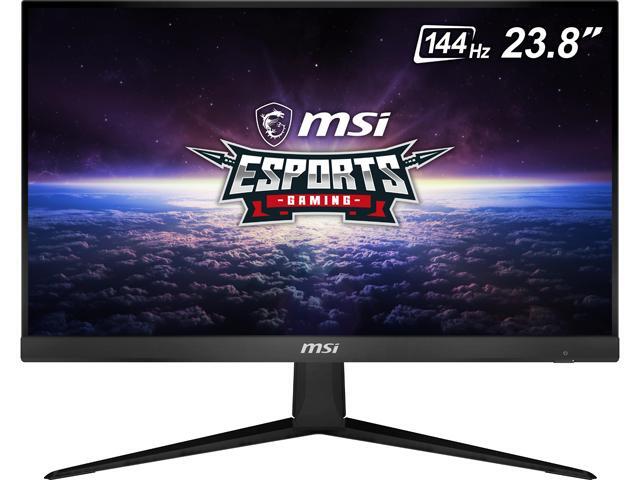
Buy MSI Optix G241 24" (Actual size 23.8") Full HD 1920 x 1080 4ms (GTG) / 1ms (MPRT) 144Hz 2 x HDMI, DisplayPort AMD FreeSync Anti-Glare Frameless Design Backlit LED IPS Gaming Monitor with fast shipping and top-rated customer service.Once you know, you Newegg!
sullen spoke
i saw that one coming xD
mellow basalt
Everyone loves that monitor
stoic island
It's just me
sullen spoke
oos at b&h tho 😦
mellow basalt
Especially Mr1111
mellow basalt
I’m just glad the price is still the same
sullen spoke
why block ipv4
mellow basalt
So how’s everyone doing?
stoic island
because
 deep skiff
Wi-Fi 2
eager chasm
Ipv4 is your local network address 182.168.x.x is local
Does no one else any good without the actual modem ip
stoic island
yes
eager chasm
 sullen spoke
better safe than sorry
stoic island
yes
eager chasm
even then you can honey pot your outward facing IP

that will show those filthy plebs
stoic island
spiff
sand falcon
192.168.0.0/16 ips means nothing, it's fine to share
sullen spoke
hey guys wanna know my ip?
stoic island
1.1.1.1
sullen spoke
it's 294.36.12.1
lol
someone actually kept sending me their ip, i was so confused
 woven wedge
Don’t forget you are in #building-and-recc-chat
sullen spoke
oh yes
cursive wharf
@stoic island check resource monitor
cursive wharf
TM doesnt like to show everything usually. So not too surprising
 vivid coral
My friend asked me to put a budget build together for him around $1,000
Can you guys just pick at it before I give it to him make sure it's good
cursive wharf
@vivid coral few small issues
-SSD isnt NVMe, just SATA M2
-Case is meh price and has poor airflow
-PSU has coil whine issues
also GPU, if not streaming/video recording then get 5700XT
wintry gust
Ohh boy.. ok I got off the phone with my service provider... they finally said... its NOT your pc... I don't know why the tech kept saying that.. @sudden turret
vivid coral
I know he'll have to update the BIOS
wintry gust
Also they only gave me a cat 5e cable....
cursive wharf
also probs not, BIOS is updated from factory. Only way to get old BIOS is from old stock, which is very hard to come by now a days due to being like 10 months since BIOS release and stock being beasically non-existent for some months since the virus
vivid coral
Ok
How's the cooler master q300L
As a case
And that way it saves little money to change that PSU
stoic island
forgot the hdd, here
https://pcpartpicker.com/list/cDT7L2
vivid coral
You know what I'm just going to do it myself
 latent storm
is the asus tuf vg27wq g sync compatible
 burnt dawn
Okay help I've never seen this before
Helping my partner out and she cant seem to find a matching cable to this. She already has 6 pin to molex connected to this last header. The motherboard is ASUS Strix ROG B450-F
eager chasm
Ignore it
burnt dawn
It is connected to fan controller which controls 4 fans so it's ok?
 burnt dawn
ah -_- thanks
burnt dawn
Well Rosewill V500 has fan hub controller
eager chasm
Oh you are powering a fan hub with molex, usually rosewill hubs are powered with Sata power
burnt dawn
That is different but I think I got it resolved. Thanks
eager chasm
Ah well good luck with the rest of the build
eager chasm
Well it's not a header, it's a power cable, and some people still need them
Not many, but some
stoic island
dats normal
 potent prairie
and my laptop idles in the 80s
stoic island
laptops are just on a completely different level
 simple shard
I want to replace my motherboard that went bad.I now have a gigabyte AX 370 Gaming 3. Could I get a better motherboard for $150 or less?
Used for audio production.
sand falcon
What CPU?
Also, are you using motherboard audio or do you have a pcie or external card?
simple shard
External
CPU is Amd Razon three 1200 I’d like to upgrade that also in the ram is DDR four 2/16 GB. Would like to be able to upgrade the RAM to at least 64
sand falcon
What speed ram?
simple shard
I think it’s 2400 I’ll have to look when I get home
cursive wharf
R3 1200 but want 64GB RAM? What use case you got there for the PC?
Only useful use case of that configuration I can think of for that is NAS
sand falcon
CPU is Amd Razon three 1200 I’d like to upgrade that
Audio production can be memory hungry if you have long works with lots of tracks
If it's 2400MHz, I would recommend getting a new kit entirely
Do you need wifi?
simple shard
No Wi-Fi. I just record my own stuff.
sand falcon
You have ethernet then?
simple shard
No, I just use Internet to get updates
sand falcon
Do you connect over wireless or with a wire?
simple shard
Wireless
sand falcon
Cool, so you need wifi
simple shard
Yes
simple shard
Thanks I’ll check it out
sand falcon
When will you be looking at getting a new CPU?
simple shard
Not sure
sand falcon
Okay
sand falcon
It's not the best motherboard, but it's decent for budget builds
Just don't pair it up with a 3900 or some such
 past harness
can sum1 put together a list for 1100 with mostly csgo and a bit of streaming
 rocky kayak
@sand falcon thank you
 digital pecan
@hollow grove nice desk
teal gazelle
How can I shop for the best CPU that's compatible with my motherboard?
sullen spoke
what mobo
 tribal tendon
How do I know if my 24 pin is connected
stoic island
push it in
sullen spoke
them 24pins be tricky sometime, i think there is a clip on the side of the connector
stoic island
24pin doesn't make an audible noise like ram
theres a clip
you can usually feel it click tho
sudden turret
if there is no gap between the connector and mobo, you're good
if you see a gap, you need to push it in more.
you can use your fingertips and hold the mobo so you're not flexing it to much
tribal tendon
@sudden turret

 sudden turret
yeah
tribal tendon
What do you think
sudden turret
i needs to be flush.