#building-and-recc-chat
1 messages · Page 542 of 1
 mortal rampart
 glass laurel
Alright tyy
mortal rampart
yeah prolly the best place to start
not unless you wanna wait for new parts later this year
 sand falcon
Do you use the GPU for anything besides games?
glass laurel
Yeah I was gonna wait a little bit before I did it
mortal rampart
okok
glass laurel
No just games pretty much
mortal rampart
yeah the new cards should be pretty sexy
glass laurel
when is it suppose to come out?
sand falcon
@thick gorge Wraith is a decent cooler. Just watch the thermals and you should be fine. AMD is pretty good about managing its speeds when it gets hot
Sept is the current guess, yeah
mortal rampart
yeah the only thing i might change is your case
just to get some more air in there
glass laurel
Ok
mortal rampart
but if your stuff doesnt get too hot as it is then i think you'll be good
glass laurel
Wait wrong person
mortal rampart
lmao
glass laurel
Lol
 atomic oasis
quick question.. with new build and OS... should I transfer the windows key? buy brand new OS, or the key for OS?
sand falcon
Try transferring the key first, that's cheaper
 still roostBOT
 ╲⎝⧹Mocamog⧸⎠╱#1168 has been warned
Reason: Duplicated text
 limpid roost
mmk but i was wondering what i should upgrade first on the new pc i bought from a friend, board is a b450 pro4 with a ryzen 3 2200g, corsair vengeance 16gb 3000MHz, gtx 2060
limpid roost
mostly games i also multi task random other things
 little osprey
can someone help me
sand falcon
Yes
 wanton crystal
pcpartpicker.com/list/JT8Bp8 opinions please. The MOBO will be b550 just did it for price. The CPU is subject to change based on the new Ryzen and same with the GPU but overall if you take out the new releases what do yall think?
sand falcon
Going for black+white look?
wanton crystal
My goal is actually all white, I planned to do some light painting on a few things and spending a little bit more getting white cables etc
wanton crystal
Yea lol I have watched some videos on MOBO painting and man its a chore ill look for one with white accents if i can find one
sand falcon
👍
This looks like a pretty solid build though. Only strange thing I see is the two separate nvme drives. Any particular reasoning there?
 plain gorge
So i plan on getting myself the ryzen 9 3900x + the rtx 2070 super and was wondering how vr ran on them?
 cursive wharf
What is the build for?
sand falcon
Proabably vr
cursive wharf
but then why that CPU/GPU combo
sand falcon
Cause you can
cursive wharf
I'd hope for some development stuff if you're getting 3900x/2070S
plain gorge
Not good combo xD?
sand falcon
Very goood combo. Hei is saying that it's too powerful
plain gorge
Ahhh I see
cursive wharf
You'd get more from a 3600/2080S
sand falcon
^
cursive wharf
Too much money poured into CPU for a gaming build
sand falcon
3900x is only 400, but sure
cursive wharf
3600 is also $190 or so
while 3900x is like $420
2070S is $500 and 2080S is $700
sand falcon
They cut it down with the 10th gens
plain gorge
I am just getting some good specs so i wont need to upgrade for another like 5 years
sand falcon
If you want that, wait for the xt chips
cursive wharf
I mean, properly OCed 10600k is a chart topper
question of whether it beats XT chips or not rn
sand falcon
3600xt beats it hands down
cursive wharf
10600k with core/mesh ratio/cache OC does a lot better then you'd expect
So again, kinda questionable
sand falcon
That's a more involved overclock
plain gorge
What about a I9-9900k rtx 2070 build?
cursive wharf
Only Intel chip worth buying if z490 boards dont ruin it, or the XT chips
sand falcon
10600k is $300?
cursive wharf
no, same primary issue. To much money on CPU for a gaming build
plain gorge
Then what would you go with? 😂
cursive wharf
I expect 10600k to maybe replace 3700x gaming builds
if everything goes in Intel's favour
which is unlikely, but possible
sand falcon
Games are moving towards being able to use multi threaded workloads. VR especially. 10600k is really not that great imo
3900x is probably too much though
little osprey
sorry to interrupt but i have a question
little osprey
do you guys know when the msi B450 tomahawk MAX is going to be back in stock
plain gorge
What if i went with a Ryzen 7 3800x and a 2070 super?
cursive wharf
Also lows are kinda going to stay kinda meh on current gen Ryzen due to CCX to CCX info transfer and if 3900x or better then chiplet to chiplet transfer when trying to utilize all the cores.
plain gorge
Less overkill and a bit cheaper
cursive wharf
3600/2080S
same price as first option given
if you want to push budget, 3700x/2080S... Maybe but probs not cuz bad pricing most likely is 10600k/2080S
Also needing to OC well is other issue
Zen3 hype for making one CCX per chiplet tho
sand falcon
From what I've seen zen2 has better and more consistant core to core latencies than intel chips. Not sure about 10th gen though
cursive wharf
Wonder if refresh would do one CCX per chiplet. I have barely looked into the refresh info
sand falcon
Refresh info doesn't really exist yet. I'm guessing that they'll stay at two ccx per ccd. Changing that would be a major architectural rework
I would probably go with 3600x or 3700x from the amd side. vr should be pushing multi threaded tracking here shortly, so that would be a boost
cursive wharf
3600 to 3600x is a waste of money tho, esp with PBO
wanton crystal
there is some refresh info.. how legit it is remains to be seen www.notebookcheck.net/AMD-Ryzen-9-3900XT-and-Ryzen-5-3600XT-benchmarks-leak-Comet-Lake-S-Core-i9-10900K-and-Core-i7-10700K-take-a-single-core-beating-despite-500-MHz-higher-clockspeed.466823.0.html
sand falcon
Doesn't 3600 have two ccd's though?
cursive wharf
3600 and 3600x are the same but slight clock differences last I checked
plain gorge
So Hei do you think if i got the 7 3800x with the 2080 would be a better option?
Then the 9 3900x with the 2070?
cursive wharf
I mean yeah, but a 3800x and 3700x are basically the same but one is pricier for barely any gain
plain gorge
I see
cursive wharf
same as 3600 to 3600x
wanton crystal
If you can wait a bit the 3070 and 3080 are rumored to be coming out in september
cursive wharf
Never seen any real perf differences between "decently" binned to "greatly" binned AMD chips, so I assume it's one ccd
wanton crystal
if the rumors are true they perform much better but we will have to wait and see
sand falcon
Just checked. Both 3600 and 3600x are both on a single CCD with one dead core per ccx
Server Ampere is hugely more powerful. The main thing is whether the gains in compute translate to gains in game
plain gorge
And let's say I did go with the Ryzen 7 3700x and the rtx 2080 how would that handle vr... I do plan on spending some cash on a headset soon and was wondering how it ran?
cursive wharf
yep, raw compute power isnt always rasterization perf. Seen that with Vega
great compute perf with meh rasterization perf
sand falcon
Question though: Are you going to be streaming your vr?
 noble edge
 cold sorrel
Looking forward to when the reviews for the b550 motherboards start rolling in
cursive wharf
Idk about reviews. Never seem to consider things like amount of M2 slots too much, sound/LAN chip, WiFi, etc. All their recommendations are basically just from VRMs. Can say that based off of how the Tomahawk is somehow still so popular
cold sorrel
Yeah... I'm not interested in overclocking at all. I just want to know it's not going to catch fire
 hidden relic
anyone have any thoughts on this, trying to keep the cost to 600 or less. ca.pcpartpicker.com/list/TgwsFG
would like to swap the ryzen 5 for the ryzen 3 3300x but not seeing availability and want to build before june 26 (kids bday).
sand falcon
@hidden relic That's a pretty solid build for the budget. If you're on a schedule like that, I would go ahead and buy the parts you're sure of now. Things are going in and out of stock all over the place right now
hidden relic
thanks bob. just looking for affirmation before i pull the trigger. got parts in cart. case says 1 left
psu says ships 13th of june...
sand falcon
Any other PSU's around?
sand falcon
If it will get there on time might be worth it
So you have an older ryzen or athalon processor around?
hidden relic
no why?
sand falcon
The motherboard might need a bios update
hidden relic
i have an fx6300 in a 7 year old build i am giving to my nephew
oh i saw that. i'm getting the ryzen and mobo as a bundle from microcenter...so hoping it will be good to roll
sand falcon
That should be fine then
hidden relic
i want to do the ryzen 3 3300x but don't want to wait...
and be sol to close to his bday
sand falcon
How much cheaper is the 3300?
hidden relic
yah...i'm going to pull the trigger now. get this in the works. thanks for the chat
sand falcon
No problem. Best of luck!
hidden relic
done and done. case showed one left...now none. will ship on june 14. psu on 13. lets hope i'm not heading to microcenter to drop another $100 than what i budgeted to replace them at the last minute
Think i'll video/stream the kid and I building it. hoping he will enjoy it.
 high coyote
https://www.amazon.com/gp/product/B07DG4TKQP/ref=ppx_yo_dt_b_asin_title_o02_s00?ie=UTF8&psc=1 I bought this for my new fish tank build lmao
 waxen finch
Just copped a new pc case
sand falcon
You can get a pretty good pc for that price. Will you be doing any streaming or video editing too?
 thin sentinel
That's about my budget too
sand falcon
Cool 🙂
Will you just be doing gaming, or will you be doing any other tasks with the computer?
Also, how long are you two willing to wait for your builds?
 hearty depot
Same budget as taxes and xennu. I’ll be gaming and streaming, possibly video edit down the road. I don’t plan to start building til early 2021
sand falcon
@hearty depot You'll want AMD then, probably zen3 sicne it should be out by then
 fiery cave
@sand falcon just gaming and I don’t mind waiting a couple of months
 signal drift
has anyone u;sed the cougar vortex fans for radiators, how quiet do they sound
im kinda figuring you gotta add like 10db to the sound profile they state as stock when a radiator is involved
sand falcon
Just gaming probably would be probably AMD in a few months
waxen finch
Does anyone know a fan splitter that has all 4pin not 3pins? Because I have 6 ll120mm fans and I’m planning on adding more once I get my 011 Dynamic
Ping me if u do
waxen finch
Just 4pins no 3pins?
signal drift
@waxen finch i msged u
 past umbra
I have like 250 dollars to spend on computer stuff and I want WiFi and Bluetooth since my mobo didn’t come with it. Should I buy a whole new motherboard (I currently have a tomahawk b450 max) or should I buy an expansion usb or pcie card and spend the rest on other stuff
waxen finch
Just get a usb WiFi adapter
They are like 10 bucks at most
And just spend the rest on the stuff on upgrading parts
Like your gpu or cpu
mortal rampart
@past umbra what are your specs rn
as in like the gpu and cpu
i would guess you're already on ryzen 3000 series with that tomahawk max
 crude otter
so should i wait for the rtx 30 series or should i just get a 2080 ti
i want a very good card to run the new flight sim coming out
mfs202
graphics look like this:
 viral ore
well, i think 30xx cards are supposed to be out before it releases
crude otter
thats how it looks
so i think i need to rlly good card to run that
i also want a pc to last me a long time
viral ore
that depends, just because the game looks good doesnt mean you need a good card to run it
crude otter
they listed them already
viral ore
did they?
crude otter
yes
viral ore
i mustve missed it
crude otter
let me get them
CPU: Ryzen 3 1200 / Intel i5-4460
GPU: Radeon RX 570 / NVIDIA GTX 770
VRAM: 2GB
RAM: 8GB
HDD: 150GB
Bandwidth: 5 Mbps
those r the min
viral ore
oh, i know of the 150gb space requirement
the other stuff i didnt
if course, im sure you can turn the graphics WAY down
crude otter
thats the ideal specs as well
CPU: Ryzen 7 Pro 2700X / Intel i7-9800X
GPU: Radeon VII / Nvidia RTX 2080
VRAM: 8GB
RAM: 32GB
HDD: 150GB (SSD recommended)
Bandwidth: 50 Mbps
those are the ideal
crude otter
well i am gonna get the new intel cpu
the intel i7 10th gen is what i am thinking
10900 k i think
viral ore
im sure you can wait a few days after release, because people on youtube will be benchmarking the game, so you can see how it runs
viral ore
yeah, if you wanna go 10th gen intel, your gonna wanna wait a month or two at least for the prices to go down
well, i mean release
not alpha or beta
viral ore
lots of things can change between now and release
viral ore
youll do fine
crude otter
hopefully
viral ore
its not that difficult
viral ore
F
viral ore
i assume its a prebuild
crude otter
yes
a dell xps
a very bad pc
you cant rlly install stuff in there its rlly hard
but this time i will do it and i will do it good and i will be more attentive
viral ore
lol
crude otter
i want to build it so that i can learn
viral ore
well, by august or september, hopefully pc components are more available and cheaper than they are now
crude otter
yeah
little osprey
Hey all
viral ore
something to note is that thats the time frame that Ryzen 4000 cpus and Nvidia 3000 gpus will launch
crude otter
ok
viral ore
so when you get ready to order you will have new components to chose from
crude otter
yes
i already have an idea of what i will get
the only thing is the psu the cooler and the ssd
i want ssd only in my pc
motherboard i know what to get
cpu and gpu i have an idea
case i am not sure
and yeah
crude otter
ok
 zealous epoch
Ryzen 3 3300 or 5 1600 for a B450 gamer PC?
viral ore
3300x
 exotic lichen
What's the best duo with a 3700x
Bottleneck calculator says a 2080 super will bottleneck with it but I'm not sure if it is reliable
 fast dust
2080s will be a good pair with the 3700x
Also bottleneck calculator is not a very good tool to use. Inconsistent
past umbra
I’m looking for a motherboard to replace my tomahawk b450 max. I want it to have onboard WiFi and at least 2 m.2 slots and atx form factor. Any suggestions?
I have a Ryzen 5 3600
fast dust
Why don’t you just get a WiFi adapter for your current motherboard?
past umbra
Would that be better?
fast dust
It’d be miles cheaper
past umbra
True
fast dust
And your motherboard is already pretty good
past umbra
Any suggestions on an adapter
fast dust
Look at PCIe adapters on Newegg
past umbra
Would pcie be better than a usb
fast dust
PCIe is more expensive but more stable than USB
I have a USB adapter and it works fine but every now and then I’ll have to restart my PC because of some weird problem on it
past umbra
Crap I didn’t see that
fast dust
And btw I don’t know too much about WiFi adapters so I’d check other reviews and stuff
past umbra
Ok
 sterile trout
When I put 16 gb of ram in my Pc it works and turns on fine. When I put in 32 the pc lights up and seems to be working, but my monitor won’t turn on and display my computer. Does that mean that my pc can’t handle 32gb of ram?
fast dust
What motherboard and CPU do you have?
sterile trout
I have an Alienware aurora r6 board and an icore 7 7th gen
 woven crypt
Anyone know what this cable is?
 sudden turret
usb-c
 ripe wedge
would you be able to afford this?
this would be a better choice over the 3300G
its a solid cpu
comes with fan also
 forest salmon
As of now I'm dirt poor working a minimum wage job just graduated high school and gotta pay off a car XD
ripe wedge
ah
forest salmon
But I do got an older brother that still owes me some favors lmao
So he might help a little
ripe wedge
but the another reason against that APU is because they tend to run hotter
because they have gpu and cpu in it
forest salmon
See I'm not the best with building pc's I've never built one before or planned on doing it
I was gonna buy a pre built one but plans changed and people said building one is cheaper
forest salmon
Yeah I watch linus tech tips
ripe wedge
if I can find a cheaper PSU we could put that budget money towards the cpu
cuz the one u sent was a white psu for $90
forest salmon
PSU: EVGA 600 W1, 80+ WHITE 600W, $90
CPU: AMD Ryzen 3 3200G Processor (4C/4T, 6 MB cache, 4.0 GHz Max Boost) with Radeon Vega 8 Graphics, $90
Memory: Crucial Ballistix Sport LT 3000 MHz DDR4 DRAM Desktop Gaming Memory Single 16GB CL15 BLS16G4D30AESC (White), $80
ripe wedge
forest salmon
So get a cheaper psu?
ripe wedge
a 500W should be enough
this one is like $65
but $5 shipping
$7*
and its bronze and not white
white is the worst
ripe wedge
it isnt as efficient and wont last as long as a bronze
forest salmon
True
ripe wedge
in 1 stick?
ripe wedge
or is it 8x2
ah
duel channel is better for ram
which that is
now about that mobo
forest salmon
Which if I get a motherboard that has 4 slots I could get 2 more whenever needed
forest salmon
Motherboard: Asus Prime B450M-A/CSM AMD Ryzen 2 AM4 DDR4 HDMI DVI VGA M.2 USB 3.1 Gen2 mATX Motherboard, $80
ripe wedge
just easier
forest salmon
Hold on
ripe wedge
you might need to flash the bios in order to use a 3600
ripe wedge
because it may only come with support for the older cpus but flashing the bios shouldnt be too hard
and yup it has 4 slots
it says it supports 3rd gen
so maybe you wont need to flash the bios
forest salmon
So the mobo is good
woven crypt
usb-c
@sudden turret Not seeing anywhere in the motherboard manual where it would be connected
ripe wedge
@woven crypt some mobos dont support it
ripe wedge
basically... oof
woven crypt
Thankfully it isn't necessary
forest salmon
Yikes
ripe wedge
idk if a new psu will fit in your case
your current case
same for the mobo
idk if the stands will line up
forest salmon
Will it fit everything?
ripe wedge
idk
forest salmon
hm
ripe wedge
you can buy it all and see if it fits lol
and if not then order a case idk
you can still run a pc out of a case but its just better if it has a case
forest salmon
yeah ima get the parts then see if it fits
forest salmon
i have a list hold on
ripe wedge
did u update the list?
forest salmon
PSU: EVGA 600 W1, 80+ WHITE 600W, $90
CPU: AMD Ryzen 3 3200G Processor (4C/4T, 6 MB cache, 4.0 GHz Max Boost) with Radeon Vega 8 Graphics, $90
Memory: Crucial Ballistix Sport LT 3000 MHz DDR4 DRAM Desktop Gaming Memory Single 16GB CL15 BLS16G4D30AESC (White), $80
Motherboard: Asus Prime B450M-A/CSM AMD Ryzen 2 AM4 DDR4 HDMI DVI VGA M.2 USB 3.1 Gen2 mATX Motherboard, $80
Storage: Crucial BX500 CT120BX500SSD1 240 GB, $50
GPU: GIGABYTE GeForce GTX 1650 OC 4G, $160🖥️
no not yet
 crystal quest
when do you wanna build this by?
forest salmon
no set time but rather have it done as fast as i can
i got the gpu already
and got 2x8 ddr4 ram
so good on that
just need a new motherboard, cpu, psu, and storage
but working a job i get 8.55 an hour aint helping much
crystal quest
okay what’s your total budget remaining
forest salmon
$400 ish
ripe wedge
I would say the ryzen 5 3600 with that mobo and the $70ish power supply
that should be around $300 somewhere
oh and storage too
for $50 u should be able to get around 500gb not 240gb
forest salmon
where you seeing the ryzen 5 3600 for 70?
ripe wedge
the ryzen 5 3600 is $160
forest salmon
i was gonna say XD
ripe wedge
so it would be $167 + $80 (mobo) and + $70 power
forest salmon
oops
crystal quest
i’m looking through what’s not back ordered rn and seeing if i can put together a small setup to fill your remaining needs
 latent storm
is the gigabyte aorus b450 pro wifi a good board?
ripe wedge
@forest salmon
this would be better than a 240gb
$10 more but
also this is m.2 so its faster
your mobo you chose has a m.2 slot
latent storm
@ripe wedge is that drive nvme?
forest salmon
PSU: EVGA 110-BQ-0500-K1 500 BQ 80 Plus Bronze Semi Modular 500W Power Supply $65 (newegg)
CPU: AMD Ryzen 5 3600 6-Core, 12-Thread Unlocked Desktop Processor with Wraith Stealth Cooler $160 (amazon)
Motherboard: Asus Prime B450M-A/CSM AMD Ryzen 2 AM4 DDR4 HDMI DVI VGA M.2 USB 3.1 Gen2 mATX Motherboard, $80 (amazon)
Storage: WD Blue SN550 500GB NVMe Internal SSD - Gen3 x4 PCIe 8Gb/s, M.2 2280, 3D NAND, Up to 2,400 MB/s - WDS500G2B0C, $65 (amazon)
this is currentylu what i got
ripe wedge
@latent storm ye
@forest salmon ye
btw @forest salmon what clock speed is your ram u bought
forest salmon
that bad?
forest salmon
well 55
ripe wedge
still kinda bad
ripe wedge
idk if u have opened them
idk
it depends
check where u bought them from on return policy
forest salmon
amazon
ill look
@ripe wedge
so i can return for free
not sure about getting money back
crystal quest
aight i went old school and wrote this on paper @forest salmon
ima DM you
essentially:
MSI B450 Pro VDH Max ~$80 on third party retailer through google shopping
Ryzen 3 3300X ~$120 through B&H Photo
EVGA 100-W1-0500-KR 80+ 500W $54 through staples
Crucial MX500 500GB SSD w/ 512MB DRAM Cache through Amazon
Phanteks P300A mesh front case w/ 1 120mm fan ~$60 through Amazon
That totals 384 before shipping and taxes
You'll definitely want a Ryzen 3 3100 or 3300X in that price range. No need for the 3200G APU since you already have a graphics card. You dont need a CPU cooler better than the included one for now because they are pretty power efficient as long as you don't overclock heavily.
Based on your current budget you can fit the 3300X and its definitely superior
The PSU I chose was only 80+ because you're on a really tight budget and I wanted to get you a case. PSUs are extra expensive right now because of corona related causes. They will come down in price in a few months and will be a fairly cheap replacement compared to other items. Thats if you even need it!
80+ bronze is nice, but not when youre putting your ~$400-700 in an HP pavilion case
forest salmon
im planning on getting a new case but it isnt something i need rn
crystal quest
The new phanteks cases are great for airflow and keeping your components cool
plus the 300a is super budget friendly
forest salmon
im more focused on upgrading/building a new pc then if needed get a new case
crystal quest
Maybe check youtube to see if you can mount an aftermarket motherboard in the HP. Not the most necessary thing, but would be medium-high on my own priority list.
forest salmon
ok
im not trying to go to overboard im just trying to get things just to be able to live with
crystal quest
yeah I definitely tried to make it $400 budget friendly and balanced with what you said you already have
forest salmon
yeah thank you
crystal quest
Motherboard + CPU = 200. PSU = 50. Storage = 50.
Case is your call!
I sent you my list + sites where you can find them in stock in dm
Mobo + PSU are hard to find in stock rn
everything is backordered or being scalped overprice :\
forest salmon
because of the whole thing going on
crystal quest
yeah. PPE has priority shipping. They cant get the stuff on boats fast enough.
All in all @ripe wedge has given you all the advice you needed. I was just bored and wanted to contribute haha
forest salmon
i feel you XD
i just got off work and found the ram came in
then realized it was ddr4 so it wouldnt fit
so im just like welp there goes that
crystal quest
well for around $300 you can get your 4 required components and figure out the rest as you go!
crystal quest
But I agree with @ripe wedge, if you upgrade to a new ryzen you should swap those memory sticks out for some 3000MHz+ sticks. The CPU has this stuff called "infinite threading" that really uses the higher ram speeds efficiently. It'll prolly be your biggest FPS per dollar jump.
 copper mason
You guys got any tricks on how to unplug 24pin Mobo power?
 wary geode
The wiggle is key
I hate plugging in my extension 24 pin seems to never fit but it works by some miracle
latent storm
thank you aorus
here’s me thinking i could make an all aorus computer for a reasonable price
cursive wharf
Lol, you can never do an all one brand PC for a reasonable price, let alone actually decent price
 stoic island
lol
fast dust
@feral jetty what PSU are you using in that build
 untold trail
no links are allowed right?
bc im looking at mobos, one on amazon, and one on newegg and for some reason they both have identical names, but look different?
if anyone can help, just dm i guess so i can send the images
sand falcon
Links are allowed if your name is blue
untold trail
for some reason the pro gaming on pcpartpicker looks like the PLUS thats on amazon
viral ore
tuf pro is very good
untold trail
and the newegg one looks totally different
ik
thats what i was recommened, but for some reason these are all mixed up
i wanna order the one on newegg bc the price is much better but it looks like an entirely different mobo
viral ore
pcpp lists arent perfect, but theyre close enough
the tuf pro might just be oos everywhere
so youll need a different board
 spiral zealot
am i missing something? the pcpp is asus, the newegg link is ASRock, i don't see an amazon link though
so yeah they would look different
completely different brands, just using the same chipset and similar naming
viral ore
well, its overpriced on amazon, so forget it
and oos on newegg
so either find it somewhere else, wait, or i can find you a different board
untold trail
i could get the plus, ive heard theyre very similar but the pro is better
spiral zealot
i run an ASRock B450 for my build and it's great
but mine is mini-itx
not that much different though, just more stuff on the micro, more dimm slots, pci slots, etc
untold trail
and they have the same measurements andshit right? meaning if i made sure the pro fits, the plus will as well
thanks
spiral zealot
yeah, they're both micro-atx, so dimensions are the same
viral ore
yeah, those words get auto removed by the bot lol

 wary tundra
Hey mr111 or hei, do you have a build for $700
cursive wharf
Pro is better by a fair bit. But also prices and stock is pretty meh. Plus usually isnt the best priced "super budget" mobo
untold trail
so if i cant get the pro are there any alternatives
wary geode
yeeee
spiral zealot
@wary tundra you can probably put together a decent 1080p60 high/ultra system w/a 3300x and a 1660 super for around $700 if you're building from scratch, just going off the top of my head
spiral zealot
👍
mortal rampart
W
wary geode
Noice
wanton crystal
So I'm building in the next few months but if i was to build now what would be better?
This would be for streaming/gaming. A Ryzen 5 3600 with a 2080 super or a ryzen 7 3800x with a rx5700xt
 sacred obsidian
i would go with the 3600 and 2080 super
especially if streaming as you could use the NVENC encoding
spiral zealot
^
wanton crystal
What is NVENC encoding?
sand falcon
Very nice 🙂
sacred obsidian
its basically a thing nvidia gpus have that allow the streaming to be taken care of by the GPU instead of the CPU to limit impact on performance
spiral zealot
it basically offloads the overhead for encoding the video onto the GPU and off the CPU
wanton crystal
Ahh gotcha
So when gaming/streaming is the any circumstances the ryzen 7 is better and worth the extra money vs the ryzen 5?
sacred obsidian
it will make it to where you dont see much of a performance hit in games
not really no
wanton crystal
Ok great, thanks for the input
 snow stag
i need helpp
stoic island
Yes
snow stag
how do you know if a motherboard is the reason why your computer won’t display anything. like the computer turns on but nothing displays.
stoic island
That can mean a ton of things
What else happens when you turn it on
@snow stag do you have displayed plugged into motherboard or graphics card
 barren kindle
i had an issue like that with my new build...ended up being a bios issue
stoic island
I had the issue, first was a dead graphics card, second a motherboard issue.
It can be many things
Motherboard CPU GPU ram PSU
Basically anything
There are cases where even a bad hard drive makes it not boot :p
 last wing
@snow stag I literally had the same issue today. It turned out that my motherboard didn't support 256GB of ram only 128GB
little osprey
guys is this all I need for my build
spiral zealot
you're missing a mobo
little osprey
@spiral zealot the person who selling the case is providing it
@spiral zealot so that's it?
spiral zealot
as far as 'can i build a pc with this' yes that's all you need. like @cloud drum said though, that GPU will hold you back
oh wait
ram
is it in the motherboard as well?
 cloud drum
I would get at least 8
little osprey
and also I need my limits
so I picked 970
and also I need my limits
@little osprey
cloud drum
Limit?
little osprey
yes,
having a great machine is not fine fo rme
I spend most hours on pc
than other
anyways I can buy another gpu
@spiral zealot any i9 cpus which doesn' heat up quickly?
I am more of intel core than a ryzen
spiral zealot
no clue, i'm an amd guy myself
spiral zealot
super old, 4th gen i7, compared to 10th gen right now
still not a bad CPU, but not compared to current intel/amd
cloud drum
It all really depends on what your cooling it with
little osprey
no you would actually need 16gbs ram for that system
little osprey
what's the difference between a low profile gpu? and a regular
do they have same performence?
 silent fractal
 half crown
question: since my 3rd M.2 slot shares lanes with sata ports, would it be useless to get a pcie x4 hardware interface m.2 drive?
or will it be fine?
untold trail
How much worse is the plus mobo than the pro
I’ve been looking for an alternative but I’m lost
The asus tuf B450-M plus and pro I mean
 buoyant flame
M.2 is very overpriced and that cpu cooler isn't gonna help much
buoyant flame
The stock cooler for that chip will have about the same cooling power as the 212
Also how much cheaper can you get the m.2 for?
 wise heron
About 50$
buoyant flame
So 135 then?
wise heron
Yeah around that
buoyant flame
OK ig thats fine
My last comment is that I'm not crazy about that case, airflow wise
wise heron
How so
buoyant flame
It doesn't have good intake
wise heron
What Do you recommend in that price range
buoyant flame
The td500 mesh tbh
Its a little more flashy tho
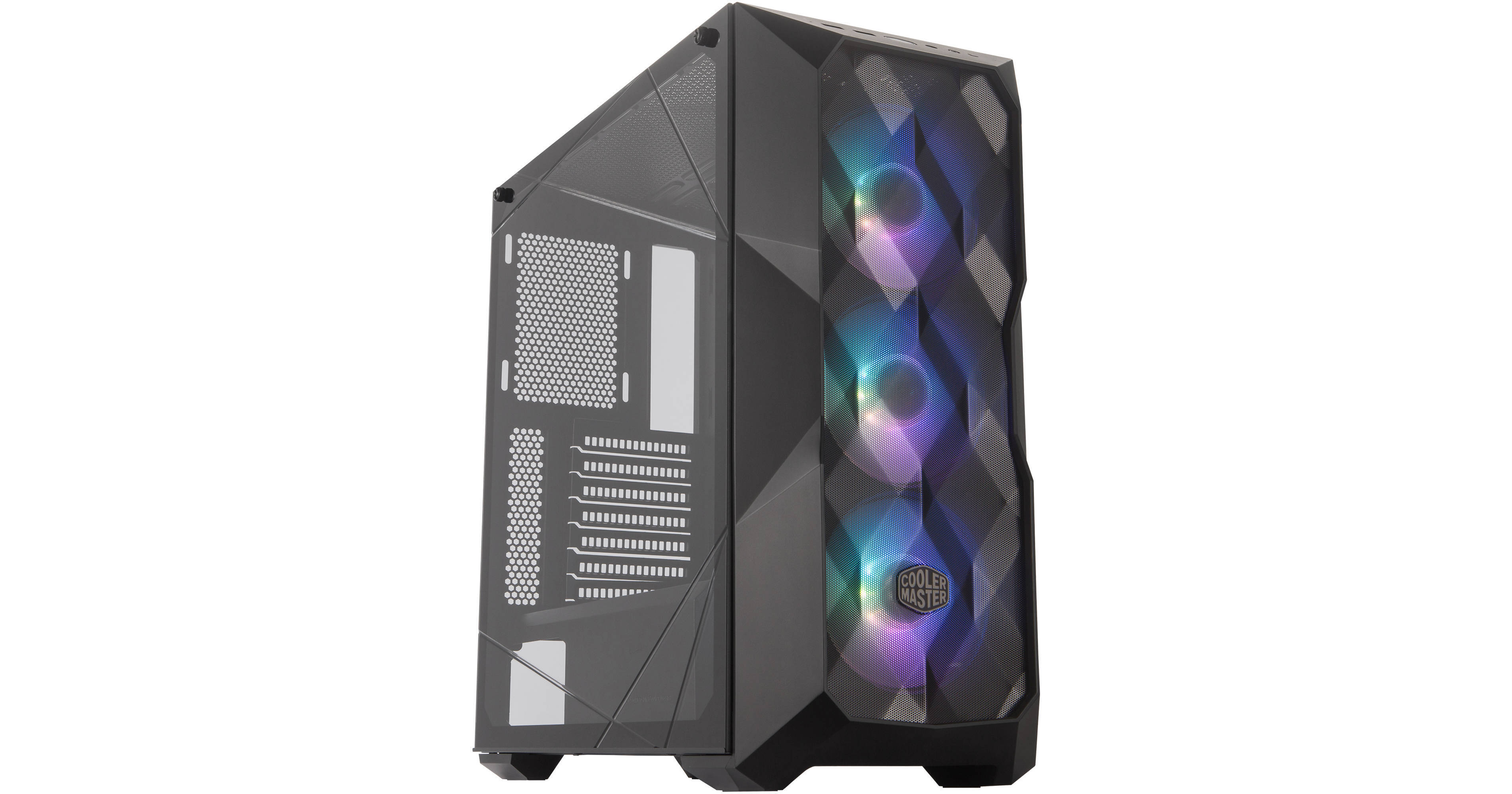
Buy Cooler Master MasterBox TD500 Mesh Mid-Tower Case (Black) featuring Supports ATX, Micro-ATX, Mini-ITX & More, Steel Frame & Windowed Side Panel, 2 x 2.5/3.5" Drive Bays, 4 x 2.5" Drive Bays, 7 x Expansion Slots, 2 x USB 3.2 Gen 1 | Audio In | Audio Out, 3 x 120mm ARGB Fans...
Here's the link
wise heron
The fans come with the case right?
wise heron
Isnt it bad with 3 intake fans at the back?
Generally you would want them to be exhaust
wise heron
Nvm
buoyant flame
👍
 silk estuary
@cold iron no they didn't abuse power you asked a question in #build-pics
ripe wedge
cant you just flip a fan around and boom exhaust
silk estuary
I think so
If it's blowing one direction and you flip it around it would blow the other direction
Instead of intake, outtake
still roostBOT
 00#5000 has been warned
Reason: Bad word usage
 glacial stream
OMG
ripe wedge
uh oh bad word
 finite remnant
He, which is the best PSU Deepcool, silverstone,or gamdias?
 sullen spoke
depends on specific model https://linustechtips.com/main/topic/1116640-psu-tier-list-40/
Linus Tech Tips
PSU Tier List 4.0 rev. 13.0 welcome to the brand new PSU Tier List! Created and maintained by @DatTestBench, @Stefan Payne, @GreatMasterAden, @Juular, @Elisis, @Maurice from Madagascar, @boghubodaghi and @LukeSavenije Last Update: 30-05-2020 Commonly mentioned terms: Spoiler P...
 modern shadow
@stoic island honestly you should make a business on fiveer making lists for people
sullen spoke
yeah you really like making build lists xD
viral ore
what if we did that for the newegg server, but didnt charge anything on fiver, so the listing would just be a link to here? lol
advertise the wegg server
sullen spoke

sand falcon
I've always though that would be a cool business
viral ore
its too niche to make a living off of
wouldnt be bad as a side gig
but people like us ruin that opportunity for people by offering our knowledge for free
sand falcon
If you build the systems too though too...
viral ore
and if you wanted to physically build for people, that would only work locally
and you would have to charge a ton more
sand falcon
You could ship
viral ore
because that now takes hours of your day
shipping is dangerous
and for just a side gig, one mishap is detrimental for your business
sand falcon
Yeah
viral ore
srry cant spell today
sand falcon
It's fun to build systems though. That's supposed to be part of my job, but budget right now.... not good
viral ore
its one of those things that is extremely locational, like in big cities where you have lots of possible clients and could reasonably deliver yourself
shipping costs alone make it totally unprofitable lol
sand falcon
Clients pay for shipping. That's what big companies like dell do
viral ore
so now your already charging them a ton more for your service
sand falcon
yeah 😦
viral ore
especially considering you would typically have to convince these types of people why just buying from cyberpower or dell is a BAD idea and costs too much
the people who want a custom pc, but are too scared to build it themselves and wanted to get a custom one from ibuypower
sand falcon
Yeah. Does microcenter do system builds?
viral ore
they do something
i think they let you build it there and they have people available to assist
or something like that
if i had to work for minimum wage anywhere, i would choose microcenter lol
viral ore
AAAAAAAAAAAAAAAAAAAAAAAAAAAAAAA
theres a microcenter in minneapolis
WE MUST PROTECT IT AT ALL COSTS
viral ore
why are their 5 of them in NYC?
viral ore
sad, theres no MC in portland
 stoic island
Protecc PC parts
 foggy bough
guys should i get the rtx 2060 ko or the saphirre rx 5600xt? (rtx 2060 ko is 10 euros more)
modern shadow
Oh no my computer restarts when im playing a game
Probably because I took off the cpu cooler and put it back on a couple days ago
foggy bough
but rtx support,better drivers,less power consumption
foggy bough
yeah but what about dlss 2.0?
viral ore
i would rather have the game be playable than look good
sand falcon
2060 also has nvenc though, and you can use the rtx cores for some other stuff
foggy bough
no streaming @SassyFish256#5716
viral ore
foggy bough
oh ok lol
viral ore
its close enough that the difference on gpu models can boost clocks can make them closer
so power consumption is pretty much the same
foggy bough
k
viral ore
no streaming, so nvenc is not super important
dlss 2.0 isnt worth sacrificing performance, im sure you would turn it off anyway
foggy bough
but still dlss 2.0 pimps up ur framerates right?
foggy bough
so basically more frames than the amd card?
viral ore
1.0 will be unplayable on a 2060, 2.0 will increase the performance of 1.0, but will still perform worse than if you just turned it off
foggy bough
okay
viral ore
what monitor are you using?
foggy bough
so i will buy the 5600xt right?
viral ore
you saving 10 euros, so why not? both cards are similar enough for what you want to do
viral ore
1080p?
foggy bough
yes
viral ore
ok cool
foggy bough
yeet my performance will be FAST AF
viral ore
pc go zooom
 viral cave
I don't need this anymore!
 vague crystal
600 usd build?
viral cave
600?
 junior blaze
@viral cave so if u dont mind "lower end" monitors you could get 2 for not much
viral cave
I paid $100 for the monitor I have and I hate it!
junior blaze
well an alternative is to get 1 ultrawide but that is PRICY
viral cave
Yeah I don't have the money to upgrade anything right now unless if I make a YouTube channel.
junior blaze
well the posters would do the job if thats what you want
viral cave
I would like that and paint my room.
copper mason
ez
@fast dust in theory hah
in my case I had to use a tweezer to keep the latch open, use prying tool to create some gap, remove cooler fan, RAM to finally wiggle it touching its length side
it was a royal PITA ((::
guys question: to let the IO shields prongs touch or not to touch the ports ?
 normal brook
It shouldn't matter.
They're grounds.
case is also grounded.
@copper mason, I should specify, as long as the prongs are touching the port's outside casing, not any internal pins. Lol.
copper mason
I should specify, as long as the prongs are touching the port's outside casing, not any internal pins. Lol.
@normal brook gotcha makes sense thanks hah
I was actually afraid of them touching anything at all, was about to bend them out of the way
some guy on another server said Linus said letting it touch the ports would fry them
if there were something like a PC building Bible with factual information it'd help n00bs like me so much xD
normal brook
The outside of all ports are ground, there should be no issue with it touching the IO Shield since the case is also grounded.
copper mason
ya looks like that's the general consensus
normal brook
There kinda is a lack of specifics. It just takes general knowledge of PC building, and how stuff works I suppose.
copper mason
but see I would have to google and cross check answers for every little question like this
especially someone who's prone to worrying ((::
another example would be ESD
normal brook
It's an Electrical Engineering issue.
copper mason
ya so with ESD you prob already know that most people don't take it seriously
but when I read responses of people in the field, it makes much more sense to just follow protocol
copper mason
those with ESD training, those jobs are to isolate ESD failures, or simply those who know the facts and can explain it clearly
normal brook
I would always at the least touch something grounded as a pre-caution.
copper mason
if I understand correctly, there's no way to prove the existence of ESD damage or lack thereof, without professional equipments or some such
so I just play it safe and ground myself at all times
copper mason
I meant latent damage
not catastrophic damage which would prob be immediately apparent
normal brook
Then no. Probably not.
You can definitely prove it's existence by running experiments yourself.
But if you're talking about a manufacturer calling you out on it?
They're not going to.
copper mason
I meant for lay people of course xD
I don't have the knowledge/experience/toolings/ $$$$ to test it haha
normal brook
Sure you do.
copper mason
so I play safe
normal brook
You don't need tools.
copper mason
how do I go about proving ESD damage 🤔
normal brook
Just get some junk RAM, and run the humidity in your house way down by running the airconditioner non-stop then touch the RAM.
Make sure the ram works before hand of course.
Then try until your RAM stops working.
copper mason
that would be catastrophic damage tho right ? xD
I meant latent that won't become apparent until months years down the road
normal brook
Yes, but you wouldn't notice it except for the fact your RAM doesn't work.
I see what you're saying.
It's potentially possible still, by running memtest 86 or something.
copper mason
latent damage seems very difficult to prove, and accounts for more ESD damage cases than catastrophic one I'd reckon
not sure about the exact numbers
but ya I don't worry too much about ESD
because I am already worrying enough about it 🤣
normal brook
Most people don't. And I don't like working with those people. 😛
Especially in enterprise environments.
copper mason
I follow protocols most people wouldn't
like wearing nitrile gloves and ESD strap xD
normal brook
Oh, then you worry about ESD.
copper mason
yes ofc xD
normal brook
You just stated that you don't worry too much about ESD.
Contradicting yourself. xD
copper mason
then I said "because I'm already worrying enough about it"
just kidding hah
and ya I don't even work in IT haha
or EE background or anything, just personality preferences
good chat tho thank you ((::
 wraith mesa
My new build getting ready
normal brook
Maybe not to the average person, but I am a self-taught multilingual, and notice specific nuances in the way you speak.
copper mason
oo very interesting, I'd like to hear it :>
also super exciting that I'm almost done with the build
normal brook
What are your guys' build components?
copper mason
it's my first time, and I went with a ThreadRipper, and one with weird choices at that
so I get trashed on a lot haha
someone even bet that it won't turn on ((::
bet $10 that it'd shut down after 5min of Prime95
copper mason
looks like I can't share links here, but i'll remove the URL dots:
drive google com/file/d/17J3rfGdOnmme_H_xslQqqCznQMIyQ0rN/view?usp=sharing
that's my build log, on top is link to PCPP parts
normal brook
That is definitely not what I was talking about.
That is how you're building your machine.
normal brook
What are the specific individual components you've purchased?
copper mason
I don't have that link handy that's why
copper mason
ya I only have that link with me atm that's why I shared you that
about 2 weeks ago was when I received my final parts
copper mason
didn't start building until couple days ago
normal brook
You made like the opposite of a gaming computer.
copper mason
goal: to free myself from cheap azz devices all my life ((::
noted that I got it for much cheaper than current market rate
like 500-700 cheaper
normal brook
A 16 core threadripper cpu paired with a 1660 Super isn't going to do that though.
What is your workload?
copper mason
ya right now I'll try to keep it CPU-bound only with general IT/development stuff, VMs, maybe emulators etc
1660S just temporary, awaiting 3rd gen launch
normal brook
Ahh ok.
copper mason
almost all components were chosen based on performance per dollar value
normal brook
What IT Dev or VM's will you run?
1600w psu isn't. 😮
Nor is the threadripper cpu.
copper mason
so I chose 1660S as it can run Ultra 1080p 60FPS+
ya I hated having to choose that PSU ((::
really didn't want to
normal brook
Why did you then?
copper mason
but I don't want to have to sell used high wattage PSU which likely no one will buy
and I plan on keeping it for next 10 years ((::
at which point I might have 4 GPUs by then
What IT Dev or VM's will you run?
@normal brook I'm tryna break into tech
exploring different areas
web, AI, some VR/game dev
normal brook
What will you do with 4 GPU's?
copper mason
deep learning
if it turns out I won't do DL as much, then i'll do multiseat VM sharing the CPU
turning that TV nearby into a media center
hopefully that works
Nor is the threadripper cpu.
@normal brook I got it for half market rate right now xD
almost lowest you could get basically, pure luck, was the last one available
copper mason
that'd be lovely, but nah 400
I thought I saw it shot up to $850 the other day hah
on eBay I saw sold 650-750
so I chose 1660S as it can run AAA Ultra 1080p 60FPS+
also because GDDR6, same memory bandwidth as 2060
viral cave
normal brook
Personally I would have chosen a ATI card as they have better value at the lower price points.
copper mason
RAM and NVMe were a bit of an indulgence ((::
I didn't need that much
Altho if I went 4x8GB I'd have to deal with reselling and buying 4x16
based on reading others workload, it seems like 64GB was the sweet spot for me, not too hard to saturate
2TB because some competitions use 1TB dataset
I wasn't too happy with the HP, having discovered after the fact that there's another drive using the same controller but much better power efficiency
ADATA I believe
for just 10 bucks more
normal brook
ADATA is apparently one of the worst NVMe drives out there.
copper mason
I forgot the exact model
but it uses the same controller as that HP I got
and I think it was anandtech that did review and showed more power efficient
I did my research for specific products I was gonna buy of course xD
not based on intution
normal brook
I personally favor the WD Black.
copper mason
it's prob at least 100 more for the 2TB version if it has it
Personally I would have chosen a ATI card as they have better value at the lower price points.
@normal brook ya I only went with NVIDIA for support reasons
normal brook
Ahh yeah. Driver issues.
still roostBOT
 Dumbo#4521 has been warned
Reason: Bad word usage
copper mason
yikes haha ma bad
normal brook
Oh no.
copper mason
I was saying I'm glad you didn't call me a R<badword> the moment I mentioned multiGPU
like many have done
bet $10 that it'd shut down after 5min of Prime95
btw tis reminds me I ran Prime95 for 15mins no problem,
looks like n00b here with zero experience building/thermal pads won the bet :>
I always find people's arrogance over the internet fascinating lul
normal brook
That's why I asked first, for gaming 2 is max now for nvidia, but there are other ways you can utilize more GPU's via VM's and such.
copper mason
yeep and rendering
sand falcon
I've got a pentium three. Specs look valid, but I don't see how it would run that system.... did you edit this picture 
viral ore
Pentium 3 doesn't go past 1.4 unless overclocked, which I don't even think they can go much past that.
Altho, red faction and Pentium three are about the same time frame
Oh wait, that setup dialog box is the game
So the game itself is just misreporting the CPU ig
Anyway, that game is great
 hushed vortex
YUP
IS IT fix able 🙂
i mean cant tell any dif
but be nice get over 32mbs on vram
sand falcon
The game probably doesn't need any more than that
hushed vortex
i have a ati old card and it let me set it to 128
im suprize they fix the gpu tho
it use too go right to the intel card
sand falcon
The intel card can probably handle it
hushed vortex
only old games
sand falcon
Which ones have issues?
hushed vortex
nvida did fix some the bug with reporting tho
hit manb lood money
show intel card
sand falcon
Does it run okay?
vague crystal
i need a 600$ build
mortal rampart
i gotchuuuu
sand falcon
@vague crystal Just gaming or anything else?
vague crystal
gaming
hushed vortex
just games
hushed vortex
it can with my amd card
any way i ok if i figer out how make it work i wil sumit a bug report
sand falcon
Does the game have support for nvidia?
sand falcon
Then scale it
hushed vortex
wow glad i did not build mine
sand falcon
@hushed vortex Does your nvidia card have drivers for DirectX 9.0?