#building-and-recc-chat
1 messages · Page 516 of 1
 spiral coral
@glass swift I know it wasn't used for mining but ....
 lean escarp
Dude knows his stuff
spiral coral
i still don't know what to do
 earnest olive
think critically for a second
the cheapest new 2080tis are $1100
2080ti is still the best gaming card money can buy
and somehow this person is selling you one for $250?
 glass swift
that's like getting a getting a lamborghini Urus for 20,000. you'd ask questions
earnest olive
when they could list it for $700 and get 50 offers in the first hour?
I've seen used 2080tis still getting $950
glass swift
probs a scam. where do you see it? link
earnest olive
depends on model some go higher than that
glass swift
did their baby spit up on it
earnest olive
LOL
it was used to run minesweeper at 480p medium but it was too stressful and the gpu fried
glass swift
😮
earnest olive
$250 on the used market gets you a 1070ti if you're lucky
 sacred chasm
This is how it looks rn
But I’m kinda getting tired of the wallpaper and looking to change it
earnest olive
looks good but I think that belongs in #build-pics
glass swift
you should look at WallBase, i like that site, i forget the url tho
there's a lot of anime tiddies though, so keep the filter on or be a weeb
sacred chasm
Always be a weeb
 glass swift
tfw 
 timber plover
Good morning
 silk estuary
Have you tried saying that in #general-chat? Lmfao
Probably would get a hello back in there
glass swift
 glass swift
just bought these, Silicon Power 512GB ended up being
$73.84
bought everything i could on amazon, FBA
timber plover
I have some question about ordering custom build system form Newegg:
Can I include in my order parts which, for some reason atm of the order, I can't find on Newegg's site? But I certainly know that this part is on the market?
glass swift
total was 686, so after tax like 720 total, yee fricken haw
 little osprey
Hey! So I’m new to this discord chat and I just had a question about power supplies
glass swift
shoot. i can try to help but theres many more smart peeps around
I have some question about ordering custom build system form Newegg:
Can I include in my order parts which, for some reason atm of the order, I can't find on Newegg's site? But I certainly know that this part is on the market?
@timber plover you might have to wait til morning, i got nothing
 pale dust
not exactly a build
glass swift
also question, - -- i just bought this ---https://pcpartpicker.com/user/smacherey/saved/xVLBcf
Do i need to also buy thermal compound, ?
or like... a sound card?
or fan controllers?
and what do i do for RGB controller, / RGB kit? I want it sexy lol
pale dust
i gotta a question
not exactly a build thing
but my old mousepad broke
and im looking for a new one
apparently gaming mousepads are a thing
how are they different
glass swift
i'll private message.
timber plover
@pale dust,
If you referring to me, you're right. But where I live I can't find all the parts to my build. So I hope that Newegg can help
 upper verge
little osprey
upper verge
little osprey
Ok, so I’m a new time pc builder. I’ve never built one before, I’ve done so much research over the last month and have talked to four different people I know who have all built PC’s. But, I had a question revolving around power supplies... So I basically want to go with a 750 watt psu, but I don’t really need a 750 watt power supply as of rn. However, I think I’m gonna get one because the graphics card I do eventually want to get, which I’ll save up for requires a 750 watt psu and I also eventually want to add rgb strips so I’ll have to upgrade my psu anyway. Even though my computer that I’ll be building used around 320 watts can I still use a 750 watt psu? Oh, and also I was watching something, and do you know if I have to buy any separate attachments if I want to add rgb strips? Or do I simply just connect them to my motherboard?
timber plover
@little osprey, adjust your PSU to the highest power consuming part. Having 750W PSU will do the job. It's will give you the right amount of power, your system requires.
little osprey
Ok, thanks so a 750 watt psu should be fine
And what about adding rgb strips eventually? How would I necessarily go about doing that?
timber plover
@little osprey,
Can you check on power consumption for this part (RGB strips)? I think you'll be OK, 'cos you wanna use PSU way above your system needs (even with RGB strips)
little osprey
I’ll see if I can find it
timber plover
@glass swift,
I think that you connect the strip to your RGB controller
glass swift
does the controller need to be MSI also?
i am unsure about compatibility
MSI ProSeries AMD Ryzen 1st and 2ND Gen AM4 M.2 USB 3 DDR4 D-Sub DVI HDMI Micro-ATX Motherboard (B450M PRO-M2 Max) (B450MPM2MAX)
so i can see there's more than enough pins etc. to get something else in there besides the components i have now,
timber plover
@glass swift,
Check be quiet! Dark Base Pro 900 review clips on Youtube. On one of them I saw reference to RGB strips
glass swift
i just found this one too, thanks @timber plover
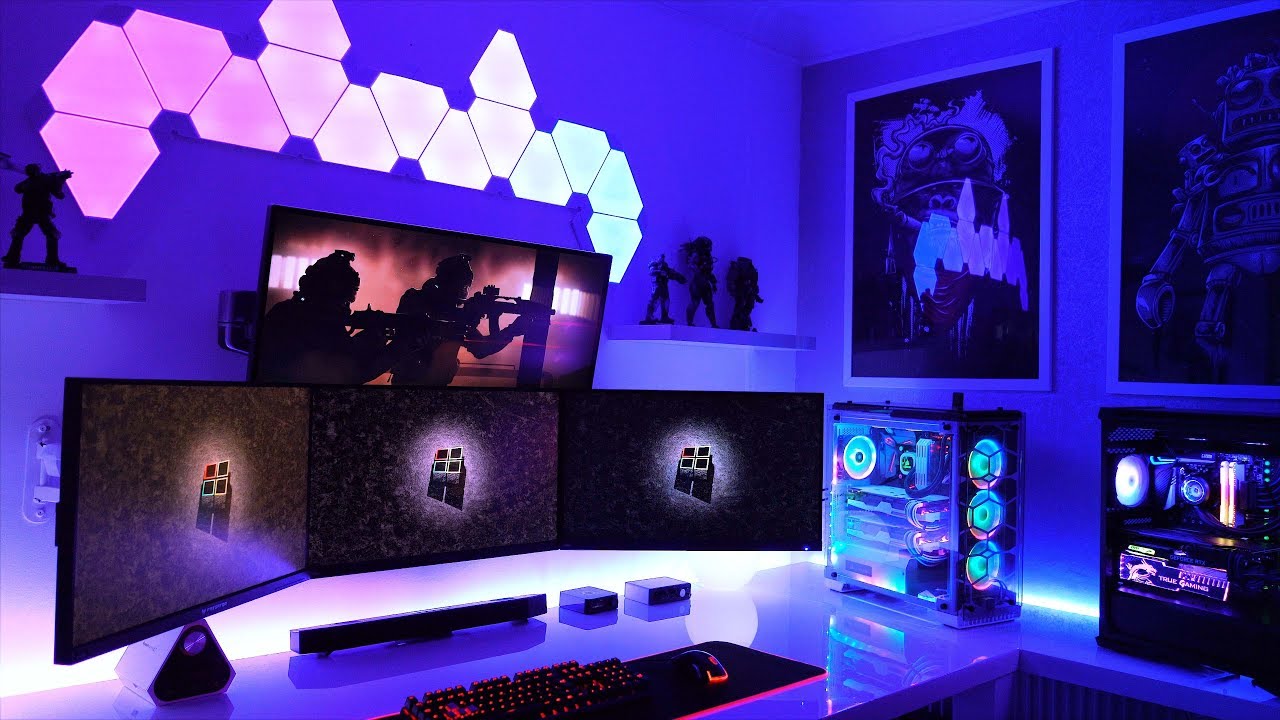
How you can you improve your gaming setup and PC? With Mystic Light compatible components!
List of products featured in this video.
(US)
MSI GeForce RTX 2070 GAMING Z 8G: https://amzn.to/2YGyjyy
MSI MPG GUNGNIR 100 PC Case: MSI MPG GUNGNIR 100
Cooler Master MasterLiquid ML24...
timber plover
@glass swift,
You more than welcome 👍
 warped moat
Fake news
glass swift
Fake news
@warped moat frick that guy
warped moat
Welp
 novel anvil
@glass swift the rgb controller brand shouldn't matter, plug the controller into the rgb four pin on your mobo and plug your fans and rgb strips into it and you should be good(as long as they're 4 pin, 3 pin should work too but havent tried). I personally like the corsair rgb controller, haven't tried an msi controller, but thats bc I loved the corsair one and the interface on corsairs control link software.
 eager chasm
It does matter
Some have proprietary headers
It makes it so if you buy their brand of controller you need to buy their RGB/fan products if you want it to all work nicely
You'd want to double check any controller has the right headers
 cold sorrel
I have a weird question and am not sure where to ask it. But, maybe here would be okay. If I wanted to look at setting up ethernet from the modem to one specific location, what parts would I need? We are about to switch to fiber optic internet and I want a better connection than Wifi. I don't think I can get permission to put holes in the walls, but might get clearance to run the cable along the outside of the walls.
eager chasm
All you really need is a long enough Ethernet cable preferably cat 5 or better
You don't need to do any wall fishing if the cable is long enough you can use 3M hooks to fix it to the baseboard if you don't mind an exposed run
I have a 50ft that runs from the Attic down the stairs and into my bedroom that way

If you are setting up your modem/router near your computer, like the same desk, you could get away with a really short one
cold sorrel
The new modem is going to be setup in the living room. I'm wanting to run a connection to my bedroom. (Mostly I want to stop competing with everything else for Wi-Fi bandwidth.) Any tips on what kind of cables I should look at?
 sudden turret
if you're getting fiber, and get a really good router, you won't be fighting over bandwidth
cold sorrel
And a wired connection is faster than the Wi-Fi anyway.
cold sorrel
I don't think we're getting 500 mbps. I think the plan Mom went with is 100 mbps, but it's still significantly faster than our cruddy DSL connection. If I want to go up a tier, I'd have to pay the difference.
cold sorrel
Fiber optic only became an option for our town about a year ago. It's taken me a year of work to convince it's her it was worth switching. (I think she's been getting fed up with the way our DSL modem/router seems to be having its Wi-FI capability slowly degrade over the last year or so.)
 upper condor
I have bad ethernet connection anyone know why this could be? The cable is good and I have all drivers updated yet its slower than my wifi
Ive heard something about having to open ports on it but I have 0 idea
upper condor
aight ill try that\
sudden turret
 obtuse tangle
I’m trying to plan a build for when I eventually get back to work but as its my first I wanna ask if there’s any benefit of using an APU like a Ryzen 5 3400G with a separate graphics card or should I just wait for everything to open and go get a 3600 at Microcenter
I’m really just trying to use this PC for games like xbox exclusives: Gear/Halo and then minecraft, valorant but that runs good on my laptop, and custom CoD zombies.
 stoic island
I would just suggest 3600 plus a dedicated graphics card.
upper condor
@sudden turret now none of my network stuff works even if I reinstall the drivers aftrr
sudden turret
don't reinstall.. let windows do it..
 sullen spoke
i mean idk if this would be the case but sometimes it takes a while to detect a network if it's ethernet
idk ¯_(ツ)_/¯
sudden turret
unplug, replug that way it picks it up
let it do its thing
no reason for you to have to install any driver.
probably why its running slow
upper condor
No I mean the wifi driver
sullen spoke
I never had to install any network drivers manually
upper condor
One sec
sudden turret
same, not even for my wifi cards.
 pastel briar
@mellow basalt I tweeked your build just a hair, while your original main board WILL work I bumped you up to one that will take advantage of your OC capable chip and it also has intigrated Wi-Fi (not sure if that is something you want or need, but always good to have it as a back up plan), the only thing that the alerts are saying is that you might need to flash the Bios on the boards before putting the 3X series Ryzen in, Amd offered an "upgrade" kit in the past that can be used for this task if needed
 celest horizon
Why would you buy an x370 board new, today, for $115
pastel briar
I don't know, but that was there list they wanted to go with, and I assume that was there max budget, hopefully they will clarify soon
 foggy hazel
@pastel briar you and me are volunteers, we dont have execs trying to bark up the wrong tree and finding that the tree (and the yard bites back). So, it is gently encouraged that we try to help people make actually sound decisions :)
 frail dirge
I’m planning to build my first gaming pc, but don’t have much money. Anyone have any suggestions on parts/build guides? Is it worth building a budget pc for my first build, or am I better off waiting?
frail dirge
It’s probably gonna be around $900-$1200
 glad rover
That's plenty to start out with
foggy hazel
@frail dirge is that for machine + monitor + gear?
pastel briar
@foggy hazel indeed 😄
frail dirge
Machine mostly, and possibly a 144hx monitor, I’m still saving up for it
If I can get away with something cheaper or easier to build I’d prefer that lol
foggy hazel
you are very close to a fairly hefty system
however, Covid is NOT helping prices and stock
frail dirge
I know most of my money would be towards the gpu so I wanted to budget a fair amount for that
foggy hazel
so unless you really need the machine "right now"
pastel briar
@foggy hazel also isn't it hard to make sound decisions if im practically tone deaf to sounds? 😄
foggy hazel
i would suggest that you wait @frail dirge
frail dirge
Yeah exactly, I definitely don’t need it right mow
stoic island
Do you think you can wait until the next generation/lineup of components?
frail dirge
I’m fairly new to pc so I was planning on doing it around when the new consoles roll out
foggy hazel
@frail dirge and just to make certain that it is clear :) We would love to help you figure out a build, but until things settle down (in the context of you not needing the machine right now), it doesnt make much sense to talk specific parts
frail dirge
Gotchya, yeah I figured I would just put some feelers out rn
pastel briar
I would wait until the new stuff starts rolling out mainly because the current "new" stuff will start dropping in price and well the good deals would (hopefully) start rolling out (on the "older" stuff) to move it to get ready for the new stuff
 shadow mango
so i need to get a water block for my gpu i was thinking thermal take
stoic island
I guess we could give you some price allocation estimates, but we can't predict the future.
shadow mango
???
pastel briar
@stoic island yea the last time I predicted the future it wound up not being very good for the Exec that wanted the predictions....... 😄
shadow mango
idk maybe not its just there full kit i need to get a block and back p\late
stoic island
lol
pastel briar
oh and my all copper heat blocks for the server arrived yesterday so now I should be able to knock thermals down some 😄
shadow mango
i got the full kit with the res and fans and cp\u cooler and radiator i need to get a water block and back p\late for my gp\u
and my bad everytime i click p\ a / pop\s up\
stoic island
bro what keyboard do you use
pastel briar
I think your keyboard is a bit drunk?
shadow mango
i have a razer keyboard it just started doing this i needa buy a new one
stoic island
I got water into my keyboard and some of the switches are not as responsive but at least it aint doing that
sullen spoke
what are all these slashes
shadow mango
lol it is hella annoying and its only been going on for 10 hours lol
stoic island
ek got no kits tho
shadow mango
on ek id have to but the water block and back p\late sep\
ohh no links okay i waas like wtf
shadow mango
and in the corsair carbide 275r would you do a trip\le fan or double
???
and would you do hard tube or soft tube for a first time liquid cooled builder
stoic island
soft tube
shadow mango
okay
stoic island
also, double, up to 280mm on top
how much is the budget?
and what is the GPU?
and are you going for a full loop with cpu and gpu?
shadow mango
yea full loop and ion have a budget i have the geforce 1080ti
all i need is a water block gpu and cp\u left to buy
it took me a month to even get all my parts just because my job has cut our hours alot cause of corona
stoic island
so like you can spend 1000$ or something?
because you could either spend extra (prob ~700$) for a full corsair loop or use other comps for cheaper (prob ~500$)
shadow mango
can you message me a link to the corsair loop\
stoic island
heres a list of their stuff, theres no one kit, you'll just pick the parts out
https://www.corsair.com/us/en/Categories/Products/Custom-Cooling/c/Cor_Products_Custom_Cooling?q=%3Afeatured&pageSize=36
CORSAIR Hydro X Series Custom Cooling features every part you’ll need for a custom liquid cooled PC. Choose from a full range of water blocks, radiators, pump/reservoir, fittings and tubing to build your own custom water cooled PC.
kinda like ekwb
shadow mango
ahh so i design it then it will gimme a p\rice
stoic island
basically
shadow mango
okay okay
stoic island
lemme just quickly check how much a full loop would cost for corsair brb
shadow mango
i mean i have a corsair case i wasnt really to worried about having corsair loop and allat
i just wanna get my p\c up\ and running
stoic island
It's always a risk
stoic island
so basically
you're looking at getting a kit like the EKWB P280 kit, should be around the 400$ range, then a 1080ti waterblock plus back plate, ~200$ right now, then some extra tubing and compression fittings to expand the kit.
shadow mango
yea im not to worried about the \price my set check comin in soon so im set
 wary tundra
What happens if I plug on the front panel connectors wrong
 fast dust
Your computer won’t turn on
Nothing bad will happen though don’t worry
It’s a process of trial and error on the front panel connectors
Or just look in your motherboard manual
wary tundra
I did and I think I got it right
I had to unplug them to route something and I forgot where they went
Hopefully it works
fast dust
Usually:
Bottom right = reset switch
Bottom left = HD LED
Top right = power switch
Top left = Power LED
Usually the “+” goes on the left and the “-“ goes on the right i think.
Or the letters on the connectors face down
cold sorrel
Yeah, I think if you did the front panel connectors wrong and that's all, you got lucky
wary tundra
I thought I broke my extensions
little osprey
if i were to build a pc on a 3-5k budget what AMD CPU should i use? cause im not really sure what i should use to get the most preformance. id have an 2080TI.
sudden turret
3900x
 fading jewel
 me when see pc parts
 little leaf
@sudden turret why not a 3950x
wary tundra
me when I almost break my extensions
little leaf
I mean hes going for a 5k list sooo
fast dust
And it leaves more money to spend on other things like ram or storage etc
Water cooling
Why not save a little money though I guess
little leaf
I mean if hes gonna splurge why not splurge
fast dust
I guess
sudden turret
you're talking only a small percentage between the two..
sudden turret
not worth it for the 400 dollar difference
little osprey
the 3900x and 3950x is like a $300 diff for a 12-16 core difference. theres like no value in that
 buoyant flame
I need a, "this tbh emote"
 buoyant flame
Eh, not the same 
sudden turret
 little osprey
this ^
buoyant flame
Ig 🤷♂️
 untold trail
Hey i'd like some help if anyone is willing to answer questions. I was getting the phanteks p300a case which has a mesh coveer
that is no longer available but the regular p300 is available
this has no mesh cover, which ik reduces airflow
now im not sure when itll come back in stock, so any advice?
I want to make sure the loss of the mesh wont effect the build
if it has a large impact, any advice on alteernatives? in the 60 dollar price range
little osprey
not rlly sure cause nzxt cases dont have good airflow. seems like the regular p300 doesnt have the best airflow
it doesnt seem to bad tho
untold trail
so jah you think ill need more case coolers if i get the default p300?
little osprey
are you just going for 1 rn?
eager chasm
anything that is out of stock is hard to say when it will get more stock cause virus and shortages
little osprey
yeah fr
eager chasm
what parts are you gonna put in the case?
the CPU and GPU choices will impact how much airflow you really need
untold trail
ryzen 5 3600, gigabyte radeon rx 580
little osprey
u would be fine
eager chasm
@little leaf great if you like setting money on fire, SLI on 20 series cards is pretty bad and not worth ot
but more power to you if you wanna go for it
little leaf
I'm not acutally gonna build it just doing it for the sake of making a list
little osprey
squid why the duel 2080s
eager chasm
you could put a 3600 and a 580 in about any case with any form of front intake and it will be fine
little leaf
your saying sli on those cards are bad?
eager chasm
the SLI scaling is complete trash and not worth the money
little leaf
damn
eager chasm
a single 2080Ti is more card than you will need for the next 5 years anyway
little leaf
ok then
untold trail
@eager chasm so this case doesnt have front intake, meaning i should pick another
eager chasm
which case?
little osprey
yeah the only reason i would see duel 2080s is a reallly strong rendering pc but even that.
untold trail
the phanteks p300 case. Without the mesh
little leaf
jah its actually 2080ti
untold trail
not the p300a
little osprey
yes, i know.
little leaf
aight
eager chasm
it's got front intake, just not mesh
little osprey
@stoic island out of stock
eager chasm
the intake is at the bottom of the front
little osprey
@untold trail ur not gonna have ur pc on the floor right?
little osprey
ok you're gonna be fine with a p300 most likely
eager chasm
the intake, kinda old-style for pull in from the bottom, but should work for those parts
little osprey
yea ^
 spice shore
ok i need some help
stoic island
go ahead
little osprey
ight'
eager chasm
happy to help
spice shore
this is my first time building a pc
little osprey
okok
untold trail
thanks for the help guys
little osprey
np @untold trail
spice shore
and i dont have much money maybe 600-700 so i need help with what i should do for a low tier build
eager chasm
Ryzen my dude 😄
stoic island
lmfao I just had a 700$ build and I built a 3000$ list on top of it
spice shore
haha
stoic island
actually gimme one sec
untold trail
same cabbage
stoic island
might be able to find it
spice shore
because idk what to do at all
stoic island
I made this last night at 12am so it might be a tiny bit wacky
https://pcpartpicker.com/list/mqxNjp
 modern shadow
noice
spice shore
nice
stoic island
seems good
spice shore
because i have little to no knowledge on building
eager chasm
depends on the parts and case
spice shore
i just dont know whats good to buy and whats not
eager chasm
building in a small case can be a pain, mine is a bit small for my parts
little osprey
yeah but generally the average person can figure it out with youtube
cold sorrel
This is the case I'm planning to get. I'm probably going to buy the case today (considering it has a rebate and free shipping deal) and then wait till next month for everything else.
https://www.newegg.com/black-phanteks-enthoo-luxe-2-e-atx-full-tower-case/p/N82E16811854096
little osprey
thats fax tho @eager chasm
untold trail
how do i make sure my graphics card can fit into my case
stoic island
pcpartpicker
untold trail
the mother board and case are both listed as ATX, and the motherboard has an AM4 port
eager chasm
the case specs should have a max card length spec
spice shore
so could i get some advice with what i should avoid and other stuff
untold trail
im on pc part picker, @stoic island does it automatically make sure they fit?
stoic island
Yea.
Pcpartpicker auto does some of the comparisons like max card length and max support on case
yep
if you're building now, I'd suggest just working off this list and making adjustments
https://pcpartpicker.com/list/mqxNjp
eager chasm
some things are kinda figure it out as you go, like if your top fan will pinch your CPU EPS runs

stoic island
I have my top fan pinching my CPU fan cables lmao
eager chasm
some stuff sometimes doesn't quite fit so you either leave it out or MAKE it fit
untold trail
is there anything else i need to factor in? the motherboard and gpu both fit. What else do i need to check in terms of size
spice shore
do any of yuou think you could make a mock 600-700 dollar build for me?
because idk what im doing
untold trail
ryzen 5 1600
stoic island
@untold trail sadly it's not at the usual $85 now
@spice shore this build is 700$.
https://pcpartpicker.com/list/mqxNjp
little osprey
lmfao i was building one and i chose the same case
 vagrant gulch
So I have an Antec NE600G and was wondering what could I do with the second cord since I have two cords that are the same
vagrant gulch
Since I can't unplug the second one, can I just try to leave it under the chassis?
I can't unplug them all.
vagrant gulch
Sadly not atm. Was there a particular brand I should get?
sudden turret
of?
vagrant gulch
Zipties for the cords
buoyant flame
Lmao
vagrant gulch
Eh alr lol
sudden turret
I mean
think of it like a rubberband
then ask your question again
😄
rather silly 😛
buoyant flame
No offense lol just didn't think zipties could be better than others
sudden turret
wrong
buoyant flame
Uh...
sudden turret
there are really cheap zipties.
buoyant flame
Uh oh
sudden turret
that don't hold.
vagrant gulch
Sorry. First time building and was just wondering just in case if there was a better one that everyone uses
sudden turret
I prefer black zipties
 buoyant flame

 potent prairie
Can someone link me a good 1080p gaming setup that can handle pretty much anything with full detail and decent FPS?
I need an example for a friend
stoic island
@potent prairie what budget
potent prairie
Like a thousand or so
stoic island
List on the behalf of @untold trail
https://pcpartpicker.com/list/9tWhx6
untold trail
@stoic island it has more warnings once i switched out the parts
stoic island
Link v2 on the behalf of @untold trail
https://pcpartpicker.com/list/WkQ9p8
this warning can usually be ignored
other warnings shouldn't be ignored, but that one is redundant nowadays.
untold trail
Note:The motherboard M.2 slot #1 shares bandwidth with SATA 6.0 Gb/s ports. When the M.2 slot is populated, two SATA 6.0 Gb/s ports are disabled.
Note:Some physical dimension restrictions cannot (yet) be automatically checked, such as cpu cooler / RAM clearance with modules using tall heat spreaders.
these are the remaining
stoic island
Those notes are not a large concern
@potent prairie this should shred anything at 1080p and has plenty of storage and upgradability
https://pcpartpicker.com/list/rBKgHB
pastel briar
I prefer colors, but I also use zip ties (cable ties) to allow me to identify what goes where and mark things accordingly (what all black wires can get confusing so having a quick reference for what cable is going where helps)
stoic island
It would warn you if it does
potent prairie
Thx @stoic island
pastel briar
@untold trail the first one is more a caution, hey FYI and the second one is one that can be more or less ignored as that is web site related, as long as your able to research and read you are 100% fine
stoic island
also, if you want a cheaper case, focus g is a decent one
but thats completely personal preferance
 polar goblet
Running
Asus tuf gaming plus WiFi x570 motherboard
Planning to hook up a MSI 1070 NVIDIA.
What riser should I use so I can mount it vertically on my Corsair 680X case?
 honest ridge
I bought a pre built gaming pc a long time ago (I think 4-5 years ago) and I haven’t upgraded anything. I’m trying to figure out if I should try upgrading things or just try to build a new one all together.
potent prairie
What are the specs on it?
honest ridge
AMD FX-8320 Eight-core Processor
16 GB memory
Radeon RX 480 Graphics card
The bad thing is I don’t know if that’s good, bad, or decent.
stoic island
bad :p
honest ridge
😂what I assumed
stoic island
Rx480 is decently-bad, but the CPU is not good nowadays
honest ridge
It was a while ago when I bought it. But if had to pick on thing to upgrade first. Should it be CPU?
stoic island
Alright, I think you need a bit more context. First, tech gets better every year, and the CPU you have right now uses socket AM3+. Mainstream AMD processors now use socket AM4. The motherboards with socket AM4 also use DDR4 memory, when AM3+ motherboards use DDR3 ram.
So if you wanted a more recent CPU, you'll need an upgrade the CPU, Motherboard, and ram.
honest ridge
Okaaaay so there’s a lot of things.
stoic island
Just tryna give a quick-ish rundown at what is involved in upgrading your pc.
honest ridge
Got ya.
 last cypress
Hey all so I finished building my first pc, but it didn’t turn on. When I hit the power button, the rgb of the mother board was the only thing that was on.
Can anyone help me? Did I mess up in wiring?
stoic island
The power supply is on I assume?
last cypress
Yes it’s on
last cypress
The motherboard rgb lighting was the only thing that was turned on when connected power
polar goblet
I would check the panel cables
This is how mine is.
I had to flip mine over for the letter facing up
stoic island
Yea, check those.
but just all the power cables
and other connections
double check everything
that bloc of connectors have to be plugged in a certain way so, make sure of that.
last cypress
Okay thank you guys for the help, I’m going to check all cables and panel cables.
 gilded fog
Is the Ryzen 3 3200g a 3000 series cpu?
stoic island
@gilded fog Architecture wise, no. It's made on the 12nm node, like the 3400g, unlike the 7nm node of the 3600 and other 3rd gen chips.
gilded fog
So will it work with a 3000 series motherboard
stoic island
... as in b450/x570? yes.
 slate tulip
So, I'm looking to upgrade my and my wives computers to something more modern without breaking the bank. I worked out a cart that I think will work... but everything I know about computers besides how to use them is over 10 years out of date, so my I'd like to be sure that the components I'm buying will fit into the block .
pastel briar
@slate tulip I would be happy to take a look, however if you know the basics of building a PC and are able to properly research things I have very high confidence in you
 still roostBOT
 HumbleThom#7892 has been warned
Reason: Duplicated text
stoic island
might want to send that in multiple messages or smth
mee6 doesn't like long blocs of text
pastel briar
ehh? I think bot drunk
slate tulip
Thank you. I included links, which it may not have liked
pastel briar
you can DM the message to me and I can repost it
eager chasm
@last cypress you need to be active a bit in the server before you can send links and images
stoic island
I mean
slate tulip
It was a long message with links, oddly enough
last cypress
@eager chasm thank you for letting me know, I figured that was the reason. Time to be more active
sudden turret
It won't get flagged once you're a blue name.
thank the trolls for your newbie limits 😐
slate tulip
Thank you very much.
eager chasm
Dell Optiplex uses really garbage CPUs usually
stoic island
lol
sudden turret
A friend recommended taking this tower: https://www.newegg.com/dell-optiplex-7010-business-desktops-workstations/p/1VK-0001-56M87?Item=9SIAJP0B8P8851
Then upgrading the power supply, RAM and video card with these three products:
https://www.newegg.com/g-skill-16gb-240-pin-ddr3-sdram/p/N82E16820231429?Item=9SIAMP0B5V0492
there for you to clicky on
stoic island
interesting
I mean thats 700$ to buy now
while you could buy this for 700$ new
https://pcpartpicker.com/list/mqxNjp
stoic island
why tf is this 700$ list coming in useful today
fast dust
@sudden turret on eBay you can get Optiplex towers with a 4770 for like the same price
fast dust
@stoic island I have a recommendation for that $700 PC, don't get the 3600. Get a 2600 or 1600 AF. It'll put more money toward storage or whatever and still fit well
sudden turret
Yeast I wasn't looking lol.
fast dust
Unless you were shooting for upgradability
sudden turret
I was just relaying a deleted message.
fast dust
Oh okay
pastel briar
oh I guess he moved back out here 😄 was talking to @slate tulip in DM
slate tulip
Max budget is 800 each.
pastel briar
@slate tulip anyways, for what you shoed me we honestly could build you a better PC for about the same cost
slate tulip
How does that work, you find the parts and link them to me?
eager chasm
an Optiplex upgrade is a bad idea for the cost, the optiplex is waaaaay overpriced
polar goblet
Is there a difference in performance between these two? I have risers but not a bracket
fast dust
You can find decently priced Optiplex towers sometimes
stoic island
@fast dust you gotta realize
eager chasm
the USB riser will work like hot garbage me thinks
stoic island
1600af and 2600 are horribly priced rn
they're both 150$ last I checked
might as well get a 3600 at 170$
fast dust
I see
fast dust
Well when this blows over then 1600 af or 2600 will be a better choice(?)
eager chasm
lol
pastel briar
some times, and the deals are rare at times
I was lucky to get my Optiplex for $59 but it was one of those rare unicorn deals
fast dust
Eh that's why I put the (?) there
slate tulip
If Y'all have better advice for me, I'm open to suggestions.
eager chasm
I'd take a Ryzen 5 3600 over a 3rd gen i7 any day 😄
and the 1650 Super is way better than a 570
slate tulip
That looks great... but I'm not sure I have the skill to assemble it.
eager chasm
❤️ it's easy
there are youtube channels that have dozens of build videos
▷ Sponsor of the day - Be Quiet! Pure Base 600 on Amazon:
US: http://amzn.to/2p1pC0V
Canada: http://amzn.to/2p1BfF1
UK: http://amzn.to/2oQeuI5
Specs - http://www.bequiet.com/en/case/769
==TABLE OF CONTENTS==
1:02 - Introduction
2:09 - The Pa...
Bitwit is a GREAT channel for this stuff
pastel briar
@slate tulip if you know how to put puzzles together then you are more then ready to build a PC, it is like Legos for adults 🙂
slate tulip
Yeah... most of it I can manage... but when it comes to screwing the motherboard to the case, and adding the case LED cords to the motherboard, it gets a bit complicated. I had a friend take my current computer apart completely and put it back together in front of me.
sudden turret
@polar goblet I'm actually using that phanteks setup
and how did your build go?
alive?
polar goblet
At work now. But once I get home I plan to install my gpu. Didn’t know the 3900x required a gpu.
So curious if I should order that phanteks or just use a riser I have
polar goblet
Corsair 680X
polar goblet
Ah okay. I do need a extender though ya?
sudden turret
yeah you'll need that to connect to the mobo
polar goblet
Which one do you recommend?
slate tulip
Alright, so if I manage to assemble a computer from parts, what about the Operating System? I have a hard drive with Windows 10, but my wife's old computer is a laptop...
 vernal adder
Also, with the cables, is where you need to plug them in marked on the motherboard?
pastel briar
depending on the "cable" it will be pretty straight forware where each item goes
as for the front panel connectors yes they are labeled (refer to motherboard manual for proper pin out)
potent prairie
I'd recommend watching Linus Tech Tips guides on what to avoid with your first build. Don't do what I did and think a CPU cooler for my i9-9900K is optional 🙂
(@slate tulip)
little osprey
yeah not having a cooler for a i9 may not be the best idea
polar goblet
@sudden turret
The Corsair one is 300mm but it’s like $60 💀
little osprey
why is it so hard to find a good case. at least for me. i need one with like really good airflow
sudden turret
oof
can probably get away with an 8 in riser
@polar goblet https://forum.corsair.com/forums/showthread.php?t=188329
vernal adder
@pastel briar - you gotta understand. I've never put a PC together before and understand very little about the components and processes involved.
sudden turret
seems like 200mm is the lowest you'd want to go
I have a 220mm I guess and its way to long cause the riser kit squishes it up the the mobo
vernal adder
the mobo?
sudden turret
this
vernal adder
Is that what the graphics card goes in?
little osprey
Hey, so I’m new to PC building, but I have finished selecting all of my parts. There’s one thing I’m wondering about, what style brackets would I need to add for a Samsung ssd? Because I don’t think the case I’m getting comes with any brackets for it? Is there a link so mike can send me so I can order brackets
little osprey
It’s a fractal design meshify C mid ATX tower
polar goblet
Ah okay thanks!
pastel briar
The Meshify C should have mounting points already for 2.5" drives going off memory here and they would either be in the bottom or back side behind the mainboard tray
little osprey
Oh, so I don’t need to buy any separate brackets for my ssd and hdd?
sudden turret
no
sec
2.5in ssd would go here
and your bigger drives if you got them
would go here
pastel briar
Never mind they are up top
pastel briar
@sudden turret I posted the corrected image 🙂
pastel briar
@sudden turret and my family say my data hording is excessive..... 😄
sudden turret
should be a bag of assorted screws the come with pc
little osprey
Ok thanks. And my friend sent me a link to buy windows ten pro for $40 because that’s what he did when he built a PC. I’m just wondering if that’s a safe way? Or how did you guys add windows ten
little osprey
Oh
pastel briar
you can download win 10 for free
pastel briar
if you really NEED a key you can get them dirt cheap off ebay
pastel briar
then connect the flash drive and create the ISO/bootable media
little osprey
You get windows for free but it’s not the full version and slowly starts to do stuff to make you buy windows
 little osprey
Oh sick! What’s the difference between windows ten and windows ten pro
vernal adder
It's a shame that there isn't an instruction manual that comes with the parts so you aren't fumbling in the dark when the kit arrives
little osprey
Anything besides windows is sketchy. But you can always get lucky.
Yeah it took me a extra week to figure things out after I build my pc was awful without friends idk what I would have did.
I still have random problems I can’t figure out but works pretty well for the most part
 young pebble
Can someone answer me something
little osprey
Yo?
Yeah, I’ve spent the last month researching parts around PC building, and have talked with four different people I know who’ve built PC’s. I’m finally all a ready to buy my parts, but I’m really worried about not being able to figure out how to wire everything. I can’t see anyone cause of the pandemic so I may need to wait awhile
vernal adder
@little osprey I don't have any friends I can work with to help me put it together.
young pebble
I have 16 gigs of 3000mhz and 16 gigs of 3600 MHz same model ram should I go with all 32 at 3000mhz or just 16 with 3600mhz I have an amd system
sudden turret
@little osprey just come here if you have questions.
little osprey
Just the 16 with more speed
sudden turret
we've successfully helped countless new to building.
young pebble
@little osprey wiring probably easier part of the build use YouTube
little osprey
32 is way over kill
little osprey
It’s kinda hard to send photos though when I’m wiring up stuff lol, like it would I be so much easier to have someone standing beside me, you know?
No problem. And everybody. It’s nice to have but when has anybody ever used more then 16 ram lmao
little osprey
Will anyone be able to help me when I have the parts? Or will you guys be on to help me as well
sudden turret
@little osprey always someone here.
little osprey
Unless you wanna open 400 tabs of YouTube lol it’s pointless
sudden turret
sure.
potent prairie
Photoshop
little osprey
Lmao, I literally have dozens of tabs open on pc parts and manuals
potent prairie
Heavy games
Not having to close browser when you game
sudden turret
I've seen 12gb usage of the 16 while in game.
little osprey
I run triple a games and open tabs no problems at all.
sudden turret
just depends what your doing.
little osprey
16 with speed is better then having 32 am I wrong?
potent prairie
16 gb is a minimum for me. But yeah, it depends.
sudden turret
but to call it way over kill is silly.
little osprey
I wanna get more into blender and animation, which means I need good rendering tones. Do graphics cards and ssd’s handle that sort of thing since they’re designed for gaming
potent prairie
If you don't need 32gb, then yeah.
little osprey
*times
sudden turret
couldn't tell ya about rendering things.
little osprey
Well, m.2 nvme drives help load files faster, so I’m just wondering if that will help with rendering
pastel briar
You get windows for free but it’s not the full version and slowly starts to do stuff to make you buy windows
@little osprey
uh what??? no, not true......windows won't let you personalize things like colour and desktop picture but it is 100% free, I still have an unactivated copy on a mac book that I use as a guest web browsing machine and it is still working fine
sudden turret
i'd imagine a beefy cpu and a decent gpu though for sure
little osprey
Kk
@pastel briar yeah but its starts putting stuff on your screen saying buy windows 10 and random other thing it makes more difficult. I wouldn’t recommend not buying it for a computer you want to use full time
I’m really conflicted on if I should buy a windows ten pro code for $40 which my friend did, or just downfield it for fee lol
little osprey
Free screw it
still roostBOT
 ReturnOfTheJedi#5351 has been warned
Reason: Bad word usage
little osprey
Free but I wouldn’t use sketchy stuff but that’s all up to you. Could work could not.
Anybody play ds3
sudden turret
windows free is sketchy?
little osprey
Wait
No getting keys off random websites
I didn’t say any bad word
And it gave me a warning
sudden turret
lemme see what it flagged.
little osprey
activating windows<
sudden turret
oh you said 💩
getting a key from ebay is legit, you just need to check the seller..
¯_(ツ)_/¯
little osprey
What? I swear it must’ve autocorrected cause I didn’t lol
sudden turret
it's all good don't worry about it jedi 😄
little osprey
yeah but like whats the point of activating windows
 mellow basalt
@sudden turret can I pm you cause it won’t let me copy and paste what I have a question about
sudden turret
ya I can relay is here.
little osprey
I’ve literally gone through so many iterations of my parts list, I tend to overthink stuff and I constantly get told new information lol. This is my final parts list, what do you mates thinks?
Oh wait I can’t send photos
mellow basalt
Same here
sudden turret
if you're on pc partpicker shoot me the shared link and I can paste it
on behalf of @mellow basalt https://pcpartpicker.com/user/RapidSharpShooter/saved/#view=JMDNP6
little osprey
I don’t think I can send it because I tried to one of my friends and it didn’t work
sudden turret
mellow basalt
I’m trying to pick but I can’t decide, can anyone give me their opinion on which one is better?
sudden turret
on behalf of @little osprey https://ca.pcpartpicker.com/list/t9Pc7T
little osprey
Thanks!
mellow basalt
Thank you @sudden turret
 lost umbra
So I just got a 3700x, aorus elite x570 and a rtx 2080 super, as well as a new gsynch monitor. I was reading that I might need to use an old video card to run my 2 monitor setup? currently I have 2 at 60hz but the new one can run up to 180 or something
Also are the new rtx cards coming out soonish? he 2080 super is still in plastic i suppose i could return it
lost umbra
well i have the cable, I just mean 2 monitors at different refresh rates
mellow basalt
Box The Unbannable what setup do you have?
sudden turret
3700x/2070super
mellow basalt
Cool
 tight sorrel
Hello! My husband HumbleThom was on here earlier and just about pulled out all his hair. I was wondering if I could get some clarification on the build link he sent me to?
shadow mango
Is a gtx 2080 good
Im guessing yea
Whats the difference between a 2080 ti and a notmal 2080
Normal*
 pine valve
Is GeForce 2060 ko good
cold sorrel
If I had a larger budget, I'd get a 2060 Super... but I have to save money to buy a monitor along with the rest of the system
mellow basalt
Finally I’m a regular 😂
sudden turret
@tight sorrel what's up?
tight sorrel
@sudden turret How would I change the parts on the link to reflect 1 X 16GB instead of 2 X 8GB
sudden turret
remove the part, add new part 🙂
do you have the link?
DM it to me
is it the 700 dollar build?>
cold sorrel
Did somebody ping me here?
shadow mango
So whats the difference between a 2080 ti and a regular 2080
warped moat
A 10-20 FPS difference
 tranquil dust
the letters ti
tight sorrel
@sudden turret Yes, it's the $700 build, we're flexible up to $800 though.
sullen spoke
ti is better
but a 2080 super has more value than a 2080ti, the ti is really if you have the money and you want the best
eager chasm
really the 2080ti is a giant waste of money, it's almost 1/2 the price to performance value and it doesn't give all that much performance more
mellow basalt
Can anyone give me their opinion on which one is better- https://pcpartpicker.com/user/RapidSharpShooter/saved/#view=JMDNP6 or this one https://pcpartpicker.com/user/RapidSharpShooter/saved/#view=W4j7XL
eager chasm
the 2070S is more powerful than the 5700XT, but not as good a value. But AMD also are infamous for having bad drivers currently
the rest of the parts list barely matter or are similar enough to not matter
young pebble
Anyone know how to setup boot drive on asus rog strix b450
Just installed an ssd and don’t know how to configure that to the boot drive
little osprey
Ok so, I have a question. It’s important to note that I’m not a massive gamer, I play the odd game from time to time like Minecraft,Tf2, Hans simulator and I have csgo but I can’t run it on my computer. But, I’m going to be playing more games soon. So do you think this graphics card is a bit over kill? I do think it will help with rendering and 3D printing slicing though which I why I mainly chose it. It’s called “MSI Geforce RTX 2060 6 gb Ventus XS OC video card”
young pebble
No
young pebble
What price is that card
still roostBOT
 Coolmanbk#6954 has been warned
Reason: Bad word usage
young pebble
I got screwed when I bought my 2070 it was 500 because I bought near release but now a 2070 super is 520-550
little osprey
I can get an 8gb one though for the same amount in Canadian, but from the reviews and such I don't think it will benefit me as much as the one I chose even though it's only 6 gb
young pebble
Ok i don’t have much research into it
So go with what you got
8gbs just has served me well that’s as I can say
 robust plover
Can someone help me make a list of stuff for a $850 pc build
pastel briar
@robust plover sure, is $850 the absolute max budget? or do you have any wiggle room?
 empty blaze
My m.2 ssd has a sticker on top of it, will this interfere with the heat sink on my motherboard?
shadow mango
1080 or 2080???
pastel briar
@shadow mango red or blue?
@empty blaze the stickers shouldn't interfere at all, usually the stickers are on the exposed side
empty blaze
Thanks
polar goblet
1080 vs 1070 for gaming?
I have both at home and curious which one I should use
empty blaze
1080 obviously
polar goblet
How much better is it though?
pastel briar
@robust plover here is a build you may like, I am not as familiar with AMD GPUs so you may want to double check the 5700XT but I did what I could to keep it in your requested budget and still give you some good gaming performance, you can if you wish go lower cost on the case and shift funds around as you see fit, but I tried to give you something that you will get a good amount of use out of
@polar goblet 1080 if you have it, will yield better performance overall then a 1070
obviously it ultimately up to you but that is what I would do if I was in your situation...
shadow mango
I like red so imma go wit the 1080
little osprey
If I have everything on a 1 terabyte m.2 Nvme, and my os fails, will it ruin everything else I have on it?
pastel briar
depends on how the OS failed, usually it can be recovered if it is at least attempting to boot
again your situation will depend on severity of "OS loss"
little osprey
I’m contemplating going with a small 128 gb m.2 for os, on top of another 1 terabyte m.2 for blender and gaming
Kk
What do you have your OS saved on?
pastel briar
I would suggest no less then 256GB M.2 (they are low cost enough that 128GB just does not make a lot of sense to me
little osprey
Ok
pastel briar
I have dual M.2 set up
little osprey
I’m trying to sort out my parts for my first pc build, I have two m.2 slots as well
pastel briar
256GB for my boot drive, and a 1TB for games, and anther system with a 500GB game drive and 1TB boot (I didn't feel like going in and reversing them and reinstalling windows to swap them around)
as you can tell this is not my first time at the dances 😄
little osprey
Rn this is what I’m thinking so let me know what you mates think. I’m getting a free 1 terabyte hard drive from a freind for all my files, a 1 terabyte western digital m.2 for games, blender and os, with another 250gb Samsung ssd for other stuff like work or small games
I’m not a big gamer 😅 but wanna have an option in the future
pastel briar
I mean it would all work
I would just keep your OS seperate from your games/work drive(s)
little osprey
I mostly am getting into blender and 3D printing so I need something that can both render and slice files quickly
If I have my os on the 250 gb ssd, won’t it not be as fast?
Then with the m.2 Nvme
pastel briar
I would do it like this
250GB SSD = boot/os
1TB WD M.2 games or work
1TB HDD games or work (or possibly storage drive)
the HDD will be slower then the SSD hence why these two 1TB drives could be used either way, the SSD would be for what ever you need fast access to, the HDD would be for more or less storage
sudden turret
hey didn't I say that in DM Jedi 😛
pastel briar
keep in mind this is how I generally set up all my systems
sudden turret
windows on ssd isn't going to affect blender being on nvme
unless for some reason you want to transfer files from your nvme, to the ssd.
little osprey
Haha yeah, I’m just making sure cause I know you’re busy with other people so I don’t want to bother you with asking you more stuff lol
sudden turret
that's where it will slow down.
pastel briar
well if you put your OS on the spinning rust it will certainly be slower then if it were on an SSD, it would be like trying to race a Model T aginst a Lamborghini....take your pick 😉
pastel briar
😄
sudden turret
I only set you up that way with the harddrives to save a bit of cash
and still have the most function.
little osprey
Ok, so I think I’ll go with a 250 gb Nvme for Windows, and then a 1 terabyte ssd for games, blender and 3D printing, as well as a 1 terabyte hdd for files?
I’m so confused on what I’m gonna do 😭😭
pastel briar
lol I got one computer next to me watching a stream, this one helping people with questions (on multiple discords) and my server next to me crunching away at protein secquences.....im certainly not busy at all....oh and the Dell media ingest station chugging away dumping stuff into the NAS right now 😄
sudden turret
keep it how it is 🙂
pastel briar
oh and I almost forgot I got my two doggos with me helping me out at the same time..... 😄
little osprey
Cool!
If I’m being honest a part of me really wants to get the one terabyte m.2 and 250 gb Samsung ssd. I know it’s probably not the my smartest given everything you mates have said. But I just want everything to be as quick as I can get it, because I’ve been used to a super bad computer (the one I have rn) that crashes, lags and I can barely run hand simulator or Minecraft with add on’s lol
i guess ive decided to wait on purchasing till the end of the month, heck i might even try waiting untill nvidia 3000 series if they anounce a release date or something.... ps3 is the main rig for now... i guess xD
sudden turret
with what ssd I provided in the link, you won't notice any different
from the samsung
but these are only opions
opinions
you can do as you wish 😛
little osprey
Ok, should that ssd maybe have os on it? Even though it might not be as fast as the m.2? But that way I can still have all my main stuff on the one terabyte m.2 drive
last cypress
Okay guys it’s me again so I got it turn on, fab everything is working but the only problem is that I have two 16gb of DRam and it only got one stick
I have Corsair Vengeance RGB Pro DDR4
little osprey
I like how I had all my parts sorted and now I’m over thinking everything again for the hundredth time. Why is choosing parts for a computer so stressful lol
I’m rn on like my seventh parts list
last cypress
Only one stick turned on and I checked bios and it’s DIMM_B2 that’s the only one read
I put one stick on A2 and B2
pastel briar
@little osprey I would do it like this and I am repeating my self, you sir are starting to over think it, just keep it simple, and enjoy your PC build, you got this!
250GB SSD = boot/os
1TB WD M.2 games or work
1TB HDD games or work (or possibly storage drive)
the HDD will be slower then the SSD hence why these two 1TB drives could be used either way, the SSD would be for what ever you need fast access to, the HDD would be for more or less storage
little osprey
Right, and I totally understand that haha. I just feel like having my os on an m.2 would I make it go faster
Sorry if I’m a pain
I just want to make sure everything is right
🙂
I’m gonna go with that suggestion
eager chasm
having your OS on a M.2 will not give it a noticeable performance benefit, the only time you will ever see an actual benefit to an NVMe m.2 is if you are moving large files to/from it.
little osprey
Right
pastel briar
@last cypress have you placed both sticks in A1, B1? depending on the board it may not liking the ram sticks in A2/B2, please refer to the manual for which slots to use for two stick set up, but generally A1/B1 ggo first, then A2/B2 (hence the "dual channel") I would first try putting them in channel 1 (A1, B1) and see if that fixes the issue, if not, test each one individually to verify both are working correctly (you may have one not fully seated in)
eager chasm
or possibly scrubbing through 8K footage
little osprey
Ok, I’ll link my parts list here. I’m probably gonna go with what @sudden turret said and find a cheaper ram stick and ssd. But here is my list so far
pastel briar
@little osprey your OS will not really care either way to be honest, your games/work (depending on what you do) will benefit more from the M.2 it performs best during loading of files especially really large files like what games sometimes will have
last cypress
@pastel briar thank you so much, i read the manual and it said A2/B2 but I’ll test it out on one channel
Thank you guys for the help
I appreciate it!
pastel briar
@last cypress no problem, it may be a case where the memory stick is not seated all the way in even though it feels/seems like it is, sometimes taking them out and switching slots will get things in order
or even reseating them will do the same thing
 latent storm
hey so does anyone know how to explain power over ethernet for me
robust plover
I dont know were the link is @pastel briar
 cursive wharf
@little osprey This a gaming build that you want to do? If so, that isnt a good list of parts for gaming
overall overpriced other parts making the GPU budget quite low
latent storm
you could easily fit a 2070s in there
cursive wharf
Do note it is CAD, so maybe
latent storm
oh i didn’t realize
ok that’s about $1100 usd
a 2070s is $499 so you could probably fit it but a 2060s would be good
little osprey
oh why not?? I know that I can go with better graphics cards with 8gb for around the same price, but you need to keep in mind this is Canadian prices unfortunately.. I could go with a power colour radeon 5700 or an MSI 5700 8gb, but isn't geforce somewhat more reliable than amd and easily upgradable
cursive wharf
It's not about VRAM, it's about rasterization perf of the GPU
little osprey
and its mostly meant for rendering and 3d printing related, but I will be playing more games in the future
vram?
cursive wharf
6GB vs 8GB vs ect
Also note, you can cut off $300 CAD off the budget for same perf
little osprey
oh
cursive wharf
which can then be put towards GPU
little osprey
do you wanna link some parts I can take a look at
pastel briar
I dont know were the link is @pastel briar
@robust plover I’ll resend in a few
cursive wharf
@little osprey slightly cheaper and due to the better GPU you get quite a bit better perf
@mellow basalt both have issues with parts and can be optimized
cursive wharf
To the two parts list that you gave earlier
little osprey
I see, that gpu is a lot more pricy than mine. I know that if i went with your suggestions though it would be cheaper build which is always good and I'm looking to kncok off a hundred or so dollars. However, I would rather go with a bigger m.2 nvme, and ssd since my friend is giving me a one terabyte hard drive for free. I also like my orginal motherboard
I can always upgrade my graphics card later on as well, when I save up more
cursive wharf
except that SSD lacks DRAM cache and a good controller
little osprey
Although, I do want my build to last my a very long time so I understand the gpu upgrade. But idk if I'm willing to swap out my other parts
cursive wharf
and what makes the mobo likeable?
little osprey
what's dram cache exactly
pastel briar
@robust plover hmm perhaps I forgot to post it, my bad, here ya go mate
little osprey
it has two m.2 slots, four slots for ram, and the reviews seem to speak highly of it
cursive wharf
well, what is the use case of RAM in a PC when you have storage? Fast, temporary storage. Same thing for SSDs.
So does TUF Pro
Same amount of M2 slots, same LAN chip, same amount of RAM slots, same amount of SATA ports, etc
Some differences exist yes. But they dont matter for your use case
Thus is a waste of money for your use case
last cypress
@pastel briar thank you it turns out you were right. I had to put it on one channel. So I put them both on B1 and B2 and it was read
little osprey
so you recommend that other motherboard? The one I have selected though is also good for the long run because I can add stuff onto it down the road
pastel briar
@last cypress interesting, glad I helped, but strange it is liking B1 and B2 as opposed to what I traditionally have seen which is A1, B1/A2, B2
cursive wharf
what stuff are you going to add?
little osprey
you also selected a micro atx one
cursive wharf
An OCed 3900x or 3950x?
little osprey
and idk, but it's nice to have that option
yeah, probably a better cpu/cpu cooler and gpu in the future
cursive wharf
But it's also nice to have a 2070S instead of a 2060 because you budgeted properly
little osprey
it's a few hundred dollars more, so I could always keep the one I have. Save up for some time and then get an upgraded version
cursive wharf
a few hundred for absolutely nothing that'll be used
little osprey
what do you mean
cursive wharf
Like buying a super car but staying street safe and never using outside of the city
not doing any racing with it, etc
You got it "just because"
little osprey
but that's the type of stuff i can add later on when I have more money to spend? you know what i mean?
Can you try to redo my parts list but keep it similar? Like not a mini atx board
cursive wharf
So you want to spend $700 CAD on a CPU, $90 CAD on a cooler so you can utilize the x570 mobo VRMs?
latent storm
you can get the same board in atx for like 20 usd more i think
cursive wharf
- tax
cursive wharf
Rather then spend an extra $800 CAD on the GPU after selling your other one?
and yeah?
latent storm
is it bad to have two 140mm intakes and two 120mm exhausts?
cursive wharf
not really bad. No real issues will happen, but could cause some interesting airflow patterns I guess depending on case
latent storm
meshify c
i was gonna have two 140’s in the front and two 120’s in the back and top
cursive wharf
making say CPU or GPU be a few C higher. And idk much about specific cases with setups
tho
Will you be doing AIO or air cooled for CPU
little osprey
To be honest with you I don't know what I'm gonna do now cause all the parts I selected was based off my chosen motherboard so I would have to go in and re select my stuff. Which I've been doing for the last month lol
cursive wharf
okay. Be careful about placement of fans near the CPU cooler then. Case fans can sometimes take the fresh air away from the air cooler and get temps to be worse. Or they can take the hot air away and get temps to be better. Kinda hard to say what'd happen to stock. Just something to keep in mind I guess
@little osprey You can go entirely off off my list and switch out the storage if you want. You can ask Naed for opinions. He'd give something similair tbh tho to what I said
modern shadow
https://www.newegg.com/g-skill-16gb-288-pin-ddr4-sdram/p/N82E16820232498?Item=N82E16820232498&Description=RAM&cm_re=RAM-_-20-232-498-_-Product Is this good? got a little space in my budget
latent storm
would it be like dangerously higher temps?
cursive wharf
no, few C different usually I find
latent storm
alright so the worst case scenario is that it runs a few c hotter?
cursive wharf
The case would have to be trash with poor airflow for really bad temps. Which you dont have
little osprey
I'm thankful for your input, I'm just wondering if you can adjust my list while keeping it more similar
cursive wharf
could be a bit more noise from turbulence too. Sometimes it can be somewhat noticeable difference and sometimes not
latent storm
@modern shadow that is good ram however i think it’s overpriced
latent storm
if you’re dead set on rgb then that might be the best you can get
cursive wharf
That's good afaik. Havent seen 3600CL16 RGB RAM for that cheap in a while
tho you can skip out on RGB to save ~$12
modern shadow
Is there a good ram, weither RGB or not, that can be overclocked? I want to not go XMP, rather manually entering the timings to get a slightly better performance
 wispy remnant
Hey guys I have a question I was moving my brothers build to the cooler master h500 and when I powered it on I saw smoke near rear I/O and cpu power. I didn’t add any new connections, everything thing stood the same. What could have caused this. I was reading that the vrm’s went on it but the board isn’t even a year old yet. Any ideas?
robust plover
@pastel briar dose the motherboard have wireless wifi
last cypress
@pastel briar I thought it was also strange that it didn’t accept A1/B1 slot instead it worked when it was both sticks On one channel. Now I have to set up windows and fix a cpu fan Error and I’m finally done with my first PC build!
latent storm
@robust plover it does
last cypress
Thanks for the help again!
pastel briar
@robust plover I can check but I believe so
@last cypress as for your CPU fan error just make sure you got the cooler fan in the correct header 🙂
latent storm
it does have wifi
robust plover
Is the 1660 better or is the 1650 super better
latent storm
1660 is marginally better
pastel briar
@robust plover oh sorry yes it does, I got side tracked LOL
latent storm
@cursive wharf do you know how many fan headers the asus tuf b450 pro gaming has?
pastel briar
@robust plover as for the compadibility issue, it is more of an FYI of "hey you may need a 2000 series Ryzen to flash the board in some race cases"
 normal brook
@robust plover the 1650 super is basically a 1660 with some slightly dumbed down specs.
cursive wharf
@latent storm ATX has 5 and mATX has 3
including CPU fan header and pump header
robust plover
Ok so I'm going to buy a prebuilt from bestbuy but I will build later it's just a starting pc so there is a $850 with a 1660 and there is a $750 pc with the 1650 super so I was wondering witch one should I bye and I'm only gaming and not running 4k games
normal brook
What cpu?
If its the same specs otherwise save the $100
The like 4% difference in cards probably wont be noticable.
latent storm
thank you hei
robust plover
A core i5 9400f for both
normal brook
Yeah, dont spend $100 more
Get the cheapest one you can.
Save the $100 for later improvements.
robust plover
Yeah thanks do you know any good sights for buying a pre built for $850
normal brook
They’re honestly the same card. Nvidia just had to compete with ATI so they took the higher performing card and dulled it a bit.
@robust plover why don’t you build one?
The market is crazy right now. Its not a great time to build, but building is where the fun is in my opinion.
robust plover
Well the thing is I'm only playing scrap mechanic if you know what that is and I'm not going to that right know cause I don't want to mess anything up and waste all that money
normal brook
How old are you?
robust plover
I dont feel comfortable saying that no afence
normal brook
No worries.
robust plover
So do you know any good sights
 kind shuttle
@foggy hazel u on atm?
 wary geode
Does anyone know how many fan headers the dh61bf has?
normal brook
I don't.
I work for a trucking company in the IT department.
Why does everyone ask about fan headers?
polar goblet
Decided to put my gpu on the motherboard instead of a pcie extension for right now.
These are the two spots I need.
Going to skip the first gpu slot and go for the second because of spacing.
On the Corsair 680X how I remove the middle piece? Do I just knock it out or?