#building-and-recc-chat
1 messages · Page 496 of 1
 cursive wharf
switch out the pulse. Afaik it still has video port issues (smth like HDMI being the only usable port as all others get random blackscreens)
 foggy hazel
@stoic island "that is true, but I'm usually pretty rash and only really looks at the tier lists for quality of parts and newegg for prices" <- you respond to much more trivial things than i do, so it makes sense that it doesnt matter as much to you
also, i can almost guarantee that your mobile typing speed is way above mine :)
 stoic island
yea
foggy hazel
unlike the desktop one :)
stoic island
but my mobile typing speed isn't that high
foggy hazel
compared to mine? it is most likely leagues beyond
 lyric thistle
do you type with your index fingers Naed?
foggy hazel
i mainly use my phone for consumption, it is not as such a productivity device
stoic island
Well the google pixel autocorrect screws with me a lot
I need to get some external keyboard software at some point
foggy hazel
thumb typing on keyboard
lyric thistle
ah
foggy hazel
i dont have that gigantic a phone
stoic island
People on mobile can have crazy fast typing times, I'm not one of those people
lyric thistle
I type mostly typee with 5 fingers
on my left hand: thumb, index, middle
on my right hand: index, middle
so basically two per hand with spacebar
 viral ore
What do u hit shift with?
stoic island
huh
I think my typing is 7 finger too
left pinky thumb middle finger and index finger, right index, thumb, and middle finger
I dont like using my right pinky for anything
I use my right ring finger sometimes for enter but not much else
stoic island
tbh I prob use all 10, but I don't notice it much
like using some fingers from time to time to press enter or smth
lyric thistle
aaaaaah I do use ring finger for the letter a, and q
stoic island
wait yea I do too
foggy hazel
that should be your pinky
lyric thistle
but sometimes I don't use ring finger
I don't practice proper typing discipline :p
foggy hazel
depending on how much typing is in your future, you will either regret that or it wont matter much :)
stoic island
Yea... Prob will bite me in the back later
though my typing is pretty normal other than the outside keys
(like backspace, , enter, etc.)
and like tilda
foggy hazel
@lyric thistle how old are you now?
lyric thistle
18
foggy hazel
so in another 8-9 years, you will have lived as long as i have been typing
lyric thistle
hehe
lyric thistle
yeah
 sly python
hellow not sureif this is the place google hasnt been to helpful lol, i have a custom built pc, worked fine for about a year, did a format a couple days ago, currently what happens is the pc will randomly Hard freeze, no BSOD, no dump file created, mainly happens while gaming but has happened while just sitting idle, how ever i ran Kombuster over night stress passed 12 hours, ran prime95 cpu 12 hours no issue, ran mem test as well same pass, tested all HDD passed, the only thing im finding in Event logs, is kernel-power (assume me holding down power button to reset pc) and this Kernel-pnp (The driver \Driver\WudfRd failed to load for the device HID\VID_B58E&PID_9E84&MI_03&Col02\7&675493f&0&0001) - The only thing ive yet to try is an M-FLash not sure if it would help
So no ill play a game, and on a fresh boot ill get maybe 3 hours before a freeze, then after that its almost every 30 minutes like clock work,
All drivers are up to date even tried rolling back video drivers
sly python
yea did that passed
 sudden turret
I'd try a new drive anyways.
foggy hazel
@sly python sounds like its combined "load" that triggers it
any chance of a full part list?
sly python
i did discover something odd, so when i run the donut test on kombust, i get an insane coil wine, sure one sec
foggy hazel
no rush :)
sly python
CPU : i9 9900k
Mobo : MSI z390 Pro Gaming Carbon
Mem : 2x 16gb Corsair Vengeance 3200
Video : 2080 ti hydro copper
HD : WD Blue m.2 1tb (swapped out with 2 500gb's i know work)
Power Supply: EVGA 850W Supernovae g2
Cooling : Thermaltake d5 pump (3 360 rads on the loop with xspc cpu waterblock)
Normally i have 6 HD's installed how ever i've disconnected all but the one i've been rotating.
sly python
my temps when it freezes are around 40c on cpu and 38c on gpu (msi afterburner open) not atm no just xmp (tried with xmp off as well)
foggy hazel
hm
sly python
just the stock turbo boost its preset to
foggy hazel
you certain your board isnt doing anything "fun" in regards to all core clocks?
sly python
seems to be fine, also reapplies thermal paste. it ran prime95 for 12 hours without a flaw
thats on a fresh install, prior to gaming the issue arises when i start gaming.
foggy hazel
the problem/challenge/thing-to-remember with any stress test is that all it tells you is that "system is stable while running that specific test"
this might sound strange, but, what USB devices do you have plugged in?
sly python
Razer Blakcwidow Chroma v2 , Lance head, Nari ultimate and a Blue yeti mic
nothing is strange at this points 🙂
foggy hazel
any of those USB devices that you didnt have "before" you started having trouble?
foggy hazel
hm
sly python
Prior to this format
foggy hazel
brb
sly python
the razer's recent synapse up made the led's on my mobo/fans stop working when i would chroma connect, so i rollled back to an older update
one suggestion was to uninstall all USB control drivers and reboot i may try and give that a try using remote control from my 2nd pc.
foggy hazel
a different suggestion would be this
Try and unplug all the usb devices
and use whatever else you have in the house
sly python
could a bad usb cord / device cause this fault? if so wouldnt the device in question have possible connection issues?
foggy hazel
a bad usb cord could cause all of your woes
re: connection issues: yes/no
usb is not necessarily as binary as that
example: i have a usb fan (that i only keep around because of the following amount of PITA it caused back in the day) that can crash any system it is plugged into
but the fan itself will work just fine
so from the outside, everything is okay with the fan, but the way it is wired is just so bonkers that it causes a IO overload that eventually deadlocks any system
just telling this to give some kind of context of "things can sometimes be really effing weird"
sly python
i can swap all the peripherals from the 2nd pc over and see if the issue still happens.
yea i get it 🙂
foggy hazel
:)
sly python
can you send me a clone of that fan so i can install it on a buddies pc 🙂
foggy hazel
swapping the peripherals over is the quick test at least :)
no, that fan is not ever getting out of this flat
sly python
lol
 still roostBOT
 Naed#3611 has been warned
Reason: Bad word usage
foggy hazel
bah!
sly python
haha
foggy hazel
because that "annoying as can be" PITA of a fan caused sooooo much trouble years ago
 sullen spoke
naed smh
stoic island
pita bread
sullen spoke
😋
lyric thistle
yummy
sly python
thank for the suggests @foggy hazel im going to swap stuff over and give it a a go
foggy hazel
best of luck @sly python, i think you are sadly going to need it to figure things out :(
sly python
im sure ill figure it out 🙂 as frustrating as it seems i still enjoy trying to solve the issue, but getting outside impute when I'm running out of ideas is always great! or ill just burn it down our of frustration lol 🙂
foggy hazel
:)
reason i mention luck is that your problem seems like a "nice" random one
and sometimes, just burning it all is the only sane option
sly python
i wish it would give me a dump file would make it much simpler lol
foggy hazel
oh yes
 little osprey
b450 tomahawk
 proper ore
Anyone want to help optimize a 750 dollar gaming build? Already have a case and psu
proper ore
No just the computer
650 bronze psu and a cooler master tempered glass side panel
Fits full size atx
stoic island
... Good enough I guess
proper ore
It's from another system and trying to save other places to upgrade CPU and GPU
cursive wharf
what PSU model specifically
proper ore
Well let's ignore that for now
cursive wharf
just because it's 650w and is bronze doesnt mean it's good, or even meh
stoic island
How much storage do you need
Also, you don't need the serial number or anything like that, if it says like "G2" on the side, that's all we need to know.
proper ore
Yall are persistent, I'm just wanting help on the other components for now to maximize value
cursive wharf
because EVGA does make PSUs so bad that they're dangerous
lots of companies do
I mean Thermaltake makes some PSUs so bad that they are literal fire hazards
EVGA has good and bad PSUs
so ye
proper ore
I'll take that risk, I used it in a temporary system. For a few months. I'm just looking for help finding good deals on the rest
 celest horizon

reddit
stoic island
Hei, what are your thoughts on the XFX Thicc II 5700xt?
celest horizon
celest horizon
https://www.reddit.com/r/buildapcsales/
stoic island
because thats 370$ rn and I can fit it into the budget
cursive wharf
Wasnt it Thicc III or smth that fixed temp issues?
proper ore
Still having problems with drivers?
cursive wharf
Either way, just cuz you havent had issues yet doesnt mean you will. Case in point, "I havent died yet so therefore I wont die"
proper ore
I mean a 2070 is ideal but I can't find the budget room for it
cursive wharf
Also, save this to your favorites. It helps for 1600AF
https://pcpartpicker.com/product/8HqBD3/amd-ryzen-5-1600-12nm-32-ghz-6-core-processor-yd1600bbafbox
stoic island
1600af is the same as a 2600
proper ore
Hmmm didn't know that
stoic island
1600ae is the original 1600, 1600af is updated
cursive wharf
what storage do you have rn? Can you reuse any of it
proper ore
I have none extra
proper ore
That's not bad
stoic island
cursive wharf
no Sunbow
stoic island
?
cursive wharf
they got them rebrands
cursive wharf
When you buy a Sunbow you'll most likely get a crumby rebrand one
cursive wharf
The specs are also all over the place. 480gb is like 300 r/w
stoic island
Huh, might have to go with a 128gb drive at that price...
cursive wharf
Also is there going to be any streaming/recording going on? If not then 5700XT
@proper ore
stoic island
I think lower end 5700xt all got some thermal problems but idk
 simple stag
is a 2060 worth the extra 100 over a 1660 super
proper ore
No just gaming
cursive wharf
nothing major in terms of thermal issues.
https://pcpartpicker.com/list/Y2jtHB
stoic island
oh god not that ram
cursive wharf
@simple stag depends on use case. Generally the 5700 is a better deal unless needing to stream/record
proper ore
No overclocking will be going on
stoic island
I think they fixed most of the 5700xt driver issues
simple stag
no plans on streaming at the moment
cursive wharf
@stoic island did you see if it was a widespread issue or just you were unlucky
for RAM
stoic island
No
simple stag
i just want to spend 1000 total for a gaming beast
stoic island
but I don't really care at this point
simple stag
and preferably want the ryzen 3600
though ive seen many ppl suggesting 1600af and just put that extra money towards GPU
but i would like faster processor bc i run sneaker bots
cursive wharf
It isnt much for proof, but going into the comments for that kit the two people who left a reply didnt have issues and where AMD users
simple stag
so that extra multithreading performance can do me alot of good
lyric thistle
I want the 1600
cursive wharf
just have the bots run on the older machine
stoic island
Well
The amazon reviews are screwed up because they grouped a bunch of team ram together
and theres 3 people who had DOA sticks of ram on newegg
stoic island
Well I left an okay pcpp review and I had problems afterwards
I don't see anywhere that I can change my review :p
ima grab the ram and do memtest later
simple stag
i dont have older machine @cursive wharf
lyric thistle
get older machine
simple stag
i just want something powerful and upgradeable - i think 3600 gives me good wiggle room with that
lol
little osprey
Is anyone in here willing and able to help a computer retarded person with buying upgrades
 crimson whale
lyric thistle
crimson whale
lyric thistle
elegant hand
foggy hazel
@stoic island something to keep in mind: any singular review is just that, a singular review
and as we have talked about before. This is mass manufactured parts
little osprey
Can anyone help me with upgrading an MSI desktop computer?
foggy hazel
if you post a model, we at least can have a look at things
foggy hazel
there are no stupid questions, only silly answers
you still got the receipt for the machine?
little osprey
No its a little over a year or so old and I have trashed the box
foggy hazel
no email confirmation on the order?
little osprey
I bought it from best buy off the shelf
lyric thistle
are there stickers on the side of the machine?
there might be one with model number info
little osprey
ok let me look\
foggy hazel
either on the bottom of the machine or the back of it, there should be a sticker with some info
lyric thistle
mine has it on the right side
stoic island
I mean, it is a singular review, but me expressing my experience here IS my singular review, is it not?
foggy hazel
@stoic island it is, and as a singular point of context, it is valid.
@little osprey that is a start
little osprey
do you need the numbers about the bar code?
stoic island
That's why I discourage people from the exact model that I had issues with, though others could chip in their experience
foggy hazel
@little osprey nah. The machine still works right?
lyric thistle
look for a model #
stoic island
What components exactly are in the PC rn?
foggy hazel
@stoic island we will get to that part in a bit :)
stoic island
Fair.
I'm assuming it's one of these
https://www.cyberpowerpc.com/page/syber/syber-c/
Best High Performance Gaming PC - Specialize in Gaming Computers and Custom PC. Award Winning Custom Built Desktops and Gaming Laptops for over 14 years.
foggy hazel
thats one of the newer versions
stoic island
Oh?
foggy hazel
there is also older versions of the C series
little osprey
Operating System: Windows 10 Home (64-bit Edition)
Work From Home Featured Promotions: None
Gaming Chassis: Phanteks Enthoo Evolv mini-iTX Gaming Case Black w/ Tempered Glass Window
Laser Engraving: None
CPU: Intel® Core™ Processor i3-9100F 3.60GHz 6MB Intel Smart Cache LGA1151 [w/o Integrated Graphic] (Coffee Lake)
Intel Performance Tuning Protection Plan: None
Venom Boost Fast And Efficient Factory Overclocking: No Overclocking
CPU / Processor Cooling Fan: CyberPowerPC Asetek 550LC 120mm Liquid Cooling CPU Cooler (Single Standard 120MM Fan)
Motherboard: ASRock Z390M ITX/ac w/ 802.11ac Wi-Fi, USB 3.1, 1PCIe x16, 6 SATA3, 1 M.2 SATA/PCIe
RAM / System Memory: 16GB (8GBx2) DDR4/3000MHz Dual Channel Memory (Corsair Vengeance)
Video Card: AMD Radeon RX 560 2GB GDDR5 Video Card (Single Card)
Freebie of Video Card: None
Power Supply: 600 Watts - Standard 600Watts 80 Plus Gold high-efficient Power Supply
Primary Hard Drive: 1TB SATA-III 6.0Gb/s 32MB Cache 7200RPM HDD (Single Drive)
Secondary Hard Drive: None
External Storage: None
Sound: HIGH DEFINITION ON-BOARD 7.1 AUDIO
Monitor: None
Cables: None
Speakers: None
Internal Network Card: Onboard Gigabit LAN Network
Keyboard: CyberPowerPC Multimedia USB Gaming Keyboard
Mouse: CyberPowerPC Standard 4000 DPI with Weight System Optical Gaming Mouse
Mouse Pad: None
Headset: None
Microphone: None
Gaming Apparel: None
Gaming Gear: None
Internal USB Expansion Module: None
Wireless Routers/Hubs: None
Video Camera: None
Power & Surge Protection: None
External Accessories: None
Operating System: Windows 10 Home (64-bit Edition)
Professional Wiring: None
Ultra Care Option: None
foggy hazel
am2 socket etc
little osprey
there you go
stoic island
Naed, I think it's actually the thing I linked
foggy hazel
aye, could be
stoic island
In the customization part for that one, there are options for 9100f and rx560
foggy hazel
however, assumptions etc etc
@little osprey where did you get the info you posted here?
little osprey
off the website, I found the one that looked the most like what I pulled up and I typed in about in my search bar
00325-80198-49352-AAOEM
Is my product ID
foggy hazel
yes, but the ID you just posted is only useful for CyberpowerPC in their internal systems
you know how to unzip files?
little osprey
where do I find em
lyric thistle
well, check task manager to get some basic spec info
foggy hazel
not quite what i am asking you :)
@lyric thistle skipping straight to as much info as we can is simpler
little osprey
Yes I can unzip files like mods if your asking
foggy hazel

System information software
lyric thistle
tru
little osprey
Ok done I have a little box of number and letters now
little osprey
done
foggy hazel
now, please send that to me in a DM
i have received the file
give me a couple of minutes to look over it
little osprey
Ok
foggy hazel
@stoic island remember what i said about assumptions?
stoic island
Yep
stoic island
Fair enough
little osprey
Building guns are easier then trying to upgrade my computer
foggy hazel
just a question of experience
little osprey
fair enough
little osprey
I want to play New World, the Isle, and Conqueror's Blade on Ultra graphics
I have a budget of about 1200-1800 bucks for upgrades
foggy hazel
usd?
little osprey
Yup
little osprey
I like my monitor I have at the moment
Or you can say other wise and I will trust you
foggy hazel
if you like what you have, there is no need to change it
let me just keep reading the txt file for a bit
little osprey
ok
foggy hazel
okay, so
these are the base components
AMD Ryzen 5 1600
B350M BAZOOKA
WDC WD10EZEX-08WN4A0
XFX Radeon RX 580 (4gig)
Monitor: XF251Q (1920 * 1080 @ 60hz)
lyric thistle
not bad 👀
stoic island
Any idea on PSU?
foggy hazel
@little osprey could you open up the case and see if the PSU says something about model on the side?
little osprey
where do I look
foggy hazel
heck, just grab a photo of it if you can
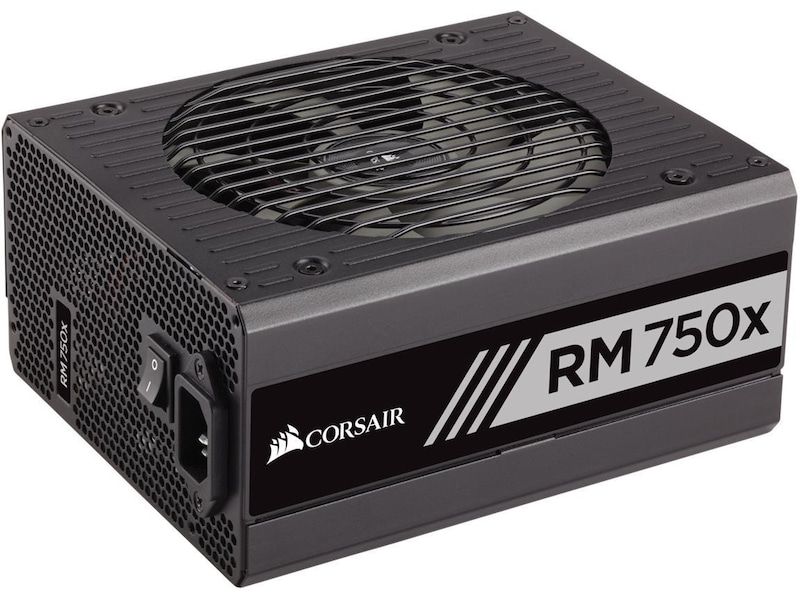
following is an example

that is the fairly basic form/shape/design of a normal psu
what we are curious about, it whatever it says on the side (like the one above says Corsair rm 750x)
yours should have some kind of sticker that says "something"
cursive wharf
ends up being nameless grey OEM
lyric thistle
RIP
foggy hazel
it is entirely possible
lyric thistle
FSP makes good PSUs right?
foggy hazel
they can make good psus
cursive wharf
some of them are alright iirc
lyric thistle
mine is very basic, with only the board and CPU power, and it's 280 watts
foggy hazel
@cursive wharf https://pcpartpicker.com/list/YzZsPn <- as an upgrade to the previous one
and yes, psu is something he is still digging around for info about
cursive wharf
def want to start saving up for a better monitor after this upgrade
only other maybe thing is if case sidepanel is clear then may want some black/grey RAM for better looks. Should be like $3 more
lyric thistle
they have a single stick of RAM, so that's something that will need to be done
foggy hazel
@stoic island look at the list.
cursive wharf
maybe 240gb SATA SSD and 5700XT for more money on a 1440p monitor?
lyric thistle
ah the Team memory?
foggy hazel
yes, which is a 2 * 8 kit
lyric thistle
is that what they have in their system?
foggy hazel
@lyric thistle please read the above comments after each pcpp link :)
lyric thistle
ok I see
foggy hazel
so, a psu needs to be added too
because the current one, only has a single 8pin
no extra anything pci-e related
little osprey
Ok
foggy hazel
so
the long story short is this:
the CPU is okay
the mainboard is okay-ish
the case is fine
IF you upgrade the parts in the following list
https://pcpartpicker.com/list/8gC3jp
you will end up with what is actually a fairly decent system
and from what i can see, way above the spec requirements for the games you mentioned earlier
little osprey
Wow that's pretty cheap
foggy hazel
you are skipping out on a bunch of parts, so that helps
however
here is the downside
little osprey
I can go up 1800 us
foggy hazel
you will need to learn how to assemble a pc
little osprey
Agreed
foggy hazel
or have someone come around and do it for you
either or
because it is going to be a bit of a chore to get the old PSU out of that case
little osprey
Very well
foggy hazel
it isnt impossible for you to learn, it will just take some time
and again, i strongly prefer to have you as informed as you can be
little osprey
I know a guy who use to teach highschool students how to build pcs
little osprey
Yea you have a tip jar?
foggy hazel
nah :)
little osprey
Damn cause you deserve it
foggy hazel
thank you for the sentiment
little osprey
One question why not 2 sticks of 16 gig ram?
foggy hazel
you could
nothing prevents it
i grabbed 2 * 8gig, because it would be a doubling of what you have currently
and you didnt specifically mention lack of ram as a reason to upgrade
little osprey
Fair enough
foggy hazel
the main improvement in "feel" will come from the SSD
secondary improvement will come from having the ram running in dual channel mode
little osprey
Ok
foggy hazel
mind, that is just on the "feel" of things
the "grunt/power" for the games will come from the 2070 Super
little osprey
I noticed that is going to a massive upgrade for me
foggy hazel
aye
 spice mauve
whats the best price-to-performance 120/140mm aio in an sff build? i was thinking the Corsair h60 or Silverstone PF120 (i know that high-end air is better, but SFF)
viral ore
what case is it?
spice mauve
SS Sg13p
Fractal Node 304
Dan Case a4
Dr Zaber Sentry
ghost s1
(i know that air will fit in them, especially the top 2, but I heard somewhere that the AIO would be slightly better)
depends on budget at time
viral ore
but which one do you think your gonna buy?
where would you mount an aio in the first case
wait nvm
i clicked the wrong link without realizing it
spice mauve
front
I already have the Node and i want the Silverstone, but if the budget allows at the time, I'll getone in the latter list @viral ore
viral ore
oh, ok
spice mauve
sorry not sure if this was clear but this is for 2 builds
1 3700x and the other 3700x (the 3700x will be mine, the rgb would be cool too)
viral ore
any 120mm aio should do fine, there is no real performance difference between them
aside from obvious quality differences
spice mauve
ok thanks
 severe chasm
is it worth upgrading from a 1070ti to a 2070 super?
little osprey
b450 tomahawk
little osprey
Hello. I am looking to purchase basic desktop (non gaming) but has enough power to play videos, good graphic. I have an existing PC pretty old and I have been trying to add another monitor (extension). So, I bought a new graphic card - PCI. After installation, I realized my PC doesn't support dual graphic card. It already has an existing integrated graphic card. So, it only allows me to choose one. One other reason also, the current PC is small (slim), I had to install the graphic card aggressively in order to make it fit. Having said that, the experience leads me to just purchase a new one. Any recommendation?
 lime forge
what do you use your PC for? anything besides playing videos?
little osprey
Usually netflix, surfing, the everyday internet activities or even school - non gaming but I would like to get a good semi performance esp the video and graphic.
little osprey
well the current i bought from amazon was 150.00 (dont laugh) s0 maybe around that
just trying to mee the basic.
I can go up to 300 or less.
lime forge
hmmm
plus a new GPU
maybe this for the new GPU
that has one HDMI and one DisplayPort so you could use both of your monitors
plus its passive cooling, so it will be nice and quiet
little osprey
Does the motherboard support dual GPU?
lime forge
why would you need two?
little osprey
sorry to ask, thats what im expericing right now
so the GPU can add one or more monitor then
lime forge
ah, you wouldnt need two GPUs for multiple monitors
that graphics card has 2 video ports right on it
could you possibly send a picture of the inside of your current PC? an upgrade might not be necessary
also whats the GPU that you put in your current PC?
little osprey
The current PC has integrated
the card works
so I added and bought MSI Gaming GeForce GT 710
it works but the PC allows only one video card
lime forge
by integrated do you mean theres another card in a different PCI slot?
little osprey
and it is stimm
Dell Desktop PC 780 C2D E8400 3.0GHz, 8G DDR3, 1TB, DVD, W
thats the current PC spec
lime forge
look like this?
lime forge
you should not be having any issues with using dual monitors
just plug both of them into the GT710 you installed
you might have to disable the integrated graphics in the BIOS, which we can help you with
little osprey
Okay. I will try again.
lime forge
It should work.
I cannot answer with 100% certainty, but im about 95% sure it will
based on other people's success with it

Please help me. Would a EVGA GeForce GT710 low profile work in a dell optiplex 790 DT with it's normal psu? Please let me know. And like a tutorial if it would fit. Thank you for your time! Link: https://www.pbtech.co.nz/product/VGAEVG2713/EVGA-GeForce-GT710-Graphics-Card-2G...
lime forge
no problem
lyric thistle
Some laptops have a function where the CPU integrated graphics is used to render lightweight things such as desktop, browser, video, some apps, while a discrete GPU is switched to for heavy rendering tasks like 3D games and 3D rendering software
lyric thistle
Somebody on here had it on their MSI laptop, and it's not ideal, but it works
lime forge
it works
but for example
minecraft kept using the integrated graphics
had to tell it to use the discrete gpu
also its a nightmare for VR headsets, simply because it does not work.
lyric thistle
Oof
lime forge
yep.
you can imagine how disappointed i was when i got my rift and it didnt work
:(
lyric thistle
Aw man
lyric thistle
So it's not ideal to have an integrated+discrete setup, and integrated can happily be disabled for the lifetime of its parent CPU and the discrete GPU will handle graphics rendering on its own
Just thought I should say that :>
 tepid basalt
well yes and no?
suppose on a nice day, your discreet gpu says goodbye to life
at least you have that tiny cute igpu to boot up windows
lyric thistle
Yeah
Not necessary for that though, you could just buy another 10 dollar GPU for that case
Of course, a low price GPU would probably be used and well into its life, so not a good reliable backup necessarily
tepid basalt
still prefer igpu because building a pc without it is rather inconvenient
like I can buy everything except for the gpu
wait until there's a nice deal because with a gaming pc, gpu is probably the most pricey
lyric thistle
Tru
tepid basalt
in the meantime, I still have a fully functional pc to play with
really, a intel hd 630 can play minecraft nice and smooth
lyric thistle
Still applies to a cheapo GPU tho
HD 5570 is decent for Minecraft, about 15 USD at minimum from eBay it looks like
Used to play it on Phenom II X4 955, HD 5570 computer
No igpu on hand with that one, if I upgrade it to a better GPU I can set the 5570 aside or in a weaker computer...at the end of the day it doesn't matter too much, both ways will get you a working display in emergencies
 icy patrol
Is anyone willing to help this tech illiterate veteran out with a budget build?
 warped moat
What’s the budget first of all
cursive wharf
place of location, budget, use case, what is required (just PC, need monitor, etc)
little osprey
400 watt powersupply
icy patrol
Everything is required
cursive wharf
I would highly recommend used then
icy patrol
My buddy told me to try Newegg and then I was directed here
cursive wharf
trying to fit everything in a $500 budget new is quite hard
without it being utter trash
icy patrol
I'm just trying to play Escape From Tarkov
little osprey
you could buy just a pc for that price
icy patrol
I was told that a prebuilt would not run it very well.
little osprey
1600 and 1650 would play it pretty well
viral ore
his best option gpu wise is a used RX 580 8gb
cursive wharf
no, a new $350 prebuilt + $100 monitor + $50 everything else would be... bad
little osprey
awful
viral ore
is escape from tarkov on console?
cursive wharf
at this price point it might be better for used laptop
considering you need everything
while keeping it simple
little osprey
yes that
icy patrol
PhatRAT I am truly sorry that someone upset you in the other chat before I joined.
little osprey
and then a mouse
viral ore
you can get good used laptops
viral ore
ew
icy patrol
Any recommendations on the laptop then?
little osprey
I suggest a pc with a 1650 or a 1050 ti used
viral ore
depends on what you can find for a laptop used in your area
like craigslist
or mercari
cursive wharf
idk about 1650, but 1050 laptops should be close in range I think
little osprey
but look for that as a minimum
cursive wharf
for average deal
little osprey
1650 or 1050 ti minimum
icy patrol
Ok
cursive wharf
I mean, if staying plugged in can do maxwell cards
icy patrol
Sorry jotting this down as fast as I can.
cursive wharf
970m and such
icy patrol
Ok
cursive wharf
you'd find better deals, and perf would be the same
little osprey
the 970m is very old
cursive wharf
a 780Ti is old
little osprey
yeah?
cursive wharf
yet is 1050 - 1060 levels
little osprey
its about as good as a gt 1030
viral ore
780ti is still decent tho
little osprey
780 ti = gt 1030
cursive wharf
bit worse cuz architecture for rasterization
viral ore
thats tru
little osprey
yes
cursive wharf
raw compute is 1060
cursive wharf
but rasterization is 1050 - 1060
cursive wharf
@little osprey bit above 1050 as stated
https://www.youtube.com/watch?v=Yib0zGMLDrU&t=498s

GTX 1050 Ti vs GTX 780 Ti Test in 6 Games (i5 7600k)
Games:
Grand Theft Auto V
Battlefield 1 - 01:59
Project Cars - 03:28
Fallout 4 - 05:04
The Witcher 3 - 06:58
Far Cry Prima - 09:07
System:
Windows 10
Intel i5 7600k 4.5Ghz
Asus GTX 1050 Ti 4Gb 1379/7008 Mhz
Asus GTX 780 T...
lyric thistle
GT 730
icy patrol
Any suggestions on the laptop I should be looking at?
icy patrol
1050 or 1060ti ok
little osprey
any of those three
icy patrol
Ok
viral ore
just look on craigslist for laptops under 500
viral ore
there are plenty of good laptops that dont use those cards
cursive wharf
970m, 980m, 1050 4gb, 1050ti, 1650
little osprey
press ctrl + alt + delete
viral ore
R9 390m
cursive wharf
ignore the first two if you care about battery life
icy patrol
Last time I got something off of craigslist I got into a fight because the guy tried to RIP me off.
icy patrol
Ok
viral ore
craigslist varies, because your dealing with people, not the site itself
cursive wharf
lots of fun people, and lots of "fun" people
icy patrol
Thank you for the input Sassy
viral ore
ive met really nice people
little osprey
read what i wrote
viral ore
it really does vary lol
icy patrol
I have been PhatRAT
little osprey
you can call me Mr PhatRAT
cursive wharf
no
viral ore
thats Mrs. phatrat
little osprey
but Lenny works as well
lyric thistle
Instructions unclear Intel Atom paired with 2080Ti
viral ore
lol
icy patrol
If your older than me not a problem lol.
little osprey
How old are you?
icy patrol
37
cursive wharf
decades
little osprey
im 16 lol
icy patrol
There you go then lol.
lyric thistle
Poverty
little osprey
Im 16 and 358 days old
icy patrol
Hell I have kids older than y'all.
viral ore
damb
little osprey
I have kids
viral ore
no u dont
little osprey
I call my rats my kids
viral ore
mmhmm
cursive wharf
welp, you'd have to have been underage then
little osprey
and my guinea pigs are my mistresses
icy patrol
My triplets were born when I was 17
cursive wharf
sounds like a rough school life
icy patrol
You have no idea.
That's why I want into the military.
But back to the subject at hand, any of those aforementioned laptops will run Escape From Tarkov just fine?
viral ore
better than any desktop you can get at that price
icy patrol
Ok thank all of you for you help.
I will start checking into these asap. Have a good night all of you.
little osprey
The price is 500 max?
 misty spindle
any tips for beginner pc builders?
little osprey
yes
misty spindle
im about to build my first ever pc and i justfwant to know some tips and tricks
little osprey
watch a lot of linus tech tips
viral ore
dont overtighten screws
misty spindle
what?
 subtle halo
dont be scared to push i/o shield
misty spindle
so about when shouod i stop
when i can feel it really threading on?
like its about to snap
viral ore
so once it hits that point, give it a firm half a rotation and leave it
misty spindle
k
viral ore
its kinda hard to explain, but you will get better at feeling it the more you do
misty spindle
what happen if i turn it too much?
viral ore
you risk stripping the threading, and putting unnecessary pressure on the pcb
misty spindle
can u guess the price
its mechanical blue switches equivalent
i got a good deal on it
im expecting to play Minecraft on my pc
i hope it runs well
viral ore
it should run fine
misty spindle
no im saying I hope the pc runs it good
viral ore
yep
misty spindle
how do u know my pc
misty spindle
i got a ryzen 3 3200g with 16gb 3000mhz ram
viral ore
nice
misty spindle
for a good deal
main reason i got it
i hope it gets the job done
im also going to play a little rovket league
idk i hope all goes well
🤞
misty spindle
its linus on a giraffe body
misty spindle
bc i can
little osprey
nobody loves giraffe linus
misty spindle
yes they do
little osprey
yes they do
@misty spindle
misty spindle
they do
little osprey
ok one person
viral ore
i like it
misty spindle
see
little osprey
I like it
but i lied to myself so much that im in the closet about liking giraffe linus
and now i need to come out to my parents
tepid basalt
why ppl love blues
subtle halo
because its a warm colour
little osprey
because clicking blue switches feels like flipping an old metal switch
 latent storm
 foggy bough
guys should i get the gtx 1660 s over the rx 580 for 80 euros more in order to get 20 fps more,better cooling,50 watts less and better drivers, reliability and less bottleneck cause i will get the r5 2600 and its a 30% bottleneck with the rx 580 but with 1660s its 0,5%
 humble rivet
My power led on my case is always flickering is there anything I can do that doesn't require unbuilding the pc
stoic island
@humble rivet check your front io connectors on the mobo
esp the block of stuff for power
humble rivet
My case came with all of them in one big block
stoic island
check that then
make sure its plugged in right
Side note, PBO is boosting my CPU to 4.45ghz but at like 1.42v :p
humble rivet
So what exactly am I checking
stoic island
just see if it's completely plugged in
because it should be plugged in correctly since its just a bloc
humble rivet
It's completely plugged in but it only starts blinking once I've about gotten to the lock screen
stoic island
weird
humble rivet
What about these cables? Is there a way I can keep them together to make them look better?
simple stag
im torn guys
doing my first build. I am 99% sold on getting the R5 3600. All i have left to decide on is the GPU. I am stuck between getting a lower tier card like the 1660 super/5600xt and getting better card when they release later this year or go all out and get something like a 5700xt/2070 and use that for a couple years
 buoyant flame
You could go in the middle of both and get a 5700
Flash the bios to xt performance and if your not happy with it by Q4 then sell it and get a new one
simple stag
how hard is it to flash bios
i am pretty good with technology but like i said i am a noob to the custom stuff @buoyant flame
 wispy remnant
@foggy bough I think you answered your own question lol
buoyant flame
Not that bad @simple stag
Besides even if you didn't it would still dump on your ps4 😉
simple stag
hahah true
i love my PS4 but i understand its limitations and new job has given me extra capital for a nice PC
so here i am
buoyant flame
And we welcome you 😊
buoyant flame
Depends on the card
simple stag
any recs on model/brand?
buoyant flame
There are cards with poor cooling solutions
simple stag
seems like MSI is a good choice
buoyant flame
I mean ya msi, asus, gigabyte are all good usually. If you find one you like send it over and get the seal of approval😂
simple stag
sounds good, will do
and a 5700 (non XT) would be able to handle any game at high settings?
simple stag
which brands/models would you rec?
just bc it makes it easier on me bc im just flying blind as far as brands go haha
cursive wharf
cards to stay away from: Asus TUF, XFX Thicc and Thicc II, and Sapphire Pulse
Might've missed some. Can't do much now cuz gtg tho
simple stag
kk thx
 wanton sail
Building pc for a friend and not great at optimizing for a price range. He just wants something that'll play new games at a min of 60 fps for 1100 got this so far but wasn't sure if I should lower the cpu/gpu/mobo to hit 1100 Pcpartpicker.com/list/DgqLq3
buoyant flame
Well the case has bad airflow, you don't need 750w psu, I would pick a different mobo, and your ssd isn't great lol
Try that
@wanton sail
 austere condor
you'll need intake fans for the meshify C
to make it useful as an airflow focused case
buoyant flame
Some upHere 5 packs fans should do the trick
austere condor
Arctic F12's have a good reputation
buoyant flame
Ok
austere condor
for a budget fan, that has good CFM/Db
buoyant flame
Do you see any other areas for improvement in the list I made?
buoyant flame
He could get a phanteks p300a or something and save some money
austere condor
also i believe that NVMe drive is a PCIe 2x with no Dram
buoyant flame
Oh is it lol. I dunno I suggested because that's what mr1111 and hei suggest
austere condor
H510 is sufficient, as long as he gets extra fans for it
if thats the case he wants
buoyant flame
Ok good catch
austere condor
H510 just has poor CPU thermal performance under heavy loads
GPU temps under heavy loads its pretty average
stock 3700x cooler should be fine
i'd just get fans in the case
buoyant flame
Ok. I heard it was a hot box but don't have any actual experience with it. I assume you do 😂
So ill take your word for it
misty spindle
hello
buoyant flame
@austere condor oh ok.
misty spindle
im about to build mine tomorrow or next day when parts arrive
buoyant flame
Nice @misty spindle
misty spindle
ye im super NERVOUS
austere condor
ive worked in the H510 elite tho
buoyant flame
Feel free to ask any questions in here while your building it
misty spindle
ye eye
austere condor
i really wouldnt go any higher than a 5700xt in one tho
misty spindle
austere condor
worked on a system running a 2080 super
misty spindle
thats the case im going to work in
buoyant flame
Ok
austere condor
and it was getting too hot
buoyant flame
How hot?
austere condor
like 95C under load
misty spindle
toasty
buoyant flame
Ooh ya thats hot
austere condor
rebuilt the PC into a new case
buoyant flame
Shoot
austere condor
misty spindle
iss that your?
buoyant flame
Oh purty
stoic island
@austere condor look for the p34a80
misty spindle
thats dope my dude
stoic island
thats the one I suggested
buoyant flame
H500 looking good
austere condor
no, i built that for a customer
misty spindle
i dont think thats the h500
austere condor
yeah, that one has the dram and is PCIe 4x
austere condor
yeah, CM H500m
misty spindle
isnt the h500 from nzxt?
stoic island
no
austere condor
this is the coolermaster H500
misty spindle
im dumb
stoic island
Coolermaster also has a H500
misty spindle
o
stoic island
Theres 2 different SSDs, but I didn't specify since both amazon and newegg only had p34a80, so I thought there wouldn't be any confusion.
misty spindle
•v•
buoyant flame
👀
misty spindle
ok so i had a question
i got this fan splitter that connects to pwm fan header and sata power, will i be able to control 3 pin fans connected to it?
buoyant flame
Can you show us the splitter?
buoyant flame
Kk
buoyant flame
¯_(ツ)_/¯
misty spindle
similar to that one, its the same technology
pwm connector
and sata power
or sata is optional idk
nope not optional
will i be able to control fan speeds?
buoyant flame
Ya I think so. They all have 4 pins, just makes sure your fans are pmw capable.
Also keep in mind that all of them are going to be the same speed that are on that splitter. You can't have individual speeds between fans on there
misty spindle
they are 3 pin
buoyant flame
Uh
buoyant flame
I don't think so
misty spindle
THE PWM HEADER ONLY HAS 2 WIRES
misty spindle
3 pin fans?
buoyant flame
Yes
buoyant flame
I have 3 pin fans on a splitter and I can still control them in my bios
misty spindle
was it similar M
buoyant flame
No
buoyant flame
¯_(ツ)_/¯
wanton sail
Oh sorry yeah I had the h510 cause I have pretty much same setup but a 2070super runs pretty cool just added 2 noctua fans
At 1440p ultra keeps cpu under 70
misty spindle
hows my pc case?
little osprey
b450 tomahawk
stoic island
@simple stag dont do that ssd
dramless, sata, and just bad
get an a80 512gb if you want a good nvme ssd
you can save a buck by going for the evga 2060 ko that is 300$
otherwise its good
wispy remnant
@simple stag 750 psu is a lil overkill I’d go 600-650
stoic island
that seems pretty cheap
so I'd take that
like RMx 650 is 140$+
you could save a buck and get 650w actually
thought mwe gold 650 was out of stock
 woeful agate
guys
is it easy to build in the evolv shift air?
if it is ill do it
if not then rip
halp plesss
stoic island
dont do that PSU
woeful agate
@stoic island
viral ore
@woeful agate dont worry about it, you only have to build it once
viral ore
just time
woeful agate
patience?
viral ore
its not a super big case, which makes it much easier
woeful agate
cause i kinda plan too
woeful agate
because i have a kinda small desk
woeful agate
I have enough moneh for a 3000 cad itx pc
viral ore
not carpet
stoic island
I like the desk
viral ore
yeah, clean off the desk tho, the more room the better
stoic island
I dont like kneeling to build or anything like that
viral ore
i do
woeful agate
yeah