#building-and-recc-chat
1 messages · Page 467 of 1
 little osprey
 latent bronze
@eager chasm already informed him
 eager chasm
❤️
little osprey
Rip Kobe tho
 ripe olive
Its not really ok ever
 lime forge
^
little osprey
whose doing racial slurs
eager chasm
some numb nuts who doesn't read rules 🙂
latent bronze
or he did but doesn't care
little osprey
whats his name
 wispy matrix
Eecks find me a case then
 foggy hazel
that does not matter.
latent bronze
@little osprey he is gone
little osprey
they ban him
wispy matrix
Muscle when did you come into this convo
wispy matrix
Shut up and go to gen
foggy hazel
oy, no need for that :)
wispy matrix
I’m working on building a pc here
little osprey
dude dont piss me off
latent bronze
boys
lime forge
@wispy matrix dont be rude.
wispy matrix
I’m not a boy I’m an attack helicopter
 still roostBOT
 musclebrotherpup#2117 has been warned
Reason: Bad word usage
lime forge
guys chill out now.
foggy hazel
@wispy matrix you are on your own on the pc building if you cannot talk in a polite manner.
wispy matrix
Alright I’ll chill
foggy hazel
you might normally move in social circles where language like that is considered "okay". it is not here.
little osprey
and i have ptsd
lime forge
this is an open server, anybody can talk in any channel.
little osprey
thanks @lime forge
wispy matrix
Sorry I’m so used to servers that are strict with that
foggy hazel
https://www.nzxt.com/products/h510-matte-white <- this is an option for case

NZXT is a leading manufacturer of computer cases, cooling, motherboards, RGB lighting and fan control, empowering the PC gaming community with refined hardware solutions since 2004.
foggy hazel
list price on amazon for that one is 70usd
eager chasm
yep, the meme case with it's sub-par airflow 
little osprey
foggy hazel
and yes, before the lurkers chime in. It does not have the best airflow. However, it has average airflow
wispy matrix
Naed that’s the one I was looking at but I like the black one better
foggy hazel
then choose the black one :)
https://pcpartpicker.com/list/Vh6RgJ <- here is the updated list, with the black case.
wispy matrix
and also its cheaper
foggy hazel
in the sense that it brings you below 1200, yes.
little osprey
what is wrong with images not loading on discord
foggy hazel
just discord servers being under load.
wispy matrix
discord is being slow today
foggy hazel
it happens from time to time.
little osprey

downdetector.com
Real-time problems and outages for Discord. Is the server down? Can't log in? Here you see what is going on.
foggy hazel
any other questions about the build @wispy matrix ?
wispy matrix
nope
foggy hazel
@little osprey https://status.discordapp.com/ <- more relevant for this.
Welcome to Discord's home for real-time and historical data on system performance.
@wispy matrix good :) then best of luck with the build. Keep in mind. IF you dont plan on buying in the next 1-2 weeks (at max), then come and ask me again if the list is still valid
(as in, come when you are close to buying)
wispy matrix
gotta wait for taxes
foggy hazel
i have no frame of reference to know when that is @wispy matrix :)
foggy hazel
IF you can show it to me in the next 7 minutes yes.
if not, it will have to wait until tomorrow :)
foggy hazel
handdrawn and scanned or tablet drawn?
wispy matrix
Pc drawn
foggy hazel
i mean, drawing tablet
wispy matrix
I used the painting thing on windows
wispy matrix
Cya
ripe olive
Aight, so I got a lot of help from naed earlier on my parts,but wanna know what the best 1080p 144hz pc (or the cheapest while still being good) is
little osprey
A PC that can run 1080p 144hz @ripe olive
little osprey
@ripe olive
ripe olive
Yeah csgo, civ 5,r6 minecraft with mods and shaders
latent bronze
 upper condor
Good deal
ripe olive
@@little osprey high to ultra
upper condor
Carnage what u typing gees
 waxen apex
Good day guys. I have a question. My question gonna be long. If u answer me i will be so gladful.
So las week I got all pieces from newegg to build a computer.
2080 ti evga hybrit ftw3
I9 9900k
Msi z390 gaming pro carbon
2x 8 gb G Skill trident Z 3200 14 cas rams
Evga 850 gold psu etc.
I built 3 days ago. I opened it. I download windows 10 pro. I didn't update bios. I checked all rams cpu and gpu ok. I downloaded games. And i got really good fps from them. But every morning when i push power button computer lights up, no display and no energy to my keyboard. I wonder it. I checked all connections. Everything was fine. I try maybe 10 times it didn't work. After that, my roommate told me to change ram slots, i changed it computer opened. And it saw everything perfect again. I played games again without problem and close. Another day i push power same... no display. I changed rams again it was same... i disconnect one of ram. It works again. And today morning when i pushed power, it open perfectly.
upper condor
So if it works whats wrong?
waxen apex
So what do u think? Where is the problem? I have 4 theory. 1 psu is broken, 2 (most probably) one of the ram broken, 3 motherboard slots or whole mobo broken, or 4 software problem windows or bios.
upper condor
Check the bios version
waxen apex
@upper condor if i put second ram it can happen again.
upper condor
Have any spare ram? You could put that in and see
waxen apex
If it is ram i will return it before 30 day done. If it is mobo or psu is can be really hard to disconnect them.
@upper condor make it sense. I dont have but i will borrow from my roommate. Did you face this type of problem before?
Or someone?
upper condor
No but it coukd help troubleshoot
little osprey
how much could i sell my pc for it has a r5 3600 wraith max cooler 16 gb 3000mhz ram gtx 1060 3gb wind force oc h500 case b350f gaming mobo 256 gb samsung 960 evo 1 tb 5400 rpm hdd
waxen apex
@upper condor i will ask when i try new rams.
 covert crypt
I'm planning on building a new pc getting a ryzen 9 3600x.
Is this graphics card good for it?
G.SKILL Trident Z Neo (For AMD Ryzen) Series 32GB (2 x 16GB) 288-Pin RGB DDR4 SDRAM DDR4 3600 (PC4 28800) Desktop Memory Model F4-3600C16D-32GTZNC
Is this ram** not graphics sey
covert crypt
Oops AMD Ryzen 7 3700X 3.6 GHz 8-Core Processor
upper condor
Good ram
covert crypt
Basically my build I wanna make
AMD Ryzen 7 3700X 3.6 GHz 8-Core Processor
Asus ROG Strix X570-E Gaming ATX AM4 Motherboard
Corsair MP600 Force Series Gen4 1 TB M.2-2280 NVME Solid State Drive
Asus GeForce RTX 2070 SUPER 8 GB STRIX GAMING Advanced Video Card
With that ram.
ripe olive
Whats it for
covert crypt
Video editing and league of legends/PUBG
covert crypt
Yah anything can run league
ripe olive
The first apu probably can
covert crypt
But PUBG and video rendering/editing takes a bit
That's why I have the corsair mp600
covert crypt
Good good I need it to be fututreproof as possible
Is it my ram that makes it overkill or something
I also run like several android emulators
My current computer lags when I play league and run emu
It has 32gb of ram as well 2400mhz
ripe olive
Yeah ddr3?
That gpu is overpriced
Get an evga or gigabyte one for 40-60 less with equal performance
Get the asus tuf x570, bit of yellow and not the prettiest but gets the job done
covert crypt
My current ram is a G.Skill Ripjaws V Series 32 GB (4 x 8 GB) DDR4-2400 Memory
ripe olive
Well 2400 is bad
covert crypt
With a Intel Core i7-6700K 4 GHz Quad-Core Processor
covert crypt
My current motherboard is Asus MAXIMUS VIII HERO ATX LGA1151 Motherboard
Current gpu is Gigabyte GeForce GTX 1060 6GB 6 GB WINDFORCE OC 6G Video Card
ripe olive
Yeah id stick with that mobo and get a 9900k if i were you
Because thats a super nice one
covert crypt
I was informed Intel sucks at multi tasking compared to amd
ripe olive
Yeah, but that mobo is sooooo nice
covert crypt
And the performance for amd is better to price
ripe olive
Yeah its good
 stoic island
I got a kit of 2x16gb 3600mhz cl16
ripe olive
Such a nice mobo for a 6700k tho
covert crypt
U have that ram is it the best one to maximize performance of the ryzen 3600x?
ripe olive
No but for the price yeah
stoic island
You might want to wait before getting a new GPU bc rx5900xt might come out semi soon
Well basically the best
ripe olive
If you wanna spend like 500 get 4000-4600 mhz
covert crypt
Trying to get as best as performance while maintaining budget lol
stoic island
Like its not worth it at all going beyond 3600mhz on ram
ripe olive
Ik im kidding
stoic island
Lemme see one sec
eager chasm
solid build
stoic island
I know CAD to USD theres a fair difference but that case looks really expensive
covert crypt
I rly like the case lol
eager chasm
Oh yea that case is stupidly overpriced
ripe olive
Around 2k usd
stoic island
Mobo might be overkill, cant check CAD to USD rn
covert crypt
Motherboard is the price there
stoic island
Becuase 380cad would prob be close to 300usd
stoic island
And good x570 boards are at the 150-200usd range last I checked
eager chasm
the MB is a bit overkill
stoic island
Idk why I said x570 case xDDD
ripe olive
With 2k usd you could get a 2080s easily
stoic island
I'd still wait on getting a gpu in case 5900xt comes out nd stuff
covert crypt
I want my desktop to last 5 years at least lol. My current one is like 5-6years old https://ca.pcpartpicker.com/list/rbcqxG
That's why I'm over killing it
ripe olive
Wow its funny seeing how much tech has changed
stoic island
Tho I'm not up to date with release date stuff, @eager chasm u got anything to say?
Also I gtg, good luck.
covert crypt
Ty ty
eager chasm
no idea
covert crypt
So the one I wanna build is solid u mentioned ryouko?
 muted patio
Meh. New GPU release dates from Nvidia and and still not even close to being real. No need to wait.
eager chasm
a $100 board will list juSt as long
covert crypt
Well it gives me opportunity to run higher end games maxed out if I wanted though?
eager chasm
you're not running a Ryzen 9 3950X
covert crypt
So motherboard also doesnt affect my video rendering speed ?
covert crypt
Cuz I'm editing wedding videos and youtube videoes
eager chasm
the MB wont help with that
ripe olive
Yeah no srry
covert crypt
What will justify me getting the mb? XD
eager chasm
the only way a MB can affect it is if you get one that's way too underpowered
muted patio
I don't I dwesrand why that ssd is $500?
eager chasm
it's PCIe gen 4
covert crypt
The writing speed
ripe olive
Also CAD
muted patio
$500 for a 500gb is overpriced no matter the country
eager chasm
overkill parts XD
muted patio
Man that build is so out of balance
muted patio
Canadian money doesn't matter
eager chasm
i wasn't looking at the prices at first lol
muted patio
It's a data interface, maxes at 500 mb/s anyway
muted patio
Need to get to desktop to redo that list. It's honestly bad
covert crypt
The MP600 will have reads of 4950MB/s and write of 4250 MB/s
That's why it's good for me for video editing
eager chasm
which isn't needed
covert crypt
For me it is.
eager chasm
seriously dud are you doing 8K raw editing?
covert crypt
It's really only useful for video editing, because of the high file sizes involved.
muted patio
This list last one posted. It's sata. https://ca.pcpartpicker.com/list/rbcqxG
ripe olive
Thats his current
muted patio
Ah
eager chasm
but still unless you are doing 8K raw editing with realtime playback you don't need PCIe 4.0 NVMe, I HIGHLY doubt you are using a RED
muted patio
Ah found it
I mean, all looks good. Nothing outnofbwhack there. I was referring to the previous build.....didn't see the parts list for the new one.
eager chasm
Saint I think you are getting confused about how much horse power things really need
ripe olive
Yeah
I did too
A sabrent rocket should be more than enough
And 100 less
That mobo should be changed
covert crypt
My old pc build I just built it in high school with whatever was compatible lol
muted patio
Eh, not if they want to upgrade to a better processor in a year or two. Mobo is fine.
eager chasm
and people with more know-how now are telling you you kinda miss-balanced it
ripe olive
Hey its your money
covert crypt
So my current mb wont be maximized unless I get a 3900x?
eager chasm
that MB is a bit overkill, a cheaper one will work just fine, even for better CPUs
muted patio
Good setup
ripe olive
Bekora thats 2k usd
muted patio
Yeah could save $100 on Mobo but the strix is fine.
ripe olive
He could easily get a 2080s with that
covert crypt
So what would u change then mobo too
eager chasm
if you want to overpay on the MB and SSD it's your choice, but they aren't needed
that case too
muted patio
Asus tuf gaming x570 wifi
ripe olive
Yeah
muted patio
$200
ripe olive
Then make it custom and have it say that
eager chasm
still you can get better cases for even cheaper
ripe olive
But how?
muted patio
Same options as the strix pretty much
eager chasm
lol
muted patio
For video editing the SSD can matter depending on file size. But a $140 ssd is almost the same speed.....doubt you'd see a difference. Wait until pci-e 4.0 ssd get cheaper then upgrade.
Yep
eager chasm
it's his money. I'm just pointing out that you can go cheaper for the same performance 🙂
muted patio
I have that Mobo with a 3700x and nvme. Works great
WiFi is fast also. Ac1200
Intel
covert crypt
Cuz originally I wanted a samsung evo 850 but my colleague said this to me
The MP600 will have reads of 4950MB/s and write of 4250 MB/s
The Samsung 860 Evo will have reads of about 550MB/s and writes of 520 MB/s
It's really only useful for video editing, because of the high file sizes involved. Games and operating system will not load any faster.
eager chasm
i'm on an X470 board with 3700X and a lower end NVMe, it works perfectly
muted patio
Ah
eager chasm
your colleague sounds like a doofus XD
muted patio
But x570 doesn't can sata ports with dual nvme
eager chasm
there are evo NVMes
 verbal shell
Anyone have any suggestions for a build? I’m working with a budget of about 1600 with some flex I would need monitor and keyboard as well
muted patio
Plus pbo has more options.
covert crypt
I need an ssd that can give me the fastest reading and write speeds
 subtle halo
2080ti and cheap out the rest @verbal shell
ripe olive
Lol
muted patio
Then stick with it. Change Mobo. Ram is fine.
eager chasm
@covert crypt you really don't need the "fastest" you can edit 4K video on 1500Mb/s to 2000Mb/s flawlessly
muted patio
2070 super is good for 1080/1440 gaming
covert crypt
Yah I like gaming too XD
eager chasm
i keep trying to tell you this but you don't seem to listen
muted patio
And video editing ;)
covert crypt
Hm. So what memory u recommending then ? @eager chasm . And what motherboard @muted patio ? Is it not the asus tuf one?
muted patio
Yes the tuf one
Ram is fine.
Look at a sabrent rocket nvme. If you don't like it keep the Corsair
It's not Canada but
eager chasm
I'm saying much cheaper NVMe drives that are a bit slower will allow you to edit your videos just fine, you aren't doing 8K or 16K editing.
hell this one is cheaper and still has pretty fast speeds
https://www.newegg.ca/western-digital-black-sn750-nvme-1tb/p/N82E16820250110?Description=1Tb NVMe&cm_re=1Tb_NVMe-_-20-250-110-_-Product
that sabernet is nice
lol
you don't need a super expensive 4GB/s drive, that's all im saying
covert crypt
Aight I'll update accordingly. But what's a good dual monitor to upgrade my current ones?
subtle halo
what's all this commotion all about
covert crypt
Was trying to get my new desktop sorted lol
I want 27" without breaking the bank too much. Under 2k canadian
eager chasm
overpaying on overkill parts, but like I said you can still get them, but they wont improve your performance
covert crypt
Dual monitors
eager chasm
yea I have a $180 165Hz 1080p monitor, I'm not the best at picking out monitors XD
if you are doing video editing where color accuracy matters go for a nice IPS panel
subtle halo
i have 144hz only 1080p samsung qled monitor... 1080p gang xD
covert crypt
Lol I only got those monitors cuz it was nearly bezel less and looked nice
eager chasm
but those can be pricey
covert crypt
And perf for dual monitor. But was looking for 144hz gaming monitors that I can use with editing as well
eager chasm
the ultimate 1080p 165Hz budget monitor (what I bought with my LAN winnings)
https://www.amazon.com/Sceptre-E255B-1658A-Gaming-Monitor-DisplayPort/dp/B07KGMQGDT/ref=sr_1_2?keywords=sceptre+25+165hz&qid=1580085079&sr=8-2
subtle halo
why does it says 165Hz 144Hz
eager chasm
cause it's a 144Hz panel that can overclock to 165Hz in the menu
subtle halo
oow cool
covert crypt
Its 2" smaller then my current ones hmm
eager chasm
it's not bad for a super cheap TN panel
covert crypt
eager chasm
the viewing angles are actually good on it
covert crypt
In canadian lol
eager chasm
can't tell it's a TN from the top or sides, only the bottom
covert crypt
Oh 1080 is the best I can get on a budget ? Of under 2k cad?
eager chasm
well unless you put a much more color accurate panel next to it XD
2K cad for just the monitor or monitor and computer?
covert crypt
Monitor
subtle halo
2k cad u can get 200hz
covert crypt
Dual ?
eager chasm
I'm just showing my extreme budget monitor that is the best paring for my machine on a budget XD
covert crypt
Also yah budget is 2k for monitors . But it doesnt have to completely use up my budget
eager chasm
I'm not good at picking out monitors
subtle halo
just get what pleased your eyes while playing
eager chasm
i don't care about color accuracy or image sharpness too much
1080p TN is fine for me
covert crypt
I'm also using for editing so I gotta get accurate colors too
subtle halo
me i like true blacks .. not with those black that has backlit bleed looking
 vestal cove
Do I need batteries to build my pc
subtle halo
yes for some wirless mouse
covert crypt
Thanks for the helpsssssss I guess I'll research more on monitors
 ember sierra
What would be the best 1440p at 27" gaming monitor (min 120hz; 1ms response)?
vestal cove
Bekora should be mod
subtle halo
i can still see the difference while playing on 120-144
covert crypt
My finished build now @muted patio @eager chasm
vestal cove
^
covert crypt
Oops
ember sierra
Lol
subtle halo
skrtta du flora du
subtle halo
This part list is private.
covert crypt
subtle halo
This part list is public.
 viral ore
y such a big case tho
subtle halo
spicy rmx 800w
covert crypt
I love the case design lol
viral ore
cant argue with that lmao
muted patio
You really only need 600-650 watt Psu if it will save you some money
subtle halo
i had 8 fans now
covert crypt
Dual sli gpu option
subtle halo
3 front x2 up, down ..1 at the back
covert crypt
Lol
muted patio
And useless
viral ore
if he runs a 850w psu at like 60% load, its the most power efficient
subtle halo
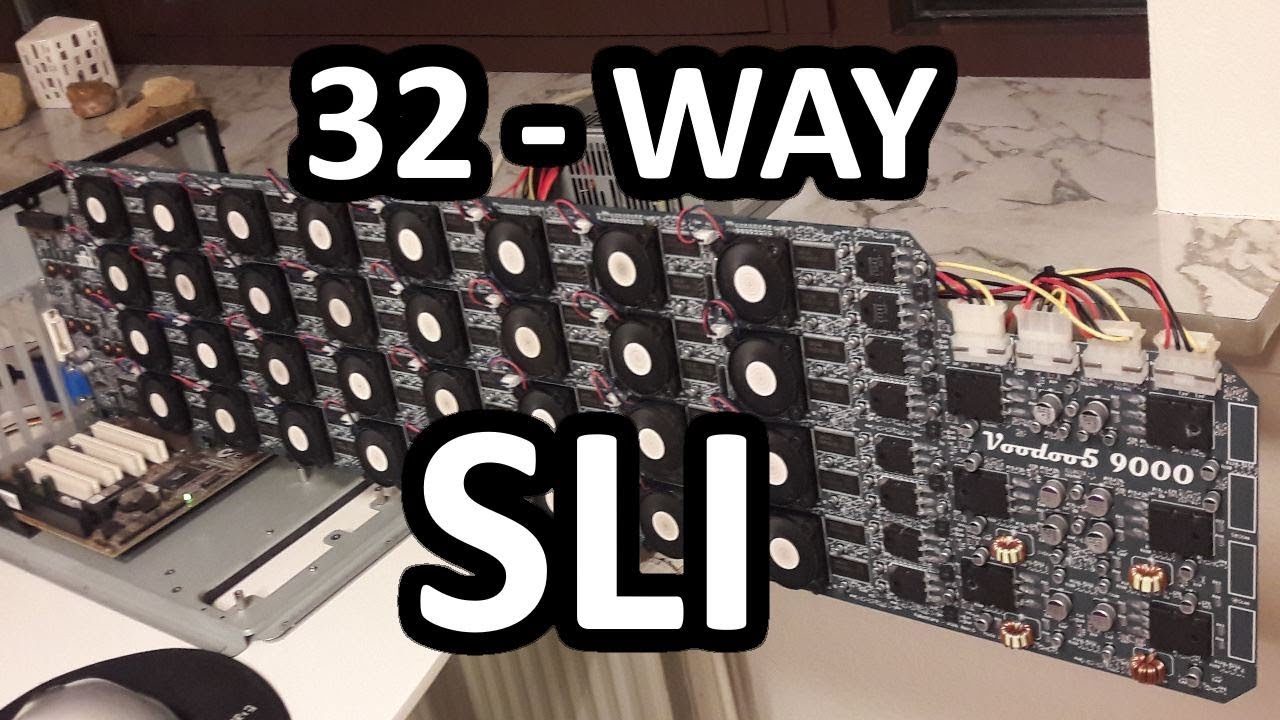
3dfx Voodoo5 9000 - 32 Way SLI Monster
Some of you might remember 3dfx wich who ruled the graphics card industry back in the late 90's. Their latest chip the VSA100 had a max spec of 32 way SLI, thoe such setup have never ben seen, well not until now!
The Voodoo5 9000 have ...
sli is lit
viral ore
wtf
subtle halo
it can play crysis too
covert crypt
 tranquil dust
wind machine
viral ore
oh, come on
subtle halo
omg the wind xD
viral ore
i feel like this isnt real
covert crypt
Its possible if linus did like 10k gaming on 9 monitors

Thanks to LG for sponsoring this video! Check out their monitors:
LG UltraWide Monitor 34WK95U
On LG.com US: http://geni.us/34WK95ULTT1
On LG.com CA: http://geni.us/34WK95ULTTC1
LG UltraWide Monitor 38WK95C
On LG.com US: http://geni.us/38WK95CLTT1
On LG.com CA: http://geni...
viral ore
not really the same thing
covert crypt
XD true
So sassy would u get a 650 or 850 psu then o.o
According to pc partpicker all my component only needs roughly 389w
viral ore
eh, get the 650 and save some money
covert crypt
Aight so my build perf for what I need then now? Gaming and editing for a living lol
Saved 400 bucks from initial starting point
Oh right sorry I forgot one more thing. I was told by my brother for the ryzen 7 3600x I dont need a cooler cuz it comes with a stock one which is good enough is this true?
foggy hazel
@covert crypt you are using money on "nothing" in that build
that does the same for a good deal less, with a higher sku cpu
and yes, the stock cooler is fine.
but considering the amount i just shaved off with a couple of minutes. Get a noctua cooler or something and have a very close to silent build
covert crypt
Lol I'm satisfied with my built it helps me with what I need. But if stock cooler is fine then yayy
covert crypt
I'm using it for 4k wedding video editing/youtube vid editing and gaming
foggy hazel
you are going to need a scratch disk for that
 cursive wharf
PSU quality wise
 teal bison
also the 3800x is like 5% faster than the 3700x isnt it?
foggy hazel
@teal bison there is room in the budget, and OC is out when stock
its a 530ish watt build
that last line is for you @cursive wharf
covert crypt
I dont need more then 3700x XD not looking to pay more
foggy hazel
you would not.
the build i linked is less than your linked build
and it is faster.
cursive wharf
yeah, 650w is fine for any consumer
foggy hazel
aye, non oc that is
covert crypt
Hm. How much faster then mine is it
foggy hazel
for editing? 5-10%
muted patio
3800x is 100 MHz faster....
cursive wharf
Eh, I mean 3950x+2080Ti stock is like 600w. Feel like that is more prosumer range rather then consumer, but eh.
foggy hazel
and does it really matter it is is less money you have to pay?
@muted patio power budget etc, remember, stock cooler
cursive wharf
would a 3800x take more then 150w OCed? Dont really know tbh
covert crypt
Hm so @muted patio would u ppt for naed build over the one we were discussing then lol
foggy hazel
@cursive wharf aye, didnt want to push to far, just wanted to change the really obvious "paying for looks" components
cursive wharf
CL16 ripjaws should be close to same price tho?
foggy hazel
ca thou
foggy hazel
i missed that, you are more awake than me, thank you
covert crypt
It's better then my trident?
foggy hazel
yes
cursive wharf
Your "RGB" version of that quality RAM is ~$250 cad
foggy hazel
https://ca.pcpartpicker.com/list/JnPVGc <- updated list. I would personally go for a seasonic psu, but that is my personal preference.
covert crypt
Oh I dont care for rgb on the parts. Just the case is enough
I like my corsair case
foggy hazel
question: do you NEED wifi?
foggy hazel
fair
covert crypt
Are u familiar with monitors ?
foggy hazel
yes, but i am only awake because someone barfed in the garden 2 floors below
and no, not a joke.
covert crypt
foggy hazel
what i listed above from pcpartpicker is a solid-enough build. but as mentioned, get a proper aircooler, you are going to appreciate it in the long run
foggy hazel
dont buy that monitor IF you ever plan on doing a vesa mount of it
foggy hazel
sighs
foggy hazel
@muted patio you remember our talk about monitors that didnt have vesa mounts? and popular for company setups?
what he linked is one of those freaks
and on that note, i am out again.
best of luck with your machine
covert crypt
Thanks
 prime spear
Yo can someone help me find the best Vesa mount for under 50 dollars?
for a 27ince 165hz monitor btw
100mmx100mm
prime spear
just one @wispy matrix
if you can find a double thats like 30 dollars or somthing
that would be cool
but i doubt
cause i might get a 240hz in the future
little osprey
is th RX 5600 good?
tranquil dust
^
little osprey
compared to 2080 idk what it compares too
 vivid atlas
RTX 2080 is better than a RX 5600 (XT) if that’s what you would like to know
ember sierra
Any suggestions on gaming keyboard + mouse? Max around $150 together; rgb both; wired both. Preferably the same company.
stoic island
If you just want cheap stuff, a reddragon k552 keyboard and a reddragon wireless mouse would cost very little.
 lyric thistle
w i r e d b o t h
wispy matrix
Cheaper keyboards with 5 stars are considered the best on amazon
Or look on Newegg also
 winged hollow
how’s this for a starting streaming and gaming on the same rig
little osprey
good
vivid atlas
You good get a R7 if you’re streaming, the 2 extra cores could be beneficial
3600 is good too
vivid atlas
Can video editing things like that depend on NVENC or in that case would a R7 be a good choice ?
muted patio
For streaming, NVENC does the encoding
vivid atlas
Alright
vivid atlas
Got it
lyric thistle
one
little osprey
Wym
lyric thistle
one computer 😎
vivid atlas
What’s all that RAM for
lyric thistle
🤔
little osprey
A price that is adequate for that custom PC
vivid atlas
750
vivid atlas
Motherboard isn’t listed, could be a crappy one
little osprey
Minus
vivid atlas
Power supply too
lyric thistle
this is gambling
vivid atlas
Bombs 😂
Well there are some PSUs where I live that cost $30 and are 750w, I wonder who buy em
subtle halo
computer shops
diskless
that uses apus to run their shops
or cafe shop i dont know the term on other country .,.... like renting pc
vivid atlas
Cyber cafe
little osprey
wut
vivid atlas
This cyber cafe things is really developed in my country (South Korea) even I started gaming there
little osprey
Epic
vivid atlas
still roostBOT
 gayoof#4662 has been warned
Reason: Bad word usage
little osprey
O heck
subtle halo
yeah that one
i use to spend a lot of money on that
the first game i played before is spiderman xD
then transformer and cod.
vivid atlas
Here in Korea 1h of PC is only <$1, and these cafes somehow work really well, True gamers I guess
ripe olive
My first game was wii sports resort
 shut rampart
Which one is better RX 5700 XT or 5600 XT
lyric thistle
yes
little osprey
si
 next merlin
@shut rampart if your monitor is 1440p then 5700xt if its 1080p then 5600xt
foggy hazel
@upper condor looks solid enough
 clever shadow
this is what i have so far picked out to get and was curious if there was any complications with it or if it was good to go through with buying
clever shadow
where is the 3600 mhz ram for the same price at?
i actually just found 3600mhz of the same type of ram for cheaper actually
clever shadow
and the m.2 1tb im going to be using for windows 10 and the ark game
viral ore
So, do you think 256 or 512 would be good enough?
clever shadow
i already have a 2 TB WD HDD and a 120GB SSD 2.5 that i already have
viral ore
Oh
clever shadow
ark is a really demanding game it takes alot of room and that is one game i would like to load in fast instead of waiting at the load screen forever
viral ore
Yeah, but it's not gonna use 800gb
A 256gb SSD will hold win 10 and ark, so unless you wanted to install tons of other games on it, it's wasted space
clever shadow
no it wont i just dont want to run low on memory i will be having all my pics and stuff on my 2TB HDD and my games on the SDD's
viral ore
Eh, alright then, if you think your gonna use it, that's fine
clever shadow
i play a variety of games i have a bad attention span
viral ore
Lol
clever shadow
i switch back and forth with games alot
and i would like to get into streaming have not done it before but thought about getting into doing it recently
foggy hazel
@clever shadow that list you linked, 3200 memory is plenty fine, unless you are planning to upgrade to 3rd gen ryzen at some point?
memory controller tops out there anyway in regards to sweetspot
clever shadow
im not sure if i will from what i have seen the 2nd gen is better for gaming but not sure how accurate that is
clever shadow
ok so that might be something i could save up for and work towards getting later
foggy hazel
aye
viral ore
I mean, 150 for 8c/16t is a killer deal
foggy hazel
not saying it is a bad cpu
clever shadow
now i am running on a ddr3 ram with a cpu fx8350 gpu rx480
foggy hazel
so if that is the words you take away, that is my mistake in conveying info.
viral ore
Obviously the 3600 cores perform better, but idk if ark would like to utilize more or not
foggy hazel
the 2700x is a fine cpu. but if the system "ends" its life with that. then 3600 ram is wasted on it
clever shadow
im just trying to stay in a decent budget that is a upgrade from what i have my tax return is just over 900
foggy hazel
@viral ore not mentioning this for the price difference. Just conveying the info so that he knows
clever shadow
was trying to stay with in the 600 to 700 range i have the case already i have a 750w psu and i do appreciate it naed that is something i will be looking forward to going up to in the future
clever shadow
not sure i know i do have 2 of them lol and i am currently using one that has not gaven me any issues so far
but i know pcgold here in town has some good ones for decent price if i need to get a new one
one of them is partual modular
partial*
foggy hazel
just going to say this: When/IF you upgrade to a 3rd gen ryzen, take that time/moment to take a very serious look at the quality of your psu
does not have to be a super expensive one. just know that sooner or later, a psu will die.
clever shadow
wheni do upgrade to 3rd gen i may just buy a new psu along with it
foggy hazel
aye aye, just keep it in mind:)
clever shadow
definatly will i have been struggling with what motherboard to use or go with
foggy hazel
aside from that info, it looks like a nice enough system
well, mainboard wise, ask yourself what you are actually going to notice (feature wise) and find a board that has that :)
clever shadow
on the bottom of that list what does those notes mean?
foggy hazel
the sata one is not something you need to worry about with the hardware you have currently
it basically means that you cannot populate all storage ports at the same time.
that is a normal limit of boards of this "class"
the physical limitation one is because of the noctua cooler and clearance
nope, wrong, sorry
i was tabbed into the wrong tab for the last bit :)
clever shadow
i am looking at price and ease of putting it together cause this will be my first build ever by myself. i like the way the one i have on that list is set up just was not sure if it was a good mobo
foggy hazel
i have no idea why it mentioned the physical limitations, there is nothing that is remotely close to being "close"
clever shadow
thats cool i will only have one hdd and one ssd connected to the sata spots so that should not be a problem
foggy hazel
aye
you have a total of 6 sata ports and 1 m.2
with the m.2 active (which you will have) you have 4 potential sata ports to chose from.
clever shadow
and i will be using stock cooler that comes with the cpu for a bit tell i can get money saved up for a AIO and i am not really in a hurry to jump into overclocking at the moment
clever shadow
that works then i think i have enough to hold me over for a bit
what one would be worth the money in your opinion other then a AIO
clever shadow
ok will have to check them out i know i seen the post at the bottom of the list to the left that showed a lot of new coolers that are decently priced
foggy hazel
something like that
it is basically a lump of metal with a fan on it
works wonders
and yes, the fan colour is not exactly "pretty"
clever shadow
lol was going to say would be better if they were all black lmao the brown is just horrid lmao
clever shadow
but as long as it keeps temps down that is all that matters
foggy hazel
noctua make some of the nicest coolers on the market
the n12 is 750grams of metal
but the normal stock one is going to be fine for now and the foreseeable future
clever shadow
saved that to my list
what 3rd gen should i set to save up for when i do decide to go to 3rd gen or better ? what one is better out of the selection of 3rd gen
clever shadow
mainly just play games main game is ark survival evolved
foggy hazel
the "obvious" upgrade is the 3700x
which is currently a 325usd cpu
the slightly less obvious one is the 3900x
which is a 12core semi-beast at 470usd
keep in mind, the prices are way higher now vs when you are going to be buying
clever shadow
so just start saving up and go for the 3900x then
foggy hazel
there are plenty of other things that come before then, kinda
clever shadow
yeah i dont think i will be getting into the threadrippers that are coming out i watched some linus tech tips and jayz videos about them
foggy hazel
such as a better gpu
TR chips are not for you
they are NOT gaming chips
yes, they can game, but no, you wont get any use from what they can actually do
clever shadow
i mainly only game on computers i watch youtube and netflix but other then that all i use a computer for is gaming lol
foggy hazel
aye, then it could easily be debated that you can stick to the 2700x for a long time
clever shadow
yeah
foggy hazel
in other words, build what you have specced now
and play a lot of games
and then if you ever surface long enough to wish for more performance? come back and have a chat :)
clever shadow
yeah definatly
foggy hazel
i would take the m.2 route, but aside from that, fair enough [edit: that]
upper condor
Would it run 1440p 144hz?
foggy hazel
no
it would not
unless you are talking specific games
https://www.anandtech.com/bench/product/2516?vs=2536 @upper condor have a look here
GPU 2019 benchmarks: Compare two products side-by-side or see a cascading list of product ratings along with our annotations.
little osprey
Quick question guys. Can a Ryzen 7 2700x be mounted on a 32-Bit Motherboard? All I know is that the Base Board Product is 2AF7
subtle halo
check the socket aslong its am4
foggy hazel
@little osprey there is no "32bit" mainboard for ryzen
it is a info snippet that doesnt make any logical sense.
little osprey
Uhm?
foggy hazel
the following is not to make fun of you. please keep that in mind.
little osprey
I didn't understand it anyways. 😅
foggy hazel
but it is kinda like asking if an orange can drive a car
little osprey
Can it?
foggy hazel
it is non-sensensical
where did you come across the info that caused you to ask?
@upper condor are you not paying a premium for nothing but colour on that ram? the mainboard can be excused because soundchip, just make certain that the user is not using usb based soundgear (it would be a wasted chip in that case) [Edit: to -> but]
little osprey
I just bought a Ryzen 7 2700x because it was going on sale. I finally got it for a new build, but to save costs the person asked if it was possible to just be able to mount the processing unit to the a current Motherboard with no issues.
foggy hazel
that depends entirely on what the current mainboard is
little osprey
All I know is that the Main Board is called 2AF7 by Hewlett Packard
foggy hazel
what cpu is it using right now?
upper condor
@foggy hazel yes i know im paying a premiun for that ram, its by choice
foggy hazel
@upper condor fair, then there are just the other things i mentioned, aside from that, it is a decent enough build
subtle halo
why does your board sounds like a book
little osprey
The Current CPU is a i7 4770 CPU @foggy hazel
foggy hazel
no, you cannot use a amd chip in a intel mainboard that is 6 generations old
upper condor
Also meant to put neo
little osprey
Well, thank you for the help Naed.
foggy hazel
you are very welcome :)
subtle halo
the socket is different.
 jovial night
Vertical gpu or nah lf opinions temp doesnt change
jovial night
🙏🏻ty
 jovial night
It really is a game changer when temps arent affected
jovial night
Heres a clip of current
upper condor
Will upgrade monitor to 1440p 144hz
 charred flint
yes
upper condor
Just saving that money and getting hardware to support it now
charred flint
2070s is great for 1440
upper condor
144hz?
upper condor
Ill get a good monitor later
charred flint
why not rn
upper condor
Price
charred flint
if u got 230xtra
upper condor
A g-sync 1440p is expensive
upper condor
@jovial night a bit steep for 1080p lol
jovial night
True lol
cursive wharf
@upper condor I wouldnt go 750w AMP, quality of the AMP is kinda not good enough for what to expect in a PC that'd need a 750w PSU
That's also a membrane keyboard for mechanical prices
cursive wharf
As for PSUs for future reference, the AMP and RM/RMx should stay at 550w - 650w range
upper condor
Yeah did that
foggy hazel
@charred flint 1440p@144hz is beyond what the 2070s can handle, unless you are going for very specific games.
@upper condor as i linked you earlier, have a look in the anandtech bench comparison
upper condor
I did
I would just play at high settings instead of ultra
I dont need perfect quality lol
foggy hazel
your choice.
for the sake of context, it is easier if you mention what you are willing to sacrifice when you ask. Does that make sense @upper condor ?
upper condor
Yes
 pliant delta
can anyone help me with a budget build
covert crypt
Does anyone have the cooler master h500m mid tower case? Or seen it ? And your thoughts
Vs nzxt h710i
upper condor
H710i is for big builds
Go fir the h500p mesh instead
I think cheaper and better airfliw
 winged delta
Can anyone more knowledgeable that me build a system discluding memory and peripherals, under $750 dollars strictly
Or know of one
winged delta
I do not
teal bison
do you know what case you want?
or what color
and do you plan on OCing @winged delta
winged delta
No, too risky in my opinion
Just looking for something to last
As for case, micro atx or atx is fine
teal bison
ok and do you know how much storage you will want?
teal bison
ok
winged delta
Preferably have room for an m.2 drive though
teal bison
https://pcpartpicker.com/list/FXw3mg left some room for an m.2, can probably get a cheaper motherboard if you want to spend less
and you can get a cheaper psu if you dont mind non-modular
this is what a cheaper version could look like for comparison
https://pcpartpicker.com/list/njFPgJ
also you can downgrade to the 1600 AF and save like $100, i just was able to fit the 3600 in the budget but if you want to save more, that one should do fine
just make sure its the AF version
covert crypt
Anyone know if the Asus maximus viii hero atx lga1151 motherboard is compatible with the g skills ripjaws v 32gb (2 x 16gb) ddr4-3600 memory
covert crypt
Mmk and the sabrent rocket 1Tb m.2-2280 nvme will work as well?
teal bison
ya
covert crypt
Thanksss lol I'm just seeing if I should just upgrade my parts for my pc or just get a brand new one entirely for video editing and gaming.
My new one I may wanna build
https://ca.pcpartpicker.com/list/t9Lyq3
My current one is
https://ca.pcpartpicker.com/list/R8n2b8
teal bison
if you want to edit videos i mean you can keep most of it just might want to switch to a ryzen build and upgrade the gpu probably
and you might want faster ram
but ya that new build is pretty good but depending on the price difference it might just be worth it to get a 3700x, not that much performance loss
teal bison
quite a bit considering that cpu is only 4 cores and that gpu is equivalent to like a 1650 super or something
covert crypt
Aight thankssss
little osprey
Hahaha this guy is selling an i9-99k but he bent 4 pins and says it still works lol
 covert crypt
I got one nvme 1tb storage. Is it wise for me to get a second storage?
Thinking of samsung evo 850
eager chasm
for mass storage it's probably best to go for an HDD as supplementary if you are gonna be archiving your videos
it's the most cost effective storage that you don't need super speed access too
ember sierra
Would everyone say the CORSAIR K55 RGB + CORSAIR Harpoon RGB is a good keyboard n mouse setup?
cursive wharf
K55 is the same price as fully mechanical and RGB Redragon keyboards
tbh, I'd advise against Corsair peripherals unless for a truly good deal. They tend to fail more then other competitors. Say for the mouse, dust very easily gets to the middle mouse button and their right/left buttons fail more then other brands
ember sierra
Okay, what about Logitech G peripherals?
cursive wharf
That idk about. Apparently their mechanical keyboards arent that great cuz their switches suck
but mouses are highly regarded for being good
ember sierra
Is trying for both being the same brand logical? If so, which brand would be the best at a $100-$150 budget?
cursive wharf
Two different companies kinda makes it hard to manage the macros or RGB syncing that happens
I know that the redragon mice are adequate. But idk if they are actually decent enough to legitimately good companies
I also am pretty sure that the RGB is managed by the keyboard and not software for redragon. So they are kinda sorta out of the game
ember sierra
Are Alienware peripherals good? I love their design
cursive wharf
Never seen them being priced well and idk their quality
ember sierra
And is the rgb being controlled by the keyboard customizable, or one color
As for my current rgb I’m used to NZXT‘s Hue+ That level of customization isn’t standard, though?
 compact latch
prime spear
compact latch
prime spear
NICE
ember sierra
@compact latch #build-pics ?
Well done, whichever mod
Urself
Well done u then
Not appropriate 😉
Rly? Cmon
I can’t delete it, so...
tranquil dust
i always miss the good things 😔
tranquil dust
it is
 rotund tusk
Im building my PC and I've been attempting to connect 24 pin connector into my MicroATX MB. The 20pin wouldn't connect after connecting the 4 pin, so I took the 4pin out and put the 20 pin in by itself. Now I need to take the the 20pin out and it just won't come out at all. What do I do??
foggy hazel
@rotund tusk the 20 pin and the 4 pin can be joined together on the sides. so you slide both into the mainboard connector at the same time.
as for pulling them out
there should be a "latch" on the side
rotund tusk
Yeah I've pushed it while pulling it but it just won't come out. It took so much effort to put it in there at first.
foggy hazel
unless you have found a very weird psu, the latch should be there.
press the latch so it is "released" (this requires putting constant pressure on it)
then, while gribbing the connector itself (20pin in your case) try and wiggle is a bit from side to side
and that is all i can help with tonight, so best of luck :)
ember sierra
Is the Corsair K55 a keyboard good for its price, used for gaming and office work?
If not, good alternatives at similar price?
rotund tusk
I got the pins in, after almost drawing blood in my fingers from the corners..
ember sierra
Sounds like standard hardware work @rotund tusk lol
rotund tusk
I also have a fan that has a 3 pin connector but my MB doesn't have anymore 3pin fan slots
 serene current
Ok. I got everything installed, boots fine, I just don’t have keyboard or mouse except in BIOS
 fluid crystal
@proud helm i think you can run it on lowest setting
covert crypt
What monitors are those @compact latch
Anyone got recommendations for excellent dual 27" monitors that dont break the ba k?
covert crypt
Also the ryzen 3800x comes with a cooler already. Should I get a different CPU cooler? If so which one
ember sierra
Probably, yeah. The stock cooler can tend to be noisy and might not manage OC.
Also it doesn’t look as good, opinion.
ember sierra
Is saving some money with getting a tactile instead of linear keyboard fine?
upper condor
Get the G pro
On sale from 130
To 80
It is tactile though
And the g513 is 130
Or get a 45$ redragon one
ember sierra
At Logitech? Actually my budget is 100€, being $110 and the German price comparison portal idealo.de finds these prices excluding shipping
ember sierra
Yeah, I wrote dollars. It’s almost same. Also many people go slightly over budget, therefor translating it back it fits me
upper condor
Mhm
ember sierra
But as you see the linear is a bit over my budget. Would it be worth saving that money and getting the tactile
upper condor
Personallyz if your current keyboard is ok id just save up the extra 20-30€
And get tactile
What do you currently have?
ember sierra
I currently have some $10-$15 cherry office keyboard
I wouldn’t stick with the r7 3700x stock cooler
Get a good one
upper condor
Na the stock is fine for now
Its probably the best stock cooler
Nvm
Changed it
ember sierra
To save some money, I suggest the scythe mugen 5 rev. It’s good enough at half the price
upper condor
Besides that, its good?
ember sierra
ASUS (ROG) is pretty pricey, because of its quality. U might be able to save some on that, but might decrease on efficiency a little
Also ur aware of this: „Some AMD B450 chipset motherboards may need a BIOS update prior to using Matisse CPUs. Upgrading the BIOS may require a different CPU that is supported by older BIOS revisions.“
Idk if that’s a problem for u
Obviously x570 is more expensive
I don’t know if the brand of the storage device is good
upper condor
Sabrent is good, that board is updated
If you check the manufacturer page it will say
And its say 3rd gen ready
I can just email them asking if it is, they will say yes, and if it isnt I get a new one
ember sierra
Sounds good
stoic island
95$ for 3200mhz cl16 seems expensive
You can get ripjaw v 3600mhz cl16 kits for around 80$ last I checked. And if you really need rgb, trident z neo is around that price for 3600mhz cl16
Sabrent rocket Q isn't great bc it's using QLC instead of the usual TLC for nvme drives
compact latch
@covert crypt AOC CQ27G1 27 and HP OMEN 27"
 fluid raven
g skill 16gb 3200mhz cl16 is like $65
little osprey
https://pcpartpicker.com/list/7Xh7p8 thoughts?
upper condor
For just gaming, is a 3600 ok? Or should i go for the 3700x
vivid atlas
@upper condor 3600 is okay
latent bronze
@little osprey Id go for a better case