#building-and-recc-chat
1 messages · Page 457 of 1
 little osprey
unless you have ryzen 9 or TR chip
 latent bronze
Um you can stream with a Ryzen 7 still without any issues
and besides i don't see anyone using a TR for gaming and streaming
latent bronze
ya to outpace it you can just use a Ryzen 7
little osprey
ahh i only thought ryzen 9 and above
btw
3 gen TR is good for everything but it seems dumb if thats plan on using it for
streaming and gaming
latent bronze
You mean TRX?
little osprey
trx is motherboard
tr is still chip
btw threadripper is ment for hole different market
latent bronze
TRX4 is the socket
little osprey
socket is called strx
trx40 is chipet
still people buying threadripper are editors,3d modalist,movie studios
latent bronze
3950X is pretty much like a 2950X but just AM4 instead
latent bronze
@muted patio what do you think about this cooler https://www.amazon.ca/Thermaltake-Motherboard-Addressable-Universal-CL-P064-AL12SW/dp/B07WW26KV7
 muted patio
Looks like a stock Spire performer with RGB
little osprey
you going small form facter like htpc?
latent bronze
nope on the small form factor
muted patio
There are no heatpipes so it's not gonna be great
latent bronze
and i don't really overclock as well so
muted patio
I'd equate that to a stock Intel or AMD Spire
little osprey
^
@muted patio you think we see anymore new TR4 coolers or thats about it?
full coverage
latent bronze
I honestly want this still https://www.amazon.ca/Noctua-Premium-Cooler_-Cooling-NH-L9x65/dp/B00VB3Y89E?ref_=ast_sto_dp
latent bronze
I have seen reviews on this one which showed to be at least 5c less from the Wraith Stealth https://www.amazon.ca/Noctua-NH-L9a-AM4-low-profile-quiet-cooler/dp/B075SG1T3X
little osprey
if its noctua most of time you can trust it works best in category
latent bronze
The other one i linked as well has heat pipes >_<
latent bronze
look between those
little osprey
thermaltake don't have heat pipes
latent bronze
that one should cool better and handle overclocking
little osprey
yeah when it comes to air cooling noctua is unmatched
latent bronze
Oh ya and the one thing i like the most for that beefy one is the fact i can remove it without any issues
little osprey
yeah true but least you know have proven company and product
latent bronze
This is what i am using now http://www.deepcool.com/product/cpucooler/2013-12/7_512.shtml
GAMMAXX S40 - DEEPCOOL is dedicated to provide the best Laptop Cooler,CPU coolers, Computer Chassis and PC Power Supply.
great cooler but only one side effect
little osprey
you having heating issues or just want to down size?
latent bronze
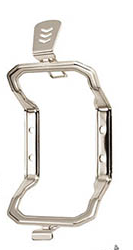
i have the use the last bracket
latent bronze
The Deepcool one i am forced to use this https://i.gyazo.com/f6d163726feb9b550909304796ab0931.png
 muted patio
ewwww
little osprey
LOL
latent bronze
you know how much of a pain in the butt it is to put on and take off
little osprey
i proby know had evo it was pain to take off
latent bronze
At least with the Noctua cooler i can unscrew 2 screws
little osprey
just make sure you got good pressure before unscrewing anything
latent bronze
I know how to apply a CPU cooler >_<
 latent bronze
I had to put this one on my friends 3200G https://www.amazon.ca/Noctua-NH-L12S-low-profile-cooler-quiet/dp/B075SF5QQ8
which he only plays CS GO, LoL and OW so he is using the iGPU only
But he will need a dedicated GPU soon if he plans on playing OW2
latent bronze
He would most likely just need a 1650 Super
he doesn't care about max setting but he does care about high
and he might start playing Apex with that
little osprey
ahh nice
 worn apex
@muted patio , i amended my amazon list to add the changes in .. total came in at $828.38, and thats with a new acer 24" monitor (just in case) lol
signing off for tonight .. thank you all for the feed back earlier 🙂
muted patio
YW
worn apex
will be back in due course .. ill be posting pics on #build-pics also
have a good night gang
 fresh summit
gn
worn apex
welp .. that was quick. i have a question.
ryzen 7 2700 as opposed to ryzen 5 3600 .. any advantage using the 7 instead of the 5?
i can be reached on mobile app too so if you need to send me PM thats fine
🙂
 old charm
I think I was told only the later numbers matter but definitely don't quote me on that
 lime forge
2700 more cores better for straeaming and video editing
3600 better for just single core performance therefore better for gaming
old charm
i have the 3600
muted patio
@lime forge despite less cores, the 3600 is about 20-25% better performance
little osprey
@muted patio so the 3700x is a good processor
 raven chasm
3700x is god processor
little osprey
That’s what I’m ordering to put in my gaming pc
muted patio
I have one. It's beast
worn apex
Ok thanks .. was curious because the 7 is about $50-60 cheaper lol
worn apex
Yes
muted patio
AH, depends on what you want to do. For pure gaming, 3600 is about 20-25% faster than the 2700
2700 is better at multitasking
If you aren't streaming, go 3600 but either would do fine
worn apex
I'm building mostly for games, but will use it for other light office duties also
muted patio
Gnight!
 rare sand
hi all! I'm having some ram issues and wanted to see if anyone here could possibly help me out with it.
little osprey
which platform and cpu?
 gentle bay
So just to clarify
This should be able to do fine in a meshify c fracteral case
right?
That's the proposed build
 warped moat
Yea it’ll fit fine
 jaunty karma
Any good cases under 40 bucks
gentle bay
Could i still run games at 1440p using a 1080p monitor?
 elfin remnant
No
gentle bay
Alright
Is it better to game on a 1080p 144hz IPS monitor, rather than to game on a 1440p 144hz VA monitor?
little osprey
No
1440p 144hz vs is much better
Plus va has 3 times as much contrast as ips
@gentle bay
gentle bay
So basically higher contrasat
contrast*
and slightly higher ms time?
I mean lower
gentle bay
hmmm
Okay then
What are you thoughts on this monitor
Amazon.com: AOC CQ27G1 27" Curved Frameless Gaming Monitor QHD/2K, 1ms, 144Hz, FreeSync, DisplayPort/HDMI/VGA, Height adjustable, 3-Year Zero-Bright Dot: Computers & Accessories
elfin remnant
yeah
 indigo saddle
Yea
gentle bay
So i plan on using two 120 mm fans
One in the rear, one on the bottom; the rear pushes air out, the bottom takes up air.
Any suggestions to case fans for this scenario? I also have two 140mm fans on top pushing out air, and two 140mm fans on the front taking air in.
 celest horizon
The GPU usually produces more thermal power vs the cpu by a factor ~~2.
Mainly, don't blow a 2080 ti's worth of exhaust into an air tower cooler on a case with 3 420mm fans up top - etc.
I think you should proioritize aesthetics, easy of build/maintenance work, and just try a few loose fits to get a feel for it.
gentle bay
Not gonna lie
Im sorta dumb and tired
So im a bit confused
Would you like to see my current build atm
And see how you advise me in context
celest horizon
Sure. But unless you have said GPU - hopefully thermals will never bog down the enjoyment of your build.
celest horizon
If you're open to input, I'd recommend some minor swaps, but fist -
Do you like RGB? If so, do you prefer that ddr4's styling in particular
gentle bay
I guess so
And sure, im always open for inputx thank you for asking
And At the moment i have everything on the list except for the case, power supply, and gpu
celest horizon
Gotcha, going with the stock cooler?
gentle bay
Wraith Prism? Most likely, but i might switch if necessary
celest horizon
I hate saying "oh, I have something like that", but "hoarder" doesn't have the same ring
latent bronze
3600X is a wrath spire
celest horizon
Good strategy - I often advocate for the same - that said, having tried many including the prism, I really like big air towers - (I also respect the preference for AIO) just for the silence
gentle bay
Oh right, i forgot. My bad. Thanks for the correction
latent bronze
Prism is 3700X and up
gentle bay
hmm ic.
latent bronze
Spire still a lot better than Stealth
gentle bay
Ah, i see
Would i need stronger 120mm fans than the ones provided by Fracterals Meshify C Case?
latent bronze
1200RPM would be more than enough
gentle bay
And would you recommend switching out the cpu cooler for something like a noctua cooler?
Oh nice
latent bronze
good chance you wouldn't even be running at that high anyways
gentle bay
Ah makes sense
latent bronze
1200RPM you are going to hear the fans
heck mine is running at that now and took me a week to get used to it lol
latent bronze
Waiting for the fans i want to be in stock so i can control my fan speeds as well
 latent bronze
they sold out in a day cause they were 25$
well on sale
But ya when they are in stock i am going to pick it up replace the 3 fans in my system and have it run on medium speed
gentle bay
oooh ic
that sounds like a solid plan
latent bronze
You could also save some money going for the MSI B450 Max boards they are also 3000 ready
gentle bay
Hmmm
celest horizon
no, the original build wa san x570
gentle bay
I understand
Definitely true that i would save, but is it worth the hassle to return? hmm
celest horizon
b450 max's like the tomahawk, gaming plus, even the vdh? idk - fine, but why risk future wasted time and effot.
Maybe not, for the same reason.
latent bronze
If you have it now or it is on its way it is fine but if you were about to order it you could always go for that
celest horizon
Ecks what's your current cpu/mobo/mem? gammax 400, 2600, 1650 irrc
gentle bay
True true. I actually debated getting the b450s. Sadly, I do already have the x570 atm
latent bronze
R5 2600, GTX 1660, Asus Prime B450M-A-CSM 16gb DDR4 Team Group 3000MHz
Gammaxx S40
celest horizon
I think iambox has one as well? Either the gaming x or the pro carbon
Nice 1660 - I may follow suite
gentle bay
ooo nice
latent bronze
If i waited 2 more months it could of been a 1660 Super
latent bronze
if you are not overclocking it would be fine
 tight bluff
Ew RGB fsns
latent bronze
Ew a Nomad
jaunty karma
I found
A noctua fan for 10 dollars each
I found a noctua heat sink for 100 bucks
50 bucks
Noctua is that expensive
4 fans already destroyed my budget
 severe chasm
hey guys, i have a 1070ti, whats a good cpu pairing with it? I prefer Ryzen
tight bluff
Your name sounds like someone about to hurl, shhhh @latent bronze
@severe chasm 2700. 3600. Depends on your use case and budget.
severe chasm
I plan on streaming and obviously gaming, was considering the 3700X ut not sure if my gpu would severely ottleneck it
jaunty karma
What does bottleneck mean
severe chasm
it caps the performance on a particular part in your system, meaning 1 part is a lot better than another but due to slower speeds, it can't utilize the potential of the better part
really basic answer but i hope that sorta makes sense
severe chasm
no its all good, we all start somewhere
the data is restricted by the cpu's speed
and can't keep up with the gpu
jaunty karma
How bout rx570 and R5 2600
severe chasm
im not that clever XD
 mossy citrus
Should the gpu cost more than the cpu
severe chasm
majority of the time, yes
jaunty karma
Idk
severe chasm
unless you are going very high end cpu for editing or high stress loads
jaunty karma
My gpu is 125 bucks
mossy citrus
My dad says hes done thr reasearch and it shouldnt xD
tight bluff
@severe chasm As you have an Nvidia GPU, streaming shouldn't affect your streaming. Use the NVenc encoder.
severe chasm
streaming shouldn't affect my streaming, sorry im relatively new; what do you mean by that? as in the frames shouldn't drop?
tight bluff
Shouldnt affect your CPU*
Streaming is only CPU intensive if using the h264 encoder, using Nvenc which is a built in hardware encoder on Nvidia GPUs works better for pretty much everyone.
severe chasm
ah okay, its just i was streaming CSGO with my current Ryzen 3 1300X using OBS and my frames were dropping considerably
tight bluff
What was the warning OBS gave you in the bottom left, something about encoding?
If it was, ensure you have that checked
If not, it should solve your problems.
severe chasm
yeah was checked
tight bluff
Was the game still running fine when you were dropping frames?
latent bronze
Ever thought of getting something like this https://www.newegg.com/black-avermedia-gl-310-video-capture-editing/p/N82E16815100172
tight bluff
If you are looking for a CPU upgrade though: You can get a 3600 and have pretty solid gaming performance, whilst 6c/12t and its clocks still being great for all around things, or save a bit of money and get the 2700. It has more cores, bit less clock speeds. Less baseclock anyway, but only 0.1ghz less boost. It'll probably last you longer and handle any CPU intensive workloads you throw at it better. Both should still easily be good enough for a long enough time so that when you feel you want to replace your GPU with a new one, they'll still work well.
severe chasm
slight frame freezes but nothing too major, average around 130fps and was hitting low 70's\
tight bluff
But it doesn't sound much like you need a new CPU, much anyway
What bitrate are you using? And is it being throttled by your internet's upload speed?
severe chasm
possibly, im Aussie so its pretty horrible
tight bluff
Run a speedtest.net
severe chasm
tight bluff
Odd, should be able to handle a decent bitrate at that.
 eager chasm
That's not super horrible for Aussie internet 🤔
tight bluff
Doesn't sound like your CPU is throttling that badly though.
severe chasm
thats also at 11:30pm when less people are on it
tight bluff
Unless you're trying to stream at like 9000 bitrate like a complete maniac.
severe chasm
it was 2000
mossy citrus
https://pcpartpicker.com/list/mxbfmg @jaunty karma
latent bronze
that would be more for 720p output
tight bluff
2000-2500 is decent 720p30 in a high movement game. To be fair, nobody really ever watches twitch in a higher res than 720p
mossy citrus
is this gud? https://pcpartpicker.com/list/mxbfmg
 eager chasm
 I try to stream 1080p60... But I'm crazy
tight bluff
I have streamed 3500 bitrate with a near equal processor. I suppose to easy way to find out is to try OC a bit to 3.7 if possible and see if it helps. But it's CS:Go, not a bad processor and you're using Nvenc with a low bitrate with decent internet, I don't see why.
I stream 1080p60, the amount of people that watch it in that: 0.
To be fair when I was on VooblyOfficial and had 1.2k viewers for the Rise to Glory finals we asked who was watching in full screen, we got like three yes answers.
jaunty karma
Wheres the hard drive? @mossy citrus
latent bronze
This is for when i stream https://i.gyazo.com/cf0835ffd5f423e37c2fad3ee065f650.png
 tight bluff
6k is a bit overkill for 1080p60
latent bronze
I have no issues so
tight bluff
As long as you get source options you're good
Got to remember half of the people watching still have potato internets/phone internet etc
mossy citrus
-_-
latent bronze
I tested out my stream using my mobile network on my laptop and i am able to watch without any issues
tight bluff
Yeah but not everyone can. It's pretty RNG whether your stream has source changing options or not these days. Ive not had it with 50 viewers, Ive had it with 5.
mossy citrus
plz answer
latent bronze
@mossy citrus your build is ok ok
jaunty karma
@mossy citrus is being ignored
mossy citrus
thx
jaunty karma
I would say its good
eager chasm
@mossy citrus why get a wifi card an not a wifi capable board?
latent bronze
the only thing i don't like is the Corsair CX PSU
mossy citrus
I'm lazy
tight bluff
Can get an m.2 SSD for the same price as that Crucial Mx500, that will be 4-6x the speed at the same capacity. There's no reason for a small m.2 large SSD when you can have a large M.2 for the same price, and HDD for bulk storage.
mossy citrus
Besides with my budget its cheaper
 eager chasm
@mossy citrus getting a b450 board with wifi isnt much more than getting your current board, about the same cost as getting that laptop wifi card
tight bluff
I dont know those prices but that 4200 better be basically free for an A6
jaunty karma
4200?
tight bluff
Of whatever currency that is
jaunty karma
Its below a 100 bucks
Well
Im just suggesting a friend with a very low budget build
Cause he broke
eager chasm
Yea being broke sucks
jaunty karma
Ikr
 stoic island
Why does everyone need rgb
eager chasm
Pretty sure you could use an MSI board to do the same or very similar lighting
mossy citrus
fans and gpu
stoic island
Not even "I'd like rgb", just straight "I need rgb"
mossy citrus
ok, i dont need it
eager chasm
Your fans and GPU can be run with any RGB on any board with RGB headers, doesn't need to be Aura Sync
jaunty karma

eager chasm
I run my stuff with the Asrock Polychrome, though the settings aren't the best
But Asrock is what I could afford for that features I wanted
mossy citrus
does the arorus pro wifi have any rgb
stoic island
...
I have MSI b450 gaming pro carbon ac
It has nicr rgb
I dont sync anything with it, its just on default
eager chasm
@mossy citrus it has both static and Adressable headers
eager chasm
 Asrock Polychrome is a pretty meh Addressable RGB, only a few ok effects
mossy citrus
Ok thx!!
mossy citrus
Wait...
eager chasm
Told you you can find a good wifi board for the same cost
Kinda sad I have to use separate software for my cooler and the rest of my RGB
And if I want good rainbow on my fans I use the fan controller lol
 cyan salmon
Guys I need help, so my friend has built a new pc and everything is in working order (or so we think) when I tried booting it up and loading into the bios nothing happened, the screen just stayed black, I made sure everything was plugged in. I tried another monitor and two different cables and still no luck. Specs:
Ryzen 7 3700
Rtx 2070 super
Corsair vengeance 16gb ddr4 RAM
500gb ssd
3tb 7200 rpm hdd
Asus rog crosshair vii hero Mobo
tight bluff
So it posted (the screen coming up saying "Press x key to go to bios" etc, then when you did, it black screened?
Or did it not even make it that far?
eager chasm
You plugged the cables into the GPU and not the MB right?
cyan salmon
I believe so
He’s taking in today to see what’s wrong
This is our third Mobo we’ve had to get
The first one got fried and the second cracked in shipping
I feel so bad for him, it wasn’t this hard for me when I made a pc
tight bluff
Speaking of which, you failed to mention what PSU
eager chasm
What would really suck is the CPU being mounted wrong or having bent pins
 cursive wharf
VII is x470. You updated the BIOS?
little osprey
How do u even mount a cpu wrong
cyan salmon
Idk but he put it on right
little osprey
It literally has grooves aswell as an arrow
muted patio
Did you update the BIOS before installing the CPU?
Hei is right, the BIOS needs updated for that CPU
Use the Flashback option with a USB stick
muted patio
@cyan salmon
cursive wharf
@cyan salmon Also that PSU is sketch. No Over Temperature Protection and no operating temperature given anyware in any specs. No real reviews by actual PSU reviewers either
muted patio
@cursive wharf, LTT has it in the A tier. Check again..........
celest horizon
I always miss it haha - which psus?
muted patio
Doesn't matter, PSU is already bought installed and working fine. Issue is Mobo won't post, needs a BIOS update for 3000 series CPU
celest horizon
Oh I was just curious which unit hadn't been reviewed it.
cursive wharf
Also note, the sources for the Gamdias PSUs on the LTT list aren't that great. Really, really basic testing
muted patio
Update the BIOS on that mobo fo the 3000 series CPU. Probably why it's not booting
That PSU is fine, just use it
cyan salmon
ok, so where do I download the bios for that mobo, I looked on the rog website and they didn't have bios there
muted patio
Yes, they do. I'll get you a link
cyan salmon
thx just dm it to me
also does anyone know how to make a laptop 1060 run 165fps consistantly
little osprey
morning @muted patio
muted patio
Eyo
 celest horizon
I don't want to drag out the "should haves tbh" - but I'm interested to read on
-replied late again
cursive wharf
I don't have too much knowledge on whether OTP is really necessary. However given lack of operating temps in specs, real reviews, and OTP I feel like it can overheat rather easily
Whether it can explode easily just from basic overheating is beyond me. But whether it's capable of going beyond that "basic overheating" part as well is something that I also don't know
 next merlin
Yall have budget fan recommendations?
muted patio
I used be a repair tech, component level stuff, for quarter million dollar Xray machines and other equipment. I built and designed control circuits for various things also. I know how electricity and power supplies work. OTP isn't necessary, it's a nice=to-have. Every PSU has a thermistor inside. Thermistors break the circuit when they get too hot, it's a component that increases resistance with heat until it won't conduct any more. OTP just means a self-reseting unit, whereas thermistors can fail totally and can't be reset.
celest horizon
I think the most likely - if ever at all OTP splodey' cases are when a fan cable or w/e falls into the psu intake
muted patio
Literally, unless you're overloading a PSU, it's not going to get hot to that point. if it's run within the recommended wattage, it's a moot point.
Yes the only time it's a real issue is with a direct short circuit.
celest horizon
Sure, and I bet machines like that are designed to have a mean time between failure in hours /years we can't even imagine.
muted patio
It wasn't just those machines
i serviced and repaired a lot of low voltage equipment too
celest horizon
Running at a toasty temp under load due to say a blocked fan that the cooling microcontroller somehow doesn't freak out about for say a year in a chinese gaming cafe - idk, i could see that degrading the capacitance, esr, rdson of younameit inside the box
This is obviously a real stretch
muted patio
the biggest issue you face is dust. Dust is an insulator
celest horizon
Oof smokers pcs
muted patio
Dust traps heat. But you need a lot of it before bad things happen
Yeah, smokers PC's are the worst
celest horizon
CO2 tank and hose make cleaning pretty fun
muted patio
These Xray machines were in warehouses having pallets of materials run through them
cursive wharf
See the thing is, if the thermistor breaks, would the PSU shut off correctly?
Making sure you have PWR OK setup correctly
muted patio
Bottom line is, most modern PSU's are fine. Things like coil whine should be avoided because it's annoying. It's not harmful in anyway just obnoxious. Things like OTP are nice because it's a resettable circuit breaker. Without it, the thermistor can fail hard open. however, the odds of that happening are pretty low. You'd have to almost burn it for that to happen
celest horizon
Almost never breaks - it's a piece of metal that bends out of contact disconnecting the mains
muted patio
I mean, even OTP components can fail hard open given enough heat
celest horizon
Your microwave has about 4 of them, they're pretty reliable even when cheap
muted patio
Depending on the thermistor, they'll tolerate 150-250C.
celest horizon
Coil whine is a funny one - sometimes certain PSU's don't play nice with certain cards.
cursive wharf
Not to mention voltages would be way out of wack at that point
celest horizon
I'm pretty sure my 650 prime has a dead thermistor in it
Nah, that kind of transient will trigger the protection circuitry so fast
unless potato tier
You guys are making me wanna blow up soe 620w bronze evo ii's in the name of science
tight bluff
Do it.
cursive wharf
Lol
Tho, the II could have all protections set up correctly. Who knows about the Kratos
celest horizon
For a load box... ithink I could just run some kanthal wire to a pole inthe ground like 20 feet away lol
I have two of them I don't care for. Two dell 300's one gold, 4 Hp 520w unrated, and another ablecom 920w as well
all scrap in 2020 tbh
Oh and a corsair hx620 that dimms my lights when I plug it in
tight bluff
Go for the HP. It's personal.
muted patio
Getting a power supply to blow up is harder than you think..............
celest horizon
challenge accepted
I actually don't own any huge capacitors, just the hf ones from a tesla col - I have two MOTs though
These are the scrap HPs
muted patio
You really have to try and hurt the thing. I'm talking short circuiting the 3.3V line to the 12 VDC line, 12VDC line to ground, etc
celest horizon
As long as I send them off to proper recycling - I honeslty don't think they're worth more than scrap
harvesting those deltas of
muted patio
If you really wanna make a bang, wire the 120VAC line directly to the caps
Remove the transformer and solder in jumper wires. Big ones.
celest horizon
I don't expect a bang either tbh, but testing for curiosity sake - why not
muted patio
If you really wanna get nervous, stick your hands into a 300,000 VDC power supply with huge caps. The PSU didn't supply 300,000 volts but it fed a ladder board in mineral oil that did. PSU bumped it up to about 1,500 VDC.
celest horizon
Haha clever, acting like a marx generator
muted patio
It's how Xray systems work.
celest horizon
Really? The high voltage dc power supplies for them? What kind of x-ray device? CT's are pretty cool to watch
Oh I misunderstood - yes, all kinds of dielectric oil is used intransformers.
Every one of those white "pole pigs" on the street are full of it
I thought you were talking about this effect https://www.youtube.com/watch?v=6Px8IdahzaM

Get your Action Lab Box Now! https://www.theactionlab.com/
In this video I show you how to make oil jump from one cup to another using high voltage! I show you an amazing effect when you point a high voltage object at oil. It makes charged oil waves that spread! This is an a...
muted patio
nah, oil cooled and insulated stuff. high voltages do really weird things like in that video if they aren't insulated.
celest horizon
I built a really jank spark gap tesla coil in high school with a neon sign transformer, bunch of mouser/digikey parts, magnet wire pvc, coppper refridgeration tobing, for 500kv or so If you stand on an insulated stool and hold the breakout point - you can see the corona off your fingers - 10th grade me wasn't very cautious.
I still have the tank circuit caps and secondary + the 12kv 30ma NST, parents tossed the rest
muted patio
i dunno, sounds pretty cool lol
celest horizon
Some guy I met on a FB group about tesla coils posted a pic of him doing it and ofc this started the obcession lol. Jay Howson
stoic island
Oh yea, my PC makes some wierd kinda whine noises whenever I do one of the userbenchmarks graphics benchmarks, any reason that might be?
It doesn't make that sound under load in games, or under load in 3dmarks, or unigen heaven, or anything else
tight bluff
Possibly because your games running your GPU at 100% load are bottlenecked by its memory before it consumes as much power requiring as much cooling. Adjust your fan curve to 80% max for example and you might here it decrease (Though watch for it overheating) and thatll probably be why.
stoic island
?
tight bluff
Changed CPU for GPU because I mistype like a moron.
stoic island
I have gpu fan speed manually cranked btw
My CPU fans are noctua fans so I doubt they'll make wierd noise like that
tight bluff
So you're saying its not your fans, you're getting coil whine from your GPU?
tight bluff
Well if you manually control your fans and they arent running at a different speed in the benchmark then its probably coil whine if you're sure its from your GPU.
celest horizon
Different programs at the same thermal loads can cause different presentations for coil whine, I just chalk it up to magic.
stoic island
Idk if its gpu, its just whine during a GPU test
celest horizon
Funny - EVGA FTW3's have this goop on the chokes/vrm area to supress the noise
tight bluff
What memory is your GPU?
celest horizon
Both the PSU and GPU are common sources, CPU vrm sometimes
tight bluff
Amount.
stoic island
8gb
Well actually when I get the chance too I might change the CPU fan curve
And see if that does anythin
But I have no idea what the noise could originate from, so thats why I'm here
 shadow robin
is the B450M PRO-VDH Max any good i need something cheap but still upgradeble trying to find a micro-atx board for less than $80 thats good
little osprey
hey @tight bluff
tight bluff
Yo
tight bluff
Because they're pretty bad companies.
celest horizon

Ars Technica
Raspberry Pi does hourly speed tests, tweets if speed is lower than advertised.
little osprey
im not comcast but i have had a lot of people from there kept trying to dos me when i had a ps4
but it never work
celest horizon
Is your router telling you this? What are the signs of a ddos attack you've noticed?
little osprey
my logs will show dos attack storm
https://cdn.discordapp.com/attachments/585800283909521418/664907413941387264/image0.jpg poggers now just waiting for my new mobo and case and psu and storage tmr
muted patio
DOS STorm logs in a router are pretty common, actually. It hardly ever means you're getting attacked.
little osprey
i dont use google dns
warped moat
Half of my ddos logs are from amazon or my own ip
celest horizon
What's your router model?
warped moat
I have two one of those is a Comcast Xfi router the other is a nighthawk router
I ain’t home rn so I don’t have specific models
little osprey
r8000
i had someone on ps4 threaten to ddos me i said go try it i wont get booted off
muted patio
Those threats are always empty
muted patio
ya
little osprey
but why sometimes my internet goes to garbage
it went to crap for 5hrs one time and back to normal
barely making 300
then suddenly goes back to 950-970
muted patio
Connection issues, cable issues, cable shares bandwidth with other subscribers, could be a high load time of day, anything really.
little osprey
ISP could be doing maintance too
@muted patio i got 3970x today man the its looks so beautiful D:
i am waiting for rest of parts coming tmr tho
muted patio
niiiiice
little osprey
@muted patio can i send you a dm
muted patio
big fat cpu
Ok?
Best way to check DDOS is to back trace the IP address
Most of the time it's Amazon, or Google or some other innocuous web address
muted patio
Don't have a request pending. Shouldn't need to make a request?
little osprey
it said we werent on the same server
Your message could not be delivered because you don't share a server with the recipient or you disabled direct messages on your shared server, recipient is only accepting direct messages from friends, or you were blocked by the recipient.
muted patio
i think you clicked on someone else. I have no pending requests of any kind
 dark thistle
https://pcpartpicker.com/list/tpXtWb what motherboard for this build? I'll eventually be upgrading to a newer am4 CPU and GPU??
 polar holly
What budget do you have for this currently
tight bluff
There are some cheap MSI B450 Maxs. Might have to settle for a micro atx in a full sized ATX case there though
dark thistle
I'd like to keep the motherboard like $120 or less
tight bluff
Or just switch to a micro atx case
dark thistle
Isn't the -a pro max pretty much the same?
polar holly
Which board put a link
dark thistle
@polar holly but if I was getting that, why not in turn get this?
https://www.google.com/url?sa=t&source=web&rct=j&url=https://www.msi.com/Motherboard/B450M-PRO-VDH-MAX/Specification&ved=2ahUKEwjHhraOyPfmAhUXK80KHexKBywQFjABegQIAxAM&usg=AOvVaw2KOuMksGOWWbiEtdaaQn-R
polar holly
They are just different boards the MSU tomahawk is much more over built than it but also comes with a price premium. Max means it is amd3000 compatible
Msi*
little osprey
I love the MSU Tom O' Hauk
 strange mango
Would appreciate some feedback on this. Going to be my first build after having a series of pre-builts.
https://pcpartpicker.com/list/8fWTrV
warped moat
The sabrant rocket is a better m.2 ssd for like 20$ more imo. Other than that it looks good
polar holly
Make sure the h500 is mesh the nonmesh is bad for temperatures
strange mango
According to the listing, it comes with both I think.
 foggy hazel
personally i would go up a wattage rating on the psu, so 600/650
strange mango
@foggy hazel 30% overhead is recommended, correct? That puts me at 564w. Guess I should bump it up.
foggy hazel
there are different preferences on that @strange mango
tight bluff
So for me that 434 goes to 450 then 550 for all factors of safety/extra
tight bluff
The exception id make is if the GPU was like 120W TDP, and Id add an extra 100 to that incase you went to a 250W TDP but you already have one of those so. Its not like you lack GPU upgradability with 550w.
old charm
feels so good to be done and have everything fixed
the only other question i have is what exactly is overclocking?
and if i can already play everything on max settings, is it worth it?
tight bluff
No.
tight bluff
Overclocking is increasing your clock speeds, so instead of it being 3.5ghz and a few cores going up to 3.9ghz for the boost clock for example, you can set it so all cores run at 4ghz. You can OC if you want a cheap CPU in a budget build that you need to OC to run what you want but if you already can run all you want then you shouldn't. Maybe as your CPU gets towards the end of its usable life and you want to get more time out of it if your cooler is decent enough then its a good idea @old charm
strange mango
@foggy hazel what do you recommend for overhead?
muted patio
You can change it up a bit if you need to but it's a good place to start
muted patio
That's the bad airflow one
Virtually no intake at the front
just a small port at the bottom
 loud apex
I get high off of making pc builds is something wrong with me
 full agate
oh what about the cooler master h500
muted patio
That's a good one
full agate
thx
muted patio
It was just a build to start with. Feel free to delete that and use stock cooler, get a better GPU, etc
foggy hazel
@strange mango re:overhead: what i said about personally going for a 600-650 psu has to do with what i know would end up happening with the machine. So think of it like planning ahead.
mossy citrus
@muted patio wheres the wifi
muted patio
what?
mossy citrus
In the build
muted patio
There isn't any? Some people don't need it. Or get an add-in card
muted patio
AC or N?
muted patio
Wireless AC or Wireless N? It's a speed/connection type
mossy citrus
Whats the difference
muted patio
Speeds. N is 600 mbps AC is more
mossy citrus
Ac
mossy citrus
Wifi
muted patio
I get that, need a model number or something lol
latent bronze
which router do you have
mossy citrus
Idk
muted patio
I'ma go with N then
muted patio
You have an M.2 wifi card slot?
mossy citrus
Yea
muted patio
Are there antenna connections on the motherboard?
Brass threaded connections on the I/O or anything?
muted patio
K
So you'd need something like this: https://www.newegg.com/p/0XM-004T-001A9?Description=m.2 wifi&cm_re=m.2_wifi-_-9SIAKJ89XP4083-_-Product
mossy citrus
Ok thx
muted patio
YW
 mortal void
@true raptor take that damn sticker off your PC 
 regal forge
Question about RAM, is 16gb of 3200 ram good enough to stream and play games at high fps or should i go 32 gb?
muted patio
For what processor?
regal forge
Yes
muted patio
need to match the fabric clock speed
regal forge
So 16gb of 3600 or 32gb 3600?
muted patio
16gb is fine
little osprey
do you guys know any good 3200 cl16 or cl14 256gb kits for threadripper?
stoic island
compiling?
stoic island
ah
muted patio
little osprey
little osprey
O
muted patio
That doens't leave you any upgrade room
Could do 4 sticks for 128 GB
and leave room for 4 more
muted patio
Yeah it would work
muted patio
YW
muted patio
el oh el
little osprey
@stoic island the cost of ram for me not a issue with my pc being a threadripper
alot times people do same
stoic island
no like I felt it seemed off bc like 2x16gb usually is around like 160$, so I would expect 8x16gb to be like 600$
little osprey
its b-die too so its adds lot cost
ahh makes sense @stoic island
one other thing is ram distributors like taking advantage of charging crap for higher than 8x4 kits too @stoic island
stoic island
huh
yea you might want to look into multiple orders of like 2x16 or 2x32 than straight 128gb/256gb kit
little osprey
i have 2x16gb 2x for 64gb total so i might see if i can get away with it but worse case i just buy another of same kit to make it 128gb
stoic island
ah
strange mango
@foggy hazel sorry for the late reply. Thank you.
fresh summit
i think this is gonna be the final list of parts i put together now time to start ordering
little osprey
switch your 2tb for a ssd
warped moat
Doesn’t need to be an ssd
As long as he’s got a boot ssd it’ll do fine
Which he does
fresh summit
ye
fresh summit
i was hoping like 1150
 prime spear
shouldnt be hard to get 4.5ghz
warped moat
I haven’t seen much about that gigabyte card tho
fresh summit
its a good card
next merlin
Is the Antec NX400 a good case?
fresh summit
ummm
idk but you could just do a little bit of research see if it has what you need and good temps
little osprey
Anyone got some good budget $500 AMD builds for GTA V?!?
stoic island
integrated graphics can actually run GTA (not well but still) sooo
ryzen 3400g build might work
little osprey
Bet, how bout that uh real life mod though 👀😆
little osprey
what do you guys think i can overclock 3970x too?
i am going be using enermax tr4 gen 2 360
muted patio
NNNNOOOOOOOOOOOO
Don't do taht
The Liqtechs corrode internally after like 6 months and plug up

The original Enermax Liqtech I TR4 liquid coolers are plagued with corrosion, gunk/build-up, blockages, and more corrosion.
Sponsor: Buy PowerColor's Red Dragon Radeon™ RX 5700 (https://geni.us/7WSE5 on Amazon)
The original Liqtech I TR4 coolers should probably be formall...
 teal bison
fresh summit
teal bison
fresh summit
ight you here
 lucid creek
Yes I’m here
fresh summit
ok
do you need an rgb case cause i got a all around good case it does not have rgb but it looks nice its not expensve it has good airflow and a temper glass window on the sidw
lucid creek
Yeah that’s good
lucid creek
Yeah sure I’d appreciate it
lucid creek
Yes I do and thank you for the assistance
fresh summit
ok it can fit the rgb ram cause i had a little bit of money but i assumed you dont wanna spend every little bit of your budget
here is the list with a diffrent aio and rgb ram
if i where you and you like the builds i would bookmark them both and watch the prices
the corsair aio is a bit better i think and it has rgb
oh the nzxt has rgb too
lucid creek
Both of these are perfect.
fresh summit
ok
lucid creek
And you’re right there is wiggle room for upgrades later
fresh summit
im glad i could help
lucid creek
Thank you for your time
fresh summit
yeah there is still like 50 bucks left fot the pricey one and you can change some stuff out maybe find a better mobo or get like 40 more bucks get 32 gigs of ram
Np im glad i could help
i am the one normaly asking for help
lucid creek
Is the gpu chosen a good one?
fresh summit
yes
lucid creek
Ok rad
fresh summit
it is good for gaming it is like the best rx 5700xt
yes the rad is good
both
the corsair is better tho
lucid creek
Ok good deal then
fresh summit
yeah
i would get it but i cant fit it in my budget
so i went with a more budget corsair
ohh
with the extra 50 you can buy case fans
very importain
ill link you some decent ones
lucid creek
Ok. Sounds good.
fresh summit
not to expensive but you get what you pay for and they have rgb
one sec i cant find the link
there
also they have some decnt cable sleeves
well thanks for letting me help you @lucid creek
oh also if you want to stream i would go with a 2060 super or a 2070 suoper
warped moat
I haven’t heard good things about the evga gd psus
With such an expensive system I think you should spend a little more on a higher end psu
fresh summit
ok ill check it out thanks for the tip
it has been replaced by seasonic
one of the best
ok well goodnight guys
regal forge
Question anyone opinion is wanted please. Is AMD or Intel better. I primarily want to game and record/stream on my pc. The 2 I’m looking at are AMD Ryzen 3700x and the Intel I7 9700k. I have been researching and I’m not sure what I should get. I stream, game, edit videos (minimally), and watch streams and YouTube on my pc. Any feedback/help is greatly appreciated. Thanks!
gentle bay
I'm not a techie, so opinion isn't really that strong.
But, i would say the 3700x is an incredible choice.
Which GPU are you planning to use
regal forge
Yeah thats what ive seen but, I also saw a benchamark that had the Intel cpu faster for gamming and desktop uses and a lower workstationg rating. And the AMD cpu had slightly lower gaming, and desktop uses but a much higher workstation rating.
@gentle bay
 steep elbow
I don't know how but for my first build last night, it posted the first try
mossy citrus
Noice
little osprey
nice '
 limpid merlin
@tight bluff what case is that
tight bluff
coolermaster
You cant really buy it, OEMs buy them in bulk to make custom PCs in, I just went to one of them and asked if I can buy one on its own and they said yes so.
Got my 3950X and X570 TUF Plus in it.
 blazing trench
hey im new to pc building im planning on building my first pc in a couple months
tight bluff
@blazing trench Here's better for when you're actually building it. You probably should watch a bunch of guides until then though, helps with confidence.
blazing trench
ok
but i wanna see if the specs im going for are good for like an 1000 dollar budget
tight bluff
Some decent stuff there, some not so great decision wise. Are you hoping for entirely an amazon build or would you take other cheaper retail outlets in the US?
For example, newegg lol.
blazing trench
yah thats where i just put the specs in one area
tight bluff
Use PCPartPicker
blazing trench
ok
 fair lantern
Yeah I was gonna say
tight bluff
Automatically finds the cheapest places to buy each part
@muted patio Do you have a cosmetically viable $1k build on hand? I don't have sheyit atm.
You definitely could do better for $1k than that, also no ram lol
tight bluff
I went pretty similar with the same case as the amazon list. No idea if its a good case or not
I have no idea what the heck that ram you picked is
stoic island
Well depends on how much storage he wants
blazing trench
i dont need that to much
tight bluff
The 2tb WD is very very slightly cheaper
Like the 4tb is pretty much the highest storage per dollar drive thats still budgetable and reliable.
stoic island
tho its 5400rpm
tight bluff
5400rpm isnt an issue when a 1tb SSD is like 15 50gb+ games, assuming OS + some important programs
tight bluff
Tf have you been doing to your SSD you masochist?
stoic island
with downloading about 20/55 games I own
tight bluff
Put the ones you play most/specifically have long loading times on SSD
tight bluff
If you play 20 games regularly then you have more variety than I have braincells. Like if you play all 20 of them often enough to justify that then... hats off to you.
stoic island
Fo4, GTA, Rust, Boarderlands 3, etc
Like I actually play many of them
I switch games pretty damn often
prime spear
i dont have money for games
and most games im not interested in
i only play Rainbow 6 Seige, Fortnite, CSGO Apex Legends and sometimes Destiny 2. i would like to get the most recent modern warfare but dont have money atm
stoic island
r6s boiiis
I have r6s on my ssd because ssd, but I got r6s test servers on my hard drive
stoic island
I want to go to micro center
so many good deals
I could prob easily save a hundred dollars
tight bluff
@little osprey Yes.
@heady olive Not nessecarily true. Higher than 3600 can be a bad thing, or at least unnoticably small gains for a LOT more ost
cost
 heady olive
hmmm
tight bluff
"it will" or "will it"
little osprey
will it
dang autocorrect
i dont see 3600 on there
i just dont want to damage my board
muted patio
Your board gos to 4066 it's fine.
heady olive
🙂
little osprey
hey @muted patio i have a question for you
muted patio
Yes it's safe
little osprey
Netgear Nighthawk CM1100 will this give me faster speeds than what i have now
i have the cm1000 right now and averaging 945-950 will this give me even close or over 1 gig
my isp said it will
muted patio
No idea. Depends on what the ISP will say it will give you. Only the ISP dictates speeds.
 coarse coral
going to buy the CM1150V when i find a good deal on a router
little osprey
i dont have voice i just do internet with the company im with and that looks like an awesome modem
cheaper than what mine was
does this mean mine can handle up to 2 gigs
 cyan osprey
@sly ferry yeah that’s an nzxt h510 red/black
old charm
this is actually hard to believe

Here it is, the best budget build I have ever created so far. This is my personal record and who knows, maybe someday in the future I will be able to beat it. It took me 8 months to compile all the parts to get it under $100, so I would say this was fairly difficult to do.
G...
i spent X4 that on one part lol



 old charm
if it can run fortnite it can probably run minecraft
little osprey
seriously fortnite
 tranquil dust
Arrest that man
regal forge
So does anyone else have an opinion on which better Intel or AMD?
Question anyone opinion is wanted please. Is AMD or Intel better. I primarily want to game and record/stream on my pc. The 2 I’m looking at are AMD Ryzen 3700x and the Intel I7 9700k. I have been researching and I’m not sure what I should get. I stream, game, edit videos (minimally), and watch streams and YouTube on my pc. Any feedback/help is greatly appreciated. Thanks!
Thats what I use my pc for
tight bluff
AMD is better in my opinion because they offer both high core counts at a low cost for "workstation" type of uses, but their precision boost is also very good for gaming and other single/low core tasks. Intel's only USP at this point is that they have one or two CPUs in the sea of 30 that bury them that outperform in games by a few frames, at a much higher cost and worse multicore/thread performance than their AMD equivalents.
AMD doesn't just let you make a new gaming system on an ultra low budget, or a mid range rig for a good price, or a high end gaming/work rig, they let you do it all regardless of your budget
 tall lichen
maybe
little osprey
guys my pc booted to sefe mode and then it said my systom was unstable but o havent changed anything in my bios but it booted in to windows after i left the bios what should i do
little osprey
Or just send one to me
 sterile wave
What do u have
sterile wave

little osprey
A sledgehammer will do the job
little osprey
Thats a desktop isnt it?
little osprey
Lol
 formal plover
So, is it not even sort adding an ssd or more ram?
little osprey
Nothing in there worth upgrading
little osprey
What are you using it for?
formal plover
I'd like it to run xplane 11 or at least fsx with high settings
And maybe some simple games like minecraft and roblox
formal plover
Really
sterile wave
I've only ever worked with their laptops lol
sterile wave
The more you know
little osprey
Ur pc doesnt have a gpu
formal plover
Ik
 pearl marsh
The H420 can be technically upgraded to a greater CPU - there are many good deals on those on Aliexpress. Socket 1155 is rather old, you know, but still can do the job. But it can be hard as these prebuilts can have weird BIOSes without support for many CPUs which would be supported normally on a generic motherboard. Also those Lenovo machines can have very weird and proprietary power connectors and pretty weak PSUs so you couldn't even throw in any GPU that requires additional power connectors.
pearl marsh
1650 though
Should work too.
Buuuut 1050Ti might be a good way to go as it can be found used for pretty cheap.
little osprey
Ya
pearl marsh
But please do not buy a new 1050Ti.
little osprey
☝️
formal plover
It has a Pentium
pearl marsh
You need at least an i5 to be okay-ish.
little osprey
I’d say do a cpu nd gpu upgrade
muted patio
Gonna need a Psu also. And the slot only provides 50 watts of power, not the 75 the 1050 needs. Needs a low power gpu.
pearl marsh
Those can be found for cheap. Unlike i7s, even that old
little osprey
Nd u should b fine
muted patio
We've been over this......
formal plover
@pearl marsh should I just get a cheap Optiplex then?
pearl marsh
And even closely priced ones can be pretty different.
little osprey
I forgot that older gpus get power from the mobo
pearl marsh
It's not about the age though
formal plover
Yep 790
pearl marsh
1050Ti has no additional power connectors, unless it's a custom AIB board
formal plover
It has an i6
 austere condor
@muted patio https://pcpartpicker.com/list/sHmTrV