#building-and-recc-chat
1 messages · Page 432 of 1
 timber pivot
 dry tinsel
since i lost my displayport cable to it being stuck in the bloody thing for some reason i have to now acquire another
 little osprey
@dry tinsel
dry tinsel
G-SYNC isn't working on HDMI 1.4 or whatever
 eager chasm
Since BDO is a very fast paced action combat game the 100+ FPS really helps a lot
dry tinsel
kayne probably powercolor or something
little osprey
is msi good?
dry tinsel
MSI is fine
timber pivot
yea msi is nice and stable
dry tinsel
like there's nothing wrong with 90% of those cards
eager chasm
Yea HDMI doesn't have up channels, so no adaptive sync
dry tinsel
i have to get a blower because of my case and the layout
i know it is loud
i have dampening foam on the inside of my case though
eager chasm
Loud? Have you heard a VII rev up? It's fans are like jet engines
dry tinsel
well VII is like a blower but with 3 fans
also i've had a blower before and it was whhhhhhhhhhzzzzzzzzzzzzzzzzzzz
vacuum sound
eager chasm
Performance fan curve on a VII can make you go deaf

lol
I never notice it since I always use headphones
I might look at getting a better headset once my loan payments are done in February, I'll have a tax return to yeet about too
The Cloud II is a nice mid-tier headset
But I want something better now XD
 lyric thistle
I can smell the skynet
eager chasm
Yea it was the most popular headset a few years ago
dry tinsel
I use MDR-7506s usually but my pair broke so i need a replacement
i'd like a set of blootueth headphones though
since my new PC should have blootueth functionality through the wireless antenna
 mild ridge
It's here :) now waiting for the rest LOL
 jaunty karma
Heya
Kinda need help on build
Budget of $400-600
What should i get
Already have a case
 cinder vault
 patent steppe
Who got experience with the b450m pro 4 and q300l case
eager chasm
Depends what you are asking about
patent steppe
Putting the motherboard in the q300l case
eager chasm
Cause most of the time putting a board in a case is pretty standardized
patent steppe
Have a hard time with that
 sudden turret
what's the problem.
patent steppe
I am still a beginner sorry
sudden turret
the standoffs?
sudden turret
in the case, each screw point shound have a letter associated with it
so if you have mATX board.
example screw holes with A would be for that board.
you'll have to check the manual and see.
or it might even be printed on the case
eager chasm
What exactly are you having problems with?
sudden turret
did you install the I/O shield first?
sudden turret
so then that side of the mobo should be in first, align with shield, and slowly lay the board down
sometimes those retention grounds get in the way on the I/O
eager chasm
Yea it takes a small amount of force to get the board into the io sheild
sudden turret
they sometimes act like a spring so to speak
you might have to push and hold it until you get one or two screws in.
sudden turret
oh you're not doing it now? lol
patent steppe
No lol
sudden turret
doh 😐
sudden turret
if you still have troubles just come back.
 tranquil dust
Gm
eager chasm
?
sudden turret
'goodmorning'
tranquil dust
Lol
 eager chasm
hmmm I'm tempted to get an Athlon 2000G or 3000G as a super budget homebrew NAS option
the ultra low cost and integrated graphics make it a star choice for such a build 😄
I mean it's just a NAS, not even a light work build
 muted patio
Once it's up and running you won't even need the integrated. Find an old video card, pop it in, set it up, make it headless, remove video card, done.
 jaunty nacelle
@coarse coral damn nice what are ur pc specs
sudden turret
r, g, and b.
eager chasm
The idea for a homebrew NAS for my parents
https://pcpartpicker.com/list/D3sygJ
about as budget as it gets
 raven shale
i am building a new computer. and i want a good graphics card. should i lower my cpu to a top tier core i5 or just keep it with a core i7 and get a 1660ti?
eager chasm
slap FreeNAS on it and my parents can back up their stuff 😄
@raven shale depends on the games you intend to play
some games now go HEAVY on the multithreading these days
eager chasm
a middle ground would be a Ryzen 5, -2% general gaming performance but 6 Core/12 Thread and it's much better in more heavily threaded titles
little osprey
If you're already spending $321 - might as well go ssd imo. If you plan to expand, that's another story.
eager chasm
in most cases a 6core i5 should do fine in gaming, but I don't know exactly how thread intensive the new COD is
so if you wanna save some money I'd go with i5 or R5 and put that extra couple hundred towards a better GPU if you can
Also if you plan on doing anything outside of gaming like recording, streaming, video editing or anything of the sort the Ryzen 5 is your power house for the price point
 jolly bear
Has anyone done or seen a itx build that is worth it ? I’m a college kid and wanna be able to easily take my pc back n forth to home in a suitcase or backpack. So Im interested in doing a itx build just want to hear input and thoughts or recommendations!
eager chasm
Well I was planning a stripped down ITX build for a Homebrew Nas, I could retool the list for a college/gaming PC
:)
It's not a SUPER compact case but it's manageable
sudden turret
wouldn't a nice laptop be more useful?
wouldn't have to worry about totting around a monitor
 drifting jetty
If it's just a Homebrew NAS you could just use a raspi 4
eager chasm
i rather stick to my wheelhouse and not deal with a pi
even if it's not as cost effective
drifting jetty
Fair enough
eager chasm
@jolly bear here's a list for a no-compromise mid-tier ITX build for a computer if you care to look.
https://pcpartpicker.com/list/xgm4Mc
good for school, home, school work, and gaming
(half lie the compromise is in the stock cooler for the R5)
pretty sure some decent low profile coolers exist
it's not the most compact you can get an ITX build, but it's not so large it would be hard to carry easily
little osprey
i can’t wait to get my pc
i’ve got like 2 more weeks of waiting before i’m ordering everything
it’s gonna be amazing
i wish i was getting a 1440p 144hz monitor right away
eager chasm
grats
little osprey
but that’ll have to come later down the road
eager chasm
well if you are cranking everything to max settings 144FPS is unrealistic in AAA titles 😄
little osprey
that’s true
1440p mainly though
i’ve just heard the difference between 60 and 144 is day and night
eager chasm
oh trust me, i may not be able to hit 165 in BDO, but I can hit 100 and it's amazing, much better for such a fast paced combat game
little osprey
yeah i guess even just that extra 40fps is a lot nicer
my main game will be r6
so i feel like even on ultra i can hit 120+ frames
little osprey
one of my favorite games and it’s lasted with me for years
eager chasm
don't mind me I'll be over here with my MMOs
little osprey
mainly play on xbox but on my laptop which uses a 1050ti i can play very high settings smoothly
i’ve tried mmos but can’t get into it
little osprey
i just switched my monitor for my xbox and it’s insane what a difference it made
 signal dock
Okay, so I swapped my thermal paste, and the GPU still doesnt give any signal
little osprey
the other one was an old acer 21” monitor on what i’m guess was 720p because this is a 24” 1080p monitor and it looks way clearer
eager chasm
yea the monitor type and quality can make a HUGE difference
my second monitor has a 16ms response time... shoot me 😄
thankfully it's 1Ms on my main
 terse kraken
Ty
little osprey
Now I'm second guessing my case choice
dammit
maybe i don't want the Lian Li case
 old charm
does anyone know how to/if you can take the front panel off an NZXT510? CuzI'm pretty sure you can't
 still roostBOT
 SouthPawPad#1296 has been warned
Reason: Bad word usage
little osprey
Dngit
old charm
I'm gonna have really crappy airflow if I can't
drifting jetty
I would just Google wether the front panel comes off or not
Sometimes it doesn't¯_(ツ)_/¯
old charm
I did and also if you refer to the manual I don't think it does
so I think I'm SoL in that regard
drifting jetty
The vast majority do, but there is an odd one out every so often
old charm
I saw a video where you technically could but you have to take out rivets which idk if I wanna do
drifting jetty
I probably wouldn't
old charm
I'm not going to
drifting jetty
@signal dock what's the issue?
signal dock
Its turns on and the fans start spinning but i dont get any signal whatsoever
 hoary goblet
should i buy a prebuilt hp pavilion gaming pc for 1000 cad
with 9400f
and 1050 ti
drifting jetty
That's my config and I payed ~700$ and that was about 2yrs ago
So I don't think so
@signal dock I assumed you've checked all cables external and internal?
signal dock
Yup
drifting jetty
Including on the power supply end if you have a modular
signal dock
There is only 1 internal cable and thats for the fans
drifting jetty
Does the GPU need supplemental power?
drifting jetty
Yes
hoary goblet
should I get it
drifting jetty
But you said there was only one internal cable
dry tinsel
discorrrrd
hoary goblet
what
drifting jetty
I would explore other options @hoary goblet that sounds a few hundred dollars too many
drifting jetty
Oh
hoary goblet
kbm included
drifting jetty
🤔
 cursive wharf
Still to much for Canadian prices
drifting jetty
That sounds... Okay then
signal dock
@drifting jetty do you mean cables in the whole pc or the gpu?
hoary goblet
should i buy a prebuilt or build my own pc
sudden turret
depends
hoary goblet
i like to play farcry, minecraft, roblox
sudden turret
DIY is better budget wise.
sudden turret
and you get better satisfaction knowing you built it
but if you feel like you can't do it, pre-built is your best bet.
or get someone to help you.
hoary goblet
my friend has built his own already and he offered to build mine for free
i dont know if newegg sells pre builts
old charm
do psu's typically blow downward or upward or does it depend on case?
 shut spoke
gtx 1060 6gb
sudden turret
@old charm the psu fan sucks in, and out the back.
to keep the psu components cool.
 polar holly
Just make sure the fan is clear of obstruction it will depend on case
drifting jetty
You want the fan facing that
That way it cools independent of other components
So it won't just be sucking in hot air
eager chasm
in older cases it is the exhaust fan and you do aim the PSU into the case
but that was a long time ago
back when it was top mounted
 narrow rose
back when you didnt have but maybe one case fan
little osprey
Must've been a very long time ago, like , box or intender longago 🙂 Traditionally it's rear exhaust psu + rear exhaust fan, both 80/92mm
eager chasm
back when 40mm Case fans were a thing lol
narrow rose
@little osprey thats what he meant basically using the PSU to pull hot air from the case
eager chasm
this case I used as my temporary uses PSU as exhaust
but thankfully it was missing it's window so it didn't matter too much
case fans don't matter too much if you run open air, just need to regularly dust it
little osprey
Beige needs a comeback. I'd love to use a gateway 2000, or even the all Al Mac Pro/G5 look pre-trash.
eager chasm
CLASSIC
little osprey
I have a ton of 40 mm's from server psu's, no use for them myself, afaik.
I saw a twitch streamer build in an XPS 710 the other month, glad I never bought one, but good design imo
eager chasm
last lan party I went to the 2 guys next to me brought regular gaming computers, and 2 windows 98 machines refurbished, they even brought a stack of old 90's games on CD
part way through they switched computers and started installing the stack of CDs and playing them
it was a sight to see
mild ridge
Is this correct?
drifting jetty
Yes
mild ridge
Also, where does this go.
drifting jetty
Then you plug a 8pin eps into the other end
mild ridge
This is the other end of the usb (first image)
drifting jetty
That powers the HDD and needs to be connected directly into the wall
drifting jetty
(If these are serious questions I'd watch a build guide)
drifting jetty
Yeah
So I would definitely look up a build guide
Top left corner is indeed CPU power
The rest is somewhat difficult to explain via text
eager chasm
I'll accept that challenge!
@mild ridge there should be a hole just above those to route the CPU power to from behind
mild ridge
There is
eager chasm
it hurts my soul when someone reaches CPU power across the front
eager chasm
looks like a male fan plug
eager chasm
the female part is under it
the female part foes onto a fan header, the header you use depends what that's connected to
eager chasm
is it connected to the AOI?
(your CPU cooler)
if it is it goes on the CPU fan header
mild ridge
Alright
sudden turret
yeah those two are the aio are for the fans to your rad
mild ridge
Do I need to plug both cpu power supply?
drifting jetty
Unless you're overclocking you only need one plugged in
eager chasm
I use fan header splitters instead of a fan controller 😄
little osprey
You'll very much enjoy it stock. I/we'll be happy to provide resources/help if/when the time comes for OC should you choose 🙂
He got 3600 xmp, right? nvm 3200, good, no risk of auto vcc io/sa >>>>> safe
eager chasm
I cut corners just enough in my builds to sound like a bad idea but still get optimal performance 
like cheap DC case fans on splitters
or the most bargain bin cases possible that are just enough to not choke airflow
little osprey
90% of my loop parts/fittings/pumps are from the plumbing isle/autoparts lol. I can definitely relate
little osprey
I might do much of one in 1/2 copper. Really easy to cut. I really liked working with ABS for high pressure pneumatic stuff
eager chasm
I'd hate to do copper, VERY corrosive, I'd hate to under mix anti-corrosion chemicals in
little osprey
Aren't most or almost all pc consumer water cooling parts copper, brass, and some plastics/rubbers?
Copper, nickel, brass can live together ok with only a bit of corrosion inhibitors and some biocide as well.
eager chasm
statue of liberty... that thing is what happens to copper XD
little osprey
Aluminum is the one that's on the far end of the galvanic series
eager chasm
personally I chose an X470 board to pair with my 3700X
but really most B450 boards will work fine
little osprey
Whatever works tbh - x570 bios troubles have been really rough for some.
 proud galleon
I'm not the most experienced so wasn't even sure x470 was applicable, but I'd definitely consider
eager chasm
X740 is more of an overclocking type of board
proud galleon
i sorta lean toward Asus for aesthetics and nice bios, but i hear msi comes on top in most cases
little osprey
X570 boards on combo with 3600's even would be my choice recommendation if price is right, b450 msi is really solid too imo
eager chasm
I'm not too fussed about what boards I buy, if it has the feature set I want and the color too, I'll go for it
little osprey
If not for the price drops + combo discounts, x570/zen2 entry level would be a bit much
eager chasm
but yea if overclocking is a possible future goal, X470 might be your best option for performance to price
proud galleon
Think Ill go with the Strix x470f
eager chasm
as for what boards supply the smoothest and best OC performance that's a bit higher than my knowledge
little osprey
470-f is one of the two asus that are decent on VRM. The other is the C7H.
cursive wharf
most of MSI's b450 is fine for a decent OC on 3900x so I mean
dry tinsel
i dunno why they include stock coolers with CPUs that can barely handle the boost speed but make the CPUs super overclockable
looks at wraith prism and 2700X
lol
eager chasm
the fact the coolers are enough for stock at all puts them miles ahead of intel
the shade has been thrown
but hey at least the 3700X is a LOT cooler so the prism is far more viable on it
muted patio
No, no it's not
I used the Prism, the 212 and finally went water
FOr any kind of hard use the stock cooler sucks, as does the 212
eager chasm
works for me, 77C while playing a heavy game that uses all core, seems fine enough for beefy gaming
muted patio
FOr gaming, yeah, it's probably fine. But it literally thermal shut down when running a prime 95 test and some heavy video transcoding
dry tinsel
i'm gonna remove the thermal paste and put my own little bead on it
AMD applies way too much thermal paste to their coolers
it's goopy
eager chasm
... you sure P95 is a torture test? temps are lower than when i play my beefiest game and are not climbing...
boost is even still engaged
muted patio
Uh, Yeah, Prime 95 is designed as a CPU torture test
mild ridge
Also got this Led on
muted patio
Yo umay not have had all the settings correct if it's cooler than during gaming. 😉
eager chasm
72C, full tilt 100% usage... 7C colder than my beefiest game
 tawdry sorrel
Sub to BongoForever
eager chasm
my radeon VII isnt heatsoaking the case either
eager chasm
LMAO
muted patio
This is what happens when you get old -_-
eager chasm
still CPU is running full tilt in P95 it finally hit 80C, the cooler is taking it like a champ
muted patio
Are you on Blend?
eager chasm
blend?
eager chasm
no idea, whatever the default test is XD
muted patio
On water I'm at 65C right now 4.230 GHZ
Hit 4.25 there for a minute, fluctuiatint between that and 4.230
eager chasm
still in most stress tests my CPU doesn't ever seem to redline, the cooler does keep up... could partly be that I use a very high-end paste
muted patio
55C now
muted patio
Of course it does
But can you keep it at 4.25 ghz the whole time? Ge3nuinely curious
eager chasm
In my beefiest of beefy games, yep it bare sits below the thresh hold for shuting off the boost
@mild ridge look in your manual or online for that boards codes
muted patio
Need to know what MB it is
old charm
wow I gotta buy a lot of screws
old charm
cuz they only have me like 4
muted patio
Yeah, we discussed that. You can use those for now and get more later
old charm
and if the psu instructions are telling me what I think they are I need more than 6
idk if this is true but according to the instructions, the psu and the motherboard use the same screws
so that's why I was saying I maybe have to buy more screws now
Im just gonna buy a bag of em
muted patio
Eh, oof
That's terrible for an NZXT case
They would probably send you some?
Ok, so AB just means it's waiting on user input for the BIOS
But no video is another problem
old charm
yeah maybe. but I mean it's only like a couple bucks for like a bag tops
muted patio
Try a different port on the video card or try the onboard if you have it?
AB Wait user command in BIOS Setup.
little osprey
question
muted patio
answer
little osprey
"games that arent the most demanding such as r6"
muted patio
Rainbow 6 Siege?
 indigo crow
yo bek
little osprey
yeah
indigo crow
can you give me a hand in #cases-psu-and-cooling
muted patio
IN a sec
indigo crow
cheers
muted patio
I would go 2600/RX570 but I do more than game. That's good for 70 FPS on medium settings, maybe 75. ON Ultra it's good for 50 FPS. If you do more than game on it, the 2600 is worth it. If you won't do anything but game, then the 1650S is the way to go.
eager chasm
BDO ultra mode is like only 35FPS in cities in a VII XD
mild ridge
Doing windows installation then will try again
muted patio
Rainbow 6 Siege
I checked the benchmarks
since that's what the OP specifically mentioned
muted patio
It's OK
@mild ridge probably have to set default GPU to PCI-E then if that's the case
eager chasm
... i remember why I don't like BDO in the winter, they force play Christmas songs in the cities...
muted patio
what is bdo
eager chasm
should
muted patio
Internal Graphics Disable is what I would do
Cuz if you leave it on it will steal System RAM
@mild ridge
 lone cosmos
Isnt black desert a mobile game :O
mild ridge
I have not
muted patio
AH, you need to
mild ridge
But PCie was as main already
little osprey
Weird, maybe a silly question, is the hdmi cable in the mobo or the card
little osprey
Ah, couldn't tell from the pic.
mild ridge
@muted patio where did u saw that?
muted patio
Internal Graphics, should be able to change it from AUTO to DISABLE
It's the second option down
from your picture
little osprey
Unsure wha z390 is like, though, the x570 master has options for which pcie slot to use first.
But it should still be able to post on integrated, clearing cmos etc
muted patio
That does too, it's set to PCI-E 1
eager chasm
@lone cosmos BDO did have a watered down mobile game made, and one for Xbox so you're not wrong
eager chasm
but I really like it as a very low barrier to entry high-end MMO
lone cosmos
Its on steam
mild ridge
@little osprey exactly that, option for which one to use first, and it's on PCie 1 now
lone cosmos
?
mild ridge
I have to remove the graphics card to make it work
little osprey
have you made your windows installation media ?
muted patio
Wait, you have to physically remove the GPU to use onboard graphics for the BIOS?
 azure kettle
What is the best gpu brand not including prices only performance
muted patio
Raw performance is nVidia right now
azure kettle
Is the Asus 2080 super good?
jaunty nacelle
yes
azure kettle
I’m using the Asus board as well
still roostBOT
 SnowDCrow#9387 has been warned
Reason: Bad word usage
muted patio
OH, is your card in the middle slot?
muted patio
The very top one?
mild ridge
Yeh
muted patio
Huh
mild ridge
I moved it to slot 2 just to check
mild ridge
Also changed on bios
muted patio
But hey, you got it working!
muted patio
Oooh
 clever spire
I got a really good-bad idea
muted patio
you don't have it in the first slot
mild ridge
Is there any performance lost running it on pcie2?
muted patio
You had it in the slot closest to the CPU and had PCI-E 1 chosen and it didn't work?
mild ridge
Yep
muted patio
Are you 100% sure it was seated all the way?
mild ridge
Then I moved to pcie 2 and choose pcie2 on bios
And it worked
Well, I removed and put it back a couple of times
drifting jetty
Huh
mild ridge
Lets try one more time
muted patio
Well, that could either be a motherboard issue
muted patio
I've just never really heard of dead slots before
muted patio
Do the PCIE on Intel go right to the CPU or to the bridge first?
mild ridge
Is there a locker on the pcie slot?
muted patio
SHould be
drifting jetty
There definitely should be yes
still roostBOT
SnowDCrow#9387 has been warned
Reason: Bad word usage
 gaunt zinc
Haha, sometime habits are hard to break
drifting jetty
Yep
muted patio
just use 💩
drifting jetty
You can also self cens*r
mild ridge
And that has anything to do with being able to detect if the card is there or not?
drifting jetty
Shouldn't
 lime forge
we ask that you do not try to work around the filter, please @drifting jetty
muted patio
The latch itself shouldn't, no but the card may not be fully seated
 quartz coral
anyone know a good mother board to use?
drifting jetty
Sorry not trying to brake rules just didn't know that even censored was unallowed
gaunt zinc
Haha yeah, I now use alternative words. Shoot is now in my vocabulary lol
lime forge
yeah, no problem
i mean, abbreviations are allowed (to some extent)
i use lmao all the time
drifting jetty
Good to know
drifting jetty
You definitely want it in there even if it doesn't fix the issue
muted patio
No RMA without it
drifting jetty
It's a real quick way to destroy pins
mild ridge
Got it back, it wasn't broken
Fuuu
It worked
😂 😝
But I think it wasn't the pin thought
I was not using the first dvi port on the board 🤔
Now I am
muted patio
OProbably because you just booted and windows is still installing the default?
I've had that happen before.
sudden turret
yeah gotta let it do its thing
mild ridge
I hate that I have all my cables so well set
And now everything is a mess
Not gonna fix it now though
1h30 in the morning
mild ridge
Gonna call sick today
No way I will go to the office
Loool?
Hmm
Second m2 did not show up on Windows
Forget what I need to do Loool
muted patio
DIsk Management, see if it shows there but is unallocated
eager chasm
cant read it
 icy plume
1660ti, i5-9400f, 8 gig ram
muted patio
256 GB SSD?
muted patio
What brand?
icy plume
HP pavillion
eager chasm
it's kinda bare bones, but it's $500
eager chasm
8GB ram, only a small SSD
icy plume
and i can upgrade the ram so long as i have a windows product key
jaunty nacelle
build ur own pc.
icy plume
i dont care for SSD's, i just need it to boot windows fast, then i use HDD
i'm not bloody building a PC
muted patio
Yeah but the 9400F and 1660TI, those are almost $500 on their own?
icy plume
Are they?
muted patio
$150 processor, $200-$300 GPU
icy plume
then again i also dont have lots of faith in HP products
muted patio
I mean, the hardware is priced right
1660TI is $250
So just those two are $400 alone ish
So for $500 I'd say yeah.
eager chasm
still gonna cost about $20-50 to upgrade your ram depending on how you do it
since you were talking about it
quartz coral
do yous think a gtx 1660ti oc is worth getting?
eager chasm
if you are on the budget for one
quartz coral
what would be a good motherboard to have
eager chasm
depends on your CPU
quartz coral
AMD Ryzen 7 2700X
eager chasm
either a B450 or X470, B450 are the cheaper options and perfectly fine for average use
quartz coral
what one of those would u gte?
azure kettle
Is a z390 board bad with the i7 9700k
eager chasm
😄 i know nothing about intel boards, I should learn
quartz coral
Ryoku can i message you what parts im getting for my pc and can you tell me if its okay?
quartz coral
okay nw
muted patio
Post a PC partpicker link here
icy plume
in general, is an hp pavilion desktop any good? i've had problems with HP in the past
cursive wharf
QC on HP seems okay afaik.
Tho their laptops are apparently low on build quality and they have not the greatest customer support
icy plume
i have an hp omen laptop and at random when in sleep mode, it will turn back on
Thing runs great, but the standby on it is a real kick in the ass :/
quartz coral
@muted patio https://uk.pcpartpicker.com/list/9zVt7T
muted patio
Trade out that samsung for an m.2 format if you can. Not familiar with UK pricing to compare but here they are really close
That also seems like a lot of money for a 1080p monitor
quartz coral
yeah dw about the monitor just a reference
quartz coral
thanks
quartz coral
everything else okay on it?
mild ridge
Alright, this is the last time I build a PC this much sleepy
muted patio
Yeah, I think everything else is OK for 1080p gaming
That PSU shows as unavailable though
mild ridge
To think that I put the dvi on wrong port
And was considering that it was totally broken lol
 marsh dagger
can some one help me build a 700 dolar build for gaming
dry tinsel
so you want to play games that will play on a potato but you want to get high framerates
dry tinsel
i'll do up a build
marsh dagger
idk what u think but a patao can not play these games only csgo is good
also need wifi
dry tinsel
potato is not literal
it means a low-end PC
it's a joke based on those potato clocks you make in school with the electrodes
 wraith birch
I can't even run csgo tho
dry tinsel
i'm gonna build for this person here and try to not let it get out of hand
wraith birch
I didn't know you where an architect
polar holly
That should do for the titles listed
It has a solid upgrade path to it. Allowing for more ram, a better gpu or cpu as you can
little osprey
Can anyone help me
I installed a Wifi card but it doesn't show up
the leds on it light up and i've downloaded drivers manually
 viral ore
does it appear in device manager?
little osprey
No
viral ore
does anything show up as an unrecognized device in device manager
little osprey
Only one unknown
dry tinsel
try searching for drivers by right click and update driver on the unknown
little osprey
I like playing games off of my Toaster. I hear that Skyrim will be being ported over to it soon.
Nope doesn't work
Tried to update it manually with the correct file
Doesn't work
marsh dagger
@short laurel where r u at with that buil
sudden turret
eh?
muted patio
AH, I'll bet BIOS was set to use 1st as GPU
proud galleon

Think this will be my build, obviously will be finding better deals, but this is what I'll need to buy.
polar holly
@marsh dagger https://pcpartpicker.com/list/x2hshg this build should work for your game list. If you need WiFi I would recommend adding a WiFi card a good quality one can be found for around 30$
wraith birch
Do a lot of people actually use wifi in their desktop PC's?
polar holly
Many do if they don’t have access to a wired connection.
muted patio
My house does not have ethernet
wraith birch
Forgot the term
muted patio
I use WiFi exclusively
polar holly
I ran 10g around my house
icy plume
@proud galleon try for a 2060 SUPER if you can get a good deal on it
polar holly
@proud galleon also make sure that you are getting a board that has biosflashback without a cpu or a board that is compatible out of box with third gen
muted patio
@proud galleon get the TUF Gaming X570 for the 3700X
X470 is a waste for 3000 series Ryzen
proud galleon
Alright I'll definitely be deal hunting, and will definitely be aiming for the 2060 Super if I am able.
muted patio
And for the same price, get a 5700XT
It blows the 2060 away
Unless you'll be streaming, then keep the 20609 for NVENC processing
polar holly
X470 does fine for 3000 series if you don’t need a gen4 pcie connection
muted patio
Yeah but
M.2
Future usefulness
You're getting the 3700X, save $20 and get the TUF gaming with X570
polar holly
I’m not saying it is a bad idea and I would reccomend a x570 also. But x470 and b450 are both good enough for a 3000 series
proud galleon
Also the main reason I've gone with the 3700x is for the 8 cores because I usually have a bit running at once but even then if I were to lower my budget, would I still be about as fine with the 3600 or 3600x ?
polar holly
Get a 3600 rather than the x and buy a better cooler.
muted patio
6 core 12 threads is good, ya
polar holly
The added clock can be made up for with good oc
Both max out at roughly the same clock speeds
little osprey
Trying to update my bios and it says media not found
Already unzipped the bios file
Is it a fat 32 drive and is it <=32GB?
Lemme check
64GB and exFAT
Ok, that technically should work - could you post screenshots for further data?
 calm goblet
was originally going to get the p400a dig for my build. parents tried to surprise me for christmas and bought the enthoo pro m glass (dont ask how i found out, im 20, its a well hidden skillset). cant tell if they just gave me an upgrade or a downgrade
little osprey
Anyone know where to get cords/combs for the Thermaltake 80+ White 500W?
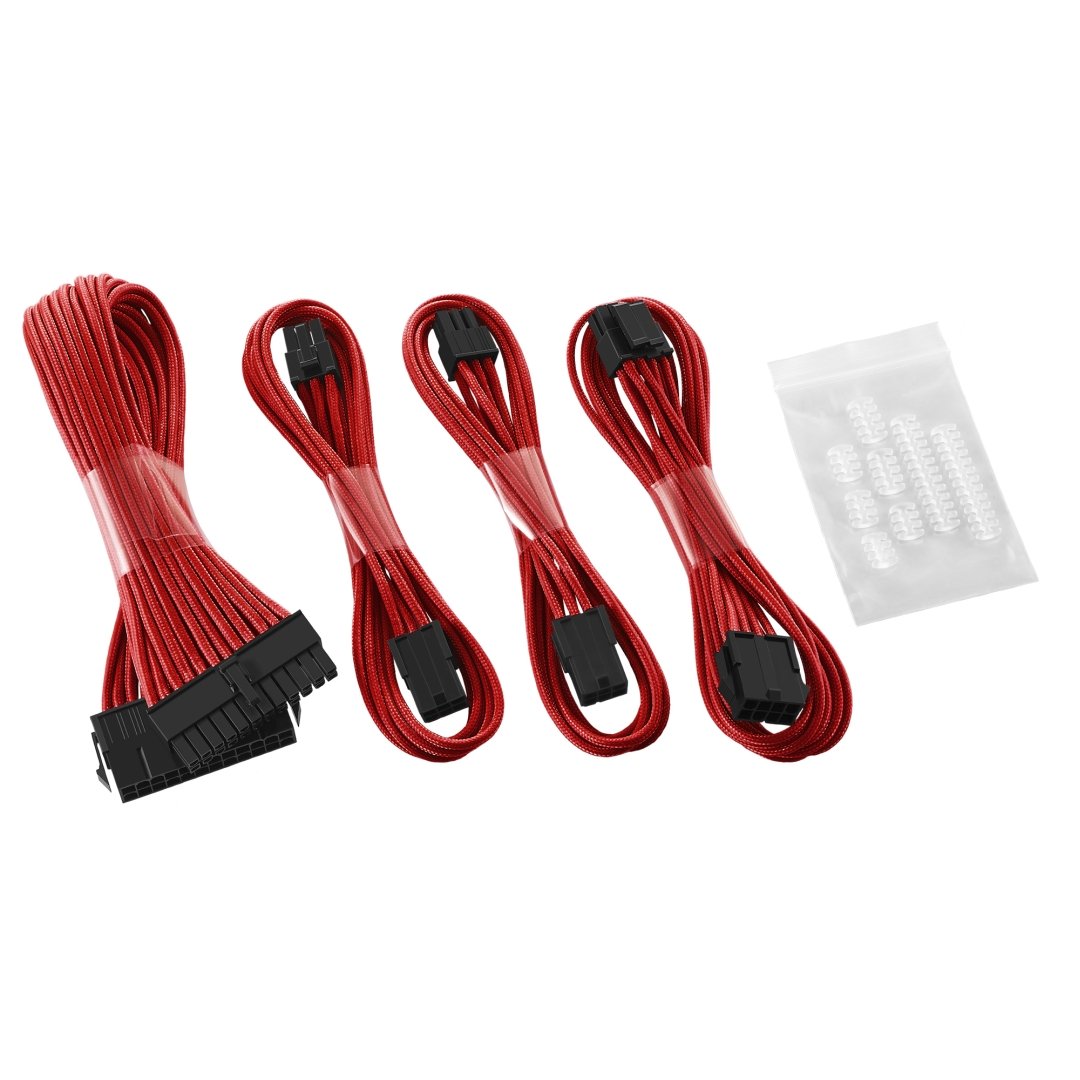
eager chasm
there are very few games that will use 16 threads for gaming
@little osprey most modular power supplies all have the same plugs so you just go to cable mod or any place that sells some
eager chasm
then you want cable extentions
little osprey
I can't find any for a decent price
eager chasm
custom ones are expensive, premade are less expensive, but still pricey
little osprey
like is it really necessary to drop 28 bucks on some wires
little osprey
will peep
eager chasm
it's not necessary at all so spends a single penny on them, your PC will work without them
little osprey
Where do I find the buy link on the cablemod site anyways
eager chasm
it's a luxury accessory
eager chasm
you set up what you want piece by piece on cable mod
or get premade kits
😄 yay, my 1TB HDD for the build for my sister got here
welp I'm off to work, good night
 wraith mason
sirs of this chat i would like to know of a decent build for a budget of maybe $1000-$750
or beat me up with knowlage
 gentle bay
Could I get feedback on my proposed build? https://pcpartpicker.com/list/KsRDZf
eager chasm
@gentle bay looks good
@wraith mason actually this guy just posted one take out the monitor, add in a HDD possibly and it's right in your price range
:D
 woven echo
seems ok bit low on disk space tho
 limber anvil
ye
 sand rampart
I would like to buy a 64 gb RAM I can buy :
2x2 PACK of G.SKILL Trident Z Neo Model F4-3600C16D-32GTZNC (16D?) or
1x4 PACK of G.SKILL Trident Z Neo Model F4-3600C16Q-64GTZNC (16Q?) ??
eager chasm
Whatever floats you goat
sand rampart
@eager chasm what is the difference between 16D and 16Q?
eager chasm
no idea
They seem to be the the same exact thing
Really it will be the same exact performance no matter which kits you get of the same modules
 sturdy hornet
guys, what is better gpu for budget pc, RX 580 or GTX1060
eager chasm
I'd have to double-check the current prices, but the RX 580 is usually the better budget item
But personally I had a 1060
Yea the 580 is a lot better budget item currently
 grave lantern
out of these two links, wich cpu is better?
Mwave
Buy Intel Core i7-9700F Octa Core LGA 1151 3.00 GHz CPU Processor - BX80684I79700F online with fast shipping and top-rated customer service. Mwave.com.au
AMD Ryzen 7 3700X 3.6 GHz 8-Core/16 Threads AM4 Processor with Wraith Prism Cooler, 100-100000071BOX: Amazon.com.au: Computers & Accessories
 stoic skiff
Ryzen 7
grave lantern
thanks
stoic skiff
no problem
eager chasm
I agree, the Ryzen 7 is a much better option :D
The stock cooler is also actually useable
grave lantern
what about the threadripper?
AMD Ryzen Threadripper 1920X 3.5GHz 32MB L3 Box processor: Amazon.com.au: Electronics
eager chasm
Eh, 14nm threadripper it's good, but the gaming performance is meh, it also need decently heafty cooling cause it's not on the much more effcient 7nm process
dry tinsel
if you want something really wild you can get a Ryzen 9 3950X
eager chasm
Yea unless you just want bragging rights or have an actual workload need threadripper is overkill
dry tinsel
it's overkill though, people are basically calling the 3950X the top gaming CPU right now and while it may perform better than others, it is not necessary so the 3700 is likely perfect for your workload
eager chasm
Ryzen 7 is perfect for gaming and casual/hobbiest workloads
grave lantern
Ok thanks for helping, you guys are a big help, bye 🙂
eager chasm
Take care
jaunty karma
Heyo
Need help on pc build
Getting one this friday
What should i get?
*saturday
jaunty karma
A pc
 ember sierra
Okay
 boreal latch
What's your budget
jaunty karma
Around 25,000
ember sierra
Kidding?
jaunty karma
I have a list but idk if its good enough
ember sierra
Send it
jaunty karma
Im going to type it
ember sierra
It’s easier to change a list than to create an entirely new one
jaunty karma
Msi B450 motar titanuim HyperX 2666 16 gb
Corsair smth 550w
Ryzen 3 2200g
500gb or 1tb for space
Ssd is just 120g
Thats all
Ryzen 3 or 5
ember sierra
So we got the mainboard, cooling, cpu and memory?
jaunty karma
Psu aswell
ember sierra
Oh yes, sry
jaunty karma
That can cost already about 300-400
 safe jackal
where is the place to get an external pc gaming grapics card thats cheap but still standard?
ember sierra
@safe jackal I don’t really know about external gpu. I can only do as much research as u can and my connection is slow af rn...
This was the first thing I found

Looking to upgrade your laptop with the best external graphics card? We reviewed the top brands and models to help you find the perfect fit. See you inside!
safe jackal
@ember sierra deeply appreciated men. got a gaming laptop, was thinking of using the external gpu 4 upgrading my laptop when playing or when playing using the tv
jaunty karma
Heya im back
ember sierra
@jaunty karma Unfortunately I don’t have a lot of time rn. I can’t really find anything about the mainboard u listed, could u send me a link to the stats of it. I will be sure to do my best, otherwise I have some time tomorrow. Whatever timezone ur in, my tomorrow is in a few hours.
And @safe jackal your welcome; I don’t use laptops but an extern gpu sounds interesting
ember sierra
Ok, give me a sec
ember sierra
Tell me about ur case, the mainboard and graphics have to fit in it
and the mainboard u mean is an intel mainboard. it doesn’t support ryzen cpu
ember sierra
A different mainboard?
jaunty karma
How about a H130 gaming artic
 keen steeple
@jaunty karma what is the name of this case?
ember sierra
Good question
keen steeple
Ngl looks great
jaunty karma
Rakk Hunit
ember sierra
And the Name of the case would let me be able to find the size of it
The H310 gaming Arctic (if that’s what u meant) is also intel
ember sierra
It depends on the chipset support of the socket
jaunty karma
Well in going to a PC mall on Saturday
ember sierra
Not the company
ember sierra
U will need a molex type cable, either ur psu has one or u need some kinda adapter etc
ember sierra
SATA is more common, thus easier. I have to go to bed now. It’s 11:40 pm for me, any questions u can dm me if u want. I will answer asap
ember sierra
Bb
keen steeple
@jaunty karma this case looks awesome, but I can't find it outside the Philippines
jaunty karma
Yeah
I think rakk is a php country
Php company*
@keen steeple
Side view without glass and front panel
eager chasm
Maybe oneday I'll actually put money and effort into a case that is more than $40
jaunty karma
35
Bought it 2k php
With panel
It was on sale when i bought it
I also added a few things
sudden turret
@jaunty karma them fans are great.
jaunty karma
Problem with the fans
sudden turret
?
sudden turret
darkflash dr12??
jaunty karma
11
eager chasm
Most PSU, have a molex power, usually on same cable as sata power
sudden turret
I've never heard of dr11 lol
jaunty karma
Epic cable management
sudden turret
but the dr12s came with a hub
hub went to sata power, then fans connected to that.
 peak kiln
Should be a connection on your sata wires
jaunty karma
Getting the rest at Saturday
sudden turret
they are really quiet fans though, even at 100%
jaunty karma
I have 2 extra fans
I have 4 of them attached to the case
Im also new to the pc industry
jaunty karma
But i watch linus tech tips
But im not shure about what parts im getting
Since this confuses me lots
eager chasm
🤔 hope your parts are all compatable
jaunty karma
Since i got a intel motherboard and a amd cpu
eager chasm
What did you get?
sudden turret
oh no 😦
jaunty karma
Nonk
eager chasm
Oh yeah that's not good
jaunty karma
Im going to a pc mall
sudden turret
follow the Ryoku.
jaunty karma
This Saturday
eager chasm
What CPU do you want?
jaunty karma
Ryzen
eager chasm
Which one?
jaunty karma
3 or 5
eager chasm
Which gen?
jaunty karma
Probably the lastest
jaunty karma
Well i have a limited budget
Thats why im buying the rest so i doest affect my budget
Like the case and fans
Bought it with my savings
jaunty karma
Well i bought lots in black friday
Like insurgency sandstorm and pubg
But i plan to use it mostly on rainbow six siege
eager chasm
I see
jaunty karma
And getting a chair aswell
To improve my gameplay
This kills me
Look
I miss placed it

eager chasm
🤔 if you can fit it into your budget I highly recommend the Ryzen 5 instead of the Ryzen 3. Ryzen 3 only has 4c/4t which with newer games usually isn't enough
jaunty karma
Okie dokie
eager chasm
You can use a B450 board to save some money, just as long as it has a Ryzen 3000 ready sticker on it
jaunty karma
How about a strix b365 f ?
eager chasm
A what?
jaunty karma
Asus ROG STRIX B365-F?
lyric thistle
check the socket type from the CPU you want to use, and search for boards with that
eager chasm
See the sticker on the corner of that motherboard box?