#building-and-recc-chat
1 messages · Page 427 of 1
 cursive wharf
Not all TT PSUs suck
also just realized you were talking about the recommended built
so uhhh brain.exe has stopped responding
 icy plume
how do you even get that text
cursive wharf
Also pretty sure the cheap 5700XT reddragons are out of stock so I went with the Pulse cuz it's just as good but currently cheaper

 latent bronze
Is Brain.msc still working?
cursive wharf
Last I checked it was better for a 2070S tho as Nitro+ is too pricy
 round flare
lol
cursive wharf
Now that goes out of my knowledge of what .msc is
latent bronze
Well 5700XT is better in certain games
cursive wharf
yes, willpower is what powers out PCs
icy plume
5700XT is a high performing card for the price i believe, problem is thermal throttle on it
round flare
nah
cursive wharf
It gets bad thermals on blower coolers
round flare
that's if you buy a thicc 2
latent bronze
5700XT is actually classed as a mid range type
icy plume
if it runs 4k, i call it high-end
latent bronze
Well that is what they have been classed as
icy plume
and i'm pretty sure the 5700XT performs similar to the 2070
cursive wharf
5700XT is in-between a 2070 and 2070S
 icy plume
yes
 heavy slate
does anyone know a affordable gaming labtop?
round flare
what price point would you mean by affordable
icy plume
@heavy slate what kind of games do you want to run and at what frames and resolution
latent bronze
More like how much money you have to spend
 strange mango
@icy plume it's a pre-built from about 3 years ago.
I5-6400 2.7 GHz, Nvidia GTX 1060, and 16 GB RAM.
heavy slate
probably R6 at 144 fps and around $1000
icy plume
not bad morris
round flare
1000
icy plume
lemme see what i can find sticky
heavy slate
k thx
round flare
well that opens up a lot of possibilities
latent bronze
1000$ for a gaming laptop would be this https://www.newegg.com/p/2WC-000N-00920
cursive wharf
@stray idol So I took like 5 years but here
https://pcpartpicker.com/list/bVGz6R
also take out the 1TB HDD, forgot to do that
latent bronze
and 120hz is the max for that price range
strange mango
The keyboard is a Blackwidow I got on sale at Walmart for $50, and the mouse is an Logitech g502 Lightspeed.
 latent bronze
Well he could get the MSI one's but they have 60hz monitors
 winged hollow
round flare
winged hollow
round flare

heavy slate
thx @latent bronze
latent bronze
np
Besides for R6S he will hit over 120 frames as well
There is this as well but what AMD said for this GPU is that it would be better than the 1650 https://www.newegg.com/p/N82E16834155312
@heavy slate
 little osprey
@latent bronze
Those specs aren't too dissimilar from my laptop
Except mine has a 1660 Ti
latent bronze
The MSI one or the Asus
little osprey
I have an Asus ROG Zephyrus GA502DU
 sudden turret
nice!
 teal bison
How much of a difference is there in an SSD versus a 7200 rpm HDD?
icy plume
cursive wharf
Depends on what you're doing
 eager chasm
Why do all the Ryzen 5 prebuilts on Newegg kinda suck for value? D:
latent bronze
@teal bison here is the difference https://youtu.be/V3AMz-xZ2VM
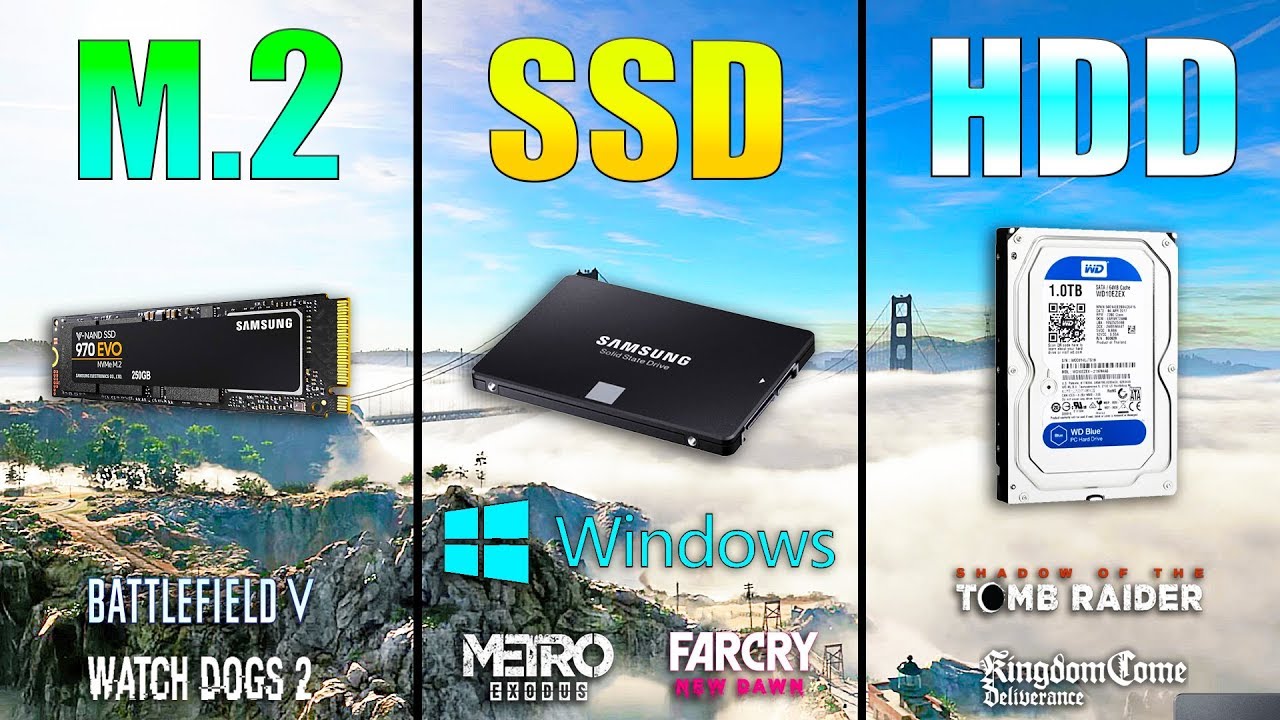
M.2 NVME vs SSD vs HDD Win10 / Game Loading Times Samsung SSD 860 EVO - https://www.gearbest.com/hdd---ssd/pp_009551735547.html?wid=1349303&lkid=56671149 Gam...
teal bison
thanks!
eager chasm
Sata SSD tops out at 600MB/s
7200 HDD tops out at about 150MB/z
NVMe SSD, almost no top
though personally I use mass storage HDDs for my steam library cause I'm not putting multiple TB of games on SSDs that's too expensive for me
latent bronze
ya but for loading up into games you would hardly notice the difference between a NVMe and a 2.5" SSD
 cinder igloo
Frekin rgb fans have me cucked
latent bronze
That video as well is a prime example
eager chasm
only game i intentionally put on an NVMe is Black Desert cause it has horrible pop-in even on regular sata SSDs
icy plume
isn't black desert one of those free-to-play MMO's
eager chasm
it's buy to play
eager chasm
though BDO is 1 time payment of $10, really not a high pay-wall
eager chasm
though BDO is the heaviest graphically
maybe the pop-in issue got better, they did optimize the game a LOT recently
latent bronze
Actually there is a game heavier than BDO
and i believe a little older as well
@eager chasm Final Fantasy XIV would be the more graphically demanding and CPU demanding
icy plume
not sure that's how this works
latent bronze
But you can turn water into PC parts
icy plume
brooo
little osprey
@latent bronze air coo betta
Noctua dh15
Dark rock pro 4
Betta den de wata Kool dawg
 nimble quest
@latent bronze im turning my skytech pos into a whole new computer
little osprey
The savior we deserve
icy plume
what
 viral ore
It's a play on the word "saves"
icy plume
yeah
 jovial night
https://pcpartpicker.com/list/Y7YCdm my current build
eager chasm
nice
jovial night
tyty
 coarse coral
https://pcpartpicker.com/list/4Dv7Rk my current, going to be updated later this week
little osprey
I came up with a micro center list because i kind of like the idea of getting high off some DC weed and then going to micro center in fairfax...

Micro Center
 old charm
i have 2 fants, which one do i install?
came with the cpu
this is the one i bought
little osprey
I'm pretty sure that's like thermal paste but like a pad but I'm unsure, why don't you open it up and just look at it a little
Like open up the cpu container thing
little osprey
Are you still waiting on parts?
 next tangle
grab it from the sides
you see the golden Triangle?
line it up with the triangle on the socket of your mother board
once you do that, lightly place it into there
make sure your latch is up
once processor is in, close the latch
little osprey
So it IS thermal paste/compound
next tangle
no it isn't
little osprey
oh
next tangle
the thermal paste is on his cooler
little osprey
i'm misinterpreting what you're saying
He's asking about the tiny packet
not the cpu
next tangle
oh
little osprey
next tangle
that you can just ignore
next tangle
yes
next tangle
let me check mine hold on
little osprey
That makes so much more sense
next tangle
probably, sir
old charm
so i don't need it?
little osprey
You don't unless you wanna put the sticker on your case like prebuilts and stuff do
I might put my sticker on when it comes in but idk, it's tempting but I don't really want to ruin the whole aesthetic of a tempered glass front panel
 upper thunder
So I think I found why a bunch of people are having problems with x570 boards
little osprey
Why's that?
upper thunder
Mostly everybody that I’ve spoke with that have had problems, their RAM has faster speed than the processor
little osprey
That makes sense but I don't see why the memory wouldn't automatically downclock
Unless the problem is with the motherboard's BIOS (or the mobo itself, I don't know much about mobos) not automatically downclocking the memory once it notices the problem
upper thunder
I’m sure it’s the BIOS
little osprey
So you could probably fix it with a little bios modification
upper thunder
It might be the chipset though, because I’ve talked to people with different boards from dif manufacturers
little osprey
hm
So maybe there's a fault in the chipset's communication with the bios, or even the execution of something the bios tries to do
 open oriole
I actually came here to ask about RAM being faster than the Motherboard, to make sure it would work out lols.
first time pc builder 😛
little osprey
Most of the time it'll just slow down your memory modules for you
open oriole
yeah
little osprey
But it appears in this case that there's another issue (regarding the x570 chipset)
open oriole
oof
upper thunder
Nice, I was running out of money so I ended up getting ram that was 200mhz slower than my cpu and it’s worked fine with the x570 boards
old charm
do i automatically put the ram into slot 1 and not 2?
old charm
like both of them go into slot 1?
little osprey
I think
old charm
I only have 2
upper thunder
It should go either 0101 or 1010
Zero meaning no ram stick
1 meaning ram stick
Because of dual channel stuff
old charm
oh
little osprey
^
old charm
okay
old charm
okay
upper thunder
But I recommend to put it 0101
cursive wharf
quad channel?
upper thunder
Because of the heat from the processor
cursive wharf
you're still spacing them out
little osprey
wdym
upper thunder
Quad channel is just dual channel twice
cursive wharf
1111 and 1010 is still dual channel on almost all boards
upper thunder
Yea
little osprey
Also guys
Is it healthy that I idle at 4.4gb
note I have a lot of standby programs
upper thunder
Wym?
little osprey
4.4 gb ram usage
little osprey
oh good
also this is what i'm at rn, got a few tabs open in Firefox, a separate Firefox window, Discord, snipping tool and task manager obv
upper thunder
Windows 10 likes to eat up ram usage
upper thunder
Lol
upper thunder
Yea
 still roostBOT
 WhiteBaconJeb#3077 has been warned
Reason: Bad word usage
little osprey
F
upper thunder
Oof
little osprey
feel a little strongly about OS ram usage? lol
old charm
do i have to push?
upper thunder
Yes
 upper thunder
Push until there is a click on both sides
With ram
You’ll see the clips move over it holding it in place
@old charm
little osprey
^
like these little weird spike things in the sides will be clamped onto by the little plastic clips on the motherboard
I'm a god at describing things
give me my nobel peace prize
upper thunder
Lol
old charm
uggggh it feels like im gonna break it 😩
upper thunder
Yea
old charm
I really don't wanna push any harder than I was
upper thunder
Wym?
The board should flex as well
But it shouldnt be making noises
Oh crap
I forgot tell you
@old charm
It is important which way the ram is inserted
It won’t go in if it’s the wrong way
old charm
which was is the right way?
upper thunder
There is a whole in the ram stick where you insert it
And there should be a plastic part that sticks up in the hole it’s inserted in into the board
Those need to match or it won’t fit
I’m horrible at explaining
little osprey
Just kinda line it up with the bump in the golden fingers of connectivity on the module and on the motherboard
upper thunder
Yes
I’ve only ever built 1 pc but I work IT for the high school I’m attending
Ive been working there for a few months I’ve fixed like 50 or more laptops
And several desktops
little osprey
little osprey
valid
 grave lantern
any good australian graphics cards for $200 max?
 lyric thistle
"golden fingers of connectivity" lmao
little osprey
I use the English language very well
old charm
is that the memory going in? lol
old charm
I might have just gotten one that doesn't fit
it feels like no matter how much I push its gonna break
old charm
i don't even know what that means lol
old charm
is that like equivalent to the year make of a car?
viral ore
not really
little osprey
it's just newer tech
and they shape it differently to make sure you don't screw it up
 terse kraken
Anyone know any build the is powerful enough to show 3D models
little osprey
is this a joke or
lyric thistle
DDR kinda fresh doe 😳
old charm
it feels like i might have fudged out
little osprey
my crappy optiplex 780 used to do basic 3d modeling for roblox gfx
viral ore
👀
little osprey
@old charm send mobo and ddr pics 😳
old charm
it feels definitely like it's not supposed to fit. The ends are slanted kinda
terse kraken
I'm talking about advanced 3D models
little osprey
that really depends on how advanced and i'd recommend going for the roof of your budget
higher core and thread count should be your goal
and I'd recommend a Quadro of some sort or something foryour gpu
terse kraken
Powerful enough to build models like this
little osprey
oh dear
i'd go for like a threadripper 1
idk much about Xeons oops
processor bias pls dont bully
old charm
I was trying to put them in that row of 4
terse kraken
No full scales human size
little osprey
@old charm you need to make the sticker face the cpu
old charm
okay
viral ore
once you line up the notch on the module with the bump on the slot, one of the ends of the slot wont bend out. you need to push the module into the one slot end that doesnt move, make sure the other end is in the open position, then push down on both sides of the module at the top
little osprey
make sure the circled stuff is lined up
old charm
okay, gotcha
little osprey
"a picture can mean a thousand words" - your english teachers from elementary
and middle school
probably highschool too
heck it, community college
lyric thistle
praise 🙏
little osprey
i am a god tier artist newegg hire me now
and holy heck it's 12.30 and i am yet to call my girl
I will see you dudes tomorrow

little osprey
ok so now that you have that, i dont have justification to finish this
old charm
damn you went all out lol
cursive wharf
Didnt make the text also scale out
little osprey
no its supposed to be bad
that would require me typing it out before running the little angle thingy
god bless pdn
viral ore
pdn is epic
little osprey
ok but seriously, i was tempted to spend the hour to make something ugly in Blender and use it instead lmao
https://pcpartpicker.com/list/GG7Jyk is this a good pc?
old charm
where do I find this piece?
https://youtu.be/qCPIEYfN_hc?t=242

Build guides come in all kinds of colors and flavors. With this PC build tutorial, we'll take the time to build a PC with you step-by-step, from A to Z ►More...
little osprey
what piece
little osprey
ok ty
little osprey
Wait you mean the MP500 right? That's the M.2 i'm talking about @old charm
my dude is actually buying a 1060
old charm
uhh
little osprey
the drive he's talking about where he puts it in and it looks really flat
old charm
I was reffering to the lttle strip looking thing he was putting in there
old charm
i have one but its HUGE
little osprey
HDD?
old charm
its like a brick
little osprey
now is it good? https://pcpartpicker.com/list/qnZ34n
is it like a SSHD, HHD, or just a Sata ssd
@little osprey you're being a little gun-ho, like calm down a wee bit and study the parts you're interested in and explore other options
the gtx 1060 is overpriced and outdated now
old charm
i think the brick thing is the HDD
little osprey
Its just for fun
old charm
imma see if i can find it
little osprey
i am new to pc stuff
old charm
nevermind i found it
little osprey
if you're new, you might want your first build to be semi less valuable just to ensure you have some experience before handling a $400 processor, but that's just my opinion if you're building it yourself
cursive wharf
@little osprey I mean, 3600 is basically a 8700k but $150 cheaper, and 1060 6GB is overpriced given compitition
little osprey
Okay ty
open oriole
yo
Im in pcpartpicker
and I can't find the option to add a custom part anymore :/
anyone know bout this?
cursive wharf
log in with an account
open oriole
did
cursive wharf
or use desktop site. Dont think mobile has it
cursive wharf
clear cache/cookies?
open oriole
ah okay
didn't work
it's usually at the bottom, right? I see a custom part i added a couple days ago, but the custom option has disappeared completely :/
cursive wharf
Ive had that happen before. Was on mobile tho
maybe switch browsers?
That's about all I can suggest
 amber grove
I spoke to support team with regards to assembled PC for my father, he needs windows7 32 bit pc. All i need is assistance with compatibility of choosing right intel processor in i5 or i7 and supporting mother board
cursive wharf
or switch aspect ratios. pcpp likes to detect phone by aspect ratio now. So even on a desktop with a portrait screen it'd show mobile layout
grave lantern
does anybody want a widescreen monitor for under $200 Au?
ill put link below
Mwave
Buy LG 25UM58-P 25" UltraWide Full HD AMD Freesync IPS Gaming Monitor - 25UM58-P online with fast shipping and top-rated customer service. Mwave.com.au
 fluid imp
So for an ultra-wide of that size they just shrink vertically and stretch horizontally by like, a lot? oof
 dry tinsel
$139.99 USD
and yeah that's very small for an ultrawide
https://www.amazon.com/dp/B078GSH1LV/ this is twice as much but 34" which is probably the minimum for an ultrawide
also has freesync and probably g-sync compatible
has a diagonal measurement of 34" so it will have a width of 31.3" and a height of 13.4" lol come on
you've gotta get the big long boyes to get real size out of it
 random moon
Hello everyone
I'm new here
I'm experiencing crashes with my PC
And they should be happening
What can I do about it?
fluid imp
is this a fresh new build? what are your temps looking like at the moment
 brave surge
@old charm @little osprey get an air cooler, AIOs are wastes of money
 crystal pagoda
Could be a good vertical monitor for livestream comments?
eager chasm
yes
fluid imp
hey now, I think for most people an AIO is aesthetics-oriented. you're paying so you don't have a big metal block right dead center on your PC lol, plus much easier to install than something like a darkrock pro and easy way to get low temps
little osprey
there's also ram clearance
an aio pump doesn't interfere with tall memory the way some heatsinks can
plus the radiator can be mounted wherever it will fit, which makes it more ergonomic overall
fluid imp
^^ agree x100, only something like a 480mm radiator RGB pump would be a waste of money, 240mm is usually the cap for price to performance
 scarlet inlet
Heya, I'm planning a ryzen 5 2600 build. I'm on the fence for my gpu, a gtx 1660 super fits in my budget easily and an rtx will be a bit of a stretch, I'm wondering if it's worth the extra money for the rtx? And would the rtx be too much for my ryzen 5 2600?
fluid imp
are you doing 1080p or 1440p? and what's the price difference in your country?
scarlet inlet
the 1660s is 255€, the rtx is 355€, and 1080p 144Hz
But I'd also like it to be quite future proof
fluid imp
What does your used-hardware market look like? because at those prices definitely not worth it to get rtx especially if you're doing 1080p 144hz
i think the 1660Super would fit your needs just fine actually, what games are you looking to play?
scarlet inlet
Not sure about that, but I'm not really interested in used hardware
No high end games really, I normally play minecraft, which I plan on streaming, then some gta etc.
But no tomb raider or anything like that
fluid imp
I mean, you definitely won't hit 144hz on GTA unless you turn down your settings to where it looks pretty bad especially at 1080p, but for minecraft/overwatch/csgo you should be doing 144hz High/Ultra settings easy
ignoring the used market, a hundred euros would be silly to spend for like 10-15 fps at most
scarlet inlet
Well, I guess my decision is made then 😄 thanks!
fluid imp
np and good luck on your new build! post pics to the build-pics channel lol
fluid imp
yeah it's a hit or miss, i understand
scarlet inlet
Yea...
 sinful hollow
intel core i7 or ryzen 7?
fluid imp
what use-case scenario and generation?
sinful hollow
Gaming and recording. gen 2 or 3
fluid imp
definitely ryzen if you're recording
fluid imp
stay away from ryzen 7 1st gen unless it's a really good deal lol
sinful hollow
so i should get gen 2 or 3
sudden turret
not sure what that is in USD.
 hearty moss
Hey, I got a bunch of cash that I wanna spend on an upgrade for my machine. I have an i5 7600k @4.9ghz + GTX 1060 6g.
I'm doing gaming + streaming. I'm also looking into Blender/Unreal Engine for productivity. For my upgrade budget, I'm looking to get either:
RTX 2060 or r5 3600/r7 2700x. I got a great deal on a MSI Gaming Pro Carbon x470 motherboard, so with the r7, I'd just pay around 300 bucks for everything. Which one would you choose in my case? I'm looking to upgrade either one in time anyways, just not both at the same time.
sudden turret
3600/2060
hearty moss
So cpu first, then GPU?
sudden turret
it's up to you, if you're still using the i5, you could get the 2060(super I hope) and be good.
hearty moss
Why the super?
sudden turret
it's the refreshed version of it
moar cuda

Based on 129,245 user benchmarks for the Nvidia RTX 2060 and the RTX 2060S (Super), we rank them both on effective speed and value for money against the best 627 GPUs.
hearty moss
Sure, but do I need it, if I play in 1080p?
sudden turret
well using Blender/Unreal Engine .. isn't that more gpu dependent?
hearty moss
Idk, I'm still trying to wrap my head around that. It can use both, but not in all use cases.
little osprey
Hey
old charm
@brave surge what do you mean?
little osprey
Would an i5 8400 bottleneck an RTX 2070s/2080s/ti?
sudden turret
We benchmark RTX 2070 and i5-8400 at Ultra Quality settings in 62 games and in 1080p, 1440p, and 4K. With a review of specifications, price, power, temperature, and CPU bottlenecks.
little osprey
Never knew about that site, thanks @sudden turret!
brave surge
@old charm I don’t know if you were the dude that asked about his config, i might have accidentally pinged you, if not i meant that All in one liquid coolers are generally not worth it
@scarlet inlet i would recommend going for the 2060/2060s. I’m personally running 2060 MSI VENTUS with a r5 2600 at 1080p and it’s great. If you’re gonna use the pc for years to come, it would really help to spend some extra money on the newer hardware. (Btw the ventus model has amazing cooling and i would recommend it regardless of the gpu you have, it is available for the 16th gen of nvidia cards)
little osprey
Is there a way to buy just Noctua fans? I am working on a PC build and don't feel pushed to get RGB stuff and hear that Noctua has really efficient and good fans
dry tinsel
yes, just buy noctua fans
they come in the classic beige and brown, or in black
or in a cost-reduced grey version
the latter not recommended as it has no noise dampening material
i think there's also an upscale black with brown corners version
though that may have been phased out with the all black, which is their premium product
now it is, anyway
dry tinsel
probably buy beige/brown then, that's the cheapest of the best quality noctua fans i think
i want noctua fans in my case eventually
fractal's fans are really good but noctua's are better
it used to be a sort of mark of quality for your PC to have the beige ones
me personally? don't even have a side window
my cable management isn't spectacular anyway
it's kind of okay but not something that's visually appealing enough to show off
it's more like "yeah this isn't disrupting airflow and i'm okay with this"
eager chasm
i really don't care about what case I use as long as it has passable airflow 🙂
 dusk atlas
Hello im planning to build a gaming pc,i already got a geforce 1070, im open for suggestion and things to change
AMD Ryzen 5 3600 6-Core 12-Thread
GIGABYTE GA-B450 135PRO MOTHERBOARD
AORUS 16GB 2X8GB MEMORY 3200MHZ DDR4 RGB
Corsair 650watts PSU, RM, RM650
Aorus C200G TG, atx, 2x120mm
1tb Crucial MX500 SSD 2.5 sata
eager chasm
Looks good
Personally I like putting a few extra cheap fans in the case
A bit more push-pull to move a bit more air
But it's not super needed
Just make sure the board is Ryzen 3000 ready
cursive wharf
@sudden turret blender doesnt use GPU as heavily due to low VRAM. You can do mixed renders of CPU and GPU. But generally afaik most people do CPU
 humble lava
Hi I need help picking out parts for my water cooling pc. I’m going with AMD and hard line tubing with an ATX motherboard
cursive wharf
Unreal engine likes CPU for baking shadows. GPU might be implemented for doing that as well now but idk. Haven't looked in a while
eager chasm
:o good luck with your custom loop
cursive wharf
@humble lava look at Bykski or Barrow as you don't have to overpay with them. This kit is soft tubing but to give an example of cost a full loop with cpu, GPU, and 360mm rad is $230
eager chasm
If it's your first loop you might wanna make a practice loop that's not in a computer, cause screwing up can be expensive if it's on the components
cursive wharf
Just don't turn the PC on when testing the loop tho
little osprey
Corsair has an excellent configurator on their website.
humble lava
I have made a custom loop before just don’t know what I want for my next build
little osprey
We specialize in telling people what they want 🙂
humble lava
The main game I want to play is gta and R6S
eager chasm
Anyone have an opinion on 120mm mesh grills you screw onto your fans if your case doesn't come with filters?
cursive wharf
Probably get some real large mesh thing and cut it up. Don't think individual ones will be properly priced
little osprey
 half scroll
Is corsair masterliquid 240L good for r7 3700x?
eager chasm
Kinda already installed individual fan grills XD
Just wondering if anyone else has used them and what they think to be more exact
cursive wharf
Thought you were looking to buy some. But now that my brain has read it properly, that shouldnt be bad
Provided they aren't too fine or anything
little osprey
A filter in front of the fan without a shroud will be noisy
 eager chasm
🤔 it isn't though
sudden turret
@strong delta don't
eager chasm
Why would a hard mesh filter be noisy?

 silent tundra
would pairing a e5-1620 with an rx570 run well in light vr titles such as beat saber and superhot vr?
little osprey
Why does it delete your text if you gif after 
eager chasm
Is that a CPU?
cursive wharf
Which VR headset tho?
silent tundra
Samsung Odyssey plus
cursive wharf
Don't know the res off the top of my head for that one
I'd assume It'd be okay for those titles
eager chasm
Do you already have the parts? Run steam VR performance test
silent tundra
I'm building a budget vr pc, and I'm using a dell precision t3600 and an rx570
the precision has an e5-1620
I'm thinking I'm just gonna go with that layout
unless there's a processor that would be better within a tight budget
cursive wharf
I mean the 1620 is a xeon
 silent tundra
300 for the entire build
silent tundra
so should I go with the 1620?
eager chasm
If you are on a tight budget it's a viable option
The PSU might not have an extra PCIe connector
little osprey

eBay
Supermicro X8DTI-F Motherboard. - 2x Passive Heatsinks. - I/O Shield Included. 8x SATA2 and 2x SATA3 ports. Note Motherboard supports this maximum TDP. 32GB, 16GB, 8GB, 4GB, 2GB, 1GB. CPU thermal trip support.
silent tundra
what's this
eager chasm
PSU upgrades are almost always a thing you need with old systems, unless you wanna go into janky power adaptors (don't)
eager chasm
Nice
silent tundra
what power supply should I look into
eager chasm
A 400-450 should work
cursive wharf
Corsair CX I find is generally the cheapest decent PSU
silent tundra
wattage
little osprey
Tell us more about your intentions with this build
eager chasm
Budget VR
little osprey
TBh - i'm in the market for a similar board, shopping anyway haha
silent tundra
budget vr and Minecraft
little osprey
What lead you to old /deprecated xeon hardware
eager chasm
Oh man minecraft, that needs a super beefy computer! Lol
silent tundra
I saw a video where a guy made a budget vr pc for 300 with a dell precision t3600 and a 980
eager chasm
Many YouTubers have gone with old Xeon builds and put GPUs in then CoughLinusScrapyardWarscough
That show really is interesting to see how to get super budget builds done
teal bison
Just watched the season 8 finale lol
eager chasm
Season 8 was a let down
teal bison
how so?
eager chasm
I liked the season without internet, THAT was far more interesting
This one was so rapid fire and no super interesting build choices
teal bison
ya true
 carmine gale
hey everyone, im trying to build my first pc this christmas and I just wanted to get some help with what parts i should put into it. I currently have this https://pcpartpicker.com/list/LhWxLJ chosen but I dont know if theres better options
 limpid merlin
Hyper 212 is kinda overpriced
And idk about the ram, seems expensive for only 3000mhz
 mild ridge
Sup guys :) I am on the quest of building once again a gaming rig for myself
cursive wharf
Cooler, ram, mobo, SSD, are all overpriced. PSU isn't that great, and same with case. @carmine gale
mild ridge
And now I have this huge doubt about 3950x vs i9 9900K(S)
mild ridge
Does 3950x lose in anything to 3700x in gaming?
It will be mainly gaming, but I will also use it to work sometimes
cursive wharf
No real reason to spend $700 on a CPU if a $300 CPU will do the same
limpid merlin
Go 3700x and put the extra money on gpu
cursive wharf
^
mild ridge
GPU will be 2080TI already
mild ridge
What about i9?
cursive wharf
Budget more on the rest of system for a SLIed 2080Ti or something for bragging rights
limpid merlin
If you're gonna go i9 I'd say chose 3950 instead
limpid merlin
But if its between 3700x and 3950x I'd say 3700x
eager chasm
Gonna have fun building 2 systems next weekend now that all my parts are here, a case swap and building in the old case 🙂
both Ryzen 7 😄
little osprey
lol, 2%?
carmine gale
alright thanks a lot @cursive wharf, do you have any recomendations for ram
eager chasm
5% is more accurate
😉
but still it's only a handful of frames
blind taste test and you can't tell the difference
limpid merlin
Just go on pcpp and sort by 3600 and cheapest, itll probably be a gskill set @carmine gale
mild ridge
Every benchmark I saw put i9 in the lead
limpid merlin
Yes, i9 still leads by a small margin in gaming. But gets crushed in any kind of multithreaded/workstation tasks
cursive wharf
Also for 3600 make sure it's cl16
little osprey
You're thinking 3900x vs 9900k for multi
cursive wharf
Don't waste money on 3600 cl18 or something
little osprey
Except for something like gcc10
eager chasm
unless you are going for a KS skew i9, you won't be able to tell the difference in a blind comparison
limpid merlin
Hes got a 2700x @cursive wharf
mild ridge
@eager chasm KS was my target
cursive wharf
Well then, no real reason for 3600 I guess
eager chasm
ah then there is somewhat noticeable difference
mild ridge
https://pcpartpicker.com/list/fjwvjp Here is what I was thinking
eager chasm
still gets stomped in anything other than gaming
cursive wharf
@carmine gale that a gaming build?
eager chasm
1 penny off from being 4444.44... SKILL
little osprey
Ram is ok - but only if you're fine with a bit of extra $$ for that RGB and aren't interested in memory oc
eager chasm
lol
carmine gale
im planning on using it for mid range games, dont have too much money though, my budget is like 1200 CAD
mild ridge
Only downside for me in this build is the fact that Z390 don't have ger4 pcie
cursive wharf
Get custom with how expensive that GPU is
little osprey
Board is great, Master is more OC feature friendly though.
 elfin dagger
@mild ridge only 1tb of storage?
eager chasm
only things that take advantage of gen 4 PCIe currently are over engineered NVMe SSDs
mild ridge
@little osprey Yeh, on the buying cart I already changed it to Master
little osprey
Would not be my choice of 2080 ti - but I'm assuming that was an aesthetic choice
mild ridge
@cursive wharf Funny think is that here in the Netherlands that Card is same price as the others
@little osprey exactly
little osprey
A very important question is whether or not / how much overclocking capability / featureset do you want to pay premiums for
mild ridge
@cursive wharf what m2 would u recomend on this build?
cursive wharf
@carmine gale was talking to snow, but by custom I meant custom loop. The GPU was a 2080Ti for $1500 USD, about $500 USD overpriced. Which can easily allow for a full custom water cooling loop
eager chasm
I use a mushkin Pilot NVMe... but that's cause it was the budget option XD
carmine gale
oh my bad lol.
cursive wharf
@mild ridge Sabrent Rocket
little osprey
$1000 for a nice 2080 ti is losing out on too much to save $100 for a guaranteed A chip.
cursive wharf
A chip dead tho
little osprey
If you 100% know it's a post (no more binning) chip, then sure
mild ridge
@little osprey yeh, did that change on Cart as well, 4x8GB will be
little osprey
And yet people haven't found a reliable way to predict what arrives i nthe box
If so, plase tellme and I'll let the 2080 ti discord know lol
cursive wharf
It's been probably about 4 - 5 months tho
carmine gale
what motherboard would you reccomend? I'm trying to make the system fairly upgradable for the future
cursive wharf
Hasn't it? Should be long enough I'd think for inventory of b chip to die off
mild ridge
@cursive wharf not available here in EU 
little osprey
Here's a better argument - power limit
 loud apex
Who else is waiting for Nzxt to give them a free pc
little osprey
Or dual bios (on ftw3 / strix), better cooling, XOC bios native support, etc
There was never a b chip haha
cursive wharf
Eh, at the point of before I knew it was the same price where snow lives I was thinking custom with basic 2080Ti instead of an overpriced one
As for A chips, I couldn't remember the lower bin one
So I just called it b chip
little osprey
The use case for (very) high end build + el cheapo 2080 ti is only for the shunt modders or bios flash crowd.
cursive wharf
Been like a year since I heard the lower bin revision
little osprey
Nothing wrong with cheap, rather, just not the traditionally weak models
cursive wharf
But it's not like it has to be the cheapest card, just thinking of an okay one that isn't / wasn't super expensive. I mean a $1250 one would be fine as that allows room for a cheap custom loop (if this card given were actually 1500 and such)
little osprey
I thought we covered that
cursive wharf
Yeah I know
mild ridge
Any other sugestion? I thought about getting a Raid 0 SSD pair for SO/Files and leave the games on the M2
little osprey
Don't bother with raid anything.
eager chasm
not even matching Raid Edition drives? 😉
cursive wharf
Not worth it on NVMes for a gaming build
little osprey
Personally I'd go for a 970 pro boot since $120 gets 512GB new on ebay - but up to you there
eager chasm
I love me some WD Raid Editions, they are great budget HDDs when on sale
cursive wharf
Evo is kinda meh
little osprey
for 512? That's very steep, but they basically last forever and it's nice for boot.
cursive wharf
No real reason as many drives are on par with the Evo and Evo Plus
little osprey
Next step up is something like a 900p 280GB for 220 or a $500 for a 905p u.2 480GB
little osprey
That's outdated, but sure
cursive wharf
Basic reference cuz not all drives are available in his place
mild ridge
970 PRO 512 + 970 EVO PLUS 1024?
cursive wharf
Adata sx8200 Pro around in your place?
eager chasm
it's weird how depending on when and where you buy them Raid Edition HDDs can either be the most expensive HDDs ever, or the Cheapest...
cursive wharf
Get that over the Evo plus
cursive wharf
Evo and Evo Plus are just a waste of money tbh. But the Pro doesn't have any real competitors that I know of
mild ridge
Noted
out of the reviews I have watched I can't see a lot of value in SLI 2080TIs right now, not going for 4k gaming, does anyone has a good argument to change my mind?
mild ridge
At first I was thinking about getting that new 38inch monitor from LG, that could benefit from SLI2080TI (I think)... but then that would overkill my budget 😄
little osprey
@median sail You there?
 fleet talon
So, when I installed my h115i pro, I used the paste that was pre-applied. I took it off this weekend to swap motherboards and noticed that the paste didn't spread to the corners of the CPU... Is that normal for pre-applied paste? Seems there'd be bad heat transfer for a lot of the lid
icy plume
Mrs obama i figured it out
I wanna get an rtx 2070 pc with a ryzen 7 1700 and then upgrade to a ryzen 7 2700 later on
 shut spoke
get a ryzen 5 3600
viral ore
@fleet talon the corners of the ihs are irrelevant, the cpu die is in the middle
thats where the heat transfers the most
icy plume
i'm trying to find an 8-core to go with an rtx 2070 if anything
viral ore
you dont need an 8 core
fleet talon
Mmm. Still seems like it's help to have the paste on the whole ihs, as there'd still be some heat to transfer away. But I see the point
shut spoke
yes but a ryzen 3600 is better than 2700x and 2700
viral ore
if you can get 6 much more powerful cores, games will run better
icy plume
fair
viral ore
most games really only utilize one or two cores for rendering
icy plume
True because most games don't use parallel computing, so even on multi-core they're on an individual basis
shut spoke
i have a 1500x 4 core
viral ore
so those one or two cores are whats going to bottleneck your gpu
fleet talon
Would you still recommend a 3900x if it's in someone's budget? I know it has more cores than a typical user would need, but not sure if it'd still be recommended
latent bronze
depends on what you plan on using it for
shut spoke
b350 motherboard + ryzen 9 3950x = 💥
icy plume
biggest problem is that i wanna get an rtx 2070 but all the deals i can find either have a bad processor or only 8 gigs of ram
fleet talon
Gaming, model making, some streaming, coding here and there
icy plume
and the budget caps at 1100
shut spoke
you can upgrade your ram later
icy plume
fair
icy plume
do the ram sticks need to be the same model or does it not matter
shut spoke
same speed and model i think
latent bronze
You can mix but not really recommended
 patent steppe
icy plume
patent steppe
icy plume
so i would have to either buy a new memory kit or find the exact model to buy another 8 gigs
latent bronze
The only problem though with mixing is you would be using the default speed the motherboard can do
@icy plume is it a pre built you're looking at
icy plume
yes
shut spoke
i have 2 diffrent ram sticks
latent bronze
buy a new kit then
icy plume
my options are one with a ryzen 7 2700 and an rtx 2070 but only 8 gigs of ram, or 16 gigs and rtx 2070, but a ryzen 7 1700
latent bronze
Team Group is also great for both Intel and AMD
1700 is the same performance as my 2600
icy plume
i suppose the cheaper option is to go with not enough ram and upgrade later
icy plume
i'll link the options
shut spoke
ok
latent bronze
2700 is the same performance as the 3600 pretty much
icy plume
mild ridge
@icy plume custom build is not an option for you?
shut spoke
3600 is much more powerful
icy plume
latent bronze
why are you buying it at walmart?
icy plume
because it's at walmart
and not newegg
believe me i wanna find a deal on newegg but hooboy
 vale dome
walmart
little osprey
Get a 3600
shut spoke
3600 is like 1,5-2x better than the 2700
icy plume
i could try custom building but i really know nothing about motherboards, installing windows, and actually putting together a pc
all in all, there's no guarantee that what i'd build would either run, or stay in one piece
fleet talon
Legos
latent bronze
@icy plume You could always go for this as well https://www.newegg.com/p/N82E16883227922
fleet talon
Literally legos
shut spoke
build yourself one so you can enjoy building and playing on it
mild ridge
@icy plume that would give you more for the same budget, and it's not that hard, you have youtube and discord to help you out
icy plume
i suppose that a 2060 super and 2070 are gonna give about the same performance except for ray tracing
shut spoke
they are almoast same so buy that one
mild ridge
The hardest part about building one yourself is to pick the right parts, assembling it is quite easy to be honest, unless you go for custom loops, which is not your case
shut spoke
its on sale
latent bronze
The other thing is as well what would be cheaper as well then getting new memory is you can buy for less a 1TB hard drive for the system for your games
Most of the time as well building would tend to cost a little less but there are people out there that just wants to plug and play right away
and windows would already be installed
icy plume
i already have a 4 TB external drive, USB 3.0
fleet talon
I wish Newegg had a PC building section that worked similar to PCPP
latent bronze
usually best to have an extra internal than external for games
shut spoke
if you have 50 bucks more get this https://www.newegg.com/asus-rog-strix-gl10dh-nh764/p/N82E16883221574
1149
icy plume
damn, budget caps at 1100 but i'll see what the folks can do
shut spoke
if you can get that money i would buy it bc its really good
latent bronze
@shut spoke first review for that https://i.gyazo.com/19c83835f685f70c5a1eaeea480f70c5.png

already a red flag
fleet talon
How upgradable are these prebuilds? My first gaming desktop was a prebuild but a proprietary nightmare
icy plume
i'm not sure i can just upgrade the case
latent bronze
Ya but why upgrade the case later when you want to play with it now
icy plume
^
latent bronze
if something is a heat magnet you don't really buy it
icy plume
if you didn't notice, i'm a bit of a computer dunce
latent bronze
Oh i noticed
icy plume
good
latent bronze
This is why i suggested what i suggested
latent bronze
When looking for a pre built you don't only want the best parts but you want to have great airflow
if you have amazing parts but bad airflow that already would make people regret buying it
icy plume
yeah
icy plume
can't afford it
latent bronze
with bad airflow i wouldn't
icy plume
and the one from earlier doesn't have good airflow
if i could get one for the same pricepoint with better airflow, maybe
latent bronze
The Asus system looks cool and all with a nice 3700X but if there is people complaining how it has bad airflow and the system gets hot most of the time it is not really worth buying since it does cost more later on buying a new case
icy plume
exactly
latent bronze
@shut spoke here is something to point out as well is the board which you can see here https://i.gyazo.com/e77a17b7ef3bab42f46ef43da0d95e48.png
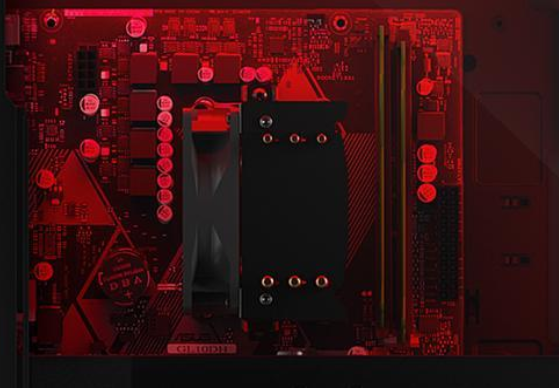
it is one of their cheapest model with only 2 memory slots
Really you would want something with 4 memory slots cause when games starts recommending 32gb of memory you can put inside 2 more 8gb sticks
well instead of buying 2 new 16gb sticks
 faint steeple
wondering if cyberpunk will be one of the first to recommend 32gb
every E3 so far their system has had that much
latent bronze
I believe the new star wars game recommends 32gb
open oriole
Wtf
latent bronze
Oh ya 32gb for 4K
open oriole
Ohhh
latent bronze
1080p is still 16gb
open oriole
Apparently Newegg removed the custom part feature for a bit
shut spoke
remove the side panel on the 3700x
open oriole
Build is on halt


 shut spoke
na
latent bronze
It is not a good system and there is a chance removing the side panel won't help
to some systems i have seen it getting hotter with it off
shut spoke
lol
latent bronze
Ryzen 5 3600 performance is pretty much like the Ryzen 7 2700
icy plume
alright
and if i turn out to get the one with a 2700 and 8 gigs of ram, i can just upgrade ram (i'm asking for a desktop as a present)
and if i get the one with a 1700, i can upgrade the processor
latent bronze
upgrading the processor would cost more in the long run
icy plume
yes but i've played my cards already and it's out of my control
latent bronze
the 3600 would be the most up to date on processors
latent bronze
The system with the 2700 is good but like i said earlier you would most likely need to change out the memory for a brand new kit
icy plume
yeah
latent bronze
and making sure it is 3200MHz memory
icy plume
true
latent bronze
Zen+ loves faster memory but can only rally support 3200MHz while the Zen2 processors can go higher which most people tends to recommend for that 3600MHz
icy plume
what
latent bronze
Zen+ is the 2000 series like the 2700 and Zen2 is the 3000 series like the 3600
Zen+ is like the fix for Zen
icy plume
ah
little osprey
Hello
sudden turret
ayyye!
 narrow rose
whats the gpu?
 wooden vortex
ryzen likes fast ram
sudden turret
not saying it wont run on what you have, but 3,600 is the sweet spot
narrow rose
I like that one way better
little osprey
Please
latent bronze
@little osprey from your image you put the wrong board
little osprey
Ik
latent bronze
Box how did you not catch onto that
little osprey
I couldn’t find the other one
narrow rose
maybe spring for some 3200 RAM on that one but other than that you could go cheaper on the motherboard I like that system though
coarse coral

latent bronze
Would cost less to go with a 3700X instead of a 9700K
icy plume
ecks
latent bronze
Yes?
icy plume
since i'm going with a ryzen processor, is this good for ram replacement https://www.newegg.com/g-skill-32gb-288-pin-ddr4-sdram/p/N82E16820232740?item=N82E16820232740&source=region&nm_mc=knc-googleadwords-pc&cm_mmc=knc-googleadwords-pc-_-pla-_-memory+(desktop+memory)-_-N82E16820232740&gclid=CjwKCAiA27LvBRB0EiwAPc8XWVD6NCQe7f9bfroawU1eSmXeetXz6suq-NOJ_bT4Cxgu8icPUSxcARoCZhUQAvD_BwE&gclsrc=aw.ds
icy plume
yes
sudden turret
goodluck
icy plume
there you go
latent bronze
which Ryzen?
narrow rose
we dont put cases in ram slots 🤔
icy plume
3600 or 2700
narrow rose
3600...?
latent bronze
The only thing i don't like about the memory is the timings
Also if you go for the 2700 build would be best to look for 3200MHz memory
little osprey
@latent bronze could u build me a pc from pcpartpicker because I don’t really understand this is my first pc
?
narrow rose
whats your budget?
latent bronze
I am a little lazy today
little osprey
1.7k
wooden vortex
this is what i bought last week (roughly) https://pcpartpicker.com/user/BigBillHells/saved/#view=FFvgJx
icy plume
so 3600 ram for a 3600 ryzen, 3200 ram for 2700 ryzen
and what timings should i look for
latent bronze
3600MHz memory for 3000 series and 3200MHz for 2000 series
icy plume
alright
latent bronze
@narrow rose Good chance that is a 1800$ build because there is no price on the PSU
fleet talon
Has anyone here used the DRAM Calc for Ryzen? Is it actually fairly accurate?
cursive wharf
@little osprey Or just get this
https://pcpartpicker.com/list/gzZygJ
little osprey
cursive wharf
standard warning from b450 chipset potentially not supported Zen2
but it's a max series mobo which supports Zen2
little osprey
Ight
cursive wharf
Eh, I went with the best you could do, 2080S to 2080Ti isnt super amazing upgrade, but it's better than 3600 to 9700k
narrow rose
way better upgrade
latent bronze
ya but keeping it close to his 1700$ budget you know
latent bronze
ya but does he even have that extra 62$
narrow rose
You can find $62 to go from a 2080 to 2080ti LOL
latent bronze
That is why a lot of people especially tech tubers will do like a 500$ build and be like a dollar or 2 over
cursive wharf
it's an extra $40 as well as he already commited to $1720
Given $40 isnt much with the amount of budget, I assume he has or it can wait a week or two till next paycheck
 foggy hazel
IF you want to get pedantic about it, just cut the case fan and the cpu cooler.
cursive wharf
Can cut costs down with no NVMe, no modular PSU, no CPU cooler
more of the nice to haves
foggy hazel
and remove the standard 2.5
latent bronze
Well if he is even an adult and not part time worker
cursive wharf
Well if it's his money and got it with a part time, he should be able to make that amount in the next pay check
narrow rose
but if the CPU cooler doesnt have rgb....
cursive wharf
Paint it with red/green/blue paint
latent bronze
It has a blue LED light
 edgy leaf
@little osprey the thing to watch out for in your friend's pc (other than the dust which is yikes) would be the hose for the AIO. It looks like it's touching the backplate of the GPU and that can be bad for both pieces long-term health. Also, the cable managing is decent, but could be better, particularly the 8-pin and 6-pin connected to the GPU.
little osprey
I find it kind of funny that Brian, from Tech Yes City on YT, is fully supportive of me building a ridiculous PC to commemorate my divorce
Thank you
 indigo crow
Another question inbound i7 9700k with the 5700 xt or 2070 super
viral ore
which one is cheaper
which one looks cooler to you
they perform so similarly it doesnt matter
narrow rose
unless you want RTX it would be better to go 5700xt to save money
 calm goblet
So uh, I was originally going to get the apex 7 from steelseries, but I dont know as much about the ins and outs of the keyboards like I do components. Is it a good board or should I go with something else
narrow rose
it looks like a good keyboard with cherry switches so I dont see any problems with it. I really like my G910 and its quite a bit cheaper... but everyone has their own preferences when it comes to keyboards
little osprey
We still haven't setled the docdizzle thing? lol
 rocky surge
2060
icy plume
alright
 jaunty nacelle
do u have a pcpp link
 high aurora
i want the corsair i-160
old charm
gluing that big ass silver block directly to my cpu seems like a nonsensical step, but that's apparently what I am about to do
 iron ferry
https://pcpartpicker.com/list/ is this good, or am i able to make it better without spending more
 deep skiff
copy the link thats right above the cpu, the url doesn't show anything @iron ferry
deep skiff
looks good, but i'd check somewhere like r/buildapcsales for maybe a 1080p 144hz monitor on sale since the 1660S can pusher higher than 60fps high/ultra
deep skiff
yeah its a 1660 S(super), which is pretty close to 1660 ti levels
but if you're fine with the monitor, then its a solid build
deep skiff
just make sure you set the nvme drive to the windows boot drive and for your most important items, as it will be much faster than a hard drive
 silver meteor
Guys I’m pretty worried rn
Will the cooling be really bad
Using stock fans from the case and stock cpu cooler
deep skiff
as long as you aren't overclocking you should be fine
deep skiff
yeah it's good
the amd stock coolers are good for what you need, running it at stock clocks but have some headroom for oc'ing
silver meteor
Oh perfect