#building-and-recc-chat
1 messages · Page 415 of 1
 little osprey
Those geekbench numbers are nice - it's so similar to the 3900x though we can get a decent guess IMO
 pulsar garnet
also price vs performance, you probably won't see much difference
unless you're doing some serious CPU intensive stuff
 serene obsidian
https://pcpartpicker.com/list/Xyvb8M I’m planning on building my first ever pc this month. Does anyone have recommendations of what I should possibly change? (Also I don’t have a cpu cooler listed but if there’s one I should consider buying then just let me know) thanks for any feedback. I’m open to hear anything
pulsar garnet
@serene obsidian i think it looks good, but i'd switch out the SSD with a nice M.2 if you have $50 more to spend
970 EVO 500GB or HP EX950 500GB
serene obsidian
Ok thank you 😄
 tidal bluff
 latent bronze
If you are trying to beat benchmarking scores in like 3DMark go ahead with the 2 2080 Ti's but if it is for gaming get rid of one of them
a bunch of games you lose performance from SLI/Crossfire now
Also by removing a 2080 Ti you can go for the 9900KS instead
@warm nova what are your thoughts
 warm nova
SLI is a waste for everything except for a few games and 3dmark
dual gpu's are great in a render machine, but not in sli
latent bronze
I have seen performance drops in Crysis 3 with SLI and Crossfire
 oblique cloak
is the mobo good or can it get better?
latent bronze
the motherboard is fine just taking out one of the 2080 Ti's and replace the 9900KF with a 9900KS
 sudden turret
32gb ram is the new 16gb
 deep skiff
according to zack
 cyan field
What do you all think about this build so far? https://pcpartpicker.com/list/TcgFGc
Still trying to decide on whether or not I want to pick the i7-9900 or the i9-9900 and which liquid cooling to use. This will be my third build but it has been a while, any tips or info is appreciated!
latent bronze
32gb will become the new 16gb when there is more than one or two games that would require it
 west finch
Why would you go all the way for 9900k, and pair it with only a 2070 super?
If this system is gaming, that cpu is a waste with a 2070
 west finch
He actually doesn't even have a 2070s in there, I mistyped, it's a regular 2070
 lime forge
oh
west finch
And I never said anything about a 2080ti
lime forge
regardless, the 2070 is cheaper than high end cards
west finch
I would recommend a downgrade on the cpu, and step up gpu to at least 2070s, or 2080s
Yeah but 9900k is useless at that point
You don't get a "budget" gpu with the top of the line cpu for gaming
Gpu is way more important
west finch
It is when paired with a 9900k
You seem to be misunderstanding me, I'm not saying that a 2070 is a bad gpu
I'm saying that system wastes an unnecessary amount on a top of the line cpu
That will be bottleneck by the 2070
The 9900k is completely unnecessary in a gaming system running a 2070
lime forge
this is the bottleneck calculator for the 9900k and the 2070
some people like having cores for video editing and streaming ¯_(ツ)_/¯
 west finch
That calculator looks rather fake
 maiden citrus
Im new to builds. Idk what i did here but how does it look? https://pcpartpicker.com/list/srzhgJ
pulsar garnet
I mean if you want to stream you might as well get a 3700X and save $170
Same cores and threads
If you want that very Max few percent then 9900K, but at that point you'd be better off putting the $170 into a better GPU
 round flare
You also don't need to buy the windows
pulsar garnet
Way better returns on GPU upgrade
latent bronze
You can still stream perfectly fine with a 3600X instead
 latent bronze
ok
 pulsar garnet
Lol nitro is overrated
round flare
the only reason I want it is animated emotes and using them wherever
round flare
same
pulsar garnet
I'd spend that on origin access before discord nitro :l
round flare
idk what that is
pulsar garnet
Origin's subscription game pass thing
pulsar garnet
Depends if you like the games on origin
Like battlefield games, mass effect, star wars, some more things
Anthem
Best game
 latent bronze
eww Anthem
 fluid raven
Well what was actually bad about it other than the load times
west finch
@maiden citrus you need to change that cpu and motherboard, they are way outdated, unless you're getting them for free or ridiculously cheap
I also wouldn't pay that much for that cpu cooler
maiden citrus
I already changed the cpu and motherboard, which cpu cooler would u recommend?
fluid raven
If you're really serious about streaming just get a capture card. I've seen ones that can do 4k even going on sale for $100
latent bronze
Anthem is like what a 80$ game which feels like a 30$ to 40$ game
pulsar garnet
Aren't capture cards useless unless you're using a separate stream PC
fluid raven
You use them for your pc to take the load off of your cpu
maiden citrus
B450 or x570 motherboard?
sudden turret
as to what?
maiden citrus
idk, which is better
pulsar garnet
X570 is better, B450 is cheaper
maiden citrus
Oh, ty
maiden citrus
How does this look now? What other components should i add/remove or replace? https://pcpartpicker.com/list/Ty9whg
deep skiff
id get a get a 650w psu and just get a single 1tb ssd like the Sabrent Rocket
 surreal lotus
About building PC: is it hard to set up the bios?
latent bronze
nope
With the way the bios is now it is a lot easier than it was like about 15 to 20 years ago

 leaden dawn
latent bronze
leaden dawn
latent bronze
@silver lion https://pcpartpicker.com/list/7RQhgJ
deep skiff
you could throw a 2600 in and still be under budget @latent bronze
latent bronze
@deep skiff ya but at this point anything higher than a 2400S is an upgrade
deep skiff
true but why not get a second gen instead of third for $20 more
 noble ravine
So what is the hardest game to run? Is their any game a amd ryzen 5 or and i7 (with gtx1660) cant run?
deep skiff
and ram support is much better for ryzen 2000
latent bronze
@noble ravine The only game right now that can really stress out a system i know of is Ark and also those laptops i showed you earlier are using 1660 Ti's
noble ravine
yes the laptops you posted earlier apear to be perfect. still studying amds procceser since iv mostly only used i7s
but tis frickin lenovo
latent bronze
Ryzen's in laptops have pretty good performance from what i have been seeing and also since they are also APU's you have the Vega iGPU as well when you are watching a video or playing a non demanding game
noble ravine
gtx160 and a i7 though
latent bronze
1650 is not much of an upgrade from your 1050
like it is a little better than a 1050 Ti but if you can pay about the same price and have a 1660 Ti instead that would be better
and yes the i7 would be better but would you want a great CPU with an ok GPU or a good CPU with a great GPU
noble ravine
loadtimes are all i care about soo cpu i think
but durabiltity is most key of all so im really likeing the tuf asus you sent
latent bronze
Well you also have to think about future games as well that you might be playing
Cause what would happen if there is a game you want to play but you can't really play it
noble ravine
hmm i assume the amd plug in will last longer then the i series since they havent been updated in ages. So i gues get a amd asus if i plan on replacing it someday is what you mean?
or just buy a system super nice now for then
west finch
can't run? no you'll be able to run any game with those parts
you may not be able to run at max settings
and definitely not at 4k...
latent bronze
And you know the requirements for future games?
noble ravine
well to be fair there are only two games i want in the next few years. es6 and vtmb2
but i own ark and never play it because of the long wait times
latent bronze
Loading tends to be more from your drive and memory really than your CPU cause right now you are using a 7700HQ right
noble ravine
indeed. just learned about my ssd usefulness today though so that might help
(2 years later)
(after buying this laptop)
latent bronze
For like 5-6 years i have been using Hybrids so those are still better than a normal hard drive
noble ravine
hybrids?
latent bronze
loads a little slower than a SSD but a lot faster than a hard drive
They are know as SSHD aka Solid State Hybrid Drives
latent bronze
Well SSD is that without the H for hybrid
https://www.youtube.com/watch?v=Ex3UtTmbV-M Watch this you will see what i mean

Buy western digital and seagate hard drives wholesale and retail in Australia. for the best prices visit our shop. We also do drop shipping http://stores.eba...
noble ravine
MSI GL62M 7RDX-NE1050i7 15.6" i7-7700HQ (2.80 GHz) GTX 1050 8 GB Memory 128 GB NVMe SSD 1 TB HDD Windows 10 Home 64-Bit Gaming Laptop bought this for $780 two years back on black friday.
Just hoping to find the same deal this black friday
latent bronze
pricing now is of course different so the price they would show just ignore it
sudden turret
bestbuy is having some really killer deals
noble ravine
really?
sudden turret
watch for slickdeals.net too for around this time
usually see some really awesome holiday deals
west finch
man that GTX 1050 is really killing that system...
I had a laptop with a 1050ti in it once, and man was that miserable to try gaming on
noble ravine
lol really. i felt so lucky at the time. but this is the most expensive thing iv bought outside of cars. Most everything i own is dumpster dived =#poverty
Now it shuts off sometimes and wont turn back on though.... so imma go check out slickdeals.net
latent bronze
ya but a 1650 would be about the same as a 1050 Ti
At least having a laptop with a 1660 Ti that would last for a good 3-5 years
noble ravine
asus or msi for less likely to brake?
o anyone here about asus 2 year repairs for free?
latent bronze
ya they sent me an email about that cause my motherboard is from Asus
noble ravine
OMG HELL YEA so if i buy a asus form new egg or best buy i dont need to buy the insurance?!?!?!
latent bronze
Sometimes well for Newegg it is nice to buy the insurance thing cause instead of sending your laptop to Asus for a repair i believe Newegg would send you a new one
noble ravine
I bought the 3 year square insurance from newegg for this laptop but they wont fix it because the already fixed the screen and the casing. Even though tis a different problem this time=the random not turning on.
latent bronze
I don't use my laptop that often so it always works
noble ravine
nods. yea i know i should buy a desktop, but i like gaming in my lazyboy
latent bronze
Well gaming laptops are still pretty much worth it and there are moments that i want to sell my desktop for a killer gaming laptop
noble ravine
good to know. so ryzan amd 5 is as good as i7 7700?
latent bronze
laptop wise the 3rd gen R5 is better than the 7700HQ
noble ravine
Better?1? how that laptop you showed me ealier is prime then..
latent bronze
You said before your laptop is using a 7700HQ with a 1050 right
noble ravine
could i move my hhd drive from a msi into a asus though?
latent bronze
and yes you can move your hard drive from one laptop to another
just you might need to format it if it is your primary drive
noble ravine
science is cool
its not i think. think my ssd is the c drive and the big easy to unplug one is my d drive
pulsar garnet
Science is for nerds @noble ravine
noble ravine
You can only tell me that because of nerds ❤
 chilly marsh
what does science have to do with this convo
little osprey
oof
noble ravine
Nerds made computers and the internet and such obviously. That was a pretty small mental leap, keep up guyz
sudden turret
science is everything
little osprey
Amen. Pretty sure I like physics/chem/thermo more than computers tbh
sudden turret
yep whether you see it or not.
latent bronze
I don't think he ever heard of computer science
noble ravine
Fair enough. Medicine is better then laptops, just barely 😉
??
is ====ASUS TUF Gaming Laptop, 15.6” Full HD, AMD Ryzen 7 R7-3750H, GeForce GTX 1660 Ti, 8GB DDR4, 256GB PCIe SSD, Windows 10 Home, FX505DU-WB72 better?
then MSI GL62M 7RDX-NE1050i7 15.6" i7-7700HQ (2.80 GHz) GTX 1050 8 GB Memory 128 GB NVMe SSD 1 TB HDD Windows 10 Home 64-Bit Gaming Laptop
latent bronze
The Asus is far better than the MSI
You have to remember as well the 7700HQ is pretty much on par with performance as the i5 8300H
Just cause now it is easier for them to make lower powered processors
look at the new i7 10th gen that is like a 45w processor at 6 cores 12 threads
noble ravine
threads and cores do sound nice.
little osprey
so ya - wanna post a parts list?
 twilit escarp
Everything is working I think hdmi isn’t working in my tv tho
@little osprey
I use motherboard hdmi right
latent bronze
GPU HDMI
latent bronze
go on pcpartpicker and make the build you have and post the link here
lime forge
press del
twilit escarp
I hit f1
lime forge
what does it show now
twilit escarp
twilit escarp
My bad how do I get the key then
lime forge
do you have another computer you can use?
sudden turret
he doesn't need a key to install windows
lime forge
yeah
im asking for the extra pc so he can make a install usb
Learn how to create installation media for installing or reinstalling Windows 7, Windows 8.1, or Windows 10.
once you do all that
twilit escarp
I have a second pc
lime forge
cool
twilit escarp
Lmaooo
lime forge
use that second pc to follow the steps that i posted a link to
you also need a usb drive
twilit escarp
Can I put the usb in now
twilit escarp
No it’s a blank usb
lime forge
Learn how to create installation media for installing or reinstalling Windows 7, Windows 8.1, or Windows 10.
follow these steps using your other pc
lime forge
👍
lime forge
might have to go to bios and check to see if an option related to 'boot from usb' is on
little osprey
You don't need a windows key ever - but to customize dsktop, them etc just enter it in once you've installed, setup, got all the drivers and all taht
twilit escarp
How do u get past this tho
 quaint terrace
twilit escarp
quaint terrace
twilit escarp
Ok so once I have that I just plug it in and it should work
twilit escarp
Ok thanks bro
latent bronze
You would need to install it and normally with new hardware it would detect the USB drive with windows
latent bronze
https://www.microsoft.com/en-ca/software-download/windows10 This is where you would go to make a Windows installer
twilit escarp
My friend is coming over and he has one
sudden turret
with it already loaded on usb?
little osprey
Do you know what version it is?
Rather, was the usb created via that tool within the last fwe months? Or last least since may 2019?
twilit escarp
It was created like a week ago and windows 10
little osprey
Perfect.
twilit escarp
Thanks guys
little osprey
If you see two options under the boot menu for the same USB stick - boot from the one that says "UEFI" somewhere in it. Set bios to optimized defaults, then isable CSM and secure boot, and make sure the target HDD/SSD is the only drive connected to the system. During install - if the drive isn't blank, delete all partitions, if it is,just click next, don't manually partition unless you're familiar
twilit escarp
Ok will do man
noble ravine
I was looking at that asus you sent me ealier. looks perfect, the review said i should ad/buy a DDR4 SODIMM is cheap, just get another 2666 stick. what does that mean? @latent bronze
i mean i found lots on the newegg site, but do they all fit?
 velvet shell
So I'm going to do a build and have about 1300 to work with what do you think about an i7 9700k, 16gb corsair lpx ram, a rtx 2070, a 500gb ssd, and a 2tb hdd with a msi z390-a pro mobo
 coarse coral
solid
velvet shell
Ty I have the mobo right now, saving up for everything else
west finch
I'd suggest just clicking around until you can find boot devices
You might have to enable an advanced mode for the bios to see more options
Each brand bios is different so unless someone knows an asrock bios you will most likely have to find it yourself
twilit escarp
Ah
 languid owl
Does anyone have any suggestions for replacing an ANtec BP500U power supply?
west finch
what kind of suggestions are you looking for?
that looks like a full size PSU, so your choices are very wide
pulsar garnet
@velvet shell 2070 or 2070 super?
because if it's not a super i'd get a 5700 XT instead
 ornate tulip
Hey folks, can anyone help me figure out if the EVGA RTX 2080 Ti would fit into a Lian Li PC-011? Links for card here: https://www.newegg.com/evga-geforce-rtx-2080-ti-11g-p4-2281-kr/p/N82E16814487418?Item=N82E16814487418 ........ and case here: https://www.newegg.com/p/N82E16811112583?Item=N82E16811112583
I'm confused about a graphic on the Lian Li page describing what seems to be a width of the card of 159 mm max, but I'm not sure.
pulsar garnet
@ornate tulip it'll fit
ornate tulip
@pulsar garnet Thank you! This is my second build, last being in 2011. Do you have any general advice to dole out that you may think is important? I see the ventilation is a little funny on that case and I watched a video where they added 9 fans to cool it, which seems overkill but I'm not sure.
@pulsar garnet may I ask how you are certain it will fit? Just curious but I'll take your word for it.
ornate tulip
@pulsar garnet do you have the GPU type and manufacturer so I can check the specs?
Thank you very much for your input, that is a hefty card.
pulsar garnet
@ornate tulip sapphire nitro+ rx 5700 xt
There's still a couple inches to spare between the edge of the card and the front of the case
ornate tulip
@pulsar garnet Thanks so much!!! Yeah it'll definitely fit, it's a tad smaller. That's an awesome card.
Thank you again
pulsar garnet
Np
little osprey
That's a good card but $50 more or so willl get you an "A" chip 2080 ti, are you open to recommendations?
ornate tulip
@little osprey oof I'll have to check it out, already spreading myself thin with the cost
@little osprey If you know of anything better for not much more let me know! I'm not sure how to differentiate the 'A' qualification https://www.pcbuildersclub.com/en/2019/05/nvidia-no-longer-builds-non-a-chips-and-could-lower-prices-for-rtx-2070-and-rtx-2080/

Nvidia plans to stop producing worse TU104 and TU106 chips of the RTX 2070/RTX 2080 at the end of May. The prices could also drop. The reason: AMD Navi.
little osprey
@ornate tulip https://www.newegg.com/evga-geforce-rtx-2080-ti-11g-p4-2382-kr/p/N82E16814487402
Unsure if all the card 3rd party manufacturers will create new SKUs for the unbinned chips, but the 11G-P4-2382-KR model number indicated on that page has always been a TU-102-300A
Check out the chart here to compare 2080 ti models, if on a budget, a "non A" card under $1000 may very well be worth it to some. I use the ftw3.
https://www.overclock.net/forum/69-nvidia/1706276-official-nvidia-rtx-2080-ti-owner-s-club.html
Last Updated: June 6, 2019 NVIDIA GeForce® RTX 2080 Ti RTX 2060 Owner's Club RTX 2070 Owner's Club
ornate tulip
I think it may be non-A, I'm not really seeing anything else without breaking the bank, but this is wayyyyy more than I can currently run. Using it for GPU rendering and graphics, primarily. "Black Edition Non-A | 2 Fan | 2 Slot | 268mm | RGB | 16 Power Phases | 1545 MHz Boost | 250/280 W |"
I guess the XC Ultra would be A ??
little osprey
Yes, I just linked the xc ulra as an example since it was the cheapest non-a 2080 ti EVGA on Newegg.
Check out their website as well.
https://www.evga.com/products/productlist.aspx?type=0&family=GeForce+20+Series+Family&chipset=RTX+2080+Ti&associatecode=29OR9CPT20N35CI

EVGA
Products - Graphics - GeForce 20 Series Family - RTX 2080 Ti
ornate tulip
Isn't the Black non-A and the XC and XC2 A? I thought I saw that in your link
deep skiff
yeah
ornate tulip
ah nm, I'm confused
deep skiff
the blower model (cheapest) and the black (second cheapest) are the the only non A chips
ornate tulip
Is it OK to have horizontal sleeve bearing fans or is that a big no-no?
Would they just develop a noise over time? Should I get 3 pin or 4? Was trying to keep it cheap.
deep skiff
4 pin allows fan speed control, idk about bearings
little osprey
Proabably, since that's not a common concern, if you have questions about a specific part, it's most effective to just post the link.
ornate tulip
I was going to get two of these: https://www.amazon.com/gp/product/B000O8I474/ref=ox_sc_act_title_2?smid=ATVPDKIKX0DER&psc=1 ..... and in that Lian Li case: https://www.newegg.com/p/N82E16811112583?Item=N82E16811112583 ......... have 3 blowing in from the bottom, 3 blowing in from the side, and 2 blowing out at the top.
I may buy 1 more to blow out from the top but they come in packs of 4. Seems weird to not use 9 fans but I wonder if that's overkill.
In my old computer I have only 2 fans, this seems like a lot, I dunno...
little osprey
Do you like those coolermaster 120mm fans in particular?
ornate tulip
Not in particular but they had 19db which was quieter than some others I saw at 22 db
little osprey
Sound pressure level as measure in dB as quoted on the spec sheet by manufacturers is to be taken with a very large grain of salt.
Lots of pc hardware specs are like that, like monitor pixel response time, "1ms gtg"
ornate tulip
hmmmmm
little osprey
IMO these are some of the best fans for the money at 120mm
https://www.amazon.com/ARCTIC-ACFAN00137A-Value-Pack-Pressure-Optimized/dp/B07HC782D5
To be fair - researching parts options for a potential build - especially for a higher end one like what I assume you're intending to put that 2080 ti in can be a little exhausting.
But I guess that's what #building-and-recc-chat is for haha, we're happy to help.
I read through a lot of threads similar to this.
https://www.overclock.net/forum/246-air-cooling/1713146-arctic-p12-p120-p14-p140-pressure-optimized-fans-reviews-discussion-thread-27.html
ornate tulip
I'm not planning on overclocking I don't think, not using watercooling or anything and wouldn't want to fry anything. Just hopefully getting something powerful and utilitarian that I can rely on to crunch stuff
deep skiff
yeah arctic is a pretty good budget brand
little osprey
Definitely. I often recommend the P12 or P14 , both in the pwm pst model 5 packs for $28 and $33 respectively.
I personally use 10 of them haha, the F series like the F12 are the previous generation, good, but the updated design is superior.
ornate tulip
Would the same style/version (P12) be good for both intake and exhaust?
I think I'm gonna buy two packs for 9 fans. 6 intake on bottom and side and 3 exhaust. Any of you folks think that's reasonable for that case?
Thanks for the heads up
little osprey
Consolidating your prospective parts choices into a pcpartpicker build link can be helpful, many of us do so for our own builds as well.
That's a very popular case, I think I know a few with one.
ornate tulip
OK, this is my parts picker list: https://pcpartpicker.com/list/TFKRk6
Would love any suggestions, I hope it's solid because there's a bundle on Newegg that I based the CPU and MOBO on, but I had my eye on that i9.
I already bought the case and the CPU fan. I had another CPU fan picked out but someone at Newegg pointed out that it wouldn't fit in the case by a few mm.
deep skiff
id probably get a better cooler for a 9900k tbh
 polar holly
or a arctic freezer 33 would work
ornate tulip
thanks Susanoo and Nachos. Nachos that is a biiiiiiiiigggg lookin papa
Only 1 mm taller too, thanks for linking this. I will need to return that Cooler Master I got, I should have checked here first!
ornate tulip
@deep skiff the RPM of the scythe seems much lower than the hyper T4, what is it that makes it better for the i9? I'm kind of stumped here
was looking at some noctua fans, and am going to check out the arctic freezer
I see it has 6 heat pipes instead of 4, same fan size
little osprey
Nice, I saw you made some edits, the mugen 5 is fine. One of the 10 or so popular air coolers in the "top tier"
e.g. D15, Dark rock pro 4, Scythe mugen et all, cooler master grand macho, true spirit 120 power etc
ornate tulip
does the RPM not play into the cooling? I was just wondering why that was better than the t4, I'm having a hard time finding anything but saw a quote on reddit that said it's like putting walmart hubcaps on a ferrari, lol
little osprey
That's a good one. I enjoy computer related metaphors.
Have you looked at performance benchmarks to determine which parts you want to include in your build?
ornate tulip
Not really other than benchmarks for the GPU, this was the current build with Nuclear Nachos' suggestion for the CPU fan https://pcpartpicker.com/list/cn9p8M
Oh wow, and other changes, I'll have to check that out Nuclear Nachos', didn't even notice!
little osprey
As long as you save updates to the same build, the link should stay the same
You don't have to really add the fan x times - you can, but I personally don't haha.
ornate tulip
lol! sorry
little osprey
Lol, I don't mind - tbh it bothers me that pcpp doesn't allow some flexibilities like that
deep skiff
@ornate tulip it has a 120mm fan compared to the 92mm fan on the T2, has 2 more heatpipes, and a much larger fin area to help spread the head
and you can also add another fan iirc to help temps
ornate tulip
I see, the heatsink is very big in comparison. I had ordered the T4 which had a 120mm fan also and higher RPM, but much smaller heatsink and only 4 pipes
Reading into it now, I wish I hadn't ordered that T4 😦 lol
deep skiff
yeah the higher rpm fan helps bring more air in to cool it, while a larger heatsink lets it dissipate more heat
@little osprey "my daily driver - sucks" while having a 2k setup 
little osprey
Haha I've used an intel cpu in every daily I've built since 2007 - figured I'd give x570/zen2 a shot.
It's fine - but it feels like a potato compared to the 9700k/9900k configs.
I stress that this is my own preference, I'm just picky to a fault.
deep skiff
looks at my 2600x yeah
little osprey
I realized much of my pcpp is outdated, going through some of it now
deep skiff
i just make a lot of builds i cant afford :v
little osprey
Same haha. Also aren't you on x399?
 little osprey
I have no idea why I get you and admiral awsome confused.
deep skiff
nah its good
 wicked sage
Is there a way to upgrade a graphics card in a Alienware 17 laptop
lime forge
nope
ornate tulip
dang, this tiny Lian Li case has got me thinking I should do what is it, an AIO? I put the cart before the horse by buying that case, I have just had them previously and always enjoyed the brand
The only option for cooling does seem to be the Mugen 5 and it's kind of unsightly pressed against the glass
little osprey
Why do you consider the mugen 5 to be the only option?
latent bronze
@ornate tulip this will give you an idea where everything goes https://www.newegg.ca/white-lian-li-pc-o11-dynamic-atx-mid-tower/p/N82E16811112582
ornate tulip
thank you EcksGamer!
 gloomy rock
@past escarp this chat!
 past escarp
I need help if possible...,
gloomy rock
Explain your problem
past escarp
Thanks found it ...
lime forge
thanks for moving the convo! 😄
past escarp
ok my problem.....
Im in IT-200.... I have to construct a computer system let me go get my file and ill send it to hang on
800 dollar budget
The family computer will need to meet the needs of a variety of users. They plan to use it to search the internet, stream videos, create a family budget, and support basic word processing tasks. They expect easy usability, the ability to connect to fast internet, clear picture, and the ability to print documents they create. In addition to the basic questions listed above, when building the computer system for this user, consider the following:
How much RAM would be sufficient?
What size hard drive would they need?
What type of monitor do they need, and what resolution would you recommend?
Connection to the internet is important, so what would you recommend to support the family’s needs?
Which peripherals, such as keyboard, mouse, and printer, would you recommend?
What email program would you suggest and why?
What budgeting programs should they use?
What internet browser would you recommend and why?
Remember to explain the function of each component you chose and support your decision for including it in the system.
gloomy rock
$400 could easily accomplish that
lime forge
^
past escarp
I know I got my computer for 450 and do it all... but....
gloomy rock
Answer for some of these. 8gb of ram, 500gb-1tb storage space, basic tn panel-1080p 60 hz, 25mbps+
past escarp
I need to list all components, prices of each, and Rationale (Include a source URL or citation.)
gloomy rock
While we won't do the assignment, you can literally put in #general-chat or this chat "I want a good office computer for $800" and the entire server will give you part lists and suggestions
We're here to help you out. I don't have time to put together a part list tonight but I'm sure everyone would love to help you get started!
gloomy rock
See? ^ great people here. I've gotta go take care of something, I might whip up a list later
past escarp
well... I have the project down...that's not the issue … its going through to make sure I have everything listed... k.. thank you so much
 fluid rock
if you have a list already, share it and I'll/we'll let you know if you're missing anything
past escarp
k let me see if I can copy it hang on a sec...
lime forge
browser i recommend Google Chrome, and for email i suggest Gmail because it integrates with Google which is pretty much everywhere, along with things like 'Log In with Google' and etc.
i have no clue what a budgeting program is lol... so i cant help with that one
anyways
those specs should be more than enough for what they need
includes a monitor, printer, keyboard and mouse, and system
$660
past escarp
three components of information systems – hardware, software, and data im going to break each one down start with hardware.... I went with a laptop... so . Computers, keyboards, disk drives... right??
Yes ma'am Ms. Karen
lime forge
hm?
 past escarp
k im going to check it out... give me a few ill be back... thx Karen
lime forge
np
past escarp
Karen.... that site is amazing.... just what I needed... thank you.... SOOOO much
round flare
mr zack
lime forge
sure thing 😄
round flare
1080p monitors for 60hz can be found way cheaper
 fossil hedge
very good point @round flare
twilit escarp
Does anyone know why my Microsoft store on pc is like this
round flare
ö
ornate tulip
What do you all think of this as an inexpensive monitor? https://www.amazon.com/gp/product/B072XCZSSW/ref=ox_sc_act_image_4?smid=ATVPDKIKX0DER&psc=1
lime forge
hold on a sec @ornate tulip
fossil hedge
ornate tulip
250 nits is most I could find for under ~200 dollars, it's IPS too at 24"
past escarp
as long as its under 800.... its fine... I got a question.... why did you chose ISP
gloomy rock
$110 is a bit steep for 1080p 60hz
lime forge
D:

Dell
This 24 inch FHD gaming monitor, with its impressive 144hz refresh rate and FreeSync enabled tear-free visuals, gives a smooth gaming experience.
a couple days ago that was on sale for $100
i got one
but now the cost is back up
gloomy rock
Ips has the best viewing angles so you can have people looking over your shoulder
fossil hedge
this build is also not bad: https://pcpartpicker.com/list/RH7q3t
fossil hedge
I mean a ryzen 3600 in a 650~ USD build is not bad
by the way what is the actual budget.
past escarp
800
fossil hedge
cool thanks
lime forge
because
its cheap, and its all you need for word processing, web browsing, and printing
also
past escarp
ok
fossil hedge
well
lime forge
it includes a graphics processor inside it so you dont need to buy one
fossil hedge
its not the worst, but if you can get better, why not?
lime forge
cheap, has wifi, has everything needed for printing, word processing, internet browsing
past escarp
Corsair Vengeance LPX 8 GB (1 x 8 GB) DDR4-3000 Memory
lime forge
cheap, all you need, good brand, good speed
also
you can upgrade to 16 later if needed
fossil hedge
well, you can get 16 for realtivly the same price
fossil hedge
I proved that in this https://pcpartpicker.com/list/RH7q3t
past escarp
ok
fossil hedge
I mean, latency I bad but its not like you cading
past escarp
whats t force
fossil hedge
a ram company
lime forge
yeah
fossil hedge
also buying 1tb of ssd is fine, but you can get a 1tb of storge hard drive, and a 500gb ssd for much faster speeds and a the same price
fossil hedge
not that 1tb ssd is bad, but personally in a office setting, having greater storage with some faster storage is better then having only fast storage at a deficit in space.
Western Digital Caviar Blue+HP EX900 500 GB M.2-2280 NVME=same price, more storage, same performance overall.
lime forge
eh
round flare
why not 3400g
fossil hedge
and again your monitor is overpriced
lime forge
because you dont need it for word processing and email
fossil hedge
lime forge
paste a cheaper one then lol
round flare
a t h l o n
fossil hedge
mines much cheaper,
he probably has a laptop, and will be used to the screen size anyways.
round flare
a t h l o n
lime forge
also personally id take 1tb ssd storage over 1.5tb with 1000 of it non-ssd
but thats just me
fossil hedge
well, were moslty arguing about the finite details of how to put your money to use
past escarp
oh
fossil hedge
like fast storge, over cheaper storge but more.
past escarp
right
fossil hedge
and diffritn kinds of motherbourds.
I choose one that was chepaer,
but lacking in wifi,
lime forge
wifi is something they need
fossil hedge
ok, I'll change that
fossil hedge
past escarp
and i have to find a program for budgets... i guess excel would work its simple
fossil hedge
depends
lime forge
those dont really match up for me
fossil hedge
if your trying to make a fusion bomb, not so much.
but for money, I rather like it.
past escarp
right.. i use my budgeting system for my online banking... but
ok so i got the computer system... let me set it up … ill brb
ok.... i understand affordability
but if we compare parts could yall summarize the rationale for each component included in your system design?
fossil hedge
AMD Ryzen 3 2200G, is a great all around processor for just browsing the web, it has onbourd video, and is farily cheap.
ASRock B450M/AC includes wifi, and that was a needed component for you.
Team T-FORCE VULCAN Z 16 GB was the best price for ram that I could find of that capacity, and it fit your budget well.
Western Digital Caviar Blue 1 TB +HP EX900 500 GB M.2 offered better overall storage in my opinion, for a great speed. I thought because your in a office setting a system that has well rounded base storge could prouububly benfit you more then less but faster. however the ssd is still the fastest for that price, and is a great edition to a slower 1tb hhd.
Cooler Master MasterBox Q300L, was the case that Karen recommended, good for the price, still think thats probably better then mine.
V7 L215ADS-2N 21.5" 1920x1080 60 Hz Monitor is a good moinitor, it works, its fine, its got good coloring, its going to function for this budget. its 1920X1080, thats fine for pretty much high end and low end stuff, its not the fastest thing on the planet, but your not gaming, so its going to work.
the mouse and printer are your digression.
fluid raven
how on earth could you get all that for $625
 austere condor
:D
i buy a lot of used hardware, and i keep an eye out for good deals
latent bronze
The system is actually more powerful than Karen's PC lol
cause he has a 8700 which is 6 cores 12 threads while that i7 has 8 cores and 8 threads
which id prefer then 9700 more
deep skiff

i see my q300L teaching has rubbed of on somebody
@austere condor finally a not red build 
ornate tulip
Hey folks, I had asked yesterday about a build and someone had suggested the Mugen 5 rev b, but in looking over this I'm still concerned about clearance for the CPU fan/heatsink. Is this a go or a no-go? https://pcpartpicker.com/list/mNkn7T
Mugen 5 rev 5 = 154.5mm and CPU fan clearance is 155mm.
I guess my concern would be spacers behind the mobo and how they play into clearance. I feel like I should just return the case too but I'd really rather not 😦
sudden turret
that thing is huge.
I'd be concerned with ram clearance.
but to answer your question. read this : https://www.reddit.com/r/buildapc/comments/d6t5ql/has_anyone_fitted_scythe_mugen_5_revb_or_any/

reddit
O11D has CPU cooler clearance of 155mm and Mugen 5 is 154,5mm so I'm wondering if it actually fits or not. And yes I know O11D is designed for...
ornate tulip
Thank you boX, so should be good to go I would assume. Hopefully no funny issues because I'm about to buy a bunch of stuff for the case and I already purchased the dang case!! Cart before the horse. And yeah it's a beefy mamma jamma that another user had mentioned to use over the Cooler Master Hyper T4
 silver lion
whats a good build around $600?
deep skiff
Just throw a ssd in as a boot drive/for important things and you should be set https://pcpartpicker.com/list/d6RXvW
but the cpu will probably be discounted during Black Friday, and if you live near a microcenter I’d pick up this combo for motherboard+cpu and put a 128 or 256gb ssd with it https://www.microcenter.com/product/5003142/-amd-ryzen-5-2600-with-wraith-stealth-cooler,-asus-tuf-b450m-plus-gaming,-cpu---motherboard-bundle

Micro Center
ornate tulip
Can I ask a nagging general question? The more I think and read about that Lian Li pc-o11 the more I think I may have made a mistake in purchasing it. I'm reading a lot about AIO setups and how the case wasn't meant for air-cooling, but if the Mugen 5 works and keeps the build (very expensive to me and would like to make it the best it can be) strong then I'd be fine with it. Does anybody have any words of wisdom? I would have bought it already but am having some issues with the bank.
I think it's offset so RAM clearance shouldn't be an issue, hopefully. I'd be more worried about heat, but it's advertised as working for the i9.
I think I may just buy it and test it and quit bothering you nice folks! 😛
deep skiff
@lime forge and a worse gpu :l
deep skiff
anyway i prefer the better components > storage mineset cause its much harder to buy a weaker cpu, get some money and sell it to buy a better one than just buying a new ssd later
and first gen ryzen has tons of issues with ram speed
polar holly
@ornate tulip That case is usually used for watercooling but a air cooler will be fine in it if it has good airflow through it keeping in mind to equal out the pressure and flow
latent bronze
Ethernet is plug and play
fossil hedge
ornate tulip
So for whatever it's worth, chat at Intel told me that the Mugen 5 can work with i9 9900k for extended periods of running without issue. That puts my mind at ease!
I'm gonna order the stuff, YOLO.
@polar holly thank you for your help. I have been looking into how to configure fans.
polar holly
@ornate tulip for when i had mine running air before i sold it i was running three intake through the side intake two intakes at the bottom and three exhaust at the top
but i would reccomend putting three on the bottom i did not have enough fans at that time
Or you can get the air version
ornate tulip
@polar holly thanks Susanoo, I was thinking of a configuration like that. 3 intake on side, 3 intake on the bottom, and 3 exhaust on top. But it seems a little too heavy duty almost. I read something about "airblow vs airflow" and almost wonder if that's too much.
Like 2 on the side, 2 on the bottom, 1 on top and let the exhausts in the rest of the case just have air pushed out.
polar holly
if thats your plan imo i would do a 2 bottom 2 side and 2 top even then you will have major positive pressure
latent bronze
Well depends on the case (cause i don't know the case he has or wants)
ornate tulip
You think that would work? I'm not trying to go overboard but if I could do something like that, that would be awesome. Someone recommended the arctic P12 PSW fans and that logo on them drives me crazy!!! lol
derp, PWM
latent bronze
top and side exhaust and bottom intake
ornate tulip
There is a fanless exhaust on the back, you think side exhaust??
I feel like that would make a negative pressure, no??
deep skiff
you could also just do 1 or 2 fans on each positions instead of all 3
latent bronze
the rear of the case would mainly be exhaust for the CPU fan anyways
deep skiff
and negative pressure isn't bad, some case makers like nzxt use it stock it just increases dust afaik
latent bronze
if you're not using an AIO
ornate tulip
hmmmmmm
Would 2 intake on the side, 2 on the bottom, and 2 at top be legit?
2 exhaust on top, that is
latent bronze
This is my case which it is a little similar to the PC-011 https://c1.neweggimages.com/NeweggImage/ProductImageCompressAll1280/11-147-298-V01.jpg

bottoms i have intake the rear i have exhaust and the side i don't have any fans which i have no cooling issues
ornate tulip
Hmmmmm
polar holly
i have pets so i run a positive pressure with case flow being pointed to push air out the unfiltered rear. so Front and bottom both for me were filtered i had intake and exhaust through the rear and top
latent bronze
Oh ya under my system is a easy to remove dust filter as well which is easy to clean and put back
i don't even need to lift the case
ornate tulip
that does seem like a similar case, EcksGamer, with the exception of the rear not having a spot for a fan IIRC. ^I'm in the same boat Susanoo
latent bronze
Oh ya and since it is also a top mounted PSU system you know the extra cooling i have there 😛
polar holly
Yeah thats my recommendation but if your like me it took many iterations to get that finding what worked best for my system. Now i run a almost fanless build
ornate tulip
what do you mean Susanoo, from good airflow and positioning choices, or from watercooling?
latent bronze
The only way i will do watercooling if i get that 1000$ ASRock board lol
deep skiff
🤔
polar holly
No i ran air cooling then due to my small apartment i wanted minimal dust and dog hair intake while having great cooling
i have since changed and sold builds and now run a aio
ornate tulip
Ahhhhh. Those kinda scare me!!! 😛 Something about water and electricity.
I was thinking about AIO but some of the stories about them kinda freak me out.
latent bronze
Anything can break a system so
polar holly
Its really not bad once you realise many are covered and cover your parts if they fail
My old aio ruptured on the block and they sent me a new cpu and mobo since they were damaged
ornate tulip
Yeah but not anything can leak water onto your stuff!!! ^that's true, but I wasn't sure if that had to do with water damage. I read some stories on reddit about issues after about 4 years, either pump failure or leaking tubes
The company that made the AIO did that???
polar holly
Yeah happened about 6 months after i got the aio and they did that since it was a critical failure and thats what the warranty was for.
ornate tulip
That's nice, wow
polar holly
yeah it wasnt even to bad i just sent a few emails they were like what was damaged and sent me the new parts
latent bronze
You know this surprised me when i saw video reviews for this CPU cooler https://www.newegg.ca/raijintek-leto-0r100061/p/13C-001T-00016
so many good reviews on it for Ryzen 5's
polar holly
Since then i have done full custom water cooling on a number of custom orders that have been ordered through my company so playing with that has made me realize water cooling is like not scary if you do all the right steps
latent bronze
No idea for intel since everyone i watched was testing it on Ryzen
ornate tulip
@polar holly lol! 😛 understandable
latent bronze
@polar holly Wanna know something
polar holly
So i may eventually do another custom build and water cool it. my last one i sold to a friend it was a chessboard pc. @latent bronze what
latent bronze
This is the cooler i am using now https://c1.neweggimages.com/NeweggImage/ProductImage/35-856-026-V01.jpg
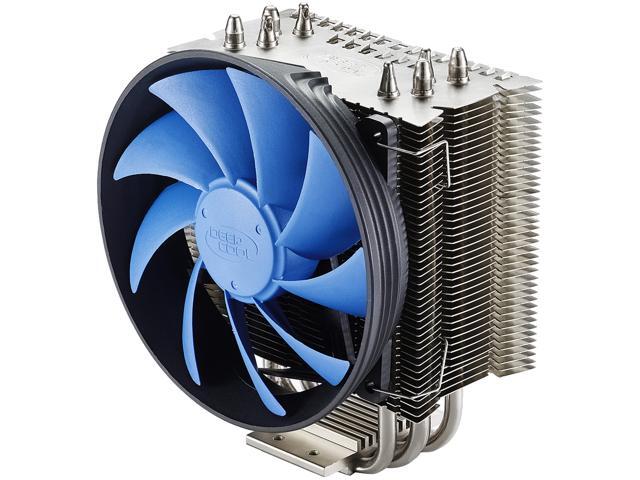 ornate tulip
@latent bronze that is a nifty looking cooler. I am not hip to this scene but it felt good today to hear from Intel that the Mugen would work with the i9, and I noticed it explicitly states that, also, on their product page
latent bronze
This is what i am going to replace it for https://www.newegg.ca/p/13C-0005-00113
polar holly
The noctua low profiles are amazing i used to run a nh-d15
i miss that cooler was so good
deep skiff
@latent bronze what case?
latent bronze
Well the main reason for it is the S40 there uses AMD old method and when i need to replace my thermal paste that one would be better
@deep skiff scroll up for my case lol
polar holly
what system type are you running
deep skiff
why not a bigger cooler?
latent bronze
Ryzen 5 2600
polar holly
okay that makes sense then. i am still waiting to get the 3950x
latent bronze
Bigger doesn't always mean better to be honest
deep skiff
yeah but thats a low profile 92mm fan
polar holly
i work as a animator and graphics designer i always need a better cpu. but i also game so trying to keep my home system on am4 platform
latent bronze
@lime forge you hear that you need to get bigger
sudden turret
dont drag Karen into this.
latent bronze
But Karen could walk right though the managers door easier
deep skiff
cause for like $2 more you could get a u12s
latent bronze
See i only game and stream once in awhile so i don't need anything crazy
@deep skiff let me show you something ok https://i.gyazo.com/125de2a2ea6bd00f3eaf06ff89acf0d2.png
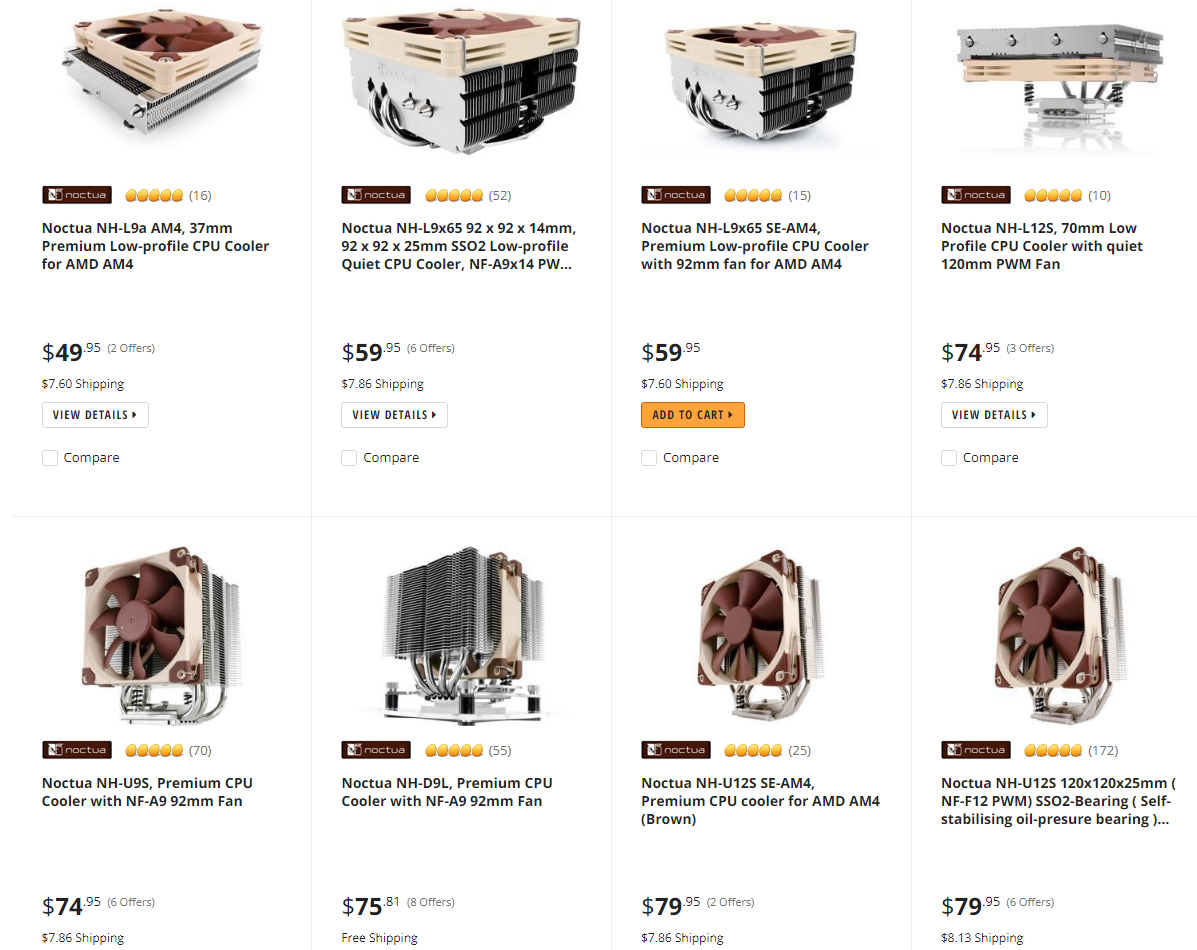
Show me which is 2$ more
polar holly
its on sale now
latent bronze
I am in Canada
deep skiff
:l
latent bronze
https://www.amazon.ca/Noctua-NH-U12S-Premium-Cooler-NF-F12/dp/B00C9EYVGY This is what it really looks like nacho
latent bronze
You do know i also want something a little more low profile
That is why i keep looking at that cooler i linked cause i actually want something different that all of those other coolers
latent bronze
the cooler i have right now the idle temps is 28c and when gaming i get 55c
deep skiff
then why are you replacing it 
latent bronze
something smaller a little more low profile and something that isn't using the old AMD mounting method
at least with the cooler i want it is 2 screws remove replace and screw back on
and replace as in the thermal paste
little osprey
D15s is a very solid chioce - gives a bit more compatibility, quieter, nearly identical performance to the D15 and $10 cheaper.
I don't think the D15 is magical at cooling - but when you do this a lot - you'll really appreciate a solid mounting system.
Noctua is also known to provide free upgrades to those who ask when platforms change as does socket spacing
Forgot if I already posted - don't get the F12, they're good, the P12/P14 are just better. I have 5 F12's 10 P14's fwiw.
pulsar garnet
fossil hedge
#nobody talking anyway
chilly marsh
 verbal karma
hello, Was directed here from NewEgg customer service chat to maybe get some help. Have a desktop homebuild ( a friend did it mostly) built in April 2012 that , after many BSOD's , finally couldnt open beyond that when turning it on. I was figuring replacing the hard drive and was simply trying, based on what it was originally built with , what would be a comparable replacement that works with the existing motherboard. We already bought a prebuilt..but Im sitting here now with something that I would hate to give away if it simply required replacing a single part.
So trying to replace a SAMSUNG Spinpoint F3 HD502HJ/ST500DM005 500GB 7200 RPM 16MB Cache SATA 3.0Gb/s 3.5" Internal Hard Drive Bare Drive with a WD Blue 1TB Desktop Hard Disk Drive - 7200 RPM SATA 6Gb/s 64MB Cache 3.5 Inch - WD10EZEX - OEM
to fit with a ASRock Z68 Extreme3 Gen3 LGA 1155 Intel Z68 HDMI SATA 6Gb/s USB 3.0 ATX Intel Motherboard..or do I need to contact Asrock?
Thanks. Been dealing with this of and on too long.
coarse coral
it should be fine, both are powered by sata data and power connectors.
you'll need to create a windows usb installer to install the os on that new drive.
 latent jacinth
So I asked this over in the psu channel but would a rosewill fortress 750w 80+plat purchased in 2013 be ok in a new build or is the age of the psu an issue?
Still going strong as far as I can tell in my current system which was also built in 2013
 coarse coral
should be fine, i like buying new psu when making new system just for the peace of mind.
latent jacinth
My only other concern is that I guess is that I’m moving from an ATX mid tower build to a micro atx and the fortress is not modular
coarse coral
ah
yeah.... might need to go modular for cable management
especially if the case is for matx
latent jacinth
Yea I’m thinking Corsair 88r is what I’m probably going with
Going back through Newegg I found this gem
Wow have the times changed
latent jacinth
I would cancel it too if I ordered that today lol
That’s from when I built my pc in 2013
latent jacinth
Haha all good
 lime forge

latent jacinth
Touché
deep skiff
smh
latent jacinth
Lmao
lime forge
lol what?
sudden turret
wife xmas pres
latent jacinth
Oh first buy? Mine was the Corsair 600t — my favorite case to this day
sudden turret
ouch lol
lime forge
hahahahaahhahahahahhahahahahahha
latent jacinth
RAM in megabytes? Good lord
deep skiff
dont wanna flex but
coarse coral
 latent jacinth
$400 looool
deep skiff
yea
sudden turret
and that was cheap back then
deep skiff
that was 12 years ago :v
sudden turret
crazy how things turned out
deep skiff
latent jacinth
Yea no joke.
deep skiff
32 whole cuda cores
sudden turret
things we bought back then for the price is a joke today
deep skiff
bruh
Both DVI-I connectors are dual-link enabled so you can run today’s biggest monitors at up to 2560x1600 resolution.
latent jacinth
I’m a little ashamed but my first gaming pc purchase was actually the Alienware x51
little osprey
https://i.imgur.com/lGSSlFg.png Jan 30 2011 haha



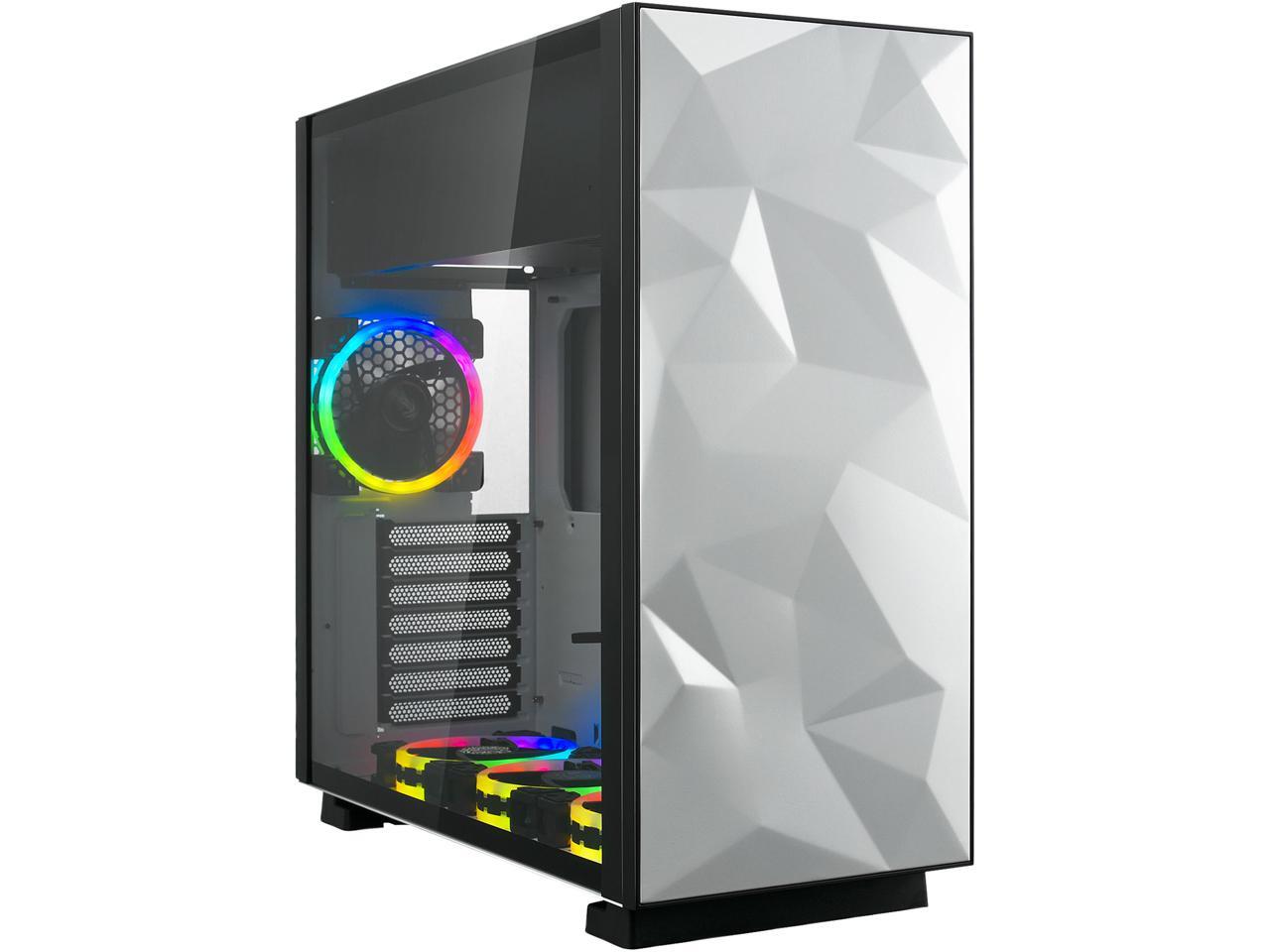
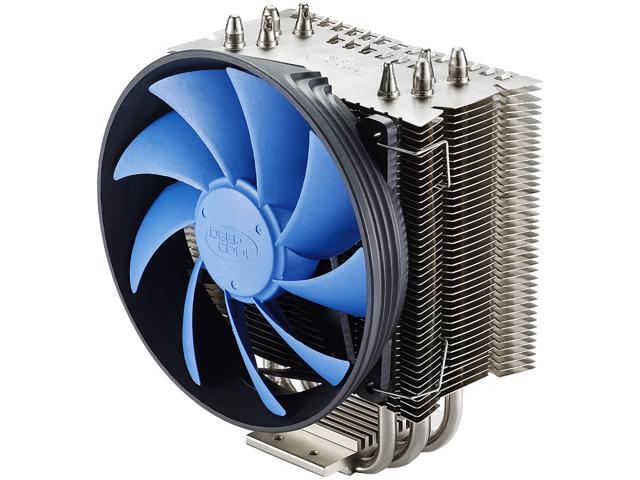
 sudden turret
hahahhaha ffs
little osprey
haha I could make an og "second build" pcpp
https://www.newegg.com/ocz-vertex-2-55gb/p/N82E16820227550
https://www.newegg.com/msi-geforce-gtx-560-ti-n560gtx-ti-twin-frozr-ii-oc/p/N82E16814127565
https://www.newegg.com/p/N82E16822152245
Only the gpu is alive .. for now
lime forge
msi 
little osprey
I never OC'd them until now lol
lime forge
ive never OC'd
well
i tried on my laptop
but then i realized that it idled at 40
without oc
little osprey
Not worth it on a daily driver lol.
little osprey
I have an i5 450m and 5870m in an old laptop I guess I could screw with
ornate tulip
So I just received the pc-po11, and that thing is HUGE!!! I do believe it's made purposely for watercooling systems but I had ordered a CPU heatsink/fan to cool the CPU. Is it dumb for me to proceed with this build? Is this at all a normal case that I should be using?
It's like 4 inches wider than my old Lian Li. I purchased it because I was familiar with the brand and it looked pretty in the pictures, I didn't know it was to serve any specific purpose. Should I return it and get a case meant for air cooling?
pulsar garnet
@ornate tulip if you want lots of RGB fans everywhere keep it :p
ornate tulip
Eh, I really don't, but a lot of the parts I'm buying come with LED and I do think it looks purdy, but was going to go with non-glowy fans
pulsar garnet
If you think the case is overkill you can find a smaller one
Personally I really like the case lol
ornate tulip
That's niiiiice!!!! 😄
real purdy
is that 3 intake, 6 exhaust? I'm trying to figure out how to position fans. I suppose it is only about 3.5 inches wider than most cases. I was going to cool the CPU with a fan. I'm a little concerned about how it will fit.
OMG 3 in the front too 😄
nm, that's neat. Stays really cool I'm sure?
little osprey
I honestly do hope AMD makes a 2080 killer with the 5900 - but we need more R9 290x space heater memes
ornate tulip
should I rely on the thermal paste that comes with the CPU fan or should I buy some? And is there a generally accepted way to apply it? I saw in some videos that the single pea sized dot might not spread to all the corners of the chip. And to test if the CPU fan fits, can I do a 'dry run' and return it if it doesn't fit in the case?
lime forge
just do a bit larger than a pea and youll be fine
and yeah, its better to get other thermal paste
i like thermal grizzly kryonaut
best on the market
latent bronze
@little osprey https://i.gyazo.com/2c95d6099e9c635a46f1dbf9f1d4f462.png


Deepcool Z9 is also great non conductive thermal paste
ornate tulip
is that a frozen pea? Like a centimeter tall blob maybe? I've heard grain of rice too which seems REALLY small
centimeter in circumference on the plate?
I'll watch some videos as well, thanks for your advice.
pulsar garnet
@ornate tulip it gets really hot because of the 9900K
6 in 6 out
I really like the case but I could put it to better use if I did a custom loop
Otherwise you could get a smaller case if you like
ornate tulip
I opened up the case and I have glass in the front :S there are only 9 spaces to mount fans, the back is just a vent for the most part
latent bronze
Bottom fans is always intake which will always help out the GPU
everything else would be exhaust for proper airflow really and even when using an AIO
ornate tulip
Doesn't that create a negative pressure? Are you not supposed to have positive pressure? If I have 3 intake on bottom and 6 exhaust, that would seem a little lopsided. My case seems to have 9 areas to put 120mm fans
I was going to do 6 in 3 out. Would that be bad? Thankful Zovy, I'm not sure how you have 3 in the front as intake, I have glass in the front.
The back of the case seems like a giant vent, so those 3 blowing in on the side will schwoop air right back there I would think. And the three in at the bottom and 3 out at the top would hopefully schwoop more heat. Anybody please feel free to let me know if this is a bad configuration.
ornate tulip
ahhhhhhhhhhhhhhhh
latent bronze
You want cool air inside yes but you also want to expel most of the hot air
So lets say you have an AIO mounted on the top you want all that hot air out and not inside your system which is why most people for the type of cases that uses more than 3 fans would have 2-3 for intake and everything else to expel the hot air
Take this image as an example ok https://external-preview.redd.it/oae3abb_JYd9qQ0up9qt5wvqWAgtSU3N_CQsDEP3qqc.jpg?auto=webp&s=b07fa6d6e4a8ab7f04a5c704eceb4da85d225c7d

you can see the 3 on the bottom is intake the 3 on the side is exhaust and of course the AIO on top is exhaust
little osprey
Is that yours? I had forgotten haha
latent bronze
That is an image i pulled off of google for the example
@ornate tulip Do you see from the example?
pulsar garnet
Not enough RGB
ornate tulip
I'm looking at it, yeah. I just always thought a close balance of negative or positive pressure is ideal, I was going for positive since I have a dusty house
latent bronze
But enough Overwatch figures inside
latent bronze
If you have a dusty home then having more intake would clog the system more
ornate tulip
Does it not pressurize the inside of the case so that air escapes from cracks and vents?
little osprey
If you have a dusty home, get an air filter - then either an air compressor or one of those electric electronics blowers things haha.
latent bronze
for the CPU fan you always want it blowing towards the rear
unless it is a low profile one
pulsar garnet
Lian Li case has filters I think
little osprey
Avoid letting hot GPU exhaust flow into the cpu cooler's heat sink.
gloomy rock
Wait
little osprey
The 2080 ti in that example pic could make 320W of heat - whatever cpu in there might do 150
gloomy rock
We don't want a thermal power plant @little osprey ?
ornate tulip
It came with some nifty magnetic screens. GPU generally blows down and dissipates, right? That's why I figured 3 intake on the side would be nice, to schwoop that out the rear
latent bronze
@gloomy rock If we all wanted that we would all be using the 290X lol
little osprey
Nothnig wrong with a good space heater 🙂 - just don't want your space heaters in series, go parallel
ornate tulip
I feel too like if there are 3 exhaust on the side, it will make the CPU fan blowing to the rear less effective :S
latent bronze
This is where you want the CPU fan blowing http://s3.amazonaws.com/hs-wordpress/wp-content/uploads/2017/12/12185341/btcp11.jpg


the fan will blow on the heatsink which the hot air from that will go out of the rear
ornate tulip
That was the plan, definitely ^lol
latent bronze
There is only one plan though
ornate tulip
The plan initially was to have 3 intake 3 exhaust, but you threw a wrench in my gears!!!!! lol
derp, sorry, 6 intake, 3 exhaust
that way the side intakes aren't battling the CPU fan. It makes sense in my head...
latent bronze
it wouldn't battle the CPU fan
you have air from the bottom as well pulling the inside which is a lot of air so it only makes sense for the side the expel the hot air
ornate tulip
Dang... It just seems to break the schema of front to back, bottom to top for the flow of heat.
latent bronze
Pretty much the way you were thinking of everything being positive would actually be negative
ornate tulip
I thought more pressure inside meant it was positive
negative I thought was when more air was being drawn out :S
latent bronze
When dealing with higher end cases and parts you want to expel more but if you were using something like a Ryzen 3 1200 and a RX 550 you can actually use a 3 fan case 2 intake 1 exhaust
polar holly
From personal experience with a dusty house and the pc-011 case running six intake and three exhaust with passive exhaust out of the rear was sufficient in cooling the ryzen 3900x and a quadro m6000 i had in it with minimal dust entering due to air filters
latent bronze
For most people that owns it and you can even see builds of them only using 3 intake fans
6 intake you're not really cycling it well
little osprey
Thats y open cases r the way to go
polar holly
I would agree with that i got rid of it for a reason. But the issue with using that build method is it creates negative pressure in the case and with dust it pulls thorugh a unfiltered section.
latent bronze
See living in a dusty home open air cases are not the way to go
polar holly
Construction of our office has finished making it viable
little osprey
 long rock
LOL
polar holly
So i will recommend a six intakes with two exhaust for all dusty environments while using that specific case.
lime forge
just got a new water cooler 😌
latent bronze
i wouldn't recommend 6 intakes
polar holly
Have you built or used a pc-011 case
latent bronze
I have built for a buddy and he has no heating issues and also for a lot of postings for that case they tend to suggest only 3 for intakes
little osprey
latent bronze
You want to also expel out the hot air faster not keep it in longer
polar holly
and i have also built in it with six intake with no heating issues either. I also find if its online doesn't mean that its always right.
ornate tulip
Folks at Micro Center suggested 3 in on side and 2 out at top
polar holly
Along with the hot cpu will be pushing its air out the rear of the case.
While the air will naturally be pushed upwards and rearwards with pressure. from intake and exhaust
latent bronze
Also the other thing is you're using a Quadro so slap in a GTX/RTX or a RX card inside and you will notice the difference
ornate tulip
That's how I feel too, @polar holly
polar holly
What difference will i be noticing.
latent bronze
He can do it your way but in the long run he will be baking his parts
polar holly
If you make sure that you temperatures are undercontrol regardless of the way you point your fan it does not effect the baking of your parts
ornate tulip
The folks at micro center said that maintaining positive pressure is the best and they told me that I shouldn't listen to what you're saying.. I had asked like 3 people about fan config. I'm so sorry EcksGamer but with what people at Micro Center said and what I read on the internet in different forums, I am hesitant to believe your configuration is best!!!
polar holly
Still waiting on the differences that i will see when i switch from the quadro to a different card
ornate tulip
It seems like it would not contribute to flow from front to back/bottom to top, and would fight with the CPU fan, and keep negative pressure instead of positive pressure
latent bronze
Swap then and find out
polar holly
i have multiple times no change but worse performance in tasks. all temperatures and sound was under control. i have tried a rtx 2070 strix oc along with a rx580.
 stark meteor
Can I ask for assistance with my part list in this chat?
polar holly
@stark meteor yeah this would be the place. what question
stark meteor
So I'm really really new to pc building, and this is gonna be my first pc build
I made a list and wanted some recommendations and help
This is the list link
polar holly
What major uses will this be used for
deep skiff
heres a video about positive vs negative airflow https://www.youtube.com/watch?v=jitCQtP4npY

Sean and Norm discuss the effects of negative air pressure compared with positive air pressure in PC cooling, and test different configurations for maximizin...
stark meteor
Budget is under $870 roughly
fossil hedge
gamer?
deep skiff
here's a list https://pcpartpicker.com/list/GM8Nq3
stark meteor
Reason I used the motherboard was integrated wifi
deep skiff
oh
fossil hedge
oh wait a moment I want to have a go .
deep skiff
hmm the majority of b450's with built in wifi are itx boards
ornate tulip
wow @deep skiff , awesome link. I guess you're right @latent bronze , holy moly
stark meteor
Yeah that's what I found but this one isnt for some reason
fossil hedge
ok, @stark meteor
thats a pc with the ablty to upgrade to better ryzen 3000,
it has a ryzen 3600
ornate tulip
watching the airflow at different settings, that's wild. There is much more airflow when it was negative, I've read elsewhere though that it's a couple of degrees more with positive. https://www.scholarlygamers.com/tech-talks/2017/11/14/building-pc-positive-vs-negative-air-pressure/

AJ examines the choice between building your PC case to have positive or negative air pressure, discussing the benefits of both.
deep skiff
here had to put a itx case https://pcpartpicker.com/list/zRJrV7
fossil hedge
same amount of ram, slightly better price, better ssd, same hard drive, (in my opionoin better case), and a cheaper but good power supply
polar holly
@ornate tulip it depends greatly on case choice also
So the answer is when you get your case build it and test it
stark meteor
I liked the look of the nzxt case but I want something easier to build in so I'll take it in consideration
latent bronze
@fossil hedge https://pcpartpicker.com/product/kRTzK8/msi-b450m-pro-vdh-max-micro-atx-am4-motherboard-b450m-pro-vdh-max This is 3000 ready out of the box
fossil hedge
ah I see.
latent bronze
all the one's that has "Max" are 3000 ready
fossil hedge
ok, well the tomhak has bios flashback so yeah thats fine really
I mostly disgreed on the price of the CPU, and the price of the ram.
also the ssd
and the power supply
latent bronze
Ya but if he doesn't know how to flash the bios and/or doesn't have a way of getting said bios that would be the easier way
Always better to have something 3000 ready instead
polar holly
And many of the b450 max boards are very similar in price to the non max board
latent bronze
These are also all the Max models https://i.gyazo.com/9647c82aabea26a59e0774f9097b1e0d.png


There is usually people that wants to just plug everything together and start playing as soon as they can
ornate tulip
This video seemed to show differently about positive/negative pressure. I'm definitely going to play around, or maybe flip a coin! 😛 https://www.youtube.com/watch?v=a12aDCxrcts
Enjoy the videos and music you love, upload original content, and share it all with friends, family, and the world on YouTube.
Might try the incense and try different fan configurations.
polar holly
That’s the best bet to find your configuration for both temperature and dust prevention
latent bronze
The question is does your cat shed a lot of fur
 stoic ember
hello team. i need help on picking a graphics card compatible with my motherboard
fossil hedge
hey
fossil hedge
yep
fossil hedge
yep
fossil hedge
if you have a pci-16 slot on your mouthbourd, then its going to work with nearly any card.
stoic ember
so this is my motherboard

ASUS USA
ROG’s ATX gaming motherboard is honed and optimized to be perfectly balanced for enthusiast-grade gaming desktops. Gamers looking to break into the ROG lineage need look no further than the Maximus VIII Hero.
i purchased this graphics card last time and it did not fit....could it be the tower case too small?
fossil hedge
depends on the chassie,
but I would bet your motherbourd supports any pci-16 card, which is pretty much every graphics card on the market,
do you a link to you case?
fossil hedge
cool.
stoic ember
this is the tower
Carbide Series™ SPEC-03 has an aggressive, gaming-oriented design with the superior air cooling you need if you’re running high-performance GPUs.
thanks for waitin
waiting***
fossil hedge
so hey, your max GPU linght is huge, 420mm
the largest gpu I have ever seen is like 400mm
so the size is not a issue,
stoic ember
thats weird
why didnt that card that i already bought fit in there
maybe its just that i dont know what i am doing
lol
fossil hedge
that might be a possibility yes.
stoic ember
haha thanks
fossil hedge
did you have to unscrew anything to put it, as in the card bracket, the thing where the IO comes out