#building-and-recc-chat
1 messages · Page 388 of 1
 snow dragon
They both have the same controllers and 5 year warranty
But it seems that the flash on the gigabyte can write faster
 fallen sphinx
Mmmm so the gigabyte one?
snow dragon
So it'll be like other drives where when the cache runs out it goes down to like 1.6 gb/s
snow dragon
fallen sphinx
Mmmm so the gigabyte one?
perhaps
fallen sphinx
snow dragon
perhaps
But it is better right?
snow dragon
Yeah
snow dragon
snow dragon
So it'll be like other drives where when the cache runs out it goes down to like...
I misread this
That was the transfer rate, but still much faster than the pny anyways
 fallen sphinx
snow dragon
Ight so this is completely contradictory
fallen sphinx
snow dragon
Ight so this is completely contradictory

snow dragon


This is still not fair because the pny tested is 1 tb
But the cache size is basically half and toms shows that when both are 1 tb they are folding at the same time
So they probably have the same cache sizes
2 gig folding speed is pretty good though
snow dragon
fallen sphinx
C910 for 260?
It is slower than these two
So I guess for 2 get the aorus and get the pny for 4
fallen sphinx
snow dragon
So I guess for 2 get the aorus and get the pny for 4
alr
 fallen sphinx
snow dragon
Once again I spoke too soon
fallen sphinx
snow dragon
Once again I spoke too soon
fallen sphinx
snow dragon
So I guess cras or kingspec
i dont really need 4tb
i alr have a large storage hdd
fallen sphinx
snow dragon
Then try the aorus, see how it is
it arrives after christmas 🙁
pny one it is
 languid nimbus
Man, I still need to finish Christmas shopping and I’m kind of at a point where it’s so late in the year I’m just gonna have to go and get everything in person
 hollow gulch
fallen sphinx
im getting a uh
hollow gulch
fallen sphinx
im getting a uh
You can also buy used
fallen sphinx
too late
hollow gulch
Ive seen oem versions of the p41 platinum and 980 pro for cheap on ebay
Which are identical to the consumer versions
hollow gulch
For you? Or for your parents
fallen sphinx
for me
snow dragon
hollow gulch
This is qlc it sucks
Yeah
fallen sphinx
soooo
 weary galleon
hollow gulch
This is qlc it sucks
weary galleon
hollow gulch
This is qlc it sucks
Qlc can be ok for nvmes
This is better though. $66/tb and tlc
https://www.walmart.com/ip/WD-Blue-SN5000-NVMe-SSD-nbsp-2TB-WDBS3F0020BNC-WRWM/13553973014
weary galleon
Esp with the current storage market I think it's a decent deal
snow dragon
After it folds it’s not the best but still
snow dragon
weary galleon
Esp with the current storage market I think it's a decent deal
Wow that price is almost not even affected
weary galleon
Mhm
snow dragon
I didn’t know that drive was still cheap
weary galleon
It's been like that for a couple days surprisingly
snow dragon
I thought that got bought up alr
snow dragon
weary galleon
It's been like that for a couple days surprisingly
Yeah
hollow gulch
weary galleon
Qlc can be ok for nvmes
Except its not, qlc + hmb is a joke for endurance and folds faster with slower speeds
weary galleon
It can be alright for game drives
hollow gulch
Pretty much all qlc drives slow down to the speed of hdds after they fold
They really do suck.
snow dragon
Sn5000 is the exception
snow dragon
hollow gulch
They really do suck.
I wonder how bad plc will be
hollow gulch
snow dragon
Sn5000 is the exception
Yeah that only slows down to sata ssd speeds lol
Still not great
Also wait I thought sn5000 was tlc
Yeah it is
snow dragon
hollow gulch
Yeah that only slows down to sata ssd speeds lol
Pretty much yeah 
Oh the 4 tb is qlc
hollow gulch
To cut cost
hollow gulch
snow dragon
Well how does the tlc version hold up after folding
The qlc folds to about 540MB/s
I can only find the 4tb reviews
snow dragon
hollow gulch
I can only find the 4tb reviews
Yup same
That’s why I thought it was all qlc till now
Oh wow I forgot how long the cache lasts on this drive

~3 minutes
 serene onyx
With the ram prices and stuff how much would you pay for a pc that has like a r5 5500, 16gb ddr4, 4tb NVME, and a RX 6600 or better
Or how much would you sell it for 🧐
Need to know how to price my pc accordingly 😞
weary galleon
$500ish?
Maybe more like 600 with current ram and storage pricing
Depends on the speed of the ram and what nvme ssd it is
 frigid edge
weary galleon
$500ish?
frigid edge
weary galleon
$500ish?
lol more than that
frigid edge
serene onyx
Or how much would you sell it for 🧐
definitely like 700 dollars at least
maybe 750
hollow gulch
Its only more because that 4tb ssd
No way in hell id pay that much for a 5500 RX 6600 system

frigid edge
with the current prices you can build a 4790k 1660ti pc for 500 dollars bro
5500 6600 is worth more
plus yeah its got 16gb ddr4 and a crazy amount of storage
 fickle bolt
16 gb ddr4? U a millionaire or sm?
 gentle pollen
serene onyx
With the ram prices and stuff how much would you pay for a pc that has like a r5...
gentle pollen
serene onyx
With the ram prices and stuff how much would you pay for a pc that has like a r5...
I am in agreement with Stevie that with the current market, $600 is realistic. Anyone who is sane and knows something about PCs will not pay more than that.
serene onyx
I was thinking in the same ballpark
gentle pollen
Mostly because of that SSD.
serene onyx
Yeah
gentle pollen
The rest of it to be frank is worthless.
Low capacity and I assume slow DDR4 which isn't in massive demand like DDR5 and a low end CPU/GPU combo.
weary galleon
gentle pollen
Low capacity and I assume slow DDR4 which isn't in massive demand like DDR5 and ...
Well... DDR4 actually is jumping in price as well
gentle pollen
weary galleon
Well... DDR4 actually is jumping in price as well
Not a lot though.
2x8GB of 3200cl16 is about $100, used to be around $80 when I was in the market for D4 two years ago.
weary galleon
I've been looking at 2x16 ~3200mhz used and it's all $110+
gentle pollen
So about a 25% increase in cost for DDR4.
I wish I had a good D4 board to push my D4 ram to extremes on the 5700G.
I have some beautiful yet cursed 2x16 4000cl18 Samsung D-Die.
 restive halo
Is this decent for the parts.

 short pollen
Can windows go onto my slower ssd? I’ll have a gen5 and a gen3 ssd in my pc, but I wanna save as much space as I can on my gen5, will putting windows on my gen3 slow it down noticeably? (More than like 2 seconds slower)
snow dragon
No
I have windows 10 and 11 on a gen 3 drive, both boot fast
The peak speeds are not the main drivers for operating a computer
That's just for file transfers
hollow gulch
restive halo
Is this decent for the parts.
Why are we not using 3dmark
hollow gulch
frigid edge
with the current prices you can build a 4790k 1660ti pc for 500 dollars bro
No.
hollow gulch
frigid edge
5500 6600 is worth more
Worth $500 maybe less, only reason it costs more is because of that 4tb ssd. Would not buy that.
frigid edge
hollow gulch
No.
Yes actually try making a 500$ pc build
 rustic imp
yo can anyone check this out and lmk if its good i lokey jsut threw stuff together with some recs from other ppl
restive halo
hollow gulch
Why are we not using 3dmark
Just did this quick. Ill do that now
restive halo
hollow gulch
Why are we not using 3dmark
 fallen sphinx
rustic imp
yo can anyone check this out and lmk if its good i lokey jsut threw stuff togeth...
fallen sphinx
rustic imp
yo can anyone check this out and lmk if its good i lokey jsut threw stuff togeth...
Part List - AMD Ryzen 7 9800X3D, Radeon RX 9070 XT, Montech HS02 Pro ATX Mid Tower
Double the storage, GPU ~17% worse and it’s 1000$ less
And actually had an AIO that’s being sold
fallen sphinx
@snow dragon that ssd wont work its out of stock everywhere, firecuda 530r or 990 evo plus
 valid hollow
gentle pollen
So about a 25% increase in cost for DDR4.
valid hollow
gentle pollen
So about a 25% increase in cost for DDR4.
Two years ago DDR4 is different from 2025 DDR4. For the first 6-8 months of 2025, 16GB kits were ~25-40$ and 32GB kits were ~50-75$ depending on where you sourced them. Now even the used market is bottoming out at 75-100$ generally
 willow sigil
ROG STRIX X870E-E GAMING WIFI.,ned to due bios ubdate to this mobo whit my Ryzen 7 7800x3D.
hollow gulch
willow sigil
ROG STRIX X870E-E GAMING WIFI.,ned to due bios ubdate to this mobo whit my Ryzen...
no, but you should update it regardless
gentle pollen
willow sigil
ROG STRIX X870E-E GAMING WIFI.,ned to due bios ubdate to this mobo whit my Ryzen...
Need no. Though update it for improved memory support.
 grave crescent
Hey can anyone help me with figuring one hell of an issue out
I haven’t used my PC in a while because I seemed to have issues with it powering down when my AC kicks on. So I finally recently bought a CyberPower CP1500PFCLCD. I just now had time to actually turn my PC on after plugging it in and my GPU immediately caught on fire. Luckily it’s a cheaper alternative for testing but I’m now way too scared to plug in my expensive one and boot it up
 frigid edge
grave crescent
frigid edge
grave crescent
warranty it 💀
@teal horizon it says the case in his pcpp screenshot

also u cant send a message in build pics unless it has an image or else itll get auto deleted
 wheat zealot
Anyone know how much a 5060 ti 16gb open box usually goes for?
grave crescent
frigid edge
warranty it 💀
If you mean the card it’s out of warranty
grave crescent
Lucky for me It’s a 1060 I was using for testing but I’m worried its going to fry my 6700xt
I haven’t changed anything since the last time I started up the PC other than plugging in the cyberpower backup so I’m not sure how anything could be wrong but idk
It’s been sitting for months
frigid edge
grave crescent
Lucky for me It’s a 1060 I was using for testing but I’m worried its going to fr...
what psu do you have
grave crescent
frigid edge
what psu do you have
CoolerMaster MWE gold v3 850watt
grave crescent
Yeah
frigid edge
ok check it to make sure every cable is in all the way
on the psu
and then when you put your 6700xt in
make sure its plugged into the slot all the way
same with its power connector
but before you do that
does the power connector have any burn damage
or just the 1060
grave crescent
The connected didn’t smoke any but let me check
frigid edge
what couldve happened was something got on the 1060 that was made of metal or moist enough to complete a circuit not meant to be completed
grave crescent
Connectors looks ok
I hope that’s all that happened
I have wondered if my case is allowing my gpu to seat all the way in the pcie slot or not but I didn’t have any issues from it before
Feels like all the connections at the psu were in good too
frigid edge
grave crescent
Feels like all the connections at the psu were in good too
alr then go for it
no point in not trying
grave crescent
My nice gpu also has no warranty so I’m cooked if this goes south
I’ll have to try tmmrw though
 teal horizon
Every machine is a smoke machine if you use it wrong enough.
languid nimbus
 fickle bolt
teal horizon
Every machine is a smoke machine if you use it wrong enough. <:forwardfacingpepe...
fickle bolt
teal horizon
Every machine is a smoke machine if you use it wrong enough. <:forwardfacingpepe...
We're revoking your tech license
 lunar cosmos
Hey yall quick question, i just started building my pc
And i was wondering
I have this motherboard
lunar cosmos
Lol one sec
 crimson zinc

If you’re trying to send pics, you gotta level up a bit
Just a few dozen messages
lunar cosmos
But i have the ASUS TUF GAMING B850E WIFI motherboard
crimson zinc

 lunar cosmos
I just wanted to know if this board is supposed have storage covers for the othrr 2 m.2 slots
Heatsink covers*
crimson zinc
I don’t believe so. Although you can probably get it separate.
weary galleon
lunar cosmos
Any idea where i can buy the extras?
AliExpress has ssd heatsinks for a couple bucks
Also many ssds will be fine with no heatsink and just passive airflow in the case
lunar cosmos
weary galleon
Also many ssds will be fine with no heatsink and just passive airflow in the cas...
Ahh ok perfect, thanks!
Also, i just wanted to confirm
The motherboard for the cpu has a 8 pin and a 4 pin
Im not sure which cable to use for the 4 pin
And where to plug into the psu
Any suggestions
lunar cosmos
lunar cosmos
Im not sure which cable to use for the 4 pin
Do i need it?
Or is the 8 cable enough?
weary galleon
lunar cosmos
Or is the 8 cable enough?
The 8 pin alone is likely enough. What cpu do you have?
lunar cosmos
9800x3d
weary galleon
Yeah you're good with the 8 pin
weary galleon
lunar cosmos
Im not sure which cable to use for the 4 pin
I believe you'd just use half of a 4+4 cpu cable
lunar cosmos
Ahh ok gotcha. That makes sense. Thanks!!
lunar cosmos
On the psu it says CPU/PCIe
weary galleon
Pic? Or PSU model?
lunar cosmos
Not enough msgs for pic yet lol but the model is century 2 gold 850W
weary galleon
Huh. I could've sworn cpu and pcie/gpu are seperate but looks like they're the same
 lunar cosmos
Yeaa...
weary galleon
I guess it depends per psu
lunar cosmos
Gotcha, thanks!
weary galleon
Still make sure to use the 4+4 connector into the motherboard CPU connector
lunar cosmos
Yes i did that!
wheat zealot
😩
 frigid edge
wheat zealot
😩
frigid edge
wheat zealot
😩
W upgrade
wheat zealot
frigid edge
W upgrade
Not for me sadly
frigid edge
oh
 fickle bolt
Does the pump go on cpu opt or cpu fan
 icy hull
They're all fan headers. The only difference is, maybe, the default curve. Opt might have one intended for a pump but I'd just set the pump at a consistent speed in the 70%+ range and leave it.
fickle bolt
Alr
Yea now I remember
Pump goes in opt then radiator fans go in fan with a splitter
 broken lake
chat, if my pc worked before moving it, and then it sat for a month, and now won’t turn on, does anyone know what might be the most likely issue?
gentle pollen
broken lake
chat, if my pc worked before moving it, and then it sat for a month, and now won...
Things to try:
- Reseat the CPU, RAM, GPU, along with all power cables.
- Clear CMOS
While reseating the CPU, RAM, and GPU take a moment to check if all the pins are intact (the gold colored pieces of metal).
weary galleon
Also make sure the PSU power switch didn't get flipped off
 stoic island
broken lake
chat, if my pc worked before moving it, and then it sat for a month, and now won...
stoic island
broken lake
chat, if my pc worked before moving it, and then it sat for a month, and now won...
anything specific happen when you try to turn it on? Any fans turn on then off? Any lights or debug LEDs?
broken lake
stoic island
anything specific happen when you try to turn it on? Any fans turn on then off?...
nothing at all
stoic island
Check power button and power cables, clear cmos and you can try swapping the button battery
broken lake
gentle pollen
Things to try:
1. Reseat the CPU, RAM, GPU, along with all power cables.
2. Clea...
It’s at moment like this that I regret building sff 
It’s such a pain in the ass to get to all that stuff
nvm it just randomly turned on
snow dragon
broken lake
It’s at moment like this that I regret building sff <a:wahhhgone:841055174302629...
Which case
 lilac tinsel
anyone have any clue why my fans make this noise whenever booting my pc or changing fan curves? it's less noticeable if i only have one plugged but with every single one it adds to the noise, it's a 5 pack of arctic p12s
snow dragon
Yeah my brother has a similar sound
P12 max
Doesn’t sound exactly like that but there is a whirr sound when changing rpm
Probably just cheap fan things
I don’t know exactly what causes that but it seems like an arctic quirk
broken lake
snow dragon
Which case
Lian Li x Dan a4h2o
lilac tinsel
snow dragon
Doesn’t sound exactly like that but there is a whirr sound when changing rpm
yeah exactly, thought i was the only one
they get super praised but nobody mentions this
snow dragon
lilac tinsel
they get super praised but nobody mentions this
Yeah because it seems like most people are not in an environment quiet enough for it, or the people reviewing them do not care or notice it
Most are just testing one or two fans
snow dragon
I say it is worth it though because of how good it looks
snow dragon
broken lake
I’m lost, pc turns on, hdmi cable works, gpu spins up, no signal
Reseat the ram
broken lake
she tight 

 snow dragon
Dealing with the graphics card and aio was pretty bad though
The tubes are not flexible and my card was in the way
snow dragon
broken lake
she tight <a:kek:877021124284776468>

I conveniently forgot about the tubes routing over the ram
snow dragon
Yeah you can probably just pull them back a lil
broken lake
it’s not too bad haha
snow dragon
Is that the atmos
broken lake
atmos?
icy hull
lilac tinsel
they get super praised but nobody mentions this
I've seen lots of people complain about p12s being annoying in the 1000-1200rpm range.
snow dragon
The aio
broken lake
oh I have no idea haha
I bought it years ago
I think it’s cooler master
I reseated the ram and I’m still getting nothing
weary galleon
lilac tinsel
anyone have any clue why my fans make this noise whenever booting my pc or chang...
That sounds like the fan might be ramping up too fast
snow dragon
My air slimmers ramp up super fast but make no noise doing it
I think it is just a quirk with their motors
My brother has the same thing
weary galleon
Probably depends on the type/quality of motor and bearings
broken lake
my arctic p12s have never given me issues
weary galleon
Covante is right that some arctic fans have a whining issue at certain rpms. But the noise in the video doesn't sounds like that whine, plus it's occuring at boot and when changing curves (both have potential to rapidly increase fan speed)
broken lake
I’m so lost, I have no idea what’s wrong with my pc 
broken lake
I gave up
lilac tinsel
icy hull
I've seen lots of people complain about p12s being annoying in the 1000-1200rpm ...
late reply cause it was night but it isn't about rpm at all, any rpm is fine and it's just wind noise at max but it's about startup or changes
i have it at 1k all the time for the case fans and its the same as 600 or 1200
 shadow mango
Okay im ordering some parts ti start a new pc buikd i want to do a full custom water cooling whats your inspo or problems you had with it
weary galleon
Problems: significantly more work, more maintenance, more risk of component damage, minimal performance gains in most scenarios
fallen sphinx
shadow mango
Okay im ordering some parts ti start a new pc buikd i want to do a full custom w...
What he said, and it’s also absurdly expensive
 stuck abyss
Just to confirm. Buying a prebuilt is cheaper than building one  . I am building one, and found the same EXACT SPECS on newegg for $200 cheaper
Might just get a prebuilt and save a headache
weary galleon
stuck abyss
Just to confirm. Buying a prebuilt is cheaper than building one <a:1502_pepelaug...
With current ram prices it's possible for prebuilts to be cheaper. Keep in mind you're likely getting slightly worse motherboard/power supply/ram
stuck abyss
weary galleon
With current ram prices it's possible for prebuilts to be cheaper. Keep in mind ...
am looking at this right now
Any thoughts?
weary galleon
stuck abyss
Any thoughts?
It's a little bit cheaper than building your own but not $200
Part List - AMD Ryzen 7 9800X3D, GeForce RTX 5070 Ti, Montech XR ATX Mid Tower
stuck abyss
weary galleon
It's a little bit cheaper than building your own but not $200
https://pcpartpic...
your not including taxes
weary galleon
And the ram is 5600mhz which isn't ideal
weary galleon
shipping is included on PCPP
taxes are gonna happen no matter where you buy
Not sure what recyclable fees are?
Build time, yes that's an extra cost
stuck abyss
fee for purchasing electronics
weary galleon
Wait are you in the US?
stuck abyss
weary galleon
Build time, yes that's an extra cost
My current build is a 4060 ti ryzne 7 7800x3d 32 GB DDR5 6000mhz
Any recommendations?
stuck abyss
weary galleon
Wait are you in the US?
Yes
weary galleon
stuck abyss
fee for purchasing electronics
Never heard of this
stuck abyss
in CA we got it
weary galleon
stuck abyss
My current build is a 4060 ti ryzne 7 7800x3d 32 GB DDR5 6000mhz
...just upgrade the gpu?
stuck abyss
weary galleon
...just upgrade the gpu?
no handing it off to my brother
weary galleon
7800x3d is rediculously overkill for a 4060ti. Personally I would upgrade the gpu and keep that system for yourself, then get your brother a lower tier build using the 4060ti
stuck abyss
weary galleon
7800x3d is rediculously overkill for a 4060ti. Personally I would upgrade the gp...
I am planning on getting a 9800x3d with a 5070 or 5070ti
this is what am stuck on
Not going to keep this build
Build costed me 1.2k like 2 years ago 😂
weary galleon
Look elsewhere for advice then
stuck abyss
weary galleon
Look elsewhere for advice then
brother why you assuming people are broke
smh
weary galleon
If you're gonna flex money you can pay me to consult
stuck abyss
weary galleon
If you're gonna flex money you can pay me to consult
would have you pay me to take your advice
wants me to get a shittier pc than a 4060ti
weary galleon
?
stuck abyss
stuck abyss
weary galleon
?
4060ti is not good at all
just a heads up
especially for Rust
and other games
stuck abyss

weary galleon
I think you could work on your reading comprehension perhaps
stuck abyss
weary galleon
I think you could work on your reading comprehension perhaps
am figuring out the parts, and making sure to ignore your advice
thats what am doing
gotta multi-task
Should be so much better, no idea why yall love Samsung Storage and shitty power supplies
weary galleon
NV3 is a budget QLC drive while the 990 is TLC with double the TBW rating. Figured you might want a nice ssd in such an expensive build
stuck abyss
weary galleon
NV3 is a budget QLC drive while the 990 is TLC with double the TBW rating. Figur...
I apreciate the suggestion, that I might follow.
weary galleon
stuck abyss
I apreciate the suggestion, that I might follow.
Don't necessarily need the 990 but I personally think a non-QLC drive with higher endurance is a good idea for your OS drive
QLC is alright for game drives
stuck abyss
weary galleon
Don't necessarily need the 990 but I personally think a non-QLC drive with highe...
you think a 5070 and a9800x3d will not
whats it called again
one is too fast and one too slow?
forgot the name
 rare plover
is the acer nitro 9060xt 16gb a good quality card? i see it is on sale for my country as of now
stuck abyss
rare plover
is the acer nitro 9060xt 16gb a good quality card? i see it is on sale for my co...
how much is it in your currency before I answer your question
rare plover
stuck abyss
how much is it in your currency before I answer your question
1690~
stuck abyss
rare plover
1690~
1690 what?
rare plover
stuck abyss
1690 what?
Don’t bother comparing to usd. It wont help
stuck abyss
rare plover
Similar to an 8gb pulse 9060xt
quick question, do you know the price of a 5070 in your country? 5070 is better than 9060xt by a mile
stuck abyss
rare plover
Don’t bother comparing to usd. It wont help
$520 USD
rare plover
stuck abyss
quick question, do you know the price of a 5070 in your country? 5070 is better...
Too much
rare plover
If it was in the price range then I wouldn’t be asking about a 9060
stuck abyss
rare plover
If it was in the price range then I wouldn’t be asking about a 9060
9070 is cheaper in the US than a 5070. So that's why I was asking
rare plover
Im ignoring the US market because it doesn’t help me currently
stuck abyss
rare plover
Im ignoring the US market because it doesn’t help me currently
understandable that's why I wanted to ask to get the feel of the market. The card is OK, but I would strongly utilize https://gpu.userbenchmark.com/ and click on AVG Bench % to see the GPU ranking
Its ranked 34 on the GPU tier list, if you can look for any other deals with a better ranking I would, if not I would just purchase that
rare plover
There aren’t any
stuck abyss
Then that would be your best bet in my opinion
rare plover
It’s only on acer products. Either the same model but 8gb, or a b570
fallen sphinx
stuck abyss
understandable that's why I wanted to ask to get the feel of the market. The car...
????
Why are you recommending ubm
stuck abyss
fallen sphinx
Why are you recommending ubm
Its not a recommendation, its just a easy and quick way to get a general idea
hollow gulch
rare plover
is the acer nitro 9060xt 16gb a good quality card? i see it is on sale for my co...
Yes
stuck abyss
rare plover
It’s only on acer products. Either the same model but 8gb, or a b570
Unless you wanted to go into the complicated area of buying from the US and paying $20-$40 shipping with + 18% VAT
rare plover
no
fallen sphinx
stuck abyss
Its not a recommendation, its just a easy and quick way to get a general idea
No
hollow gulch
stuck abyss
understandable that's why I wanted to ask to get the feel of the market. The car...
Userbenchmark is the biggest joke ever
Is this satire or
stuck abyss
hollow gulch
Userbenchmark is the biggest joke ever
It's a general idea to get the rankings
stuck abyss
Then what other website do you recommend
 jolly riverBOT
`UserBenchmark is NOT a reliable source of information and has been blanket banned in many hardware communities such as r/hardware and r/intel for what started as an anti-AMD bias but has spiraled into delusion.
In fact, they tried so hard to skew results in favor of Intel's midrange that they even cannibalized Intel's own high end. For example, according to UserBenchmark, the i3-9350K is rated higher than the i9-10980XE.
For a similarly convenient quick-and-dirty hardware comparison website, we recommend using PassMark instead of UserBenchmark.
PassMark CPU comparison: https://www.cpubenchmark.net/singleCompare.php
PassMark GPU comparison: https://www.videocardbenchmark.net/singleCompare.php
Want to know more?: https://youtu.be/RQSBj2LKkWg`
hollow gulch
stuck abyss
Then what other website do you recommend
TechPowerUp
rare plover
hollow gulch
Yes
Is a 5600x good enough for it or should i pay an extra 60 ish nis (20~ usd) for a 5700x
stuck abyss
hollow gulch
TechPowerUp
UI looks like its from the 2008s, thanks
hollow gulch
rare plover
Is a 5600x good enough for it or should i pay an extra 60 ish nis (20~ usd) for ...
$20 extra for a 5700x isnt bad but a 5600x is more than adequate
?
rare plover
hollow gulch
$20 extra for a 5700x isnt bad but a 5600x is more than adequate
alright thanks
fallen sphinx
stuck abyss
UI looks like its from the 2008s, thanks
Ah yes that has so much meaning to how good a website is
hollow gulch
Userbenchmark UI is literally worse LMAO
fallen sphinx
And that
hollow gulch
It looks even older
stuck abyss
fallen sphinx
Ah yes that has so much meaning to how good a website is
how do I filter by GPU Benchmark?
fallen sphinx
Type in the name
stuck abyss
I do not want to type it in, and want a top 1-100
fallen sphinx

fallen sphinx
stuck abyss
I do not want to type it in, and want a top 1-100
Type in the name
 stuck abyss
fallen sphinx
Man typing in 6 letters is so hard
stuck abyss
fallen sphinx
Man typing in 6 letters is so hard
yea pretty hard if you ask me, getting ad spammed, and cant filter the ranking from top 1 to top 100
pretty smart not to include that
and have to type in a GPU name
fallen sphinx
You act like UBM is accurate
fallen sphinx
stuck abyss
pretty smart not to include that
It’s better to have % comparisons
And the number place means nothing
stuck abyss
fallen sphinx
It’s better to have % comparisons
Just to confirm the 7900 XT is better than the 5070?
It is
hollow gulch
stuck abyss
yea pretty hard if you ask me, getting ad spammed, and cant filter the ranking ...
Userbenchmark is totally incorrect so if you'd rather use that then go ahead
hollow gulch
stuck abyss
Just to confirm the 7900 XT is better than the 5070?
Yes lol
stuck abyss
hollow gulch
Userbenchmark is totally incorrect so if you'd rather use that then go ahead
Am learning somethign new
Benchmark had the oppsoite lol
fallen sphinx
stuck abyss
Just to confirm the 7900 XT is better than the 5070?
Yes?
stuck abyss
fallen sphinx
Disregarding the vram it’s still faster
hollow gulch
If you have enough for a 7900 xt you have enough for a 9070 and id rather have the 9070
hollow gulch
Also lower wattage
fallen sphinx
Ye
stuck abyss
@fallen sphinx @hollow gulch Any suggestions to this pc part picker
Part List - AMD Ryzen 7 9800X3D, GeForce RTX 5070 Ti, Montech AIR 903 MAX ATX Mid Tower
fallen sphinx
Basically change everything
Part List - AMD Ryzen 7 7800X3D, Radeon RX 9070 XT, Montech AIR 903 MAX ATX Mid Tower
rare plover
hollow gulch
Also lower wattage
750w psu is good for the 9060 right?
fallen sphinx
rare plover
750w psu is good for the 9060 right?
Perfectly fine
Just make sure it’s good
rare plover
fallen sphinx
Just make sure it’s good
Corsair rm750e
Good
A on the tierlist
I think
Or B
rare plover
fallen sphinx
Is it like cheap?
165 bucks here but its fine trust
hollow gulch
Say your country
rare plover
So my father agreed that i buy the gpu and he buys everything else (i think)
fallen sphinx
What country
I would really be hesitant about the list ice bear gave you
No offense to him
 fallen sphinx
What website is that
stuck abyss
fallen sphinx
I would really be hesitant about the list ice bear gave you
never gave a list
stuck abyss
fallen sphinx
https://pcpartpicker.com/list/dZWjPJ
am going to hold off on your suggestions. Don't want AMD, and need to upgrade to a 9800x3d. Be Quiet will always be the best PSU in my heart
fallen sphinx
Wdym ignore price
gentle pollen
rare plover
Israel
Chag Sameach
rare plover
gentle pollen
Chag Sameach
Gam lecha ach sheli
fallen sphinx
stuck abyss
am going to hold off on your suggestions. Don't want AMD, and need to upgrade to...
Why not AMD? 9800x3d is currently too overpriced and your opinion means wasting money?
stuck abyss
fallen sphinx
Why not AMD? 9800x3d is currently too overpriced and your opinion means wasting ...
I prefer upgrading from a 7800x3d. Also Nvidia GPUs are the only thing I can use
fallen sphinx
Don’t upgrade from a 7800x3d and buy a new mobo and ram what?????
rare plover
fallen sphinx
Why not AMD? 9800x3d is currently too overpriced and your opinion means wasting ...
So is the build itself good?
fallen sphinx
stuck abyss
I prefer upgrading from a 7800x3d. Also Nvidia GPUs are the only thing I can us...
Is there a reason for only Nvidia?
fallen sphinx
rare plover
So is the build itself good?
It’s fine
stuck abyss
fallen sphinx
Is there a reason for only Nvidia?
reasons I cant say here
fallen sphinx
stuck abyss
reasons I cant say here
Huh?
stuck abyss
gentle pollen
stuck abyss
I can't tell if you're trolling or not.
stuck abyss
gentle pollen
I can't tell if you're trolling or not.
not trolling but I cant say it here
gentle pollen
@rare plover what were you looking for help with?
stuck abyss
fallen sphinx
AND buying a new mobo + ram
huhhhh???
this is a WHOLE NEW PC BUILD
not a couple part upgrade unc
fallen sphinx
Then what do you mean upgrade from a 7800x3d…
stuck abyss
fallen sphinx
Then what do you mean upgrade from a 7800x3d…
yea am upgrading to a new pc and I dont want to get the same cpu
fallen sphinx
So you already have a 7800x3d?
gentle pollen
You are selling your current one?
rare plover
gentle pollen
<@530780597082390529> what were you looking for help with?
Want to buy a pc with my father for my birthday . I offered he pay 3000 nis for the pc and i pay for the gpu. First asked if the acer nitro 9060xt has good build quality and then sent a pic of the part list to ask if its fine
gentle pollen
rare plover
Want to buy a pc with my father for my birthday . I offered he pay 3000 nis for ...
I can't give advice regarding the cost in your market but I can tell you if the part combo is good or not if you send it to me.
rare plover
gentle pollen
I can't give advice regarding the cost in your market but I can tell you if the ...
Sent it already but here
 rare plover
Not breaking any benchmark records but it should work for schoolwork, 3d printing and gaming right
stuck abyss
fallen sphinx
Do NOT buy all new things when you alr have a 7800x3d
giving the pc to brother
rare plover
rare plover
Sent it already but here
No gpu cus im buying it from somewhere else
fallen sphinx
rare plover
Not breaking any benchmark records but it should work for schoolwork, 3d printin...
You are getting the 16gb version right
stuck abyss
so hes getting the 7800x3d
rare plover
fallen sphinx
You are getting the 16gb version right
Probably
fallen sphinx
stuck abyss
giving the pc to brother
Just make him a pc
stuck abyss
fallen sphinx
Just make him a pc
Am tired of this, going to get a whole new one with a 9800x3d
stuck abyss
fallen sphinx
Which won’t be anything super noticeable
will be when am upgrading from a 4060ti
fallen sphinx
Here’s an idea
rare plover
3d printing as in handling the slicer program without taking a dump or passing the boiling point of water*
fallen sphinx
Get a new gpu
And give your gpu + buy new pc to your brother
Simple
Get the msi 7700 deal and save money
rare plover
fallen sphinx
Get a new gpu
Also Is 16gb of ram enough for beamng
gentle pollen
rare plover
Sent it already but here
I've never heard of any issues with the Acer Nitro GPUs for this gen so it is likely fine.
Regarding the list, I'd strongly recommend going for either a Dual Tower Air Cooler or 280-360mm AIO for a 5700x as that chip runs hot.
For the SSD, I have not heard of it before, do you know if it has DRAM for sustained read/writes which is beneficial for 3D design.
stuck abyss
fallen sphinx
And give your gpu + buy new pc to your brother
am not changing anything on this current pc. Am building a whole new one for me
fallen sphinx
You’re gonna be wasting money
rare plover
gentle pollen
I've never heard of any issues with the Acer Nitro GPUs for this gen so it is li...
Not design just using the slicing program
fallen sphinx
Just upgrade your gpu and give your brother a new cheaper pc
stuck abyss
fallen sphinx
You’re gonna be wasting money
i'll be fine, not going to get my brother a shity pc for money saving
fallen sphinx
It won’t be shitty
gentle pollen
rare plover
Not design just using the slicing program
Oh okay, yeah most decent Gen4 ssds are fine then.
fallen sphinx
It’ll be like a bit worse while saving quite a bit
stuck abyss
fallen sphinx
It’ll be like a bit worse while saving quite a bit
yea no, not going to get him something worse so I can save money 
thanks for the ideas
am going to pass
fallen sphinx
Yourwaste of money
rare plover
gentle pollen
Oh okay, yeah most decent Gen4 ssds are fine then.
Are you familiar with the arctic freezer xtreme tower cooler
gentle pollen
So then the only thing I'd change and strongly suggest is a better cooler. Thermalright has really good 360mm AIO's in the $50-60 USD range. @rare plover
fallen sphinx
At least don’t get that god awful list you sent
stuck abyss
fallen sphinx
Yourwaste of money
preciate it, atleast my brother doesnt play on a shittier pc
fallen sphinx
Whatever you want
gentle pollen
rare plover
Are you familiar with the arctic freezer xtreme tower cooler
I am familiar only with their AIO solutions.
rare plover
gentle pollen
So then the only thing I'd change and strongly suggest is a better cooler. Ther...
No thermalright here 😢
gentle pollen
What are your budget options?
rare plover
Is this 120mm slab of aluminium enough to cool the cpu
 fallen sphinx
https://pcpartpicker.com/list/HXFpZc if you’re overspending at minimum get this
Part List - AMD Ryzen 7 9800X3D, GeForce RTX 5070 Ti, Montech AIR 903 MAX ATX Mid Tower
gentle pollen
Does it support two fans or is that using clips?
rare plover
Only one i think
gentle pollen
I wouldn't trust it then. Not unless you want the 5700x thermal throttling at 95c.
fallen sphinx
Also you do realize you’re gonna give your brother a shitty pc with a 4060ti right
rare plover
then I should keep my fathers i7 7700 with a stock cooler out of this conversation 
rare plover
gentle pollen
I wouldn't trust it then. Not unless you want the 5700x thermal throttling at 9...
What about noctua
Is an Nh-u12s good
 icy crater
Me sitting with my rx590
gentle pollen

www.google.com
Found on Google from cougargaming.com
 rare plover
this looks like enough
 gentle pollen
https://share.google/images/5EdLNBmK3lRkPfb8k
gentle pollen
gentle pollen
https://share.google/images/5EdLNBmK3lRkPfb8k
Try to find a dual tower cooler.
They look like this.
rare plover
gentle pollen
Yeah this should work
do the fans connect together to 1 pwm connection
gentle pollen
Not always.
rare plover
i think i need a hub or splitter cus its an matx board and the case has 5 built in fans with no hub
gentle pollen
The board will have plenty of fan headers though
rare plover
gentle pollen
The board will have plenty of fan headers though
2 pwm and 1 cpu fan i think
fallen sphinx
fallen sphinx
https://pcpartpicker.com/list/HXFpZc if you’re overspending at minimum get this
@stuck abyss
gentle pollen
rare plover
2 pwm and 1 cpu fan i think
Best of luck to you and happy hanukkah.
rare plover
gentle pollen
Best of luck to you and happy hanukkah.
you too man

yep
probably gonna need a splitter
icy crater
Are pcs able to be used to connect to the TV and play like consoles with multiple controllers?
crimson zinc
icy crater
Are pcs able to be used to connect to the TV and play like consoles with multipl...
I’d assume so
rare plover
icy crater
Are pcs able to be used to connect to the TV and play like consoles with multipl...
As in split screen?
icy crater
Yee like how many people can play minecraft at a time
Or like shared in overcooked
I heard apparently there's like a steam os thing I'm trying to look into that rn
rare plover
Linux distro i think
fallen sphinx
stuck abyss
<@981674102215569408>
https://www.newegg.com/cyberpowerpc-gaming-desktop-pc-am...
ew no
stuck abyss
Its $200 cheaper, + Prebuilt
stuck abyss
fallen sphinx
ew no
Its the exact same as the pc part picker?
fallen sphinx
its cyberpower
stuck abyss
except its a 9070 XT
fallen sphinx
theyre gonna cut corners
stuck abyss
fallen sphinx
its cyberpower
Ahhh, me and a bunch of people are talking. Prebuilts are cheaper than building it yourself
rn
fallen sphinx
not this
stuck abyss
fallen sphinx
theyre gonna cut corners
Any recommendations on prebuilts?
fallen sphinx
stuck abyss
Any recommendations on prebuilts?
ebay
stuck abyss
no like a new one
fallen sphinx
build your own at that point
stuck abyss
fallen sphinx
build your own at that point
whats the intel equivelent to Ryzen 9 9800x3d?
if you know
fallen sphinx
none
stuck abyss
brother
stuck abyss
ok
stuck abyss
fallen sphinx
there is no intel cpu better than or even close to a 9800x3d
What about dis
stuck abyss
I dont know if I should just built my own or a prebuilt
cuz of ram prices
am confused
fallen sphinx
https://pcpartpicker.com/list/GYrLv4 with a 9800x3d its 1800 and gonna be not cyberpower
Part List - AMD Ryzen 7 9800X3D, Radeon RX 9070 XT, Phanteks Eclipse G370A ATX Mid Tower
snow dragon
Cyberfart
stuck abyss
snow dragon
Cyberfart
I remember buying a Cyber PC at walmart for 50% off
stuck abyss
fallen sphinx
https://pcpartpicker.com/list/GYrLv4 with a 9800x3d its 1800 and gonna be not cy...
perfect thanks unc
fallen sphinx
ok
stuck abyss
snow dragon
stuck abyss
I remember buying a Cyber PC at walmart for 50% off <a:1502_pepelaugh:1398589570...
When my brother got a prebuilt 4 years ago he also got lucky
stuck abyss
snow dragon
When my brother got a prebuilt 4 years ago he also got lucky
my local walmart was shutting down
snow dragon
And he got lucky again with this micro center prebuilt
stuck abyss
I also got a 4060ti for $200 like 1-2 years ago
fallen sphinx
stuck abyss
I remember buying a Cyber PC at walmart for 50% off <a:1502_pepelaugh:1398589570...
my friend did that too and got utter crap
stuck abyss
fallen sphinx
my friend did that too and got utter crap
I sold it for a profit lol and then built my current pc
snow dragon

stuck abyss
snow dragon
<:52202486146872:811397318242467860>
 jolly dune
Part List - AMD Ryzen 7 5700X, GeForce RTX 5060, Thermaltake Versa H16 ARGB MicroATX Mini Tower
friend wants a pc, thats the build rn but hes wanting something more future proof to run games for longer amounts of time incase of big updates etc. would that do fine
budget of like 1k +/- a little bit
stuck abyss
jolly dune
friend wants a pc, thats the build rn but hes wanting something more future proo...
If you want to future proof you got to take out the DDR4
That is a requirement
but DDR5 prices are way to expensive
budget is going to go more than 1k
jolly dune
any possible way or would that be his best option
weary galleon
jolly dune
any possible way or would that be his best option
Best option right now is to stick with what he has
jolly dune
alr im tryna just help him out hes new to all this and I aint the very best
weary galleon
Could keep an eye out for a reasonably priced 5700x3d but moving to am5/ddr5 rn is too expensive
jolly dune
like ive got a good build i built for under 1k but due to prices so cant help him
weary galleon
Oh wait is that list his current PC? Or is he planning a new build?
jolly dune
for reference this is my build, ram has went up about £300, gpu about £120 and ssd about 50 https://uk.pcpartpicker.com/list/LwfDXR
Part List - AMD Ryzen 5 7600X, Radeon RX 7700 XT, Montech XR ATX Mid Tower
jolly dune
weary galleon
Oh wait is that list his current PC? Or is he planning a new build?
thats what hes planning in getting
its his first pc
weary galleon
Ohhh I misread sorry
jolly dune
trying to make him something somewhat futureproof
so he doesnt have to worry about upgrading so soon etc
fallen sphinx
jolly dune
budget of like 1k +/- a little bit
Part List - AMD Ryzen 5 7500F, Radeon RX 9060 XT, Deepcool MATREXX 40 3FS MicroATX Mini Tower
I would try to get this
jolly dune
dang looks better than mine icl😭
jolly dune
I see
weary galleon
Here's mine. Pretty much the same parts. Better cooler and PSU but cheaper case
Part List - AMD Ryzen 5 7500F, Radeon RX 9060 XT, CiT F3 ARGB MicroATX Mid Tower
 gloomy thorn
Oh snap. I cant send a video in here for some reason
weary galleon
gloomy thorn
Oh snap. I cant send a video in here for some reason
Gotta level up by chatting a little in order to send pics
fallen sphinx
weary galleon
Here's mine. Pretty much the same parts. Better cooler and PSU but cheaper case
...
Yeah that’s better
weary galleon
You can use imgur or DM me the pic and I'll forward it here
gloomy thorn
weary galleon
You can use imgur or DM me the pic and I'll forward it here
Okay ill do that now. Thank you
Or i guess I could upload to youtube real quick and give a link since it's a video. One sec
jolly dune
weary galleon
Here's mine. Pretty much the same parts. Better cooler and PSU but cheaper case
...
looks quite good
gloomy thorn
Reposting this now that i can show a video: I have a Lancool 205 mesh c case and an lt520 aio. This is my first build and I don't know my options for the fan and radiator placement. I see videos on youtube that most people use the top or front of the case. But here's what the top of the case looks like.
And here's what the front of the case looks like
I'm confused on what to do for radiator and fan placement.
fallen sphinx
This is the top
 gloomy thorn
Right
fallen sphinx
How many fans are on your AIO
gloomy thorn
2
fallen sphinx
240mm right?
Yeah take off the panel outside the case on top and screw in the radiator
gloomy thorn
Okay trying it now
snow dragon
stuck abyss

stuck abyss
icy crater
Anyone familiar with sff builds?
Also is 16gb ram ok for gaming?
I know this question is asked alot but I want some more opinions on it.
icy hull
16 is generally fine. There will be some games where it holds you back a bit and that's getting more common.
icy crater
🫡
weary galleon
rare plover
Specifically the 5700x
Yeah as long as they've got matching speed & timings
Actually it probably works with mismatched sticks, just not well
rare plover
weary galleon
Yeah as long as they've got matching speed & timings
assuming every stick is identical specs wise and comes from the same manufacturer, would 2x8 perform faster, slower or similar to 4x8?
weary galleon
Well obviously 4x8 is gonna be twice the capacity which will help in some scenarios
But the difference between dual channel and quad channel depends on the CPU and motherboard
Quad channel is more load on the CPU memory controller
weary galleon
rare plover
assuming every stick is identical specs wise and comes from the same manufacture...
So if you asked 2x16 vs 4x8 I would say 2x16 for sure
rare plover
yea ik
rare plover
weary galleon
But the difference between dual channel and quad channel depends on the CPU and ...
5700x and b550
weary galleon
Depends on what ram speeds and timings you're going for too
rare plover
are these two fine for day to day use
 weary galleon
Basically the added load on the CPU memory controller sometimes means you cant run the ram quite as fast as you could with 2 sticks
rare plover
weary galleon
Basically the added load on the CPU memory controller sometimes means you cant r...
is more sticks like
uh
nvm
32gb is too much i think
weary galleon
You could probably run 4x8 3200cl16. There's a chance you would need to run it at 3000cl16 / 3200cl18 / increase the voltage slightly
rare plover
weary galleon
You could probably run 4x8 3200cl16. There's a chance you would need to run it a...
is 3600 cl18 worse than 3200 cl16
 rare plover
weary galleon
Pretty much identical
rare plover
weary galleon
Pretty much identical
like between getting a 2 pack or 2 singles whats better here
 weary galleon
Probably doesn't matter since you're getting 2 identical sticks either way
The 2 pack might be slightly better bet but idk
rare plover
alr thanks
rare plover
weary galleon
The 2 pack might be slightly better bet but idk
if i want to get more ram later i should either get the same kit or a 2x16 kit, right?
weary galleon
Yes ideally
You can technically get a different kit and set the timings to be the same but I believe it's reccomended to get identical sticks
rare plover
ok thanks
rare plover
weary galleon
You can technically get a different kit and set the timings to be the same but I...
wait the ram is xmp only
i should find one with expo right
they dont have any ddr4 with expo damn
wait nvm
 obsidian wigeon
expo = xmp
rare plover
obsidian wigeon
expo = xmp
Hi foxy, do you know how “RGB fixed mode” fans work? Are they like DC fans with leds?
Specifically on this case
frigid edge
with ddr4 they can all be different brands lol
so long as the speed, capacity, and cl ratings are equal
icy crater
Part List - AMD Ryzen 7 7700, Radeon RX 9060 XT, Jonsbo D32 PRO MicroATX Desktop
Yall does this look alright for a build?
stuck abyss
icy crater
https://pcpartpicker.com/list/8hRbNz
me and another uy were just talking. You can get a better prebuilt for the same price
Just my suggestion
especially with memory prices 3xing and storage 2xing
Prebuilts are cheaper
If you have a local costco they are running really good deals
icy crater
stuck abyss
me and another uy were just talking. You can get a better prebuilt for the same ...
Ahh thank you but I really want a sff 😭
It's fine it'll just be a little tax
Yeah costco has a really good for 1500!
I think same specs as that one you listed
snow dragon
What do you need the sn850x for
stuck abyss
icy crater
Yeah costco has a really good for 1500!
totally up to you. Ive been researching and found out prebuilts are $300 cheaper
Microcenter has Crazy deals
lol
icy crater
snow dragon
What do you need the sn850x for
Oh it's just cause the person I was talking to was selling it
Yeah they are pretty crazy rn haha
I do want to save but I've been dying to build a sff 😭
snow dragon
The gamestop nvme is 150 for 2 terabytes
stuck abyss
icy crater
I do want to save but I've been dying to build a sff 😭
one quick question is whats your max budget
snow dragon
1500 was big dogs limit
Part List - AMD Ryzen 5 9600X, Radeon RX 9070, Jonsbo D32 PRO MicroATX Desktop
stuck abyss
snow dragon
https://pcpartpicker.com/list/cr9Q8Q
I would STRONGLY
recommend changing it
PSU is a C Tier
snow dragon

stuck abyss
snow dragon
<:trollfalse:958607490319253535>

I would do something like this
Part List - AMD Ryzen 5 9600X, Radeon RX 9070, Jonsbo D32 PRO MicroATX Desktop
icy crater
stuck abyss
one quick question is whats your max budget
Around ~1000 but willing to go up to like 1500 due to ssd and ram stuffs
Ahh I will probably stick to 7700 it's in a bundle with my mb and cpu fan cooler 😭
stuck abyss
icy crater
Ahh I will probably stick to 7700 it's in a bundle with my mb and cpu fan cooler...
microcenter?
snow dragon
icy crater
Ahh I will probably stick to 7700 it's in a bundle with my mb and cpu fan cooler...
Oh ok
What you should do is include them but make the other two have no price
Make one of them the bundle price
So you can see the true price of everything
snow dragon
stuck abyss
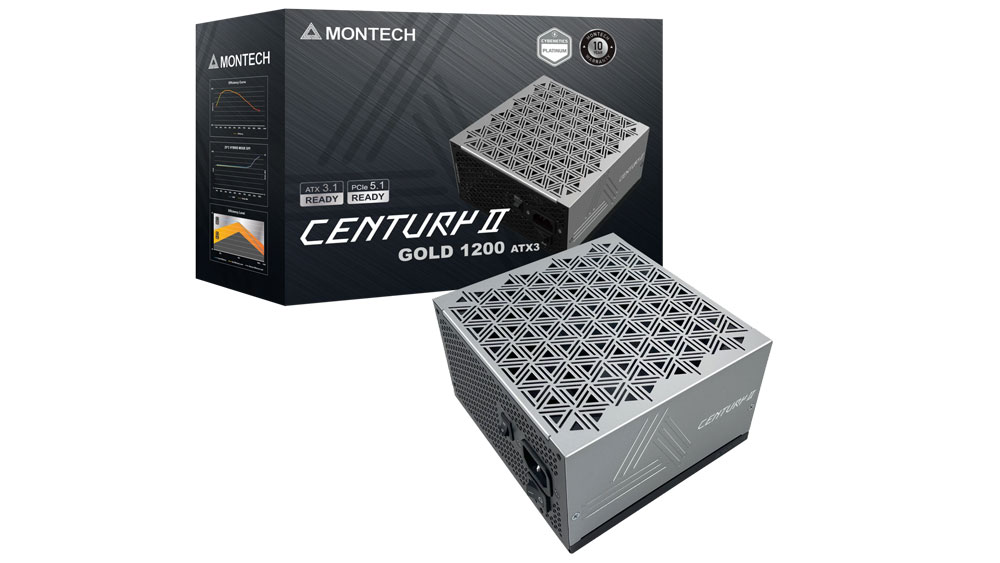
Hardware Busters - Montech Century II 1200W ATX v3.1 PSU Review - PSUs
stuck abyss
snow dragon
https://hwbusters.com/psus/montech-century-ii-1200w-atx-v3-1-psu-review/11/
It depends on the year and wattage
but PSU tier list I think is very accurate
Has it exactly named as a C tier low end for 850W
icy hull
You're missing the II part.
snow dragon
Pretty sure it is talking about the older one
icy hull
 icy hull
The ltt/cultists one hasn't been updated in like 2 years so it's probably not on there anyway.
stuck abyss
PSU tier list didnt have II listed anyways
icy hull

Google Docs
Or just check primary sources on cybenetics/hardware busters or ltt videos.
stuck abyss
@icy crater
If you wanted too
save money
HardwareSwap
I can dm you an invite
and buy used
stuck abyss
icy crater
https://us-store.msi.com/Motherboards/AMD-Platform-Motherboard/AMD-B650/PRO-B650...
No microcenter close by correct?
icy crater
Sorry I was just confirming with the person I was going to buy ram and ssd from
I think I did it! I'm good to start my build
Just need to figure out my psu
stuck abyss
icy hull
https://docs.google.com/spreadsheets/d/1akCHL7Vhzk_EhrpIGkz8zTEvYfLDcaSpZRB6Xt6J...
def use this
I would future proof it
so like 850 W
icy crater
Was looking Thermaltake GF1 (2024)
Or Montech Century II the one originally
Are you building too rn ice bear?
icy crater
stuck abyss
No microcenter close by correct?
No there is
But no microatx bundles there
stuck abyss
icy crater
Are you building too rn ice bear?
I myself am buying a prebuilt from microcenter. Since building it will cost $500 more
stuck abyss
icy crater
But no microatx bundles there
Ahh ok
icy crater
Which one are you choosing?
stuck abyss
icy crater
Which one are you choosing?
stuck abyss
icy crater
Dang! That's fancy
It is. Its about 2.3k to build
icy crater
😭
stuck abyss
and microcenter has it for $400-$500 off
stuck abyss
icy crater
That's really good
def, if your set on building it go for it. If you are ok with not building it. I would do a prebuilt from microcenter
stuck abyss
icy crater
You are set for rammagedon!
Prebuilts buy stroage and memory for a lot cheaper
icy crater
I will probably be building it I already agreed with the person I'm buying from
He's really nice, he will even walk me through how to build it 😭
stuck abyss
icy crater
He's really nice, he will even walk me through how to build it 😭
I had to rebuilt my pc twice when I first started 😭
It was a pain
icy crater
stuck abyss
Prebuilts buy stroage and memory for a lot cheaper
That's true but it's good to never have to upgrade anymore haha
2tb and 32gb ram is good for 30 more years
Actually don't quote me on that
icy crater
stuck abyss
I had to rebuilt my pc twice when I first started 😭
Oh man my friend mostly helped build mine we had like minor problems but ngl sometimes it be bugging so I feel like we didn't do it right
stuck abyss
icy crater
That's true but it's good to never have to upgrade anymore haha
If I had a suggestion for you is to buy zip ties for better wire management, and to 100% make sure you use all of the screws for your mobo to case
icy crater
Got it will look into some zipties
stuck abyss
icy crater
Got it will look into some zipties
I myself prefer to make a clean build from the back wiring to the front
and try to either hide it or keep them organized all together
astetically pleasing and not having wiring everywhere yk
icy crater
Yeah I prefer that too
Hopefully it won't be too much work
Gosh I was so close to getting a ncase m2 lol but I think that path would have been way too expensive looking back at it
gentle pollen
icy crater
2tb and 32gb ram is good for 30 more years
"2tb and 32gb ram is good for 30 more years".
@icy crater another bit of advice is take your time to do things right.
rare plover
gentle pollen
"2tb and 32gb ram is good for 30 more years".
Good morning alphaAI, have you eaten any sufganyot this week
gentle pollen
rare plover
Good morning alphaAI, have you eaten any sufganyot this week
Yes!
Had some at Chabad.
rare plover
Very nice
gentle pollen
And lodkas at our friends place.
rare plover
I didn’t eat any of those but since the topic is fried food I improvised with air fried frozen schnitzel and fries
rare plover
chicken
gentle pollen
Gotcha. I miss a good Lamb Schnitzel.
rare plover
anyways time to go gym and hope me and my father order the pc this weekend
gentle pollen
rare plover
30 years ago 16 megabytes of ram was a luxury so uhhhh
My father remembers when KB was a luxury.
rare plover
Mine as well i think
gentle pollen
rare plover
anyways time to go gym and hope me and my father order the pc this weekend
Have a good one! Best of luck and take your time. I can provide tips of you need any when building the PC.
rare plover
gentle pollen
Have a good one! Best of luck and take your time. I can provide tips of you ne...
Afaik TMS is building it
gentle pollen
I don't work on Shabbat but I am online to help folks.
rare plover
We will install the gpu when we go to take the pc
gentle pollen
Gotcha.
I recommend installing windows yourself over paying someone else to do it if you have a USB stick available that's 8GB or greater in capacity.
rare plover
rare plover
We will install the gpu when we go to take the pc
Just hope nobody snatches it before we do 
rare plover
gentle pollen
I recommend installing windows yourself over paying someone else to do it if you...
I have an old nvme from my laptop, do you think it will work?
gentle pollen
Still need a USB stick to install windows.
rare plover
it has windows on it but idk if it will work because im told sometimes the windows key is connected to the motherboard
gentle pollen
You can transfer a nvme with windows but not recommended in this case since your completely changing platforms.
rare plover
gentle pollen
You can transfer a nvme with windows but not recommended in this case since your...
What if i install it on my current pc, wipe it, and download windows 11 on that nvme
gentle pollen
rare plover
it has windows on it but idk if it will work because im told sometimes the windo...
It worked for me when I took the SSD out of my laptop and plugged it into my PC. If you try this approach, immediately hard reset windows once setup just so you have a clean slate
 gentle pollen
rare plover
What if i install it on my current pc, wipe it, and download windows 11 on that ...
gentle pollen
rare plover
What if i install it on my current pc, wipe it, and download windows 11 on that ...
If it currently has Windows you should be able to just plug the NVMe into the PC. You will have driver issues but a factory reset will solve the mismatches. From there install the drivers you need.
rare plover
gentle pollen
If it currently has Windows you should be able to just plug the NVMe into the PC...
How can i plug it in without the ssd overwriting the pc’s main OS
gentle pollen
Are you trying to transfer the NVMe into a PC that already has Windows installed on a different drive?
rare plover
I am thinking of wiping it and installing a fresh copy of windows
gentle pollen
Are you going to install using a USB stick (highly recommended)?
rare plover
gentle pollen
Are you going to install using a USB stick (highly recommended)?
on the current nvme, and then it’s already preinstalled when i put it in the new pc, no?
obsidian wigeon
windows can work without a key
especially if it's win 10+
it'll just have a watermark
and limited features
gentle pollen
rare plover
on the current nvme, and then it’s already preinstalled when i put it in the new...
Most PC Shops charge an additional fee to setup windows for you so I'd assume the PC won't have it.
rare plover
Yes i am aware
obsidian wigeon
there's a way to activate windows which i can't mention here
gentle pollen
rare plover
on the current nvme, and then it’s already preinstalled when i put it in the new...
Should be able to just transfer the NVMe with windows to the PC, boot into it and then do a factory reset on the PC.
rare plover
But i currently have a 512 gb nvme(?) that i want to wipe, install a copy of windows and use that on the new pv
alright
rare plover
gentle pollen
Should be able to just transfer the NVMe with windows to the PC, boot into it an...
Can you check the image to clarify if its an m2 because i dont know
gentle pollen
rare plover
Can you check the image to clarify if its an m2 because i dont know
Looks like it.
Same notches
gentle pollen
If the PC does come with windows, you can change which drive it boots into by going into BIOS -> BOOT ORDER
rare plover
gentle pollen
If the PC does come with windows, you can change which drive it boots into by go...
They install it if you choose which i didnt
gentle pollen
Then your clear.
Plug in your drive with windows and do a full reset once your in.
rare plover
So if i connect it to my old pc, boot with it and the main storage disconnected from the pc it, and it works fine i should do a reset
gentle pollen
Old PC?
rare plover
yes
rare plover
gentle pollen
Old PC?
the one i have in my father’s house currently
Im getting a new one
gentle pollen
The drive with windows, are you putting it in the new PC or the one that will be your father's?
rare plover
gentle pollen
The drive with windows, are you putting it in the new PC or the one that will be...
New pc. Old one has an hdd and ssd as of now
gentle pollen
Gotcha
Yes, plug the drive (with windows) into the PC with all other drives disconnected. If it works, do a full reset then plug and other drives back into the PC.
rare plover
Already
rare plover
gentle pollen
Yes, plug the drive (with windows) into the PC with all other drives disconnecte...
A full reset will delete everything that isn’t related to the os, right?
gentle pollen
If it doesn't work, get a USB stick and install Windows the usual way.
gentle pollen
rare plover
A full reset will delete everything that isn’t related to the os, right?
Correct.
It resets the os and deleted the files.
If it gives you the option to keep/restore files, say no.
rare plover
Alright
rare plover
gentle pollen
Correct.
Should i preinstall drivers?
gentle pollen
No.
gentle pollen
Install drivers after reset.
rare plover
Will there be no issues with the nvme during wipe since it has no drivers
gentle pollen
No issues.
icy crater
gentle pollen
<@324770437466947594> another bit of advice is take your time to do things right...
🫡
rare plover
Is it possible to know which generation that ssd is
icy crater
gentle pollen
<@324770437466947594> another bit of advice is take your time to do things right...
As in building the pc?
gentle pollen
rare plover
Is it possible to know which generation that ssd is
Lookup the SSD name and it will be listed in the specs.
rare plover
Since if its gen 3 theres no reason to plug it into the gen 4 m.2 right
gentle pollen
Bingo.
rare plover
Gen 3x4
And the 1tb is gen 4
so the boot drive should be in the gen 3 and the 1tb that comes with the pc in the gen 4
icy crater
Good morning
I just wanted to check something about my new build
Part List - AMD Ryzen 7 7700, Radeon RX 9070, Jonsbo D32 PRO MicroATX Desktop
Is the motherboard ok? I think it is 310 for the 7 7700 + b650 msi + msi cpu cooler but I was reading the specs for the motherboard
And saw it did not have usb gen 3.2 2x2
Should I be trying to get a board that has it or is this board ok for my build? Also is the cpu + gpu a good combo with the ram? Does all the parts complement each other? No issues with ram and motherboard?
 violet sentinel
fallen sphinx
icy crater
Is the motherboard ok? I think it is 310 for the 7 7700 + b650 msi + msi cpu coo...
violet sentinel
fallen sphinx
icy crater
Is the motherboard ok? I think it is 310 for the 7 7700 + b650 msi + msi cpu coo...
It’s a top end board
fallen sphinx
icy crater
https://pcpartpicker.com/list/K3KgDj
Part List - AMD Ryzen 7 7700, Radeon RX 9070 XT, Jonsbo D32 PRO MicroATX Desktop
gentle pollen
icy crater
Is the motherboard ok? I think it is 310 for the 7 7700 + b650 msi + msi cpu coo...
Unless you are into overclocking any B-50/X-70 board is more than enough for a 7700.
icy hull
icy crater
And saw it did not have usb gen 3.2 2x2
Neither does the case so that doesn't matter. Or do you mean a 20gbps on the rear? It doesn't even have a type c at all. It's a fine board and plenty capable of handling a 7700 like AlphaAI said. Definitely not top end though, it's like borderline between budget and midrange but, unless there is some specific upgraded feature you actually care about, that's fine.
Do you need a 20gbps usb for an external drive or something?
 strong knoll
icy crater
icy hull
Neither does the case so that doesn't matter. Or do you mean a 20gbps on the rea...
strong knoll
icy crater
icy hull
Neither does the case so that doesn't matter. Or do you mean a 20gbps on the rea...
Gotcha, yeah back does not have usbc but the d32 pro I saw had one in the front.
I have an external hdd or ssd I forgot which, I was planning on plugging into it, was just wondering if it would matter for speeds
It's fine I'm willing to compromise
What about for smaller cooling fans, how many can I get for my build? I realized there was no fans included and am trying to decipher which connectors from mb are able to be used for fans
rare plover
gentle pollen
Unless you are into overclocking any B-50/X-70 board is more than enough for a 7...
Hi so i bought the gpu, but my father said he thinks its better to get a 5700g instead of a 5700x, even tho theres a performance downgrade because if theres a problem with either the gpu or something else i can check to see if the cpu is giving video output when the gpu isnt, what do you think?
gentle pollen
rare plover
Hi so i bought the gpu, but my father said he thinks its better to get a 5700g i...
Get the 5700x. The 5700G performs much worse and if there is an issue with the GPU, you will know because it's not displaying. Also it's very cheap to buy like GT710 or some other ancient GPU for those types of tests. I bought one for $10 new.
5700G also only has half the cache of the 5700X so you will have a lot more stutters in games.
rare plover
gentle pollen
Get the 5700x. The 5700G performs much worse and if there is an issue with the ...
so better with the 5700x and buy some third party or old gpu for like 200 shek
gentle pollen
rare plover
so better with the 5700x and buy some third party or old gpu for like 200 shek
Bingo
Much better to get a 5700x.
rare plover
GT730
rare plover
gentle pollen
Much better to get a 5700x.
and all i need to see is if theres video, then i remove the gpu and go to service?
can this shi run off the motherboard power

if i go to some call center what are the odds of finding a gpu in their dumpster
icy hull
icy crater
What about for smaller cooling fans, how many can I get for my build? I realized...
Depends what you end up going with for a cooler. If you have an aio just using that as the exhaust works and there might or might not be room for fans or slim fans under the GPU. Or just let the GPU be the intake since it's so close to the bottom.
gentle pollen
rare plover
can this shi run off the motherboard power
Mine does.
gentle pollen
rare plover
if i go to some call center what are the odds of finding a gpu in their dumpster
Very unlikely.
icy crater
icy hull
Depends what you end up going with for a cooler. If you have an aio just using t...
Going to be the MAG COREFROZR AA13
Oh man I got upsold on a powercolor 9070xt reaper idk how I feel about this
They didnt have the 9060xt I was looking at or the 9070.. so they told me I should get an open box rx 9070xt since it was only 20 bucks more.
fallen sphinx
you have 1500 but want to get a 9060xt? huh?
icy crater
Can go up to 1500 but don't necessarily want to 😭
I was thinking about how much monitors will be and mouse and keyboard
snow dragon
icy crater
I was thinking about how much monitors will be and mouse and keyboard
plus tax

icy crater
Yeah anything is an upgrade  haven't gamed anything in a while
wheat zealot
first intel CPU
 gentle pollen
wheat zealot
first intel CPU
gentle pollen
wheat zealot
first intel CPU
Neat budget choice. Why the CPU when you have a 7600x?
The 4 extra threads?
wheat zealot
Not for me, will eventually put it in another build to sell. I never built with intel before though so abit timid.
gentle pollen
Gotcha.
 clear scaffold
rare plover
GT730 <:forwardfacingpepe:1421959287168831559>
clear scaffold
rare plover
GT730 <:forwardfacingpepe:1421959287168831559>
ive been summoned
 chrome gale
Hey yall, I am starting to get parts for a new PC, and ill list what I know I am slapping into her atm:
4TB SSD (Samsung) NVME
1000W power supply
Either 5070 or 5070TI (i need it to run a program and atm a simalar computer runs said program with a 4060 TI W/16GB VRAM, and its a little below what I would prefer so at least wanna go with a 5070 for it)
I am not sure what I am doing with RAM atm as the price is... well crazy lol
Probally going with a AMD series CPU... probally the Ryzen 9 9950X
Any recommendations on a motherboard? Also how are yall dealing with the current RAM shortage?
Or should I just wait will RAM prices go down a bit?
chrome gale
wheat zealot
first intel CPU
Aren't intel CPUs a little risky still?
wheat zealot
chrome gale
Aren't intel CPUs a little risky still?
that was the 13 & 14 gen cpus but it’s apparently fixed now.
wheat zealot
chrome gale
Any recommendations on a motherboard? Also how are yall dealing with the current...
Newegg does free 16gb ram with a motherboard occasionally. I would wait for that tbh.
chrome gale
wheat zealot
that was the 13 & 14 gen cpus but it’s apparently fixed now.
Knowing this should I go with intel or AMD? It is a work PC. All the other work PCs in the office are AMDs.
Also what makes a good Motherboard?
fallen sphinx
chrome gale
Or should I just wait will RAM prices go down a bit?
https://pcpartpicker.com/list/39J9h7 this is what I’d say, but what’s your budget
Part List - AMD Ryzen 9 9950X, GeForce RTX 5070 Ti, Montech HS02 Pro ATX Mid Tower
Expensive but really good, also the only 4tb Samsung drive is the 990 pro and this is much better at only 30$ more