#building-and-recc-chat
1 messages · Page 376 of 1
 tame kindle
 loud oxide
 fickle bolt
tame kindle
well i tried messing with image sharpening but it still made the pixels same vis...
fickle bolt
tame kindle
well i tried messing with image sharpening but it still made the pixels same vis...
Hdr won't really help with that
fickle bolt
loud oxide
Wierd, what's the other end? Usbc?
loud oxide
The one in my hand?
loud oxide


 tame kindle
fickle bolt
Hdr won't really help with that
tame kindle
fickle bolt
Hdr won't really help with that
i assume its just a 1080p thing then, my i712700k should be fine if i go 1440p, but will my arc a580 be able to handle 1440p?
loud oxide
loud oxide
The one on the left is the one I plugged into the ups
fickle bolt
tame kindle
i assume its just a 1080p thing then, my i712700k should be fine if i go 1440p, ...
I would upgrade, you'll be running under 100 fps consistently
fickle bolt
loud oxide
The one on the left is the one I plugged into the ups
Oh, maybe plug that into the mobo
The right cable
tame kindle
fickle bolt
I would upgrade, you'll be running under 100 fps consistently
even with xess framegen, i won't be able to get at least 120~fps on avg ? i mean probably not in something as unoptimized as clair obscur but what about most games
loud oxide
fickle bolt
Oh, maybe plug that into the mobo
What’s the “mobo”
fickle bolt
loud oxide
What’s the “mobo”
Shorthand for motherboard
fickle bolt
tame kindle
even with xess framegen, i won't be able to get at least 120~fps on avg ? i mean...
I mean maybe. I didn't even know it had framegen, much less upscaling
tame kindle
fickle bolt
I mean maybe. I didn't even know it had framegen, much less upscaling
it shocked me too, i was thinking an rtx 3080 would be nice until i figured it doesnt even have framegen, so if counting framegen my arc a580 somehow does more fps than rtx 3080
fickle bolt
Impressive, in that case 1440p would run pretty well
@loud oxide you have a usb with windows iso right?
loud oxide
Okay I just finished putting the monitor together
 loud oxide
fickle bolt
<@994381390357467217> you have a usb with windows iso right?
loud oxide
fickle bolt
<@994381390357467217> you have a usb with windows iso right?
Well I have a hard drive and my friend said it has windows 11
fickle bolt
loud oxide
Well I have a hard drive and my friend said it has windows 11
Ok
Hard disk or ssd?
loud oxide
 fickle bolt
loud oxide
fickle bolt
loud oxide
Oh thats a thumb drive
loud oxide
That bad?
fickle bolt
Everything plugged in? Power switch on?
fickle bolt
loud oxide
That bad?
Huh? Not bad you just messed up the terminology a bit, ur good
tame kindle
fickle bolt
Impressive, in that case 1440p would run pretty well
so, in that case i can consider getting a 1440p monitor now right ?
fickle bolt
tame kindle
so, in that case i can consider getting a 1440p monitor now right ?
Probably
tame kindle
fickle bolt
Probably
or what would oyu personally suggest ?
loud oxide
fickle bolt
Everything plugged in? Power switch on?
I need help with the monitor cables now
fickle bolt
tame kindle
or what would oyu personally suggest ?
I mean if possible I would suggest getting a new monitor then a new gpu
fickle bolt
loud oxide
I need help with the monitor cables now
What's up
tame kindle
fickle bolt
I mean if possible I would suggest getting a new monitor then a new gpu
yeah im planning on upgrading both, sso im thinking of which to upgrading first only
fickle bolt
loud oxide
I need help with the monitor cables now
Does the cable look like this
 fickle bolt
tame kindle
yeah im planning on upgrading both, sso im thinking of which to upgrading first ...
fickle bolt
tame kindle
yeah im planning on upgrading both, sso im thinking of which to upgrading first ...
Given how cheap monitors are now relative to gpus, I'd go gpu
Alr
fickle bolt
loud oxide
Yea it does
Okc
tame kindle
in my country shipping+other fee increases price of monitor and gpu by around 40%...
an rtx 5070 is around 830$ for example
loud oxide
Does it matter which hdmi goes into which one?
fickle bolt
Hot dang
fickle bolt
loud oxide
Does it matter which hdmi goes into which one?
Nah
tame kindle
and a good monitor at 1440p is no less than 320$ , or thats the cheapest i found
loud oxide
fickle bolt
Does the cable look like this
Nvm they look different
fickle bolt
tame kindle
and a good monitor at 1440p is no less than 320$ , or thats the cheapest i found
Dang, in that case there isn't really a good option
loud oxide
 fickle bolt
loud oxide
fickle bolt
loud oxide
Alr nw plug one end into the gpu like so
 tame kindle
fickle bolt
Dang, in that case there isn't really a good option
tame kindle
fickle bolt
Dang, in that case there isn't really a good option
oh well just have to pay extra, if prices were as low as it is in the us i could've gotten both now, so that's why for now im thinking whether to upgrade monitor or gpu first,i'll ugrade other one later in a few months i think
fickle bolt
fickle bolt
Alr nw plug one end into the gpu like so
And then the other end here
 loud oxide
fickle bolt
Alr nw plug one end into the gpu like so
loud oxide
fickle bolt
Alr nw plug one end into the gpu like so
Done
fickle bolt
tame kindle
oh well just have to pay extra, if prices were as low as it is in the us i could...
In that case gpu, you'll get much better performance while you wait for monitor.
Even if it is a little low res
 tame kindle
fickle bolt
In that case gpu, you'll get much better performance while you wait for monitor.
tame kindle
fickle bolt
In that case gpu, you'll get much better performance while you wait for monitor.
yeah, and if i go monitor first then i'll have to suffer while i have to wait for a new gpu
loud oxide
Can I flip the monitor so it faces me now
fickle bolt
loud oxide
Alr now find monitor power cord
fickle bolt
tame kindle
yeah, and if i go monitor first then i'll have to suffer while i have to wait fo...
Yea
loud oxide
Found it
fickle bolt
loud oxide
Can I flip the monitor so it faces me now
Wait it's plugged in lol I'm blind
Ok
Now this is super important
loud oxide
Only the monitor is plugged in
fickle bolt
Well make sure the pc is plugged in too, then flip this switch

The "I" should be pressed in
loud oxide
Everything is connected to the ups
But it does say that any watts is being drawn from it
fickle bolt
Wsp?
loud oxide
Okay I think I’m ready
fickle bolt
Alrighty
loud oxide
Nothing will explode right
fickle bolt
That's the hope
loud oxide
So what’s next
 loud oxide
I just did
And I think everything is fine bc the second that I did, my keyboard light went on
(Green)
 fickle bolt
loud oxide
No
fickle bolt
loud oxide
No
Should be a button around this corner
 loud oxide
Uhh I’m not sure if this is what you mean
But it does turn on, then says no hdmi signal and turns off
fickle bolt
This is after turning the pc on?
loud oxide
Wait am I supposed to turn on the pc ? Cuz the fans aren’t moving
loud oxide
fickle bolt
This is after turning the pc on?
No it’s off…
fickle bolt
loud oxide
Wait am I supposed to turn on the pc ? Cuz the fans aren’t moving
Yes lol
loud oxide
How long do I hold the power button ?
 loud oxide
Ups says no power is being drawn?
fickle bolt
loud oxide
Ups says no power is being drawn?
Weird...
What's the pc look like?
Are the fans on
loud oxide
loud oxide
fickle bolt
Are the fans on
Wdym if they’re on?
fickle bolt
loud oxide
Wdym if they’re on?
Spinning
loud oxide
No
fickle bolt
Uhh it looks like it might be a problem with your ups
loud oxide
Do I turn the power supply on and off?
fickle bolt
loud oxide
Do I turn the power supply on and off?
No
loud oxide
fickle bolt
Uhh it looks like it might be a problem with your ups
Yea it could be
But it doesn’t make sense bc the monitor is drawing power from it
Since my phone is charging from it
And my keyboard turned on and it’s connect to the case
Case and monitor are both connected to my ups
fickle bolt
You might just try plugging it into a power strip for now and figuring out the ups later
Unless your area is prone to outages
fickle bolt
I might not be able to help you finish this, i really need to be getting to bed soon
fickle bolt
?
loud oxide
fickle bolt
I might not be able to help you finish this, i really need to be getting to bed ...
That’s alright
I’ll just do some research on the ups
fickle bolt
Good idea
 snow dragon
Just plug it into the wall for a second
fickle bolt
If you want, I can help you out tomorrow or cloud here can probably help
loud oxide
snow dragon
Just plug it into the wall for a second
What if it like fries or smth
snow dragon
Yeah
loud oxide
Should I turn it off first
snow dragon
You can but it doesnt matter
Sometimes I turn mine off when I work, sometimes I just unplug it
or sometimes both
snow dragon
loud oxide
The monitor onto the strip too?
Might as well
snow dragon
I am not sure if you plugged in your front panel connectors
Cant find anything about that scrolling up
 fickle bolt
Well that makes more sense now that i think abt it...
loud oxide
Still have these left too
 snow dragon
Great
snow dragon
loud oxide
Still have these left too
Not all cables that come with a power supply will be used
loud oxide
But did I miss anything?
snow dragon
loud oxide
Yeah those cables on the right
 snow dragon
loud oxide
snow dragon
loud oxide

Here is where they go

You dont need jfp2
so forget about that
The one with two rows is the one you want
 loud oxide
snow dragon
You dont need jfp2
loud oxide
snow dragon
You dont need jfp2
I don’t even see a jfp1
Wait I found it
It’s on the motherboard
snow dragon
Yeah it shows it is on the bottom right corner
If you want you can just put a screwdriver on the first two pins lol
Just for a one time thing
But yeah the manual also shows the orientation
The powersw connector will have a + and -
And line that up with the top left two pins
first one is + second is -
loud oxide
Which side should be facing up?

 snow dragon
Have the letters face down
In that first picture reset is at the top left but the manual shows it at the bottom right, so the second picture is right
loud oxide
This is hard
snow dragon
Yeah it sucks
All the case manufacturer had to do was put a little plastic shroud over those so you dont have to put each one in
Probably like 2 cents or something
This guy 3d printed his own lol
 loud oxide
snow dragon
Yeah it sucks
loud oxide
snow dragon
Yeah it sucks
I did it bro
What’s next!
There’s still these btw

It turned on
But 4 fans aren’t spinning
 small juniper
https://ro.pcpartpicker.com/list/ZqZDgn hi i am planing my first ever pc build and i was wandering if it is okey, it isnt in usd
 polar void
small juniper
https://ro.pcpartpicker.com/list/ZqZDgn hi i am planing my first ever pc build a...
polar void
small juniper
https://ro.pcpartpicker.com/list/ZqZDgn hi i am planing my first ever pc build a...
yeah that looks good
polar void
loud oxide
But 4 fans aren’t spinning
that means they're not plugged in
you need to find their cords and plug them into the motherboard

 small juniper
polar void
yeah that looks good
small juniper
polar void
yeah that looks good
thanks
polar void
polar void
And then try to find this cable somewhere, there might be multiple

plug them into these motherboard connectors

@loud oxide
Then after that you need to connect this cable to your power supply
 loud oxide
polar void
<@994381390357467217>
loud oxide
polar void
<@994381390357467217>
It’s too early for me
polar void
Into one of these three inlets
 polar void
loud oxide
It’s too early for me
polar void
loud oxide
It’s too early for me
Ok well come back and read everything when you are ready
loud oxide
I’ll work on it 6 hrs and 30 mins from now. After I get home from school
polar void
polar void
Into one of these three inlets
then one of the other ends of that cable will plug into this
 loud oxide
Oh yea there’s a problem, i plugged in a cable into my monitor and onto the gpu but no thing showed except “hdmi no signal”
The cable looks a hdmi but it isn’t one
 rare plover
is the clanka actually right this time

 stoic island
rare plover
is the clanka actually right this time
stoic island
rare plover
is the clanka actually right this time
kinda but you should not be comparing scores from different benchmark versions lol
rare plover
Was just wondering how my (probably) new processor will be compared to the ones in my other computers
That Poor 6700
polar void
loud oxide
The cable looks a hdmi but it isn’t one
What you plugged in is a displayport cable
It is preferred to use that rather than hdmi with pc to monitor connections
On your monitor when it turns around change the input to displayport, or dp
1 or 2 whichever one is connected
 weary galleon
rare plover
is the clanka actually right this time
weary galleon
rare plover
is the clanka actually right this time
the 6700 is significantly worse than both the others
here's the passmark comparison

 topaz rose
for?
 crimson zinc
topaz rose
for?
crimson zinc
topaz rose
for?
Rivals scoreboard
 loud oxide
polar void
loud oxide
polar void
I can’t seem to find this on my motherboard
polar void
loud oxide
I can’t seem to find this on my motherboard
There should be some somewhere
loud oxide
polar void
There should be some somewhere
Oh my motherboard is the MSI Pro B650S WiFi V1
Idk if it’ll help you
This is the only one I could find that looked like the photo
 polar void
loud oxide
Idk if it’ll help you
polar void
loud oxide
Idk if it’ll help you
there appears to be one here
 polar void
loud oxide
This is the only one I could find that looked like the photo
polar void
loud oxide
This is the only one I could find that looked like the photo
those arent needed
loud oxide
polar void
there appears to be one here
I have smth connected there
That goes with the cooler
polar void
Oh
loud oxide
polar void
what about this one
 loud oxide
Should I take it off then?
polar void
loud oxide
Should I take it off then?
No
loud oxide
polar void
what about this one
This is the one that you said wasn’t needed
polar void
Oh shoot i saw only the bottom pins my bad
loud oxide
So I use that one?
polar void
Yes
 loud oxide
Which of them?
 polar void
Once one of the cables is plugged into it, they should be able to daisy chain and plug into each other
Connect the green one to that motherboard slot you just found, then connect the reds to each other
 loud oxide
You want one of them to in it and the other inside
 loud oxide
polar void
Connect the green one to that motherboard slot you just found, then connect the ...
loud oxide
polar void
Connect the green one to that motherboard slot you just found, then connect the ...
Ohhh okay
polar void
After that find the rest of your power supply cables
This one, find it

then plug the 6 pin end into your power supply
loud oxide
polar void
Connect the green one to that motherboard slot you just found, then connect the ...
It’s normal for the green one to resist a bit right?
polar void
loud oxide
It’s normal for the green one to resist a bit right?
yes just make sure its lined up
polar void
yeah find that cable when you're done
loud oxide
This one?
loud oxide
polar void
needs to plug into your power supply
Which one?
 polar void
 loud oxide
polar void
loud oxide
polar void
Done!
polar void
nice now go back to the other cable i circled in blue
polar void
polar void
Connect the green one to that motherboard slot you just found, then connect the ...
this
loud oxide
polar void
nice now go back to the other cable i circled in blue
Got it
polar void
that needs to plug into one of the cables you just acquired
loud oxide
Which one should I plug it into?
polar void
any
loud oxide
Alrighty
polar void
ok now uh
loud oxide
Will I use that cable again or can I zip tie it?
polar void
dont do anything for now
so the 3 pin cables you plugged in earlier lead to your case fans, and control the rgb
the lighting
the fans should have another cable coming out of them
should look like these


 polar void
this is gonna take forever 
loud oxide
This 17 hr of it so far
 frigid jackal
what is that for?
polar void
loud oxide
You want one of them to in it and the other inside
was there another male connector split off from anything here
polar void
frigid jackal
what is that for?
the argb connectors
loud oxide
Male?
frigid jackal
polar void
the argb connectors

wish I didn't get any rgb
shit was a pain in my dookie hole
polar void
loud oxide
Male?
meaning the one that has pins sticking out versus the female the one where pins go in
loud oxide
 polar void
loud oxide
polar void
loud oxide
can you route this cord back into the back of the case then down the side to the bottom right of the motherboard

 polar void
in order for the lights to work they all have to be connected one way or another
you need to find a way to do this on a slightly larger scale
 frigid jackal
polar void
in order for the lights to work they all have to be connected one way or another
frigid jackal
polar void
in order for the lights to work they all have to be connected one way or another
what's a ts82
polar void
frigid jackal
what's a ts82
short for TitanSlayr82
polar void
what do u think
polar void
yes its my name bruh
frigid jackal
LMAOOOOOOOOOOOOO
polar void
frigid jackal
it could be some pc company
loud oxide
polar void
you need to find a way to do this on a slightly larger scale
I can take the fans off?
polar void
loud oxide
I can take the fans off?
you might not have to, just connect everything
this is a part where i cant really point and say connect this and that
you have to think and hone your cable management skills
loud oxide
Do I need the rgb?
polar void
if you have to disconnect things in order to reconnect them in a better path thats more organized then do it
polar void
loud oxide
Do I need the rgb?
no, the pc will function without it
itll just look blank
polar void
then skip the 3 pins
fickle bolt
polar void
MY HEADPHONES BLEW UP WTF
loud oxide
polar void
then skip the 3 pins
Can I turn the pc on and test to see if the fans flow now?
polar void
yes
loud oxide
Oh yay they work
polar void
good
polar void
lets see it
loud oxide
polar void
the heck
the middle front fan's connectors are somewhere
and you have to find the pwn connectors for all of them
and connect them all
loud oxide
polar void
the middle front fan's connectors are somewhere
I found some stuff
I found these 2 guy
polar void
loud oxide
Should I turn pc off beforehand?
always
loud oxide
Okay done
polar void
loud oxide
Okay where do I connect them?
whichever one of these blue ones they are closest to
 loud oxide
I’m making a sandwich
loud oxide
polar void
whichever one of these blue ones they are closest to
But the block box end only has 3 holes?
polar void
loud oxide
But the block box end only has 3 holes?
thats fine
polar void
loud oxide
Should I test it now?
sure
loud oxide
I was gonna say only 1 from the right side is spinning but as I was taking the video
I noticed the middle one without like is spinning too


I got 2 of them to spin now
On the first image, the middle is spinning but no light
The fan above it has the lights on but no spinning
On the second image, the fan on the left is now on with light and is spinning

This is the one for the fan but idk where to plug it in

Cuz there’s no more spot

These are the remaining ones
Oh and this from behind

Alright I got them all to spin

But the light for the middle won’t turn on
 tame kindle
I'm about to buy a RTX 4060, I've seen this card get hated a lot, so asking here if anyone can tell me why I shouldn't
fickle bolt
It's fine
tame kindle
fickle bolt
It's fine
Why is it so hated though ?
Also remember I said rtx 3070? I changed my plan to 4060 instead
tame kindle
 plucky timber
3060ti outperforms it
plucky timber
3060ti outperforms it
Framegen+ dlss4?
tame kindle
I can get a rx 6700xt or 3070 but yeah
plucky timber
Fg and dlss isn't black magic
tame kindle
tame kindle
I can get a rx 6700xt or 3070 but yeah
One is amd, other doesn't support framegen nor dlss4
plucky timber
fg and dlss isn't going to make up for the lackluster performance
I give it a $120 valuation at most
That's when it'd be worth buying
tame kindle
plucky timber
fg and dlss isn't going to make up for the lackluster performance
but then, rtx 3070 will still fall behind fps if we include fg, and 6700xt, I can't get that because fsr is so bad
tame kindle
plucky timber
I give it a $120 valuation at most
I'll pay I think 300$
For the 4060 I'm thinkiing
plucky timber
It's still a faster card no?
tame kindle
plucky timber
It's still a faster card no?
Not if we Include fg
now a days without fg you can hardly hit 120+ fps in a lot of games
plucky timber
Ok I am biased tbh
tame kindle
Also
plucky timber
I don't play games that run like crap
tame kindle
B580 has MUCH better performances than 3060 ti and 6700xt I'm pr sure
tame kindle
I've been using Intel GPUs for the past year, just their driver and software are so bad I can't recommend it
tame kindle
plucky timber
I'd wait until drivers mature
Software is shit, drivers are good but in some games it's just no
plucky timber
I've never really had to use fsr and dlss
Mostly because I don't need it
I don't support studios that use FG and DLSS to make slop
tame kindle
Like doom the dark ages just won't launch on my arc a580 ever after driver update,it's been months
And when it did launch before this update, it was at 50% utilization
plucky timber
Matter of principle
But yeah it sucks that you need dlss and maybe fg to run a game decently nowadays
tame kindle
plucky timber
I don't support studios that use FG and DLSS to make slop
Agree for fg part, I think dlss is nice, and fsr is only good if 9000 series since that can do fsr 4
plucky timber
DLSS is good
tame kindle
fsr 3 or less is unplayable for me
tame kindle
tame kindle
fsr 3 or less is unplayable for me
I literally notice so much pixelation and blocky ness
plucky timber
I don't really use either so
tame kindle
plucky timber
What the devs do with the tech isn't
so you don't recommend like me getting an amd ?
plucky timber
Can't really offer anything useful
tame kindle
I thought most people would just bash me and say amdamdamd
plucky timber
Look
It depends on the games you play
It's never black and white
That's a stupid opinion to hold
AMD can be good in certain scenarios
And absolutely trash in others
Especially when you throw anything at them that's not gaming
If you need a nvidia specific feature
You need an Nvidia
tame kindle
plucky timber
Especially when you throw anything at them that's *not* gaming
Like crypto mining ?
plucky timber
tame kindle
Like crypto mining ?
absolutely anything that would require cuda
tame kindle
plucky timber
*absolutely anything* that would require cuda
Like raw performance ?
plucky timber
Cuda is the industry standard
Not exactly
If we're talking raw performance
Radeons can get pretty close
But once you start adding cuda to the equation
Ehhhh
tame kindle
Also the thing with Nvidia is
They have a new feature called dlss4 override, you can basically force any game that doesn't have native dlss to force enable dlss, it is so good
tame kindle
plucky timber
Radeons can get pretty close
I'd say radeons are better in raw performance
plucky timber
Debatable
tame kindle
Nvidia beats out in ray tracing and features
plucky timber
They're not as efficient
Better performance/$ sure
Which is what people usually care about anyways
No point paying $100 more for an nvidia when the radeon performs the same
tame kindle
why did you recommend 3060 ti btw
plucky timber
Although these days you can find 9070XTs around 5070ti price
Might as well get the 5070ti
plucky timber
tame kindle
why did you recommend 3060 ti btw
You can get it used under $200
tame kindle
plucky timber
No point paying $100 more for an nvidia when the radeon performs the same
don't you find fsr unbearable ? And the features in Nvidia seems so good too
tame kindle
yeah
plucky timber
I don't care
tame kindle
you don't use them enough to
plucky timber
I use my igpu for half my games
tame kindle
but you know the difference between them right ?
plucky timber
tame kindle
but you know the difference between them right ?
DLSS offers better image quality on average
It's significantly better than fsr
tame kindle
plucky timber
Or had the need to
Do you play any high quality new games
tame kindle
plucky timber
It's significantly better than fsr
It's just I dont really like the pixelation
tame kindle
plucky timber
Define quality
Graphically good
Like clair obscur
plucky timber
Ok
snow dragon
tame kindle
dlss2 only
Not true
plucky timber
That is ONE good game
tame kindle
expedition 33 is graphically good, really good game too
stoic island
In general, I would not recommend using either upscaling method when you're after actual image quality
snow dragon
You can use dlss 4 on that card and even turing
plucky timber
Well that brings into my other point
tame kindle
But runs so horribly
plucky timber
Don't got time really
Most of my time and money is invested into my servers nowadays
tame kindle
snow dragon
You can use dlss 4 on that card and even turing
Really?
I thought dlss 4 was locked to 4000 and 5000s series
plucky timber
snow dragon
You can use dlss 4 on that card and even turing
So what you're saying is that the 4060 is absolutely dogshit value
$150 3060ti all the way
snow dragon
Lmao
snow dragon
tame kindle
I thought dlss 4 was locked to 4000 and 5000s series
naw
You will have a larger performance hit though
tame kindle
snow dragon
naw
Where's the catch on using dlss 4 in 3070m
snow dragon
Because the older cards do not have as much ai compute
tame kindle
snow dragon
Because the older cards do not have as much ai compute
So they're much less efficient and such ?
snow dragon
You will still get more fps over native but not as much as the older model
plucky timber
less efficient when it comes to ai compute
snow dragon
At the same time though
tame kindle
plucky timber
So what you're saying is that the 4060 is absolutely dogshit value
framegennn isn't supported in 3000s series
plucky timber
It's also half the price
snow dragon
The new model is better, so you can cope by reducing the resolution scale further if needed
snow dragon
tame kindle
framegennn isn't supported in 3000s series
Do you really want frame gen though
plucky timber
You can apply that principle and probably get a 3080 for the same price as a 4060 or something
tame kindle
snow dragon
Do you really want frame gen though
Yeah like really.
tame kindle
plucky timber
You can apply that principle and probably get a 3080 for the same price as a 406...
Wouldn't go that high, 400$ for a 3080 if I'm lucky, gpu prices are really high here
Best I could is maybe 3070 or rx 6750xt
plucky timber
No ti?
tame kindle
plucky timber
No ti?
3070 ti?
plucky timber
Yes
plucky timber
That is a scam
tame kindle
plucky timber
That is a scam
Gpu prices are 50% higher here on average
plucky timber
Unfortunate
If you really need framegen then you don't have a choice
If it is an absolute necessity
tame kindle
plucky timber
If it is an absolute necessity
for a lot of games to get 120+ fps, again I really do need framegen
plucky timber
Then you have no choice
tame kindle
snow dragon
Lossless scaling
Lossslessscaling over dlss?
plucky timber
Doesn't XeSS outperforms DLSS
snow dragon
tame kindle
Lossslessscaling over dlss?
No for frame gen
snow dragon
tame kindle
for a lot of games to get 120+ fps, again I really do need framegen
Which games
plucky timber
Oh wait frame gen nvm
tame kindle
snow dragon
No for frame gen
But it has fg too?
tame kindle
snow dragon
Which games
Cyberpunk, doom the dark ages (??), expedition 33
snow dragon
Lossless scaling has its own frame gen yes
plucky timber
oh wait it does?
snow dragon
Yeah it can do 4x if not even higher
It wont look good though
But at least it can do it
plucky timber
Have you gotten lossless scaling working on linux
snow dragon
I have never bought it
tame kindle
snow dragon
Yeah it can do 4x if not even higher
whaa
snow dragon
Pretty sure you can though
plucky timber
plucky timber
I'm gonna use upscaling on tf2 so I can run it on my igpu
At 300fps*
snow dragon
tame kindle
Cyberpunk, doom the dark ages (??), expedition 33
What you have rn
plucky timber
Tbh my igpu probably can run tf2 at 100+
tame kindle
then if I was considering 4060 over 3070 just for framegen, then...
tame kindle
snow dragon
What you have rn
current gpu ? Intel Arc A580, didn't build it myself that's why Intel gpu
stoic island
lossless scaling framegen is gonna be available for any hardware and prob going to look worse than both fsr and dlss
plucky timber
I'd take that a580 tbh
tame kindle
stoic island
lossless scaling framegen is gonna be available for any hardware and prob going ...
If fsr's pixelated ish look then it's really bad
plucky timber
Need that qsv for transcode
tame kindle
plucky timber
I'd take that a580 tbh
Get a a750 for like 5 bucks more
stoic island
tame kindle
If fsr's pixelated ish look then it's really bad
Which FSR version?
snow dragon
Fsr 3 quality varies per game but overall it is not good
plucky timber
The a380 is the lp one
tame kindle
snow dragon
Fsr 3 quality varies per game but overall it is not good
I've never seen any game that can use fsr without pixelation
snow dragon
Some games have some decent looking fsr, forgot which but you can count them on your hand
tame kindle
I hate the sharp edges pixelated look
tame kindle
snow dragon
Some games have some decent looking fsr, forgot which but you can count them on ...
Only game that uses fsr and I didn't saw a single pixel is genshin impact
from my experience
stoic island
FSR 3.1 had some issues with movement mainly
tame kindle
stoic island
FSR 3.1 had some issues with movement mainly
Do you think fsr 4 will be supported in 6000 or 7000 gens ? If so then I really will consider amd
stoic island
unlikely
tame kindle
stoic island
unlikely
But Nvidia did it with dlss4 so why can't they
snow dragon
There is a janky workaround in linux that emulates fp8 for rdna 7000
stoic island
You can do it right now but it's not official
tame kindle
stoic island
You can do it right now but it's not official
Elaborate
snow dragon
But the gains over native are small
snow dragon
tame kindle
Do you think fsr 4 will be supported in 6000 or 7000 gens ? If so then I really ...
6000 not at all because it does not have ai compute
tame kindle
snow dragon
6000 not at all because it does not have ai compute
7600xt ?
stoic island

TweakTown
Through a mix of Linux and emulation, someone got AMD's new AI-powered FSR 4 technology working on an RDNA 3 GPU, the Radeon RX 7900 XTX.
tame kindle
Wait amd 6700xt can use xess right ?
snow dragon
tame kindle
7600xt ?
If you want to use linux, yes
But like I said the gains over native will be small
tame kindle
I doubt it's gonna be as efficient as my Intel arc a580s xess
But should be better than fsr
snow dragon
tame kindle
Wait amd 6700xt can use xess right ?
If the game supports it or if you use optiscaler to inject it into games that dont use it
tame kindle
snow dragon
But like I said the gains over native will be small
yeah
tame kindle
snow dragon
If the game supports it or if you use optiscaler to inject it into games that do...
optiscaler is annoying to use
snow dragon
It wont be as good as xess on arc but still better than fsr
tame kindle
Only game I've used it f is stellar blade
tame kindle
snow dragon
It wont be as good as xess on arc but still better than fsr
yep
Also
On rtx 3000s I'm pretty sure you can do framegen right
Xess framegen specifically
tame kindle
snow dragon
Not dlss but yeah
Only if xess was as supported as dlss, then wouldn't hesitate for it
snow dragon
All of this upscaling slop
plucky timber
7600xt is a pretty bad card
tame kindle
snow dragon
If not, you have lossless scaling to help
Is lossless scaling really that big of a deal? hard to imagine some software made by company is gonna be able to compete against the brand's own dlss
snow dragon
How about they make games that run well
plucky timber
Just don't
It's a radeon and a crap one at that
Don't expect it to be good at anything
Even in perf/$
snow dragon
tame kindle
Is lossless scaling really that big of a deal? hard to imagine some software mad...
Lossless scaling is made by one guy i think
tame kindle
snow dragon
Lossless scaling is made by one guy i think
raises my doubts further then
stoic island
biggest advantage of lossless scaling is that it's independent and therefore can support hardware from any company
plucky timber
What if it went foss
That would be dangerous based
Either that or valve acquires them
stoic island
plucky timber
That would be dangerous based
guy wouldn't be able to make a living off of it prob
if valve picks it up that'd be huge
tame kindle
stoic island
biggest advantage of lossless scaling is that it's independent and therefore can...
Also means it can break things at times, bugs, highly doubt its xess dlss level ?
plucky timber
It's gonna be a massive boost for steam decks
stoic island
tame kindle
Also means it can break things at times, bugs, highly doubt its xess dlss level ...
haven't really seen it break anything
tame kindle
stoic island
haven't really seen it break anything
but then again, Nvidia already made their own version of it to some extent
tame kindle
tame kindle
but then again, Nvidia already made their own version of it to some extent
Dlss4 override works on any game
stoic island
and tbh I mainly use lossless scaling for its original purpose, scaling older windowed games lol
snow dragon
wtf
 plucky timber
reddit moment
stoic island
lol
tame kindle
pull up your id cards and start verifying lol
plucky timber
Oh crap there's a jellyfin upscaling plugin
snow dragon
Companies are trying to do it everywhere now
More data more datacenters
We need more data
youtube now has that ai thing that will read comments to estimate your age and if it thinks you are under 18 you need to prove it
plucky timber
snow dragon
We need more data
This is why I hate microsoft
snow dragon
plucky timber
reddit moment
Trying to see lossless scaling linux stuff
plucky timber
Windows 11 is a data mining operation
snow dragon
Ok so you can use it on linux

Game information for Proton, Linux, Steam Deck, and SteamOS
plucky timber

GitHub
Contribute to Kuschel-code/JellyfinUpscalerPlugin development by creating an account on GitHub.
oh crap
it's a drag and drop plugin
 dreamy lichen
AMD Ryzen 7 7800X3D 4.2 GHz 8-Core Processor
Thermalright Phantom Spirit 120 SE ARGB 66.17 CFM CPU Cooler
ASRock B650 PG LIGHTNING ATX AM5 Motherboard
Patriot Viper Venom 32 GB (2 x 16 GB) DDR5-6000 CL36 Memory
MSI SPATIUM M480 PRO 1 TB M.2-2280 PCle 4.0 X4 NVME Solid State Drive
ASRock Challenger OC Radeon RX
9060 XT 16 GB Video Card
MSI MAG FORGE 321R AIRFLOW ATX Mid Tower Case
Montech CENTURY II 850 W 80+ Gold Certified Fully Modular ATX Power Supply
How does my build look?
stoic island
dreamy lichen
AMD Ryzen 7 7800X3D 4.2 GHz 8-Core Processor
Thermalright Phantom Spirit 120 SE...
What budget, what country, and what's the purpose?
dreamy lichen
$1,500 USA, gaming, photography and video editing
I am unsure if my cpu has a provided cooler. It says it does not come with one even though it says boxed, which in my research means a cooler comes with it
 lyric thistle
dreamy lichen
I am unsure if my cpu has a provided cooler. It says it does not come with one e...
lyric thistle
dreamy lichen
I am unsure if my cpu has a provided cooler. It says it does not come with one e...
Looks like they don't come with one
You can verify by checking your order whether it does, but I expect it doesn't based on that
stoic island
dreamy lichen
I am unsure if my cpu has a provided cooler. It says it does not come with one e...
7800x3d does not, only 7900, 7700, 7600, 7500f and 7400f include coolers
You can check AMD's site
 lyric thistle
You've ordered a cooler so you're good I guess
stoic island
dreamy lichen
$1,500 USA, gaming, photography and video editing
Sounds like you'll likely benefit more from dropping from 7800x3d to 7700x and using the extra budget to try to fit in a 9070
In general, I'd start by using
https://pcpartpicker.com/list/
Choose Your Parts
lyric thistle
My bad I misread, not ordered yet?
dreamy lichen
I have everything picked out from PC part picker
plucky timber
Please link the list
dreamy lichen
plucky timber
Do you need that specific case?
dreamy lichen
For the cpu cooler, how do I know if it comes with one? Or should I automatically just buy that cpu cooler since it has so much power?
Is there a cheaper case that has nice RGB while having excellent airflow? I won't use liquid cooling as I am afraid of leaks
plucky timber
Part List - AMD Ryzen 7 7700X, Radeon RX 9060 XT, Montech X3 Mesh ATX Mid Tower
I'd save money on the cpu
That money is better used for say a 9070 XT if you have the spare budget after the savings from thisblist
dreamy lichen
How much lower fps will I get? What are the RGB outlets labeled as? I would like to put 9 fans in my pc
Rgb too
stoic island
3pin argb for most argb fans
usually don't need that many fans though
especially with something like the montech x3 mesh with 6 included preinstalled fans
stoic island
dreamy lichen
How much lower fps will I get? What are the RGB outlets labeled as? I would like...
for games, the upgrade to 9070xt is going to gain you a lot more fps than the CPU drop
 fallen sphinx
plucky timber
https://pcpartpicker.com/list/FZZTcx
fallen sphinx
plucky timber
https://pcpartpicker.com/list/FZZTcx
380 for a 16gb is ugh
stoic island
the $300 deal one is gone now afaik
dreamy lichen
I would like positive pressure in the case. Would the 6 fans do that?
plucky timber
fallen sphinx
380 for a 16gb is ugh
unless you can find something better
that's the best he can get
fallen sphinx
plucky timber
unless you can find something better
i mean its fine but overpriced a bit
well fine compared to other gpus overpriced compared to 8gb pricibg
plucky timber
fallen sphinx
i mean its fine but overpriced a bit
that's just 2025
nothing you an do about it
plucky timber
My personal approach to this situation is just to not buy anything
fallen sphinx
yeah get budget for 9070
fallen sphinx
plucky timber
$200 for the 8GB model
compared to the current 16gb pricing 250$ for the 8gb is fine
plucky timber
Throwing money at the problem doesn't really solve it
fallen sphinx
plucky timber
Throwing money at the problem doesn't really solve it
true
plucky timber
fallen sphinx
compared to the current 16gb pricing 250$ for the 8gb is fine
It's only $250 because it's a stupid product
It shouldn't even exist
fallen sphinx
plucky timber
It shouldn't even exist
i agree
fallen sphinx
but compared to other new gpus its fine for a 1080p card
plucky timber
It's only fine because it's the least worst option
In an ideal world $250 is a ripoff
you can't really price/perf max in 2025
fallen sphinx
my system rn is 1322, couldve been as low as 1150-1200
plucky timber
it could either be decent... because the 5070TI is out of stock
fallen sphinx
plucky timber
depending on the week
it can be found for ~650 on newegg
fallen sphinx
rn its 700$ on pcpp vs 780-790 for 5070ti
plucky timber
yeah when it touches $700
that's when it becomes ehhhh
imo $650 should be the max you have to spend on a 9070XT
+10% is reasonable
after that the value starts diminishing if 5070TI comes into play
fallen sphinx
plucky timber
after that the value starts diminishing if 5070TI comes into play
its not rly worth like 11% unless you only play with raytracing or you stream
plucky timber
lowest is $612 vs $749 (both out of stock)
I disagree
with the way the games industry is headed
DLSS and FG may not be that bad of an investment
Which brings me to my real point
the market and industry is stupid
dlss and fg slop everywhere
fallen sphinx
plucky timber
DLSS and FG may not be that bad of an investment
fsr4 redstone MIGHT, MAYBE, HOPEFULLY, even or come very close to dlss4
fallen sphinx
thats why i said the same thing in caps 3 times
plucky timber
still
fallen sphinx
obv dont go off that for a buying reasoj
unless you like gambling
and gambling is fun
plucky timber
Radeon's not that appealing once you get past the 9060XT tbh
at least in this market
if the 9070XT was a bit cheaper sure
right now it just costs too much
fallen sphinx
plucky timber
if the 9070XT was a bit cheaper sure
at 650 id argue the value is most def there
plucky timber
at 650 yes
fallen sphinx
sub 700 and that range
fallen sphinx
plucky timber
above that
well i only see 780+ 5070ti
fallen sphinx
plucky timber
the closer you get to $750
750 no.
plucky timber
you only see $780 today
fallen sphinx
- Eh??? if you like amd then yes do that
fallen sphinx
plucky timber
you only see $780 *today*
trues
plucky timber
this is what I really hate about this market
nothing is constant anymore
it's even spread over to motherboards
half the decent boards are out of stock
the other half are asrock
and the prices keep fluctuating
in my opinion a $650 9070XT is on par in value with a $750 5070TI
$100 savings for not that much tradeoff
but using today's prices as a reference
you don't get any of those
2025 moment
fallen sphinx
plucky timber
half the decent boards are out of stock
eagle ax is super cheap rn
”cheap”
plucky timber
to be fair
fallen sphinx
1150 for high end asf components
fallen sphinx
my friend bought a 4060 and 1440f for 1100
plucky timber
fallen sphinx
my friend bought a 4060 and 1440f for 1100
what
fallen sphinx
plucky timber
what
yup
plucky timber
ok not even in the worst parts of 2025
fallen sphinx
i told him id sell
fallen sphinx
my 3600x + 3060ti for 650
fallen sphinx
with a free mouse + keyboard + 6tb hd
fallen sphinx
plucky timber
that's thing not even worth $800
not even close
fallen sphinx
the other one
plucky timber
eh
ddr4 and zen 2
what's the rest
I give it $550 in price/perf
realistically you can sell it for $750
fallen sphinx
b450m, 650 watt like C+ tier?, and then the other stuffs
plucky timber
b450m what?
fallen sphinx
uh
fallen sphinx
hdv r2 smth along those lines
fallen sphinx
plucky timber
can it take an x3d?
it has a 2x2 power connector 😭
fallen sphinx
650 is reasonable to get
fallen sphinx
plucky timber
$600
with a g502 hero, meh 65% keyboard and a 6tb hdd?
fallen sphinx
plucky timber
still $600 really
i can upsell that for 650 to some random kid lmao
plucky timber
but that's better sold sparately
the hdd is worth more separate than in the system
fallen sphinx
plucky timber
but that's better sold sparately
not mine to sell seperately
fallen sphinx
plucky timber
but it's worth $500 + 50 max
they wont know that
plucky timber
see
fallen sphinx
100$ is like a pretty busy day at work
plucky timber
the issue I have is mostly that motherboard
fallen sphinx
yeah it sucks
plucky timber
I wouldn't even use that thing in a prebuilt
fallen sphinx
theres a reason i upgraded
plucky timber
In fact even prebuilts don't go that low... usually
fallen sphinx
plucky timber
In fact even prebuilts don't go that low... usually
it was a prebuilt
i wasnt allowed to build my own system
plucky timber
hence usually
plucky timber
fallen sphinx
it was a prebuilt
ok so
whoever built that system
should be executed
plucky timber
on principle alone
plucky timber
It is morally reprehensible to pair THAT motherboard with even a ryzen 5
plucky timber
fallen sphinx
the ssd was held in by tape
was it an nvme
fallen sphinx
plucky timber
was it an nvme
yup
plucky timber
yeah sounds about right
plucky timber
whoever built that system does not have a good moral character
yes I'm going there
that's how much the pc pisses me off
fallen sphinx
just adhesive and a broken off screw in the nvme socket
plucky timber
it is not only a bad product
fallen sphinx
plucky timber
it is not only a bad product
it was nearly 800 btw
plucky timber
but actually has a real chance of self destructing just because of how poorly the part selection and assembly was
plucky timber
fallen sphinx
it was nearly 800 btw
it'd be an insult even if it was $650
at least msrp
with THAT quality
plucky timber
...
plucky timber
the screen's not gonna fix your vrm temps
a cherry on top of a turd is still a turd
fallen sphinx
plucky timber
the screen's not gonna fix your vrm temps
yuh huh
plucky timber
the funniest thing is
compare your current pc to that
even after your splurging
it is still miles better even in perf/$
fallen sphinx
plucky timber
it is still miles better even in perf/$
500$ more for like 4x the perf
plucky timber
there is no comparison really
plucky timber
fallen sphinx
500$ more for like 4x the perf
and with real vrms
that motherboard triggers me every time I see it
💀
paying $800 to get a ssd held together by literal tape is insane
tame kindle
plucky timber
and with real vrms
rn i can get 7700xt, 6800 or 3080 or a 5060 for the sameish price, which one do i go with ?
plucky timber
tame kindle
rn i can get 7700xt, 6800 or 3080 or a 5060 for the sameish price, which one do ...
What are the requirements?
tame kindle
plucky timber
What are the requirements?
wdym

 tame kindle
plucky timber
what are you using the gpu for?
tame kindle
plucky timber
what are you using the gpu for?
gaming
tame kindle
plucky timber
on paper the 3080 is the most powerful card
at 1440p ultra ish, only 62 fps, in the testings i saw, in cyberpunk
plucky timber
source?
plucky timber
I mean
just don't play at ultra
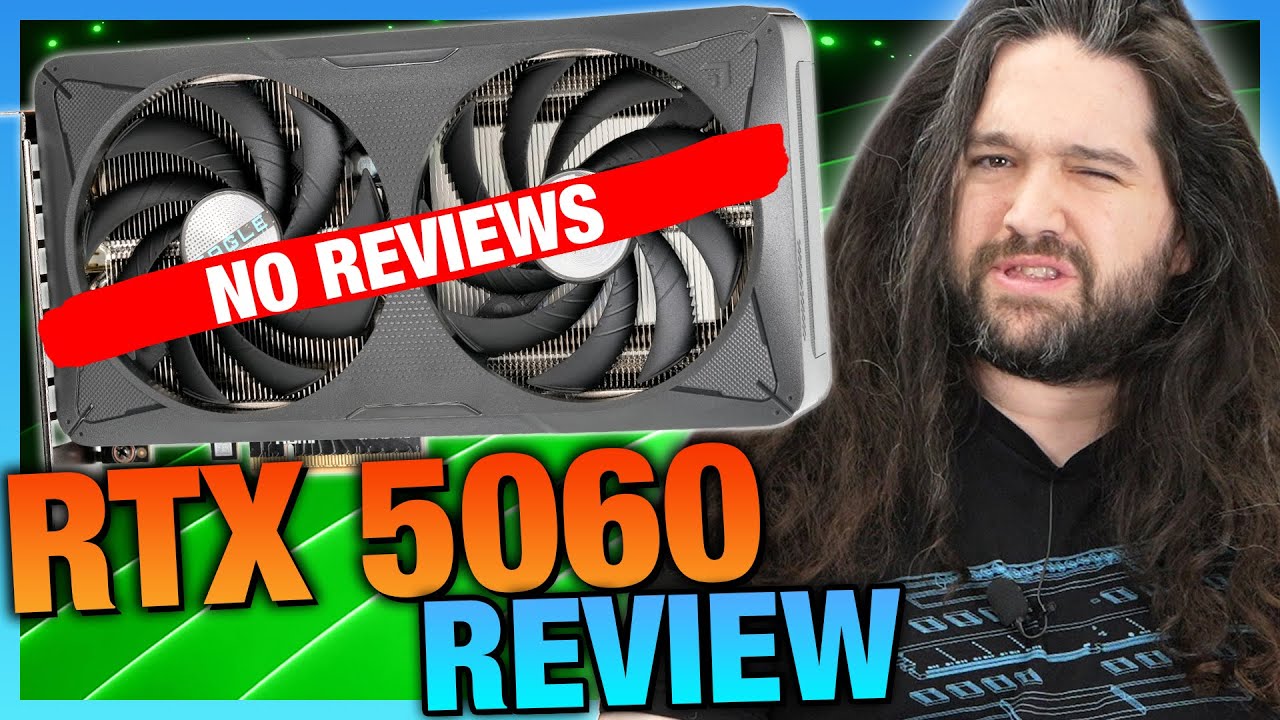
Sponsor: Thermalright Frozen Prism 360 on Amazon - https://geni.us/FUqbQC
This review of the NVIDIA GeForce RTX 5060 benchmarks the GPU vs. alternatives like the RTX 4060, RTX 3060, RTX 2060, and even GTX 1060 6GB. The tests of the RTX 5060 Ti (16GB) and RTX 4060 Ti (16GB) also show that the 5060 is overall surrounded by cards with more VRAM, in...
tame kindle
plucky timber
just don't play at ultra
but then again a 4060 ti with framegen would give me double the fps
plucky timber
3080 is the best performer overall
tame kindle
even though 3080 performs the best
plucky timber
then get the 4060ti
tame kindle
plucky timber
3080 is the best performer overall
do you think the 3000 series will ever support FG
any hope?
 languid nimbus
nope
plucky timber
I don't really look into that area of tech
It's not really a key area of interest for me
I cannot say with any degree of certainty
but given that it's nvidia
no
tame kindle
plucky timber
It's not really a key area of interest for me
if only most games didnt need framegen to be good
plucky timber
eh
just depends on the game you play
If your games need framegen
you need framgen
tame kindle
plucky timber
just depends on the game you play
every single game thats coming out
needs fg to some degree
plucky timber
right
tame kindle
they are THATunoptimized
plucky timber
I'm glad I haven't bought a single AAA title in years
tame kindle
like what do you mean a rtx 3070 at medium graphics at 1080p only gives 57 fps in clair obscur
its not like the graphics is something insane either
plucky timber
all I can say is
you play AAA
you get AAA performance
that's just how the AAA scene is
nothing you can do about it
languid nimbus
it’s unfortunate but yeah devs just don’t care about performance lol
tame kindle
the only new "aaa" game that's well optimized is stellar blade
plucky timber
the only way to win is to not play
tame kindle
i was honestly thinking of a ps5 for it but oh well
languid nimbus
also also worth noting pls don’t get the 4060ti 8gb version lol
plucky timber
unironically a ps5 might be decent value
tame kindle
languid nimbus
also also worth noting pls don’t get the 4060ti 8gb version lol
it's fine
plucky timber
in this market
tame kindle
im planning on upgrading to 1440p, so for now since im on 1080p, the 8gb version will be okay
plucky timber
what's your monitor size btw
tame kindle
24inches at the moment
tame kindle
plucky timber
in this market
by the way, my i7 12700k, should be fine right ?
tame kindle
plucky timber
that's on the 1440p range tbh
what no way, 24 inch is like the standard 1080p FHD size
languid nimbus
I can’t imagine there’s a significant price difference in 8gb and 16gb, but it’s quite literally double the vram and a ton of games are pushing the limits on it already
plucky timber
should be fine doing what?
plucky timber
tame kindle
what no way, 24 inch is like the standard 1080p FHD size
disagree
tame kindle
27 inchis on 1440p
tame kindle
plucky timber
disagree
HOW
tame kindle
plucky timber
should be fine doing what?
on 1440p?
plucky timber
tame kindle
HOW
pixel per inch
tame kindle
is there any game the i7 12700k wouldnt be able to take in 1440p
tame kindle
plucky timber
pixel per inch
pixel count stays the same doesn't it ? just less pixels per inch
plucky timber
the pixels are physically larger
tame kindle
even if its like 27 inches or 21 inches, it's still gonna be a 1920x 1080
plucky timber
the pixels themselves are physically larger
to the point that it starts to become noticable
that's why a 15 inch 1080p display may "look" less pixelated than a 24 inch display
plucky timber
tame kindle
even if its like 27 inches or 21 inches, it's still gonna be a 1920x 1080
oh you can DEFINITELY notice a 27 inch 1080p display
tame kindle
plucky timber
the pixels themselves are physically larger
does that effect performance?
plucky timber
...
tame kindle
plucky timber
oh you can DEFINITELY notice a 27 inch 1080p display
absolutely