#building-and-recc-chat
1 messages · Page 371 of 1
 south cliff
9070 far better?
south cliff
I mean like 5-7 percent
 fallen sphinx
south cliff
I mean like 5-7 percent
fallen sphinx
south cliff
I mean like 5-7 percent
its not 5-7%
south cliff
Oh shi 16gb vram
fallen sphinx
that too
south cliff
If you could find me one for 600 I will tell him to get a 9080
9070
But he probably won’t get a 9070xt since it’s a little out of budget
fallen sphinx
for a like 30% better card
south cliff
I’ll ask him if he wants to spend the extra money
fallen sphinx
whats the whole build
south cliff
Ryzen 5 9600x
Let me send the link
To pc par picker
Part List - AMD Ryzen 5 9600X, Montech XR ATX Mid Tower
The total build with tax is 1456
Which it was like 1300 before tax
Which I don’t think is that bad for the build
And the power supply is the rmx750 shift
Got a decent deal on Newegg for it for 80
 plucky timber
south cliff
The total build with tax is 1456
plucky timber
south cliff
The total build with tax is 1456
Do you need the liquid cooler?
For aesthetics purposes
Part List - AMD Ryzen 5 9600X, Montech XR ATX Mid Tower
I've made the list a bit cheaper
south cliff
plucky timber
Do you need the liquid cooler?
No but it’s only 55
south cliff
My friend said that was his favorite part of the build
plucky timber
Ah
I suppose in terms of aesthetics or it's not the most expensive spend
$20 isn't really a lot to spend on aesthetics so it's still in the value green zone
Also would you be ok with refurbs?
Or rather
Would your friend be ok with refurbs
There's some cheap cpu and motherboard deals atm
south cliff
Well the bad thing about all of this is that he ordered everything before I could take a look at it
If it adds up to like 100 dollars on savings
I will make him do it
plucky timber
It does
south cliff
Can you share link

 south cliff
Which should I get for him
plucky timber
7600x and the X670-P pro
south cliff
7600x same thing as the 9600x
plucky timber
9600x isn't that much more powerful
It's like marginal
So you're saving big bucks from there
And plus the motherboard
plucky timber
Yeah that's massive savings
Swap out the ssd for a c910
That's around $100
Give or take
south cliff
But the motherboard got 3.3 star reviews
plucky timber
Eh?
It is refurb so hmm
To be fair a lot of times it's a skill issue
You do have to take your chances on refurbs
They're not as bad as used boards
Miles better in fact
You also have to take into account the sample size of refurb reviews
You should be able to get your money back in the worst case scenario though
south cliff
Ok I’m getting him to return his stuff he bought and buy this stuff
plucky timber
Based
south cliff
What would you rate the build I mean he probably will stick with the 5070
plucky timber
Eh
south cliff
Sadly
south cliff
I think it will be good for bro he plays Skyrim
south cliff
Well that’s just the genre
plucky timber
Ah
plucky timber
What if he just gets a refurb 6700XT
Those are around $300 ish
Bit less actually
Should be
Half the price I'd say?
Bit older GPU but it does save him money for when the gpu market has more... Reasonable options
south cliff
I know this kinda weird but he wants better stuff than my friend and he has a 4070
I loved my 6700xt
south cliff
Yes
south cliff
And he just said he wants to spend around 1300-1400
plucky timber
He benefits more from a cpu upgrade
south cliff
He plays on Xbox series x
plucky timber
Than a gpu upgrade
south cliff
Our other friend has a 4070
plucky timber
Ohhhh
south cliff
And he wants it to better than his
plucky timber
I think he needs the mindset
That spending more money doesn't get him better equipment
Or rather
south cliff
And when he buys something he doesn’t like to change it
plucky timber
The price/perf doesn't scale as well
At least in the 2025 scam price market
Oh well
What can you do
south cliff
Yeah I seen a tuf 9070xt for 900 on facebook marketplace I had to message bro
 gentle pollen
He wants to use the computer for Gaming, Streaming, and Software Design and when I asked if he needs a Nvidia GPU he said maybe so opted for Nvidia just in case.
plucky timber
gentle pollen
He wants to use the computer for Gaming, Streaming, and Software Design and when...
It's not really specific
gentle pollen
More than once with work (I do some programming, web design, and a lot of research) I use more than 32GB of RAM.
plucky timber
I'm more questioning the ram than anything
Then again I use Linux so I don't really run into ram issues
gentle pollen
Better to have the extra RAM then not have enough like my father is currently experiencing.
Running out of RAM is a bloody pain in the arse in comparison.
plucky timber
I still think 64GB is a bit excessive
2x24GB isn't really that reasonably priced atm too
Relative to 2x32
Which is pretty annoying really
gentle pollen
plucky timber
I still think 64GB is a bit excessive
Running Google, Discord, Music App I use 26-40ish gigs.
gentle pollen
plucky timber
Is most of that used by the music app
1-2GB.
plucky timber
💀
gentle pollen
About 3 for discord.
plucky timber
See this is why I don't use windows
plucky timber
I only use that much ram when playing modded games
gentle pollen
I haven't even started using my programming software
gentle pollen
And this is kind of my point. If the guy actually does Software Engineering, having the RAM helps.
Otherwise yeah
Go buy 32GB
plucky timber
Eh
We still don't have enough details
It'd be nice if the price for 2x32 kits scaled better
 stoic island
I don't really see how you use more than 32 lol
gentle pollen
I'd rather recommend something that can do the requested and then some then recommend a system that hits the bare minimum requirement. But that's more me thing.
plucky timber
Well here's the thing
gentle pollen
I'd hate it if someone gave me the minimum passing product.
gentle pollen
For gaming and streaming yes.
plucky timber
I have 8GB ram on my secondary laptop
Just looking at browser usage
With 20-40 tabs
That would not max out the ram
gentle pollen
Your on Linux
plucky timber
Yes but even on windows
gentle pollen
And I am guessing those aren't active tabs?
plucky timber
The browser shouldn't scale up to that much
stoic island
I'm on windows and have never run out of 32gb
plucky timber
16GB is what I'd consider "usable but cutting it fine"
stoic island
2x16 is very easy to just add another 2x16 if really needed, but the chances of needing that is very low
plucky timber
32GB has well enough headroom for most use cases
gentle pollen
When I am not doing programming and instead doing my marketing job, I usually have around 30-40 tabs open, plus some research material.
stoic island
Without more details, I really don't think 64gb is necessary
plucky timber
stoic island
Without more details, I really don't think 64gb is necessary
This is my whole point really
gentle pollen
Also it occured to me that I might be sounding rather abrasive.
I apologize if it's coming off like that.
plucky timber
Oh no it's good
We're having a constructive discussion over the internet
Healthy for techie recs
gentle pollen
Just sharing my own frustrations and why I don't recommend 32GB if someone is genuinely doing any kind of Software Engineering or something that will cause them to have a lot of research material open.
plucky timber
Well
My point is mainly that we don't know exactly what kind of software engineering they're doing
stoic island
It really depends on what exactly what you're doing though, I was writing OS code and using WSL and never went over like 4gb used for that lol
plucky timber
And that 64GB is, in my opinion, rather excessive and seemed like more of an edge case than "99% of the time"
gentle pollen
Even just doing my marketing job I use 26ish gigs with chrome, discord, and Deezer (music app open).
plucky timber
🤨
stoic island
If they have a program they can lift that we can point to and say okay it needs more than 32gb of memory, then of course 64gb of memory would be a good idea
stoic island
But without that, I don't think it's necessary
gentle pollen
I will be on pause for a moment, father wants to share something with me.
plucky timber
Windows does do that
gentle pollen
plucky timber
Where's most of that ram going
40+ tabs.
plucky timber
If you have ram windows will use it
gentle pollen
Because a lot of which I need quick access to.
plucky timber
I feel like that's more of a nicher case
stoic island
Chrome is weird with allocating ram, it really likes to allocate more than it needs just depending on what your total ram amount is at
plucky timber
Rather than the vast majority of cases
stoic island
While doing the same exact thing in chrome, it allocated ~4gb when I had 32gb to run 2 YouTube tabs, and it only allocates ~1gb when I have just 16gb
plucky timber
We're also assuming that OP's not going to close tabs
Or have most of them inactive
plucky timber
stoic island
While doing the same exact thing in chrome, it allocated ~4gb when I had 32gb to...
Yeah I've only really run into ram limitations on 16GB
south cliff
I told bro if you found 100 dollars on the ground you would pick it up
south cliff
Very sad as I want bro to have the best that he can buy but I can’t do nothing about but I will be building the pc for bro
plucky timber
Speaking of ram
I should probably get that 16GB sodimm at some point
Laptop shenanigans
One of the dimms don't work and that's why I have 8GB of ram
south cliff
Also thank you for the advice/pc parts
gentle pollen
south cliff
Bro said that he doesn’t want to return the stuff
?
plucky timber
If it doesn't work under XMP
Run it at 6000CL30
A lot of Ryzens can't actually run 6400CL32 1:1
gentle pollen
5.8Ghz on CCD0 is so far 4 hours stable with -25 offset to all cores on CCD0 and the cores can actually boost to 5.8 or slightly higher in light loads like BKT, BBP, and sometimes in SFT.
And most of CCD1 is hitting 5.8 some doing 5.9Ghz with no negative offset
gentle pollen
south cliff
My friend to lazy to click 2 buttons
XMP?
Or are you talking about a faulty product?
south cliff
gentle pollen
XMP?
No to return the pc parts he already bought and then save 100 dollars
But clicking a extra 2 buttons
plucky timber
Some people have it too good
 south cliff
He has it mid
plucky timber
I micro manage every dollar so I can afford food
south cliff
Like in between low and mid
south cliff
plucky timber
I micro manage every dollar so I can afford food
That’s where all my money goes is to food
I eat out to much
south cliff
Like in terms of price
And also when I say I eat out I get a 5 dollar meal at McDonald or a 10 dollar meal at chick fi la
plucky timber
yeah that's like a week's worth of food for me
gentle pollen
You guys are able to survive on way less food than me....
south cliff
Yeah I at least get something everyday while I’m working
plucky timber
ah
south cliff
For lunch
gentle pollen
I mostly cook at home with my father and we go through about $40 a day in food.
south cliff
40 is crazy ngl
gentle pollen
We try to avoid processed foods.
south cliff
I probably eat around 15-20 dollars of food everyday
gentle pollen
But we don't go buying "organic labels"
south cliff
Yeah non processed food is pretty expensive
gentle pollen
Consumption wise if I am at say McDonalds I'd devour about 2 double cheese burgers, box of nuggets, a cola, and a Big Mac (when they were actually big).
That's a normal size sitting for me.
gentle pollen
Asia is cheap to cook at home.
plucky timber
Australia
gentle pollen
Thought you were the one in Hong Kong?
plucky timber
was
gentle pollen
I miss the price of quality, locally grown food back in China.
Mexico was hit or miss.
Food if buying at the store was cheap but it's all horrible quality wise.
south cliff
Dang it’s kinda cool a lot of people in this discord are from around the world
I live in Florida
gentle pollen
south cliff
I live in Florida
I will likely be visiting Florida for a few months next year.
Alright folks I need some thoughts.
south cliff
I’ve been here my whole life it’s a very nice place depending on where you’re going to stay but it does get boring after a while
I live near the beach haven’t gone in like a year
gentle pollen
Do I try to stabilize 5.85Ghz on CCD0 or stick with 5.8Ghz before moving onto CCD1 and then fine tuning each core's co?
gentle pollen
south cliff
I’ve been here my whole life it’s a very nice place depending on where you’re go...
I am a hardcore fisherman.
Florida is on the top of my list for gar and shark fishing.
south cliff
I’ve never been like actual fishing
I’ve been to a few lakes and ponds when I was little
south cliff
gentle pollen
Do I try to stabilize 5.85Ghz on CCD0 or stick with 5.8Ghz before moving onto CC...
Stabilize 5.85 on CCD0
gentle pollen
Thailand is on my list to catch a Mekong Giant Catfish.
gentle pollen
south cliff
I’ve been to a few lakes and ponds when I was little
R.I.P you live in such a good place for fishing. Should take advantage.
south cliff
I usually work on cars most of my time nowadays I used to be heavy into reselling pcs and just pcs in general have kinda drifted away over the past years
So I really don’t got time to go fishing
I go to work then work on cars
And it doesn’t interest me as much as some other stuff but it might just be because I have not done it enough times
 snow dragon
plucky timber
I don't eat out
snow dragon
plucky timber
I don't eat out

plucky timber
snow dragon
<:gigachadreal:1277907909275025429>
Guess what

New install on another laptop
Dual core uhh
Broadwell?
I think?
In any case
Running super smooth
As always
snow dragon

snow dragon
At this point is ubuntu even real linux anymore
plucky timber
No idea
I mean to be fair
Debian based oses are annoying
In how the package system works
AUR really makes 90% of packages a one line affair
 sullen spoke
I'm only just trying distros outside of debian now lol
plucky timber
Yeah
I don't like the package system
Arch is more straightforward
Haven't tried fedora
snow dragon
Idk if its the same for you but on cachy it will autofill previously entered commands and you can complete it so you dont have to type the whole thing again
Like how when you type on your phone it might have a transparent word next to it
Pretty cool ngl
snow dragon
plucky timber
Haven't tried fedora
Fedora has a lot of preinstalled stuff
I dont think you will like that
plucky timber
snow dragon
Fedora has a lot of preinstalled stuff
It's easier to debloat on linux so
The process is the same as arch in a way
I'm just working backwards
 mystic needle
Can someone tell me where this 4 pin connector goes? It’s the molex connecter but it has that attached.
 plucky timber
Is that on the psu?
mystic needle
Yes
plucky timber
If there's not a plug for it
Don't use it
Not everything should be plugged in
I learnt that the hard way
mystic needle
Oof what happened?
plucky timber
Magazine detonation
 celest jackal
stoic island
celest jackal
stoic island
it's standard molex, not necessary for most builds
fallen sphinx
 thorn mural
solid ATX 650w pick under $60?
thorn mural
solid ATX 650w pick under $60?
tbh just spend the extra on a montech century II 850w
non modular is just not it
snow dragon
sotru
plucky timber
PSU market is weird
The entire market is inflated
The cheapest psus should be at least $20 cheaper

This thing is NOT worth $90
snow dragon
Yeah I wonder why prices have gone up since this year started
Probably because of higher wattage cards
 hexed salmon
Where should I get my pc built if I don’t want to build it myself
stoic island
Microcenter
hexed salmon
stoic island
Microcenter
Thank you sir
 quartz kayak
Hello I'm looking for some guidance on building a PC, I have some picks and I want to know if I should make some alterations
Country: Poland
Budget: $1250 (directly converting from 4500 PLN)
Use: gaming - I play R6 Siege (barely playable on my current PC tbh), Dead By Daylight, Overwatch 2. Looking forward to play Cyberpunk 2077, Witcher 3, DOOM series, possibly Baldur's Gate 3, Marvel Rivals, and Helldivers. I will probably want to play VR in the future.
Resolution: QHD (2560x1140)
Aesthetic: No requirements. Single color, especially black, and some RGB would be nice if there's no meaningful price difference.
Condition: strongly prefer all brand new parts unless the smartest choice is getting something used.
Current picks: https://newegg.io/806555a (I'll pick storage later)
PSU: SeaSonic G12 GM V2 850W (semi-modular, 850W for future proofing, if future proofing makes sense)
Thinking about either the Radeon RX 9060 XT 16GB or RTX 5060 TI 16GB but currently AMD is 300PLN (that is $80) cheaper
I have no idea how to pick a MB, I just looked at one of the cheaper ATX B560's with good VRM temps
not sure about CPU, worried it might be a little underpowered
heard the Lancool 207 has the best cooling for the price, but I'd sacrifice some of the performance for a better building experience (not much space for power cables)
not including storage this would cost me $1200
fallen sphinx
quartz kayak
Hello I'm looking for some guidance on building a PC, I have some picks and I wa...
1 full modular psu, not semi
quartz kayak
fallen sphinx
1 full modular psu, not semi
Is there really any upside to justify the price difference?
fallen sphinx
quartz kayak
Is there really any upside to justify the price difference?
there shouldnt be a major price increase
stoic island
quartz kayak
Hello I'm looking for some guidance on building a PC, I have some picks and I wa...
You sure buying from Newegg is going to be the best option for you? Last I checked retailers like x-kom will have better local pricing and shipping rates, unless you're planning on buying parts while in the US. I'd see if you can squeeze in a 9070 over the 9060xt but the 5060ti pricing doesn't sound worthwhile. The sharing link doesn't seem to be working, it might be easier to just use pcpp.
https://pcpartpicker.com/
fallen sphinx
stoic island
You sure buying from Newegg is going to be the best option for you? Last I chec...
im not seeing any poland pcpp
stoic island
There isn't one
The point is to have a way of sharing parts still since the Newegg link isn't working
quartz kayak
stoic island
You sure buying from Newegg is going to be the best option for you? Last I chec...
Oh yeah I just used Newegg for sharing, I'll be buying from local vendors
Gonna change it to pcpp later
quartz kayak
stoic island
You sure buying from Newegg is going to be the best option for you? Last I chec...
Currently there's a 1000 PLN/$280 difference between 9060 XT 16GB and 9070 XT, probably not worth.
stoic island
quartz kayak
Currently there's a 1000 PLN/$280 difference between 9060 XT 16GB and 9070 XT, p...
Look for 9070 non xt
quartz kayak
oh
stoic island
9070xt is likely too expensive
stoic island
It's steep but that's the only worthwhile upgrade for the time being
Stick to 9060xt for now, keep 9070 in mind if you can shave a lot of money off other parts
stoic island
Idea is 600usd/2200PLN 9070 can likely fit in a 1250usd/4500PLN budget with some savings on other parts
quartz kayak
not a huge difference but a notable one
stoic island
Can't check prices rn since x-kom seems to be down lol
quartz kayak
cheapest is 1630 PLN for 9060 XT and 2750 PLN for 9070
i know this is not the best way to compare but 25208 Passmark G3D score for RX 9070 and 20488 for 9060 XT doesn't make it seem worth
stoic island
This is the idea I'd try to go for to fit base 9070 into the budget, USD market is pretty different but it's the idea
https://pcpartpicker.com/list/g4HDdb
Part List - Intel Core i5-12600KF, Radeon RX 9070, Montech X3 Mesh ATX Mid Tower
stoic island
quartz kayak
i know this is not the best way to compare but 25208 Passmark G3D score for RX 9...
For games at 1440p, on average, it's about a 60% improvement in fps from 9060xt to 9070, doesn't really reflect nearly doubling the price, but you're going to be working with diminishing returns here, and you're going to be limited by GPU here at 1440p

Passmark is usually decent for estimating performance, not too sure why 9070 score is so close to 9060 xt
snow dragon
Well 2750 is around 2/3 increase so its not that bad really
Im waiting for the 9070 gre to fill the gap
stoic island
Part of it is dx9 and dx10 scores not really mattering for the overall score, the 33% gain in dx11 scores sounds reasonable but a bit low, only 21% gain in dx12 seems way too low
quartz kayak
gonna look into it more then\
stoic island
snow dragon
Im waiting for the 9070 gre to fill the gap
Tbh it's possible that they're going to keep gre a China only lineup
snow dragon
I understand them doing that for the 7600 but the 9070 gre is really important
The gap it sits in is huge
There is no way they dont release it worldwide later on
stoic island
We'll have to see, AMD did come into this generation with the tone of kind of skipping over it, nothing on the high end and gaps in the lineup
snow dragon
Great way to gain market share 
snow dragon
Im just saying that because the guy from amd was talking about how they wanted to gain market share, like this was gonna be a huge bomb but really this generation is kinda like a filler generation while they really put in the work on the next one
plucky timber
I mean
 covert vapor
Honestly even if they did something that'd really be good for regaining market share they'd never get enough out to actually do it
stoic island
quartz kayak
gonna look into it more then\
For some game specific numbers, ~40% faster at 1440p in bg3, ~50% faster in cyberpunk 2077 with what I'd call dumb settings with raytracing, still ~50% faster on more reasonable settings
 plucky timber
They can say it's going to get them market share
But nvidia has a monopoly
And the propaganda machine is somehow working
stoic island
I would've liked to use TPU charts for continuity but they didn't even put 9070 on the game specific charts because it's just too far apart segment wise :p
quartz kayak
plucky timber
And the propaganda machine is somehow working
it is
plucky timber
I'm not paying that much money for gpus
Not from Nvidia or from AMD
Make a real product and maybe I'll buy it
stoic island
What I'd call dumb settings here
 quartz kayak
im most likely not gonna run RT
stoic island
Something more reasonable (1080p native, would be 1440p with fsr on moderate)
 covert vapor
There are no dumb settings, only dumb people. I think that is how the saying goes right?
quartz kayak
its cool but imo it only makes sense for top shelf gpus
stoic island
I'd call running max RT without upscaling on cyberpunk a bit dumb for gameplay lol
plucky timber
people who buy these products enable Nvidia and AMD
quartz kayak
idk how to feel about upscaling and frame gen
maybe makes sense for single player
probably
plucky timber
quartz kayak
idk how to feel about upscaling and frame gen
That's a different story
The problem with that lies with game studios
stoic island
Don't really need to touch frame gen imo
quartz kayak
my friend tried to sell me on nvidia because of dlss
plucky timber
The tech is good
stoic island
But unfortunately game studios are kinda lazy
plucky timber
But how the studios use it is bad
plucky timber
They use DLSS and FG as an excuse to not optimize
stoic island
quartz kayak
my friend tried to sell me on nvidia because of dlss
FSR gets you 90% of the way there, better in some cases, worse in some others
stoic island
But yea just run games native for comp
plucky timber
Is why I don't need a new pc in the first place
There are no games to play
No need to upgrade anything
stoic island
I'm playing less than 1 month old games so I'm still needing a good GPU
Not solely playing paradox games lol
quartz kayak
i have a GTX 1060
plucky timber
$60+ for crappy games and almost $400 for a decent gpu
No thanks
$400 used to be my entire pc
stoic island
quartz kayak
r6 runs like shit
R6 can run well on relatively bottom tier current gen hardware
stoic island
plucky timber
$60+ for crappy games and almost $400 for a decent gpu
For me, there have been some very good games still
quartz kayak
after the SIEGE X update its not very good on 1440p
plucky timber
I haven't seen any that can justify the price tag
Well
There is one game
The french game
snow dragon
quartz kayak
i have a GTX 1060
Wow I am impressed
plucky timber
Honestly a better spend
snow dragon
My friend has a 1070 and is really trying to find something to replace it
plucky timber
Noooo
stoic island
I never had any issues with performance in siege ever, but I haven't touched siege x
quartz kayak
quartz kayak
after the SIEGE X update its not very good on 1440p
even with upscaling, TAA or lowering resolution
covert vapor
You never saw this
covert vapor
Nope, I've mind wiped
quartz kayak
quartz kayak
even with upscaling, TAA or lowering resolution
basically unplayable
covert vapor
Never to be heard of again
stoic island
plucky timber
The french game
French? Eugen systems? WARNO?
covert vapor
Nah but some of the Complete Edition seasons are $28 on Amazon in the US rn
plucky timber
The french AAA game that everyone was raving about
stoic island
WARNO has been on sale for pretty cheap though
Uh I'm not sure what you're talking about then
Was dune made by French devs?
plucky timber
Expedition 33
stoic island
I still have no idea what that game is about
plucky timber
Prinz Eugen
stoic island
Oh yea peak has been a fun game lol
plucky timber
I've probably spend more time watching new (old) tv shows than playing new games
covert vapor
Sadly RUSE was nuked off the face of the planet with a Long Tom
stoic island
I've spent a ton of time recently with broken arrow
plucky timber
Well
I did buy one game
Rule the Waves 3
So
The meme about me not needing a GPU
covert vapor
I haven't bought any media recently
covert vapor
I will be buying a season of DW tho for that sweet sweet Shada remaster and reanimation
plucky timber
I'm waiting for uhh
Cheap blu rays of older shows to pop up on ebay
Or dvds
I should probably fix my nas situation
The lenovo bios is giving me a hard time
I might go hit the $5 dvds
See if there's anything good
Ideally blu rays
covert vapor
They also did a remaster of The Five Doctors for the Complete blue ray set for PD's second season but those are still like $50 USD rn
plucky timber
But I don't have a player atm
plucky timber
covert vapor
They also did a remaster of The Five Doctors for the Complete blue ray set for P...
Yeah
I've been eyeing the TOS box set
With original and remastered VFX
Now I've added all of star trek
Because no more netflix
covert vapor
They've released a set with both the OG and remasters?
I thought they only did versions of each in their own sets
plucky timber
Yeah there's a set with both
quartz kayak
absolute ASS
 quartz kayak
native 1440p no TAA
plucky timber
At over 100fps
quartz kayak
plucky timber
I used to run that game on a 570 4GB at 1440p high
Y1S4 I used to play this game on a 5:4 monitor, downscaled res to something like 800x600@50FPS
🥲
stoic island
In Y3S3 I used to run siege off an iGPU and got 1080p30 ish lol
snow dragon
plucky timber
The french AAA game that everyone was raving about
30 people made expedition 33
Those are some rich 30 people fr
covert vapor
What happened to the other 3 
plucky timber
snow dragon
Those are some rich 30 people fr
rich?
Bourgeoisie?
They should be glad it's not the 1790s
snow dragon
covert vapor
What happened to the other 3 <:derpyBlob:800415354891403275>
They got lost in the expedition
covert vapor
'Lost'
snow dragon
plucky timber
rich?
covert vapor
Seems sus
They just wandered off and never returned
Right next to a really tall cliff too
quartz kayak
@stoic island

the not-cheapest intel build with RGB, I unfortunately am affected by consumerism
Later I'll do a cheaper and an AMD version
unless you have some tips
stoic island
quartz kayak
<@278694081440251905>
I would not go for nitro+ with the 12vhpwr connector, there haven't been any issues with the connector on 9070s but it has been very problematic for 50xx cards, better to get anything else that still uses 8 pins that are more proven
quartz kayak
stoic island
I would not go for nitro+ with the 12vhpwr connector, there haven't been any iss...
ASRock Challenger?
stoic island
that would work fine, nitro+ is the only one that uses 12vhpwr
and since you don't need 12vhpwr you can go a bit cheaper on the PSU since you don't need ATX 3.0
stoic island
reaper is 2750pln like the nitro plus if needed
quartz kayak
stoic island
and since you don't need 12vhpwr you can go a bit cheaper on the PSU since you d...
wanted atx 3.0 in case of a future upgrade
unless
that's pointless
or 3.1 actually
stoic island
personally I still think the standard is flawed
needs another update before I'd trust it
there has been a lot of videos on it like this that talk about how much is wack with the standard
https://youtu.be/Y36LMS5y34A
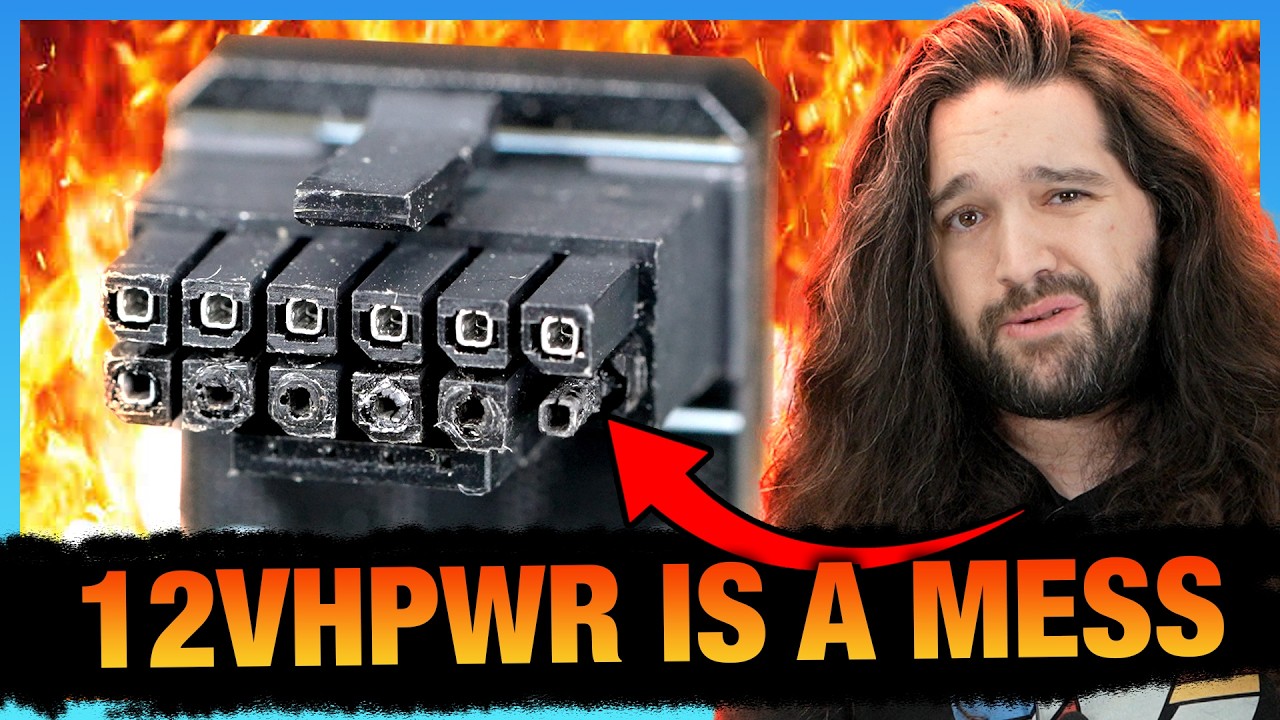
Sponsor: Antec C8 with fans on Newegg https://howl.me/cmXtq5tnNJ7 - and without fans on Newegg https://howl.me/cmXtsXoSlzL
This investigation digs deep into the 12VHPWR and 12V-2x6 specifications, highlighting the contradictory design documents leading to confusion as manufacturers cut corners. We talk about the CableMod recall of its angled ada...
quartz kayak
yeah I've heard
stoic island
because the problem seems to be on both ends too, they have been melting on the PSU side as well as the GPU side
quartz kayak
overheating from bending and not a proper connection
stoic island
we need to wait for the spec to actually do load sharing
quartz kayak
and poor connector quality iirc
stoic island
because it doesn't matter how well you've connected it or how well you've insulated it or anything like that if the spec itself doesn't spread the load across the 12 pins and everything goes through 1 pin
from the derbauer video:

I'm still not going to trust the standard without them adding something to do load sharing lol
stoic island
quartz kayak
overheating from bending and not a proper connection
and that was only the first wave, problems that was seen with 4090s and such from about a year ago, we've had another wave of issues this generation, even with the slightly updated standards and with manufacturers doing stuff like making the connectors yellow and Asus adding a light to warn you, we still got problems here and there
anyways enough crapping on the standard, there's a lot of videos and info on it if you're interested, if not, just don't use it for now
snow dragon
stoic island
I would not go for nitro+ with the 12vhpwr connector, there haven't been any iss...
As far as I know there was one melted connector with the sapphire
Actually the fact that happened at all is insane
stoic island
snow dragon
As far as I know there was one melted connector with the sapphire
on the 9070xt iirc, don't think any has happened on 9070 since lower power lol
snow dragon
That card uses half of what it is rated for
snow dragon
stoic island
on the 9070xt iirc, don't think any has happened on 9070 since lower power lol
Oh true
quartz kayak
now should I even think about getting higher wattage for a possible graphics card upgrade?
quartz kayak
yeah
snow dragon
What you got rn
stoic island
You can, it's your choice, but I'd still try to get 8 pins lol
snow dragon
Yeah
quartz kayak
right
 quartz kayak
now should I even think about getting higher wattage for a possible graphics car...
quartz kayak
quartz kayak
now should I even think about getting higher wattage for a possible graphics car...
If I were to, do you guys think 850W would be enough? I imagine it's hard to tell, though to me it looks like gpu power draw seems to constantly go up with every new series
stoic island
all I can say is 850w is more than enough for most GPUs rn
snow dragon
Yeah only reason I would justify getting more is if you are using an itx system and you want to have a quieter unit

What wattage you have rn
quartz kayak
ofc i dont want a turbo jet but idc for complete silence
quartz kayak
snow dragon
What wattage you have rn
its for a pc I'm planning to get
quartz kayak
quartz kayak
<@278694081440251905>
.
RX 9070, i5 14400F/R5 8400F
wondering if I will ever upgrade it or get something completely new again in like 7 years or something
or 5, or who the hell knows
don't know what's the smartest move, never had a brand new pc
gentle pollen
quartz kayak
don't know what's the smartest move, never had a brand new pc
Better to do smaller upgrades every year or two then one big one every +5 years.
This way you will see regular improvement vs seldom improvement.
And if the tech is only a year or two old, you can still sell it second hand to recoup some costs
fallen sphinx
gentle pollen
Better to do smaller upgrades every year or two then one big one every +5 years.
no
selling is a hassle, its way better to do the big upgrades, youll lose less money that way
 weary galleon
I think the sweet spot for PC upgrade value is probably in between those; like 2-4 years. Less than that and you're falling for the expensive "future proof" components but more often and you are likely buying budget hardware that isn't great price/perf (ie Nvidia xx50)
 midnight heart
Andddddd….im officially depressed


 wary laurel
Helo chat

 hardy hamlet
Hey guys I need some help with my pc, using after like 8 months since I was at uni, now I'm stuck in an infinite boot screen. Specs:
I3-9100f cpu
H310M PRO-VH PLUS mobo
1050ti gpu
It's been like an hour and im still stuck in the logo screen before boot. All help is appreciated
 stoic island
hardy hamlet
Hey guys I need some help with my pc, using after like 8 months since I was at u...
stoic island
hardy hamlet
Hey guys I need some help with my pc, using after like 8 months since I was at u...
Clear cmos and see if that helps
hardy hamlet
stoic island
Clear cmos and see if that helps
I did that, its now asking me to run setup or either continue, which one shd I do?
stoic island
Run setup again
hardy hamlet
stoic island
Run setup again
im in bios, shd i do anything or just exit and continue boot?
stoic island
Just exit and reboot
hardy hamlet
stoic island
Just exit and reboot
don't think it worked 😦 back to the logo screen
stoic island
check the available boot devices in bios
something might be wrong with your windows boot drive
try boot override or something of that sort to see what happens if you directly tell it to boot off of it, if the drive itself doesn't show up, try reseaeting it or using a separate slot
hardy hamlet
The boot device shows up and is set as boot option #1. Bios also properly detects the storage space of my drive
 dusty orbit
fallen sphinx
dusty orbit
is this listing worth?
https://www.facebook.com/marketplace/item/75359190701855...
dusty orbit
fallen sphinx
dusty orbit
is this listing worth?
https://www.facebook.com/marketplace/item/75359190701855...
1 what games do you wanna play
2 do you have any part of a setup currently
 runic spruce

Opinions on whether I should move the top exhaust fans to the aio
I think it’d help air flow but not too sure
dusty orbit
fallen sphinx
1 what games do you wanna play
2 do you have any part of a setup currently
i wanna play league and valorant at 200 fps
gentle pollen
dusty orbit
i wanna play league and valorant at 200 fps
In the pins, there is a form you can fill out that will make it a lot easier for us to recommend the proper parts.
 pulsar vector
Hi, Please can you tell me and provide me with the link for the 64GB or 128GB Corsair Vengeance DDR5 ECC RAM memory that is compatible with this board?
Supermicro Server Motherboard MBD-H13SSL-N Socket SP5 AMD 4th Gen EPYC™ 9004/9005 Genoa, Up to 3TB 3DS ECC RDIMM DDR5, ATX
stoic island
pulsar vector
Hi, Please can you tell me and provide me with the link for the 64GB or 128GB Co...
There's nothing in the Corsair Vengeance line that are rdimms that would be compatible with that board. Everything in the vengeance line are udimms, which would be incompatible and would not have sideband ECC as with rdimms, all ddr5 have on-die ECC, and the advertisements may make it sound like it's equivalent to how ECC was on ddr4, but it's different from sideband ECC as with ECC on ddr4.
Corsair has a separate WS line that are rdimms, but it is much more expensive
https://www.corsair.com/us/en/p/memory/cma64gx5m4b6000c40/ws-ddr5-ecc-rdimm-64gb-4-x-16gb-ddr5-dram-6000mt-s-cl40-memory-kit-cma64gx5m4b6000c40

CORSAIR
CORSAIR WS DDR5 ECC RDIMM Memory combines high-performance, capacity, reliability, and stability for a Workstation dream configuration.
 upper ore
How long does a psu normally last? And would it be the cause of a game crashing when trying to launch it. Like the initial launch
I feel like it would be but I need a second opinion.
stoic island
upper ore
How long does a psu normally last? And would it be the cause of a game crashing ...
easiest way to know is to look at how long warranty is lol
PSUs passively deteriorate at a rate of something like 10% of its capacity every 5 years iirc, it's not something that would just crash a game, if the PSU trips, the entire PC will shut down.
upper ore
Crap idk what it would be. Because I was also thinking it would be that because I can't really run my new ram at the higher speed its supposed to be.
stoic island
upper ore
Crap idk what it would be. Because I was also thinking it would be that because ...
unstable ram can definitely do that
upper ore
Its brand new ram
Something is seriously wrong with this old dinosaur that I gave my girlfriend. I built it back in like 2019.

 lyric thistle
I feel like RAM QC is pretty shitty in the industry
I got a kit for my laptop and one of the sticks went kaput after a week
Returned for replacement, new kit works
snow dragon
Must ship product to consumer
lyric thistle
True
stoic island
upper ore
Its brand new ram
Brand new can still be unstable, Corsair for example is notorious for being unstable at xmp out of box for ddr4 lol
upper ore
stoic island
Brand new can still be unstable, Corsair for example is notorious for being unst...
What else could it be? Like it works normally for everything else just some games its practically unplayable. Like tiny tinas wonderland. I just bought it for her and she nearly got to the end of character creation. After I dropped everything down as low as possible. And it still crashed
stoic island
upper ore
What else could it be? Like it works normally for everything else just some game...
It can be drivers issue, sometimes game bug, sometimes windows issue with corruption or bug in general, it can be instability in anything you've overlocked, and in RARE cases it might be something to do with the PSU voltage regulation with a rail being too high or too low, but that tends to be indiscriminate tripping or crashing
upper ore
stoic island
It can be drivers issue, sometimes game bug, sometimes windows issue with corrup...
I never overclocked anything on it because it was my first pc and I didn't trust myself. I think it could very well be a driver or windows issue. I just did a clean Nvidia drive update. And well its still on windows 10 because I hate windows 11. Wait a minute would transferring my windows from my old pc to my new one be the cause? 🤔 I honestly dont know at this point. I just wish I could get this fixed for her im starting to feel bad. And neither one of us can afford a new one.
stoic island
upper ore
I never overclocked anything on it because it was my first pc and I didn't trust...
Nvidia drivers have been very wacky recently, although newest drivers should be decent, you can always test DDU and reinstalling 566.36, last known stable driver before the 572 wacky stuff
If you suspect windows shenanigans, always good to do dism and then sfc
upper ore
stoic island
Nvidia drivers have been very wacky recently, although newest drivers should be ...
Ill give those a try. I think the new one works. Ill try them
 modest iron
Hello guys, im looking for a prebuilt from https://www.infiniarc.com/en/
can anyone recommend one of them
preferably in between 3,000 - 5,000 riyal ﷼

Infiniarc
InfiniArc offers the best prices on Gaming Computer Parts, Custom Gaming PC, Gaming Chair, Gaming Processor, CPU Cooler.
and more with fast shipping and top-rated customer service.
snow dragon
Their options are not good
But this is in between your budget range

Infiniarc
GAMING Desktop PC - NVIDIA RTX 4060 Ti - Intel Core - Liquid Cooling - DDR5
why it says 4060 ti when it brings you to the 5060 ti
alr well it is the 8 gig card, which is blasphemous to recommend in this server, but there is a 5060 system that is more expensive than this
and another 5060 system that is slightly cheaper
and the crappy ram wont hurt the intel cpu as much
modest iron
snow dragon
and another 5060 system that is slightly cheaper
If im going with custom build, what should i get
Preferably 4.5k and below
snow dragon
modest iron
If im going with custom build, what should i get
you mean building it yourself or a custom build from them
modest iron
snow dragon
you mean building it yourself or a custom build from them
Ye building it myself
snow dragon
modest iron
Ye building it myself
This is on a website called microless and although it is a little over your budget, you have better parts

Faster ram and a better ssd
Also 2 tb while the prebuilt had 1
The psu is better too
Now the gpu is tricky because the 9060 xt is not much cheaper, but actually slightly outperforms it in rt and also has better upscaling
So it depends on what you play
If you dont play rt games then you can take the ~20% gain the 7800 xt has when not using rt
the 9060 xt cuts down the price by 128, so not a lot. the better value system is the 7800 xt if you dont use rt and dont upscale

lmao i just realized its white in a black system
well the white version of the thermaltake case costs no more than the black one if you care about that stuff
that 7800 xt is on sale though, which is why its not that expensive compared to the 9060 xt
im sure when the sale ends it will be much more expensive
also i bet that 7800 xt is gonna run pretty hot because that thing uses like 250w and it is a 2 fan card while not being very thick either
all of this is assuming you are at 1440p
if you are at 1080p you can get a cheaper card, but i think if you get a 9060 xt at 1440p over a 7600 xt at 1080p, you will get more time used with it because of the better upscaling and rt
 random cobalt
Hi,
I have :-
AMD Ryzen 7 2700X
ASRock B450 Steel Legend
I Had RTX 2060 previous which is not working anymore so i am getting a new GPU. Not sure what to opt for also had Asked Chatgpt few build suggestions - it came up to RTX4070 Super.
But i am not sure exactly/confident if the gpu is supported or will support as i am going to be ordering online. Can someone suggest/help. 😅
stoic island
random cobalt
Hi,
I have :-
AMD Ryzen 7 2700X
ASRock B450 Steel Legend
I Had RTX 2060 prev...
What's your budget and what PSU do you have
 heady jewel
Ello, Im sure if this is the right channel but I had a question. Is the Fantastech 15$ promo code only eligible for Newegg card holder? I was wondering if i could buy it using my regular card and still get the discount.
fallen sphinx
random cobalt
Hi,
I have :-
AMD Ryzen 7 2700X
ASRock B450 Steel Legend
I Had RTX 2060 prev...
never ask chatgpt
1 what country are you in
2 whats your budget
3 whats your psu
 void skiff
What pre built PCs are recommended for under 1000$?
stoic island
void skiff
What pre built PCs are recommended for under 1000$?
What are you looking to use it for?
Anything specific you want to run?
void skiff
stoic island
What are you looking to use it for?
Mainly gaming but also some 3d printing
stoic island
so are you looking to do cad? any specific software?
void skiff
stoic island
so are you looking to do cad? any specific software?
No specific software in mind but I do plan on using cad
stoic island
Unfortunately prebuilt prices are still not great rn, and the options arent great, but this would be a start
https://www.newegg.com/stormcraft-gaming-desktop-pc-geforce-rtx-5060-intel-core-i5-14400f-32gb-ddr5-2-tb-ssd-sirius-black/p/N82E16883420026
stoic island
void skiff
What pre built PCs are recommended for under 1000$?
Would you be unable to build it yourself?
void skiff
stoic island
Would you be unable to build it yourself?
I could but prefer not to if I can get something that much better for around the same price I would
stoic island
Building one yourself would be cheaper and you would have the freedom to pick and choose what you'd like
void skiff
Ok but is there an AMD motherboard you can recommend?
Something that would let me upgrade easily in the future
 molten pebble
void skiff
What pre built PCs are recommended for under 1000$?
molten pebble
void skiff
What pre built PCs are recommended for under 1000$?
- Are you in the US
- Are you at least 18+
molten pebble
mind if I send a DM
void skiff
No you can
stoic island
void skiff
Ok but is there an AMD motherboard you can recommend?
It'll be a bit dependent on what the rest of the build would look like, as an example, right now this is decently priced and has enough features for basically anything
https://www.amazon.com/dp/B0DQBT2DZ8

B850 GAMING PLUS WIFI: Win the Competition Designed for efficient and stable performance on the AMD B850 chipset (Ryzen 9000 / 8000 / 7000 supported, AM5), the MSI B850 GAMING PLUS WIFI motherboard includes premium GPU support with a PCIe 5.0 x16 slot, improved DDR5 memory support (8200+ MT/s OC)...
Looking at prices right now, if you want the build to fit under $1000, the best way would be to check if you live close enough to any microcenters to take advantage of the bundle deals
void skiff
I actually do so I'll take a look soon
Also thank you for the help the motherboard looks perfect
stoic island
void skiff
I actually do so I'll take a look soon
Here's a quick pcpp list that would be the equivalent of a better prebuilt, but also ~$60 more expensive. You'd be able to cut down on the cost with microcenter CPU+Mobo+Ram bundles, although probably with a slightly different selection. I wouldn't really recommend 9060xt 8gb rn but I'm just leaving it in to have near price parity with the 5060 8gb prebuilts, 9060xt 16gb is better and worthwhile if you're ever going beyond 1080p for gaming, but also more expensive.
https://pcpartpicker.com/list/skTrQd
Part List - AMD Ryzen 7 7700X, Radeon RX 9060 XT, GAMDIAS TALOS E3 MESH ATX Mid Tower
An example microcenter bundle:
https://www.microcenter.com/product/5006968/amd-ryzen-7-7700x,-gigabyte-b650-gaming-x-ax-v2,-gskill-flare-x5-series-32gb-ddr5-6000-kit,-computer-build-bundle

Micro Center
Get it now! Find over 30,000 products at your local Micro Center, including the AMD Ryzen 7 7700X, Gigabyte B650 Gaming X AX v2, G.Skill Flare X5 Series 32GB DDR5-6000 Kit, Computer Build Bundle
Although one thing to note is that if you're looking to do cad, and end up using blender, Intel CPUs are still a decent bit ahead in terms of blender performance, while AMD CPUs do better in most other applications
 zenith cargo
can anyone recommend a good smooth mousepad?
daily use no hardcore gaming, just want something smooth as a cloud
snow dragon
zenith cargo
daily use no hardcore gaming, just want something smooth as a cloud

Keybrd
One of the most important things in your setup. A good deskmat. The “Japanese Cloud White” Mousepad has a smooth front and an anti-slip back surface ensuring you of the best gaming experience. Sizes: 40 x 90 cm / 15.5 x 35.5 inch

Large gaming mouse pad
the second one is what i am using rn
I have not used the first one but it looks very smooth
Oh the first one is a little bigger than mine
Mine is like 15.25 x 35
You are not a real person
zenith cargo
AsiaHorse 16AWG PSU Cable Extension Sleeved Custom Mod GPU PC Audio Video Power Supply Soft Braided Cables with Two Color Comb Kit 24P/8P to 6+2P/ 8P to 4+4P 30CM https://a.co/d/auLiV5h

Works perfectly with all power supplies, such as RM, RMX RM550x, RM650x, RM750x, RM850x, RM1000x, HX1000 series, Corsair CX and so on.
Are these safe for my pc?
fallen sphinx
stoic island
Unfortunately prebuilt prices are still not great rn, and the options arent grea...
ew
fallen sphinx
stoic island
Here's a quick pcpp list that would be the equivalent of a better prebuilt, but ...
that list is messed up btw
https://pcpartpicker.com/list/zqwydb this is better
Part List - AMD Ryzen 7 7700X, Radeon RX 9060 XT, GAMDIAS TALOS E3 MESH ATX Mid Tower
(you put 2 diff ram kits lmao)
stoic island
oh lmao
Yea uh that mobo went from $130 yesterday to 160 now
was swapping the 6000c30 kit for 6400c32 since cheaper there but forgot to remove the old kit
 lilac tinsel
got a fan pack of p12s from arctic and for some reason every time there's a steep rpm change and also on pc boot it makes this annoying grinding noise, anyone know why? it's not even just one fan, all of them do it slightly but together it sounds worse
aside from them being ridiculously loud lmao, even at 600 rpm you can easily tell the pc is on, contrary to every yt video showcasing them making no noise
 low path
Found a 5080 pny at microcenter for 1271 in total
snow dragon
Considering the circumstances I guess 1270 out the door is acceptable
fallen sphinx
stoic island
was swapping the 6000c30 kit for 6400c32 since cheaper there but forgot to remov...
honestly cl30 is barely more expensive and is worth the extra bit since less hassle
stoic island
now it is, at the time of making the list, the cheapest 6000c30 kit was $15 more than the 6400c32 kit, worth shaving that bit off since I was trying to get it closer to 1000
it would've been basically 1000 if I noticed I left the first kit in still lol
quartz kayak
I am going to build my PC tomorrow
And I forgot to order thermal paste 🤦♂️
 gusty walrus
Yo does anyone know why my pc fans ran super loud and then my monitor went black? This is happening every couple minutes
stoic island
gusty walrus
Yo does anyone know why my pc fans ran super loud and then my monitor went black...
If you're on Nvidia, DDU and update or rollback your drivers
weary galleon
quartz kayak
I am going to build my PC tomorrow
And I forgot to order thermal paste 🤦♂️
The cooler likely comes with paste
snow dragon
tru..
 onyx harness
hello, im looking for help building a gaming pc. i dont have much knowledge and would love some help 🙂
fallen sphinx
onyx harness
hello, im looking for help building a gaming pc. i dont have much knowledge and ...
whats your budget and country?
onyx harness
fallen sphinx
whats your budget and country?
im from the usa, i live near a microcenter (idk if that helps), and my budget is 2500 k
fallen sphinx
onyx harness
im from the usa, i live near a microcenter (idk if that helps), and my budget is...
alr
fallen sphinx
onyx harness
im from the usa, i live near a microcenter (idk if that helps), and my budget is...
is it strictly a gaming pc?
if it is, id recommend spending less than 2500, and saving like 700$
runic spruce
Living by microcenter is poggers, discount heaven for pc nerds
runic spruce
onyx harness
im from the usa, i live near a microcenter (idk if that helps), and my budget is...
Part List - AMD Ryzen 7 9800X3D, GeForce RTX 5080
I didn’t include a case ( I recommend one with good airflow) but u can pick one if u click edit
Or just search through amazon or Newegg or whatever
This is pretty focused on gaming mostly, I also saw there were rumors of a 5080 super so it might be worth waiting
onyx harness
fallen sphinx
is it strictly a gaming pc?
yes
onyx harness
runic spruce
This is pretty focused on gaming mostly, I also saw there were rumors of a 5080 ...
ah okay tysm
 velvet hatch
could anyone help me out a bit with this parts list. i’m building a budget ish pc for 50/50 ML training + inference and gaming which means i need cuda and a somewhat decent amount of vram. i’m currently thinking between a 12gb 3060ti and the 16gb 5060ti but i’m only gonna be at 1080p so is the 5060ti worth the extra cost or is the 3060ti dead in 2025 i’m not entirely sure. i’m also open to change on the case i chose it cause i liked the aesthetic and it came with 5 preinstalled fans. i would also like to keep it upgradeable thats why i’ve squeezed onto AM5. hard budget of £1000 but ofc if i could id love to go cheaper lol. any advice is appreciated 🙏
Part List - AMD Ryzen 5 7500F, GeForce RTX 5060 Ti, Lian Li LANCOOL 217 ATX Mid Tower
velvet hatch
 obsidian wigeon
the whole list looks pretty good
obsidian wigeon
the whole list looks pretty good
appreciate it, i’ll stick to the 5060 ti then
snow dragon
Yeah I think 16 is ok
depends on the model and how much of it you load onto the card
velvet hatch
i’m not gonna be doing any major llm training on it because i have access to a hpc it’s more for “lightweight” testing of like cnns or fine tuning before sending off large projects to the hpc
velvet hatch
yeah i reckon 16gb is the most i can get at this budget
thanks guys, i appreciate the advice
fallen sphinx
runic spruce
https://pcpartpicker.com/list/yH3vt3
https://pcpartpicker.com/list/QjsB6Q
This would be better
Part List - AMD Ryzen 7 9800X3D, Radeon RX 9070 XT, Phanteks XT PRO ATX Mid Tower
also you do realize youre NOT getting a 5080 for msrp right
runic spruce
fallen sphinx
https://pcpartpicker.com/list/QjsB6Q
This would be better
Both our list are within $100 of each other if the “msrp” 4080 was changed to a 9070xt and if a case of less than $80 were added to mine while shopping from microcenter
runic spruce
fallen sphinx
also you do realize youre NOT getting a 5080 for msrp right
She said a microcenter was nearby her, so there’s a better chance of one actually being there
fallen sphinx
runic spruce
She said a microcenter was nearby her, so there’s a better chance of one actuall...
microcenter doesnt carry msrp 5080
runic spruce
fallen sphinx
microcenter doesnt carry msrp 5080
They do?
fallen sphinx
runic spruce
They do?
where?
runic spruce
In store, varies on location
runic spruce
 runic spruce
Oh you’re right I’m dumb
fallen sphinx
4080 for 950 is a scam
runic spruce
Yea 9070 xt would prob be better
fallen sphinx
yup
runic spruce
@fallen sphinx assuming the 5080 was $1000 msrp wouldn’t it better than the 9070xt
fallen sphinx
runic spruce
<@981674102215569408> assuming the 5080 was $1000 msrp wouldn’t it better than t...
value wise no
and that includes the 9070xt being 720 rn
 lime adder
I need some mad help with my pc. My gpu isn’t getting any power or signal yet it’s plugged in correctly along with the psu cord.
stoic island
lime adder
I need some mad help with my pc. My gpu isn’t getting any power or signal yet it...
What's the context, new build or old build?
lime adder
New build. Like I just got the gpu today
I unboxed it. Put it into the slot. And it just won’t turn on.
I put in the psu cord. And the hdmi cord. And it won’t work
It’s all compatible too
stoic island
lime adder
New build. Like I just got the gpu today
Did it boot beforehand without the GPU?
lime adder
No. Bcs I don’t have integrated graphics on my cpu
stoic island
Are there any debug LEDs on the mobo
stoic island
What motherboard is it
stoic island
Which exact model
stoic island
MSI or Asus
lime adder
And a 5070ti with a ryzen 7 7800x3d
lyric thistle
Maybe the PCB is bent funny and it needs to be supported to run properly, my GPU is bent funny and doesn't like tooo much support or it will fail to post
lime adder
lyric thistle
Maybe the PCB is bent funny and it needs to be supported to run properly, my GPU...
How do I fix that
Just put something under it
lyric thistle
Yeah, ideally an adjustable GPU support so you can dial it in
If that is the issue, no guarantee
stoic island
There should be debug LEDs on the top right of the motherboard, what light does it stay on?
 lime adder
Gotcha
No it’s only been showing green.
It goes white. Then green.
Like white for a second
stoic island
Cycling through them is normal, what matters is what it ends up on
Does it stay on green?
lime adder
The 1st one
I have a Samsung 990 pro
2tb
It’s in the heat sink slot
My guess is that something’s wrong with my power supply cord.
Bcs I’m not getting any power to the gpu
stoic island
Why do you think that? Debug LED is saying it's something to do with the drive
lime adder
Oh gotcha
stoic island
Do you have any other m.2 drives you could test with? And could you take off the heatsink and double check that it is properly seated?
lime adder
Sadly I don’t have any other drives
I could just try to re screw the drive again
See if that fixes it
stoic island
Double check that it's fully inserted, where you can't see the golden contacts anymore
lime adder
Damn I can’t add a pic
stoic island
Can dm or wait until level 3
lime adder
I just sent it to u
stoic island
Looks okay from the picture but I'd take it out, insert at an angle, make sure it's fully in, and then screw it back in
lime adder
The little screw fell down into my case lol give me a few
stoic island
And that's why manufacturers have started to just use plastic clips instead of a screw on newer mobos lol
A very common problem
stoic island
You can usually tilt the case and listen for it rolling around
stoic island
Not hearing anything tells you that it's probably stuck somewhere small, like in the midst of cables or stick in the vrm heatsink and such
lime adder
Yea I got it
I re did the ssd
Still nothing. It shows green for a second then the little led turns off. Is that normal
Still no signal or response from the gpu
@stoic island
stoic island
Green doesn't stay on anymore?
lime adder
Nope. No colors stay on
stoic island
Does the PC stay on after the LEDs turn off, like fans and rgb stay on
lime adder
Yes
It does.
But the gpu doesn’t turn on. Like the rgb colors don’t turn on. Or the fans don’t spin
stoic island
Fan not spinning is fine since most GPUs now have a zero fan mode while at low temperatures
RGB is usually powered by the pcie slot when there are any
lime adder
No it doesn’t look like it
stoic island
You can reseat the GPU again if you'd like to test that, but since the debug LEDs cycle through and don't stay on anything, from the motherboard's perspective, everything including the GPU works, so I'd start looking at the GPU cable and the monitor again
stoic island
Debug LEDs aren't infallible but it's a solid thing to go off of
stoic island
lime adder
Now my power button won’t turn it off
Holding it down?
Generally need to hold it down to shut off, one press won't do it
stoic island
You can clear cmos with jumper or battery if you'd like
But since it's a new Mobo I doubt the problem is that the battery is dead
If you happen to have an extra battery of that type, you can try replacing it
lime adder
Ok
I might also try using the adapter that came with my gpu. Like using the pcie cables instead of the 600w pcie 1.5 cable
stoic island
Oh 12vhpwr, it can be finicky, you want to be very careful with plugging it in fully
lime adder
Gotcha. Yea I’ve noticed that it is a really tough cable to plug in
stoic island
lime adder
Gotcha. Yea I’ve noticed that it is a really tough cable to plug in
Anyways stuff that you can try doing rn, in order of what I'd do:
Reseat the GPU, double check that there's no dust or anything on the contacts.
Double check the power cable, double check to make sure it's fully plugged in.
You can try using a different adapter for 12vhpwr if you'd like, but still double check that it's fully fully in.
Lastly, if the previous steps didn't help, clear cmos via battery method.
lime adder
Bet thanks dude. You’ve been a great help
stoic island
You're welcome
stoic island
lime adder
So im lost. Could be dead gpu idk.
I'd start looking at trying a different monitor and cable
lime adder
Yea I’m going to take it to a pc repair store tmrw and maybe I can get some better answers
 calm tinsel
This is just not fitting, right?
B560m asrock mobo with a montech xr atx mid tower case
Parts picker showed it as compatible…
@earnest olive
@sullen spoke
@neon condor
sullen spoke
Might be easier if you take the screws out first
calm tinsel
The top ones don’t come out
They aren’t lining up like at all, and the panel isn’t either
sullen spoke
it looks like they are lining up but the io shield has to be all the way in, about flush with the metal of the case. I think because you left the screws in the mobo it's preventing the bottom half of the io shield seating down all the way and lining up with the standoffs

 sullen spoke
huh, that looks like a standoff
calm tinsel
I thought they were meant to stay like that
 neon condor
calm tinsel
I thought they were meant to stay like that
neon condor
calm tinsel
I thought they were meant to stay like that
No.
sullen spoke
if the case doesn't have preinstalled ones normally you would screw in just the standoffs to the case, then place mobo inside case lining up all standoffs, then screw into the standoffs through the mobo
neon condor
@calm tinsel
Put the bottom metal piece (standoff) into the case make sure it's tight with a pliers then take that screw out. Line the motherboard up with all of the holes THEN place the screws in and tighten down. (Snug not too tight) you don't want to gorilla it you will strip the standoff's out.
calm tinsel
I was confused cause my last case it was fitting with the standoff on somehow
I got it dw, I just took off the standoff

 calm tinsel
Snug as a bug

Check out the broken gpu slot clip. I get to figure that out next.
I was told to maybe just use the other slot?
neon condor
calm tinsel
Snug as a bug
In a rug. Without a tug? Want a hug? Hold the plug, where's my jug.... OHHHH

 languid nimbus
Alright Dr seuss
calm tinsel
I have never been able to set up the case fans properly
Cause I can never find the right slots for them
sullen spoke
you could potentially use the top slot without the slot lock. though im not sure how much I recommend it. need to make sure it won't come loose
if not then yes you can use the bottom slot but that one is not reinforced so heavier gpus might be a slight issue over time
calm tinsel
I got this bugger to start with
 calm tinsel
sullen spoke
you *could* potentially use the top slot without the slot lock. though im not su...
calm tinsel
sullen spoke
you *could* potentially use the top slot without the slot lock. though im not su...
I bought a gpu holder…whatever it’s called, coming Monday
Support bracket
neon condor
calm tinsel
I was told to maybe just use the other slot?
Yes you can use the lower slot but be careful it may be an 8X and not a 16X. If that's the case not a big deal the GPU will still work as long as you're not running like a 4090 or something crazy you probably won't use up all your bandwidth anyways.
calm tinsel
This mess for the fans

 neon condor
I've used bottom slots before and haven't had problems. But if you can support the GPU with that bracket then yeah use the top slot.

 neon condor
Top slot with GPU support bracket.
Just make sure it's all the way in the slot before you turn it on and give it a small tug make sure the bracket is holding.
If some of the pins are out of the slots depending what pins are out there's a chance you short the GPU out so make sure it's all the way in.
calm tinsel
Geeze
Why is everything so high risk with these machines?
They should start making gpu slots a lot more secure. Especially these cheap clips.
neon condor
 neon condor
calm tinsel
Why is everything so high risk with these machines?
neon condor
calm tinsel
Why is everything so high risk with these machines?
Because each pin does something and if you cross one of the pins with voltage it could go "POP" and that's a wrap for that GPU.
calm tinsel
Question
Why does a tower case have an “hd audio” cable?
Is it pretty common for mobos to not have slots for all the case cables?


Plugged this one in…just a fancy usb slot?
 neon condor
calm tinsel
neon condor
calm tinsel
That is a USB connector for the high speed USB the black one is normal USB.
calm tinsel
These are all fan cables, right? They all plug into each other
 neon condor
calm tinsel
These are all fan cables, right? They all plug into each other
neon condor
calm tinsel
These are all fan cables, right? They all plug into each other
Looks fine. Long as one has power from the mobo before you split it.
calm tinsel
I’m trying to find the one that goes into the mobo
Any ideas?
This is the last thing I need
And no one seems to know which is odd
I just put it into cha_fan
But the attached piece just dangles


@sullen spoke
@neon condor
This is the last thing I promise
 torn current
Wait, what is it for?
torn current
calm tinsel
And no one seems to know which is odd
Or connected to
calm tinsel
It’s just the fan cables
@torn current
Plus tower lights
I don’t think my mobo has the slot for the lights
 neon condor
The way you have it is correct.
weary galleon
calm tinsel
The extra dangling one is for daisy chaining more fans
 polar void
calm tinsel
But the attached piece just dangles
polar void
calm tinsel
But the attached piece just dangles
Hide it
calm tinsel
weary galleon
The extra dangling one is for daisy chaining more fans
But do I need to chain these to the other pin ports for all fans to work?
polar void
calm tinsel
But do I need to chain these to the other pin ports for all fans to work?
Only the other fans
snow dragon
Its just for better cable management
snow dragon
Instead of using a cable for each fan you just connect one to the other
So then instead of using 3 cables you would be using two for 3 fans
polar void
One fan can plug into the motherboard if all others chain to it
calm tinsel
Yeah I think that’s what I did
calm tinsel
I have to wait till monday for my psu to arrive for testing
polar void
Nice come back here at then

 modest iron
hello, i have a 10k saudi riyal budget any good builds ? amazon
fallen sphinx
modest iron
hello, i have a 10k saudi riyal budget any good builds ? amazon
i would heavily suggest buying off newegg not amazon
for sa
https://sa.pcpartpicker.com/list/fkbQsp this is what id say to get
Part List - AMD Ryzen 7 9800X3D, Radeon RX 9070 XT, Phanteks XT PRO ATX Mid Tower
 versed current
can somone make me a 1000$ pc build?
im building for a freind
im willing to buy off amzon and new egg
low path
https://pcpartpicker.com/list/xmMTgn how’s this list budget under 2k
Part List - AMD Ryzen 7 9800X3D, Radeon RX 9070 XT, Montech AIR 903 MAX ATX Mid Tower
versed current
Scratch that
How’s this for under 1,200 and if there’s anything wrong let me know I’m trying to to keep it kind of cheap while keeping it looking good with good performance https://pcpartpicker.com/list/FxxqMC
Part List - AMD Ryzen 5 7600X, Radeon RX 7700 XT, SAMA SV01 ATX Mid Tower
weary galleon
versed current
How’s this for under 1,200 and if there’s anything wrong let me know I’m trying ...
Terrible cooler for the price
Part List - AMD Ryzen 5 7600X, Radeon RX 7700 XT, SAMA SV01 ATX Mid Tower
Better ram, better cooler, 2x the storage
Could get an RGB thermalright cooler for a few bucks more
Or a 360mm thermalright aio for a bit more
versed current
weary galleon
Terrible cooler for the price
My friend is set on an lcd screen
weary galleon
Thermalright has those
versed current
And they probably only need 1 tb
Is that the only changes you’d make though?
Other wise everything is compatible and will be easy
versed current
weary galleon
Thermalright has those
So just buy it separately
weary galleon
No like they make aios with an LCD display
versed current
weary galleon
No like they make aios with an LCD display
Oh do you mind adding one
Would u say it’s a good build for rdr 2 and like modded mc with chasers
weary galleon

Thermalright Frozen Warframe PRO 70.84 CFM Liquid CPU Cooler (FW PRO 360 BLACK)

Thermalright Core Vision ARGB 72.37 CFM Liquid CPU Cooler (Core Vision 360 BLACK)

Thermalright Frozen Warframe ARGB 70.84 CFM Liquid CPU Cooler (Frozen Warframe 360 BLACK ARGB)
versed current
Shaders
versed current
weary galleon
https://pcpartpicker.com/product/hpXV3C/thermalright-frozen-warframe-pro-7084-cf...
Is it good to have 4 out fans and 3 in?
weary galleon
versed current
Is it good to have 4 out fans and 3 in?
Ideally you want more intake than exhaust; positive pressure helps prevent dust buildup