#building-and-recc-chat
1 messages · Page 369 of 1
 plucky timber
 snow dragon

 midnight heart
plucky timber
https://www.newegg.ca/Product/ComboDealDetails?ItemList=Combo.4790527
midnight heart
plucky timber
https://www.newegg.ca/Product/ComboDealDetails?ItemList=Combo.4790527
how long is newegg shipping again?
 lyric thistle
Approximately 2000 miles
plucky timber
Part List - Radeon RX 9070 XT, Montech AIR 903 MAX ATX Mid Tower
What is the use case for this pc?
if it's a gaming pc it'd definitely benefit more from the gpu than the cpu
plucky timber
it was the cheapest 9070XT
midnight heart
plucky timber
What is the use case for this pc?
uh CAD software and some gaming
its a first build
plucky timber
what cad software
midnight heart
like Autocad and such
plucky timber
what is "and such"
plucky timber
Some CAD software prefer CUDA
You're going to have to be very specific regarding software
That affects the gpu choice
 gentle pollen
plucky timber
You're going to have to be very specific regarding software
gentle pollen
plucky timber
You're going to have to be very specific regarding software
Generally speaking, Nvidia is the choice to go for production software so it will probably be the safer choice.
Especially if he's not sure what his University is going to use next.
plucky timber
Some cad software is also more cpu than gpu intensive
Although
It depends on how intensive the task you're doing actually is
It might not even matter
9070XT might be fine
midnight heart
isn't 5070 OC good?
plucky timber
Part List - GeForce RTX 5070, Montech AIR 903 MAX ATX Mid Tower
Part List - Radeon RX 9070 XT, Montech AIR 903 MAX ATX Mid Tower
You have two choices here
The 5070 is weaker than the 9070XT overall
snow dragon
How much slower would the 9070 xt be in apps that prefer cuda
plucky timber
But it may outperform the 9070XT in very specific scenarios
plucky timber
snow dragon
How much slower would the 9070 xt be in apps that prefer cuda
Depends
On a lot of things
How much CAD will you be doing?
midnight heart
plucky timber
The 5070 is weaker than the 9070XT overall
how much weaker?
110$ worth ?
plucky timber
for the 5070?
midnight heart
for the 9070
plucky timber
yes
it is worth it
in gaming at least
here's the thing
are you going to use the pc more for gaming or for cad
let's say for AutoCAD
midnight heart
cad most of the time idk much pc games prob modded MC
plucky timber
Assuming that cuda performs better,
right
so what's the priority
so gaming is an extra rather than a main goal
snow dragon
Sounds like majority work then
plucky timber
wasn't it at $1800 when you started
Part List - GeForce RTX 5070, Montech AIR 903 MAX ATX Mid Tower
midnight heart
nah it was 1400 a week ago
plucky timber
Do you want a 1400 list
midnight heart
nop im fine with 1800
midnight heart
lyric thistle
midnight heart
nop im fine with 1800
scope creep 
midnight heart
i wish i could have gotten some parts from new egg
plucky timber
Hold up
midnight heart
but i just can't wait any longer or else im going to waste my summer
midnight heart
i ordered a prebuilt when i was 3 days reserch in and now im refunding it xd
already waited 2 weeks no more waiting
building it this weekend
plucky timber
oh it's the same price as the 7600x build wtf
what is this bundle
The ram's CL30 too
ok this is actually a bargain for $1800 CAD
plucky timber
midnight heart
i ordered a prebuilt when i was 3 days reserch in and now im refunding it xd
Part List - GeForce RTX 5070, Montech AIR 903 MAX ATX Mid Tower
so this is closer to the original list
with some price shavings
midnight heart
question is having the ram and storage the same brand help?
plucky timber
yes
midnight heart
i see that u changed it so it matches
plucky timber
the link on the cpu is the only one you need to buy
midnight heart
lol
plucky timber
the airflow's good enough
spending money on extra fans is a massive cliff of diminishing returns
you'd practically be paying a lot of money for almost no gain
midnight heart
the power supply looks really good but i don't think i can wait for it to be shipped
is it fine to get a msi mag a750gl
midnight heart
2 whole weeks of waiting for 15$....
midnight heart
the build takes no more than 600 watts tho
plucky timber
you also should take into account what you might want to put in that pc in the future
midnight heart
i think it should still be plenty if I only upgrade the gpu
can i replace the psu?
like in the future?
plucky timber
yes
but you'd be spending another $100
might as well just buy it now
I really don't recommend sacrificing a deal like this over shipping
midnight heart
that is true
plucky timber
And besides if just in case you wanted to slot in a 5090 for whatever reason
you can do that
midnight heart
but i dont want my friend to wait for me for another 2 weeks just for the pc since he asked for a months already
so ima just get the 750w
plucky timber
ok
midnight heart
oh and is there a case thats better or close to 115$ since im not getting it from newegg
plucky timber
I don't recommend it but it's your pc
gentle pollen
Tried checking other vendors?
midnight heart
plucky timber
I don't recommend it but it's your pc
its fine its for the future me to worry about. :>
gentle pollen
Another option is if your going to spend more, just check for a better PSU with faster shipping.
Vs spending more for less
midnight heart
every part should be here on friday night i will start building on weekends
plucky timber
gentle pollen
Another option is if your going to spend more, just check for a better PSU with ...
here's the thing
that montech 850w is the cheapst psu
period
gentle pollen
Hmm fair.
plucky timber

unironically it's the cheapest thing that doesn't blow up
the next best psu is well
the MSI A750GL
in terms of pricing
gentle pollen
That's a decent PSU as well yes?
plucky timber

Asus ROG Strix Aura Edition 750 W 80+ Gold Certified Fully Modular ATX Power Supply (ROG-STRIX-750G-AURA-GAMING)
there's this
but I'm not sure what the shipping time is
snow dragon
The sama unit is good too
plucky timber

Corsair RM750e (2025) 750 W Fully Modular ATX Power Supply (CP-9020295-NA)
also this
midnight heart
thats still more
plucky timber
but it's around the same price
🤷♂️
no significant savings
the Montech is the only one that actually saves money
gentle pollen
snow dragon
The sama unit is good too
SPL list has Sama's entire lineup as E.
Sooo
Maybe?
Wait, I might be thinking of gamemax
snow dragon
Wait what
gentle pollen
Double checking
plucky timber
It's funny how the pcpp page goes to bomb to top tier
midnight heart
plucky timber
but it's around the same price
im getting the msi for 130$
would u reccomend that case over this one?
https://a.co/d/drLHl7t

The Lancool 207 reimagines the traditional ATX layouts, packing powerful compatiblity and superior cooling into a sleek , compact M-ATX chassis.
plucky timber
is it cheaper
plucky timber
It's up to you
gentle pollen
snow dragon
Wait what
My bad
plucky timber
both cases have decent airflow
snow dragon
Yea its like b or something right
gentle pollen
Sama listings are mostly B with some C and 1 E unit
midnight heart
plucky timber
both cases have decent airflow
ok thank you so much for your help today! your the best!
plucky timber
np
midnight heart
have a great night everyone
gentle pollen
Both are A tier but which would you guys consider better?
plucky timber
gentle pollen
Sama listings are mostly B with some C and 1 E unit
meanwhile the funny montech
the montech is a massive troll
enters the market
cheapest psu
850w
100 cad
gentle pollen
DF2 1200W
Century II 1200W
snow dragon

plucky timber
refuses to elaborate
gentle pollen
DF2 uses 2x8pin to 12vhpwr
lyric thistle
zamn
gentle pollen
Both are A tier and same price after shipping.
gentle pollen
plucky timber
isn't the DF2 a bomb
DF2 1200W is listed as A tier on SPL.
gentle pollen
plucky timber
or was it the other one
Probably their E units, MaxPro, CyberBron, XT
plucky timber
I'd get the cheaper one tbh
My methodology is
up to 5080
I don't see the 5090 as a real product
scam card
gentle pollen
50 cents difference between the two
plucky timber
hmm
gentle pollen
Only real difference is one has native vhpwr but less 8pin while the other has an extra 8pin but uses 2x8pin to 12vhpwr
plucky timber
DF2
gentle pollen
At least from what I can tell
gentle pollen
Gotcha, that's the one that uses 2x8pin to the 12 Volt High Failure Rate Plug.
 gentle pollen
Noted, DF2 has half the shipping time as well
My plan is to purchase it sometime next week and then get a 7900xtx or 5080 end of next month
plucky timber
It's amazing what we do in this channel
micromanaging price/perf to the nearest cent
gentle pollen
Lmao yes
Odd question.
Do you know if 2x24GB dimms are able to do 1:1 easier on AM5 compared to 2x32?
gentle pollen
Gotcha.
Was curious because my 9950x3D is game and idle stable at 6600 1:1 but not bench stable.
gentle pollen
I got super lucky with this IMC
plucky timber
Nice silicon you got there
midnight heart
@plucky timber is a 46$ cooler enough to cool a 2k pc? it just feels wrong
plucky timber
midnight heart
<@339248198084198401> is a 46$ cooler enough to cool a 2k pc? it just feels wron...
yes
cooler price doesn't scale with performance
the PA120 is the best price/perf cooler out there at the moment
gentle pollen
I am currently running 6400cl26 1:1 with Nitro 1/2/0 and fCLK 2133 stable. Plan to tighten timings more before raising fCLK any higher
gentle pollen
1.195v for SOC
plucky timber
the Royal Knight 120 is slightly cheaper but that's in the US market
midnight heart
kk
plucky timber
plucky timber
the Royal Knight 120 is slightly cheaper but that's in the US market
also thermalright
Generally for AIOs you're paying more for aesthetics than you are for performance
gentle pollen
gentle pollen
I am currently running 6400cl26 1:1 with Nitro 1/2/0 and fCLK 2133 stable. Plan...
6400cl26 1:1 with fCLK 2200 is stable at 1.165v SOC using default nitro.
plucky timber
CL26?
that's pretty sweet
I want to get a build with a 7200 cl34 kit just to run it at 6400 cl26
the ram kit doesn't cost that much more
then again that also involves silicon lottery with ryzen...
gentle pollen
With a fan, some voltage, and a bit of impedance tweaking I am sure it doable
Assuming Hynix A/M
I found that running a frequency you know is not 100% stable makes it the easiest to test for impedance.
plucky timber
I'm still waiting for 8000 on consumer platforms
gentle pollen
If impedance is better matched, the test runs a lot longer
gentle pollen
1:1?
plucky timber
I think so?
gentle pollen
I haven't been keeping up with what Intel chips can do.
gentle pollen
plucky timber
then again that also involves silicon lottery with ryzen...
If my sources are accurate, if you get a bad IMC but have a good board it's best to opt for 2:1. 1:1 if you have the opposite or both are good type of situation
So like if you can't do 6200 1:1 but can do 8000 2:1 you should opt for that
plucky timber
Honestly I lean more towards intel
It's like a nvidia scenario
where they just fit my use cases better
gentle pollen
Fair
plucky timber
QSV, extra cores
tho 3D V-Cache is another story
we'll see tbh
next gen will be interesting for sure
gentle pollen
What is QSV?
gentle pollen
Oh okay.
plucky timber
it's relatively efficient
nvenc outperforms it these days
but it's pretty nice to have
gentle pollen
I disabled my iGPU to change my cpu's Bank Swap Mode to APU for better memory performance
plucky timber
especially if you have a radeon gpu
not really an essential feature
It's just a niche thing that happens to fit my use case
the Dgpu can generally encode fine
gentle pollen
Gotcha. I definitely agree though, right tool for the right job.
plucky timber
well nvenc might be better in certain scenarios
so it really depends on the hardware pairing
if a radeon gpu is chosen the qsv is a bonus
if it's a nvidia
ehhh
that's a mixed bag
for some reason the cpus with igpus can cost a lot more
so there comes a point where you should just get the F instead
gentle pollen
What are your thoughts on 7900XTX vs something like a 5070 TI or 5080 for Blender, Premiere, AE, and Photoshop?
gentle pollen
I have a 3070 which simply just is not pleasant to work with in Blender due to slow renders, stutters, etc
 weary galleon
Pretty sure blender still prefers Nvidia pretty hard
plucky timber
5080 will destroy the 7900XTX tbh
gentle pollen
I occasionally see a 5080 PNY Verto show up for $1050 on Amazon.
plucky timber
Only downside with nvidia is vram
But most productivity software are biased towards nvidia
Generally nvidia will be better
Especially since it's a last gen radeon vs a 5070ti/5080
gentle pollen
Hmm noted, so I guess my best bet is to go 5070 TI or 5080.
Planning to upgrade my GPU finally after 4 years next month if all goes well.
plucky timber
3070 to 5070TI/5080 will be a pretty decent jump
Especially with the generational improvements
Software wise
And hardware wise as well
gentle pollen
Agreed. And my CPU will finally get properly utilized in games lmao.
 little osprey
gentle pollen
Hmm noted, so I guess my best bet is to go 5070 TI or 5080.
little osprey
gentle pollen
Hmm noted, so I guess my best bet is to go 5070 TI or 5080.
I was thinking the same, but then they started talking about the super models for the 80 and 70ti and I didn't feel comfortable buying one anymore
little osprey
gentle pollen
Agreed. And my CPU will finally get properly utilized in games lmao.
I can't decide between the 9800x3d or 9950x3d. I don't really need the extra processing power, but it would be neat as hell
Part List - AMD Ryzen 7 9800X3D, GeForce RTX 5090, NZXT H7 Flow RGB (2024) ATX Mid Tower
How's this for the remaining parts
 stoic island
little osprey
https://pcpartpicker.com/list/R438qH
stoic island
little osprey
https://pcpartpicker.com/list/R438qH
haven't seen anyone choose kpx in a long time lmao
the extra maintenance just isn't really worth it since better performing LM and other thermal solutions have come out since then
stoic island
I'd just use the mx-6 that'd come with the lf3 lol
gentle pollen
little osprey
https://pcpartpicker.com/list/R438qH
give me a few minutes to check something
gentle pollen
stoic island
I'd just use the mx-6 that'd come with the lf3 lol
Thermalgrizzly's PTM7950 = easy life
@little osprey so the 9800x3D will be easier to cool and tune but it is technically slower as it's max boost clock is 5.25Ghz whilst the X3D CCD on the 9950x3D defaults to 5.45GHZ but since it draws a lot more power you will want to make sure you have a good cooling solution in place. I personally strongly recommend PTM7950 with a good 360mm AIO.
little osprey
The liquid freezer iii 360 pro is one of the best I can find for am5
gentle pollen
little osprey
The liquid freezer iii 360 pro is one of the best I can find for am5
Gotcha. Haven't used it but I know it has a good radiator and pump from what I have heard.
I use a LT720 in Push/Pull.
little osprey
I've used nzxt krakens for all my builds, so theyre all I know
gentle pollen
My temps with no power limit drawing 200W is around like 50-60c during gaming.
little osprey
Despite the 200mhz boost, the 9950x3d performs roughly the same in gaming
gentle pollen
PTM7950 again is strongly recommended. What I do is I take the PTM7950 from ThermalGrizzly then stick the whole thing onto the center of my AIO's coldplate before pressing onto the CPU. since it is not conductive, there is no worries regarding it moving off the chip a bit and in my testing has helped temps slightly by spreading the heat pulled from the cpu across the coldplate a bit more.
gentle pollen
little osprey
Despite the 200mhz boost, the 9950x3d performs roughly the same in gaming
Gaming will be minor, difference can be made if you take some time to make sure all non game related stuff goes to CCD1 vs CCD0 (X3D).
little osprey
Is that addressable without shutting off one of the ccds?
gentle pollen
little osprey
Is that addressable without shutting off one of the ccds?
yes
If I recall people like to use CPPC, Process Lasso, or one other program I do not remember the name of.
I personally use Process Lasso but haven't had any problems regarding CCDs for a while.
little osprey
Oh I forgot
I think you can address cores in task manager. Idk how well that works
gentle pollen
never tried
But anyways, 9800x3D for the easy choice.
9950x3D if money is not an object and or if you do any sort of work that can use such power
little osprey
I don't often use that much processing now, but it would be cool to have it for later
snow dragon
You do not want ptm on a cpu
Ptm is not as efficient as traditional paste when it comes to moving heat
The reason it works better for gpus is because of their cooling solutions
Gpus do not have integrated heat spreaders
Ptm fights the pump out issue that comes with gpus
to the point where even though it moves less heat than paste, it still performs better because it does not pump out
But because that does not happen with cpus, you would get worse thermal transfer because they dont have this issue, unless you are on something like a laptop
snow dragon
little osprey
I think you can address cores in task manager. Idk how well that works
There was an update to how the ccds are scheduled when the 9950x3d came out. It should just work fine out of the box
But if it does not you can always use some program like lasso
gentle pollen
snow dragon
But because that does not happen with cpus, you would get worse thermal transfer...
The PTM7950 has been better than TF7 in my experience though.
snow dragon
gentle pollen
The PTM7950 has been better than TF7 in my experience though.
Interesting
Because people dont really see a difference
gentle pollen
snow dragon
Because people dont really see a difference
I get my PTM7950 from ThermalGrizzly, now something to note is that I have a TG Contact Frame installed with a foam piece to prevent any PTM7950 from ever going below with IHS. Now with that said, what this did was it gave me the idea (that has shown to work) is I intentionally use the entire PTM7950 sheet on my AIO's coldplate and when it phase changes I have observed that it will wrap around the side's of the IHS ultimately giving me coverage on the side and top of it rather than just the top.
I wish I took a picture when I repasted but my 7950X, the PTM7950 filled all the gaps between the notches on the cpu. This is a picture I grabbed off the web to show the notches I speak of.

When I removed the 7950X from my pc to install the 9950x3D, the 7950X looked like it had an notched umbrella on it lmao.
I have been debating trying the Kryosheet though.
 gentle pollen
Damn.
Also my gosh that's a lotta money
@snow dragon so I just ran CR24, CPU avg power consumption was 220 with a peak of about 260. Peak temp was 82.3c with an avg of 81.5c.
Note the scores are lower because I have some stuff for work open In chrome and other apps.
Waiting for CR24 Single Core to finish then I will upload a screenshot.


 manic cloak
little osprey
The psu is in my area and they're delaying it for "severe weather"
manic cloak
little osprey
The psu is in my area and they're delaying it for "severe weather"
Live in Texas?
Anyways, this week with UPS a few packages will be delayed due to severe weather that happened earlier this week, with severe weather that’s on going now, and todays a federal holiday.
Expect like a 1-2 day delay cause of that
midnight heart
If I can get 7600x + 9070xt + gigabyte board + 32bg ram for 1500$ cad
Or
7800x3d + 5070 OC + asus tuf board +32gb ram for 1400$ cad
Which wins
weary galleon
midnight heart
If I can get 7600x + 9070xt + gigabyte board + 32bg ram for 1500$ cad
Or
7800x3d...
9070xt is ~17-20% faster than the 5070. 7800x3d would be better for high framerate eSports titles and leave more room for future gpu upgrades
midnight heart
weary galleon
9070xt is ~17-20% faster than the 5070. 7800x3d would be better for high framera...
Ok here is more information
- I do play mobile game esports so the frames sound good to me
- casual college laptop gamer so I don’t think I will never play most triple A games
- would be nice to run Roblox in the background
- I would use the computer for a lot of Cad software and will consider start streaming and video editing mabyeeeeeeeeeeeeeeeeeeeeee
weary galleon
Both are gonna be overkill for what you're doing
midnight heart
How much overkill
weary galleon
Both those GPUs are aimed at 1440p or 4k AAA gaming
midnight heart
I got a 1440p monitor
weary galleon
9060xt might be a better bet for you
 winged prawn
How safe/reliable is buying open boxes in neweeg, even though the gpu is relatively new such as the 5080
 mystic dune
 acoustic bridge
how do I send photos
acoustic bridge
how do I send photos
you have to be a but higher level (regular i think) to send photos
little osprey

It made it. This case is old so all the covers in the back and somewhere I can't remember
snow dragon
Nice
midnight heart
Is dual chamber better for a beginner
little osprey
midnight heart
Is dual chamber better for a beginner
Dual chamber?
little osprey
snow dragon
Nice
Everyone gave me shit for buying this MSI psu and it actually has some of the best stock cables I've ever felt
Very silky feeling and pliable
snow dragon
little osprey
Dual chamber?
Dual chamber refers to those fish tanks where the motherboard area kinda sticks out
 little osprey
Ohh
snow dragon
The second chamber is where the power supply goes
little osprey
Yeah, those were interesting the first time I saw them
snow dragon
little osprey
Everyone gave me shit for buying this MSI psu and it actually has some of the be...
The mag units are good
little osprey
Mines MPG. It's above the mag. I almost got one
snow dragon
Yeah I forgot msi naming tiers
little osprey
But, lian li made that evo dynamic or whatever
 little osprey
It was cool, but now it's super played out
snow dragon
little osprey
Yeah, those were interesting the first time I saw them
They are huge, I dont like them
little osprey
snow dragon
But we are thinking of the same one
I hope so lol
little osprey
I will buy atx mid towers until I die
acoustic bridge
hi
 fickle bolt
Why the voice msg
midnight heart
done the pc https://ca.pcpartpicker.com/list/LqdGYd
Part List - AMD Ryzen 7 7800X3D, GeForce RTX 5070, Corsair FRAME 4000D ATX Mid Tower
plucky timber
midnight heart
done the pc https://ca.pcpartpicker.com/list/LqdGYd
case pretty overpriced ngl
oh wait CAD
eh
pricey but sure
tho there are still better priced cases
midnight heart
plucky timber
tho there are still better priced cases
the case made the fans cheaper
by 60$
plucky timber
I mean
Those fans also aren't anything special
the fans are pretty overpriced in the first place
midnight heart
more the better!
midnight heart
its just over 1550 usd for pc + key + monitor wouldn't say its pricey no?
would be closer to a 1300 build
which is like low-mid
plucky timber
It's pricey because overspending on the case provides no benefits
midnight heart
plucky timber
It's pricey because overspending on the case provides no benefits
no better case here that ships in time sadly
plucky timber
yeah alright
 verbal quarry
https://pcpartpicker.com/list/Cp4j9C thoughts and changes to this setup? i am not going with the terra case. im looking at the Fractal mood case but im using the terra for price
Part List - AMD Ryzen 7 9700X, GeForce RTX 5070, Fractal Design Terra Mini ITX Desktop
stoic island
verbal quarry
https://pcpartpicker.com/list/Cp4j9C thoughts and changes to this setup? i am no...
Noctua is great but unfortunately their products are overpriced and they aren't the quickest on improving their products. In this case, a thermalright axp90-x47 will perform better for a cheaper price, (even more so if you're feeling like getting the full copper one)
The big advantage is the x47 being well, 47mm and the heatsink being that much bigger than the Noctua l9a heatsink plus fan at 37mm
With any money saved there, I'd look at changing your storage situation
Personally I'd do a single 2tb SSD over a 512gb and a 1tb, while storage costs are still pretty low, you can get a lot and still have the slots to get more in the future
On the GPU side, I'd encourage you to look into trying to get a near MSRP 9070xt to fit in the case
 crimson zinc
I second that ^
snow dragon
That cooler for 60 is insane
Also you can save like $10 if you get the teamgroup tcreate instead
snow dragon
stoic island
Noctua is great but unfortunately their products are overpriced and they aren't ...
The copper fan is hideous 
Cards closest to msrp are oos
stoic island
the full copper thing is an acquired taste but it does perform a bit better
snow dragon
Perhaps this
Part List - AMD Ryzen 7 9700X, Radeon RX 9070 XT, Fractal Design Terra Mini ITX Desktop
I think the cooler master units are noisy so I would recommend doing an undervolt and lower the power limit on the gpu, unless you don't care then it doesnt matter
 frigid jackal
starting around 24hrs ago my pc was kinda tweaking on startup, today it was tweaking again so I turned off every startup app I had (only 4-6 apps) and then restarted and when it came back it was still performing poorly. I updated my nvidia drivers, restarted, boom insta bsod and then it looped and looped so I reverted all of my bios back to their original settings and then it began an automatic repair process and said my pc failed to start properly or something so I restored to an earlier point and now everything is fine, startup is smooth, nothing seems out of the ordinary and I can't find anything in eventviewer about the bsods 💔
does anyone have any idea what might've happened? Maybe i isntalled something wack?
snow dragon
Did you do a windows update
frigid jackal
The last time I had a windows update was on the 12th
that's a lie
on the 19th I had one

I don't really do the updates manually, i just let them do my dirty whenever I decide to restart my pc or start it up in the morning
WAITTT I didn't see this but
The computer has rebooted from a bugcheck. The bugcheck was: 0x000000c4 (0x0000000000000062, 0xffff958dbf848f38, 0xffff958dbd87a780, 0x0000000000000001).
Riot Games's Vanguard BSOD loop 🤣
crimson zinc
 surreal finch
https://pcpartpicker.com/list/qqcrsp
surreal finch
https://pcpartpicker.com/list/qqcrsp
I’ll fix it up a bit
surreal finch
thank you
crimson zinc
Are you open to refurbished/used goods?
surreal finch
no
crimson zinc
Okay, so brand new. Got it.
surreal finch
i just dont trust used
crimson zinc
Part List - AMD Ryzen 7 7700X, Radeon RX 9060 XT, DIYPC ARGB-R1 ATX Mid Tower
I’d suggest getting a 7500f from aliexpress, but that’s up to you. Saves $70-80
 weary galleon
https://s.click.aliexpress.com/e/_mP8s2fh
$120 after code SSSO20
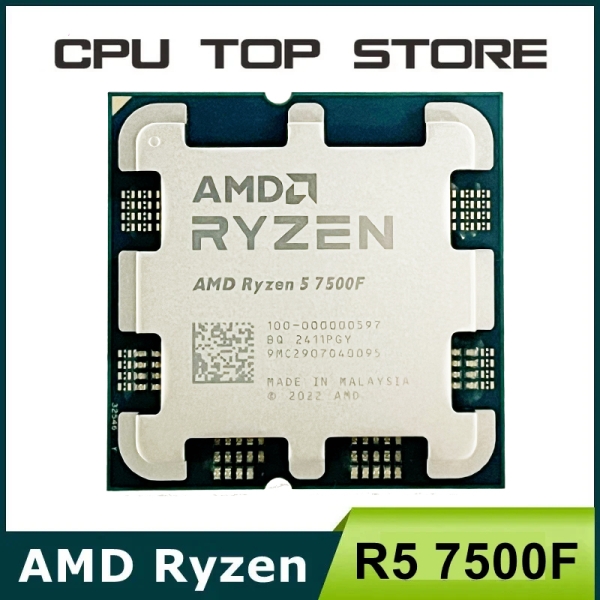
$339.14 | AMD Ryzen 5 R5 7500F 3.7GHz 6-Core 12-Thread CPU LGA AM5
 plucky timber
crimson zinc
https://pcpartpicker.com/list/gPwbzP
plucky timber
crimson zinc
https://pcpartpicker.com/list/gPwbzP
Part List - AMD Ryzen 5 9600X, Radeon RX 9060 XT, DIYPC ARGB-R1 ATX Mid Tower
almost at the $1000 mark
Even cheaper with 7500F
crimson zinc
I forgot to factor in 6 core
 fiery nova
https://pcpartpicker.com/list/bbxmHG
what part of my pc should i upgrade
Part List - AMD Ryzen 7 7800X3D, Radeon RX 7900 XTX, Phanteks XT PRO ATX Mid Tower
i want more fps
crimson zinc
None
You’re pretty set dawg
fiery nova
i get bad fps in d2 :/
 honest bronze
 fiery nova
yeah idk what to do
honest bronze
Would it be better to build this?
crimson zinc
honest bronze
Would it be better to build this?
It’s always better to build
crimson zinc
fiery nova
yeah idk what to do
You can get me more fps in d2
honest bronze
Hmm, its my first time tho so i am very scared about it getting messed up
crimson zinc
I’ll tell you the same thing I tell other people
It’s like legos
Everything has a place
honest bronze
Technic legos
crimson zinc
Basically
honest bronze
crimson zinc
Everything has a place
Im not scared abt building, the BIOS bs
And the Operating system is what im scared
crimson zinc
The bios is less scary than what people think
Just turn on xmp and chill
honest bronze
Dont even get me started on the Cables yo
crimson zinc
The OS is also fine, you can set it up automatically with a win10 license
honest bronze
crimson zinc
The bios is less scary than what people think
Just turn on xmp and chill
Hmm, and i think there are tutorials on it too like from a VR persoective lol
 plucky timber
What's with people building $2000 pcs and then skill issuing into getting bad performance
plucky timber
crimson zinc
It’s always better to build
not necessarily
in a market where the price in uncertain there are times where a laptop or prebuilt may be better value
Building is better most of the time (especially now)
but not always better
fiery nova
plucky timber
What's with people building $2000 pcs and then skill issuing into getting bad pe...
can you elaborate on this
im kinda dumb and want to learn more so
idk what im doing wrong to get bad performance
 calm tinsel
Looking for help with upgrading a 3 year old PC
fiery nova
pretty much i think

 snow dragon
fiery nova
pretty much i think
snow dragon
fiery nova
pretty much i think
But it is d2 specific right
crimson zinc
You give me the gpu, and replace the rest
fiery nova
the only game i play is d2 so idk
i get like 120 in cyberpunk
in dense areas
on high-ultra
fiery nova
i think thats normal idk
crimson zinc
D2 has issues sometimes with performance @fiery nova you’ll never get more than 200+ on most planets due to the game just being ass-coded
plucky timber
snow dragon
There are so many games out there bro
Mfw every game I play doesn't need the dgpu
fiery nova
crimson zinc
D2 has issues sometimes with performance <@1219622505631842357> you’ll never get...
ye ik like on neomuna its awful but im tryna do root of nightmares and im getting like 80 fps during 3rd encounter damage
crimson zinc
@calm tinsel what’s ya budget
fiery nova
i used to get like 165 all the time so idk what i did
calm tinsel
No real budget, just need it to work
crimson zinc
fiery nova
ye ik like on neomuna its awful but im tryna do root of nightmares and im gettin...
Yeah, my 1660super gets 70 on neomuna at high
It’s booty
snow dragon
fiery nova
i get like 120 in cyberpunk
what res
fiery nova
1440
snow dragon
Yeah thats about right
crimson zinc
calm tinsel
No real budget, just need it to work
Get a 4080 or 9070xt, upgrade the cpu to a 14600kf or something
calm tinsel
Do most mobos support most psus? If so, can most builds use any gpu?
crimson zinc
@calm tinsel the only thing you really need to focus on is the gpu upgrade and cpu upgrade
Maybe some ram upgrade if needed
calm tinsel
It’s a prebuilt so I feel like some parts are pretty shit
snow dragon
Idk if this will do anything but I would try verifying game files or maybe do a reinstall if that doesnt do anything
calm tinsel
I linked above
plucky timber
snow dragon
Idk if this will do anything but I would try verifying game files or maybe do a ...
Imagine if it's windows
snow dragon
Maybe a reinstall would be better but try verifying
fiery nova
snow dragon
Idk if this will do anything but I would try verifying game files or maybe do a ...
ye just verified still bad
crimson zinc
calm tinsel
I linked above
Send it again
calm tinsel
crimson zinc
<@652615447606460427> the only thing you really need to focus on is the gpu upgr...
Not psu?
snow dragon
fiery nova
ye just verified still bad
Try a reinstall
fiery nova
ight
plucky timber
To be fair windows alone is a performance hog
calm tinsel

 fiery nova
im on windows 10 still if thats hindering me
snow dragon
plucky timber
Imagine if it's windows
If it was windows he would have worse issues on other games too
plucky timber
True
calm tinsel
Amazon.com: CYBERPOWERPC Gamer Xtreme VR Gaming PC, Intel Core i5-11400F 2.6GHz, GeForce RTX 3050 8GB, 8GB DDR4, 500GB PCI-E NVMe SSD, WiFi Ready & Win 11 Home (GXiVR8060A12), Black
It’s this PC
plucky timber
At least he's on win 10
crimson zinc
calm tinsel
Oh god
fiery nova
i had this on the middle setting i just changed it idk if thatyll help
 crimson zinc
That’s… not good
calm tinsel
Why?
plucky timber
Why does that slider exist
snow dragon
Idk some windows things do nothing
I do not think the power modes do anything on desktop
fiery nova
 plucky timber
I swear on my old win 10 install that didn't happen
crimson zinc
calm tinsel
Why?
A 3050, 8gb of ram, etc etc
It’s just bad
fiery nova
ya desktop
plucky timber
Oh it's the weird not-control-panel settings menu
calm tinsel
crimson zinc
A 3050, 8gb of ram, etc etc
It’s just bad
Yup is what it is, that’s why I need to upgrade
It’s also been failing on me. It’s 3 years old
crimson zinc
@calm tinsel you’ll need a whole new rig tbh
calm tinsel
Bought it for 800 back then
crimson zinc
I’ll need like a general budget from you
plucky timber
It's not worth $800 back then
calm tinsel
Why though?
plucky timber
It's worth even less now
snow dragon
Honestly you could just get some more ram and a used gpu
plucky timber
I'd pay $600 max
crimson zinc
@calm tinsel I can make the same pc, with 64gb ram, a 8x better gpu; and a better cpu for the same price
plucky timber
Back in the day
crimson zinc
snow dragon
Honestly you could just get some more ram and a used gpu
Those pcs use thermaltake smarts more often than not
plucky timber
crimson zinc
<@652615447606460427> I can make the same pc, with 64gb ram, a 8x better gpu; an...
Eh
Not back in the day
calm tinsel
I just want this one to be usable and decent lol
I am planning to build a new pc for gaming
crimson zinc
calm tinsel
I just want this one to be usable and decent lol
Give us a budget limit
snow dragon
crimson zinc
Those pcs use thermaltake smarts more often than not
Oh I guess that is causing the power failures

plucky timber
calm tinsel
I just want this one to be usable and decent lol
Define usable and decent
No seriously
calm tinsel
Doesn’t crash playing basic games or browsing
plucky timber
Right
plucky timber
Define "last a while"
calm tinsel
I want to diagnose the crashes mainly
plucky timber
How long? Doing what?
plucky timber
calm tinsel
I want to diagnose the crashes mainly
First suspect is always windows
crimson zinc
calm tinsel
I want to diagnose the crashes mainly
Chances are, your ram, windows, gpu, or PSU is the fault
All need upgraded
plucky timber
Do a fresh installation of windows
calm tinsel
Ram is already upgraded
plucky timber
If that doesn't fix it then it's likely a hardware issue
crimson zinc
@plucky timber make him a list for like $800
snow dragon

calm tinsel
32 gb
crimson zinc

plucky timber
Let's figure out what's actually wrong with the thing
Before telling him to spend 800 entire dollars
calm tinsel
Yeah most components should be fine
snow dragon
It may be the power supply
calm tinsel
How do I run tests for this?
plucky timber
Process of elimination
There is no set procedure
It's on a case by case basis
I'd do a fresh install of windows first
plucky timber
Actually
Did you reset windows
Or did you wipe the entire partition and installed a brand new instance
calm tinsel
I tried to do this actually but it kept making me reinstall from a cloud version, it had no saved files or anything
plucky timber
Very important distinction here before resetting windows does not necessarily fix the issues with the OS
plucky timber
calm tinsel
I tried to do this actually but it kept making me reinstall from a cloud version...
Elaborate
calm tinsel
Should I delete the entire partition with windows on it?
plucky timber
Ideally yes
calm tinsel
Then which partition do I install the new on?
calm tinsel
Basically I installed the new version on the old version partition
snow dragon
calm tinsel
Then which partition do I install the new on?
When you boot into the installation media/iso, you just select the current partition and it will write over it
Or rather
It wipes it and does a fresh install
calm tinsel
I think that’s what I did
plucky timber
provided that you don't click the "upgrade existing install"
option
plucky timber
calm tinsel
I think that’s what I did
did you install it from a installation media iso
calm tinsel
Yup
calm tinsel
I mean you guys are telling me and everyone else has as well that the parts are shit
So it’s most likely something failing after 3 years, right?
plucky timber
Not necessarily
calm tinsel
Usb yes
plucky timber
right
snow dragon
The 3050 is low end but that doesnt mean it fails quicker
calm tinsel
And I have the kernel errors. Isn’t there just a simple error report that can tell us?
plucky timber
a hwinfo screenshot would be ideal
plucky timber
calm tinsel
And I have the kernel errors. Isn’t there just a simple error report that can te...
A screenshot of that would be helpful too
The next thing I do want to eliminate is unstable memory config
whether by mixing memory or the memory being faulty
calm tinsel


 plucky timber
er
calm tinsel
Hwinfo, that’s a program?
plucky timber
yes
calm tinsel
Ok. What do you need?
plucky timber
memory
snow dragon
Call me crazy but try updating the bios
calm tinsel
I did that as well (I think)
plucky timber
Did you?
calm tinsel
Walk me through?
 calm tinsel

 plucky timber
It's bad but it's not causing the issues
so it's irrelevant
right
the most likely suspects are the psu and motherboard
calm tinsel
This would be really help to me - what is the way to test:
- gpu health
- Cpu health
- Psu health…
Etc etc
I’m guessing none are simple otherwise it would be obvious
plucky timber
Indeed
it's not that simple
Here's the part where I tell you that you have to spend money
calm tinsel
Even with error reports and all this
I mean I’m fine with spending money, I just want to spend it right
And not replace something that’s working
snow dragon
What power supply is in the computer
 calm tinsel
Alr well which parts need upgrading most
calm tinsel
I need a whole new mobo??
plucky timber
a decent motherboard on LGA1200 costs more than a LGA1700 or AM5 for some god damn reason
It might be a decent idea to do a system upgrade at this rate
plucky timber
calm tinsel
Would be the causes
they still can be
calm tinsel
I am working on that but it’s also been difficult as someone recommended a tiny case
plucky timber
the motherboard and psu are just the most likely culprits
calm tinsel
And my first build
calm tinsel
I actually built the entire PC and it worked for 2 weeks then stopped working
The graphics card was so massive that it barely fit and also couldn’t be screwed in
Waiting on a new case to come in
calm tinsel
plucky timber
what's going on here
I have 2 PCs and trying to fix the older one
I mean…ideally
snow dragon
Yo
calm tinsel
I paid a lot for it
snow dragon
What psu you got
plucky timber
at this point it's more of a question of cost effectiveness
I'd go for a used b460 motherboard on ebay
calm tinsel
 calm tinsel
(I think)
crimson zinc
I’m thinking it’s the motherboard
plucky timber

eBay
Get the best deals for B460 at eBay.com. We have a great online selection at the lowest prices with Fast & Free shipping on many items!
plucky timber
eBay
Get the best deals for B560 at eBay.com. We have a great online selection at the lowest prices with Fast & Free shipping on many items!
look for something decent
doesn't have to be the exact same mothebroard
(the mobo they give you in prebuilts are usually dogshit because system integraters have a resistance to giving you a good pc that lasts)
calm tinsel
So all that matters is that…the mobo works with the psu?
plucky timber
It's not that kind of prebuilt
calm tinsel
And the psu can power the gpu properly?
plucky timber
it's not proprietary
it will work

eBay
This motherboard has been tested, cleaned and is perfectly functional. - All M.2 ports. - Connects to internet with Wifi if applicable. - USB Ports connect properly.
this looks decent
oh wait it's a ds3h
ehhh
lower end board
calm tinsel
What causes problems with compatibility is what I’m asking
What are the main issues?
plucky timber
compatibility with what?
calm tinsel
All the parts
plucky timber
That is a very broad question
plucky timber
still way too broad
calm tinsel
I’m asking what determines compatibility
Not for a build
Like what do I need to look out for
plucky timber
too many things to list
calm tinsel
Can I slap a 4k dollar gpu on any old mobo?
plucky timber
you need to be specific for me to provide any sort of answer
plucky timber
calm tinsel
Can I slap a 4k dollar gpu on any old mobo?
technically yes
the motherboard wouldn't be the problem here
calm tinsel
What would be?
calm tinsel
I don’t have specifica
plucky timber
what gpu? what are the specifications of the rest of the computer?
calm tinsel
And I don’t need them, just a general idea of what causes issues
plucky timber
It's a simple answer if we had more details
calm tinsel
😂 I don’t have details, I’m wondering generally what causes compatibility issues
In parts picker
It shows me this
plucky timber
that would really just depend

 plucky timber
Parts may not fit together
the cpu cooler may get in the way of the ram
or the case is too small
calm tinsel
Right but then the whole point of parts picker is to show compatible parts
It’s a bit confusing
stoic island
pcpp shows you what it can easily check with scraping data off websites
plucky timber
pcpartpicker doesn't tell you everything
stoic island
some stats are hard to scrape
calm tinsel
And even when I put in the mobo, it barely filters anything at all
stoic island
because it's not listed on the product page
stoic island
calm tinsel
And even when I put in the mobo, it barely filters anything at all
other than the CPU, mobo doesn't restrict you much at all
PCIe is a pretty universal standard
stoic island
every part restrict a little bit of something else
calm tinsel
Or has restrictions rather
stoic island
mobo restricts a bit of what CPU and ram you can put in
mobo sometimes restricts what case
case restricts what GPU
case can restrict what PSU
GPU can restrict what PSU
ram can sometimes restrict what CPU cooler
case restricts what CPU cooler
plucky timber
this is why I started recommending the RK120 over the PA/PS120
ram clearance is handy
plucky timber
I assume restrictions do not refer to bottlenecks
because that's a whole other can of worms
stoic island
tbf you're not going to run into ram clearance issues with most ram unless you're grabbing some ridiculous looking ram :p
or corsair
plucky timber
stoic island
tbf you're not going to run into ram clearance issues with most ram unless you'r...
true
stoic island
Uncheck compatibility filter and see
calm tinsel
Which one?


This is what I’m trying to upgrade/improve. Any obvious upgrades?
@stoic island @snow dragon
 gusty walrus
yo, i am planning on installing 3 fans at the top of my pc. My motherboard already has a hub on the back where everything plugs into. I only have space for 2 more fans as it says led-4, fan-4, led-5, fan-5. The fan ones are 4 pins and the led ones are 3 pins. I bought some 3 to 1 splitters to make room for the last fan and i realized that the part that plugs into the hub has 4 holes and the part where the 3 fans are supposed to connect are different. Only one of the ports is 4 pins and the other 2 are 3 and it looks like one is missing. Can I make these work or do i need to buy more splitters meant only for fans?
stoic island
gusty walrus
yo, i am planning on installing 3 fans at the top of my pc. My motherboard alrea...
3 pin ARGB is completely different from 4 pin pwm, they aren't electrically compatible or physically compatible, there should be a small plastic lip thing that stops you from plugging it in. The fan-4 and fan-5 headers should be 4 pin pwm, and led-4 and led-5 should be 3 pin ARGB (unless the hub is 4 pin RGB, completely different too)
When you're using 4 pin pwm splitters, often times, only 1 of the split output has all 4 pins, and the others have 1 pin missing, which is the pwm pin, since pwm data from only one fan could be sent through the pin.
stoic island
calm tinsel
This is what I’m trying to upgrade/improve. Any obvious upgrades?
What problems do you have with it, where do you need more performance?
gusty walrus
stoic island
3 pin ARGB is completely different from 4 pin pwm, they aren't electrically comp...
Alr so the ones i have now will work for the fans im assuming. I also bought some more splitters that are meant for argb that are arriving today.
 random rapids
Can someone help me I have a rog strix x570-e moederbord trying to instal the Bluetooth drivers on windows 11 bud it just won’t install the damn drivers. Tried older drivers and it still won’t work
snow dragon
Well it would be nice if the 9070 xt was actually 600
snow dragon
Unfortunately amd has other plans
honest bronze
i gotta be a prostitute for this gpu market yo
 covert vapor
🤨
snow dragon
fr
 snow dragon

ASRock Challenger Radeon RX 9070 16 GB Video Card (RX9070 CL 16G)
honest bronze
is the 5070 12GB better than the 5060 ti 16gb chat?
honest bronze
snow dragon
https://pcpartpicker.com/product/KXkqqs/asrock-challenger-radeon-rx-9070-16-gb-v...
can i suck u off?
snow dragon

honest bronze
snow dragon
https://pcpartpicker.com/product/KXkqqs/asrock-challenger-radeon-rx-9070-16-gb-v...
is this a better daddy than big 5070 12gb ?
snow dragon
By just a little bit, but there are many 5070s for 550
honest bronze
hmm
snow dragon
But if you are the type to keep the gpu for a while, this should last longer
honest bronze
im prob gone switch every generation or 2-3 years so not too long lol
can i make a part list and send it to u and see if its good enough for 1440p gaming? in triple AAA games and is it future proof?
covert vapor
Every gen is going to get expensive quick
covert vapor
 honest bronze
Part List - AMD Ryzen 7 7800X3D, GeForce RTX 5070, Corsair 3500X ARGB ATX Mid Tower
is this good?
honest bronze
Lol
snow dragon
Part List - AMD Ryzen 7 7800X3D, Radeon RX 9070, Phanteks XT PRO ULTRA ATX Mid Tower
covert vapor
Silicon Power has a set of RAM, looser timings but CL 30 and $10 cheaper
weary galleon
honest bronze
is the 5070 12GB better than the 5060 ti 16gb chat?
Yes
Techpowerup has the 5070 at 40% faster
The 5060ti is a dookie card
covert vapor
The SK Hynix Platinum P41 is also $10 more expensive and has DRAM. If you are going to go entry level on the SSD, really go entry level with the cheaper ones like Silicon Power
Better yet, the Spatium M461 is 99.99 for 2tb
 spring hedge
can someone send me a good pc list for like $1500 max price?
honest bronze
Hmm Bett thanks! Paired with a 7800X3d is it good?
honest bronze
weary galleon
Techpowerup has the 5070 at 40% faster
Hmm Bett thanks! Paired with a 7800X3d is it good?
@weary galleon
plucky timber
snow dragon
https://pcpartpicker.com/list/JMvpLc
Eh
Part List - AMD Ryzen 7 7800X3D, Radeon RX 9070, Montech XR Wood ATX Mid Tower
Around $40 cheaper for practically the same thing
@honest bronze
covert vapor
Keep in mind there is a $10 mail in rebate, so if you go with that case remember to do that
plucky timber
I changed the case again whoops
honest bronze
plucky timber
https://pcpartpicker.com/list/M2T6gn
That 9070 is lookin sexy ngl, some people have said its better than the 5070 12gb that i originally wanted so
 fallen sphinx
plucky timber
https://pcpartpicker.com/list/M2T6gn
fallen sphinx
plucky timber
https://pcpartpicker.com/list/M2T6gn
9070xt is 712/730 rn
fallen sphinx
if you get a 9600x youll be at like 1400 with it
honest bronze
budget is 1500$ and it seems like its good right?
covert vapor
Is that 1500 before or after tax
honest bronze
prob before
fallen sphinx
Part List - AMD Ryzen 5 9600X, Radeon RX 9070 XT, Montech XR Wood ATX Mid Tower
plucky timber
Part List - AMD Ryzen 5 9600X, Radeon RX 9070 XT, SAMA 3509 ATX Mid Tower
Mine is cheaper
plucky timber
From a functional perspective they don't really add much
Personally I wouldn't spend the $40 extra
fallen sphinx
plucky timber
Personally I wouldn't spend the $40 extra
its... 24 extra...?
honest bronze
i mean ay mane, if its ugly. I got a hardwood floor that i can place that bad boy on
plucky timber
$1462 vs $1428
plucky timber
Yeah ofc I'm talking combined
From a performance perspective they'll perform the same
So that's $34 entire dollars saved for the same thing
Plus this is a 9600x
And if you still wanted to go for an X3D
The cooler can handle a 9800X3D fine
honest bronze
https://pcpartpicker.com/list/LN9bzP u can always get a cheaper case and go 64Gb for more gooner tabs ig
Part List - AMD Ryzen 5 9600X, Radeon RX 9070 XT, Phanteks XT PRO ATX Mid Tower
fallen sphinx
honest bronze
https://pcpartpicker.com/list/LN9bzP u can always get a cheaper case and go 64Gb...
pleasde god no
plucky timber
Get two sticks
plucky timber
DDR5 is unstable with four dimms
honest bronze
ik lmao chill im joking
plucky timber
And also corsair vengeance are pretty much the worst kit on the market
honest bronze
plucky timber
DDR5 is unstable with four dimms
ive heard the bios puts its mad slow
honest bronze
plucky timber
And also corsair vengeance are pretty much the worst kit on the market
really? huh
fallen sphinx
plucky timber
And also corsair vengeance are pretty much the worst kit on the market
idt ik of worse
fallen sphinx
honest bronze
really? huh
youre gambling weather they work or not
fallen sphinx
plucky timber
What
"i dont think i know of worse"
covert vapor
Ymmv for after tax numbers, but if I bought that the tax is 9.75%, so Boomer's is $1567.35 and quok's is $1605.24 after tax if at 9.75%
plucky timber
fallen sphinx
youre gambling weather they work or not
To be fair they're less atrocious on DDR5
But they're still by far the worst kits
fallen sphinx
plucky timber
To be fair they're less atrocious on DDR5
still
plucky timber
fallen sphinx
"i dont think i know of worse"
Thanks
fallen sphinx
btw do you know about water cooling stuff
plucky timber
Depends
fallen sphinx
ggood aint on
plucky timber
I know about how they generally perform
fallen sphinx
plucky timber
Depends
i need to know what tubing, coolant and res to get
plucky timber
honest bronze
https://pcpartpicker.com/list/LN9bzP u can always get a cheaper case and go 64Gb...
If you wanted 64GB I'd recommend getting a 2x32GB kit

Patriot Venom 64 GB (2 x 32 GB) DDR5-6000 CL30 Memory (PVV564G600C30K)
honest bronze
so do you guys think that the 9070 XT 16GB is better than the 5070 12GB model? atleast for long term (3-5 years till upgrade)
plucky timber
Cheapest 6000CL30
plucky timber
honest bronze
so do you guys think that the 9070 XT 16GB is better than the 5070 12GB model? a...
By quite a bit actually
Unless you're talking about ray tracing
honest bronze
is DLSS worth it? to go over to Nvidia or will FSR Suffice?
plucky timber
I mean
fallen sphinx
honest bronze
so do you guys think that the 9070 XT 16GB is better than the 5070 12GB model? a...
oh absolutely
fallen sphinx
honest bronze
is DLSS worth it? to go over to Nvidia or will FSR Suffice?
FSR4 is great, redstone might be on par with DLSS too
plucky timber
So I use the igpu most of the time without DLSS/FSR