#building-and-recc-chat
1 messages · Page 352 of 1
 marsh kiln
 rain carbon
at that point watch a "how not to pirate tutorial"
 weary galleon
marsh kiln
What are some nice looking rgb white fans for a decent price? Need 9 of them
weary galleon
marsh kiln
What are some nice looking rgb white fans for a decent price? Need 9 of them
Thermalright c12c something
One sec
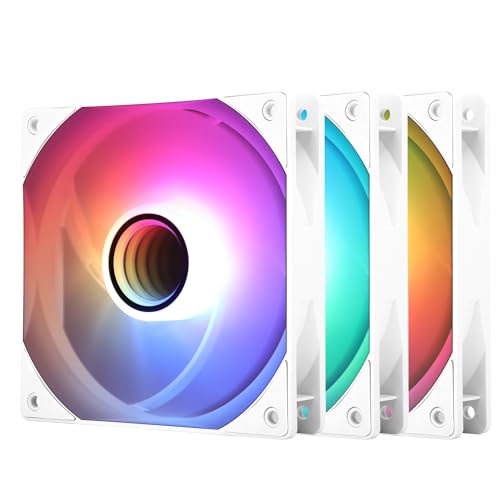
Thermalright TL-C12W-S V3 X3 66.17 CFM 120 mm Fans 3-Pack (TL-C12W-S V3 X3)
rain carbon
Thermalright and arctic got your back
 tender apex
is the rx 7600 xt better than the 6700 xt?
 lone flame
tender apex
is the rx 7600 xt better than the 6700 xt?
lone flame
tender apex
is the rx 7600 xt better than the 6700 xt?
6700 XT out performs it iirc
tender apex
is it by a crazy margin?
 wide drum
pretty sure it depends on resolution, ray tracing, cpu, settings, etc
lone flame
 tender apex
better than the 7600 xt by 8%
lone flame
tender apex
better than the 7600 xt by 8%
what resolution r u at
tender apex
1920x1080
lone flame
tender apex
1920x1080

id watch some reviews about it as well, but imo id pick the 6700 XT
unless you need the vram
marsh kiln
weary galleon
https://pcpartpicker.com/product/PbV2FT/thermalright-tl-c12w-s-v3-x3-6617-cfm-12...
Just looking at them, is 1550rpm low though?
 bitter lodge
Hello
tender apex
lone flame
id watch some reviews about it as well, but imo id pick the 6700 XT
Mainly just getting a new gpu for marvel rivals
weary galleon
marsh kiln
Just looking at them, is 1550rpm low though?
Some fans go to like 2000 but you probably don't wanna run em that high anyways cause it's loud
lone flame
tender apex
Mainly just getting a new gpu for marvel rivals
Marvel Rivals fps gameplay & Benchmarks.
Don't forget to like and subscribe!! // No olvides dar me gusta y suscribirte!! 🤖
Specs & Settings:
Driver 24.12.1, Low settings, 1080p.
AMD RYZEN 5 5600X
MSI Radeon RX 6700 XT
Corsair Vengeance RGB Pro 32gb (2x16)
Motherboard Aorus B450 PRO WIFI
Samsung 980 pro ...

25% OFF use our code: "jegs" to get a very affordable Windows/Office key at gvgmall.com!
Win10 pro: https://www.gvgmall.com/gvg/win10procdkey
Win11 pro: https://www.gvgmall.com/gvg/win11-pro-cdkey
Office2021 pro: https://www.gvgmall.com/gvg/MSOffice-2021-Pro-Key
Parts Used:
CPU: Ryzen 7 7800x3D -
Amazon: https://amzlink.to/az0Dh74lWZ7GN
Bestb...
tender apex
lone flame
https://youtu.be/1Kp28SLjwSQ?si=6u1xw3hS8QMx89Zk
im already seein them get 150fps
i WILL be buying the rx 6700 xt
already get a weird amount of fps spikes and drops
bitter lodge
I am building a new PC I got a on sale 1-5 14400 for 120, a A770 after sale and discounts for 200, 2TB Samsung NVME pulled because I upgraded the Ps5, Thermal lake 650PSU and a ASrock B660M Motherboard any other recommendations?
weary galleon
6000mhz cl30 ram
tender apex
bitter lodge
I am building a new PC I got a on sale 1-5 14400 for 120, a A770 after sale and ...
how much ram do u have?
bitter lodge
16GB of 3200MT DDR 4
tender apex
thats solid imo
weary galleon
Is the mobo a ddr4 board?
bitter lodge
Yes B-660 is only comp with DDR4
bitter lodge
I saw the GPU and CPU on sale at dirt cheap
bitter lodge
weary galleon
If you haven't bought already I'd go ddr5
Its from a friends rig he upgraded right off the bat to 32GB and had two shims of unused 16Gb
weary galleon
I mean if you haven't bought the mobo yet
bitter lodge
No
weary galleon
Those CPUs can use either ddr4 or ddr5 but the perf is better on ddr5
bitter lodge
I have the CPU and GPU with SSD
 stoic island
Some B660 boards will support ddr5 only, some support ddr4 only
You'll be able to finder cheaper b760 boards with ddr5 support if you could go for ddr5
bitter lodge
How much cheaper?
stoic island
B760 ddr5 boards are around the same price as B660 ddr4 boards, it's just that B660 ddr5 boards are a bit scarce now and the prices are high on those
bitter lodge
I have seen about 90-100 for the board
 potent portal
You'll sacrifice up to about 10-15% of the CPU performance by using DDR4 instead of DDR5 with the 14400
Some games don't care about the memory speed but those that do, care a lot
bitter lodge
Thanks
 dusky hearth
even at a cheaper price i wouldnt want to support adobe
because the cheaper price would still be expensive for the countries that the price is lowered in
adobe does not care about the little guy
they will continue to price gouge
 severe matrix
hey guys, i got a question? Is the Phantom Spirit 120SE the best or one of the best budget air coolers? i saw Gamer Nexus's video, but he only measures the Peerless Assassin and not the new model (the Spirit)

Also, the Artic Freezer 36 seems to be better, but its running at 1612 RPM, meaning its gonna be way louder than 1092 RPM?
 analog hearth
severe matrix
hey guys, i got a question? Is the Phantom Spirit 120SE the best or one of the b...
analog hearth
severe matrix
hey guys, i got a question? Is the Phantom Spirit 120SE the best or one of the b...
iirc it's basically the Hyper 212 Evo of the current decade
Too new to know what that means? Basically, yes, it's a very good budget option
I think from what I’ve researched it can even cool my 13700K if it came down to that
weary galleon
severe matrix
hey guys, i got a question? Is the Phantom Spirit 120SE the best or one of the b...
Spirit has an extra heatpipe so if anything it will be better
Granted the peerless assassin already has 6 pipes so idk how big a difference the 7th makes
weary galleon
severe matrix
Also, the Artic Freezer 36 seems to be better, but its running at 1612 RPM, mean...
Those results are noise-normalized, meaning each cooler was set to whatever rpm resulted in 25dba
Also the phantom spirit is on there
analog hearth
severe matrix
Also, the Artic Freezer 36 seems to be better, but its running at 1612 RPM, mean...
The loudness really depends on the design of the fans. I'd check for reviews regarding each cooler to see what you prefer (check for things like noise levels and how well they each cool, which I guess the latter you've already discovered)
weary galleon
The loudness is right there in the chart. Both are 25dba
analog hearth
I'm blind
analog hearth
It's Firefox's "Press the Esc. button to leave fullscreen view" or whatever it says
This lol
 severe matrix
weary galleon
Those results are noise-normalized, meaning each cooler was set to whatever rpm ...
severe matrix
weary galleon
Those results are noise-normalized, meaning each cooler was set to whatever rpm ...
ah ok tysm guys
so wait
Artic Freezer 36 Black then? since same db level?

ARCTIC Freezer 36 - Single-Tower CPU Cooler with Push-Pull, Two Pressure-optimised 120 mm P Fans, Fluid Dynamic Bearing, 200–1800 RPM, 4 Heatpipes, incl. MX-6 Thermal Compound
analog hearth
holy URL
severe matrix
mb lol
analog hearth
For future reference: for most links, you can delete everything after the question mark and it'll still work
So basically this is leads to the same result
https://www.amazon.com/ARCTIC-Freezer-Single-Tower-Push-Pull-Pressure-optimised/dp/B09VG6NBSJ
ARCTIC Freezer 36 - Single-Tower CPU Cooler with Push-Pull, Two Pressure-optimised 120 mm P Fans, Fluid Dynamic Bearing, 200–1800 RPM, 4 Heatpipes, incl. MX-6 Thermal Compound
weary galleon
Personally I'd opt for a thermalright dual tower over that
severe matrix
rlly wait y
artic 36 got best temps
does dual tower have lower sound etc?
or smth
weary galleon
Yeah idk how I feel about a single tower beating dual
Also the Arctic duals are like $35-40 so not any more expensive
severe matrix
hm true idk how it did that
analog hearth
Technically if you have two fans each attached to two different heat sinks on a single cooler, technically it can be quieter because the fans don't need to spin as fast to cool each tower
analog hearth
Not if they're from reputable sources
Yeah I'd trust GN
Probably the best reviewer there is other than Hardware Unboxed
severe matrix
i see
What's a good Artic Freezer dual tower then
not 36 right? since its single
weary galleon
I want to trust GN but my knowledge of physics wants to question that chart
analog hearth
I personally wouldn't know. Unless a techie says here otherwise, I'd just stick to reviews and see what's good
severe matrix
double > single
analog hearth
Reddit also can nerd out a response for you if you wanted
severe matrix
right?
analog hearth
yes
 weary galleon
One of these 3
 analog hearth
Yeah I've been thinking about getting a Phantom Spirit for a (secondary) 13700K build
Also, what CPU are you pairing either of these coolers with?
severe matrix
analog hearth
Also, what CPU are you pairing either of these coolers with?
5700x3d
analog hearth
Basically all I'm seeing is that these coolers are at a worst-case scenario (that is, paired with a 14900KF) and these two options are still under 70C
Yeah for a 5700X3D, I'd just pick whichever you think looks best lol
severe matrix
gotchu
analog hearth
That 5700X3D gets nowhere near as hot as the 14900KF that's being used for that graph
severe matrix
and spirit > assassin right
https://www.amazon.com/ARCTIC-MX-4-2019-Performance-Durability/dp/B07L9BDY3T
also this some good thermal paste?

ARCTIC, a leading manufacturer of low-noise PC coolers and components, initiated and continues to shape the trend towards quiet cooling systems. In addition to an extensive range of CPU coolers and fans, ARCTIC produces high-quality monitor arms, wall mounts, thermal paste as well as thermal pads...
analog hearth
Yeah if it fits in your case and if you think it looks better. You can't go wrong with it with that CPU
weary galleon
You could even do a $17 thermalright single tower cooler, that's what I have on my 5700x3d lol
weary galleon
severe matrix
https://www.amazon.com/ARCTIC-MX-4-2019-Performance-Durability/dp/B07L9BDY3T
al...
Yup
analog hearth
Somebody might say something different but Thermal Grizzly Kryonaut isn't a bad compound
weary galleon
severe matrix
just gettin double cuz y not
Yeah also means you can use it on a hotter cpu in the future
severe matrix
Artic vs Grizzly, thoughts?
severe matrix
weary galleon
Yeah also means you can use it on a hotter cpu in the future
true
analog hearth
ngl idk the difference
weary galleon
I think mx4 is fine
analog hearth
Even the stock thermal compound that came with my gf's AIO cools the CPU at ~30-35C at idle
severe matrix
 potent portal
analog hearth
Somebody might say something different but Thermal Grizzly Kryonaut isn't a bad ...
potent portal
analog hearth
Somebody might say something different but Thermal Grizzly Kryonaut isn't a bad ...
There's a new one too, duronaut for long life
analog hearth
analog hearth
Somebody might say something different but Thermal Grizzly Kryonaut isn't a bad ...
Yeah it might've been Hydronaut and not Kryonaut*
weary galleon
You might see a degree or two of difference between pastes but you already will have an overkill cooler
potent portal
MX-5 is discontinued, replaced by MX-6
analog hearth
potent portal
There's a new one too, duronaut for long life
I think that's what I bought for my gf but I ended up using the stock Lian Li thermal compound anyways lol
severe matrix
potent portal
There's a new one too, duronaut for long life
Artic MX-6 vs Duronaut, thoughts?
analog hearth
Duronaut probably
potent portal
I haven't seen any benchmarks but I'd go duronaut just so it lasts longer without worrying about drying out
severe matrix
https://www.amazon.com/Thermal-Grizzly-Performance-Conductivity-Overclocking/dp/B0DSTWDYD2
this one right?

Duronaut is a high-end thermal paste that delivers outstanding thermal conductivity and exceptional long-term stability for PC enthusiasts, gamers, and professional system builders. Named after the word “durability,” Duronaut lives up to its promise of extreme longevity. Its advanced formulation ...
this the cheapest
analog hearth
Yeah that
severe matrix
ty guys
marsh kiln
weary galleon
Some fans go to like 2000 but you probably don't wanna run em that high anyways ...
Sounds good thank you
marsh kiln
dusky hearth
even at a cheaper price i wouldnt want to support adobe
because the cheaper pric...
Fair point
severe matrix
https://www.amazon.com/gp/product/B07GJGF56L?smid=A2T6N244WTLWGU&th=1
thoughts on the ARCTIC P12 PWM PST case fans? can only use 120mm

ARCTIC offers innovative solutions incessantly - changing impossible user requirements into new. Always focused on our customers, ARCTIC is devoted to deliver excellence through a strong dedication and a high sense of commitment. In light of the ever-changing consumer landscapes, we aspire to con...
 languid nimbus
Arctic usually great
severe matrix
languid nimbus
Arctic usually great
👍
severe matrix
u guys think that buying high refresh monitors like 360hz+ is even worth, even for competitive games?
usually, you would be used to playing on high fps right, (360fps), but in comp games, there usually times when the fps drops heavily
wouldnt your aim be affected a lot since your so used to high fps?
if so, would it be better to get a refresh rate (mybe 240hz), that would match the 1% lows of games just to play more consistently?
 severe hull
@mossy venture

 delicate rivet
anyone know how I can improve this or get anything for cheaper
prices seem scuffed rn
Part List - AMD Ryzen 7 7700, Radeon RX 7900 XT, Montech XR ATX Mid Tower
potent portal
severe matrix
u guys think that buying high refresh monitors like 360hz+ is even worth, even f...
That's what variable refresh rate (aka FreeSync, Gsync) is intended to fix. Reduced tearing and latency when frame rate drops.
severe matrix
potent portal
That's what variable refresh rate (aka FreeSync, Gsync) is intended to fix. Redu...
oh i see, so wait, having 240fps on a 360hz monitor feels the same as 360fps on 360hz?
potent portal
Humans usually can't tell the difference between those frame rates anyway
 crimson zinc
https://pcpartpicker.com/list/Zg9RqH
@delicate rivet
Part List - AMD Ryzen 7 9700X, Radeon RX 7900 XT, SAMA 3509 ATX Mid Tower
Over budget, but get some parts used and you’ll be fine
potent portal
What it means is you don't get incomplete frames and stutter when fps drops
severe matrix
potent portal
What it means is you don't get incomplete frames and stutter when fps drops
what i meant was like, you’ll always drop fps in games, so you would feel a difference between 360fps and 240fps right
people say they feel a big difference so idk about them tho
Gysnc and the like does help in tearing etc.
But my question is is there any point in getting a high refresh rate monitor if you’re gonna drop fps in games with high-load areas
You’ll feel a difference big enough that it could affect your aim and stuff, since you’re so used to 360fps on 360hz? now it dropped to 240fps and it feels different?
Would it be better to just stick with 240hz monitor to ensure that you always have 240fps and your feel of the game is consistent?
 zenith cargo
um my FiiO k5 is displaying a red light
I unistalled it from device manager because I was having problems
not its just red
and cant hear nun
 plucky timber
severe matrix
people say they feel a big difference so idk about them tho
plucky timber
severe matrix
people say they feel a big difference so idk about them tho
It depends from person to person
For me I just play at 60 (90 for fps games) so my laptop doesn't scream when I'm at 300Hz
I'd say it's noticable
But I'd also weight it against cost
The hardware requirement to sustain 360 fps is quite a bit higher than 240
Now, on competitive games you're probably playing on competitive settings too so it's kinda irrelevant
But it's still something to think about
stoic island
Check perfcapreason
Oh right it's Nvidia only, have to just eyeball temps and voltage and power draw and see what's the limitation

 broken barn
Chat, is there anything special i gotta do when building this pc, or do i literally just build it and thats it.
Part List - AMD Ryzen 7 9700X, Radeon RX 9070, Phanteks XT PRO ULTRA ATX Mid Tower
 serene onyx
Hey guys
I need help

Is this worth it?
I got 3 free 1tb m.2 sata drives
And I really don’t wanna spend 60$ for an actual nvme.
serene onyx
Yeah
plucky timber
Yes
serene onyx
Let me try
Taking out the ol motherboard
Oh crap
Wow
It does fit
Will it work normally?
plucky timber
When you asked for an adapter I thought you had 2.5" ssds
plucky timber
serene onyx
Will it work normally?
Yes
serene onyx
plucky timber
Yes
AWESOME SAUCE
ok going to put one in my main system now
Awesome now I can use all 600 m.2 drives
plucky timber
If the ssd has a B+M key it can work generally
For m.2
If if fits in the slot
It probably works
plucky timber
If it fits
Generally if it's incompatible they make it so that it won't even fit in the slot
serene onyx
@plucky timber
How do I make it show u
Up
Or format it
For my pc
Partitions?
serene onyx
Ok bet
 jaunty acorn
Anyone else unable to open Adrenaline Engine even with running it as administrator?
 fossil cedar
jaunty acorn
Anyone else unable to open Adrenaline Engine even with running it as administrat...
fossil cedar
jaunty acorn
Anyone else unable to open Adrenaline Engine even with running it as administrat...
Try reinstalling the drivers probably a bad install
When installing the drivers again click the clean install option
 jolly riverBOT
DDU (Display Driver Uninstaller) Guide by Pato
https://github.com/NeweggTechie/Graphics-cards/wiki/How-to-use-DDU

GitHub
Contribute to NeweggTechie/Graphics-cards development by creating an account on GitHub.
 cyan ravine
Use this to reinstall
analog hearth
Uninstall* You'll still have to go and download the latest drivers and install those
analog hearth
jaunty acorn
Anyone else unable to open Adrenaline Engine even with running it as administrat...
Are you trying to launch it while in a game?
If not, then yeah just run DDU and install the latest drivers
severe hull
Very near first startup this is my first startup on a new PC. When I built my sons PC I used his existing ssd so everything essentially was there windows etc etc. so with a completely new build what do I expect ?
 hoary aspen
i need Build PC for CPU AMD for GPU NVIDIA
dusky hearth
severe hull
Very near first startup this is my first startup on a new PC. When I built my so...
I would recommend using or making an autounattend file and putting it in the installation usb
So you can skip the ms account stuff
Here's one premade
severe hull
So put that on a Usb and simply start up
analog hearth
hoary aspen
i need Build PC for CPU AMD for GPU NVIDIA
Nvidia is in a hot spot rn. Is there a specific reason you need Nvidia?
potent portal
severe hull
So put that on a Usb and simply start up
You put it on the Windows installation USB, which is made before adding that file to it. Then the file directs the installer to do and not do certain things, which I listed in that post.
 snow dragon
I want to add a 120 back here because I can fit one. Should I attach it to the cooler or the back of the case

If I attach to the cooler there is a small gap between the fan and the case
dusky hearth
I'd say cooler
jaunty acorn
fossil cedar
Try reinstalling the drivers probably a bad install
AMD just released a new driver so hopefully that fixes it
snow dragon
dusky hearth
I'd say cooler
I didnt put it on yet but removing the 92 actually lowered temps a little bit which is really interesting
Oh the next board im getting has a shield over the io so a 120 wouldn’t fit back there
Hmm
I tried fitting a fan in front but the front usb cable gets in the way
Man this tl b12 is weird
Weird hum when I have the front side on the heatsink, a different hum when the rear is on the heatsink
Maybe should have gotten the p12 for my tower
snow dragon
Nvm what I was hearing was actually the 92mm
Crazy
As long as you dont have the b12 behind a finstack its really quiet
We love doing unnecessary cooling optimization
snow dragon
snow dragon
Nvm what I was hearing was actually the 92mm
False there still is a pingy resonance
analog hearth
snow dragon
I want to add a 120 back here because I can fit one. Should I attach it to the c...
You can put two more fans on this cooler lol
One on each side
snow dragon
analog hearth
You can put two more fans on this cooler lol
Rear is only an option if I stay on am4 which eventually I wont
I have to reroute my usb and sata cables to fit one on the front
analog hearth
Oh gotcha
snow dragon
I think im returning this fan tho
People in the reviews were right
There is some resonance this fan has
analog hearth
Ew yikes
snow dragon
Hope the normal p12 doesnt have that
snow dragon
analog hearth
Ew yikes
It can move air but at a certain rpm range some resonance comes out
I wonder if I could get a second one and have them at a lower rpm to avoid that
If it happened at a higher rpm then I wouldnt care, but it happens somewhere around 50-60% which sucks because thats where I think a lot of people have their fans set to
weary galleon
snow dragon
I want to add a 120 back here because I can fit one. Should I attach it to the c...
I think best would be on the front of the cooler, but idk if you're going for asthetics and don't want that
weary galleon
snow dragon
Hope the normal p12 doesnt have that
Pretty sure the P12s are known to have a whine at certain rpm
snow dragon
Cheap fan issues 
My brother got a p12 max 5 pack and one of them was a dud that was relatively noisy
Maybe I should get another max and hope it doesnt have the same issues? Some people also had some resonance with theirs too
 real flicker
72 degrees with a 5800x3d and a maybe 4-5 year old aio is there concerning? thats just loading monster hunter wilds
real flicker
true but thats only at 60% utilisation
 mossy venture
Don't trust task manager
real flicker
its amds software?
snow dragon
real flicker
72 degrees with a 5800x3d and a maybe 4-5 year old aio is there concerning? that...
Whats the temp on other stuff
mossy venture
real flicker
its amds software?
Could still be measuring the number of cores being used instead of the actual usage
snow dragon
Yeah not all load is the same
real flicker
tbf only just noticed it only monster hunter so far havent looked at others
real flicker
i quite like it so far aha
least buggy new game launches ive had in a while though im used to tarkov so anything is less buggy then that lol
my Masterliquid Lite 240 still going strong then people seemed surprised that its lasted this long
 frosty ore
Currently running (mainly for gaming@1080p):
Intel I5 10400F
Nvidia RTX 3070 Ventus 3X OC
Corsair 3200 DDR4 2x8GB RAM
ASUS Prime Z490M-Plus
Seasonic 650W
I started noticing performance drops on newer games which probably are due to my cpu/ram.. I’m going to swap the current ram for 32gb ddr5, but am uncertain of the CPU. I was thinking of getting a 5800x3d but assume I might as well get a motherboard upgrade as well. Any suggestions on what motherboard would be decent price/value for this setup?
stoic island
You will need a new mobo if you want to upgrade to ddr5, the mobo choice is going to depend heavily on what CPU you get
Also, 5800x3d is ddr4 only
7800x3d/9800x3d etc will be ddr5
frosty ore
Thanks! I’ll have a look at both these options!
severe hull
Thanks all especially @mossy venture
 snow dragon
weary galleon
Pretty sure the P12s are known to have a whine at certain rpm
snow dragon
weary galleon
Pretty sure the P12s are known to have a whine at certain rpm
Should I get a tl-c12 and a p12 and see which is better
Idk kinda tired of returning stuff amazon probably hates me rn
weary galleon
I'd just lookup and see if the c12 has whine
 formal girder
Personal experience I’ve had a few bearings going out on the arctic p12s and does whine but so far from me and my partners experience with c12c has been pleasant and no issues yet
Tho little bit noisier but not a whine
snow dragon
Forgot to bring it up
Something interesting about the b12 is that the pingy resonance only happens when changing rpm around 50-60%
Its not as bad when it sits at a certain rpm
 fresh stag
what's the best ARGB fan hub??
 tawny violet
usually what's built into your case because it's free
But if you have to buy one
Arctic makes one that's nice and priced reasonably
Aliexpress has cheap ones that are just bare PCB but work just fine
analog hearth
fresh stag
what's the best ARGB fan hub??
For an easy solution, you can plug the ARGB connector directly into your motherboard. If needed, get an ARGB splitter. There are some controllers that use the internal USB 2 header but I don't use those
This is what I do and it works fine
crimson zinc
analog hearth
For an easy solution, you can plug the ARGB connector directly into your motherb...
Recommendations
lone flame
severe hull
Thanks all especially <@654444344274845698>
9070?
severe hull
lone flame
9070?
7900xt
analog hearth
crimson zinc
Recommendations
For the USB 2 ones? I wouldn't know what's good. I feel like I'll mention anything and everybody will be like "IT HAS BAD SOFTWARE." My girlfriend and my other friend are using Lian Li's L-Connect. But that’s a whole controller you'd have to pay for and I forgot if you can just put normal ARGB connections on it
The cheap and easy way is to just use the motherboard's ARGB controller with OpenRGB. I suspect though that some (most?) Asus boards have issues with OpenRGB, so just use Armoury Crate/Aura if you have to (almost a last resort sort of thing)
lone flame
severe hull
7900xt
🫡 nice man looks great
crimson zinc
analog hearth
For the USB 2 ones? I wouldn't know what's good. I feel like I'll mention anythi...
My mobo+case both do not have an argb controller, but the fans can change on the same case, with a different name+controller added. But I have my ID-cooling fan that I’d like to have a header for.
 wary tundra
I recently purchased a 9070xt and I was wondering if I could maybe get by with my 5600x or should I upgrade to something faster.
snow dragon
What res
And what do you play
But I think you should regardless
But honestly depending on what you play, you might be able to stick with it for a bit unless you are ok with upgrading now
tawny violet
Honestly OpenRGB is great but I can't get used to it
snow dragon
If you cant upgrade you can cope by cranking the settings to have more gpu load
tawny violet
The UI is early 2000s vibe
And it handles clunky as hell
snow dragon
Maybe
tawny violet
But I'm gonna have to learn using it cuz I don't think Asrock RGB software is good
wary tundra
snow dragon
What res
Sorry I should’ve said that. I play on 1440p and while I mostly play older games I like to try newer games sometimes.
wary tundra
3080
snow dragon
Yo thats huge 
Yeah you will most likely be limited in some games
I lowkey think i am rarely cpu limited at times in warframe even though I have a 6600
analog hearth
crimson zinc
My mobo+case both do not have an argb controller, but the fans can change on the...
Is there not one on your motherboard?
And then just use OpenRGB
crimson zinc
analog hearth
Is there not one on your motherboard?
There is not
crimson zinc
Part List - AMD Ryzen 7 5700G, MSI MAG FORGE M100A MicroATX Mid Tower
tawny violet
crimson zinc
There is not
What Mobo is it?
crimson zinc
crimson zinc
https://pcpartpicker.com/list/KXDyLc
.
@tawny violet
The m100r case has the argb controller. I have the m100a
tawny violet
Okay so
What fans do you have?
And how many?
Cuz this adds a single 5vARGB connector from a USB port
Then you can use ARGB splitters to connect all of them together into the controller if you can't daisy chain off the fand @crimson zinc
Then you can control it with OpenRGB
It will absolutely be janky as hell
But it's about the best solution I can offer you
https://www.coolermaster.com/en-global/products/argb-led-controller/?tab=tech_spec
This is a nicer alternative if you can get it

The Addressable RGB LED Controlleris a compact size Addressable RGB LED controller that allows you to easily customize your ARGB devices without the need for either an ARGB capable motherboard or software. With different lighting modes, you can have full customization and your PC illumination will never be the same. Thermal detection function ca...
But it's bound to cost more
tawny violet
Oh that's cool, then you just need the controller itself
crimson zinc
Yes
tawny violet
The AliExpress one should be detected by OpenRGB
But I can't guarantee it
Cooler Master one doesn't need software as claimed, but IDK how it functions exactly
These are the options I can find quickly
You might have more if you dig deeper into USB-based ARGB controllers
severe matrix
Gotta question, for my Core Reactor II psu, there’s PCIE Cables that are one single one and others that are daisy chained into more , it’s safer to use the single cable ones right? less points of failure/balanced load ?
tawny violet
It really depends on what card you have
severe matrix
tawny violet
It really depends on what card you have
9070xt
tawny violet
I'd personally use the single plug ones (primarily cuz it's cleaner that way once you cable manage)
severe matrix
gotchu
severe matrix
tawny violet
How many PCIE plugs do you have on PSU side?
what’s EPS? also i’m not entirely sure lol couldn’t find any
i got the Taichi OC 9070xt, and based on gamers nexus
tawny violet
It's the 6 pin cable you plug into your motherboard
tawny violet
It should be fine
tawny violet
9070 XT doesn't draw so much power to be at risk
You'd have to go to like 400w power draw for that
severe matrix
i see
tawny violet
5080/4090/5090 territory
tawny violet
Okay for 12v-2×6
It's HIGHLY RECOMMENDED to use single 8pin for each slot on the adapter
No daisy chains there @severe matrix
And I mean like
mossy venture
severe matrix
Gotta question, for my Core Reactor II psu, there’s PCIE Cables that are one sin...
The single ones idt are pcie
tawny violet
Don't plug one PSU cable into 2 slots on the adapter
tawny violet
mossy venture
The single ones idt are pcie
Ye that's what I wanted to clear up
mossy venture
Those should be cpu
tawny violet
Cuz EPS and PCIE cables look similar
mossy venture
Send a picture of the cables
severe matrix
1 sec i lost the adapter
tryna find it
lol

adap te r on left, wit cables i have on right
so say it again
no daisy chains?
tawny violet
Wait you have a native port lol
severe matrix
i lied this one
 severe matrix
tawny violet
Wait you have a native port lol
severe matrix
tawny violet
Wait you have a native port lol
wut dat
tawny violet
There's a 12VHPWR port on your PSU right?
And a cable that had two ends that look like your adapter?
That's a native cable for the standard
severe matrix
 tawny violet
@severe matrix use your native 12VHPWR
Yep that's the 12VHPWR
Look for a cable in the PSU box that has 12VHPWR written on it
severe matrix
this one right?
 tawny violet
Yup, use that
severe matrix
say less
tawny violet
Does away with the whole adapter thing
severe matrix
hopefully my house don’t blow up
ahh i see
so why did they even give me that
if it’s worsen
worse
tawny violet
It shouldn't (Nothing I say is legal advice and I'm not held liable for any damages done to your hardware or home)
severe matrix
lol
mossy venture
Did the psu or gpu come with the adapter?
tawny violet
severe matrix
worse
It's for those who don't have a baller PSU like you do
mossy venture
If the gpu, it's because not all psus have the 600w cable natively
severe matrix
tawny violet
It shouldn't (Nothing I say is legal advice and I'm not held liable for any dama...
also the port on the gpu is 12 2x6 whatever, is that backwards compatible with my PSU 12vhpwr cable?
mossy venture
If its with the psu, idk that's weird
tawny violet
The GPU has an adapter, but the PSU has native
severe matrix
tawny violet
It's for those who don't have a baller PSU like you do
damn ok i’m set then
was with gpu yeah not psu
tawny violet
Core Reactor II ATX3.0
severe matrix
yep
tawny violet
severe matrix
also the port on the gpu is 12 2x6 whatever, is that backwards compatible with m...
Ye it's basically the same thing
severe matrix
ah i see ty
it’s not necessarily that much better right?
just like more protections in it?
severe matrix
12 2x6?
tawny violet
But that badness only shows if you draw stupid power over it
severe matrix
or both in general like having only one cable for power
Like what is even the reason they made 12vhpwr
tawny violet
It's drawing a lot of power through very few thin pins
severe matrix
if it fails more often
mossy venture
9070xt shouldn't be an issue
tawny violet
severe matrix
if it fails more often
Someone with green branding spent a lot of money on it
severe matrix
tawny violet
Someone with green branding spent a lot of money on it
So we trolling for content then
tawny violet
I'm not naming names
mossy venture
Its a 350w gpu, and it also has a safety feature so if it does die it's easily repairable
severe matrix
Gotchu
mossy venture
And warranty ofc covers it
tawny violet
You're personally fine
But 12V-2×6 is a fundamentally stupid standard
mossy venture
Its still not as good as just implementing load balancing
severe matrix
Ok and for full safety, i should hella push it the 12vhpwr right, i’ve seen horror stories and it’s because they weren’t fully seated then?
tawny violet
Trying to reinvent the wheel and accidentally making it square
mossy venture
Basically it'll commit die if it tries to pull too much wattage from one or two parts of the cable
mossy venture
It should be as easy as making it draw power easily, but neither amd or nvidia did
I also am not an engineer so yknow
severe matrix
severe matrix
Ok and for full safety, i should hella push it the 12vhpwr right, i’ve seen horr...
this right?
mossy venture
Take this with a grain of salt
tawny violet
You're unlikely to end up having your card melted
mossy venture
I mean you can see if its in fully
severe matrix
mossy venture
Take this with a grain of salt
i’ll take that grain and put it on a podium sire
tawny violet
But other people got screwed before
mossy venture
As long as it's flush with the gpu you're good
tawny violet
What Bacca said
mossy venture
Send a picture of it top down once you insert it
tawny violet
Make sure it clicks in and the square part of the connector is flush with the GPU
Then ur good
severe matrix
got it tysm guys for providing me with the astronomically beneficial advice to not blow up my $3000+ computer 😁
i’ll pass down your legacies to future students
and info
severe matrix
mossy venture
Send a picture of it top down once you insert it
gotchu
mossy venture
Lolol most of what i know I've been told by other people here
severe matrix
The ancestry runs deep
tawny violet
severe matrix
got it tysm guys for providing me with the astronomically beneficial advice to n...
It'd suck if we gave you advice that caused you to blow up your stuff
Like it'd reflect bad on us lmao
severe matrix
lmao
severe matrix
mossy venture
Send a picture of it top down once you insert it
this is good right ? won’t burn don’t my house?

just finished settin everyting up
analog hearth
Yeah looks good
severe matrix
noice
severe matrix
analog hearth
Yeah looks good
my gpu fans aint spinning tho under 80% utilization
any reason why?
well
its 53 degrees celcius
so pretty low, is that why?
stoic island
Fan curves are generally based off temperature
severe matrix
got it tysm
analog hearth
severe matrix
so pretty low, is that why?
Yes
Also use FanControl to adjust your fan curve
severe matrix
analog hearth
Also use FanControl to adjust your fan curve
got it ty
analog hearth
Cooking
analog hearth
It will be exquisite 🤌
 mossy venture
W build
analog hearth
Thanks
lone flame
analog hearth
It will be exquisite 🤌
chicken and mac is elite dinner
 teal dome
whats a good 1440p card i could upgrade to from 3070? or do i even need to upgrade if most i do is watch videos and play games like league and hsr? my 1080p looks so bad rn so maybe might get a 1440p monitor
lone flame
teal dome
whats a good 1440p card i could upgrade to from 3070? or do i even need to upgra...
if you run everything you do fine on your 3070 no need to upgrade
1440p would push your 3070 harder likely yes
teal dome
lone flame
if you run everything you do fine on your 3070 no need to upgrade
so i can just get a 1440p monitor and im fine right? what abt games like fortnite, i can just put the quality down to 1080p and it would be fine right?
lone flame
if you make the jump to 1440p and notice you can't turn settings up without big performance drops maybe look into a new gpu yes
gpu market is still messy but if you live near a microcenter and can still find one at msrp, 9070 XT would be a big boost
teal dome
lone flame
gpu market is still messy but if you live near a microcenter and can still find ...
i live like 1k miles off the nearest microcenter 
teal dome
lone flame
gpu market is still messy but if you live near a microcenter and can still find ...
whats the msrp
lone flame
msrp of the non XT 9070 is 549 USD, for 9070 XT it is 599
teal dome
lone flame
msrp of the non XT 9070 is 549 USD, for 9070 XT it is 599
alright, thank you
lone flame
teal dome
alright, thank you
I would read reviews and stuff and look around more, used market is always a thing if thats an option for you
quite a few options to upgrade from a 3070
teal dome
lone flame
I would read reviews and stuff and look around more, used market is always a thi...
ill see but the 9070 and the 9070xt is overkill for me
teal dome
lone flame
overkill as in like price
as in performance, since i dont usually 100% my 3070 rn because of the games i play lol
its moslty just wanting a better picture quality
lone flame
ah gotcha
well in that case id make the jump to a solid 1440p and see how things go
if you have to upgrade, upgrade
teal dome
makes sense, thank you
lone flame
3070 should be fairly solid for 1440p iirc im not super familar with mid range 30 series
 tall shard
Part List - AMD Ryzen 5 5600, Radeon RX 7600, Montech AIR 100 ARGB MicroATX Mid Tower
good
weary galleon
tall shard
good
Swap ram, vengeance is bottom of the barrel
 drifting pebble
Part List - AMD Ryzen 7 7700, Arc B580, Montech AIR 100 ARGB MicroATX Mid Tower
Good?
weary galleon
I wouldn't call a $400 b580 good
zenith cargo
should I upgrade to am5 and get the r7 9800x3d since 9070s are sold out everywhere future proof cpu as well as ram (I own a 6900xt)
real
 undone dew
zenith cargo
should I upgrade to am5 and get the r7 9800x3d since 9070s are sold out everywhe...
undone dew
zenith cargo
should I upgrade to am5 and get the r7 9800x3d since 9070s are sold out everywhe...
thats what im doing is trying to future proof my CPU, currently have a 5800x. gotta get new mobo ram and cooler to go with the cpu, thankfully i bought a 9800x3d at MSRP
tawny violet
undone dew
thats what im doing is trying to future proof my CPU, currently have a 5800x. go...
You could've just gotten a 5700X3D and get like 99% of the benefits ngl
But if you already have the CPU, might as well
Cooler is not that big of a deal iirc
undone dew
tawny violet
You could've just gotten a 5700X3D and get like 99% of the benefits ngl
Yea true but i did already get the cpu sooooo now im just waiting for mobo ram and cooler lol. Basically building a new pc and I hate it
Thankfully my GPU is already future proofed
dusky hearth
"future proofed"
 jagged ember
New gpu releases in 2 years
tawny violet
That's a forbidden word here
dusky hearth
maybe it's future proof if you're like 80 years old
jagged ember
I think you have a good chance to get to 82
dusky hearth
wouldnt need an upgrade for the rest of your life
jagged ember
Maybe if you were 90
tawny violet
Rumor has it that if you say that particular F-word into a mirror 5 times after 8pm a wild Felix will appear and steal your GPU
(For the record this should entirely be taken as a joke without any seriousness behind it)
dusky hearth
no this is real
tawny violet
tawny violet
Rumor has it that if you say that particular F-word into a mirror 5 times after ...
@cyan ravine can you confirm if this is actually real?
 rain carbon
tawny violet
Forgot about the ping yes
rain carbon
tawny violet
Forgot about the ping yes
felix is going to future proof you
 rare plover
Hi guys, im planning to build my first pc soon and i wanted to ask if this is an ok build
 tawny violet
rare plover
Hi guys, im planning to build my first pc soon and i wanted to ask if this is an...
tawny violet
rare plover
Hi guys, im planning to build my first pc soon and i wanted to ask if this is an...
I'd skip the 8700G and get a 7700
Go with a B650 or B650E motherboard, they're cheaper for the same or more features
Memory should be 6000 CL30 to guarantee Hynix dies
rare plover
tawny violet
I'd skip the 8700G and get a 7700
They dont have 7700 but they have 9700
tawny violet
PSU is an unknown to me
Case is weird
tawny violet
rare plover
They dont have 7700 but they have 9700
Get a 7600 then
8700G is meant to be used without a dedicated GPU
PCIE is cut down a lot
rare plover
Ik but they dont have that
tawny violet
Do they not have a 7600? Or a 7600X?
rare plover
no
tawny violet
I'd recommend finding a better store then to be entirely honest
Like no offense, I know what it's like to have to make due with what you can get
But I'm almost sure there's a better option
rare plover
tawny violet
I'd recommend finding a better store then to be entirely honest
Another place has a 7700x
tawny violet
That's just fine
It all depends on pricing to be clear
But the 7700X tends to be cheaper than the 8700G
And have better PCIE and so on
rare plover
8700g is cheaper here idk why
tawny violet
What's the difference?
Is it like 20-30% cheaper?
And I'm assuming this is a new build, you don't have any of the parts yet?
rare plover
Like 30 dollars
rare plover
tawny violet
And I'm assuming this is a new build, you don't have any of the parts yet?
No i dont have the parts
tawny violet
Okay what do you have on hand right now?
tawny violet
So it IS a new build then
rare plover
yes
tawny violet
Alright then
tawny violet
What's your budget?
Do you need peripherals too? (Monitor, mouse, keyboard and so on)
Do you have any particular things you know will do on the PC?
tawny violet
rare plover
Wait i meant no for the other thing
For what?
Do you have any parts already?
rare plover
No
tawny violet
Alright
So you're starting from scratch then
We can work with this
I'm assuming you want to play games right?
rare plover
tawny violet
What's your budget?
Do you need peripherals too? (Monitor, mouse, keyboard and s...
Mostly gaming but schoolwork too
rare plover
tawny violet
I'm assuming you want to play games right?
Yes
tawny violet
Any 3d modeling in that schoolwork?
rare plover
no
tawny violet
Awesome
Then do you mind going all AMD?
I don't think you do considering you were already gonna
Just want to confirm
rare plover
tawny violet
Then do you mind going all AMD?
I prefer
tawny violet
I mean that's completely fair, it's the value option rn
What resolution are you gonna play at?
rare plover
1440p
tawny violet
Aite that's respectable
What's your budget?
Preferably both in your own currency and converted to USD
rare plover
around 6k local currency for the build, but thats probably less in usd since tax and whatever
tawny violet
I believe you're from Israel?
rare plover
yea
tawny violet
Alright I don't really know the market there
rare plover
i am using ksp currently
rare plover
17% I think
tawny violet
Aite
rare plover
i was told to take gold for the psu
and thought of saving a bit with storage and ram, since i can buy more later?
tawny violet
That's about 1400 USD (with the reduction for taxes)
rare plover
yea
tawny violet
Aite I think we can make it work
I'd think a 7600X, the cheapest 2×16gb kit of DDR5-6000 CL30, B650 motherboard and a 7800 XT
That's probably a good place to start
rare plover
tawny violet
I'd think a 7600X, the cheapest 2×16gb kit of DDR5-6000 CL30, B650 motherboard a...
ryzen 5?
tawny violet
It should leave us with about 300 bucks for a power supply, storage and other stuff
tawny violet
rare plover
ryzen 5?
Perfectly capable for your use case
Exact chip I have
It's a rocketship in games
rare plover
neat
tawny violet
You can also try to get a 7500F (which is pretty much the same CPU without the integrated GPU cores for cheaper)
rare plover
alr
tawny violet
If you can get a good price on one it's a good way to minmax budget
rare plover
tawny violet
You can also try to get a 7500F (which is pretty much the same CPU without the i...
which one is that
tawny violet
Ryzen 5 7500f
rare plover
intel also works for the cpu, but i would like an amd gpu
rare plover
tawny violet
I'd think a 7600X, the cheapest 2×16gb kit of DDR5-6000 CL30, B650 motherboard a...
the nitro + tho?
tawny violet
You can just drop in an X3D chip later and get massive gains
tawny violet
rare plover
the nitro + tho?
Don't go there
Waste of money on a 7800XT
Absolutely cheapest 7800XT is gonna give you the same performance
rare plover
what about a 7700 xt nitro
tawny violet
Even worse
rare plover
tawny violet
Absolutely cheapest 7800XT is gonna give you the same performance
the one with 2 fans?

?
rare plover
ok
tawny violet
Doesn't have to be Sapphire tho
XFX, Powercolor, ASRock and Gigabyte all make 7800XTs
rare plover
ik
tawny violet
Lmk which model is the cheapest
Like there lol
Should've clarified
I've had a 10 hour shift at work and then drama at home I'm really not at my A-game rn
rare plover
i will take sapphire
tawny violet
Just lmk which is the cheapest
We'll work our way up from the cheapest parts to more expensive ones
I'd like to fit a 7900XT in for you
But we need to know what's possible
rare plover
theres an acer nitro one but i dont know that site
tawny violet
So just add THE absolute cheapest 7800XT to your list along with the other parts I said
And see where it lands us with price
rare plover
alr
tawny violet
tawny violet
I'd think a 7600X, the cheapest 2×16gb kit of DDR5-6000 CL30, B650 motherboard a...
.
We'll adjust from here once I have a picture with pricing

 tawny violet
960+2480+745+579
4770
Rounding up for the sake of safety
Leaves us with right about 20% of the budget for a case, power supply and SSD
Sadly I don't know what PSUs are available for a solid price there that's legitimately good
But a PSU being "gold" in itself doesn't mean anything
@rare plover there's an Excel spreadsheet linked somewhere in the server with a PSU tier list
Lemme find it for you one sec
Once I found it
Look for 750 watt Tier A units in the list and find the cheapest, add to the list

Google Docs
Find whichever 750w Tier A is cheapest for you and add that to the list
Then all you need to do is find an ATX case that has entire front mesh and at least 3 fans
And you're peachy
rare plover
tawny violet
Find whichever 750w Tier A is cheapest for you and add that to the list
is b tier okay
tawny violet
I'd prefer A tier but that's just me
rare plover
alr
tawny violet
It's a potential compromise we can make later if need be
We're like ultra minmaxing it for you lol
rare plover
ok i found one
rare plover
tawny violet
Then all you need to do is find an ATX case that has entire front mesh and at le...
is the sharkoon one i found not good?
also what about a cpu cooler
tawny violet
rare plover
is the sharkoon one i found not good?
It's sub-optimal
tawny violet
rare plover
also what about a cpu cooler
Cheapest dual tower aircooler basically
You CAN get away with a single tower one
That's what I have after all
But having some extra capacity don't hurt
rare plover
alr
rare plover
tawny violet
It's sub-optimal
what about this msi case

MSI MPG GUNGNIR 300P AIRFLOW Mid Tower
rare plover
oh right
rare plover
tawny violet
That's not an "airflow" case lmao
angy case
tawny violet
Air X is surprisingly good
The one with three 140mm ARGB fans is even better
Though you did pick an mATX board
I'd recommend ATX cuz you have more expansion
Also fills the case out nicer
tawny violet
tawny violet
The one with three 140mm ARGB fans is even better
Air 903 Max

 tawny violet
Corsair?
4000D should be available
Though it's bound to be overpriced
IDK I'm not an expert on good cases
Felix or Bacca might be able to help you out on that front better
rare plover
are fishtanks ok or whatever its called
like
side panel is glass and a bit of the front panel is also glass
rare plover
i'll take the sharkoon one
rare plover
the company in general or the case i picked out?
weary galleon
rare plover
are fishtanks ok or whatever its called
In theory you get more air turbulence inside because the air enters and exits at a 90° angle instead of flowing straight through. I don't think it's that big of a deal though
tawny violet
weary galleon
In theory you get more air turbulence inside because the air enters and exits at...
Got any decent budget cases with fans?
Montech is not an option cuz Israel doesn't get them
weary galleon
tawny violet
Got any decent budget cases with fans?
Fishtank or just any?
rare plover
is the Antec A30 NEO PWM ok for the cpu?
tawny violet
rare plover
is the Antec A30 NEO PWM ok for the cpu?
Acceptable
Better options for cheaper exist tho
rare plover
ok
weary galleon
https://pcpartpicker.com/product/Bcn9TW/sama-argb-q5-microatx-mini-tower-case-argb-q5-w
https://pcpartpicker.com/product/sPCZxr/sama-3509-atx-mid-tower-case-3509bk

SAMA ARGB-Q5 MicroATX Mini Tower Case (ARGB-Q5-W)

SAMA 3509 ATX Mid Tower Case (3509BK)

Cooler Master Elite 301 MicroATX Mid Tower Case (E301-KGNN-S00)
tawny violet
Cooler Master Elite 301 has to be available
weary galleon
Or just get a case without fans and add a $13 3pk of thermalright c12c
tawny violet
That could work but I dunno if Thermalright is a thing there
So I'm trying to steer clear of unknowns
tawny violet
It's fine but expensive
And doesn't come with any fans
I mean
It TECHNICALLY does have 2
rare plover
120 usd
tawny violet
But like they meh
tawny violet
rare plover
120 usd
Yeah no you don't have the budget to spare ngl
1400 USD 1440p rig isn't where I'd go 4000D
You CAN
It is an option
But like
rare plover
antec fridge case?
 tawny violet
It'd swallow most of your remaining budget
tawny violet
rare plover
antec fridge case?
Ewwwww no
rare plover
what about this corsair one
 tawny violet
Still expensive cuz only 2 fans
It could work but
It'd be wacky
If you're okay with having only two intake fans, it's fine enough
rare plover
i have a fan from my uncles old pc it just sat in my drawer for like 3 years
tawny violet
Can always buy more fans later
rare plover
and a ddr 3 ram stick lol
tawny violet
Lmao
Treasure trove
Anyhow
3000D is a sort of safe bet
I'd still check for the Elite 301
That's much better value
rare plover
alr
tawny violet
Leaves us wiggle room on the storage and CPU cooler
30 dollar equivalent dual tower aircooler would be perfection
rare plover
alr
tawny violet
Then we see what we have left
We might have to cut down to 512 gigs of NVME for starters
And upgrade later
We'll see how everything pans out together
rare plover
tawny violet
We might have to cut down to 512 gigs of NVME for starters
And upgrade later
i have an nvme i took from my laptop that broke down
tawny violet
tawny violet
4770
This is CPU, motherboard, memory and GPU
You have storage already
So that leaves cooler, case and PSU
Did you figure out what's the cheapest 750w A tier unit you can get?
That's what you want
rare plover
i found an antec one rated b, didnt find any a tier
rare plover
415
rare plover
the 3000d is 350 nis i can get that
tawny violet
Alright that's not the direction I thought things would take but
That's fine
Take that 3000D, and try to find a dual tower cooler that's within the budget
rare plover
rare plover
theres no tax there for some reason
stuff i can find in stores, not that i have to pre order there and pick up*
tawny violet
And you have your rig
You'd have to assemble of course but Linus has the guide for it
rare plover
i need thermal paste too right
tawny violet
It comes with the cooler
rare plover
oh
tawny violet
If it's brand new and I assume you do all new parts
Then paste comes with the cooler
Technically
rare plover
ok
rare plover
gonna make a table now and go eep
tawny violet
Fair
I should do the same anyways
rare plover
tawny violet
Fair
I should do the same anyways
would only ddr5 ram work with a ddr5 mb?
stoic island
Yes, they're not backwards compatible, ddr5 is physically different from ddr4
dusky hearth
every ram generation so far (at least since SD ram, that's as far back as i know) is not forwards nor backwards compatible
though you can adapt SODIMM ddr5 to (U)DIMM ddr5 (as well as the previous generations)
rare plover
alr thanks guys
zenith cargo
tawny violet
You could've just gotten a 5700X3D and get like 99% of the benefits ngl
so r5 5600x3d to a 9800x3d isn't worth it?
I can get it at msrp, there's plenty in stock at mc
oh wait they're in stock at newegg and best buy
💀
 gentle pollen
I am on a MSI X670-P WiFi board. Once my board stops flashing from using the Flash Bios button do I just restart it with peripherals plugged in?
mossy venture
zenith cargo
so r5 5600x3d to a 9800x3d isn't worth it?
Its like a 35-40% difference i think
 vague oracle
Anyone have any clue why my screen keeps flashing black every few seconds? Already DDU'ed and installed new drivers
Fresh build
stoic island
vague oracle
Anyone have any clue why my screen keeps flashing black every few seconds? Alrea...
What GPU? Chances are you need to use an older driver if you're on Nvidia rn
But flashing black every few seconds also sounds like something might be weird with the cable
vague oracle
Nvm it's the monitor being funny, tried it on a different monitor and it's working fine
But yeah its a 4090
zenith cargo
mossy venture
Its like a 35-40% difference i think
so yes then?
weary galleon
zenith cargo
so yes then?
35-40% difference **if you're fully cpu bound
What gpu do you have?
Also not sure if 5600x3d to 9800x3d would be quite that much even. Base 5000 series to 9000x3d maybe.
zenith cargo
weary galleon
What gpu do you have?
I game at 1440p with a 6900xt
weary galleon
You might see a boost in games that are lighter on the gpu but I wouldn't expect a jump in everything
zenith cargo
Will I see a boost in overall pc performance
like everyday tasks or will it remain the same?
rain carbon
basically that performance only means anything if theres stuff that already doesnt go smooth for you or needs an extra edge, if theres nothing you can even pinpoint lacking in perf it probs isnt worth lol
because you'll be paying much more that just a new chip, youre paying for a new platform obv
severe matrix
is it safe to use electronic air dusters to clean my pc/gpu? anything i should know?
im thinking of getting the AC-27 based on tests
https://www.amazon.com/Electric-Duster-150000RPM-Cordless-High-Speed-Compressed/dp/B0DV4BX8RH

AC-27 Electric Air Duster-150000RPM Cordless Air Duster with LED Light, Keyboard and PC Clean, Super High-Speed Air Blower, Replace Compressed Air Cans,Air Blower for Outdoors,Car,Home

Fanttik, Wolfbox, Duort, Mershgaya, AC-27, Cooldove, Licorne, Degge, V9, Aukzon, Cagiwiru, Fresmol, Fulljion, Yomile, and Meudeen. Some manufactures claim 350,000 RPM and over 260 miles per hour of air speed. In this review, we’ll get to the bottom of whether or not these cordless compressed air dusters are as good as the manufacturers claim!
I...
 vocal hare
It’s not man
dusky hearth
severe matrix
is it safe to use electronic air dusters to clean my pc/gpu? anything i should ...
Yes
Just don't let the fans spin
broken barn
dusky hearth
broken barn
ram cannot be this hard
Unless you're doing OC it is not difficult at all 💀
vocal hare
dusky hearth
Unless you're doing OC it is not difficult at all 💀
He’s talking about installing it
dusky hearth
And oc isn't difficult either, it's just trial and error
But everything else is just lining it up, pushing it in, and clicking a button in the bios
broken barn
plez watch the video i see nothing wrong with what im doing cirrrntly
cyan ravine
@broken barn this vid is made you take you through step by step. Watch this vid in the reply^
vocal hare
He’s gonna have a heart attack with the latch
broken barn
cyan ravine
<@126699292210495488> this vid is made you take you through step by step. Watch ...
okay
cyan ravine
Here I'll even link it again

You never want to cut corners on your PC’s power supply. So check out what Seasonic has to offer at: https://geni.us/vrtx
We’ve done plenty of build guides before – But now we’re taking it to the next level. Not only will you know how to build a PC, you’ll know how to build ANY PC – This is the LAST guide you’ll ever need, now updated for 2024!...
vocal hare
POV vid might be better
cyan ravine
It's chaptered so you know what to look at
vocal hare
True
rain carbon
broken barn
also always use two hands when installing ram
 vocal hare
cyan ravine
Just watch the vid
vocal hare
cyan ravine
Just watch the vid
He’s just hella nervous about putting any pressure
rain carbon
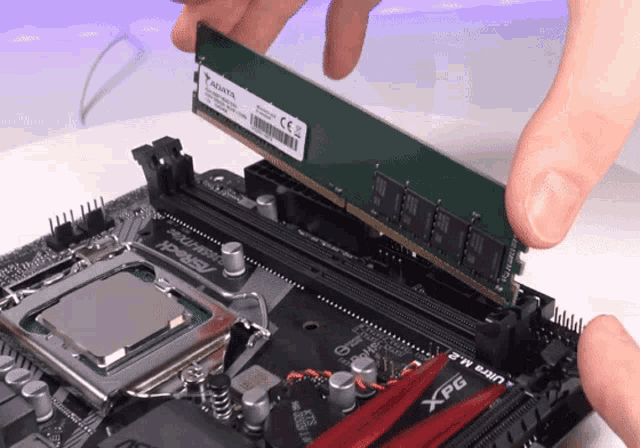
put pressure on the ram on both sides until it clicks and the latches on the sides raise
you'll hear the audible click
just dont break it sideways lol
vocal hare
rain carbon
you'll hear the audible click
Audible but not always super loud
cyan ravine
vocal hare
He’s just hella nervous about putting any pressure
I mean if he watches he'll see how hard it's meant to be
rain carbon
vocal hare
Audible but not always super loud
audible, not explosion
broken barn
cyan ravine
I mean if he watches he'll see how hard it's meant to be
i think i just did it
rain carbon
 vocal hare
rain carbon
audible, not explosion
vocal hare
rain carbon
audible, not explosion
I mean mine clicked but it was pretty muffled
rain carbon
vocal hare
I mean mine clicked but it was pretty muffled
fair nuff

 vocal hare
cyan ravine
I mean if he watches he'll see how hard it's meant to be
vocal hare
cyan ravine
I mean if he watches he'll see how hard it's meant to be
Pretty sure he watched a pov vid earlier
cyan ravine
You lads are gonna make so much more work for yourself when this is what the vid is for 😂
cyan ravine
broken barn
Look at you rammin
broken barn
vocal hare
Nope
bruh
rain carbon
broken barn
boom
with how difficult that was youre gonna have a rough time with cpu LMAO
those latches
evil little things
vocal hare
Clips still ain’t in
vocal hare
Yes
cyan ravine
AHAHAHAA
 broken barn
the motherboard
rain carbon
you aint gon break it
broken barn
rain carbon
you aint gon break it
what if i bend them the pins behind the other side of the motherbaord
 rain carbon
cyan ravine
AHAHAHAA
rain carbon
cyan ravine
AHAHAHAA
going in felix's collection
genuinely got an audible laugh outta me
broken barn
ok i actually did it
vocal hare
broken barn
what if i bend them the pins behind the other side of the motherbaord
It’s pressing into cardboard
 vocal hare
My god the latch is gonna give him a aneurysm
broken barn
vocal hare
My god the latch is gonna give him a aneurysm
on bruh
alright time to get the cpu
wait actually
lemme do the nvme first
rain carbon
i be installing ram like a lone ranger, blink and its installed
vocal hare
@cyan ravine that wegg drop today
cyan ravine
Remember to use the video !!!
rain carbon
!!!
broken barn
 cyan ravine
vocal hare
<@101107951401455616> that wegg drop today
cyan ravine
vocal hare
<@101107951401455616> that wegg drop today
How many drops did it wegg
broken barn
wish me luck
rain carbon
broken barn
crunch
cyan ravine
I was asloop
rain carbon
use the slot with a ssd heatsink
vocal hare
 rain carbon
look at your mobo manual if you need to find that
cyan ravine
rain carbon
m.2 slot
cyan ravine
Wah happen
vocal hare
cyan ravine
I was asloop
Two models, gone in seconds, 730 and 760
Reaper on Amazon has bumped up to 700
I riot
rain carbon
cyan ravine
I was asloop
blud is a 18th century sea vessel
cyan ravine
vocal hare
Two models, gone in seconds, 730 and 760
That's just pain wth
rain carbon
 cyan ravine
Wtf is up with tsmc and like what feels like some smooth 5head making 1 wafer a day
Like this HAS TO BE more than just scalping rn
So little desktop stock
rain carbon
Im fixing to involve myself in a more.. traditional type of scalping
cyan ravine
rain carbon
Im fixing to involve myself in a more.. traditional type of scalping
[INNER VIKING INTENSIFIES]

 rain carbon
Ye vikingr awaken neath
broken barn
cyan ravine
No need. The board has one
wouldn’t it be better to have it
cyan ravine
broken barn
wouldn’t it be better to have it
The board one is better
broken barn
cyan ravine
The board one is better
bet
cyan ravine
Watch the vid to see how they install it
rain carbon
Think stock cpu cooler versus dedicated
Make sure to peel off that plastic too
Actually same for when you get to the cpu cooler
cyan ravine
Vid explains this...