#building-and-recc-chat
1 messages · Page 334 of 1
 mossy venture
 rustic terrace
he said he work for verizon that’s why he asking me what type of wifi i got
Facebook marketplace
 plucky timber
"what type of wifi"
mossy venture
And it doesn't have wifi as it is, unless you're selling a wifi adapter w it
plucky timber
yeah that says a lot about his tech literacy
rustic terrace
Idk he being sus is all ik but he said he’s coming so
imma pray it’s true
 lone flame
 potent portal
Is that USD, and does it include peripherals like mouse, keyboard, and monitor? Do you need wifi?
potent portal
Ok so $1000 USD just for the PC, give me a few minutes
potent portal
Sure thing
potent portal
 little osprey
under 1000 but max is 1000
little osprey
under 1000 but max is 1000
Part List - Intel Core i5-12600KF, Radeon RX 7700 XT, Montech XR ATX Mid Tower
mossy venture
could do the 7600x/b650m gaming wifi for $290 together on newegg
potent portal
little osprey
why is it a single stick opf ram
It's 2 sticks, just one in the picture
32GB total, 2x16GB
potent portal
mossy venture
could do the 7600x/b650m gaming wifi for $290 together on newegg
That would push it closer to the budget though, or over it if you don't count the mail in rebate
potent portal
Also a single stick isn't as bad on DDR5 if it was on DDR4 and earlier. Each stick is effectively dual channel on its own.
potent portal
little osprey
does pcie 3.0 x4 ssd make a difference performance
Not for gamers, that's even the drive I use and I'm very happy with it
little osprey
oh
mossy venture
potent portal
That would push it closer to the budget though, or over it if you don't count th...
yeah it is right up there https://pcpartpicker.com/list/yfsGnp
Part List - AMD Ryzen 5 7600X, Radeon RX 7700 XT, SAMA ARGB-Q5 MicroATX Mini Tower
little osprey
i thought pcie 4 was the fastest ssds
potent portal
We're up to PCIe 5.0 now but it doesn't affect gaming at all
The only time a game uses the SSD is when it's loading into a map, and a faster drive reduces load time by less than a second in most cases
It has absolutely no effect on performance once you're in game
little osprey
oh
I have a question, so for NVMe, you want to use the slots connected to the chipset and not the lanes to the CPU right? So the GPU doesn't drop to a x8 instead of a x16? I'm just repeating what I have heard
potent portal
It depends on the motherboard
little osprey
good to avoid though right?
potent portal
Most modern ones you can use one CPU M.2 slot without losing lanes for the GPU
little osprey
just read the manuals and I should be alright then
potent portal
As long as the slot PCIe version matches or exceeds the NVMe drive version there won't be any noticeable difference in speed so you can stick to chipset lanes if you want
but yes rtfm
little osprey
didn't know if it would be common through all MBs
little osprey
potent portal
As long as the slot PCIe version matches or exceeds the NVMe drive version there...
so keep it both at 5.0 for best
gen
potent portal
Whatever speed the SSD runs at, because that's what the slot is going to run at if it supports that speed
If you use a 3.0 drive on a 5.0 slot it'll still run at 3.0 in other words
little osprey
yeah it'll default to the lowest
potent portal
The vast majority of people have no need for 5.0 drive additionally. That's the kind of thing you'd use for 16k+ video scrubbing. Not much else can use that much speed.
little osprey
i have a 4.0 currently
potent portal
little osprey
potent portal
yeah almost no difference
both my pcie and nvme are 4.0
so im good and matching
just tryna read the manual to find out if i decreased my gpu performance
 vocal hare
huh was doing some cable management to have the side panel be more flush but
it just wont go flush
potent portal
What motherboard? I can take a look too since I know what to look for
Also you can just look at the GPU-Z window to find out what speed the GPU is running at
little osprey
I'm all good on motherboard specs
 compact vigil
https://pcpartpicker.com/list/h2WZzP
Could someone help with selecting a motherboard for my current build? No matter what I do, my Brain can't fully understand them XD.
Colors dont matter, I would like 3 m2 slots.

potent portal
I'd get a different SSD if you haven't already got it, that's the model that has several bad firmware versions where it'll die for no reason and they won't accept warranty claims if it does
Either of these motherboards, depending on if you have a size preference https://pcpartpicker.com/products/compare/qcbRsY,CvcgXL/
ASRock B650M Pro RS WiFi Micro ATX AM5 Motherboard vs. Gigabyte B650 EAGLE AX ATX AM5 Motherboard
This would be a good substitute SSD, similar performance https://pcpartpicker.com/product/DN6NnQ/teamgroup-mp44-2-tb-m2-2280-pcie-40-x4-nvme-solid-state-drive-tm8fpw002t0c101

TEAMGROUP MP44 2 TB M.2-2280 PCIe 4.0 X4 NVME Solid State Drive (TM8FPW002T0C101)
compact vigil
potent portal
I'd get a different SSD if you haven't already got it, that's the model that has...
Thats just my current drive that i was gonna move over that i've been using for 3 years
potent portal
Ah ok then. Make sure the firmware is up to date with samsung magician or your drive health might mysteriously start dropping and force it into read only mode.
compact vigil
potent portal
Ah ok then. Make sure the firmware is up to date with samsung magician or your d...
ty for help and telling me.
 zenith cargo
is their a difference in terms of audio quality when setting my amp to low, medium, or high gain besides the loudness?
low gain is already loud for me
 stoic island
not really
zenith cargo
👍
 dusky hearth
Depending on the amplifier, different gain settings may have different snr and such but it shouldn't really matter for you anyways
 cursive wharf
zenith cargo
is their a difference in terms of audio quality when setting my amp to low, medi...
cursive wharf
zenith cargo
is their a difference in terms of audio quality when setting my amp to low, medi...
If the input of the amp is analog and not balanced then adding gain at the amp rather than before the amp will mean there is more potential for interference issues (interference on the wire for amp input)
 obtuse nova
Hey guys , I have a dillema , for gaming and video editing pc (idk if i'll choose PP or Davnichi) , should i go with one of 12 cores amd cpu or one of intel ultra cpu ?
potent portal
What kind of budget do you have? Because if you're doing both gaming and editing you might be a good candidate for a 7950X3D. I'd avoid the 7900X3D (speaking as someone who owns one). We're not sure about the 9900X3D and 9950X3D yet because they aren't out.
The 9800X3D on the other hand is a very good all around CPU. It doesn't have the weaknesses that the 7000 and 5000 series did, like reduced clock speeds.
I haven't mentioned Intel's Ultra CPUs because they're quite simply bad at gaming. A lot of the time the 285K loses to the 12600K, which is a 3 generation old i5.
They keep claiming they "fixed" the gaming performance too... but then another update and it's "broken" again, or it's a Windows update that increased both Intel and AMD performance about equally.
dusky hearth
obtuse nova
Hey guys , I have a dillema , for gaming and video editing pc (idk if i'll choos...
as someone who has used both (and some others), i highly recommend davinci resolve
much better pricing and also is very stable with all the features you would really need, also davinci resolve works well with amd gpus especially
little osprey
looking for a good PC specs - I will be building this so the case will have to fit everything. My budget is $2200
mossy venture
little osprey
looking for a good PC specs - I will be building this so the case will have to f...
ive gotta ask some questions first
do you have a microcenter nearby? any color/size/aesthetic preference? do you have wifi or ethernet? do you have a monitor alr, and if so what monitor?
and ill prolly ask others afterwards
oh also whats the pc being used for
https://pcpartpicker.com/list/9gwxb2 just a general idea
Part List - AMD Ryzen 7 9800X3D, GeForce RTX 5080, Thermaltake View 270 Plus TG ARGB ATX Mid Tower
 rain carbon
Also peripherals?
 wild oxide
stoic island
wild oxide
stoic island
Neither offers a good value proposition at this time, there's a white ventus 2x 4070 super in stock on walmart if you really need it, but I'd recommend not getting that.
We don't know how the 5070 will perform, but from what we've seen with 5090 and 5080, it's most likely that the 5070 won't be a good improvement from 4070 (<10% gains), and all signs point to 5070 stock being as bad as 5080 stock.
Best possible option right now is 7900xt, but there's no white ones in stock right now
In the future, the hope is 9070xt launches at a good price with good performance.
 cyan ravine
The 5070 will be unobtanium
And if what people are saying are true, that msrp will last all but maybe a week, then the price will jump up just like they did with the current released skus
Basically if you don't even get a 5070 within release week, change gears to something else lol
 golden viper
Might be a dumb question but is this plug the correct plug i need for dual 8 pin gpu connector? I was using a 3070 FE before and it had the funky 12 pin connector. Just trying to make sure I don't need to run 2 separate 8 pin plugs from the psu.
 golden viper
Yes
cyan ravine
Those go into the 7900xt
potent portal
Ah RMx, that totally invalidates what I was typing lol
golden viper
Yes. Just making sure I don't need 2 separate plugs from the psu
cyan ravine
Line them up correctly, they are keyed specifically to go in as one piece
cyan ravine
golden viper
Yes. Just making sure I don't need 2 separate plugs from the psu
Ye it's fine on that psu
potent portal
For this type of cable and PSU one cable is acceptable
golden viper
Ok awesome. Didn't want to accidentally under power it if it did call for 2 swperate plugs. I'll be getting a wire mod version soon.
Appreciate you all!
Out with the old in with the new.
 potent portal
If you get replacement cables the same advice may not apply. Extensions would be fine.
golden viper
Just the mod cables extensions that look better
potent portal
Perfectly fine then
golden viper
Might need an anti sag bracket... this sucker is pretty big in comparison
potent portal
Never hurts to have one
cyan ravine
I would yeah
God that PG looks so much nicer than in pics
That's a very
Strix? White lmao
golden viper
I was very skeptical. But only I could find that was white like my case.
 jolly riverBOT
DDU (Display Driver Uninstaller) Guide by Pato
https://github.com/NeweggTechie/Graphics-cards/wiki/How-to-use-DDU

GitHub
Contribute to NeweggTechie/Graphics-cards development by creating an account on GitHub.
cyan ravine
Highly highly encouraged
Makes a huge difference when you change to a new card
You do NOT need to do this before the new card is in
But do it as soon as possible
And pause windows updates while you do it
cyan ravine
cyan ravine
And pause windows updates while you do it
^This stops auto driver installs for the gpu
golden viper
Ok as soon as I finish dinner and finish slapping it back together I'll do that. What new driver will I need? Also might be a dumb question.
little osprey
mossy venture
do you have a microcenter nearby? any color/size/aesthetic preference? do you ha...
I am in the UK so I will have to order them. all black (some rgb) a medium size case. Ethernet. I have 2 monitors they are DELL S2421HGF
cyan ravine
golden viper
Ok as soon as I finish dinner and finish slapping it back together I'll do that....
24.12.1 is a good one imo
Start there
Very very stable
golden viper
cyan ravine
24.12.1 is a good one imo
From what some sorry
 near garden
Any cpu recommendations my current rig is a
Ryzen 7 3700x
Rtx 4060ti
32gb 3600
I’m still kicking am4 socket debated upgrading mobo to am5 but I think I’m just going to leave this rig at am4 thanks in advance
cyan ravine
near garden
Any cpu recommendations my current rig is a
Ryzen 7 3700x
Rtx 4060ti
32gb 360...
What motherboard
And psu
Need the entire name
stoic island
The only worthwhile am4 CPU to upgrade to is 5700x3d/5800x3d, but will need to know mobo to know if it's suitable
cyan ravine
I want random ass letters describing it
cyan ravine
stoic island
The only worthwhile am4 CPU to upgrade to is 5700x3d/5800x3d, but will need to k...
Yep that's where I'm going
near garden
cyan ravine
What motherboard
Msi b550 gaming plus and a corsair rm 750 gold edition
cyan ravine
Cooler as well
cyan ravine
near garden
Msi b550 gaming plus and a corsair rm 750 gold edition
Perfect
5700X3D, bios update, cooler upgrade if necessary
No other steps
Which cooler do you know
I'm looking for a dual tower or a 240mm aio minimum
If you got that you're set, just buy the cpu
near garden
Got it I was thinking like the dark rock pro 250 maybe just go for a black build this time got tired of rgb
little osprey
mossy venture
do you have a microcenter nearby? any color/size/aesthetic preference? do you ha...
https://nzxt.com/product/h5-flow I like this case but in black
cyan ravine
near garden
Got it I was thinking like the dark rock pro 250 maybe just go for a black build...
Fx360 pro is all black, cheaper and way better performance
If your case fits it
Fx240 pro also works (Idk if they released it yet)
ID cooling a620 se also works
It's a dual tower all black, $30
Better than a DRP
DRP is great but stupid expensive, it gets destroyed by better value brands these days
Thermalright phantom spirit, peerless assassin, frost commander also stunningly good performance
near garden
Got it so probably just 5700x3d and a cooler do you think buying used is worth it ?
cyan ravine
Yeah if you can
Just make sure the cooler has an am4 mount
And if you need paste, arctic MX-6 is $7, top shelf stuff
I'm all for used if you can
stoic island
Where are you? generally cooler prices are good enough that used doesn't make sense
cyan ravine
Beware of bent pins with the cpu is all
near garden
Any tips for buying used ? I know to check for pins and if it’s been OC but I’m not sure
cyan ravine
But you can bend those back
cyan ravine
near garden
Any tips for buying used ? I know to check for pins and if it’s been OC but I’m ...
Just always use paypal goods and services
Never cash upfront
Never friends and family
Always a middleman and G&S is excellent
It gives you a money back clause
So you don't get ripped off
stoic island
Very hard to tell if something is degraded from OCing physically btw, but it's a rare occurrence in general. Best if you can ask them to run something like cinebench either beforehand or on-site before buying.
cyan ravine
Always check articles out, do your research, be patient, you'll be fine
near garden
Hmm never thought of that
cyan ravine
stoic island
Very hard to tell if something is degraded from OCing physically btw, but it's a...
Also this yeah
5700X3D can't even be OC'd man
So it's not even a talking point here lol
near garden
Ah got it thanks
cyan ravine
He's right but also the chip is locked so it won't be oc'd lol
stoic island
making them run a benchmark with it will show if anything is borked inside the chip
near garden
alright I think I got it all down thanks for the help guys
cyan ravine
Np
mossy venture
little osprey
https://nzxt.com/product/h5-flow I like this case but in black
https://uk.pcpartpicker.com/list/vg2XYd id spend the rest on a good 1440p monitor
Part List - AMD Ryzen 7 9800X3D, Radeon RX 7900 XTX, Phanteks XT PRO ATX Mid Tower
Part List
monitors
little osprey
mossy venture
https://uk.pcpartpicker.com/list/vg2XYd id spend the rest on a good 1440p monito...
could I get another GPU?
Nvidia preferably
mossy venture
the 4080 and 4070 ti super are horridly overpriced and 50 series is out of stock everywhere
i would only suggest nvidia if you get a reasonably priced card, or go used
4080 was like 890 gbp at some point
now its 1100+
wild oxide
should i get a 7900xt for 730$ or wait until the 5070 or the 9070? note that it has to be white
mossy venture
7900xt white was $615-630 for a hot minute
personally im not paying 730 for one, but prices could get worse too
mossy venture
i can't tell you what to do with your money, and unfortunately ive no idea what the gpu market will be like tomorrow let alone when the 5070 launches
wild oxide
what do you suggest
mossy venture
if i were buying a gpu right now, im buying used
anything new higher than the 7800xt is just bad value atm
golden viper
Any idea why my mouse cursor would be laggy after switching gpu from 3070 to the rx7900xt?
I'm trying to do the ddu uninstall but it's so laggy.
rain carbon
mossy venture
anything new higher than the 7800xt is just bad value atm
No 7900 gre or xt deals going on rn?
Hm
cyan ravine
golden viper
I'm trying to do the ddu uninstall but it's so laggy.
Any luck yet mate
cyan ravine
rain carbon
No 7900 gre or xt deals going on rn?
Kinda meh but the whole market is chaos rn
They're going out of stock too fast to catch the good sales
rain carbon
Damn
Why does it take a gpu launch for that to happen lmao
Why dont people wait for that chaos to settle first
And its unfortunate for the genuine upgraders
Who just wants to at a poor time
golden viper
cyan ravine
Any luck yet mate
Just finished the dough uninstall. Working on getting the amd driver.
cyan ravine
rain carbon
Why does it take a gpu launch for that to happen lmao
Cos everyone holds on until it happens
Then the panic sets in
Then the grief
Then acceptance
Then the sweep of old stock flies off cos new prices suck
Happens every gen
rain carbon
Just checked for my specific gpu rn on amazon and the powercolor red devil 7900 gre is being sold used on amazon for 720 rn
Jesus
And no options for hellhound or fighter
cyan ravine
Yep
rain carbon
Oh wait nope theyre just hidden
 shut rampart
 I got free asianhorse cable
rain carbon
All three of them are 700
Used like new
On the official page
Their 7800xt hellhound aint too bad rn at least

Whats lowest price going on now with 7800xt? Still any 450s or
cyan ravine
480 should be expected
And that's still one of the best market prices period
Not even just that card
rain carbon
For sure
golden viper
cyan ravine
If you have issues lets work through them man
Holy hell the setting on this AMD app is wild.
cyan ravine
golden viper
Holy hell the setting on this AMD app is wild.
Two I would suggest enabling only. Anti lag and freesync
golden viper
Should I enable adaptive sync compatible vsr and gpu scaling
cyan ravine
The rest is like ????
golden viper
Oh gotcha
cyan ravine
golden viper
Should I enable adaptive sync compatible vsr and gpu scaling
Freesync is in another menu
You can do gpu scaling, not really needed tho imo
golden viper
Dunno if my panel is freesync
cyan ravine
It will say if it's not supported when you find the option
You go to like the cog top right
Graphics
Then first option
It should say if it's supported
If not rip, just leave adaptive sync settings default
Also in windows display settings you will want to make sure your monitor hz is set correctly
golden viper
Pretty sure i have a g sync panel. Not seeing any options to change hz in this app. I usually have to do that in windows settings.
cyan ravine
Ye
Gsync panels often also work with freesync if they're new enough
Like
Last 4 years?
 golden viper
Just showing the panel I have
golden viper
Your fast AF boiii
cyan ravine
Only been at this for a few years lol
So it should show up in the adrenalin settings
Again, cog top right, graphics/video
golden viper
So I'm still looking for where to click the option on.
cyan ravine
First option on the left
If you can't see it then it mightn't be triggering the driver
Let me clarify btw
Not a big deal if it's not there
Gimme 5 lemme see if I can show you what I mean
golden viper
This is all I see when I click the cog. Nothing about freesync. Nothing in display or audio/video either.
 golden viper
Still no freesync in there.
potent portal
golden viper
On that OSD screen, under adaptive sync, is it enabled and are you plugged in via DP?
golden viper
Just shows adaptive sync compatible vsr gpu scaling etc
Yes DP
Adaptive is disabled
potent portal
Enable it
golden viper
Done
potent portal
It'll flash a few times, close the amd settings and open it again and see if the setting is there now
cyan ravine
Freesync

Adaptive

Oh interesting
My ASUS only has freesync/gsync on displayport
Are you on DP hoopty
golden viper
I enabled adaptive then closed it out. Opened it back up and it's the same
potent portal
golden viper
Yes DP
.
golden viper
Yes DP
potent portal
Restart then
golden viper
Didn't know i could do that!
cyan ravine
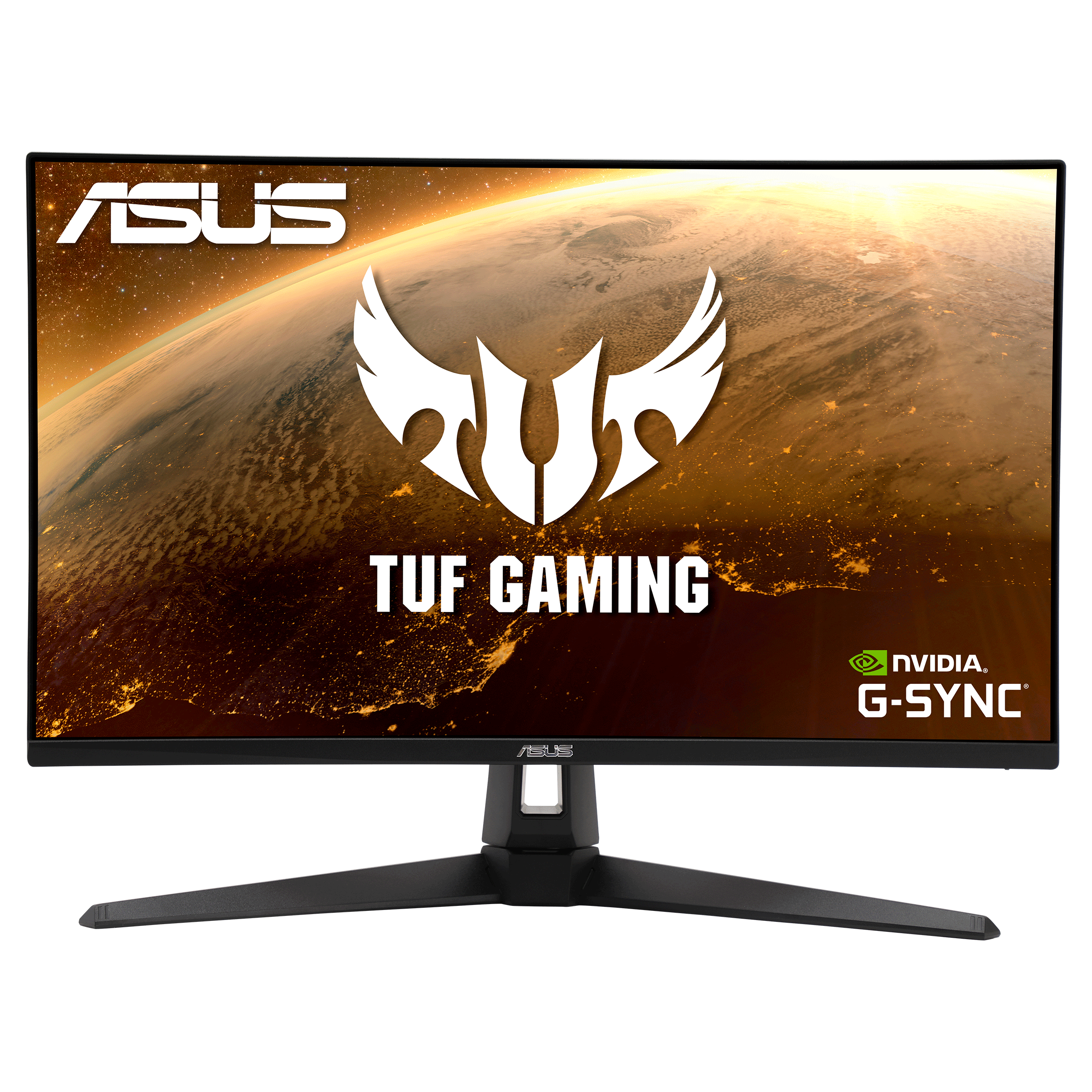
ASUS Australia
TUF Gaming monitors are ideal for competitive gamers on a budget, delivering a carefully selected set of high-end gaming features at palatable prices. Immaculate visuals are now within reach.
Here's the latest driver
golden viper
Mine is the a1a
 cyan ravine
Ye it matches the specs of the article
golden viper
Ok I'll get that update
cyan ravine
 golden viper
My stamd has all the stuff lol but yes I'll grab that driver now.
cyan ravine
So AQL1A
golden viper
Weird.
golden viper
Neither
golden viper
I'm manually looking now
golden viper
That worked. Display widget lite?
cyan ravine
I mean you can try it
Should be no different to OSD I would think
The driver is the main part
golden viper
DLing
cyan ravine
I will be honestly surprised if freesync doesn't work as all 3 versions are basically the same screen
golden viper
I downloaded it. It's just a widget of the options I have in the button on the back of the monitor. Checked the adrenalin app and still no free sync.
I'm going to restart quick and check again
golden viper
In fact it made my screen black and white besides red spots...
cyan ravine
golden viper
In fact it made my screen black and white besides red spots...
Yeah I double checked all 3 have freesync support also wtf
Display widget sounds busted
Lmao
golden viper
Yeah
cyan ravine
Uninstall that
golden viper
My screen is black and white now lol
Shows some reds and some greens...
Still no freesync in the adrenalin app.
golden viper
Yeah looks wild
cyan ravine
Can we uninstall the display widget
golden viper
Done
cyan ravine
Does that fix it lmao
golden viper
Nope
cyan ravine

golden viper
Yeah
golden viper
Omg I'll try
cyan ravine
So this one didn't work?
golden viper
I'll try again after this ddu...
cyan ravine
It looks ok in safe mode?
golden viper
No
cyan ravine

golden viper
Still black and white.
cyan ravine
Wait
Does the monitor settings reflect this
Like on the monitor
I vaguely recall a gigabyte app doing that
It overrides the settings and then it just doesn't remove them
golden viper
Dunno did the ddu amd it's still black and white.
cyan ravine
Ok then it wasn't the gpu driver
golden viper
Monitor settings say it's set to normal.
 golden viper
Adrenalin re downloaded. I'll look. In windows settings?
cyan ravine
Ye
little osprey
mossy venture
7900xt white was $615-630 for a hot minute
just anything I can move my budget up to £3000 - I would like to include water cooling
cyan ravine
Try looking in this menu here @golden viper

On monitor osd
It might have a B&W option
golden viper
Nothing in monitor osd
cyan ravine
Ok do you have a second monitor port you can try
Turn the monitor off, swap over, back on again
mossy venture
little osprey
just anything I can move my budget up to £3000 - I would like to include water c...
If you can find a 5080 under £1100, go for it. Maybe a 4090 under £1450
golden viper
No second DP port. I turned off the monitor unplugged the DP cord and re plugged it back in.
cyan ravine
I'm seeing a lot of people say resetting the monitor works
mossy venture
mossy venture
If you can find a 5080 under £1100, go for it. Maybe a 4090 under £1450
Otherwise I genuinely cannot recommend any nvidia card at the moment, sometimes the 4070 super
little osprey
its 2am so I will sort everything out
little osprey
mossy venture
Otherwise I genuinely cannot recommend any nvidia card at the moment, sometimes ...
is the one you recommended good?
cyan ravine
Ooo
Ok
Ooo
I may have found another way
If reset is impossible to find
Go to settings
System
Display
Advanced display
Pick the monitor
Go to display adapter properties for display
Then colour management
Click on that
You go to a new screen
And you can see the colour profiles there right?
 cyan ravine
 cyan ravine
Go to display adapter properties for display
cyan ravine
cyan ravine
Go to display adapter properties for display
^
You should see a colour profile settings screen
Can you send a screenshot
Should look like this
 golden viper
 golden viper
It brings me to the files looking for the file to load
cyan ravine
Ye
golden viper
I'm there
cyan ravine
Ok
Let's just
Clarify something first
Can you check anywhere at all which SPECIFIC model it is
I suspect AQL1A
Let's just
Be really sure first
 crimson zinc
what’s the AIO with the temp monitor?
@cyan ravine
golden viper
In the display osd it says vg27a1a
cyan ravine
crimson zinc
what’s the AIO with the temp monitor?
<@101107951401455616>
Thermalright frozen warframe idk the american one
cyan ravine
golden viper
In the display osd it says vg27a1a
Not that
Let's look for a barcode sticker or something
I just wanna be extra sure first
Cos we have all 3 drivers, let's just make sure we are looking at the correct one just in case
They're supposed to be the same panel but man
THAT
Was not normal behaviour
It just deleted the colour profile lmao
Normally the barcode sticker is somewhere on the back
Or you might have an invoice saved somewhere
That says specifically which
golden viper
 cyan ravine
Awesome
AQL1A
Load that ICC profile you downloaded
It's in the downloaded file, I can see it on my end

Then add it, select it
And hopefully, colour is back
Can't make colour without colour profile
Makes sense at least in my head 
crimson zinc
@cyan ravine how many nvme slots does the b850 steel legend board have? I can’t seem to find the answer
cyan ravine
crimson zinc
<@101107951401455616> how many nvme slots does the b850 steel legend board have?...
Not caught up on that one cos B850 is still expensive af
crimson zinc
I got a customer wanting a pink build for $3k
He wants aesthetics for his wife over all, and he has a lot of storage to give her
crimson zinc
All good
golden viper
I'm not seeing the icc anywhere
golden viper
no
cyan ravine
The manual of this screen is awful
golden viper
1 sec
golden viper
Enabled
cyan ravine
It definitely has both I'm just looking to find answers rn
golden viper
Loaded the icc. Set as system default still B&W
golden viper
Yup
golden viper
I dont have an hdmi cable available
cyan ravine
Do you have another screen?
golden viper
Nope
cyan ravine
?
 golden viper
Nothing
cyan ravine
Try a different gpu display port?
golden viper
Yeah. It shows black and white and rgb
 golden viper
 cyan ravine
It's black and white but also colour
WHA
OK
IT'S NOT BROKEN
SOMETHING JUST BORKED
The hell
Are you sure there's no black and white filter
golden viper
I restarted again and the icc profile didn't save...
I try to load it and it does nothing now
Now it loaded...
 golden viper
I found a plug to plug my phone to the monitor and in that hdmi it's the same.
cyan ravine
Omg so the monitor has some stupid setting on
Ok so it's not windows at all
Nor the gpu
I didn't think this widget would be so fatal sorry
Let me try using it
Lemme join in this madness
golden viper
Oh no
cyan ravine
I'd rather be pressing buttons meself lmao
golden viper
Felt
mossy venture
little osprey
is the one you recommended good?
The 7900xtx matches the 4080 super, @cyan ravine has one
cyan ravine
Hi
mossy venture
Hesitant abt 7900xtx, uk build up to £3000
mossy venture
mossy venture
https://uk.pcpartpicker.com/list/vg2XYd id spend the rest on a good 1440p monito...
Oh I forgot fans
cyan ravine
@golden viper Can you actually reinstall that display widget for me
mossy venture
Original budget was 2200
cyan ravine
Send me a screenshot of the thing
mossy venture
Said he can up it to 3000 bc he wants nvidia
cyan ravine
Cos I'm struggling to find a setting that triggers black and white
OH
I FOUND ITTTT
I FOUND ITTTTTTT
WOOO'
Go to your monitor settings dude
Click uh
golden viper
In windows?
mossy venture
https://uk.pcpartpicker.com/list/8XLtKq and the 5080 isn't in stock, it's a "pre order" but I can't visit the site since I'm outside the UK, it blocks my IP @little osprey
Part List - AMD Ryzen 7 9800X3D, GeForce RTX 5080, Phanteks XT PRO ATX Mid Tower
cyan ravine
It flicked off racing mode to moba mode
And that's why it has this stupid colour profile wtf
Turns out me clicking random crap found it lmfao
cyan ravine
WE BACK WE BACK

OK
Go back to amd adrenalin
We hit adaptive sync
Try and restart and check in there if freesync pops up
It SHOULD pop up
It's the trigger for gsync as well, that one option in the OSD
golden viper
Restarting now.
cyan ravine
Jfc Asus MOBA mode
Wtf
Oh yeah I wanna see 2 colours
Smh
Here's what mine says with adaptive sync
 golden viper
Still no free
golden viper
 cyan ravine
Omg
golden viper
Hpe the pic helps
cyan ravine
It did thanks
Ok uh
I guess this is just it for what the panel endorses?
It boasts freesync support
Actually mine's saying it too now wth

I hate ASUS
😂
cyan ravine
Pic
golden viper
 cyan ravine
Not supported!!
AAAAAAAAAA



I wanna kill Asus that just wasted both of our time
OMG

golden viper
But whyyyyy?!
cyan ravine
Try hitting that option again
LMAO
Maybe it's being goofy
Adaptive sync is better than no sync
My asus screen is playing up too now
So glad I haven't recommended one of these since like 2021
We haven't even gotten to the gpu gameplay part haha
golden viper
Re starting with adaptive sync off.
cyan ravine
Alr
 golden viper
Not unless I turn g sync back on in the monitor osd
cyan ravine
I cannot understand how asus bungles this so badly
cyan ravine
golden viper
Not unless I turn g sync back on in the monitor osd
Yea I would
golden viper
Ok is back on
golden viper
Is on
cyan ravine
To make this clear my other monitors don't do this
But my asus screen is also
Doing this
cyan ravine
I am dead sure this is some stupid asus issue
But let's try game a bit 💀
Let's actually try enjoy the card for a minute
golden viper
Msi afterburner still work with amd card?
cyan ravine
Nah you use adrenalin for that
I also don't recommend OC for daily radeon
Depending on the pc it can be really touch and go
cyan ravine
Rivatuner works
Ask @honest knot if you need setup help
But yeah afterburner itself isn't useful on radeon
golden viper
Ok
crimson zinc
cyan ravine
Yes
 honest knot
pinged
cyan ravine
Yes
crimson zinc
SWEET
cyan ravine
That link is weird but it's a 7900xt
honest knot
you can use msi afterburner/rivatuner's osd with amd
cyan ravine
Side note
Never suggesting that display widget stuff again
Who the hell disables 2/3 colours with a specific display mode
honest knot
bru
cyan ravine
Asus is actually insane
I'm more insane for buying a bunch of their stuff and regretting it later
But they're insane af for "Moba mode"
golden viper
Felt that
cyan ravine
Lol
potent portal
cyan ravine
Never suggesting that display widget stuff again
The gigabyte one even installs rgb fusion alongside it whether you have compatible hardware or not
cyan ravine
potent portal
The gigabyte one even installs rgb fusion alongside it whether you have compatib...
Nah not on the ones I have
Fusion is optional and so is the widget lol
potent portal
It did when I installed it a few minutes ago
potent portal
Didn't give me the option to deselect, it ran silently
potent portal
G27QC
golden viper
Yup. It's for people that can't figure out the display buttons i guess...
cyan ravine
golden viper
Yup. It's for people that can't figure out the display buttons i guess...
And people who like 1 tone red on screen
potent portal
golden viper
Yup. It's for people that can't figure out the display buttons i guess...
In my case it's because I can't reach my button on the back of the monitor without pressing the capacitive touch buttons on my secondary monitor and screwing up the color or something
golden viper
That makes sense.
golden viper
😆
 potent portal
cyan ravine
We have like the same panel wtf
potent portal
cyan ravine
We have like the same panel wtf
Here's the download if you want to test it yourself https://www.gigabyte.com/Monitor/G27QC/support#support-dl-utility

GIGABYTE
Features Native 1500R, 8-bit panel, 92% DCI-P3 / 120% sRGB QHD, 165Hz with 1ms Response Time GIGABYTE Classic Tactical Features GIGABYTE Auto-Update, HDR Re...
It also tried to install a bunch of drivers that Windows blocked for being "vulnerable"
cyan ravine
potent portal
Here's the download if you want to test it yourself https://www.gigabyte.com/Mon...
I'll take your word for it I don't want crazy things on my pc
Moba mode already makin me a murderer who knows what fusion would do
golden viper
Seems to game fine. I'll need to mess with my settings in games but it's all good so far.
cyan ravine
Sweet
That's music to my ears
Radeon daily is mostly like that
You might adjust a couple things here and there
But you get your dollars
If you find stuttering or anything hitching, ddu again
If ddu doesn't do it it's something else not the gpu
golden viper
0 stutters.
cyan ravine
Sweet. I like to work on the mindset that you set it all up once, then leave it alone
For me I typically daily freesync+antilag and nothing else in adrenalin
I also turn off that overlay
One sec I'll show you how
golden viper
For sure. I feel like at this point it's a matter of individual game settings to cope with the new gou.
cyan ravine
golden viper
For sure. I feel like at this point it's a matter of individual game settings to...
A little bit yeah
It otherwise runs basically the same give or take
Right here fam

Can also turn off advertisements
Notifications and that here
golden viper
It was off
cyan ravine
Sweet
Just making sure
If you wanna record, I recommend OBS
Or game bar (If you don't mind that installed)
Omg...

And yet every other brand just has freesync
Why asus
golden viper
I have it already. I think I'll still use my riva tuner for osd of fps and Temps. Just weird because I have to have afterburner open to let riva work.
cyan ravine
Don't need to explain they had the same process ending as us lmao

Bro getting downvoted when he knows
 golden viper
If I go to gaming and click a game it shows the ability to turn it on...
 golden viper
Wth...
golden viper
So naturally just turn it on person each game?
cyan ravine
This is just so weird to me
Reddit says it should just work without a forced toggle
So what we did is quote "Correct"
Apparently
golden viper
What's the differance between amd optimized and on though?
cyan ravine
Honestly not sure
golden viper
Hmmm ok well I'm turning it on for all games lol
cyan ravine

Oooo ok
So it defaults being smart in saying "No don't use this" if it's flagged as a bad game for it
So amd optimised is better
Which is default for games ig
golden viper
Well Fook I'll change back lol
 manic cloak
@mossy venture https://www.ebay.com/itm/135138640640?

eBay
Acer, UM.QS1AA.002. As an industry leader in product sourcing and reconditioning, we are expert in providing the best and finest quality products. We proudly stand behind the quality of our products.
your favorite seller

eBay
Onn 100027813 24-in FHD 1080p 165hz 1ms FreeSync Gaming Monitor, includes 6ft DisplayPort and HDMI Cables. ONN, 100027813. 24" FHD 1080p 165hz 1ms FreeSync Gaming Monitor 165Hz refresh rate. It's got a bezel less display with a slender, adjustable stand that won't crowd your desktop, but is also VESA compatible to free up valuable workspace.
along with this one
golden viper
Thank you @cyan ravine I'm glad we could go crazy together! Lol
golden viper
I'll never forget this lmfao. And I can also smell that...
Smells like a burnt out sub woofer 😆
cyan ravine

golden viper
I appreciate you! Thanks again my man!
 golden viper
I'm gunna go dunk my head in cold water. Cool off my brain.
wild oxide
crimson zinc
wild oxide
Return the ram, and you could swap the cooler for a cheaper thermalright AIO
wild oxide
?
what would i do with the extra money?
i'm mostly asking for upgradebility
also the ram is part of a combo
so i can't refund it without also refunding the mobo and cpu
crimson zinc
F.
Just do whatever.
The Corsair AIO is just overpriced. Not worth that much.
cyan ravine
Tmw even when I use the 586 price for the 9800x3d (not worth) it's still better value cos oled monitor
https://pcpartpicker.com/list/4svTzP
Part List - AMD Ryzen 7 9800X3D, Radeon RX 7900 XTX, Montech AIR 903 MAX ATX Mid Tower
vocal hare
….it unfortunate but I think I gotta send back my case
cyan ravine
Ohp I see 2tb extra fixed that
https://pcpartpicker.com/list/JXhWBq
Part List - AMD Ryzen 7 9800X3D, Radeon RX 7900 XTX, Montech AIR 903 MAX ATX Mid Tower
I give that list like a 7, 7.5/10
Corsair, asus, just never good value tbh
The ssd can be better
vocal hare
Man I like the 207 but
cyan ravine
Gpu is great, psu is fine
vocal hare
It coulda been just a lil thicker
cyan ravine
Case was fine too I like sama
But you could fit an oled in budget which is a massive upgrade if there were a few changes
vocal hare
Between my stuff psu and the case itself I can’t really find a way to cable manage it in a way that comfortably let’s me plug in the 12+4, or the up to three pcie I need for a potential AMD gpu
cyan ravine
You using extensions or something
cyan ravine
Lancool 207?
vocal hare
And the 207 clearance for cable management is meh
If I had flat cables maybe it’d be better
cyan ravine
What psu is this
vocal hare
Rm850x so 160mm
cyan ravine
Fits at the front right
vocal hare
Yeah
cyan ravine
Any hdds
vocal hare
Nope
vocal hare
Well it fits rn
vocal hare
But I still have to do maybe three mor 8 pins
cyan ravine
Just 3x8 right
vocal hare
Or a 12+4 for a Nvidia gpu
cyan ravine
Only one gpu yes
Just so I'm clear
Is it an issue on the psu side pushing against the case
Or is it just space underneath
/behind
vocal hare
I just think it’s a lost cause between the usb3 extension cable I need to get and the fibrous white mass that I can’t remove from the front panel
potent portal
vocal hare
Or a 12+4 for a Nvidia gpu
tbh the corsair cables you would be fine with just 2 cables and daisy chains for even a 4090
cyan ravine
Yep
But also
If the psu fits in the chamber with the cable bends then you have tons of space
That's more space than I had for a 3x8 gpu with the same psu and a smaller chamber
With extensions
vocal hare
It bends it’s just not a comfortable one
cyan ravine
I don't own this 207 but the amount of space there is like 4x more than I had
cyan ravine
vocal hare
It bends it’s just not a comfortable one
Tbh bend as hard as possible
They're made to bend
I do full 180 creases on those things
Rmx cables are fine
potent portal
They're just thicker than most people are used to, but they bend
cyan ravine
I would infact get some velcro straps
potent portal
That thickness is why I say 2 cables would be fine too
cyan ravine
Loop them all up
vocal hare
The straps are built in
cyan ravine
Pinch the middle
Wrap the straps
Makes a bundle in a bow
It'll fit
Hell even 12vhpwr cables they can bend a lot too, just as long as it's inserted correctly
vocal hare
I wanna make it work but I just have more than 1 issue
cyan ravine
If you saw my cable abuse you'd probably think I'm crazy but I've yet to have a melted psu issue lmao
vocal hare
I really like the case for all its features but it just doesn’t mesh well with some of my other parts
cyan ravine
Something else doesn't fit?
vocal hare
Usb 3
vocal hare
Cable management bracket blocks the 90 degree connector
cyan ravine
You can buy an adapter elbow
Like $4
Much less drama than a full case return
Hell even some cable for those are softer or have 90degree plugs
vocal hare
How much drama is it
cyan ravine
Depends on the store
vocal hare
I have a ups store near me
cyan ravine
Some outright deny returns if opened or built
cyan ravine
Ah I wouldn't know I can only buy like 2 things from them
Cases cost like 4x for me
They might accept idk
vocal hare
Unlucky
cyan ravine
But again you can just buy an extension/elbow with a better fit plug for a few dollars
A lot less hassle
vocal hare
I mean if it was just the compatibility I would be able to figure something out
cyan ravine
I wouldn't let that make or break a build tbh
vocal hare
But there is the weird fiber I can’t remove from the front panel
 vocal hare
I actually contacted lian li about it and the drone panel
Front*
They said they can send a extension but like radio silence on the front panel
cyan ravine
Better example
 vocal hare
But like idk it’s just a pain
cyan ravine
You can definitely fix the usb thing, and the psu thing
vocal hare
I liked the idea of the 207 but it just didn’t go how I’d imagined
cyan ravine
What's the fiber thing?
vocal hare
It’s like just a big mass of white crap on the inside of the front panel
Tried picking it out with a toothpick but it won’t budge
cyan ravine
Send pic?
vocal hare
 vocal hare
It's spread out more than that because of the angle
vocal hare
Just fibrous
cyan ravine
So like cotton wool
vocal hare
Just won't come out
shut rampart
burn it
cyan ravine
vocal hare
At the base it's like spread out
Send pic?
And it's just like clumped there
?
vocal hare
It's just flatter at the base and spread out
vocal hare
Think of a pimple and the inflamed area around it
cyan ravine
Ye
vocal hare
It's weird
cyan ravine
Have you tried asking the reddit
Lian li lurks it
You'll get a manu response if you're nice about it
vocal hare
I asked Lian li about it as I was requesting the extension cable
cyan ravine
They might have a genuine answer to that one
cyan ravine
vocal hare
I asked Lian li about it as I was requesting the extension cable
Oh yeah but support is slow
Reddit is quicker
vocal hare
Just asked for a new panel
shut rampart
2 months
cyan ravine
But reddit was same day
cyan ravine
How long ago
vocal hare
They responded that they'd send me the cable
shut rampart
these asianhorse fans are loud when gaming 😦
vocal hare
But it's take like a month
cyan ravine
shut rampart
these asianhorse fans are loud when gaming 😦
They're those unifan lookalikes right
vocal hare
And I asked if there was anything I could do about the front panel
cyan ravine
Yeah sadly the unifans aren't much better lmao
vocal hare
Yeah idk it's just a pain in the butt
shut rampart
because hot air is coming out from the bottom and side
but its cool from top and rear
cyan ravine
Backwards?
vocal hare
Kinda just want things up and running at this point
cyan ravine

cyan ravine
vocal hare
Kinda just want things up and running at this point
Fair enough
I would try asking the reddit tho
vocal hare
I'm like this close to driving to best buy and getting a 4000d
 cyan ravine
Everything else can be fixed, if they know that problem then you could be up and running for a few dollars
cyan ravine
shut rampart
I put reverse fans on them <:Pepeshrug:905994027403448380>
Reverse bottom and side
Top back normal
That could be part of why they're noisy
Working harder for unorthodox flow
vocal hare
cyan ravine
Everything else can be fixed, if they know that problem then you could be up and...
Yeah but waiting on support to maybe help is well
shut rampart
oh so u telling me reverse is intake
cyan ravine
vocal hare
Yeah but waiting on support to maybe help is well
Nah I'm also talking randos
cyan ravine
shut rampart
oh so u telling me reverse is intake
Ye
shut rampart
am I dumb?
shut rampart
no wonder it was hot 💀
cyan ravine
cyan ravine
Nah I'm also talking randos
Randoms may have also had this and know what to do
You never know
vocal hare
I mean while I’m at it I could take the opportunity to send the psu back and jump to a 1000w
shut rampart
need to buy a 3 pack of reverse
cyan ravine
vocal hare
I mean while I’m at it I could take the opportunity to send the psu back and jum...
You aren't buying a 5090 are ya
 topaz rose
vocal hare
I mean while I’m at it I could take the opportunity to send the psu back and jum...
topaz rose
vocal hare
I mean while I’m at it I could take the opportunity to send the psu back and jum...
I got 850w and never upgrading
vocal hare
I mean no but if it’s a couple more bucks, has less fussy cables, and one returning the case to Newegg anyway
topaz rose
I’ll upgrade when I want a quieter psu
cyan ravine
You won't need a 1000W really if you aren't going 5090
Anything less + X3D iirc is your cpu, more than enough
vocal hare
Nice to have for a couple more bucks though
topaz rose
cyan ravine
You won't need a 1000W really if you aren't going 5090
Hear me out, over spec psu so the fan doesn’t kick on during normal use
cyan ravine
topaz rose
Hear me out, over spec psu so the fan doesn’t kick on during normal use
Not a thing if you pick correctly
My GX never makes a sound
topaz rose
Lucky
cyan ravine
Same with the rmx