#building-and-recc-chat
1 messages · Page 320 of 1
 plucky timber
alright no aliexpress then
 elfin carbon
I use Newegg
plucky timber
any aesthetic preferences?
elfin carbon
More rgb the better
 topaz rose
i like this guy
plucky timber
usually I'd go against RGB but you have a massive budget
elfin carbon
If it costs a lot then I’d rather not
plucky timber
yeah we'll do a case by case basis then
elfin carbon
I don’t want to spend money I don’t need to spend
topaz rose
you can get rgb for cheap these days, rgb fans can be bought for like $15 for three
plucky timber
Cheapest DDR5-6000 CL30 is $79.99
without RGB
with RGB well
you don't see a CL30 kit for quite a while
$93.99
for the cheapset RGB kit
wait no my mistake
$84.99
elfin carbon
Is that a fan?
plucky timber
ram
elfin carbon
Oh
plucky timber
would you prefer an AIO?
although I would have to put a quick disclaimer
it will not really be noticable over an air cooler
elfin carbon
The kraken is rlly cool would that work?
 mossy venture
super overpriced, can do a cheaper aio with an lcd display
plucky timber
and not that good in general
bacca
is the MP44Q better or MP44L better whil you're here
plucky timber
well
mossy venture
Part List - AMD Ryzen 7 7800X3D, Radeon RX 7900 XTX, Montech XR ATX Mid Tower
mossy venture
air cooler link https://pcpartpicker.com/product/MFvD4D/id-cooling-frozn-a620-pro-se-58-cfm-cpu-cooler-frozn-a620-pro-se
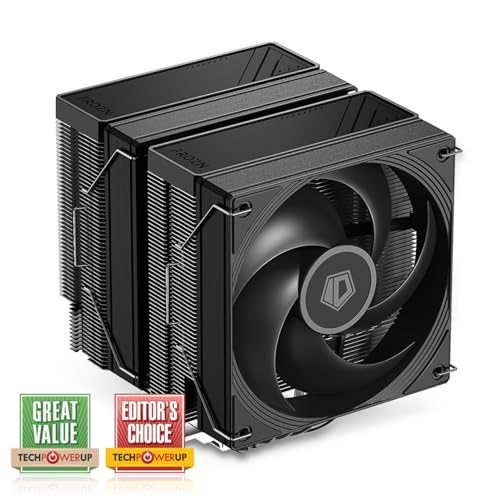
ID-COOLING FROZN A620 PRO SE 58 CFM CPU Cooler (FROZN A620 PRO SE)
plucky timber
my list was only half finished sad
mossy venture
plucky timber
my list was only half finished sad
still make it
plucky timber
if you're just playing video games the XTX is way cheaper
topaz rose
q300l is indeed cheap
 topaz rose
if he uses raytracing and upscaling a 4080s could make difrence
mossy venture
elfin carbon
Would a 4080 super work instead of the one you sent
thats up to you
plucky timber
I'd recommend the 7900XTX for this instance
topaz rose
cod, fortnite, and marvel rivals all have dlss
mossy venture
they perform the same, xtx has more vram, 4080 is $200 more but has the nvidia name and feature set
mossy venture
topaz rose
if he uses raytracing and upscaling a 4080s could make difrence
cod loves AMD gpus
elfin carbon
mossy venture
thats up to you
If I do would I be compatible with the motherboard
mossy venture
and it's a $200 difference
mossy venture
elfin carbon
If I do would I be compatible with the motherboard
the one in there
topaz rose
mossy venture
cod loves AMD gpus
yuh, $200 diffrence xtx wins tho 
topaz rose
yuh
mossy venture
yeah barely
 plucky timber
Peerless Assassin 120 RGB is $37
frozen prism ARGB is $48.19
former is an air cooler and the latter is a 240mm liquid cooler
would you prefer the AIO or the air cooler?
elfin carbon
The build you sent me looks good would it still work if I sub the gpu for a 4800 super
plucky timber
it would but
I doubt you'd gain performance
still depends on the game
you might even lose a bit of performance here and there
mossy venture
amd can do rtx too
plucky timber
you are spending $200 more just so you're aware
elfin carbon
That’s fine
plucky timber
up to you
elfin carbon
It’ll still be lower than the one my friend made
mossy venture
just saying
elfin carbon
Is it rlly
plucky timber
Ventus still crap ye?

here's my take on it
NOOO
stupid clipboard
Part List - AMD Ryzen 7 7800X3D, Radeon RX 7900 XTX, Montech XR ATX Mid Tower
topaz rose
plucky timber
stupid clipboard
mines is stupid too
elfin carbon
What’s the difference between XRX and Rtx 3080 at higher resolutions
plucky timber
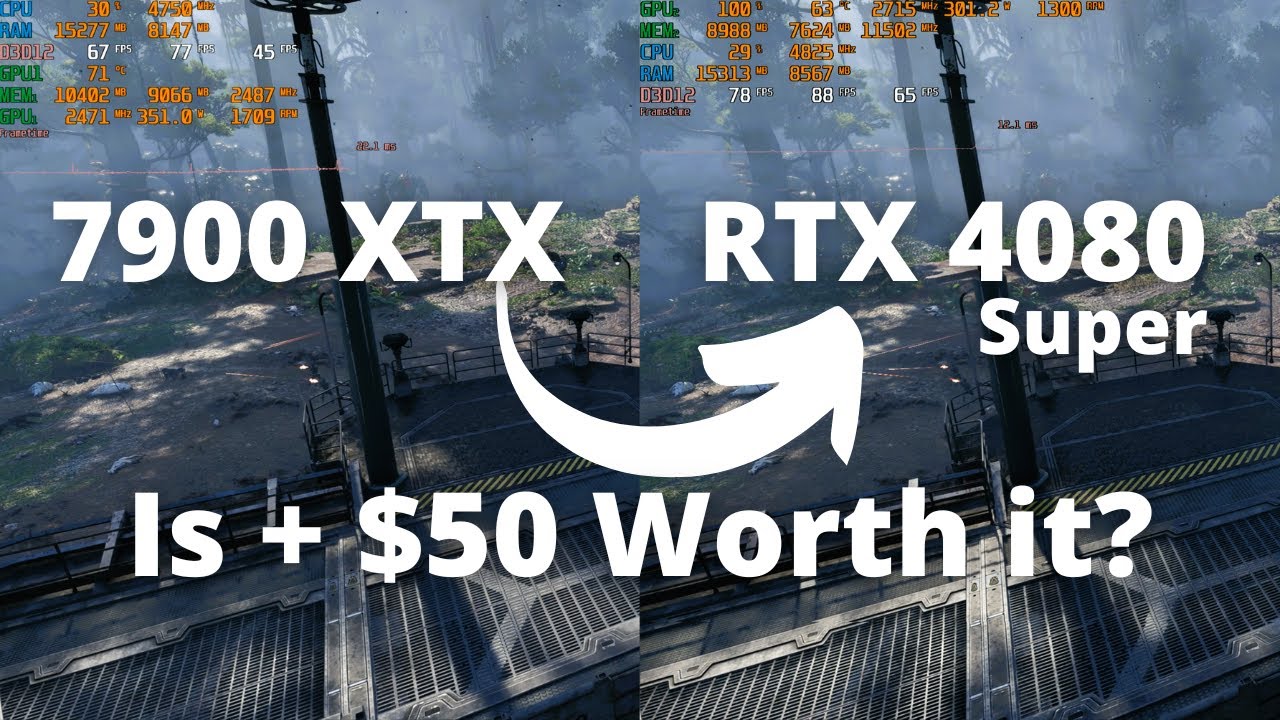
Sell your old GPU at Jawa to fund your upgrade! https://bit.ly/JawaOwenGPUFeb-24 Use code OWEN10 for $10 off your first purchase!
In this RTX 4080 Super review we look at a direct head to head comparison against the RX 7900 XTX from AMD, which is the closest price competitor. We will look at the newest games using the newest technologies includi...
not sure is here's some benchmarks
This video ends up more as a discussion of the GPU market right now, and in particular, the NVIDIA Super series lineup for RTX 40. The NVIDIA GeForce RTX 4080 Super gets reviewed here and benchmarked vs the AMD RX 7900 XTX, NVIDIA RTX 4080, and we also compare the entire NVIDIA lineup (including the RTX 4090, RTX 4070 Ti Super, RTX 4070 Ti, RTX ...
this is probably more useful
better methodology
it is your choice ultimately but you're paying $200 solely for RT
elfin carbon
Honestly that’s fine because the flexablility is good and you’ve lowered the cost of the other components
plucky timber
alright
elfin carbon
How do I change the list
plucky timber
would you like more bling as well?
elfin carbon
Wym
plucky timber
more RGB
actually the case comes with a couple fans already
there's probably enough rgb tbh
elfin carbon
I think it has plenty
plucky timber
Part List - AMD Ryzen 7 7800X3D, GeForce RTX 4080 SUPER, Montech XR ATX Mid Tower
not sure if the TUF is the best choice but
I do not trust ventus at all
topaz rose
@plucky timber what tehrampaste do you use? i need to pick some up real quick
plucky timber
I'm using liquid metal
elfin carbon
Does that list include everything
plucky timber
depends
are you buying a windows license?
or are you just going to not activate it
elfin carbon
I have a drive with it already
plucky timber
that should be everything then
elfin carbon
Ok thanks sm
plucky timber
topaz rose
<@339248198084198401> what tehrampaste do you use? i need to pick some up real q...
Kryonaut is usually good
I usually just use whatever comes with the cooler but if you're buying a tube
thermal grizzly is usually solid
topaz rose
bet
topaz rose
plucky timber
Kryonaut is usually good
this good?
 plucky timber
yes
topaz rose
bet
topaz rose
ok
plucky timber
maybe bacca or felix would know more
topaz rose
@mossy venture i heard you knew more
plucky timber
do you still have some?
topaz rose
works for me
 manic cloak
topaz rose
works for me
manic cloak
topaz rose
works for me
Mx6 I use, you get more than a gram for 1-3$ extra likely
topaz rose
mx6 on the way

 jagged ember
topaz rose
mx6 on the way
jagged ember
topaz rose
mx6 on the way
I'm pretty sure thats mx4 there
topaz rose
jagged ember
I'm pretty sure thats mx4 there
Welp cancel and re order Time, I didn’t notice
 shut rampart
any cheap lan li infinity minor fan in white 10x of them

 cyan ravine
I'm not sure about the hub part but they link together like unifans
So if you need a hub, cooler master makes a good fan + argb one
$20
You'll spend like
Almost a tenth as much compared to lian li for the same thing but better lmao
Cos the fans don't actually suck
 shut rampart
I want this
https://www.newegg.ca/sama-yf1203i-case-fan/p/1YF-00SK-00062
but I can't daisy chain it any daisy chain option?
shut rampart
out of stock 
and its $100 for 3...
https://www.newegg.com/sama-ye1203-white-case-fan/p/1YF-00SK-00068
cyan ravine
Try not newegg
shut rampart
dont see any on amazon
shut rampart
no daisy chain
cyan ravine
Not like the sama's no
@analog hearth what was the name of those asiahorse ones
Do they have daisy chain?
You said they were meh - not surprised but I'd prefer to suggest that then come up empty handed
@shut rampart any chance of just waiting for the sama fans to restock?
$12 a fan is really hard to beat if you specifically want good infinity style lol
Otherwise M12's with fan hubs might be the better play
 flint sapphire
Saw the samas reverse blades for $7
cyan ravine
Yeah they have reverse fans too
shut rampart
cyan ravine
<@264104901473337354> any chance of just waiting for the sama fans to restock?
I guess but its prob going to take a long time
cyan ravine
It'll be worth it lad
flint sapphire
shut rampart
flint sapphire
https://www.newegg.com/sama-yf1203i-case-fan/p/1YF-00SK-00062
not daisy
flint sapphire
Ah my b
cyan ravine
Ah are they the reverse ones?
flint sapphire
Thought they were
shut rampart
if sams fans are intake only then I need 4 reverse
shut rampart
yeah but I want infinity on the fan and to the side with daisy
cyan ravine
Then sama
shut rampart
any link that isn't $100 for 3?
those are the only thing I found newegg and I dont see any on amazon
flint sapphire
They look like they are daisy on the product page, the connector image makes it seem like it atleast
 shut rampart

Computer Lounge
Experience Sama YE1203 ARGB 120mm Infinity Mirror Fan 3 Pack - White YE1203 WT 3 pack. Shop now at Computer Lounge NZ.
flint sapphire
Maybe I’m tripping
shut rampart
is this trusted?
its nz soo prob going to take a month to get them
really nothing else expect for to buy lian li ones
https://www.amazon.com/gp/product/B0CKSSDG61?th=1
can this do?

Daisy-Chain Design : Slide-in / PIN-to-PIN interlocking mechanism£¬Unprecedented flexibility / A quicker and easier installation process Only one cable is required for each fan cluster Efficiently solve the installation mechanism line and save installation time. The interior of the chassis is cle...
cyan ravine
shut rampart
https://www.amazon.com/gp/product/B0CKSSDG61?th=1
can this do?
Supposed to be really meh
cyan ravine
flint sapphire
They look like they are daisy on the product page, the connector image makes it ...
They are
But I think he wants that snap together tech which is a lian li and deepcool patented tech
shut rampart
yeah
cyan ravine
Sama had it but if they're discontinued then blame the patent holders for trying to make you buy a gimmick for $50 a fan
I'd say not worth it at that point
cyan ravine
?
Wym
Well anyway thermalright is the only other brand I know that does their own version but it's also expensive af
As is corsair
Neither of which are worth buying
shut rampart
soo no options really
cyan ravine
Sama
shut rampart
yeah but not really any links
cyan ravine
Or just, buy a fan hub and give up on the snap on tech
I'll be real with you anyway, unifans are some of the jankiest fans I bought for software to date
L connect is ass
shut rampart
I think my pc case comes with a fanhub its antic c5 can I use that?
shut rampart
yeah but theres one that is red
cyan ravine
Antec also make decent reverse fans
shut rampart
im guessing its for reverse fan
cyan ravine
No
shut rampart
or outtake
shut rampart
???
cyan ravine
It's considered the primary fan port
All other fan ports copy that port on the fan hub
Either that or it's the plug for the motherboard to connect to
shut rampart
ok so sama and then find 6x inf and then 4x reserve
shut rampart
cyan ravine
Either that or it's the plug for the motherboard to connect to
no theres two wire that comes out of the fan hub, sata and fan female
cyan ravine
Oh wait
@shut rampart
Jonsbo
Jonsbo zk-120
Wtf the input connector looks slim af
Jonsbo wtf
shut rampart
is sama fans supposed to be 69.90 for 10
cyan ravine
What like ten ye1203 for 70?
 cyan ravine
I've never seen a 10 pack
cyan ravine
Is this canadian or usd
shut rampart
usd
cyan ravine
A little pricey considering but still way better than many other options
Keep looking for zk120
 shut rampart
41.33 for 3
cyan ravine
Bleh
shut rampart
5 only sold...
 cyan ravine
That's a lot for 92mm fans
But they have reverse and normal so if the seller has enough sales and good reviews it might be ok
Still a lot for connectors tho, sacrificing everything else
Same with the YF fans tbh
Don't expect good thermal performance
shut rampart
its ok I will get sama
cyan ravine
Unifans are the same in that regard, basically all awful fan performance
shut rampart
sama better then lian li on performance
shut rampart
oh lol
cyan ravine
They had to make their fans thicker to have normal performance
So as a result they don't fit in a few case situations
But they then can say they don't entirely suck while also charging you 150 for a 3 pack

Idk how they can be so crazy like that when their case division is so decent
Lol
 vague oracle
But pretty rgb 
vague oracle
Your B12s are even louder than the iPPCs
vague oracle
YOUR B12S ARE LOUDEE THAN THE IPPCS
vague oracle
DONT MAKE ME COME OVER THERE AND GIVE YOU IT
cyan ravine
WHAT?
vague oracle
HEY OLD MAN, OPEN YOUR EARS
cyan ravine
WHAT?
cyan ravine
WHAT?
vague oracle
Im going to kill you
cyan ravine
TOSSERS?
vague oracle
I know where you live
cyan ravine
WHA
vague oracle
Sleep with two eyes open
cyan ravine

vague oracle

 vague oracle
If you tell your phone not to die, it legally cant
 languid nimbus

 analog hearth
cyan ravine
<@263791870281383937> what was the name of those asiahorse ones
analog hearth
cyan ravine
<@263791870281383937> what was the name of those asiahorse ones
Cosmiq
plucky timber
Corsair
cyan ravine
analog hearth
Cosmiq
@shut rampart
analog hearth
What
shut rampart

【Confident Purchase】We focus on quality control of raw materials and stylish appearance design to provide the best products to all customers. If you are not satisfied with our products, please contact us by email. We will provide you with a satisfactory solution within 24 hours.
from asiahorse?
cyan ravine
Yeah
I saw those earlier, I don't believe they snap together tho
Oh wait
They do
Wait no
That's better @shut rampart
shut rampart
they do
cyan ravine
Lol
cyan ravine
I saw a different set
shut rampart
oh ok
shut rampart
lets get argb everything soo gpu and mobo
cyan ravine
Those should be much better cos full size fan btw
plucky timber
What are those gimmicky fans
plucky timber
Do those perform well?
cyan ravine
They won't perform bad
plucky timber
Or are they just attached together for some god forsaken reason
shut rampart
asianhorse or sama
cyan ravine
What motor suggested the asiahorse
plucky timber
thermalright
cyan ravine
I simp for sama but those asiahorse are obviously going to be better just by looking at them
cyan ravine
plucky timber
~~thermalright~~
If only
shut rampart
how to see motor
cyan ravine
Scrolling up he's there
shut rampart
it says 2000 rph
 cyan ravine
See
shut rampart
oh
shut rampart
asisahorse or sama
cyan ravine
Asisishorse
plucky timber
Felix

Thermaltake View 170 ARGB MicroATX Mini Tower Case (CA-1Z4-00M1WN-00)
Does this look any good?
cyan ravine
plucky timber
What about side rads?
You generally don't on these cases
Rads cut into the gpu space on these
So won't fit
plucky timber
Really?
What about the montech XR?
It's also only for a 3060 system so gpu clearance shouldn't be an issue
cyan ravine
Same deal
cyan ravine
plucky timber
It's also only for a 3060 system so gpu clearance shouldn't be an issue
Regardless, don't
You'll regret it later
plucky timber
Top mount then?
cyan ravine
Top mount is fine
plucky timber
I'm doing a case swap job for someone
Guess what the situation was
i9 11900k in a msi prebuilt case
The rad was mounted at the front...
Where is no airflow
Honestly that entire pc id atrocious
$400 motherboard, crap cpu, 3060
cyan ravine
I mean either way won't budge my opinion
Don't give them a solution that short term sucks
plucky timber
Would the airflow be ass tho
cyan ravine
There's other cases
plucky timber
If it's mounted on top
plucky timber
cyan ravine
Don't give them a solution that short term sucks
Top mount is fine right?
Unless there are better solutions
cyan ravine
Top mount is fine
plucky timber
Actually
cyan ravine
D41 might be worth it boeing
plucky timber
Is top mount better in those cases in general?
cyan ravine
Go look at D41
You can top mount 240 and psu
It'll look normal but not limited to 240mm
They're cheap on PLE
plucky timber
Oh I don't think he cares that much
I've just never built in one of those cases
So I've assumed rad goes on the side
But now I think about it
plucky timber
The rad makes more sense up top because funny
cyan ravine
D41 works
plucky timber
The montech should come with fans right?
cyan ravine
Comes with 3
plucky timber
D41 does cost a bit more
cyan ravine
Dan A3?
Oh wait matx
Uh
Yeah maybe Air 1000/Air 903
Not much else coming to mind
Blanking out lmao
plucky timber
They all cost more than the XR
I mean he'll go from a suffocated radiator to actually having air intake so
It'll be an improvement no matter what case and mounting config
cyan ravine
Lol fair enough
plucky timber
The sane mounting configs I mean
Not the stupid ones
Top mount should also give the gpu more airflow to work with right?
So in case he puts in a 4090 or something stupid a couple years down the line
cyan ravine
Ye
plucky timber
I'm starting to really like these O11D clones
Mostly because they're the perfect counter to a crappy NZXT case
jagged ember
Some people would strongly disagree with that
 potent portal
I think he's more suggesting they make a good option for people that want that glass look of the H510 elite
plucky timber
potent portal
I think he's more suggesting they make a good option for people that want that g...
Yeah
I'm not a fan of glass fronts because airflow
O11D clones are pretty much the better way of having a glass front panel that doesn't suffocate the case
At least if they're going for the NZXT aesthetic
 wanton viper
Hey guys I am making a PC for my GF https://pcpartpicker.com/list/DkDVWc what do you think of this? Would you change anything?
Part List - AMD Ryzen 7 7800X3D, Radeon RX 7800 XT, NZXT H9 Flow ATX Mid Tower
mossy venture
wanton viper
Hey guys I am making a PC for my GF https://pcpartpicker.com/list/DkDVWc what do...
What's it being used for? 128gb ram seems very out of place, and a lot of the parts are overpriced and have much cheaper, identical or better alternatives
wanton viper
General purpose, video editing, gaming, streaming.
mossy venture
How intensive is the video editing?
wanton viper
Pretty Intensive.
mossy venture
Id probably do the 7950x then
Part List - AMD Ryzen 9 7950X, Radeon RX 7900 XT, Montech XR ATX Mid Tower
Could do a 96gb kit, but 4 sticks does not run well
Aio isn't needed but i figured it was for the aesthetic
Psu is just as good and has white cables, much cheaper, gpu is about 30% better
You lose about 15-20% cpu performance in games, but thats only really noticeable when your gpu isn't hitting its limit first, which it will be in most realistic gaming scenarios
mossy venture
wanton viper
Pretty Intensive.
You don't happen to have a microcenter nearby, do you?
wanton viper
mossy venture
You don't happen to have a microcenter nearby, do you?
Unfortunetly No.
mossy venture
Ah alr
mossy venture
mossy venture
https://pcpartpicker.com/list/8qWL9C
Then yeah I'd do something like this. It's still spending extra on aesthetics, but a much more reasonable amount, and you get better performance to boot
If you want to wait, 9900x3d and 9950x3d come out soon, but I'm sure stock will suck
shut rampart
hey my friend is in microcenter right now and wants to build a pc, his budget is 2k, for streaming first then video games
mossy venture
Does he need to buy everything in store?
mossy venture
only issue is cooler, theyve got a horrible cooler selection
His choice of 7900xtx or 4080
https://www.microcenter.com/site/content/custom-pc-builder.aspx?load=2cd72acc-b1d1-4f45-8bcb-4c091cdd23f4

Micro Center
Ready to build your own PC? Micro Center is your one-stop source for PC parts and more! Use our PC builder to find the best prices on the parts you need.
7600x3d bundle for $200 less is only 5% worse in games
 gentle pollen
@mossy venture, @cyan ravine just placed the order. I am gonna hold off till I see a good deal on a OLED panel.

I have wanted the SN850X for as long as I could remember it so I decided to grab it this way so I won't have Buyer's Regrets.
topaz rose
... yeahhh i know what im getting
 shut rampart
@mossy venture he bought this instead

was it worth
he said he got it for 1950 without tax
topaz rose
shut rampart
he said he got it for 1950 without tax
good asf deal ngl
mossy venture
shut rampart
he said he got it for 1950 without tax
Yeah thats solid
About what it'd cost to build an equivelant system with microcenter
 potent portal
Noice
analog hearth
@cyan ravine I don't think it's the biggest deal but I was wondering if you knew about any BIOS settings off the top of your head that can allow my CPU to cool better with the same amount of performance (other than undervolting because I know about that one). It's a 7900X that idles at around 40-50W. Google couldn't give me a specific answer but I found that Ryzen typically idles higher in power. I was wondering if there was any way to have that not happen
Because I'll be sitting here in my room just watching YouTube at times and this thing is basically like just under half of its TDP
cyan ravine
analog hearth
<@101107951401455616> I don't think it's the biggest deal but I was wondering if...
Debloat windows or accept life on ryzen at 50W idle
analog hearth
Lmaooo okay thanks
analog hearth
I’ve seen benchmarks where Intel CPUs (more specifically, basically my 13700K) idle with much less consumption
What a weird range lol
cyan ravine
Yeah cos intel does
 warm badge
why do streamers on youtube act like playing Tomb Raider 3 remastered in 4k is some kind of flex?
 topaz rose
analog hearth
I’ve seen benchmarks where Intel CPUs (more specifically, basically my 13700K) i...
topaz rose
analog hearth
I’ve seen benchmarks where Intel CPUs (more specifically, basically my 13700K) i...
i can idle at 15w on a 13600kf
 real flicker
My mate is looking at getting new pc for gaming, 1440p, mainly shooter and triple a games, 2000/2500 pounds budget, this is what I have so far listed any changes? https://uk.pcpartpicker.com/list/xG6Wt3
Part List - AMD Ryzen 7 7800X3D, Radeon RX 7900 XTX, Lian Li O11 Vision ATX Mid Tower
mossy venture
Part List - AMD Ryzen 7 7800X3D, Radeon RX 7900 XTX, Lian Li O11 Vision ATX Mid Tower
Part List - AMD Ryzen 7 7800X3D, Radeon RX 7900 XTX, Montech XR ATX Mid Tower
 prime hollow
shut rampart
<@654444344274845698> he bought this instead
prime hollow
shut rampart
<@654444344274845698> he bought this instead
what the this is insane deal
something must be wrong
plucky timber
are microcenter prebuilts actually good value?
potent portal
They can be yes
 verbal quarry
What is the best mini itx case currently out right now?
potent portal
That's a loaded question if one ever existed
mossy venture
There'd be a lot of contenders, and honestly a lot of very small matx cases would be my main suggestions
potent portal
"Best" for one person doesn't work at all for another, especially when you look at ITX because people have different needs and wants for getting that size
verbal quarry
Mainly looking for good airflow for a r7 7700x and 4080 super
 stoic island
classic microcenter w
stoic island
verbal quarry
Mainly looking for good airflow for a r7 7700x and 4080 super
are you looking for smallest or best performing or do you have dimensions you need it to fit under?
topaz rose
i ordered thermlpaste, just too find two tubes i lost
stoic island
something like meshilicious performs great but isn't the smallest
and not everyone likes the looks
 alpine horizon
Need quick help
 crimson zinc
potent portal
That's a loaded question if one ever existed
crimson zinc
potent portal
That's a loaded question if one ever existed
Destiny 2 gun mentioned
 alpine horizon
I upgraded my 500gb ssd to a 2TB ssd and now my PC won’t get past Bios
crimson zinc
Is windows on that ssd
stoic island
if windows was on the 500gb ssd, you need to get windows on the 2tb one way or another
potent portal
Did you clone the old drive
verbal quarry
stoic island
are you looking for smallest or best performing or do you have dimensions you ne...
I know it's pretty difficult but I'm trying to get best of both worlds
alpine horizon
I have a hard drive so I didn’t think I needed to do anything
verbal quarry
But performance being the bigger priority
stoic island
start with looking at like a jonsbo z20, it's big for an itx case but it fits basically everything
verbal quarry
Thanks for point in that direction
stoic island
that's one style, look at the fractal terra if you like that but want something different, the other style is corsair 2000d airflow or meshilicious
terra is same shape but a lot smaller and looks better imo
potent portal
alpine horizon
I have a hard drive so I didn’t think I needed to do anything
Do you know what drive Windows and the bootloader were installed to?
alpine horizon
Idk I put back in the old SSD and it still is stuck on bios
I think I’m just cooked at this point
potent portal
The boot order is probably just confused now
alpine horizon
Idk anything about PCs I just wanted more storage
warm badge

 severe dove
I have phantom spirit 120 evo on my 7800x3d and sometimes I don't like the temperature of my cpu. What do you recommend me to use instead to get like always below 70 temps? For now I get ~78 while in intense gaming session goes to 82 in hwmonitor max temps. Is it possible to get lower temps with air cooler or is a liquid one needed?
potent portal
severe dove
I have phantom spirit 120 evo on my 7800x3d and sometimes I don't like the tempe...
Nothing short of subzero cooling will keep it below 70 all the time
gentle pollen
severe dove
I have phantom spirit 120 evo on my 7800x3d and sometimes I don't like the tempe...
Either a really good air cooler or a decent aio. Also using a better paste or PTM helps.
potent portal
That all gets you maybe 6 degrees
My 420mm AIO can't even get my CPU below 70 at full load
gentle pollen
potent portal
Nothing short of subzero cooling will keep it below 70 all the time
I can play 8+ hours with my CPU staying around mid 60s. Room temp during test was 24c.
potent portal
What are you playing though? That has the biggest impact
gentle pollen
That's with the v-cache cores set to game only and the freq cores set to every thing else.
gentle pollen
potent portal
What are you playing though? That has the biggest impact
Mostly Fortnite and when I am not playing that I am playing heavily modded mc while running a server for it as well at the same time. I get the same results in CoD MW2/MW3.
potent portal
Yeah none of that is particularly difficult to run. Those are all heavy on only a few threads.
gentle pollen
I was surprised to learn that Fortnite now uses all threads pretty heavily.
When I was watching the usage in HWinfo all threads were under load during matches
cyan ravine
It still runs on potato hardware
severe dove
Aight, thank you guys.
potent portal
gentle pollen
I was surprised to learn that Fortnite now uses all threads pretty heavily.
That's just because of DX12. They're used fully but the instructions aren't stressing the CPU.
shut rampart
is 70c for cpu good for gaming
plucky timber
shut rampart
is 70c for cpu good for gaming
Ryzen 7000?
70c under load is really good
Ryzen idles around 40-60c iirc
shut rampart
9800x3d
plucky timber
shut rampart
9800x3d
Awesome
Ryzens form 7000 onwards are pretty efficient
They're really easy to cool
potent portal
To be specific, 7000 chips like to run up to 95C but don't throttle unless the cooling is actually insufficient
9000 are much cooler
cyan ravine
Fairly warm for 9800X3D but it's whatever
As long as it's not tjmax then it means next to nothing
plucky timber
That's warm?
I wonder how good ryzen 9000 mobile's gonna be then
Can you fit a full 9800X3D in a laptop?

cyan ravine
plucky timber
That's warm?
9800X3D has flipped cache so it behaves a lot colder than other ryzens in my experience
Also elevated compute die meaning less IHS z height
It's physically a colder chip
plucky timber
oh damn
It's nice that we're seeing a trend of cooler chips this generation
Even from intel
 dusky hearth
Hot chip and lie
 little osprey
Hello. I have quite a lengthy issue to ask about with my PC build
Can I send it here perchance
little osprey
Wanted to be sure
A friend recommended this server to help hopefully fix or at least diagnose my PC problem. I recently got this "new to me" motherboard (GIGABYTE GA-Z97X-UD7 TH ATX) with 4 sticks of 8GB DDR3 Corsair Vengeance RAM, a nice liquid cooler, Intel Core I7 4790k, a GIGABYTE GeForce GTX 1650 Super Windforce, running Windows 10 on a Samsung EVO 870 SSD 500GB. I am having lots of trouble out of this thing other than everything in it being 10 years old except for the cooler and fans.
As of right now, slots 1 and 3 for the RAM are non functional. I get a C0 code on my debug LED when i insert anything into the 1 and 3 slots. 2 and 4 work perfectly and I've tested every stick individually and they all work as well. That's a semi big issue but my biggest issue is...
My GPU will allow me to boot into BIOS with the HDMI plugged into it and it will sit there perfectly fine all day. As soon as I boot into Windows, the GPU fans will stop spinning and the card will stop displaying any picture. I then have to plug the HDMI into the motherboard to get anything done inside Windows. The motherboard's HDMI port will not allow me to boot into BIOS with it. Only the GPU can go inside BIOS. I've tried my other GPU and it shuts down as well.
About 30 minutes ago I was getting non stop system thread exception not handled and K mode exception not handled. This problem seems to have righted itself after I hit the BIOS reset button on the board.
I've installed all the drivers i could think of. If there are more i can try im more than willing to give it a go.
This entire setup was running every game i have perfectly literally 2 days ago. The problem started with the new RAM sticks and the new SSD. I've tried the old SSD and now it does the same too.
Don't grill me for my build pls. I am poor and it handles games well enough for my liking. Thank you
potent portal
Sounds to me like unstable memory
Run OCCT memory test (ocbase.com) for an hour and if it finds even 1 error you know the memory is not working properly
As for the GPU problem, I don't advise messing with that until you know the memory is good.
At that point, you can run DDU to completely remove the drivers and then install again.
?ddu
 jolly riverBOT
DDU (Display Driver Uninstaller) Guide by Pato
https://github.com/NeweggTechie/Graphics-cards/wiki/How-to-use-DDU

GitHub
Contribute to NeweggTechie/Graphics-cards development by creating an account on GitHub.
little osprey
Alright I'll get on it. I also had some corrupt system files that I just ran SFC on and it repaired them.
 stable cove
Hey guys check this out https://www.reddit.com/r/pcmasterrace/s/XByIhL8YyV

Reddit
Explore this conversation and more from the pcmasterrace community
A guy on one of my Reddit posts showed me this it’s called the quad air cooler
dusky hearth
Probably not due to space, also those aren't called a "quad air cooler", it could run with 2 fans lmao and it uses a thermal siphon to pump the fluid with good old physics
Specifically made by icegiant, and is probably patented
There's honestly not much point in a triple tower setup imo
Dual tower coolers are enough to cool like 90% of all cpus
stoic island
it's more likely that we get something like grand macho again than more towers
there isn't enough space to fit more towers, better to just fill it with fins lol
also don't need much more than a 7800x3d at the moment, and 9800x3d isn't much hotter even if you wanted to upgrade
plucky timber
Especially since CPUs have been actually getting cooler this generation
little osprey
I did a 1 hr test with 2 of my ram stick in. No errors. I think i did it right. Need to do the other 2 right?
potent portal
little osprey
I did a 1 hr test with 2 of my ram stick in. No errors. I think i did it right. ...
One thing I forgot to ask: are all 4 sticks from the same kit of memory? As in all from the same package?
little osprey
Yes they are all identical
potent portal
Identical or all from the same package, because the same model, speed, and timings can have multiple different memory dies
little osprey
Ohhhhh
I can't be sure of that. They all came together from ebay
They didn't come in a set box. It was like a Styrofoam wrap around them in a box
potent portal
DM me a pic of the stickers on all 4 sticks and I can decode them
little osprey
Okay one moment
Just now noticing 2 of them say version 4.21 and the other 2 say 4.29
potent portal
Yep that'll be different memory dies
Which is a strong indication of that being the reason it won't work with all 4 sticks
 potent portal
It's something not many people would think of, even experienced builders
So one set (4.21) is 4Gb Samsung B-Die and the other (4.29) is 4Gb Samsung Q-Die
little osprey
So would this contribute to blue screens and GPU not functioning correctly if I accidentally had 2 different ones in slots 2 and 4?
potent portal
Yes 100%
little osprey
I feel so dumb
potent portal
Memory issues can cause everything else in the system to act up
No you're not dumb, like I said it's an issue not many people even know about and it's quite uncommon
little osprey
So are one of these better than the other?
potent portal
Not unless you overclock them
potent portal
They should be identical at the xmp speed then
little osprey
I guess I'm gonna go about getting 2 more of the same which hopefully I can do
plucky timber
Is mixing dies that bad?
Or is it a ddr3 thing specifically
Or with these 2 dies
potent portal
Yes, because each die responds to the memory controller in different ways and speeds and can confuse the memory controller
plucky timber
damn
potent portal
It's all memory but especially faster versions of it
plucky timber
What about different kits with the same die?
potent portal
That's usually better than mixed dies but if the PCB is different that can cause slight differences in timing too
little osprey
Okay so now
How would i go about fixing my GPU
I put in both 4.29 sticks this time and the GPU is still goofy. You said I needed to mess with the drivers?
potent portal
Now that we have the memory figured out ideally you'd want to reinstall windows, but you can try DDU first
Download the latest driver and then take a look at this
?ddu
jolly riverBOT
DDU (Display Driver Uninstaller) Guide by Pato
https://github.com/NeweggTechie/Graphics-cards/wiki/How-to-use-DDU
GitHub
Contribute to NeweggTechie/Graphics-cards development by creating an account on GitHub.
little osprey
Oh yeah sorry i forgot you sent that
potent portal
lmk if you have any questions
little osprey
Oh also. This is probably unrelated but I have bE lit up on my debug LED and an orange M BIOS light on my board lit up
I saw bE could be the cmos battery so I changed it and it didn't go away after I reset bios so I figured it might be another old battery because who buys those am i right?
So i bought some and they're coming
And the m bios light i can't figure out because I've looked through the manual of my board I downloaded and I can't find the reason
little osprey
Reinstalling Windows because I cannot get past these blue screens
Reeeeeally didn't wanna have to do that but ill get over it
 wary tundra
Would anyone know why my new monitor has a graining effect on just whites or even a greasy look to whites
cyan ravine
Post processing
Some type of colour setting you had
Like hdr, dldsr
Or super sampling
Would be my guess
As far as genuine answer tbh no I got none
Lol


 cyan ravine
Wth
I'm honestly not sure
I see exactly what you're talking about
Oh you know what
That could be dsc
Display stream compression
What hz is the new screen
wary tundra
144hz
wary tundra
cyan ravine
Display stream compression
im not sure where that would be. would that be in control panel or a monitor setting
cyan ravine
Is it plugged in with hdmi or displayport
And no you can't change it
It's an auto thing if you go beyond the plug speed
wary tundra
I tried both hdmi and displayport
wary tundra
I also changed resolutions and brightness and sharpness settings and it didnt seem to fix it
cyan ravine
I'm honestly completely unclear what it is man
That's a new one for me
Maybe someone else knows
wary tundra
hopefully
I may just return it and buy a higher end monitor
thank you for the help
cyan ravine
No worries
 rain bloom
So I ended up getting Ram that was incompatible with my motherboard. Silicon power claims they will send me a new batch that is compatible but I’m considering just returning and finding a similarly priced Ram, is that the right play?
This is what I’m considering getting since it’s only a few dollars more expensive

 rain carbon
rain bloom
So I ended up getting Ram that was incompatible with my motherboard. Silicon pow...
rain carbon
rain bloom
So I ended up getting Ram that was incompatible with my motherboard. Silicon pow...
If theyre sending a new batch id just wait tbh
cyan ravine
rain bloom
So I ended up getting Ram that was incompatible with my motherboard. Silicon pow...
Incompatible is basically impossible for ddr5
If they will send you a new batch I would wait
But every board can run all dies unless you're on like an old evga z690 that never got updated
And thus has 24gb stick issues
rain bloom
This is what I got from SP
 cyan ravine
May not be
It's still incorrect
Reason why I know this is because there's only 3 ram manufacturers for ram chips
Micron hynix samsung
All boards are tailored to run these even if not on the qvl
So you got a replacement guaranteed but it's for the wrong reasoning lol
rain bloom
So they just sent me a bum model? PC wouldn’t boot and I’ve been waiting so long to get this thing going lol
cyan ravine
Wait you're having issues with the replacement?
rain bloom
No I haven’t got the replacement yet
cyan ravine
Then just wait for those yeah
Just clarifying you clicked the sticks all the way in yeah
And you used slots 2 and 4 right
Ram not seated correctly can cause all manner of issues, same as using the wrong combo of slots
rain bloom
Tried it in both 2 4 and 1 3, no boot. I made the not seated mistake my first build, seemed right this time
cyan ravine
Alr
Did you try 1 stick?
At a time
If one boots and not the other then yeah bad stick lol
rain bloom
I haven’t tried that I suppose. I can mess around with it tomorrow and see if that changes anything. 1 stick goes in slot 2?
Also is it possible the mobo just doesn’t support this type of Ram? I did look online and neither Gigabyte or SP listed these products as “compatible”
potent portal
General compatibility isn't determined by anyone except Intel and AMD
The basic code that the BIOS runs on, provided by them directly, determines if it's compatible
What's possible is that they have a bad batch of RAM that doesn't like the way some BIOS's try to auto overclock by default
little osprey
My GPU is still being a goofball lol
I dunno what to do
I've done all I can think to do
potent portal
Does it work in safe mode
And does it work before you install the nvidia driver?
If the answer to either of those is yes, you might want to try an older driver version
potent portal
I know this version to be good, from both personal experience and other people
https://www.nvidia.com/en-us/geforce/drivers/results/232538/

DDU and install that version after
little osprey
It was working earlier this week so im just gonna go back to the November driver
Oh okay sorry I didn't read
Okay going to the September 11th driver
potent portal
That's the September version, November had other issues
little osprey
I apologize for not reading your message sooner
potent portal
All good
little osprey
I was just typing away lol
So now i just ignore Nvidia everytime there's a driver
Got trust issues now
If that is the problem anyway
I hope it is so bad
potent portal
With GPU drivers it's good to take a "if it ain't broke don't fix it" approach
little osprey
What the heck bro. The fans started spinning up again and then stopped once more
potent portal
Only update if they have optimizations for a game you want to play or a new feature you want to use, both of which are unlikely to apply to your GPU.
little osprey
Gotcha. Yeah my gpu is old
I only play tiny games
Like lethal company
Texas chainsaw it runs decent tho
Maybe i should restart
potent portal
Yes restarting is good after a driver install
potent portal
GPU fans stopping is normal
cyan ravine
rain bloom
Also is it possible the mobo just doesn’t support this type of Ram? I did look o...
Let me give you a run down of what "compatibility" is for these companies
There's like 10000 ram products out there
little osprey
Mine usually run 24/7 like an idle speed
cyan ravine
And they pay one guy to test as many as possible
Thing is
They can't pay him to test every ram kit on the planet
potent portal
My fans don't start until the GPU core hits 50C
cyan ravine
He also needs to test other motherboards
So this one guy will test
A bunch
Of ram
Check they turn on, run fine
Ok great
Next kit
He will publish a list
But the kicker is this
That list is full of ram, which, is the same ram sold by other brands
little osprey
Oh my god
cyan ravine
All that ram you buy from SP, g.skill or whoever
little osprey
My old motherboard was making it run constantly
cyan ravine
It's all one of 5 different ram ic's
little osprey
I hate myself😭
cyan ravine
Resold by different brands
So SP is just a reseller
Like G.skill
And your qvl is therefore a complete meme of a job
Because they test dozens of ram kits
Miss thousands others
And within those dozens they cover all possible ram kits
So it's like
It works but also they make it look like many don't that are identically built underneath?
It's a meme
Completely misleading and some idiot is paid 6 figures to do this for every motherboard
So you got a replacement for incompatibility
potent portal
Or they're covering up a bad batch by calling it a "compatibility issue"
cyan ravine
Which is, great? I guess
Ya
It's a misleading answer
The kit isn't incompatible it's just having a fault issue
There are five types of ram chips in ddr5
Micron rev a
Micron rev b
Samsung rev b
Hynix rev m
Hynix rev a
In that huge list of compatible ram
I guarantee all 5 are in there
And one of those 5 are in that ram
Incompatibility is literally impossible lol
Being physically broken however, is not
So hopefully that explains it in a nutshell what I'm trying to say
Lol
All ram is created in a whole separate place and brands like g.skill and SP just resell it as their own
rain bloom
cyan ravine
So hopefully that explains it in a nutshell what I'm trying to say
I appreciate you taking the time to explain it!
cyan ravine
I really should pin that debrief somewhere
Maybe a bot command? We've had a lot of people ask of late
If you're curious about some proof of what I mean go google "Corsair revision number" or "G.skill 042 code"
Those are complete lists of exact ram chips that each of their ram kits use
It's printed on the label on the stick
But there's tons of info on those two specifically
So you can see some real examples and learning to see what they stick inside the ram
cyan ravine
 stray dome
Any thoughts on this build?
stray dome
Any thoughts on this build?
What's the pc being used for
stray dome
Gaming mostly. Would like to get into making music again.
cyan ravine
You got a lot of music devices to plug in?
Or just like
Mouse, keyboard, headphones
Maybe a couple other things like a mic, webcam
stray dome
Mouse,keyboard, headphones, synthesizers,mic,drum machine, depends what I can get working. It's been awhile
cyan ravine
So a fair few then
Ok, not as many things to say but still a lot
I'll post something cheaper
Lol
stray dome
Good audio quality mobo. My sound card is ancient technology by now.
cyan ravine
I would get a separate dac for that
Dac+mixer
Even ancient tech in the music industry is still good tbh
It depends what you bought
stray dome
That was my thoughts as well. Thought the technology had gotten better over the years.
potent portal
Not a single consumer motherboard has a good, reliable onboard audio
stray dome
Going analog to digital was always a pain
cyan ravine
Independently filtered card or unit >>>> any mobo
stray dome
80's synths were just built better.
Current pc is from 2012 I believe. It was top of the line back in the day. 120mm aio and 16 gigs of ram!
cyan ravine
How's 8 usb sound
manic cloak
Diesel what happened to the build 😭
cyan ravine
8 enough or need more
cyan ravine
manic cloak
Diesel what happened to the build 😭
Breathe easy the dentist arrived
Is 8 usb enough diesel
stray dome
This is good but that is better... it's a bit much
stray dome
Was going to get the 7800x3d but then read up on the 9700x...
cyan ravine
Lol
cyan ravine
cyan ravine
Is 8 usb enough diesel
Need your help fam pls
Matters on the motherboard choice
cyan ravine
Would you think you need more
With music it's not so much speed but the sheer count of usb
So your call
@stray dome also what's your sound card
Your old one
Need to look at it to see the physical wiring
Otherwise I might forego it and suggest a new sound setup
Oh
Wtf
@potent portal
Gaming plus b650 has a x4 wired 4.0 bottom slot
But tomahawk x1 wired 4.0
Tf?
manic cloak
we love msi!
stray dome
I would have to dig through storage to find my old sound card. And the midi cables that go with it. Probably easier to get a new one.
650 vs 670 vs 870.... and the e varieties what's the differences
cyan ravine
I'll pick the b650 gaming plus since it has iirc 8 usb at the back and the bottom slot is wired for a sound card or capture card
So it's not bad
stray dome
@manic cloak is the Christopher in your Pic? I'm re watching sopranos...
cyan ravine
@stray dome also what gpu are you slapping in this pc
manic cloak
stray dome
<@364936187623768076> is the Christopher in your Pic? I'm re watching sopranos.....
very much is 🥸
stray dome
My current card is a... cough cough 1050ti....but will be getting a new 0ne
manic cloak
mb
cyan ravine
What's his budget lads
stray dome
2k
stray dome
I would like to keep the artic 360mm aio
400 kms away from a cc... not sure what that is in freedom units.
potent portal
LF3 is good for AMD at least, but it's not easy to install
stray dome
Nothing in life worth doing is ever easy
potent portal
true that
stray dome
It's the one part that I know for a fact is good. Nothing but good things I've heard.
cyan ravine
Part List - AMD Ryzen 5 7600, Radeon RX 7900 XT, Fractal Design North ATX Mid Tower
I gotta go but ye, that
Also don't need to pay for windows
stray dome
Thank you
potent portal
For AM4 and AM5 it's one of the top AIOs. The only negatives are ease of installation and case compatibility, since it uses a thicker radiator and tubes
potent portal
Windows is free to use, and cheap to buy from third party sites if you want to use the custimization menus
cyan ravine
Ok back
@stray dome come ping me or fal when you've built the pc and booted up
Install windows but don't buy it
Then come and ask us
You'll be sorted
stray dome
Copy that. Thanks guys.
shut rampart
Trying to update bios but my usb is exfat how do I make it fat32
cyan ravine
Formatting it
shut rampart
only options I have is exfat and something else
shut rampart
dont have
plucky timber
Is it a 100GB+ drive?
shut rampart
 plucky timber
Fat has a capacity limit I think
potent portal
Inside Windows, open an admin command prompt
diskpart
list disk
[identify the disk number by drive size, call it X]
select disk X
select volume 1
format fs=fat32 quick
plucky timber
Or is windows just being crap
potent portal
plucky timber
Fat has a capacity limit I think
File size limit of fat32 is 4GB, partition size limit is 2TB
potent portal
Yeah it's just Windows wanting you to use the newer, slightly more efficient file system that happens to be licensed property instead of the open source fat32
shut rampart
 potent portal
You picked the wrong disk I think
shut rampart
 plucky timber
Imagine if he formatted the efi
shut rampart
dont think so
potent portal
Oh wait, it's
select partition 1
not volume, my bad
cyan ravine
Are you running cmd as admin
plucky timber
When no mkfs.fat -F 32 /dev/sda1
cyan ravine
May be a workaround here
shut rampart
 cyan ravine
I know windows installation media makes fat32 out of usbs
Oh that'll be why
Use a smaller usb
shut rampart
oki
cyan ravine
Try 16gb or 8gb
potent portal
Alternatively you can delete the partition and create a new, smaller one
cyan ravine
They do
potent portal
They do on newer versions, with GPT and UEFI enabled
shut rampart
yeah 16gb auto has fat32
plucky timber
Hold up
cyan ravine
Mbr has the same issue over 2tb
cyan ravine
shut rampart
yeah 16gb auto has fat32
Yeah there you go
potent portal
cyan ravine
Fat tabling has size limits
In this case it's an artificial limit set by Windows