
#building-and-recc-chat
1 messages · Page 319 of 1
 cyan ravine
 tepid meteor
the only reason i picked those where for CL28
cyan ravine

TEAMGROUP T-Force Delta RGB 32 GB (2 x 16 GB) DDR5-5600 CL32 Memory (FF4D532G5600HC32DC01)
tepid meteor
if thats worth it
cyan ravine
tepid meteor
the only reason i picked those where for CL28
These will all do cl28 if you know what you're doing
CL means nothing on ddr5 anyway
tepid meteor
sure?
cyan ravine

DDR4 PyPrime 2B record: https://hwbot.org/submission/4758130_rauf
DDR5 PyPrime 2B record: https://hwbot.org/submission/4987588_p5ych0
My Patreon: https://www.patreon.com/buildzoid
Teespring: https://teespring.com/stores/actually-hardcore-overclocking
Bandcamp: https://machineforscreams.bandcamp.com/music
Twitch: https://www.twitch.tv/buildzoid
...
Here's a source if you want verification
cyan ravine
32GB is fine then
Given a budget, 64GB rarely makes sense and it's better to dump this extra money into the parts that boost fps
tepid meteor
its not much more expencive to get dubble even if i will never use it
cyan ravine
For your needs 32gb is ample
Yes but you will need to reallocate funds of your budget for something you might never use is my point
 dusky hearth
(paid)
cyan ravine
Nothing isn't reversible
tepid meteor
dusky hearth
(paid)
im not good at english sorry sir
dusky hearth
English is a wacky language
cyan ravine
And on top of that anyway $400 is enough for a basic 32gb ddr5 platform
So 64gb is likely still out of reach
dusky hearth
Lmao
tepid meteor
XD
for any of you that wonder about my specs im running a 4070 ti super 16gb, and a ryzen 7 9800x3d
cyan ravine
Could fit a 4080 instead if we didn't just add 32gb extra
Just saying
No performance lost only gains
tepid meteor
Felix i get you
and i hear you
are you gonna be mad at me if i get ram i will never make use off?
cyan ravine
I've been down your beaten path
And I'm hear as a messenger
Don't repeat my stupids 
cyan ravine
tepid meteor
are you gonna be mad at me if i get ram i will never make use off?
I really could care less I help thousands of people a year
Not to be rude
tepid meteor
to be honest i had a 4080 in mind but i got outsold
cyan ravine
But I'm very used to it lol
tepid meteor
either way thanks for the help felix, i should get ram sticks
cyan ravine
It's your call end of the day mate but just saying the jump to 64gb is the equivalence of the jump to a 4080
tepid meteor
and you too igetmen
tepid meteor
cyan ravine
It's your call end of the day mate but just saying the jump to 64gb is the equiv...
Im doing that man, why not. already found a nice card
 fallow knot
so quick question my bios update for this z790 a max wifi was from 1/10/2024 and i have an i7 13th gen cpu should i update my bios or can i just leave the bios as is
 stoic island
fallow knot
so quick question my bios update for this z790 a max wifi was from 1/10/2024 and...
stoic island
fallow knot
so quick question my bios update for this z790 a max wifi was from 1/10/2024 and...
You should definitely update your bios to the latest version from 10/18/24, which updates microcode to 0x12b and fixes instability on 13th/14th gen
fallow knot
stoic island
You should definitely update your bios to the latest version from 10/18/24, whic...
fair enough ill update it when i get back from work thx
 warm cove
https://www.newegg.com/p/N82E16883360542
Hello! I am new to the server, so hopefully this is the correct place this, but I am having an issue with this build I purchased, and I was wondering if anyone had any thoughts on what I should do? For some reason, whenever I play Fortnite, my CPU immediately caps to 100%, making the game stutter/freeze and -- at worst -- crash. I've played other, more graphically-intensive games on my computer with no issue, but with Fortnite, not even turning it down to the lowest settings help. Has anyone ever had the same issue, or knows of a fix to this? I'd really appreciate it. Thanks! 🙂
 potent portal
warm cove
https://www.newegg.com/p/N82E16883360542
Hello! I am new to the server, so hope...
potent portal
warm cove
https://www.newegg.com/p/N82E16883360542
Hello! I am new to the server, so hope...
I'm thinking the cooler came loose during shipping, so you can try remounting that. It happens sometimes with all prebuilt systems.
You can verify this before messing around by checking the temps with hwinfo64
 weary galleon
potent portal
I'm thinking the cooler came loose during shipping, so you can try remounting th...
weary galleon
potent portal
I'm thinking the cooler came loose during shipping, so you can try remounting th...
I also thought this at first, but other games are working fine
Beyond checking file integrity or reinstalling Fortnite I'm not sure what to reccomend
potent portal
Switch to DX11 mode
warm cove
weary galleon
I also thought this at first, but other games are working fine
( @potent portal , tagging since you also responded!), Yeah! That's the weird thing, it only happens with Fortnite and nothing else... And I know this may be a silly question (I am new to the PC world), but this build should very much be running well with Fortnite right? There shouldn't be anything in particular that makes it run worse?
weary galleon
Yeah if everything was working as intended it would be fine for fortnite
More than fine really. Pretty high end specs
warm cove
weary galleon
More than fine really. Pretty high end specs
Ahhh gotcha, yeah that's what i would have thought too! But even on lowest settings, the CPU immediately jumps to 100%... Gonna try to use hwinfo64 (which, I need to download seperately?)
 crimson zinc
How’s your ram usage? @warm cove
potent portal
warm cove
( <@396513761550270464> , tagging since you also responded!), Yeah! That's the w...
Fortnite is known to have some issues with DX12, and DX11 often runs smoother with less bugs
warm cove
crimson zinc
How’s your ram usage? <@1220529121868644442>
Ohh, I'm not too sure..How do I track that? 😅
weary galleon

Start to analyze your hardware right now! HWiNFO has available as an Installer and Portable version for Windows (32/64-bit) and Portable version for DOS.
warm cove
potent portal
Fortnite is known to have some issues with DX12, and DX11 often runs smoother wi...
Ohhh interesting 😮 I didn't know that! Out of curiosity, what's the difference between 12 and 11? Do the games not look as nice graphically?
weary galleon
warm cove
Ohhh interesting 😮 I didn't know that! Out of curiosity, what's the difference...
Just a slightly different way of rendering I believe. Looks the same in most games
potent portal
That's pretty much it. It's just how the GPU interprets the signals from the game and interacts with the rest of the system.
warm cove
weary galleon
https://www.hwinfo.com/download/
Downloading now to try out!
potent portal
DX12 enables the game to spread the CPU load over more/all cores, but this can cause bugs like the one you've encountered
If I'm not mistaken then DX12 is needed to run ray tracing but you shouldn't be running that in a competitive game anyway
weary galleon
On a modern system like yours, dx12 is often the better pick, but sometimes weird things happen and that isn't the case
warm cove
weary galleon
https://www.hwinfo.com/download/
(Dang, can't add images in chat haha!). Do I enable "sensors-only"/"summary-only", or do i keep those unchecked? 😮
warm cove
weary galleon
Just a slightly different way of rendering I believe. Looks the same in most gam...
( @potent portal ) Oooh gotcha!!
crimson zinc
My curiosity has the best of me
Maybe Fortnite isn’t allocating any ram usage or something off
weary galleon
warm cove
(Dang, can't add images in chat haha!). Do I enable "sensors-only"/"summary-only...
Sensors only will probably be the most simple to view. That being said I'm not sure if hwinfo will be super helpful if Fortnite is the only game you're having issues with.
warm cove
crimson zinc
My curiosity has the best of me
Maybe Fortnite isn’t allocating any ram usage o...
Yeah it's weird ... I've kept my activity monitor for other games, and usually my CPU hovers at like, 50% max. But as soon as I load into the main island of Fortnite with the bus, the CPU spikes up to 98-100%
weary galleon
 plucky timber
fortnite runs terribly at the higher settings
plucky timber
fortnite runs terribly at the higher settings
They already tried low settings
warm cove
weary galleon
They already tried low settings
Yup. And the issue still happens. Someone told me to try setting the CPU usage min to 1% isntead of 0%, and it kind of worked ... until it didn't :v
plucky timber
ehh
that's unlikely to do anything
cpu usages don't usually tell the whole story
games and applications will more/less percentages of the cpu depending on what it's doing at the time
warm cove
Ok, so, I turned on HWinFO (and am a bit overwhelmed at what I am looking at hahah @_@), and I don't have Fortnite (or any game) on. Should I turn Fortnite on now?
weary galleon
Try dx11 before anything else tbh
warm cove
Ok, cool! Let me see if that works.
weary galleon
And verify game files thru the launcher as well
warm cove
weary galleon
And verify game files thru the launcher as well
Verifying now!
I thnk everything turned up clean, bc it went to 100% and stopped verifying?
Ok, so I followed these instructions on changing it to DX11 (since apparently there is not a way to do it in-game?) so i'm loading the game to see!
https://imgur.com/a/UtcbxHO
https://imgur.com/a/Fv4aQ43
Just dropped on two full Battle Royale islands to test (attached imgur images above of activity monitor, and things are running much more smoothly! TwT The first island did hit the CPU cap at first, but not nearly as much as before (it was always at 98-100% for the entire match), and now it was just a blip. And the second island didn't have it hit cap at all!!! Fingers-crossed this fixed it - this is my first PC ever, so I am very much new to looking out for these kinds of things, thank you all soooooo much!!!
potent portal
Hopefully this fixes it permanently for you, happy to help
weary galleon
Yeah I feel like Fortnite lowkey just has all sorts of weird issues
Not terribly surprising since they ported it to UE5
Then again it's Epics own damn engine so I'd expect better
warm cove
weary galleon
Yeah I feel like Fortnite lowkey just has all sorts of weird issues
Right?! I mean, I don't know what's running behind the scenes with Fortnite, but I was surprised that the game was giving me such heavy issues when every other game I was running was basically plug-and-play.
weary galleon
Well at least everything else is working well lol. Enjoy your build
warm cove
weary galleon
Well at least everything else is working well lol. Enjoy your build
Right? hahah xD Thank you all so much! Super glad I found this server!
warm cove
Ok, so, update, the CPU isn't maxing out anymore, but I have gotten two game crashes back to back...
potent portal
warm cove
Ok, so, update, the CPU isn't maxing out anymore, but I have gotten two game cra...
We can try to debug it then. Go to %localappdata%\FortniteGame\Saved\Logs\ and send the files:
FortniteGame
FortniteLauncher
FortniteGame-backup-[date]
You can DM them to me since you can't post them here yet
warm cove
potent portal
You can DM them to me since you can't post them here yet
Thank you so much!! And will do!!
weary galleon
Keep chatting here and eventually you'll rankup and be able to send images
potent portal
warm cove
Thank you so much!! And will do!!
DXGI_ERROR_DEVICE_REMOVED
Error: GPU Crashed or D3D Device Removed.
This normally happens with a driver issue, but would you happen to be on Windows 11 24H2?
warm cove
potent portal
`DXGI_ERROR_DEVICE_REMOVED`
`Error: GPU Crashed or D3D Device Removed.`
This nor...
Oh, I’m not quite sure what that means, so sorry! 😣 I do know that I am on Windows 11, I’m just not sure what particular build of it!
potent portal
Right click your start menu button, hit system, and look under Windows specifications > Version
Ah so it looks like this is a known error with the latest Nvidia drivers https://www.reddit.com/r/FortNiteBR/comments/1g48nbm/psa_fortnite_crashes_on_pc_the_past_few_weeks/

Reddit
Explore this post and more from the FortNiteBR community
warm cove
Oh, yes! It seems that I am using a version of 23H2! 😮
If it helps, this is the version of windows that shipped with my PC
potent portal
The solution so far until they fix it is going to be to run DDU and install an older driver version. 561.09 is suggested. I'll grab a download link.
?ddu
 jolly riverBOT
DDU (Display Driver Uninstaller) Guide by Pato
https://github.com/NeweggTechie/Graphics-cards/wiki/How-to-use-DDU

GitHub
Contribute to NeweggTechie/Graphics-cards development by creating an account on GitHub.
warm cove
Ohhh ok 😮 so it’s likely not a hardware issue then?
 warm cove
potent portal
Nah it's just fortnitemare having issues with the drivers
warm cove
potent portal
Nah it's just fortnitemare having issues with the drivers
LOL!!! oh gosh, that’s a relief 😭 I was already dreading calling customer service tomorrow and doing a return or exchange for this PC — I didn’t realize PCs were this heavy to move around lol 😭😭
I’m surprised that the issue is related to an Nvidia driver, though! Sorry if this is a silly question, but doesn’t Nvidia only work with GPU, while mine seems to be having a CPU issue?
potent portal
The GPU and the CPU are closely linked when gaming
The CPU creates the frames that the GPU then has to interpret and render
The driver is part of that connection
It's also possible you were experiencing 2 different bugs at the same time, wouldn't be surprised with that game
warm cove
potent portal
The CPU creates the frames that the GPU then has to interpret and render
Oh wow! I had no idea about how that worked, this is probably the best someone has ever broken this down for me! 😄 Thanks!
warm cove
potent portal
It's also possible you were experiencing 2 different bugs at the same time, woul...
LOL yeah maybe!!! I didn’t realize Fortnite had this many issues lol I figured it was a highly optimized game, given it’s popularity and the fact that it’s directly made by the creators of Unreal
Mostly the ladder honestly!
potent portal
Speaking of Unreal, that's part of the reason the game has so many bugs. It's a dirty port from UE4 to UE5.
warm cove
Ohh, interesting! It’s funny because, just before I was playing it on PC, I was playing it on console (PS5), and I did not have nearly as many tech issues, if any!
Maybe it’s because now I did the switch to PC and I’m having to face all of the issues of having to play a game that’s not necessarily optimized for my specific build, but ever since joining PC I have heard many leas than nice things said about UE5 hahah!
potent portal
UE5 is great, in theory, and theory does not always translate to reality.
UE5 was also responsible for exposing severe issues with high end Intel CPUs
warm cove
Ahhh interesting! (Also, that was something new that I discovered when I was on the market for a PC, I didn’t realize that people other than Intel were making CPU!)
They really have such a huge lion share of public consciousness on CPUs hahah!
potent portal
The reason the console appears to run better is because they only need to account for 5 different hardware versions instead of near infinite combinations, and Sony is VERY strict about fixing crashes to the point where the game will be de-listed if they put off fixing it for too long. The result is that consoles get priority bug fixing.
And yes for the longest time AMD were simply not competitive at all in the CPU market. Then everything changed when Lisa Su attacked... I mean, took over as CEO. She's completely turned the company around to where they now have total dominance in almost every way over Intel as far as performance goes.
Lisa Su is Time Magazine's CEO of the year now
warm cove
potent portal
The reason the console *appears* to run better is because they only need to acco...
Oh daaaang I didn’t know Sony was that strict!!!
potent portal
They're selective about when they use that power (notably I've never seen a Sony first party game get threatened with that)
warm cove
potent portal
Lisa Su is Time Magazine's CEO of the year now
Daaaang 😮 is there a reason why so many computers still run Intel as their CPU? Is it a matter of them being more affordable than Ryzen?
potent portal
It's a matter of mindshare. People that don't look past the label expect Intel to still be on top.
Meanwhile AMD currently has no less than 4 processors that beat Intel's best processor overall in gaming
warm cove
Ahhh interesting! Yeah, I mean, I remember growing up and watching commercials about Intel on TV! I don’t think I’ve ever seen a commercial for AMD in general
warm cove
potent portal
Meanwhile AMD currently has no less than 4 processors that beat Intel's best pro...
Oh wow!!!!
99.99% of my friends are purely console gamers, so being one of the only people who is now mainly a PC/Switch gamer means that I’m kind of in the dark about a lot of of these intricacies lol the closest I ever got to approaching some of this stuff was when I first got my steam deck.
And even then, there is one specific build on Linux
potent portal
The Steam Deck is diving right into the deep end since it runs Linux lol
warm cove
Yep LOLOL. It took me approximately 3 1/2 headaches to get Final Fantasy XI running on that thing.
On the plus side, it did teach me how to use a Terminal — albeit barely LOL
 jagged ember
Way better than the PS Portal though
 primal prawn
Hi, which is better in terms of performance on gaming, editing software (architecture) and power consumption. 4060 ti or 7600 xt?
jagged ember
You don't need to be in range of your ps5 for one
cyan ravine
primal prawn
Hi, which is better in terms of performance on gaming, editing software (archite...
Literally any other card apart from these two
primal prawn
cyan ravine
Literally any other card apart from these two
what if there's no other option? budget tight
cyan ravine
primal prawn
what if there's no other option? budget tight
There definitely is, 6700/6750xt
Both those cards are so bad I never recommend them
Bottom of the stack for price, value, performance
primal prawn
cyan ravine
There definitely is, 6700/6750xt
let me check thank you, I don't really know about cards. I just thought newer is better
potent portal
That's an easy trap to fall into
 honest anchor
Hey is 5600x still good enough cpu for arc b580?
cyan ravine
primal prawn
let me check thank you, I don't really know about cards. I just thought newer is...
Understandable, but there's always the bad and the good with these things
cyan ravine
honest anchor
Hey is 5600x still good enough cpu for arc b580?
Yes. Can confirm
<Seen it 1st hand
potent portal
Yes, as long as it's a B550 or X570 motherboard so it can use PCIe 4.0
honest anchor
Yes its got b550 mobo
potent portal
Perfect
honest anchor
cyan ravine
Yes. Can confirm
Thankss
potent portal
Only other thing to note then is to update BIOS and make sure Resizable BAR is on
honest anchor
Yes rebar is on.
Been holding on to gtx 1650, i think its time to get new one, was told to try the intel gpu
potent portal
They're pretty good this time around. Better than the 3060/4060 for less money.
The trick is finding one in stock
 primal prawn
cyan ravine
Understandable, but there's always the bad and the good with these things
primal prawn
cyan ravine
Understandable, but there's always the bad and the good with these things
Hi again, so apparently its hard to find those cards in my country (OOS), are there any other cards you can recommend?
crimson zinc
honest anchor
I guess i got lucky, got some from our local stores
Get it get it get it get it
cyan ravine
primal prawn
Hi again, so apparently its hard to find those cards in my country (OOS), are th...
Used 1080ti, 2080 super, 3070, rx 6800, 7700xt
6650xt 6600xt
Like literally anything else at that price bracket new or used
Lol
 gleaming arrow
Alright guys so,
I’ve been rocking an egpu setup for quite a while now
But it’s just not cutting it anymore, and I want to get an actual pc back up and running
I’m a big fan of the mini form factor pc types of cases (not to be confused with sff, so mini itx, but micro atx cases) and wanna look into the cheapest price/perf way I can go about converting my egpu setup into a mff build
I’ve got well, gpu, psu, and technically some ddr4 ram I could use
 tawny violet
Is the eGPU using a desktop PSU?
I assume it's not one of those integrated solutions that Gigabyte likes to make
@gleaming arrow
gleaming arrow
tawny violet
Is the eGPU using a desktop PSU?
Yeah it is
Sorry for the late reply
 pseudo forge
What’s the best and most reliable method of getting WiFi on a PC
plucky timber
pseudo forge
What’s the best and most reliable method of getting WiFi on a PC
minimalise the amount of walls between you and the router
tawny violet
gleaming arrow
Yeah it is
What is your GPU and budget?
 muted light
gleaming arrow
tawny violet
What is your GPU and budget?
muted light
gleaming arrow
tawny violet
What is your GPU and budget?
I’ve got a 5700 xt
Budget I don’t have one really just cheaper is usually better
 analog hearth
Still worth it (drivers might make it better?)
 obsidian wigeon
it's still worth it tbh
drivers should make it better in due time
like a year after
 warm badge
just got some bacon grease ordered
 clear pasture
hey guys is it possible that my pc doesnt boot sometimes is due to the cpu not being seated right?
its a am5 cpu
warm badge
I dunno but do you have bacon grease?
gleaming arrow
gleaming arrow
Budget I don’t have one really just cheaper is usually better
Realistically if at all possible I’d rather spend no more than like, 2, 300$ on the venture
Hell let’s try to fit that into 100$!! 🤑🤑🙏🏾
stoic island
gleaming arrow
I’ve got well, gpu, psu, and technically some ddr4 ram I *could* use
So you need a case, CPU, mobo, potentially ram, and SSD?
gleaming arrow
Yep
And the hope is a micro atx specific case if at all possible
Think like Sama IM01 or Asus AP201
I don’t know what’s current meta in that market nowadays
stoic island
Probably just going to be a matter of finding a good combo or going used for everything
Are you near any microcenters?
 mossy venture
clear pasture
do i have updare my bios?
mossy venture
clear pasture
do i have updare my bios?
You should try it
weary galleon
gleaming arrow
I’m a big fan of the mini form factor pc types of cases (not to be confused with...
Without used parts this is probably what you'd be looking at
https://pcpartpicker.com/list/2QB8rM
Part List - AMD Ryzen 5 5600X, SAMA IM01 MicroATX Mini Tower
Or maybe an Intel 12400 instead of the 5600x but not sure how that works on ddr4
Could get the 5600x from AliExpress for $85
cyan ravine
C910 is a mid range 1tb for the same price
weary galleon
Part List - AMD Ryzen 5 5600X, SAMA IM01 MicroATX Mini Tower
Could shave off some $ by getting less fans or an a520 mobo
 gleaming arrow
stoic island
Are you near any microcenters?
gleaming arrow
stoic island
Are you near any microcenters?
Sadly not
stoic island
Can swap case to like a pop air or a bit bigger and air 100 to not have to buy extra fans
stoic island
microcenter tends to have nice bundles, outside of microcenter, there aren't many good bundle deals
weary galleon
Yeah she just specifically mentioned im01 or ap201
stoic island
doesn't im01 not come with fans
cyan ravine
In fact it makes more sense to not buy fans and buy a single tower
That's the best silent agreement I've ever partaken in thx
mossy venture
I forgot to plug the fan hub in on my friends build in a sama q5 so none of the fans were spinning
cyan ravine
mossy venture
7600 didn't go over 81c and 5700xt, with a really bad cooler stayed under 100c Hotspot. Turning fans on made like 2-3c difference
I do think the cpu should be cooler considering it has an fc140 on it
cyan ravine
Yeah fans only make a real difference if you get particularly good ones
mossy venture
But my friend can deal with a remount if its needed
weary galleon
Are we being duped by Big Fan
cyan ravine
Run one or two or those for 5 minutes at 80% and a case temp will drop a few degrees
mossy venture
The 5700xt is some oem card, I've no clue what
It runs hotter than my partners 5700xt mech
stoic island
tbf the CPU cooler can just directly pull air from outside of the case without needing any airflow in smaller cases
mossy venture
mossy venture
It runs hotter than my partners 5700xt mech
I tuned the fan curve, power limited it, and oced the vram
Now it doesn't sound like a jet engine at least
cyan ravine
@gleaming arrow I'm considered the crazy one but hear me out
https://pcpartpicker.com/list/ntqDqH
Part List - AMD Ryzen 5 5500, GameMax M60 MicroATX Mid Tower
mossy venture
5500s a hard pass from me personally
Whats this for again? What gpus going in there?
stoic island
5700xt iirc
mossy venture
id rather the extra perf from a 5600/x, even if used or off aliexpress
cyan ravine
Agree if used but 3600 also for even less is also a thing
It's about as minimal as it gets nowadays tho
Like I'd expect maybe another year of relevance max
Lol
cyan ravine
mossy venture
thats why id suggest the 5600/x
I do be the crazy suggester
mossy venture
real
gleaming arrow
weary galleon
Yeah she just specifically mentioned im01 or ap201
Doesn’t need to be those specifically but I like the specifically matx form factor a lot
It’s a rare thing to find
weary galleon
Check out the case Felix sent and see what you think
Sorta similar asthetic to the im01 but a tad larger
Cheaper though
Though @cyan ravine if fans are being foregone, would the mesh under the gpu in the im01 be worth the extra $ over the gamemax?
gleaming arrow
There’s also like 3 diff versions of the im01 from what I know
Like the pro or one with a mesh that’s the non pro
gleaming arrow
weary galleon
Though <@101107951401455616> if fans are being foregone, would the mesh under th...
actually don’t mind the look of that game max
cyan ravine
weary galleon
Though <@101107951401455616> if fans are being foregone, would the mesh under th...
Depends on the budget, if there's room to fit, yes
weary galleon
This gets below $300, gotta get the cpu from AliExpress though
https://pcpartpicker.com/list/FjDDqH
Part List - AMD Ryzen 5 5600, SAMA IM01 MicroATX Mini Tower
mossy venture
B450m prime ii my beloved
gleaming arrow
weary galleon
Could shave off some $ by getting less fans or an a520 mobo
What are the downsides to that again?
weary galleon
mossy venture
B450m prime ii my beloved
I suggested a b450 (not sure which tho) and got 'corrected' to this b550
mossy venture
The b450 prime has a bios flashback option
weary galleon
gleaming arrow
What are the downsides to that again?
A520 doesn't support CPU overclocking and usually has less robust VRMs (power delivery/voltage regulation to cpu)
mossy venture
The asrock one you had earlier i don't think does
The pro vdh wifi is better, the prime is just cheaper
gleaming arrow
cyan ravine
<@1207945107928776725> I'm considered the crazy one but hear me out
https://pcpa...
Would I still need fans regardless of case? Or would the pre installed in the game max be enough on their own too? I think I might have a fan or two lying around also
I am typically kind of a temps person I was no lie looking into water cooling the sama when I was looking at it last 😭
mossy venture
gleaming arrow
I am typically kind of a temps person I was no lie looking into water cooling th...
Are you open to ordering the cpu on aliexpress?
Also from experience the sama argb q5 is not the easiest to build in, but i also haven't built in any other matx cases
Part List - AMD Ryzen 5 5600, Okinos Aqua 3 MicroATX Mini Tower
gleaming arrow
mossy venture
Are you open to ordering the cpu on aliexpress?
Yeah that’s fine tho idk how happy id be to wait year for it 😭
weary galleon
Typically doesn't take too long to ship
This shows Dec 31st-jan 9th for me
https://a.aliexpress.com/_mLP3ZcX
gleaming arrow
weary galleon
This shows Dec 31st-jan 9th for me
https://a.aliexpress.com/_mLP3ZcX
Oh nice
weary galleon
Cheapest non-chinese brand
https://s.click.aliexpress.com/e/_mNOpVgn

$77.59 | ASUS PRIME B450M-K Motherboard Support Ryzen 5 5600 5600G R7 5700X3D CPU 4xDDR4 64GB HDMI Dual M.2 RGB AM4 Mainboard
Imbed shows non sale price
 mossy venture
$12 diff, meh
 little osprey
Any gaming headsets that are comfortable and that can be used wireless and wired? Looking to spend about $50-$100
 languid nimbus
You could try to ask in #peripherals-and-displays
little osprey
Okay thank you
mossy venture
 ornate condor
Getting 175w at 95c is alright ? <:hmm:885706594564841503>
ornate condor
Getting 175w at 95c is alright ? <:hmm:885706594564841503>
that does not sound right
bad mount, bad paste, or you forgot to take the plastic thing off imo
or bad aio
or forgot to plug pump header in
ornate condor
checked everyhing up and still getting instand 95c at occt
and cpu power draw shows 175c
mossy venture
i don't believe the 7900x should be hitting 95c under a 360mm aio
i know am5 runs hot but that doesn't sound right
ornate condor
Tried nzxt kraken 240 and thermalright aqua 360 v3  same result . But getting better wattage with 360
 random rapids
my cpu is running full power can anyone help waht do i need yo do

i jusyt installed windows and the others drivers
ornate condor
if you plugged aio pump to cpu fan header , maybe it shows pump speed . Pump should always run at max speed so
potent portal
ornate condor
and cpu power draw shows 175c
175W is a normal wattage for a 7900X with PBO on, so at least it's not throttling
analog hearth
@wary tundra rage bait on your pump being upside down is goofy ngl
clean build otherwise though
 desert lantern
To summarize, I have a GEFORCE RTX GPU (might help out idk, not a tec wizard) , My pc was working fine a few days ago and just yesterday when I turned it on nothing happened, like I can hear it sound like it’s turning on but usually it does this flashing lights thing and actually turns on.
I have no idea what to do and I don’t want to trash it because I think maybe I knocked a cord loose?.
mossy venture
desert lantern
To summarize, I have a GEFORCE RTX GPU (might help out idk, not a tec wizard) ,...
what power supply do you have
manufacturered and model
and what specific gpu do you have?
potent portal
What makes you think you knocked a cord loose? It might do this if the 24 pin connector is loose, where you send the power on signal from the board but the power_ok signal never gets back to the power supply, causing it to shut off.
potent portal
random rapids
my cpu is running full power can anyone help waht do i need yo do
I don't see anything "running full power" there, maybe you mean the CPU fan? If that's the case check if it's a 3 pin or 4 pin fan on the cpu header. 3 pin should be set to DC mode in BIOS, 4 pin PWM.
potent portal
Yeah I'm not even touching the high idle %
cyan ravine
I like the pc name tho ngl
 cyan ravine
desert lantern
To summarize, I have a GEFORCE RTX GPU (might help out idk, not a tec wizard) ,...
cyan ravine
desert lantern
To summarize, I have a GEFORCE RTX GPU (might help out idk, not a tec wizard) ,...
So like you press the button, you hear the click but nothing happens?
potent portal
cyan ravine
I like the pc name tho ngl
That's Dutch for "computer management"
desert lantern
cyan ravine
So like you press the button, you hear the click but nothing happens?
Exactly!
 analog hearth
computerbeer
cyan ravine
desert lantern
Exactly!
That's the psu tripping out from something causing current drop/ground/short
That's a psu issue or something plugged into the pc causing it
In a strange twist of irony, that could happen from a loose cord
Lol
desert lantern
potent portal
What makes you think you knocked a cord loose? It might do this if the 24 pin co...
I’m not much into technology but that’s the only thing that made sense, it’s been running fine for quite sometime and everything in it was practically brand new, my mic was plugged into the back of it and what’s weirder is when my pc was plugged in (wasn’t on) my mic would be too, including all of this not wanting to turn on.
analog hearth
That can also happen if you have crazy specs like a 4090 and 14900K going through a 350W PSU (350W is idle power for a system like this lol)
cyan ravine
desert lantern
I’m not much into technology but that’s the only thing that made sense, it’s bee...
Ok yeah you have a short somewhere
That just confirms it for me
desert lantern
Any idea how to fix it?
analog hearth
new PSU (if nothing else works)
potent portal
Unplug everything from the back except for the keyboard and mouse, flip the power switch off, wait 15 seconds, flip it on
desert lantern
potent portal
Unplug everything from the back except for the keyboard and mouse, flip the powe...
Alright!, will do
cyan ravine
It should turn straight on no problem when you find it
This can also include things inside the pc but the easy steps are stuff connected to it first
potent portal
Rarely you'll see something like a SSD that decided to nuke everything and short circuit like this
cyan ravine
Sometimes you can also unplug something, everything works, then it stops again
It's annoying af but power is trial and error without a multimeter
So no way around it really
 wary tundra
analog hearth
<@618287816388116491> rage bait on your pump being upside down is goofy ngl
wary tundra
analog hearth
<@618287816388116491> rage bait on your pump being upside down is goofy ngl
oh I did that on purpose, I couldn't find a way to have it be upright due to the drive cage. I appreciate it though!
fractal design focus g is the case
desert lantern
Still not turning on but definitely can hear it sound like it’s turning on.
desert lantern
Nope just still making the sound like it’s on, no lights or anything
mossy venture
what power supply is it
desert lantern
mossy venture
what power supply is it
How do I find that out?.
mossy venture
it'll say it on the side of it
desert lantern
mossy venture
it'll say it on the side of it
I’m assuming that’s the input number? .
mossy venture
just send me a picture of the power supply in dms
primal prawn
cyan ravine
Used 1080ti, 2080 super, 3070, rx 6800, 7700xt
is 7700xt still viable for 5600g cpu?
potent portal
Yes
cyan ravine
Yes
cyan ravine
desert lantern
Nope just still making the sound like it’s on, no lights or anything
Monitor unplugged?
desert lantern
cyan ravine
Monitor unplugged?
I plugged it in to turn it on , but now it’s unplugged
mossy venture
cyan ravine
So only the power is plugged in yeah?
Psy is greatwall e750
little osprey
wary tundra
fractal design focus g is the case
Thanks, it looks sick
random rapids
can anyone help i have updated my bios i think i installed teh right drivers for my pc

bud my cpu is still running 100%
 analog hearth
wym 100%? It says 11% load in NZXT cam
you mean the frequency? it's normal for CPUs to run at whatever frequency. If it makes you feel better, go to Control Panel and turn on the Balanced or Power Saver power plan
Just switch it back to High Performance when gaming
I have a Python program that lets you change the performance plan on the fly. I'd have to find it but I should make it a lot more user friendly to use and make the Github repo for it public for people to download lol
dusky hearth
analog hearth
I have a Python program that lets you change the performance plan on the fly. I'...
quick actions thingy
make it swich with a click
analog hearth
Yeah basically
Super nice so you don't have to navigate all the way through Control Panel
I really should make it easier for people to just download it and use it
rn it's like "enter the Power Plan code (or something) into this text file. Add some Python code specifically for the menu options and have it link to those Power Plan codes. Finally, use this command to convert the Python code into a .exe file just so you can add it to your Start Menu"
dusky hearth
lmao
analog hearth
I want that to be a single file that detects all of it and makes it a single installer file
Also without the use of installing Python (it's converted to a .exe. It has all of the code it needs to run without having Python installed. Super nice)
wary tundra
little osprey
Thanks, it looks sick
Appreciate it!
 dusty cedar
idk anything about amd. is this a decent laptop? got it for my daughter for christmas since they were sold out of the one i was going to buy.

 rain carbon
Not bad, but nothing special for the price
 untold vessel
Hey guys, what's the proper way to transfer all data from one NVMe to a new NVME when my motherboard has 2 slots?
I have a new 4TB Gen 4 NVMe SSD. I current have all my files stored across a 500GB Gen 3 NVMe SSD & a 1TB HDD.
On my motherboard, I have a Gen 4 NVMe slot and a Gen 3 NVMe slot. The plan is to put EVERYTHING I currently have on both my current storages and put it into the new 4TB NVMe SSD, leaving the old ones for emergency overload storage only. What's the proper process for this? Where do I even begin? I can't wrap my head around Windows OS transfers to start
weary galleon
untold vessel
Hey guys, what's the proper way to transfer all data from one NVMe to a new NVME...
I would probably clone the current OS drive to the 4tb using Macrium Reflect, then somehow expand the main partition and move the files from the other drive onto it
untold vessel
weary galleon
I would probably clone the current OS drive to the 4tb using Macrium Reflect, th...
Can I please have this in layman's terms
weary galleon
Put new 4tb drive and the drive you currently have Windows on into the motherboard.
Use Macrium Reflect to clone the old drive with Windows onto the 4tb drive
Then you'll likely need to expand the main partition on the 4tb drive. That would be done in windows Disk Management, I'm not sure exactly how though
Once that's done, keep the 4tb drive in the motherboard and swap the OS drive for the other old drive
Then copy the old drive files onto the 4tb
Macrium Software
Macrium Reflect - Incredibly powerful software that allows you to create and schedule effective backups
Just use the free version/trial, it's all you'll need
untold vessel
weary galleon
Then you'll likely need to expand the main partition on the 4tb drive. That woul...
Looked a few things up. Is Partitioning just when you subdivide your own drive?
weary galleon
Yeah pretty much. When you clone the 1tb (or 500gb, whichever has the OS) to the 4tb I suspect the partitions will only take up 1Tb/500gb, so you'll need to expand the main one in order to use the other 3tb/3.5tb
I'm not an expert at partitions though so maybe lookup a tutorial or have someone else here help out lol
untold vessel
okay, so, once i use macrium reflect to clone ALLLL my HDD's files and ALLLL my old SSD's files onto my new 4TB SSD, everything will be in one "partition"? is that how macrium reflect works?
and then, in windows disk management, I would...?
I'm still a little confused. Am I transfering the files first, and then moving my OS from the old SSD to the new SSD? I want to move the OS too, alongside the files so I can get faster boot-up times too
weary galleon
Just to make things a bit easier to talk about, is your OS on the 1tb or 500gb?
Oh the 500gb is an SSD so I assume OS is on there?
untold vessel
just a moment. have to find out and confirm. I'm guessing its on the 500gb ssd
weary galleon
Anyways Macrium Reflect will let you clone the entire drive to the new one, including OS and stuff. It will be an identical copy (clone) of the old drive
untold vessel
completely side-tracked question, but if I wipe an SSD by accident, is my unique windows license just lost to the void, never able to be recovered?
weary galleon
I think windows licenses may be tied to MS accounts and can be retrieved somehow
Also Macrium won't wipe the old drive unless you tell it to. So you can test out the cloned drive and make sure.it works before wiping the old one
untold vessel
weary galleon
Anyways Macrium Reflect will let you clone the *entire* drive to the new one, in...
oooh, i think I get it. So when M.R. clones my current SSD and clones my current HDD, it'll do 3 partitions automatically, a "up to 500gb partition", a "up to 1tb partition", and "the rest of the 4tb remaining" partition?
untold vessel
weary galleon
I think windows licenses may be tied to MS accounts and can be retrieved somehow
i swear I heard something about this somewhere too. I sure hope so
weary galleon
You'll only want to clone the OS drive and then go from there
Likely moving files from the non-OS drive will be more 'manual'
dusty cedar
rain carbon
Not bad, but nothing special for the price
what would that be compared to an intel setup?
untold vessel
the drive with the OS also has a couple games on it. when I copy it, it'll be fine, no?
weary galleon
untold vessel
the drive with the OS also has a couple games on it. when I copy it, it'll be fi...
Yep, it'll clone everything
untold vessel
alrighty, i'll give it a shot. Thank you, @weary galleon !
rain carbon
dusty cedar
what would that be compared to an intel setup?
The cpu doesnt hold much weight in a laptop, but if you mean intel + nvidia card wise youd be looking at something like a 3070 mobile
If you mean desktop however you probably could easily do a b580 with an am4 socket
cyan ravine
dusty cedar
idk anything about amd. is this a decent laptop? got it for my daughter for chri...
Excellent.
rain carbon
Yee thats a very good value laptop
Id have to nitpick to find anything generally better
Again, nothing special but great choice
Plus im sure you can upgrade the ram and ssd if she ever needs more
Depends if its soldered to the mobo tho
dusty cedar
shes 11 so i dont think shes gonna need anything more for now. just makin sure i didnt get ripped off on the price. there was a msi laptop on sale for under 700 with a 13th gen i5 and a 4070 that i could have got, but it had to be by mail and it wouldnt have got here til after christmas. so i ended up paying 100 more for this.
cyan ravine
This is better
Those current gen msi ones build them cheap
So you get the parts but they perform under average
dusty cedar
alright. cool cool. she should be solid on this for a few years then.
cyan ravine
Yeah, if she gets one with 1 16gb stick then you should be able to upgrade it
(One of the few times I'll say mixing ram is ok because it's laptop spec)
They sometimes ship with 2x8
Either way 32gb in that would last her a looonnngggg ass time
She'll be set for a while
16gb is fine too but she'll have limitations these days is the only caveat
So keeping her windows very clean, always keeping things updated, keep programs closed in the background
Stuff that keeps the ram in check
dusty cedar
she doesnt play or do anything real intensive. her santas list of games probably dont even require 16gb
cyan ravine
Fair enough
Just saying if you're thinking of anything to make it better that's all that comes to mind
That laptop is excellent otherwise
I have been trying to nab one
dusty cedar
yeah same with my laptop that i need to do something with. usually all you need to do to upgrade it is ram and ssd swap. but shes not gonna use it the same way i would or how you would. seems like a waste of extra money for something she wont even get any benefit from
dusty cedar
i almost just bought me a new laptop. got this big a moniter instead
 hardy remnant
Is there a cpu that balances workstation (cinema4d, blender, Adobe suite) with gaming performance well? Pretty finicky situation if the use case is 50/50 
but I know very little about cpu's beyond looking at benchmarks
potent portal
7950X3D
Or if you're on a tighter budget, 7900X3D
We're expecting the new 9950X3D and 9900X3D soon-ish
hardy remnant
oh interesting, i thought the x3D line was more focused on gaming performance
potent portal
The top ones balance it by having one CCD with the extra cache and another with the traditional style of "more power, more clocks, more better" that workstation stuff likes
cyan ravine
You don't need a super cpu to do daily work, it's more of a "I can do it much faster" type of deal
So even the normal 8 core ones are still decent
hardy remnant
mhm, so the only thing a more workstation orientated chip would do is be a bit faster?
potent portal
Depends on the task, but generally speaking yes it's potentially 10% (and usually less than that) faster at doing long tasks like rendering
If you got something exclusively for workstation over a hybrid design
hardy remnant
I've been having issues in cinema4D with my current i5 13700k especially since their in house renderer uses the cpu and you can't change it to use the gpu primarily
but anything would prob be an upgrade from that
hardy remnant
potent portal
If you got something exclusively for workstation over a hybrid design
mm yeah, I have been thinking about if it would just make more sense to have a dual setup
but time is not an issue at least right now
so I'm okay with potentially longer render times
potent portal
hardy remnant
I've been having issues in cinema4D with my current i5 13700k especially since t...
Oh that's basically just cinebench multi core, it'll be super easy to find what the best options are
hardy remnant
that is true, but I'm not exclusively using Cinema4D 
PS, Premiere, AE, Blender, Zbrush, Substance Painter
potent portal
https://www.cpu-monkey.com/en/cpu_benchmark-cinebench_2024_multi_core
13700k is pretty far down this list, with just about every relevant ryzen 9 processor above it. 13700K to a 7950X3D would be a boost of 31%, plus you'd have far better gaming performance in CPU limited scenarios.
hardy remnant
oh yeah, that is true
potent portal
The 7900X3D is effectively tied
hardy remnant
but a bit cheaper?
prices have gone up again after Christmas as usual D: when do they usually start dropping again?
I'll probably go with one of those then, 7900 or 7950
do you have a mobo recommendation? since I'll be switching from intel
potent portal
Hopefully when the new chips launch jan-feb the previous gen goes on sale but if it's anything like the 9800X3D launch it's going to be impossible to get
AMD motherboards are much more forgiving than Intel ones. Just about anything with a decent heatsink on the VRM should be good enough.
B650 or higher
potent portal
Yep, I'll grab a recommendation on both
potent portal
That was also the non-3D models that ran hotter
The X3D ones have a lower temp limit to counter a cooling issue
The 9000 series solves that issue
Part List
hardy remnant
ah thank you! that's the cooler i currently have
potent portal
That's excellent then, no changes needed there
hardy remnant
mm micro board because it's cheaper?
potent portal
Yeah, most people don't need the extra PCIe slots so there's little reason to get full ATX these days
potent portal
One thing to note is that motherboard does only have 2 RAM slots, but you shouldn't run 4 sticks with DDR5 anyway so it actually works in your favor
Often you can get higher RAM speeds on boards with 2 slots instead of 4
hardy remnant
I have 2x32gig ram sticks so that's fine
potent portal
Not corsair I hope
hardy remnant
nope
potent portal
Great, should turn out fantastic for you then
hardy remnant
should be iirc g.skill ripjaws
hardy remnant
well i got my first build picked by felix here so i sure do hope it is 
yeah I heard that ram was finicky, i just hope everything works fine
potent portal
There was an issue with early samples of the ripjaws where they needed just sliiiightly more voltage to run expo, but I haven't seen that happen often as of late
hardy remnant
I've never really checked it tbh
cyan ravine
hardy remnant
I've been having issues in cinema4D with my current i5 13700k especially since t...
Sounds like a cpu issue
hardy remnant
 intel
intel
bought it a few months before the instability issue came to light, great timing really
cyan ravine
hardy remnant
<:pain:898976421471461398> intel
Sorry I'm in the middle of Christmas dinner lmao
I wrote that on reflex
I meant to say program not cpu
hardy remnant
oh lol
yeah, I am not a fan and redshift is much superior to it but I've had other issues with the chip apart from it, which is why I'm switching now
cyan ravine
Painge
If you can rma for a genuine issue I would tho
5 year warranty since you bought it early enough
Lowkey a really nice thing since issues tend to appear after 2 often in my experience
 brittle tinsel
Im cleaning a pc and I cant figure out what kind of cpu cooler this is to get it off.
https://cdn.discordapp.com/attachments/544632667979907082/1321622934531608638/IMG_9628.jpg?ex=676de8c6&is=676c9746&hm=8038888abc78ded72d06773c4357d6dde1dfcf426fae02a85516fba9f1c692e3&
https://cdn.discordapp.com/attachments/544632667979907082/1321622934116237312/IMG_9627.jpg?ex=676de8c6&is=676c9746&hm=dff8ca8f548daab1e801b3c8dc20c14183eaf38b05ae2ee848dc51862eb76a0e&
https://cdn.discordapp.com/attachments/544632667979907082/1321622933713588285/IMG_9626.jpg?ex=676de8c5&is=676c9745&hm=aeb46cf956b7210e09bbf562a8abe3d48f6be65dbec9c6fe78ce921d1c2e072c&
https://cdn.discordapp.com/attachments/544632667979907082/1321622933210140713/IMG_9624.jpg?ex=676de8c5&is=676c9745&hm=60f5160907fc4ed35e0ff3710604569281c8d8937388e960fabf3593aa97f681&
https://cdn.discordapp.com/attachments/544632667979907082/1321622932669202442/IMG_9623.jpg?ex=676de8c5&is=676c9745&hm=5ef9913c2c945f6fb89d586964aa15957225a5a13d76afb45726ef895e6b385e&


Any idea what this thing is, so that I can get it off?
This little metal tab seems to be on the top and bottom
 languid nimbus
any clue what cpu you have
brittle tinsel
languid nimbus
any clue what cpu you have
In the picture of his system specs on windows it says i5 4590S
I havent really messed with it a whole lot because if I mess his system up I gotta replace it out of pocket and I cant really afford that right now
hopefully if I figure it out I can safely get it off.
for reference, He said it is a prebuilt pc he got on finance
brittle tinsel
brittle tinsel
This little metal tab seems to be on the top and bottom
The tab is only on the bottom. not sure what I thought I was looking at on the top.
potent portal
brittle tinsel
I havent really messed with it a whole lot because if I mess his system up I got...
Good luck with that. The way you get that off is just twist the push pins and yank. They break frequently, even before age made the plastic brittle. One of the worst designed cooler mounts ever.
You push it in and twist it back the other way to lock it back in.
brittle tinsel
potent portal
Good luck with that. The way you get that off is just twist the push pins and ya...
Yeah, it broke. Ill put an order in for another one tomorrow.
 manic cloak
Is VR more CPU or GPU heavy usually?
potent portal
Depends, what resolution, settings, game, headset
Going off of what's popular we'll say it's a quest 2, which is reasonably high resolution. Most games would need more GPU power for that, especially in higher detail games.
Nvidia is still slightly preferred over AMD for VR
As long as it's a GPU with enough VRAM
manic cloak
potent portal
Depends, what resolution, settings, game, headset
probably 1080p/2k, likely high, asseto corsa, oculus 3
i'm just building for a friend under 1000$
potent portal
I'd go for something more balanced then
cyan ravine
Assetto or racing sim is instant x3d
Like any tier
X3D is just destructively fast there
potent portal
Even if that means going AM4 to fit the budget?
cyan ravine
Mhm
L3 cache = big boost cos sim physics is intensive
MSFS 2024 I think also shows this
cyan ravine
So x3d bias, then a reasonable gpu of any caliber
manic cloak
i'll work my magic on sales
manic cloak
minimum on CPUs?
cyan ravine
/7700xt
potent portal
I wonder how the B580 does in VR
cyan ravine
manic cloak
minimum on CPUs?
Minimum any x3d
potent portal
manic cloak
minimum on CPUs?
Maybe something like this then https://pcpartpicker.com/list/HFnpBq
Part List - AMD Ryzen 7 5700X3D, GeForce RTX 4060 Ti, Cougar Archon 2 Mesh RGB ATX Mid Tower
cyan ravine
On top of that btw, VR can be extremely intensive on ACC
Regardless of gpu type
So word of warning it might not work straight up
But radeon vs geforce doesn't matter
Nvidia is a little better in frametime variance but nothing you'll notice if the game is supported officially
potent portal
If that's the case then the 7700 XT is viable https://pcpartpicker.com/product/97kH99/xfx-speedster-swft-210-core-radeon-rx-7700-xt-12-gb-video-card-rx-77tswftfp

XFX Speedster SWFT 210 Core Radeon RX 7700 XT 12 GB Video Card (RX-77TSWFTFP)
cyan ravine
Yea a lot of my sim buddies run radeon
 steady field
hello, so im building a pc and got stuck on the part where i install windows 11, i get a screen saying "install driver to show hardware" but im not sure which drivers to install or what to do to continue, these are my specs in case needed
https://pcpartpicker.com/list/pXPHVW
Part List - Intel Core i5-12400F, GeForce RTX 4060, NZXT H5 Flow (2022) ATX Mid Tower
potent portal
steady field
hello, so im building a pc and got stuck on the part where i install windows 11,...
Turn off Intel Rapid Storage in the BIOS
steady field
potent portal
Turn off Intel Rapid Storage in the BIOS
you mean "Enable VMD controller"?
potent portal
no
steady field
google says thats what its called, but yeah if you wonder its turned off
potent portal
Yeah looks like MSI did rename it to VMD for whatever reason so disable that
Everyone else calls it RST, even MSI did up until last gen
steady field
this is so stressful, im never building these againg
manic cloak
Anyone wanna help me out look at PSUs by sama?
cause these might be good deals
XF is a B tier
But this is their XP version, no clue if it's B tier or worse
It seems better than the XF, with a pdf like this from reddit on it's XPH model? https://www.clearesult.com/80plus/sites/80plus/files/manufacturer-certificate/SAMA _XPH1000-A _1000W_SOCE 6991_Report.pdf
manic cloak
potent portal
Maybe something like this then https://pcpartpicker.com/list/HFnpBq
Never building in that archon case ever again btw
That is metal dogcrap
I have never seen more of a poorly put together PC case, I had to build in one april of 2023 for another friend
manic cloak
cyan ravine
Minimum any x3d
Ik you said any x3d, but how much of an impact would it be using a 7500f/7600x/9600x and 7700x?
manic cloak
This is the best list I got, and my friend doesn’t even want white 😭
Part List - AMD Ryzen 7 5700X3D, Radeon RX 7800 XT, Lian Li LANCOOL 216 RGB ATX Mid Tower
I’m ngl, if I could somehow find a x3d chip for dirt cheap, or even an am5 processor for VR, I can just pair it up with an open box microcenter b650 eagle ax 2 priced at 76$.
Even with intel, their z790 open box prime boards are like 62$, the WiFi 7 one is like 75$. If 13600k dropped down, I think that wouldn’t be too bad of a sub for the x3d although their cache is heavily superior.
cyan ravine
manic cloak
Ik you said any x3d, but how much of an impact would it be using a 7500f/7600x/9...
Enormous
Go look up any ACC benchmark for 7800X3D/7950X3D and you'll know what I mean
manic cloak
cyan ravine
Go look up any ACC benchmark for 7800X3D/7950X3D and you'll know what I mean
Ya that’s pretty big
Thing is I don’t want him to be rocking am4, although cheaper just “dead” gen.
cyan ravine
manic cloak
https://pcpartpicker.com/list/CVg34p
No idea on the psu, apart from that, change ssd to klevv c910
The rest is fine
manic cloak
cyan ravine
No idea on the psu, apart from that, change ssd to klevv c910
B tiered PSU
In speculative
cyan ravine
Speculative is assumed
I would opt elsewhere
That list gets a lot of things wrong lately
manic cloak
Imo if that XP version was still in stock I would of done that
cyan ravine
Lemme look
manic cloak
It seems like the higher quality they have, just from my little research above but otherwise Corsair has B stock 750e’s for 80$ I think
cyan ravine
Get that
Part List - AMD Ryzen 7 5700X3D, Radeon RX 7800 XT, Lian Li LANCOOL 216 RGB ATX Mid Tower
manic cloak
70*
cyan ravine
Even better
That's close enough to $1000
You can't be perfect
If someone complains about $10 then slap em
Lol
I can't stay and chat but that's my 2 cents, I'd trust a known good unit over assumptions
manic cloak
Mhm, but would it be better if we went with 7600x3d and a 7700xt?
I don’t know if that can fit in the budget
cyan ravine
manic cloak
Mhm, but would it be better if we went with 7600x3d and a 7700xt?
Potentially yes if you can fit it
manic cloak
Part List - AMD Ryzen 5 7600X3D, Lian Li LANCOOL 216 RGB ATX Mid Tower
cyan ravine
But that's assetto specifically
manic cloak
Ya he’s going for other VR games too, he’ll likely be playing more racing games
Considering he has a wheel too
But 100% something like phasmophobia VR, that’s the only “VR” game I really know aside from rec room.
cyan ravine
Part List - AMD Ryzen 5 7600X3D, Radeon RX 7700 XT, Lian Li LANCOOL 216 RGB ATX Mid Tower
It kinda works
I'd go either way here, but I lean towards a newer motherboard platform
Anyway I gotta go lad, those are two good lists
You're getting better

manic cloak
Well this is microcenter bundling, can’t really do much about it sadly
But ill see if any more deals appear on my end atleast, I know the 750e has gone as low as 50$ but thats probably not going to happen ever lol
Also microcenter has started “pre installing” their CPUs into the board which I have 0 clue what that does for a builder
But microcenter is willing to upgrade only their 7950x3d bundles motherboard for an extra 100$ to a x870e aorus elite.
Well actually.
This is a VERY far reach, but 25$ off coupon + if they still do “price match” with hardware swapping, especially on open box items, there’s either a $174.96 x870-P Prime WiFi, or a Gigabyte x870 Gaming WiFi 6 for 139.96. The 7600x3d bundle comes with a 180$ motherboard, so swap it down accordingly, and I perfectly fit in the budget while also adding a better model 7700xt https://pcpartpicker.com/list/JWLygn
Part List - AMD Ryzen 5 7600X3D, Radeon RX 7700 XT, Lian Li LANCOOL 216 RGB ATX Mid Tower
Or I can even go with the white as rock at the same price and match the build color.
 dawn iron
how am i supposed to go about removing and replacing my ssd
 stoic island
looks like you have a rotating tab, rotate that out of the way and it should just come out
dawn iron
its still in the way no matter how i rotate it
stoic island
Does this come off at all?
 dusky hearth
looks like the type to be pulled out completely, since the thing doesnt appear to have a notch for releasing the ssd
weary galleon
Either that or the rectangular piece is meant to breakaway part of the clip and leave it as a half circle
Probably best to try removing the whole thing first though
Or checking the mobo manual
dawn iron
it came up
had to pull hard as hell tho
what does it mean when it says reboot and select a proper boot device
 stray dome
New and looking to build my first pc by myself. Was told this is the place for information and guidance
Am I on the right path?
dawn iron
dawn iron
what does it mean when it says reboot and select a proper boot device
only happens with the new ssd
manic cloak
stray dome
Am I on the right path?
Certainly but a bit pricey and some things can change. What’s your budget price, what do you exactly plan on doing with your pc, what color PC (black, white, etc) and do you want RGB? Do you know what screen/monitor resolution you’re playing at? (1080p is performance>quality, 1440p is a mix of both but quality>performance, 4k is 4k)
Also some things, do you want a big or small pc case? Just dependent on desk size.
stray dome
Not into flashy rgb. Black build. Have a 144hz 1440p 32" monitor.
Looking at something that will last for awhile. My current pc is from 2012 so don't upgrade often to ay the least.
manic cloak
Is there anything you can possibly scrap from your previous build?
Like I see you didn’t include a GPU
stray dome
The north xl case will accommodate the 420mm arctic aio
manic cloak
Possibly you have something that you bought within the last 2 years?
manic cloak
stray dome
The north xl case will accommodate the 420mm arctic aio
Do you have the 420mm AIO?
stray dome
My old pc has a 120mm aio lol. It was top of the line back in the day but she's gone as far as she can..
The 420mm is cheaper then the 360mm
The north xl can accommodate the 420mm. And size of case doesn't really matter to much. Just would be easier to build in
dawn iron
stoic island
Windows isn't installed on the new ssd
and how do i fix that
manic cloak
stray dome
The north xl can accommodate the 420mm. And size of case doesn't really matter t...
Well, I know you want something so future proof but I’d recommend a 360mm AIO or even a really good aircooler for the 7800x3d
stray dome
Current GPU is a 1050ti. That one got when my 79050xt died. Pandemic Made it the only option and it was stupid expensive for what it is.
manic cloak
Don’t get me wrong, 420mm is fine, seemingly a bit overkill in price and I don’t know if you’re gaming or doing something VR related?
Plus idk if you have a budget/how much you’re willing to spend?
stray dome
Main game is cs2 but would like to be able to play more intense games that my pc could never handle. Only reason for the 420mm is that it's cheaper then the 360mm
manic cloak
Mhm mhm, well there’s some AIOs other than arctic we can recommend
stray dome
$2500 maybe grabbing a GPU after the next gen launches to bring prices down
manic cloak
That might be awhile
stray dome
Gamers nexus had nothing bit good things to say about arctic...
manic cloak
Oh ya arctic is amazing
Quick question
I’m not from Canada so is there a Canadian ebay or is it just universal?
manic cloak
Try and see if arctic has an eBay page
stray dome
It's only $140 for the 420mm
stray dome
Mother boards $316.
manic cloak
Plus you wouldn’t need a 1000w psu likely.
Motherboard we can find another that does exactly the same
stray dome
GPU I'm interested in is the 7900xtx. My old build has a 1000w psu.
manic cloak
Give me a minute, I’m like converting prices lol
manic cloak
stray dome
GPU I'm interested in is the 7900xtx. My old build has a 1000w psu.
Oh which psu is that?
manic cloak
You know which model?
manic cloak
Hmm did you buy this in 2012 I assume?
stray dome
Bought it from a computer friend back in the day. It was a $4000 pc new
stoic island
dawn iron
and how do i fix that
You can fresh install windows or copy over everything from the last drive
dawn iron
stoic island
You can fresh install windows or copy over everything from the last drive
how do i copy everything over if i have to take the other one out to put the new one in
manic cloak
@stray dome Sorry I had to do something, but how close is a canada computer electronic to you?

Canada Computers & Electronics
AMD R7 7800X3D CPU + GIGABYTE B650 EAGLE AX Motherboard + T-Force 32GB D5 6000MHz CL30 RAM BundleSpecial
stoic island
Using an external enclosure or a different slot
stray dome
@manic cloak I was contemplating that deal actually.
manic cloak
stray dome
<@364936187623768076> I was contemplating that deal actually.

Canada Computers & Electronics
AMD R7 9700X CPU + MSI B650 GAMING PLUS WIFI Motherboard + T-Force 32GB D5 6000MHz CL30 RAM BundleSpecial
you could also go for something like this, considering you're playing CS2, probably Rust, maybe Fortnite/COD, it'll do the same for cheaper. Atleast for now we can do that 7800x3d bundle and I can go from there, send you a list within 5 minutes and tell me if you approve or not
stray dome
@manic cloak I like the 7800x3d chip more.
manic cloak
this is just a random side note
but canada computers has some better bundle deals/prices than Microcenter when converting to USD 💀
stray dome
Canadian dollar is pretty sad right now.
manic cloak
I might make the 14 hour drive to the ontario/manitoba border
manic cloak
stray dome
Canadian dollar is pretty sad right now.
really sad
manic cloak
stray dome
<@364936187623768076> cost of fuel /savings? That m7ch better?
honestly it'd be worth it cause I have friends up there
stray dome
@manic cloak bring a uhaul amd load up ! Lol
manic cloak
😭
Ya that same kit of ram with the 7800x3d bundle in the US is about 137 CAD
but it's only 109.99 in canada
manic cloak
stray dome
<@364936187623768076> bring a uhaul amd load up ! Lol

Thermalright Peerless Assassin 120 SE ARGB CPU Air Cooler, PA120 SE ARGB, 6 Heat Pipes CPU Cooler, Dual 120mm TL-C12C-S PWM Fan, Aluminium Heatsink Cover, for AMD AM4/AM5 Intel 1700/1150/1151/1200
opinions? I have the same exact air cooler. Works fine for a 13600k or did you want AIO?
stray dome
I really like the arctic aio
Have alot of animals so hair everywhere
manic cloak
Actually nvm, just realized they charge outrageous shipping prices
manic cloak
Part List - AMD Ryzen 7 7800X3D, Radeon RX 7900 XTX, Corsair 4000D Airflow ATX Mid Tower
Obviously the 7800x3d bundle will go back in stock, then for the air cooler option if you do go with it, extra work but just remove the corsair front fan, daisy chain the 3 thermal take fans, put the corsair fan on the front of the air cooler, use one of the rgb fans inbetween the cooler, then just turn off the RGB and you'll be fine.
Part List - AMD Ryzen 7 7800X3D, Radeon RX 7900 XTX, Deepcool CH780 ATX Full Tower
Otherwise for an extra 150ish CAD, you could get a clear display pc with your 420mm AIO, vertical GPU mount included case, and the PSU/cables will be behind the motherboard.
@stray dome ^
manic cloak
stray dome
https://ca.pcpartpicker.com/user/Derple/saved/#view=BRXfhM
Also maybe in the next hour or so somebody will double check the list and possibly make a modification to it, not the greatest builder but hey atleast we managed to fit a GPU around the same price as this list
stray dome
@manic cloak a few of the items don't have a price. Is that because they are sold out
manic cloak
stray dome
<@364936187623768076> a few of the items don't have a price. Is that because th...
no, I put them at 0 so the price doesn't interfere with the modifications, like your CPU, motherboard, and ram? Since that's the bundle they charge the bundle price to the CPU instead of separately
The PSU and Case are a bundle on the air cooler list, and the air cooler price is wrong so I made a custom part of it at the correct price
Plus it would of had a red bar saying "WARNING" if I didn't put anything in the CPU slot for ya
stray dome
@manic cloak they have o e of those 7900x3d bundles left in surrey for pick up. Wo during of the deal will be available tomorrow online or if it's done.
manic cloak
manic cloak
Plus it would of had a red bar saying "WARNING" if I didn't put anything in the ...
Like this
 manic cloak
stray dome
<@364936187623768076> they have o e of those 7900x3d bundles left in surrey for ...
manic cloak
stray dome
<@364936187623768076> they have o e of those 7900x3d bundles left in surrey for ...
7950x3d or 7900x3d?
Oooh you mean the 7800x3d
If you want to make the drive and pick it up, do it. I think the "delivery available" on CC is glitched
manic cloak
manic cloak
https://ca.pcpartpicker.com/list/jDLwgn

Canada Computers & Electronics
CORSAIR 4000D Airflow w/ Pre-installed RM850e Power Supply, Black
stray dome
@manic cloak not worth the drive though the mountains this time of year. I'll do some more research. Thank you for taking the time to help out I appreciate it
manic cloak
stray dome
<@364936187623768076> not worth the drive though the mountains this time of year...
Ya anytime, i'd recommend creating a CC account, check like every 2 hours and see if the shipping system ever works.
stray dome
@manic cloak copy that.
manic cloak
stray dome
<@364936187623768076> copy that.
I don't know if r/buildapc also posts about any restocks for CC but they might, but if you do need the pc built within the next week, month or whenever, just leave a message here
stray dome
@manic cloak sounds good. Thanks again
crimson zinc
@mossy venture are you available
mossy venture
What's up
crimson zinc
What is the best cpu+gpu combo for picture/video editing?
Or I guess just a solid build? No RGB needed, but it needs to be small
mossy venture
Budget?
crimson zinc
1.5k
mossy venture
How small
crimson zinc
Small enough to fit inside luggage
mossy venture
Hmmm
Intel cpus with an igpu are best for video editing, but the 14700k would need a 280-360mm aio. 13700k/13600k/14600k/7950x/7900x would all be fine with an air cooler
64gb 6000c30, whatever itx board is good
2tb p41 at $125, whatever psu you know is good, 750-850w, 4070 super
crimson zinc
Part List - Intel Core i5-14600K, GeForce RTX 4070 SUPER, Jonsbo Jonsplus Z20 MicroATX Desktop
The hard drive is what they already have
How’s that sound @mossy venture
mossy venture
Wrong p41, and you've got two 64gb kits of ram

SK Hynix Platinum P41 2 TB M.2-2280 PCIe 4.0 X4 NVME Solid State Drive (SHPP41-2000GM-2)
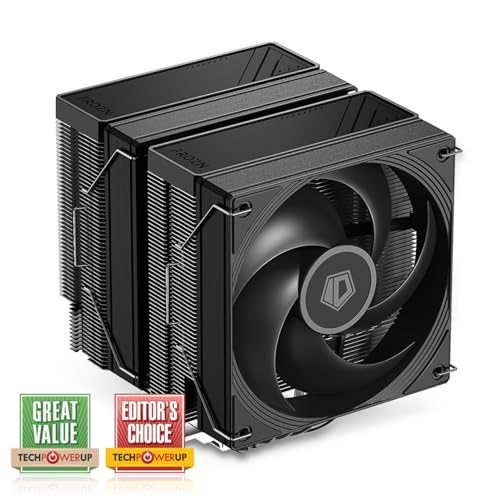
ID-COOLING FROZN A620 PRO SE 58 CFM CPU Cooler (FROZN A620 PRO SE)
There's cheaper 750s/850s, but the rm750e is good
Oh there's a lot of cheap Sama psus on newegg recently
750-850w around $50-70
manic cloak
@crimson zinc

CORSAIR
CORSAIR RMe Series Fully Modular Low-Noise Power Supplies with ATX 3.0 and PCIe 5.0 compliance provide quiet, reliable power with 80 PLUS Gold efficiency to a wide variety of PC builds.
Don't make all of them go oos, yw
manic cloak
How hot does a 5800x3d run exactly? cause I just found a local one for 180$
rain carbon
manic cloak
How hot does a 5800x3d run exactly? cause I just found a local one for 180$
It can be cooled with a standard heatsink
manic cloak
rain carbon
It can be cooled with a standard heatsink
so no need for a ps120 or anything, smth like a 4-5 heatpipe single tower could cool under load?
rain carbon
On full load gets around 75 to 85c
rain carbon
manic cloak
so no need for a ps120 or anything, smth like a 4-5 heatpipe single tower could ...
You could use a stock cooler honestly
manic cloak
rain carbon
You could use a stock cooler honestly <:kekw:741678350791081994>
issue is the guy selling doesn't have it 😭
rain carbon
manic cloak
issue is the guy selling doesn't have it 😭

Thermalright Assassin Spirit 120 EVO Black CPU Cooler, 120mm PWM Quiet ARGB Fan CPU Air Cooler, AGHP 4th Technology, Support Intel lga1700/1150/1151/1200,AMD AM4 AM5, Computer Cooler(AS120 EVO)

Thermalright Assassin Spirit 120 EVO Dark CPU Cooler, 4 Heat Pipes,TL-E12B V2 PWM Quiet Fan CPU Air Cooler, Computer Black Heatsink Cooling, Support AMD AM4 AM5&Intel 1700/1150/1151/1155/1200
weary galleon
These are cheaper
https://pcpartpicker.com/product/q6H7YJ/thermalright-assassin-x-120-refined-se-6617-cfm-cpu-cooler-ax120-se-d3
https://pcpartpicker.com/product/Js2WGX/thermalright-assassin-x-refined-se-argb-6617-cfm-cpu-cooler-ax120-refined-se-argb

Thermalright Assassin X 120 Refined SE 66.17 CFM CPU Cooler (AX120 SE-D3)
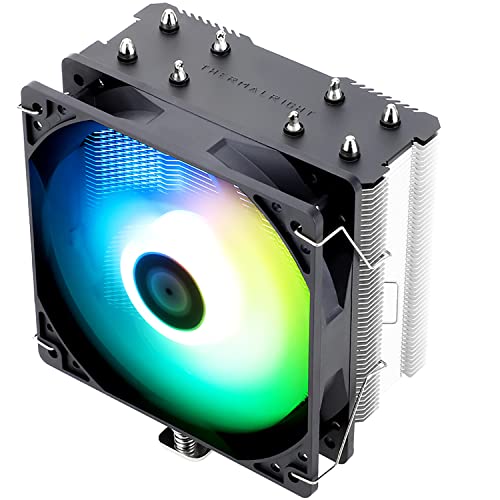
Thermalright Assassin X Refined SE RGB 66.17 CFM CPU Cooler (AX120 Refined SE ARGB)
Also cheaper, with 6 heatpipes
https://pcpartpicker.com/product/sysV3C/thermalright-burst-assassin-120-se-argb-6617-cfm-cpu-cooler-ba120-se-argb
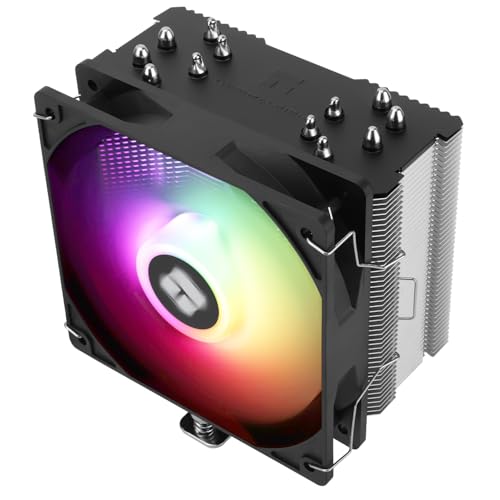
Thermalright Burst Assassin 120 SE ARGB 66.17 CFM CPU Cooler (BA120 SE ARGB)
Or do dual tower
https://pcpartpicker.com/product/GpbRsY/thermalright-phantom-spirit-120-se-6617-cfm-cpu-cooler-ps120se

Thermalright Phantom Spirit 120 SE 66.17 CFM CPU Cooler (PS120SE)
rain carbon
Better recommendations yeah lol
weary galleon
The other 2 ain't bad, and are slightly more asthetic with the blacked out finstack
mossy venture
exactly, just never buy thermalwrong
manic cloak
Agh well i'm stuck between having my friend be on a new gen or an old gen
I have access to the 7600x3d bundle, but he's stuck with a 7700xt, i'm building a 5800x3d and if I can find any good boards and cheap ram I could fit likely a 4070 super/7900 gre
OR I buy this 7900x for 250$ off of marketplace
weary galleon
Why build 5800x3d when you can get 7600x3d bundle?
manic cloak
weary galleon
Why build 5800x3d when you can get 7600x3d bundle?
VR setup, 1000$ budget for my friend
I get a 7600x3d, I also get a 7700xt.
If I get a 5800x3d, I can possibly get a 7900 GRE, or a 4070 super.
weary galleon
Oh I see, 2 different cpu/gpu combos
I don't think extra cores on the 7900x is necessarily worth for vr
Could you do the 7600x3d combo and then a used gpu? Or is the 7700xt part of the combo?
manic cloak
weary galleon
Could you do the 7600x3d combo and then a used gpu? Or is the 7700xt part of the...
no it's your basic microcenter bundle, no good used GPUs in my area except for a 420$ speedster 7800xt
But the seller has been known to not show up so..
weary galleon
Could checkout ebay with shipping as well
manic cloak
true
manic cloak
weary galleon
Could checkout ebay with shipping as well
https://pcpartpicker.com/list/9zh28Q this is what the 5800x3d build is looking like rn
Part List - AMD Ryzen 7 5800X3D, Lian Li LANCOOL 206 ATX Mid Tower
RAM I 100% can get, dude lives in my city, responded within seconds
manic cloak
processor? no clue yet
mhm
there is a 5700x3d on market place for 175$ with a free kit of 2x16 3200 cl16
weary galleon
I'd get that over the 5800x3d probably
manic cloak
No clue if the difference is trult noticeable though
weary galleon
There is the AliExpress option for a 5700x3d as well
weary galleon
Yeah no coupons on Ali so it would be 150-165. The marketplace one with 32gb ram would be better
manic cloak
mhm
Part List - AMD Ryzen 7 5700X3D, Lian Li LANCOOL 206 ATX Mid Tower
literally a motherboard and a gpu is missing

Micro Center
Get it now! The ZOTAC GAMING GeForce RTX 4070 Twin Edge OC GDDR6 is a compact and powerful graphics card, featuring the NVIDIA Ada Lovelace architecture and an aerodynamic-inspired design.
I could get this for 474.99
weary galleon
I don't know which mobos are good or not but assuming you get a b550 for $100, that leaves 520 for gpu
manic cloak
mhm, or if I find something at microcenter (which they usually do and don't have listed online)
it's like their open box stuff
or if I find a motherboard cheap on facebook
weary galleon
I think Nvidia might be a tad better for vr but AMD might still be the better pick depending on price
manic cloak
100% nivida is but with how expensive it is?
weary galleon
I guess (new) 7900gre is $540 rn which wouldn't fit in budget
weary galleon
$420 7800xt is pretty good as well
540 a little higher than I'd like for a gre tho. Used to be closer to 500
manic cloak
Part List - AMD Ryzen 7 5700X3D, Radeon RX 7900 XT, Lian Li LANCOOL 206 ATX Mid Tower
I need a 25$ mobo and bam! :)
 vague oracle
manic cloak
there is a 5700x3d on market place for 175$ with a free kit of 2x16 3200 cl16
vague oracle
manic cloak
there is a 5700x3d on market place for 175$ with a free kit of 2x16 3200 cl16
If you got a microcenter by you, the 5700x3d is on sale for around $160ish
manic cloak
vague oracle
If you got a microcenter by you, the 5700x3d is on sale for around $160ish
179.99 but ya I do
vague oracle
Yeah that's sounds about right
manic cloak
I don’t think I’ll do the AM4 build though
vague oracle
I just bought one a few days ago lol
manic cloak
Ya it’s honestly a great priced CPU
vague oracle
What's the other option for a build?
manic cloak
Part List - AMD Ryzen 5 7600X3D, Radeon RX 7700 XT, Lian Li LANCOOL 206 ATX Mid Tower
vague oracle
Yeah my 5900x finally went dead dead so went for something cheap to put into the system
Yeah AM5 is the better option for a new build
manic cloak
Issue is, 7600x3d is oos at my store, and the x870 is an open box willing to go any second
Ya that’s what I was thinking, hopefully he can spare an extra 20$ for a 7800xt (420$) on fbm 😭
plucky timber
7600X3D?
Eh?
I'd rather just spend the extra on a 7800X3D
$400 for a 6 core is really bad value
Or hell
5800X3D
Gonna lose on single core perf but 8 cores
I really wouldn't spend that much on a R5
Even if it's an X3D
It's so close to a 7800X3D in price it's not funny
Like $50 more
weary galleon
plucky timber
$400 for a 6 core is really bad value
They have access to a microcenter bundle
But imo $175 for 5700x3d plus 32gb ram is the play for their $1000 budget
plucky timber
yeah I wouldn't spend R7 money on a R5
manic cloak
plucky timber
I'd rather just spend the extra on a 7800X3D
7800x3d bundle is 549.99
you might aswell either play one VR game or have crappest carry on luggage of a case
manic cloak
weary galleon
But imo $175 for 5700x3d plus 32gb ram is the play for their $1000 budget
seller viewed my "hi, I am really interested in buying this within the next week or so, are you available to meet anywhere within the twin cities?"
and guess what, no message :)
manic cloak
plucky timber
yeah I wouldn't spend R7 money on a R5
ya.. 180$ 5800x3d on facebook, the listing was all in one, he said he can sell single parts, decided to hit me with "I want to sell it all" (mobo + ram) for 400$.
5700x3d 179.99 alone at microcenter or 169.99 on aliexpress
I could do that, but it's a "dead" gen.
Plus the 7600x3d is 300$ alone, 7800x3d 429-450 depending on what time of year it is
ORIGINALLY the 7800x3d bundle was 400$, but that was during the big nand or whatever, where 1 tb SSDs were like 25$ and ram was dirt cheap
plucky timber
manic cloak
ya.. 180$ 5800x3d on facebook, the listing was all in one, he said he can sell s...
I wouldn't even buy it new
For $180
manic cloak
plucky timber
I wouldn't even buy it new
wdym it isn't new? unless you mean the 5700x3d
plucky timber
manic cloak
wdym it isn't new? unless you mean the 5700x3d
5800
Cuz used for $180 is ridiculous when you can get a new 5700X3D
 cerulean plume
what does it mean if my pc makes a loud sound for like 3 seconds then stops? first time it did that i think it was the fans
wasnt loud but louder than what it was
cyan ravine
That could mean anything
Loud sound like what loud sound
A clown horn?
Lol
Need much more detail
cerulean plume
cyan ravine
Loud sound like what loud sound
nah i think it was fans tbh
dusky hearth
Me when I accidentally set the speakers to 100
cyan ravine
Pc jumpscare
cyan ravine
Alr
dusky hearth
Do you have any other descriptor other than "loud"
cerulean plume
it was like 1 fan just got really fast for some reason
cyan ravine
Like just stupid fast randomly?
cerulean plume
its like if I booted up a high demanding game
dusky hearth
Hmm
cerulean plume
cyan ravine
Whiirrrrrr
yea
dusky hearth
I wouldn't call that loud tbh lmfao
dusky hearth
It probably was like the GPU spinning up for a sec or smth
cerulean plume
dusky hearth
I wouldn't call that loud tbh lmfao
yea wasnt loud was just unexpected
 frigid night
So, I reinstalled windows last week and haven't had any issues related to use, however I noticed that when I get up in the morning my PC has rebooted. Windows updates are turned off and everything related to sleep/hibernate are turned off as well. Today I noticed I had a WHEA error after booting up the PC. I have no OC on any of my hardware and this was a nonissue prior to reinstalling windows. Does anyone have some ideas as to what could be the cause? EventViewer doesn't have anything other than an unexpected shutdown error.

 cyan ravine
Unstable settings
This includes stock
If windows can log a whea then something is unstable
cyan ravine
Couldn't give you specifics without specs
frigid night
and everything was fine before the reinstall.
cyan ravine

manic cloak
frigid night
So, I reinstalled windows last week and haven't had any issues related to use, h...
Is it possible that windows is just corrupted in general? I’m sure you’ve done the sfc /scannow
But if the issue has started to persist AFTER you reinstalled windows (for some reason? 😭) then it’s just likely a corrupt file?
 sonic coral
where did build pics go?
weary galleon
sonic coral
where did build pics go?
One channel above this one
Might need to levelup to see it? Not sure
manic cloak
@weary galleon look at my luck.
 weary galleon
manic cloak
<@358383085181730826> look at my luck.
weary galleon
manic cloak
<@358383085181730826> look at my luck.
That's lowkey scam level pricing, just take caution
manic cloak
Either fake or real, but ya I’m scam weary.
 crude phoenix
Whats the best value pre built pc you can get for $800-$1k. Not for intensive gaming or anything just for work but don’t want a sh*tbox
mossy venture
crude phoenix
Whats the best value pre built pc you can get for $800-$1k. Not for intensive ga...
Completely against building yourself?
crude phoenix
mossy venture
Completely against building yourself?
It’s for a friend, he wants a pre built
Just for work
mossy venture
Oh what type of work?
And I'm assuming he isn't gaming at all then?
A mini pc like this could be more than enough if he's not doing anything intensive
https://www.amazon.com/Beelink-PCIe3-0-SER5-Desktop-Computer/dp/B0BYJDFG5B/ref=mp_s_a_1_11_vs_ar?

Beelink EQR6 Mini PC AMD Ryzen 5 6600H(Up to 4.5GHz), 16GB DDR5 RAM 500GB PCIE4.0 SSD Dual LAN Mini PC, AMD Radeon 660M, Dual HDMI/ WiFi6/ BT5.2/ Home/Office/Build-in Power Supply Mini Computer
crude phoenix
mossy venture
And I'm assuming he isn't gaming at all then?
Light gaming, mostly for work
mossy venture
800-1000 for an office pc is just overkill
Could you ask him what type of games he'd be interested in?
This is refurb directly from lenovo, could use a ram and storage upgrade at some point if he's going to get into heavy ish gaming
https://www.ebay.com/itm/156404825193?

eBay
AMD Ryzen 5 7600 (8C / 16T, 3.8 / 5.1GHz, 6MB L2 / 32MB L3). AMD Radeon RX 7600 8GB GDDR6. 2x 8GB UDIMM DDR5-5600.
crude phoenix
mossy venture
Could you ask him what type of games he'd be interested in?
Fortnite and call of duty
mossy venture
mossy venture
This is refurb directly from lenovo, could use a ram and storage upgrade at some...
Alright so something like this could be fine, but spending more isn't a bad idea
Pre builts in that range are mostly mediocre value but I'm looking around atm, I'm watching my neice and nephew so it'll be a lil bit
Here's an option but it should be like $700
https://computers.woot.com/offers/msi-codex-r2-b14nuc5-212us-gaming-desktop

Computers.Woot
MSI Codex R2 B14NUC5-212US Gaming Desktop
This is a bit better value https://www.newegg.com/p/N82E16883360556?tpk=1
crude phoenix
mossy venture
Pre builts in that range are mostly mediocre value but I'm looking around atm, I...
Sorry I should’ve clarified. $800–k cad
1k*
mossy venture
Ah
I'd definitely suggest building then
I'll be back in a bit, I gotta back them dinner
Part List - AMD Ryzen 5 7600, Radeon RX 7600, Montech AIR 100 ARGB MicroATX Mid Tower
Part List - Intel Core i5-12400F, Radeon RX 7600, Montech AIR 100 ARGB MicroATX Mid Tower
analog hearth
@cyan ravine they've arrived. In terms of temps, they’re basically the Lian Li fans I’ve been using lol. I might go crazy and make this a push-pull setup since I have extra fans now lol

Or might just give some to by brother because he's suffering with the stock case fans he's had since it was my case
Also just realized I need to tuck that one cable below the middle fan 💀
 topaz rose
im being indesisive with which ram kit i wanna get
languid nimbus
Not vengeance
topaz rose
languid nimbus
Not vengeance

 quartz wing
my gpu wont go all the way into the mobo slot does anyone know what i should do
 elfin carbon
Hi I’m trying to build a gaming pc, the main games I play are Fortnite, CoD, Marvel Rivals, and the occasional story game i dont want to overpay for a build that I will never get to fully use but I also would like to have a high fps that doesnt result in diminishing returns any help would be great
plucky timber
budget?
plucky timber
is it a ONLY gaming pc?
elfin carbon
Yeah and basic schoolwork and other tasks
plucky timber
since you mentioned diminishing returns I'd imagine you mean you prefer price/performance
over having the "best" parts
elfin carbon
Yeah like I don’t want to spend 300 bucks for like 5 fps
plucky timber
you sir
are the exact type of people we like
I'll whip a list up rq unless bacca swoops in
elfin carbon
Ok thanks sm
plucky timber
are you comfortable with aliexpress?
elfin carbon
Not rlly I want to build it myself
plucky timber
there are certain cpus that are way cheaper on aliexpress
topaz rose
elfin carbon
Not rlly I want to build it myself
ali is where you can buy sutff for cheaper cause china
elfin carbon
Oh I’m good with that
plucky timber
would you potentially upgrade the pc?