#building-and-recc-chat
1 messages · Page 312 of 1
 analog hearth
 rain carbon
id probably just save the money, if her 5700 is still kicking i dont see the point of doing a small upgrade when that could be put towards a superior upgrade
what resolution does she play?
analog hearth
I'm wanting to fully upgrade her. She's trying to run Minecraft with shaders and she's also been wanting to play some other games like Hogwarts Legacy (great for this time of the year tbh) but 8GB of VRAM just isn't enough for Hogwarts and the 5700 otherwise can't run shaders at a stable frame rate
rain carbon
yeah the vram is rough
analog hearth
Honestly kinda thinking of getting her a 7700 XT. I hate being in a relationship where the tech guy is has to say "I can build you a PC with spare parts. It'll still run games perfectly fine." Just seems lousy to me lol idk
rain carbon
its not even spare parts thats the issue, just the performance of it
analog hearth
Oooh wait a second I just thought
rain carbon
7700xt i think would honestly be worth it
rain carbon
that would be much better
analog hearth
idk though. He OC'd it a little bit so idk its health atp
rain carbon
not as good ray ofc lol but i doubt shaders will need that much
analog hearth
Yeah I don't think she cares too much for RT
rain carbon
you should ask how long hes had it
analog hearth
Bruh if he deems that it's a healthy card, I could probably get that from him for like $200, maybe $150 if he doesn't mind stretching it
I mean it was water cooled
rain carbon
oh lmao yeah easy grab
analog hearth
It's an Asus TUF 6800 XT
analog hearth
Yeah I think I know my decision on that now lol. Solid GPU
I also have a 6800 XT but I plan on using it
Plus I think the HDMI port is dying on it and I'd rather not give her a card that's somewhat broken lol
rain carbon
understandable
i mean you could also get a dp to HDMI converter too
i doubt shes using multiple monitors at once anyway lol
analog hearth
that's true
She has two 1080p monitors
I won't be upgrading her any time soon though. She'll more than likely to be able to run stuff at med-high (maybe ultra?) settings on her 1080p 180Hz main panel
rain carbon
id be more than content at those specs personally
for general gaming thats more than enough
analog hearth
What worries me is power consumption. She pays for her own electric build. A 5900X and a RX 6800 XT is a big jump in power consumption when coming from a 12100F and an RX 5700
Like this is mostly going to be for a computer that's sitting at idle and doing work-related stuff. It's more that I want to upgrade her from what she currently has
rain carbon
4090s use less power than a toaster
analog hearth
lmaoo
rain carbon
i doubt itll be that big of an issue
analog hearth
Alright then
I'll probably still keep her current PC at her place in case she has a noticeably bigger energy bill anyways lol
rain carbon
lol id be terrified if it jumped up much
most general appliances will be more impactful than a pc
plus its not like the gpu is gonna be running at full power draw constantly yeah
analog hearth
I think I'm overreacting about it. It's really probably like not even a $5 jump
rain carbon
lmao yeah
analog hearth
Yeah I'm freaking out for sure then 💀
rain carbon
hey youre just being thoughtful
analog hearth
Whatever then. I'm going all out for her (yeah just a 6800 XT but that's still a phat upgrade for her)
yeah
nothing wrong with that
rain carbon
6800xt isnt the most effecient but (at least if you dont live in cali) power can be pretty friggen cheap
analog hearth
Yeah I'm excited for her
I'm for sure getting her the 5900X, RAM, and an Asus Crosshair VII Hero to host all of it for $200 (insane, I know). Just hopefully I can get this GPU from my friend for $150 (I think that's a decent price for it. I think he just wants to get rid of it atp. We'll see)
And then I'd just need cooling, storage, a case, and a power supply
Not too bad. The main components are like $350 total (hopefully)
rain carbon
just give her a 5990x at that point 🔥
analog hearth
lolll
I mean I wouldn't say my friend's 5900X has been babied, but it at least has been water cooled for all of its life
I think he tried getting it to 5GHz at one point 💀
And then it just crashed the whole PC
But idk we'll see
rain carbon
150 would be a REALLY good price, id honestly feel bad for the seller if i only paid that lol
i see 6800XTs going for 250+
rain carbon
analog hearth
I think he tried getting it to 5GHz at one point 💀
poor cpu holy
analog hearth
Yeah maybe I could get the GPU for like $200. Still a steal at that price
rain carbon
even if he offered at 150 id still pay 200 to not rip him off lmao
analog hearth
Yeah probably
I'd rather not lose him as a friend after he realizes that I basically scammed him 💀
rain carbon
seeing how much he invested into the cpu versus the gpu for gaming he'd probably not realize lmao
honestly people overlook 6 cores too much imo
even with video rendering jumping up in cores only saves so much time
analog hearth
Yeah my friend made the decision to get a 9900X over a 9800X3D just for the extra cores. He does a lot of mountain biking and with that, he does some video editing too
rain carbon
some video editing but 500 dollars on a cpu
idk im just broke i just dont see the value LMAO
analog hearth
Some as in it's mostly trimming and that's it but he does a lot of that
This guy goes biking like every weekend and gets like a whole day's worth of content that he just edits throughout the week
rain carbon

same 1080p perf at half the core count with the 9600x
idk why you dont just buy the 9800x3d
and get the 9900x
not to mention most people dont buy high end chips for 1080p
 distant yoke
Looking for some advice on other options for mobo, ssd and gpu. Unless they're alright as it is. I'm basically set on the rest. The help is appreciated. https://pcpartpicker.com/list/7TZnHW
Part List - Intel Core i5-14600KF, Radeon RX 7700 XT, Montech AIR 1000 PREMIUM ATX Mid Tower
https://pcpartpicker.com/product/zJWJ7P/phanteks-xt-pro-atx-mid-tower-case-ph-xt523p1-bk01 actually going with this case, just didn't put time to change it

Phanteks XT PRO ATX Mid Tower Case (PH-XT523P1-BK01)
analog hearth
Man I wish they'd make that case in white
I don't even care about white tax. that case is already cheap wtf
analog hearth
distant yoke
Looking for some advice on other options for mobo, ssd and gpu. Unless they're a...
People may or may not yell at you for going with Intel. What would I say? I would say just update the BIOS as soon as you get your parts. Probably the only advice I can give tbh
Also, if you wanted some RGB in that build, I recommend these fans:
https://www.amazon.com/gp/product/B0CK213XT4
They're a dupe of the Lian Li INF UNI fans and they work just as good

Daisy-Chain Design : Slide-in / PIN-to-PIN interlocking mechanism£¬Unprecedented flexibility / A quicker and easier installation process Only one cable is required for each fan cluster Efficiently solve the installation mechanism line and save installation time. The interior of the chassis is cle...
analog hearth
distant yoke
I know, it mentions to update bios for gen 13/14
Actually probably due to compatibility. I would say you won't have an issue with that. But definitely update the BIOS so you don't have overheating issues
distant yoke
Thanks for the recommendation and tips
 fallow knot
should i get a i7-14700KF?
 dusky hearth
why would you
analog hearth
What's your situation like? Do you have a build? Is it already an Intel-based build?
fallow knot
im at an 15 11400F and it seems theres a decent deal at my best buy
so im wondering if i should pick it up and upgrade my b560
analog hearth
Nah don't get a 14700KF (or any Intel CPU later than that). Switch to Ryzen, as you'll need a new motherboard anyways
fallow knot
what would be your recommendation? i mostly edit videos and play Rust
dusky hearth
if you have a microcenter, a x3d bundle
fallow knot
sadly no microcenter near me
dusky hearth
sadge
fallow knot
nearest one is Tustin lol
analog hearth
Go with something like a 7600X or a 7800X(3D if you can afford it). I wouldn't bother with Ryzen 9000 atm
dusky hearth
or 7600f or whatever it was on aliexpress
fallow knot
7800X3D all sold out at my best buy :/
analog hearth
lol I figured
dusky hearth
fallow knot
7800X3D all sold out at my best buy :/
yeah scalpers + high demand
x3d kinda just gone
analog hearth
Honestly any Ryzen CPU that's either the 7600 or better would be a really good upgrade from where you're currently at
And then just get some DDR5 6000 MHz memory
rain carbon
id honestly say you should snag a 7700 if you can get it for 250 or less
 cyan ravine
analog hearth
People may or may not yell at you for going with Intel. What would I say? I woul...
cyan ravine
analog hearth
People may or may not yell at you for going with Intel. What would I say? I woul...

I am the one who suggested intels
analog hearth
oh my bad lol
 analog hearth
I still need to get my Intel platform swapped back in bruh
 potent portal
i5 is still fine, as long as they're aware it's a dead end
analog hearth
You still won't have to upgrade from that CPU until maybe like three CPU generations at the minimum
I planned to keep my 13700K for five years after getting it
potent portal
Depends on what GPUs do and what you upgrade to later
cyan ravine
Well if I recall my explanation, it was that for his needs the next logical step would be X3D which is currently expensive
So the value of selling a cpu later may as well be factored with the motherboard since the price difference to AM5 was a lot more than $50
potent portal
I'm curious what your takes are on the 5090D. We already know how powerful it will be, and that's barely better than the 4090D, thanks to US legislation restricting how powerful it can be.
cyan ravine
It will unlikely even release
The DoJ has already threatened NVIDIA and shut down the 4090D before
Trying the same tactic again won't work
analog hearth
Wait we have a limit now?
cyan ravine
Yes
potent portal
For a while
analog hearth
bruh we already can't even run games at a stable frame rate
that's mad goofy bruh
I hate it here
cyan ravine
NVIDIA has vested American interests
So the US government is enforcing a performance control on China exports for gpus
Hence the 5090D and 4090D
"Dragon"
potent portal
This is exclusively a China market model since the US gov doesn't want US companies to provide powerful hardware that can be used for AI to China
cyan ravine
Yep
And the ironic part is they can just export to Indonesia then to china
But it's no longer the problem of the US if they do that
 flint sapphire
 cyan ravine
But the 5090D and 4090D arguably still exist as it's double shipping which is expensive
But the DoJ allowing that? They've already said they'll stop a second attempt iirc
So I don't think it'll happen
 cyan ravine
Bye the Senate
analog hearth
Bye the Senate
distant yoke
distant yoke
Looking for some advice on other options for mobo, ssd and gpu. Unless they're a...
@cyan ravine sorry to ask you again, also I missed out on the ssd on woot instead of just going for it 
analog hearth
"eco" in the name doesn't sound good to me
cyan ravine
I had it listed earlier
analog hearth
Sounds like those ADATA green SSDs
cyan ravine
analog hearth
"eco" in the name doesn't sound good to me
I really don't understand why they call it eco
But it's been checked out, it's just a good ssd
cyan ravine
It's a pack of 1 too
analog hearth
oh gotcha
cyan ravine
I really don't understand what they're thinking
analog hearth
bruh like what
 cyan ravine
Micro brains international
analog hearth
Can't even list the price of an SSD properly smh
pricing a 2TB SSD as a 1TB SSD what were they thinking?
lol
 potent portal
Yes that's exactly it
It ships in a plastic case in an envelope
It just refers to there being less packaging
 stoic island
It's just not in the usual cardboard box format
potent portal
Comparable to a 980 Pro iirc
cyan ravine
It's the cheapest version
analog hearth
cyan ravine
WAIT MAYBE ECO PACK MEANS PAPER PACKAGING
YO I DON'T THINK WE'RE GOOD AT THINKING AT ALL
WE'RE SO BAD AT HAVING BRAINS
distant yoke
Alright, I'll try and order them soon, but still wondering about mobo and gpu
cyan ravine
What happened about those
distant yoke
Just if there are other options
The gpu, honestly it 410 now but the shipping date is like jan 7
Also if there other similar options for mobo
cyan ravine
Board I'd still go with
distant yoke
Ok
cyan ravine
Gpu you could consider this

XFX Speedster QICK 319 Core Radeon RX 6750 XT 12 GB Video Card (RX-675XYJFDP)
Significant drop but also significant price drop
distant yoke
Yee
cyan ravine
Otherwise....mostly the same if you care about the aesthetic
Considerable
https://pcpartpicker.com/product/pdcgXL/asus-dual-oc-radeon-rx-7700-xt-12-gb-video-card-90yv0jz0-m0aa00
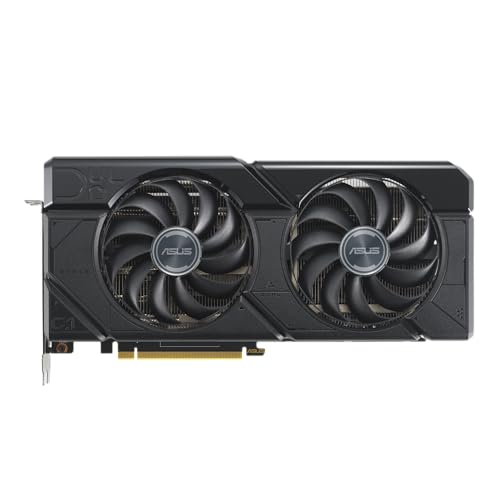
Asus DUAL OC Radeon RX 7700 XT 12 GB Video Card (90YV0JZ0-M0AA00)
Couldn't really suggest anything higher given it's 1080p
distant yoke
I'm just looking to run games better, not maxing out. Also quality/reliability for the price as much as possible
cyan ravine
Ye don't worry I'm not sacrificing quality or reliability
Having something a little bit over the top is good given new cod is involved
It's a heavy game
So thinking about it in terms of it trying to bring the PC down to size for performance lol
analog hearth
@cyan ravine Quick question. Good AIO? I asked about another AIO but I forgot whether it was this one or another one you said was bad
https://pcpartpicker.com/product/ywJp99/arctic-liquid-freezer-iii-280-a-rgb-699-cfm-liquid-cpu-cooler-acfre00151a

ARCTIC Liquid Freezer III 280 A-RGB 69.9 CFM Liquid CPU Cooler (ACFRE00151A)
Gonna be for a 5900X that I'm giving my gf
cyan ravine
Which case
distant yoke
Well,not aiming for the newest yet, just based on heavy games in general
cyan ravine
analog hearth
Still kinda deciding the case though
ATX board?
analog hearth
It'll be housing an Asus TUF 6800 XT. I'm getting the CPU and GPU from my friend, so good used parts from a guy I trust hasn't broken them lol
yeah ATX
Asus Crosshair VIII (I think) Hero
cyan ravine
distant yoke
Well,not aiming for the newest yet, just based on heavy games in general
Yeah I still think I'm sticking to the suggestion
distant yoke
cyan ravine
Yeah I still think I'm sticking to the suggestion
Which would you be best recommend?
analog hearth
I've barely shopped around but a 360mm AIO would be nice if I can fit it in the case. I barely just picked out some parts
cyan ravine
distant yoke
Which would you be best recommend?
I would lean towards the 7700XT given our discussions
analog hearth
lemme get the parts list one sec. so you know what I'm working with
cyan ravine
analog hearth
I've barely shopped around but a 360mm AIO would be nice if I can fit it in the ...
Aqua elite v3 is $53
White
Rgb
Fits in montech xr
Not o11 air mini
analog hearth
Man I might as well go that route
Part List - AMD Ryzen 9 5900X, Radeon RX 6800 XT, Lian Li O11 Air Mini ATX Mid Tower
cyan ravine
If she likes showey that's showey on a budget
distant yoke
The asus you gave, right?
cyan ravine
Cheaper and nicer than an o11 air mini imo (And I daily one)
analog hearth
distant yoke
The asus you gave, right?
Me? Possibly. Depends on whether my friend still wants to sell it
cyan ravine
distant yoke
The asus you gave, right?
Yeah the dual isn't bad. It's a bit thicker and denser than other coolers
cyan ravine
analog hearth
Me? Possibly. Depends on whether my friend still wants to sell it
No ur mom
analog hearth
okay man
distant yoke
analog hearth
Me? Possibly. Depends on whether my friend still wants to sell it
Sorry, different convo 
analog hearth
Yo that Montech XR is $70 at MC
cyan ravine
XR is good
analog hearth
Might just go pick that up later
cyan ravine
Comes with fan and RGB hub
That's like $20
Lol
The value of montech cases is vastly understated
analog hearth
maybe the AIO too if they have it (doubt it. They have mostly coarse hair and Liam Lib)
cyan ravine
Often get a full fan set AND a controller
analog hearth
Probably gonna get some off-brand Lian Li UNI fan equivalent
They perform just as good and look basically the same
cyan ravine
analog hearth
maybe the AIO too if they have it (doubt it. They have mostly coarse hair and Li...
Maybe a sale with Eee Kay
analog hearth
they're like $27 rn on Amazon
cyan ravine
analog hearth
Probably gonna get some off-brand Lian Li UNI fan equivalent
Sama sells some on the cheap
Like $15 for 3
analog hearth
yo link?
cyan ravine
I can't remember the name cos it's stupid complicated
They're easy to find tho
Amazon
analog hearth

Highly compatible interface4PIN PWM intelligent temperature control interface, more accurate speed regulation. 3PINARGB interface, compatible with most motherboard models on the market. Double-sided EVA pads 8 EVA pads are also installed on the corners of the fan frame to further absorb vibration...
oh this is just a single fan though
analog hearth
They're running out on Amazon though. I think imma still get the ICOLER (the off brand ones I was mentioning)
these guys
https://www.amazon.com/gp/product/B0CZ417FH1

Daisy-Chain Design : Slide-in / PIN-to-PIN interlocking mechanism£¬Unprecedented flexibility / A quicker and easier installation process Only one cable is required for each fan cluster Efficiently solve the installation mechanism line and save installation time. The interior of the chassis is cle...
these are reverse. they have a regular option too of course
Literally just Lian Li fans
cyan ravine
I color Sam a strange guy in my books
cyan ravine
analog hearth
Literally just Lian Li fans
So are the sam a's
analog hearth
yeah but these aren't almost out of stock lol
analog hearth
somebody here in the server got these icoler fans before and said they perform the exact same as Lian Li fans lol
I think these come from a supplier and the lesser known brand sells them for cheaper
cyan ravine
Being the same as unifans is a bad thing tho
analog hearth
Oh you mean specifically Lian Li Unifans?
potent portal
cyan ravine
Unifans suck for performance
No the problem is they DON'T suck, when they should
analog hearth
lolll
not enough sucking and not enough blowing
(can I say this? it's related to fans I swear)
cyan ravine
analog hearth
Oh you mean specifically Lian Li Unifans?
They couldn't work out how to fix the design eating into like 20% of the standard fan surface area so they decided to make them wider
Which makes them incompatible in soooo many cases
analog hearth
bruh
potent portal
Plus the frame being thicker means less fan blade surface area which means less airflow
cyan ravine
Dare wonder if even that montech has issues cos the fans are neatly behind the gpu
Ye
analog hearth
cyan ravine
Dare wonder if even that montech has issues cos the fans are neatly behind the g...
the XR?
cyan ravine
Plus L connect I found still is just about as bad as it used to be
potent portal
Newer uni fans have mostly solved this but those first like 3 models all are terrible
cyan ravine
potent portal
Newer uni fans have mostly solved this but those first like 3 models all are ter...
Still underwhelming despite that
analog hearth
may or may not vertically mount her GPU anyways lol idk yet (maybe not. it probably wouldn't get enough air)
cyan ravine
Ah alr
potent portal
cyan ravine
Still underwhelming despite that
Mostly fixed is still partly bad
fallow knot
okay well i went to bestbuy and i just picked up the i7-13700K for 225 since they gave me a 25dollars off for being a member
what motherboard, ram and aircooler should i get?
analog hearth
air cooling a 13700K? Good luck. But I've heard some people have some decent luck with the Noctua NH-D15
I think it's just barely good enough for the 13900K too (could be wrong idk)
 tawny violet
I believe Thermalright coolers CAN tame a 13700k
The big 140mm fan ones
Frost Commander 140 and Frost Spirit 140
But I'd recommend water-cooling too @fallow knot
fallow knot
ive never installed an AIO is it annoying?
analog hearth
not at all
tawny violet
Arctic Liquid Freezer III in whatever size fits your case (assuming at least a 240 fits in it)
analog hearth
Get something like a 280mm or a 360mm AIO
tawny violet
240 LF3 might be borderline but so would an air cooler
@fallow knot what's your case?
analog hearth
(Be my experiment. Get a 240mm AIO and make it a push-pull config. tell me the results lol)
oh gotcha
fallow knot
tawny violet
<@125423284874379264> what's your case?
Deepcool Matrexx 50
fallow knot
does it really heat up that badly?
tawny violet
Yeah 13th and 14th gen Intel K chips are notorious for being power hungry and heat up a lot
analog hearth
Should mostly be fixed after updating the BIOS though
tawny violet
analog hearth
Should mostly be fixed after updating the BIOS though
Pretty sure they still draw excessive amounts of power
Just at safe voltages
analog hearth
figured lol
tawny violet
They won't fry themselves but they're still power hogs
fallow knot
oof
tawny violet
Edit the swear out
fallow knot
was thinking of buying the 9800X3D out of stock too
tawny violet
It'd be better in games and draw less power tbf
But you already got the 13700K so oh well
fallow knot
on a deal 😄
tawny violet
It still works out well enough cuz the 13700K is still bloody fast
fallow knot
yeah for 100 dollars cheaper than the 14th gen pretty fair tbh
tawny violet
Are you savvy with overclocking and manually tuning things?
fallow knot
naw sir im just a gamer on the side
tawny violet
Cuz there are pretty sizable gains to find with manual tuning with that chip
But IDK if you'd be interested in that
fallow knot
i mean i know how to update my bios but I wouldn't know where to even begin fine tuning
someone said "does not fix a 360 AIO" for the case
im guessing they meant fit
 balmy lichen
Usually better to buy used before or after Christmas?
 shut rampart
I guess it’s coming at 6am to 8pm even tho it’s 2pm and it’s not even out for delivery looks like a reschedule again :/

 molten ferry
Currently have a pc I have been using for a while I game on it mostly cod and league I’m looking to start streaming and wondering what the next thing to upgrade would be this is what I have currently
It won’t let me send a picture so I will write it out
Pc specs
Mag B650 motherboard
1660 super
Amd ryzen 5 7600x
32gb ddr5 ram
1tb m.2 drive
potent portal
You'll need a GPU upgrade to get a better encoder for recording
That's about it
Possibly power supply
molten ferry
Any recommendations? I believe my power supply is 650w
 mossy venture
molten ferry
Any recommendations? I believe my power supply is 650w
mossy venture
molten ferry
Any recommendations? I believe my power supply is 650w
We'd need the model name to say if its good or not
molten ferry
Ahhh I’ll get it when I’m off work thanks btw
mossy venture
Np
 crimson zinc
@stable dagger @mossy venture so Sam here is a little convinced on getting a 3090
 stable dagger
Nah not really jest what I can get best fps per dollar which usually falls under amd
crimson zinc
What is your budget for a gpu?
stable dagger
Like 400 max 300 350 where I would like to be
crimson zinc
Would you be okay with used? Or new?
crimson zinc
Gotcha.
stable dagger
My specs right now for my new build is i7 12700k 64gb ddr5 1600w p+ evga psu msi z790 a pro wifi case is a anidees ai crystal xl pro
 fleet pagoda
I just installed a new cpu and my pc isnt booting
What to do
The dram and cpu light are going red on the motherboard
stable dagger
Usually your ram is not seated right or faulty ram
fleet pagoda
It was working before i switched the cpus though
stable dagger
Then your cpu is probably dead or your motherboard does not have the bios updated for the cpu
What cpu
fleet pagoda
I7 14700k
stable dagger
And what was the previous cpu
fleet pagoda
I5 12600k
stable dagger
Then your gunna need a bios update for 14th gen
stable dagger
Yup
fleet pagoda
Thanks
stable dagger
Usually that works
analog hearth
@rain carbon WWWW
 rain carbon
analog hearth
<@721052260607459400> WWWW
rain carbon
analog hearth
<@721052260607459400> WWWW
huge win
shut rampart
@cyan ravine my friend still lags hes using g pro wireless max pulling is 1k..
 bitter mason
fleet pagoda
Im getting a bios id check error when trying to update
bitter mason
fleet pagoda
Im getting a bios id check error when trying to update
maybe try the thing where you update bios why the computer is off with a usb stick & a button on the motherboard
analog hearth
shut rampart
<@101107951401455616> my friend still lags hes using g pro wireless max pulling ...
polling*
It's more than likely an interference thing
That’s why you don't get the wireless option for absolutely all peripherals
fleet pagoda
I downloaded rev 1.4 and not 1.0 so maybe that was why
fleet pagoda
Still isnt working
analog hearth
shut rampart
plugin the mouse?
yes
 rain bloom
Is the new recommended AMD deal the way to go for a combo on newegg since that mobo went out of stock? I don't particularly care about RGB
Also what does E-ATX mean compared to normal ATX?
mossy venture
rain bloom
Is the new recommended AMD deal the way to go for a combo on newegg since that m...
What combo?
rain bloom

 rain bloom
So I'd have to buy a wifi adapter?
potent portal
rain bloom
Also what does E-ATX mean compared to normal ATX?
EATX isn't a real standard but it generally means the board is wider than ATX
 languid nimbus
Corsair vengeance 🤢
rain bloom
potent portal
EATX isn't a real standard but it generally means the board is wider than ATX
So if it says it can fit EATX it can fit normal ATX?
rain bloom
languid nimbus
Corsair vengeance 🤢
The one I wanted doesn't combo, I'm trying to save money and realizing I shot myself in the foot
Also anyone see a 7900 xt that isn't out of stock, overpriced, or white? I'm riding the struggle bus tonight
rain bloom
https://pcpartpicker.com/list/2km7TM
Updated build missing a GPU, thoughts? I might just have to wait on the GPU at this point...
Part List - AMD Ryzen 5 7600, Fractal Design Pop Air RGB ATX Mid Tower
mossy venture
Ssd ram and mobo need changing
Rest looks alright
I changed monitor and psu too, but those are less important differences
https://pcpartpicker.com/list/bKbV74
Part List - AMD Ryzen 5 7600, Fractal Design Pop Air RGB ATX Mid Tower
rain bloom
Ram and mobo are comboed with the CPU, can I save money while breaking the combo?
mossy venture
Ohh hm
mossy venture
mossy venture
Id do this
Well first you can build your own combo
You don't need to use specifically those
7600, b650m hdv and 32gb 6400c32 from corsair is $360 and you can add a wifi card
That mobo is a lot better than the-s wifi
rain bloom
Also it looks like they're cheaper full stop on Amazon anyways so it might not be worth trying to combo?
mossy venture
-s wifi is bottom tier, the hdv holds the world record oc with a 7950x
mossy venture
rain bloom
Also it looks like they're cheaper full stop on Amazon anyways so it might not b...
Hm?
Oh do you mean with that mobo and ram i linked?
rain bloom
Yeah it looks like amazon has the cpu, mobo, and ram you linked cheaper on Amazon than trying to combo with Newegg's system
Any ideas for a GPU? Or just wait until the 7900 XT comes back in stock?
Also I just realized that case is cheap because it has shipping, should I switch or is that still a good choice?
mossy venture
rain bloom
Any ideas for a GPU? Or just wait until the 7900 XT comes back in stock?
Thats up to you, 4070 super open box is $500 rn which isn't bad
The vram will be limiting down the line though
mossy venture
rain bloom
Also I just realized that case is cheap because it has shipping, should I switch...
Also just personal preference
As long as it's got a mesh front and decent airflow youre fine
Montech xr is also $75 and is one of my favorite cases atm
Sky two gx also looks sick
rain bloom
Good call on the montech, it's shipping normally now so bonus
Is a 4070 super TI worth it? Looks like it clocks just below the 7900 XT
cyan ravine
Price wise never is
7900XT you can get near 600 and that includes the white Phantom gaming near 630
 vale epoch
I… paid around that much for my 4070super…
rain bloom
Yeah the issue I'm running into is they're all out of stock rn, so if I go with my plan I either wait or make the switch
vale epoch
Hmm maybe the dual fan challenger one
Pretty sure most gre’s never go below sub 550
Looks like the gre is out of stock too 
Scalpers alr charging 8 hundies
cyan ravine
The challenger one is worth spending $10 to get a different model imo
They just continually demonstrate poor paste on those
rain bloom
Only 7900 GRE I see is the powercolor figher OC for $550
vale epoch
…
 cyan ravine
That's a solid pick
vale epoch
rain bloom
Only 7900 GRE I see is the powercolor figher OC for $550
That one’s nice stays pretty cool too i had one for 2 weeks
cyan ravine
rain bloom
Only 7900 GRE I see is the powercolor figher OC for $550
I dig, or even 7800xt for 430
vale epoch
vale epoch
That one’s nice stays pretty cool too i had one for 2 weeks
I returned it in favor of a 7900xt if ur concerned
rain bloom
These will be able to handle 1440 165 hz?
vale epoch
Depends on games
cyan ravine
Should be just fine
vale epoch
They can handle cyberpunk in 1440p should be great for most games
rain bloom
vale epoch
Depends on games
Nothing crazy but also hoping to not have to upgrade until a part croaks ya know? I mostly play fighting games ans single player JRPGs
So if I'm gonna buy now that 7900 GRE is probably the best bet?
cyan ravine
You'll be completely overkilled by a 7800xt
Yeah you'll be fine
Fighting games are typically lightweight
Jrpgs to a good degree as well, light to medium
vale epoch
I haven’t tried a multiplayer game yet have I
rain bloom
I dunno, new tekken is not particularly well optimized lol. I heard the new monster hunter beta was optimized like trash as well

 cyan ravine
rain bloom
I dunno, new tekken is not particularly well optimized lol. I heard the new mons...
cyan ravine
rain bloom
I dunno, new tekken is not particularly well optimized lol. I heard the new mons...
Tbf, those were the only two exceptions in my head
vale epoch
vale epoch
Especially ue5 titles
Brought the 4090 to its knees… in 1440p
cyan ravine
Monhun was optimised for frame gen which is just....what
rain bloom
cyan ravine
Tbf, those were the only two exceptions in my head
great minds!
cyan ravine
Frame gen adds a 60ms latency hit
vale epoch
Worlds is the best mh
cyan ravine
So like
vale epoch
cyan ravine
Frame gen adds a 60ms latency hit
Unless the hardware can natively get 60 frames right?
rain bloom
I've played tekken at local events and they only have one portable rig that can run 8, slows everything down lol
vale epoch
Wbt upscaling? Does upscaling have a latency hit?
cyan ravine
vale epoch
Unless the hardware can natively get 60 frames right?
Nice 4090 there
Upscaling is negligible
Frame gen is a hit regardless of brand
But you'll get playable 1440 at least on a gre @rain bloom
Tekken tho? Can't say, know basically no one playing it
vale epoch
He will love the vram
cyan ravine
But every other fighter game is fine
vale epoch
vale epoch
He will love the vram
Meanwhile me touching crash levels with 11.7 gigs of consumption in cyberpunk 
rain bloom
I'm coming from a 1660 super jumping from 1080 to 1440, I'm gonna be elated no matter what lol
cyan ravine
Lol
vale epoch
rain bloom
I'm coming from a 1660 super jumping from 1080 to 1440, I'm gonna be elated no m...
Make sure to play elden ring…
 cyan ravine
Well if you get anything playable off that, multiply your fps by around 3x
Welcome to GRE
More or less
crimson zinc
vale epoch
<:PepeRealizes:1024543017949986856>
Make sure to play destiny
 rain bloom
Part picker lied to me, no GRE 
vale epoch
crimson zinc
Make sure to play destiny

vale epoch
cyan ravine
4x
Square that number and divide it with 2 if u dare
cyan ravine
rain bloom
Part picker lied to me, no GRE <:peepoSadSip:641081095479361536>
What about 7800xt
rain bloom
crimson zinc
Make sure to play destiny
I played a fair bit of D1, barely played D2
cyan ravine
vale epoch
Square that number and divide it with 2 if u dare
I know how this ends
vale epoch
cyan ravine
I know how this ends
You do not
rain bloom
cyan ravine
What about 7800xt
See more options for that! Does it matter which one I pick or should I just go cheapish?
cyan ravine
I mean
Between "out of stock" and "available"
💀
Go with what you can find
Lmao
Don't restrict yourself to one store btw, we don't get paid to have you buy off newegg
Buy wherever
rain bloom
Definitely should have bought the GPU on Friday and did the rest today
Bacca helped me with a build earlier that barely uses Newegg, I see the price savings is king here and I love it
vale epoch
Will i go to hell if i suggest this? https://a.co/d/2CzvMZC

The XFX AMD Radeon RX 7000 Series graphics cards, featuring the groundbreaking AMD RDNA 3 architecture, deliver ultra-high frame rates for your favorite games
…
It looks cool ok
rain bloom
Nah, they actually had 7900 XTs on Friday is what I was joking since that's what I was gunning for at first, this whole thing being under $1300 is looking pretty sweet to me
rain bloom
https://pcpartpicker.com/list/VDDmgn
This is what I'm looking at now, the new Orpheus 1440 machine
Part List - AMD Ryzen 5 7600, Radeon RX 7800 XT, Montech XR ATX Mid Tower
vale epoch
Looks like the regular xfx swft is for 450
Shipped and sold by amazon too

The XFX AMD Radeon RX 7000 Series graphics cards, featuring the groundbreaking AMD RDNA 3 architecture, deliver ultra-high frame rates for your favorite games
cyan ravine

XFX Quicksilver Magnetic Air Radeon RX 7800 XT 16 GB Video Card (RX-78TMAIRF9)
https://pcpartpicker.com/product/WbxxFT/asrock-phantom-gaming-oc-radeon-rx-7900-xt-20-gb-video-card-rx7900xt-pgw-20go what's available soon mean

ASRock Phantom Gaming OC Radeon RX 7900 XT 20 GB Video Card (RX7900XT PGW 20GO)
Oh it's in stock @rain bloom
White 7900xt on Amazon for 670 isn't bad
vale epoch
YOO
 vale epoch
cyan ravine
White 7900xt on Amazon for 670 isn't bad
vale epoch
cyan ravine
White 7900xt on Amazon for 670 isn't bad
From asrock too
cyan ravine
Sold direct by asrock
rain bloom
Avaialable soon means it may come in stock soon but it will probably not be on any sort of sale anymore when it does from what I can tell
cyan ravine
It's in stock
vale epoch
cyan ravine
https://pcpartpicker.com/product/fQkH99/xfx-quicksilver-magnetic-air-radeon-rx-7...
Man kinda wish they put this shroud in for the gre or the 7900xt
cyan ravine
vale epoch
Man kinda wish they put this shroud in for the gre or the 7900xt
They did
vale epoch
Its only for the 7800xt and 7900xtx i believe
rain bloom
Would the white severely clash with everything I'm doing here?
cyan ravine
rain bloom
Would the white severely clash with everything I'm doing here?
I have no idea what your build is
vale epoch
cyan ravine
I have no idea what your build is
All black
rain bloom
rain bloom
https://pcpartpicker.com/list/VDDmgn
This is what I'm looking at now, the new Or...
This was my build list
vale epoch
Imagine there were white dbrand skins or stickers u could apply over mobo heatsinks
cyan ravine
I mean the 7800xt is fine but spend as cheap as you can bar the challenger
If you're concerned over looks
Or
Wait a week
Cos honestly they'll all be back in stock
Amd wouldn't just stop shipping
rain bloom
I was gonna say it kinda sounds like the 7800xt should do what I need or I can just hit buy on everything else today
dusky hearth
vale epoch
Imagine there were white dbrand skins or stickers u could apply over mobo heatsi...
if it's a vinyl sticker that might be a detriment
vale epoch
Tru
dusky hearth
vinyl is a bit of a insulator
vale epoch
Could trap the heat right
dusky hearth
if they made aluminium stickers, may be fine
vale epoch
I doubt there stickers readily available for a specific mobo design tbh
dusky hearth
well, dbrand has a cutting machine
cyan ravine
rain bloom
I was gonna say it kinda sounds like the 7800xt should do what I need or I can j...
It kinda will
rain bloom
When you say kinda what do you mean in this instance? It's just gonna have to work harder or some stuff just won't be on ultra?
cyan ravine
Just some stuff won't be on ultra
crimson zinc
rain bloom
I played a fair bit of D1, barely played D2
Play it now
 indigo kindle
Part List - AMD Ryzen 7 7800X3D, GeForce RTX 4080 SUPER
Anything to change? Hard set on 4080s
I have a corsair AIO already
rain bloom
Oof, MSI SSD is out of stock, is there a good replacement? @mossy venture
 sudden jewel
One of these days I’ll get to Microcenter. But I’m thinking I’ll go with the 7600x3d. Should be roughly the same performance in 4k.
rain bloom
https://www.amazon.com/dp/B0B996CJ64?tag=pcpapi-20&linkCode=ogi&th=1
Is this worth the money saved?

Give your system the power of PCIe 4.0 with the budget-friendly UD90. Providing the best bang for your buck, it reaches read speeds up to 5,000MB/s and write speeds up to 4,500MB/s. It also boasts 2x faster data transfer rates than its predecessor, PCIe 3.0, for sustained use and dependable perfo...
mossy venture
rain bloom
Oof, MSI SSD is out of stock, is there a good replacement? <@654444344274845698>

TEAMGROUP MP44L 2 TB M.2-2280 PCIe 4.0 X4 NVME Solid State Drive (TM8FPK002T0C101)
mossy venture
Oh I guess 7900 gre stock is gone, that sucks
7800xt is a pretty big drop from the 7900xt, but its still a very solid 1440p card
Stock starting to dry up typically means they're getting ready to release new cards but we've no date yet. If I were buying a gpu right now my choice would either be a cheapish temporary card or a used gpu personally
rain bloom
I suppose I could buy a 7800xt for relatively cheap and then upgrade if it doesn't work as I need it to?
And yeah I know we're close to new cards, I hear NVIDIA especially is gearing up
mossy venture
rain bloom
I suppose I could buy a 7800xt for relatively cheap and then upgrade if it doesn...
Oh for sure, I mean 7800xt will handle 1440p gaming like a champ
Imo it's the high end of the mid range
6900xt refurbs seem to be about $460
https://www.ebay.com/itm/126614654180?

eBay
Model: RX 6900 XTU. This Video Card has been Manufacturer refurbished by PowerColor. PowerColor tests the Video Card and confirms that it is fully functional. Type: Radeon. Version: Ultimate Red Devil.
If i remember right the 6900xt=7900 gre, just uses more power
rain bloom
I think I'll go with the 7800xt if it can handle what I need! Presumably 3 fans over 2 for the xfx swift?
mossy venture
XFX Quicksilver Magnetic Air Radeon RX 7800 XT 16 GB Video Card (RX-78TMAIRF9)

XFX Speedster QICK 319 Core Radeon RX 7800 XT 16 GB Video Card (RX-78TQICKF9)
rain bloom
What's the difference between those two?
mossy venture
Afaik just aesthetic, could be a small performance difference but nothing noticeable
 snow wasp
@cyan ravine Hey how you doing? You helped me getting couple of components, especially a lequid cooler and RAM. My 5800x3d is here, i bought it 2nd hand, so i was hoping you can advice me in terms of testing and stuff since it's an used CPU, the seller did say that he didn't use it that long, not sure how true it is 😄
mossy venture
Maybe the first one has a better cooler, not sure
vale epoch
mossy venture
Maybe the first one has a better cooler, not sure
The fans come off
They attach magnetically
Its cool af
mossy venture
Oh that's cool
Id definitely pay $10 for that
Also would look sick in a red/black blackout build
vale epoch
vale epoch
They attach magnetically
Also uses phase change thermal pads or smth
snow wasp
snow wasp
<@101107951401455616> Hey how you doing? You helped me getting couple of compone...
Also @mossy venture i would appreciate if you can advise as well 🙂
mossy venture
vale epoch
Also uses phase change thermal pads or smth
Part List - AMD Ryzen 7 7800X3D, Radeon RX 7800 XT, Montech SKY TWO GX ATX Mid Tower
Just for fun
mossy venture
snow wasp
Also <@654444344274845698> i would appreciate if you can advise as well 🙂
Did you alr install the cpu?
rain bloom
Would that red look alright with the case fans on the Montech XR?
vale epoch
mossy venture
https://pcpartpicker.com/list/Bxjb8Q
Gotta love montech selling quality cases for a good price with quality fans pre installed
rain bloom
Best Buy is coming in clutch tonight, guess I shouldn't make fun of them as much as I do
vale epoch
mossy venture
I miss the xr being $55
I got mine for 65 bucks
mossy venture
Oh I hate best buy as a company but they do sometimes have good sales lmao
vale epoch
But the sky two gx seems really great
vale epoch
vale epoch
But the sky two gx seems really great
Like a better more aesthetic version of the 903 air
cyan ravine
snow wasp
<@101107951401455616> Hey how you doing? You helped me getting couple of compone...
Used 32gb kit for $30, 3200MHz-ish and not corsair.
Cooler? ID cooling A620 SE is $29.99 rn, solid pick
vale epoch
Do you guys have any air coolers in mind that give off just a simple minimalistic white light instead of full on rgb?
cyan ravine
A simple RGB cooler set to white?
cyan ravine
Why you guys have so many issues with asus
I daily 2 rigs and have 0 issues
I used to have tons
They've gotten better 💀
vale epoch
Their current bios’s seem to have a conflict with rgb software like openrgb and signal too
vale epoch
cyan ravine
Or WDL
I would have to flash bios for that
mossy venture

ID-COOLING SE-224-XTS 70 CFM CPU Cooler (SE-224-XTS WHITE)
I agree with felix tho
Aio is also an option
rain bloom
Bacca is there a similar PSU to the one you posted? This one is very delayed compared to the rest of the rig (mid december)
cyan ravine
A750GL or A850GL are the current picks
mossy venture
What psu was it?
mossy venture
It mightve been the agl
vale epoch
mossy venture
Aio is also an option
Hmm i have a montech xr and running a 7800x3d and aio wouldn’t give me any benefit other than aesthetics ig
rain bloom

MSI MAG A850GL PCIE 5 Gaming Power Supply - Full Modular - 80 PLUS Gold Certified 850W - Compact Size - ATX PSU.
mossy venture

Super Flower Leadex Platinum 850 W 80+ Platinum Certified Fully Modular ATX Power Supply (SF-850F14MP)

Enermax REVOLUTION D.F. 2 850 W 80+ Gold Certified Fully Modular ATX Power Supply (ERS850EWT)
Those aren't bad choices tho
rain bloom
If i was gonna wait that long I'd have just waited for the 7900 xt lol
cyan ravine
mossy venture
https://pcpartpicker.com/product/mW4Ycf/super-flower-leadex-platinum-850-w-80-pl...
Ooo ok that's a new one
mossy venture
Among the best psus just not atx 3.0, so would need an adapter down the line for upgrades
vale epoch
mossy venture
https://pcpartpicker.com/product/mW4Ycf/super-flower-leadex-platinum-850-w-80-pl...
The name sounds so anime ngl
I love it
mossy venture

Super Flower Leadex V Platinum Pro 850 W 80+ Platinum Certified Fully Modular ATX Power Supply (SF-850F14TP)
Idk if this one's better, same price
vale epoch
I was looking at one when i was getting my be quiet pure power but it was like 135 bucks
cyan ravine
mossy venture
https://pcpartpicker.com/product/mW4Ycf/super-flower-leadex-platinum-850-w-80-pl...
I dig this one
That competes to AGL if not a little better
cyan ravine
mossy venture
https://pcpartpicker.com/product/X94Ycf/super-flower-leadex-v-platinum-pro-850-w...
Believe this is the slightly noisier variant
vale epoch
So abt the 12vhpwr, be quiet recommends you to not bend it too close to base is that the case for other brands too?
cyan ravine
mossy venture
https://pcpartpicker.com/product/FKZXsY/enermax-revolution-df-2-850-w-80-gold-ce...
Meh from memory
indigo kindle
Recommendation for 2tb ssd for 4080s/7800x3d build
cyan ravine
vale epoch
So abt the 12vhpwr, be quiet recommends you to not bend it too close to base is ...
To avoid pins unseating yes
Leads to resistance variation in the socket
And thus
Melted plug
vale epoch
Man i hate this connection
cyan ravine

vale epoch
I miss pcie/vga
cyan ravine
indigo kindle
Recommendation for 2tb ssd for 4080s/7800x3d build
MP44L $92
cyan ravine
vale epoch
Like?
Cablemod and MSI
vale epoch
cyan ravine
Cablemod and MSI
Rare msi w?
rain bloom
Comes with a free fan, might put that in my old PC to sell to my brother lol
cyan ravine
MSI uses yellowed cable plugs
So you can always tell if it's not plugged in correctly
potent portal
cyan ravine
Cablemod and MSI
Wireview is good too, it has thermal shutoff
vale epoch
potent portal
Wireview is good too, it has thermal shutoff
Are those compatible with my be quiet pure power 12 m?
cyan ravine
Cablemod has proper connectors, like, they clamp and never let go now, very well made
And as you noticed, thermal grizzly has a thermal cutoff
All 3 good executions
potent portal
$54 to save your $2000+ GPU from self death https://www.thermal-grizzly.com/en/wireview-gpu/s-tg-wv-h1r

Thermal Grizzly
The Thermal Grizzly WireView GPU with OLED display is a measuring device for the power consumption of GPUs. Available as PCIe & 12VHPWR!
cyan ravine
The TG pricey tho
If you want something more affordable @vale epoch the Cablemod extensions are cheap
vale epoch
Or is 12vhpwr not proprietary if both ends are 12vhpwr?
cyan ravine
It clips on the end
potent portal
Yes*
cyan ravine
Idk about that
vale epoch
But food for thought
vale epoch
cyan ravine
If you want something more affordable <@692066236799909908> the Cablemod extensi...
Bruh they have extensions for everything 😭
potent portal
Look for things that say "12V-2x6" in particular, it's an update to the 12VHPWR standard that's harder to screw up
Shorter sense pins so you're less likely to not plug all the way in, split end so it's easier to plug in, little things like that
potent portal
Yes it is still possible to melt it but it takes actual effort to do now
rain bloom
Thank you very much for all of your help over the past few days, will make sure to share when it's ready!
cyan ravine
I'm interested in that wireview though
My Dan A3 uses a rather aggressive bend under pressure
I can't avoid it
vale epoch
potent portal
Look for things that say "12V-2x6" in particular, it's an update to the 12VHPWR ...
Oh i think thats the type that came with my psu
 potent portal
Yep that'll be it
vale epoch
cyan ravine
My Dan A3 uses a rather aggressive bend under pressure
I somehow managed to not bend mine sharply in my xr
God bless montech
indigo kindle
Is team group MP33 2tb ssd fine?
cyan ravine
@potent portal wireview pro has temp detection
vale epoch
Actually… i’m kind of worried now
 potent portal
Ah that was it
cyan ravine
vale epoch
Actually… i’m kind of worried now
2 things
- Not nearly enough
- 4070 super doesn't get this
Lol
cyan ravine
indigo kindle
Is team group MP33 2tb ssd fine?
Yes
vale epoch
cyan ravine
2. 4070 super doesn't get this
Whats the longevity on these cables btw? Incase i get the chance to upgrade in the future
cyan ravine
vale epoch
Whats the longevity on these cables btw? Incase i get the chance to upgrade in t...
 vale epoch
No one knows
Ig it makes sense given it hasn’t stayed around long enough unlike pcie or vga port
Or 6+2
potent portal
It varies wildly by manufacturer too
vale epoch
cyan ravine
May as well get the vertical mount
Bro is turning pcmr
snow wasp
cyan ravine
Used 32gb kit for $30, 3200MHz-ish and not corsair.
Cooler? ID cooling A620 SE i...
i already bought everything i need with your advise, so i just wanted to know what sort of test i should do to test the 2nd hand 5800x3d
these are the ones you told me to buy, do you remember?

 snow wasp
mossy venture
Did you alr install the cpu?
snow wasp
mossy venture
Did you alr install the cpu?
it's coming tomorrow
cyan ravine
snow wasp
i already bought everything i need with your advise, so i just wanted to know wh...
Ah, remember now. That looks all fine
snow wasp
😄
cyan ravine
I mean you test, temps aren't 90C, you're ok
snow wasp
remember my issue started with me couldn't put 4 of my ram sticks cuz Noctua taking all the space inside the case
snow wasp
cyan ravine
Star Citizen itself is probably a good enough test tbh
oh yeah for sure haha
snow wasp
btw i put the 64gb ram and sc still giving the exact same lag experience, that means i'm heavily bottle necked by my cpu
cyan ravine
It's an X3D, you're playing multithreaded games, the answer should come quickly tbh
cyan ravine
snow wasp
btw i put the 64gb ram and sc still giving the exact same lag experience, that m...
Likely yeah
JUST the 64gb right?
Not 96 or 80 lmao
snow wasp
i already got 3dmark from steam 😛
snow wasp
cyan ravine
Not 96 or 80 lmao
haha no no just the 64gb not 500k with 10billion mhz 😛
snow wasp
cyan ravine
Star Citizen itself is probably a good enough test tbh
oh yeah you also remember i play SC ^^
cyan ravine
I'd just do tests like that, make sure you're not throttling or if you are, not throttling at like 3GHz
Ryzen boost algorithm is quite heat friendly
snow wasp
cyan ravine
I'd just do tests like that, make sure you're not throttling or if you are, not ...
how can i tell that? from the task manager?
snow wasp
cyan ravine
Or hwinfo64
whats that
cyan ravine
snow wasp
so no need to run 3dmark or anything at all?
I'm tempted to say no need if the 64GB worked
Cpu errors are rare
snow wasp

i'm using this for temp and fan control, such an amazing software, the best i've found so far.
 snow wasp
so if i look at this software and mornitor to see if after running sc and another game on the background and bunch of brower tabs loading and the cpu still under 90 then i'm good? what would be the alarming temp would you say?
cyan ravine
90
89 and GHz still high like
4.2GHz
Is fine
90 and 3GHz, problem
Make sure your bios is updated before you swap over
snow wasp
should i turn of pc straightway if that happens?
snow wasp
cyan ravine
Make sure your bios is updated before you swap over
oh yeah i completely forgot, thanks a lot for reminding me
cyan ravine
snow wasp
should i turn of pc straightway if that happens?
I would stop and repaste it
No need to panic
The cpu is designed to protect itself
It'll do just that if it has a bad issue
potent portal
snow wasp
i'm using this for temp and fan control, such an amazing software, the best i've...
hwinfo can integrate into fan control to give you more sensor sources. I have mine set up so it monitors both CPU and GPU temps and runs the system fans faster if either one heats up.
snow wasp
cyan ravine
I would stop and repaste it
do all cooler comes with the thermal paste?
snow wasp
are they good or should i buy nocture branded paste?
snow wasp
potent portal
hwinfo can integrate into fan control to give you more sensor sources. I have mi...
yeah i got it set up already
cyan ravine
Good luck with the build lad ✌️
snow wasp
thanks ^^
potent portal
NT-H2 would get you maybe 2-4 degrees difference and in most cases zero extra performance
vale epoch
The 7800x3d… cant be overclocked right
 snow wasp
big problem is i need to figure out the link to download bios lol
potent portal
vale epoch
The 7800x3d… cant be overclocked right <:PepeRealizes:1024543017949986856>
Correct*, but the new 9800X3D can be
snow wasp
it would be in the lenovo legions site right?
potent portal
*bclk still works
potent portal
snow wasp
it would be in the lenovo legions site right?
yes
indigo kindle
Any advice for trying to get a 7800x3d when back in stock?
snow wasp
i bought the ready built pc from their website, since i had student discount i didnt wanna spend more money buying parts and build it myself @cyan ravine
 potent portal
They probably won't be back in stock ever since the 9800X3D is out now so you're stuck getting used or scalped
vale epoch
potent portal
hwinfo can integrate into fan control to give you more sensor sources. I have mi...
I kinda wanna have a long but thin secondary monitor running along the side of my main monitor and just keep hwinfo on there ngl
Not sure if such a monitor exists tho
potent portal
vale epoch
Not sure if such a monitor exists tho
Check this out https://pcpartpicker.com/product/Yp6NnQ/hyte-y70-touch-infinite-atx-mid-tower-case-cs-hyte-y70ti-bb

HYTE Y70 Touch Infinite ATX Mid Tower Case (CS-HYTE-Y70TI-BB)
vale epoch
potent portal
Check this out https://pcpartpicker.com/product/Yp6NnQ/hyte-y70-touch-infinite-a...
…
This must be karma for my horrid deez nuts jokes
potent portal
Lacking the funds for that you can go the route I did and get a random widescreen monitor from goodwill for $20 that can rotate 90 degrees
vale epoch
potent portal
Lacking the funds for that you can go the route I did and get a random widescree...
Perfecte
potent portal
I just realized I still have the masking tape left on the monitor with the price written on it lol
vale epoch
But srsly if i had the funds for that case i prolly would be rocking an oled rn
snow wasp
doesn't it look like i have the exact update? @cyan ravine

 stoic island
If you want to update the bios, just grab it off the Asus site for the b550m-a wifi since it's just an off the shelf board
snow wasp
stoic island
If you want to update the bios, just grab it off the Asus site for the b550m-a w...
oh ok i will do that
snow wasp
stoic island
If you want to update the bios, just grab it off the Asus site for the b550m-a w...
all this time i didn't know there was updates available, i was only checking Lenovo site like an idiot 😦
 potent portal
Oh I read Lenovo and immediately thought laptop 💀
Completely forgot they do SI as well
stoic island
yea SIs are pretty lazy when it comes to just copy pasting those updates lol
snow wasp
yeah lol
BIOS update before and after. Version date never matches the date on Asus website but i think fine? @cyan ravine
 potent portal
The build date is almost always different from the release date
cyan ravine
If you updated and you're fine then you're ready
snow wasp
nice, can't wait 🙂
mossy venture

ASRock Phantom Gaming OC Radeon RX 7900 XT 20 GB Video Card (RX7900XT PG 20GO)
 abstract sleet
Hey guys, first time builder here and I have a quick question. My gpu (7800xt) requires 16 pin for power but I’m confused on how many cables to use. Do I plug the 8 pin into the psu and the end with dual 6+2 into my gpu making 16 (1cable) or would I use 2 separate cables plugging two 8 pins into my gpu which would then have me using four 6+2 pins into my psu? Ik this is probably a dumb question but I just want to make sure I’m getting the correct amount of power.
cyan ravine
abstract sleet
Hey guys, first time builder here and I have a quick question. My gpu (7800xt) r...
Which psu is it
Full name
abstract sleet
cyan ravine
Full name
MSI MAG A1000GL PCIE5
cyan ravine
You can either do 8 into psu, (6+2)+(6+2) into gpu, or
8 into psu, 6+2 into gpu, 8 into psu, 6+2 into gpu
It's good that you ask as there's other reasons apart from which cables to use as to what to plug in, but you will be fine either one you decide to pick
To put it in simple terms, whichever way you want, but make sure the 8 end goes into the psu, and the 6+2 ends into the gpu
You'll be fine 
It's a good psu, so the choice of cable isn't a worry
abstract sleet
Thank you, I was looking around on the internet for an answer but couldn’t exactly find what I was looking for. I’ll probably just do the 1 cable then and keep the other as a spare then
rain bloom
mossy venture
<@303592960518520832>
https://pcpartpicker.com/product/v2qPxr/asrock-phantom-ga...
I already ordered the other one, is it worth trying to cancel that and get this one?
 teal dome
rain bloom
I already ordered the other one, is it worth trying to cancel that and get this ...
teal dome
rain bloom
I already ordered the other one, is it worth trying to cancel that and get this ...
I mean depends on how much ur saving and stuff and if you want wait a tiny bit longer
indigo kindle
Really worth waiting for the 9800x3d for my 4080s build? Out of stock is killing me lol
potent portal
It's either that or a used 7800X3D
shut rampart
What setting is the mobo led name?
analog hearth
That one
shut rampart
That one
dusky hearth
That one
analog hearth
Yeah that one
shut rampart
It’s not that one
dusky hearth
check under your
analog hearth
Is it yes? Try making it no and then yes again maybe that'll work
shut rampart
One day I will find this s4 + s5 in bios
Found it it was that one
We got a problem
Hmmm it doesn’t fit
 dusky hearth
shut rampart
Hmmm it doesn’t fit
dusky hearth
shut rampart
Hmmm it doesn’t fit
get like a side table to put the pc on
or smth
also take off the marketing stickers lol
potent portal
Vertical monitor time
dusky hearth
also you should clean your 2nd monitor
dont use any alcohol or solvents though
just use microfiber and distilled water
tiny bit of soap may be fine, though just distilled water is fine
potent portal
Lens cleaner is usually fine if you have glasses
Last ditch is glass cleaner but only a little bit or it'll streak bad
dusky hearth
some glasses cleaners do have ipa or ethanol in them though
i have one bottle that does and one bottle that doesnt lmao
potent portal
Yes definitely check the ingredients first
shut rampart
Yeah I can clean that
Why does this monitor look’s glossy and not bright
Any table suggestions
For my pc
 weary galleon
shut rampart
Why does this monitor look’s glossy and not bright
weary galleon
shut rampart
Why does this monitor look’s glossy and not bright
some monitors are just glossy instead of matte. Gets you better image quality but worse glare
Could also be a protective film if it's new
shut rampart
I see no film
dusky hearth
shut rampart
I see no film
i... see a peel tab 😂

bro has taken nothing off of this monitor from the peel to the stickers 😭
shut rampart
dusky hearth
i... see a peel tab 😂
I already took it off
dusky hearth
oh
check your brightness setting then
also you're right by the window so you'll get a fair bit of light
shut rampart
its at 100%
dusky hearth
hmm
which monitor is this? i'll look at the specs to see if that's normal or not
it also could be hdr making the image look darker
shut rampart

 dusky hearth
ah
i think the issue for you really is just the reflection from the gloss then
glossy monitors arent recommended for places with bright lighting
you might want to get blackout blinds
shut rampart
well return it 
or yeah blackout blind
yeah im going to return it
I see some strach on the mointors that I didn't do
Nice
 cyan ravine
shut rampart
I see some strach on the mointors that I didn't do
cyan ravine
shut rampart
I see some strach on the mointors that I didn't do
You sure that's not the film
dusky hearth
they said they took off the film apparently
cyan ravine
That's what film can look like
dusky hearth
but those scratches look like film yeah
also looking at the specifications technically the monitor should have an anti glare coating on it, so it does seem a bit too glossy 
i have no clue if they actually removed the film or not
dusky hearth
ikr
cyan ravine
I feel like that's film

 cyan ravine
It's gloss but surely not that reflective
cyan ravine
If your fingers can feel a film on the edges that's probably a film
shut rampart
Ooo the yellow thing
cyan ravine
dusky hearth
Yeah don't do that
shut rampart
Yeah I peal it off
cyan ravine
💀
shut rampart
It was just a tab
 potent portal
The tab is stuck to the film to help you remove it
dusky hearth
^
shut rampart
Yeah
 potent portal
No the thing the yellow thing was stuck to
cyan ravine
shut rampart
Nice
If I'm right this should be a pretty thick piece of plastic based on this
 shut rampart
Why no one told me
cyan ravine
shut rampart
Why no one told me
I'm the only one who trusts no one here

I trust my own eyes and brain more than anything else
It's a tech support worst nightmare that, when one side can see what it'd otherwise be but the other side knows and are sure they did it lmao
No one to blame here I've just seen it a hundred times to know
Lmao
Blame AOC for a dodgy yellow tab
Ok @shut rampart are the scratches gone? They should be
shut rampart
Yeah
dusky hearth
cyan ravine
It's a tech support worst nightmare that, when one side can see what it'd otherw...
that one guy that had to drive 2 hours to press a power button:
shut rampart
theres a guy to drove 2 hours to press a power button?
cyan ravine
dusky hearth
that one guy that had to drive 2 hours to press a power button:
I've met people that do this irl
Last guy I met took his mustang out for jobs like that
💀
"Well I'm gonna drive 4 hours I may as well have fun"
dusky hearth
shut rampart
theres a guy to drove 2 hours to press a power button?
was some technician and management says the server was turned on
guy arrives and it's not turned on

cyan ravine
dusky hearth
was some technician and management says the server was turned on
guy arrives and...
Yeah it's that kind of error
Everyone is sure they've done it right but you trust your gut
And then learn something else
It just happens
potent portal
Recently I saw a whole company in a panic because the CEO's computer kept typing weird and random characters. They thought his computer was hacked. Tech drove to the executive building, got up to the CEO's office, and took the newspaper off of the keyboard.
shut rampart
now I need to find some color settings for this mointor
cyan ravine
Thankfully I've seen a hundred thousand plastic films in my life so I could tell it was plastic film on top
cyan ravine
shut rampart
now I need to find some color settings for this mointor
Leave stock
You need a colorimeter for any changes, factory calibration on OLED is really good these days
You may prefer some contrast boosting though depending on your preference
Looking up settings of someone else's will just give you their sample deviation
Not yours
shut rampart
I already change the setting so need to find a factory reset switch
potent portal
You can adjust color settings in your driver settings too so you can get it to how you like it
cyan ravine
Every panel is different for calibration
I would leave stock personally, but I would look for what overdrive setting is best
dusky hearth
cyan ravine
Thankfully I've seen a hundred thousand plastic films in my life so I could tell...
tfw i pointed out the pull tab for the film and they removed it without the film coming with it 😭
potent portal
OLED overdrive I usually see the lowest setting gets the best clarity and the higher settings are only marginally faster
dusky hearth
also with the film off, is the monitor a tiny bit brighter now lmao/clear to see stuff @shut rampart
shut rampart
a tiny bit