#building-and-recc-chat
1 messages · Page 277 of 1
 sacred obsidian
 dusky hearth
They work but if you buy from grey market sites, they're almost always stolen keys
Or more accurately, fraudulently obtained keys
sacred obsidian
yeah we literally only told people to go ebay, check the reviews, and do so at your own risk lol
 crimson zinc
£900
 crimson zinc
He has agreed
 woven wedge
Part List - AMD Ryzen 7 7800X3D, Radeon RX 7900 XTX, Phanteks XT PRO ULTRA ATX Mid Tower
Build list for a friend. thoughts?
 cyan ravine
Not bad, slight adjustment one sec
 mossy venture
Very minor differences from me
https://pcpartpicker.com/list/pG2rkJ
Part List - AMD Ryzen 7 7800X3D, Radeon RX 7900 XTX, Phanteks XT PRO ULTRA ATX Mid Tower
Biggest thing is ram
cyan ravine
Close
mossy venture
Mobo I did bc extra m.2 slot
Oh could also grab atx 3.0 psu for $5 more or 4tb ssd
https://pcpartpicker.com/list/bRnG89
Part List - AMD Ryzen 7 7800X3D, Radeon RX 7900 XTX, Phanteks XT PRO ULTRA ATX Mid Tower
cyan ravine
Really close
Part List - AMD Ryzen 7 7800X3D, Radeon RX 7900 XTX, Phanteks XT PRO ULTRA ATX Mid Tower
You kinda don't want the 3.0 variant here for extra cables tbh
Kingspec and US75 are better picks for 4TB too
So here's a question for you cody, The second fan will sit over the rgb ram anyway unless it's moved
So I went with LP here
But you don't technically need a dual tower
7800X3D is way overkill'd with a phantom
If they want to see rgb they should do this, one sec
Part List - AMD Ryzen 7 7800X3D, Radeon RX 7900 XTX, Phanteks XT PRO ULTRA ATX Mid Tower
Assassin Spirit Evo is better at this price but no rgb fan, matter of preference
woven wedge
cyan ravine
So here's a question for you cody, The second fan will sit over the rgb ram anyw...
good point
is that silicon power a good brand
woven wedge
$17 dollar cooler on a cpu over $300 seems crazy
cyan ravine
woven wedge
$17 dollar cooler on a cpu over $300 seems crazy
7800X3D runs about 2% slower at full load on an amd box cooler so
It's ample

My Patreon: https://www.patreon.com/buildzoid
Teespring: https://teespring.com/stores/actually-hardcore-overclocking
Bandcamp: https://machineforscreams.bandcamp.com/music
Twitch: https://www.twitch.tv/buildzoid
Twitter: https://twitter.com/Buildzoid1
Facebook: https://www.facebook.com/actuallyhardcoreoverclocking
#amd #ryzen #7800x3d
woven wedge
aight cool
 jagged ember
woven wedge
$17 dollar cooler on a cpu over $300 seems crazy
jagged ember
woven wedge
$17 dollar cooler on a cpu over $300 seems crazy
How much is a fin stack of aluminum and fans gonna cost you vs an entire closed loop haha
But yeah, I kinda get that
 vale epoch
Damn lol but yh never know when you might need one tbh
 worthy vector
My dram and cpu light are on and idk what to do 😭
sacred obsidian
what are the specs of your pc? Is this a new build or was it working before?
worthy vector
sacred obsidian
what are the specs of your pc? Is this a new build or was it working before?
I have a intel i5 10400, asrock b560m pro4, msi 3060, 16gb ram and 1tb ssd
Ive had it for 2 years except for the gpu, it was working fine yesterday before i left for work, i thought i shut it off but i came home like 9 hours later and it was on
I was playing on it for like an hour then it reset itself (my guess is from overheating)
The display wasn't showing so i turn it off and back on and it worked
Then it did it again so i let it cool off and tried playing on it a few hours later and it did the reset thing again
sacred obsidian
Is it turning on now?
it sounds like over heating, so I would open it up and check the heatsink for dust and clean it out and reapply thermal paste to it, and check the gpu for dust, although I suspect it's the CPU. If you're not careful, overheating your CPU can fry it, although modern PCs will generally try to shut off the PC before the heat becomes to damaging
After cleaning the PC, I would download HWiNFO and monitor the temps of everything and see what component is actually overheating if you can boot it up.
worthy vector
No, i have an aio and i dont have any thermal paste on hand
The thermal paste came preapplied
sacred obsidian
okay. Does it boot now? or no?
worthy vector
The aio works
sacred obsidian
I mean the PC, like can you boot to windows?
worthy vector
Oh no
sacred obsidian
do you see the post screen or nothing at all?
worthy vector
No display
sacred obsidian
ok so to me it sounds like your issue is either your gpu or cpu, or possibly psu. Try taking out the GPU and plugging monitor into the mobo rear I/O and see if it posts that way.
you can also try removing one stick of RAM and see if that changes something but it sounds like something overheated and possibly fried.
worthy vector
sacred obsidian
you can also try removing one stick of RAM and see if that changes something but...
I did that alr
It still had the light on for both
And i dont have integrated graphics so i cant check
sacred obsidian
according to intels website the i5 10400 should have integrated graphics
mossy venture
any intel cpu without an f has an igpu
sacred obsidian
hey bacca how would you determine if the problem was between CPU, Mobo, and Psu?
mossy venture
paperclip test for psu
cpu and mobo, kinda hard
issue i currently have lol, only way afaik is diff cpu/mobo/pc
sacred obsidian
that's what I figured but a psu can still start with paperclip test and still be bad tho lol
sacred obsidian
it took me weeks to figure that out when mine died lol. Apparently it would start but voltage was off.
worthy vector
sacred obsidian
according to intels website the i5 10400 should have integrated graphics
Not this one

Thats the cpu
sacred obsidian
so then you have an i5-10400F?
worthy vector
mossy venture
the 10400 has an igpu
I connected it to the mobo, no display
I did it with the hdmi and dp
sacred obsidian
that would just mean the issue most likely isn't your gpu
my internet is sucking so bad rn.
worthy vector
sacred obsidian
that would just mean the issue most likely isn't your gpu
I thought i mentioned that alr

That was the light
I read the mobo manual and its the dram and cpu
sacred obsidian
so you can try the paperclip test if you wanna test your psu, but other than that it means there's something wrong with either your CPU or MOBO. If you happen to have an old CPU with the same socket you could try that, but based on the issues you described I assume you fried the CPU.
mossy venture
whats the mobo and ram again?
sacred obsidian
I was just running through all the troubleshoot steps to make sure lol
sacred obsidian
worthy vector
I have a intel i5 10400, asrock b560m pro4, msi 3060, 16gb ram and 1tb ssd
this is the spec list @mossy venture
they already tried 1 stick and swapping it.
mossy venture
hm, i'd check mobo sockets pins
sacred obsidian
so they said it was running fine, then while gaming it shut down. They did that I think at least 3 times and now that's happening and suspected overheating.
mossy venture
worthy vector
Ive had it for 2 years except for the gpu, it was working fine yesterday before ...
what power supply
def sounds like psu failing or cpu overheating
worthy vector
mossy venture
what power supply
Cooler master mwe gold 550
mossy venture
that shouldnt be an issue, but it is possible. I'd redo thermal paste on cpu and see if that helps anything
worthy vector
I brought it to a computer repair shop, i'll see what they say
If i can fix it myself then i will
 wild crane
Can anyone help me see if my pc is compatible with a gpu i have?
crimson zinc
Sure
wild crane
crimson zinc
Sure
So i bought the ipason with ryzen 7 5700g the intergrated gpu but i cant find out what motherboard it has cause i want to put a asrock challenger pro gpu in
 potent portal
If it has a PCIe slot then any GPU that physically fits the case will work
wild crane
potent portal
If it has a PCIe slot then any GPU that physically fits the case will work
Like 100% slot it in plug and play?
potent portal
PCIe is fully forward and backward compatible, you can put a 4090 on a motherboard from 2010
wild crane
Ok cool hopefully my gpu fits then cause the pc i bought cant run what i eant i dont think so i need to put thag gpu in

 rough loom
 lone flame
why does this price difference exist
lone flame
why does this price difference exist
probably stock differences
dusky hearth
wild crane
Like 100% slot it in plug and play?
More like 99%
Also technically not plug and play, gotta install proper drivers for them (default drivers will give a display but is barely usable)
On some rare occasions the GPU might not work with default drivers but this isn't an issue with amd or Nvidia GPUs
wild crane
dusky hearth
More like 99%
Also technically not plug and play, gotta install proper drivers f...
Would i get the pc plug it in and update drivers than put in the gpu?
 plucky timber
drivers for the gpu?
plucky timber
wild crane
Would i get the pc plug it in and update drivers than put in the gpu?
Oh no
Before you install your gpu drivers it uses windows' default driver
Which is only good for giving you a display output
wild crane
I dont understand
wild crane
plucky timber
Which is only good for giving you a display output
0h ok
plucky timber
Windows comes with a sort of universal drivers
wild crane
So i can put the gpu in then update drivers
plucky timber
Yes
That's the correct way to do it
I wouldn't do it the other way around
Might run into issues
wild crane
Ok so when i get it i should put the gpu in and then boot it up and update gpu drivers than move to everything else?
plucky timber
What's "everything else"?
wild crane
Would i need to update the drivers on a new prebuilt?
plucky timber
I'd imagine it already come with drivers
BUT
If it's a prebuilt
You should probably do a clean install of windows
Oems like to sneak on a crap load of bloatware
wild crane
It comes with windows 11
plucky timber

In our final benchmark of the Dell G5 5000 gaming computer, we look at the insane bloatware problem (and McAfee), the thermals, gaming performance, and benchmark noise.
Sponsor: Buy Thermaltake's Tower 100 Mini-ITX case on Amazon (https://geni.us/TuAASGt)
Watch (Part 1) Dell G5 5000 tear-down & support problems: https://www.youtube.com/watch?v=...
Here's an example
Bit clickbait but you get the idea
wild crane
Ok and just asking again when i get the pc tomorrow would me just putting the gpu in automaticly ruin anything?
potent portal
lone flame
why does this price difference exist
Yes the X is faster by a little bit but the non X includes a cooler which makes the material cost higher for the package overall
potent portal
wild crane
Ok and just asking again when i get the pc tomorrow would me just putting the gp...
That is a fair question, you'll need to know the power supply model to know if it's good enough for the GPU or if you need to upgrade that too
wild crane
potent portal
That is a fair question, you'll need to know the power supply model to know if i...
I would use part picker but i cant find what mother board it has
potent portal
Motherboard doesn't matter as much, the power supply is the deciding factor here (besides physical size limits)
If you can, take a picture of the label so we can see the exact model number
I just gave you image permissions so you can post it here since I'm going to bed
wild crane
potent portal
I just gave you image permissions so you can post it here since I'm going to bed
 plucky timber
That is mighty sus
So yes your concerns are very much valid
A psu like that might not be able to handle a gpu
wild crane
I has a psu could i take the one in that pc out and put mine in?
wild crane
plucky timber
That is mighty sus
What is sus about it?
plucky timber
Unknown brand
You don't want to risk power supplies
If it goes boom there goes your entire pc
wild crane
When i get it can i check the spec and use part picker to find out?
wild crane
When i get it can i check the spec and use part picker to find out?
plucky timber
This specific psu is probably doesn't have many reviews
And considering it's paired with a gpu-less system
It probably shouldn't come in contact with anything more than a GTX 1650
Prebuilts are notoriously cheap when it comes to power supply
 obsidian wigeon
plucky timber
Unknown brand
obsidian wigeon
plucky timber
Unknown brand
segotep is ok, but it has only very few models that are ok to good
plucky timber
obsidian wigeon
segotep is ok, but it has only very few models that are ok to good
It is in a gpu-less system tho
obsidian wigeon
ofc
plucky timber
Oem most likely didn't account for a gpu upgrade
obsidian wigeon
and it's a model idk of
plucky timber
agreed
obsidian wigeon
But at that point you might as well build a pc
Tho 5700g is faster than 3600
So, this actually kinda offers some kinda value?
obsidian wigeon
Maybe
Cuz something like a 6600 is 189
But you do get 5700g in this
Also while I don't exactly trust that psu
I'm sure a 6600 is ok
It'll still barely load it up
650w rating, might not be true but still
wild crane
plucky timber
It probably shouldn't come in contact with anything more than a GTX 1650
What about an asrock challenger pro?
plucky timber
what model gpu is it?
obsidian wigeon
Sounds like an arc a380
Challenger is asrock's arc series
Wait, it's not arc exclusive nvm
wild crane
plucky timber
what model gpu is it?
 wild crane
Czn i put it in my new pc?
obsidian wigeon
i'd probably just upgrade your existing
wild crane
obsidian wigeon
but is that your current pc?
Fried motherboard i thibk but yea
obsidian wigeon
instead of dropping $500-600 into gpu-less prebuilt
wild crane
obsidian wigeon
i'd probably just upgrade your existing
I tried to put a new cpu in amd now i csnt get a signal to my monitor
wild crane
Upgraded from a ryzen 3 wirh intergrated gpu to a ryzen 6
obsidian wigeon
2200g to 5600?
wild crane
obsidian wigeon
your bios might not be updated
I cant update bios cause no screen
wild crane
plucky timber
do you have the old cpu?
No it broke
wild crane
One of the little pins
obsidian wigeon
well in that case try to buy a used ryzen from the same era
wild crane
Anyway i can fix it now without it?
plucky timber
what is your motherboard?
obsidian wigeon
you can fix it if it's just a bent pin
wild crane
obsidian wigeon
you can fix it if it's just a bent pin
No it broke off
plucky timber
where's that am4 spreadsheet
obsidian wigeon
oh
plucky timber
there it is
obsidian wigeon
tell us the board you have
wild crane
Msi tomahawk b450
obsidian wigeon
what cpu was the ryzen 3?
wild crane
Tomahawk max b450
plucky timber
YOU LUCKY BASTARD
obsidian wigeon
ooh, flashback
wild crane
obsidian wigeon
what cpu was the ryzen 3?
What
wild crane
obsidian wigeon
ooh, flashback
What
obsidian wigeon
you can update bios without needing to boot
wild crane
Explain
plucky timber
this is why you always invest in a good motherboard
obsidian wigeon
you can use a usb drive to update the bios without needing a cpu
obsidian wigeon
but that usb drive has to be formatted in fat32
plucky timber
your current build will be superior to the new prebuilt
with that sweet board
that's a really dang good board (for a b450)
you could probably put a 5800x3d in it
wild crane
Ok now how would i get thag usb?
obsidian wigeon
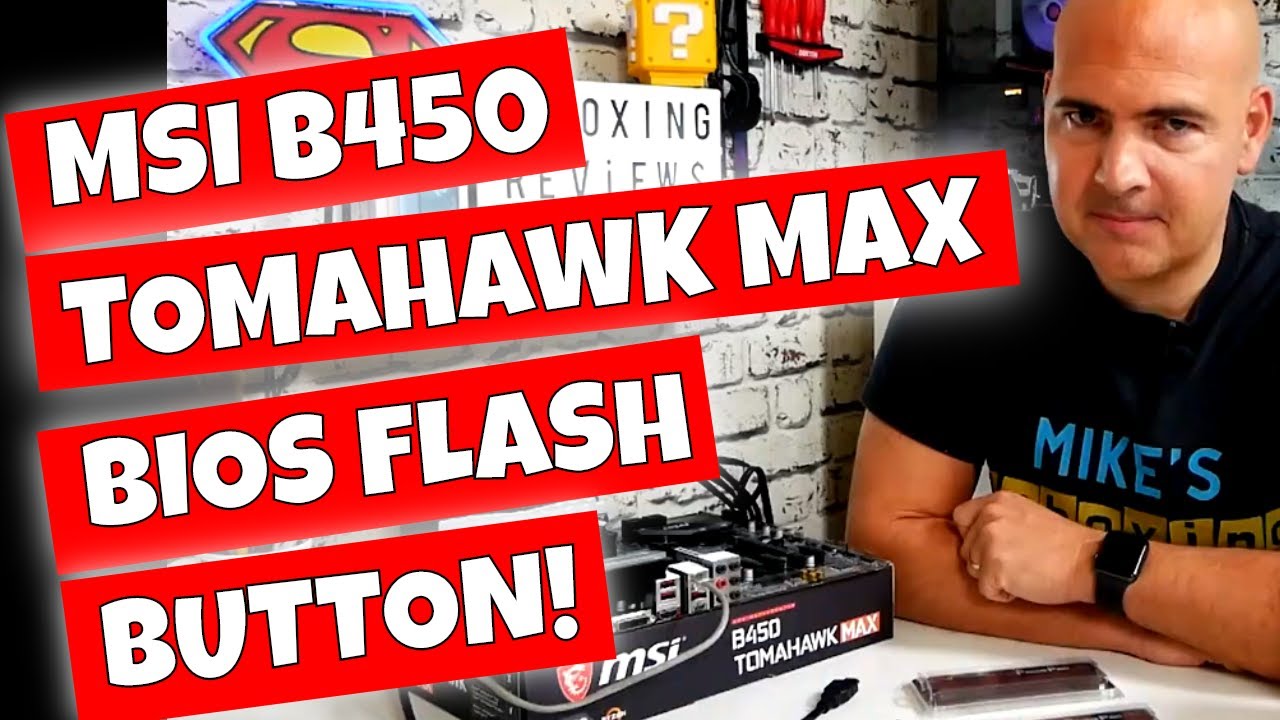
#biosflash #flashback #msi #msiuk #tomahawkmax #biosflash #flashbiosbutton
How To Use USB BIOS Flash Back Button MSI B450 Tomahawk MAX Motherboard
WARNING
THIS PROCESS CAN BREAK YOUR MOTHERBOARD Only update or flash the BIOS or UEFI if you are experiencing a specific problem or compatibility issue that specifically is "fixed" with a BIOS or fir...
Watch this
plucky timber
beat me to it
plucky timber
the tomahawk is one of the best b450s too
plucky timber
great upgrade path
and if the bios flash works you can save all that money
and get yourself a 5800x3d
obsidian wigeon
Watch the video
plucky timber
yeah it explains it better than us
obsidian wigeon
We're not exactly good with explaining through text with our tangents
plucky timber
you don't want to screw up this step
especially considering that you could brick a perfectly good board
plucky timber
huh
wild crane
Im pretty sure i tried this
plucky timber
did it post?
obsidian wigeon
Have you made sure the usb drive was formatted in fat32?
And that you have plugged the usb drive in the correct port
It has to be a port highlighted for bios flash
wild crane
Ill try it again but i cant format a usb without a computer rn all i got is a chrome book
obsidian wigeon
You can do that on a chromebook
wild crane
A school locked one?
wild crane
Ill have to try its charging rn
Should be good to go in a sec
I cant get discord i know that much
obsidian wigeon
terminal probably isn't locked
plucky timber
yeah
plucky timber
my school just locks down the network
wild crane
Im plugging the usb into my chromebook i need to che k if there is something on it first
plucky timber
they don't touch devices for seniors
rightfully so
stay the hell away from my modded cities skylines saves
wild crane
 wild crane
I keep deleting android and it comes back
obsidian wigeon
Boeing, tell him to get terminal
wild crane
plucky timber
ctrl + alt + t
Done
wild crane
 wild crane
plucky timber
ok do you have anything important on that drive?
wild crane
plucky timber
ok do you have anything important on that drive?
Nope
plucky timber
run this:
sudo apt update && sudo apt upgrade
plucky timber
obsidian wigeon
i wish i had a nas cuz linux on my laptop would be nice rn
it is
obsidian wigeon
15 mbps is sad
wild crane
 obsidian wigeon
i'll take forever to download an iso
plucky timber
enter
plucky timber
obsidian wigeon
i'll take forever to download an iso
lol
wild crane
Yall got me nervous😭
plucky timber
how come it doesn't have sudo
wild crane
I dont know man😭
plucky timber
wait no it's not sudo it's the package manager
ugh
google just has to be different
wild crane
Ok so what do i do?
obsidian wigeon
Can't you right click the usb drive in file manager?
See if it has format options
plucky timber
what does the screen say exactly
plucky timber
obsidian wigeon
See if it has format options
probably does
wild crane
obsidian wigeon
See if it has format options
 wild crane
Now what?
plucky timber
press erase and format
wild crane
Done
plucky timber
now I know not to use chromeos
plucky timber
now follow the video again
 obsidian wigeon
I might use mint cuz I'm a linux noob
plucky timber
try endeavour
plucky timber
endeavouros is arch based
obsidian wigeon
hm ok
plucky timber
so you get the superior package manager
pacman + arch user repo is goated
not as annoying as apt
plucky timber
I didn't like linux until I started using arch
ironically arch was less hassle once I got it working
ubuntu was a constant pain for me
plucky timber
it is one of the better ubuntu derivatives
better for gaming out of the box
Linux isn't really a out of the box experience
at least not if you want to get the most out of it
there's a lot of powerful customisation tools
obsidian wigeon
And windows isn't either 
So I think it's not too bad
As long as drivers support my lappy
I wanna keep armoury crate functions
Or g-helper
wild crane
Can i do this with the cpu,gpu,ram etc in?
plucky timber
probably
wild crane
Good enough for me
obsidian wigeon
You can yes
It will ignore everything
Then once it's done
You can try to turn it on
wild crane
I turned it on to make sure it was good and it beeped 3 times
plucky timber
I'd describe arch as more of an "build your own distro toolkit" rather than an actual os
wild crane
It should be
wild crane
Do i need it to be off?
The red light flashed once
It just keep flashing red 3 times amd then nothing

I dont think its working
The bios button flashes red 3 times after i press it then stops
plucky timber
did you put the bios on the usb
 plucky timber
try removing the ram
plucky timber
wild crane
Do i need it to be off?
looks like it
wild crane
Should i remove the gpu too?
plucky timber
ok nvm
wild crane
Ram removed
plucky timber
you need the power to be on
plucky timber
wild crane
Should i remove the gpu too?
if you can
If that doesn't work remove the cpu also
wild crane
plucky timber
If that doesn't work remove the cpu also
I cant rn
wild crane
plucky timber
oh well
Now powr it up?
plucky timber
ja
plucky timber
the flash led?
or the debug leds
do you have anything else plugged in?
drives? fans?
wild crane
Ssd hard drive cpu fan
plucky timber
unplug as many of those as you can
wild crane
I think the board is caput
plucky timber
what were the circumstances that led to its demise
wild crane
Me wanting to run tarkov better
Greed got the better of me i couldnt just be happy with 30 frames
plucky timber
what did you do
wild crane
Tried putting a new cpu in
plucky timber
that's all?
wild crane
Yur
plucky timber
that shouldn't kill a board
wild crane
How can i tell if its dead?
wild crane
Hwre is the thing my grandparents coultdnt get it to work and they odered a mew pc thinking it would be better imma have a hard time telling them its bad
😭
plucky timber
classic arrogance
wild crane
Yup
plucky timber
but yeah
wild crane
I also feel really bad
plucky timber
unplug all peripherals if possible
wild crane
Perhuperals?
plucky timber
drives, fans
wild crane
I will if i can
plucky timber
maybe the cpu also
but leave that in unless it doesn't work with the drives and fans out
wild crane
Ok
plucky timber
motherboards can be very picky
wild crane
Even wife adapter?
wild crane
I took it out
plucky timber
it's ok just unplug it from the motherboard
wild crane
Which one
 wild crane
I unplugged almost all of it
wild crane
 obsidian wigeon
That should be enough
plucky timber
you're not gonna have fun with the motherboard headers later
wild crane
Cpu is inthl
wild crane
plucky timber
you're not gonna have fun with the motherboard headers later
Headers?
wild crane
Ok
plucky timber
ok
actually
plug the motherboard headers back in
except for the sata cable
which is the rightmost one that you unplugged
wild crane
I no know ehat goes where
plucky timber
you need to turn it back on
and right now you can't do it because the headers are unplugged
wild crane
 wild crane
I ubplugged more but yea
wild crane
plucky timber
and only that one
No
wild crane
 plucky timber
right now you got everything you need unplugged
and everything you don't need plugged in
so unplug the cable on the right and plug the rest back in
 flint sapphire

wild crane
Where do these go?
 plucky timber
and this is what i was talking about
hold up
gonna find a pdf
you see the header you unplugged it from?
 wild crane
This?

 plucky timber
now you can power it on
wild crane
On
plucky timber
and try to flash it again
wild crane
No beeps when i turned it on
plucky timber
oh nice
wild crane
Still only 3 times😭
plucky timber
that is after you pressed the bios flash button?
wild crane
Yes
plucky timber
curious
wild crane
Its on cpu is still in and fan
wild crane
Should i double check the rom?
plucky timber
try a new one
wild crane
Like?
plucky timber
redownload it
wild crane
I think imma just try and put my gpu in the new one itll br an upgrade if i get thag gpu in
As long as it can run tarkov
wild crane
plucky timber
I'm out of ideas
Thanks so much for trying to help me im no good with computers and im not great at learning but thanks a lot
 wary gale
https://pcpartpicker.com/list/dYhG89 w build i want aesthetics good for editing and good for gaming all in one
Part List - AMD Ryzen 5 7600X, Radeon RX 7900 GRE, Corsair 4000D Airflow ATX Mid Tower
mossy venture
wary gale
https://pcpartpicker.com/list/dYhG89 w build i want aesthetics good for editing ...
Part List - AMD Ryzen 7 7700, Radeon RX 7900 GRE, Phanteks XT PRO ATX Mid Tower
Can fit 7800x3d in there too
The biggest thing is ram, you'd get lucky to get 4x16 to run 6000mhz
mossy venture
Good idea if you're just gaming
lone flame
is it possible to like pull a windows key off of like an optiplex or smth
vale epoch
Btw whats the aib ranking for 7900xt or xtx cards?
lone flame
vale epoch
Btw whats the aib ranking for 7900xt or xtx cards?
xfx and sapphire are best
mossy venture
Part List - AMD Ryzen 7 7800X3D, Radeon RX 7900 GRE, Phanteks XT PRO ATX Mid Tower
lone flame
sapphire+ nitro is probably best
dusky hearth
lone flame
is it possible to like pull a windows key off of like an optiplex or smth
idk if it's possible, but officially, oem keys are non-tranferrable
lone flame
to get windows on my current pc i got the code from my old prebuilt
mossy venture
mossy venture
https://pcpartpicker.com/list/GCcNMV
@wary gale
So differences would be
20% better cpu perf for gaming
Mobo with 1 extra m.2 slot
Cheaper case to accomplish the same thing
Better psu bit cheaper
Better ssd, 1x2tb instead of 2x1
lone flame
both are running on the same windows key lol
idk if thats an issue but its been fine for a year
vale epoch
lone flame
xfx and sapphire are best
Xfx apparently has more qc issues
wary gale
mossy venture
<@1015676623430877207>
So differences would be
20% better cpu perf for gaming ...
If I added a 4080 in there would it be worth it nvm way out of my budget
lone flame
vale epoch
Xfx apparently has more qc issues
not that ive heard but generally xfx and sapphire are like the top 2 for amd imo
vale epoch
mossy venture
https://pcpartpicker.com/list/GCcNMV
That looks like a great build could reduce the cost more if using a microcenter bundle for the cpu ram and mobo but the ram will get a slight downgrade
vale epoch
lone flame
not that ive heard but generally xfx and sapphire are like the top 2 for amd imo
Got it thanks a bunch
lone flame
vale epoch
Got it thanks a bunch
not saying xfx cant have qc, not trying to sound biased when i own a xfx card
anyone can have qc, just how it is
wanted to say that lol
vale epoch
lone flame
not saying xfx cant have qc, not trying to sound biased when i own a xfx card
Nah its cool xfx does tend to have the best pricing
vale epoch
lone flame
anyone can have qc, just how it is
Ur right i had some hiccups with my sapphire pulse and was thinking of exchanging it
lone flame
XFX cards can run louder under load so just kep in mind
lone flame
vale epoch
Ur right i had some hiccups with my sapphire pulse and was thinking of exchangin...
what kind of pulse is it
like 6700 etc
vale epoch
7900xt
vale epoch
vale epoch
7900xt
This morning my monitor wasn’t connecting tried turning it off, didn’t for a while then it did tried turning it on again it wouldn’t then i forced shutdown the pc using the power button
Then when i turned it back on
The vga light is on
The monitor still isn’t working at this point
Decided to troubleshoot and reseated the gpu
And around that process the monitor suddenly turned on
Connected it and everything started working
vale epoch
lone flame
didnt i talk to you about it a few weeks ago
I think we did, i was debating between a gre and xt back then
wary gale
https://pcpartpicker.com/list/23QhQP for editing and gaming
Part List - AMD Ryzen 5 7600, Radeon RX 7800 XT, Phanteks XT PRO ATX Mid Tower
vale epoch
lone flame
have things been fine since
As you can see from my paragraph above
mossy venture
wary gale
https://pcpartpicker.com/list/23QhQP for editing and gaming
Looks good, if you can spend the extra 7900 gre is a good jump
wary gale
mossy venture
Looks good, if you can spend the extra 7900 gre is a good jump
I changed the gpu to a gre and I made the cpu a 7800/3d and it works in my budget greatly
wary gale
wary gale
I changed the gpu to a gre and I made the cpu a 7800/3d and it works in my budge...
Is there any alternatives to the 7800/3d but cheaper
@mossy venture
mossy venture
wary gale
Is there any alternatives to the 7800/3d but cheaper
No
wary gale
https://pcpartpicker.com/list/bhzCxH this build is for entry level editing and streaming video games
Part List - Intel Core i9-12900KF, Radeon RX 7900 GRE, Phanteks XT PRO ATX Mid Tower
mossy venture
wary gale
https://pcpartpicker.com/list/bhzCxH this build is for entry level editing and s...
I'd grab the 13600k
Lower power, I believe better single core performance while matching multi core
wary gale
mossy venture
I'd grab the 13600k
Isn’t it like 400 something
wary gale
Is it better than 12900k?
mossy venture
Yes
13600kf is $235 too, but you want the non F
The igpu let's you use quick sync, which is useful for video editing
cyan ravine
13600KF > 12900KF
13th gen is slightly worse in multi core and better in single
So you get a big jump in games and apps and a slight dip in multi core
Also cheaper, and can run on cheaper cooling
The aio is ok but not amazing
Prism isn't as good as the other thermalrights
Aqua has the same problem
wary gale
cyan ravine
Prism isn't as good as the other thermalrights
Should I get notte
Also would I be better offer getting 7800/3d
cyan ravine
Notte not available
I'm gonna tidy it up gimme a sec
Part List - Intel Core i5-13600KF, GeForce RTX 4070 SUPER, Phanteks XT PRO ATX Mid Tower
Same price
It'll be a little bit easier for streaming though if you're just getting into it
The GRE you had is also fine
wary gale
cyan ravine
Notte not available
It is on Amazon just a little more expensive
cyan ravine
Part List - Intel Core i5-13600KF, Radeon RX 7900 GRE, Montech AIR 903 BASE ATX Mid Tower
wary gale
@cyan ravine should I just get a 7800/3d
cyan ravine
wary gale
It is on Amazon just a little more expensive
Define more
cyan ravine
wary gale
<@101107951401455616> should I just get a 7800/3d
Your budget doesn't quite fit it
wary gale
10$
cyan ravine
Not really worth
wary gale
cyan ravine
Your budget doesn't quite fit it
My budget is 1500
Maybe 1600 if it’s important
wary gale
cyan ravine
Or this https://pcpartpicker.com/list/2wRCxH
Also this is pure peformence I want some aesthetic
wary gale
It’s pretty much the same
Aesthetic wise
I love to look at rgb
Bc as I say rgb = fps😘
cyan ravine
The difference is 3 rgb fans everything else is there
You can spend $10 on 3 rgb fans
Part List - Intel Core i5-13600KF, GeForce RTX 4070 SUPER, Phanteks XT PRO ATX Mid Tower
Fixed
Stick the gre back in if you prefer it
I would honestly use the edge fans though, they're noctua clones
You don't really improve much above noctua
Lol
More importantly
I fixed the ssd to something much better
The board supports a better chipset
For no price
The aio performs some 10% better
The psu is the same but $5 cheaper
The ram is the same but $7 cheaper
The cpu is better in games and practically the same in multi
wary gale
Why does it say compatibility issue on the build
Yea but I do need a fast ssd for editing
@cyan ravine
1350 is rlly good overall
I can save the rest of the money on a oled monitor
cyan ravine
This is what 7800x3d looks like, it fit a lot better than I expected
Part List - AMD Ryzen 7 7800X3D, Radeon RX 7900 GRE, SAMA ARGB-Q5 MicroATX Mini Tower
It's a gaming improvement but not a multithread improvement
You hedge another loss in multithread
wary gale
I mean 7800/3d is still useable for editing right
cyan ravine
Yes
wary gale
Bro that cooler is horrfying to my eyes idk why
cyan ravine
And I know it'll be asked so I'll say it now. I've both witnessed and used a 7800X3D on a single tower
It's all it needs
Mate I wasn't even halfway typing my message
wary gale
Also how is all that stuff gonna fit in a mini case bro
cyan ravine
Wym
It's all matx
Matx is what makes am5 great
You're not overspending for things you don't need
The case is a lian li oem
Quality is no issue either lol
wary gale
Also the motherboard is not trash is it bc I have asrock in my prebuilt currently and it caps my internet speed at 120
wary gale
Ok good
cyan ravine
You take no losses in things you'd care about
Especially for x3d
There's no cpu oc for x3d
wary gale
Ima just swap the gre with a cheaper one and change the white stufff to black
cyan ravine
I can do that
cyan ravine
Part List - AMD Ryzen 7 7800X3D, Radeon RX 7900 GRE, Phanteks XT PRO ATX Mid Tower
There you go
Now
Are we finally going to build this pc?
wary gale
cyan ravine
Are we finally going to build this pc?
Yes hopefully by July 1st
cyan ravine
Ok
wary gale
First build
wary gale
Is that cooler good
I heard good things about the assassin thermalright cooler
Or something like that
Maybe we can use that
cyan ravine
It's the same par as the other one but you could do the assassin spirit
Either or are fine for this tbh
cyan ravine
No
Not in the slightest
Your pc gets dusty by pure relevance to the airflow
The fans make the difference, not the cooler
wary gale
Oh Alr
sacred obsidian
and the filters
cyan ravine
The aio may isolate a bit by being an intake but it still, all collects on the aio
And not perfect either
wary gale
So this build it would be pretty quiet during gaming or editing/ recording right
cyan ravine
Yes ofc
About as quiet as possible
You could do assassin spirit evo if you want truly quiet
wary gale
cyan ravine
You could do assassin spirit evo if you want truly quiet
How much is it
cyan ravine
Or phantom spirit if you want to chuck the antarctic continent at your cpu
Assassin evo is 19
Phantom is 35
wary gale
I just changed the cooler
Part List - AMD Ryzen 7 7800X3D, Radeon RX 7900 GRE, Phanteks XT PRO ATX Mid Tower
How is it
cyan ravine
That one will be fine
 molten rune
cyan ravine
Phantom is 35
molten rune
cyan ravine
Phantom is 35
You'd recommend the phantom over the perfect assassin?
Part List - AMD Ryzen 7 7800X3D, Radeon RX 7900 GRE, Lian Li LANCOOL 216 RGB ATX Mid Tower
Friend had a 2k budget, put this together
Wanted some rgb
And a lot of storage, I picked a board where he could add additional, or quicker nvmes for the future
wary gale
molten rune
Friend had a 2k budget, put this together
If he has 2k budget he can get way bettrr
Better
U want me to make you a better build
cyan ravine
molten rune
You'd recommend the phantom over the perfect assassin?
I'm guessing you mean peerless assassin and honestly they're both pretty much comparable
molten rune
cyan ravine
I'm guessing you mean peerless assassin and honestly they're both pretty much co...
Yeah sorry I'm on mobile at work
Autocorrected
cyan ravine
You're fine. Phantom is like the tiniest bit better
I wouldn't bat an eye over the choice personally
 severe hull
Hey all, quick question. What causes a gpu to drop to 0% utility which causes a lag in game ?
molten rune
wary gale
If he has 2k budget he can get way bettrr
Im sure he could but for what he asked + what he does
cyan ravine
molten rune
https://pcpartpicker.com/list/f7TNMV
I can however make this better
severe hull

 cyan ravine
severe hull
Hey all, quick question. What causes a gpu to drop to 0% utility which causes a ...
cyan ravine
severe hull
Hey all, quick question. What causes a gpu to drop to 0% utility which causes a ...
Cutscene maybe
severe hull
cyan ravine
Cutscene maybe
Cutscene ?
severe hull
This is happening mid game
molten rune
cyan ravine
I can however make this better
I don't think he would benefit from anything beyond the components for what he does though
I'd rather he doesn't spend the whole budget but if you have better recommendations for storage, etc
molten rune
I personally just am a fan of the Tomahawk boards
cyan ravine
molten rune
I don't think he would benefit from anything beyond the components for what he d...
I can do better for more or better for equal it's up to you
severe hull
cyan ravine
Cutscene maybe
No cut scene happens mid game
severe hull
cyan ravine
Walking into new area ?
Nope it's friends vs friends so it's shooting game
molten rune
cyan ravine
I can do better for more or better for equal it's up to you
Show me what you'd put together for a comparable price
cyan ravine
molten rune
Show me what you'd put together for a comparable price
What's he using it for
cyan ravine
severe hull
Nope it's friends vs friends so it's shooting game
Was it always this way or just randomly started
molten rune
cyan ravine
What's he using it for
Believe me this was way way overkill for his needs but he wanted it "reasonably future proofed" and told me his budget was like 1.8-2k
cyan ravine
Sorry I need to know the purpose
severe hull
cyan ravine
Was it always this way or just randomly started
Always happend
Tried switching to 1080
Overclocked
Keeps happening
cyan ravine
What game is this
severe hull
Just opened task manager to see if anything pops up when it lags and don't see anything
It's friends vs friends
severe hull
Yes
molten rune
cyan ravine
Sorry I need to know the purpose
Ik, he wasn't super clear as I'd like but I'll try to summarize his answers.
Clipping and possibly streaming Counterstrike, Emulators, Future proofing for the next 4 years or so, and plenty of storage space
I know CS2 nor emulators are intensive at all
But i was like... If you're considering this ..
cyan ravine
Does he intend to play comp zhan
molten rune
Yes
cyan ravine
Does he have a good mouse and keeb
Question of equal importance to the pc itself
Also his monitor he uses matters a lot too
More than the pc
molten rune
144hz
cyan ravine
What res
molten rune
But again he was considering something like this

And I was like.. bro for the same cost you can do better
molten rune
cyan ravine
What res
Probably 1440p
Maybe 1080, guessing the latter if he intends to play comp
For other games 1440
cyan ravine
Mmm, I'll put a proper CS comp monitor in
molten rune
cyan ravine
Does he have a good mouse and keeb
He said yes
cyan ravine
severe hull
Yes
Can you try ddu?
 jolly riverBOT
DDU (Display Driver Uninstaller) Guide by Pato
https://github.com/NeweggTechie/Graphics-cards/wiki/How-to-use-DDU

GitHub
Contribute to NeweggTechie/Graphics-cards development by creating an account on GitHub.
cyan ravine
Mmm I might be able to fit a small form factor on this list
severe hull
I'll try
cyan ravine
Yeah give it a try, if it doesn't improve we'll try something more direct
Try not to change too much going back into the game
Just a couple settings changes that are necessary, then try the game again
 severe dove
hello guys, I have bought b650m hdv/m.2 mobo, where do I plug my case fans? thanks in advance.
cyan ravine
molten rune
He said yes
Welp I fit rgb in anyway
https://pcpartpicker.com/list/yfk8VW
https://www.amazon.com/KTC-Monitor-Speakers-FreeSync-DisplayPort1-4/dp/B0CF2FD5P4/
This monitor is extremely important as it cuts out extreme amounts of latency by panel design. It's equivalent to running a really high refresh monitor (like 500+hz) and is basically the equivalent of several gpu upgrades on it's own.
It also makes an excellent editing display. Highly recommended for his use case.
Part List - AMD Ryzen 7 7800X3D, Radeon RX 7900 GRE, Phanteks XT PRO ATX Mid Tower
 cyan ravine
severe dove
hello guys, I have bought b650m hdv/m.2 mobo, where do I plug my case fans? than...
cyan ravine
severe dove
hello guys, I have bought b650m hdv/m.2 mobo, where do I plug my case fans? than...
It's labelled in the manual
Often called cpu_fan
severe dove
cyan ravine
Often called cpu_fan
I used that for my cpu cooler
jagged ember
cyan ravine
Welp I fit rgb in anyway
https://pcpartpicker.com/list/yfk8VW
https://www.amazon...
Jesus Christ 240hz goes hard
cyan ravine
@molten rune if he/you need further convincing here's a quick video
https://youtu.be/hMzCnEhfB18?si=pogyV9Gd5IkdGrgK
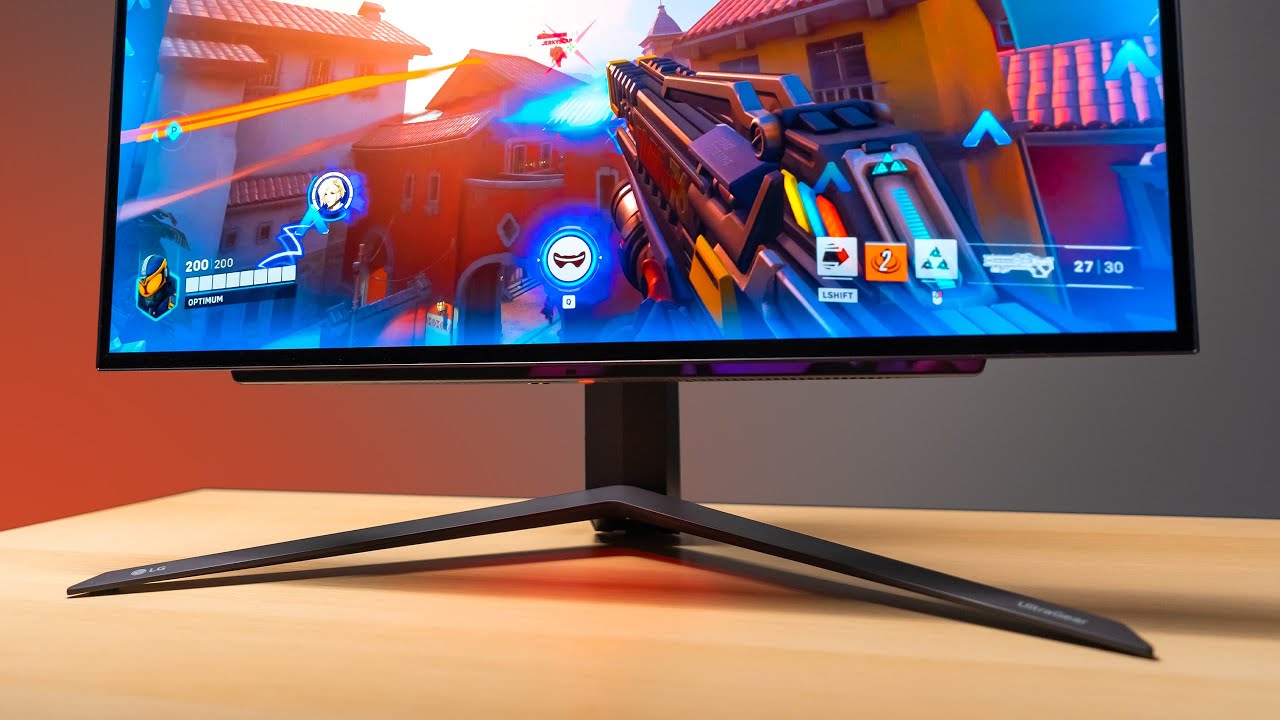
Check prices on Amazon below
LG OLED 27": https://geni.us/Rc1Ocr
ASUS 1440p 360Hz: https://geni.us/zbGIBZ1
Great value 1440p option: https://geni.us/Dnd4lo
Zowie 360Hz: https://geni.us/Nqa8
LG 27GR95QE on LG.COM: https://bit.ly/3XInv26
OLED has finally made it's way into a 27" form factor. The result is almost perfect.
need a new wallpaper? ...
cyan ravine
jagged ember
Jesus Christ 240hz goes hard
For comp CS the only better monitor is a 360hz version, that's all
Or that hyper expensive dual 4K/1080p one from asus
jagged ember
AND it's oled
cyan ravine
Nothing else gets close for low latency, fast fps
You can have a 480hz ips and you're slower
cyan ravine
Yep
The latency gains for grey to grey are incomparable
The drop from like 4 on average to 0.03 is the same as increasing fps in multiples
I think the video talks about it
jagged ember
It'll at least take monitor latency out of the question
jagged ember
Then the rest is just down to the GPU pipeline, and the PC itself
cyan ravine
Good mouse, good keeb, the tighter they are the faster you get here
These things have way bigger impact than a high end gpu
Lol
jagged ember
You can have the most baller GPU in existence
But if the rest of your stuff is average
You're gonna get very average latencies
cyan ravine
Pretty much yeah
And these things won't make you a god, but it's a physical improvement
jagged ember
Something about chains being as strong as their weakest link
jagged ember
cyan ravine
And these things won't make you a god, but it's a physical improvement
Pff true you can have the best setup in the world and still whiff headshots for days
jagged ember
You just see it really clearly instead
Pixel perfect visuals of me whiffing my shot kek
cyan ravine
Lol
I'm curious to know what this lad's m&k are, they themselves may have room for improvement depending on how comfortable he is
Swapping to a newer 8k sensor could increase the tracking accuracy as well
Could talk skates, the type of mouse mat they prefer
Every little bit plays a role tbh
molten rune
cyan ravine
<@108343323789361152> does he like rgb
Sorry yes got busy at work here at TMobile...
cyan ravine
You're fine
wary gale
@cyan ravine I changed the build I gave me bc I want it to be more aesthetic
Part List - AMD Ryzen 7 7700, Radeon RX 7900 GRE, Antec C3 ARGB ATX Mid Tower
jagged ember
cyan ravine
Swapping to a newer 8k sensor could increase the tracking accuracy as well
Razer viper?
cyan ravine
@wary gale you can do edge for the same price with an rgb fan pack
jagged ember
cyan ravine
Could talk skates, the type of mouse mat they prefer
Bro the freaking glass skates
cyan ravine
Also there's a better case choice here
molten rune
cyan ravine
Welp I fit rgb in anyway
https://pcpartpicker.com/list/yfk8VW
https://www.amazon...
Is that monitor even in stock
wary gale
cyan ravine
Also there's a better case choice here
Like what
cyan ravine
Part List - AMD Ryzen 7 7700, Radeon RX 7900 GRE, Montech SKY TWO ATX Mid Tower
jagged ember
molten rune
Is that monitor even in stock
It's in stock for me
cyan ravine
molten rune
Is that monitor even in stock
Yes. It's the best and cheapest one
wary gale
The case is a little less in price but it doesn’t look good
cyan ravine
wary gale
The case is a little less in price but it doesn’t look good
Do you want seamless glass or something
wary gale
cyan ravine
Do you want seamless glass or something
It doesn’t have to be but the case looks so boxy idk how to explain it
cyan ravine
https://pcpartpicker.com/list/M3vmt7 what about this
Part List - AMD Ryzen 7 7700, Radeon RX 7900 GRE, Phanteks XT View ATX Mid Tower
jagged ember
Maybe he wants a hyte case haha
wild crane
I just got my pre built pc is there anything i should do before i start downloading games?
wild crane
How can i do that?
wild crane
Ok
wary gale
The fans look goofy on the case but the case itself looks good
cyan ravine
Which would you prefer
wild crane
cyan ravine
Anything that isn't standard msi, asus etc
How do i check?
cyan ravine
The antec isn't bad next to this one
wary gale
Wait I think I got another choice
cyan ravine
Ok hit me
lone flame
cyan ravine
Ok hit me
 cyan ravine
 wary gale
How is the montech air 903 max
lone flame
cyan ravine
https://tenor.com/view/yamcha-yamcha-death-pose-yamcha-dead-yamcha-on-the-ground...
Look what came
 molten rune
jagged ember
Pff true you can have the best setup in the world and still whiff headshots for ...
molten rune
jagged ember
Pff true you can have the best setup in the world and still whiff headshots for ...
Negev only to purple
Xd
molten rune
Was that the one GNex was showing from their computex video
cyan ravine
So like this
https://pcpartpicker.com/list/ptRHHG
Part List - AMD Ryzen 7 7700, Radeon RX 7900 GRE, Montech AIR 903 MAX ATX Mid Tower
As long as you pick edge
molten rune
I thought I might try that if the Lian li one wasn't in stock
wary gale
Part List - AMD Ryzen 7 7700, Radeon RX 7900 GRE, Montech AIR 903 MAX ATX Mid Tower
cyan ravine
Edge is just better even with fan swap
wary gale
cyan ravine
As long as you pick edge
Wish there was one with rgb
wary gale
cyan ravine
Edge is just better even with fan swap
Wait u can swap the fans in it?
cyan ravine
Yep that last list looks good
wary gale
The normal coolers look goofy to me
cyan ravine
I simp it
But will say
7700 is ice cold under that aio
You could really go a cheaper one
wary gale
It’s already pretty cheap
cyan ravine
Honestly every am5 cpu could do the 240mm version
wary gale
cyan ravine
Honestly every am5 cpu could do the 240mm version
That’s fine with me
cyan ravine
Alr let's pop it in
Part List - AMD Ryzen 7 7700, Radeon RX 7900 GRE, Montech AIR 903 MAX ATX Mid Tower
That's much better
That'll get reddit upvotes
💀
cyan ravine
No need
Btw
You can get the 5600 cl32 kit
Change the speed to 6000
Same performance
Save $7
Takes 5 seconds extra time
They're identical underneath
wary gale
Oh Fr
cyan ravine
Yeah man
Both hynix h16m or h16a
Both perform identical
Part List - AMD Ryzen 7 7700, Radeon RX 7900 GRE, Montech AIR 903 MAX ATX Mid Tower
cyan ravine
Put it this way if the 5600 didn't work at 6000, the 6000 wouldn't have worked to begin with
It was before but I flipped it back
You could do another set if you want to match
The fans with the case are fine but we can save more if you won't use them
molten rune
cyan ravine
7700 is ice cold under that aio
Time to make it a 7800x3d
wary gale
So for the ram I basically just have to do the speed myself
molten rune

wary gale
molten rune
Time to make it a 7800x3d
That runs pretty cool to
cyan ravine
Ye, where you set xmp, just above it there's always the option to change the frequency
You flip that from 5600 to 6000
wary gale
Oh Alr
cyan ravine
Lemme match the fans rq
wary gale
Alr
cyan ravine
https://pcpartpicker.com/list/XsgpTY @wary gale
Part List - AMD Ryzen 7 7700, Radeon RX 7900 GRE, Montech AIR 903 BASE ATX Mid Tower
lone flame
Oh nah bro so many cables
 jagged ember
If you think that's a lot, wait till you get to the psu lmao
cyan ravine
lone flame
Oh nah bro so many cables
Skill issue tbh
jagged ember
Cables galore back there
lone flame
jagged ember
If you think that's a lot, wait till you get to the psu lmao
Well I know im case swapping, first time dealing with rgb fans lol
jagged ember
Ahh fair fair
lone flame
cyan ravine
Skill issue tbh
 cyan ravine
No rgb life is great
jagged ember
Between the cables and the software
cyan ravine
Ten times easier to use lmao
lone flame
cyan ravine
No rgb life is great
I agree but also it looks good
wild crane
How can i check if my pc can take a graphics card or see the specs of specifically the psu?
 lone flame
cyan ravine
You'll grow older soon enough
lone flame
cyan ravine
You'll grow older soon enough
I built a 2k pc with no rgb the other day
It was @iron dove ‘s
cyan ravine
wild crane
How can i check if my pc can take a graphics card or see the specs of specifical...
You'd have to open the pc up
wary gale
So tempted
 cyan ravine
lone flame
It was <@344503107851649025> ‘s
cyan ravine
lone flame
It was <@344503107851649025> ‘s
Which did he go eith
cyan ravine
wary gale
So tempted
If you got that for under 80 I'd say it was worth
Not worth anymore than that
lone flame
cyan ravine
Which did he go eith
7800x3d and 4080s, felt right to him and a cool microcenter guy was talking to us
cyan ravine
Alr fair enough
lone flame
He has AM5 upgrade path
wary gale
cyan ravine
If you got that for under 80 I'd say it was worth
My dad won’t let me bid
cyan ravine
Sadge
wary gale
Cause u gotta pick it up
lone flame
wary gale
My dad won’t let me bid
Real
cyan ravine
cyan ravine
https://pcpartpicker.com/list/XsgpTY <@1015676623430877207>
Well you got a good list tho
wary gale
And it’s a hour in a half drive
cyan ravine
H9 is not worth losing sleep over
wary gale
I could prob get for 40 tbh