#building-and-recc-chat
1 messages · Page 274 of 1
 cyan ravine
 mossy venture
shipping tho
 austere condor
but more in shipping cause its a bigger box
mossy venture
there's the m60
cyan ravine
Sama argb-q5 or im01
cyan ravine
mossy venture
there's the m60
I'd say yes but it's getting a bit hot for m60
mossy venture
ye true
cyan ravine
If you went ryzen route you could do m60
cyan ravine
cyan ravine
Sama argb-q5 or im01
These are often sub 60, lian li oem
mossy venture
this isn't too big https://pcpartpicker.com/product/RRhv6h/cougar-mx330-g-pro-atx-mid-tower-case-mx330-g-pro

Cougar MX330-G Pro ATX Mid Tower Case (MX330-G Pro)
austere condor
i think we've got this thing pretty damn well optimized
cyan ravine
The argb-q5 is literally a lian li 205m mesh
austere condor
mossy venture
this isn't too big https://pcpartpicker.com/product/RRhv6h/cougar-mx330-g-pro-at...
glass side tho =/
mossy venture
ah
austere condor
workshop, worried about the glass
cyan ravine
Well we could go even cheaper then
mossy venture

Fractal Design Pop Air ATX Mid Tower Case (FD-C-POA1A-01)
cyan ravine
There are mesh cooler master boxes
austere condor
mossy venture
https://pcpartpicker.com/product/KLQcCJ/fractal-design-pop-air-atx-mid-tower-cas...
well yeha, i have the mini version of that so its cheaper to ship, same cost
mossy venture
cyan ravine
Well we could go even cheaper then
not that's still compatible on pcp
ah yeah didnt see thats atx version
silent has solid front panel which sucks
austere condor
i have excess of both
austere condor
 austere condor
 cyan ravine
Part List - Intel Core i5-12600KF, GeForce RTX 3060 12GB, Cooler Master N200 MicroATX Mini Tower
austere condor
🤮 that case tho
austere condor
yeah this is going to be in a garage/shop
worth spending on build quality thats gonna be easier to clean
mossy venture
honestly a solid front panel isnt bad for that lol
austere condor
Part List - Intel Core i5-12600KF, Fractal Design Pop Mini Silent MicroATX Mid Tower
i think we optimized the hell out of this
and this is pretty solid
throw in some fans
ezpz
mossy venture
im not against a solid front panel to lessen dust buildup
bc i know damn well that it's not going to be cleaned every couple of months
cyan ravine
Oh yeah I forgot this exists

GameMax MeshBox ATX Mid Tower Case (GMX-MESHBOX-B)
Beloved case
cyan ravine
Pro is a revision
mossy venture
i think thats the right term
 mossy venture
cyan ravine
https://pcpartpicker.com/product/yVmNnQ/gamemax-meshbox-atx-mid-tower-case-gmx-m...
mossy venture
cyan ravine
https://pcpartpicker.com/product/yVmNnQ/gamemax-meshbox-atx-mid-tower-case-gmx-m...
oh but again atx
cyan ravine
Killing me smalls
mossy venture
from what i know thats in the past, but it definitely happened
 uneven glade
Hey can someone give me an opinion on my pc? I use it for streaming and gaming just want to hear some opinions on it and if its strong enough or what can be better optimized.
4060ti 8gb
Ryzen 7 7700x
MSI B650
32gb of DDR5
750W ATX 80 plus Gold
CM Master Liquid ML240L
5 CM Master Fans
 weary galleon
uneven glade
Hey can someone give me an opinion on my pc? I use it for streaming and gaming j...
weary galleon
uneven glade
Hey can someone give me an opinion on my pc? I use it for streaming and gaming j...
already built?
uneven glade
weary galleon
already built?
yes
weary galleon
ok
I mean as long as it's doing what you need it to do you should be good. Got some cpu headroom there for a future gpu upgrade
uneven glade
weary galleon
I mean as long as it's doing what you need it to do you should be good. Got some...
what would you recommend? 4080? 4070 Super?
weary galleon
I think 7900gre is a pretty good option rn. I haven't been keepign up with GPUs much lately though
cyan ravine
Are you having issues rn
If you aren't having issues with the pc rn, then upgrading won't do much of anything
If you can still return the 4060Ti though I'd suggest a 7700XT or maybe used 3070
Bit bus could, become a bit of a problem on a 4060 Ti
 molten rune
Update to my friend's thing, ended up being bad NVME drive
No recoverable sectors 😦
The rest was good still.
Weird how it was spitting back other errors
cyan ravine
Ah
Dead dram on ssd
I'll be honest I considered bringing it up but idk why I changed my mind
SSD's work with nand as well and have their own ram or use the pc ram
So that makes complete sense
mossy venture

Reddit
Explore this post and more from the hardwareswap community
$130 5700xt I'd def take over a 3050 at $160
Not sure if still available though
 vale epoch
So my 7800x3d build with a 7900xt cost me about 2000usd with tax including a 180hz 1440p monitor, keyboard, mouse and surge protector.
Did i do good or bad?
I’m still making a pcpp for it btw
vale epoch
vale epoch
So my 7800x3d build with a 7900xt cost me about 2000usd with tax including a 180...
Actually it cost me 1950usd
Prolly
mossy venture
https://pcpartpicker.com/list/gLwVpB
It varies based on storage needs, aesthetics, and some other personal preferences but here's what I'd recommend as a base
Part List - AMD Ryzen 7 7800X3D, Radeon RX 7900 XT, Phanteks XT PRO ULTRA ATX Mid Tower
If there's anything you're unsure on or would like different (ie want white, no rgb, very quiet, etc)
vale epoch
mossy venture
https://pcpartpicker.com/list/gLwVpB
It varies based on storage needs, aesthetic...
Yeah mine came about to 100usd cheaper than that and also scored a t500pro 2tb ssd cuz within that price cuz of a coupon
vale epoch
mossy venture
https://pcpartpicker.com/list/gLwVpB
It varies based on storage needs, aesthetic...
Btw how does that psu compare to this one i used? https://a.co/d/btGEJR3

The XPG CORE REACTOR is a modular, 80 Plus Gold power supply unit equipped with 100% Japanese capacitors. Combined with Line Level Control (LLC) resonant topology, it is power-efficient, reliable and makes creating a tidy build easy.
 stoic island
Should be equivalent
mossy venture
vale epoch
Yeah mine came about to 100usd cheaper than that and also scored a t500pro 2tb s...
Oh microcenter?
vale epoch
mossy venture
Oh microcenter?
Yup
Didn’t save as much as I expected
And I supposedly got an unreliable asus mobo too
mossy venture
vale epoch
Didn’t save as much as I expected
can you link the build list?
and did you already buy the full build?
not an issue if you did, just asking
vale epoch
mossy venture
and did you already buy the full build?
I bought it fully and built it already
https://pcpartpicker.com/list/M7BPrv
Part List - AMD Ryzen 7 7800X3D, Radeon RX 7900 XT, Montech AIR 903 BASE ATX Mid Tower
 odd venture
hi everyone i have a question about memory compatibility and was hoping somebody here might know, whether i'm correct in understanding all this, sorry for the long post.
https://www.newegg.com/p/N82E16813144505
MSI MEG Z690 ACE DDR5 LGA 1700 Intel Z690 SATA 6Gb/s Extended ATX
Board supports:
Memory Standard DDR5 1R 4800 (by JEDEC & POR)
Max. overclocking frequency:
1DPC 1R Max speed up to 6666+
1DPC 2R Max speed up to 5600+
2DPC 1R Max speed up to 4000+
2DPC 2R Max speed up to 4000+
Memory I want to use: https://www.newegg.com/kingston-96gb/p/N82E16820242826 — KF560C32RSK2-96
This is said to run DDR5 at 6000MHz and it's 2 x 48GB, but I'm not entirely certain it would.
It's listed compatible with a supported speed of up to 6000 MHz, shown in the list here if you search the model number. https://pangoly.com/en/compatibility/msi-meg-z690-ace/ram on this page. So does the supported speed mean they tested it and got it running at that speed, or would I need to downclock that to like 5600 MHz or something?!
cyan ravine
96GB is going to be difficult to run
stoic island
odd venture
hi everyone i have a question about memory compatibility and was hoping somebody...
The 'max' they list is just some of what they have tested, while you may be limited by your CPU's IMC, the motherboard will be fine doing 6000mhz
cyan ravine
cyan ravine
96GB is going to be difficult to run
especially on z690 2dpc boards
stoic island
its kinda interesting it says 1dpc 2r up to 5600 and then it says it supports that dual rank kit at 6000 lol
cyan ravine
It'll probably do 6000 64GB
odd venture
2 x 32 GB, be better then? https://www.newegg.com/team-64gb/p/N82E16820985005
cyan ravine
Yeah
odd venture
That's what I'm figuring.
cyan ravine
I would wager that's both better and more likely to work
$90 per 32gb is good value, that's a good kit
Do you already own this ace
cyan ravine
Alr
Nothing wrong with an ace, just Z690 in general aged pretty poorly with memory
Save for like 3 motherboards lol
odd venture
I got it for 223 new
odd venture
Not only did it seem like the best option besides wasting another 300 on a wifi7 and next gen board, i might as well just stick with the previous gen
cyan ravine
Z690 is current gen rn
odd venture
supposedly was a 600 board when it came out, and the aesthetics of it alone seem to be a selling point to me, I see one sell for 260 already
cyan ravine
(For a bit longer)
cyan ravine
Ye it's an aesthetics board. It comes with a huge range of io
odd venture
Does that not count as a generation?
cyan ravine
odd venture
I thought Z790 was ahead?
Same socket
12th, 13th, 14th, all work on that board lol
cyan ravine
I mean yeah it's an older gen board sure
mossy venture
wasnt z790 technichalyl lga1800
mossy venture
or is it 13th gen/14th gen thats lga1800
cyan ravine
If it was 12th gen wouldn't work
mossy venture
and 12th gen is 1700
mossy venture
i remember something funky about this
mossy venture
fair
cyan ravine
If it was 1800 then 12th gen and 13th/14th would be completely incompatible
odd venture
z790 is lga 1700
cyan ravine
Ye
But the weirdness in the statement is like, 14th gen can still do current gen performance on a Z690 UX lol
odd venture
msi just released one like 2 months ago or less
vale epoch
vale epoch
I bought it fully and built it already
https://pcpartpicker.com/list/M7BPrv
@mossy venture what do you think?
mossy venture
good build
odd venture
How about my build? Not quite done, but yeah.
cyan ravine
Swap from a ventus imo
It's not the 2x, but the ventus and gaming slims are just not that great in general
No VRM cooling on a lot of them
odd venture
Do you think so? What do you think I should get GPU wise?
cyan ravine
So much so the Ventus got the "E" revision
Cheapest (or next cheapest) 4070S if you want 4070S imo
4000D is...well it was great 2 years ago, cases have come a long way since then
Air 903 Max/Base might be nicer here
Or maybe a Montech Sky Two if you like a stylish choice
I'm not super critical of the case tho, I wouldn't lose it over a 4000D
odd venture
I've been using a case from 2011 and prior and a motherboard from 15 years ago for the past 15 years
I'm not super picky, it'll suffice.
cyan ravine
Phanteks XT pro also nice with some thermalright c12c's
Small savings if not too late
odd venture
cyan ravine
Phanteks XT pro also nice with some thermalright c12c's
sure is flat
I like that
cyan ravine
If ya like it, glad to help lol
odd venture
as long as its not somewhere i'd walk directly into it with my foot i'd be good
im going with the 4000d still either way im sold on it
already ordered the solid panel version of the front panel from Corsair lol, dont even have the case
cyan ravine
Fair enough
odd venture
I think the 4000d really matches the aesethic pattern of the z690 ace though
odd venture
cyan ravine
Fair enough
i bet you'll prolly have something to say about this one, but I think I've settled on a really aesthetically pleasing GPU
https://www.newegg.com/msi-geforce-rtx-4070-ti-super-rtx-4070-ti-super-16g-gaming-x-trio-white/p/N82E16814137859
That thing is gorgeous
cyan ravine
I'm not much of an aesthetics person, but this is equivalent without the white tax
https://pcpartpicker.com/product/WbxxFT/asrock-phantom-gaming-oc-radeon-rx-7900-xt-20-gb-video-card-rx7900xt-pgw-20go

ASRock Phantom Gaming OC Radeon RX 7900 XT 20 GB Video Card (RX7900XT PGW 20GO)
Unless you need Nvidia for something specific
stoic island
Outside of blender and very specific games, the 7900xt will perform very similar to the 4070 ti super for $100 less
cyan ravine
Pretty much yeah, often faster in niche scenarios
Data rate dependent work with tensor though, the 4070TiS specifically might be a little better, it depends
The super got the bus width bump
odd venture
I'd rather have me cuda cores
stoic island
It's your choice, as long as you understand that you're paying $100 for just that.
odd venture
Yeah, I'll need them I'm interesting in doing AI stuff. Training models, etc.
vale epoch
Do i need to change the cables? Apparently they look pretty bad and may damage the system? I just used whatever came with my psu wondering if I should get another


 sacred obsidian
vale epoch
Do i need to change the cables? Apparently they look pretty bad and may damage t...
sacred obsidian
vale epoch
Do i need to change the cables? Apparently they look pretty bad and may damage t...
I don't see any that would get damaged, but you can manage the wires neater if you want
 obsidian wigeon
the cables aren't in the way of anything
they just don't look pretty, that's all
sacred obsidian
put the wires through the closest holes, heres some examples. Then make it look neat and tidy using the wire straps on the back of the case

 misty laurel
Hey all, looking for a good motherboard/processor to go with an MSI Gaming GeForce RTX 3070 Gaming Z Trio 8G LHR 8GB GDRR6. Any suggestions and thanks!
mossy venture
misty laurel
Hey all, looking for a good motherboard/processor to go with an MSI Gaming GeFor...
do you alr have the gpu?
what is your budget for the build?
misty laurel
I have an MSI Gaming GeForce RTX 3070 Gaming Z Trio 8G LHR 8GB GDRR6, tower and powr supply. That's it so far.
cyan ravine
vale epoch
Do i need to change the cables? Apparently they look pretty bad and may damage t...
You can clean them up but as long as you can hear nothing touching it won't make a huge difference
mossy venture
misty laurel
I have an MSI Gaming GeForce RTX 3070 Gaming Z Trio 8G LHR 8GB GDRR6, tower and...
what tower and psu
misty laurel
CORSAIR - 4000D AIRFLOW ATX MidTower Case and CORSAIR - CX-M Series CX650M Semi-Modular Low-Noise ATX Power Supply
mossy venture
alright, and you already own them?
what do you want to spend on the rest of the build
Part List - AMD Ryzen 5 7600
misty laurel
Yeah, basically got a deal on the 3070 to upgrade but it won't fit in current tower. And that MB is not able to be removed. So just upgrading around the card now.
Not sure what is reasonable, I'd say a mid level price point.
mossy venture
what cpu you on right now?
sacred obsidian
Might wanna utilize DDU
cyan ravine
Did you try the other motherboard slots last time
I can't remember what the outcome of that was
Rip, yeah try ddu and drivers, if same problem then it's sadly going to be the motherboard slot
Lightning doesn't strike twice
Means the gpus are ok
Internal, you'd maybe see ripped pads at the base of it
Or perhaps a gouge along the major traces
Otherwise no you wouldn't really see it
?ddu
 jolly riverBOT
DDU (Display Driver Uninstaller) Guide by Pato
https://github.com/NeweggTechie/Graphics-cards/wiki/How-to-use-DDU

GitHub
Contribute to NeweggTechie/Graphics-cards development by creating an account on GitHub.
cyan ravine
Just take the whole thing to MC if you're not that keen on swapping things
At that point it has to be the motherboard imo, or in a rare circumstance the cpu/psu
I can never totally rule out a weird psu or a weird ryzen chip, they do a lot of jank stuff, ssd too
But I'm by far most suspicious of the slot
Alr
Normal
So it's working fine now?
Ok
There could be 100 answers to that without enough context
I don't sorry
I want to remind you that your pcie slot for the gpu is probably still set to 2.0 via bios. This may or may not impact gpu performance. I'd encourage at the least setting 3.0
If we search back the chat the steps will still be there but for 3.0
Instead of picking 2.0, you pick 3
Auto works too
I would try 3.0 first personally
Ye
Remember all the steps are in the chat if you search it back
We did it step by step
Nope that should be all
If it freaks out flip it to 3.0, if that freaks out go back to 2.0
Does the colour crap again
Lol
It's ok. It's harrowing when you first build but it really pays off for the vast majority
I would take the chance once this is done to review some maintenance videos like repasting, that sort of thing you want to do yearly/bi-yearly at least
Leaves you prepared to take it apart later to keep it working golden
Like a car with an annual service, pc's will appreciate the tlc as well lol
What kind
Normal
Fan stop is a modern feature
Fans will spin when they need to
Loading something up will make them spin
Like a game
I'm guessing by the silence it seems fine
Yesh they won't
My 4090 would only spin in heavy games
It's a feature of the card
Nope not yet
If you can see the screen then it's working
Well testing a game would conclude it's ok now
Yes
Go straight into a game
Or download occt and do a 3d standard gpu test
You'll see the fans spin
Occt
That's the name
Occt
I've used it 10 thousand times and it's like 20 year old software
One of the most prominent overclocking tools in the pc space
Want you to download any version, then go to "3D standard" and click start
I know, that's what this test is
You test stability when you overclock
Left hand side normally
It may say just "gpu" now
They recently had an update
Stability test
Gpu or 3d standard
3d standard
Click it
Then click start
Start
Temperatures up top
Only need 5 minutes max
Hear the fans yet
See them spin
Spin
Ok stop the test what's the temps say rn
70 is fine
We're good
Congrats it's fixed
Just an unfortunate gpu it seemed
Yep it happens
I had a faulty ssd in my second pc
And psu
One of the p-gm firebombs
Yep
Almost killed my 3080 in the pandemic
@pallid relic https://youtu.be/aACtT_rzToI?si=Y6wcR8QICdK8QUZr

We spent MONTHS evaluating Gigabyte's GP-P750GM & GP-P850GM power supplies to determine why so many users reported DOAs, failures, and "exploding" MOSFETs.
Sponsor: US! Help GN pay for this work via our store: https://store.gamersnexus.net/ (use code SENDHELP for 10% off for a limited time!)
Grab a GN Wireframe Mouse Mat, in stock and shipping ...
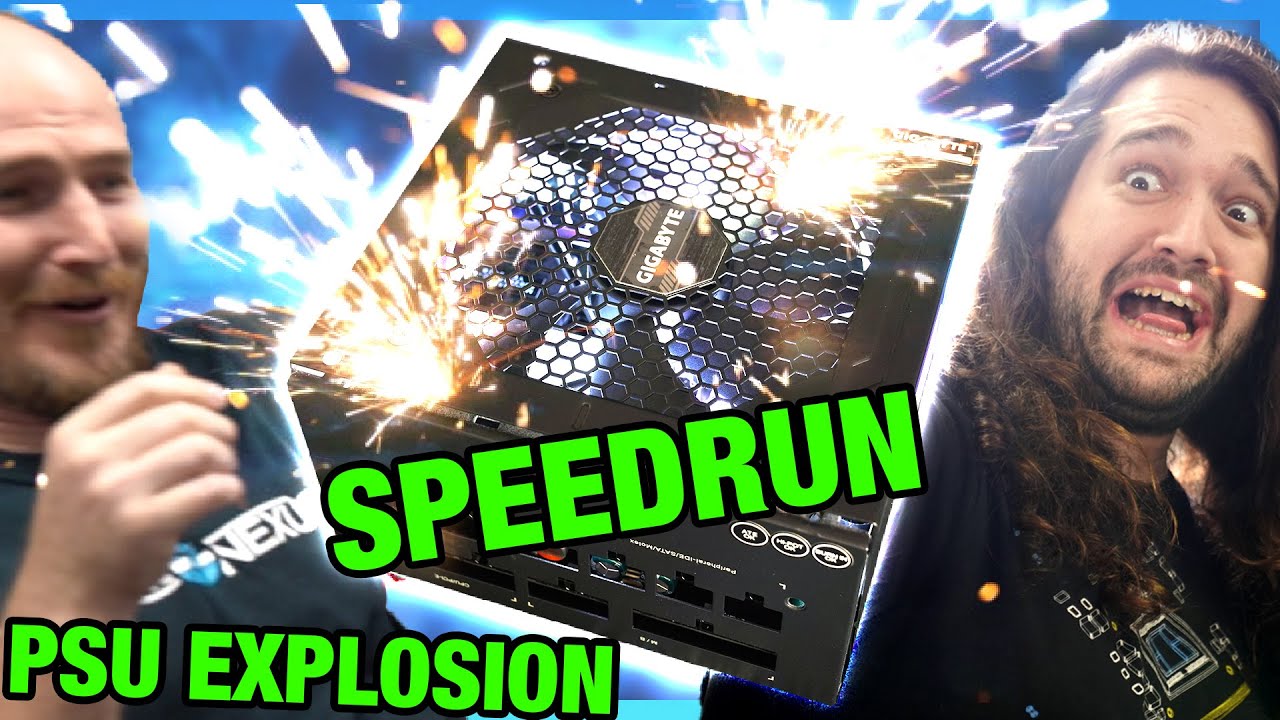
Gigabyte kept claiming that media testing was over "extended time periods," so we decided to speedrun the explosion of one of its GP-P750GM PSUs to prove a point.
Sponsor: Buy Corsair's 5000D Airflow Case on Amazon (https://geni.us/cnVP60)
For context, here's how the PSU is supposed to work: https://www.youtube.com/watch?v=2SleaZ68ZO0
THERE AR...
As long as windows is activated, try to stick to one or two rgb softwares if you need any
Openrgb is nice for free
The rest? Meh, we roll
We ball
Ima go lie down, quite unwell today lol
mossy venture
cyan ravine
Ima go lie down, quite unwell today lol
Feel better felix!!
cyan ravine
mossy venture
Feel better felix!!

 dim forge
https://a.co/d/gGNi8hk
would this be future proof in case of an upgrade? (13600k for e.g.)

Thermalright Phantom Spirit 120 CPU Cooler,Dual TL-C12B V2 PWM Fan, 7 Heat Pipes CPU Cooling,with 1500RPM Speed,for AMD AM4 AM5/Intel 1700/1150/1151/1200/2011, PC Heatsink Cooler
mossy venture
dim forge
https://a.co/d/gGNi8hk
would this be future proof in case of an upgrade? (13600k...
Yes
 upbeat osprey
I recently ordered a new PC from Newegg, a Yeyian Gaming Desktop (i7 14th Gen 14700F, 4070 SUPER, 32GB DDR5, Windows 11 Home 64-bit). Ever since I got it, I have noticed in some games that I play, my keyboard inputs sometimes lag or delay. For example, when panning around a map using the WASD keys, some of the times it takes .5 of a second to recognize the button press, and other times after I let go, it will continue pushing the button for .5 - 2 seconds. Certain games seem to be affected more. So far, in trying to resolve the issue, I have tried the following:
-Tried a different keyboard (tried with the one provided with the PC)
-Turning off the program keyboard and mouse (Logitech G Hub)
-Trying different USB slots
-Changing power plans for the system
-Turning off the automatic power saving on USB slots
Nothing has worked so far.
I use a Logitech G910, was using it on my old PC with no issues.
Any help would be appreciated.
 thorn mural
Bit of a predicament here
A friend of mine just gave me some ARGB fans but my motherboard only has an RGB header
Can I use the fans somehow with a third party adapter or hub or should I give them back
obsidian wigeon
thorn mural
Can I use the fans somehow with a third party adapter or hub or should I give th...
you can get a hub from thermalright
but imo
i'd keep the fans regardless
 potent portal
upbeat osprey
I recently ordered a new PC from Newegg, a Yeyian Gaming Desktop (i7 14th Gen 14...
potent portal
upbeat osprey
I recently ordered a new PC from Newegg, a Yeyian Gaming Desktop (i7 14th Gen 14...
Maybe update your drivers and bios and see if that helps. Mainly the motherboard drivers.
potent portal
obsidian wigeon
you can get a hub from thermalright
This (argb only) https://www.amazon.com/Thermalright-Controller-Support-Magnetic-Supported/dp/B09CH13K2M
OR this (fans+argb) https://www.amazon.com/Thermalright-Controller-Support-Magnetic-Supported/dp/B09SZBJ5JZ?th=1
Plus this https://www.amazon.com/Thermalright-5V-Controller-3PIN-Interface/dp/B0CL9XP5MB
A fan is still a fan even if the lights aren't on so it's still useful

Thermalright Integrated ARGB Fan Hub, 10-Port 3 Pin PC Fan Controller, 5V Fan ARGB Hub, Support up to 10 Fans, SATA Power Cord Direct Input

Thermalright ARGB Fan HUB Controller Support 8 Groups of Fans, 8-Port 4 Pin PC Fan Controller, 5V-3Pin ARGB Fan Hub, Strong Paste+Magnetic Suction, SATA Power Cord(12V 4-pin RGB is not Supported)

5V 3PIN controller x 1
upbeat osprey
potent portal
Maybe update your drivers and bios and see if that helps. Mainly the motherboard...
There's a chance I may have been able to alleviate the problem. I had both G Hub and another Logitech Gamin Software installed. I uninstalled G Hub and turned off the other one. Seems to not be an issue now, but I'll keep an eye on it. I didn't think that would be the issue before, as the other keyboard I tested with wasn't logitech. If it does keep happening, I'' give what you said a try
thorn mural
potent portal
This (argb only) https://www.amazon.com/Thermalright-Controller-Support-Magnetic...
I have the 2nd argb fan hub
But how do I get the ARGB stuff to light up if there’s nowhere to plug the ARGB cable into
Oh I see
Your last link is a standalone controller, thank you
uneven glade
I’ve got an issue with my backup PC. Slow to boot up, File Manager not responding, Task Manager not responding and I cannot open certain applications. I’ve tried everything I know and then some. If anyone has any advice or info please let me know
potent portal
Define "everything", knowing what you've tried can help figure it out
 jagged ember
Will also save a lot of repeated checks/troubleshooting
uneven glade
potent portal
Define "everything", knowing what you've tried can help figure it out
I have tried resetting it, restarting it, some stuff in command.exe I don’t even know, I have tried optimizing and defragging the drives, adjust Ram speed, looked at temps. Idk what else to do. I’ve also had Geeksquad remote support try to help but all they could do is clean my pc up and tell me there is no virus 🦠
@jagged ember ^
 dusky hearth
uneven glade
I’ve got an issue with my backup PC. Slow to boot up, File Manager not respondin...
dusky hearth
uneven glade
I’ve got an issue with my backup PC. Slow to boot up, File Manager not respondin...
that just sounds like a hdd system lmao
uneven glade
stoic island
If not, done chkdsk, dism, and sfc?
yes I've done all of this
uneven glade
dusky hearth
that just sounds like a hdd system lmao
That's what I thought but I don't know what to do
i don't know how to confirm that the HDD is the issue
dusky hearth
well
if it is a hdd
then that's basically 100% the issue
hdd systems take a while to boot up, and opening file explorer and applications also take a while to open
all you need to do in that case is to upgrade to at least a halfway decent ssd
if you do have a ssd though, i'd say clear cmos to reset your bios, and also reinstall windows so you'll have a completely fresh slate and that should theoretically fix it potentially, though if not, it probably is a slow or dying ssd or smth
considering that you've tried resetting your pc, i'd assume you would have no qualms against reinstalling windows
 ripe marten
Just got one of the most expensive gaming PCs from 2018 for 500

The original owner modified it by swapping the dual 1080ti for a 2080ti
I has an i9 7980xe and also 128 GB RAM
dusky hearth
truly an oem pc moment
tfw it's 2018 and "one of the most expensive gaming pcs" doesnt even have a painted interior
that is more like 2010 kinda year of quality
ripe marten
The that sold it to me paid over 8,000 for it in 2018 and in 2019 he bought a 2080ti and swapped out the 1080ti
mossy venture
8000 is crazy
stoic island
Maybe 1800 lol
weary galleon
or that yeah
 minor wing
just updating bios if I were to get this motherboard would fine right?
 stoic island
Yes, it's unlikely that you need to update it unless you got very old stock, but you do have bios flashback if necessary
minor wing
ok thanks for the clarification
ripe marten
weary galleon
8000 for a 1080ti build in 2018 😭
It had 2x 1080ti
ripe marten
weary galleon
you sure that wasn't 800?
A 1080ti alone was probably 800 or more in 2018 before the 20 series launch
ripe marten
Ok, I wasn’t really into PCs back the so I didn’t know but I would imagine some brands would charge more than the 700 founders edition MSRP?
stoic island
1080ti launch was around the first mining boom so it could've been quite a bit higher
weary galleon
but still, $1600 of gpu's leaves over 6k of everything else
ripe marten
weary galleon
I guess an aib card coulda been higher
What is an aib card?
ripe marten
weary galleon
but still, $1600 of gpu's leaves over 6k of everything else
The CPU used to be like 1k or maybe higher back then but yeah still huge ripoff
weary galleon
ripe marten
What is an aib card?
gpu made/sold by 3rd party, though aib might not be the technically correct term
stoic island
The other brands like MSI or Asus are Add-In-Board partners of Nvidia, they make separate board designs, hence AIB
uneven glade
dusky hearth
considering that you've tried resetting your pc, i'd assume you would have no qu...
Correct
uneven glade
dusky hearth
if you do have a ssd though, i'd say clear cmos to reset your bios, and also rei...
 ripe marten
stoic island
1080ti launch was around the first mining boom so it could've been quite a bit h...
ripe marten
stoic island
1080ti launch was around the first mining boom so it could've been quite a bit h...
PCs were expensive especially from early 2017 to early 2018
stoic island
Forgot the exact timeline but GPU prices shot up when bitcoin mining became popular around 1080ti launch
dusky hearth
uneven glade
Yeah it's a hdd
If you want to speed it up, buy a SSD, check if you have a m.2 uhhh m key slot
If not, get a sata ssd
mossy venture
ripe marten
PCs were expensive especially from early 2017 to early 2018
At no point in time was any geforce card and an i9 build worth $8000
I could see at the very very most 4k
ripe marten
It was a dual 1080ti build so would make more sense for it to be 5k (prebuilt MSRP) back then
I did see a liquid cooled dual 1080ti build during summer 2018 just before the rtx 2000 series launch going for 5k something
But yeah you could probably build it yourself for under 5k back then
uneven glade
dusky hearth
Yeah it's a hdd
If you want to speed it up, buy a SSD, check if you have a m.2 u...
But this could be slowing down my whole pc?
dusky hearth
uneven glade
But this could be slowing down my whole pc?
Absolutely
a hdd is basically the #1 reason why PC's are slow, many old PC's can have significant improvement from switching to a ssd
mossy venture
100%
dusky hearth
HDDs aren't anywhere close to how good SSDs are at random iops
mossy venture
It's like night and day
Yknow how whenever you turn your pc on it takes like 3-20 minutes before you can actually do anything?
Or when you open something it takes 30 seconds to 10 minutes?
An ssd would reduce that to 10-20 seconds on the high end
dusky hearth
Also the slow performance is exacerbated by a lower system ram amount, and your system has to use swap memory which is stored on your drive
uneven glade
dusky hearth
Also the slow performance is exacerbated by a lower system ram amount, and your ...
Is this a factor even if Windows isn’t installed on that HDD
dusky hearth
oh
i was asking about the boot drive
i didnt look at the image closely enough, just at the drive you highlighted
so you do have a ssd for your c drive, nvm
then in that case, try clearing cmos to reset all your bios settings to default, as well as reinstall windows
uneven glade
dusky hearth
then in that case, try clearing cmos to reset all your bios settings to default,...
How do I reinstall windows? I tried to "reset this pc" like i said before and it went through it then said "undoing changes" after a couple hours.
dusky hearth
uneven glade
How do I reinstall windows? I tried to "reset this pc" like i said before and it...
you get a usb stick (or cd if you still burn cds nowadays lmao) and make a windows installation media on it, and then use that installer to install windows onto the pc
usually it's easier to disconnect all irrelevant drives so you only have one drive to select to install to
uneven glade
dusky hearth
you get a usb stick (or cd if you still burn cds nowadays lmao) and make a windo...
Okay thank you
potent portal
dusky hearth
you get a usb stick (or cd if you still burn cds nowadays lmao) and make a windo...
*DL-DVD
It's been a minute since it fit on even a regular DVD, let alone a CD lol
jagged ember
uneven glade
How do I reinstall windows? I tried to "reset this pc" like i said before and it...
Yeah unfortunately windows reset is basically the equivalent of doing nothing lol
potent portal
What it does technically is rebuild the C:/Windows folder and rename the old one to back it up.
Assuming you selected "keep files"
uneven glade
potent portal
Assuming you selected "keep files"
Yes
jagged ember
Thanks, windows
 glacial spire
Hey guys, which SSD m2 nvme you suggest for gaming? based on performance per money
I'm looking for a single 2tb to use as both primary and storage SSD.
mossy venture
glacial spire
Hey guys, which SSD m2 nvme you suggest for gaming? based on performance per mon...
It mostly depends on what's available in your country
cyan ravine
Ye, otherwise it's going to be the go to's, MP33 or P34A60
 plucky timber
Inb4 2TB nvme in his country costs as much as a 4TB in the US
 brittle spindle
anyone have a clean 1500 pc build?
 dreamy obsidian
could anyone give me some feedback on this list? https://pcpartpicker.com/list/xLh2yg
friend wanna upgrade since his old am4 setup because its not giving enough frames for his 4070, from what i know, he already has an aio he could use. hes also kinda iffy on the motherboard since he only wants ASUS and idk if a atx motherboard fits inside his case but i know a 4070 can (he has some random pre built case) (also wants all of it on amazon and prolly want the budget around 800 or less)
Part List - AMD Ryzen 7 7800X3D, GeForce RTX 4070
weary galleon
if he already has an am4 build he could consider a 5600x3d or 5700x3d
dreamy obsidian
weary galleon
if he already has an am4 build he could consider a 5600x3d or 5700x3d
oh yea
weary galleon
5700x3d is 200 at newegg or 190 in-store at micro center
If he wants to move to am5 you might think about waiting till the next batch of am5 cpus are released
dreamy obsidian
weary galleon
If he wants to move to am5 you might think about waiting till the next batch of ...
already asked him that he DONT wanan wait that month 😭
hes running b450m-a with like a ryzen 7 3800 would he also need a new motherboard or nah
weary galleon
I believe with a bios update the b450 should support 5000 series chips
I'd refer to the motherboard info page on the manufacturers site
also does he have a 1080p monitor? if so I'd reccomend an upgrade to 1440p
dreamy obsidian
weary galleon
I believe with a bios update the b450 should support 5000 series chips
 dreamy obsidian
weary galleon
also does he have a 1080p monitor? if so I'd reccomend an upgrade to 1440p
dreamy obsidian
weary galleon
also does he have a 1080p monitor? if so I'd reccomend an upgrade to 1440p
hes planning on doing that as well
weary galleon
do that first, before any cpu upgrades
wait for 9xxx chips to release in a couple months, then decide about cpu upgrade
dreamy obsidian
weary galleon
wait for 9xxx chips to release in a couple months, then decide about cpu upgrade
idk if he wants to wait for the 9000 chips, already tried asking him
mossy venture
brittle spindle
anyone have a clean 1500 pc build?
Part List - AMD Ryzen 7 7800X3D, Radeon RX 7900 XT, Phanteks XT PRO ULTRA ATX Mid Tower
For cheaper just swap cpu to 7600 and either use stock cooler or a ~$20 tower cooler, and can swap gpu to 7900 gre or 4070 super
mossy venture
weary galleon
5700x3d is 200 at newegg or 190 in-store at micro center
I'd just do 7600 honestly
mossy venture
dreamy obsidian
could anyone give me some feedback on this list? https://pcpartpicker.com/list/x...
What's the budget to upgrade?
weary galleon
if they're on a 1080p monitor i'd go 1440 and then wait for new chips
mossy venture
And does he already own the 4070?
dreamy obsidian
mossy venture
What's the budget to upgrade?
around 800-900 aftrt tax
dreamy obsidian
mossy venture
And does he already own the 4070?
yes
mossy venture
Part List - AMD Ryzen 7 7800X3D, GeForce RTX 4070, Phanteks XT PRO ULTRA ATX Mid Tower

MSI G272QPF E2 27.0" 2560 x 1440 180 Hz Monitor (G272QPF E2)
dreamy obsidian
mossy venture
https://pcpartpicker.com/list/ZZLbMV
is there any matx options? he doesnt wanna swap cases either cus he doesnt wanna rewire everything
mossy venture
?
Hes going to have to
Swapping mobo and likely psu
Unless he already owns that rm850x
dreamy obsidian
hes running like a 650w
mossy venture
Model?
cyan ravine
mossy venture
https://pcpartpicker.com/product/RktLrH/msi-g272qpf-e2-270-2560-x-1440-180-hz-mo...
Maybe rain check on this monitor for the next couple days. Our first feedback came through with bad backlight bleed
mossy venture
And what case too
mossy venture
cyan ravine
Maybe rain check on this monitor for the next couple days. Our first feedback ca...
Really? That's unfortunate
dreamy obsidian
mossy venture
And what case too
he tells me he doesnt know what the case is or the psu 🤷 its a prebuilt
mossy venture
Part List - AMD Ryzen 7 7800X3D, GeForce RTX 4070, Asus Prime AP201 MicroATX Mini Tower
mossy venture
dreamy obsidian
he tells me he doesnt know what the case is or the psu 🤷 its a prebuilt
Hell the case might not be compatible with other mobos
What brand is the pre built
dreamy obsidian
cyberpower
dreamy obsidian
mossy venture
Does it have a mesh front?
i dont believe so
cyan ravine
Kinda hard to recommend even something mid range without a mesh front case these days
No offense to the case involved but, the older cases were not very heat friendly
dreamy obsidian
cyan ravine
No offense to the case involved but, the older cases were not very heat friendly
hes just lazy 😭
but ill ask him again
weary galleon
already has a 4070
cyan ravine
Hot boi 4070
dreamy obsidian
@mossy venture he said he alright with swapping now ig, do you still have that list or something similar?
mossy venture
dreamy obsidian
<@654444344274845698> he said he alright with swapping now ig, do you still have...
I linked two above.
Matx and atx
dreamy obsidian
mossy venture
I linked two above.
alright thanks you
 median inlet
Hey everyone, l was wondering if l could get some help on choosing the cheapest MacBook possible with 16gb worth of ram.
dusky hearth
median inlet
Hey everyone, l was wondering if l could get some help on choosing the cheapest ...
Usage: web browsing/text editing
Max budget: 1k usd?
Windows laptops may be fine? Build quality is a bit more desirable
cyan ravine
(it's actually air but)
dusky hearth
Lmao
cyan ravine
Sorry go on
dusky hearth
Butt
cyan ravine
I leave you in capable hands
dusky hearth
I brought them here
cyan ravine
Oh
dusky hearth
Lmfao
 dusky hearth
💀
cyan ravine
@median inlet used M1 Macbook air imo
8 and 16gb ram don't scale the same way as it's arm based architecture and MacOS
dusky hearth
I told them to get 16gb just to be safe lmfao
cyan ravine
It helps but it's not breaking like it is on normal windows
Yeah it's helpful but like
16gb has a bigger influence on windows
Consider macos more akin to linux
dusky hearth
Tbf the macs that killed themselves from 8gb ram probably were people trying to video edit on them rather than web browsing
median inlet
Right, so just go with the 16gb then. Do you think getting one that’s used will have any effect on the longevity of the laptop? Where would you recommend getting one?
dusky hearth
Considering that the m1 came out like.... 3 years ago? It probably still is fine
cyan ravine
M1 is still good
M2 and M3 are better but M1 is still solid
It's like a 7735HS
Except it works well with even just 8gb ram
You could honestly find a used one off fbmp for a few hundred and break well under budget for your needs here
If you want to do more than just basic apple things, you could talk a gaming laptop for under 1k
That would change the criteria
median inlet
I don’t think l necessarily need a gaming laptop. If there’s anytime l want to game, it’s either on my Nintendo Switch or PS5.
cyan ravine
Well if you're that sure then yeah, used M1
You'll hedge little loss and still get a current day capable piece of hardware
median inlet
How much would an M1 cost if l didn’t get it refurbished?
mossy venture
Around 600-650 gets open box/refurbished 4050 laptop
dusky hearth
Idk if you can still buy m1 macs new
Apple most likely already has stopped production, and I'd assume all stock has been cleared outside of RMA units
cyan ravine
Even new M1 still isn't horrible tbh
Like ofc, don't hyper fixate and the same price m1 vs m2
Would be insane
median inlet
I do see there are some available on Amazon.
cyan ravine
But m1 was good when it dropped and we never really improved far from it
dusky hearth
Damn they still have new units
median inlet
There are some on Newegg too.
dusky hearth
If you get refurb, usually that will include a warranty still
median inlet
Amazon.com: Apple 2023 15" MacBook Air M2, 16GB RAM, 256GB Storage - Space Gray (Z18L000PN) : Electronics

The 15-inch MacBook Air is impossibly thin and has a stunning Liquid Retina display. Supercharged by the M2 chip—and with up to 18 hours of battery life—it delivers incredible performance in an ultraportable design.
How would this compare to the M1?
dusky hearth
I thought your budget was 1k
median inlet
It was, but l may have a little extra to spend, and wasn’t sure if that would be better than the m1.
dusky hearth
for your use, not really
median inlet
Right, l figured since l don’t need much in a laptop, but still wanted a MacBook.
Do you know which one l should select if l bought one from Amazon?
dusky hearth
Idk, do you want to spend less or spend more?
median inlet
It might depend what it would be for.
median inlet
I just didn’t know what website to get one from.
dreamy obsidian
https://pcpartpicker.com/list/7ZCqFs is the cooler fine for the cpu?
Part List - AMD Ryzen 7 7800X3D, GeForce RTX 4070, Fractal Design Pop XL Air ATX Full Tower
mossy venture
dreamy obsidian
https://pcpartpicker.com/list/7ZCqFs is the cooler fine for the cpu?
Yeah, the 7800x3d can be cooled by basically anything
dreamy obsidian
mossy venture
Yeah, the 7800x3d can be cooled by basically anything
the list is fine right? just swapper the case to something else
mossy venture
Yes
dreamy obsidian
mossy venture
Yes
ram is out of stock this set works the same right? https://a.co/d/0uvcUjX

[Product Features] [DDR5 Unleashes Game-Changing Performance] Experience even faster frequencies, greater capacities, and lower voltages with the latest release in our series, the DDR5 UDIMM module. Take your gaming abilities to new heights with turbo speeds of 6000 MHz. It's available in 328GB (...
mossy venture
Yes
 worldly charm
hey im new to building i was wondering if this was fine
https://pcpartpicker.com/list/hrZjFs
mossy venture
Part List - AMD Ryzen 9 7900X3D, Radeon RX 7800 XT, Phanteks Eclipse G360A ATX Mid Tower
dreamy obsidian
is the h7 elite just a meh case?
dreamy obsidian
cyan ravine
Ye
my friend want his pc asap so he's basically buying everything at Best Buy so about the ram, is there a difference between like a cl30 6000mhz vs cl36 6000 mhz? I kinda forgot all about this stuff
for ddr5
 hearty oracle
anyone have a good recommendation for in desk outlet mounts? all the ones iv seen have comments of jankyness XD trying to avoid a fire if possible
mossy venture
dreamy obsidian
is the h7 elite just a meh case?
bad
cyan ravine
dreamy obsidian
my friend want his pc asap so he's basically buying everything at Best Buy so ab...
Huge difference, cl30 better. Not because of the speed but because what's used to make the different speeds is different itself
And no, buying asap doesn't warrant a h7 elite from me
Nzxt elite is just yuck
dreamy obsidian
idk dudes just really impatient
dreamy obsidian
can that even fit a 4070
cyan ravine
Ofc it can
mossy venture
buying everything at bb is a horrible idea lol
they have mid psus above good psu prices, overpriced gpus with poor in store selection (at least the one i worked at,) poor selection of overpriced mobos
also only corsair ram
which is almost the only brand i would avoid with ram
 mossy venture
best buy is so outdated and horribly structured
the ceo is running it into the ground
most store are vastly understaffed but they wont hire anyone bc of how bad profits are
and how hard they push their credit cards and the underhanded tactics they use
obsidian wigeon
lol
obsidian wigeon
more money than sense
mossy venture
dreamy obsidian
40$ on fans
literally just use the fans the case comes with
and order a pack and wait 2 days
it will be fine until then
dreamy obsidian
uh
dreamy obsidian
mossy venture
literally just use the fans the case comes with
my friend
he
does NOT
want
to wait
for that
he wont listne
so
ill let him do it
Part List - AMD Ryzen 7 7800X3D, GeForce RTX 4070, Corsair 4000D Airflow ATX Mid Tower
mossy venture
is unintelligent
dreamy obsidian
mossy venture
is unintelligent
tryed telling him that
jagged ember
A fan is a fan bro
100 dollar fan is still a fan
But I guess that's way over his head
 slow valve
Which would be better https://www.microcenter.com/product/676227/powerspec-g518-gaming-pc
https://www.microcenter.com/product/667350/powerspec-g716-gaming-pc

Micro Center
Get it now! Enjoy full-throttle gaming performance in a compact package with our PowerSpec G518 Gaming PC. Weve taken high-caliber PC gaming components and combined them into a value-packed prebuilt PC that fits comfortably in a home office, studio, dorm room, or nearly anywhere else.

Micro Center
Get it now! The PowerSpec G716 desktop computer is a dominant gaming machine featuring the AMD Ryzen 7 7700 unlocked processor kept cool by the AMD Wraith Prism cooler, an ASUS Prime B650M-A AX II system board powered by a 650W Gold power supply, G.
 coarse python
slow valve
Which would be better https://www.microcenter.com/product/676227/powerspec-g518-...
coarse python
slow valve
Which would be better https://www.microcenter.com/product/676227/powerspec-g518-...
The one down below
 calm dove
Part List - AMD Ryzen 5 4600G, MSI MAG SHIELD M301 MicroATX Mini Tower
Shoud i change the case ?
calm dove
obsidian wigeon
no need to change
i have some options
Like the MSI m100a for 50$ but cant Turn off the rgb and control the speed
And i will put a dual fan 4060 ti in the future in it
No problem ?
calm dove
Nice thanks
calm dove
obsidian wigeon
all low power parts lol
Can i save some money on the cooler i will get wraith stealth for free ?
No problem if its working 100 % CPU usage ?
I dont want to be too loud
 obtuse laurel
@mossy venture
mossy venture
obtuse laurel
<@654444344274845698>
yes?
obtuse laurel
mossy venture
yes?
i’m @dreamy obsidian friend
the impatient one
lowk this my first real build and was wondering if u able to help
 hasty cove
can anyone help me wit some suggestions rq
or later
going to microcenter and i need help picking out something i can upgrade my computer with
obtuse laurel
obtuse laurel
https://pcpartpicker.com/list/TJWwsh
i plan on buying c30 ram, i just bought the vengeance because best buy didn’t have and i need my pc asap
mossy venture
obtuse laurel
lowk this my first real build and was wondering if u able to help
i did help
you decided not to listen
hasty cove
got the phanteks eclipse g360 A, ASrock radeon rx 6700 xt challenger d , super flower legion gx gold pro 650W Psu, thermalright assasin x120 , teamgroup mp33 1tb slc, amd ryzen 5 5600g and full silicon power value gaming ddr4 ram 8gbg sticks
and an MIS B550M pro vdh wifi mobo
any part reccomendations ?
obtuse laurel
mossy venture
you decided not to listen
lol i got basically everything u said except psu and ram
mossy venture
hasty cove
got the phanteks eclipse g360 A, ASrock radeon rx 6700 xt challenger d , super f...
did you already order all this?
mossy venture
ah alright
hasty cove
so technically yes
mossy venture
and what do you want to spend to uphrade
mossy venture
i mean i guess add a second kit of the same ram
hasty cove
i do have those already
hasty cove
i could probably fanagle the budget but im just looking for some spec upgrade reccomendations
lemme see
hasty cove
its a samsung like 27 inches i think
im happy with the monitor tho
alr have two
one better one one older one
got any reccomendations for case fans, theres the built in three in the front and thats it
alr wel thanks for the reccomendation
Oh yeah one last thing, is a windows activation key even worth it
mossy venture
hasty cove
im happy with the monitor tho
Do you know the resolution?
hasty cove
mossy venture
Do you know the resolution?
No clue, Twas a gift
 stoic island
Yea
mossy venture
hasty cove
No clue, Twas a gift
You can check in display settings


 crimson zinc
I’d suggest getting a better monitor
 tawny violet
Yeah it's
Not the greatest ever
obtuse laurel
is there anyone who’s able to vc and be a mentor? i just got all the parts for my first actual build and i need some assistance
u don’t have to speak
hasty cove
i could do my best
obtuse laurel
you sound unsure
hasty cove
well i know what parts go where
just never video called someone elses pc into life before
obtuse laurel
do you know what cords go where?
hasty cove
syea
obtuse laurel
kk
hasty cove
those are labeled
hasty cove
they should be
hasty cove
then i am not the fella for that 💀
obtuse laurel
lmaooo
hasty cove
my cabes are messier than my room
mossy venture
hasty cove
I would highly suggest an upgrade
hasty cove
what do you suggest
mossy venture
With a pc like yours it's like using a hybrid camry on a golf course
obtuse laurel
obtuse laurel
is there anyone who’s able to vc and be a mentor? i just got all the parts for m...
@mossy venture please king
hasty cove
😆
mossy venture

Gigabyte G27Q 27.0" 2560 x 1440 144 Hz Monitor (G27Q)
hasty cove
so its alright bur just not the right place
mossy venture
I mean
Yeah?
You'll see more of a difference upgrading your monitor than anything else
I played OW on my laptop for the first time recently and it defaulted to 60hz
obtuse laurel
mossy venture
You'll see more of a difference upgrading your monitor than anything else
true
mossy venture
I genuinely thought my game was running at 20 fps
hasty cove
k k
mossy venture
60hz just looks so much worse once you know what high refresh looks like
hasty cove
see i never had a high refresh
mossy venture
obtuse laurel
<@654444344274845698> please king
YouTube tutorial will help you more than I can
hasty cove
might be addictive lol
obtuse laurel
if u upgrade ur monitor ur games are gonna feel so much faster
mossy venture
hasty cove
see i never had a high refresh
I went from 1080p 144hz to 1440p 144hz
Even that was a huge difference
hasty cove
obtuse laurel
<@654444344274845698> please king
yea i can help with a youtube tut in tandem
tawny violet
Honestly even 75hz is already an improvement
hasty cove
alr so either a new cpu + cooler or a monitor is what ill prolly go with
obsidian wigeon
100hz monitors are cheap enough also
hasty cove
should i get a new monitor do i keep the old crappy one
tawny violet
But I was really scraping the bottom of the barrel with my current rig
hasty cove
and go three monitors
obsidian wigeon
oled 240hz is better
tawny violet
obtuse laurel
invest in 540hz
🧢
obsidian wigeon
without dying in tn
hasty cove
dami show us that rig
obtuse laurel
hasty cove
dami show us that rig
parts?
hasty cove
yea sure
obsidian wigeon
like outta the bat, oled wins in contrast, viewing angle and colors
hasty cove
lol
hasty cove
ah
obsidian wigeon
also unmatched response times
hasty cove
alr well vc me ig
obtuse laurel
yeah for sure when i’m home
obsidian wigeon
as well as less motion blur
obtuse laurel
be like 10-15 mins
obsidian wigeon
so oled 240hz is as good, if not better than 540hz tn
calm dove
obsidian wigeon
so oled 240hz is as good, if not better than 540hz tn
This IS the final build
Part List - AMD Ryzen 5 4600G, MSI MAG FORGE 320R AIRFLOW ATX Mid Tower
tawny violet
Hol'up MSI makes cases???
calm dove
What do you think about thé Mobo ? 
calm dove
tawny violet
Hol'up MSI makes cases???
Yes and they re cheap
hasty cove
obtuse laurel
alr i most likely wont be finished
gl for now ill be back later
calm dove
tawny violet
Because it's crap lmfao
Im buying MSI mag 120a airflow
Check it and
Tell me what do you think
calm dove
obsidian wigeon
the forge 320r has mesh
Im getting this didnt found it in pcpartpicker
obsidian wigeon
similar case
calm dove
Front mesh got 6 fans
tawny violet
Expensive tho
obsidian wigeon
but smaller i guess
calm dove
Only problem Cant play with rgb
tawny violet
It's honestly overpriced
calm dove
Had auto rgb
calm dove
tawny violet
It's honestly overpriced
70$ for me
Can i control speed fan in this case ?
calm dove
obsidian wigeon
but smaller i guess
Yep a little bit
tawny violet
I don't think so
obsidian wigeon
70 for that?
tawny violet
6 fans sure
But there's no mention of any controlling
tawny violet
Or a Montech Air 1000
Or Air X
calm dove
obsidian wigeon
you can surely get a fractal pop
Africa 
tawny violet
Montech is really meta lately
calm dove
tawny violet
Montech is really meta lately
I know
obsidian wigeon
now i understand the case choices
obtuse laurel
crimson zinc
@hasty cove I’d sell the old monitor
Get like $30-40 out of it
obtuse laurel
obtuse laurel
https://pcpartpicker.com/list/TJWwsh
good?
obsidian wigeon
board should be able to handle it
tawny violet
I'm gonna say they're Molex fans
hasty cove
🤣🤣
calm dove
Thank you
crimson zinc
I would’ve suggested against that CPU cooler
tawny violet
Non-controllable RBG
And 6 fans
Does not bode well for quality
obsidian wigeon
but buying that case
calm dove
tawny violet
I'm gonna say they're Molex fans
Where did you sée it ?
obsidian wigeon
id probably swap fans asap
hasty cove
crimson zinc
<@631465600694353930> I’d sell the old monitor
Get like $30-40 out of it
I got it off an older refurbed 200 computer
Prolly not even worth that
calm dove
I Can turn off the rgb i hate it
tawny violet
calm dove
Where did you sée it ?
It's that I'm not seeing any claims of 3 or 4 pin connectors
Not any claims of ARGB
calm dove
But if i cant change the speed fans
crimson zinc
hasty cove
I got it off an older refurbed 200 computer
Donate it to goodwill or the area equivalent
Anyone’s in need of one nowadays
tawny violet
So expect them to be crappy Molex fans
calm dove
Thats a problem
hasty cove
crimson zinc
Donate it to goodwill or the area equivalent
Anyone’s in need of one nowadays
Maybe yeah
calm dove
tawny violet
So expect them to be crappy Molex fans
Or i will add 20 $ and get a 3000d for 90$
Another option for me hère in my region
crimson zinc
I’ve heard some stories of people getting entire rigs from goodwill
tawny violet
I don't have any experience with the 3000d
calm dove
Ok
tawny violet
Can you get any Montech cases?
calm dove
Nope
tawny violet
Air 1000 would be ideal, Air X also good
tawny violet
I'm assuming you only have one specific shop to buy from?
tawny violet
But does it have fans tho
obsidian wigeon
it does
2 fans
one in front, one in back
good enough™
besides you get a much better quality product
tawny violet
Put both on intake, get more later would be my rec
Yeah 3000d is more worth it
It's probably fine enough
Scoring a used 4000d would be even better since those are known quality
@calm dove any chance to buy used?
Might save some money for you
tawny violet
I see
@obsidian wigeon is there any universal metric for what counts as SFF?
Does it have to have an ITX mobo
obsidian wigeon
Not really
mossy venture
Yes
tawny violet
Or just below a certain internal volume
obsidian wigeon
It can be an matx case but
mossy venture
Itx cases must fit itx mobos
tawny violet
mossy venture
Itx cases must fit itx mobos
I was asking about a PC being SFF lel
mossy venture
Yeah there's an o11 variant that fits ATX cases but needs sfx psus iirc
mossy venture
Ah
tawny violet
D41?
mossy venture
Im01 is smaller than a lot of itx cases and is matx, if that helps
obsidian wigeon
it just has to be smaller than mid tower
tawny violet
ATX mobo, ATX PSU, still small case
obsidian wigeon
then it qualifies as sff
no one would make a mid tower case with sfx psu anyway
that'd be weird
and not gonna bring any sales
tawny violet
In my mind when I think SFF
It's either something like an NR200P
Or some weird AF open concept PC with a handle
tawny violet
Ye fair enough
NR200P is just the sort of size that I'd think of as SFF I'd do myself
Still fits top hardware, and it's pretty small
The ultimate flex is stuffing a 7800X3D and a 4090 into a shoebox after all
calm dove
tawny violet
<@109183468046409728> any chance to buy used?
Why ?
tawny violet
Lower prices allowing you to get something quality
calm dove
There IS a similar pc for 200$ used
I7 7700/32ram/512 gb
But no i want something new
For longevity
No fails
obsidian wigeon
yep
kaby lake would be suicide imo
to buy into for gaming pc
slow ram that's not even usable on am5
am4*
4600g is anything but fast, but
calm dove
And have a 250w psu 💀
calm dove
I know
obsidian wigeon
so still reasonable
mossy venture
obsidian wigeon
it's around 3600
For gaming worse
calm dove
And i Il buy a 5060 later
mossy venture
I'd do 5700x3d for an upgrade
obsidian wigeon
ah
calm dove
Im not using this pc for gaming
obsidian wigeon
but on am4 at least x3d is doable
mossy venture
Wait 5060 gpu or 5600 cpu
mossy venture
If its anything like the disappointment that is the 4060 I wouldnt
calm dove
If its 4060 ti perf that good for me
weary galleon
Might as well get a 6750xt then lol
calm dove
Just i want it to be 350$ max
mossy venture
If its 4060 ti perf over $250 that's sad
mossy venture
calm dove
Just i want it to be 350$ max
Considering 3060 ti was $400 and launched Dec 2020, and matches the 4060 ti

 calm dove
weary galleon
Used 30 series then
calm dove
weary galleon
Used 30 series then
Expensive where i live
calm dove
weary galleon
4060/ti are just really terrible
I know
weary galleon
calm dove
Expensive where i live
Like, a used 3060 is more expensive than a 4060?
calm dove
Nobut they are the same price
weary galleon
The extra vram on the 3060 might be worth it for blender, not sure tho
mossy venture
calm dove
4060 cost now 300
That's not the 4060 ti
The 4060 is far worse than the 3060 ti
30%
At times it loses to the 3060 lol
4060 and 4060 ti are immensely disappointing
calm dove
mossy venture
That's not the 4060 ti
I am comparing rtx 4060 and rtx 5060 prices
If 5060 IS 350 $
Its good imo
calm dove
mossy venture
4060 and 4060 ti are immensely disappointing
Yeah i agree with you
stoic island
we thought 4060 was going to be substantially better than 3060 at some point
mossy venture
I really don't trust nvidia atp.
stoic island
so who knows
mossy venture
They'll do whatever they feel like doing, and people will buy it
stoic island
They got all the money they need from AI
mossy venture
Don't get me wrong, amd isn't our friend either
But 40 series has been so anti consumer it's funny
calm dove
Yeah
mossy venture
4080 super and 4070 super finally fixed that
calm dove
WE need a New 1080 ti
mossy venture
"Fixed"
calm dove
mossy venture
4080 super and 4070 super finally fixed that
4070 super IS a good deal
stoic island
mossy venture
4080 super and 4070 super finally fixed that
more like they milked a higher price until they couldn't sell any more and then sold it at the price they should've been selling it
calm dove
My Friend bought one for 600$
mossy venture
I'd still rather a 7900 gre, but 4070 super is good competition
If the 7900 gre didn't have more vram I'd take the 4070 super
calm dove
mossy venture
I'd still rather a 7900 gre, but 4070 super is good competition
He IS using it also in blender /premier pro...
mossy venture
That's fair
I was mainly talking from my own standpoint
Like if I was buying it for my own pc
obtuse laurel
@mossy venture
or anyone else
can someone tell me if my radiator is on intake or exhaust rn
stoic island
The radiator fans?
brittle spindle
mossy venture
https://pcpartpicker.com/list/FcCMkJ
thanks man
brittle spindle
mossy venture
https://pcpartpicker.com/list/FcCMkJ
btw does the motherboard have enough headers for all the fans?
obtuse laurel
anybody able to help me sort out what cables go into which part of my motherboard ?
crimson zinc
Check the manual for the power supply and motherboard.
If you didn’t get one, look up the model online.
obtuse laurel
crimson zinc
If you didn’t get one, look up the model online.
hey
can someone help my mobo won’t fit in my case for some reason?
mossy venture
obtuse laurel
can someone help my mobo won’t fit in my case for some reason?
What mobo and case
 limber oyster
Deepcool was just sanctioned by the US
obtuse laurel
mossy venture
What mobo and case
b650 eagle ax
and
4000d airflow
the standoffs aren’t lining up with the mobo holes
they’re offset by a little
dusky hearth
obtuse laurel
they’re offset by a little
did you put your motherboard in all the way

 plucky timber
dusky hearth
did you put your motherboard in all the way
plucky timber
dusky hearth
did you put your motherboard in all the way
