#building-and-recc-chat
1 messages · Page 259 of 1
 flint sapphire
Has your homie checked if the monitor is on the correct input
Or tried plugging in a different one
 gleaming arrow
Yes 😭
flint sapphire
They hear it boot into windows but there’s no image
gleaming arrow
yeah
flint sapphire
It’s a brand new motherboard… and gpu. It’s gotta be the display or connection between the pc and the display
gleaming arrow
they tried TV's and other monitors as well as other cables and ports
gleaming arrow
it was believed to have yes, and they tried those with similar results
flint sapphire
Plugged in directly to motherboard disconnected the gpu
gleaming arrow
yes
deadass tried literally everything thats why they resorted to a whole new motherboard 😭
flint sapphire
Yeah no your friend really messed something up somehow with magic
gleaming arrow
he didn't even do nothing but try slightly bending back a bent hdmi port on the old gpu
which works in his own rig so it's not the gpu
flint sapphire
Welp the last thing is cpu, you should see the mobo splash screen like someone else was saying
But they can hear it boot into windows…
I’d say rebuild the system with the bare minimum stuff it would need to run. Mobo on a mobo box everything outside the case one ram stick display plugged into the motherboard
Then add stuff till it breaks
But that’s assuming it works at all

gleaming arrow
flint sapphire
Welp the last thing is cpu, you should see the mobo splash screen like someone e...
p sure they tried swapping that too, and using their own psu, and reseating/swapping ram, I'm pretty sure they've tried swapping every component 😭
odd ahh situation I have no idea
flint sapphire
Yeah I mean like one thing at a time no boot drive just motherboard and cpu with a stick of ram
It’s cpu related somehow or something was given a curse
gleaming arrow
flint sapphire
It’s cpu related somehow or something was given a curse
yeah that's what I'm thinkin too
flint sapphire
I’m down to curses and dark magic
gleaming arrow
ong, voodoo killed the pc

 austere condor
I need a walkthrough on how to set up a proper dual PC recording setup.
fed up with my PC not being able to handle what i want to do
got a bunch of like, really specific things i wanna do, and i cant find a guide / tutorial that explains what i want to make my setup do
so like, apparently i need either the elgato 4k x or the 4k pro? iwant 4k 144hz passthrough but i dont care about recording at 4k.
and then i need to get a mixer board to plug my current mic into, that has a USB output and a Aux output, and have the USB output to my gaming PC, and the aux output going to my focusrite thing thats going to the streaming PC?
and then i need to do something network wise to connect the two PCs together so the gaming PC can see the storage drives im recording to in the recording/streaming PC
what im trying to do:
I want to be able to play a game at 4k 144hz. I want to be able to record that footage at 1080p 60fps. I want to use the same mic for the gaming PC and recording PC.
I want to be able to edit footage on my gaming PC, thats saved on the recording PC
 potent portal
4k pro looks like it only does 4k120 passthrough. The Pro Mk.2 does 240 so you'd want that or the 4k X.
austere condor
where does it say it does 4k 144hz passthrough?
i mean 4k120 is fine too TBH
i only have a 3090
doesnt really do the full 144fps in anything
potent portal
Elgato's site really sucks for specs, they're basically nonexistent, so I'm relying on other sites
austere condor
yeah it does
lol

Elgato
4K60 HDR capture and passthrough. Refresh rates up to 240 Hz. Elgato 4K60 Pro lets you create the most stunning content on the planet. Period. Power your workflow with ultra low latency technology. Live stream to Twitch or YouTube while recording 4K HDR10
4k60 pro mk2?
potent portal
Yep
austere condor
link to the 3rd party sites that show the differences?
i saw some video from whats his name, senpai gaming or something
that had the 4k pro vs the 4k x
but didnt have the 4k60 pro mk2
iirc 4k60 pro mk2 is older than the 4k pro no?
potent portal
Personally I'd get one of those ones with DP instead of HDMI so you don't need to compress it
austere condor
i mean
im fine with whatever
if theres a different brand that has 4k 144hz passthrough
im not stuck to elgato

AVerMedia
HDMI 2.1 PCIe capture card with up to 4K144 passthrough, 4Kp60 capture and ultrawide resolutions support. Ideal for streaming and recording next-gen console games or action-packed PC games.
still HDMI tho
$300 tho oof

Check out my shop: https://glitch.mov/
FREE music by Backing Track: https://backingtrack.gg/
ASUS has continued their foray into the capture card market with a NEW USB HDMI 2.1 capture card: The ASUS TUF Capture Box 4KPro. This isn't the best option on the market, but is simple and stable, and a better value than AVerMedia's offering! Wow.
PRODU...

Pick up my OBS Definitive Guide course for 50% off w/ RELAUNCH at https://glitch.mov/obs
Background music by @BackingTrackMusic - https://backingtrack.gg
Full written review: https://streamguides.gg/2024/02/elgato-4k-x-4k-pro-review
It's finally here! @elgato has dropped TWO HDMI 2.1 capture cards today: The PCIe 4K Pro and USB 3.2 Gen 2 4K X! ...

nothing is like, clear
XD
ok

4k pro does 4k up to 240hz passthrough
ok wow this is what i needed explained

if im passing through 4k 144hz, it can max capture 1080p 144hz
sick, exactly what i want
potent portal
Why does it have to be so hard to find that info 😭
austere condor
it cant take a 4k 144hz passthrough, and then record it at 4k60hz tho
austere condor
potent portal
Why does it have to be so hard to find that info 😭
tell me about it
lol
every time ive looked into this ive found nothing
first time i actually found the answer to my questions
potent portal
Of course it was in a random youtube video, that's how it always is for some reason. Either that or Reddit.
austere condor
hmmm
now to decide what hardware to use
lol


ohhhhh
interesting
so the USB card lets you do 4k 144hz passthrough, while recording at 4k60
austere condor
from what i understand NV12 is better than MJpeg?
potent portal
Definitely
austere condor

ok here
this makes sense
this seems better
lemme see if my board has the USB ports to support it
uhhh i think?
ugh i hate how they changed the names of USB
lol
potent portal
What board is it? I'll check the specs
potent portal
Yeah but which 3.1 
potent portal
If you use the internal header for a front USB C port you can get a 10gbps port
Back C is also 10gbps
austere condor
ok ez
potent portal
Red ports are 10
austere condor

its just chillin on a shelf
lol
probably transpant into a different case
idk, maybe not
yeah would have to since i wanna move HDDs to it
potent portal
Hang them from the ceiling
 austere condor
LOL
 lone flame
me reading this conversation
potent portal
lone flame
me reading this conversation
 austere condor
be cheeky and put me A380 in it
or just something basic liek a 3060/3060ti
or if i could get away with a 2060/2060 super
idk
austere condor
a380 would be more work to get
since its already in a different PC
thats running rn

2060 super / 3060 / 3060ti
3060ti could be used cause its an ugly dell model
but like, its also a 3060ti which seems overkill
2000 series still has the good encoder the same as 3000 right?
i could just go all CPU since its a 5800x
but idk
throw in just a video adapter card
eh, stick in the 3060ti since its an ugly card and i probably wont use it in a flip anyways cause of that

Been holding onto this cool big bitfenix case to do a build in
Time to use it

 lyric thistle
run it on hopes and dreams
 short yoke
Just plug thr mobo straight into the outlet
austere condor

short yoke
HX2400
 leaden mauve
short yoke
Just plug thr mobo straight into the outlet
leaden mauve
short yoke
Just plug thr mobo straight into the outlet

 languid nimbus
meh I think it’s pretty lol
potent portal
Beauty is in the eye of the beholder. I personally like the stack of drive bays in the front.
leaden mauve
austere condor
i like it tbh
not a lot of systems that have that aesthetic these days
aesthetic of utility
reminds me of my PC actually
short yoke
Is that aesthetic or just ease of functionality
leaden mauve
both
short yoke
lol
 limber oyster
Bare bones motherboard
leaden mauve
limber oyster
Bare bones motherboard
 limber oyster
leaden mauve
limber oyster
leaden mauve
ddr3?
leaden mauve
yup ddr3 the best ram
leaden mauve
limber oyster
ddr3?
 limber oyster
lol
austere condor
limber oyster
Bare bones motherboard
its an X570 aorus master with all the RGB garbage taken off
pretty far from barebones
 manic cloak

EnGenius Fit Managed EWS356-FIT Wi-Fi 6 2x2 indoor AP speeds up to 574 Mbps (2.4 GHz) and 1200 Mbps (5 GHz). Select cloud or on-premises management options based on network architecture.
This any good?
potent portal
For the price it couldn't be that bad. It's only $50 so... You get what you pay for.
If you don't need too many advanced features or to access the interface often I'm sure it's fine.
Keep in mind that WiFi 6 is just WiFi 5 with WPA3.
WiFi 6E is the one that's tri band and has 6GHz channels.
manic cloak
I mean it would be better next to the setup than a wifi 6 router upstairs while your pc is in the basement right?
potent portal
What do you mean? Like using this as a WiFi client device?
manic cloak
potent portal
What do you mean? Like using this as a WiFi client device?
I mean removing the distance between the router and the pc itself.
I get bad connections most of the time
potent portal
Oh, yeah shorter distance and less obstacles for the signal like walls and furniture is always better
limber oyster
CPU heatsink and ram clearance

 small tinsel
Hello my lovely people!
I need advice on a kvm switch. Whats the most reliable brand? I found Level1Tech, TESmart, and StarTech but I honestly cant find a lot of reviews on kvms and which ones are good/reliable
potent portal
small tinsel
Hello my lovely people!
I need advice on a kvm switch. Whats the most reliable b...
It depends on what you need from the switch. If you only need a basic monitor (1440p 60hz or something) and peripherals then just about any would do. But if you want high refresh rate support, you probably want one with displayport like the level1tech ones.
potent portal
small tinsel
Hello my lovely people!
I need advice on a kvm switch. Whats the most reliable b...
I see from before you edited your post that you have 3x 4k monitors and 2 PCs, so this would be the way I'd go, especially if it's above 60Hz since HDMI ones can't do that. https://www.store.level1techs.com/products/p/14-kvm-switch-triple-monitor-2computer-pne46-fxlmw

Level1Techs Store
Have you ever wanted a KVM switch that doesn’t suck, supports DisplayPort 1.4 (3840x2160@120hz / 8k @ 30hz ) and USB3? Listen. No KVM is perfect BUT our customers tell us -- The Level1Techs KVMs are pretty darn good. This KVM switch will let you THREE monitors plus other USB peripherals like a key
small tinsel
Okay so they are the way to go. I couldn't find reviews anywhere on these darn things so I had no clue
potent portal
It's a very niche field in general, but they do seem to legitimately care about their product quality from what I've seen
small tinsel
potent portal
It's a very niche field in general, but they do seem to legitimately care about ...
Thank you!
potent portal
Bash on LTT if you like but they did do a deep dive on the KVM and why everything in that field kinda sucks, and how level1techs is trying to rectify that. https://youtu.be/akxU62laPMk?si=EjIWezlEQ8FouFqI

Unify and simplify your PC components! Check out Corsair’s iCUE Link Smart Ecosystem at https://lmg.gg/CorsairiCUELink
Learn more about the Aurora Pro here: https://viraln.link/LTTxAuroraPro2
If there’s one thing I’m known for it’s tech tips and merch, but what if I told you there’s another YouTuber with merch BETTER than ours? I’ll show you.
...
 deep spruce
I am building a Custom PC for a friend of mine for his B-Day an I wiould like a secound pair of eyes to look at this please https://pcpartpicker.com/list/YPyJpB
Part List - AMD Ryzen 7 7800X3D, Radeon RX 7800 XT, Montech SKY TWO ATX Mid Tower
potent portal
Another $50 gets you the 7900 GRE, hang on I'll make a couple changes
7800 XT is basically a 6800 XT with lower power draw and AV1
The GRE is a nice upgrade over it
potent portal
deep spruce
I am building a Custom PC for a friend of mine for his B-Day an I wiould like a ...
Sorry for the delay, made a couple changes so the price didn't change much even with the better GPU. https://pcpartpicker.com/list/3cD9ZJ
Part List - AMD Ryzen 7 7800X3D, Radeon RX 7900 GRE, Montech KING 95 ATX Mid Tower
 dusky hearth
potent portal
Bash on LTT if you like but they did do a deep dive on the KVM and why everythin...
dusky hearth
potent portal
Bash on LTT if you like but they did do a deep dive on the KVM and why everythin...
i saw the l1techs thing and was like, this was the first time i genuinely wanted something made by a youtuber lmao
like, the ltt backpack is cool, but mine already fits my needs, and has still been fine even after 5 years of use
their screwdriver is also nice, but i dont think i would use it enough to be worth it
and then youtuber merch clothing, i'm like, ehh, too expensive lmao
90% of my wardrobe is like a walmart special
like 10 cents for 100 shirts frfr
so spending even just $20 on a single tshirt is insane to me
 fossil cedar
deep spruce
okit is saying he needs more power
fossil cedar
deep spruce
okit is saying he needs more power
It doesn't 850w is plenty for that card and cpu etc
You can basically ignore warnings from power supply calculators
The max that system will use is probably ~600w in total
Or less ^
deep spruce
Thank you
 mossy venture
Imo it's worth spending $5-10 more on ram

Silicon Power Value Gaming 32 GB (2 x 16 GB) DDR5-6000 CL30 Memory (SP032GXLWU60AFDEAE)
potent portal
mossy venture
Imo it's worth spending $5-10 more on ram
The one I put is M die
Besides, the X3D chips don't care that much
mossy venture
Oh dope
Mb
The store on amazon has two ratings for that brand, is it known otherwise?
potent portal
It's a chinesium brand but I've seen people overclock it to 7800
mossy venture
Ah
small tinsel
Wouuuld someone be able to tell me what my friend could sell this for? He is looking to update and needed help pricing this. ❤️
4 years old.
R7 3950X, 2080 super, 64gb Trident Z Neo, Asus ROG X570 Seasonic 1000w PSU, Artic Freezer II 420mm, Be Quiet Dark Base Pro 900 Rev 2 (sleeved cables).
mossy venture
Parted out likely more than as a whole build
Cpu- 220-250
Gpu-225-250
Ram-70-115
Mobo-125-175?
Aio-65-100?
Psu-80-120?
Rough estimates, but those would be my guesses
And add some for case/storage if those are included as well
dusky hearth
Probably 700usd for the full build
 obsidian wolf
So I’m messing with rgb now, and the question is the 3 pin argb connector can be multi connected between fans or you have to find a connection on the motherboard?
For each fan
More important the case comes with argb fans, and basically in daysy chaining everything to then connect it on the mobo, is that okay?
 strong raft
of course is why we have such a gif:

 obsidian wigeon
lmao
obsidian wolf
strong raft
of course is why we have such a gif:
kek
3 hours later I saw it
I manage to figure it out, it was more about the safety of it
thought it would burn
fossil cedar
small tinsel
Wouuuld someone be able to tell me what my friend could sell this for? He is loo...
I'd say maybe 900
 crimson zinc
small tinsel
Wouuuld someone be able to tell me what my friend could sell this for? He is loo...
crimson zinc
small tinsel
Wouuuld someone be able to tell me what my friend could sell this for? He is loo...
At least $20
potent portal
crimson zinc
At least $20
 dusky hearth
obsidian wolf
thought it would burn
dusky hearth
obsidian wolf
thought it would burn
They wouldn't allow you to daisy chain if that were the case
Though there is a limit
You don't want to daisy chain more than.... 3 devices iirc
obsidian wolf
dusky hearth
You don't want to daisy chain more than.... 3 devices iirc
daysy chaining the connection through the volt of 3 and the argb through 5
Which is the limit I think
looks pretty fine, case, 3 fans and cooler
 royal harness
anyone have laptop suggestions with a 4070 and 1440p ips display?
mossy venture
royal harness
anyone have laptop suggestions with a 4070 and 1440p ips display?
Budget and use case?
royal harness
mossy venture
Budget and use case?
1300-2000, goin to college for engineering so a couple of simulation and modeling apps, but i also do rendering on the side hence the nvidia card
gaming infrequently
ill likely wait until the 5000 series comes around tho but just lookin for some good ones
austere condor
@potent portal

apperently that was a 3070
but, its working

i got the 4k x
but...
gotta get some cables

 autumn wolf
anyone have recommendations for thermal pads for a gpu? its for a yeston 3080
 modern umbra
Hey I just got this skytech asure 2 it has a RGB looking CPU fan block that I believe it's just a colored filmed with white LEDs but idk how to control it all the other lights control with the pre installed software, anyone know the fix?
The cpu thermal take ig no branding or name mentioned on the box or site and the led button doesn't turn it off
 weary galleon
royal harness
1300-2000, goin to college for engineering so a couple of simulation and modelin...
weary galleon
royal harness
1300-2000, goin to college for engineering so a couple of simulation and modelin...
I'd also consider a desktop + laptop setup if you haven't already
Integrated graphics in modern laptops are powerful enough for light Solidworks/similar tasks
It's nice to have a lighter laptop if taking it to classes/studying
obsidian wigeon
i guess a 4050 laptop?
if you really want a gpu lol
otherwise a thin laptop will do
weary galleon
I'm in an engineering program rn and have been doing fine with my Ryzen 5825 chip; Vega 8 gpu I think?
And then a desktop with a more powerful gpu for gaming/video editing, etc
lyric thistle
autumn wolf
anyone have recommendations for thermal pads for a gpu? its for a yeston 3080
The ones that fit 
obsidian wigeon
that's actually vega 6
limber oyster
What's some thermal pad brands for GPU usage
 limber oyster
I know what sizes I need, but looking for a good brand
royal harness
weary galleon
I'd also consider a desktop + laptop setup if you haven't already
gotcha i was considering this too
i’m in between keeping my pc and going with a cheaper laptop or just going with a nicer laptop altogether
 plucky timber
I ditched my desktop for practical reasons
International students and large desktops don't mix
Laptops have gotten a lot better as workstations in recent years
And regarding the screen size
Consider an external monitor
a lot of gaming laptops have smaller displays
and there's not much benefit of going past 1080p due to the smaller size of those displays
 little osprey
Pretty good, thanks.
crimson zinc
You’re welcome
plucky timber
Test
Ok i think my discord is bugged
There's a gap in messages from 9:24PM to 1:49AM
dusky hearth
lmao
 torn mesa
https://pcpartpicker.com/list/4rvtYN any modular psu reccs that could replace this one ?
Part List - AMD Ryzen 5 5600, Radeon RX 6750 XT, Phanteks Eclipse G360A ATX Mid Tower
mossy venture
torn mesa
https://pcpartpicker.com/list/4rvtYN any modular psu reccs that could replace th...
Yeah, also check this out (new psu recc included)
https://pcpartpicker.com/list/Zwj4VW
Part List - Intel Core i5-12400F, Radeon RX 6750 XT, Phanteks Eclipse G360A ATX Mid Tower
Gonna do one cheaper in a sec
Part List - Intel Core i5-12400F, Radeon RX 6750 XT, Phanteks Eclipse G360A ATX Mid Tower
mossy venture
royal harness
1300-2000, goin to college for engineering so a couple of simulation and modelin...
Sorry I didnt get back to you
Let me grab some options

eBay
AMD Ryzen 5 7640HS processor. Processor Model: AMD Ryzen 5 7000 Series. Processor Model Number: 7640HS. Screen Resolution: 1920 x 1200 (WUXGA). NVIDIA GeForce technology optimizes the laptop for high end graphics performance.

eBay
Acer Predator - 16" Laptop Intel Core i9-13900HX 2.20GHz 16GB RAM 1TB SSD W11H.
Sorry for long links I'm on mobile and don't feel like dealing with it
Solid pc with a good bit of budget left for a laptop, can swap gpu as you want between 7800xt, 4070 super, 7900 gre, 7900xt, etc. Other cheaper options too, if you want to go cheaper.
https://pcpartpicker.com/list/Hy32wg
Bit cheaper
https://pcpartpicker.com/list/XC9TgB
Sorry for text wall/link spam, last one. If you need multi core perf
https://pcpartpicker.com/list/kdwrQP
 serene onyx
Hey guys im trying to build my lil brother a pc and my budget is 600$
Part List - AMD Ryzen 5 5500, Radeon RX 6600, Montech AIR 903 MAX ATX Mid Tower
This is what i have so far
can i do better?
i just want a build or something he can potentially upgrade in the near future
obsidian wigeon
this could use a lot of adjustments
obsidian wigeon
Part List - AMD Ryzen 5 3600, Radeon RX 6600, SAMA IM01 MicroATX Mini Tower
Do dis
mossy venture
If you can swing a bit more
https://pcpartpicker.com/list/LNFfZJ
Part List - Intel Core i5-12400F, Radeon RX 6600, SAMA IM01 MicroATX Mini Tower
serene onyx
thank yall
Can yall maybe give me a cpu upgrade recommendation or gpu for the future
im not really good with understanding cpus
im sure i can get the gpu tho
royal harness
mossy venture
Sorry I didnt get back to you
all good man much much appreciated 🙏
serene onyx
@obsidian wigeon do you think i will benefit by switching the cpu to a Ryzen 5 5500 and going with 16 gigs ram
or stick with what i got
mossy venture
serene onyx
Can yall maybe give me a cpu upgrade recommendation or gpu for the future
13600k
obsidian wigeon
5500 has identical perf to 3600
obsidian wigeon
not worth the extra money id say
mossy venture
serene onyx
<@214044000556941312> do you think i will benefit by switching the cpu to a Ryze...
You could also do
https://pcpartpicker.com/list/TbzKDZ
Part List - AMD Ryzen 5 3600, Radeon RX 6650 XT, SAMA IM01 MicroATX Mini Tower
If you value upgradability, I would try to spend some more
Or buy cpu or gpu used
Part List - AMD Ryzen 5 3600, Radeon RX 6600, SAMA IM01 MicroATX Mini Tower
Then can throw a 5700x3d and basically any gpu that is out or will come out that is similar to a 7900xtx or 4080
serene onyx
Oh damn ok
mossy venture
And can also do this for case
https://pcpartpicker.com/product/MBjRsY/bitfenix-nova-mesh-m-argb-microatx-mini-tower-case-nsm-150-kkgsk-3a

BitFenix Nova Mesh M ARGB MicroATX Mini Tower Case (NSM-150-KKGSK-3A)
Bit more gpu clearance, could be useful down the line
serene onyx
Yeah i was thinking about that too
I was gonna upgrade my cpu cooler and reuse my current tower one
The asrock mobo u used has wifi right?
obsidian wigeon
nah
serene onyx
It doesnt?
the am4 one?

ASRock B450M/AC R2.0 AM4 AMD Promontory B450 SATA 6Gb/s Micro ATX AMD Motherboard
Oh nvm
it does
mossy venture
Yeah
serene onyx
Thanks
serene onyx
Part List - AMD Ryzen 5 3600, Radeon RX 6650 XT, BitFenix Nova Mesh M ARGB MicroATX Mini Tower
Ok this is the finalized list
We rocking with it?
Im gonna start purchasing the parts tomorrow
mossy venture
not sure how that mobos vrms are in terms of supporting a 5700x3d
but it should be fine
serene onyx
alright
if the worst happens ill just buy a new mobo with the upgrade in the future
Thank yall for the help
mossy venture
what games will be played on it btw?
serene onyx
i know my brother will play r6, fortnite, and cod on it for sure
mossy venture
alr
mossy venture
ok so
opinions on https://pcpartpicker.com/list/MdhPTY
Part List - AMD Ryzen 5 8500G, BitFenix Nova Mesh M ARGB MicroATX Mini Tower
or w better psu https://pcpartpicker.com/list/kYD4VW
Part List - AMD Ryzen 5 8500G, BitFenix Nova Mesh M ARGB MicroATX Mini Tower
these would be better for upgradability
since am5 will have new gens of cpus on it
little osprey
"A penny for your thoughts."
serene onyx
mossy venture
since am5 will have new gens of cpus on it
ur right
Should i get the 6600 or the 6650 XT?
mossy venture
well if youre gonnd do a gpu too, id spend $20 more for the 7600 if you can
serene onyx
ur right
mossy venture
but these cpus both have an igpu
you can add a gpu down the line
8500g though has a more capable gpu
mossy venture
so better graphics for now, worse cpu, but with intention to upgrade imo the better choice
serene onyx
so i should just get the 7600 Now?
mossy venture
8500g
better graphics, somewhere between 1050 ti and 1650
it would likely struggle with cod honestly
obsidian wigeon
yeah
serene onyx
oh alright
obsidian wigeon
would rather pay for 7600
serene onyx
So do i get the 7600 now with the build?
obsidian wigeon
but then again
mossy venture
7600 would struggle with most games if youre not buying a gpu rn
obsidian wigeon
this is 600 we're speaking of
mossy venture
the igpu on it is weak
mossy venture
or just go for the 3600 with the solid gpu, it would give better gaming perf now and does still have upgradability, just less so
serene onyx
alrighty
mossy venture
its mostly just personal preference
serene onyx
so do i just stick w the 6650 instead of the 6600 XT
mossy venture
either is fine
serene onyx
Alrighty
 modern quiver
hey
i do not know if this is the place to ask
but i want to know if $280 bucks is an okay price for an Arc 770 (16gb)
obsidian wigeon
Could be lower iirc
modern quiver
obsidian wigeon
Could be lower iirc
cannot really find anything lower (us)
cheapest one at newegg
is $280
obsidian wigeon
That's fine then
potent portal
That's about the lowest the A770 has ever been

Typically ones below the trend line are major sales or amazon scammers
It dipped at black friday last time for a major sale for example
lone flame
potent portal
is ARC reliable in terms of the driver department and all that? i havent really looked much into them or intel in general
I know its a first gen product and had a rocky launch for sure
their sparkle aib cards look really cool
 weary galleon
They're a LOT better than at launch, Intel has really been working on drivers
Last I looked, they're pretty solid in most games, but every once in a while you'll run into something that doesn't play as well
And that was a couple months ago I think, so probably have improved since then
 cyan ravine
Think by the time battlemage drops we might be at that "Oh it's like RDNA 2" point
limber oyster
My GPU is gonna suck to remove later today
little osprey
Hello, i do like 45% premiere and like 35% gaming, other stuff 20%, what would be the best cpu for my case?
 analog hearth
Basically anything modern with at least 8 cores
Like as low-end as a 12700K (should be found at a decent price and actually has more than 8 cores)
Somebody is about to roast me and say "no that's too old" and suggest something better though
limber oyster
analog hearth
Somebody is about to roast me and say "no that's too old" and suggest something ...
Shoot, I'm still running a 3700x
analog hearth
limber oyster
Shoot, I'm still running a 3700x
That’s fine tbh
That's what my brother is using and he hasn't had issues with it
limber oyster
About to swap to a 5900x that I have collecting dust
Used to use a i7 8700k @5.2GHz
Didn't have any issues besides lack of NVMe slots
analog hearth
Oh yeah swap in that 5900X


 serene onyx

ASRock B450M/AC R2.0 AM4 AMD Promontory B450 SATA 6Gb/s Micro ATX AMD Motherboard ASRock B450M/AC R2.0 AM4 AMD Promontory B450 SATA 6Gb/s Micro ATX AMD Motherboard Thermaltake Smart 500W 80+ White Certified PSU, Continuous Power with 120mm Ultra Quiet Cooling Fan, ATX 12V V2.3/EPS 12V Active PFC ...
Is this bundle worth it?
It’s cheaper than buying the mobo and power supply separately, but idk if this psu is good
potent portal
PSU is a bomb
serene onyx
I think I’m gonna get this bundle instead of the psu and mobo separately
So don’t get the bundle
potent portal
Unless you like fire, don't buy it
short yoke
potent portal
PSU is a bomb
Pc kinder surprise egg
small tinsel
How much would yall sell this build for at 3 years old?
ROG Corsair VII Hero
Ryzen 5 7th gen 3200
Msi Mech Radeon Rx 5700 Graphics Card
Darkflash cpu cooler 240mm
2X8 1600 poly Ram (OR 2x16 Corsair 3200)
HD60 elgato Capture Card
Darkflash Phantom case
mossy venture
Ryzen 5 7th gen 3200
What
Also I assume that means ryzen 7 5000 series? 5700x, 5800x, or 5800x3d?
I'd say like 700-950 depending on the buyer
small tinsel
LOL my bad I didnt realize my friend sent it like that. 😂
mossy venture
You're good
Are you looking for the most value to get out of it by selling it
Or what a fair market value is
mossy venture
Mobo parted out would sell for more, but value as a whole build I'd say like 120-130
Cpu, idk what it is, but 150-220 depending on which ryzen 7 5000 series it is (if that is what it is)
2x16 ram, 45
2x8, half that
Gpu, 120-160
Capture card idfk
Cooler and case together like 80?
Add some for psu and storage if those are included
small tinsel
Got it thank you!
mossy venture
I'd say selling to a friend, 600-675 would be nice, but idk how good of a friend they are lmao
675-750 would be a better market price (?)
 wild peak
Just ordered my first ever pc part: a white 4070 super, wish me luck on my build!
mossy venture
W
limber oyster
Amazon failed. They sent two packages, one had my 3mm thermal pads and my thermal paste, one bag was supposed to have my 1mm thermal pads. The bag with the 1mm pads was empty ...nothing in it
 brittle tinsel
maybe someone will be able to help. Im trying to help a friend reinstall windows onto his new M.2 that will be taking the slot of his old M.2, he does not have any sort of USB available to him at the moment. Is there any way to work around this? he also has a hard drive
mossy venture
I read through that quickly, but pretty sure nvme enclosure is what you need
 stoic island
There's a way to use the hard drive as an installation media too if that's what you want
weary galleon
Can put the nvme in a working systems extra nvne slot too
brittle tinsel
stoic island
There's a way to use the hard drive as an installation media too if that's what ...
what would I search for to go down that route?
stoic island
It will entail reformatting the drive and therefore getting rid of all the data on the drive but something like this, using an internal hard drive should be the same as external, its just making the drive bootable with the windows installation media
https://www.trishtech.com/2018/12/how-to-install-windows-10-from-an-external-hard-drive/
TrishTech.com
Learn how to install Windows 10 using an external hard drive as the bootable installation media.
brittle tinsel
thats fine, he wants to start fresh anyway. Will he be able to reformat the drive back to normal for data storage?
serene onyx
wild peak
Just ordered my first ever pc part: a white 4070 super, wish me luck on my build...
Heck yeah goodluck man
stoic island
brittle tinsel
thats fine, he wants to start fresh anyway. Will he be able to reformat the driv...
afterwards yea
brittle tinsel
stoic island
It will entail reformatting the drive and therefore getting rid of all the data ...
His brother had a USB but he is trying to install windows. the USB is showing twice, once as normal and the other UEFI. Which one does he boot from?
Its already got the windows 10 media on it.
stoic island
I think the uefi?
potent portal
Always boot UEFI and disable CSM unless you're installing on an ancient machine, like pre W7 ancient.
serene onyx
Part List - AMD Ryzen 5 7600X, Radeon RX 7900 XT, Phanteks XT PRO ULTRA ATX Mid Tower
Hear me out
is this a pretty good build?
mossy venture
It's solid but there's a few things I'd change
serene onyx
what should i change
mossy venture
Mostly minor changes, one sec
serene onyx
alright
mossy venture
Case is same thing these fans are just nicer and imo look cooler, but either is fine
https://pcpartpicker.com/list/mft828
Part List - AMD Ryzen 5 7600X, Radeon RX 7900 XT, Phanteks XT PRO ATX Mid Tower
It's all very minor differences, if you like yours more go for it
Only thing I'd say def swap is the ram
mossy venture
mossy venture
Case is same thing these fans are just nicer and imo look cooler, but either is ...
The ram in the list I linked here
mossy venture
Ssd is also a pretty nice step up for $4
serene onyx
Bet, ill check it out too
potent portal
That case name sounds like someone threw darts at a keyword sheet.
toss XT!
toss PRO!
toss ULTRA!
potent portal
If I had to guess the real reason it might have to do with search engine manipulation
serene onyx
probably
lone flame
potent portal
If I had to guess the real reason it might have to do with search engine manipul...
falcie!
potent portal
Hey, what's up
lone flame
potent portal
Hey, what's up
this is really random
but is my nickname in this server technically correct
lone flame
potent portal
If that exists it's one I haven't heard of

i saw someone do that for their 6900XT in their username and thought itd be funny lol
potent portal
It wouldn't be technically correct still because you're missing the Navi 21 part
And you're also missing the XT
mossy venture
potent portal
That case name sounds like someone threw darts at a keyword sheet.
*toss* XT!
*t...
Lmao right?
potent portal
So the full name would be 6950 XT Navi 21 KXTX
mossy venture
All their other lines kinda make sense
lone flame
potent portal
So the full name would be 6950 XT Navi 21 KXTX
it wont fit in my thing i wanna be abnoxious for no reason lol
small tinsel
If you were to put together a $1600 build. What would it be? No focus on looks, just making the best build you can.
obsidian wigeon
small tinsel
If you were to put together a $1600 build. What would it be? No focus on looks, ...
For what? Gaming? Is wifi needed?
potent portal
And also what resolution, if gaming
Odds are that would be a 1440p high refresh or 4k with upscaling, so maybe a 7800X3D + 7900XTX or 4080 super
obsidian wigeon
Part List - AMD Ryzen 7 7800X3D, Radeon RX 7900 GRE, Phanteks XT PRO ULTRA ATX Mid Tower
1.5k for 7900 gre build
 regal blade
Guys
obsidian wigeon
xtx makes it a 1.8k build
regal blade
That’s what I think but everyone saying get mech keeb cl36 is enough
obsidian wigeon
Don't listen to them
Honestly it's better to have smoother gaming experience
Instead of focusing on peripherals
potent portal
cas latency doesn't matter on ddr5 if I'm being honest, subtimings matter way more
obsidian wigeon
https://pcpartpicker.com/list/wPsLgB @small tinsel this is a bit over budget but worth it
Part List - AMD Ryzen 7 7800X3D, Radeon RX 7900 XT, Phanteks XT PRO ULTRA ATX Mid Tower
potent portal
5 minutes tuning and you can get way more out of either kit
obsidian wigeon
Why cl30, assuming it's 6000 is it has A die
The known good die within ddr5 space
regal blade
This is my build
That I’m gonna build
Part List - AMD Ryzen 5 7600, Radeon RX 7700 XT, Deepcool CC360 ARGB MicroATX Mini Tower
potent portal
obsidian wigeon
xtx makes it a 1.8k build
You can min/max it down a bit ||don't get this lol|| https://pcpartpicker.com/list/xBPXz6
Part List - AMD Ryzen 7 7800X3D, Radeon RX 7900 XTX, Zalman S2 ATX Mid Tower
potent portal
regal blade
https://au.pcpartpicker.com/list/fbNPTY
Don't get corsair memory if you can avoid it, they lock the pmic so you can't adjust voltage.
At least it's not instant garbage like their DDR4.
Other than that looks ok to me. Not my first choice of case but it'll do.
regal blade
Part List - AMD Ryzen 5 7600, Radeon RX 7700 XT, Deepcool CC360 ARGB MicroATX Mini Tower
???
Good?
potent portal
I was just checking that memory, it has an EXPO profile for 6000c30 so yes it will be good
potent portal
Yes, plus you get rgb
 warm rain
can someone help me 2 years ago my mother bought me a pc with a 5500 and a 1650 but it came with an 850w psu so i have plenty of room to upgrade. but now that i want to upgrade i dont know wich component to buy, i was thinking of an am5 build but i would have to change mobo cpu and ram but thats more than 450 euros and i dont have them rn, i tought of a 5800x so i dont have to change all of my pc at once but then i would have no room for future upgrades. anyone got any tips ?
obsidian wigeon
warm rain
can someone help me 2 years ago my mother bought me a pc with a 5500 and a 1650 ...
what's the brand and model of the psu? wattage can be wrong, or it can be a bad psu claiming to have that much wattage
 warm rain
obsidian wigeon
what's the brand and model of the psu? wattage can be wrong, or it can be a bad ...
warm rain
obsidian wigeon
what's the brand and model of the psu? wattage can be wrong, or it can be a bad ...
mb i meant 750 xd
warm rain
cyan ravine
Has anyone called you gianu reeves before
not untill this day
warm rain
obsidian wigeon
what's the brand and model of the psu? wattage can be wrong, or it can be a bad ...
its a nzxt c750
cyan ravine
warm rain
mb i meant 750 xd
More serious note, we really need to know the psu full name so we can say with proper recommendation what you could upgrade to
C750 bronze or gold
Bronze is still ok but gold is very good
cyan ravine
No worries
warm rain
its gold
cyan ravine
Ok so you could really put a top end system with that if you picked the parts smart
And not cram too much rgb in
What motherboard do you have
It's am4 but which
warm rain
a520m hdv
cyan ravine
Heh
That's good for a 65W cpu but not anything higher
5700x max
Without touching pbo or overclocking
So not really a whole lot of life in that board tbh
cyan ravine
Ok so 5500 imo is actually a really capable cpu
Before you jump down the am5 rabbit hole
What's your meaning for upgrading
What do you feel like is lacking
If you could put it into a couple words
warm rain
it lags a bit on games and it gets up to 70% easily even when i dont have any game open
warm rain
cyan ravine
What games are we talking about here
minecraft, rdr2 rainbow ecc...
warm rain
i play on 1080p and it depends on which game
warm rain
anything above 60 ngl
cyan ravine
Ok sounds about where I'd peg a 1650
Last question before we start talking budget
What monitor do you use
warm rain
1080p 144hz
cyan ravine
Ok, what country is this in, what's your total budget, do you have an aesthetic preference
And lastly, do you play on an ssd
warm rain
i really dont care about aesthetics and i use a 2tb ssd
cyan ravine
Ok, country and budget
warm rain
italy but im not sure what to upgrade rn
cyan ravine
warm rain
italy but im not sure what to upgrade rn
Depending on how much you'd be willing to spend my answer to this will change dramatically
Italy, we have someone who I think can give more direct advice
warm rain
cyan ravine
Depending on how much you'd be willing to spend my answer to this will change dr...
ok, its arround 400
 olive cypress
Mhmh just a second
cyan ravine
warm rain
ok, its arround 400
I'm going to ballpark probably, upgrade to 32gb ram if you have less than 32, then a 6700xt, 7700xt, maybe used 3070/3080
Something to that effect is probably achievable for 400 euro
And should play pretty well
Worry about AM5 later, you'll be playing maxed out 1080p 144hz anyway
warm rain
aight ill look at prices
cyan ravine
5500 is very competent, it's a better 3600, and should be fine up to about a 3080-ish tier
warm rain
thanks you really helped
olive cypress
Other than Amazon, not many other websites offer good prices unless it's used stuff
Here in it
cyan ravine
Noted
I don't really know myself so any insight is good
I don't get enough people from Italy asking lol
olive cypress
Bpm power is a good online shop for pc components, sometimes you find the same prices Amazon offers, other times if it is oos on Amazon or just a bad price you could check this one too
- looking for newer components you won't find anything really used...
cyan ravine
@warm rain One other thing, make it a completely separate 32gb kit, don't add more ram to make 32gb
Time and time again we get people that run into ram issues like corrupted windows, stuttering, bad stability
Sell what ram you have in there to offset the cost
warm rain
cyan ravine
<@776874022884343878> One other thing, make it a completely separate 32gb kit, d...
yeah ik different rams have issues
cyan ravine
Fair enough, just checking
If 6700xt seems a bit high, 6650xt, 6600xt, 7600, all considerable
Used 2060 super
warm rain
btw i was looking at gpu prices and theres a 6650xt at 240 euros from swift and it seems odd bc other 6650xt are sold for 330+
cyan ravine
If you can find used for a decent price
Mmm always check if it's a scam
Often too good to be true if it's unusually cheap
Things like reviews and a lot of them can tell a good story about a place
Idk who swift is/are but if they're a proper store it could just be a good sale
6650xt would do pretty much anything 1080p at high fps
warm rain
i checked the reviews and it dosent look like a scam a lot of people bought it and say it works
cyan ravine
Is this amazon
warm rain
cyan ravine
Is this amazon
yeah
cyan ravine
Ah, click on the seller profile
See what that profile says
Usually if it's a scam account they'll have a load of bad reviews or no reviews at all and be a new account
On the other hand a load of good reviews and it'll be solid
olive cypress
warm rain
btw i was looking at gpu prices and theres a 6650xt at 240 euros from swift and ...
330 should be the price of a new 6700xt or similar, they're just overpriced
cyan ravine
Ye
warm rain
cyan ravine
On the other hand a load of good reviews and it'll be solid
its brand xfx
never heard of
olive cypress
240 is ok for 6650xts
cyan ravine
Xfx is a good brand
warm rain
oh ok then
cyan ravine
We both have xfx lol
obsidian wigeon
Why you haven't heard xfx is probably cause they only make radeon cards
They used to have nvidia gpus too, but got tired of nvidia's bs
olive cypress
Xfx is ok, one of the few good brands that make amd gpus
warm rain
obsidian wigeon
Why you haven't heard xfx is probably cause they only make radeon cards
im kinda new into tech, i got into it bc im studying informatics and since i will work with my pc so i might upgrade it aswell
olive cypress
Have one (6950), really good build quality and cooling, really loud at higher rpms
obsidian wigeon
Fair nuff
cyan ravine
Yeah that's xfx's only real catch usually
Built well
Just noisy
Arguably some of the best cards you can buy tho from amd
Would give the crown to sapphire
Or asrock's ocf line
lone flame
olive cypress
Have one (6950), really good build quality and cooling, really loud at higher rp...
Is yours the black edition like mine
olive cypress
Yes
lone flame
cyan ravine
Yeah that's xfx's only real catch usually
Best looking Radeon cards cough
olive cypress
Is there also a white version?
cyan ravine
lone flame
Best looking Radeon cards *cough*
They have, THE BEST WHITE CARD this gen
lone flame
olive cypress
Is there also a white version?
Black as in their OC model I think
olive cypress
Ooh sorry
Yep, I forgot that it was about the oc model
lone flame
cyan ravine
10 stock of this card
Isn’t it a GRE
cyan ravine
I think they sold out hold on


I used to like the white taichi more until I saw it in person
This card is RARE
lone flame
Why is the xfx logo blue tho
lone flame
Any reason they don’t do main stream white cards like everyone else
cyan ravine
Not a clue
When you think about it, they aren't the only ones
Look at EVGA
Brain can't remember other brands
Palit?
Inno3d
Nope they have white cards
Idk
Guess evga are their only similar counterpart
 earnest olive
 lean anchor
Anyone willing to give some input on a build I'm working on?
stoic island
Yea
lean anchor
So it says no compatability issues, but I'm wondering if I need anything else or if I may have gone a bit overboard on a few things...
stoic island
Any specific reasoning for any of the parts? And what are you going to use it for?
lean anchor
A combination of things, I do a lot of modeling and sculpting, which involves rendering things from time to time, but also gaming.
stoic island
Would you say you spend more time on modeling than gaming? And any software in particular?
lean anchor
The most intensive software imaginable.... Maya haha, jokes aside, it's about 50/50
Usually it has me running Substance painter and Maya simultaneously.
Both of those are relatively CPU intensive. The GPU just because I want a newer card.
mossy venture
lean anchor
Usually it has me running Substance painter and Maya simultaneously.
Going for a white/black build?
Do you care for rgb?
Part List - AMD Ryzen 9 7900X3D, GeForce RTX 4080 SUPER, HYTE Y70 ATX Mid Tower
Other options for case would be king 95, sky two, h6 flow, nv5
All far cheaper and better value
I'd choose one of these for monitor
https://pcpartpicker.com/list/YYfd28
Part List
stoic island
mossy venture
https://pcpartpicker.com/list/dbyWvj
I'm kinda thinking 14900k for the extra cores for something like this
fossil cedar
or go 7950x?
stoic island
yea
I thought there was a cheaper version of the hyte y70 but I'm not seeing it
This is what I'm thinking for now
https://pcpartpicker.com/list/gByWvj
Part List - Intel Core i9-14900K, GeForce RTX 4080 SUPER, HYTE Y70 ATX Mid Tower
lean anchor
fossil cedar
or go 7950x?
The only issue with this is the extra 150 for a not much better cpu, with that said I am going for a white look, and I am open to suggestions on anything really.
Tbh I had originally gone in on a Radeon GPU, but a friend advised the 4080
stoic island
Monitor wise, would you be open towards just going ultrawide or do you just want to have 2 of the same monitors?
cyan ravine
Would stray away from 14900K until intel addresses the degradation scandal rn
lean anchor
I want uniformity
stoic island
cyan ravine
Would stray away from 14900K until intel addresses the degradation scandal rn
I thought that was a game issue?
or is that an Intel issue
cyan ravine
13th and 14th gen both degrade at stock doing simple stress tests
stoic island
interesting
cyan ravine
It's just the late trend has brought it out of these chips in a game
stoic island
I saw some reports of various crashes in games and blame being put on the games
cyan ravine
stoic island
I saw some reports of various crashes in games and blame being put on the games
There's no confirmation it's the game yet
lean anchor
I am sticking to Amd for multiprocessing purposes.
cyan ravine
You can do an hour of cinebench multicore and you'll have degraded a 14900K noticeably
stoic island
oh great
cyan ravine
13900K isn't a whole lot better
But it's not as far on the needle limit so it's at least wiser
13900KS/14900K/14900KS
Wouldn't suggest atm
stoic island
Guess the question now is 7900x3d, 7950x, or 7950x3d
cyan ravine
7950x3d imo is really good provided you don't get a bad chip or agesa revision
Which isn't super likely
stoic island
Fits in the budget, prob might as well
cyan ravine
You get the chops of a 7950x (almost)
The gaming perf of a 7800x3d (almost)
And it all works on a dual tower
stoic island
cyan ravine
You get the chops of a 7950x (almost)
The gaming perf of a 7800x3d (almost)
And ...
unfortunately it's only almost, it just falls behind like 3% either way lol
cyan ravine
Even still
stoic island
Still great
cyan ravine
It kind of is a jack of all trades
My only advice owning one is keep process lasso handy
You may get the occasional game or program that's just ass without manual scheduling
But this is also true for Intel's side so meh
Whole reason APO is a thing is it's basically process lasso but in reverse
stoic island
anyways I wonder if adding a pcie 5.0 drive would be funny, there's a 2tb m570 for 200$, but I don't think maya is disk intensive
stoic island
is it? thought it was nvidia favored
I was trying to find if puget systems had benchmarks for it but I couldn't find it
wait
cyan ravine
No it's radeon favoured
stoic island
its servethehome
cyan ravine
Look in notebookcheck

 stoic island
hmm
 lean anchor
stoic island
I was trying to find if puget systems had benchmarks for it but I couldn't find ...
lean anchor
stoic island
I was trying to find if puget systems had benchmarks for it but I couldn't find ...
Maya favors nothing, just as crashy on my g15 as it was on the school provided Macbook
It really is a masochist's dream
cyan ravine
Think the difference is that rdna3 has a huge degree of architecture change
So it's a lot more on par
stoic island
cyan ravine
Look specviewperf13
I'm trying to find more recent data with maya but all I see is like 20 series lol
cyan ravine
Nah rdna 3 had this big jump for workstation in a lot of stuff
Like it's unironically better for encode than nvidia for example
It just lacks the same degree of support
 cyan ravine
What's the date of that tho
stoic island
yea
 lean anchor
Also Maya-06...
cyan ravine
That's a big change in the space of a year
lean anchor
Are we talking about the same Maya?
cyan ravine
Lol
cyan ravine
lean anchor
Are we talking about the same Maya?
06 05 04 should be the different versions
No?
stoic island
lean anchor
Are we talking about the same Maya?
It's the 6th benchmark by specviewperf I think, it's built off Maya 2017
lean anchor
Currently we are on Maya 2024
Ah
Then in that case that would be the more friendly version of Maya
Before all the um... love?
 cyan ravine
The notebookcheck review is march 7th 2024
cyan ravine
Yeah rdna 3 is actually great for workstation provided it has the support
March 7th is pretty recent lol
Either way it's noticeably better value in both scenarios
There will be test variance
 stoic island
yea
cyan ravine
Odd that notebookcheck didn't do maya for specviewperf2020
Only the earlier ones lol
stoic island
lol
cyan ravine
So really the question then is @lean anchor is it specifically maya or are there other things
cyan ravine
lean anchor
A combination of things, I do a lot of modeling and sculpting, which involves re...
Do you use blender for example
stoic island
maya 05 and maya 06 are close enough anyways, both built off maya 2017
cyan ravine
Rdna 3 is good but it's not omnipotent or widespread like nvidia is
lean anchor
cyan ravine
So really the question then is <@532049634533834762> is it specifically maya or ...
Substance painter and PS too
cyan ravine
Ok so blender
In that case go nvidia
Night and day difference
You can use zluda with blender but it's not really a genuine means, and unknown if support lasts
So XTX can still hold it's own, but optix is just a different ballpark for nvidia
Amd doesn't really have a genuine answer just yet
stoic island
substance painter and PS shouldn't care as much about GPU, so xtx is probably the general best option
cyan ravine
Both work just fine tbh
But in blender specifically even the new gen amd is like, half of what nvidia can do
Intel all the same
Optix is just too good
stoic island
saves 100$ I think, but 4080 super isn't a bad option if you think you'll use something that utilizes that more
lean anchor
Last i saw it was still 1200 something
cyan ravine
@stoic island any idea if core reactor ii is any good
stoic island
there's a second one now? lemme see if there's any info
cyan ravine
@lean anchor not final list:
https://pcpartpicker.com/list/gqXRxH
Part List - AMD Ryzen 9 7950X3D, GeForce RTX 4080 SUPER, HYTE Y40 ATX Mid Tower
Need to confirm this
https://pcpartpicker.com/product/qrgrxr/adata-xpg-core-reactor-ii-850-w-80-gold-certified-fully-modular-atx-power-supply-corereactorii850g-whcus

ADATA XPG Core Reactor II 850 W 80+ Gold Certified Fully Modular ATX Power Supply (COREREACTORII850G-WHCUS)
It's 130mm
First psu that comes to mind is that fsp atx 3.0 one
Hydro ptm x 3.0
Different plug layout tho, mightn't be the same
Ohp aris has a review
Brb
It's good @stoic island
As good as rmx
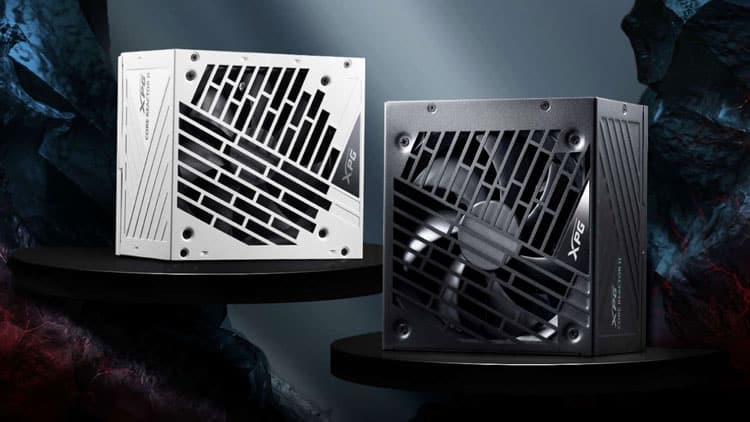
Hardware Busters - XPG Core Reactor II 850W PSU Review - PSUs
@lean anchor what do you think of the above list, can confirm the psu is fine
stoic island
specs for the core reactor ii looks like a slight upgrade from core reactor
slightly better caps and mosfets
yea didn't see the hwbusters review, looks good
cyan ravine
Pretty solid for a white unit
105$
Can strip a lot out of that list if we ignore the white colourway tho
About, 200 worth
220-ish
Part List - AMD Ryzen 9 7950X3D, GeForce RTX 4080 SUPER, SAMA ARGB-Q5 MicroATX Mini Tower
lean anchor
Hmm, sorry for delayed responses, Im at work.
cyan ravine
All good, have a look at the two lists
One's a white, showoff style
Other is a black, no compromise
Good $200 difference if it matters to you
The case in the second one was at one point called the lian li 205m afaik and sold as a micro center exclusive
So it's a good enough case for lian li if you were curious lol
Both lists are pretty overkill tho
stoic island
idk if its dell site being weird but for some reason the GPU 1030$ on dell when listed as 995$ on pcpp lol
stoic island
cyan ravine
The case in the second one was at one point called the lian li 205m afaik and so...
is it not a copy of the 205m?
seems slightly different
if you look at the edge
cyan ravine
Sama has like 10 billion clones of everything
stoic island
lol
cyan ravine
30 different brands in 80 different regions
They're the most whack micromanagement situation I've ever seen
Lol
But it's a sama clone, the lian li
stoic island
this being rounded off looked weird to me lol
 stoic island
yea idk the dynamics with these case manufacturers
cyan ravine
They all take from Sama Quzao out of CN and use the same base design
(sama as we know them worldwide)
I learned a lot about cases in the last month lol
It's a good matx tho
stoic island
fun
stoic island
All I remember was metalicgear neo air being phanteks
stoic island
metalic? magnium? something like that
cyan ravine
Lolol
Yeah I think I know the one
Looks like a fractal torrent but wood
(fake wood but anyway)
stoic island
oh fractal north?
cyan ravine
Not quite
Hold up I'll get a pic

Version 2 lol
V1 definitely does remind me of older phanteks
Or like
Cougar
stoic island
did cougar rebrand or something? haven't seen anything new from them in a while
anyways I was thinking about this lol
 cyan ravine
Cougar always does like the cheap weird stuff imo lol
stoic island
also, it seem they renamed, because that's the same logo as magniumgear, but it was definitely named metalicgear before
https://www.newegg.com/black-metallic-gear-neo-air-atx-mid-tower/p/N82E16811854092
cyan ravine
I have a phone holder that goes in a car (I'd never use it like this) with rgb and looks like a transfomer
Thanks to cougar
stoic island
lol
fossil cedar
stoic island
also, it seem they renamed, because that's the same logo as magniumgear, but it ...
yeah they did
cyan ravine
Idk what monitor he'd like
Since it's colour based work probably an inexpensive oled imo
Aw3423df maybe
Or ktc/aoc 1440p 240hz
stoic island
do you know anything about this? Seemed interesting, but prob kinda bad
https://www.newegg.com/p/N82E16824475289
cyan ravine
Not a clue tbh
stoic island
cyan ravine
Since it's colour based work probably an inexpensive oled imo
'inexpensive' oled is still on the pretty expensive end lol
but should still be okay considering savings on the PC
fossil cedar
no clue but msi have a good track record with monitors ime
cyan ravine
Ye it's not cheap ik lol
Tho tbf, having colour correct work is probably as valuable as the pc itself
stoic island
yea fair
cyan ravine
Probably worth dropping to like a 7900x3d or 7900xt/4070ti if it means it fits
lean anchor
I do prefer the white build tbh
cyan ravine
Np
I see it as acceptable since it's less than 10% on aesthetics really
And it's 4080S tier so 200 won't bring a huge amount more
Tho an oled starts at 650-ish
So whether that's still in budget is an important question
lean anchor
Honestly that free's up a bit more for monitors
My budget was around 3500 with 3 monitors.
cyan ravine
Oh so you'd fit an oled then

Acer Predator X27U bmiipruzx 27.0" 2560 x 1440 240 Hz Monitor (UM.HXXAA.001)

Second one is 650 with prime
And has a kvm which is excellent for multi tasking if you have like a laptop or second pc
Both use LG displays so it's the same as buying from lg themselves
Then you could get some random secondary 27"
And use that for multitasking
As long as that 2nd one is 1440p it'll be pretty solid
You can alternatively do this
https://pcpartpicker.com/product/wywypg/alienware-aw3423dwf-342-3440-x-1440-165-hz-curved-monitor-aw3423dwf

Alienware AW3423DWF 34.2" 3440 x 1440 165 Hz Curved Monitor (AW3423DWF)
Fair warning, while great, the first gen qd oled's have a purple tinting on their screen
So this 2nd option you'd need to remember that while working
But it makes a good widescreen
stoic island
this is a cheaper option but is a bit worse in terms of pre-calibration color accuracy
https://pcpartpicker.com/product/Zv3NnQ/msi-meg-342c-qd-oled-342-3440-x-1440-175-hz-curved-monitor-meg-342c-qd-oled

MSI MEG 342C QD OLED 34.2" 3440 x 1440 175 Hz Curved Monitor (MEG 342C QD OLED)
lean anchor
I can purchase that, but would prefer a multimonitor setup
stoic island
You can mix and match, it makes more sense to get one great panel for most of your work, and have other cheaper secondary panels for whatever else
cyan ravine
Ye
The secondary would be for the etc multitasking
The oled for all colour correction work
lean anchor
Hmmm
stoic island
(doesn't make sense to buy 3x $800 panels when you just need 1 to have the color accuracy for most of the work, and any 100$ secondary panel can display whatever else)
cyan ravine
Especially when you can't really dual or triple screen game at this level anyway
Have to be a much older game, or use nvsurround then run like 1080p triple
So consistency would really only be for a slight aesthetic difference, when you can just find a monitor with a similar bezel and resolution for cheap
stoic island
time to get one of those 6dof rigs and mount 3 monitors lol