#building-and-recc-chat
1 messages · Page 258 of 1
 earnest olive
if it's from 2008 somehow I think the 3080ti might be able to handle higher res
 cyan ravine
other examples that comes to mind, F1, Forza, AC, ACC, FS2020
 manic cloak
Well he does max out most of the things
Like he’s got 50 cars being processed
I forgot what else he had on
cyan ravine
earnest olive
if it's from 2008 somehow I think the 3080ti might be able to handle higher res
The game has been progressively updated over the years
earnest olive
manic cloak
Like he’s got 50 cars being processed
that's gonna be more on the CPU than the GPU
manic cloak
That + he’s also actively racing by and getting passed by them
earnest olive
that's gonna be more on the CPU than the GPU
cyan ravine
As I said, game's been updated a lot over the years
It's still getting new content to this day, along with every couple years it gets a complete engine overhaul
It can be quite light but also can be very heavy
I think by now rFactor is probably the lighter or lightest sim racer atm
Maybe PCars 2?
cyan ravine
X3D is the easy choice for sim
ACC is probably the best example of this
FPS literally EXPLODES with X3D
And more cores is arguably more better
manic cloak
I guess so but off topic - how well would the x3d (talking 7800x3d ex) would hold up in video editing? I mean an answer as a MEDIAN due to the various softwares
cyan ravine
just fine
As I was debating yesterday, a LOT of content creators are perfectly fine with a 7800X3D
Some even downsized to it
What you want is CPU up until a point
once you start doing like, 4K, 8K, 16K raw, more cores is compelling
along with gen 4/gen 5 ssd, 64-128gb
You enter psuedo threadripper territory
Nowadays we have GPU's with loaded encoders that can otherwise handle typical cpu loads extremely well
or rather
the CPU loads you would get with editing
encoding, exporting etc
manic cloak
Hmm alright
cyan ravine
A lot of adobe software is fine on a 4 core cpu for example
any recent 4 or 6 core, no problem
Like Photoshop can almost run on a phone if you stay away from heavy effects or massive layer counts
manic cloak
I’ll have to look into more of it but thanks for the info, honestly though I might just have to start building lists with the psrts
Considering woot has a FRC z790 Edge WiFi for only 170$ which is amazing
cyan ravine
frc?
manic cloak
cyan ravine
frc?
Factory reconditioned
 obsidian wolf
https://pcpartpicker.com/list/RKwxdH anything I switch up before I gift my psu and start building this for one of my friends.
Part List - AMD Ryzen 5 5600G, Radeon RX 7700 XT, Phanteks XT PRO ATX Mid Tower
?
 obsidian wigeon
obsidian wolf
https://pcpartpicker.com/list/RKwxdH anything I switch up before I gift my psu a...
obsidian wigeon
obsidian wolf
https://pcpartpicker.com/list/RKwxdH anything I switch up before I gift my psu a...
Part List - AMD Ryzen 5 3600, Radeon RX 7700 XT, BitFenix Nova Mesh M ARGB MicroATX Mini Tower
i'd do something like this
cheaper for same pc and a nicer case
obsidian wolf
obsidian wigeon
cheaper for same pc and a nicer case
Thank you Foxy
cyan ravine
@obsidian wolf https://pcpartpicker.com/list/dYkxdH
Part List - Intel Core i5-12400F, Radeon RX 7700 XT, SAMA IM01 MicroATX Mini Tower
quite a bit better
but you lose wifi
wait
@obsidian wolf https://pcpartpicker.com/list/Qtztyg
Part List - AMD Ryzen 5 5600, Radeon RX 7700 XT, SAMA IM01 MicroATX Mini Tower
physically the best you could do
also if you take anything from this, change the gpu to sapphire
pulse is way better than challenger
 unreal isle
Part List - AMD Ryzen 5 7600X, GeForce RTX 3060 12GB, Corsair 4000D Airflow ATX Mid Tower
For video editing and rendering mostly, is this the best bang for my buck?? Trying to stay under $1500 usd
obsidian wigeon
unreal isle
https://pcpartpicker.com/list/7QDBt7
Part List - AMD Ryzen 5 7600, GeForce RTX 4070 SUPER, SAMA IM01 MicroATX Mini Tower
a tad over 1500
but worth it imo
the board is meh priced these days
am5 pro rs wifi's used to be 125
 mossy venture
Imo diff ssd and psu
https://pcpartpicker.com/list/WmWxdH
Part List - AMD Ryzen 5 7600, GeForce RTX 4070 SUPER, SAMA IM01 MicroATX Mini Tower
unreal isle
:PepeHands: now I feel silly
 weary galleon
The IM01 cult spreads 😈
obsidian wigeon
one of us
weary galleon
Especially with rtx 40 series and Ryzen 7000 being fairly power efficient it's such a great pick imo
weary galleon
obsidian wigeon
otherwise ap201
Looks similar to IM01 pro. More mesh, (official*) rear 120mm support, ~$80
*You can fit 120mm in rear of IM01, just need some creativity and zipties lol
cyan ravine
AP201 is arguably better than the pro
But both have their benefits/drawbacks
Pro is an invertible matx for example
I don't believe any other case exists that can do that apart from like one coolermaster and that one is kinda mid
weary galleon
cyan ravine
Pro is an invertible matx for example
Invertible like upside down?

(not really trying to argue which is better, I don't know much about either tbh)
unreal isle
Guh
 analog hearth
Guh
cyan ravine
weary galleon
Invertible like upside down?
Mhm
analog hearth
invert it and now your logos are upside down
cyan ravine
Yeah but now your case isn't showing off to the freaking wall 
analog hearth
lol gotcha
cyan ravine
💀
cyan ravine
I hate those panel pegs
Do you know how dumb cheap crap they are? I've broken like 10 of them in my time owning lian li cases
They're stupid af
Give me slots please, screw those pegs
 lyric thistle
Really?
I pop mine off all the time
They're fine ime
Some of them are 3d printed too, on the panel extensions
cyan ravine
They break on one side for me all the time
They're actual ass
Then you try to replace them and they're the most violent things as they pop out like large springs
Go for the eyes like a crow
lyric thistle
😭
cyan ravine
Slots to me are so much better, nithing can get deliberately pulled out, the case has easy grip for carrying, the mechanism doesn't break after opening your glass panel up after only 8 times
Pegs are cancer
I'm salting really hard on this but I don't find it nearly as bad as the ten thousand cable corsair ecosystem for example
Just really annoying as hell when you go to put your case glass back on and the thing tries to fall right back out and shatter
lyric thistle
👀
cyan ravine
I don't like them...lol
lyric thistle
I don't have case glass on the nr200
lyric thistle
They don't fall off if I don't take them off 😂
cyan ravine
I've swapped the pegs on my o11 evo so many times the back metal panel is hanging by 1 peg
If I want to flip it back I have to pray that last one don't break or I'm screwed
I've only got 2 left for the glass on the front
3 for the front panel
lyric thistle
Gotta get some more printed
cyan ravine
They're disgusting man
You pay what, $150 for a case like this
They don't even last 2 years
Maybe CM does them better
lyric thistle
Idk
cyan ravine
I've never tried the CM ones
lyric thistle
I guess the problematic part is the socket?
Since they're the part that's plastic
The pegs themselves are metal on this thing
Part of the chassis or panel itself
lyric thistle
I think I've put some in
cyan ravine
Notice how the grain on them when printed follows a certain direction
lyric thistle
With the extensions
cyan ravine
When the grain pattern isn't parallel to the point of flex (where they bend) in the peg
They're like several times weaker
Has everything to do with the production process
lyric thistle
Huh
cyan ravine
The ones they put in the lian li have diagonal grain patterns
This is kinda basic engineering 101 atm
But as a result simple stresses will quickly lead to failure and snapping cos bending these things causes a large amount of extension and compression
Maybe it's the type of plastic they used, I don't know
I just want no more of them to break otherwise I need to buy replacements
lyric thistle
These things are absolutely mangled on the ball lol

Like poorly done cake decorating
 cyan ravine
Yeah that has the grain in the right direction
See the lines across the peg, mine are diagonal
So yours will be better
lyric thistle
I assume you gotta use like a flat screw driver to take out the manufactured plastic sockets
cyan ravine
Fingernails if you don't want scratched paint
lyric thistle
Huh
lyric thistle
I got them ifixit plastic thingies which would be better lol
lyric thistle


 limber oyster
can anyone help my find a 2.5" sata adapter that fits 2 m key pcie nvmes?
 vivid copper
 spice dragon
is this good?
spice dragon
is this good?
What country? Cause it's only $150 in the states.....
limber oyster
all i can find are adapter s for b key ngff drives
vivid copper
limber oyster
can anyone help my find a 2.5" sata adapter that fits 2 m key pcie nvmes?
You can't convert m key NVME which are PCIE based to a sata protocol. You can only do sata based m.2 drives which is why you're only finding ones for b key cause those are still sata
limber oyster
i see
i was hoping to reuse an "old" 2tb nvme for my ps4
rather than the cheap 500gb platter drive i have
vivid copper
limber oyster
i was hoping to reuse an "old" 2tb nvme for my ps4
You can grab a regular m.2 to usb enclosure and use it externally on the PS4 . The PS4 only used a SATA II bus anyway so even if you could do what you wanted to do it would still be kinda slow. I'd find a really cheap 256 gb SSD to put on the inside just for boot and use the 2TB for external game storage. If you upgrade to PS5 you can just take the external plug it in and use it just like you did on the PS4
spice dragon
vivid copper
What country? Cause it's only $150 in the states.....
With the delivery to Qatar it’s 219$
vivid copper
spice dragon
With the delivery to Qatar it’s 219$
Welp if you specifically need a white 1000W PSU with native 12VHPWR then that's going to be your best option. Everything else that's worth it will be more expensive.
limber oyster
vivid copper
You can grab a regular m.2 to usb enclosure and use it externally on the PS4 . T...
Yeah, but figured it'd be cheaper to spend the $10-$40 on an adapter and reuse a drive I already have but not using
earnest olive
$10 maybe? $40 probably not, at that point just sell the drive
2tb ssds are not expensive enough to justify a $40 adapter
earnest olive
vivid copper
You can grab a regular m.2 to usb enclosure and use it externally on the PS4 . T...
wow TIL about sata 2
I guess it makes sense since they shipped with hard drives so it doesn't make a difference
but still kinda surprising since sata 3 was already like 4 years old by the time the ps4 came out
 crimson zinc
Would a MSI MAG A550BN 550w power this list? https://pcpartpicker.com/list/Qf77Fs
Part List - AMD Ryzen 5 5500, GeForce GTX 1080 Ti, SAMA SAMA-Z4 ATX Mid Tower
mossy venture
Yeah should be
The 5500 is cheaper new
https://pcpartpicker.com/product/yq2WGX/amd-ryzen-5-5500-36-ghz-6-core-processor-100-100000457box

AMD Ryzen 5 5500 3.6 GHz 6-Core Processor (100-100000457BOX)
crimson zinc
It fell since last week

This sound like a good budget list?
I accidentally got 2 psus in my order
crimson zinc
Part List - AMD Ryzen 5 5500, GeForce GTX 1080 Ti
 little osprey
How would my performance be effected if I ever tried to match a Ryzen 5 5600 with a GTX 1060?
cyan ravine
Wym affected
 potent portal
The 1060 would be maxed out at just about any resolution if that's what you mean
little osprey
potent portal
The 1060 would be maxed out at just about any resolution if that's what you mean
Yeah
I was thinking of building my new PC once I have everything except the GPU and SSD, because I already have those, I think it might be best I wait.
potent portal
Is it at least the 6GB model 1060
little osprey
potent portal
Is it at least the 6GB model 1060
Let me double check, I think it is
Yeah it is
potent portal
That would be good enough for low to medium texture quality, but the 3GB model would fail to run some games and run most others very badly from low VRAM buffer
little osprey
Mostly new parts
cyan ravine
If buying then a 5500 and a 5700XT would be way better
5500 ≈ 3600 but little better
little osprey
The CPU isn't up for return, I already bought it
little osprey
I was very cheap without a job lol, finally getting one soon
cyan ravine
Ah
So probably upgrading in a bit
Fair enough
5600 is good up to about a 6800XT imo
Then you start to run into cpu binding
In most AAA cases anyway
potent portal
At 1440p yeah
little osprey
cyan ravine
5600 is good up to about a 6800XT imo
I was told a 7600 (not XT) would be a better match for the CPU
cyan ravine
Ye typically we suggest something like a 6700xt
Slightly faster than a 7600
But go back a year or two we were suggesting the 5600 with almost anything lol
It's a capable cpu with some legs for sure
But ye, all depends on the game
little osprey
cyan ravine
Slightly faster than a 7600
Is the extra $100 worth the little extra speed?
cyan ravine
230 7600? That's entirely worth getting
little osprey
cyan ravine
But ye, all depends on the game
I plan on getting Helldivers, I don't plan on playing anything else super crazy though.
little osprey
It's okay for me, I don't mind a tiny bit of chop
little osprey
I mainly play Minecraft with shaders and just use Bloxstrap to play Roblox with better graphics/higher FPS.
But I know once I upgrade I'm gonna get a better variety of games I want to play.
cyan ravine
I see
Well sounds fine for what you intend to do
Competent 1080p system
32gb ram with that and you'd last a while
little osprey
I might go the extra mile and get 64GB if I can afford it during the summer.
potent portal
Nah you actually lose performance going that high
little osprey
Oh how come?
potent portal
Higher capacity memory is harder on the memory controller, so it can't run as fast
little osprey
Ah
potent portal
Especially if it's 4 sticks
little osprey
Is the less sticks the better I assume?
Or does it have to be perfectly balanced lol
 crimson zinc
https://pcpartpicker.com/list/rMkvQP
crimson zinc
crimson zinc
https://pcpartpicker.com/list/rMkvQP
@cyan ravine
little osprey
Oh and one last thing, I need to get a new keyboard/mouse with the new setup, are there any keyboards/mice you guys recommend with white RGB?
cyan ravine
crimson zinc
https://pcpartpicker.com/list/rMkvQP
💯
crimson zinc
cyan ravine
💯
It’s all good? Nothing to change?
cyan ravine
Looks good
Nothing speaks to me that needs changing
You could do little swaps here and there, like a black cpu cooler, a $65 gen 4 1tb like mp44L
Those are all needless changes though
Looks fine
💯 marks
crimson zinc
cyan ravine
You could do little swaps here and there, like a black cpu cooler, a $65 gen 4 1...
Would they save any money lmao
cyan ravine
No you'd add $5
But you'd get a much better ssd, which if it's for gaming, pointless
But might make them feel better
$60 deep, $5 is a pittance lol
crimson zinc
cyan ravine
But you'd get a much better ssd, which if it's for gaming, pointless
It is for gaming yes
cyan ravine
So up to you if they should
I have a few A60's, they're perfectly fine dramless ssd's
People give dramless too much flack
cyan ravine
Is that dram
crimson zinc
I’ll be trying to find most of my parts on eBay or refurbs
cyan ravine
Meh P3 plus
I'd do MP44L for $65
TLC > QLC
Kinda worth the couple dollars lol
They're all ok tho
mossy venture
couldve swon the major downside of it was it didnt
cyan ravine
?
little osprey
Can someone remind me what types of cases the B550 Tomahawk mobo supports? I lost the case that I was going to get and I need to find it again.
mossy venture
5500 being gen 3
cyan ravine
Are we talking about p3 plus
cyan ravine
little osprey
Can someone remind me what types of cases the B550 Tomahawk mobo supports? I los...
Buying or bought
Wait
Did we talk earlier
Are you the 1060 guy lol
little osprey
Yes lol
cyan ravine
Ye you are nvm lol
Easy idea
Go to pcpartpicker
Pick the motherboard
Then go to cases
Sort by price
Away you go
little osprey
 cyan ravine
Well the reason I say that, is I have no idea what you'd prefer
But you'd filter out all the matx/itx etc
little osprey
cyan ravine
Well the reason I say that, is I have no idea what you'd prefer
Whatever has good airflow and looks cool lol.
cyan ravine
XT pro phanteks is 50
That's like the cheapest best I know that's atx
But you want 3 extra fans
Montech air 903 base
G360A
G300A 3 fan
crimson zinc
Sama has a decent $53 case rn
cyan ravine
That's a nice case but it's matx
little osprey
cyan ravine
That's a nice case but it's matx
I currently have an MATX case and my motherboard doesn't fit in it.
https://pcpartpicker.com/product/xgKscf/nzxt-h6-flow-atx-mid-tower-case-cc-h61fb-01 How about this? Any downsides to this?

NZXT H6 Flow ATX Mid Tower Case (CC-H61FB-01)
cyan ravine
Oh nvm that's a different case @crimson zinc mb
cyan ravine
little osprey
https://pcpartpicker.com/product/xgKscf/nzxt-h6-flow-atx-mid-tower-case-cc-h61fb...
Yes expensive lol
Montech king95 pro beats it in all fronts
little osprey
cyan ravine
Yes expensive lol
Not sure why its 20 dollars cheaper than the white version
crimson zinc
cyan ravine
Oh nvm that's a different case <@423224499849134081> mb

eBay
Front: 3 x 120mm fans (3 x 120mm ARGB fans Pre-Installed)Top: 2 x 120mm fan (Optional) Rear: 1 x 120mm fan (1 x 120mm ARGB fan Pre-Installed). ATX / Micro ATX / Mini ITX. ATX Mid Tower. Side Panel Window.
This one
cyan ravine
Ye I thought you meant sama im01 my bad
little osprey
cyan ravine
Montech king95 pro beats it in all fronts
Looks cool, I wish I could make the LED white but I guess I can live without the LED.
cyan ravine
cyan ravine
Montech king95 pro beats it in all fronts
Better fans, full set of fans, included controller for everything, better thermals
crimson zinc
Too small
cyan ravine
little osprey
Looks cool, I wish I could make the LED white but I guess I can live without the...
You can
little osprey
Wowzers
cyan ravine
Alternatives, lian Li o11 air mini if it's 110
Phanteks nv5
^the nicest and cheapest imo
little osprey
The case you sent me looks great as it is; 80 dollars for a big case with lots of room for fans, and adjustable RGB.
cyan ravine
Montech sky two
Have a look at that one
Before you settle
Magnium gear neo air 2
little osprey
Is it any better?
cyan ravine
little osprey
Is it any better?
Mmm it's cheaper
It's not better quote unquote
But it's hyte y40 style
little osprey
I mean... By a dollar cheaper.
little osprey
This one
 cyan ravine
Oh interesting
Ok, that's an excellent price then

Thermaltake View 270 ATX Mid Tower Case (CA-1Y7-00MFWN-00)
little osprey
Oh wait just noticed, its because of a gift card with purchace
cyan ravine
Another suggestion
little osprey
cyan ravine
https://pcpartpicker.com/product/sgyH99/thermaltake-view-270-atx-mid-tower-case-...
It's blue!
cyan ravine
Ye
It comes in a few colours afaik
Thermaltake one of the few brands that do a LOT of colours
little osprey
I have a black AIO, I want to get something strictly black
No case racism intended
cyan ravine
What about green on black

Thermaltake View 270 ATX Mid Tower Case (CA-1Y7-00MEWN-00)
Jk they have black lol

Thermaltake View 270 ATX Mid Tower Case (CA-1Y7-00M1WN-00)
little osprey
cyan ravine
What about green on black
Damn greeners
little osprey
It actually doesn't look like a bad case though if I could make it work but my room wouldn't be able to fit the same aesthetic
cyan ravine
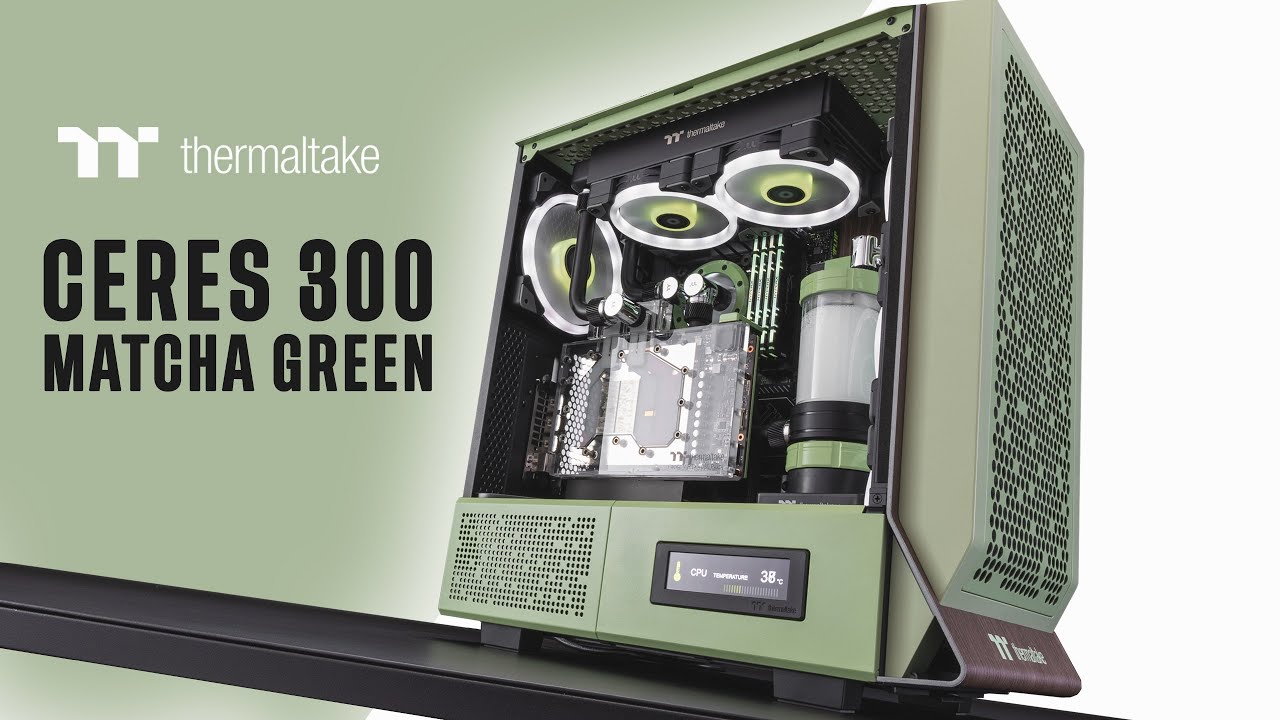
Thermaltake sent us their recently launched Ceres 300 in Match Green to take a look at. And like always, we bring you a custom liquid cooled build with some matching accents to complete the finished setup.
Learn more about the Ceres 300 - https://thermaltakeusa.com/products/ceres-300-tg-argb-matcha-green-mid-tower-chassis-ca-1y2-00mewn-00
00:0...
little osprey
I got an entire Norwegian/German patriotic Orthodox Christian setup, I can't just move it all out of the way
cyan ravine
Fair enough fair enough
But ye, king95, view 270, phanteks xt pro + 3x C12C:s
All 3 good ideas
G360A is older but competent
Montech Sky Two is brand new and probably comes with the same goated controller as the king95
little osprey
Yeah I meant that
cyan ravine
Huge plus though, saves an immense amount of cable management
It's in the back
Just above where you can put the fans on the side
Cables then plugs into the power supply and motherboard
So the motherboard syncs up with it
Very good controller too, not some cheap thing, has a huge number of ports
little osprey
I might need a YT video on this
cyan ravine
You could argue you're paying $20+ of your budget to that controller
little osprey
But shut up and take my money on the Montech Sky Two
cyan ravine
@little osprey

That's the one on the king95
It may or may not be on the sky two
See just above the fans?
little osprey
So you just plug it into the slot on which color you want or?
cyan ravine
You plug all the fans in, they can do all the colours
You download software to change the colours
For tomahawk I'd recommend OpenRGB
little osprey
Ah ok
cyan ravine
But MSI Mystic light can work well at times (would uninstall msi center once you're done tho)
Mystic light and OpenRGB both save the lighting settings
 flint sapphire
 msi center
little osprey
I think I'll settle on OpenRGB
 crimson zinc
Wait do the diy pcs have a colour control
cyan ravine
@mossy venture montech for new goat like thermalright?
Yes
Wym
Oh that brand?
Idk
A lot of cheap brands use molex and basic colour control
Not the ones I'm suggesting
crimson zinc
Part List - AMD Ryzen 5 3600, GeForce GTX 1660 SUPER, DIYPC F2 MicroATX Mini Tower
This is what I have at home rn
For fiancé as a birthday present
cyan ravine
Those diy-pc cases have been around forever, they're probably using old rgb control
And old fans
little osprey
Oh yea and one last thing to annoy you guys, what are the keyboards with their number pads to the left side? I think it will help me while I code.
There was a name for it, and I was thinking of getting one
mossy venture
cyan ravine
<@654444344274845698> montech for new goat like thermalright?
For some choices ye
cyan ravine
Yeah that F2 looks like it's stuck blue
mossy venture
903 base should be a bit cheaper imo
cyan ravine
little osprey
Oh yea and one last thing to annoy you guys, what are the keyboards with their n...
I have no idea
mossy venture
And 903 max tbh
crimson zinc
cyan ravine
Yeah that F2 looks like it's stuck blue
F
little osprey
cyan ravine
I have no idea
Just found it, southpaw
crimson zinc
Well, at least the case itself isn’t garbage
crimson zinc
It’s not bad, but it’s not exactly good either
cyan ravine
It's $40
Not a lot of great exists at $40 lol
Very few good choices
Even the gamemax m60 I suggest isn't perfect, it's almost a test bench the way it's designed
(would love one tho)
crimson zinc
There was a HAF 912 at my local pc store
And I want it so bad
$39
But someone already has it held

cyan ravine
America has such nice budget pc cases
Over here we have like 5

If I want an IM01 I have to pay $200 not $55
crimson zinc
I think my dream case is the big daddy of all cases
https://pcpartpicker.com/product/FCPQzy/cooler-master-haf-700-evo-atx-full-tower-case-h700e-ignn-s00

Cooler Master HAF 700 EVO ATX Full Tower Case (H700E-IGNN-S00)
cyan ravine
crimson zinc
I think my dream case is the big daddy of all cases
https://pcpartpicker.com/pr...
Beautiful, but
The number one complaint I see in the CM server is
"My front screen won't work"
"pls help"

Above anything else
Probably 2nd is "will the nr200p fit this?"
crimson zinc
Listen
I just want it
I don’t gotta put anything in it
Just having it would satisfy me
lyric thistle
cyan ravine
Probably 2nd is "will the nr200p fit this?"
Real

 mortal zenith
I just recently bought a Deepcool AK620 for a build I will be putting together soon. Will it be sufficient for an i7-14700kf for gaming & productivity tasks? (video editing & blender)
 strong raft
Gaming, yes. "Work", expect 90c+ unless you adjust Power Limit down.
obsidian wigeon
id reccommend getting an aio
for similar money you can get https://pcpartpicker.com/product/7Phv6h/thermalright-frozen-prism-argb-704-cfm-liquid-cpu-cooler-frozen-prism-360-black-argb
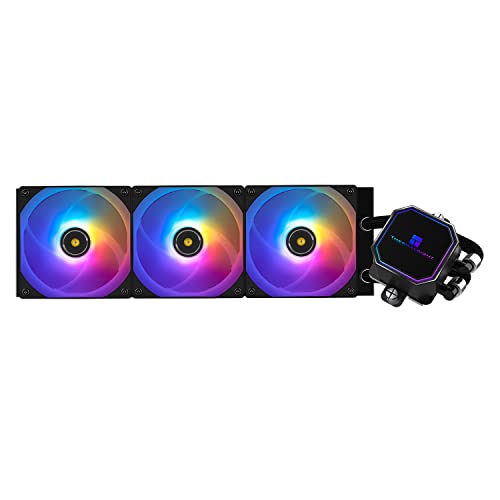
Thermalright Frozen Prism ARGB 70.4 CFM Liquid CPU Cooler (Frozen Prism 360 BLACK ARGB)
full blown 360mm aio
cyan ravine
mortal zenith
I just recently bought a Deepcool AK620 for a build I will be putting together s...
If you leave it to run at like
200W max
which most if not all z boards don't do stock
then yes it probably works
but you will lose a lot of multicore, AK620 is a good cooler but...the high end i7's and i9's are volcanoes lmao
if you have a white pc there's this:
https://pcpartpicker.com/product/C888TW/thermalright-frozen-magic-scenic-v2-69-cfm-liquid-cpu-cooler-frozen-magic-360-scenic-v2-d1-g2

Thermalright Frozen Magic Scenic V2 69 CFM Liquid CPU Cooler (Frozen Magic 360 SCENIC V2-D1-G2)
Their edge lineup was incredible, but sadly seems to be going OOS everywhere
probably the best cheap 360mm's are these
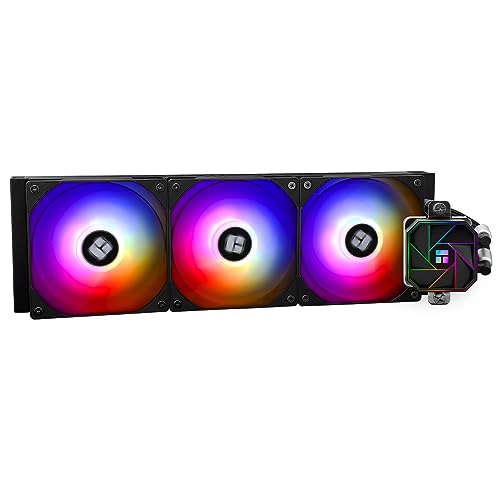
Thermalright Aqua Elite V3 66.17 CFM Liquid CPU Cooler (Aqua Elite 360 Black V3)
280 starts with this

ARCTIC Liquid Freezer III 72.8 CFM Liquid CPU Cooler (ACFRE00135A)
Though I'd argue it might have a bit of a hard time
https://pcpartpicker.com/product/jqXV3C/silverstone-icemyst-280-9329-cfm-liquid-cpu-cooler-sst-im280-argb
https://pcpartpicker.com/product/YJmmP6/ek-aio-elite-280-d-rgb-116-cfm-liquid-cpu-cooler-ek-aio-elite-280-d-rgb

Silverstone IceMyst 280 93.29 CFM Liquid CPU Cooler (SST-IM280-ARGB)

EK AIO Elite 280 D-RGB 116 CFM Liquid CPU Cooler (EK-AIO Elite 280 D-RGB)
That's about all I can see from 280's
Any higher is meh/pass
the Thermalrights would be able to handle a 14700K
At the very least should be fine stock, there are reviews that demonstrate it doing well with even the 13900K
That being the edge version though, not the aqua elite v3
They're all pretty new tho
strong raft
If new builders, I suggest skip LF3 w/ it's spring screws & special socket frame to use.
 wild peak
this is my build rn, im looking for a white ATX mobo (AM5), was wondering if anyone had any suggestions?
https://pcpartpicker.com/list/9X4LxH
Part List - AMD Ryzen 5 7600X, GeForce RTX 4070 SUPER, Phanteks Eclipse G360A ATX Mid Tower
mossy venture
wild peak
this is my build rn, im looking for a white ATX mobo (AM5), was wondering if any...
Pro rs wifi, eagle ax, or aorus elite ax ice
wild peak
mossy venture
Pro rs wifi, eagle ax, or aorus elite ax ice
Can you send the links please
mossy venture
wild peak
Can you send the links please
You have pcpartpicker...
Just type each name in when you hit select motherboard
And look at them
 silk smelt
hey guys whats the best table Length and width im looking to change my table
flint sapphire
please hold
analog hearth
silk smelt
hey guys whats the best table Length and width im looking to change my table
This guy actually just asked for the meta table length 💀
potent portal
Whatever fits in your gaming space
 autumn wolf
crimson zinc
silk smelt
hey guys whats the best table Length and width im looking to change my table
autumn wolf
crimson zinc
silk smelt
hey guys whats the best table Length and width im looking to change my table
Are you looking for a large table? Or maybe a small one? Or one with lights and usb connectors?
 spare vale
I've been playing Helldiver's 2 with a 7800xt, and 7800x3d, on low, but my frame rate sucks, (sometimes I crash lol), and my CPU temps around 70~79° c, my cooler is a nzxt kraken 240 mm, is there something I'm doing wrong?
potent portal
CPU temp is normal
AM5 just runs hot
When you built the PC did you install windows from scratch or use an old installation?
spare vale
potent portal
When you built the PC did you install windows from scratch or use an old install...
Sorry for the late reply, I installed it from scratch, but I can try to reinstall it.
potent portal
spare vale
Sorry for the late reply, I installed it from scratch, but I can try to reinstal...
Did you install all the drivers from your motherboard's page, especially the chipset?
spare vale
potent portal
Did you install all the drivers from your motherboard's page, especially the chi...
I'm looking at this page and I realize I have never seen this before, 😔.
So, no, I don't think I downloaded the chipset.
I did the drivers iirc.
Oh, I'm an idiot sorry, I did the chipset maybe? Jesus.
potent portal
Here's the latest chipset https://www.amd.com/en/support/chipsets/amd-socket-am5/b650
Quick way to find out is to check device manager and see if there's any devices with yellow triangles on them
potent portal
Ok, it doesn't hurt to update that anyway
spare vale
Alrighty.
spare vale
I don't know? I think I did this computer 1 or 2 months ago.
spare vale
potent portal
And BIOS?
Uh, I'll just update them all.
potent portal
It's a new enough game that new driver versions will have optimizations and fixes, so GPU driver update is recommended here
spare vale
Okay, thank you. So the issue is not the hardware itself though, correct?
spare vale
Okay, thank you.
little osprey
lkj
 regal blade
can someone rate my list
Part List - AMD Ryzen 5 5600, GeForce RTX 3060 12GB, Thermaltake V250 TG ARGB Air ATX Mid Tower
mossy venture
regal blade
can someone rate my list
Whatre you using the pc for
 short yoke
Yo, if i invite a friend with some PC issues could she get some help?

 mossy venture
Sure
Looks like they need a bios update, to reseat cpu, or something wrong with cpu
short yoke
And I'm not educated enough to walk them through the update
silk smelt
crimson zinc
Are you looking for a large table? Or maybe a small one? Or one with lights and ...
Wondering if 63x24 is enough for the 3 monitors setup my room is pretty small so im not too sure
crimson zinc
silk smelt
Wondering if 63x24 is enough for the 3 monitors setup my room is pretty small so...
Lemme find you something
Any limit on money?
silk smelt
crimson zinc
Lemme find you something
Below 250 maybe but I dont plan on getting the standing desk that moves up and down
The one im currently using is a L shaped desk
66 x 19
short yoke
 toxic tide
my pc
toxic tide
my pc
Worst case scenario it needs a new CPU, best case your bios needs an update or you need to re seat the CPU, but i doubt it could be that since you haven't always had the issue
silk smelt
Im a little cramped
short yoke
Im not sure how to perform a bios update but i think my friend can get you covered whenever they're back
silk smelt
crimson zinc
Lemme find you something
Coleshome L Shaped Computer Desk... https://www.amazon.com/dp/B08GPH26G3?ref=ppx_pop_mob_ap_share
Thats the one i currently have
toxic tide
short yoke
Im not sure how to perform a bios update but i think my friend can get you cover...
okay
should I be scared of the sound it’s making
I think it will blow up
crimson zinc
silk smelt
Below 250 maybe but I dont plan on getting the standing desk that moves up and d...
Lemme find you something.

Elevate your work or study experience with the Bestier office table. This large 71.5 inch desk offers ample space for all your work, study or drawing. The desk features power outlets, conveniently allowing you to charge your laptop, tablet, smartphone, or power bank. Immerse yourself in your work...
silk smelt
crimson zinc
Lemme find you something.
honestly I just want it simple but a huge space
maybe 63x30
type of table
crimson zinc
silk smelt
maybe 63x30

IRONCK Computer Desk 63", Home Office PC Desk with Keyboard Tray Monitor Stand Storage Shelf CPU Stand, Modern Study Writing Table for Home Office, Black
regal blade
mossy venture
Whatre you using the pc for
Pc gaming and some 3d printing
regal blade
@mossy venture
mossy venture
regal blade
<@654444344274845698>
I'm at work, but I'll make you a list later
Or @cyan ravine if you're around?
You know au pricing better than me anyways
@crimson zinc if you want to give it a shot
Something like 7600 with a 6700xt or 6750xt
mossy venture
regal blade
https://au.pcpartpicker.com/list/PBnxdH
First option
https://au.pcpartpicker.com/list/9XZct7
Part List - AMD Ryzen 5 7600, Radeon RX 6750 XT, Montech AIR 100 ARGB MicroATX Mid Tower
Part List - Intel Core i5-12400F, Radeon RX 6750 XT, Montech AIR 100 ARGB MicroATX Mid Tower
Either of those is far better
regal blade
Part List - Intel Core i5-12400F, Radeon RX 6750 XT, Montech AIR 100 ARGB MicroATX Mid Tower
I took the one you sent and just changed some minor parts but it’s still more expensive than my current build
My current build just the pc is $1,241 but with monitor and mouse/keyboard it comes out to $1,486
 brittle tinsel
any decent SSDs for around $20

EDILOCA ES106 500GB SSD SATA III 2.5" 3D NAND Internal Hard Drive, up to 550MB/s Read, Upgrade PC or Laptop Memory and Storage(Black)
cyan ravine
Try r/Hardwareswap
$20 is so cheap you may as well buy used
this is like, the lowest you could ever possibly go new imo

TEAMGROUP MP33 512 GB M.2-2280 PCIe 3.0 X4 NVME Solid State Drive (TM8FP6512G0C101)
or

Leven JS600 512 GB 2.5" Solid State Drive (JS600SSD512GB)
brittle tinsel
alright, ill look into those options in the morning, thank you!
crimson zinc
@mossy venture I am stumped
I’ve never used this small of a MB
And this PSU is old:(
Never mind, I forgot the manual exists
analog hearth
This guy
crimson zinc
Listen
I already messed up
It turns on for a second and shuts off
I definitely did something wrong @mossy venture
I’m not home to diagnose
@cyan ravine I will need help soon
cyan ravine
I'm about to leave for work
crimson zinc
Is everything seated correctly?
 potent portal
Hard to tell from that angle but it looks like it
 viral ore


this pic sucks, cant even see the aux 4 pin
thats snips from the 24 pin, top and bottom dont look even
but that might just be lighting
crimson zinc
potent portal
Hard to tell from that angle but it looks like it
I fixed
@viral ore @potent portal
viral ore
is it booting or nah
crimson zinc
Resat all pins, and in the end
It was literally me plugging fan headers into sysfan
viral ore
crimson zinc
I’m not home to diagnose
nevermind i looked up and found the context
crimson zinc
Which was a dumb part by me
viral ore
odd
crimson zinc
It boot immediately after
viral ore
good job
crimson zinc
I’ve never had that problem before
I feel like a dummy
If it also helps, I put the PSU upside down
All that yummy warm PSU air blasting into my gpu 
viral ore
PSU exhausts out the back
psu and gpu will be fighting for air, techinically, but it wont really make a diff
you got any fans in the front?
might be better to have that exhaust in the back over the IO as a front intake instead if you got 0 or 1 in front
potent portal
Yeah the PSU and GPU will both run a little hotter when they're fighting for air, but there is an advantage of less dust buildup in the PSU
crimson zinc
I have the PSU exhaust pointing out the bottom since there’s a vent there
crimson zinc
viral ore
you got any fans in the front?
This case has one front, one back, and one top.
potent portal
If the top fan is in the forward position make that an intake and you'll have a little more ideal pressure
Front in, top in, back out
crimson zinc
Luckily they’re all correct out of the box
potent portal
Great
crimson zinc
This case is nice
Didn’t expect to have a lot of cable management out back but it’s spacious for being smaller.
 gleaming arrow
Hello! I was talking about this yesterday
My friend is trying desperately to fix his brother's computer that he's being blamed for breaking but there's absolutely no dice 😭
He has tried absolutely everything, he's reseated everything, swapped out several components, nothing's working
The computer posts, and it makes it to Windows
But you cannot see anything on screen (but you can hear it do so)
 vale mulch
Hi, wanted to ask a question. Having issues with multiple tabs freezing up on my browser/ computer. Which component would help most with this issue? Would it be ram or cpu. Currently have 64gb ram and 12th Gen Intel(R) Core(TM) i7-12700K 3.61 GHz
 subtle halo
vale mulch
Hi, wanted to ask a question. Having issues with multiple tabs freezing up on my...
subtle halo
vale mulch
Hi, wanted to ask a question. Having issues with multiple tabs freezing up on my...
check temperature
vale mulch
subtle halo
check temperature
 weary galleon
gleaming arrow
But you cannot see anything on screen (but you can hear it do so)
weary galleon
gleaming arrow
But you cannot see anything on screen (but you can hear it do so)
Try different monitor, different display cable, different port on GPU
gleaming arrow
all of these things were tried
including idfferent gpu
including integrated gpu
nothing
weary galleon
That's really odd if it's booting to windows
I assume no display while booting either?
gleaming arrow
nope
weary galleon
Like no bios/mobo manufacturer splash screen
weary galleon
gleaming arrow
including integrated gpu
I assume you comboed this with a different monitor and cable yeah?
gleaming arrow
yeah
weary galleon
Dang
I mean the only other thing I could think of is the outlet the monitor is plugged into is dead, lol.
There are people here with more experience than me though so they might have insight
gleaming arrow
weary galleon
I mean the only other thing I could think of is the outlet the monitor is plugge...
I mean they've tried whole tvs in different rooms and whole monitors in different houses 😭
manic cloak
So I found a dell Alienware 3090 for 410$, and an evga cooler for 100$. I’m thinking of haggling down to 400 or even 390, and the cooler down to 50$. Would that be worth to try and resell?
Xc3 ultra btw
weary galleon
Like, an evga gpu heatsink and fans?
manic cloak
weary galleon
Like, an evga gpu heatsink and fans?
Gpu heatsink and fans yes.
The seller had it after he waterblocked it
weary galleon
I doubt that's gonna be profitable to resell
The 3090 might be, I haven't really been keeping up with prices though
obsidian wigeon
meh
only the gpu is worth it
cooler down to 50 would look like too much of a low-ball
crimson zinc
Finally someone from ViprTech reached back out.
This seems shady as hell

@mossy venture these guys seem like they don’t know what they’re doing
mossy venture
They do not
A single 32gb stick being better than 2x16. Right there they gave away how idiotic they are
crimson zinc
“Leaves more room for upgrades”???? An upgrade would be to split it to 2x16 out the bat lmao
Also not mentioning anything about PSU reliability outside of “they’re made for us” and “here’s a statistic you can’t verify”
potent portal
They clearly don't know how dual channel works
There's no such thing as "dual channel memory"
It's handled by the CPU and motherboard
If it's DDR5 at least there isn't a big difference in performance
mossy venture
potent portal
If it's DDR5 at least there isn't a big difference in performance
1% lows it's still pretty major
unless im remembering wrong
mossy venture
ye
crimson zinc
potent portal
That's GRE price
manic cloak
mossy venture
unless you mean used
Used mb
mossy venture
ah
potent portal
What seller
mossy venture
ye link it?
manic cloak

Sapphire Pulse AMD Radeon RX 7900 XT Triple Fan Graphics Card - 20GB, Sapphire Pulse AMD Radeon RX 7900 XT Tarjeta gráfica triple ventilador - 20 GB
It’s gone now
limber oyster
anyone know a good brand for 180 degree gpu power adapters?
potent portal
12VHPWR or 8 pin?
limber oyster
8 pin
potent portal
Pretty much anything works for those as long as it's not the cheapo $1 ones on aliexpress
manic cloak
limber oyster
anyone know a good brand for 180 degree gpu power adapters?
You mean 90 degrees?
180 degrees are straight 😭
limber oyster
Yeah
 dusky hearth
gleaming arrow
But you cannot see anything on screen (but you can hear it do so)
dusky hearth
gleaming arrow
But you cannot see anything on screen (but you can hear it do so)
do you see anything during POST? any mobo splash screen?
gleaming arrow
dusky hearth
do you see anything during POST? any mobo splash screen?
no
dusky hearth
gleaming arrow
no
have they tried to clear cmos?
gleaming arrow
idts
gleaming arrow
dusky hearth
have they tried to clear cmos?
they did yeah
gleaming arrow
dusky hearth
might be some hardware issue then... im not sure
their belief is that the mobo is shorted but that just doesn't really make all that much sense
idt it would post like that
dusky hearth
i mean, it could be a short on the display connector... but then it should work on a gpu output
that being said, if you switch gpus, you might need to clear cmos
short yoke
You should make a website of random requests for rich people with too much money to look through and fullfil
And then profit
crimson zinc
short yoke
You should make a website of random requests for rich people with too much money...
I am confused by this
It may be the autism
But the wording confuses me
short yoke

brittle tinsel
are these two compatible?

Upgrade your PC with the WD Green 1TB SN350 NVMe M.2 2280 SSD from Western Digital. Experience up to 4x faster performance than SATA, shock-resistant design, and easy installation. Monitor drive health using the WD SSD Dashboard. Fast dispatch and delivery within Australia. Order now for a speedy computer upgrade!
 languid nimbus
Wouldn’t recommend sn350 tbh
crimson zinc
^
brittle tinsel
languid nimbus
Wouldn’t recommend sn350 tbh
any recs? friend is looking for a M.2 and that is out of my realm atm. I havent ever dealt with M.2 SATA HDD and SSDs over barracuda.
and personally, I never touch samsung. not trying to start a fire
mossy venture
brittle tinsel
any recs? friend is looking for a M.2 and that is out of my realm atm. I havent ...
m371 atm
crimson zinc
^
gleaming arrow
dusky hearth
that being said, if you switch gpus, you might need to clear cmos
They tried switching gpus and everything none of that worked 😭 so it's not the connector and they cleared cmos too
dusky hearth
gleaming arrow
They tried switching gpus and everything none of that worked 😭 so it's not the ...
yeah i mean switching gpus may require a cmos reset for it to display
gleaming arrow
dusky hearth
yeah i mean switching gpus may require a cmos reset for it to display
I'll lettem know to do that
brittle tinsel
mossy venture
m371 atm
he asked if it is compatible with his mobo?
https://www.asus.com/motherboards-components/motherboards/prime/prime-b450m-a/

ASUS Global
ASUS Prime series is expertly engineered to unleash the full potential of AMD and Intel processors. Boasting a robust power design, comprehensive cooling solutions and intelligent tuning options, Prime series motherboards provide daily users and DIY PC builders a range of performance tuning options via intuitive software and firmware features.
I dont know what the whole gen 1,2,3 radeon graphics bs means.
mossy venture
yes it is
 stoic island
brittle tinsel
I dont know what the whole gen 1,2,3 radeon graphics bs means.
stoic island
brittle tinsel
I dont know what the whole gen 1,2,3 radeon graphics bs means.
That part of the spec sheet just says Athlons can't support PCIE on the m.2 slot, only SATA
brittle tinsel
stoic island
That part of the spec sheet just says Athlons can't support PCIE on the m.2 slot...
what is athlon?
wait, the x86 athlon processor? isnt that old?
I could be wrong, but it goes here right?
 brittle tinsel
mossy venture
yes it is
brittle tinsel
mossy venture
yes it is
I think I should have stated he is in Australia. He just told me that drive is $250 for him.
stoic island
brittle tinsel
I could be wrong, but it goes here right?
yea
stoic island
brittle tinsel
wait, the x86 athlon processor? isnt that old?
There are a few athlons that are supported by am4
mossy venture
brittle tinsel
I think I should have stated he is in Australia. He just told me that drive is $...
what cpu does he have

Silicon Power A60 1 TB M.2-2280 PCIe 3.0 X4 NVME Solid State Drive (SP001TBP34A60M28)
stoic island
nq790 for 95aud is pretty interesting, although b450m-a won't support pcie 4.0
brittle tinsel
mossy venture
what cpu does he have
AMD Ryzen 5 2600 Six-Core Processor 3.40 GHz
mossy venture
yeah that ssd is fine
brittle tinsel
which one? the silicon power?
stoic island
yea
brittle tinsel
we may have a bigger issue.... He just told me he has an M.2 already and the Model Number: WDS120G2G0B-00EPW0.
But for me that comes back to this:
 stoic island
yea I'd switch it out if I were them, 120gb and on a relatively bad drive
dusky hearth
I forgot that wd green existed
brittle tinsel
are WD bad in general or just M.2? I have several 2.5 SSD and HDDs from them that have been fine and all of my brothers use WD drives. none of us have ever touched M.2 though
stoic island
Its small enough that whatever data they want to keep could just be backed up on cloud services for cheap/free and download it back easily
stoic island
brittle tinsel
are WD bad in general or just M.2? I have several 2.5 SSD and HDDs from them tha...
just WD Green sucks
its their bargain bin model, they prob stopped making them at this point
brittle tinsel
whats bad about them? these outlasted my buddy who had barracuda.
dusky hearth
WD blue is like the minimum I'd go
stoic island
They stuff whatever they can find into them, there is no guarantee what hardware you get inside
dusky hearth
Seagate Barracuda has some models in that lineup that are absolute ass
brittle tinsel
ok. Back to the Australian with M.2 issues. Should there be a concern that the drive linked has 1 notch and the one in his pc has 2 notches?
dusky hearth
 stoic island
B+M key on the slot lets you use drives with the B key, M key, or drives with both keys (notches)
stoic island
dusky hearth
https://media.discordapp.net/attachments/914265339729182760/1217565521889988608/...
hey its only the 3tb barracuda that had the like 15% failure rate, most of the rest of the lineup is fine smh
dusky hearth
Lmfao
Iirc it was Seagate that had the most unreliable HDDs of all the remaining HDD manufacturers
brittle tinsel
I dont remember the size but my buddies drive that failed, I remember he said something like firecuda or something like that
stoic island
oh yea it was 30%
 brittle tinsel
I thought baracuda was the brand not seagate, thats on me
stoic island
that one model just was terrible
short yoke
toxic tide
I think it will blow up
Do you still need help
stoic island
dusky hearth
Iirc it was Seagate that had the most unreliable HDDs of all the remaining HDD m...
a bit higher, but in general not terribly so
 dusky hearth
Well, yeah, they can't be absolute dog water if they're one of the last HDD manufacturers or else they'll lose customers
Though from back blaze's AFR over the years, HDDs as a whole has been slowly increasing in failure rates aka the quality has been slowly diminishing
Maybe from aging tooling, or just more lax qc
stoic island
dusky hearth
Though from back blaze's AFR over the years, HDDs as a whole has been slowly inc...
nah, they talk about it, its because of drive days going up, it curves up and down
dusky hearth
Ah
stoic island
lemme see if I can find their chart
but the longer you have a drive, the more likely it is to fail for a while
brittle tinsel
He wants to know if the https://www.centrecom.com.au/wd-green-1tb-sn350-nvme-m2-2280-ssd?gad_source=1&gclid=Cj0KCQjwztOwBhD7ARIsAPDKnkCZPyosWdrHnVUzHEM63YJDfxtY9q25sPqlRv0ak9xtNfWTKpygIk4aAuTlEALw_wcB
Would fit and work with his mobo CPU, then he will decide based on price and availablility in australia.
Upgrade your PC with the WD Green 1TB SN350 NVMe M.2 2280 SSD from Western Digital. Experience up to 4x faster performance than SATA, shock-resistant design, and easy installation. Monitor drive health using the WD SSD Dashboard. Fast dispatch and delivery within Australia. Order now for a speedy computer upgrade!
CPU:AMD Ryzen 5 2600 Six-Core Processor 3.40 GHz
Mobo: Asus B450 Prime
I could be wrong but that seems to be identical to the silicon power drive
dusky hearth
 stoic island
brittle tinsel
He wants to know if the https://www.centrecom.com.au/wd-green-1tb-sn350-nvme-m2-...
stoic island
brittle tinsel
He wants to know if the https://www.centrecom.com.au/wd-green-1tb-sn350-nvme-m2-...
would recommend against it tbh, it's paying more for a drive that's not better
dusky hearth
Any sata or nvme m.2 SSD should work
But yeah wd green, not recommended
It's their budget line but even for budget builds, WD blue is as low as I'd go
brittle tinsel
dusky hearth
Any sata or nvme m.2 SSD should work
Im aware, but im not familar with M.2s so I want to make sure I dont recommend my buddy a drive he cant use, so im double checking.
potent portal
dusky hearth
Though from back blaze's AFR over the years, HDDs as a whole has been slowly inc...
The backblaze stats are a little skewed towards higher capacity drives because their smaller drives are so old. The reason failure rates are up is age.
brittle tinsel
Thanks for the help guys! He said he hasnt heard of Silicon power and since the drive he has is WD green and its worked for years, he is gonna stick with it.
stoic island
brittle tinsel
Thanks for the help guys! He said he hasnt heard of Silicon power and since the ...
If they want a brand they've heard of, they could go with like a p3 plus tbh, PCIe is backwards compatible, gen 4 drives will work on gen 3 limited to gen 3 speeds.
https://www.centrecom.com.au/crucial-p3-plus-1tb-pcie-m2-2280-ssd
Upgrade your PC with the Crucial P3 Plus 1TB PCIe M.2 2280 SSD, offering lightning-fast performance and a reliable storage solution. Experience blazing read speeds of up to 5000 MB/s and write speeds of 3600 MB/s. Backed by a 5-year warranty, trust in its durability for all your data needs. Order now and enjoy quick dispatch and delivery from ou...
stoic island
dusky hearth
Though from back blaze's AFR over the years, HDDs as a whole has been slowly inc...
this is what I was thinking about
 dusky hearth
Ah
dusky hearth
stoic island
If they want a brand they've heard of, they could go with like a p3 plus tbh, PC...
I mean, would they have heard of crucial or micron
stoic island
Seagate because backblaze just has a lot of seagate drives and a good variety of seagate drives
dusky hearth
Less obscure than silicon power but less advertised than/ubiquitous as wd
potent portal
stoic island
this is what I was thinking about
And you'll note that the smaller capacity drives have higher failure rates, because those are older models that they're phasing out gradually
stoic island
tbh I think if they know WD they should know Micron
stoic island
potent portal
And you'll note that the smaller capacity drives have higher failure rates, beca...
the 6tb model going strong lol
like by market share wd is about as big as micron
crucial is a step below
dusky hearth
I mean, I'm assuming they know WD because they looked at what drive they have
potent portal
stoic island
the 6tb model going strong lol
Chart on the right has old models (>7 years), mainly the 4TB and 6TB, removed so it makes more sense
potent portal
If the person in question here doesn't know HGST just say Hitachi
They used to be a HUGE brand back in the day
stoic island
yea
potent portal
Don't forget the back massager
analog hearth
yeah the "back massager"
potent portal
Sure it had... "other uses," but that was the original design
languid nimbus

crimson zinc
@potent portal help
I have windows 10 media tool on this 16gb usb drive
And I have it plugged in up top of this case in one of the usb ports, and when I go to boot to it, this happens
potent portal
Did you run the program to create a boot drive or did you just copy the program to the drive
crimson zinc
Copy to the drive
I used a Chromebook to copy
It doesn’t let me run the program on the Chromebook
potent portal
It will let you download the iso file instead, which you can then use a compatible usb creation tool to make a boot drive
crimson zinc
Can you link me the iso file for win10?
potent portal
If you go to this page on a device that's incompatible with exe files it should give the option to download the iso https://www.microsoft.com/en-us/software-download/windows10
crimson zinc
This look right?
 potent portal
Yep that's it
potent portal
Once that's done downloading, you can use dd from the terminal to make the bootable drive
Assuming you have terminal access on your chromebook
potent portal
Press ctrl+alt+T and it should pop up
crimson zinc
The download won’t stop failing
potent portal
No
crimson zinc
potent portal
It's not just a "move this to the usb and it works" thing
You have to run the dd command which will erase the contents of the drive in the process of writing
So if the file you want to write onto the usb is already on the usb it won't work right
crimson zinc
Okay.
I hate this part of the process
I can never remember what to do
I downloaded it @potent portal
What do I do now?
This is fiancés college laptop so I can’t do anything to her laptop that erases anything on her drives
potent portal
Ok, rename it to windows.iso to make things easier
crimson zinc
It is renamed
potent portal
Right click the file and check the properties to see the full path to the file, and copy that path
You'll paste that where I type /copied/path in the command
crimson zinc
 potent portal
Then right click the drive and check the properties on that too, verify that it's /dev/sdb
crimson zinc
 potent portal
Get info
crimson zinc
 potent portal
Forgot chrome os is basically android but worse
crimson zinc
It’s so garbage
potent portal
Do you have a file manager besides that

 potent portal
Ok looks like it really does use the android file structure
Which is just... why
In that crosh terminal type
test -f /storage/emulated/0/Download/windows.iso
 gray flame
 leaden mauve
<@276926130026446859> gojo
leaden mauve
<@276926130026446859> gojo

crimson zinc
 potent portal
sigh
crimson zinc
I hate Chromebooks
potent portal
ls /storage/emulated/0/Download
That'll list the contents of the download folder
Make sure the windows.iso is in there
crimson zinc
Tried that
potent portal
Yeah ok I'll check what commands work on chrome and we'll try again tomorrow
crimson zinc
Gotcha
 thin wadi
https://pcpartpicker.com/list/TyqJWt
How's this? Can get all this for $865 due to a 15% sale they have going on rn on newegg
I'll be using it for gaming and just like youtube and discord
regal blade
can someone rate my build
obsidian wigeon
thin wadi
<https://pcpartpicker.com/list/TyqJWt>
How's this? Can get all this for $865 due...
meh honestly
lemme show ya a better rig
thin wadi
obsidian wigeon
lemme show ya a better rig
My budget is $800-900, wanted to see if I could get a better build for that budget with the sale
obsidian wigeon
Part List - AMD Ryzen 5 7600, Arc A770, SAMA IM01 MicroATX Mini Tower
id do this
less storage but more gpu perf
and more ram as well
far better psu
cyan ravine
Bit better
https://pcpartpicker.com/list/d2T7Jy
Part List - AMD Ryzen 5 7600, Radeon RX 7700 XT, SAMA IM01 MicroATX Mini Tower
cyan ravine
Lot better
https://pcpartpicker.com/list/hzWdTY
Part List - AMD Ryzen 5 7600, Radeon RX 7700 XT, SAMA IM01 MicroATX Mini Tower
cyan ravine
obsidian wigeon
they did say budget of 900
Didn't see that
Just saw Arc and I thought hold on
https://pcpartpicker.com/list/BM6VQP
@thin wadi
Part List - AMD Ryzen 5 7600, Radeon RX 6700 XT, SAMA IM01 MicroATX Mini Tower
obsidian wigeon
arc seems to be fine drivers wise these days
thin wadi
cyan ravine
https://pcpartpicker.com/list/BM6VQP
<@811049464017059841>
I think I should get this psu instead
https://www.newegg.com/evga-700-gd-100-gd-0700-v1-700w/p/N82E16817438159?item=N82E16817438159
Don't really trust the one in your list bc it has no reviews on newegg and Googling the brand has posts of people saying to avoid APEVIA
Also the build is at 560W so I did the 700W instead of 600W for some overhead
 fiery nova
@cyan ravine I don't think the FPS drops are caused by tabbing out. It's not even FPS loss, it's like after an hour of playing I'll just get random FPS dips. Even in the most non intensive areas with nothing going on it will randomly spike down. Do you have any other ideas?
obsidian wigeon
thin wadi
I think I should get this psu instead
<https://www.newegg.com/evga-700-gd-100-g...
there's a nice psu tier list and the apevia prestige is good enough to be used in budget rigs
aka c tier
and the gd appears to have too many versions to know which one's which easily
it's either a b or c tier unit
cyan ravine
thin wadi
I think I should get this psu instead
<https://www.newegg.com/evga-700-gd-100-g...
If you want to spend 85 then go get a super flower leadex III 750W
Trumps that GD completely
Though the full nominal draw of the 6700XT list I made is only some 300W if you don't do any serious overclocking
It's as foxy said a tier C choice, and often the reason I pick it is the system has enough overhead for transients (in this case 1.6-ish) to mean that the unit is fine
That said, I see no reason not to overspend on a PSU provided the choice is sensible, so I agree to go higher if you can afford it
But get the leadex III, it's just way better
Up there amongst the best

Super Flower Leadex III Gold 750 W 80+ Gold Certified Fully Modular ATX Power Supply (SF-750F14HG)
cyan ravine
fiery nova
<@101107951401455616> I don't think the FPS drops are caused by tabbing out. It'...
This sounds awfully familiar to when I used to play the game with a GTX 1080 years ago
It might be the game itself maybe
Or a certain setting/caching
After about like
Anywhere between an hour, two hours
It'd start getting choppy
Have to close the game down and walk away
Come back a little while later and it'd be fine (I wasn't aware of DDU at the time)
I could be way off base with this but when you described it to me like that, it triggered an old memory
What would confirm this to me is if you go play another game for a long time, if after all that time it still seems to be fine
A fairly heavy game to be fair
fiery nova
Yeah that's literally exactly what it is lol. I like only play destiny 2, but Ill play another game later. Is helldivers a decent option?
Guess I could play cyberpunk too
Could it be like cache buildup?
obsidian wigeon
It sounds like that
fiery nova
Is there any way to prevent the buildup of it and/or auto remove it as it builds up?
cyan ravine
fiery nova
Is there any way to prevent the buildup of it and/or auto remove it as it builds...
Some games I've played even recently are full of whack programming
Take Forza for example
It would systematically crash at times in the new game
You would average probably 3-5 races before it crashes/needs restarting/fails to join lobbies anymore
Perhaps a ram cleaner app might do something
Like Rawr's one (idk if we have it pinned anywhere)
thin wadi
cyan ravine
If you want to spend 85 then go get a super flower leadex III 750W
How important is the 32gb instead of 16gb?
Looked around and most of thw people I saw said 16gb is still good
stoic island
thin wadi
How important is the 32gb instead of 16gb?
It doesn't hurt now that games are starting to hit beyond 16gb recommended, and it's not as expensive now
mossy venture
For ddr5, 32gb is the minimum
Ddr4, 16gb can be fine if you're on a really tight budget
obsidian wigeon
^
Mainly coz 8gb ddr5 sticks are bleh
And 32gb is cheap enough
For budgets starting at 900 it's highly recommended
obsidian wigeon
A750 can fit easily
gleaming arrow
gleaming arrow
I'll lettem know to do that
um chat