#building-and-recc-chat
1 messages · Page 252 of 1
 opal perch
Thank you!! It looks beautiful
 mossy venture

Built for those looking to get great performance to value, all in a small package. Featuring an AMD Ryzen 5 5600 CPU and an NVIDIA RTX 3060, the Glacier 360 is suited to et you gaming wins. All in a Micro tower form factor to minimize its impact on deskspace.
Ok last one again sorry for the link
 cyan ravine
that's a really good one imo
mossy venture
4060 ti and 2080 are both better gpus though
cyan ravine
erf the parts selection tho
mossy venture
For $660 better value than either of the other ones
opal perch
Aw don't be sorry these are all great
opal perch
So I should go with this one? The ThermalTake one?
cyan ravine
ah, I think the skytech or the omen tbh
opal perch
kk
cyan ravine
the thermaltake picture doesn't give me confidence
mossy venture
Do you need a monitor as well btw?
opal perch
Ah I do what could I do about that?
mossy venture

MSI G244F 23.8" 1920 x 1080 170 Hz Monitor (G244F)
Best budget monitor atm
Aside from used/refurbs
opal perch
Amazing monitor
cyan ravine
should be solid too for any of the pc's we talked about
alternative would be gigabyte g24f 2
mossy venture
opal perch
Amazing monitor
Oh this also just popped up, it's $910 after an automatic coupon
https://www.ebay.com/itm/265968498000?mkcid=16&mkevt=1&mkrid=711-127632-2357-0&ssspo=IZv0H-iASTG&sssrc=4429486&ssuid=r8em-zv_qyc&var=&widget_ver=artemis&media=COPY

eBay
Acer Predator PO5-640 Desktop Intel Core i7-12700F 2.10GHz 16GB RAM 1TB SSD W11H.
12700f 3080
3070 in this one, something like 780 after the coupon?
https://www.ebay.com/itm/255807300165?mkcid=16&mkevt=1&mkrid=711-127632-2357-0&ssspo=IZv0H-iASTG&sssrc=4429486&ssuid=r8em-zv_qyc&var=&widget_ver=artemis&media=COPY

eBay
Acer Predator PO5-640 Desktop Intel Core i7-12700 2.10GHz 16GB RAM 1TB SSD W11H.
 muted shore
Can someone share what these outputs are

 lyric thistle

In physics, sound is a vibration that propagates as an acoustic wave through a transmission medium such as a gas, liquid or solid.
In human physiology and psychology, sound is the reception of such waves and their perception by the brain. Only acoustic waves that have frequencies lying between about 20 Hz and 20 kHz, the audio frequency range, e...
muted shore
L out
L in
RS out
CS out
 gentle pollen
How can I tell?
By the way, huge thank you to Fal'Cie, Felix, Bacca, and everyone else who has helped me build PCs in the past. Today was the first time I was able to fully take apart my PC and assemble it a new without any help needed.
 potent portal
gentle pollen
How can I tell?
potent portal
gentle pollen
How can I tell?
Version number, bottom right. 1.1 is the post-recall fixed version.

No version number is 1.0 and you should contact fractal, they'll send the fixed one for free
gentle pollen
Aight, will check that tomorrow morning.
 abstract pelican
I have an old PC. Is it possible to upgrade it?
abstract pelican
 obsidian wigeon
or a custom build
obsidian wigeon
or a custom build
It's a custom build
obsidian wigeon
you're trying to upgrade it by adding an m.2 ssd right?
i read the other channel
it does seem to have pcie m.2 slot, but, it might not be able to be booted from
only meant to be used as storage usually for 4th/5th gen intel
abstract pelican
obsidian wigeon
you're trying to upgrade it by adding an m.2 ssd right?
yes that is true
obsidian wigeon
id probably buy a sata 2.5 inch ssd instead
just to be safe
they're fast enough
abstract pelican
obsidian wigeon
only meant to be used as storage usually for 4th/5th gen intel
does it means I can't use it to boot my pc and use softwares in it? I like to editing I use adobe premiere and it gets choppy and laggy, so I wanted to buy M.2 it might help me.
obsidian wigeon
you can't boot your pc with it, but you can surely install programs and run them
use it as a storage drive for anything else you can think of
just that you probably can't install windows on it
abstract pelican
Oh!!!!
obsidian wigeon
your choppiness might come from the rest of the system tbh, but an ssd will speed everything up regardless
abstract pelican
How can I show you my PC specs?
obsidian wigeon
run hwinfo64 for me

Start to analyze your hardware right now! HWiNFO has available as an Installer and Portable version for Windows (32/64-bit) and Portable version for DOS.
download from here
and use summary-only mode when you're launching it
get the portable version
abstract pelican
I have old pics of my specs but unfortunately I can't send it here
abstract pelican
Ok thank you
muted shore

How long does bios flash take to update


Red light in first pic blinks
The bios did identify the cpu
Took 2 mins lol
I mean the light stopped so
Hopefully I didn't brick it
cyan ravine
wtf why does the b550 look like it's 3 steps more expensive than the b450
this is hilarious
like watching toyota turn into lexus
obsidian wigeon
lmao
muted shore
 muted shore
cyan ravine
wtf why does the b550 look like it's 3 steps more expensive than the b450
muted shore
cyan ravine
wtf why does the b550 look like it's 3 steps more expensive than the b450
Matter of fact it is
70 bucks more
How to setup the ram
Running at 2133mhz rn
obsidian wigeon
enable xmp
muted shore
Bios

 gentle sigil
gentle pollen
<@342683059327467523>, neat build. I noticed we had the exact same GPU model.
gentle sigil
gentle pollen
<@342683059327467523>, neat build. I noticed we had the exact same GPU model.
Heck yes, I love the 3070..granted I went from an EVGA 1070, so quite the improvement
gentle pollen
I'd imagine so. For me it was a Nvidia 700 series laptop gpu to 3070 desktop, xD.
muted shore
Built the pc

Will share better pics tomorrow
thanks to @cyan ravine for the helping
@potent portal as well 👍
cyan ravine
Why is it this is like one of the best old cases I've seen of recent with actual decent cable management
Absolutely bangin
cyan ravine
It's easy to see how you can improve though
Most pf the time I see cases with hdd racks and they're always a nest
And no not because they're full of hard drives

muted shore
lol
cyan ravine
Let us know if there's anything else that pops up
muted shore
amd cooler looks good with color
muted shore
cyan ravine
Let us know if there's anything else that pops up
thanks a lot
cyan ravine
Oh yeah I like the look of their box coolers
I'm not even a fan of rgb but I LOVE the wraith prism
Such a goated little cooler
Hopefully this one serves you well lol
If not a cheap single tower would be solid enough
cyan ravine

 jagged ember
muted shore
Built the pc
jagged ember
muted shore
Built the pc
That's pretty good, 3.5" disk drive and all haha
Cables look pretty well managed already tbh
 little osprey
anyone know why Discord is taking up 25% of my memory?
I got DDR5 32GB 6000Mhz
Thats not normal
its usually like 4% usage
 crimson zinc
 little osprey
crimson zinc
https://tenor.com/view/man-running-out-of-restaurant-man-eating-man-eating-and-r...
little osprey
crimson zinc
https://tenor.com/view/man-running-out-of-restaurant-man-eating-man-eating-and-r...
Discord is eating my pc
crimson zinc
Chomp chomp
 stoic island
Hardware acceleration things
potent portal
That can happen if you're streaming/chatting sometimes
Or watching someone stream because you still have to decode
 dusky hearth
little osprey
anyone know why Discord is taking up 25% of my memory?
dusky hearth
little osprey
anyone know why Discord is taking up 25% of my memory?
That's discord for you
 limber oyster
What do y'all think of my airflow mod?

 cinder musk
Heyo, I got some issues with my build if someone would possibly be able to help me out?
Here's my build and the only part that isn't newer is the power supply and some cables - https://pcpartpicker.com/user/StopLlamaTime/saved/BrJfmG
First and main issue I have, I can't enable my XMP or put my pc in "performance/extreme performance" mode because it won't start up and just boots up in safe mode and brings me back to the bios.
Second issue, is every minute or two my games will freeze and completely lag out for about 5-10 seconds and then be fine. I don't believe it's an internet issue because I have good connection and a 1 gig plan and I didn't have these problems until I bought a cpu/ram/motherboard bundle from microcenter. The only programs I might run in the background during the games is discord, voicemeter, and wavelink but that's it.
If anybody has any ideas or could offer any help that would be amazing! Thanks!
potent portal
cinder musk
Heyo, I got some issues with my build if someone would possibly be able to help ...
That particular kit of memory sometimes requires voltage tweaks to work properly at xmp
Is bios up to date?
cinder musk
Yeah bios is updated.
potent portal
Alright, the lagging is probably from slow memory speeds and being unable to boot at xmp is probably from the known voltage issues
cinder musk
potent portal
That particular kit of memory sometimes requires voltage tweaks to work properly...
Gotchya. Do you happen to know what voltage is needed? Or is it a to each his own depending on the parts? Or even a youtube video I could follow specifically for that kit?
potent portal
In bios you can increase your SA voltage to 1.15V (helps the memory controller) and the VDDQ voltage to 1.38V (main memory voltage)
SA might also want to be at 1.2V if it's particularly weak
cinder musk
Okay I'll try that. thanks!
Oh another question, whats the differences between XMP I, XMP II, and XMP Tweaked? Or which should I use?
potent portal
They'll have different sets of speeds and timings on each profile, you're welcome to try each and see if they work better
Generally XMP 1 is the one with the max rated speed/timing set
limber oyster
Temps were in the 90°C range, now hitting 44-52°C
lyric thistle
wait until they hit the 150 range
 wild peak
Can anyone give me feedback on this current build? Maybe suggestions if some parts can be replaced. Currently I’m going for a white aesthetic https://pcpartpicker.com/list/kG9zGP
Part List - Intel Core i5-14600KF, GeForce RTX 4070 SUPER, GameMax M60 MicroATX Mid Tower
mossy venture
wild peak
Can anyone give me feedback on this current build? Maybe suggestions if some par...
Are you just gaming?
Honestly it's a great list, id only really change it to 7600x/b650 or a620 if you dont need the cores of the 14600k
Just a heads up though. That psu doesn't come with white cables
potent portal
Even if you did need the extra cores, the 14600k is the same as the 13600k
mossy venture
13600k more expensive tho
potent portal
That's rather amusing
mossy venture
Wait no
13600kf is cheaper for the first time since 14th gen launch

Intel Core i5-13600KF 3.5 GHz 14-Core Processor (BX8071513600KF)
wild peak
mossy venture
Are you just gaming?
Yes I’ll primarily be using it for gaming, and the psu cable thing is fine thanks!
wild peak
mossy venture
https://pcpartpicker.com/product/GVM48d/intel-core-i5-13600kf-35-ghz-14-core-pro...
Wait should I replace my cpu with that?
potent portal
Whichever one is cheaper, they're the same processor except for a slight overclock you could do in 2 minutes
wild peak
potent portal
Whichever one is cheaper, they're the same processor except for a slight overclo...
The 13600 is cheaper
potent portal
Then get that
wild peak
Ok thanks!
 south cliff
limber oyster
What do y'all think of my airflow mod?
south cliff
limber oyster
What do y'all think of my airflow mod?
fire
mossy venture
4090 is not worth it over a 4080 from any value standpoint
Unless time is literal money for work
potent portal
 storm arrow
Is the slim any good
storm arrow
Is the slim any good
The reason most 4090s are so massive is nvidia was very indecisive on exactly how much power the 4090 was meant to draw. They were told to prepare for up to 600W of power. So they did. And the coolers they designed were absolute bricks to handle that heat.
Then nvidia decided the power limit would be much more reasonable, targeting between 300-400W depending on model, overclockable up to 450W. So now you have coolers built for 600W on 400W cards.
Now that the 4090 is more established and new models are being designed, they'll be targeting the actual power draw of the card for cooling capacity, which is how you get "slim" models.
TL:DR - It's fine
mossy venture
$800 cheaper for 30% less performance
https://www.bhphotovideo.com/c/product/1806037-REG/pny_vcg4080s16tfxpb1_o_geforce_rtx_4080s_16gb.html
potent portal
Zotac still had $1k 4080 super in stock last I checked
mossy venture

PowerColor Hellhound Radeon RX 7900 XTX 24 GB Video Card (RX7900XTX 24G-L/OC)
mossy venture
potent portal
Zotac still had $1k 4080 super in stock last I checked
I think 1020, is it worth it over verto at 1k?

Zotac GAMING Trinity GeForce RTX 4080 SUPER 16 GB Video Card (ZT-D40820D-10P)
potent portal
 potent portal
mossy venture
Is it better than the verto?
potent portal
mossy venture
Is it better than the verto?
Define "better", they're basically all the same and you just pick the cheapest one that looks good to you
potent portal
mossy venture
Is it better than the verto?
Actually in this case it is better because B&H is closed for Shabbat
mossy venture
Fair
Coming from a jewish person, I really am curious why the sites checkout is shut down in regards to jewish law
I kind of understand but not completely
potent portal
How much do you want to bet as soon as checkout opens again the entire stock gets bulk bot bought
mossy venture
Honestly I'm not certain, prices/stock haven't been terrible the last few weeks or so
Typically $1030-1060
potent portal
The scalpers have realized they're not selling at $1400+ so they're trying to get something
 silk prairie
So i put together my pc, and all i need is the gpu
it has the ryzen 5 5600, 16 gigabytes of ddr4 ram, a 650 watt psu, 512 gigabytes of ssd, and the gpu i'm buying is the raedon rx 6600
potent portal
Decent budget build
silk prairie
yeah anythings better than my 10 y/o laptop
i play fort on 20 fps on performance mode, and this build should get me around 200 fps in 1080p
potent portal
Yeah the 6600 can push that for 1080p perf mode
You'll be at least 100 fps even with lots of things going on
silk prairie
yes please
 tawny violet
@potent portal you got a sec?
Do you happen to know if a 7950X being at 60°C at full load on a 120mm AIO is normal behavior?
potent portal
Define full load
tawny violet
Cuz that seems like an extremely heavily power limited situation (it's an Alienware)
potent portal
Oh alienware, they limit the power out of the box I think
tawny violet
Yeah it's likely so bad that it's slower than a 7700
potent portal
I wouldn't say that
Run cinebench r23 and let me know the score
Multi core and single
tawny violet
It ain't mine lmao
potent portal
You should get around 38k multi core and 2k single
Oh
You never did say what "full load" meant either
tawny violet
@small sail you reading this?
Again this isn't my comp
But it was probably just sitting in desktop
Not under any actual load
@potent portal crap this doesn't look good
 potent portal
That doesn't really say much
tawny violet
That's during the Cinebench run
tawny violet
I still find it weird that it's clearly under load and yet downclocks to below base clock
 small sail
tawny violet
But it was probably just sitting in desktop
small sail
tawny violet
But it was probably just sitting in desktop
It was, this was mid-test
tawny violet
Yeah that's why I'm concerned
potent portal
What was the score though
tawny violet
@small sail y'know what just follow what Falcie says
@potent portal okay where can you make Cinebench only do a single run?
potent portal
Settings
tawny violet
Cuz for some reason Popcat's system insists on doing 5 minute loops
potent portal
Minimum test duration 0
tawny violet
And I am not at all familiar with Cinebench
Hopefully we can still make something from the score of a 5 minute loop
potent portal
Yes that would still tell me what I need to know
 tawny violet
That's
potent portal
Ok so the expected score was 38k on multi core, so that's not too terrible considering the additional factors at play
 potent portal
I wouldn't expect that to matter much during most games if that's all you're doing
small sail
Decent?
small sail
potent portal
I wouldn't expect that to matter much during most games if that's all you're doi...
Yeah games run butter smooth tbh
potent portal
R23 is a worst case scenario test, basically a cooler benchmark more than anything
Most games won't use more than 50-70% of the CPU
tawny violet
Weird how a 120 AIO in a completely choked off case can still get a 7950x to 32k
potent portal
Wait forgot it was a 16 core
small sail
I just had one mishap with Rainbow Six Siege where I tested it without V-sync and the fps went to 400 and made mem usage skyrocket to 90% with 19 fps
potent portal
More like 30-50% then
small sail
Turned on v-sync and the game was fine capped at 165 fps
tawny violet
Oh BTW the RAM is 4800 more than likely
potent portal
Siege is just weird sometimes
small sail
True
potent portal
Oh you can figure out ram speed real quick in task manager, memory tab
tawny violet
@small sail didn't your RAM temporary downclock to 3500?
Which isn't supposed to happen BTW
small sail
tawny violet
<@463105930633019404> didn't your RAM temporary downclock to 3500?
Yeah it keeps fluctuating from 3500mhz to 4500mhz
small sail
 tawny violet
Yup, utter crap as expected
small sail
Sorry for the fuzziness, that's my phone screenshotting my monitor
tawny violet
At least it's 32gb
But dog slow
potent portal
You're probably not running XMP/EXPO right
small sail
potent portal
You're probably not running XMP/EXPO right
If I don't know what that is, most likely that's one issue
tawny violet
Assuming it's available
potent portal
Enable that in bios and you get it running at a better speed
tawny violet
I'd not put it past Dell to just put 4800 into it
Like outright can't run faster stuff
potent portal
I... well yeah that's true
tawny violet
But I am heavily biased against Dell, it's possible they improved their practices
potent portal
Which one is it? I know a few good reviews
tawny violet
R15 iirc
 potent portal
Ah so this one https://youtu.be/w8kprUGy57E?si=zX4KsOsTFMc7ymdV

Sponsor: Get 10% off Squarespace purchases (https://geni.us/BqEpf)
Dell currently has a sale on its Alienware R15 pre-built gaming PCs, so we decided to take another look. This is using the company's updated and refreshed design, but as far as refreshes go, the changes are relatively focused: It's all about the cooling. We were originally going ...
tawny violet
small sail
Hmm I have auto profile on
Go to Bios and set it to DOCP
Yep
With a 7950X and a 4090
 tawny violet
Ye
potent portal
Ok according to that review it's a non-xmp memory kit, jedec only
small sail
I don't think this even has a boot BIOS
potent portal
It does
small sail
It doesn't show the option
potent portal
You might need to go the sneaky way in
tawny violet
potent portal
Ok according to that review it's a non-xmp memory kit, jedec only
So basically dogwater
small sail
It just says Alienware and boots to the sign-in
tawny violet
You can get to the BIOS by using Windows to boot into it
It's in the recovery options
potent portal
As soon as the keyboard turns on mash delete
small sail
Damn ok
potent portal
And if that doesn't work then you can go the roundabout way through windows advanced boot

 tawny violet
Yeah it's literally unable to OC
small sail
No I can enable it
tawny violet
I can almost guarantee to you that it'll do exactly nothinf
small sail
 tawny violet
You can turn it on but
small sail
Anyways, what am I looking for?
tawny violet
The VRMs aren't going to handle the extra load
tawny violet
small sail
Anyways, what am I looking for?
You're looking for memory related stuff
small sail
 tawny violet
Alienware Aurora R15
obsidian wigeon
yeah no
tawny violet
So it's the OEM of OEMs
obsidian wigeon
dell never gave people xmp
tawny violet
That's what I thought too
obsidian wigeon
it's a waste of time to bother looking
tawny violet
@small sail hear that?
tawny violet
Yeah this is part of why I told you it's kinda stinky
small sail
So my memory is going to stutter and be out of sync?
obsidian wigeon
it's the usual dell shenanigans that you'll face
tawny violet
OH
tawny violet
@small sail Did you buy the extended warranty too?
obsidian wigeon
but it will be ok
small sail
tawny violet
<@463105930633019404> Did you buy the extended warranty too?
The basic
tawny violet
The 5 year subscription
obsidian wigeon
subscription warranty is such a scummy scam tbf
small sail
tawny violet
The 5 year subscription
No
obsidian wigeon
dell is sneaky about it when you order from their site
automatically ticks the option if you're not looking
tawny violet
Check your invoice @small sail
Believe me, they're scummy enough to add it even if you explicitly tell them not to
potent portal
They go over all this in the review I mentioned, here's the timestamp https://youtu.be/w8kprUGy57E?si=TOGx2fiy7J56ge85&t=1458
Sponsor: Get 10% off Squarespace purchases (https://geni.us/BqEpf)
Dell currently has a sale on its Alienware R15 pre-built gaming PCs, so we decided to take another look. This is using the company's updated and refreshed design, but as far as refreshes go, the changes are relatively focused: It's all about the cooling. We were originally going ...
obsidian wigeon
wth
small sail
 obsidian wigeon
i just got into a site that forces me to watch an ad to access it for 12 hours
small sail
Maaaaybe I shouldn't OC this thing
potent portal
small sail
Maaaaybe I shouldn't OC this thing
It's a standard warning
obsidian wigeon
^
potent portal
Think of it like "you can do this but we can't cover you if you do"
obsidian wigeon
i really want a fast(er) charger for my phone
but ofc the issue is money, or lack thereof 
potent portal
I'll stick with my 5V 4A charger thx
small sail
Aaaaah got ya
obsidian wigeon
i have something less than yours
small sail
Still I feel I shouldn't if the mem freq is out of clock
obsidian wigeon
just wanna upgrade to a 25w tbh
it's not out of clock
just runs at the speed the included kits already run
potent portal
Every kit of DDR5 memory is capable of running at least 6000 MT/s minimum
obsidian wigeon
faster kits won't benefit you and such
small sail
If it's fluctuating between 3500mhz and 4500mhz it's not out of clock?
obsidian wigeon
no
 forest lava
How do you plug in a GPU with two PCIE power connectors? Do you just use both of the connectors at the end of the cable or do you need two separate ones?
obsidian wigeon
that's a power saving feature
obsidian wigeon
forest lava
How do you plug in a GPU with two PCIE power connectors? Do you just use both of...
always two separate cables if possible
potent portal
forest lava
How do you plug in a GPU with two PCIE power connectors? Do you just use both of...
Most of the time you want 2 separate cables but there are times where you can get away with a single daisy chained cable. That'll depend on the exact model of GPU and power supply.
obsidian wigeon
^
small sail
small sail
If it's fluctuating between 3500mhz and 4500mhz it's not out of clock?
How do I get a steady mem clock speed? Is there a setting that messed with it?
obsidian wigeon
Don't worry about it
The system knows when to run at full speed when you touch it
small sail
Ok
potent portal
If it's not affecting stability then it's not a problem
small sail
So will I have to worry about stuttering or instability if both the mem/CPU clock can't keep up with their bases?
obsidian wigeon
nope
small sail
Pheh
obsidian wigeon
Memory clock doesn't need to match cpu clock, cuz they're two different things
potent portal
The CPU was only below base speed in the absolute worst conditions
obsidian wigeon
It wouldn't matter in the end
potent portal
Probably doesn't matter yeah
small sail
Falcie what was it that you wanted me to do with the mem? I can't touch the mem settings in the boot BIOS so is there nothing really to do?
potent portal
You could try using Ryzen Master to overclock the memory
But honestly you won't gain a whole lot
forest lava
GPU fans should always spin on startup right?>
potent portal
Better frame rate stability but that's about it
potent portal
forest lava
GPU fans should always spin on startup right?>
No, only when the GPU core is above 40/50C usually (depending on vbios)
forest lava
hm
I'm trying to give my friend tips on building his pc but the gpu doesn't seem to be coming on
Or at the very least, it doesn't display a bios on screen even though everything else is on
potent portal
Are there lights on the motherboard, near the 24 pin cable?
If so which one is it stuck on?
forest lava
He just left, I'll ask when he gets back
potent portal
If it's stuck on the first or second light (usually CPU/RAM) then it probably needs a bios update
RAM can also take 5-10 minutes to train the first time
forest lava
It just happens to be CPU/RAM
But wait
How does one update the bios if you can't access the bios in the first place
limber oyster

Deepcool AK620 ZERO DARK 68.99 CFM CPU Cooler (R-AK620-BKNNMT-G-1)
limber oyster
$59.99?
tawny violet
Too expensive
You can get 95% of the perf for like 35 bucks from a Thermalright
If all you care for is price/perf, then Thermalright is stonks
If you like the aesthetic, it's got the perf to back it up tho
It all depends on what you're aiming for really
potent portal
forest lava
How does one update the bios if you can't access the bios in the first place
If the motherboard has flashback (flash bios button) then all you need is a flash drive to update
 lyric thistle
Micro star international
muted shore
 cyan ravine
@muted shore did the sticks match?
 cerulean plinth
Does this case really only have 2 USB ports??
Nvm I'm dumb and didn't realize the mobo has usb slots 😅
muted shore
cyan ravine
<@1042661773733527662> did the sticks match?
thankfully yes
muted shore
yeah lol
just getting sum inno3d software to get that light running
i think its in 3060ti lol
misery fr
whats with not giving led in 3060 but in 3060ti
led not working
it is there
cyan ravine
not really sure
muted shore
can anyone help with it
muted shore
doesnt show up lol
cons of buying from some brand name inno
lol its not even in the names
cyan ravine
damn
inno3d isn't small
it's in almost every pcpartpicker list I've seen
you downloaded this?

it claims complete 30 series compatibility here

 muted shore
 cyan ravine
scuffed pic but
muted shore
Ngl the Mobo is top tier
 muted shore
Anything i can do about it?
cyan ravine
may be why it's not showing up tho
I'm honestly not sure, we don't have I think anyone here with inno3d
cyan ravine
Call it a bad take if you want but I think it looks nicer without the rgb anyway
or white light kekw
 cyan ravine
about?
muted shore
The mobo power cable getting weird
cyan ravine
weird?
cyan ravine
???
muted shore
The cables are tangled
tawny violet
It's probably just crooked from being stored funny
cyan ravine
muted shore
The cables are tangled
that's completely fine
tawny violet
If the wires all go where they need to go it's perfectly fine
cyan ravine
ye
muted shore
Well seems like my model doesn't have led lights at all
cyan ravine
ah
muted shore
Tried my level best with cable management

 analog hearth
not bad
lyric thistle
Is there an opening and enough length to route the CPU cable behind the motherboard at the top left corner?
That's what I'd try to do if possible
muted shore
Sadly that's the problem
No space left
There's literally no space anywhere
Had to just press the back panel
Screwed it
Loved the motherboard
Got leds
Interactive
Friendly
Doesn't kill my peripherals
 frigid night
muted shore
There's literally no space anywhere
frigid night
muted shore
There's literally no space anywhere
Where there's a will.. there's a way
muted shore
Thanks I just bent my back panel
cyan ravine
I need:
Budget
What's it being used for
Wifi yes or no
Mouse keyboard, monitor included in the budget?
Colour preference black or white
little osprey
cyan ravine
I need:
Budget
What's it being used for
Wifi yes or no
Mouse keyboard, monitor i...
Well not exactly what I meant by recommendations, but I'll give you my goal:
I honestly don't really have a budget, but I don't like spending ridiculous amounts.
Gaming, video editing, game development (Mainly on Roblox, I only do it for fun so I don't need a monster of a pc)
I already have a Wifi/Bluetooth card I will be implementing into it.
No, I can handle that myself.
I'd say black.
I was more focused on getting headphones recommendations, I got some Steelseries headphones and I'm already having issues with them, but I spend 40 dollars so I got what I deserved.
little osprey
And a GPU recommendation, my CPU I plan on putting in my new PC is a Ryzen 5 5600
cyan ravine
I can make up a decent mid-range pc if you like
I'd be doing about, 12600K and 4070 super
The cost before tax I'd reach somewhere about 1200
little osprey
cyan ravine
I'd be doing about, 12600K and 4070 super
I don't need that powerful of a pc. I'm still a high school student, I'm gonna be saving for a car too.
little osprey
I'm looking more for RTX 3060-type powerful.
cyan ravine
Yeah
little osprey
But I wanted to pair my AMD CPU with an AMD card
little osprey
cyan ravine
How's 6700xt
400 Dollars sound pretty good
cyan ravine
I will do better
little osprey
cyan ravine
Do you have a vr set rn?
I just connect my Oculus via Airlink
little osprey
cyan ravine
And the pc you connect it to is...?
The one I'm using right now, its one I spend around 500 dollars on while I mowed lawns for money.
mossy venture
little osprey
400 Dollars sound pretty good
For the entire build?
little osprey
It has a 1060, I3 9100F, 16 GB ram
little osprey
mossy venture
For the entire build?
No, for the GPU
mossy venture
Oh mb
little osprey
Your good
mossy venture
That makes a lot more sense lol
cyan ravine
Ok so I'm thinking either 7600 or used 2080
mossy venture
Honestly you might be able to just upgrade your cpu and gpu
cyan ravine
Cos vr
cyan ravine
mossy venture
Honestly you might be able to just upgrade your cpu and gpu
Flip the old pc methinks
little osprey
mossy venture
Honestly you might be able to just upgrade your cpu and gpu
The current PC I have right now is too small, and I have another motherboard that won't fit in it too. I plan on giving this current PC to my little brother, he wants to play Minecraft with me kek
mossy venture
Here's the list I threw together, monitor included
https://pcpartpicker.com/product/W6QKHx/msi-g272qpf-270-2560-x-1440-170-hz-monitor-g272qpf

MSI G272QPF 27.0" 2560 x 1440 170 Hz Monitor (G272QPF)
mossy venture
little osprey
The current PC I have right now is too small, and I have another motherboard tha...
Oh nice! He'll love it for that
Thats the wrong link
little osprey
mossy venture
Oh nice! He'll love it for that
It runs Minecraft really well with shaders
mossy venture
One sec sorry
Part List - Intel Core i5-12400F, Radeon RX 7600, Phanteks XT PRO ATX Mid Tower
Nicer would be
https://pcpartpicker.com/list/Lm6kPF
Part List - Intel Core i5-12600KF, Radeon RX 6750 XT, Phanteks XT PRO ATX Mid Tower
And can do cheaper as well
little osprey
cyan ravine
Pc38x
I'm not that focused on sound, is there anything cheaper?
cyan ravine
Part List - AMD Ryzen 5 5600, Radeon RX 7600, SAMA IM01 MicroATX Mini Tower
little osprey
Sorry I'm late to that part, I just checked it
mossy venture
Oh I forgot fans
mossy venture
mossy venture
Nicer would be
https://pcpartpicker.com/list/Lm6kPF
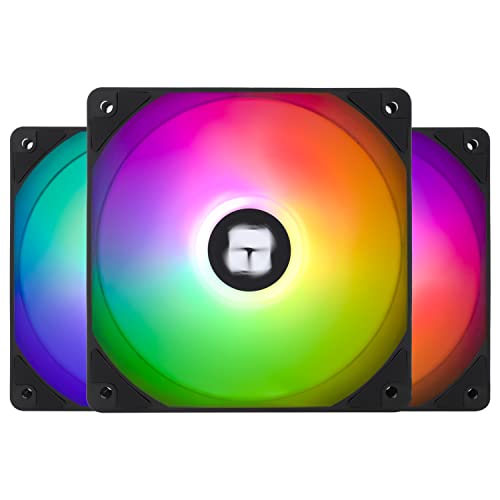
Thermalright TL-C12C-S X3 66.17 CFM 120 mm Fans 3-Pack (TL-C12C-S X3 D6)
cyan ravine
little osprey
I'm not *that* focused on sound, is there anything cheaper?
Hyperx cloud ii is about as cheap as you can go while still being decent
little osprey
If it helps: I already have some parts sitting in my closet:
Ryzen 5 5600
MSI B550 Tomahawk
mossy venture
These are solid, right?
https://pcpartpicker.com/product/7FGhP6/hp-hyperx-cloudx-headset-hhsc2-cg-slg

HP HyperX CloudX Headset (HHSC2-CG-SL/G)
little osprey
mossy venture
These are solid, right?
https://pcpartpicker.com/product/7FGhP6/hp-hyperx-cloud...
Whats the connector look like?
cyan ravine
Cloud ii is the decent one
cyan ravine
little osprey
If it helps: I already have some parts sitting in my closet:
Ryzen 5 5600
MSI B...
Tomahawk still in return window?
little osprey
cyan ravine
Tomahawk still in return window?
No, got it from my cousin.
And I don't want to waste it
cyan ravine
Fair enough
mossy venture
Part List - AMD Ryzen 5 5600, Radeon RX 7600, Phanteks XT PRO ATX Mid Tower
Can swap 6750xt in
cyan ravine
How much do 2080 supers go for used
mossy venture
If you want a better psu so you have more wiggle room with upgradability
https://pcpartpicker.com/product/YRJp99/corsair-rm750e-2023-750-w-80-gold-certified-fully-modular-atx-power-supply-cp-9020262-na

Corsair RM750e (2023) 750 W 80+ Gold Certified Fully Modular ATX Power Supply (CP-9020262-NA)
mossy venture
cyan ravine
How much do 2080 supers go for used
My guess would be around 225
I see 3060 tis 240-260 typically
cyan ravine
This would be ideal imo
https://pcpartpicker.com/list/mwNKgB
Part List - AMD Ryzen 5 5600, GeForce RTX 2080 SUPER, Phanteks XT PRO ATX Mid Tower
You'd land around 500
I'm guessing the wifi is already bought
little osprey
cyan ravine
This would be ideal imo
https://pcpartpicker.com/list/mwNKgB
Can you possibly send a good video on how to update the BIOS on the mobo?
I appreciate all the help I'm getting, I'll save this
cyan ravine
Msi has one on youtube
mossy venture
Tomahawk has a bios flash button I believe, so it's super easy
mossy venture
And yeah just a YouTube tutorial would be much easier than following a written tutorial
mossy venture
cyan ravine
It's the tomahawk yes
Meaning this one does or doesn't have it?
mossy venture
Oh cool
cyan ravine
Youtube has a good flash bios tutorial from msi

In this demonstration, we’ll show you how to use Flash BIOS Button with MSI motherboard.
It won't turn on to update it unless you have the right file name
So don't panic about anything breaking
little osprey
Alright
cyan ravine
It will just not accept the bios update if it's not 100% correct
Iirc the name needs to be MSI.rom
In that specific capitalisation
Could be wrong
Could be MSI.ROM
little osprey
Download BIOS
Rename it
Plug into PC
Press funny button
Let red light blink
Assemble rest of pc?
little osprey
cyan ravine
Could be MSI.ROM
Your right
cyan ravine
Just about yeah
little osprey
Gotcha
cyan ravine
Add "wait 5 minutes for update"
Now reason for 7600 or 2080 super, they should be more or less your best offerings for a rather entry level vr experience
I don't often put AMD over the coals, but given they aren't quite as good at vr, having the performance this low, you may notice a difference
So I'd lean towards the used 2080 super
As far as new goes, to me a 3060 is a bit underwhelming, 4060 very much so
Most of new nvidia offerings are a complete pass
Used 3060 ti would work imo
little osprey
I'll settle for the 2080 or 7600.
cyan ravine
cyan ravine
I don't often put AMD over the coals, but given they aren't quite as good at vr,...
To further elaborate, the frametime pacing is slightly worse on amd, for the most part you wouldn't notice
In fact it would be quite good
But when it wouldn't work well, the pacing would become very obvious
And it might interfere a bit with your experience
little osprey
cyan ravine
To further elaborate, the frametime pacing is slightly worse on amd, for the mos...
Yeah the only issue I've heard about with AMD is that their software is a bit buggy
cyan ravine
Nah, they fixed that ages ago
little osprey
Oh?
cyan ravine
Just don't turn too many knobs in it and you're fine
little osprey
cyan ravine
Just don't turn too many knobs in it and you're fine
I usually just download drivers and never mess with it again.
cyan ravine
Change 1000 settings for nvidia or amd and you will break it eventually lol
little osprey
little osprey
I usually just download drivers and never mess with it again.
*Mainly because I don't know how any of it works and I don't want what they don't recommend me kek
cyan ravine
little osprey
I usually just download drivers and never mess with it again.
Rdna 3 generally likes being run like this
So that works in your favour
little osprey
Thats good
cyan ravine
For used 2080S, try r/hardwareswap
Or use trusted profiles on places like fb marketplace
Always use goods and services paypal
NEVER friends and family
Fastest way to get scammed
little osprey
cyan ravine
NEVER friends and family
Yeah; Got my 1060 from my friend because he swapped to a 3060
And the mobo was a gift from my family up in Norway
cyan ravine
Got blessed with a tomahawk
Kinda huge
You could also do 5700x3d in this situation
little osprey
I have yet to thank them when we go up there in July
cyan ravine
Just max out the am4 motherboard from day one
Use that with a slightly stronger cooler
cyan ravine
I hope it wasn't an expensive one lol
little osprey
Frostflow
cyan ravine
Yeah it's not...too bad these days
A bit overkill, fine for a 5600
I know something probably a bit cheaper and better but you'd have to return the frostflow
Thermalright frozen edge
But that's if you want to minmax
The frostflow is fine
little osprey
The issue with returns is that I already got them like a year or two ago. Since then I've been too focused on my Catechism and self improvement that I all together dropped PC building, but now that I'm more happy with where I'm at, I got back into it since I have the time.
cyan ravine
Ah ok
No stress
If you wanted to go up a notch
If it's not an insane increase
Say
300-ish?
2080ti
That would be about where I'd stop
little osprey
I think that would work.
If I ever go for AMD to match my CPU, would this be a good GPU? https://pcpartpicker.com/product/rh7scf/gigabyte-gaming-oc-radeon-rx-7600-xt-8-gb-video-card-gv-r76gaming-oc-8gd
cyan ravine
Let me fix the list
Nope
As I said, don't go the xt
The xt is the same as the 7600 but costs more
little osprey
cyan ravine
As I said, don't go the xt
I don't think its XT, it doesn't say on the website.
"Gigabyte GAMING OC Radeon RX 7600 8 GB Video Card"
cyan ravine
Oh it says it in the hyperlink
little osprey
Oh weird
little osprey
Maybe its what was in the search results? xd
cyan ravine
Ok if you want a premium 7600, go sapphire pulse
It's 269? Iirc
Gigabyte kinda mid
3 fan is nice, but pulse will be nicer
little osprey
Alright, I'll save it
The 2080TI and the Sapphire Pulse are saved, along with the HyperX headphones
I appreciate all the help I got
cyan ravine
Np
Part List - AMD Ryzen 5 5600, Radeon RX 7600, Phanteks XT PRO ATX Mid Tower
What it should look like finally
crimson zinc
get a 4090, you’re welcome
cyan ravine
I am still urging the 750w power supply
little osprey
cyan ravine
I am still urging the 750w power supply
Didn't you already add it?
cyan ravine
I realise you're young and spending extra doesn't do much, but the psu linked is solid, you could keep using it for later PC's
Ye I just updated the list for you tho
So I think giving yourself the opportunity to future proof the psu would add up when you decide to change things later
Could throw a 5700x3d in, swap the gpu to something like a 4070 super
And it would be maxed out, and a solid 1440p gaming machine
little osprey
Once I'm older and have my own place or if I think its really necessary I'll upgrade. I'm going to be doing trade school so I doubt I'll be needing to upgrade my pc to anything super.
cyan ravine
eh kinda
little osprey
So a 4070 is little to no concern for me atm
cyan ravine
little osprey
Once I'm older and have my own place or if I think its really necessary I'll upg...
what kind of trade?
little osprey
cyan ravine
what kind of trade?
Welding
cyan ravine
ah ok
cyan ravine
nah I'd do RM
mossy venture
It's still a decent psu and will handle a solid upgrade if you need to
cyan ravine
$15 well spent
little osprey
I've wanted to work on an oil rig; As dangerous as that sounds, I don't think anyone in this generation is gonna do it. So, someone has to
mossy venture
little osprey
I've wanted to work on an oil rig; As dangerous as that sounds, I don't think an...
Coming from someone who knows multiple rig workers, your body is going to age horribly pain and mobility wise
cyan ravine
I kinda see the value in a "A tier" cos he's young lol
little osprey
mossy venture
Coming from someone who knows multiple rig workers, your body is going to age ho...
🤷
little osprey
Me and my friend will suffer together then lol
cyan ravine
little osprey
🤷
I too know an offshore rig worker
months at a time, come back looking like a raisin
little osprey
cyan ravine
months at a time, come back looking like a raisin
I mean you'll be working in water lol
mossy venture
Just worth thinking ahead to the future beyond just your career, not worth making a killing selling your body's longevity
cyan ravine
ohhhh underwater welding
ohhh ok that's way different
that's- yeah ok I know what you mean by why most won't
yes
little osprey
mossy venture
Just worth thinking ahead to the future beyond just your career, not worth makin...
If I change my mind I'll just do normal welding, they're still needed all around the world
cyan ravine
mossy venture
Just worth thinking ahead to the future beyond just your career, not worth makin...
he's talking about something way more dangerous
diving
little osprey
Yeah, I heard about risks on getting attacked by some sort of fish/large animal
mossy venture
More dangerous but also less taxing in the long run on you physically
little osprey
cyan ravine
you'd be more worried about the bends
the bends?
cyan ravine
the bends
mossy venture
I'd rather risk my life a bit more than retire and barely be able to walk by myself
little osprey
Remind me what that is again
mossy venture
So fair
little osprey
Oh yeah
mossy venture
Ascending too quickly and nitrogen bubbles develop in your blood
cyan ravine
you sort of let yourself float up slowly
little osprey
Water pressure
cyan ravine
ye
little osprey
In the future I might consider RGB just to make my PC look just a bit more expensive
But I'm just gonna focus on performance for now
cyan ravine
trust me
they more seasoned people prefer none of it lol
much more based to have one lacking and full blackout theme imo
little osprey
I don't like all the rainbow stuff, moreof just black and white.
little osprey
Which is what my AIO is, actually. Just black and white
I think I need to get some white RGB fans
little osprey
Noted
little osprey
Do they come with a remote?
cyan ravine
they plug into the motherboard
little osprey
I don't wanna turn them on and have them only be rainbow colored
cyan ravine
the motherboard controls it
little osprey
cyan ravine
the motherboard controls it
Oh so I need software?
wild peak
what do you guys think of what i have so far, is there anything i should change? going for a white aesthetichttps://pcpartpicker.com/list/TG6JHG
Part List - Intel Core i5-13600KF, GeForce RTX 4070 SUPER, GameMax M60 MicroATX Mid Tower
crimson zinc
Switch the case to a g360a
Are you gaming or working?
wild peak
crimson zinc
Switch the case to a g360a
Are you gaming or working?
gaming, also was wondering if you have any suggestions on a monitor
crimson zinc
wild peak
gaming, also was wondering if you have any suggestions on a monitor
I’d suggest going to a 7800 cpu
And what type of view were you looking for?
wild peak
crimson zinc
I’d suggest going to a 7800 cpu
And what type of view were you looking for?
i think 1440p is good enough, and cant you send the link to the parts you suggested
crimson zinc
https://pcpartpicker.com/list/QGxXGP @wild peak
Part List - AMD Ryzen 5 7600X, GeForce RTX 4070 SUPER, Phanteks Eclipse G360A ATX Mid Tower
Nononononononono
crimson zinc
wild peak
i think 1440p is good enough, and cant you send the link to the parts you sugges...
Ask @cyan ravine for monitors, he knows better about them
Let me save you hundreds of dollars, is that okay?
wild peak
crimson zinc
https://pcpartpicker.com/list/QGxXGP <@618212651981602829>
ty
@cyan ravine could you reccomend a 1440p monitor for gaming, i dont need anything crazy, thanks
crimson zinc
Part List - AMD Ryzen 7 7800X3D, GeForce RTX 4080, NZXT H9 Elite ATX Mid Tower
I didn’t change those
I’d suggest also getting a 4080 super, unless that’s out of your budget
The kraken is overspending
The mb isn’t cheating out for that, it’s a good mb
cyan ravine
wild peak
what do you guys think of what i have so far, is there anything i should change?...
honestly? that list is solid
I find no faults
only the board being a little pricey but still acceptable
crimson zinc
cyan ravine
I find no faults
I just set him with an Amd cpu and different case
@little osprey if your budget is 5k, I can send you a big boi list
cyan ravine
I wouldn't do H9
H9 yuck
@little osprey for monitor
MSI QLED for like, 270$
one sec
I'll add it to the list and send a new list
crimson zinc
@little osprey what else do you need to buy
cyan ravine
Part List - Intel Core i5-13600KF, GeForce RTX 4070 SUPER, GameMax M60 MicroATX Mid Tower
crimson zinc
And how much of your budget is left
cyan ravine
@little osprey real question here, what's your goals for this pc
what do you intend to do with it
crimson zinc
@cyan ravine since he has a nice budget, do you think a 4090 would be fine for him? Or a 4080 super
mossy venture
cyan ravine
https://pcpartpicker.com/list/s7ptBL
The mobo shows $188 for me
cyan ravine
before I recommend anything extreme
cyan ravine
mossy venture
The mobo shows $188 for me
ye ik
but full white
50 white tax is fine for the whole picture
mossy venture
Steel legend or aorus elite ax?
cyan ravine
if they're cheaper sure
mossy venture
Or whatever that gigabyte b760 is
cyan ravine
I didn't make this list
I just added the monitor
This kind of looks like something I could have made
like
mossy venture
A bit cheaper ig
https://pcpartpicker.com/product/wBfnTW/gigabyte-b760m-aorus-elite-ax-micro-atx-lga1700-motherboard-b760m-aorus-elite-ax

Gigabyte B760M AORUS ELITE AX Micro ATX LGA1700 Motherboard (B760M AORUS ELITE AX)
mossy venture
Ah alr that makes sense
cyan ravine
Part List - Intel Core i5-13600KF, GeForce RTX 4070 SUPER, GameMax M60 MicroATX Mid Tower
mossy venture
Was wondering about the psu
mossy venture
Yeah just non white cables
crimson zinc
crimson zinc
https://pcpartpicker.com/list/2gz2N6
I changed a bit of it
cyan ravine
ye
cyan ravine
@little osprey I need a bit more info
Like, what exactly are you playing on said pc
what work you might do on it
cos as it stands rn if you're just looking for a decent experience, the 4070 super list is pretty solid
I'm not willing to recommend anything near 5K, if you as a buyer don't requisite anything that might come close to that
mossy venture
Anything over around $2100 is completely a waste
cyan ravine
real
cyan ravine
I could recommend the fastest pc in the world period, and you as a user might find that you don't need that much
oh I linked a different list did I
LOL
haha I need coffee
mossy venture
Part List - AMD Ryzen 7 7800X3D, GeForce RTX 4080 SUPER, Montech SKY TWO ATX Mid Tower
crimson zinc
crimson zinc
https://pcpartpicker.com/list/2gz2N6
This is what I changed it to
cyan ravine
makes a ton of sense
crimson zinc
Cut like $500 off his original
cyan ravine
https://pcpartpicker.com/list/74YnJy have a look at this first
Part List - Intel Core i5-13600KF, GeForce RTX 4070 SUPER, GameMax M60 MicroATX Mid Tower
what exactly didn't run off the prebuilt?
mossy venture
If doing some workstation tasks
https://pcpartpicker.com/list/8YRQ9c
Part List - AMD Ryzen 9 7900X3D, GeForce RTX 4080 SUPER, Montech SKY TWO ATX Mid Tower
Or 14700k/7950x3d
Depending on importance of said workstation tasks
cyan ravine
could also go matx there with pro rs
mossy venture
100%
cyan ravine
4080S is thin enough
mossy venture
Sky two just sexy
crimson zinc
360a >>> sky
cyan ravine
Part List - AMD Ryzen 9 7900X3D, GeForce RTX 4080 SUPER, BitFenix Nova Mesh M ARGB MicroATX Mini Tower
can do A620M pro rs and lose 0% performance as well
so all up about 2283
this also works
Part List - AMD Ryzen 9 7900X3D, Radeon RX 7900 XTX, BitFenix Nova Mesh M ARGB MicroATX Mini Tower
I do think this is solid tho
Part List - Intel Core i5-13600KF, GeForce RTX 4070 SUPER, GameMax M60 MicroATX Mid Tower
this last one is like "I'm not overspending on a single part, I'm minmaxing my value"
and you get white
which is a plus
crimson zinc
Or you could go my way and blow your load on big boi
cyan ravine
ehh
H9 elite
or rather H9 in general
not great imo
980 pro as well
I am still to this day finding dying 980 pros since their scandal came out
@wild peak I tagged the wrong person
cyan ravine
cyan ravine
https://pcpartpicker.com/list/74YnJy
^^
this
monitor and mobo change in there
wild peak
ty
crimson zinc
cyan ravine
ehh
I was talking my build lmao
Part List - AMD Ryzen 7 7800X3D, GeForce RTX 4090, Phanteks ECLIPSE G500A DRGB ATX Mid Tower
Go full beans
crimson zinc
@cyan ravine are there any better boards? Or is this one top tier?
Keeping the “mildly white” theme
crimson zinc
I use Ethernet @mossy venture
I’m just being curious, wondering if there’s any “better” stuff within $100 of my parts
@mossy venture also have a small ask
Need a budget build for my nephew
$550, and I already have a monitor for him
mossy venture
Wifi?
Part List - AMD Ryzen 5 5500, Radeon RX 6600, Montech AIR 100 ARGB MicroATX Mid Tower
That'd be better
crimson zinc
@mossy venture she says she doesn’t trust me or him putting it together
So I’m gonna ask you if this prebuilt is fine
Corrected the link
I can add a gpu to it
mossy venture
I mean no not really
I doubt the psu is anything halfway decent
I'd look for a used pre built atp
crimson zinc
That would probably be better
mossy venture

eBay
Bought it as Lenovo Pc for 1,500$ Swapped Most PartsNvidia Geforce Rtx 2060 Super Overclocked-500$Intel core I7 12th gen - 350$Corsair Vengence Pro 32gb Ram-99$Rest is standard Lenovo partsRuns about 380 Fps

eBay
Watch the video below to see a similar example of how this computer performs as well as a comparison to a computer with an RTX 3060 in it (watch the one with the RX 6600 on the left) The new Phoenix line of gaming computers are ready to go out of the box!
 elder arch
should i get 1030 for $20 or a 1650 for $70?
mossy venture
What are you doing with the pc
crimson zinc
@mossy venture what would get him the best fps on (sigh) fortnite?
mossy venture
crimson zinc
<@654444344274845698> what would get him the best fps on (sigh) fortnite?<:Depre...
Probably the first
mossy venture
elder arch
should i get 1030 for $20 or a 1650 for $70?
If you're gaming, this
https://www.ebay.com/itm/126379455577?mkcid=16&mkevt=1&mkrid=711-127632-2357-0&ssspo=dmqk83llqzy&sssrc=4429486&ssuid=r8em-zv_qyc&var=&widget_ver=artemis&media=COPY
 elder arch
👍
crimson zinc

eBay
Experience ultimate gaming performance with this powerful desktop computer. This beast can handle all your 1920x1080 and 1440p needs. Nvidia GeForce GTX 1080 TI (comparable speeds to a RTX 4060) (Supports FSR).
mossy venture
Psu do be a bomb
Otherwise decent
Honestly that's kinda a meh price
Check r/hardwareswap
crimson zinc
I was just bout to ask about that Reddit lmao
mossy venture
Could make a post for a pc within your set budget
Reddit
Explore this post and more from the hardwareswap community
cerulean plinth
Do I need to buy a copy of windows? I asked before but I think I got conflicting answers. Would someone be able to answer this for me? Thank you 😄
frigid night
cerulean plinth
Do I need to buy a copy of windows? I asked before but I think I got conflicting...
frigid night
cerulean plinth
Do I need to buy a copy of windows? I asked before but I think I got conflicting...
You don't need to buy it to install it. You really don't need to buy it at all if you're ok with slightly reduced features. There are other ways to get windows for cheap/free, but for the sake of server rules, I will not go further into detail.
crimson zinc
https://www.ebay.com/itm/186202530759?mkcid=16&mkevt=1&mkrid=711-127632-2357-0&ssspo=JPCzvB_BTP2&sssrc=4429486&ssuid=rej26bxrr_g&var=&widget_ver=artemis&media=COPY
This looks sus. Is this legit?

eBay
Find many great new & used options and get the best deals for PowerSpec G358 Gaming PC - New at the best online prices at eBay! Free shipping for many products!
frigid night
crimson zinc
https://www.ebay.com/itm/186202530759?mkcid=16&mkevt=1&mkrid=711-127632-2357-0&s...
Looks sus enough to me that I wouldn't order.
dusky hearth
can they even sell it as new
it's technically open box at the very least
yeah

they cant sell it as new lmao
shouldnt*
crimson zinc

eBay
Connectivity options on this PC include DisplayPort, HDMI, USB 3.0, and USB 2.0 ports. It also features RGB lighting for a customizable gaming experience. Snowball Mic & Mount Included. SSD at 256GB & External Hard Drove 1TB.

eBay
ASUS GeForce GTX 3060 Ti GPU. I used this PC for both. Here are the components This desktop is perfect for anyone looking for a high-performance machine for both work and play. Its specifications and design are sure to impress.
I also have these two watched
They seem any viable?
dusky hearth
for both what lmfao
 crimson zinc
I’m assuming gaming and college, by his pfp
dusky hearth
bro got the snowball mic from the 90s
 crimson zinc
Listen
dusky hearth
you really want a ball in your face
crimson zinc
We called it the ham
dusky hearth
those mic booms also suck (i use one because it was cheap)
crimson zinc
One of us spray painted it brown and then it looked like half a ham
Cuz it was pink on the other side
But anyways
Are either of those legit enough looking lmao
dusky hearth


 dusky hearth
would you be able to do local pickup for either one
i feel like shipping would add another $100 or more
crimson zinc
dusky hearth
would you be able to do local pickup for either one
i feel like shipping would a...
I got a free shipping coupon in an email
So it don’t matter