#building-and-recc-chat
1 messages · Page 246 of 1
 crimson zinc
Part List - AMD Ryzen 5 5600, Arc A750, Fractal Design Pop Air ATX Mid Tower
 cyan ravine
Smol (meh)
https://pcpartpicker.com/list/hCt7HG
Part List - AMD Ryzen 5 5600, Radeon RX 7600, Silverstone SG05-LITE Mini ITX Desktop
Apparently that silverstone is the smallest case on the market rn
According to pcpp
Not horribly expensive either but the psu cost is and always will be annoying
That changes things
Eeeeeehhhh kindaaaaa
Part List - AMD Ryzen 5 5600, Radeon RX 6700, SAMA IM01 MicroATX Mini Tower
Idk how close to accurate my 6700 estimate is
But all 3 parts need to be used for sure
cyan ravine
Sama is not itx psu
Ok my estimates are 10 higher, so 200 not 210
So it would be about 600 if you did it all used with good prices
Caveat being, good luck finding a 6700, that is also a decent price
 light raven
Anyone might want to help me? 7800x3d,Nzxt n7 b650 e, rtx 4090, seasonic gx 1000 focus, fans turn on and then off doesn’t boot.
light raven
I’ve built lots of pcs before this is my first time with a fully modular and the 12 pin power cable
light raven
Connections have been check like 3 times+, and I waited like 20 after I first turned it on and nothing happened.
I’m gonna try using the 12 pin adapter for the gpu
light raven
This is my first time with Atx 3.0
Ima send a pic rq
It won’t let me send a picture
But should I plug both mb cables into the power supply?
 obsidian wigeon
yes
 muted shore
hello
upgrading a pc
- I7 12700k
- RTX 4060
- ASUS PRIME H610M-E D4
- 2 X Corsair Vengeance LPX 16GB (1x16GB) DDR4 3200MHZ UDIMM C16
- Corsair CV750
for 3d animations and graphic intensive stuff
please share your opinion
cyan ravine
what's your budget
muted shore
960 usd
cyan ravine
so you say upgrade, what's already in the pc you have rn
cyan ravine
ok we can use the case and drives
muted shore
yes
cyan ravine
but you'll want another drive
muted shore
nvme?
muted shore
alright
cyan ravine
is this ssd m.2 or sata @muted shore
muted shore
sata
cyan ravine
ok so 3 sata ports got it
muted shore
another concern
person im getting it from says the mobo isnt going to support gpu fully
RTX 4060
ASUS PRIME H610M-E D4
mobo is pcie gen 4 gddr6
for the power, gpu takes it from 6 pin connector of the psu
cyan ravine
I'm making a new list
muted shore
yes
cyan ravine
cos the specs you read out are wildly problematic albeit they were compatible
cyan ravine
Used is kind of looking ideal here
Part List - AMD Ryzen 5 7600X, GeForce RTX 3070 LHR, Corsair Carbide Series SPEC-02 ATX Mid Tower
that's about the best you can do new
alternatively
this would be kind of better
Part List - AMD Ryzen 5 5600, GeForce RTX 4070 SUPER, Corsair Carbide Series SPEC-02 ATX Mid Tower
it's not ideal
but very close to it
if you can stretch
Part List - AMD Ryzen 7 5700X, GeForce RTX 4070 SUPER, Corsair Carbide Series SPEC-02 ATX Mid Tower
this would be ideal
muted shore
please explain the faults with the build i sent
cyan ravine
ok
muted shore
my work is mostly gpu intensive like video editing and browsing
muted shore
i have one
cyan ravine
the ram is single channel
muted shore
continue
cyan ravine
which is woefully slow
muted shore
no im getting 16*2
cyan ravine
muted shore
no im getting 16*2
vengeance LPX is notorious for having issues out of the box
they don't test the ram
3200 cl16 is like, bottom of the barrel for quality, we used to get a boatload of ram complaints in the past with it
muted shore
okay
cyan ravine
the psu is regarded popularly as "Tier C", not great, not terrible, but not a good pairing for a 12700K, it won't handle the power behaviour of that cpu well
the transients in all likeliness could trip that psu
in other words, pc shutting down during rendering workloads while you're editing
to continue on
muted shore
okay i understand
cyan ravine
the cooler needed for that 12700K needs to be exceptional
any old cooler that's not a half decent 360mm aio doesn't work
otherwise it just plain runs hot
muted shore
i have an antec a30 cooler
cyan ravine
that's not nearly strong enough
that works for something like a 12400f
not any higher
the 4060, I could take or leave it, but compared to the GPU's I suggested, not as strong
for the work you'll be doing, a more powerful GPU is far more preferable
3070, 3080, 4070 super, all far more excellent candidates for offloading work to nvenc, it would be faster performance in the scale of multiples
to a specific number I can't say, but comparing benchmarks these other cards are significantly better
finally, the motherboard
H610
...
There's no short exaggeration here
made for i3's
and celerons
the 12700K would put it at the throttle point (Basically trying to overheating but slowing the cpu down tremendously so it doesn't)
so you'll end up with a woefully slow 12700k
the power delivery on that board can't handle the draw of a K chip, so it'd behave more like...
muted shore
i understand
cyan ravine
10600K?
muted shore
okay
cyan ravine
huge performance loss
My honest suggestion, if you can do used, get a used 3080 12gb
it falls right in the middle of your budget and a very strong candidate
cyan ravine
where are you located
muted shore
india
cyan ravine
everything there has like a 50% premium
muted shore
yeah import duty
cyan ravine
you'd have to scale back
cyan ravine
something like this
Part List - AMD Ryzen 5 5500, GeForce RTX 3060 12GB, Corsair Carbide Series SPEC-02 ATX Mid Tower
even drop the cooler
ideally in india, you'd probably be looking at a laptop similar to this
albeit ofc
without the drives
muted shore
okay
cyan ravine
any A520 or B550, B450 (with a bios flash button) that looks a lot like this

has a big heatsink up in the top corner

you want something like that
Ryzen will be a better choice here, you will save a lot as the cpu itself runs on basic coolers well enough
muted shore
yes
cyan ravine
unlike intel
muted shore
and Apevia Prestige 600 W
muted shore
corsair
muted shore
cooler master as well
cyan ravine
MWE Bronze V2?
muted shore
yes
muted shore
cyan ravine
https://pcpartpicker.com/list/s29CkJ
lets talk about this one here
muted shore
yes i can increase a bit
cyan ravine
can you increase 2x?
muted shore
no thats a lot
muted shore
yeah
AMD Ryzen 7 5700X 3.4 GHz 8-Core Processor
TEAMGROUP T-Force Vulcan Z 32 GB (2 x 16 GB) DDR4-3200 CL16 Memory
rtx 4070 super for 723usd
these are available ones
cyan ravine
something similar to this
Part List - AMD Ryzen 5 5500, GeForce RTX 3060 12GB, Corsair Carbide Series SPEC-02 ATX Mid Tower
muted shore
is r5 5600 good
muted shore
okay
so i got
TEAMGROUP T-Force Vulcan Z 32 GB
r5 5600
3060 12gb
Thermalright Assassin X 120 is like 50 bucks
muted shore
okay
need alternatives for
Asus TUF GAMING A520M-PLUS and Apevia Prestige 600 W 80+ Gold
cyan ravine
I don't know what india has available
that's why I gave generic advice
newegg doesn't service india lol
 muted shore
and for psu?
cyan ravine
cyan ravine
MWE Bronze V2?
?
muted shore
600w?
muted shore
Cooler Master MWE 650 Bronze V2 for 65usd
muted shore
whats the difference
cyan ravine
I have a website you could look at if you're curious
good few days worth of learning
cyan ravine
lol
cyan ravine
any others
cyan ravine
muted shore
GIGABYTE B550M DS3H
this
muted shore
cyan ravine
this
okay
cyan ravine
the b450 is better
it has a bios flash button
but better vrm
it will be the better choice
muted shore
right
cyan ravine
you should also get an nvme
muted shore
yes
cyan ravine
cyan ravine
it has a bios flash button
note when I say this, all the boards you could use here need a bios update to work, which is what this button is for
takes 10 minutes
pick the cheapest 3060 12gb they have
specifically 12gb
there are 8gb variants and those are terrible
muted shore
cyan ravine
note when I say this, all the boards you could use here need a bios update to wo...
thats great
okay the cheapest one
theyre mostly around 4060s range
cyan ravine
how close
cyan ravine
what kind of work is this specifically
cyan ravine
3060
muted shore
more vram?
cyan ravine
mhm
muted shore
what about the performance
cyan ravine
they perform about the same
muted shore
hmmm
cyan ravine
but that's irrelevant here by the sounds of it
muted shore
right
muted shore
well i do
cyan ravine
in the case of 3d modelling though, more vram is IMMENSELY better
3060 is a really nice pick for budget workstation
cyan ravine
muted shore
so the pc is to be used for 3d as well but not THAT intensively
yeah but all you lose is out on is AV1
it's just one codec
meanwhile 4gb vram lost can be the difference to usable or unusable in some 3d work scenarios
muted shore
yeah youre right
muted shore
what brand should i look for
muted shore
vulcan isnt cheap here
cyan ravine
then go cheaper
muted shore
120 for 2 16gb sticks
cyan ravine
then go cheaper
muted shore
is crucial good?
cyan ravine
sure
muted shore
cheapest
muted shore
so corsair is that bad with their rams
cyan ravine
yes
muted shore
cyan ravine
what do the sticks look like
green, without heatsink
cyan ravine
it's bad enough I air caution
cyan ravine
muted shore
green, without heatsink
how much
muted shore
38usd per stick
muted shore
adata
cyan ravine
what speed
muted shore
3200
cyan ravine
heatsink?
muted shore
Xpg Gammix D30 Ddr4
cyan ravine
anything else
or is that cheapest with heatsink
check the 2x16 kits btw
idk if you are or not
cyan ravine
ok
muted shore
38 per stick
cyan ravine
32gb?
muted shore
16*2
cyan ravine
what's the speed
cyan ravine
solid choice
cyan ravine
solid choice
lastly ssd
you want a 500gb or 1tb imo
nvme
huge difference to your work
muted shore
1tb
cyan ravine
you'd use it for windows and work
muted shore
500 works acrtually
cyan ravine
then store things in the others
muted shore
hold on
lemme sum it up
so r5 5600
b450 gaming plus max
rtx 3060 12gigs
antec a30 cooler (purchased)
G.SKILL Ripjaws V 16GB x 2
cyan ravine
how much is that so far
muted shore
180 for cpu
109.78 for mobo
325.23 for gpu
41.35 per stick ram
65.13 for psu
muted shore
37usd
cyan ravine
what's it called
muted shore
oh wait
41usd
Crucial P3 500GB PCIe 3.0 3D NAND NVMe M.2 SSD, up to 3500MB/s - CT500P3SSD8
muted shore
what should i be looking for in nvme ssds?
cyan ravine
just name them
unless you want to spend days learning about these too lol
give me 4 other names
muted shore
no thanks lol
cyan ravine
I'll pick from 5
muted shore
WD Blue™ SN580 PCIe Gen 4 NVMe™ SSD Internal Storage, 500GB
muted shore
Samsung 980 500GB Up to 3,500 MB/s PCIe 3.0 NVMe M.2 (2280) Internal Solid State Drive (SSD) (MZ-V8V500)
muted shore
59 usd
muted shore
muted shore
Samsung 980 500GB Up to 3,500 MB/s PCIe 3.0 NVMe M.2 (2280) Internal Solid State...
for this
muted shore
Samsung 980 PRO 500GB Up to 6,900 MB/s PCIe 4.0 NVMe M.2 (2280) Internal Solid State Drive (SSD) (MZ-V8P500)
80usd
muted shore
Samsung 980 PRO 500GB Up to 6,900 MB/s PCIe 4.0 NVMe M.2 (2280) Internal Solid State Drive (SSD) (MZ-V8P500)
Western Digital WD Black SN770 NVMe 500GB, Upto 5000MB/s, 5Y Warranty, PCIe Gen 3 NVMe M.2 (2280), Gaming Storage, Internal Solid State Drive (SSD) (WDS500G3X0E)
GIGABYTE Gen3 NVMe 2500E SSD 500GB M.2 2280 PCIe 3.0x4 Internal Solid State Drive (G325E500G)
Kingston NV2 PCle 4.0 NVMe M.2 Internal SSD Up 500GB to 3500 MB/s
okay so i got another one
another dealer
Adata Legend 800 PCIe Gen4 M.2 NVMe 1000GB SSD
Samsung 970 Evo Plus NVMe M.2 500GB SSD
muted shore
muted shore
**another dealer**
75.39
muted shore
cyan ravine
how much was the sn580?
48
muted shore
Crucial P3 500GB
Samsung 980 500GB (somewhat)
Western Digital WD Black SN770
TEAMGROUP T-Force CARDEA Zero Z44L
these 4 are the cheapest ones
cyan ravine
what's the price of each
muted shore
or
okay
ill add one more
nah thats too much
but thats 1 tb
Kingston NV2 1TB PCIe 4.0 NVMe SSD
muted shore
cyan ravine
SN770
59.10
muted shore
cyan ravine
Z44L
42.99
cyan ravine
Z44L\
best one
then
whatever you have left
put it towards a better gpu
3070
3060ti
3080 if possible
4070
muted shore
r5 5600
b450 gaming plus max
rtx 3060 12gigs
antec a30 cooler (purchased)
G.SKILL Ripjaws V 16GB x 2
TEAMGROUP T-Force CARDEA Zero Z44L 500GB
807usd
cyan ravine
so you have about, 160 left
if you can push up to like a used 3080 that would be ideal
3070 would be good
muted shore
got 200 more lol
cyan ravine
albeit the vram loss it's a major step up
used 3080 would be peak
you don't lose the vram but you almost double your performance
muted shore
sadly no 3080
i dont even think i can get a new one
thats how scarce the higher end gpus are
anyways
i got some left
a lot tbh
for a gud gpu
about 480
i can increase it a bit
no 3070 tho
muted shore
cyan ravine
3060 ti?
3060ti 8gb
cyan ravine
can you stretch to 4070
cyan ravine
muted shore
3060ti 8gb
ik
cyan ravine
4060 ti kinda meh
muted shore
how bad
muted shore
lmao
okay lemme see
i just might
be able to push
lol
ASUS DUAL GEFORCE RTX 4070 OC EDITION 12GB GDDR6X
oh wait
cant 😦
cyan ravine
how much
cyan ravine
jesus 687 is disgusting
significantly better
almost the same jump as the 3080 I talked about
muted shore
woah
hmm
3070 doesnt exist here
3060ti is idk why so expensive
3060 12gb and 4060ti
are what i can get
3070 priced at 4070s price
can i push on the cpu?
good cpus are available here for some reason
at a good price
muted shore
R7 5700x?
muted shore
I can push a bit more
cyan ravine
5800x you can't really do
how much more tho
cos at that point you should change case
muted shore
Case isn't that bad
cyan ravine
it's not, but it's reaching the point where notable improvement is non-existent
4060Ti/3060Ti is, kinda better kinda worse
muted shore
Yeah you're right
muted shore
Okay 5700x
cyan ravine
beyond that, you want a real step up
muted shore
What GPU then
3060 12 gb
4060
4060ti
I can push to 4060ti with r5 5600
Or R7 5700x
With 3060 12 giga
Gigs
cyan ravine
honestly the 5700x sounds more incremental than the 4060ti imo
you get a noteworthy amount of more cpu, which kind of matters
then anything else I'd do case
muted shore
Right
cyan ravine
spec 02 is arguably corsair's probably only case that aged well
but still
if you can upgrade it to something more usable, it'll be a good quality of life improvement
not to mention thermals will probably be a fair bit better
which in turn boosts performance
cyan ravine
then stop at this point
nothing really improves beyond this
unless you can get a used 3080 somehow
muted shore
Well that's not possible so lol
I can get fans for the case maybe
I got 3 fans
2 for intake
1 for exhaust
What about fancy liquid cooling
Or just liquid cooling
That won't be needed ig
cyan ravine
nah
I'd just stop at this point
unless you know the applications you're working with are ok with 8gb vram
muted shore
Case fans?
cyan ravine
meh
muted shore
8gb is enough tbh but more is better
So lemme sum this up
r7 5700x
b450 gaming plus max
rtx 3060 12gigs
G.SKILL Ripjaws V 16GB x 2
TEAMGROUP T-Force CARDEA Zero Z44L 500GB
843usd
120 left
I can get a thermal paste maybe
I got gelid gc extreme rn
Use it for my laptop
Cuz of its density
Good for pc as well?
muted shore
Okay
Thanks a lot
Bless you
Hope you have a great day
Will update when building the pc
cyan ravine
np
muted shore
Also
Are 4 sticks okay
8 gig sticks
Nah it's fine

As the latest addition to the classic Ripjaws family, Ripjaws V series is the newest DDR4 DRAM memory designed for maximum compatibility and cutting-edge performance with the latest Intel Core processors.
cyan ravine
4 is fine
if you really want to
it's arguably worse but in a vacuum you'd never notice the difference
provided it runs ofc
but I'd personally do 2
less chance for an issue
muted shore
Yeah I'm getting 2
cyan ravine
in fact
you COULD
do 4x16
that would be a potential measurable improvement
this would be on some par of performance with like an older 11900KF, 64gb platform
but the 3060 has the vram so albeit slower will definitely work
my only concern is you should check the ram sticks when you get them to make sure they're all the same
hence 2 is still probably better
muted shore
64gb ram?
cyan ravine
ye
4 of those ripjaws sticks or good 2x32
it would kind of be ideal if you can get these in all one kit imo
32gb or 64gb
like a few more dollars for the guarantee the sticks are identical and made to work together would be nice insurance imo
cyan ravine
ye buying a bunch together is fairly safe, but you never know
when you buy a set of sticks in one pack you carry a better guarantee they're all compatible with each other
cos underneath they can be made completely differently despite the same label on the box
muted shore
i mean buying the whole bundle vs buying the rams individually
muted shore
2
muted shore
48 per stick
cyan ravine
that was 16*2 or separate?
muted shore
cyan ravine
that was 16*2 or separate?
16*2
muted shore
its 50 dollars more with bundle
cyan ravine
you could take the chance even and do 162 + 162
muted shore
16*2
muted shore
lol
cyan ravine
that's whack pricing
cyan ravine
muted shore
the bundle costs 30 dollars more
do the ripjaws bundle
or if you can return
do the individual sticks
muted shore
i meant 50 usd for ripjaws lol
muted shore
140 individually and 193 bundled
cyan ravine
so do the adata 2x16 bundle then
muted shore
no bundle for d30
cyan ravine
ehhh
cyan ravine
if you have a cheap 2*16 bundle for only a little bit more
otherwise the risk is too low to bother imo
there's a chance they can be different individually, but it's low if you buy them together (someone takes them from the same batch of stock from the same shipment)
g.skill is also pretty good
cyan ravine
in layman terms
the componentry on said sticks can be entirely different
yet the sticks both do "3200MHz"
but by mixing the different sticks together
they use different parameters with the motherboard to hit said frequency
and by mixing them together, the numbers clash, the timings have to be stretched
to the point where in a lot of cases, the numbers are so big, the motherboard can't run them
this is the problem I was basically outlining earlier with the vengeance corsair sticks
when you get two identical sticks, the motherboard will use the same parameters instead of trying to compromise
the numbers are much easier to hit as both sticks will do the same
so it's both faster and more compatible/stable
muted shore
oh i see
cyan ravine
for context, parameters, numbers, timings, all implying the same thing
muted shore
well im getting 3600mhz ones
muted shore
cyan ravine
for context, parameters, numbers, timings, all implying the same thing
yes i understand
cyan ravine
you can if you want, it will reduce the chance of mixing more
as 3600 has less possible IC's
especially from g.skill
it's often some form of hynix like jjr
but the increase itself to 3600 from 3200 will only give a few % performance
muted shore
they dont have 16gb 3200mhz lol
cyan ravine
oh ok
so it's the same sticks from the beginning
or rather, the first g.skill we picked
cyan ravine
yeah just give it a try
send a pic of the sticker on the back
when you get them
and we can check
it's not a big deal if the manufacturer is the same
but if different then oof
i.e samsung and hynix
vs both hynix
muted shore
lol nah
the worst that can happen is i dont get the rams at all
or they break
and they dont take them back
 upper sorrel
I am thinking of adding a second set of fans to my aio radiator. Should I do this, and if yes, should I put the second one in the same direction as the first one or opposite directions?
 dusky hearth
upper sorrel
I am thinking of adding a second set of fans to my aio radiator. Should I do thi...
dusky hearth
upper sorrel
I am thinking of adding a second set of fans to my aio radiator. Should I do thi...
Should you do it? Not really, there is almost no benefit with modern PC fans
Should you put it in the same or different direction? You need to put it in the same direction; both in opposite directions will just cause it to not work
You'll be spending like $10 for like 2c of improvements
Or even more if you're using more expensive fans
 fossil cedar
There's no benefit with pc fans to have them on bith sides of the radiator full stop not even modern
But yeah masisve waste of your money
dusky hearth
I mean, depends on the static pressure that the fans can generate, if you have really dense radiator fins and like an airflow fan, that might not be the most effective
But the question would be why are you using airflow fans on a radiator
If that was the case lmao
upper sorrel
I am using an asus tuf lc 240argb aio
I was thinking about the possibility of cooling the system further, if possible
 jagged ember
You probably won't see a difference ngl
Like they've been saying, there's basically no benefit since the original fans on the aio are high static pressure
Airflow fans on the other side of the aio likely wouldn't assist with cooling to a noticeable degree
fossil cedar
upper sorrel
I was thinking about the possibility of cooling the system further, if possible
You'd be better off just making the fan curve more aggressive and making sure that the aio pump is set to 100%
And possibly filling the rest of the fans in your case if there's empty slots
upper sorrel
Kk ty
 vagrant thistle
I’m lost
Somebody tell me what to do next

I left it like that overnight I got too stressed
 lone flame
vagrant thistle
Somebody tell me what to do next
lone flame
vagrant thistle
Somebody tell me what to do next
mount the cooler install the gpu and cable manage
vagrant thistle
lone flame
mount the cooler install the gpu and cable manage
What about power supply
It’s confusing I haven’t done it yet
 late fjord
Let's gooo
 crimson zinc
late fjord
Let's gooo
crimson zinc
late fjord
Let's gooo
Now get me one
 mossy venture
crimson zinc
Now get me one
mossy venture
crimson zinc
Now get me one
Hey
Check this out on @Newegg:SAPPHIRE PULSE Radeon RX 5700 XT 11293-01-20G 8GB 256-Bit GDDR6 PCI Express 4.0 x16 ATX Video Card https://www.newegg.com/sapphire-radeon-rx-5700-xt-11293-01-20g/p/N82E16814202367T?Item=N82E16814202367T&Source=socialshare&cm_mmc=snc-social-_-sr-_-14-202-367T-_-03012024
For your friends build $110 5700xt
Nvm
Oos sadge
crimson zinc
Was just about to type that
mossy venture
Check out tech deals tho
dusky hearth
vagrant thistle
Somebody tell me what to do next
Bro just follow the step by step instructions in the videos, if you're unable to even follow those, we won't be able to help you much better than that
 little osprey
Quick question
Can I cut these?

These are fan wires
No use for them at all
Can I just cut the extra fan wiring like that?

 frigid night
little osprey
Can I just cut the extra fan wiring like that?
frigid night
little osprey
Can I just cut the extra fan wiring like that?
You can, but you shouldn't. 1st, if you do, you'll want to wrap the ends in electrical tape so they can't short out on anything. 2nd, if you ever need that connector for any unforseen reason, you're sol.
Just learn to do good cable management.
little osprey
yea am tryna figure out
how to do good cable management
You can see in the second pic
that its coming along
frigid night
Yep.
crimson zinc
@mossy venture I’m trying to bring him in here to help sell him on a pc
 limber oyster
How does a ASRock phantom a770 compare to an Asus dual 12GB 3060?
 weary galleon
I believe the a770 should be slightly ahead in most titles but occasionally will lose by a lot due to intel gpu weirdness. Granted they are fixing more and more of those edge cases over time.
mossy venture
crimson zinc
<@654444344274845698> I’m trying to bring him in here to help sell him on a pc
Ah alr
mossy venture
limber oyster
How does a ASRock phantom a770 compare to an Asus dual 12GB 3060?
Better
But check out #tech-deals
Better options than either
limber oyster
Trying to stay under $400 and 12GB vram or more @mossy venture
weary galleon
limber oyster
Trying to stay under $400 and 12GB vram or more <@654444344274845698>
Either that or the 6750xt Mech which like Bacca said is same price but a decent step down in cooling
mossy venture
limber oyster
Trying to stay under $400 and 12GB vram or more <@654444344274845698>
6750xt or 6700xt
4070 refurb is 460 in tech deals
limber oyster
OOS
crimson zinc
I feel like all the techies combined could make a “Gaming PC standard build” for each price range of $200 increments.
(500-799, 800-1099, etc etc)
Like a collaborative effort with all the great minds
I get people have different biases for intel/amd CPUs and intel/nvidia/amd gpus, but those are easily swapped.

 bleak sedge
I’m having issues with shutting down my pc, whenever i shut it down either by hitting shut down or hitting the I/O switch the pc shuts down to the point where i dont have any visuals but all of the LED items stay on(fans, ram, aio and graphics card)
Everything is up to date drivers and update wise to my knowledge
limber oyster
Check this out on @Newegg:ASRock Radeon RX 6800 XT Phantom Gaming Graphics Card with 16GB GDDR6, AMD RDNA 2 (RX6800XT PGD 16GO) https://www.newegg.com/asrock-radeon-rx-6800-xt-rx6800xt-pgd-16go/p/N82E16814930049?Item=N82E16814930049&Source=socialshare&cm_mmc=snc-social-_-sr-_-14-930-049-_-03012024
This good deal?
limber oyster
 mossy venture
limber oyster
mossy venture
limber oyster
This is good
 south cliff
I guess the 4080 open box went off sale
south cliff
little osprey
You pull the plastic part off
weary galleon
crimson zinc
I feel like all the techies combined could make a “Gaming PC standard build” for...
Thing is, prices change kinda often and can result in the best cpu/gpu for a given price range changing
crimson zinc
Update it every 3-6 months.
 open jungle
So I’ve figured something out about my pc
Airflows a bit weird
3080 pulls air in the pass through cooling on one side and pulls air against the aio into the blower side
So uh, idk how to put the 80mm fans on the top 😭
aio fans pushes air through the radiator and out the side of the case
little osprey
I built my first itx system last week for my son.
I parted everything out on pcpartpicker and it was all compatible by their standards
Turns out the thermaltake core v1 lies about GPU clearance
Iirc it says 255mm clearance, or 285 without the drive bays
The drive bays are actually on the opposite side of the case, up above the motherboard, so they don't affect gpu space at all
It's actually 255mm firm, no way to expand to 285mm
And actually I'm pretty sure it's slightly under 255mm anyway. That or I got really unlucky with manufacturing tolerances
I got him a 5600xt sapphire pulse OC
254mm length
It was really really close and it took a while, but I ended up making it fit. Had to slightly bend the case frame, and to get it into position I had to insert it into the case at a weird angle and then straighten it out before installing in the pcie slot.
Had saved the GPU for last, but ended up having to basically take the whole build apart because the ram was in the way, and the CPU cooler was keeping me from taking the ram out. Then when I took the cpu cooler out to take the ram out so I could get the gpu in, the CPU cooler backplate fell out, so because of how the case is set up I had to take the PSU out to get the mounting hardware back in position
The build came out nice but man was it a pain. Very simple build turned into a few hours of work
Anyway, my point is if you plan to build a system in the thermaltake core v1, keep the GPU at or under 250mm. Don't believe the specs where it says it can accommodate a 285mm GPU because there is absolutely no way to make a 255mm GPU fit, much less 285mm despite the specs thermaltake provides
Oh and since I built it, pcpartpicker no longer lists the sapphire pulse 5600xt OC as being compatible with the core v1, which I think is funny. Sometime in the last two weeks someone else must have tried it and realized
cyan ravine
oh damn that's a tiny case haha
that sounds painful af but at least it worked out
reminds me of when I was still using the 220T
I stuck a 3080 eagle into it...
which had no right to be there
it was too big to be there
I had similar issues lol
but fit in the end without a fan at the front

crimson zinc
little osprey
I built my first itx system last week for my son.
I parted everything out on pcp...
This is always gonna be a thing that panics me
Just something just not fitting and throwing everything in a loop
little osprey
cyan ravine
I stuck a 3080 eagle into it...
Yeah that's way worse lol like 20mm difference. Was taking the front fan out all you had to do to make it fit?
cyan ravine
yep
weird orientations
rotate
many rotations
eventually it slipped in place
which came with an upside
it was so hard up against the fan rails
it was supported from sag
little osprey
crimson zinc
Just something *just* not fitting and throwing everything in a loop
It was even worse because before I started putting it together my wife was like "how's that all gonna fit in that tiny little case" and i showed her pcpartpicker like "see I'm not dumb I'm making sure everything is compatible before I even buy it"
And then it didn't fit. It was like pcpartpicker and thermaltake joined forces to embarrass me in front of my wife.
little osprey
@cyan ravine I'm surprised Corsair takes the pre installed fans into account in their dimensions specs.
That's really good on their part, cause it would be very easy for them to call it 320mm instead of 300 and possibly move a few more units based on that.
Good guy corsair
cyan ravine
that's how it should be tho
little osprey
I agree but thermaltake has now taught me that you can't trust official specs.
 reef moss
So im building my first pc and I got a MSI PRO B650M-A WiFi ProSeries MATX Motherboard
Im worried that my gpu will be too big which is a XFX Speedster SWFT319 ,Radeon™ RX 6800
My case im not sure if it matters is a
Montech AIR 903 Base, E-ATX Mid Tower Case
any input would be greatly helpful
This is my full build. all my parts will be here next friday
Part List - AMD Ryzen 5 7600, Radeon RX 6800, Montech AIR 903 BASE ATX Mid Tower
cyan ravine
reef moss
any input would be greatly helpful
did you make this?
Cos it's honestly solid
I can tidy it up a little more
reef moss
Well I already bought all of the parts LOL
Ill take an upgrade list. next month ill have 700 dollars in upgrades to add
cyan ravine
is there any chance you can cancel the ssd and cpu
cos you will save a good $100 almost
reef moss
I have the cpu already sad
cyan ravine
oh damn it fits
reef moss
do you have any upgrade suggestions?
reef moss
Thank you I forget who helped me but I only changed the mobo and the cpu
crimson zinc
little osprey
It was even worse because before I started putting it together my wife was like ...
F
cyan ravine
@reef moss min max'd
Part List - AMD Ryzen 5 7600X, Radeon RX 7800 XT, GameMax M60 MicroATX Mid Tower
crimson zinc
@cyan ravine min max yourself rn
reef moss
Bacca helped me out
cyan ravine
the PSU is equal slightly cheaper
gpu better
case not as good but dummy cheap
ram better
and the cpu + ssd + cooler combo
make of this what you will
if you can improve, sweet
if not, still solid
that cpu +ssd deal, too good to pass up imo tho
reef moss
still good
crimson zinc
@cyan ravine I own an Amazon basics keyboard now
It showed up at my house without a label at all
So now I own a new $12 keyboard
I didn’t even buy it

 analog hearth
I would just keep it lol. It's undocumented. By the time you go through the effort of sending it back, that’s basically $12 in labor. You lost basically $24 by doing that (keyboard plus labor)
cyan ravine
well yeah amazon would say keep it
not saying to send it back
no one would organise that
costs more than it's worth
my instinct would be to tell them tho that you got it
crimson zinc
analog hearth
I would just keep it lol. It's undocumented. By the time you go through the effo...
I guess I don’t gotta buy a keyboard lmao
So my cost goes down about $50 lmao
 earnest olive
the keyboard has chosen you
crimson zinc
earnest olive
the keyboard has chosen you
 mossy venture
cyan ravine
https://pcpartpicker.com/list/rNTZDZ
mossy venture
cyan ravine
https://pcpartpicker.com/list/rNTZDZ
Isn't the dual oc among the worst 7800xt
 potent portal
crimson zinc
<@101107951401455616> I own an Amazon basics keyboard now
It showed up at my hou...
potent portal
crimson zinc
<@101107951401455616> I own an Amazon basics keyboard now
It showed up at my hou...
That would be a warning sign to me. Someone could hack the keyboard firmware or add a chip inside to make it a keylogger or something.
If it had your neighbor's address it something then yeah it's a mistake, but no label? The Amazon driver literally can't deliver without that.
Amazon is also known to test their drivers by throwing curve balls like an unlabeled package, just in case they're tempted to steal it. In which case either the box has a tiny gps tracker in it or the keyboard does.
 severe hull
Hello all, had a quick question just did a new build. Transferd over SSD. She wants to boot but because we had windows lock screen it's asking to change code but it won't allow because we are not connected to wifi .
Can I connect to wifi in bios ?
Aorus bios
potent portal
You might need to connect via Ethernet cable temporarily.
cyan ravine
mossy venture
Isn't the dual oc among the worst 7800xt
where'd you see that?
I couldn't see any for the 7800xt, but the 4060 one seems good

4070


TweakTown
The ASUS Dual GeForce RTX 4070 OC delivers better than GeForce RTX 3080 performance at 1440p, with the bonus of DLSS 3 support and excellent efficiency.
mmm idk
severe hull
potent portal
You might need to connect via Ethernet cable temporarily.
This worked !
cyan ravine
I can't find 7800xt anywhere
severe hull
So looks like everything booted up as if it was on the old PC even though it's a new motherboard and New CPU. Do I leave it or is there anything I should do as far as updates bios etc
 manic cloak
cyan ravine
I can't find 7800xt anywhere
manic cloak
cyan ravine
I can't find 7800xt anywhere
Wdym
earnest olive
severe hull
So looks like everything booted up as if it was on the old PC even though it's a...
optimally you'd want to find and uninstall your old chipset drivers
manic cloak
Nvm I found out what he means
earnest olive
and install new chipset drivers for your new hardware
but if it's working without issues it's not that big of a deal
severe hull
Yea only issue I'm having is rear fan did not turn on
earnest olive
that's not OS related
perhaps you wired it incorrectly or the header it's plugged into is bad
earnest olive
it's possible to set a fan to 0% idle but you'd still see it spin up at boot before stopping
yeah but tbh one fan is not critical for the system so I wouldn't worry too much about figuring it out asap
earnest olive
gonna need wifi driver
potent portal
What motherboard model? It'll be on the support page
earnest olive
are you sure you got a mobo that has wifi?
wifi is not a default feature in custom PCs like it is in prebuilts and laptops
potent portal
I searched up message history and I think the new motherboard is a gigabyte b550m but that doesn't narrow it down much tbh
Ah found a pic
Aorus elite ax
v1.3
earnest olive
that is indeed a wifi board
potent portal
severe hull
Should I reset after install
potent portal
Windows reset? If you want. Generally it's not needed unless you're having issues.
potent portal
You extracted and ran the installer?
 severe hull
11
potent portal
You'll want this too, chipset update https://drivers.amd.com/drivers/amd_chipset_software_6.01.25.342.exe
severe hull
Thank you
crimson zinc
potent portal
That would be a warning sign to me. Someone could hack the keyboard firmware or ...
I’ll set it up with a remote system when I get home
severe hull
potent portal
You'll want this too, chipset update https://drivers.amd.com/drivers/amd_chipset...
Link is bad
But I'm looking it up
potent portal
mossy venture
cyan ravine
where'd you see that?
It was ass on the 5700xt
And 6700xt iirc
I'd know on the first one, I have one lol

 polar zenith


I’m getting lag spikes in game. Ram is recognized and working fine , how do I see my cpu temp?
Everything is hooked up, it’s all I can think of with GPU temps being fine and ran
Ram *
Ram is only used 20%
analog hearth
What game?
polar zenith
analog hearth
What game?
Redm
analog hearth
Don't know what that is 💀
potent portal
severe hull
That one with the exclamation point that says "network controller" is the one you want to look at. Right click it, properties, details tab, in the drop down box "hardware IDs", and that will tell us exactly what model wifi it is.
analog hearth
It's probably going to have spikes given that it's a port
What about other games though?
potent portal
Do you have XMP on? Is that the only game with problems?
You can check system stats with hwinfo.
Since you have a 7600X, XMP might also be referred to as EXPO.
Or memory profiles I've also seen it called
polar zenith
analog hearth
What about other games though?
Haven’t tried will soon
polar zenith
potent portal
Do you have XMP on? Is that the only game with problems?
You can check system st...
 potent portal
Looks like no, xmp is off
sensors are what to look at for system stats
But xmp off is probably the root cause
Profile 1 appears to be the best option but those are all pretty weak
polar zenith
potent portal
Looks like no, xmp is off
How do u turn this on?
Shoot I wish there was a VC in here
polar zenith
Should I run a benchmark and go from there?
potent portal
You would turn on xmp from your bios
Most boards will default to a "simple" main screen and the memory profile option would be there
Often on the left
polar zenith
potent portal
Often on the left
Gonna try this then the benchmark


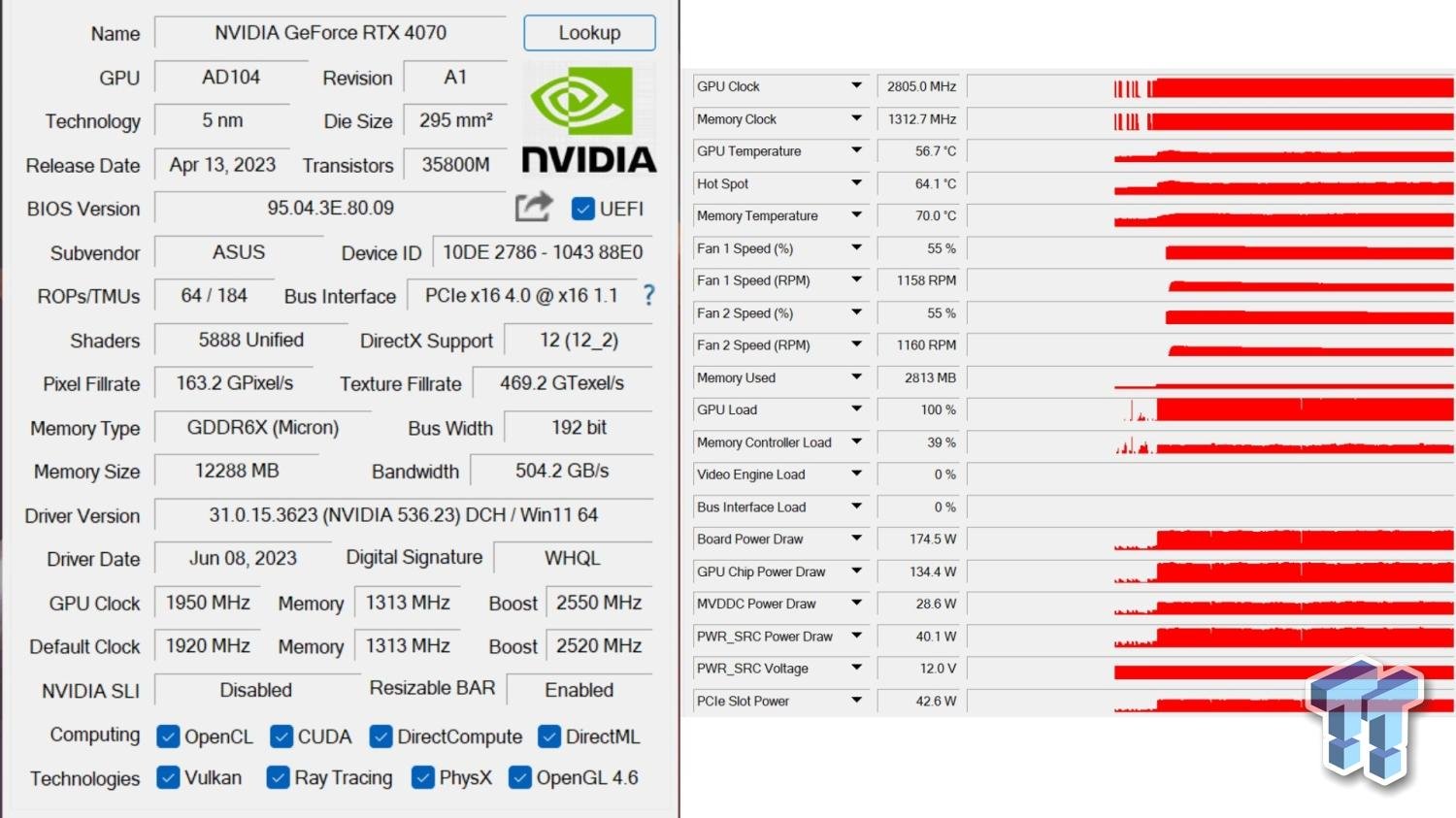 severe hull

 little osprey
south cliff
You pull the plastic part off
little osprey
south cliff
You pull the plastic part off
I literally cant
OHHHH
THanks
stupid
Literally
just
answered all of my questions
crimson zinc
@potent portal I feel like a dummy
That box had a tracking slip
It was on the side of the box
Was meant for another state, same address
They ain’t getting their $12 keyboard back
Wonder how ups screwed that up so bad
potent portal
Ah ok, red flags cleared
potent portal
severe hull
On that properties window on the right, go to the details tab and select hardware ID from the drop down
crimson zinc
This isn’t the first time I’ve gotten something with the exact same address, different state(I’ve gotten some small kitchen utensils and a small set of oven mitts)
I wonder if the person who’s ordering these things isn’t aware that they’re getting something wrong
potent portal
At least if it happens in the reverse and you have packages that go missing you know why and who to blame
crimson zinc
True true
severe hull
potent portal
On that properties window on the right, go to the details tab and select hardwar...
I think it has an issue it's not showing anything
potent portal
Nothing in the details tab or nothing in the device ID drop down?
upper sorrel
I got a pc from someone and want to upgrade it from an am3 to an am5 motherboard. The biggest thing I want to make sure of is that it has no rgb lighting. The case is a corsair 200r, and the current motherboard is a gigabyte ga-z97x-gaming 7
polar zenith
potent portal
You would turn on xmp from your bios

Updated XMP and gonna run it a lot tonight but so far it is better
For some reason I can now see my cpu temps to