#building-and-recc-chat
1 messages · Page 243 of 1
 fading iris
Goal is to have everything turn on by end of night. Will work on rest tmrw and do cable management tmrw just need to have it turn on lol
I'ma assume it doesn't ngl cause ts didn't turn on the slightest bit
 little osprey
Is this even worth it?
NZXT H9 Flow Dual-Chamber ATX Mid-Tower PC

The H9 Flow is designed to cool o powerful GPUs with its expansive thermal capabilities, featuring a ten fan capacity and numerous 360mm radiator mounting options. A perforated top panel takes cooling even further, and a unique wraparound glass design with a dual-chamber layout is the perfect sho...
Price is High
is it really good quality?
 lone flame
its high end nzxt so good quality
its a direct 011 clone thats a bit cheaper
the o11s I see on amazon are generally more expensive
its a solid case just dont use nzxt fans they aren't good
little osprey
can you give me a better case?
White
same design
But cheaper?
Mabye one that comes with 4 fans?
lone flame
little osprey
Mabye one that comes with 4 fans?
similar style and you get a bunch of fans https://www.newegg.com/white-montech-king-95/p/N82E16811970006
currently is backordered on newegg and amazon though
 mossy venture
Sky two
Similar look and cheaper than either
Also king 95 non pro
Can grab a pack of 2 of white c12c's
lone flame
h6 is also good for airflow and is likely what I will end up getting but in black, has 3 rgb fans for around 140 i think
non rgb is closer to 110
mossy venture
The fans are ass in it tho
 cyan ravine
little osprey
Price is High
cyan ravine
little osprey
Price is High
No
little osprey
@mossy venture @lone flame
Thoughts
on this

Elevate your gaming experience with the SevenHero H602 Mid Tower Gaming PC Case. Designed for high configuration setups, this case offers a perfect blend of performance, cooling, and aesthetics. With pre-installed 5 PWM ARGB fans, dual tempered glass panels, and a practical layout, it ensures a s...
mossy venture
Eh
cyan ravine
There's nothing inherently wrong with a H9 but the price itself makes it horrible
fading iris
Felix stopping building for tonight but do u know if the square plug has to be in for PC to work?
cyan ravine
The fans aren't great either
little osprey
I really dont want to buy the NZXT for $150. Am looking for a design like ^ with atlast 4 fans yk
cyan ravine
fading iris
Felix stopping building for tonight but do u know if the square plug has to be i...
If you want the rest of the usb to work yes
fading iris
If u rlly like design u could buy a used
cyan ravine
little osprey
I really dont want to buy the NZXT for $150. Am looking for a design like ^ with...
Montech king95 pro
little osprey
only $10 cheaper
fading iris
Wdym rest of usb
cyan ravine
Usb on the case
mossy venture
Part List - Montech KING 95 ATX Mid Tower
fading iris
😭
cyan ravine
If it has plug issues that's a manufacturer issue
fading iris
I don't think it's the case though but I could be wrong
Would plug issues stop all of it from turning on?
cyan ravine
Are you sure you're plugging it properly
fading iris
I think I may of just wired something wrong
cyan ravine
It only goes in one specific way
fading iris
Plugged in*
cyan ravine
That's why it has a notch
mossy venture

Montech SKY TWO ATX Mid Tower Case (SKY TWO Pristine White)

Phanteks NV5 ATX Mid Tower Case (PH-NV523TG_DMW01)
Also with c12c's
fading iris
Too tired to even comprehend anything
I'ma take motherboard out tmrw and re wire everything from start
cyan ravine
They've made the discord ui worse today I can't
I can't toggle and swipe between anything this is horrible
cyan ravine
fading iris
I'ma take motherboard out tmrw and re wire everything from start
That's just an extra step that wouldn't do anything
mossy venture
I'm not updating
fading iris
Re wiring everything wouldn't help?
I mean like unscrew Mobo and actually redo everything
Besides cpu
cyan ravine
Taking the mobo out won't do anything
The only time that would do something is if you ran cables behind the board
And even then you have to be so damn careful
mossy venture
Did you check the power sw cable
fading iris
Sw?
mossy venture
It's a little two by one thing that goes on the bottom right of the mobo
fading iris
Is that the cable that goes from wall to psu
mossy venture
It's what enables the case power button to turn the pc on
fading iris
Is it called f panel?
cyan ravine
It's called f panel yes
mossy venture
Is it?
mossy venture
Do diff manufacturers do diff names?
mossy venture
fading iris
Lemme go to other room n check
Send a pic if you can, I put mine in incorrectly and spent way too long looking at various things
fading iris
Still not working will send pic tho
cyan ravine
You know we have a build video in the pins if you're getting this stuck
Saves everyone time
fading iris
 cyan ravine
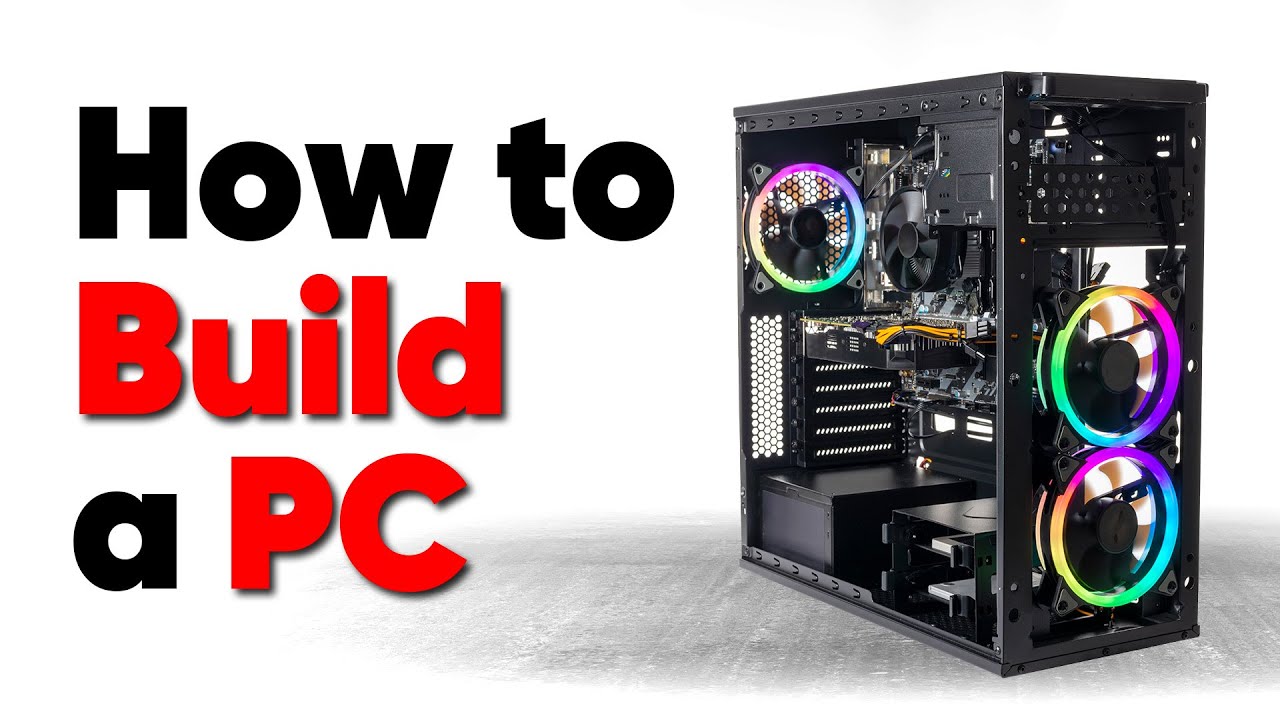
Thanks to Seasonic for sponsoring this video! Buy a Seasonic TX 1000 PSU today at https://geni.us/aryiquT
We’ve done plenty of build guides before – But now we’re taking it to the next level. Not only will you know how to build a PC, you’ll know how to build ANY PC – This is the LAST guide you’ll ever need!
Discuss on the forum: https://linust...
fading iris
Had no clue will check it out
little osprey
mossy venture
https://pcpartpicker.com/product/zNJgXL/montech-sky-two-atx-mid-tower-case-sky-t...
am just going to get the NZXT one
and go from 64 gb of memory
to 32 gbs of memory
to save costs
fading iris
What do u need 64 gb for?
little osprey
unless
fading iris
Just curious
little osprey
fading iris
What do u need 64 gb for?
Video editing, code running in the background, creating websites/applications, API usage, video game development, more code running in the background, and more code, did I forgot to mention more code running in the IDE
fading iris
💀
little osprey
do you think 64gb is that necessary?
fading iris
Wdym
little osprey
?
fading iris
?
fading iris
Joke of a comment lol
Felix and bacca
Would either of u suggest to sit for a bit tmrw and try n find issue? Felix suggested to watch vid if I'm having this much trouble but didn't u say to be super careful or its a risk to take Mobo out and redo stuff
I don't mind either just wanna pick safest option
cyan ravine
little osprey
Video editing, code running in the background, creating websites/applications, A...
What kind of video editing
cyan ravine
fading iris
Would either of u suggest to sit for a bit tmrw and try n find issue? Felix sugg...
I'm saying there's no point to removing the mobo lol
little osprey
cyan ravine
What kind of video editing
Content creation, 1440p, 4k
cyan ravine
You'll remove it then just put it straight back
little osprey
Part List - AMD Ryzen 7 7800X3D, GeForce RTX 4060 Ti, NZXT H9 Flow ATX Mid Tower
Am just trying to do
cyan ravine
little osprey
Content creation, 1440p, 4k
You want 64gb
little osprey
budget cutting
cyan ravine
Wha
little osprey
making my head hurt
cyan ravine
This is not for gaming yes
little osprey
cyan ravine
This is not for gaming yes
what?
cyan ravine
Is this also a gaming pc yes or no
little osprey
cyan ravine
Is this also a gaming pc yes or no
yes
 dreamy obsidian
I think my psu might have fried? anyone know how to make sure it is?
little osprey
dreamy obsidian
I think my psu might have fried? anyone know how to make sure it is?
💀
Did you hear any sounds
any smoke?
dreamy obsidian
I might have heard a pop but no smoke or smell
little osprey
it doesnt let you turn on the pc right?
little osprey
?
dreamy obsidian
it doesn’t turn on
dreamy obsidian
The psu?
little osprey
yes
mossy venture
little osprey
Video editing, code running in the background, creating websites/applications, A...
Do 48gb
$170
Tho black
little osprey
@mossy venture Thats your thoughts on me just doing 32gb and then doing another 32gb later on the road
Am tryna cut the budget a little
and its hurting my head badly
cyan ravine
@little osprey can you stretch over 1500 at all
little osprey
cyan ravine
<@456226577798135808> can you stretch over 1500 at all
just let me know your suggestions

is the second option worth it?
cyan ravine
I'm doing the list
little osprey
thank you
cyan ravine
I can make a really nice white list for 1600 is why I'm asking
little osprey
sure do it
cyan ravine
Alr
little osprey
just dont change the GPU since I already bought it 💀
cyan ravine
I'm changing the gpu
mossy venture
little osprey
<@654444344274845698> Thats your thoughts on me just doing 32gb and then doing a...
4 sticks on ddr5 isn't easy to run
I'd just grab a 64gb and sell the 32gb kit
cyan ravine
Part List - AMD Ryzen 7 7800X3D, GeForce RTX 4070 SUPER, BitFenix Nova Mesh M ARGB MicroATX Mini Tower
little osprey
might just go with the 64gb and bite the bullet tbh
cyan ravine
little osprey
already bought it and have it at home
4060ti is...painful
For anything not games
Bit bus cringe
Plus a far better gpu fits in the budget
Good like, 40-50% faster
little osprey
little osprey
whats your thoughts on this tho
these two cpus

How much difference
are we looking at/
cyan ravine
Well one is a gaming cpu but I kept it there
The other I almost never recommend because 7600 non-x is plain better
 cyan ravine
Between 7600 and 7800X3D, you gain two cores
Which for editing work helps
But at the same time, depends if you see the value in that incremental change
33% more multicore (not truly this but more or less)
The gpu though I would absolutely change
It gets bested even by the 3060 Ti in anything not to do with AV1
little osprey
yea thats 100% forsure something I will change in the future
cyan ravine
And additionally
The radeon cpu has av1 encode on the igpu
So like
It completely ruins the point of 4060ti
little osprey
1 more question
the Micro ATX motherboard
and the ATX motherboard
what are the major differences?
cyan ravine
It's just space for more slots
It used to be a quality difference
But nowadays, especially with AM5
It's really just slots
cyan ravine
You shouldn't need any more fans with my list
If you buy the h9 I believe you need to also buy fans
And if I had to has it a guess
I'm thinking you want like unifans lmao
Which will destroy your budget
little osprey
Well the biggest issue is probably the case
cyan ravine
I know of fans like unifans that aren't $30+ each, we found them yesterday in fact
little osprey
Case is causing most of the probloms
cyan ravine
You don't need a h9
little osprey
But the case design is soo good tho
cyan ravine
Lol
I could recommend a 7800xt but you'd be strictly bound to less use cases like obs
Nvenc still has some advantages in versatility
But the upshot is you'd be almost as well off and you'd fit the case
cyan ravine
Let me grab the fans and show you what it looks like then ima dip
little osprey
kk
cyan ravine
Actually 7800xt+7800x3d doesn't fit
https://pcpartpicker.com/list/8MdmKX
https://pcpartpicker.com/list/Fbf9PF
Part List - AMD Ryzen 5 7600, GeForce RTX 4070 SUPER, NZXT H9 Flow ATX Mid Tower
Part List - AMD Ryzen 5 7600, Radeon RX 7800 XT, NZXT H9 Flow ATX Mid Tower
It'd* be one of these two
little osprey
sounds good thank you
cyan ravine
Wouldn't even try this with a 4060 Ti
little osprey
enjoy the rest of your night
lone flame
cyan ravine
Actually 7800xt+7800x3d doesn't fit
https://pcpartpicker.com/list/8MdmKX
https:/...
thats funny thats the exact same board and cpu/cooler i have
 lyric thistle

 little osprey
yo, just wondering
when handling the motherboard, where is safe to touch
also the same question for the ssd, ram and cpu
cyan ravine
anywhere as long as your hands are dry and aren't covered in colonel sander's 11 herbs and spices greasy fried chicken
 leaden mauve
what if i love being covered in colonel sander's 11 herbs and spices greasy fried chicken
cyan ravine
I'll deliver a cease and desist letter
leaden mauve
i am covered in colonel sander's 11 herbs and spices greasy fried chicken
cyan ravine
that's a lie
send proof
I need pictures
specifically 3
in potentially bannable positions
 flint sapphire
cyan ravine
anywhere as long as your hands are dry and aren't covered in colonel sander's 11...
flint sapphire
cyan ravine
anywhere as long as your hands are dry and aren't covered in colonel sander's 11...
Hey I was pinching a vrm to lift my mobo and it fell off what do I do 
leaden mauve
cyan ravine
in potentially bannable positions


cyan ravine
those are not in sync
leaden mauve


cyan ravine
lmao
cyan ravine
oh they synced up now
leaden mauve
mhm
cyan ravine
flint sapphire
Hey I was pinching a vrm to lift my mobo and it fell off what do I do <:KEKNervo...
death
cyan ravine
he has a pinching fetish don't mind him
leaden mauve

flint sapphire
But I didn’t even have colonel sanders on my hands
cyan ravine
yes but now my mind is tainted
flint sapphire

cyan ravine
I already can barely look at you without getting vietnam flashbacks, corsair style
smhmh
flint sapphire
 leaden mauve
luminous led inline skate wheels
fading iris

My case only has a f panel cable is that all of these combined or do I need to look for more?
Also does f panel go into panel 1
little osprey

GIM ATX Mid-Tower White Gaming PC Case 2 Tempered Glass Panels & Front Panel RGB Strip Computer Case Desktop Case USB 3.0 I/O Port, Magnet Dust Filter, Water-Cooling Ready (White-Glass)
Is this a good case?
And how do I know if it has a fan controller
little osprey
fading iris
Literally no one understands how they work
I tried to put them
And had my RGB button my power off
 crimson zinc
little osprey
https://a.co/d/2jgbcgx
crimson zinc
little osprey
https://a.co/d/2jgbcgx
I’ll suggest a better one
One sec

NZXT H6 Flow ATX Mid Tower Case (CC-H61FW-01)
Little bit more expensive, but much more trustworthy
little osprey
@crimson zinc a question for you
So
Does it come with RGB controllers?
Fan Hub*
 tawny violet
Can you guys recommend me an ATX case that
-can take a 360mm AIO (preferably in the front)
-has front mesh
And
-has both a physical reset switch and an RGB control button
 potent portal
little osprey
Does it come with RGB controllers?
potent portal
little osprey
Does it come with RGB controllers?
No hub of any kind
potent portal
tawny violet
Can you guys recommend me an ATX case that
-can take a 360mm AIO (preferably in ...
Budget?
tawny violet
potent portal
Budget?
Preferably below 50k HUF but if I have to go higher that's okay
potent portal
Any other needs like HDD bays, USB C, or a specific color?
tawny violet
HDD bays are nice to have, USB C is nice to have, and black or blue is preferred
But neither is truly necessary
@potent portal thankies for the help man
potent portal
tawny violet
<@396513761550270464> thankies for the help man
Montech Air 903 Max
https://www.alza.hu/montech-air-903-max-black-d7760951.htm?idp=13354&banner_id=34808
Alza
Az elsőrangú Midi Tower fajtájú Montech AIR 903 MAX Black számítógép gépház mutatós dizájnt biztosít, amelyet fekete szín ural. Ezt acélból készült szerkezeten alkalmazták. A midi torony formátumot professzionális és multimédiás számítógépek összeállítására szánták, amelyek beférnek az asztalod a
little osprey
potent portal
No hub of any kind
So do I need to buy a hub?
tawny violet
AND Type C
little osprey
Can you provide me with one?
tawny violet
Actually bloody goated
little osprey
potent portal
Montech Air 903 Max
https://www.alza.hu/montech-air-903-max-black-d7760951.htm?i...
that
PC Case
is too good
potent portal
 potent portal
little osprey
So do I need to buy a hub?
potent portal
little osprey
So do I need to buy a hub?
I just get splitter cables, it's easier and cheaper. You can get 4 way splitters for each header.
But that could end up messy with lots of fans
little osprey
you know what
I might just cancel it
and get the cas
case you just showed me
Comes with a hub already
 severe hull
Sup everyone. So I'm done building what I can on the new pc. Now all I need to swap over from thr old pc is GPU RAM and SSD. how do I do this so everything works . Windows apps etc or is it plug and play boot up and set bios ?
potent portal
What are the old and new motherboard models?
Sometimes there's weird bugs carrying a windows install forward but often it just works
Ooh I forgot J2C made a vid on the 903 Max https://youtu.be/MYifOiO0ZPI?si=Wsl5HfOPP2gqJ2qk

Money is tight right now! If you don't have a lot to spend and you need/want a new case, then how does at $65 fully featured mid tower sound?! Check out the Montech Air 903 Case Lineup Here - https://amzn.to/3Q0HXdC
Sponsored Links
See all specs and features on the Viewsonic XG340C-2k here - https://www.viewsonic.com/global/products/lcd/XG340C-...
tawny violet
potent portal
Ooh I forgot J2C made a vid on the 903 Max https://youtu.be/MYifOiO0ZPI?si=Wsl5H...
Why did I never know about it then
little osprey
how are the crucial p3 plus 2tb ssds
 dusky hearth
tawny violet
Can you guys recommend me an ATX case that
-can take a 360mm AIO (preferably in ...
dusky hearth
tawny violet
Can you guys recommend me an ATX case that
-can take a 360mm AIO (preferably in ...
imo top mount aio is better because bubbles (probably) stay up better
also more compatible with more aios because some aios have way too short cables to have tubes down
on front mount
cables?
tubes too short*
severe hull
potent portal
What are the old and new motherboard models?
Old one is a biostar a320m new one is gigabyte b550m
potent portal
severe hull
Old one is a biostar a320m new one is gigabyte b550m
Should be no problem using your old windows install then. Just be sure to install the updated chipset drivers.
severe hull
After booting up with parts installed
potent portal
Yes
fading iris
Completely lost and have no clue what to do. PC still not working lol
Someone suggested to short the two pins uses for power sw and I did that no signal
They then suggested to try n short the 24 pin by putting paperclip in two areas.
Ts didn't work either. . Does anyone have any suggestions they think somehow may be the root to this
 strong raft
No signal, do you just mean the pc/mobo turns on but no display on the monitor? If so & using DisplayPort, swap to an hdmi cable.
potent portal
fading iris
They then suggested to try n short the 24 pin by putting paperclip in two areas...
Like this? And nothing happened when you switched on the power supply?
That's a test to see if the power supply is dead so if the fan on the PSU didn't spin either it's dead or it has a zero rpm/hybrid mode. What model PSU?
 fading iris
potent portal
Like this? And nothing happened when you switched on the power supply?
That's a...
fading iris
potent portal
Like this? And nothing happened when you switched on the power supply?
That's a...
Gf1 2024
😔 the one I was warned Abt
potent portal
Ah the new model they did on a new platform that hasn't been reviewed yet
fading iris
Yes😔
potent portal
It has a switch by the power cord for "smart zero fan mode", is that off?
 open jungle
potent portal
It has a switch by the power cord for "smart zero fan mode", is that off?
open jungle
potent portal
It has a switch by the power cord for "smart zero fan mode", is that off?
figured out my psu has a hybrid mode after i put it together and i still have no clue wether its turned on or not
fading iris
Lemme check in a sec
fading iris
potent portal
It has a switch by the power cord for "smart zero fan mode", is that off?
Tried both ways and doesn't work still
potent portal
Either it's dead or short circuit protection was triggered
You can test for the SCP by unplugging everything except the 24 pin and testing again
Making sure the smart fan is off
fading iris
potent portal
You can test for the SCP by unplugging everything except the 24 pin and testing ...
Just to clarify it saying to take out all PSU cables except for 24 pin?
N then turn on while smart fan is off. That I understand but do u want me to unplug everything everything
Or just PSU cables
N unplug both sides or just only from mobo
potent portal
fading iris
N unplug both sides or just only from mobo
You can unplug from the power supply side only
Then unplug the 24 pin from the motherboard and do the paperclip test again
fading iris
potent portal
Then unplug the 24 pin from the motherboard and do the paperclip test again
Or r there still other test needed
potent portal
If the fan didn't spin then it's dead
fading iris
Nothing not even the lights 😭
I'ma go buy one from Best buy tmrw if they have it and then I'ma test that n then if it turns on I'ma use that temporary until I order a decent one and return this one
Out or curiousity tho incase I get too lazy to replace r these bad?

I got cable extensions so color won't matter just need to know if they r decently rated in your opinion or wtv
fading iris
potent portal
If the fan didn't spin then it's dead
Oh and one more question for now but if my case comes with pre installed fans should do the hub need to connect to PSU or motherboard or some form of power
Because there is a hub in back that has all fans connected to it but it's not connected to motherboard or PSU so idk if that will power on its own when I turn on case/PC or if I need to connect
potent portal
fading iris
Out or curiousity tho incase I get too lazy to replace r these bad?
RMe are top tier, all the RM series is
potent portal
fading iris
Because there is a hub in back that has all fans connected to it but it's not co...
Most hubs you need to connect to the motherboard for the rpm control and the power supply SATA cable for supplemental power.
fading iris
So connect sata cable to hub and then through that connect to Mobo?
potent portal
Yes
SATA power specifically from the PSU
And the hub will have a standard fan header plug to control fan speeds
tawny violet
dusky hearth
imo top mount aio is better because bubbles (probably) stay up better
Okay admittedly for this specific case I agree, since the pre-installed 140s are there, so more lighting can go up top :3
fading iris
Ok thx
 ornate solstice
Hey guys can some send me a part list for a pc $500-$700 budget
crimson zinc
ornate solstice
Hey guys can some send me a part list for a pc $500-$700 budget
Any specific wants or needs?
(Aka peripherals needed or colour choices)
mossy venture
Part List - AMD Ryzen 5 5600, Radeon RX 7600, Phanteks Eclipse G300A (1 Fan) ATX Mid Tower
Part List - Intel Core i5-12400F, Radeon RX 7600, Phanteks Eclipse G300A (1 Fan) ATX Mid Tower
lyric thistle
idk - AMD Ryzen 5 5500, Radeon RX 6600, Cooler Master MasterBox Q300L MicroATX Mini Tower
Idk
cyan ravine
Idk
lyric thistle
idk2 - AMD Ryzen 5 5500, Radeon RX 6600, Cooler Master MasterBox Q300L MicroATX Mini Tower
Idk2
(I stole bacca's PSU)
ornate solstice
crimson zinc
Any specific wants or needs?
nope just mainly want to be able to play cod/fortnite he says he wants a midend pc
mossy venture
ornate solstice
nope just mainly want to be able to play cod/fortnite he says he wants a midend ...
Then I'd do one of the two I linked above, and if it needs to be cheaper I'd grab this gpu
ornate solstice
thank you and honestly the one with wifi should be good
Can y’all upgrade this? https://pcpartpicker.com/list/QKMT34
Part List - AMD Ryzen 7 3700X, Radeon RX 5700 XT, Cougar MX330-G ATX Mid Tower
this is my build
 cyan ravine
ornate solstice
Can y’all upgrade this? https://pcpartpicker.com/list/QKMT34
cyan ravine
ornate solstice
Can y’all upgrade this? https://pcpartpicker.com/list/QKMT34
Get an ssd
Silicon power A60 1TB
Your performance will EXPLODE
Then I'd consider a case change
Like, nova m mesh
Gamemax spark or m60
G360a
Something like that
potent portal
You can get up to 40% more fps by upgrading CPU to a 5600X3D/5700X3D, they match the 7600 for fps. That plus a GPU upgrade, maybe RAM depending on what you have.
ornate solstice
i have 2 sticks of 16gb ram ddr4
Thank you guys will take all into consideration
mossy venture
Case isn't bad, as long as you have a couple fans it's fine
It's far from the best but imo not really worth replacing atm
It used to be one of my goto budget recommendations lol
fading iris
@potent portal sorry for tag if u care Abt that but yeh it was a PSU issue
Bought a new PSU today and it's working fine everything is running besides fans so just need to hook those.up
 earnest olive
cyan ravine
Your performance will EXPLODE
earnest olive
cyan ravine
Your performance will EXPLODE
get a p750gm and your PC can explode in more ways than just performance
cyan ravine
earnest olive
get a p750gm and your PC can explode in more ways than just performance
Me staring at my literal p750gm I haven't thrown out yet

earnest olive
you know what you must do now
cyan ravine
The world record of all time
earnest olive
PC explode% glitchless speedrun real hardware no emulators
cyan ravine
The computer of fasterest marking of the benches
earnest olive
oh your PC benchmarks at 45640 cb? that's cute, mine benchmarks at 3500 km/h
hwbot in shambles
cyan ravine
They recorded my shrapnel at mach 2 at the explosives range
You aren't ready for the shredding this pc about to give
earnest olive
might be the most p2w category ever
gotta buy a new PC every run
USA rendered entirely unable to compete due to medical bills
little osprey
crimson zinc
~~nice setup tho, very smooth colours~~
Magenta/light blue 🔛🔝
fading iris
Plugged display port into monitor and pc and for don't odd reason it says no HDMI connected. Why is it not recognizing display port?
potent portal
Is the monitor set to the right input?
fading iris
R u asking if I put the HDMI in the display port?
If not how would I switch that from outside
Manual has no information besides how to put it together and it barely explains that
potent portal
The monitor has multiple input ports, right? You have to tell the monitor which one you want to watch. The method to do so varies by monitor.
fading iris
Ok thx
fading iris
Did u just get psu
potent portal
Having hybrid mode on is fine. It just makes the fan stop when the temp is low. You just want it off for testing purposes.
 flat tinsel
Can someone create me a $1000 build profile in new egg that can play Valorant with playable fps? it's the budget my friend has...
fading iris
Is this with monitor ?
 rain carbon
Probably peripherals too
 languid nimbus
would use pcpartpicker personally, parts can be OOS/cheaper on different sites
rain carbon
Pcpartpicker is the #1 place to go for building your PC, and if there's a part that's good value on new egg go for it
mossy venture
Imo something like this
https://pcpartpicker.com/list/Gvtkyg
Part List - AMD Ryzen 5 7600X, Radeon RX 6700 XT, Phanteks Eclipse G360A ATX Mid Tower
Or one sec
Making a second option
rain carbon
Gotta take tax into account here too
mossy venture
Part List - Intel Core i5-12600KF, Radeon RX 6800 XT, Phanteks Eclipse G360A ATX Mid Tower
Second one around 30% better gpu performance, 8% worse cpu perf in gaming, and worse cpu upgradability
They can easily swap the gpu out for a cheaper one if wanted
mossy venture
7600, 6700xt, 6800, 6800xt are the gpus that should be considered at this budget, or a refurb 3070 from zotac for $300
Or used yeah
rain carbon
As much as i love amd the refurbished 3070 might be the best choice here
mossy venture
Yeah it is
flat tinsel
THANKS GUYS/GIRLS!!!
leaden mauve
rain carbon
Pcpartpicker is the #1 place to go for building your PC, and if there's a part t...
Nah, ebay is
$$
fading iris
Why is my monitor stuck like this

When I had it in HDMI cord connected to Mobo it went to bios aswell but was bigger. When I have it like this it's almost like the resolution just turns different now that I have display port in mobo

MSI’s G272QPF gaming monitor delivers you an elevated gaming experience. The monitor comes equipped with a 27" Rapid IPS display that supports up to 2560 x 1440 (QHD) resolution. The G272QPF can operate at up to a 170Hz refresh rate and 1ms (GTG) response time. The G272QPF is NVIDIA G-Sync compat...
Also resolution says 2560x1440
 warm mesa
Well, i just wanna know if it is hard to make one that is publicly visible
 analog hearth
Its not hard at all. Just disable "Private" in the list's Details section
 warm mesa
analog hearth
Its not hard at all. Just disable "Private" in the list's Details section
warm mesa
analog hearth
Its not hard at all. Just disable "Private" in the list's Details section
thanks mate
 forest lava
indeed
This is torture
"You don't wanna talk, huh? Let's see how you fare against unplugging and plugging a 24 pin for the next five minutes..."
lyric thistle
Real
 south cliff
Ok so I’m looking to sell my PC and what do you think a fair price to sell it at is these are the specs https://pcpartpicker.com/list/dG4Yt7
Part List - Intel Core i5-12600K, GeForce RTX 3090, Phanteks NV5 ATX Mid Tower
Im looking to build a new system
mossy venture
I'd say on a good day 1250-1400
Might be better of parting it out, im not certain
Specifically bc of the cpu/gpu pairing
3090 has been going for 700-750 iirc because of the vram
mossy venture
Being evga adds value, because people are weird
forest lava
Would there be any issue with having dried basil leaves in my pc?
I need a way to ward these stupid bugs off, especially since I'm in an apartment and can't do much about my infestation
earnest olive
no
fading iris
Trying to download windows to put on a USB in dads old computer. When it ask if I want to base it or wtv off of this computers requirement I click off of it and then when it's "done" downloading it messes it won't go through and has issues. Was wondering if pressing to base it off of requirements on dads laptop would be bad for a way better PC if that made sense
 halcyon agate
@obsidian wigeon hey is there some gaming laptops you might could recommend? Someone mentioned I should ask you . I just went back to Best Buy & returned a legion 5 slim15.6 with 16 ram & 4060 & 512 SSD for $1500
little osprey

Samsung 970 Evo Plus 1 TB M.2-2280 PCIe 3.0 X4 NVME Solid State Drive (MZ-V7S1T0B/AM)
Does anyone know
if this is the best Storage for 1TB?
little osprey
@mossy venture Just to confirm with you
Same speed
Same quality?
Am tryna have my PC last a long time
mossy venture
little osprey
<@654444344274845698> Just to confirm with you
P41 plus>970 evo plus
little osprey
mossy venture
P41 plus>970 evo plus
cool preciate it
@mossy venture Just making sure Silicon Power P34 is worse right?
 stoic island
P34a80 is equivalent of evo plus, slower than p41 plus
south cliff
is p41 plus the best option for m.2 drives?
stoic island
Yea there's the p34a80 and there's the p34a60
stoic island
south cliff
is p41 plus the best option for m.2 drives?
It's just the best priced one recently
mossy venture
1tb, p41 plus
lyric thistle
The a60 is dramless right
little osprey

1PK 1TB P41 PLUS SERIES PCIE
So this would be the best one
^
Faster than the Samsung EVO
stoic island
Yea a60 has hmb
mossy venture
I think newegg
little osprey
mossy venture
I think newegg
got a link?
mossy venture

Solidigm P41 Plus 1 TB M.2-2280 PCIe 4.0 X4 NVME Solid State Drive (SSDPFKNU010TZX1)
mossy venture
Which ones?
little osprey
mossy venture
Which ones?
CPU Motherboard and Memory
CPU : AMD Ryzen 7 7800X3D 4.2 GHz 8-Core Processor
MSI B650 GAMING PLUS WIFI ATX AM5 Motherboard
Silicon Power XPOWER Zenith Gaming 64 GB (2 x 32 GB) DDR5-6000 CL30 Memory
mossy venture
If you want, this is a lil bit better than the plus wifi
https://pcpartpicker.com/product/Tz2WGX/asrock-b650e-pg-riptide-wifi-atx-am5-motherboard-b650e-pg-riptide-wifi

ASRock B650E PG RIPTIDE WIFI ATX AM5 Motherboard (B650E PG RIPTIDE WIFI)
little osprey
mossy venture
If you want, this is a lil bit better than the plus wifi
https://pcpartpicker.c...
Can I know why please
mossy venture
main reason it has another m.2 slot
aside from that slightly better vrms, but nothing major
same difference honestly
 spare vale
Is there a decent 200~ (can be less) AM5 mobo w/ wifi (preferably black) thank you.
mossy venture
spare vale
Is there a decent 200~ (can be less) AM5 mobo w/ wifi (preferably black) thank y...
B650m-a wifi, pg riptide wifi, eagle ax, gaming x ax, gaming plus wifi, or aorus elite ax v2
spare vale
mossy venture
B650m-a wifi, pg riptide wifi, eagle ax, gaming x ax, gaming plus wifi, or aorus...
Thank you!
south cliff
Im picking this laptop up tomorrow for 350 used https://www.newegg.com/silver-hp-omen-16-gaming/p/2WC-0001-04EG5
mossy venture
W
south cliff
w OR l
mossy venture
I might sell my laptop to my dad (1340p mx550) and try to get an rdna2 apu laptop used or on sale
south cliff
only bad thing is that the charger is a 150 watt
mossy venture
Bc this one is just disappointing me all around, temps get insanely high gaming on a 10w gpu
south cliff
instead of the og 280 watt
mossy venture
It doesnt run anything even semi well
mossy venture
Hell fortnite runs at 30 fps on the worst settings with the weird rendering engine
I don't believe so
I used a 65w charger for a 180w charger laptop a while back w/o issue
south cliff
facebook market place does good
Also i have a quick question the lightbar on my case doesent light up anymore
even when i plug it directly in to mobo
no spliters
spare vale
Is the b650m-a (wifi) good for a 7 7700x?
cyan ravine
Sure
But go 7700 instead of X
Exact same cpu but cheaper, less power out of the box, and comes with a cooler
spare vale
Okay, thank you.
 proud shard
What’s a good motherboard for I5 and Gtx 1080
dusky hearth
you gotta specific more details
there are so many i5 cpus
there has been at least 14 different i5 cpus at this point
probably more around like 30 or 40
proud shard
tbh I’m not exactly sure it’s for my buddy and he just bought a random pc and looking to upgrade some bits and pieces he’s most likely gonna be upgrading the cpu and and cpu cooler
At the moment he’s running a ASRock Fatal1ty Z97 Killer mother board
dusky hearth
proud shard
tbh I’m not exactly sure it’s for my buddy and he just bought a random pc and lo...
what's their budget
z97 is a 4th/5th gen board chipset 💀
quite old
lyric thistle
it's also the highest end you'd reasonably ask for
upgrade the cpu not the motherboard
cyan ravine
I have to know what was paid for this
dusky hearth
1 million dollars
cyan ravine
Probably some 45xx-k and a 1080, 550w psu, 512gb-1tb ssd.
Hoping the answer is something like $400
proud shard
250$
lyric thistle
watch it be 4460
cyan ravine
Ok good
Probably just drop in some ddr5, 7600 and an a620m pro rs wifi
Silicon power 6000 cl30 32gb
$93+129.99+ ~$210
proud shard
He got it with gtx 750 ti and upgraded the gpu to Gtx 1080
proud shard
He said he has a budget of 1k but I think at that point it would be better building a new setup wouldn’t it ?
cyan ravine
1k including monitor or nah
proud shard
He already has a monitor and whole setup he just wants to upgrade his pc
proud shard
60hz
he told me right now he’s wanna fresh setup with all new parts and something nice budget 1k he might go a little over
cyan ravine
@proud shard if he sells the pc he has rn can he include that in the budget
I'd wager something like 1300-1400 overall, monitor must upgrade if only 60hz
That makes a 7600+ 7800XT build with a g272qpf (1440p 170hz)
Part List - Intel Core i5-12600KF, Radeon RX 7800 XT, SAMA IM01 MicroATX Mini Tower
Runner up
https://pcpartpicker.com/list/DhwKbL
Part List - Intel Core i5-12600KF, GeForce RTX 4070 SUPER, SAMA IM01 MicroATX Mini Tower
Better but you'd make your own xmp, takes 5 minutes to do:
https://pcpartpicker.com/list/MWvhxH
Part List - Intel Core i5-12600KF, GeForce RTX 4070 SUPER, BitFenix Nova Mesh M ARGB MicroATX Mini Tower
If strictly 1K no exceptions @proud shard
https://pcpartpicker.com/list/6xvhxH
Part List - AMD Ryzen 5 5600, Radeon RX 6700 XT, BitFenix Nova Mesh M ARGB MicroATX Mini Tower
mossy venture
There's also other gpu options in #tech-deals
lone flame
mossy venture
There's also other gpu options in <#500102969702875156>
The asrock 6900 oc I think has to be my 2nd favorite 6000 design I love the green
 atomic epoch
Building a PC for a friend, how's this for a $1500 or maybe $1600 budget? https://pcpartpicker.com/list/CgvcPF
Part List - AMD Ryzen 7 7800X3D, GeForce RTX 4060 Ti, Corsair 4000D Airflow ATX Mid Tower
lone flame
atomic epoch
Building a PC for a friend, how's this for a $1500 or maybe $1600 budget? https:...
if its 1600 you can see about squeezing in a 7800 XT
if all he cares about is gaming thats a better option that the 4060ti
atomic epoch
thanks and yes it's for gaming
lone flame
atomic epoch
thanks and yes it's for gaming
Part List - AMD Ryzen 7 7800X3D, Radeon RX 7800 XT, Corsair 4000D Airflow ATX Mid Tower
still 100 under
you could maybe get cheaper ram and storage but other than that its a good list
atomic epoch
thanks for the help
 earnest gust
Does anyone know what a 6 pin L shaped power connector for I think sata would plug into?
mossy venture
atomic epoch
Building a PC for a friend, how's this for a $1500 or maybe $1600 budget? https:...
Part List - AMD Ryzen 5 7600X, GeForce RTX 4070 Ti, Montech AIR 100 ARGB MicroATX Mid Tower
Can also grab a 4070 super, 7800xt, or there's a refurb 6900xt in #tech-deals
 vale birch
Hi All, lookng to upgrade my Lenovo Legion T5 ARA8 9OUX (RAM + CPU) currently 32GB Ryzen 9 7900...wondering if anyone knows or has experience in which might be the best compatibl CPU. (((GPU Nvidia 4090 24GB w 1000KwH power)
analog hearth
I hope you're joking
 cosmic sparrow
I’m looking for a different video card for this build but I’m not sure what to get
Part List - AMD Ryzen 7 7800X3D, Radeon RX 7900 XT, Montech AIR 100 ARGB MicroATX Mid Tower
Mainly because it’s been out of stock
fading iris
If I am switching to a Ethernet cable but my Mobo has wifi would I only need to take off antennas and then just plug in Ethernet cable to Mobo and router or would I need to do anything else?
mossy venture
cosmic sparrow
I’m looking for a different video card for this build but I’m not sure what to g...
If you need it to be white
https://pcpartpicker.com/product/R8jRsY/zotac-gaming-trinity-oc-geforce-rtx-4070-ti-12-gb-video-card-zt-d40710q-10p

Zotac GAMING Trinity OC GeForce RTX 4070 Ti 12 GB Video Card (ZT-D40710Q-10P)
mossy venture
fading iris
If I am switching to a Ethernet cable but my Mobo has wifi would I only need to ...
Should be able to just connect the cable
cosmic sparrow
mossy venture
If you need it to be white
https://pcpartpicker.com/product/R8jRsY/zotac-gaming...
Honestly doesn’t matter to me but matching is a plus
As long as it works then I’m good
mossy venture
There's also this if you want cheaper
https://pcpartpicker.com/product/QksV3C/asus-dual-oc-geforce-rtx-4070-super-12-gb-video-card-dual-rtx4070s-o12g-white

Asus DUAL OC GeForce RTX 4070 SUPER 12 GB Video Card (dual-rtx4070s-o12g-white)
Far better value than an $800 4070 ti
7800xt is also $520 for white
cosmic sparrow
Which would last longer and work better
cosmic sparrow
The best one you could find is good for me
mossy venture
cosmic sparrow
The best one you could find is good for me
Wdym by best one
lyric thistle
fading iris
If I am switching to a Ethernet cable but my Mobo has wifi would I only need to ...
You don't need to make any physical changes to switch from wifi to wired networking and vice versa
cosmic sparrow
mossy venture
Wdym by best one
Most power, something like that idk I haven’t slept for 2 days
mossy venture
What's your budget for the gpu?
Xtx is around $930, that's just straight up the best aside from 4090
cosmic sparrow
$800
mossy venture
Ok one sec
cosmic sparrow
👍
cyan ravine
Open box 4080 for 828
mossy venture

MSI VENTUS 3X E OC GeForce RTX 4070 Ti 12 GB Video Card (RTX 4070 Ti VENTUS 3X E 12G OC)

Sapphire PULSE Radeon RX 7900 XT 20 GB Video Card (11323-02-20G)
Or yes open box 4080 if it's still in stock
I forgot about that
cyan ravine
It is
mossy venture
Can you link it if you have it on hand?
mossy venture

2 years warranty (shipped in generic box with no accessories)
Got it from tech deals
cyan ravine
I was about to paste it lol
mossy venture
mossy venture
https://www.zotacstore.com/us/zt-d40810d-10p-o
@cosmic sparrow hands down the best you'll find around the price
It is outta budget though, so if you dont want to go for it 4070 ti, 7900xt, or that refurb 6900xt are great options
fading iris
mossy venture
Should be able to just connect the cable
Someone said to turn off Wifi in settings..true
fading iris
lyric thistle
You don't need to make any physical changes to switch from wifi to wired network...
Didn't work. Any idea?
I have it plugged in router and then all the way up stairs n then plugged into side of mobo
The end where the Ethernet is plugged in is yellow and orange lights but that's Abt it
lyric thistle
Sounds like it's connected lol
fading iris
Someone said I have to delete the network completely. Does that mean just forget the network
potent portal
If I want to use ethernet I just disable the wifi card in bios personally
My bios gives me the option to disable just the wifi part and leave bluetooth enabled too
lyric thistle
does disabling it in device manager do the same thing
fading iris

Opinion on this?
Don't know if getting new router would all of a sudden make it work but regardless I need new wifi in general so opinions?
lone flame
potent portal
I can get more technical on why if you want lol
more antennas better wifi
thats totally how it works
potent portal
Bigger number better right? ||/s||
lone flame
potent portal
Bigger number better right? ||/s||
obv
just like how more cpu cores = better gaming performance

potent portal
lone flame
obv
So then this is the best consoomer router around ||not really don't buy it||
https://www.aliexpress.com/i/2251832800793428.html?gatewayAdapt=4itemAdapt
fading iris
Y'all know any good routers around the 100 mark.( Under 120 above 60)
lyric thistle
build one 🔥
potent portal
lyric thistle
build one 🔥
Hard to do a good one under $100, but this is an option for the tech savvy
fading iris
potent portal
https://www.newegg.com/tp-link-archer-ax21-ieee-802-11ax-ac-n-a-5-ghz-ieee-802-1...
As long as I can play basic games like.val and fortnite and r6 at good wifi I'm chillin
Doesn't have to be insane ping just can't do 60 ping on val I'm tired of ts especially on home servers
potent portal
The Archer series is known for good range, hence the name, while the Asus has higher peak speeds
south cliff
Im looking to sell my computer but my gpu so i get some money so i can can make a better and up to date system and was wondering if this is a decent build for 1100 with no gpu of course https://pcpartpicker.com/list/xfYBYN
Part List - AMD Ryzen 7 7800X3D, NZXT H6 Flow ATX Mid Tower
 broken lake
anyone got any recommendations for a 4060 build around $1000??
or maybe something better
 plucky timber
south cliff
Im looking to sell my computer but my gpu so i get some money so i can can make ...
plucky timber
south cliff
Im looking to sell my computer but my gpu so i get some money so i can can make ...
Nope
The lack of a gpu really harms its value
For reference
Part List - AMD Ryzen 7 7800X3D, Radeon RX 7600 XT, NZXT H6 Flow ATX Mid Tower
This is what they could get for $100 more
I'd lower the price by $150 at least
cyan ravine
I think the question is being misunderstood here
south cliff
plucky timber
Nope
OK well change of plans I'm selling the whole system and should have about 1900 to spend
south cliff
Part List - AMD Ryzen 7 7800X3D, Radeon RX 7900 XT, NZXT H6 Flow ATX Mid Tower
this is the build i came up with
cyan ravine
I can do better
broken lake
is this a good build for around $1000?
Great Intel Gaming Build
it's just one that was kinda there on pc parts picker
cyan ravine
south cliff
https://pcpartpicker.com/list/q9kPL9
Part List - AMD Ryzen 7 7800X3D, GeForce RTX 4080, Montech AIR 903 BASE ATX Mid Tower
2 years warranty (shipped in generic box with no accessories)
It's better in every single way here
cyan ravine
No yours isn't bad
just, I've learned a few new things lately lol
especially if you look in #old-cooling
this cooler
beats 360 aios
it's insane
south cliff
very nice
cyan ravine
it went way further than I thought it would
cyan ravine
go look at the post
broken lake
is 720 fans on both sides?
broken lake
ah
cyan ravine
one sec I'll do yours next
cyan ravine
broken lake
is this a good build for around $1000?
arguably quite good tbh, but I'd change 3 things
12600KF
Lexar NM710 2TB
Thermalright GF A3 850W
broken lake
gracias, I will check those out
cyan ravine
The case is optional, but he could do Nova M mesh
Gamemax M60 if it's cheap with C12C fans
Gamemax spark if cheap as well
Air 903 base or max
Pop Air
but if he wants NZXT then it's not a bad one to pick
broken lake
his one thing he said about a case was that he wants the glass side panel
so he isn't really picky
broken lake
is ddr5 worth getting over ddr4? I have heard mixed things
cyan ravine
if it fits in the budget of 1100 absolutely
like half a gpu upgrade
almost
kinda

varies on the game
broken lake
that's fair
cyan ravine
Part List - Intel Core i5-12600KF, Radeon RX 6800 XT, BitFenix Nova Mesh M ARGB MicroATX Mini Tower
drop the cooler down to sneak under 1100 if need be
to what you had
cyan ravine
cyan ravine
arguably quite good tbh, but I'd change 3 things
if you just changed the 3 things and the case above, you get sub 1000 iirc
broken lake
thanks! I'll send him this one and see what he says
appreciate the help, I like to think I know what I am doing and then I go try to do it and my brain just melts lol
broken lake
oh, I didn't even do that lol
cyan ravine

broken lake
I opened pc parts picker and clicked guides and it was like the second thing there
cyan ravine
WOW WHAT?
since when did guides get so good
that was arguably an excellent list
damn
TIL PCPP is better than the internet now
broken lake
it seemed pretty good to me but I just wanted to make sure before I recommended it to my cousin
I don't know a lot about the radeon cards but I know they have been pretty good
cyan ravine
Oh 6800XT is great
drivers on that card have come a really long way
in the last year I'd call radeon comparable to nvidia
in fact
broken lake
yea, I have been hearing that recently they have actually been catching up
cyan ravine
my 2 radeon cards in the house have given me less problems in the last 6 months than my nvidia ones
broken lake
I have only ever used nvidia cards but I haven't heard anything bad about radeon recently
south cliff
Is that case good for cable managment
cyan ravine
what the 903?
south cliff
yes
plucky timber
cyan ravine
I think the question is being misunderstood here
Oh yeah lol
Makes a lot more sense now
cyan ravine
south cliff
yes
To my knowledge GN endorsed it well but I'm not familiar with specifics beyond that
it comes with 3 fans
420 front rad support
full ATX chamber
proper front mesh
it's got high end compatibility at a low end price
@south cliff

that's the RGB version^
should be the same apart from the fans
south cliff
is the max better?
cyan ravine
can confirm the base is the same
cyan ravine
south cliff
is the max better?
if you want rgb it is
south cliff
just comes with more fans
cyan ravine
ye one more fan and rgb
but note only 5 preset rgb colours
so for that side of things, while good, it's not ARGB
south cliff
I think i still have some p12s laying around
cyan ravine
💯
south cliff
i think i have 5 so i think im going to put all of them in the case
broken lake
There is only 2 fans in my case and they are both p12s, they work so good
south cliff
i used to have them in my current case but i decided i wanted rgb and got the tl c120 rgb fans or something like that
cyan ravine
c12c
broken lake
You can’t see through my case so rgb is just a waste of money for me
 cyan ravine
itx 
broken lake
I think if I put a 4080 super in here I would be bottle necked by everything else but like I really want to
cyan ravine
what cpu
broken lake
12600k
broken lake
my monitor only does 1440p so that wouldn't be a big deal
cyan ravine
bouncing between not bottlenecked at all, to obviously bottlenecked in fps games, to slight bottlenecking in most games
1440p 240hz is what I'd use with a 4080S
if you have 1440p 144 or 170, I'd go lower tier
like a $650 4070 ti
broken lake
I need to buy a new monitor at some point anyways so I would probably buy a nicer monitor and a gpu at the same time, it won't be for a couple months anyways so I have time to think about it
broken lake
I am enjoyer of small pc because the entire thing just casually fits in my backpack
Everything besides keyboard and monitor fits in there, it’s wonderful
lyric thistle
I could probably get like a rucksack to fit mine onto lol
more realistically it would fit on my bike rack I just would want a bag that has enough volume for it and able to secure to the rack properly
more more realistically it's a computer and I'll just have it in one place anyway
broken lake
This is true
I bring mine back and forth to school with me for breaks and stuff so it’s nice for it to be portable
lyric thistle
I'm gonna have like 3 computers that I'd need to move if I can ever find a place to live
broken lake
That’s fun
lyric thistle
if I want a portable computer I just want to get a modest laptop 
open jungle
I’d shove a 4090 in my rig
It would be stupid because then I could only LP cool the cpu but yeah
south cliff
@cyan ravine Should i get the arctic liquid freezer III?360mm
instead of the air cooler
 vague oracle
cyan ravine
1440p 240hz is what I'd use with a 4080S
vague oracle
cyan ravine
1440p 240hz is what I'd use with a 4080S
Yeah do 240hz, don’t be me with a single 1440p 165hz and a 4090
cyan ravine
vague oracle
Yeah do 240hz, don’t be me with a single 1440p 165hz and a 4090
I will eat your knee
lyric thistle
 cyan ravine
south cliff
instead of the air cooler
cyan ravine
south cliff
instead of the air cooler
Not really, unless you REALLY want a silent cooler
It won't perform a whole lot better
Actually in the context of 7800x3d
It won't perform any better
At all
Lol
I already picked a tower for what would arguably be overkill vs a cpu that works well on a box cooler
vague oracle
cyan ravine
I will eat your knee
Please do, maybe it’ll take away the pain from the concussion
 potent portal
open jungle
It would be stupid because then I could only LP cool the cpu but yeah
potent portal
open jungle
It would be stupid because then I could only LP cool the cpu but yeah
Liquid Propane?!?!
What about the propane accessories!

 lyric thistle
 crimson zinc
lyric thistle
https://tenor.com/view/byeah-jerma-jerma985-meeting-of-the-byeahs-gta-march-gif-...
crimson zinc
lyric thistle
https://tenor.com/view/byeah-jerma-jerma985-meeting-of-the-byeahs-gta-march-gif-...
They’re just like me fr
south cliff
cyan ravine
Not really, unless you REALLY want a silent cooler
yeah was just wondering because the arctic II and the arctic III would look good in a black build imo
cosmic sparrow
Part List - AMD Ryzen 7 7800X3D, Radeon RX 7900 XT, Montech AIR 100 ARGB MicroATX Mid Tower
2 years warranty (shipped in generic box with no accessories)
So these together should run the new stuff well and at a good price
potent portal
cosmic sparrow
So these together should run the new stuff well and at a good price
I'd get this power supply instead. $5 more and you go from B tier to A tier.

be quiet! Pure Power 12 M 750 W 80+ Gold Certified Fully Modular ATX Power Supply (BN504)
cosmic sparrow
cyan ravine
Also I don't believe that 4080 fits in that case
I was gonna get a new case because I thought the same. You got any recommendations?
cyan ravine
Part List - AMD Ryzen 7 7800X3D, GeForce RTX 4080, Phanteks Eclipse G360A ATX Mid Tower
Well this is an interesting niche
...
It's either spend probably $70 more on the case or on the board if you want the form factor to match
For no performance gain lol
cosmic sparrow
Well that’s weird
dusky hearth
cyan ravine
<@883177420176363551>
why are blue usb ports a downside lmao
cyan ravine
Part List - AMD Ryzen 7 7800X3D, GeForce RTX 4080, MSI MAG PANO M100R PZ MicroATX Mid Tower
Part List - AMD Ryzen 7 7800X3D, GeForce RTX 4080, Phanteks Eclipse G360A ATX Mid Tower
cyan ravine
dusky hearth
why are blue usb ports a downside lmao
Idk man a rich kid wrote it maybe
dusky hearth
💀
cosmic sparrow
Definitely going for the larger case
cosmic sparrow
Newegg build - AMD Ryzen 7 7800X3D, GeForce RTX 4080, MSI MAG PANO M100R PZ MicroATX Mid Tower
This one
~$30 cheaper and a larger case for more airflow and stuff I can add to it
vague oracle
cyan ravine
Idk man a rich kid wrote it maybe
Blue USB sucks, red USB is where it’s at
cyan ravine
cosmic sparrow
~$30 cheaper and a larger case for more airflow and stuff I can add to it
Sounds good
cyan ravine
vague oracle
Blue USB sucks, red USB is where it’s at
Real
crimson zinc
What is truly the best ATX case? Like, airflow, ease of access, etc etc.
A few places rate the normal Cooler Master HAF 700 as one of the best overall cases of all time. (Except the weight)
But I’m not sure that’s accurate.
 shut rampart
is it worth it for me to sell my pc and just build another one, for cosmic look / better specs
mossy venture
crimson zinc
What is truly the best ATX case? Like, airflow, ease of access, etc etc.
A few p...
I want to say g360a/g500a but I know that's not true
crimson zinc
mossy venture
I want to say g360a/g500a but I know that's not true
G360a looks cool as hell, so I’d believe it
crimson zinc
south cliff
because im about to sell in about a hour
When I did it, it took 4 hours lmao
But I wiped my entire pc in the process

How to completely wipe a hard drive. How to remove all partitions and securely delete data on a hard drive or SSD, this tutorial shows you the most easy and fast way to remove all data securely and wipe a drive completely form all partitions. Remember to back up any data you wanna save as it will be permanently deleted after this process. You ca...
Here’s a video
south cliff
crimson zinc
When I did it, it took 4 hours lmao
But I wiped my entire pc in the process
Factory reset works just fine?
crimson zinc
Ask a techie, they’ll know more
Like bacca or Hay
south cliff
@mossy venture how do i wipe everything for my computer im goin gto sell
south cliff
crimson zinc
When I did it, it took 4 hours lmao
But I wiped my entire pc in the process
how many gb was your drives
mossy venture
south cliff
<@654444344274845698> how do i wipe everything for my computer im goin gto sell
Should be in windows settings
And then wipe the smart data
Idk how to do the second one
south cliff
so i can just remove everything form both drives through windows?
cyan ravine
crimson zinc
What is truly the best ATX case? Like, airflow, ease of access, etc etc.
A few p...
If there was an undisputed best we wouldn't have a market, only a single choice
Lol
Hmmmm
The best case imo? Probably the jonsbo d31/d41
And all clones/revisions based off of that or it's predecessor, the d30/d40
Since you can fit most of a whole full sized pc without really compromising anything in it
Runner up for me would be silverstone alta g1m
Or tower 300? I think that new one is called
With drawbacks being a glass panel and high price respectively
earnest olive
best case in the market is caseless
free, high airflow, high ease of access, no clearance concerns

cyan ravine
I think the popularist vote would go to North
potent portal
Set it on the motherboard box and profit
earnest olive
the only downside of caseless is decreased cat resistance
cyan ravine
Sips did you see the phantom spirit evo
earnest olive
nope
earnest olive
😳
cyan ravine
It's the new goat
cyan ravine
It might actually be comparable to galahad lmao
Granted within what it can handle as tdp ofc
After, what is it like 240W? It saturates
Some sources claim higher
288W is the most I've seen on a thermalright

 earnest olive
too bad 13700k is such a goblin that 320w isn't enough
potent portal
earnest olive
the only downside of caseless is decreased cat resistance
Mount directly to the ceiling, instant cat proof build
earnest olive
hard to say they have a monopoly when they don't have the mindshare outside of enthusiast circles
cyan ravine
earnest olive
too bad 13700k is such a goblin that 320w isn't enough
Maybe direct die dual tower
earnest olive
doesn't matter if you have a superior product when most people are gonna ignore that and go with corsair
cyan ravine
earnest olive
hard to say they have a monopoly when they don't have the mindshare outside of e...
Yeah I'm more in agreement with the 2nd comment tbh
earnest olive
potent portal
Mount directly to the ceiling, instant cat proof build
cat: is that a challenge?
cyan ravine
Lol
earnest olive
cyan ravine
Maybe direct die dual tower
i have my doubts that direct die dual tower can handle the 500-600w that the chip actually wants
earnest olive
considering I'm throttling down to like 4ghz at 320w
cyan ravine
I was thinking 280-ish
earnest olive
💀
cyan ravine
earnest olive
intel moment
earnest olive
cyan ravine
Nothing will handle that
umm actually
I think a hyper 212 can do it
with corsair xtm30 thermal paste
cyan ravine
earnest olive
I think a hyper 212 can do it
Am I speaking to the same person who's using a 9600k rn
earnest olive
I delidded my 14900k and directly welded my hyper 212 to it
now my asus ai suite overclock (6.0ghz at 1.71v) runs cool in fortnite at 112c
cyan ravine
Heh, what heat transfer? It is the entire chip now
earnest olive
they wouldn't give you the option to override the thermal throttle limit to 115c if it wasn't safe, right?
I know my favorite company republic of gamers wouldn't do that to me
cyan ravine
Lol
cyan ravine
My country tried to go republic a few years ago does that count
earnest olive
cyan ravine
Am I speaking to the same person who's using a 9600k rn
I actually wonder if hyper 212 can handle a full tilt 9600k
cyan ravine
Hmmmge maybe
earnest olive
I think my 8700k would have overwhelmed a hyper 212 quickly
it was reporting 265w running at 75c on a 240 aio
cyan ravine
💀💀
earnest olive
delidded and used lm on both sides of ihs