#building-and-recc-chat
1 messages · Page 242 of 1
 obsidian wigeon
If anything patches could reduce perf
 frigid night
^
 fading iris
Also is this correct
obsidian wigeon
Since it's sometimes an architectural flaw
fading iris
obsidian wigeon
If anything patches could reduce perf
Wdym
obsidian wigeon
fading iris
Also is this correct
Yes, and ethernet or wifi drivers
fading iris
Even if I have a wifi board?
frigid night
I'd download both of them just to have them. That way you can swap between the 2 at any moment you need to.
obsidian wigeon
^
 bronze oasis
@frigid night Should i still be waiting for the computer to figure itself out? sry dont mean to cut in haha
fading iris
But do I need the wifi driver even if my motherboard has wifi and is a wifi board
fading iris
Or r u saying incase I wanna switch to Ethernet cable to do it just kncade
frigid night
bronze oasis
<@913267599779971133> Should i still be waiting for the computer to figure itsel...
Wait a tad longer. Are any LED lights on?
fading iris
Invade*
frigid night
fading iris
Or r u saying incase I wanna switch to Ethernet cable to do it just kncade
correct.
fading iris
Wait both of u said diff answers it feels like
bronze oasis
frigid night
Wait a tad longer. Are any LED lights on?
the CPU light
fading iris
I won't be switching to Ethernet or wired wifi at all so do I need the wifi driver ?
frigid night
fading iris
Wait both of u said diff answers it feels like
We both aggreed to downloading and installing both drivers.
fading iris
But what if I know I'm not gonna switch
frigid night
What you know you may or may not do, might change in the future.
fading iris
Sorry I'm wording things weird what I'm tryna say is to use the wifi on board that comes with it r the drivers required
frigid night
Drivers are small and easy to install, so I see no real reason not to.
fading iris
True which is why I won't mine downloading them since it won't do any harm just wanna know if I will need to interact with it to have wifi
Mind*
frigid night
Plus, having several ways to try and troubleshoot problems helps immensly.
frigid night
fading iris
True which is why I won't mine downloading them since it won't do any harm just ...
I don't understand this question.
obsidian wigeon
I always have a package of drivers for my pc
frigid night
^
obsidian wigeon
For when I need to reinstall stuff
fading iris
What I'm tryna say is because I have a wifi board I know you r suggesting the wifi drivers as a backup. But if I have a wifi board will it not work without the wifi drivers
frigid night
You need the WIFI drivers to use Wifi
fading iris
I'm gonna download wifi drivers regardless but I just wanna know will I have to open it and fiddle with it just to have wifi or r u only saying it for future
Ok thx
frigid night
You need the ethernet drivers to use wired
fading iris
R they hard to work with cause I only choose a motherboard that comes with wifi as a ez route
frigid night
A board with only WIFI? I imagine it also has ethernet.
fading iris
And wouldn't it be in same set or drivers that my motherboard drivers ?
It prob does but not messing with that ATM lol even tho I have heard it isn't hard
frigid night
Ethernet is so much easier than Wifi. You plug one end of a cable into your PC and then plug the other end into your modem/router.
Much less chance of something going funky. Wifi you have to connect to with a password as well as figure out the best placement for your antenae to get the best possible signal.
Then you have to worry about other things interfering with that signal.
fading iris
Don't have a router near me. I know I could just get a long one for like 20 bucks but too much of a hassle
If it rlly comes down to my wifi having issues I could spend slight time n just switch to Ethernet
frigid night
@bronze oasis Got an update with how your PC is doing?
bronze oasis
frigid night
<@1207493837207900210> Got an update with how your PC is doing?
just checked a few moments ago. CPU LED still red
frigid night
Alright, give me a moment.,
bronze oasis
no problem!
fading iris
Quick question again mb
Will the wifi for the motherboard have same driver as just wifi driver
Because I found driver for motherboard but idk if I will need a completely diff one and if it would be same
frigid night
@obsidian wigeon Maybe you can help.
Brand new build. All new parts. Wouldnt post. Ryzen 7800x3d/DDR5. B650 GAMING X AX V2. MAG A750GL PCIE5 PSU. I am not sure of the GPU atm. We reseated every cable/RAM/GPU/CPU/COOLER. Essentially rebuilt the PC. We got post. Tried to install windows using a USB drive, but something borked somewhere and BIOS said a boot failed and gave options to reset to best bios config.. However, he was not able to actually select any options. We reset CMOS and it's been 15 - 20 minutes (long enough to retrain DDR5) with no boot and a red LED stuck on the CPU debug.
I want to say the next step would be to try a BIOS update, but I also want to avoid that if at all possible. Maybe you have an idea of what the issue could be?
I assume that the safe boot being enabled caused the USB storage boot to fail, but we can't seem to get back into the BIOS to change that.
bronze oasis
GPU is Radeon RX 7600 XT^
obsidian wigeon
frigid night
<@214044000556941312> Maybe you can help.
Brand new build. All new parts. Woul...
what ram
frigid night
obsidian wigeon
what ram
@bronze oasis
frigid night
Alright that makes sense.
I just wanted to make sure I was heading in the right direction with my troubleshooting.
Been a long while since I've been here to help anyone 😛
fading iris
No need to answer right now since y'all r dealing with this but for my GPU drivers will I need to directly get it from the company that made my GPU or would any one do. For example the GPU I have is a sapphire pure amd Radeon RX 7800xt so would a regular 7800xt driver do or would I specifically need one from sapphire pure. Secondly I found driver for motherboard but couldn't find wifi driver so would any wifi driver do or would I just need the motherboard driver n that would have both if that made sense
 weary galleon
fading iris
No need to answer right now since y'all r dealing with this but for my GPU drive...
weary galleon
fading iris
No need to answer right now since y'all r dealing with this but for my GPU drive...
For gpu, the drivers are from AMD, not sapphire or whoever made the card
fading iris
Ok thank you
weary galleon
For Wifi, not completely sure since I don't have boards with it
frigid night
bronze oasis
RAM is flare X5 Series 32GB DDR5-6000 PC5-48000 CL32 Dual Channel
Looks like it's supported. Let's get your BIOS updated. Remember that other flash drive I asked about?
We are gonna need that.
weary galleon
fading iris
No need to answer right now since y'all r dealing with this but for my GPU drive...
Not sure but for Wifi Might be in the main motherboard driver or you might have to find what wifi chip the board has and get that driver (likely made by Intel)
bronze oasis
frigid night
Looks like it's supported. Let's get your BIOS updated. Remember that other flas...
yep!!
I have the MS installation software on my one flash drive, should i transfer to the other
?
bronze oasis
ok, now am i downloading this to the USB with the MS software, then transferring it to the other one?
frigid night
bronze oasis
ok, now am i downloading this to the USB with the MS software, then transferring...
No
You just need to download the file and put it on the empty flash drive
bronze oasis
ok
bronze oasis
Ok
fading iris
weary galleon
Not sure but for Wifi Might be in the main motherboard driver or you might have ...
That's what I'm confused Abt lol because I feel like they would probably make it easier to just include in whole motherboard driver and haven't seen any people mention finding wifi chip and only heard about motherboard drivers in general
bronze oasis
so its “- - - GIGABYTE.bin”?
bronze oasis
ok just making sure thank you
 bronze oasis
Ok, i found the file from your link
It is a zip file, i put that zip file in the empty usb
do i extract it in the usb?
@frigid night
frigid night
bronze oasis
do i extract it in the usb?
Yeah extract the whole file to the USB and then rename the one file I sent a pic of
bronze oasis
Yep perfect
Oh it was only that file😂 nice
wait i lied
multiple files, do i keep or delete them?
i do see the F4b fule
file
ill rename this like u said
frigid night
You want that whole folder on the USB drive
bronze oasis
Got it
ok question
that is a .F4b file
am i changing the file type to .bin, or am i keeping that file type as .F4b
so then the name would be “GIGABYTE.bin.F4b”
frigid night
When you rename the file to GIGABYTE.bin, it should change the file type automatically.
bronze oasis
ok
ill try it
ok i changed it
it is a BIN file now
I have the rest of the files, as well as the zipped folder on the USB at the moment
@frigid night
frigid night
bronze oasis
I have the rest of the files, as well as the zipped folder on the USB at the mom...
You can delete the zipped folder. Idk if keeping it on there will mess with anything.
So best to just remove it.
bronze oasis
done!
frigid night
We are working with BIOS so we want to be as safe as we can be.
bronze oasis
absolutely
frigid night
Alright with your new PC off (keep the PSU switch on) plug the BIOS usb into the back of your PC where it's labeled BIOS USB
bronze oasis
one moment
ok, im gonna have to turnn the PC off by turning the PSU off
i cant turn it off by pressing the front switch
@frigid night
frigid night
bronze oasis
ok, im gonna have to turnn the PC off by turning the PSU off
That's fine. Switch the PSU off, wait a few seconds then switch back on
bronze oasis
ok, switched it back on and then put the USB in
frigid night
ok with the PC off
There is a small little button below the usb port you plugged the storage into
press that button once
bronze oasis
Is it called Q-flash
frigid night
Yep
bronze oasis
Nice ok
i think i gotta use something to press it
should make a clicking noise right
frigid night
We call it Flashback. This a feature we like to have on our mobo as it allows us to completely reset our BIOS in the event something majorly bad happens. Like Corruption
frigid night
bronze oasis
should make a clicking noise right
different mobos will have different buttons. With Gigabyte, I'm not sure if it'll click
You should know right away though if it's working. Lights should start blinking
frigid night
ok now leave it
The back where you pressed the button should have a blinking red light
bronze oasis
I dont see anything blinking
frigid night
Hm
bronze oasis
Its as if i pressed the front power button, fans are on, CPU LED is solid red
frigid night
Ok, can you send me the link to the exact motherboard you have?
Do you love building PCs yet? 😂
bronze oasis
Hahahahahha ya know im surprised my patience has lasted this long😂😂😂
frigid night
Once we get it up and running, it'll all be in the past. Also, on the brightside.. having to do all this troubleshooting will make you much more prepared in the future should you ever build another PC.
bronze oasis
frigid night
Once we get it up and running, it'll all be in the past. Also, on the brightside...
Yeah thats what i was saying to my one friend, i was like yea i coulda paid $200 to have then build it for me but if something broke i would have been in trouble. also the point of building my own PC is this more or less lol
frigid night
You went the right route for sure.
frigid night
Ok so lets try this.
Turn off the PC. Unplug the BIOS storage. Go to your other PC that you've been working with. The file that you renamed. Pull it to the root of the USB drive and then delete the folder.
So you'll want the file in the same place on the USB that the folder currently is.
Have I mentioned I dislike working with BIOS? 😛
bronze oasis
frigid night
Have I mentioned I dislike working with BIOS? 😛
Nope haha but im getting the vibes now
frigid night
There are specific ways that each manufacture likes their BIOS files to be organized and for myself, I can never remember exactly which way they like it.
I do know that the file has to be named what it is because the BIOS itself doesn't have the memory capacity to store other file names. Plus makes it a lot simpler for the BIOS to locate and use that file.
frigid night
It's no problem. I found that a lot of people either never learn much when they build their PC or they end up learning a whole lot lol
bronze oasis
Glad im on that “a whole lot side” haha
The USB is in the computer now and i see the file i named
it appears that is at the root , i think?
frigid night
Personally, I find that having issues when building your first PC is what will make you feel so much more accomplished once it's up and running
frigid night
bronze oasis
it appears that is at the root , i think?
take a pic?
 potent portal
The USB is FAT32 formatted right?
bronze oasis
How can i check that?
frigid night
Thank you fal
potent portal
That's the default for 16GB or less drives, and many 32GB. Larger might ship with exFAT.
potent portal
bronze oasis
How can i check that?
Right click the drive in "this pc" and go to properties

 frigid night
potent portal
frigid night
potent portal
Damn. That USB drive is FAT
frigid night
You'll have to check it's properties
potent portal
Perfect
bronze oasis
oh sorry
frigid night
Hm. Do you know if he should just have the GIGABYTE.bin on the drive when using qflash plus?
bronze oasis
@frigid night i meant it is* FAT32
potent portal
Sometimes it can take a few tries to get it to flash, and sometimes the programmer doesn't like specific drives because it looked at it funny
Oh and it needs to be in the correct USB port
frigid night
Yeah
We've tried once so far and no blinky lights came on. The PC did start though. So @bronze oasis let's give it another go shall we?
bronze oasis
Why nit
not
Wanted to verify that my files are at the root of the drive @frigid night
is that where they should be?
potent portal
yes
bronze oasis
based on that pic i sent
ok awesome ty Fal
one moment
ok starting with the PSU off
am i plugging the USB with GIGABYTE.bin file into the BIOS USB slotv
frigid night
Yes
frigid night
Did you turn the PSU back on? If so then yes
potent portal
Press and hold for a few seconds
bronze oasis
Ok i did not but ill turn it on, wait a few seconds then press the qflash button
I pressed it, fans are on, CPU light is on
red led cpu
potent portal
The system tried to turn on when you turned the power on?
potent portal
Right they wouldn't be if it didn't complete the POST process
But nothing is supposed to turn on when you press the flash button
frigid night
potent portal
But nothing is supposed to turn on when you press the flash button
It seems that with this mobo that it does.
bronze oasis
Does this mean i should sit tight for a bit as the mobo configures itself?
frigid night
for example
https://www.youtube.com/watch?v=c-ibypSvrno
 frigid night
bronze oasis
Does this mean i should sit tight for a bit as the mobo configures itself?
frigid night
bronze oasis
Does this mean i should sit tight for a bit as the mobo configures itself?
Is the button on the back flashing red?
That's what we are trying to achieve. The blinking red light means that it would be flashing the BIOS. If no light then it's not working.
bronze oasis
It is not
potent portal
No red light on the back of the motherboard?
bronze oasis

i mean its hard to see any other light w flash but if it was blinking id def notice
potent portal
 bronze oasis
 potent portal
Alright, shut it off and try again. Watch for that light. If it stays solid and then turns off then it failed.
bronze oasis
The q flash light youre saying?
frigid night
frigid night
<@214044000556941312> Maybe you can help.
Brand new build. All new parts. Woul...
@potent portal So you can catch up on what the issue was and what we've done and where we are at now.
potent portal
With boards like these you don't need to worry about corrupting the bios by turning it off since you have the integrated bios programmer (q flash plus).
Yes the light would come from near the q flash button
bronze oasis
potent portal
With boards like these you don't need to worry about corrupting the bios by turn...
ok so even if its not directly behind the light i should def see it
so ill go through the process again and press the q flash button
CPU led still red, fans are in thats it. ill keep repeating this process?
frigid night
clearing cmos again?
potent portal
Are we sure we got the right bios file? I see a couple different versions of this motherboard
bronze oasis
I do have the V2 version
potent portal
Ok if we're sure it's the v2 there's only one for that
frigid night
In normal cases, I'd say yes, but we just did that before trying to flash the BIOS
potent portal
Clearing cmos is another thing that can take a few tries too
bronze oasis
So we might not actually know @frigid night if i did clear the CMOS when i did the trick w the screwdriver
At least I dont know hahaha
potent portal
At least there's a jumper by the front panel connectors so it's easy to get to
Yeah there's really no way to tell if it cleared without going to bios
bronze oasis
Lovely😂😂
frigid night
bronze oasis
So we might not actually know <@913267599779971133> if i did clear the CMOS when...
I've never experienced resetting cmos multiple times. It's always worked on the first try for me with the steps I use that I had you do.
I didn't know that it could fail.
bronze oasis
Interesting.. ill say i took the coin battery out multiple times while working on the build and trying to start it yesterday
potent portal
It's less common on newer boards to need to try multiple times but not unheard of
My X570 took a couple tries once
frigid night
Awesome. Let it sit there and blink
Once it's done blinking or goes off, it's done. Either your PC will boot into BIOS or you'll have to turn PC off and then back on.
bronze oasis
And if i turn it off and back on it should boot immediately?
frigid night
bronze oasis
And if i turn it off and back on it should boot immediately?
Since it has a new bios it will try and train your DDR5 again.
bronze oasis
Ok so ill wait a little
Now, i have the other USB with windows. When is the appropriate time to out that USB in the slot?
frigid night
We will want to disable Safe Boot in the BIOS once we can get in there.
bronze oasis
Ok ill keep you posted
man i wish i notified you in here before i just shut off my PC and tried to restart
Comes w experience haha oh well
frigid night
It may not have been anything you did. It may be that this particular mobo needs to be updated because the early BIOS were unstable.
bronze oasis
Fun is over i guess, blinking stopped and it did not boot
wait
DRAM LED is on so i think its like you said, its training the DDR5?
frigid night
I believe so
potent portal
frigid night
We will want to disable Safe Boot in the BIOS once we can get in there.
The default secure boot state after clearing cmos or updating bios will be "setup" mode which will allow you to boot from the USB until the OS can signal the UEFI that it's installed.
frigid night
ah gotcha
I know that in the past, I've had to manually disable secure boot on the brand new mobos I've built with. Otherwise it wouldn't let me install windows
potent portal
Modern boards know what to do, and Windows is smarter about it too
frigid night
Hm. Tell that to my strix 790 lol
potent portal
Well that's just Asus then 
frigid night
I knew that was coming haha
 severe hull
Good evening all. Installing water cooler with led screen I have two questions. Led plug off the screen im assuming goes to led cpu on mob. Does the direction matter since the plug has one missing ? Also the USB plug it's 10 pin it says plug into a USB 2.0 but I don't have one all I see it f_usb1
potent portal
Riding on their rep as a luxury brand but they're just mid with luxury pricing now
severe hull


 potent portal
severe hull
Good evening all. Installing water cooler with led screen I have two questions. ...
potent portal
severe hull
Good evening all. Installing water cooler with led screen I have two questions. ...
F_USB1 should be your USB 2.0 spot
Pic 2 goes in D_LED
Pic 3 goes on F_USB
severe hull
Thank you !
bronze oasis
I may have asked this before a couple times, but at this point my CPU i think is training the DDR5 right? At what point does it say hey this DDR5 has been trained? Does it send out a signal? how do i know if it is done being trained?
Or from that point when the DDR5 is trainee, it should boot up afterwards?
bronze oasis
I believe i have 2 32GB of RAM
it could be 2 16GB of ram
i may be reading it wrong
potent portal
When it's done the debug lights will probably go to GPU/VGA for a second and then stick on Boot
bronze oasis
Flare X5 Series 32GB (2x16GB) DDR5-6000 PCS-48000
potent portal
Ok 32GB total should take about 5 minutes to train on the first boot
bronze oasis
Where did you get 5 minutes from out of curiosity?
potent portal
Experience
 lone flame
his big smart pc brain
bronze oasis
potent portal
When it's done the debug lights will probably go to GPU/VGA for a second and the...
I’m not sure if i have a boot LED on this mobo
i lied
its there
potent portal
lone flame
his big smart pc brain
Yes didn't you know? I'm the first AGI (Artificial General Intelligence) and we're capable of complex tasks we've never been trained on before. Humans will bow before me.
bronze oasis
and its on now lol
frigid night
bronze oasis
and its on now lol
Into the BIOS?
potent portal
Perfect, then it's waiting for a boot drive. You can hit the power button and turn it off, plug in the windows install USB, and turn it back on. It'll be able to skip the training this time using "fast boot".
potent portal
If there's no signal on the monitor make sure the cable is plugged into the GPU and the monitor is on the correct input
bronze oasis
frigid night
Into the BIOS?
No unfortunately
frigid night
potent portal
Perfect, then it's waiting for a boot drive. You can hit the power button and tu...
Last time we did that, his BIOS locked up which made us have to do the upgrade.
bronze oasis
potent portal
Perfect, then it's waiting for a boot drive. You can hit the power button and tu...
i did not follow these directions just yet
i will now
bronze oasis
potent portal
Perfect, then it's waiting for a boot drive. You can hit the power button and tu...
hit the power button as in the PSU switch? or the button on the front of the case?
potent portal
Case power button
bronze oasis
thank you
is there a specific USB port i should plug the windows install into? @potent portal
potent portal
Not really but it'll go faster in a 3.0 or faster port
bronze oasis
good to know
thank you
so i hit the front power button and it did not turn off @potent portal
potent portal
Hold it for a few seconds
potent portal
Can you take a pic of the front panel connectors
 potent portal
I meant motherboard side
potent portal
Sorry should have specified lol
bronze oasis
no worries hahaha
 desert plover
what you guys doing
bronze oasis


are these the pics you were looking for? if i need to take better ones please lmk @potent portal
potent portal
Yes that's great
potent portal
bronze oasis
Is that cable all the way in? Looks like it might be loose
bronze oasis
ill tighten it again to double check
I didnt feel anything move, its pretty pressed in there
bronze oasis
yep, that white button?
potent portal
Yes
bronze oasis
desert plover
what you guys doing
trying to figure out why my pc build is not booting!
bronze oasis
potent portal
Yes
I didnt see anything different change, was i supposed to?
frigid night
potent portal
I looked closer at the third pic and I can see the CPU light is on
That's been our reoccuring issue.
We've reseated. We checked the pins.
Made sure all cables were seated fully as well
bronze oasis
But the light was just on BOOT. Would it have made a difference if i just turned the PSU power off instead of pressing the front button?
potent portal
Probably not
One thing you can try is booting with the minimum amount of things attached to the board
No SSD or SATA, no GPU (since the CPU has one built in)
bronze oasis
Could i then install those parts after boot?
is there another option that doesnt require me to take apart the build hahahhaha
potent portal
Not as of this moment
bronze oasis
ok ill try it then
So remove GPU and SSD? im using the M.2 for the SSD so i dont believe i need sata
potent portal
What I usually do is I'll do my first boot outside the case with the minimum like I said above and see if I can get to bios. Cardboard is non-conductive so the motherboard box works to set the motherboard on. The cooler can be set on top of the CPU and not mounted down this way too so it's easy to get to it and reseat if needed.
potent portal
bronze oasis
So remove GPU and SSD? im using the M.2 for the SSD so i dont believe i need sat...
Right
bronze oasis
potent portal
What I usually do is I'll do my first boot outside the case with the minimum lik...
Ok ill do that
give me a couple mins rq
i will be removing the USB drive w the GIGABYTE file as well
potent portal
ok
bronze oasis
ok SSD and GPU are out so ill try to boot again
potent portal
Have the video cable connected to the motherboard too
bronze oasis
the video cable being the cable from the PSU to the GPU?
potent portal
The HDMI or DP cable going to the monitor
bronze oasis
Got it, and that should stay plugged into the monitor?
bronze oasis
yep! makes sense
ok one min
turn power on via front case button correct? @potent portal
potent portal
Yes
bronze oasis
CPU LED is solid red, i dont see anything else going on atm
potent portal
Dang. Ok, clear the cmos again and plug the drive with that bios update file back in. Keep the rest the same and see if the bios comes up on screen after it trains. If it does you can check the current version and see if it actually updated, and run the updater from inside the bios screen if needed.
bronze oasis
clear the CMOS by jumping the two pins?
if im plugging the BIOS drive in, should i start the PC by using the Q flash or no? @potent portal
ok i ended up not doing a Q flash start, and its currently training the DDR5
potent portal
Had to make a phone call, but you're on the right track
bronze oasis
No problem! CPU led on red atm
potent portal
Nothing came on the screen at all? Well it was worth a try
I'm leaning towards a bad motherboard, or possibly bent CPU pins
bronze oasis
Yeah nothing unfortunately
ok, no problem. We did have the BOOT light though, id like to grt back to that again
frigid night
potent portal
I'm leaning towards a bad motherboard, or possibly bent CPU pins
It could be possible, but when I had him reseat the CPU I had him take pics
@potent portal
bronze oasis
Im gonna have to call it for today unfortunately, if both of you guys are out of ideas its no problem ill return the mobo to microcenter
frigid night
bronze oasis
Im gonna have to call it for today unfortunately, if both of you guys are out of...
I've been trying to avoid saying a bad motherboard, however if even Fal is failing to help get it figured out.. there's a good possibility that's the issue.
bronze oasis
at this point i wont rule it out either with the experience i had today haha, i guess it happens
desert plover
did you get it to work?
bronze oasis
desert plover
did you get it to work?
we did not unfortunately
desert plover
damn bro sorry to hear that
bronze oasis
It happens i guess. if things dont go your way you get experience at least, i got a lot of it today haha
desert plover
real
it took me 3 days to build my pc cause I kept running into roadblocks
and I'm still trying to figure out why it's running slow
bronze oasis
@frigid night @potent portal Thanks guys for all your help today i really appreciate it. I learned a lot and honestly im not as frustrated ab the PC build, moreso that there was work i wanted to get done today but couldnt. But happy to have learned so much bc of you both.
If both of you are totally out of ideas, let me know and ill return this to microcenter ASAP and get probably the same board. Thanks again
frigid night
bronze oasis
<@913267599779971133> <@396513761550270464> Thanks guys for all your help today ...
I would return the mobo asap.
desert plover
was it a doa
bronze oasis
desert plover
was it a doa
What is doa in this context?
desert plover
Dead on arrival
bronze oasis
frigid night
I would return the mobo asap.
Ok ill do that tomorrow most likely. theres a chance i might even have them just build it for me since i took it apart and put it back together multiple times
bronze oasis
desert plover
Dead on arrival
Im not sure to be honest, sure seems like it
desert plover
basically one of your parts was "dead" or nonfunctional when you bought it
bronze oasis
desert plover
basically one of your parts was "dead" or nonfunctional when you bought it
cant say for sure but its seems like it
desert plover
it's rare but ya never know
 little osprey
What’s the best motherboard option? $200-$400 price range
And a PSU 850 Watts specifically A tier
 mossy venture
little osprey
What’s the best motherboard option? $200-$400 price range
mossy venture
little osprey
What’s the best motherboard option? $200-$400 price range
For what cpu
Psu, gf a3 or xpg core reactor
 fossil cedar
Welll technically 🤓
fossil cedar
little osprey
What’s the best motherboard option? $200-$400 price range
Realistically it's gonna be a sub 200$ board no board is worth paying more for unless you want to do liquid nitrogen overclocking in which case i think you'd know you do
 dusky hearth
is there any reason why a pc would be unstable in bios even after a cmos reset, and then be stable after one specific ram stick is removed from the system, and with it alone in the system the system is unstable, and then around 30 hours later i tell them to test to make sure it isnt the slot that is dead, and then both ram sticks work perfectly fine
bios crashes was after around like 10 seconds or so, the computer shuts off in bios
in windows, it bluescreens and then crashes (i forget what error it was) and also occasionally has black screens of deaths
and then they also tried booting with a live usb but that also was freezing and then crashing
but now with the same windows install, it's perfectly stable, and i also got them to run a memtest but that also didnt show any issues

my theory is that their computer was temporaily haunter lmao
it started happening when he clicked update and shutdown before bed
and then stayed up for like an hour lmao
fossil cedar
dusky hearth
is there any reason why a pc would be unstable in bios even after a cmos reset, ...
Yes dodgy ram can literally delete your windows install
dusky hearth
fossil cedar
Yes dodgy ram can literally delete your windows install
i mean that it randomly decided to work properly again and i have no idea if it's the slots, the cpu, or the ram that's the issue
dusky hearth
should they RMA the kit
fossil cedar
dusky hearth
should they RMA the kit
Run a memtest first
Memtest86 should be fine for this
Pop onto a usb
Boot to usb
dusky hearth
They did do memtest, idk which one they used since I told them to just do a memtest lmao
And it passed
dusky hearth
Timeline of events was
- New windows update available
- Pressed update and shutdown
- Windows blue screens and crashes during the blue screen
- Try to fix it by themselves (they know enough about tech to try their own troubleshooting, though I'm not exactly sure what they tried at this point)
- I come in and tell them to try resetting the CMOS, they do it, still crashing
- I tell them to test booting from a live linux usb, still crashing less than a minute after it is on
- I tell them to see if the bios is stable, they tested it, was in it for around a minute, and it crashed
- I tell them to try using one ram stick, they do, and then one of their 2 sticks were stable for the bios, windows, and the other was doing the crashing, so I assumed that we found the cause, and to RMA the ram
The next morning - I suddenly remembered that we didn't test if it was the board/cpu or if it was actually the ram, so I told them to test the sticks in the slot to see if it still has that issue, but both sticks work by themselves, as well as together, and passed a memtest
But yeah I told them to try testmem5, if it doesn't have any issues, then I will have no idea what the hell happened
It's not a new build either, it has been working fine for... I believe they bought the parts in October or November
fading iris

Sorry if it's hard to see I quickly took photo since I gtg but motherboard came in today. Curious as to what this little plastic is
It's like a plastic stick or wtv idk how to describe it
mossy venture
Wifi antennae
fading iris
Thank you
Guessing the two separate screws r for it aswell?
Got two bags and each had one screw lol
mossy venture
fading iris
Guessing the two separate screws r for it aswell?
possibly?
 analog hearth
The antennas themselves screw into the motherboard
fading iris
Joking?
potent portal
No they really do, on the back here
 fading iris
Thx. Idk why I wasn't thinking and I thought he meant in the front of the motherboard and was almost certain that wasn't possible
 fiery oriole
can someone put together a pc. 3000 budget at least want to have a x3d card. Just pc
mossy venture
fiery oriole
can someone put together a pc. 3000 budget at least want to have a x3d card. Jus...
Do you care about aesthetics? What's it being used for?
Is size a factor, or irrelevant
Do you need wifi, or are you going to use ethernet
fiery oriole
Just gaming and I do like aesthetics, I need wifi, and I’m fine with mid tower or full
mossy venture
US?
And what aesthetic would be preferred, ie full blackout, black and rgb, white and rgb, etc
Part List - AMD Ryzen 7 7800X3D, Radeon RX 7900 XTX, Montech SKY TWO ATX Mid Tower
fiery oriole
mossy venture
US?
Yes and thank you!
mossy venture
fiery oriole
Yes and thank you!
You could get a 4090, but its far worse value
fiery oriole
Wym?
mossy venture
Almost $900 more for a 25-30% perf difference
fiery oriole
True and 5000 series come out semi soon as well
analog hearth
imo the 4090 should just have the Titan label on it like Nvidia used to make
 cyan ravine
4090 truly lost all meaning once the 4080 super came out as far as gaming is concerned
 pseudo pollen
If they lowered the price by $200-300 then maybe it'd be a good deal (from msrp)
 south cliff
500 dolalrs for a i7 9700k motherboard gpu 16gb of ram 1tb m.2 and a 650 watt psu a good deal?
 earnest olive
LOL
thats
impressively bad
assuming the gpu is a generic display adapter since you didnt say what it is
 rain carbon
Could be a 4090 who knows these days
fading iris
Should the screws to screw in motherboard come with motherboard or shouldn't come with case?
rain carbon
Don't see why it wouldn't come with the motherboard
analog hearth
I’ve never had a board come with screws. Should be the case
obsidian wigeon
or i could be wrong lmao
analog hearth
cyan ravine
mine do
You're Australian
cyan ravine
the other day
analog hearth
cyan ravine
go get like a unify or kingpin they have screws
Nah I’m too poor but I believe you
cyan ravine
someone accused all Australians of using inverted cases
And he was right and I felt attacked
rain carbon
Inverted? Shouldnt they be upside down?
rain carbon
Ah okay, got worried there for a second
cyan ravine
worried about what 
rain carbon
Australians having something rightside up
cyan ravine
lol
 cursive wharf
earnest olive
impressively bad
cursive wharf
earnest olive
impressively bad
But but buttt.... Intel... Also i7. That means premium and expensive.
frigid night
fading iris
Got two bags and each had one screw lol
Possibly for your m.2 standoffs.
 unique rapids
Why cant GPU manufacturers just make a GPU that has replaceable fans? I would buy a noctua or arctic as a replacement to these noisy fans.
earnest olive
can always deshroud and strap on your own fans
 lunar bone
what's the best bang for your buck  gpu right now?
lunar bone
havent had the best xperience with amd so far
cyan ravine
alr
lunar bone
cyan ravine
a used 3070
what bout 4050
cyan ravine
I believe so
lunar bone
pretty much just looking for something that wouldnt limit my 7800x3d
cyan ravine
with a 7800x3d you could use basically anything
that isn't obviously limited by the resolution
but I would pick something in the upper mid range or better for a cpu like that
lunar bone
currently with my rx590 cpu util never goes above like 23% while gaming. always 100% on the gpu
not sure if that's normal or a bottleneck though
lunar bone
yeah haha
cyan ravine
even 720p I bet lol
lunar bone
cyan ravine
but I would pick something in the upper mid range or better for a cpu like that
yeah was thinking about a 7800xt and was wondering maybe nvidia has something similar that isn't highly overpriced
cyan ravine
for 7800x3d I'd be looking at, 3080 12gb, 3080 Ti, 3090, 4070 Super, 4070 Ti (not super), 4080 Super
7800xt is one of the best value new cards period
only 4070 super gets close
cyan ravine
as far as new card value goes it's radeon's field of play for best value most of the time
cyan ravine
yea cos people don't understand amd
7800xt is good
if 590 is your amd experience, 7800xt will be a huge QoL jump
Polaris wasn't great
rather drivers up until I'd say, shortly after RDNA 3 dropped, they had teething problems
nowadays RDNA 2 and 3 are arguably as good as nvidia as drivers go imo
of all my gpu's in the house my nvidia card in my main rig by far has the most problems
cyan ravine
cyan ravine
of all my gpu's in the house my nvidia card in my main rig by far has the most p...
and I don't mean that like it's bad, I mean like, it definitely has the highest hit rate\
cyan ravine
lunar bone
pretty sure amd isnt that close with their tech
no they have fsr3 and afmf now
same quality stuff, but works on all gpus
so like, even great on old nvidia
stuff nvidia gatekept with tensor and dlss
they're equally comparable nowadays
if we're talking frame gen anyway
they even do stuff now where they run both FSR3 and DLSS 3 together
DLSS isn't a discussion anymore really
lunar bone
hmm yeah amd cards cost wayyy less where i live
obsidian wigeon
fsr 3 is also moddable into dlss games
so that nullifies nvidia dlss even further
cyan ravine
I won't really oversell this though, but relatively speaking, going to team green isn't worth more than a handful of dollars imo just to break out of a bad time
polaris is just
bad
I can't remember anyone who hasn't complained about their old RX card
lmao
like even RDNA 1 with the 5700XT has come a long way
much improved over polaris
obsidian wigeon
i have not seen virtually everyone who has owned polaris not complain
it really was the bad time for amd
cyan ravine
lol I was about to say
cyan ravine
if you really want nvidia, your best bet might be used
@lunar bone
used 3080 12gb or 3080 ti
or better
I'd expect them somewhere in the near 500 mark for those two
if they cost as much as a 7800xt or more they won't be worth it
cyan ravine
3090ti could be decent at 600-650-ish
but you really want a good psu
like
diamond standard

lunar bone
pretty sure fish dont have great memory
cyan ravine

 flint sapphire
Pff never helped me
cyan ravine
white paint

for non-permanent solutions, you got that rubber paint
forgot the name of it
plastidip that's it
peels right off so it doesn't butcher the card
need to paint carefully with it tho if you want anything other than a matte finish
lunar bone

might wanna invest in to some case fans before that though haha
currently have none
earnest olive
lunar bone
currently with my rx590 cpu util never goes above like 23% while gaming. always ...
even with a 4090 you'll almost never see 100% cpu usage in gaming unless your cpu is REALLY anemic
like an i5-4670 or modern dual core
I never saw 100% cpu usage when I was testing i3-12100 at 835p with 3090
you can still be CPU bottlenecked in games with CPU usage at less than 100%
not saying your rx 590 is bottlenecking your 7800x3d (your 7800x3d is having a nap paired with that gpu) but in general
fading iris
frigid night
Possibly for your m.2 standoffs.
Yeh it is thx
earnest olive
games generally aren't very parallel workloads so you won't see them use all of your cpu resources unless you barely have any cpu resources to begin with
still never saw 100% cpu usage testing 3080 with 10 year old i7-4790k and ddr3
despite a pretty clear cpu bottleneck
nothing says CPU bottleneck more clearly than dropping from 1440p to 1080p and gaining 0 fps
 vague oracle
earnest olive
even with a 4090 you'll almost never see 100% cpu usage in gaming unless your cp...
vague oracle
earnest olive
even with a 4090 you'll almost never see 100% cpu usage in gaming unless your cp...
Hey now I’ve seen 100% cpu usage on my 13900k with a 4090 while gaming
at 420p
earnest olive

 atomic epoch
I'm not sure where else to ask since my pc is broken. is it possible for a mod manager (Vortex) to ruin my ram or did my ram just go bad? I was using my pc last night and it was doing some weird things and acting very very slow and task manager said vortex was using 300mb of ram and that my memory was at 100% usage when I had 32GB of ram installed
Ive tried to reseat it and try with just one stick and no difference this morning. it wont post. DRAM ad CPU lights are on
vague oracle
earnest olive
<:susp:562411010015756349>

atomic epoch
atomic epoch
I'm not sure where else to ask since my pc is broken. is it possible for a mod m...
with just the other stick it posted. I guess I have a dead RAM stick
little osprey
Does anyone have a CPU cooler, RBG, White, 3 fans for a decent price?
Dont want to spend $280 for a 3 fan NZXT Kraken
 crimson zinc
I was told multiple times on pcmr that my motherboard could bottleneck my cpu and gpu
I was using a 1080 and a 4500
And a b350m board
earnest olive
uhhhhh
no
worst case scenario that board limits you to like ddr4-3200? doesn't really matter lol
not worth upgrading board just for that
crimson zinc
they’re incompetent
earnest olive
like I get what they're trying to say
but no
anecdotally I had a $30 b350 board that happily ran ddr4-3600 with tight manual timings
that b350 board could hold back the full ram oc potential of that 4500, but for real usage it doesn't matter at all
you will be primarily limited by the 1080
and the mobo has pcie 3 so i have no idea what they mean by bottlenecking the gpu
vague oracle
I’ll bottleneck your gpu
crimson zinc
vague oracle
I’ll bottleneck your gpu

mossy venture
little osprey
Does anyone have a CPU cooler, RBG, White, 3 fans for a decent price?
Frozen notte, ls720, lt720, revised lian li galahad
Aqua elite v3
pseudo pollen
isn't the frozen edge also a good one?
potent portal
New liquid freezer III is good
$108 for the RGB 360mm

ARCTIC, a leading manufacturer of low-noise PC coolers and components, initiated and continues to shape the trend towards quiet cooling systems. In addition to an extensive range of CPU coolers and fans, ARCTIC produces high-quality monitor arms, wall mounts, thermal paste as well as thermal pads...
rain carbon
At what point does liquid cooling become better than air cooling?
potent portal
When air cooling is no longer able to effectively cool the CPU
You need a REALLY hot chip for that level of heat
We're at the point where $35 air coolers are as good as an average 240mm AIO
rain carbon
So there really is no point in paying 100 bucks for a liquid cooling system
potent portal
Most of the time, no
rain carbon
Is it any quieter?
potent portal
Louder usually
rain carbon
Tf
potent portal
An AIO not only has the fans to make noise, but also the pump and liquid inside making noise
crimson zinc
AIO water coolers tend to be more aesthetically appealing to most
mossy venture
Phantom spirit evo>
severe hull
Hey so I'm having a small issue with connecting fans. Water cooler said put plug on cpu fan . Rear plug took fan 1 then the front 3 fans go on fan 2. So now I don't have anywhere to plug the fans for the top radiator. I can't piggy back off the front fans since it's a different plug what do I do ?
I'm looking for manual on MOB to see if there is a designated area for water cooler but I can't find
crimson zinc
mossy venture
Phantom spirit evo>
Then there’s me who puts TR’s PA se on every build
fading iris
If anybody can help me with my argb peerless assassin asap help would be appreciated
potent portal
fading iris
If anybody can help me with my argb peerless assassin asap help would be appreci...
What part did you need help with?
fading iris
potent portal
What part did you need help with?
Can you go to general
little osprey
potent portal
What part did you need help with?
I just have 1 more question
What is the best
power supply
for 850 Watts under $130
potent portal
Yes
This one is $10 cheaper today https://pcpartpicker.com/product/4XsV3C/be-quiet-pure-power-12-m-850-w-80-gold-certified-fully-modular-atx-power-supply-bn505

be quiet! Pure Power 12 M 850 W 80+ Gold Certified Fully Modular ATX Power Supply (BN505)
little osprey
@potent portal
Part List - AMD Ryzen 7 7800X3D, GeForce RTX 4060 Ti, NZXT H9 Flow ATX Mid Tower
So this is the current build
I am just
questioning
the Motherboard
and CPU cooler
everything else, I wouldn't worry about
The GPU is bad, but I already have it, will upgrade in the future
potent portal
Motherboard is fine, it's hard to cut that down without sacrificing wifi
For the CPU cooler you can use just about anything, even the cheap single tower coolers because the 7800X3D is extremely easy to cool
little osprey
Am looking specifically
for a CPU cooler
with 3 fans
and all of them are $200-$300
actually nvm
am stupid
potent portal
The PSU I'd recommend switching to that be quiet unit because it has the 12VHPWR cable and you won't need the adapter
little osprey
potent portal
The PSU I'd recommend switching to that be quiet unit because it has the 12VHPWR...
can you make the switch for me, and add a CPU cooler you would best prefer for like $30-$60? LED, White, No set RPM. I want the RPM to change depending on the temps yk
comes with thermal paste
if possible

Thermalright Frozen Notte ARGB 72.37 CFM Liquid CPU Cooler (Frozen Notte 360 WHITE ARGB-D1)
Thoughts on this?
potent portal
Literally no reason besides looks to water cool that CPU
earnest olive
it's fine, as long as you recognize that you're paying extra for the look of an aio
little osprey
There are two things I have no clue about. Motherboards and AIO's. Sorry am not good at this
earnest olive
it's not going to offer better performance and it might be louder than a good air cooler
but if you like how it looks then it's fine
little osprey
Part List - AMD Ryzen 7 7800X3D, GeForce RTX 4060 Ti, NZXT H9 Flow ATX Mid Tower
Look at this build
Can you provide me with the best AO
potent portal
Here's those changes. The air cooler on this list can handle even some of the hottest CPUs like the 14700k.
https://pcpartpicker.com/list/QPWXpB
Part List - AMD Ryzen 7 7800X3D, GeForce RTX 4060 Ti, NZXT H9 Flow ATX Mid Tower
little osprey
AIO*
earnest olive
potent portal
Here's those changes. The air cooler on this list can handle even some of the ho...
with 253W PL?
potent portal
Yes
earnest olive
nope
potent portal
Liquid coolers tend to be louder than air coolers
little osprey
1 last question, why choose the MSI motherboard?
earnest olive
over what
little osprey
oop my fault
potent portal
If you need wifi that's one of the cheapest options, especially if you want a full size ATX instead of a micro
earnest olive
like what motherboard would you rather have
little osprey
earnest olive
like what motherboard would you rather have

Gigabyte B650 GAMING X AX ATX AM5 Motherboard (B650 GAMING X AX)
I dont know anything about motherboards
so this was the one I first picked
potent portal
Both boards will get you the same performance in the end
little osprey
and last question before I keep annoying you guys. is 64GBs and 32Gbs a much difference?
earnest olive
depends on what you're doing
potent portal
64GB can hurt your gaming performance, 32GB is the gaming sweet spot right now. You can get away with 48GB if you want to spend the extra for whatever reason.
earnest olive
if it's for gaming then only like 2 or 3 games care about more than 32gb
little osprey
earnest olive
depends on what you're doing
Going to have a lot of bots, code running in the background, creating games, coding, video editing and more code running in the background
earnest olive
video editing is a big ram user
especially if you're editing 4K or higher
definitely want that 64gb
if you're editing 1080p then 32gb is enough
mossy venture
Nah
Silicon power 64gb 6000c30 is $190-200
Or g.skill 5600c28 is $190 if you're gonna do any music production
little osprey
@mossy venture I cant find it, can you edit this for the best memory 64GB latency, for gaming and the other stuff
pseudo pollen
new arctic liquid cooler out https://www.youtube.com/watch?v=jMeH7SJO74Q
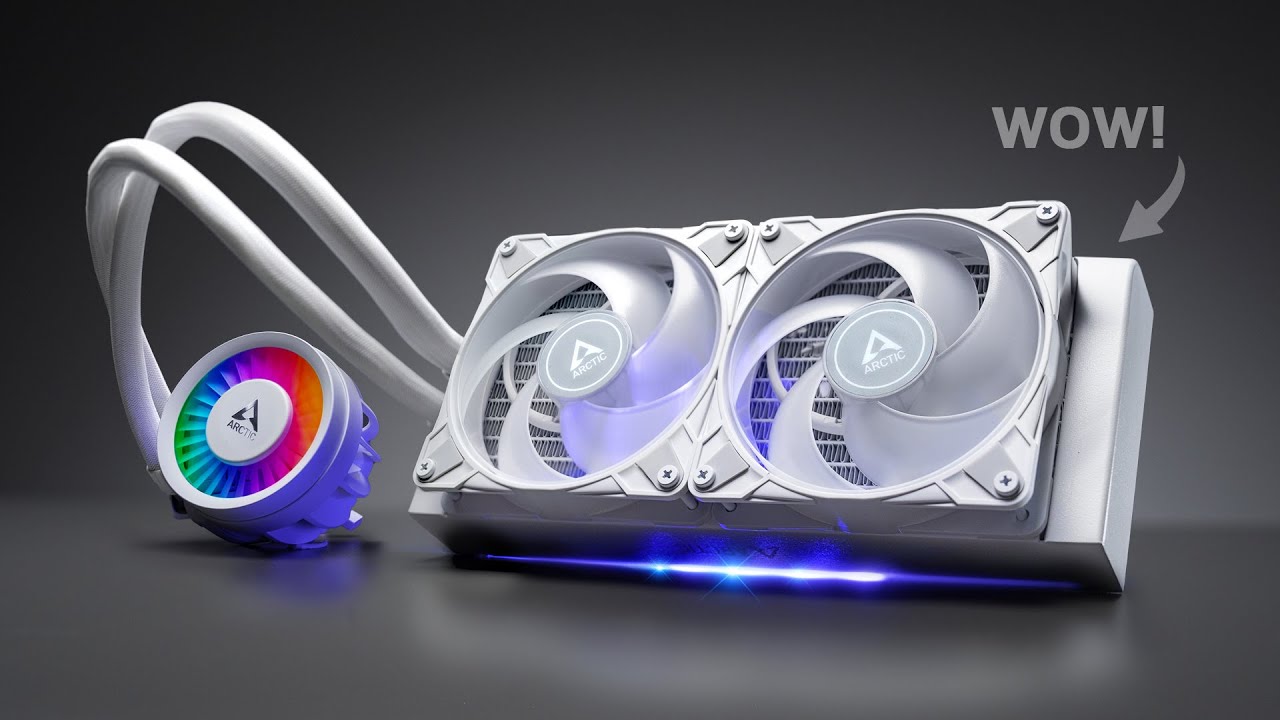
The Arctic Liquid Freezer III is here and its supposed to be even better than the Liquid Freezer II. But when it comes to the Liquid Freezer III vs Liquid Freezer II is there really enough to many upgrading necessary to get the best CPU cooling? Well, with the Liquid Freezer III price the way it is along with Intel LGA 1700 and AM5 mounting op...
and it's cheap
little osprey
@pseudo pollen how cheap?
earnest olive
pseudo pollen
 pseudo pollen
earnest olive
https://www.newegg.com/p/0RN-002K-000H8
pseudo pollen
earnest olive
https://www.newegg.com/p/0RN-002K-000H8
zenith is trash ram
earnest olive
?
pseudo pollen
bad dies and crap subtimings
pseudo pollen
is it?
earnest olive
bruh
little osprey
earnest olive
https://www.newegg.com/p/0RN-002K-000H8
and why did you choose this one over the other one if I may ask
pseudo pollen
last I checked it wasn't
little osprey
oop
earnest olive
little osprey
and why did you choose this one over the other one if I may ask
significantly cheaper for the same thing
also if you ever want to get into ram oc, corsair uses locked pmics which is cringe
also anecdotally corsair kinda just has lax binning standards compared to other manufacturers
little osprey
you got to dumb it down 💀
earnest olive
little osprey
you got to dumb it down 💀
corsair ram = more money for technically inferior product
little osprey
@earnest olive is there an amazon link? or do you have one simialr to that?
earnest olive
amazon only has white non-rgb at that price, up to you if you care or not

[Product Features] [DDR5 Unleashes Game-Changing Performance] Experience even faster frequencies, greater capacities, and lower voltages with the latest release in our series, the DDR5 UDIMM module. Take your gaming abilities to new heights with turbo speeds of 6000 MHz. It's available in 328GB (...
I don't like rgb on ram anyways
little osprey
Everytime I try and add it to PCpartpicker the only store is newegg
earnest olive
well the amazon link is right there
little osprey
Tryna add it to the pcpartpicker so I dont forget it
earnest olive
pseudo pollen
last I checked it wasn't
manufacturers commonly use the same brand name for many different bins/dies
my g.skill ripjaws is b-die but ripjaws ddr4 are most commonly hynix mfr/afr/cjr/djr
most people have no idea what those even mean so doesn't matter
you can generally tell if a kit is using a relevant die based on the timings
 torn mesa
any suggestions for a graphics card around $300? For gaming 🥸
they also prefer nvidia..
earnest olive
300 new and prefer nvidia is a recipe for disaster
torn mesa
lol
potent portal
There's no good low end Nvidia cards right now and there's no reason to get them unless you specifically need the cuda cores for work
earnest olive
well basically the only option is 4060
be a good friend and try to convince them to try radeon on that budget
torn mesa
ofc ofc
earnest olive
but if you can't then they can enjoy their piece of crap 4060
torn mesa
like a 7600xt?
earnest olive
360 gets a 6750xt which is a significant step up from 4060
seems like 6700/6700xt are no longer being restocked
50% more performance and 50% more vram
torn mesa
okay! 👍
earnest olive
tbh rx 7600 is nothing special either but at least it's cheaper than a 4060
if 360 is too far to stretch the budget
7600xt isn't worth the premium over a 7600
earnest olive
https://www.amazon.com/dp/B0C59RVD98 best choice that's actually sub 300

The XFX AMD Radeon RX 7000 Series graphics cards, featuring the groundbreaking AMD RDNA 3 architecture, deliver ultra-high frame rates for your favorite games
earnest olive
 lyric thistle
7600 is decent but there's a fair few games that are nvidia biased
lyric thistle
7600 is decent but there's a fair few games that are nvidia biased
radeon favored games also exist
if they only play nvidia favored games then sure go 4060
lyric thistle
I just know of games that work good on either
earnest olive
but in general you are paying more for less
lyric thistle
not familiar with radeon bias
earnest olive
mw2 is a popular title with a massive radeon bias
 earnest olive
7900xtx beats 4090 in mw2
which is quite surprising since 7900xtx is generally quite a bit weaker than 4090
potent portal
lyric thistle
7600 is decent but there's a fair few games that are nvidia biased
Yes but not to the point where it affects frames per dollar, the 7600 wins for the price
lyric thistle
war thunder gives you nvidia ads if you have an amd card but it runs perfectly on anything
the ads stop after a few launches
lyric thistle
never seen it until I built this computer lol
lyric thistle
fr
earnest olive
"oh boy can't wait to fire up my favorite game on my brand new 7900xtx"
"oh no the game showed me an nvidia logo now I have to upgrade to a 4090"
is that their thought process lol
lyric thistle
I think assetto corsa has nvidia branding on ingame advertising as well?
earnest olive
of how they think users will react
that's fair enough if it's an nvidia sponsored title
having it subtly be present in the game world is fine
lyric thistle
yeah
earnest olive
if it's a literal popup ad that's a bit weird
potent portal
You know what else is weird
 earnest olive
💀
lyric thistle
obamer!!
potent portal
Obama advertising in burnout paradise
lyric thistle
lol
potent portal
He knew his target audience ig
earnest olive
omg fellow gamers can you believe this he's so cool and relatable
lyric thistle
real
potent portal
He did that for Guitar Hero III, Madden NFL 09, NBA Live 08, Burnout Paradise, Nascar 09 and Need For Speed Carbon
earnest olive
incredibly epic gamer moment
lyric thistle
yeah that screenie looks like carbon
 potent portal
You won't be able to control fan speed, it'll just run at 100%. If you're ok with that then yes it's fine. 3 fans would barely draw 1 Amp if they're inefficient fans, which means 12W. That's well under the spec for a SATA power connector.
severe hull
Unfortunately I don't have any space for fans on mob
Unless I can use adaptors to piggy back
potent portal
You can use splitters and hubs to expand your available headers. Depending on the fan, it should be safe to run 5-7 fans off of one header. It's easy to find 4 way splitters. If you need more than 4 per header, then you want a powered hub.
severe hull
Do they have hubs with different plug types
lyric thistle
If you don't have that many fan headers then realistically you should just use a few fans
The first PC I built has three case fans, two in front and one in the rear, plus the CPU fan
I had to use one Y splitter
4 fans, 3 headers
My most recent build only has one intake fan and one exhaust fan, no splitters needed
potent portal
severe hull
Do they have hubs with different plug types
What do you mean? Which plug types? Do you mean the 3 pin and 4 pin power? Or ARGB?
They do make hubs with both fan power and ARGB if that's what you mean
fading iris

Put in wrong channel and I did seperate messages n not one by one copy and pasting but at bottom of page is question
potent portal
fading iris
Put in wrong channel and I did seperate messages n not one by one copy and pasti...
The 4 pin speaker goes on that 2 pin header by the front panel header. The first and fourth pins are the speaker, the second and third are reserved for different types of speakers.
fading iris
Thx got one last question I think
Could be the angel I'm doing at but is there possibly a reason u could think of as to why my CPU cable isn't fitting into psu
fading iris
potent portal
The 4 pin speaker goes on that 2 pin header by the front panel header. The first...
.
Something is on top of end of CPU cable
Like a little bar on both sides
And I'm genuinely confused as to how tf I'm supposed to stick this in if the PSU will legit not allow me to
potent portal
Which PSU so I can look up a pic
fading iris
 cyan ravine
Fat clip end into mobo
cyan ravine
Genius and stupidity tread a fine line
I've done it backwards before
Didn't end well

fading iris
Lol thx
I got anorhe dumb question
Where does the PSU big cable go
Like the one u plug into the wall
Where does the other end go I feel stupid lol

 fading iris
😭
Thx
Bro it was covered by a flimsy sticker
Never touched sticker so I genuinely thought nothing was behind it
I got another dumb question but how would I connect power on button it would it alrdy be connected or powered
I feel like all the tutorials I watched just explained how to put everything on motherboard and slight cable management n nothing else rlly
 stoic island
The power button on your front panel is connected to the motherboard through one of the connectors in the cluster of front io connectors that you generally plug into the bottom right of the motherboard
cyan ravine
is it audiojungle
 cyan ravine
ok from right to left
HD Audio is bottom right
USB 3.1 is a fat plug usually bottom quarter right
usb c is usually right hand side
front panel is right hand bottom corner
on mobo
fading iris
Thx
Which one controls power tho
Just wanna quickly see if it works not finishing tonight
Also don't see a USB 3.1
 fading iris
The
 cyan ravine
square plug goes in the square hole
fading iris
Found it it's on right side
fading iris
But what Abt the one I sent pic of
cyan ravine
I didn't see that
that's usb c
your board may or may not have it
costs a fair bit of money to add to a board so mightn't be there
fading iris
It's not
Should the one that u said is on right side
Found it but shouldn't be a tight fit
cyan ravine
?
point to it
3 of the ones I said are on the right side if they're on the board lmao
fading iris
 cyan ravine
see that
fading iris


 strong raft
Begone satan! White mode, yuck
fading iris
😭
strong raft
Also, fix the one that's there. 2pin part goes on "1st"
 fading iris
It has same one hole missing but doesn't seem to fit
Yeh I had a question Abt GPU but thought it may of been right
OHH
cyan ravine
fading iris
It has same one hole missing but doesn't seem to fit
if you put it in carefully it'll work
fading iris
So is my GPU wiring correct
cyan ravine
no
fading iris
But I just need a second?
fading iris
Yeh thx