
#building-and-recc-chat
1 messages · Page 238 of 1
 stable cove
 obsidian wigeon
stable cove
So my gpu came with a triple cable and then my power supply came with this other...
obsidian wigeon
stable cove
So my gpu came with a triple cable and then my power supply came with this other...
You use the 450w one
Cuz it's a 4080
Uses the newer 12VHPWR cable
You can also just use the triple 8 pin if you want
That 3 cable end is for the psu
The other end is for the gpu
 strong raft
To be clear, use the psu cable.  (no point using the 3 headed medusa adapter unless needed)
obsidian wigeon
^
 little osprey
Hey guys. Need some help choosing a psu. Montech Titan 1000W 80 PLUS for 177€ or Seasonic Focus GX-1000W 80+ Gold ATX 3.0 for 197€?
little osprey
 cyan ravine
for what cpu and gpu
cyan ravine
for what cpu and gpu
7900xtx and 7950x3d, I know a 850w can do. 1k for future upgrades
cyan ravine
eh
what is the pc being used for
7950x3d and 7900xtx don't really have a lot of positive use cases
little osprey
cyan ravine
what is the pc being used for
Just want the best gaming performance paired with 4k video editing + streaming. And something that will last longer
cyan ravine
4K gaming is pretty hard to do
you'd want a separate card with passthrough imo
also, especially at 4K, you don't need anything ridiculous
7800X3D is solid, I know a ton of content creators out there with it
and ultimately the fastest X3D chip
little osprey
cyan ravine
7800X3D is solid, I know a ton of content creators out there with it
for video editing also?
cyan ravine
ye
if you aren't editing while gaming it's actually pointless
and most cases you aren't so
little osprey
and what about recording and streaming (while gaming)
cyan ravine
you have gpu encode
it should be fine
sir what's your budget for the pc, I'll show you a good streaming build
little osprey
3k€
cyan ravine
what country
stable cove
It’s gonna take me a good while to figure out where all these cables go onto but once I plug them all in right my power supply will turn on
cyan ravine
little osprey
Because i live on an islane
white or black pc
hey
@little osprey
black or white
bro peaced out on me 💀
little osprey
cyan ravine
jeez this website is so painful to sift through
It is , right?
cyan ravine
it is painful
but
I think I'm getting somewhere with it
do you need wifi
@little osprey wifi yes or no
https://www.coolmatica.pt/store/processadores/96390-processador-intel-core-i5-13600kf-24mb-smart-cache.html
https://www.coolmatica.pt/store/motherboard/105311-motherboard-asrock-b760m-pg-riptide-4710483942211.html
https://www.coolmatica.pt/store/coolers/88830-cooler-deepcool-ak620-120-mm-preto-6933412727316.html
https://www.coolmatica.pt/store/memorias-dimm-desktop/103525-memoria-gskill-ripjaws-s5-64gb-2x32gb-ddr5-6400mhz-preto-4713294233165.html
OR
https://www.coolmatica.pt/store/memorias-dimm-desktop/94313-memoria-gskill-ripjaws-s5-32gb-2x16gb-ddr5-5600mhz-cl30-4713294231963.html
https://www.coolmatica.pt/store/discos-ssd/97090-ssd-solidigm-p41-plus-m2-2tb-pci-express-40-3d-nand-nvme.html
https://www.coolmatica.pt/store/placa-grafica/98731-grafica-sapphire-pulse-radeon-rx-7900-xtx-amd-24gb-gddr6-4895106293267.html
https://www.coolmatica.pt/store/caixas/103776-caixa-matx-nox-infinity-epsilon-rgb-8436587974205.html
https://www.coolmatica.pt/store/fontes/84771-fonte-modular-msi-mpg-a850gf-850w-atx-preta-4719072754273.html

Coolmática
Intel Core i5-13600KF, Intel® Core™ i5, LGA 1700, Intel, i5-13600KF, 64-bit, 13th gen Intel® Core™ i5

Coolmática
Suporta Processadores Intel® Core™ da 12ª e 13ª geração para socket LGA1700 | Arquitetura de memória dual channel | 4 x DIMM de memória DDR5 | Chipset Intel B760

Coolmática
DeepCool AK620, Cooler, 12 cm, 500 RPM, 1850 RPM, 28 dB, 68,99 cfm

Coolmática
G.Skill Ripjaws S5 F5-6400J3239G32GX2-RS5K, 64 GB, 2 x 32 GB, DDR5, 6400 MHz

Coolmática
G.Skill Ripjaws S5 / F5-5600J3036D16GX2-RS5K, 32 GB, 2 x 16 GB, DDR5, 5600 MHz, Preto
 dim reef
https://pcpartpicker.com/list/F3Yz9c peak or no
Part List - AMD Ryzen 7 5800X, Radeon RX 6700 XT, Corsair 4000D Airflow ATX Mid Tower
cyan ravine
give me a minute I'm not ready
roughly looks like this (pick 32gb or 64gb)
https://de.pcpartpicker.com/list/LzzrL9
Part List - Intel Core i5-13600KF, Radeon RX 7900 XTX, Mars Gaming MCZ MicroATX Mid Tower
little osprey
cyan ravine
https://www.coolmatica.pt/store/processadores/96390-processador-intel-core-i5-13...
Is saphire better than the hellhound 7900xtx? They are about same price
cyan ravine
yes
they're both good but sapphire a bit better
I uh
scanned basically a vast majority of the selection
little osprey
And only 1 120mm cooler is enough?
cyan ravine
this seems like the more cost effective but still high end side of the parts you could pick there
it's a dual tower
it'll be more than enough for a 13600kf
we have a couple people here who daily that exact config
my only comment to you @little osprey
32gb can be enough
but 64gb would be putting a lot of extra life into the system
I did look at X3D, the 7800X3D on that website they are gouging
7900X3D was unironically better than both the 7800 and 7950
sat right between the two but had by far the best price
but the prices weren't great
you could however slot in a A620M tuf wifi
and 7900x3d
straight into this list
stable cove
So far I only found one SATA cable on my case. Does that mean I only need to plug one sata into the supply?
cyan ravine
if you really want to jump on X3D
though I will say the gains are marginal
what I put up there will be more than enough for what you want to do
Consider 4080 Super cards if and when they decide to turn up at that store
Nvenc can be a lot more convenient, it doesn't really perform any better than AMD
hope this helps
I've put way too much time into that LOL
cyan ravine
dim reef
https://pcpartpicker.com/list/F3Yz9c peak or no
can definitely do better
little osprey
Thank you for your help and sorry for that time you put into it
Yeah the prices are high
cyan ravine
all good
little osprey
For a game like fortnire the 4080 super would be better than the 7900 xtx I guess
little osprey
And for an ssd , isnt there a faster one? Or it won't make a difference?
cyan ravine
won't make a difference
actually, maybe a fair bit
sorry
I forgot about 4K scrubbing
I'll have another look in a moment
little osprey
Thank you 🤌🏻
cyan ravine
@dim reef https://pcpartpicker.com/list/9BQQgB
Part List - Intel Core i5-12600KF, GeForce RTX 4070 SUPER, Montech X3 Mesh ATX Mid Tower
OR
Part List - AMD Ryzen 5 7600, GeForce RTX 4070 SUPER, GameMax M60 MicroATX Mid Tower
One of those two would be WAYYYY better
7800XT is also an option

Sapphire 21330-01-20G Radeon RX 7800 XT 16 GB Video Card (21330-01-20G)
would bring you under 1200 if you needed the budget
Part List - AMD Ryzen 5 7600, Radeon RX 7800 XT, GameMax M60 MicroATX Mid Tower
Part List - Intel Core i5-12600KF, Radeon RX 7800 XT, Montech X3 Mesh ATX Mid Tower
ok, ssd
@little osprey I see like, two options and they're a lot more expensive than the benefits would really be worth
https://www.coolmatica.pt/store/discos-ssd/99470-ssd-m2-pcie-40-nvme-team-group-2tb-mp44l-4800r4400w-525550k-iops-765441062078.html
https://www.coolmatica.pt/store/discos-ssd/96834-ssd-xpg-gammix-s70-blade-m2-2tb-pci-express-40-3d-nand-nvme-4711085933072.html

Coolmática
Team Group MP44L. Capacidade da drive SSD: 2 TB, Fator de forma SSD: M.2, Velocidade de leitura: 4800 MB/s, Velocidade de escrita: 4400 MB/s.

Coolmática
XPG GAMMIX S70 Blade M.2 2000 GB PCI Express 4.0 3D NAND NVMe
Latter is like, peak
but it's not worth some 35% more for it is the thing
even if you do it for a career in a lot of scenarios
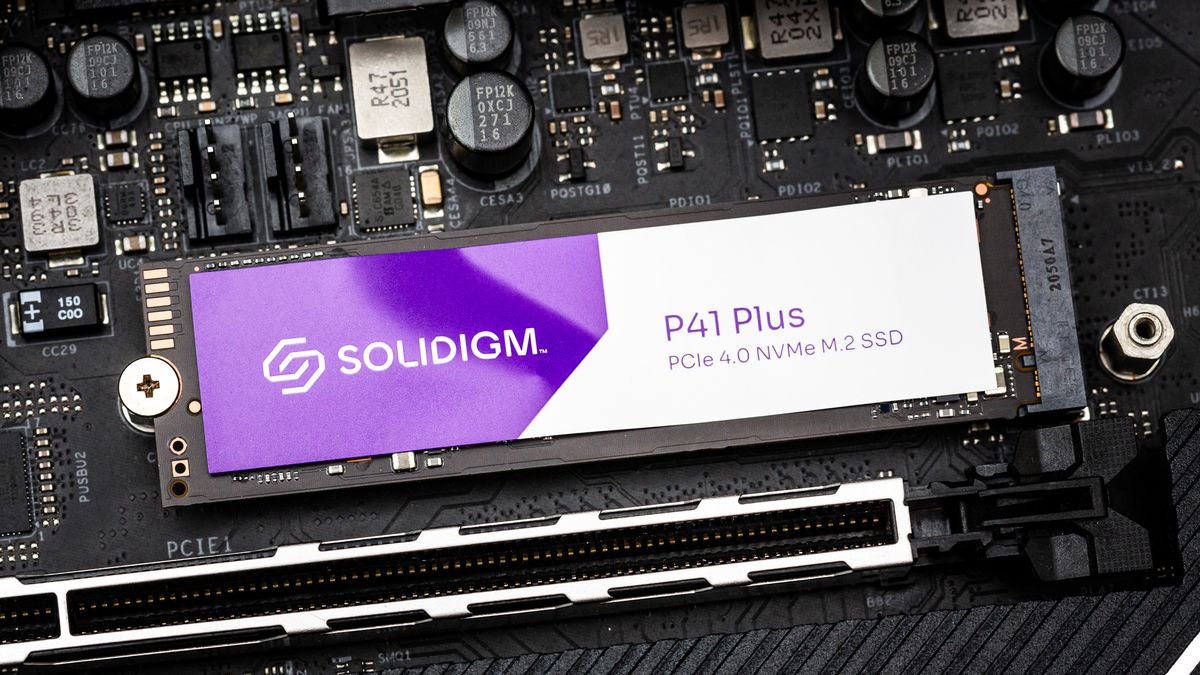
I'd just stick to the P41 Plus imo
cyan ravine
stable cove
So far I only found one SATA cable on my case. Does that mean I only need to plu...
mhm
stable cove
obsidian wigeon
You use the 450w one
Then what do I do with my pcies? The gpu only has one outlet?
little osprey
cyan ravine
https://www.coolmatica.pt/store/discos-ssd/99470-ssd-m2-pcie-40-nvme-team-group-...
Wow this gammix is really fast , god damn. If I need 4TB should I pick 2 of them? I will have a LOT of video files
cyan ravine
If you can justify it I suppose yeah
But imo it's not gonna be world changing
if you need two ssd's get one of the S70 one of the P41
you don't need both for active 4K edit, just record to the fast drive and use the other to copy between
that is worth the maybe 30 seconds a day
and that's kinda what I'm weighing up in my head rn, it's a lot for a very small convenience even to go to the gammix
little osprey
In terms of time , between a 4k one and a 6k how much?
little osprey
Yes
little osprey
Ok got it 😆
cyan ravine
they sustain that speed for like, 45 seconds then drop to nothing
pretty much all do that
let me go have a double check but I'm pretty sure the p41 plus is solid
here you can read with me
Tom's Hardware
A capable 670p successor with big shoes to fill.
little osprey
In terms of downloading videos from youtube the speed is limited to the ethernet speed right?
cyan ravine
compare the p41 plus numbers to roughly SN770/Platinum P41
and you can see where the P41 Plus vs Gammix lie
cyan ravine
little osprey
In terms of downloading videos from youtube the speed is limited to the ethernet...
yes
and for the record
P41 Plus is QLC
but it's a very VERY good QLC drive
if that matters to you
Ok my take
it's not that far behind an SN770
in terms of pure peak numbers yes, but you'll rarely be utilising that
so the difference will be fractions of a second
you really won't feel the difference unless you scrutinise it side by side
obsidian wigeon
stable cove
Then what do I do with my pcies? The gpu only has one outlet?
Yep, you don't need to use those. The gpu only has one connector
little osprey
Thank you so much for your hel felix
cyan ravine
It's all good
little osprey

little osprey
I will have a better look at eveything once I get back from work
cyan ravine
no worries
as far as performance it'll be mostly the same
just much more budget friendly
well, I say mostly, it's just the ssd and cpu really
but you don't really need those things as much
but as I said, 7900X3D and S70 gammix are an option
they just won't make a huge difference overall
if you were doing like constant media exporting at 4K, then multi-thread would be big, but editing and gaming involved, nah, not really as heavy
more of a "I will save a few seconds here and there" investment
 rain carbon
cyan ravine
they're both good but sapphire a bit better
rain carbon
cyan ravine
they're both good but sapphire a bit better
Is sapphire generally better than hellhound or just with the xtx
cyan ravine
sapphire is generally better imo
they add QoL features to their cards that just make the interactivity and quality feel so much more genuine
if they're the same price, for sure Sapphire
but those extras aren't worth more than like...$15
because at the end of the day all AMD cards are pretty much heavily-based off or are reference
rain carbon
Ah alr
cyan ravine
I don't really otherwise discriminate AMD cards unless there's a known cooler issue or a card has a particularly low power limit
some are slightly better in some circumstances, others vice versa
electrically almost all identical
some...discrepancy on the low end, but nothing usually meaningful
it's not like Nvidia where choosing something like a ventus or gamerock over a founders can mean the improvement of the card quality by literally double
if that makes sense
stable cove
So I got this cable with my motherboard I found 4 holes it can plug into but where do I put the other side?
 rain carbon
cyan ravine
if that makes sense
rain carbon
cyan ravine
if that makes sense
I gotcha, thanks for the info
Ive been looking at cards and a lot of people say the 7800xt hellhound has hella coil whine in comparison to sapphire, so despite the fact the hellhound is 20$ less the benefits still might be enough for me
obsidian wigeon
stable cove
So I got this cable with my motherboard I found 4 holes it can plug into but whe...
It's for sata drives. You don't need those unless you want to add a sata drive
The other end that's not connected to the board is for those drives
stable cove
Thanks I’ve been plugging cables in and unplugging them back out and might take a while to get it right. I have the power supply plugged on and I’ve been turning it on and it hasn’t been doing anything. Either I’m pressing the wrong button on my pc or I don’t have all the right cords plugged in. Hopefully once I figure that out I’ll be past the frustrating part. Just would be nice to turn it on for a second to see which way the fans are blowing air
So what do I need to do before my pc will turn on or do anything?
obsidian wigeon
Is there any debug LEDs on?
You need to plug your monitor to the gpu too
Wait for like 5 mins
cyan ravine
rain carbon
Ive been looking at cards and a lot of people say the 7800xt hellhound has hella...
powercolor this gen in general seems to have a lot of complaints about coil whine, but similarly
they also have quite good coolers
so there's happen circumstance to say the complaints of coil whine are because people can hear it in the silence better
rain carbon
I have open back sennys so noise is a big one for me
rain carbon
Ive heard that yeah
 rain carbon
I mean from what ive seen any top end card will have coil whine lol
I just want minimal
cyan ravine
that's more down to luck
rain carbon
Yee again ive read a lot of people saying that
cyan ravine
if you get it, then if your case is reasonable enough you likely won't here it
I see nothing wrong in throwing 20 more to a sapphire
but at the same time
20 is over the limit a bit imo
I'd spend 10-15
sapphire is good
honestly powercolor is too
just lacks the quirks of sapphire
the things that make it worth the 15$
rain carbon
My overall build is already pretty expensive, i dont think 10 bucks'll hurt much
cyan ravine
up to you really
stable cove
obsidian wigeon
Is there any debug LEDs on?
So far no
stable cove
Well I’ll plug an hdmi into my gpu and maybe turn the power supply on and then wait 5 minutes. It’s just nothings been happening yet so I hope I didn’t buy all these parts for nothing
stable cove
So I haven’t put my cooler in because I had to unscrew all the sides of my case to reach the cables. Is it a bad idea if the pc is running for just few seconds without one? I just wanna make sure things work before I put it on and put my cases sides back on
obsidian wigeon
It's ok, but the pc will probably not boot in some cases
Where the board requires a fan to be plugged into cpu fan header
stable cove
Ok so maybe I have to do that in order to get it turned on
Alright got my hdmi cord in my gpu and I turned on my power supply. Fans not moving and it’s not doing anything yet so do I wait?
obsidian wigeon
That sounds like you haven't plugged things in correctly
Are the case fans hooked up to the mobo?
stable cove
I think so they’re not moving though. Maybe I need to plug them in a different spot
obsidian wigeon
Hm, ok
You have everything installed right?
Cpu, ram, gpu, ssd, cooler and fans
stable cove
Yeah I’m pretty sure I put those components on. Shouldn’t I plug the cords in correctly before I put my air cooler on? Things huge
stable cove
My motherboard has 4 holes for system fans? Aren’t those where I plug all my fans?
obsidian wigeon
Mhm
stable cove
Alright
I’ve had this cable but haven’t found anywhere to plug it into that would fit

Hopefully I don’t have to buy even more equipment. Felix’s build should’ve had everything I needed
stable cove
Trying to put on as many cables correctly as possible
stable cove
Yeah there’s no way that power supply possibly could be broken I just bought it. It’s probably just getting things plugged in the motherboard right is a pain for someone building a pc for the first time ever
So I got these cables sticking out of the case? Have any idea what I’m supposed to do with these? Plug them into each other or plug them into another cord?

 potent portal
Those look like RGB cables. Specifically VDG, and most computers won't use those.
Or they could just be the fan power and they made them look weird for some reason, it's hard to tell. Do they have any writing on them?
stable cove
No
potent portal
Does the end look like any of these? https://media.discordapp.net/attachments/589689072692494356/994365352412717106/20220616_191303.jpg
 little osprey
Best video card for $400-500? For FPS especially for fortnite. Looking at a 7800 XT
rain carbon
From what ive seen they go same
little osprey
cyan ravine
7800xt is def it
I bought a 7800 XT like 6 months ago. 7800 XT ASUS TUF 16GB, and its still the same price bruh
little osprey
cyan ravine
or 6800 xt if it's a little cheaper
Is it major difference or no?
cyan ravine
a couple %
potent portal
7800 XT just has newer features like AV1
little osprey
cyan ravine
a couple %
how much % we talkin
cyan ravine
it's almost margin of error
rain carbon
For 400 going down with the 6800 is a solid choice too
little osprey
cyan ravine
5% ish
how much would I save?
 analog hearth
I think the difference is marginal. my 6800 XT can get around 200 fps (probably more) in MW3 at 1440p
cyan ravine
if 6800xt is 20 cheaper
sure
7800xt also as Fal said, has next gen stuff
so it's...dependent on situation
rain carbon
Basically at that price range you stick with amd
cyan ravine
pretty much yeah
cyan ravine
4060Ti is worth thinking about at less than 350
but yeah
4070 is like
always 530+ which is disgusting
little osprey
Do you think there is a video card that is better than the 7800 XT for $400?
stable cove
To think installing the cpu was the most stressful part. To me that seemed awful easy except with the cpu in it took effort to close it
analog hearth
4060 Ti is a 1080p card, right?
cyan ravine
little osprey
Do you think there is a video card that is better than the 7800 XT for $400?
used 3080ti if you're lucky
stable cove
And here I am struggling horribly with the cables
little osprey
cyan ravine
used 3080ti if you're lucky
I saw a dude selling a 7900 XTX for $600 a couple months ago, sucks I didn't get it
cyan ravine
analog hearth
4060 Ti is a 1080p card, right?
kinda sorta is pretty much yes it truly is, thanks nvidia forthestupidbitbusissuethatplagues40series
cyan ravine
little osprey
I saw a dude selling a 7900 XTX for $600 a couple months ago, sucks I didn't get...
would've been insane
little osprey
Like I want a 7800 XT because I build it before, but the no price change is outragous
rain carbon
Id be scared the thing wouldve been messed up in some way
rain carbon
little osprey
Like I want a 7800 XT because I build it before, but the no price change is outr...
At least the no price change shows its quality
cyan ravine
little osprey
Like I want a 7800 XT because I build it before, but the no price change is outr...
a good value card will hold it's value
and it's literally been
one of if not the best value new gen card
period
see: 6700XT
stable cove
I literally had to unscrew my entire case to get to the cables without breaking anything.
Found one of my cases fans cables but the cord is too short to reach the motherboard

So I have a sata cable that has just a c labeled on it so what does that mean?
analog hearth
c for sata
stable cove
Ok
Nevermind I found an extension cable
I’m gonna keep on trying. This might take forever but hopefully once I figure this out the power supply will finally turn on. Maybe the motherboard partially controls its function
I might try that paper clip method to ensure my power supply works. This is kinda stressful
stable cove
Alright great news I inserted a tiny staple into the wire of my power supply and turns out the fan was spinning so thank god it works I just gotta get the cables put in right so thank god I’m not out of luck
 mossy venture
You did what
Oh
Ok
I thought you meant you stapled one of your power supply cables
stable cove
No I just took a tiny staple piece bent it and inserted it into the fan plugs like with the paper clip and that did the trick
So that means I’m not out of luck I’m just stuck on the cables. I also bought a splitter for my air cooler so that I could plug both fans into one socket. The cpu cooler
stable cove
I might keep my pc covered in a bag to reduce dust and then come back later. My legs and butt get hurt from sitting on the floor for so long
Sometimes I need to take a break and come back later
 lyric thistle
You don't need to put it in a bag
cyan ravine
If anything a bag would be terrible cos of the static
lyric thistle
👆
stable cove
Ok then it’s just this is really going to take a while
Does the pc need the cooler plugged in order to turn on?
I just need it in for a few seconds to see if the fans are blowing air the right way
lyric thistle
you should install it properly before trying to turn it on or putting it in the case
once it's screwed down onto the cpu you can put the fan that came with it on with the wire attacher thingies
assuming heatsink, for radiators just put the fans on if they're not already installed
fans have airflow indicators, arrows that indicate what direction they spin and what direction airflow goes in, but you can also figure it out by looking at the fan blade design
it's just a rotating scoop that pulls air
stable cove
Well thanks. I’m gonna have to make sure all my cords are plugged in the motherboard correctly before attaching the cooler. My air coolers massive
And I’m probably having trouble plugging the cables in right now because I have my power supply on and plugged in and it’s been doing absolutely nothing
lyric thistle
each time you go into the computer to unplug/plug in something, you should turn off the psu
stable cove
Well only time I turn it on is when I’m testing it
Wouldn’t the pc have turned on if my cables were put in right?
lyric thistle
good good
should be, if you're briding the right pins on the front io pinout
took me like three tries to get the right pins lol
stable cove
I think the cpu cables go on the upper left of the cpu where the two 8 pins are
lyric thistle
friend was describing it as the two pins in the top right while I had her on video call and I took that as from the perspective I had the camera at, didn't work and a minute later we got the right pins
yes
stable cove
So with the power switch, rest button, and hhd I’ve found where they go on the mother board is there a certain way you put them in there or a certain side?
lyric thistle
I thuink they have a + and - pin and they need to be plugged in to their corresponding match, + on the cable to + on the board, - to -
the plug on the cable should be labeled which one's which, and you should be able to find the same situation on the board side by looking at the board manual
my case came with the front io all grouped together properly with a collar which is nice
so when you don't have the power switch plugged in, you just need to bridge the pwr + and - with a screwdriver
stable cove
Well hopefully I see those. Those cables are awful tiny
The power supply probably won’t turn in unless the power switch is placed right
lyric thistle
if you bridge the power switch pins with a screw driver, it will turn the computer on
assuming all essential power cables are plugged in like CPU and motherboard, and assuming the psu switch is in the on position
stable cove
Think my gpu came with a triple cable because it might require a lot of power to run. Think it needs three pcie slots
lyric thistle
three slots?
is it a three wide card then
I assume you went with a high end late model card and those are almost exclusively 3 slotters
stable cove
It’s just if I’m getting anything wrong it’s probably the power switch, reset switch and those because some plugs only go in one way so it’s impossible to get a lot wrong
Ok so on these tiny cords I found an arrow on the left side
lyric thistle
probably means the + pin? idk
stable cove
I haven’t been able to find a power led do some cases not have those?
lyric thistle
I guess so
my case has it, power button lights up
but Ithink my other case doesn't
coolermaster nr200 and thermaltake h18tg respectively
 crimson zinc
6750xt? Or just basic 6700xt?
crimson zinc

mossy venture
6750xt is basically a slightly oced 6700xt
I wouldnt pay more than $15-20 extra
If it's a better model too, maybe $30
crimson zinc
I’ve been restricting my limits of where and how much I do lists, along with checking if parts are good or not via pinned lists
Seeing if I can start being a reliable source of information for people
mossy venture
Thats dope dude
crimson zinc
Looking at restriction suggestions online too
mossy venture
Honestly a lot of my recommendations come from other people. Thermalright aios? Felix. Hynix ram? Felix/pato. Most of my goto cases, all my mobo knowledge, most of what I know is just an accumulation of this server lol
crimson zinc
I’m learning through a lot of the experts here. Like you and all others mentioned.
https://pcpartpicker.com/list/dMcpRK sub 1500
Part List - AMD Ryzen 5 5600X, GeForce RTX 3060 12GB, Phanteks Eclipse G360A ATX Mid Tower
With a decent monitor
mossy venture
What I'd change to that
https://pcpartpicker.com/list/BgtGwg
Part List - AMD Ryzen 5 5600, Radeon RX 6700 XT, Phanteks Eclipse G360A ATX Mid Tower
Or can do 7600 and ddr5
 flint sapphire
can you fit in a 6800 tho
crimson zinc
mossy venture
What I'd change to that
https://pcpartpicker.com/list/BgtGwg
That’s so much better

mossy venture
I mean 1500 budget w monitor I think can do 7600+4070s
crimson zinc
1111 is a wild number to see
mossy venture
Can almost fit a 7900xt. Takes off $100 to go down to 4070 super
https://pcpartpicker.com/list/fH7LYN
Part List - AMD Ryzen 5 7600, Radeon RX 7900 XT, Phanteks Eclipse G360A ATX Mid Tower
crimson zinc

 near garden
Hey guys I just got some ram Corsair vengeance 32gb 3600mhz and I have an msi b550 gaming plus with a ryzen 7 3700x
The pc doesn’t seem to boot up with the ram
I tried my old pair works just fine would that mean the ram is faulty ?
mossy venture
near garden
Hey guys I just got some ram Corsair vengeance 32gb 3600mhz and I have an msi b5...
Clear cmos
?cmos
 jolly riverBOT
How to clear CMOS (works for AMD and Intel)
https://www.intel.com/content/www/us/en/support/articles/000025368/processors.html
Intel
Defines CMOS technology and how to clear CMOS using the jumper or battery methods.
near garden
mossy venture
Clear cmos
i ended up goin to the bios and removing the memory speed from 3600mhz to auto and it ended up booting up but now im trying to figure out if i can push it to the advertised 3600speed without it not posting
 fading iris
Would this Cooler Master MasterAccessory Vertical GPU Card Holder Kit V3 White, Premium Riser Cable PCI-E 4.0 x16-165mm, PCIe 3.0 Compatible, Adjustable Length for E-ATX|ATX|Micro ATX Case (MCA-U000R-WFVK03) https://a.co/d/1TjaOkc gpu holder be compatible with a 7800xt from sapphire pure
And after that I would like to ask if it would also be compatible setup with the gpu would it still have enough room to comfortably be in this case
stable cove
I might have to wipe my cpu before I apply thermal paste. I touched the surface a little with my finger a few times.
fading iris
Speaking of that somewhat
Starting to buy pc parts so don’t gotta worry abt it but how often do y’all switch thermal paste
fading iris
Never heard of it being switched but I’m jus assuming that ofc after a certain amount
💀
Well damn
lyric thistle
Should do it every few years
fading iris
Oh
I have a other question since ur here
I could search it up but too lazy, n I’m a little stupid with pc stuff but r vertical monitors u see just regular monitors turned sideways
lyric thistle
Basically
fading iris
Like I know that’s a stupid question but they all seem to be almost the same length off of first glance
So I didn’t know if it was a specific brand that was rlly doing it or if mfs jus started flip in it
Thx though
lyric thistle
I forget how you rotate the screen in software
stable cove
Do you need a hard drive for sata cables? I heard that’s where they’re plugged into and I’m not sure if my pc case has individual hard drives. I think the sata cables are important and can’t be skipped
obsidian wigeon
Nah
They're purely optional
It's just another type of storage protocol
You're using an nvme ssd that runs on pcie, so there's already a storage solution installed
stable cove

Found my motherboard manual but for some reason its not showing the positive and negative for the power switch or reset button and I think I need those put in right or my pc nor my power supply will turn on
lyric thistle
If you ever get SATA drives you'll need SATA cables
3.5" or 2.5" hard drives, or 2.5" SSDs
(2.5" hard drives basically only exist because they're smaller for fitting in laptops but you can put them in a desktop anyway)
stable cove
Are sata drives required for the pc if you have storage in the motherboard?
fading iris
@cyan ravine
With this case could this gpu holder and a 7800xt. Comfortably fit in?

Give your chassis an instant makeover with Cooler Master’s Vertical Graphics Card Holder Kit V3 White! Supporting cases ranging in size from mATX to ATX, this remastered design allows unprecedented compatibility with various builds and setups. A PCIe 4.0 riser cable is included to assist the inst...
 vivid copper
stable cove
Found my motherboard manual but for some reason its not showing the positive and...
vivid copper
stable cove
Found my motherboard manual but for some reason its not showing the positive and...
The positive and negative don't matter with the other terminals because it's just a switch...it's either on or off.....and it won't effect anything with your PSU....as long as you have them plugged in your mobo will receive power when you click the power button on your case
vivid copper
stable cove
Are sata drives required for the pc if you have storage in the motherboard?
no
stable cove
Thanks right now I’m just taking a break, researching, and asking questions. Just because I’ve been having trouble with plugging cables into the correct spots so might take me days to get my pc on. If I don’t get those cables in my power supply will do absolutely nothing
It’s just a pain in the bottom for me right now because I wanna make sure everything is put in right before I install my air cooler. Mines massive
lyric thistle
I assembled the basics on my motherboard box before putting it all in
Just CPU and GPU installed with PSU plugged into CPU GPU and mobo, obv cooler installed as well
stable cove
Isn’t the cooler gonna cover up the motherboard ports? There’s several spots you gotta plug your power supply cables and probably the case cables too
I am probably gonna have to read my motherboards online manual and see if there’s information somewhere about where everything goes
vivid copper
It depends on the cooler....and if you're smart you run your cables where they need to go before you put your board in. If it's an air cooler I install it before...for AIOs they are usually the last thing i install.
lyric thistle
Like where? You should be able to plug things in when it's installed
obsidian wigeon
I would read the manual and go from there
lyric thistle
It might be a little tight on the CPU power but it should be okay
obsidian wigeon
Researching and getting strayed far with a worried mind is just gonna ruin things
stable cove
Well seeing other people read their motherboards Manuals will help me figure out what to look for on mine
There was a smart zero fan setting on my power supply. When I tested it with a bent staple piece the fan blew with the main switch on but the smart zero fan one off.
Is that how it will work when actually plugging it into the pc?
lyric thistle
Yep
I just have the zero rpm fan turned off on my PSU because why not have the PSU fan running
Better cooling and essentially an extra case fan
Not much noise anyway
You can toggle the button at any time I guess
vivid copper
stable cove
Is that how it will work when actually plugging it into the pc?
Yes. Most better made PSUs will have a zero fan mode where the fan will only cut on when the PSU is under a certain amount of load. Just like most GPUs do as well.
obsidian wigeon
I would enable the fan anyway
Keeping it running doesn't really reduce its lifespan
lyric thistle
Airflow go brrrr
cyan ravine
fading iris
With this case could this gpu holder and a 7800xt. Comfortably fit in?
Should do
fading iris
Thx
So I'm going for a mainly white build but I got my power supply in black since my budget wouldn't allow me to spend extra for a white one
If I buy a white cable set on Amazon(can link if needed) should that have the same cables or nah

We are committed to providing each customer with the best products and the most intimate after- s service. If for any reason you are not satisfied with our products, please send us an email and let us know
strong raft
Quick psu labeling pic for some people. If psu has a 12vhpwr cable and you're using 40 series gpu, 6+2 cables are likely unused. Thin wide connector near top 6pin port is the sata power many fan/(a)rgb hubs plug into.

This should be helpful also. rbg note: rbg is 4pin & 12v, Addressable rgb is 3pin & 5v.
 lyric thistle
isn't the first slot m.2 thing only for asus boards
strong raft
well it's a general preference to use the cpu lanes also, even if it's not a big deal.
potent portal
lyric thistle
isn't the first slot m.2 thing only for asus boards
No, it applies to most modern boards
lyric thistle
like I mean the slot not working with 10th gen
strong raft
oh that's not specific to Asus, and wasn't just a 10th gen issue. Was mainly 10th gen in 500 series mobo.
potent portal
That's not an issue people have run into for a while. Occasionally you'll get someone with a board that doesn't want you to use the top slot for whatever buggy reason.
fading iris
Part List - AMD Ryzen 5 7500F, Radeon RX 7800 XT, Montech AIR 100 ARGB MicroATX Mid Tower
Sorry if wrong channel but at bottom of list it says possible compatibility issuesm if the motherboard is running a older bios version
So how would I know which version my specific one is using if I haven't received it yet
cyan ravine
fading iris
https://a.co/d/2vgnYbM
Those look fine, you stick them on the end of the psu cables that came with the psu itself
Asiahorse is supposed to be very good, though I haven't got much in the way of first hand experience
potent portal
fading iris
So how would I know which version my specific one is using if I haven't received...
You won't know until you get it. The best way to be sure it's not a problem is to get a board with flashback so you can update easily.
fading iris
😭
cyan ravine
fading iris
So how would I know which version my specific one is using if I haven't received...
 fading iris
Lol
cyan ravine
fading iris
https://pcpartpicker.com/list/cJ8VHG
How much was the 7500f
cyan ravine
💀
cyan ravine
I'd get a 7600 for 198 if it were possible
fading iris
Each new one I find that is from a legit site it isn't the same one n idk enough to know difference between half
Lemme check what I had before
cyan ravine
7500f for 198 is edging close for a small price dock
I'll take a look myself if I can brush up the list a lil
fading iris
Before I had a 5 7600 in it
But someone told me to jus switch because they perform the exact same but the 7500f doesn't have a igpu but I shouldn't have to worry Abt that
N considering 2 people said it n it favored my budget I didn't question😭 haven't bought the cpu yet tho
I have bought the memory, case(not case in list but case from before in chat can resend if needed), power supply, and I think that's it
Ordered motherboard which was a a620m rs pro wifi because I didn't wanna figure out the whole wifi duration but cancelled order n switched on list to a b650m pro rs
The pro rs wifi was out of budget n yes I know for good wifi to connect it's alrdy gonna be another 20. Sorry for a lot of typing n bad formatting
cyan ravine
Meh, just the psu really
https://pcpartpicker.com/product/YRJp99/corsair-rm750e-2023-750-w-80-gold-certified-fully-modular-atx-power-supply-cp-9020262-na

Corsair RM750e (2023) 750 W 80+ Gold Certified Fully Modular ATX Power Supply (CP-9020262-NA)
Gf1 2024 hasn't been tested yet
And it's not verified good
It's speculative to be worse than the older gen (new oem)
cyan ravine
Hey odds are it's not terrible
fading iris
Will it at least do with the setup ? Like will it effect the performance badly?
Because I slowly plan on changing most things in the setup besides gpu
cyan ravine
Unlikely to be bad, more just verification of a degree of safety
fading iris
So gaming on high settings should still be fine or possibility I should try n return
fading iris
Lemme check rq
cyan ravine
It's unlikely to be an issue
Thermaltake tends to (TENDS TO) have decent options for their higher end
They changed to a new supplier for 2024 tho, ce-link
And I've read from a few that it resembles a worse unit used by other brands
So it's speculative
It may have been reviewed one sec
Also I gotta jet in 5
I can't stay
fading iris
Idk what any of this means but if your going to check the review then thank you
cyan ravine

Reddit
Explore this conversation and more from the buildapcsales community
In a nutshell

So yeah, if it's possible swap it imo
It probably won't be terrible, but it's advisable to switch
Anyway I'd love to look into this more but I really gotta go
fading iris
Ok thx
cyan ravine
cyan ravine
So yeah, if it's possible swap it imo
Remember, I mean this for the 2024 unit
Not 2023 or older
Good luck
✌️
fading iris
Cya n thx again
vivid copper
fading iris
Found on on eBay unused at like 198. Buyer is legit
https://www.provantage.com/amd-100-000000597~7AAMD3MU.htm
From a legit distributor in Ohio.....after shipping and tax tho it's probably really close to the price of a 7600 so that might be the better way to go to be honest. And remember the 7500f will be a tray processor, so no retail box or anything like that. As it's really supposed to be an OEM only part.
Get Fast Service & Low Prices on 100-000000597 AMD Ryzen 5 7500F 65W AM5 - 100% Satisfaction Guaranteed at PROVANTAGE.
fading iris
vivid copper
https://www.provantage.com/amd-100-000000597~7AAMD3MU.htm
From a legit distribu...
I know u wouldn't purposely send a sketch link but have u or anyone u know done business with this site or did u just find it
It's def cheaper then the other so I don't mind jus wanna confirm
obsidian wigeon
7500f isn't the same as 7600 however
And like he mentioned before, it's probably more expensive if shipping and taxes are added
fading iris
I heard the 7500f and the 7600 r almost exactly identical
Just the 7500f doesn't have a igpu but that I won't have to worry about a igpu at all and I don't need tow orry lol. Somewhat true or true or just flat out false?
That site is just a ducking hassle dude. Each time. I put adress it adds a damn extra zip code meaning it ain't even ship I think.
vivid copper
fading iris
I know u wouldn't purposely send a sketch link but have u or anyone u know done ...
Yes i've gotten CPUs and GPUs from them in the past. My personal opinion is if you are that concerned about it, just grab an 7600. That way you'll have piece of mind and you'll 100% have a warranty... for me I live in Ohio and if i ordered one after taxes and shipping it would come to about $208. MC has the 7600 for $199 so for me it would be $216 after tax. I'd just pay the extra 8 bux for the extra 100 mhz and igpu.
fading iris
N I haveto out in loads of information just to see if result😭
What is mc
Or can you send link for that 7600 either I'd appreciated
vivid copper
MicroCenter
They don't do shipping so if you don't have an actual store near you that doesn't help
 vagrant thistle
Part List - AMD Ryzen 7 7800X3D, Radeon RX 7900 XTX, NZXT H9 Flow ATX Mid Tower
Thoughts ?
vivid copper
Right now the cheapest 7600 is $220. You have to decide if the extra $20 ~ $40 bux is worth your piece of mind....
fading iris
Isn't the motherboard technically lacking like couldn't you get a cheaper ram and then just upgrade motherboard
rain carbon
Id probs put a little more into your power supply
fading iris
Idk I just noticed price difference don't take my advice lol
vagrant thistle
U talkin ab me ?
fading iris
Yeh they r
vagrant thistle
I mean what do y’all think
I just don’t know too much about motherboards or power supply
To make a good decision just really looked at some YouTube guides for the cpu and gpu lol
So can’t say idk
fading iris
My motherboard opinion isn't valid I rlly don't know much Abt parts at all
vagrant thistle
Same boat as me I know everything else is good to go just motherboard and power supply picked in a rush
rain carbon
The motherboard i think is fine, itll do what you need for that build
vagrant thistle
How about power supply
I could’ve got 750 but went with a 850 jus in case
Idk though
rain carbon
Id probs go up a to something like this honestly as a buffer https://uk.pcpartpicker.com/product/fxGhP6/corsair-rm1000e-2023-1000-w-80-gold-certified-fully-modular-atx-power-supply-cp-9020264-na

Corsair RM1000e (2023) 1000 W 80+ Gold Certified Fully Modular ATX Power Supply (CP-9020264-NA)
fading iris
Well the one I'm building has 436w or somewhere around there and I was told to get a 650 or a 750w
vagrant thistle
What do u know would work for sure
Obv not over the top but
Will get the job done
vagrant thistle
Alright ye
fading iris
The one they linked is 1k watts
vagrant thistle
Yeah I might as well just in case
fading iris
Idk I think 850 would be enough but nothing against future proofing lol
rain carbon
vagrant thistle
I could’ve got 750 but went with a 850 jus in case
750 mightve well jusr been a bomb
fading iris
😭
rain carbon
Look up the differenc between gold, plat etc
vagrant thistle
rain carbon
750 mightve well jusr been a bomb
Bru idk anything about pcs just watched some vids and this what I came up with
rain carbon
Its the efficiency of your power supply
vivid copper
vagrant thistle
https://uk.pcpartpicker.com/list/99dfGP
you're probably not going to be able to get that density of ram to run/xmp at that speed...that board is only rated and QVL'd to 6000 with dual ranked memory...so i'd stick with 6000 cl 30 and i don't know what prices are like but I don't see a reason to why you'd grab an XTX over a 4080 super. And unless you'd gonna have no other RGB, I'd get the elite version of the H9 or get the non RGB version of the kraken. Your PSU is fine.
fading iris
Some videos u watched they may not of had as much wattage as u
rain carbon
vagrant thistle
Bru idk anything about pcs just watched some vids and this what I came up with
I wouldnt call myself an expert either so im giving what i know and waiting for more experienced peeps to chime in lol
vagrant thistle
vivid copper
you're probably not going to be able to get that density of ram to run/xmp at th...
Na the rgb gotta stay it has to look good
fading iris
Real
vivid copper
So you ordered this stuff already?
fading iris
😭
vagrant thistle
No not the parts
vivid copper
So what have you purchased already?
fading iris
32gb ddr5 would prob do imo
vivid copper
It's not even about the amount of ram...it's the speed that's the issue.
vagrant thistle
What do I need to switch
fading iris
But with a downgraded ram card wouldn't he be able to comfortable run at their max due to rest of his parts being good enough?
Power supply guaranteed I think
vagrant thistle
I can upgrade if necessary
fading iris
I would go with 850 since I feel like u rlly don't need 1k but I would ask meezy since other. Dude said 1k
fading iris
Wait for meezy to reply abt ram
fading iris
I do see his point Abt switching gpu but ur GPU would handle still rly nc
fading iris
😭😭
vagrant thistle
💀💀💀
fading iris
That's what I was saying
vagrant thistle
Na yeah I don’t need that my bad
fading iris
Rest should be fine in my noobie opinion
vagrant thistle
Part List - AMD Ryzen 7 7800X3D, Radeon RX 7900 XTX, NZXT H9 Flow ATX Mid Tower
Alr there
Yeah so should I still upgrade
Power supply though ?
vivid copper
vagrant thistle
https://uk.pcpartpicker.com/list/99dfGP
I don't know what you've purchased or not...and it hard to filter through all the banter but this would be my recommendation and I'll let you decide from there.
https://uk.pcpartpicker.com/list/dPQk7R
Part List - AMD Ryzen 7 7800X3D, GeForce RTX 4080 SUPER, NZXT H9 Flow ATX Mid Tower
fading iris
I fr think that at 636w u don't need over 360w over
Imo u would be fine with simple 200 over aka around 850
Only saying that because I was told 850 with my 450w setup was overkill lol
fading iris
^
obsidian wigeon
that whole build needs adjustments tbh
fading iris
Well damn
😭
Foxy can I send u mine?
Some parts I have already bought so not fully able to change everything but I'm also just curious on opinion
obsidian wigeon
sure
vagrant thistle
obsidian wigeon
that whole build needs adjustments tbh
Adjustments like how though
obsidian wigeon
cooler is pretty expensive
obsidian wigeon
unless you really want the screen
fading iris
Part List - AMD Ryzen 5 7600, Radeon RX 7800 XT, Montech AIR 100 ARGB MicroATX Mid Tower
obsidian wigeon
welp, is the case also what can't be changed?
fading iris
Screen is mandatory I agree with this genius
vagrant thistle
obsidian wigeon
welp, is the case also what can't be changed?
No no I’m just like asking if the build will run fine
fading iris
Yes imo😭
obsidian wigeon
it will, but everything about it could be optimized
fading iris
Ts will run more then fine with the GPU n a insane cooler
I think they r jus saying if u wanted to get highest quality out of ur budget will still having goodluckd there r tons of improvement's
Foxy I sent my list check it out when u got time
I have bought power supply,SSD, a different case and like one more thing
vagrant thistle
Na na if it will run completely fine at it’s full capabilities then that’s all I’m worried about
fading iris
Tricky question
At its full capabilities means what?
Certain parts are more compatible with other parts yknoe
vagrant thistle
So like yeah that’s what I mean
fading iris
So like u could technically optimize everything we foxy said n degrade the cooler while upgrading a diff part or switching a diff part
fading iris
Personally. I feel like ur chillin
U could of picked better parts all together from what I have heard
But that doesn't make the build bad
obsidian wigeon
I'm making these optimizations for free, don't worry lol
fading iris
😭
obsidian wigeon
And it'll save you money
vagrant thistle
Na man it just needs to run 140 frames and still make people
Squeal at the sight
When they walk in
fading iris
If ur only goal is 140 fps ur fine
😭
Beyond fine at that
I think u may be overthinking. Cause from what I see. Foxy is Abt to get u more bang for buck at a cheaper price with same if not better quality
vagrant thistle
Na yeah I’ll check it out
Either way the check comes in in a couple hours
So yeah
Loooool
fading iris
U prob wont like color or aesthetic tho
obsidian wigeon
Part List - AMD Ryzen 7 7800X3D, Radeon RX 7900 XTX, NZXT H9 Flow ATX Mid Tower
fading iris
Me PERSONALLY I say the cooler stays but hey that's jus me
obsidian wigeon
144 fps? this thing will do 144 even at 4k in games that matter
so pretty overkill for any games if you're planning 1080p
cyan ravine
@fading iris did you check the psu
fading iris
What's a PSU again
cyan ravine
vivid copper
I don't know what you've purchased or not...and it hard to filter through all th...
No.
cyan ravine
fading iris
What's a PSU again
The gf1 psu you got
fading iris
I'm ngl idk what to do
cyan ravine
@vagrant thistle catch me up on what ur asking earlier
obsidian wigeon
500 pounds less for same pc
cyan ravine
I'm happy to help give my 2 cents for a list
obsidian wigeon
they were asking if everything works well together or not
fading iris
Mb
cyan ravine
vagrant thistle
https://uk.pcpartpicker.com/list/99dfGP
This ye? Feedback?
vagrant thistle
It’s saving me money a lot
vagrant thistle
Still though na
cyan ravine
How adverse are you to saving money versus maintaining an aesthetic
I'm very good at saving money
vagrant thistle
Aesthetic is mandatory
cyan ravine
Ok I'll keep it in mind
vagrant thistle
Yeah I just really be gaming hella
cyan ravine
Alr
vagrant thistle
And I guess on discord calls 24/7
fading iris
So pretty much if the power supply breaks down a year from now I would be sad but at same time I wouldn't mind spending the extra 100. The problem is that I want to get pc parts by end of month n depending on how much other stuff is n how much the one u showed is price difference wise I wouldn't want to drop extra cash on power supply knowing that in 7months I will have cash to switch it before it dies
cyan ravine
I can see a few things I'd suggest
obsidian wigeon
corsair rme is usually the default good choice
fading iris
But at same time I'm not stupid even tho it's knew I don't want it to harm my PC or fry something due to getting a newer one
cyan ravine
fading iris
So pretty much if the power supply breaks down a year from now I would be sad bu...
If you can send me pictures or details I can identify if it's the psu you could trust or if it's the new one I'd be sus about
fading iris
Irl picture or from website I bought from
cyan ravine
@vagrant thistle dead set on the case or can it be similar
I know similar, similar better, and similar cheaper
fading iris
Oh also not to join y'all's convos but ab u might wanna check size of case n size of rest of ur stuff
Don't think u will have the problem but I have seen some people have a smaller set of components but ehir case is super big so it looks less aesthetics pleasing
Depending on if u want a big PC or something or something that is kinda jammed in n closer together
vagrant thistle
Cooler staying I can deal with motherboard / power supply / ssd / memory ram needs rgb and look slick other than that no not cooler for sure case and gpu is already bought so yeah….
cyan ravine
For the cooler
I could genuinely save you at least 100 pounds and give you a bigger screen
That does way more
Nzxt cam is also kind of a pain to deal with for their aios
vagrant thistle
I mean I can give it a look
fading iris
😭
vagrant thistle
I need 3 fans though
cyan ravine
That's fine I can do an aio
vagrant thistle
Alr lem c it
cyan ravine
I'm gonna list a few alternatives here
fading iris
Check this out on @Newegg:Thermaltake GF1 (2024) Fully Modular ATX 750W Power Supply - 80 PLUS Gold - Ultra Quiet - Zero RPM, PS-TPD-0750FNFAGU-P https://www.newegg.com/thermaltake-toughpower-gf1-2024-series-ps-tpd-0750fnfagu-p-750-w/p/N82E16817153461?Item=N82E16817153461&Source=socialshare&cm_mmc=snc-social-_-sr-_-17-153-461-_-02092024
Here is power supply I got exactly from new eg
cyan ravine
Need a couple more minutes
fading iris
Ok jus wanted to send so I don't forget
Also when u do reply plz @ me in it cause I might gtg so won't see it until later
cyan ravine
@vagrant thistle rq tell me if you like any of these cases

Montech KING 95 PRO ATX Mid Tower Case (KING 95 PRO (Black))
This case has a whole 1080p screen for 50 pounds

Jonsbo D41 Mesh Screen ATX Mid Tower Case (D41 MESH SCREEN Black)

Jonsbo D41 STD Screen ATX Mid Tower Case (D41 STD SCREEN Black)

Lian Li O11 Vision ATX Mid Tower Case (PC-O11VX)

Fractal Design North ATX Mid Tower Case (FD-C-NOR1C-01)
analog hearth
That Jonsbo case looks cool
cyan ravine
Still got more coming

GAMDIAS NESO P1 ATX Full Tower Case (NESO P1 B)

HYTE Y40 ATX Mid Tower Case (CS-HYTE-Y40-B)

Jonsbo TK-2 2.0 ATX Mid Tower Case (TK-2 BLACK)
lyric thistle
I don't think this is helping your case 
cyan ravine
@vagrant thistle ok my suggestions https://uk.pcpartpicker.com/list/twp6L9
Part List - AMD Ryzen 7 7800X3D, Radeon RX 7900 XTX, Phanteks NV5 ATX Mid Tower
All the cases I listed work, some need fans, some don't
For the cooler, you can buy a 1080p mini screen off of Amazon for like, 70 pounds
Mount it to your case in the place of a fan
And you can run dynamic wallpapers, games, whatever you like off it
Lot more versatile, old phones can substitute that for free
Instead of paying like, £180 for a screen basically
There are also cheap tower coolers with screens that are very affordable that look nice too
The ssd could definitely be swapped. For one, this is a gaming build, and the difference between gen 3 and 4 is like, fractions of a tenth of a second in loading times in games. If you played hours easy day, you'd save seconds for like, twice the price
Also since 980 pros are infamously grabbed into a lot of controversy with not honouring warranties and the fabled read only bug that affected millions of 980 and 990 pros
The ram is a LOT better. It's slower but it's basically the same stuff underneath but a way more functional and effective kit. The rgb looks way better on teamgroup ddr5 than g.skill trident z5. I own kits of both
You could dial the same xmp from the teamgroup kit onto the g.skill kit and they'd be functionally identical for like, 5 minutes of bios time
The psu is better value
The cases are, as I've said, worth a look in
As an owner of a nitro+, they're nice, but not really worth it
If you really want that specific aesthetic though that's the only card that would give it. The hellhound looks really good too tho imo
Sticking to the same overall aesthetic, the same as to what you would have overall would be this to me:
https://uk.pcpartpicker.com/list/LpJKMV
Part List - AMD Ryzen 7 7800X3D, Radeon RX 7900 XTX, Jonsbo D41 Mesh Screen ATX Mid Tower
The only drawback is it's not a panoramic glass, but you also have the o11 vision option for that
But performance wise, the nitro+ isn't worth it, hellhound will perform basically identical for 200£ less
stable cove
vivid copper
Yes. Most better made PSUs will have a zero fan mode where the fan will only cut...
Ok maybe I’ll leave that mode off until I know my whole pc will turn on. I’m probably gonna have to get the power button in the pc and plug everything in correctly before the power supply turns on
That power supply won’t just turn on or do anything by itself
cyan ravine
stable cove
Ok maybe I’ll leave that mode off until I know my whole pc will turn on. I’m pro...
The mode doesn't matter
It won't
If you don't press the power button nothing will happen
That switch just means the difference of the fan running all the time, or just when it needs to
Source: I have one
stable cove
I mean the power supply probably has a fan on it for a reason it’s probably supposed to be spinning
cyan ravine
Nope
Only if it needs to
Modern psu's selectively run the fan for temp management and otherwise leave the fans off to keep the noise profile down
It doesn't harm the psu whatsoever
They put it on there with the full intent it's by design to last in either mode
lyric thistle
I don't even see the point, it doesn't make enough noise
cyan ravine
My 1600W's do
lyric thistle
I can hear the coil whine in my monitor over it lol
cyan ravine
Boy do they make noise
When that fan goes you do hear it
But on a lot of units the fan is indeed silent
So, running or not, it's just a preference thing
Zero reason to be concerned
It's not some doomsday switch lol

 fading iris
Felix do u think it will last 7 months?
Don't need it for a long long run because after PC is done built I will switch budget to games then go PC aesthetic like cords n GPU holder n etc
Then after 4 months after they i will prob then switch it
I just don't want it to mess up performance or fry anything. I know it's not best option I just need to know if it will do for year max but prob 7 months
cyan ravine
It's in all likelihood fine
It's just worth verifying
If it turns out to be like
Tier C
Then it's underwhelming for your spec
stable cove
I may still leave the zero fan off just until I know the pc works. The power supply fan should start spinning if everything is plugged in right
cyan ravine
But if it's almost as good or is the older version it's gonna last a VERY long time
@fading iris send me a picture of the box
I can tell straight away without any need to worry or panic
Or send me the link to the article you bought from
fading iris
I left home I don't have a picture of box ATM sadly. Will the link do it u need pic of box
I tried to DM n ur dms closed but here is the link
I bought it directly from this link
Idk if the one on Amazon is exact same but it was gf1 2024 n they had almost 5 star reviews. A few people had problems but I feel like that'd with every product lol idk tho
stable cove
So when I finally get my pc cables plugged in right shouldn’t all my pc fans start spinning?
cyan ravine
fading iris
I bought it directly from this link
Ah ok
cyan ravine
stable cove
So when I finally get my pc cables plugged in right shouldn’t all my pc fans sta...
Not until you turn it on
I'll have better look to see if I find anything on that unit @fading iris
cyan ravine
I remember it
fading iris
If not I don't need u to change anything just curious if it could run r6 and fortnite n maybe val on high settings
fading iris
And apex prob. My last PC has terrible quality so not hoping for ultra settings on any game but just avg high settings with a nc feel to it
fading iris
😎 thx
Out of curiosity what happens when u get the avg virus?
Hasn't happened to me besides years ago on a old laptop but with built PC's or pre built PC's what do u replace like the whole PC or only.the CPU or what
cyan ravine
The what virus
?
Oh
You mean just a virus in general
Well any number of things can happen, they're viruses
Maintain good search habits and avoid dodgy websites and windows security should do a good job of the rest
Ok @fading iris
I have combed like
Almost everywhere
I have one more source I can ask, I'll lyk within the next 24 hours
But if I don't get a clear answer from them, I'd strongly urge either waiting for reviews on that unit or swapping to the RM750e
It's better to not risk a big problem imo
Odds are it's a perfectly fine unit, but since there's a possibility it could be terrible, I just wouldn't risk it
fading iris
Ok thx. Hmu when u get second.verificstion
potent portal
cyan ravine
Maintain good search habits and avoid dodgy websites and windows security should...
+adblock
stable cove
So doesn’t the power supply need to turn on before the pc can turn on?
potent portal
The switch needs to be on, but when you press the power button it sends a signal through the motherboard, which then tells the power supply to turn on.
That signal runs off of 5VSB (5 volt standby) power that is always active when the power supply is plugged in and the switch is on.
stable cove
So yes I need to have the power supply switch on before the pc
fading iris
I would do so many things to not have taxes dude
fading iris
Idk a better place to ask but when I had a worse PC and it was trash I had to turn down my resolution like crazy. This meant I had to turn in game res down and also went into the game file n pretty much altered the resolution in that file. I was curious when I build my PC and I ofc will be playing on order settings. When I re download val will the resolution stay altered? Or will it technically be different since I reinstalled on a new device. Because I'm wondering if my riot account will know the game file or wtv idk
 cursive wharf
potent portal
+adblock
cursive wharf
potent portal
+adblock
The good ones, like UBlock Origin.
Not the bad ones, like AdBlock Plus
 naive latch
Can someone help me with some decisions with ram and my cables and psu
fading iris
Size matter slightly more then performance to me which I know is stupid but I rlly would prefer a 27inch n a curved is a plus plus. I know this request is very unlikely n a bit of contradictions but if u know any plus send
The above message I copied and pasted n it's for a monitor for my setup so eone said my setup means I should prob get a 1440p monitor
https://pcpartpicker.com/list/CZWk7R
Said setup
Part List - AMD Ryzen 5 7600, Radeon RX 7800 XT, Montech AIR 100 ARGB MicroATX Mid Tower
 stoic island
What's the budget?
stoic island
naive latch
Can someone help me with some decisions with ram and my cables and psu
What exactly do you need help with?
naive latch
I want to either get custom cables or cable extensions but idk which one to get
I have the pq850m and a 4070ti super
I’ve heard that you shouldn’t get extensions for the 12vhpwr
 frigid jackal
if I hit this w/ a hammer should I be chilling
 naive latch
Should be fine just make sure you use a dead blow hammer so no energy is absorbed
fading iris
stoic island
What's the budget?
For monitor under 180 preferably around 140 to 160 despite how that sounds
frigid jackal
its over
 naive latch
AsiaHorse PSU Cable Extension Sleeved Kit, ATX Compatible with Universal Connectors, 30cm in Length, Compatiable with 3090Ti 4070Ti 4080 4090, with Cable Combs
Buy me this salad
 pearl gulch
Hi, I don't look at hardware except for once every 2 years. Last time I was building a PC was during the GPU scarcity. Is that still happening? Is there anything else I need to look out for this time around?
 pseudo pollen
gpu scarcity is gone, you should be able to get a really good gpu for msrp or lower :)
pearl gulch
thanks. vmaybe I'll just do pc part picker again
Is samsung's evo pro series still king of SSD's for performance / speed / reliability or have things stabilized in that space?
crimson zinc
We can help you develop a list
pearl gulch
ill take any help I can get 😛
pseudo pollen
pearl gulch
Is samsung's evo pro series still king of SSD's for performance / speed / reliab...
a lot of good ssd's have come out, and samsung is just overpriced rn
pearl gulch
hmm, guess I'll start looking around. going for 2 TB minimum, equivalent or better to the 980 evo pro in speed and then best price, I guess.
My current SSD had bad sectors out of the gate, so trusting the name brand for reliability means less to me now.
naive latch
What’s your budget
stable cove
Think a Q tip and a drop of rubbing alcohol would clean a cpu without damaging it? I know I touched the surface a little to make sure it was in place
pearl gulch
naive latch
What’s your budget
between 2 and 4
naive latch
Thousand?
pearl gulch
yes
I'll probably lean closer to 2, just because that's where I've always leaned, but I can go up to 4.
naive latch
Throw a 4090 and a 7950x3d in a nv7 with the good ass Corsair cooler idk the name get 64 gbs of ddr5 7200 cl30 and a b670e
You want a solid 2 that looks good
I just built one
pearl gulch
got a link to your build so I can look it over?
naive latch
i changed the ssd to the asgard am4 and the gpu to the white version
also changed the ram to the gskill trident white
you can change the cooler because your budget was way bigger than mine but that one is good enough for that cpu
also since your budget is bigger get a better white psu
pearl gulch
thanks. baseline helps a lot. not sure what you mean by white psu, but I'm sure I'll find out soon enough
pearl gulch
the word white is what I don't understand
crimson zinc
@pearl gulch lemme make you a list
PC build questionnaire
———————
Your Country+Currency:
Your Budget:
What is needed?(include peripherals if needed):
Your desired use:
Any Aesthetic choices:
Your progress on the build(0%-100%):
Size preference(micro, atx, etc.):
Particular programs you want to run(blender/Witcher 3/etc.):
@pearl gulch fill this out for me
pearl gulch
crimson zinc
<@347042413165936650> fill this out for me
PC build questionnaire
———————
Your Country+Currency: USA; $.
Your Budget: 2,000-4,000
What is needed?(include peripherals if needed): 3 -4 monitor support, no more than 1 Display Port on GPU, integrated bluetooth support, M.2 newest gen SSD 2-4 TB, HDD with at least 6 TB for high read/write needs, no SLI bridging, strong virtualization support, integrated TPM, not dedicated.
Your desired use: Gaming, low end game development, Video recording and editing.
Any Aesthetic choices:
Your progress on the build(0%-100%): 10%
Size preference(micro, atx, etc.): no real preference on size. ATX works
Particular programs you want to run(blender/Witcher 3/etc.):
Unreal Engine development, blender, video capturing apps, games of random graphics requirements, will buy Win 11 Pro, VS Code, Visio and other similar apps.
agh, hit enter early
fading iris
They wouldn't fit in the budget regardless but does any cooler with the little digital screen Infront put images on the little screen or is it only that kraken one?
stoic island
naive latch
I have the pq850m and a 4070ti super
I don't think pq850m has dedicated 12vhpwr, so you'll need an adapter either way. Extensions for 12vhpwr just needs to be double checked to be 16awg and need to be triple checked to be completely plugged in.
naive latch
It doesn’t😦
stoic island
fading iris
They wouldn't fit in the budget regardless but does any cooler with the little d...
They're even putting screens on air coolers now like on the ak620 digital lol
naive latch
Aren’t the adapters the ones that burn up
fading iris
Is the wire extensions u buy on Amazon r they same as wires that come with power supply?
stoic island
They were burning up on the interface between the adapter and GPU iirc, mainly due to bad contact
No
fading iris
The power supply to fit in budget i got was black n idc since it won't rlly be seen at all but what Abt the wires they r black so I'm tryna buy white wires but it only says wire extensions

We are committed to providing each customer with the best products and the most intimate after- s service. If for any reason you are not satisfied with our products, please send us an email and let us know
stoic island
The pin outs from PSU to the cable aren't always the same, but the pin outs from the cable to the components are standard
So extensions will generally always work
Getting replacement cables takes some research
fading iris
I know these r sort of popular so I'ma trust they work
crimson zinc
pearl gulch
PC build questionnaire
———————
Your Country+Currency: USA; $.
Your Budget: 2,000...
@cyan ravine out of my league
pearl gulch
what makes it out of your league? the development end is for fun and isn't high end. It is mostly a gaming PC
I don't plan on using CAD software or anything, so really just pumped up GPU, RAM, SSD and an extra (maybe RED worthy) HDD for media/anything that reads and writes a lot.
I planned on doing air cooling only, but that didn't work out too well on my current PC... temps are dangerously close to 'needs to be looked at' when I play Space Engineers
stoic island
I'll try to make a quick list but what I know is a bit out of date
pearl gulch
I think I'm a little out of depth on the GPU side of things. I'm not used to the way they display chipsets and then have a bunch of manufacturers.
potent portal
stoic island
I'll try to make a quick list but what I know is a bit out of date
Could do a 7950X3D/4090 in that budget
stoic island
pearl gulch
PC build questionnaire
———————
Your Country+Currency: USA; $.
Your Budget: 2,000...
Btw do you really really want newest gen for SSD? Gen 5 is cool and all but it basically all takes active cooling rn
pearl gulch
probably not
stoic island
I was thinking like 14700k 4080 super
pearl gulch
that's part of the reason I'm here asking
stoic island
E cores might be nice for rendering/coding
pearl gulch
so maybe I'll just stay gen 4
potent portal
stoic island
E cores might be nice for rendering/coding
If the primary purpose is gaming then core count is secondary
pearl gulch
my current CPU is 8 cores, 16 logical, so pretty sure its all up from there.
stoic island
Fair, but it's nice having e cores to dump random workloads on, like make blender render with e cores while playing games or smth lol
But performance would suck
pearl gulch
e cores?
stoic island
Efficiency cores
pearl gulch
I likely won't game and render at the same time.
stoic island
Intel adds more smaller weaker cores that you can use to do other things with
But yea probably unnecessary now that I think about it
pearl gulch
I used to work on the same computer and use multiple Virtual desktops, but then they required SSO and a Azure domain joined profile to log into half the stuff, so I don't do weird stuff like that anymore, just use a crappy KVM switch
pseudo pollen
also, only 1 display port?
pearl gulch
HDMI preferred, because of my other peripherals and bad history with DP
potent portal
You can always use DP to HDMI cables, because the high end GPUs all have at least 2 DP ports
naive latch
You guys got a good psu suggestion with white cables?
potent portal
GF1 snow
pearl gulch
I just assumed I'd get the same loss of performance that you get with most conversion cables. do you retain the functions like USB port sharing from monitors if you use DP to HDMI cables?
I've only ever allowed conversion cables for my work computers, so I have no idea if my monitors' USB connections will carry over.
pseudo pollen
usb sharing usually requires another separate usb cable iirc
potent portal
What you're describing sounds like a KVM and yes that requires another cable
naive latch
Any others just so I can have a few options
pearl gulch
then I don't know how my speakers work 😛 they are plugged into the bacxk of my monitor
or my headset
pseudo pollen
naive latch
Any others just so I can have a few options
just get white extension cables
potent portal
That's just the audio passthrough
pearl gulch
oh, I'm mixing up features, sorry.
naive latch
Might as well get one with white cables
pearl gulch
Maybe it's time to downgrade to 2 monitors. I don't really use the third monitor anymore.
simpler is bettah
stoic island
pearl gulch
PC build questionnaire
———————
Your Country+Currency: USA; $.
Your Budget: 2,000...
Took a while because my mobile data was a little spotty and I was on mobile, but here's a start
https://pcpartpicker.com/list/wt4HQP
Part List - AMD Ryzen 9 7950X3D, GeForce RTX 4080 SUPER, Fractal Design Focus 2 RGB ATX Mid Tower
Can prob get better or more ram, I just know the 5600c32 kit is hynix, not sure about the rest of the kits
Ssd wise it's not the cheapest e18 drive but I have trust issues with s70 and xs70 switching parts lol
cursive wharf
pearl gulch
PC build questionnaire
———————
Your Country+Currency: USA; $.
Your Budget: 2,000...
How much modelling you doing? Are you doing large environments with high details? If so, 48GB RAM may be more ideal.
fading iris
pearl gulch
Maybe it's time to downgrade to 2 monitors. I don't really use the third monitor...
Selling third?
cursive wharf
Also it's pretty uncommon to "need" anything more then a 7800X3D (or in general a higher core count CPU) for game dev. It's rather uncommon to do large compiles as most of the time you'll only compile code you wrote.
Though with that said, you do have the budget for 7950X3D so it is kinda recommended in that sense. But it'll rarely help the everyday junior gamedev.
pearl gulch
fading iris
Selling third?
I will likely sell 2, they are gen 1 - 4k monitors. pretty old lol
fading iris
Idk Abt gens
strong raft
They mean probably 60-75hz, etc.
mossy venture
pearl gulch
PC build questionnaire
———————
Your Country+Currency: USA; $.
Your Budget: 2,000...
Part List - AMD Ryzen 9 7950X3D, GeForce RTX 4090, Montech SKY TWO ATX Mid Tower
The other list is much more cost effective
Can do a combination of the two too
Or third option
https://pcpartpicker.com/list/BY7tsh
Part List - Intel Core i5-14600K, GeForce RTX 4080 SUPER, Montech SKY TWO ATX Mid Tower
pearl gulch
ima look at em all 😛
mossy venture
If you dont really need high multi core perf, 7800x3d best option for you
pearl gulch
I don't. affordable and performing is better to me.
crimson zinc
pearl gulch
I don't. affordable and performing is better to me.
Decide what you’re going for?
https://pcpartpicker.com/list/QH2mBL
This is my list atm
Part List - AMD Ryzen 7 7800X3D, GeForce RTX 4090, Phanteks Eclipse P500A D-RGB ATX Mid Tower
pearl gulch
not fully done picking through the lists people made for me, have them all open in separate tabs while dealing with some RL issues
cursive wharf
4080S + AW3423DWF monitor would be more ideal. Cheap VA monitor doesnt really stand up to actually good quality OLED. Lowering GPU from 4090 to 4080S well makes up for the monitor upgrade
 dry remnant
What’s the play here?

Just built my pc, powered on and this is what i see
https://pcpartpicker.com/list/n3bcFs this is the build btw
Part List - AMD Ryzen 5 5500, GeForce RTX 3060 12GB, Montech X3 Mesh ATX Mid Tower
Can I press Y? It’s the first time I’ve turned this on
Techies please help me 😅
Nvm I figured it out
strong raft
Yep, helps to read part of the screen. (although it is a semi confusing message if not having seen it before)
mossy venture
pearl gulch
I don't. affordable and performing is better to me.
7800x3d fs then
mossy venture
pearl gulch
I don't. affordable and performing is better to me.
Here's one more to look over, sorry
https://pcpartpicker.com/list/y87tsh
Part List - AMD Ryzen 7 7800X3D, GeForce RTX 4090, Montech SKY TWO ATX Mid Tower
You can go 7900xtx or 4080 super, $900-950 for xtx or $1000-1100 for 4080 super, both around 30% worse than a 4090.
For that much cheaper, it is FAR better value
There are also certainly cheaper case options, I just like the look of the sky two lol
32gb is plenty for gaming, so can also save $55 and go for a 32gb 6000c30 kit
potent portal
dry remnant
What’s the play here?
That room is a lot cleaner than some of the people I've seen here
mossy venture
And storage you can swap in an 8-16tb hdd for $65-150, I would recommend refurbished