#building-and-recc-chat
1 messages · Page 228 of 1
 cyan ravine
Massive pass
32 or less, or CL46 from a specific t-create kit
5600 CL46
Not the micron one
Good luck with it, try not to spend more than a handful lol

 stable cove
Hopefully I find a good case and motherboard for my pc. All the other pc parts shouldn’t be too difficult to pick. Think Z790 is a pretty good motherboard
 timber stump
So after a while of being on I get this noise
 mossy venture
stable cove
Hopefully I find a good case and motherboard for my pc. All the other pc parts s...
mossy venture
stable cove
Hopefully I find a good case and motherboard for my pc. All the other pc parts s...
Z790 doesn't mean much
There's good and there's bad ones
For most people, a b760 around $130-160 is a much better choice
 dusky hearth
timber stump
So after a while of being on I get this noise
dusky hearth
timber stump
So after a while of being on I get this noise
that just sounds like a fan hitting a cable lmao
 tawny violet
That'd be based
my pick for a mod would probably be the Enterprise trying to flee while hit by Borg fire (so the Enterprise is held up in the air)
Kinda sad it costs as much as a 6800 XT here, BEFORE shipping...
timber stump
dusky hearth
that just sounds like a fan hitting a cable lmao
Why it only does it have a while but not immediately? I don’t see anything hitting a fan
dusky hearth
timber stump
Why it only does it have a while but not immediately? I don’t see anything hitti...
if the fans arent spinning (e.g. fan curve has the fan speed set to not run unti x temperature) then the fan wouldnt spin and hit something
it could also be scraping on the case or smth
though the sound is more of a hit
tawny violet
HOLY HECK
SHIPPING THAT BORG CUBE COSTS MORE FOR ME THAN THE CASE ITSELF
650 bucks for shipping while the case itself only costs 600
having a fully built one (with shipping) is literally Tier 1 SI money
5100 dollars
Sheesh
 covert vapor
Gonna ship it to you in a space ship
 gentle pollen
To all the masters of cable management here, what are your tips on making cables look less messy, my biggest issue right now is that my cables have a large variance in length?
I am already using Velcro and zip ties to tidy it up a bit.

 high field
Should I return my 4080 and get the 4080 super
cyan ravine
Or consider full psu cable replacements to go even further
cyan ravine
high field
Should I return my 4080 and get the 4080 super
When did you buy it
tawny violet
Can't remember whether the 4080 super is actually gonna be cheaper or not
high field
cyan ravine
When did you buy it
Bought it in November but today is my last day to return it
high field
tawny violet
Can't remember whether the 4080 super is actually gonna be cheaper or not
If u look at Best Buy they are already coming out with prices for some 4080 supers
cyan ravine
high field
Bought it in November but today is my last day to return it
How much before tax
high field
I got it for 1,059.99
cyan ravine
Mmmm
Ima be real here
Everyone and their dog will be after those nvidia cards
It's a serious improvement over their entire offering
1059 is not that bad
Yes the 4080S will be better, but more of a point of "can you manage to get one?" is where I'm getting at here
It's been a while since I've seen people hyped for gpus like this
 crimson zinc

high field
But tbh with u I feel like I could get one because I’ve got gpu on lunch all the time
cyan ravine
tawny violet
Better a cod today than a pike 3 months from now
Well said
cyan ravine
high field
But tbh with u I feel like I could get one because I’ve got gpu on lunch all the...
I mean if you're confident go for it
Just my two cents really
 pseudo pollen
if not, just get something different on release date
cyan ravine
I know those super cards will sell out fast
pseudo pollen
doubt it imo
pseudo pollen
There'll be more people than the original 4000 series launch, but not sell out amounts
I was considering a 4070ti super, but I realized that I barely use this 3070 that I have
4070ti super would be overkill
crimson zinc
Don’t rely on past experiences
Just remember that you’re not the only one buying
cyan ravine
 lunar bone
https://oreol.eu/kompyuternaya-tehnika/kompyuternye-komponenty/operativnaya-pamy...
lunar bone
https://oreol.eu/kompyuternaya-tehnika/kompyuternye-komponenty/operativnaya-pamy...
That's fine
Sorry late reply
lunar bone
Haha no problem
Already saved up more than half the PC price and will be ordering half of the parts very soon.
Just a lil update
cyan ravine
Nice
crimson zinc
Which is better for friend
 cyan ravine
I swear there's cheaper
crimson zinc
She wants one of those and refuses to listen to me
cyan ravine
There is

Silicon Power XPOWER Zenith RGB Gaming 32 GB (2 x 16 GB) DDR5-6000 CL30 Memory (SU032GXLWU60AFDHSW)
That^
crimson zinc
I guess I’m gonna have to argue with her that she’s wrong
Thank you Felix
crimson zinc
cyan ravine
Don't guilt trip me like that wth
I’m not lmao
Making a diss at her that she’s stubborn
Sorry, I don’t word things very well on account of the autism
cyan ravine
I'm not offended
Don't worry
But like
They're all 3 the same underneath
Except there's a clear price difference
 cursive wharf
crimson zinc
She wants one of those and refuses to listen to me
cursive wharf
crimson zinc
She wants one of those and refuses to listen to me
RGB component are bad and overpriced. RGB fans/strips give the same effect and can be controlled with one program. With components, you either run 5 separate programs or try to use SignalRGB/OpenRGB which isnt guaranteed to work with all components. You also have more control over what happens when no software is running, as a lot of the time it just defaults to fast RGB vomit which is pretty unsightly.
crimson zinc
Okay, then what about her storage?
She has a teamgroup 1tb
Anything I can do to get her up to 2tb?
crimson zinc
cursive wharf
RGB component are bad and overpriced. RGB fans/strips give the same effect and c...
My build has just fans and peripheral RGB
I don’t waste moneys anymore on RGB
cyan ravine
(yes I can be vague here, the teamgroups are all cheap)
cursive wharf
crimson zinc
My build has just fans and peripheral RGB
I don’t waste moneys anymore on RGB
Ye, but try to tell your friend what I said
 cursive wharf
crimson zinc
Okay, then what about her storage?
She has a teamgroup 1tb
Anything I can do to ...
cursive wharf
crimson zinc
Okay, then what about her storage?
She has a teamgroup 1tb
Anything I can do to ...
As in she bought one, or plans to buy one?
crimson zinc
cursive wharf
As in she bought one, or plans to buy one?
Plans to
I’ve been helping all morning with just finding a proper case and gpu
cursive wharf
2tb Mushkin Tempest or 2tb Team MP33 then. Tempest is a bit cheaper rn in the US.
crimson zinc
Good catch
crimson zinc
I didn’t know intel had its hand in GPUS
dusky hearth
gentle pollen
To all the masters of cable management here, what are your tips on making cables...
fold the longer cable if it's significantly longer
crimson zinc
@cyan ravine what’s a decent monitor that could accommodate a 4090 level of display? Nothing too pricy, but just enough to get by.
dusky hearth
Kinda like this (my multimeter cables were the only thing near me that I could show an example of even though they're the same length lmao)

You cable tie the fold together and boom it's shorter
You would want to do it in the "basement" of course
crimson zinc
I’ve seen AW3423DW recommended a bunch of times.
And the Acer Predator X27U bmiipruzx as a cheap one
 modest kraken
https://pcbuilder.net/rigs/MZS540/
pls someone give me feedback on this i have about 1,700 to spend and its my first time building a pc

PC Builder
This PC Builder rig is created using AMD Ryzen 7 5700G Processor, ASUS TUF GAMING X570-PLUS Motherboard, Cooler Master Hyper 212 Black Edition CPU Cooler, NZXT CC-H51FB-R1 Case, ASUS TUF-RTX3060TI-O8GD6X-GAMING Graphics Card, Corsair Dominator Platinum RAM, Western Digital Blue Storage, ARCTIC ACFAN00118A Case Cooler, along with Thermaltake PS-T...
cyan ravine
crimson zinc
<@101107951401455616> what’s a decent monitor that could accommodate a 4090 leve...
4K 120 or 4K 144
M32U, FV43U, LG C3, odyssey G9/G8
There's not really a good overall 1440p option imo
Waiting for a good woled 1440p UW to show up
mossy venture
modest kraken
https://pcbuilder.net/rigs/MZS540/
pls someone give me feedback on this i have ...
Are you in the us
mossy venture
modest kraken
https://pcbuilder.net/rigs/MZS540/
pls someone give me feedback on this i have ...
https://pcpartpicker.com/list/xqNhGP if you want it cheaper switch the gpu to 4070 ti
Part List - AMD Ryzen 5 7600, Radeon RX 7900 XTX, Fractal Design Focus 2 RGB ATX Mid Tower
Ah you need monitor too
Part List - AMD Ryzen 5 7600, GeForce RTX 4070 Ti, Fractal Design Focus 2 RGB ATX Mid Tower
cyan ravine
@modest kraken boop
https://pcpartpicker.com/list/y3s4Jy
Part List - AMD Ryzen 5 7600, Radeon RX 7900 XTX, SAMA IM01 MicroATX Mini Tower
Oh monitor? Ah
modest kraken
mossy venture
Are you in the us
uk but 1700 usd bc i need other stuff
modest kraken
cyan ravine
<@533026085735235599> boop
https://pcpartpicker.com/list/y3s4Jy
why micro atx?
rather balance it out not super gpu heavy
cyan ravine
Part List - AMD Ryzen 5 7600, Radeon RX 7900 XT, SAMA IM01 MicroATX Mini Tower
Added monitor
cyan ravine
modest kraken
why micro atx?
It's sff, no real reason for it
modest kraken
mossy venture
https://pcpartpicker.com/list/4FCX34
i like this but do i need a cpu cooler or is stock ok
no overclocking still
also why 2x16gb ram
cyan ravine
modest kraken
uk but 1700 usd bc i need other stuff
Are you buying this in the uk
modest kraken
cyan ravine
Are you buying this in the uk
yeah
mossy venture
modest kraken
uk but 1700 usd bc i need other stuff
Do you need wifi
Also matx and gpu weight has absolutely nothing to do with eachother
modest kraken
mossy venture
Do you need wifi
i have ethernet availible
mossy venture
Not including monitor, 1300 gpb
https://uk.pcpartpicker.com/list/B8yP9c
Part List - AMD Ryzen 5 7600, GeForce RTX 4070 Ti, Fractal Design Focus 2 RGB ATX Mid Tower
If that's too much lmk, I'll do a cheaper list
Any questions ask
cyan ravine
Part List - AMD Ryzen 5 7600, GeForce RTX 4070 Ti, Montech AIR 100 ARGB MicroATX Mid Tower
mossy venture
https://uk.pcpartpicker.com/product/yxytt6/lian-li-lancool-205m-mesh-microatx-mini-tower-case-g99oe744mx10am
https://uk.pcpartpicker.com/product/y2mNnQ/cooler-master-masterbox-td500-mesh-v2-atx-mid-tower-case-td500v2-kgnn-s00
https://uk.pcpartpicker.com/product/ZnrRsY/cooler-master-td300-mesh-microatx-mini-tower-case-td300-kgnn-s00
Some other case options too, whatever you like best

Lian Li LANCOOL 205M MESH MicroATX Mini Tower Case (G99.OE744MX.10AM)

Cooler Master MasterBox TD500 Mesh V2 ATX Mid Tower Case (TD500V2-KGNN-S00)

Cooler Master TD300 Mesh MicroATX Mini Tower Case (TD300-KGNN-S00)
cyan ravine
Where air 100
mossy venture
Oh I forgot ram in my list
cyan ravine
Forgot monitor too
mossy venture
cyan ravine
Where air 100
I saw you linked it in your list so I didnt
mossy venture
Also I'm not a huge fan of air 100, less gpu clearance than a lot of the other good cases around the price so have to be more careful when upgrading gpu
Unless I'm thinking of the x3
mossy venture
Part List - AMD Ryzen 5 7600, Radeon RX 7800 XT, Fractal Design Focus 2 RGB ATX Mid Tower
mossy venture
cyan ravine
X3 is atx
I remember one of them has issues with some of the cheaper xtx/7800xts
mossy venture
Yeah
cyan ravine
Oh then yes air 100
modest kraken
mossy venture
Also matx and gpu weight has absolutely nothing to do with eachother
i ment gpu heavy on cost
cattch me up sorry i went afk for a se
sec
mossy venture
mossy venture
https://uk.pcpartpicker.com/list/8pRP9c
This is what id do
cyan ravine
modest kraken
i ment gpu heavy on cost
What's the pc being used for
cyan ravine
What kind of work
mossy venture
Since 1700 usd is about 1330 gpb
modest kraken
school work
cyan ravine
Gpu heavy is fine
mossy venture
What school work
modest kraken
uni work
mossy venture
Is it simple stuff
Or is it coding, game dev, software design, cad, heavy stuff like that
modest kraken
lets say heavier work
mossy venture
Like what
modest kraken
economics
mossy venture
Some heavier work is gpu heavy, and some is cpu heavy
cyan ravine
Excel??
cyan ravine
If it's anything like stock trading, an igpu is more than enough
cyan ravine
And any half decent cpu from like the last 5 years
modest kraken
if something arises
mossy venture
7600 is plenty from what it sounds like
cyan ravine
Photoshop is light
mossy venture
If you want better multi core performance, I guess this, sacrificing around 8% gaming/single core performance and you lose out on upgradability
https://uk.pcpartpicker.com/list/gg4fDZ
Part List - Intel Core i5-13400F, Radeon RX 7800 XT, Fractal Design Focus 2 RGB ATX Mid Tower
modest kraken
what u want it for
 quartz oar
what’s happening
quartz oar
mossy venture
Or is it coding, game dev, software design, cad, heavy stuff like that
all of them
quartz oar
yep
cyan ravine
quartz oar
all of them
What kind of degree u doin
quartz oar
cyan ravine
What kind of degree u doin
i’m not in uni
cyan ravine
So it's just, whatever then
quartz oar
hold on
cyan ravine
Lol
mossy venture
mossy venture
https://uk.pcpartpicker.com/list/8pRP9c
Then this list, or the one felix linked
Or a mix thereof
quartz oar
restart, i didn’t mean idc but the main is gaming and then the other things like cad, etc on the side
just so it can run it all at a decent level
cyan ravine
This pc would run anything decent it's more a question of the bias tbh
mossy venture
Hold up
cyan ravine
But it sounds like what we have is fine
mossy venture
Is this the same list leebrenner was asking for
cyan ravine
Yes
mossy venture
Or is this a whole separate list
cyan ravine
He was asking for a guy
modest kraken
he also needs keyboard mouse so leave some room for that
cyan ravine
Part List - AMD Ryzen 5 7600, GeForce RTX 4070 Ti, Montech AIR 100 ARGB MicroATX Mid Tower
Thereabouts
There's a cheaper lg there one sec
quartz oar
wow 760 for graphics card
quartz oar
memory is ram?
cyan ravine
Yep
cyan ravine
Be that or this
https://uk.pcpartpicker.com/list/7QngqR
Part List - AMD Ryzen 7 7800X3D, Radeon RX 7800 XT, Montech AIR 100 ARGB MicroATX Mid Tower
But the first of the two is better imo
quartz oar
i heard the 4070 isn’t always as good as some lower ones tho
cyan ravine
The vanilla 4070 ye
But 4070 ti isn't that bad at all
Rather one of the best of new nvidia tbh
Until the super cards drop
cyan ravine
Yes
Unless you want something properly worse
Throw a friend 50 quid to build it
If you're worried lol
Better than paying some random 300 quid and they often don't do it perfect either
As well as shorter warranties for prebuilts
quartz oar
cyan ravine
As well as shorter warranties for prebuilts
this all comes with warranty?
cyan ravine
@crimson zinc https://pcpartpicker.com/product/cN3gXL/acer-xv322qk-v-315-3840-x-2160-144-hz-monitor-umjx2aav04

Acer XV322QK V 31.5" 3840 x 2160 144 Hz Monitor (UM.JX2AA.V04)
Yes
All with warranties
quartz oar
also i’m guessing there’s many vids out there than i can watch to put it together
mossy venture
quartz oar
also i’m guessing there’s many vids out there than i can watch to put it togethe...
Robeytech has a good tutorial I liked
cyan ravine
Hell if anyone is around here they could answer some questions too
mossy venture
I haven't seem them but j2c and gamers nexus prolly have some

 cursive wharf
This aint no teasing matter. This is very serious. ||/s||
quartz oar
ok ty boys
crimson zinc
cyan ravine
Try 450 then I'd be smiling
It is $480 with my $100 bestbuy giftcard I haven’t used since ours went out of business
cyan ravine
Still would lean to the $450 one I mentioned
gentle pollen
dusky hearth
fold the longer cable if it's significantly longer
Gotcha, by basement you mean where the cables aren't normally seen?
quartz oar
cyan ravine
It's 350 with the gift card yo
would i be able to pay monthly?
dusky hearth
gentle pollen
Gotcha, by basement you mean where the cables aren't normally seen?
Yeah
 manic cloak
crimson zinc
quartz oar
would i be able to pay monthly?
manic cloak
crimson zinc
quartz oar
would i be able to pay monthly?
Depends where you buy
Usually companies like Affirm, ZIP pay, Klarna, and others like those will let you.
crimson zinc
@mossy venture same girl I was helping earlier now has a request for a “high end” blue case
I’m not sure what she means by high end
 obsidian wigeon
that's vague af
mossy venture
crimson zinc
<@654444344274845698> same girl I was helping earlier now has a request for a “h...
Budget?
I mean? https://pcpartpicker.com/product/8qFbt6/fractal-design-pop-xl-air-atx-full-tower-case-fd-c-por1x-06

Fractal Design Pop XL Air ATX Full Tower Case (FD-C-POR1X-06)

Fractal Design Pop Air RGB ATX Mid Tower Case (FD-C-POR1A-06)
With pop xl I'd probably get an atx mobo over matx, with how huge it is
obsidian wigeon
blue tho
mossy venture
Overpriced But
https://pcpartpicker.com/product/WggFf7/lian-li-lancool-iii-rgb-atx-mid-tower-case-lancool-3r-x

Lian Li LANCOOL III RGB ATX Mid Tower Case (LANCOOL 3R-X)
obsidian wigeon
not just fans
mossy venture
Idk any good blue cases aside from maybe an n200 variant?
These looks OK?
https://pcpartpicker.com/product/BZnypg/montech-sky-two-atx-mid-tower-case-sky-two-morocco-blue

Montech SKY TWO ATX Mid Tower Case (SKY TWO Morocco Blue)
Oh king 95 has a blue variant
https://pcpartpicker.com/product/RbxxFT/montech-king-95-atx-mid-tower-case-king-95-prussian-blue

Montech KING 95 ATX Mid Tower Case (KING 95 (Prussian Blue))
@crimson zinc
crimson zinc
obsidian wigeon
that's vague af
You’re telling me
mossy venture
crimson zinc
You’re telling me
Can you link the list we ended up with?
Anything bought yet?
crimson zinc
mossy venture
Can you link the list we ended up with?
I’ll ask her for it
And as far as I know, no
Part List - AMD Ryzen 5 7600X, GeForce RTX 4070 Ti, Montech KING 95 PRO ATX Mid Tower
This is the list she sent me
mossy venture
Part List - AMD Ryzen 5 7600, GeForce RTX 4070 Ti, Montech KING 95 PRO ATX Mid Tower
crimson zinc
Saves a few bucks
I’ll shoot that one over for them to use instead
mossy venture
Also white psu, so white cables which will look nicer
I'm also not so sure about the peripherals
I'd ask in #peripherals-and-displays
crimson zinc
I’ll probably talk about it with them, since they dont really need oled
mossy venture
I forget the reasoning behind the monitor, if not a super big reason for oled can save $400 and go IPS
crimson zinc
That’s what I’m doing with my monitor
Oh, earlier monitor question was for me, not them
mossy venture
Part List - AMD Ryzen 5 7600, GeForce RTX 4070 Ti, Montech KING 95 PRO ATX Mid Tower
That's what I'd do overall, though I doubt those speakers are good value either, I just know nothing about speakers
I'm also unsure on the keyboard and mouse change, I'd still ask in peripherals chat
cyan ravine
@crimson zinc
https://pcpartpicker.com/list/ZVQJTY
My two cents. Tho I tried to minmax it in the second one and it came out wayyyy better.
https://pcpartpicker.com/list/YpkMmD
Headphones here:
https://drop.com/buy/massdrop-x-sennheiser-pc37x-gaming-headset
Part List - Intel Core i5-12600K, GeForce RTX 4070 Ti, Montech KING 95 PRO ATX Mid Tower
Part List - AMD Ryzen 7 7800X3D, Radeon RX 7900 XTX, SAMA IM01 MicroATX Mini Tower

Drop
Based on Sennheiser’s top-tier gaming headsets, our Sennheiser PC37X features the same exceptional audio and microphone quality, with some key tweaks to make it even better.
Would need to wait for the 7800x3d sale is the only catch, or go to a micro center, or just accept the regular price rn for 50 more tbh*
stable cove
Does about everyone use pcpart picker? Looks like one of the best sites to purchase pc parts online
cyan ravine
Mhm
crimson zinc
stable cove
Does about everyone use pcpart picker? Looks like one of the best sites to purch...
It’s a fantastic place to keep track of parts and pick a list that works.
 plucky timber
I use it as a reference
stable cove
Yea plus it lets you know if parts are compatible or not I think
cyan ravine
It can be wrong sometimes
Cos it's made by pc people
Pc people which have strong opinions and refuse to bend on certain things
As it goes for this whole space really
stable cove
Shouldn’t most parts be compatible with your motherboard though? Because most parts get latched onto the motherboard and then put in the case
cyan ravine
Motherboard is strictly the least compatible part of a pc with the cpu 
Because those two need to go hand in hand
Everything else obeys standard atx spec
crimson zinc
There’s a very big lack of speakers on pcpp
stable cove
Well that just makes it hard because you gotta match a motherboard with the right cpu
crimson zinc
It’s all just pebbles
cyan ravine
crimson zinc
There’s a very big lack of speakers on pcpp
Honestly with a Sennheiser set I wouldn't really bother with the speakers anyway
cyan ravine
stable cove
Well that just makes it hard because you gotta match a motherboard with the righ...
Yes, like a puzzle piece, they are entirely made for each other
But pcpp filters out incompatible motherboards so you're lucky in that regard
stable cove
I mean you got two types of cpus intel and Amd
cyan ravine
Yes with multiple sockets
AM4 completely doesn't work with AM5 for example, and they're both ryzen
stable cove
For an am5 motherboard you’d need a Amd ryzen 5?
crimson zinc
Let’s just all get ARC 7770s and cry
cyan ravine
stable cove
For an am5 motherboard you’d need a Amd ryzen 5?
AM4 vs. AM5


No they both have ryzen 5's 7's and 9's
But notice how different the cpus look underneath
They fit into completely different sockets
stable cove
Yeah ones got an empty square in the middle
cyan ravine
And pins
The other one is instead flat with no pins at all
Meanwhile these are the sockets each go into
 stable cove
Thank one terabyte of storage would be enough for rtx 4080? Because a guy on YouTube said something about the storage getting real hot
plucky timber
I don't think storage capacity correlates with the gpu
quartz oar
i can’t post images?
 lyric thistle
keep talking for image perm
lyric thistle
yep
obsidian wigeon
price?
i would like screenshots as well, the site has region lock
ah, i looked into it
that's pretty bad value
obsidian wigeon
not for the price they're asking
@quartz oar buy this from cyberpower pc uk

in prebuilts tab
much faster gpu
quartz oar
alr ty
quartz oar
why aren’t they good?
quartz oar
just throwing random letters at me here
cyan ravine
Low and slow ram, basic ssd
B660m-k mobo
And no listed psu
Shorter warranty than building from scratch
quartz oar
i can add more ram to it change it anyways
i can’t buy in full atm tho
so i’d have to get part by part
cyan ravine
Some impressive losses there compared to what we talked about
quartz oar
ik but i can’t pay monthly for the parts
cyan ravine
You should save up then really
Financing can end in trouble
We've had a few people even through here that have been ruined by financing
Pc gaming is a luxury, not a need
quartz oar
cyan ravine
We've had a few people even through here that have been ruined by financing
how so
cyan ravine
quartz oar
how so
If you miss a payment or put yourself into debt you will be racked up fast for interest
cyan ravine
You know you don't expect a broken arm or leg but 💩 happens
I would wait until you can just about afford it
quartz oar
realistically the pre builds are enough to run games at a decent level
cyan ravine
Sure, but you're definitely parting ways with a couple to few hundred quid in assembly and delivery
It's not that hard to build a pc, it's like lego but for adults
Or as I said, throw 50 quid at a mate who knows how
quartz oar
alr ty
stable cove
One guy said cyberpowerpc was sort of a scam for some reason. Shouldn’t we just buy from Newegg or pcpartpicker and out the pc together ourselves so we’re certain everything is screwed in just right?
mossy venture
Cyberpower is fine
Nowhere near as good as building yourself, but for a pre built company they're towards the side of better value/quality typically
stable cove
Well than it’s either pc parts or Newegg. Those seem like the best two to me and building a pc doesn’t seem too hard after the research as long as you get parts that all fit in each other
 severe hull
I'm looking into the corsair case. Can I take the pre existing fans and run them with the fans on case. Is that a mother board thing
mossy venture
severe hull
I'm looking into the corsair case. Can I take the pre existing fans and run the...
What corsair case
And I don't understand the questio
severe hull
The corsair you can control with lights
With app
So how do you control the other lights or is it just with power on
 mossy venture
severe hull
So how do you control the other lights or is it just with power on
mossy venture
severe hull
So how do you control the other lights or is it just with power on
I would not use icue
It's actively malware and hurts performance
Use openrgb
 rugged moon
guys i have a question my pc came with two of these, and i lost one and this one stopped working for some reason and im getting no wifi on my abs pc at all. is there anything i can do? or do i have to buy something else
ahh i cant send pics
but basically its a wifi antenna that attaches to the pc
mossy venture
severe hull
Also checkout the phanteks nv5, o11 variants, and montech king 95
 potent portal
mossy venture
It's actively malware and hurts performance
potent portal
mossy venture
It's actively malware and hurts performance
Can confirm, I've seen iCue use 100% of a CPU core in the background just for a simple effect
tawny violet
obsidian wigeon
<@699224129563262977> buy this from cyberpower pc uk
Wow that's almost actually good value
severe hull
A pc with a built in gpu. What needs to be done to install a gpu , no physically. Will jt register or do I need to turn it on ?
 stoic island
If you're just using the integrated graphics on the CPU, you can just plug your display into one of the display outputs on your motherboard and it'll use the igpu once you turn it on.
severe hull
You mean plug into gpu I don't want it to register igpu any more
stoic island
Wdym by "no physically" then? I thought you didn't have a dedicated GPU
If you want to use the GPU, plug into the GPU instead of mobo and turn it on
lyric thistle
Looks like a case
stoic island
Looks like too much glass
cyan ravine
If it's one of those mountable wall cases
Meh
Not worth anything over like 110 imo
crimson zinc
be quiet! Shadow Base 800 FX ATX Mid Tower Case
How about this
crimson zinc
It’s reviews are good
It looks nice
cyan ravine
Pretty meh tho
crimson zinc
I just wanna find something that looks sleek and quiet
That also isn’t garbage looking
lyric thistle
How does a case look quiet
 lyric thistle
There's some other Core whatever some such that looks like the H18
I like the way that one looks but I'll probably never build a computer with it
 shut rampart
My pc feels delay, when ever I install that new monitor, like the clicks on YouTube takes about a sec delay to actually click
crimson zinc
lyric thistle
How does a case look quiet
I meant that runs quiet
I am a dumb
Part List - AMD Ryzen 7 7800X3D, GeForce RTX 4090, Lian Li O11 Vision ATX Mid Tower
I am done picking parts
This is the build I’m buying
I’ve looked at everything in reviews, and charts
If it wasn’t needed for performance, I picked it for myself as a theme/just liked it
I will not need up upgrade for years
The budget didn’t matter for this
 vivid copper
crimson zinc
https://pcpartpicker.com/list/K2bbcH
vivid copper
crimson zinc
https://pcpartpicker.com/list/K2bbcH
would probably grab a better gen 4 drive with dram if that's the way you wanna roll and you don't need a bluetooth adapter....board has wifi/bluetooth built in
and don't forget fans....
crimson zinc
That’s just cuz I need one for an old build anyways
crimson zinc
vivid copper
and don't forget fans....
Will buy those at a local pc store
crimson zinc

@mossy venture
Any colours and doesn’t matter if RGB or not
Should I make like a small 2080/3060 build?
mossy venture
That much easily gets you a 7800xt/4070
Is it a commission?
Edit as you want https://pcpartpicker.com/list/7Px8z6
Part List - AMD Ryzen 5 7600, GeForce RTX 4070, Phanteks Eclipse G300A (1 Fan) ATX Mid Tower
severe hull
stoic island
If you want to use the GPU, plug into the GPU instead of mobo and turn it on
Thank you !
You guys have no idea how much help you all are


Took my oldest sons gpu and put it in my youngest son's pre-built that had an igpu
The first pc is going to get a new mother board , New psu and case soon ! We already have the new cpu that hasn't been installed.
 hidden nexus
Hi folks, for those who used the PC Builder, what are your experiences with it? It's been over 15 tears since I've built a PC and honestly, I am not confident in whatever skills I have. If this system had 64GB RAM I would just buy it, but it doesn't, so I am thinking of using the PC Build. https://www.newegg.com/asus-g22ch-dh978-rog/p/N82E16883221779
 viral horizon
could somebody pls help, i just got done dusting my pc with some canned air and for some reason my gpu fans wont spin
vivid copper
hidden nexus
Hi folks, for those who used the PC Builder, what are your experiences with it? ...
You'd be alot better off building your own PC especially at that price point. You'd get a substantially better build. Also 32 gigs is pretty much standard nowadays. What use case would you have for needing 64 gigs of ram?
vivid copper
viral horizon
could somebody pls help, i just got done dusting my pc with some canned air and ...
Most modern GPUs fans don't spin unless they're under a certain load or temperature. Play a demanding game or run a benchmark.
viral horizon
vivid copper
Most modern GPUs fans don't spin unless they're under a certain load or temperat...
ok, i was just scared, thank you
the screen wouldnt come up for a bit so i was worried, disassembled my pc again, and then came back only to wait a little longer and it coming on
sometimes im really stupid
thanks
hidden nexus
vivid copper
You'd be alot better off building your own PC especially at that price point. Yo...
I was thinking the same thing, but it's been so long for me. I currently have an Aurora R9 with 32GB and I'm not happy with memory usage when I'm doing certain things like using Unreal and Premiere Pro. It's also sluggish at times with Chrome, so I figured my next system would have more RAM
vivid copper
hidden nexus
I was thinking the same thing, but it's been so long for me. I currently have an...
That's alot of tabs you must have open but premier etc. can benefit for more ram. Wouldn't go more than 64 gigs tho. Unless your doing like VMs and stuff. But if you're at least borderline tech savy and/or are willing to at least put in some research and effort the outcome will be 200 times more beneficial. It's not really hard at all. It's like adult legos.
vivid copper
hidden nexus
I was thinking the same thing, but it's been so long for me. I currently have an...
https://www.pcmag.com/how-to/how-to-build-a-pc-the-ultimate-beginners-guide
https://youtu.be/BL4DCEp7blY?si=4dNH1JLeSdJRIphZ

PCMAG
First-timer to PC building, or just need a 2024 refresher? Follow our ultimate step-by-step guide to assembling a modern desktop just the way you like it.
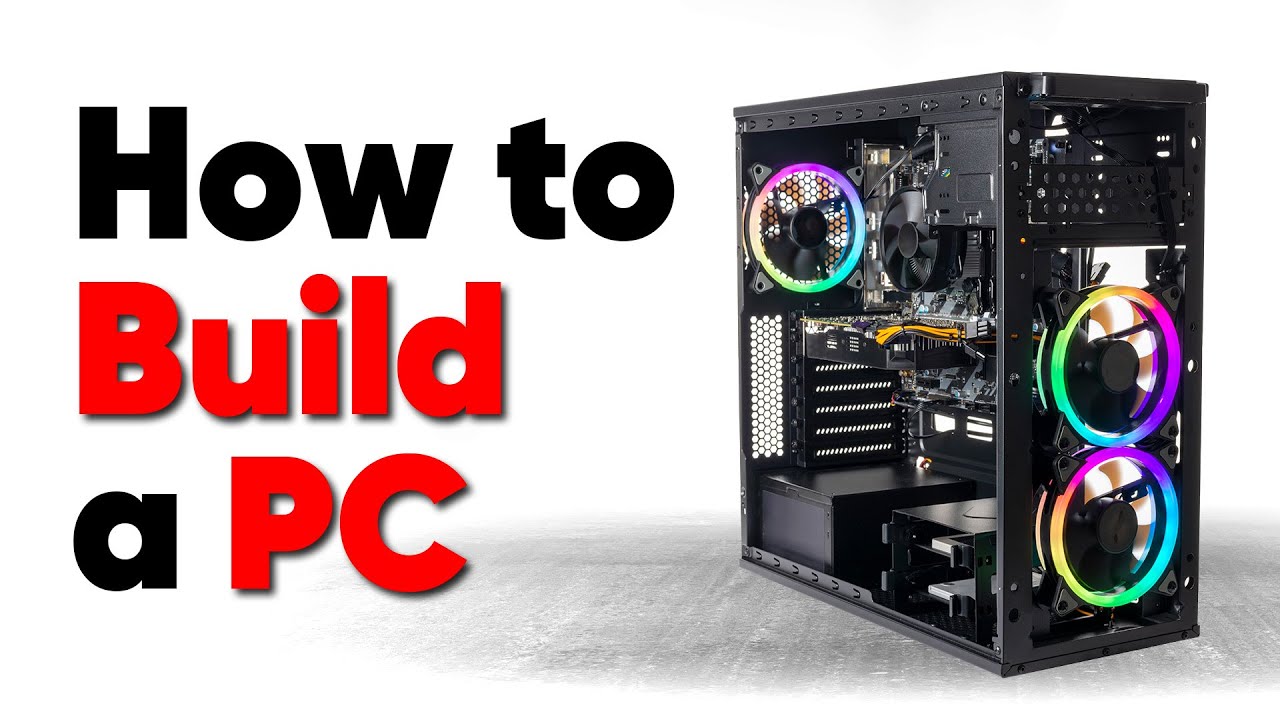
Thanks to Seasonic for sponsoring this video! Buy a Seasonic TX 1000 PSU today at https://geni.us/aryiquT
We’ve done plenty of build guides before – But now we’re taking it to the next level. Not only will you know how to build a PC, you’ll know how to build ANY PC – This is the LAST guide you’ll ever need!
Discuss on the forum: https://linust...
hidden nexus
Very helpful, thank you!
crimson zinc
You can always ask anyone here for advice or help choosing parts as well.
hidden nexus
Yeah, I plan on doing that! I'm toying around with the PC Build tool atm
dusky hearth
hidden nexus
Hi folks, for those who used the PC Builder, what are your experiences with it? ...
pc building in regards of connecting all the parts hasnt changed too significantly in the past 15 years; most of the complexity of today's builds are mostly from people adding things like RGBs or displays inside of their cases to glam it up, but if you're doing the good old just plain builds, it's still pretty similar
always can come back here to ask for help when in doubt
 vital magnet
someone send me a build list? max budget $1,600 and I prefer AMD
 analog hearth
vital magnet
someone send me a build list? max budget $1,600 and I prefer AMD
analog hearth
vital magnet
someone send me a build list? max budget $1,600 and I prefer AMD
Here you go bro I even had enough budget to include some RGB
https://pcpartpicker.com/list/bRHP9c
Part List - AMD Athlon II X2 240, Radeon HD 5450, Cooler Master MasterBox Lite 5 RGB ATX Mid Tower
mossy venture
vital magnet
someone send me a build list? max budget $1,600 and I prefer AMD
Do you need wifi?
And do you already have a monitor? If so, what resolution?
This is the quick one I made, but one sec ima make a second one https://pcpartpicker.com/list/cHbmQP
Part List - AMD Ryzen 5 7600, Radeon RX 7900 XTX, Phanteks Eclipse G300A (1 Fan) ATX Mid Tower
Depending on what you do, this might be better for you
https://pcpartpicker.com/list/xtHP9c
Part List - AMD Ryzen 7 7800X3D, GeForce RTX 4070 Ti, Phanteks Eclipse G300A (1 Fan) ATX Mid Tower
About 20% better cpu performance, about 15-20% less gpu performance
vivid copper
vital magnet
someone send me a build list? max budget $1,600 and I prefer AMD
Part List - AMD Ryzen 5 7600X, Radeon RX 7900 XT, Montech AIR 903 BASE ATX Mid Tower
 formal girder
https://pcpartpicker.com/list/6K3Qh3 i might do this unless Hyte makes an itx version of their Y60 and call it Y20
Part List - Intel Core i5-13400F, GeForce RTX 4070, Thermaltake The Tower 200 Mini ITX Tower
mossy venture
Could do https://pcpartpicker.com/list/vB6GVW
Part List - AMD Ryzen 7 7700, GeForce RTX 4070, Thermaltake The Tower 200 Mini ITX Tower
 wide sparrow
cyan ravine
mossy venture
Depending on what you do, this might be better for you
https://pcpartpicker.com...
wide sparrow
cyan ravine
mossy venture
Depending on what you do, this might be better for you
https://pcpartpicker.com...
Best list
With maybe this if needed
https://pcpartpicker.com/product/v2qPxr/asrock-phantom-gaming-oc-radeon-rx-7900-xt-20-gb-video-card-rx7900xt-pg-20go

ASRock Phantom Gaming OC Radeon RX 7900 XT 20 GB Video Card (RX7900XT PG 20GO)
Or more optimal
mossy venture
formal girder
https://pcpartpicker.com/list/6K3Qh3 i might do this unless Hyte makes an itx ve...
Oh also, the extra for this kit is very worth it imo
https://pcpartpicker.com/product/dFMMnQ/silicon-power-xpower-zenith-rgb-gaming-64-gb-2-x-32-gb-ddr5-6000-cl30-memory-su064gxlwu60afdhsw

Silicon Power XPOWER Zenith RGB Gaming 64 GB (2 x 32 GB) DDR5-6000 CL30 Memory (SU064GXLWU60AFDHSW)
Better ram helps with 1% lows and overall system performance, it's a pretty noticeable difference between those two kits
cyan ravine
Yeah I was about to post that
The sapphire pure 7800xt is also a cheaper white gpu
Part List - AMD Ryzen 7 7700, Radeon RX 7800 XT, Thermaltake The Tower 200 Mini ITX Tower
mossy venture
Iirc it's for workstation, I think they need nvidia for something
formal girder
optix for blender
mossy venture
formal girder
optix for blender
For cpu tho, 7700 is a decent bit better than 13400 for both single and multi core, and you have upgradability
With ram swapped
https://pcpartpicker.com/list/FTsdvj
Part List - AMD Ryzen 7 7700, GeForce RTX 4070, Thermaltake The Tower 200 Mini ITX Tower
 frigid jackal
Valorant says it needs secure boot enabled but when I enter biod and search for it it’s enabled? my harddrive is formatted correctly as well as tpm is on
frigid jackal
Nvm I got it :3
it was tpm 2.0 when I went to check
but when I switched from auto to 2.0 it actually registered i guess
cyan ravine
Yeah windows is a bit touch and go with security device recognition
dusky hearth
anybody know what the die sizes are for the zephyrus g15 2022 for the 6900hx and 3070ti mobile
wait
i think i can figure it out just by searching those chips lmao
208 mm² for the cpu but what is the length and width 
ok the 3070 ti mobile is a square chip, so i can figure out that it's basically 2cm by 2cm
 fossil cedar
dusky hearth
208 mm² for the cpu but what is the length and width <a:PensiveWobble:8584722371...
fossil cedar
dusky hearth
208 mm² for the cpu but what is the length and width <a:PensiveWobble:8584722371...
The square root of 208
fossil cedar
Why you needa know?
dusky hearth
trying to figure out what size of ptm7950 pads to buy lmao
plucky timber
dusky hearth
trying to figure out what size of ptm7950 pads to buy lmao
what if you cut it
plucky timber
I like how we said it at the exact same time
dusky hearth
i mean, i dont want to buy too much lmao
plucky timber
how do they compare to regular thermal paste
actually aren't they just thermal paste but cleaner application
dusky hearth
idk, alec was the one that told me to use this over liquid metal for my laptop specifically lmao
cyan ravine
dusky hearth
idk, alec was the one that told me to use this over liquid metal for my laptop s...
yes
dusky hearth
actually, should i get it in paste form or should i get it in pad form lmao
oh wait it's 9 i should get ready for class
cyan ravine
dusky hearth
actually, should i get it in paste form or should i get it in pad form lmao
pad
paste needs curing
don't
it can also be very much a miss
gentle pollen
If one of my PC fan's LEDs are flickering does that mean a cable might not be fully connected?
dusky hearth
It's possible
 vague oracle
dusky hearth
trying to figure out what size of ptm7950 pads to buy lmao
vague oracle
dusky hearth
trying to figure out what size of ptm7950 pads to buy lmao
Just get like a 40x80mm pad and cut it
vague oracle
dusky hearth
idk, alec was the one that told me to use this over liquid metal for my laptop s...
It’ll be slightly worse performing than LM in a regular case by 3-4C
Asus laptop coldplates aren’t the best QC wise so they aren’t flat
Which in turn gives meh thermal results
analog hearth
gentle pollen
I think one of my P12s has gone bad. the light keeps flickering and it can clearly tell when I am trying to change the color signal but fails at maintaining light or changing to proper color.
crimson zinc
@cyan ravine Mr smart man
Fiancé has changed her mind once more
I cannot keep up with it
She wants a girly girl pink+white RGB build that goes well with her desk https://www.amazon.com/dp/B0C9T93KQP?tag=pcpapi-20&linkCode=ogi&th=1&psc=1

Armocity computer desk will fit well in your room. You can build this pink desk as a 47'' l-shaped corner desk or as a 75.6'' long office desk. If you're looking for a small desk for gaming and office work, this computer desk is perfect for any gaming nook, corner space in bedrooms, and home offi...
$3k budget
lyric thistle
Do they make that desk in pastel green
Oh looks like they do kind of
The lights in the pictures make it hard to see the actual desk color smh
crimson zinc
lyric thistle
The lights in the pictures make it hard to see the actual desk color smh
I don’t like the size of the desk, but it’s what she wants so I digress
lyric thistle
Why's that?
crimson zinc
We don’t have the largest gaming room
lyric thistle
Pretty big then
crimson zinc
I gotta fit her manual wheelchair in there somehow
lyric thistle
Well I mean if it fits in the end then it works
Hopefully not inconvenient for her getting in and out of the room at least lol
hidden nexus
Following up on my earlier post. It's been 15 long years since my last build, and I'm taking the advice here not going with a pre-built and putting it together myself. But it's been so long that I need some advice and guidance. I am going to use it for gaming, but primarily for game development (Unreal) and video editing with Adobe. Form factor is also a big deal for me, so I need something compact. So here's what I am thinking: https://newegg.io/2c02d5cd any feedback is appreciated
mossy venture
hidden nexus
Following up on my earlier post. It's been 15 long years since my last build, an...
I would change most of that
Give me a few
mossy venture
hidden nexus
Following up on my earlier post. It's been 15 long years since my last build, an...
The game dev and video editing you do, is it cpu focused?
What programs do you use/plan to use?
Part List - Intel Core i9-13900K, GeForce RTX 4070 Ti, Corsair 2000D AIRFLOW Mini ITX Tower
4070 ti super also comes out soon, should be around the same price
Depending on what programs you use, 14700k+4080 super might be more fitting for you
13900k and 14900k are very similar, the only 14th gen cpu that is actually different from their 13th gen equivelant is the 14700k, it has 4 more e cores compared to the 13700k
potent portal
gentle pollen
I think one of my P12s has gone bad. the light keeps flickering and it can clea...
Sounds more like the header isn't giving enough power
potent portal
mossy venture
Depending on what programs you use, 14700k+4080 super might be more fitting for ...
Adobe apps mostly use the CPU, with the GPU mostly used for acceleration.
Seems like Unreal likes lots of fast cores for compiling. Nvidia is also well ahead of AMD for this engine, especially with RT effects enabled. VRAM is usually a non-issue, but faster system memory will help with compiling. Fast storage can also be important since projects can easily reach 100GB+.
TL:DR priority order is CPU, RAM (48GB), GPU, SSD, other parts.
hidden nexus
Amazing! Thank you so much for the help and insight!
And yes, the main impetus for me getting a new system is that Unreal has really been taxing my current system, especially if I have any other apps open. Even Chrome kills my memory usage when I have Unreal open.
potent portal
Yeah the reason for upgrading you to 48GB of memory is that's the highest you can go without compromising speed. You should have plenty of room for a large project and whatever other programs you're using, too.
Here's that list with the faster 48GB memory, compared to the slightly slower 64GB Bacca picked. It would be easy enough to overclock the memory to 7000 or so, maybe higher if you're lucky, which you can't reliably do with 64GB.
https://pcpartpicker.com/list/cLyvN6
Part List - Intel Core i9-13900K, GeForce RTX 4070 Ti, Corsair 2000D AIRFLOW Mini ITX Tower
Either way is perfectly fine, and which is better will depend on exactly how many other programs you're running. 32GB is enough for large Unreal project alone, so any other memory hungry programs you're using like Chrome would be added on to that.
mossy venture
hidden nexus
And yes, the main impetus for me getting a new system is that Unreal has really ...
I fully agree with everything fal said, hes a lot more knowledgeable than me for this
hidden nexus
I bow to you both!
 little osprey
i am trying to get something that will maximize performance on rust. what is a good cpu/gpu combo
potent portal
What budget are you looking at because without a budget I'm recommending a 7800X3D and 4090 lol
 strong raft
And 4080S or similar would knock off around $600. 
 brittle tinsel
Im considering building a new pc down the road more dedicated to gaming as my current one isnt all that geared for it.
I play alot of tarkov in my free time and from what I have read, ram speed has a lot to do with tarkov as it seems to limit amd processors. Apparently intel isnt as sensitive and I would like my gaming system to be somewhat future proof as it will be built in the future anyway lol.
for intel cpu with ddr5 ram, is size or speed recommended?
gentle pollen
potent portal
Sounds more like the header isn't giving enough power
was working fine for the past few weeks though?
brittle tinsel
Im looking at a 7200mhz 48gb kit CAS 36 at the moment
potent portal
gentle pollen
was working fine for the past few weeks though?
The way to troubleshoot it would be to put only that one fan on a header to eliminate other variables
gentle pollen
will try that this weekend
mossy venture
brittle tinsel
Im looking at a 7200mhz 48gb kit CAS 36 at the moment
I would suggest just getting a gauranteed 24gbit hynix kit and just manually setting it to 7200mhz

G.Skill Ripjaws S5 48 GB (2 x 24 GB) DDR5-6400 CL32 Memory (F5-6400J3239F24GX2-RS5K)
All hynix a die is the same, can just take the xmp of a 7200mhz kit and slap it on a cheaper hynix a die kit
potent portal
Those 24GB sticks are POG
That's the kind of thing you can buy now and keep using for 8 years
(probably, future is funky)
mossy venture
It's the B die of ddr5
potent portal
Seby got what, 11,000 or something like that on one stick?
Granted that's LN2 but still, that's just on a random retail g.skill stick
potent portal
mossy venture
It's the B die of ddr5
I thought B die was the B die of DDR5
mossy venture
Wait there's b die for ddr5?
potent portal
Yes, it's the same B die that samsung used on DDR4 retrofitted to DDR5
potent portal
Yep
It's good up to about 6000-6400 which is a little higher than you could expect for the same voltage on DDR4
The super tight primary timings it can do were great on DDR4 too, but barely useful on DDR5
crimson zinc
@potent portal mind helping me with fiancé’s demands 
potent portal
I'm about to jump off to do some work but if no one else gets to it I can later
crimson zinc
🫡
crimson zinc
crimson zinc
Fiancé has changed her mind once more
I cannot keep up with it
She wants a girly...
.
mossy venture
crimson zinc
Fiancé has changed her mind once more
I cannot keep up with it
She wants a girly...
give me a few
wifi?
mossy venture
https://pcpartpicker.com/list/mHyvN6 can change gpu for a 4080s
Part List - AMD Ryzen 7 7800X3D, Radeon RX 7900 XTX, Apevia Guardian-M ATX Mid Tower
Part List - AMD Ryzen 7 7800X3D, Radeon RX 7900 XTX, Apevia Guardian-M ATX Mid Tower
could spend a bit more on mobo if you want and explore case options
crimson zinc
I’ll probably get her that case and layer pink sparkly stuff on it.
mossy venture
can also set fans to pink rgb
crimson zinc
You right, good idea
dusky hearth
Plastidip
brittle tinsel
is there a big difference between 3090 and 4090? (other than the price obviously)
strong raft
Really? It's at least 60% faster, probably more like 75%-80% but I haven't checked recently. 3090 to 4090 is basically the biggest gen to gen increase.
mossy venture
brittle tinsel
is there a big difference between 3090 and 4090? (other than the price obviously...
Yes
4070 ti already beats the 3090
4090 is around 60% better I believe
brittle tinsel
mossy venture
4070 ti already beats the 3090
I was looking at a 3080 12gb LHR but spending that much on a gpu why not do the little extra for 4090 you know? I mean I would be financing it so payments wouldnt be bad
dusky hearth
brittle tinsel
I was looking at a 3080 12gb LHR but spending that much on a gpu why not do the ...
Sunk cost fallacy
not the same thing but close enough lmao
brittle tinsel
dusky hearth
Sunk cost fallacy
Yes and No. I didnt originally consider the 2 until I had seen a benchmark of a 3080 TI and 4090 on the same game with the same CPU. the 4090 had a higher average on ultra settings
my current rig only has a 1060 3gb card so I dont know anything more than 50FPS on lowest settings lol
dusky hearth
Lmao
Honestly speaking, a 4090 or 3090 is kinda wasted on gaming, assuming that you're only gaming
brittle tinsel
I feel it was of great sin in the PC community to pair a R9 3900x with it but I built this during the pandemic/GPU crisis.
dusky hearth
Lmao
brittle tinsel
dusky hearth
Honestly speaking, a 4090 or 3090 is kinda wasted on gaming, assuming that you'r...
The build would be strictly gaming. Ill just keep this rig around for other stuff.
I have no interest in 4k gaming. but definately 1080p high/ultra settings maybe 1440p but I only have 1080p monitors at the moment
brittle tinsel
dusky hearth
You'll be cpu bottlenecked
even on an I9 intel instead of amd?
dusky hearth
Not sure but 1080p doesn't really let the 4090 stretch its legs lmao
brittle tinsel
like I said, if it could run 1440p high settings with good fps then I would definately upgrade monitors. but if we are talking 1440p 100 vs 1080p 150+ I would prefer the 1080p
well I didnt really say that, I only said maybe 1440p 🤣
dusky hearth
Oh yeah since you seem set on a 4090, I highly recommend getting into VR as well, perhaps an index kit and ordering a big screen beyond and using the index while waiting for that lmao (would end up costing $2k+tax if you bought both
That should theoretically make the 4090 work a little harder lmao
that being said, i'm not 100% sure that you would enjoy vr, and the index isnt exactly cheap either, but i mean.... lmao
brittle tinsel
im not set on the 4090. I guess I can see how that could be taken. Im just trying to factor in a good GPU and CPU that would be a good combo for playing both CPU heavy games and GPU heavy games at high settings with a good avg fps. I just dont know enough about gpus to pick one.
I have heard that the amd R9 5950x cpus are better for gaming than R9 3900x but I feel intel will still probably be better for gaming only rig.
somewhat future proof would be nice
dusky hearth
if you want to save a bit of cash, and get 4080 performance, AMD's 6900xtx isnt a bad choice
better value for your money
yes, the 5950x would be better than the 3900x, but current gen amd cpus are the 7000 series
i believe it was the 7800x3d is the current gaming top dog?
im also not completely up to date on current pc hardware lol
mossy venture
brittle tinsel
I was looking at a 3080 12gb LHR but spending that much on a gpu why not do the ...
How much is the 3080 12gb...
brittle tinsel
mossy venture
How much is the 3080 12gb...
the one I was looking at was listed at a little over $1,000
mossy venture
Oh god no
4070 is $535 for the same performance
4070 ti is $750 and beats 3090 ti a lil bit
4080 super is about to launch at $1000 or 4070 ti super at $800, grab one of those
Or a 7900xtx
I would recommend upgrading cpu with any of those though
 earnest olive
brittle tinsel
im not set on the 4090. I guess I can see how that could be taken. Im just tryin...
earnest olive
brittle tinsel
im not set on the 4090. I guess I can see how that could be taken. Im just tryin...
if you want to stay on am4, get a 5800x3d instead of a 5950x
5800x3d might be a bit weak paired with a 4090 but it's the best gaming cpu for am4
mossy venture
Unless you need multi core perf. And overall, a platform upgrade to a 7600 isn't much more than 5800x3d
brittle tinsel
earnest olive
if you want to stay on am4, get a 5800x3d instead of a 5950x
im not worried about sticking to am4. the "gaming rig" I am looking at building will be a whole seperate computer.
mossy venture
Oh dope
earnest olive
probably a 7800x3d then
mossy venture
7600/7800x3d for sure
earnest olive
if you got 4090 money then you got 7800x3d money
mossy venture
Or 14700k if you need multi core perf
brittle tinsel
according to toms hardware though the r9 7950x3d is the gaming top dog I guess
mossy venture
Ehh
earnest olive
kinda sorta
mossy venture
7800x3d effectively same performance
earnest olive
it's a lot of extra money for a cpu that sometimes beats the 7800x3d in games by a little bit and sometimes loses by a little bit due to scheduler shenanigans
mossy venture
Unless you're playing at 1080p and care about every single last frame, go 7800x3d
earnest olive
in general it's basically accurate to consider their gaming performance to be the same
i'd rather run the 7800x3d cause i don't want my cpu scheduling to depend on xbox game bar lol
mossy venture
Part List - AMD Ryzen 7 7800X3D, GeForce RTX 4080 SUPER, Corsair 4000D Airflow ATX Mid Tower
brittle tinsel
mossy venture
Unless you're playing at 1080p and care about every single last frame, go 7800x3...
im not worried about every last FPS. as long as its north of 120ish im happy.
if I could do 1440p north of 120ish FPS than I would do 1440p (once I upgrade to 1440p monitors)
mossy venture
You could do 1440p easily
1080p would be a crime
7800x3d 4080 super best I'd go for, 4090 at $600 more I'm guessing is going to be around 10% better, possibly up to 15%
earnest olive
the gap between 4080 and 4090 is pretty huge
brittle tinsel
The main title im worried about good performance in is escape from tarkov. but with out rough that game is to run, I feel if I could achieve my goal on that game, every other game is fine
earnest olive
doubt 4080 super is a 20% jump over 4080
brittle tinsel
🤣 yeah. tarkov isnt "optimized" much
earnest olive
i may have to been running at a slightly unreasonable resolution
mossy venture
Lowest I've seen on my 3060 ti is 28 fps with a 60 fps cap in cold war
brittle tinsel
mossy venture
Lowest I've seen on my 3060 ti is 28 fps with a 60 fps cap in cold war
why cap so low?
mossy venture
Because cold war rtx
brittle tinsel
ray tracing im assuming
mossy venture
I wanted to see how low it'd keep frames, with a 144 fps cap it didn't go over 58
earnest olive
20480x11520 gaming
wanted to see if i could make the 3090 run out of vram lol
it did in fact run out of vram
dusky hearth
just put a game on vram
brittle tinsel
what rig do you have orange? without pushing limits what is your average tarkov performance?
the biggest issue I have with tarkov on my rig is when I aim down sight with a magnified scope the game freezes for a solid second or 2. maybe 3 if its streets of tarkov.
earnest olive
nah tarkov was straight up using 24gb
i don't actually play tarkov lol i have no idea
i borrowed my friend's account to mess around
brittle tinsel
If I could narrow it down to a slight gpu upgrade would fix my main issue I would just do that. but idk. 3900x, 32gb 3600mhz ram with a 1060 3gb. game is on an sata 6gb ssd
earnest olive
probably running out of vram
earnest olive
tarkov eats vram and 3gb is a breadcrumb
brittle tinsel
it runs fine on every map but streets of tarkov. I cant use picture in picture optics on streets, or shoreline (shoreline has an issue with the snow for me.)
earnest olive
aiming down a scope has to draw a new scene with different textures since you're suddenly rendering something from far away
brittle tinsel
are there any cheap options to better this build so I dont have to do a large financed sum at the moment?
earnest olive
probably why the 1060 3gb is struggling so much
mossy venture
brittle tinsel
are there any cheap options to better this build so I dont have to do a large fi...
Just upgrade gpu
If you have a microcenter nearby could also grab a 5600x3d
earnest olive
yeah you could just start by upgrading gpu and then carry it forward to a new build later
mossy venture
I'd say wait for 4070 super to launch
brittle tinsel
mossy venture
Just upgrade gpu
thats what I meant when asking for a cheap option, I knew I should have been more clear.
earnest olive
a 4070 super would run tarkov great at 1440p
mossy venture
Grab that or a 4070/7800xt when their pricing drops (hopefully)
mossy venture
brittle tinsel
thats what I meant when asking for a cheap option, I knew I should have been mor...
Sorry
earnest olive
my 3090 was getting 180-200 fps at 1440p max settings in tarkov
mossy venture
Missed that part
brittle tinsel
if there is a microcenter in florida I think its hours south and I dont drive because of a medical condition
I thought about maybe trying to find a cheap gtx 1080 but I fear used cards
earnest olive
1060 3gb to 4070 super is such a large upgrade that you can't even put a comparison number on it anymore lol
earnest olive
like raw raster power i think it's only an 8x upgrade but the actual experience is going to be a lot more than 8x better
brittle tinsel
if you were in my shoes and didnt have a large budget. what would you upgrade to from a 1060?
earnest olive
well what's your budget
brittle tinsel
Like the most I can spare at the moment is probably $200 but im sure I could use a credit card or finance up to $400 or $500 if its from a store.
earnest olive
used 3060 could be a good option, it's a lot newer than 1080 so less sus to buy used
used 3060s can be found for 200 and under
brittle tinsel
im more fear of them used for mining. Ive heard they are mined on for x amount of time then sold off. I dont know what damage mining does to em so I avoid used
 brittle tinsel
hws?
earnest olive
mining doesn't damage the card if the miner took proper care of them
if they didn't then they can have early fan failures
sometimes cooked vram if they really abused the cards
usually just fine to buy with buyer protection and then test the card on video
but understandable if you don't want to deal with used cards
could get a new rx 6600 for 200
that's practically the only viable option for a brand new card at 200
brittle tinsel
so I just jumped into a scav raid on streets of tarkov (the worst map performance wise) and im running
30% cpu
80% ram
and steady 100% gpu
(all while recording at 1080p 60fps)
earnest olive
cheapest nvidia card that you can buy new that isn't a pile of burning garbage is the 4070 at 535
earnest olive
brittle tinsel
so I just jumped into a scav raid on streets of tarkov (the worst map performanc...
sorry to say no surprises here
1060 3gb loses to igpus at this point
mossy venture
I would say 6650xt or 6600xt depending on pricing against 6600
It's normally like a $20 difference for a pretty noticeable performance jump
earnest olive
those are ridiculously overpriced rn
mossy venture
Ahh alr
brittle tinsel
earnest olive
1060 3gb loses to igpus at this point
I know, im a little worried about the ram being 80% though, isnt that pretty high for 32gb 3600mhz?
earnest olive
30-40 price difference from 6600 for the cheapest 6600xt/6650xt
mossy venture
Yeah cheapest is $240 damn
earnest olive
brittle tinsel
I know, im a little worried about the ram being 80% though, isnt that pretty hig...
idk, i know tarkov likes to eat ram but i saw 20gb/32gb usage, probably you have a lot of stuff open and/or a lot of bloatware on your system
mossy venture
brittle tinsel
I know, im a little worried about the ram being 80% though, isnt that pretty hig...
Speed doesn't really affect it but tarkov likes to eat ram (lol sips sent that right as I typed it)
brittle tinsel
earnest olive
idk, i know tarkov likes to eat ram but i saw 20gb/32gb usage, probably you have...
I mean I got quite a few chrome tabs open as well as discord and my recording software
brittle tinsel
tarkov using 20gb
chrome 2gb
wall paper engine and discord 300mb each
anti malware and streamlabs using 200mb each
180mb for my msi software and like half gig for steam
120mb for task manager
earnest olive
interesting
using 180mb for wallpaper engine and 300mb for steam rn
anyways
there's nothing explicitly bad about being at 80% ram usage
you don't gain performance from having unused memory
and the system will free up memory dynamically when there's memory pressure
you should be concerned if your ram is hitting 100% or high 90s
ram is meant to cache data for quick access so high ram usage just means it's doing its job
brittle tinsel
wall paper engine could be using more cause I ran the x64 version. I guess it uses more ram.
but im going to disable it now because its been glitched for weeks and I just havent bothered fixing it
little osprey
why is my nvme enclosure using a "Intel SS DPEKNW020T8 SCSI DISK DEVICE" driver
its plugged into usb
plucky timber
That's probably the name of the controller
 deep raven
Yo guys, Is It worth the extra money to go from a Ryzen 3 Pro 4350G to a Ryzen 5 5600/G?
obsidian wigeon
not really no
lunar bone
Might wanna put that money to a dedicated gpu
deep raven
lunar bone
Might wanna put that money to a dedicated gpu
R3 Pro 4350G + RX 580 It is then
Tbh I also planned on getting the 5600 then a 6600 XT
But I like saving money
lunar bone
Yeah just get the 580 and then you can upgrade to the 5600 or 58/5600x3d
deep raven
lunar bone
Yeah just get the 580 and then you can upgrade to the 5600 or 58/5600x3d
👍
will do
 obsidian wigeon
 vague idol
Can someone tell me why my some on my pc stays of after I power it off
vague idol
Can someone tell me why my some on my pc stays of after I power it off
gotta turn psu off or unplug it
the lights are indicators for the parts getting power
fossil cedar
deep raven
R3 Pro 4350G + RX 580 It is then
Honestly get a 6600xt/3060 or better before even think about upgrading your cpu
deep raven
fossil cedar
Honestly get a 6600xt/3060 or better before even think about upgrading your cpu
I'll keep that advice stored as long as I can
dusky hearth
deep raven
Yo guys, Is It worth the extra money to go from a Ryzen 3 Pro 4350G to a Ryzen 5...
Unless your cpu isnt enough for your use, not much point in upgrading it now
potent portal
vague idol
Can someone tell me why my some on my pc stays of after I power it off
Enable "ErP Ready" setting in bios. This enables a deeper "sleep" state when powered off that disables the 5VSB on most devices, which those lights are probably using.
potent portal
ErP was created years ago as an energy saving standard. It never really caught on as a default option, but it's been on motherboards since about the time of Vista.
Enabling ERP mode in the BIOS allows the system to enter low-power states during periods of inactivity or when the system is shut down. These low-power states help conserve energy by reducing the power consumed by various hardware components, such as the CPU, memory, and peripherals.

ERP (Energy-Related Products) mode in the BIOS (Basic Input/Output System) is a power management feature that focuses on energy efficiency and reducing power consumption in computer systems. By enabling ERP mode, you can optimize your system’s power usage during periods of inactivity or when the system is shutdown. This feature is particularly b...
 torn mesa
um can you recc a mobo with wifi? i think its just a lot easier that way
mossy venture
torn mesa
um can you recc a mobo with wifi? i think its just a lot easier that way
There aren't cheap ddr4 wifi lga 1700 mobos, but one sec
mossy venture
torn mesa
um can you recc a mobo with wifi? i think its just a lot easier that way
Part List - AMD Ryzen 5 5600
Do those instead
crimson zinc
@split cliff what are those fans?
 zenith cargo
My asus monitor won’t turn on
 split cliff
crimson zinc
<@261693301583773698> what are those fans?
split cliff
crimson zinc
<@261693301583773698> what are those fans?
phanteks d30, here’s the whole build https://pcpartpicker.com/b/J43Zxr

Blue Archive Inspired Tendou Arisu x Arona Build by fuwaverse - AMD Ryzen 7 7800X3D, Radeon RX 7900 XTX, Phanteks NV7 ATX Full Tower
zenith cargo
I just installed an aio
crimson zinc
split cliff
phanteks d30, here’s the whole build https://pcpartpicker.com/b/J43Zxr
Sweet.
 zenith cargo
Real
 open jungle
Does anyone know the Pinout to the Phanteks sfx 850w platinum PSU?
It’s not available on cablemod ;-;
open jungle
open jungle
Does anyone know the Pinout to the Phanteks sfx 850w platinum PSU?
Can’t find the pinout anywhere
Only the 750w
 rain carbon
Got a build im workin on and have a lot put into, opinions? https://pcpartpicker.com/list/pFBmWt
Part List - AMD Ryzen 5 7600, Radeon RX 7800 XT, Phanteks Eclipse P200A DRGB Mini ITX Tower
Initially i had a 6800xt in the build, but its like 20 bucks more new so i didnt see any point going the 6000 series route
rain carbon
Good to hear, i was thinking maybe the motherboard i could get a bit cheaper but eh theres only so far i can go really
And stock fans im guessing'll be fine
Since im not too worried about noise
cyan ravine
rain carbon
Got a build im workin on and have a lot put into, opinions? https://pcpartpicker...
Excellent list tbh. Rare that we see someone who gets it almost completely in one
I think if there's anything
...
Yeah this would be a bit better for the same price

ASRock A620I LIGHTNING WIFI Mini ITX AM5 Motherboard (A620I LIGHTNING WIFI)
But the one you have is fine
fossil cedar
rain carbon
Got a build im workin on and have a lot put into, opinions? https://pcpartpicker...
Id get thus gpu instead, cheaper and shorter so easier to install in that itx case
https://pcpartpicker.com/product/mHpQzy/gigabyte-gaming-oc-radeon-rx-7800-xt-16-gb-video-card-gv-r78xtgaming-oc-16gd

Gigabyte GAMING OC Radeon RX 7800 XT 16 GB Video Card (GV-R78XTGAMING OC-16GD)
 formal notch
Hello
I have a problem with my newly assembled computer. When I turn on the back switch on the computer, power
there is power in the machine before I turn on the power switch. I can see some led light in the machine. Is there anything wrong in assemble? How to solve it ?
potent portal
That's normal
earnest olive
to elaborate, many modern mobos power LEDs using 5VSB (5 volt standby), you have nothing to worry about
if it does bother you you can disable it in bios or switch off psu when not in use
the name of the bios setting may vary by platform/motherboard brand
 limber oyster
Thoughts for price to performance?

Asus DUAL OC GeForce RTX 3060 12GB 12 GB Video Card (DUAL-RTX3060-O12G-WHITE)
Currently using a 1080 GTX and I play on 1080p
mossy venture
limber oyster
https://pcpartpicker.com/product/NGcgXL/asus-dual-oc-geforce-rtx-3060-12gb-12-gb...
Complete ass ngl
The low end value is kinda messed up atm
4060 is terrible value, 7600 is alright but isn't much of an improvement in terms of value over the 6600xt/6650xt
For a $300 budget I'd do 7600, 6700, 6700xt, or used
But 3060/4060 are just terrible value in general
limber oyster
Trying to stay Asus and RTX rn but below $400
limber oyster
I have an Asus GTX 1080 rn and driver updates are easier if I stay Asus rtx
I can do them from the Asus app
mossy venture
Drivers are completely separate from the AIB manufacturer
Ok
GeForce experience it takes 3 clicks to update drivers
I'm done with my input here, sorry but I just straight up cannot help you. For reference, the 3060 barely beats the 1080 in raw raster performance
limber oyster
I see
But yes, brand aside, trying to stay at 2 fans, 2x8pin max, and below $400
I have a Corsair sf750 psu
 weary galleon
limber oyster
https://pcpartpicker.com/product/NGcgXL/asus-dual-oc-geforce-rtx-3060-12gb-12-gb...
weary galleon
limber oyster
https://pcpartpicker.com/product/NGcgXL/asus-dual-oc-geforce-rtx-3060-12gb-12-gb...
Absolute dookie
3060 is the opposite of good price/perf
rain carbon
cyan ravine
Excellent list tbh. Rare that we see someone who gets it almost completely in on...
Appreciate it 🙏
lyric thistle
mossy venture
4060 is terrible value, 7600 is alright but isn't much of an improvement in term...
I don't think I'd quite put the 7600 and 6650xt at the same bracket as 6600xt
It's not a significant difference at least
I feel like it would be a waste to go from a 1080 to a 6600xt
Looks like pretty much a sidegrade
6700xt would be a good choice
mossy venture
lyric thistle
I don't think I'd quite put the 7600 and 6650xt at the same bracket as 6600xt
I said in value tho, 7600 at 260 wasn't really worth it over 225 6600xt/6650xt
limber oyster
pseudo pollen
or 3080 if you can find it
Do they have dual fan 3080?
pseudo pollen
yes, but it's not good cooling (unless it's the noctua version)
lyric thistle
They need to make an Arctic p14 dual fan
crimson zinc
Would anyone mind making a top-of-the-line 4090, 4K gaming build?
Like you can throw any game in existence at it, and it’ll handle it.
mossy venture
crimson zinc
Would anyone mind making a top-of-the-line 4090, 4K gaming build?
4k as in the resolution or 4k as in the budget
Part List - AMD Ryzen 9 7950X3D, GeForce RTX 4090, Phanteks ECLIPSE G500A DRGB (Fanless) ATX Mid Tower
rain carbon
Both 4 thousand dollars and more than able to run 4k 
mossy venture
Yeah I just went for that lol
Though 7800x3d for sure if just gaming
Overspending a lot for not much gained tho
Part List - AMD Ryzen 7 7800X3D, GeForce RTX 4090, Phanteks ECLIPSE G500A DRGB (Fanless) ATX Mid Tower
crimson zinc
mossy venture
4k as in the resolution or 4k as in the budget
Resolution
I’m talking like, you had a 10K budget, wanted to do everything. Modeling, editing, gaming.
@mossy venture
mossy venture
Part List - AMD Ryzen 9 7950X3D, GeForce RTX 4090, Phanteks ECLIPSE G500A DRGB (Fanless) ATX Mid Tower
Actually no
Since dual ccd bull crap
Part List - Intel Core i9-14900K, GeForce RTX 4090, Phanteks ECLIPSE G500A DRGB (Fanless) ATX Mid Tower
rain carbon
Less overspending, but still more than beefy enough to tolerate 3d modeling
 runic spruce
open jungle
runic spruce
open jungle
Fractal Design Ridge
 rough totem
I was about to ask
open jungle
i love this thing lol
rough totem
I've been thinking a lot lately about how much empty space there is in gaming rigs, the actual computer makes up a small portion of the rig. This is the alternative that I dream about.
lyric thistle
itx building gonna be fun
open jungle
I enjoyed building mine
It’s still not officially finished, I need more storage lol
And 2 80mm fans on top
lyric thistle
damn 80mm
open jungle
just a lil bit lol
rough totem
Has anyone ever seen a case around the dimensions of a desktop HP or Dell, with a place for a DVD drive?
open jungle
like the optiplex systems?
lyric thistle
usually the cheaper older cases are like that
rough totem
open jungle
like the optiplex systems?
Yeh
lyric thistle
check around pc part picker, looking at lower prices
open jungle
ive got a 13600kf and a 3080FE
lyric thistle
I still have an old case from a pc I parted out to build this one
open jungle
open jungle
ive got a 13600kf and a 3080FE
just a bit of an uprade from the 4790s and 1070
open jungle
mossy venture
Especially if they play at 1440p
75hz 1080p
I’m not much better, 165hz 1080p
lyric thistle
higher anti aliasing or something at least balances out the lower power 7700k
open jungle
Granted I’m planning on upgrading to 1440p soon
open jungle
I’m going Dell again
mossy venture
I'm on a 13600k/3060 ti at 1440p165hz
Why
Brand is irrelevant for monitors
Well
Brand is irrelevant 95% of the time with pcs
open jungle
Height adjustability is known good and I like my current Dell monitor
rough totem
Good line of credit
mossy venture
You won't find a deal like that one from Dell, but you do you
rough totem
Same reason Wile E. Coyote still shops at Acme
mossy venture
Yeah thats pretty mediocrely priced
Solid 1080p144-170hz monitors hover around $110-120 typically
1440p 144-165 around 190-220
open jungle
Yeah, fair point
mossy venture
1440p 240hz at $250 with a good panel is pretty rare
open jungle
The I’m looking at is 300
mossy venture
Idt I've seen it drop that low aside from I think 27qs once
What model?
I'll bring up a comparison
mossy venture
The xv272u isn't on this site, but 27qs uses a similar panel so it functions for the comparison
https://www.rtings.com/monitor/tools/compare/hp-omen-27qs-vs-dell-g2724d/39521/41041?usage=3623&threshold=0.10

RTINGS.com
Compare the HP OMEN 27qs and Dell G2724D monitors
open jungle
CHONGUS
mossy venture
Here's some other great options
https://pcpartpicker.com/product/k8GnTW/gigabyte-m27q-270-2560x1440-170-hz-monitor-m27q
https://pcpartpicker.com/product/4xWJ7P/gigabyte-gs27q-270-2560-x-1440-170-hz-monitor-gs27q
https://pcpartpicker.com/product/BkzXsY/gigabyte-gs32q-315-2560-x-1440-170-hz-monitor-gs32q
https://pcpartpicker.com/product/W6QKHx/msi-g272qpf-270-2560-x-1440-170-hz-monitor-g272qpf

Gigabyte M27Q 27.0" 2560 x 1440 170 Hz Monitor (M27Q)

Gigabyte GS27Q 27.0" 2560 x 1440 170 Hz Monitor (GS27Q)

Gigabyte GS32Q 31.5" 2560 x 1440 170 Hz Monitor (GS32Q)

MSI G272QPF 27.0" 2560 x 1440 170 Hz Monitor (G272QPF)
The two GS monitors I'm unsure of
M27q is really really nice
crimson zinc
@mossy venture sorry for asking a lot lately. I’m just planning for a 4090