#building-and-recc-chat
1 messages · Page 222 of 1
 obsidian wigeon
 plucky timber
lol
obsidian wigeon
i often see burn in being the most commonly caused by use of facebook and other social media apps that has white as default theme
or keyboards
i can literally see the outlines
my use case probably doesn't cause burn in too quickly since i have stuff moving constantly oftentimes
like yt mini player
plucky timber
So my stupid habit of only using discord and youtube is why i have no burn in
I have youtube on dark mode
 cyan ravine
Use low brightness
plucky timber
I mean
cyan ravine
It's the best way to preserve
plucky timber
Not when I'm outside
obsidian wigeon
should i be concerned about buying a 2-3 year old oled phone that hasn't burned in yet?
obsidian wigeon
uh
they're not cheap that's for sure
$100 for an oled
while ips is like half

 plucky timber
meh
obsidian wigeon
that's not including labor
 plucky timber
Budget for anything goes bye bye
obsidian wigeon
uses alot of fb and line
i really want oled again
i probably should find immaculate examples of oled phones no older than 2-3 years
i had a refurb v30 once, it had no burn in
but ofc crappy job with installing the screen
i hope to use a phone 3 more years after buying it used
 harsh tinsel
Just did a new build. Everything lights up, aio, fans works, gpu etc. USBs don't work and no gpu signal.
Thoughts?
 rain carbon
Im curious, how much performance am i sacrificing with the Ryzen 5 7600 in this build?
https://pcpartpicker.com/list/jHRByg
Part List - AMD Ryzen 5 7600, Radeon RX 6800, Phanteks Eclipse P200A DRGB Mini ITX Tower
rain carbon
I just dont want any bottlenecking issues
plucky timber
pfff
Bottlenecking isn't as big as a problem as you think it is
There will always be bottleneck one way or another
rain carbon
Lol alright, ill take your word for it
plucky timber
rain carbon
Lol alright, ill take your word for it
For gaming you usually want to prioritise your gpu over cpu
You'll get more performance with this over a more powerful cpu but weaker gpu
 analog hearth
don't remind me about the overuse of the word "bottleneck" in 2017-2018
plucky timber
Bottleneck also depends on the workload
For games it varies wildly from game to game
rain carbon
plucky timber
For gaming you usually want to prioritise your gpu over cpu
Alrighty, good to know
plucky timber
Actually a good question for me to ask would be
rain carbon
I dont have very heavy knowledge in computers so i appreciate this type of info
plucky timber
What type of games do you play?
rain carbon
Oh uhh valheim, battlefield 1, Monster hunter rise, hollow knight, rain world etc
Ark
Just things i can think of off the top of my head
rain carbon
Oop fair
rain carbon
Valheim runs awfully on my other devices so it was what i was a bit more worried about
plucky timber
Not sure about mhw
plucky timber
rain carbon
Valheim runs awfully on my other devices so it was what i was a bit more worried...
Early access game so
rain carbon
Yee true
plucky timber
But yeah it's a case-by-case basis
 gentle pollen
rain carbon
Lol alright, ill take your word for it
gentle pollen
rain carbon
Lol alright, ill take your word for it
There's always a bottleneck. Question is how big.
plucky timber
But typically for AAA games you want more gpu performance
gentle pollen
And that bottleneck can vary depending on the application as well so it really comes down to your use case which is why people often ask what the pc is being used for
rain carbon
gentle pollen
There's always a bottleneck. Question is how big.
Ofc, thats what i was more curious about if it was any bit large with my set up
plucky timber
But yeah you got a pretty well rounded build so
rain carbon
plucky timber
But typically for AAA games you want more gpu performance
Im sure a rx 7800 will have no problem then right
gentle pollen
For example, I use a lot of CPU heavy work apps that's why I run a 7950x3D with a 3070 of all things lmao.
plucky timber
Doesn't that beat a 4070 lol?
gentle pollen
It's the middle-ground between a 4070 and 4080.
Assuming what you play does not benefit from cuda.
rain carbon
Ill be a dumb a sec and ask what cuda is
gentle pollen
Cuda cores, it's a specific type of core that Nvidia gpus have and apps that take advantage of it get a lot more performance from nvidia vs amd
plucky timber
I'd say between 4070 and 4070ti
gentle pollen
Which is why people who use Blender simply should never use a AMD gpu.
plucky timber
But nobody should get the 4070ti anyways since the 7900XT exists
gentle pollen
Because the performance gap is enormous.
rain carbon
Ah well i dont work with 3d modeling or rendering so ill be fine
plucky timber
I mean
gentle pollen
My favorite example of Cuda dominance in work apps is when a 7900XTX performs worse then a 3070 lmao.
rain carbon
I did hear there was a raytracing diff tho
gentle pollen
If you care for ray-tracing I recommend 40 series Nvidia but most people don't.
gentle pollen
Then I suggest going AMD since it's cheaper.
I am a nut for visuals (as my eyes are slowly going blind) so I usually fork over the extra cash to see better visuals while I can.
plucky timber
Radeon's been catching up lately
rain carbon
I love visuals but im already way far above my budget
gentle pollen
Tbf, to Boeing's point 7000s AMD is on par with 30 series Nvidia ray-tracing wise.
plucky timber
Trying to find a benchmark that compares blender
gentle pollen
rain carbon
I love visuals but im already way far above my budget
Yeah no worries, was just stating my own opinion. Do what you can/want.
plucky timber
But for most use case radeons are either on par or better than nvidias for the same price
rain carbon
gentle pollen
Yeah no worries, was just stating my own opinion. Do what you can/want.
Oh no youre fine, i was just throwing mine in there as well
Im a visuals snob too
Just a broke one
gentle pollen
But yeah if you are just gaming, especially at 1440P or higher, 7600x should be fine.
rain carbon
I got a 1440p monitor in the mail and im stoked
plucky timber
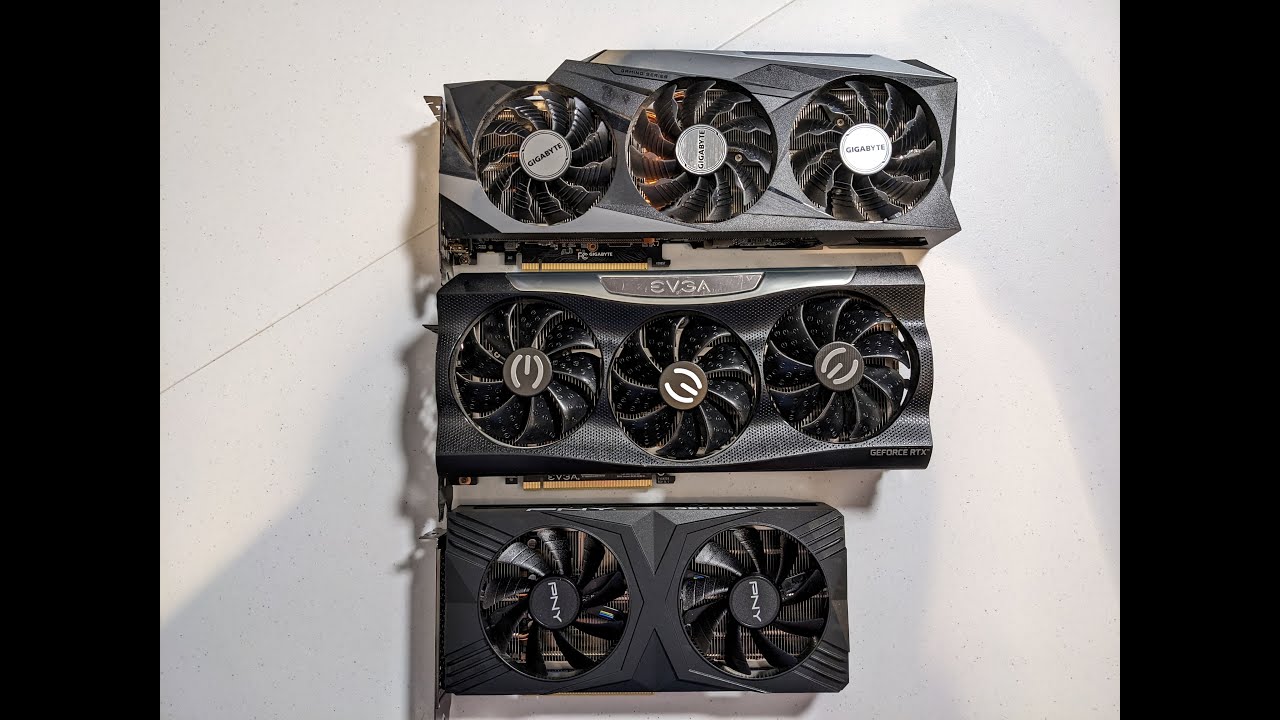
RTX 4070, RTX 3070, RTX 2060 super, GPU Benchmarks in Blender 3.6. Just adding to the list of data!Running the Lone Monk, Classroom, Barbershop scenes, and m...
Here's an interesting benchmark
Nvidias do beat radeons a lot on average
At least in blender
gentle pollen
7900xtx is = to a 3070 in Blender.
In most work apps the gap is not as big anymore but yeah Nvidia if you do work apps.
rain carbon
I also remembered hearing multicore performance being more important for 3d modeling and rendering than single core
plucky timber
So for most use case you will get better value for your money
gentle pollen
yes
plucky timber
rain carbon
I also remembered hearing multicore performance being more important for 3d mode...
yes
for games it's single core
rain carbon
Yee which is why i got the processor i did, i was initially just wondering if it was too weak overall
plucky timber
But for stuff like blender you want good multi core as well
plucky timber
rain carbon
Yee which is why i got the processor i did, i was initially just wondering if it...
It's not weak by any means
Again depends on your workload
rain carbon
Emphasis on initially
plucky timber
If you lean towards more cpu heavy tasks the cpu might hinder performance
rain carbon
Ill probably have like 2 applications running at a time at most
plucky timber
Or one very cpu heavy game
I play paradox grand strategy games
They hammer my cpu to kingdom come
gentle pollen
I was able to run most games I like on a 5700g fine with discord and like 20 chrome tabs in the background you're fine lmao.
rain carbon
Lol
gentle pollen
Games will use at most on average like 3 cores.
So 7600x leaves with 3 other cores for whatever which is plenty.
plucky timber
Oh yeah
My paradox games also like single thread performance
Really annoying having 8 cores and not being able to use all of them
But games are games
plucky timber
gentle pollen
So 7600x leaves with 3 other cores for whatever which is plenty.
3 very fast modern cores
rain carbon
This is my first high performance computer really, im used to playing on a crappy 500$ laptop that could barely run subnautica on low graphics
gentle pollen
Well I gotta go now, hope we were able to give you some insight.
plucky timber
my 5900HX can run word and a few chrome tabs even when I limit it to 7w
rain carbon
Definitely did, i appreciate it
plucky timber
They cram a lot of processing power into these little things
 manic cloak
Somebody’s selling their used 7800xt nitro for 600$ on Facebook 💀

They’re asking for a gpu and cash
I’m gonna try to bargain with them tbh
 earnest olive
ah yes, the year is 2021 and gpus are appreciating assets
manic cloak
I told them 6650xt and 250$ cash
That’s like.. 450$ tbh total cause I’ve been trying to get 200$ for my gpu.
I don’t even know if the nitro model is better than the pulse either
earnest olive
it is
nitro+ is generally sapphire's top model besides toxic which tends to only exist for the flagships
definitely doesn't make it worth 120% of MSRP used though
clown seller
gl "lowballing" him
manic cloak
Ya
It’s gonna be hard
I think 450$ would be solid though ig

What’s up with these new year better deals tf

I’m gonna flame him cause I asked why’s that
Some bs ngl
earnest olive
i wouldn't have even bothered messaging someone who has asking price above retail for a used card tbh
earnest olive
hopefully making it up
manic cloak
should I use a samsung 970 evo plus for holding files like family photos and etc?
or the p41 plus
and this ssd is gonna be like used for the longggg run
 weary galleon
P41 is faster I think, also pcie 4 vs 3 on the 970
P41 is QLC, 970 is TLC
TLC can be more reliable
But tbh the p41 should last a very long time as well
 mossy venture
manic cloak
and this ssd is gonna be like used for the longggg run
mossy venture
manic cloak
and this ssd is gonna be like used for the longggg run
Whichevers cheaper
 frigid jackal
Yo my gpu and cpu fans turn on and allat but there’s no display to my monitors or any leds lighting up for my accessories, I just installed new ram as well so I’m imagining that’s the issue but when I went back to my@old ram@and installed it following a tutorial putting them@in 2 and 4 it still doesnt display or give power to my accessories
I have the hdmi and displayport connected to my GPU as well so that wouldn’t be an issue

Those cables at the bottom thag come grom the gpu have always bren disconnected as well
 potent portal
Clear your cmos, it still has the settings of your old ram in bios which doesn't match the new set
?cmos
 jolly riverBOT
How to clear CMOS (works for AMD and Intel)
https://www.intel.com/content/www/us/en/support/articles/000025368/processors.html
Intel
Defines CMOS technology and how to clear CMOS using the jumper or battery methods.
potent portal
Ah there it is
frigid jackal
okay thank you
my friend also said to try slots 1 and 3
should I do that afterwards?
in the cas erhat it still doesn’t work
 cursive wharf
manic cloak
He already had a 6700xt and 300$ offer :/
cursive wharf
manic cloak
He already had a 6700xt and 300$ offer :/
Scalping still has its benefits I suppose if there is at least one poor soul that doesnt know prices.
frigid jackal
alright
frigid jackal
potent portal
Ah there it is
In this case based on the image do you know where the battery would be?
potent portal
Sometimes it's hiding under the GPU
frigid jackal
would the gpu be considered a peripheral that I’d need to disconnect or is that just the mouse keyboard etc
potent portal
Peripherals plug into the computer, the GPU is an internal component
frigid jackal
ohh okay
would you recommend disconnecting trhe battery or using the humper method
I feel like I would be more comfortable disconnecting the battery but whichever way is most effective
frigid jackal
ohhh wait
I’m kind of dumb, so the jumper is the pins tjat are on the motherboard itself? not something that you’d use on it
potent portal
The whole idea is to short the capacitor that helps keep the data saved in bios to ground, so the power drains and settings get reset
Technically the pins would be called a jumper header but it's used interchangeably
frigid jackal
potent portal
Clear your cmos, it still has the settings of your old ram in bios which doesn't...
also based on this, wouldn’t putting in my old ram allow it to work just fine?
potent portal
Not if it saw the new memory and had a freakout
potent portal
Invalid memory config can corrupt all kinds of data, bios included
frigid jackal
computers so silly 😝😝
and this mat seem like a dumb question and wouldn’t even really matter in the long term but would yhis clear any like files on my ssd or anything like that
potent portal
Nope just bios settings
Maybe if you had one of those first gen SSDs that were literally RAM with a small battery and the battery was dead
(that would mean the drive is from the 80s though)
frigid jackal
potent portal
Any conductive metal will work
would this be something I coulse use lol
 frigid jackal
seems like its right beneath the gpu
I think i might have to take it out then
I can’t see the jumper things
could a mechanical pencil work to take it out lol
I’m also not sure which screws I need to remove or if I rven have a screwdriver for it
potent portal
The battery or the GPU?
 potent portal
Looks to attach on the outside yes
frigid jackal
these four? mahbe

 potent portal
 frigid jackal
just those two?
potent portal
Yes
There will also probably be a plastic clip on the PCIe slot holding it in, just push it aside when you pull it out
frigid jackal
oh yeah
I was wondering if I can use a mechanical pencil with the eraser part
because I’ve seen what a flathead could do to the pins
potent portal
Give it a try if you need to
Now that I look closer it looks like that whole metal panel on the right slides away, probably has another screw holding it too

 potent portal
Yeah you'll need to loosen those thumb screws
 frigid jackal
loosen or completely remove
potent portal
And then it slides to the right
Loosen, they look like they could be captive screws so they'd be hard to remove entirely anyway
frigid jackal
i pushed the clip fully but it hasn’t slid out
it seems like its stuck on the back
or maybe I didn’t push it in fully like ai thought
potent portal
The PCIe clip? It might be a pull instead of a push
It could also be hidden under the gpu
I've seen an older (bad) design that needed you to pull two tabs apart from opposite sides
frigid jackal
this is where it is at the top

top of the gpu*
I’m pretty sure it is push since it did loosen it a but more
and when I pushed the gpu back in it clicked
theres nothing else that looos like that anywhere else near the gpu
potent portal
Yeah that looks like one you push towards the motherboard
Did you unplug the gpu power
It might be in the way
frigid jackal
wouldn’t those black and sorta yellow cables be the power? closest to me
 potent portal
Yeah here, the clip is on top
 frigid jackal
oh so its still in the way even if its not near the pther clip?
potent portal
If you're feeling too much resistance pulling it out then it could be from tension on the power cable
frigid jackal
how do I removd the cable
with the clip
is there a certain why to like push it or pull it
potent portal
It's a pinch and pull
 potent portal
Battery method it is
frigid jackal
aleighty
potent portal
If you have a way to dust that out now is a great time to do so
A can of compressed air or an electric hand duster, not a vacuum
The dust is starting to work into the PCIe slot so you might start getting problems there
frigid jackal
potent portal
Battery method it is
does the positive side have to be in that exact position or could it be facing up like this?

put everything back and everything is working but still no display or RGB
red light also lights up nezt to ram@on motherboard
happened b4 and and nkw after
 strong raft
frigid jackal
does the positive side have to be in that exact position or could it be facing u...
strong raft
frigid jackal
does the positive side have to be in that exact position or could it be facing u...
All good. Positive of the battery is the whole "side". --- for no display, if hdmi wasn't used then try hdmi into gpu & restart pc.
strong raft
Would try 1 ram stick at a time, see if ram debug led goes away
frigid jackal
before that I’m gonna try doing the smae process with the cmos again
because when I first uninstalled the gpu I still had my old ram insteas of the new one so I put the new one in and then yook out the battery
did it
and still nothing + I tried what you said
In both the 2 slot and 4 slot but im the 4 slot first
potent portal
It can take a few tries to successfully clear using the battery
frigid jackal
yeah I realize that now after I read the article again and also watched a s hort video

 brittle spindle
guys my pc fan speed is 2229443
gentle pollen
frigid jackal
yeah I realize that now after I read the article again and also watched a s hort...
Clearing CMOS can be iffy.
Sometimes takes me like 5 tries.
 dusky hearth
5 tries?
how lmao
most i've had to do is 2 tries
and that is quite rare
basically every time it only takes one try
potent portal
I usually get it on the first go, I have a few tricks to speed it up and increase my odds. Occasionally takes 2.
potent portal
There's capacitors that hold a charge still
gentle pollen
I've found that covering the whole pin not just the tips with my screwdriver usually gets the cmos cleared for me.
potent portal
If you have a jumper yes that's a good tip
analog hearth
bro has a jumper bit
plucky timber
potent portal
There's capacitors that hold a charge still
I see
Usually i turn it on for a few seconds and then power it off before putting the battery back in
 nimble sinew
Oh boy. Back at it again with another PC build
mossy venture
nimble sinew
Oh boy. Back at it again with another PC build
Needing a list, or putting one together rn?
nimble sinew
I'm crying on the inside
Corsair RM1000x should be fine for a 3070 TI right?
It's more or less me trying to upgrade what I currently have. I believe my PSU is too weak to run the new components I got.
But now part of me is wondering if I should just go all the way and get a 3090 if I'm getting a 1000w PSU XD
 leaden mauve
nimble sinew
Corsair RM1000x should be fine for a 3070 TI right?
leaden mauve
nimble sinew
Corsair RM1000x should be fine for a 3070 TI right?
Definitely
Thats way more than enough
nimble sinew
Okay, because I am currently using a 750w, and it isn't strong enough 😦
plucky timber
Uh
Pretty sure a 750w is enough if you got a 3070ti
And like
Have you already bought the 3070ti?
nimble sinew
$800
nimble sinew
Yeah
plucky timber
wait
nimble sinew
But only occasionally
plucky timber
When did you buy it?
plucky timber
I thought you bought it now hahaha
plucky timber
Yeah that's covid pricing
plucky timber
I was like "wtf did this guy just buy a 3070ti in 2024 for $800"
nimble sinew
oh heck no
plucky timber
lol
nimble sinew
I'd buy a 3090 used for $800
plucky timber
Consider a 7900XT
nimble sinew
After looking more at my PC layout
I think the quantity of RGB is my downfall
When I plug it into this computer is when it has issues
I'm just so confused as to why it hates this PC
plucky timber
Probably improper configuration
I don't bother with rgb usually
A full rgb config for me is like half way to a better cpu
nimble sinew
Like, I think I have it right on the cusp of maxed out
the PSU is probably the oldest part of this computer.
plucky timber
What psu is it?
Maybe you just have too many strips plugged into one hub
And it's not getting enough power
nimble sinew
It's a Corsair RM750X
plucky timber
Not a bad psu
plucky timber
cpu?
plucky timber
?
 pseudo pollen
Odd cpu
nimble sinew
yeah
pseudo pollen
Yea
plucky timber
Shouldn't max out the psu
 crimson zinc
I’d consider getting a replacement soon
nimble sinew
crimson zinc
I’d consider getting a replacement soon
on psu?
plucky timber
750w is plenty
crimson zinc
Ye
plucky timber
I mean
nimble sinew
like
crimson zinc
I’m talking cuz of it being 6 y/o
plucky timber
I think you're being too hasty
crimson zinc
You’re fine for a while, but I’d rather stay safe
plucky timber
Are we even sure that the psu is the problem?
nimble sinew
It's either the PSU or the GPU
plucky timber
It's not unlikely but better make sure before spending $100
so what are the issues?
Or rather, the symptoms
nimble sinew
when GPU throttles up monitor goes into power saving mode and computer throws a 0x0000116 error
BSOD
plucky timber
Have you tried ddu?
nimble sinew
Yes
plucky timber
There is a possibility that it's a driver issue
hmm
Any overclocking?
On any part?
plucky timber
It could be memory
nimble sinew
And went to stock
plucky timber
Unstable memory ocs have been known to mess up windows installs
Have you tried reinstalling windows?
plucky timber
After undoing the memory oc?
nimble sinew
yes
plucky timber
Did you reset it or fresh install it?
plucky timber
Did you wipe all the windows partitions when you fresh installed?
Like the recovery and efi?
nimble sinew
I just put in a fresh unused nvme drive
nimble sinew
Yep
plucky timber
Fascinating
nimble sinew
still issues
It's crazy, all the parts work everywhere else EXCEPT when assembled into this one PC
nimble sinew
Yes
plucky timber
Bios update?
plucky timber
hmmmm
It sounds like a memory issue but yeah I wouldn't rule out the possibility of a psu issue
nimble sinew
That's why I've been freaking out
I don't understand why it would be the PSU honestly.
plucky timber
It's not impossible
crimson zinc
Maybe poor delivery?
nimble sinew
Maybe!
plucky timber
The RMx are usually fairly reliable units
But it has been in use for 6 years
So there is the possibility of degradation
nimble sinew
That's what I'm thinking
plucky timber
But at the same time it could also be something else
This is very strange
So you've only overclocked the ram and nothing else?
nimble sinew
correct
nimble sinew
10 minutes
plucky timber
Oh that's nowhere near enough
obsidian wigeon
memory issue doesn't cause shut downs
plucky timber
I'd run it for an hour at least
obsidian wigeon
it's crashes, errors and bsods
plucky timber
It did BSOD
nimble sinew
0x0000116
obsidian wigeon
ah
nimble sinew
memtest86
plucky timber
Yeah
I'd run that again for an hour minimum
Sometimes it takes a while before it starts to pick up errors
Run it for a few more hours to be certain
One hour is still on the low end of memory stress tests
nimble sinew
I'll give it a try
potent portal
plucky timber
Was it testmem5 or memtest86
Both, memtest86 used to be good but it's only ok for a quick test now. If it catches an error something is really wrong. TM5 is better on modern, fast systems when you load custom profiles like anta777 extreme.
plucky timber
So yeah @nimble sinew, run testmem5 for a few hours
cursive wharf
YCruncher on VST config is usually better no?
potent portal
That tends to stress the memory controller a lot so it's good for full system overclocking
Especially fclk and memory speed plus cpu
nimble sinew
Also, not sure if this helps. I ran a cinebench on CPU and it did great, but crashed immediately on gpu.
I'm going to run a memory test, and then hijack one of these other PSUs XD
manic cloak
is the samsung 980 SSD any good for long term storage?
I couldn't get the 970 evo plus
plucky timber
manic cloak
is the samsung 980 SSD any good for long term storage?
Samsung's SSD releases have gotten really mediocre since the 970s
 lyric thistle
dusky hearth
manic cloak
is the samsung 980 SSD any good for long term storage?
lyric thistle
dusky hearth
manic cloak
is the samsung 980 SSD any good for long term storage?
Long term storage in what sense
 silent thistle
Yo where do I go for troubleshooting?
Like I just built one and it says no signal on my monitor
 vague oracle
Did you plug into the GPU?
dusky hearth
manic cloak
is the samsung 980 SSD any good for long term storage?
Putting data on the drive on a PC that will be turned on occasionally?
Putting data on the drive and taking it out of the system as cold storage for more than a year?
Storing data for 10+ years?
Cheap storage for large amounts of data?
silent thistle
Plugged in GPU, I’ll write the specs rq
dusky hearth
If it is anything asides from the first one, then no, it is not good for those
silent thistle
Ryzen 9, ROG Strix 8650E-F motherboard, 4060 Ti GPU, 32GB RAM, 2TB M.2 space, Water cooling kit.
I plugged in everything, fans turn on, lights on the motherboard and gpu light up, but nothing on the monitor. It says PCIE 5.0 ready on the motherboard so I don’t think I have to flash the bios
obsidian wigeon
Any debug leds lit?
They're on the right side of the board
Usually upper right
dusky hearth
silent thistle
Ryzen 9, ROG Strix 8650E-F motherboard, 4060 Ti GPU, 32GB RAM, 2TB M.2 space, Wa...
It saying "PCIe 5.0 ready" has nothing to do with whether you need to flash the bios or not
silent thistle
obsidian wigeon
Any debug leds lit?
Orange light?
obsidian wigeon
Yeah
dusky hearth
Though you also probably don't need to flash the bios prob
silent thistle
Yeah
silent thistle
dusky hearth
Though you also probably don't need to flash the bios prob
It was sold in a bundle so I doubt it
obsidian wigeon
CPU, DRAM, VGA, Boot?
silent thistle
CPU or DRAM
obsidian wigeon
If it's dram I would wait for a few mins
dusky hearth
silent thistle
It was sold in a bundle so I doubt it
Bundles can be...... Wack lmao
I've seen bundles with incompatible ram and mobo
obsidian wigeon
ddr5 takes time to memory train
silent thistle
I have DDR5 what does that mean
obsidian wigeon
Ram type
silent thistle
No like
dusky hearth
It's the 5th generation of ddr
silent thistle
Memory train
obsidian wigeon
Ah it's for the board to train the ram at rated speed
Then once it's done it will start booting
silent thistle
so I just need to wait
manic cloak
dusky hearth
Putting data on the drive on a PC that will be turned on occasionally?
Putting d...
Well it’s more like holding baby photos. Likely it’ll either stay in my pc, go inside an NVME external enclosure or the box after we transfer the photos onto it
dusky hearth
It it doesn't show any display after 5 mins then maybe there is an issue
obsidian wigeon
^
silent thistle
Okay I can’t send a photo but I can’t tell if the light is cpu or ram
obsidian wigeon
silent thistle
Okay I can’t send a photo but I can’t tell if the light is cpu or ram
Send it my way
manic cloak
well I think the m450 also is 25$ but I don’t wanna get that tbh
It’s like.. low end 👁️ 👁️
dusky hearth
manic cloak
Well it’s more like holding baby photos. Likely it’ll either stay in my pc, go i...
If it's storing irreplaceable data like that, you should store it in both the cloud and a HDD tbh
Less likely for bitrot to occur
obsidian wigeon
for storage a dramless ssd is fine
but for long term hdd is better
there's programs that refreshes data on flash storage tho
that helps prevent bit rot
nimble sinew
I'm lame and I use 2 4tb external drives that are duplicates of each other for long term storage.
silent thistle
obsidian wigeon
Send it my way
Sent
manic cloak
soo get an actusl hard drive
obsidian wigeon
@silent thistle So I looked over, it's indeed dram led that is lit
dusky hearth
Well, if they're putting it in a external enclosure like they said, it would be in cold storage so there's no refreshing
silent thistle
Is it possible the ram is backwards
obsidian wigeon
No
nimble sinew
no
obsidian wigeon
Ram is keyed to only go in one way
dusky hearth
manic cloak
soo get an actusl hard drive
Hdd is better for cold storage
Tape is even better, but much more expensive
nimble sinew
there's a slot in the ram where it connects to the motherboard so you can only put it in one way.
manic cloak
dusky hearth
Hdd is better for cold storage
Tape is even better, but much more expensive
It’s likely gonna be in my PC or back in the box in some drawer tbh
obsidian wigeon
hdd it is
manic cloak
It’s not gonna be in some safe on the ground in the basement
dusky hearth
Cold storage means not connected to a computer or electricity
silent thistle
obsidian wigeon
Ram is keyed to only go in one way
As in I can only put it in one way or it works going in both ways
dusky hearth
So putting it in a drawer also counts
obsidian wigeon
silent thistle
As in I can only put it in one way or it works going in both ways
The latter
Sorry, former lol
Ram only goes in one way
Flip it around it won't physically fit
dusky hearth
Honestly just store it in Google drive or smth lmao
15gb free
I doubt you have 15gb of baby photos
manic cloak
HAPPY NEW YEARSSS
dusky hearth
I do recommend having a copy of the data on a HDD at home as well though, just in case for whatever reason Google or Dropbox has data loss
It shouldn't happen but why risk it
obsidian wigeon
same
silent thistle
Is it possible I put it on 2 and 4 and not 1 and 3
obsidian wigeon
Ah, that's a possibility
dusky hearth
2 and 4 is correct
obsidian wigeon
Most boards want 2 and 4 tho
silent thistle
As long as it has a space?
dusky hearth
Yeah, for dual channel
obsidian wigeon
^
Maybe try a cmos reset if it refuses to boot
Take off the small coin battery, make sure pc is unplugged and power button is held for 30 secs after cmos batt is removed
dusky hearth
It's a new build so the CMOS theoretically shouldnt be storing anything that would cause no display... Though if it's not hard to do a quick reset
obsidian wigeon
Ye ofc
dusky hearth
obsidian wigeon
Take off the small coin battery, make sure pc is unplugged and power button is h...
Does the board have a CMOS reset jumper or button
obsidian wigeon
A strix definitely does have cmos jumper
dusky hearth
It doesnt
 silent thistle
Yep
obsidian wigeon
you want to remove it for cmos reset, the ol reliable way
silent thistle
Would it say in the manual somewhere if it’s a button or a jumper
silent thistle
actually I think I saw instructions for a cmos reset somewhere
dusky hearth
Button would be the easiest method but not many boards have it
Only like, high end oc boards have them
At least from what I've seen
Even though it probably only adds like 3 cents to the bill of materials lmao
Probably not even
silent thistle
It’s with a jumper
manic cloak
any recommended HDDs then
obsidian wigeon
wd
silent thistle
Is the cmos header the same as clearing rtc ram
dusky hearth
manic cloak
any recommended HDDs then
WD blue or whatever
Use a filesystem like ext4/ext3 or exfat or smth like that, so that future systems can read it, as well as use quickpar to create parity data to recover files from bitrot
And have more than one copy of the data, which I would recommend using a cloud service for
I'm gonna go sleep now
silent thistle
Can I send a photo of my ram to someone and have them check it
 prisma hearth
can i get recommendations for a new aio cooler? i had a msi mag core 240r i think and i was getting 95 cpu package temp and 85 cpu temp
silent thistle
I heard the artic water freeze II was a good one but I’m not the one to ask
obsidian wigeon
prisma hearth
can i get recommendations for a new aio cooler? i had a msi mag core 240r i thin...
which cpu
prisma hearth
obsidian wigeon
which cpu
ryzen 7 5700 g
obsidian wigeon
okay that doesn't look too good
i would get frozen notte
or go for an air cooler if you don't mind
prisma hearth
okay
crimson zinc
obsidian wigeon
i would get frozen notte
no time to explain, from the hit mmorpg destiny 2?
obsidian wigeon
lol
 tawny violet
IK'm browsing Alza's prebuilts and
Holy mother of God why would anyone want to slap a 1500w PSU to a~
Oh wait 13900K, explains it all
Intel Core i9-13900K
Asus TUF Gaming Z790-PLUS WiFi
Nvidia GeForce RTX 4090 24GB
"96 GB DDR5 6400 MHz KIT"
2× Samsung 980 PRO 2 TB
NZXT Kraken 360
Corsair HX1500i
Fractal Design North Charcoal Black TG Dark
Windows 11 Pro
For the low-low price of almost 5 grand USD
(unironically not even that overpriced considering that the cheapest new 4090 costs 2400 USD here)
cyan ravine
it started well
peaked at the ram
fell into a hole of terrible purchase decisions
re-emerged the other side with the psu
tawny violet
cyan ravine
re-emerged the other side with the psu
I mean
considering that the 4090 alone is literally half the budget of the whole rig
I don't think it's absolutely awful
again, I'm not claiming it's a good value build
But it is not in fact awful
cyan ravine
I'm not really either
but no one should buy a Kraken or 980 pro in 2023 or 2024
like
ever
if you're gonna spend kraken money get a cooler master atmos or EK nucleus, Deepcool LS/LT, Thermalriight frozen edge
plenty of way better options near or below that
and 980 pro was raught with the read-only scandal
just sits in the forever avoid tier imo
 little osprey
Uhhh, Liquid Freezer II exist…
 grand geyser
tawny violet
IK'm browsing Alza's prebuilts and
Holy mother of God why would anyone want to s...
grand geyser
tawny violet
IK'm browsing Alza's prebuilts and
Holy mother of God why would anyone want to s...
With that chip, I'd want more motherboard than the ASUS TUF Z790-PLUS.
tawny violet
cyan ravine
and 980 pro was raught with the read-only scandal
I believe Samsung fixed it?...
I read something about a firmware update coming out like in 5 days coming out from the story breaking
tawny violet
grand geyser
With that chip, I'd want more motherboard than the ASUS TUF Z790-PLUS.
Yea I never said it was perfect, I'm just sharing what I found
Also Felix I believe Alza might have a ton of spare inventory of 980 Pros and Kraken coolers
grand geyser
tawny violet
I believe Samsung fixed it?...
Samsung did indeed come out with a fix.
cyan ravine
little osprey
Uhhh, Liquid Freezer II exist…
Meh, maybe
cyan ravine
tawny violet
I believe Samsung fixed it?...
Still doesn't make it a good buy either way
tawny violet
I suppose not at MSRP
cyan ravine
They'd need to be below the price of an mp33 before I'd change my mind completely
Kinda like
A750 Arc
Good card but I'd recommend it to like 5% of people
If at that
tawny violet
cyan ravine
They'd need to be below the price of an mp33 before I'd change my mind completel...
Speaking of
MP33 good?
cyan ravine
Yes
If you're not doing anything file intensive like video editing or torrenting daily then MP33 is good for almost anyone else
 flat anchor
Why some people criticize 4060 rtx
cyan ravine
Cos it's not good value
If Nvidia dropped some 15-20% off their whole 40 series range bar the 4070 Ti
A LOT of people would be nicer about 40 series in general
flat anchor
Or Ti?
cyan ravine
4060 Ti is arguably the worst new gen card to date
To give you some insight, that card (especially the 16gb variant) was reviewed so badly, the price was dropped within weeks of it coming out
Japan saw a grand total of 2 people across the country bother to buy one on release day
This stuff was all over the news
Both variants are terrible. 3060 Ti has advertised for sub-$300 before and is within single digits of a 4060 Ti
mossy venture
cyan ravine
4060 Ti is arguably the worst new gen card to date
Honestly I think 4060 takes that prize
4060 ti is ass value compared to 30 series and 6000/7000 series, but its still 30% better than the 4060 at only $70-80 or so more
cyan ravine
4060 is uncomfortably close to a 4060Ti and it's 300
mossy venture
Is it? From what I've seen it barely beats the 3060 12gb
 cyan ravine
Compared to a 6700xt ye
Relative to nvidia tho I wouldn't call it the worst
4060 ti 16gb 1000% takes that prize
mossy venture
I forget there's a 16gb model because of how bad of an idea it was
mossy venture
Cheapest is $450
8gb is 385
4070 is $80 more than 4060 ti 16gb rn lmao
For what, 25% more perf?
mossy venture
I lied it's $85
cyan ravine
And even then 4070 is not attractive to me at all
mossy venture
100%
cyan ravine
Not the worst of them but there's a good 4 better options before it
Including a used 3080
mossy venture
Well used high 30/6000 series in general, 6800xt, 7800xt, 4070 ti and 7900xt would all be my choices before it
cyan ravine
Yeah there's just way too much better value
I hate that the 4070ti is supposedly discontinuing
mossy venture
6800xt is up to $480 new, 7800xt $510
mossy venture
cyan ravine
I hate that the 4070ti is supposedly discontinuing
I just don't know why nvidia is doing what they're doing
cyan ravine
They won't let us keep that reasonable choice
mossy venture
They should have made the 4070 ti the 4070 super
cyan ravine
mossy venture
I just don't know why nvidia is doing what they're doing
Cos amd better in raster
mossy venture
Just their naming scheme and whatever the hell they're doing with the refresh is so stupid
There's no way it's cheaper to release two entire new skus instead of cutting prices by $50
cyan ravine
4070 super, 4070 ti super, 4080 super all backpedal responses to 7800XT, 7900XT and 7900 XTX all being faster in raster
3090 Ti and 3080 12gb were the same thing
2080 super, 2070 super, 2060 super
Nvidia can't stand to lose the raster crown
mossy venture
2080 super too?
cyan ravine
Yes
mossy venture
2080 alr edged out the 5700xt tho
cyan ravine
The whole super lineup is nvidia panicking
Yes but the 3090 ti smashed all other cards too
As the 2080ti
It's all backpedaling
little osprey
I'm looking for a 1.1k PC for gaming not intentions on overclocking, PC Prebuilt or PC list.
cyan ravine
@little osprey
https://pcpartpicker.com/list/XRkjqR
Part List - AMD Ryzen 5 7600, Radeon RX 6800 XT, Phanteks Eclipse P200A DRGB Mini ITX Tower
 vital magnet
i know this will sound dumb but can i run water cooling and fans in my build or should it be or the other?
cyan ravine
This is comparable but no wifi
https://pcpartpicker.com/list/MYHRqR
Part List - Intel Core i5-12600KF, Radeon RX 6800 XT, SAMA IM01 MicroATX Mini Tower
cyan ravine
vital magnet
i know this will sound dumb but can i run water cooling and fans in my build or ...
Water cooling still uses fans
The difference between water and air cooling is water uses radiators and pumps to cool the cpu down, whereas air uses heat pipes and fins to cool the cpu down
Both use fans
mossy venture
cyan ravine
This is comparable but no wifi
https://pcpartpicker.com/list/MYHRqR
SONICCCCC
 cyan ravine
SEGAAAA
vital magnet
cyan ravine
Water cooling still uses fans
so the case im getting can hold up to 360mm radiator support in the top/front panel or i could do 10 x 120mm fans or 6 x 140mm fans plus 1 x 120mm fan and not sure what route to go
cyan ravine
I don't wanna shut down your dreams lad but send us your budget and needs and we can make it for you lol
mossy venture
The thing is, having that many fans isn't really helpful
cyan ravine
I can say at the least a large majority of cpu's don't need a 360mm aio
mossy venture
If you want a lot of fans, get 3x 3 packs of c12c and a fan hub
$39 for 9 great fans
Just beyond a certain point adding more fans doesn't help anything
9 fans as opposed to 4 you'll have maybe a few degrees lower Temps
Assuming you're looking for black/rgb, I'd do something like this https://pcpartpicker.com/list/dMbwCd
Part List - AMD Ryzen 5 7600, Radeon RX 6800 XT, Phanteks Eclipse G300A (1 Fan) ATX Mid Tower
vital magnet
really tryna keep the budget between $1,500-$1,800. Right now i got in my cart is the ryzen 7 7800x3d 8-core processor, Radeon RX 7800 XT, Corsair 32gb RAM and a Samsung 250GB Internal state drive. I haven’t picked out the motherboard or power supply yet
cyan ravine
Ok 1500-1800
mossy venture
For $1800 you can fit a 7900xtx easily
cyan ravine
Three questions
mossy venture
What are you using the pc for
cyan ravine
^#1
mossy venture
Also specifically, please do not buy that ram or ssd
vital magnet
mossy venture
What are you using the pc for
gaming and streaming
cyan ravine
#2 wifi yes or no
mossy venture
250gb ssds are pointless
vital magnet
cyan ravine
#2 wifi yes or no
yes
mossy venture
1tb is $50, and a better ssd doesn't help you for gaming/streaming
cyan ravine
#3 monitor mouse keyboard* in that budget?
vital magnet
mossy venture
250gb ssds are pointless
10-4
vital magnet
cyan ravine
#3 monitor mouse keyboard* in that budget?
i already have a monitor and mkb
cyan ravine
Ok easy
mossy venture
Corsair does something with their ddr5 that makes it worse than other brands, and corsair tends to have overpriced ram/aios
mossy venture
Their psus and cases can be solid, depending on price
mossy venture
vital magnet
i already have a monitor and mkb
What monitor do you have?
vital magnet
mossy venture
What monitor do you have?
acer 27’ 1440 240hz
cyan ravine
Part List - AMD Ryzen 7 7800X3D, Radeon RX 7900 XTX, Phanteks Eclipse P200A DRGB Mini ITX Tower
mossy venture
And what case were you looking at? It might not be the best option, but I'll either use it or one with a similar aesthetic
cyan ravine
1800 maxed
vital magnet
doesn’t matter to me, my current set up is kinda white and blue so i’d like something to match
cyan ravine
There's no budget left for rgb lol
mossy venture
Will do
vital magnet
mossy venture
And what case were you looking at? It might not be the best option, but I'll eit...
SZD S590 Mid ATX Gaming PC Case, 270° Full View Seamless Tempered Glass Front & Side Panels, 360mm Radiator Support, High-Airflow Dual-Chamber Computer Tower Case (White)
mossy venture
cyan ravine
There's no budget left for rgb lol
Sad adata premium went up
mossy venture
vital magnet
SZD S590 Mid ATX Gaming PC Case, 270° Full View Seamless Tempered Glass Front & ...
Could you link it?
cyan ravine
Oh it's an o11 clone
King95 could be possible but you wouldn't fit 7800x3d
Or XTX
You'd take a slight perf hit
vital magnet
mossy venture
Could you link it?
SZD S590 Mid ATX Gaming PC Case, 270° Full View Seamless Tempered Glass Front & Side Panels, 360mm Radiator Support, High-Airflow Dual-Chamber Computer Tower Case (White) https://a.co/d/gD4bxtk
mossy venture
Alright this is targeting aesthetics
https://pcpartpicker.com/list/ZMVDmD
Part List - AMD Ryzen 5 7600, GeForce RTX 4070 Ti, Lian Li O11 Vision ATX Mid Tower
cyan ravine
I'd pick a different board in that case
mossy venture
This is with a black gpu, but otherwise targeting aestheitcs
https://pcpartpicker.com/list/f6DJN6
Part List - AMD Ryzen 5 7600, Radeon RX 7900 XTX, Lian Li O11 Vision ATX Mid Tower
cyan ravine
And you need fans
mossy venture
cyan ravine
I'd pick a different board in that case
Atx?
Would king95 look better with an matx board?
It's the same price
mossy venture
vital magnet
SZD S590 Mid ATX Gaming PC Case, 270° Full View Seamless Tempered Glass Front & ...
Also what do you think of this one?
https://pcpartpicker.com/product/gY26Mp/phanteks-nv5-atx-mid-tower-case-ph-nv523tg_dmw01

Phanteks NV5 ATX Mid Tower Case (PH-NV523TG_DMW01)
vital magnet
looks clean
cyan ravine
Like this is better looking
Part List - AMD Ryzen 5 7600, GeForce RTX 4070 Ti, Lian Li O11 Vision ATX Mid Tower
mossy venture
cyan ravine
It's kinda in full view
Does nv5 look fine with an matx board, if you know?
mossy venture
Well I'll link this, and you can change around as you'd like for case. Any of the ones mentioned would work, just look around at some images of finished builds and such and decide from there
https://pcpartpicker.com/list/8sprwg
Part List - AMD Ryzen 5 7600, Radeon RX 7900 XTX, Phanteks NV5 ATX Mid Tower
cyan ravine
Gonna really stress this, you'll be losing a good amount of performance if you deviate at all from this first one
https://pcpartpicker.com/list/JVWf28
Part List - AMD Ryzen 7 7800X3D, Radeon RX 7900 XTX, Phanteks Eclipse P200A DRGB Mini ITX Tower
mossy venture
Yeah 7800x3d is what, 20% better than 7600?
cyan ravine
I would actually make the argument that an extra $100 budget stretch would make a world of a difference
Get the aesthetics and pretty much max it out
Not quite enough at 1800
cyan ravine
mossy venture
Yeah 7800x3d is what, 20% better than 7600?
Depends but non x3d to x3d is about 10-15% on average
mossy venture
cyan ravine
Gonna really stress this, you'll be losing a good amount of performance if you d...
You can make it white for same specs, but not the same aesthetic you wanted
https://pcpartpicker.com/list/gJw76D
Part List - AMD Ryzen 7 7800X3D, Radeon RX 7900 XTX, BitFenix Nova Mesh M ARGB MicroATX Mini Tower
cyan ravine
Part List - AMD Ryzen 7 7800X3D, Radeon RX 7900 XTX, Lian Li O11 Air Mini ATX Mid Tower
Just slightly over 100 you get the o11 style case like the s590
vital magnet
end of the day aesthetic isn’t the most important, for my first pc and build i can’t be too picky
cyan ravine
Ooo Jonsboooo
Part List - AMD Ryzen 7 7800X3D, Radeon RX 7900 XTX, Jonsbo D30 MicroATX Mini Tower
Sorry wrong gpu there I fixed it
Jonsbo d30's are cool
They're like tiny o11's
tawny violet
cyan ravine
If you're not doing anything file intensive like video editing or torrenting dai...
Any other recommendations?
cyan ravine
tawny violet
Any other recommendations?
M450, z44L, ud90, Mp34 pro, a60(if on sale, normally is)
tawny violet
cuz apparently the MP33 is just plain not available
cyan ravine
vital magnet
end of the day aesthetic isn’t the most important, for my first pc and build i c...
If you're willing then, this would be my choice of the lot
https://pcpartpicker.com/list/8DZFYN
Part List - AMD Ryzen 7 7800X3D, Radeon RX 7900 XTX, Phanteks Eclipse P200A DRGB Mini ITX Tower
Fastest gaming cpu, fastest gpu (not costing a fortune like a 4090)
And small footprint pc too
P200A for $30 is ridiculous imo, a decent case and can look amazing if you buy psu cable replacements
tawny violet
cyan ravine
M450, z44L, ud90, Mp34 pro, a60(if on sale, normally is)
MP44L?
cyan ravine
Yeah that's decent
tawny violet
Cool
mossy venture
cyan ravine
https://pcpartpicker.com/list/CFXnN6
At that price tho I'd spend the extra $18 for nv5, for the aesthetic they wanted
cyan ravine
Don't spend more than like, 5 over the others tho for it
cyan ravine
mossy venture
At that price tho I'd spend the extra $18 for nv5, for the aesthetic they wanted
I didn't even realise nv5 has a glass front lmao
cyan ravine
What the heck 850w
https://pcpartpicker.com/list/9bw76D
Part List - AMD Ryzen 7 7800X3D, Radeon RX 7900 XTX, Phanteks Eclipse P200A DRGB Mini ITX Tower
mossy venture
$110 fanless case is sad
cyan ravine
Could do this
https://pcpartpicker.com/list/qrYLbL
Part List - AMD Ryzen 7 7800X3D, Radeon RX 7900 XTX, Phanteks Eclipse P200A DRGB Mini ITX Tower
Then get cablemod e-series cables
Full psu cable replacements instead of extensions
tawny violet
cyan ravine
What the heck 850w
https://pcpartpicker.com/list/9bw76D
is there a point to having a 7700(X)?
instead of a 7600 or a 7800X3D
not specifically for gaming, more for general computing
cyan ravine
Ofc
Just not often it comes up
Or more the point that intel is usually the better idea
tawny violet
cyan ravine
Ofc
I found another interesting getup
Processor:
AMD Ryzen 7 7800X3D
Mobo:
MSI Pro B650-P WIFI
Memory:
2x16 Kingston Fury Beast 5600MHz DDR5
Cooler:
be quiet! DARK ROCK PRO 5
GPU:
Gigabyte Gaming OC RX 7900 XTX 24GB GDDR6
SSD:
1TB Kingston NV2
Case:
be quiet! Pure Base 500DX TG Black
PSU:
850W ASUS ROG STRIX GOLD
Operating system:
"Installed, ready to use Windows 10 Pro trial version"
For 930k HUF (2780 USD)
bozos don't even include an OEM Windows key lmao
analog hearth
bro could afford a top-end PC but couldn't afford Windows
tawny violet
analog hearth
bro could afford a top-end PC but couldn't afford Windows
Probably because it's a "prebuilt" made by a used hardware shop
tawny violet
so I assume they're just not contracted with Microsoft to get OEM keys
what why did I get automodded
what did I say???
maybe GTwoA?
Yep
Makes sense
Anyhow
It's incredibly cringe of them to not just get an OEM Windows key and activate the damn thing once you're asking for 3 months' pay for a PC
analog hearth
I mean there's ways (that I won't say here) to get Windows for free
little osprey
I'm looking for a 1.2 to 1.3k PC for gaming not intentions on overclocking, PC list.
mossy venture
little osprey
I'm looking for a 1.2 to 1.3k PC for gaming not intentions on overclocking, PC ...
Do you care about aesthetics
Do you need wifi, or are you using ethernet
And do you have preferences for nvidia, amd or intel?
Also do you need a monitor? If you already have one, what resolution is it
@little osprey
little osprey
mossy venture
Do you care about aesthetics
Nope i don't care about aesthetics
using ethernet
nvidia
1080 res
mossy venture
Part List - AMD Ryzen 5 7600, GeForce RTX 4070, Phanteks Eclipse G300A (1 Fan) ATX Mid Tower
And I'd recommend going to 1440p sometime in the near future imo
little osprey
alright thanks
tawny violet
And if you don't mind AMD
the 7800 XT is great value
mossy venture
You could also do a used/open box/refurbished 3080, 3070, or 3060 ti
tawny violet
same perf as the 4070 but like 150 USD cheaper
mossy venture
It's been $490-510 since a few weeks after launch
4070 has been 530-550 for a good while
tawny violet
I guess it also depends on where you live (the 7800 XT is still significantly cheaper here than the 4070, but both are ~25% over MSRP here)
 stiff grove
First time attempting to build, I wanted to invest a good bit into this with getting the graphics card i want, any input would be greatly appreciate a little nervous and dont wanna make this first and expensive build fail, Thanks for your time!! https://newegg.io/757a2c9
mossy venture
stiff grove
First time attempting to build, I wanted to invest a good bit into this with get...
I would change most of it around, you really don't gain much spending that much on a build vs $3500 or so
Even 3500 is pushing it
What're you using the pc for?
stiff grove
mossy venture
I would change most of it around, you really don't gain much spending that much ...
Gaming mostly, wanted to start streaming with it and also have the legs to last for future game releases within reason
mossy venture
Alright sounds good, are you deadset on an lcd display aio for the cpu cooler?
stiff grove
It just looks cool and gives me some peace of mind at a quick glance, nothing i couldnt live without
mossy venture
Ok perfect, I'll make two options, one purely performance and one with your preferred aesthetic in mind
stiff grove
@mossy venture That is amazing thank you SO much!
mossy venture
Alright this is the one targeting aesthetics, the 7950x3d and 7800x3d provide the same gaming experience, no reason to spend the extra https://pcpartpicker.com/list/4m976D
Part List - AMD Ryzen 7 7800X3D, GeForce RTX 4090, NZXT H6 Flow ATX Mid Tower
The case can be changed around, it just depends what you like
I'd look at the nv5, nv7, o11 variants, and montech king 95 or whatever the name is
@stiff grove
Now I'll make the pure performance list
Well not pure performance, I kept the white aesthetic
https://pcpartpicker.com/list/7rKcyg
Part List - AMD Ryzen 7 7800X3D, GeForce RTX 4090, BitFenix Nova Mesh M ARGB MicroATX Mini Tower
If you've any questions feel free to ask, though I might not respond instantly
stiff grove
Both of these builds look so much better already both have the aesthetic theme going on awsome work @mossy venture cant thank you enough for the help again.
mossy venture
Ofc, anytime! One other thing, don't pay $100 for windows
You can either use inactivated for free with a water mark (annoying), get a license for $10-30, or if you've had a windows device in the past you can just sign into your Microsoft account, and it'll carry the previous license over
I've used the same license for like 4 laptops and 2 pcs lol
earnest olive
don't need a license to use arch
mossy venture
Sips should we make a command like ?cmos for windows license
earnest olive
I don't have the power to do that but I'll bring it up
tawny violet
@mossy venture AK620 Digital pog or pungent?
If someone wants a screen on their cooler and still get good perf
I guess it does the job well
mossy venture
tawny violet
<@654444344274845698> AK620 Digital pog or pungent?
It's solid
Depending on price
tawny violet
Ye
I've been eyeing the AG620 actually
It's like 10% cheaper than the AK
Just not as nice with looks (but still got 2 ARGB fans)
I don't know if there's any physical difference tho
mossy venture
Any dual tower from thermalright available there cheaper?
Aside from the silver soul line
tawny violet
Thermalright basically doesn't exist
mossy venture
You should make thermalright and become rich
tawny violet
Lol
But yeah
I found a (somewhat sketchy) site that has Peerless Assassins
Peerless Assassin 120 SE for 19k HUF
The AG620 is about 26

 runic spruce
It’s going to start flying
runic spruce
brittle spindle
What’s wrong with my fan speed
Try resetting the software and installing the latest drivers, if that doesn’t work u could try reinstalling
If the correct fan speed is being read on msi afterburner or hwinfo64 it shouldn’t really matter what nvinfia software is reading
runic spruce
brittle spindle
What’s wrong with my fan speed
The software might just be misreading the speed or something
crimson zinc
brittle spindle
It’s going pretty fast
NOT FAST ENOUGH
LET IT FLY
 fiery oriole
im looking to build another PC i have a budget a 2500-3000USD what could i get that would be good in that price range
dusky hearth
fiery oriole
im looking to build another PC i have a budget a 2500-3000USD what could i get t...
"another PC" for someone else? Need it in some other location? Is your current PC old enough to need every part upgraded?
What will the PC be used fot
For
fiery oriole
my pc needs all parts upgraded and very old so i was going to build a brand new pc and it will be used only gaming
fiery oriole
dusky hearth
"another PC" for someone else? Need it in some other location? Is your current P...
^
dusky hearth
hmm lemme see
dusky hearth
fiery oriole
my pc needs all parts upgraded and very old so i was going to build a brand new ...
how big of a factor is aesthetics
and do you want a regular sized pc or a small form factor pc
mossy venture
fiery oriole
my pc needs all parts upgraded and very old so i was going to build a brand new ...
Do you plan to carry over storage?
Do you need wifi, are you just gaming, what monitor do you have or do you need a new one
Oh also do you care about aesthetics?
fiery oriole
dusky hearth
and do you want a regular sized pc or a small form factor pc
regular
fiery oriole
mossy venture
Do you plan to carry over storage?
yes, no, just gaming, i know which one im going to buy, and a little but not much
mossy venture
What monitor?
This is what I came up with
https://pcpartpicker.com/list/wdhm7R
Part List - AMD Ryzen 7 7800X3D, GeForce RTX 4090, Fractal Design Pop Air RGB ATX Mid Tower
You might need to manually set the ram to 6000mhz instead of 6400, but it takes like 15 seconds extra
crimson zinc
mossy venture
This is what I came up with
https://pcpartpicker.com/list/wdhm7R
I love that the 4090 is literally over half the entire price
God that thing is expensive