#building-and-recc-chat
1 messages · Page 216 of 1
 gentle pollen
 potent portal
Sure that works
potent portal
That'll work
gentle pollen
Just remembered I need to redo bottom fans real quick so that I can get the aio in later without needing to ake it out.
Well f.
I just spent 12m reorganizing the bottom fans the wrong way.
gentle pollen
Ouch. Though I must say, out of the 3 times I have built a computer, the wiring/fans have always been where the joy turns to pain.
 crimson zinc
@potent portal you still up?
potent portal
For now
crimson zinc
I would like to request something build related of you
potent portal
What's up
crimson zinc
Limit of $5,000 exact.
I would like you to build me an entire gaming setup. Desk and everything(since pcpp can do that)
Fiancé would like to know what she could get me with a big bonus she has coming up soon.
You are much better than me at building
As I am stupid
potent portal
Ooh it's a fun request
crimson zinc
May I give you guidelines
 crimson zinc
I would like as little black as possible(having an entirely black setup for the last 3 years has rendered the colour scheme depressing)
The maximum space is about 8 feet wide - , 6 feet long |
I am selling all my peripherals, so I need everything including a new chair
potent portal
Chairs, mice, and other peripherals are HIGHLY dependent on your preferences, what specifically are you looking for there
crimson zinc
Something that won’t make me sweat after 2 minutes of sitting down
And just a normal mouse. I don’t use m&k when I game as much as I use my controller(I know, shun me)
I also only need one monitor.
You can splurge on the case too, I don’t need to cheap on that.
So;
Little black as possible
8 feet - by 6 feet |
Only need 1 monitor
Normal mouse
Fancy but functional case
Non-sweaty chair.
$5k limit.Istfg. My aio is to low by like 5mm.
crimson zinc
gentle pollen
Istfg. My aio is to low by like 5mm.
F
Your cpu heating up like the hot side of a volcano?
gentle pollen
 crimson zinc
bruh
gentle pollen
I need to move all those fans again for f sakes.....
crimson zinc
I’d suggest a slightly bigger case if you’re running into the same issue with space limitations
potent portal
That case looks awfully familiar
No it's not space issues lmfao
That looks like the fractal torrent
gentle pollen
It is.
potent portal
It's just awkward placement of things
crimson zinc
@potent portal no rush on that either btw, it’ll be a few weeks out
gentle pollen
The white cable tells me where to cut to disconnect the two batches of fans.
crimson zinc
@gentle pollen always come prepared for the worst situations, and you’ll never be disappointed
gentle pollen
crimson zinc
<@217356391675985921> always come prepared for the worst situations, and you’ll ...
Crisis averted lmao.

1-2mm of space between fans xD
 gentle pollen
My g0d this aio weighs like 40lbs now
potent portal
Lucky you only got the 360. The 420 doesn't fit without exterior mounting.
gentle pollen
Yeah ty for the warning.
Now to finally mount the cooler lmao.
Would it be bad if I used a bit extra thermal paste?
Idk why it feels like I don't have enough.
potent portal
Not technically but with the "octopus" IHS excess paste can get under the lid, which makes it harder to clean later. No other adverse effects.
gentle pollen
potent portal
Not technically but with the "octopus" IHS excess paste can get under the lid, w...
Does it matter if tubes are top or down side with LT720?
It mounts either way.
potent portal
No, whichever orientation gets you less kinking
gentle pollen
Tubes being south is less but north looks better.
potent portal
Either way really
potent portal
crimson zinc
~~~~~~~~
So;
Little black as possible
8 feet - by 6 feet |
Only need 1 monitor
...
For the keyboard, any preferences? Brand, size, etc?
Switches?
I'll throw a popular standard mechanical keyboard in for now
gentle pollen
The pump header (female 3 pins) goes plugs into the left side of a 4 pin fan header right?
potent portal
It only fits one way

 lyric thistle

 crimson zinc
potent portal
For the keyboard, any preferences? Brand, size, etc?
crimson zinc
potent portal
For the keyboard, any preferences? Brand, size, etc?
Full size, I’d like to do mechanical for the first time
Am in bed, will respond in 6-7 hours
potent portal
I'll DM you the list so it doesn't get lost in chat
Came in decently under budget, lots of room for different color choices etc
https://pcpartpicker.com/list/QBtXVW
Part List - AMD Ryzen 7 7800X3D, Radeon RX 7900 XTX, be quiet! Shadow Base 800 FX ATX Mid Tower
Could throw a 4090 in there but... why. And it would be black. And probably out of stock.
 thorn mural
should i upgrade from 16gb to 24gb ddr4 ram in my laptop? it seems like windows just eats up whatever ram i have for no reason so i'm hitting 15/16gb used even just in fortnite
potent portal
Sounds more like background tasks or windows in need of a cleanup
potent portal
24GB isn't recommended because only the first 16GB will run in dual channel mode, and the rest of the 8GB will run in much slower single channel
thorn mural
Well 8gb is soldered onto my board
 potent portal
Front panel USB C
Usually goes below the 24 pin
Assuming your board has the header
Which looking at your pic you do and it's right where I said
gentle pollen
potent portal
Which looking at your pic you do and it's right where I said
Ty. I completely missed that lmao.
potent portal
It's easy to miss because most of the other front panel stuff plugs into the bottom of the board
So you just mentally assume it all does
 lone flame
is a 7950x3d on a 3070 not a bottleneck
potent portal
There's always a bottleneck, but that'll depend on the game and settings.
1080p competitive settings in fortnite? Nah it's a good combo
lone flame
what is the 7950x3d even good for? i only really know about the 7800x3d from the current x3d chips
the high end ryzen stuff confuses me
cpus in general do
gentle pollen
7950x3D is basically a more gamer oriented 7950x.
potent portal
It's good for a specific set of people. Mostly ones that do work and also game on their machine. Or people that do a mix of cache sensitive and non cache sensitive things.
lone flame
isnt the 7800x3d the best supposedly for less
gentle pollen
Half of the 16 cores are x3D
gentle pollen
lone flame
isnt the 7800x3d the best supposedly for less
If you're just gaming yes.
potent portal
Yes, the 7800X3D is slightly better because there's no issues with scheduling or cross CCD latency
lone flame
i imagine the 7900s are more orientated towards work with the extra core count?
gentle pollen
Yes.
potent portal
Indeed, it's a middle ground
lone flame
speaking of work cpus, the only highend ryzen stuff I ever see in builds on YT is threadripper and not 7900s. only like high end intel 13/14th gen
is intel just better for that stuff
i imagine both have strong points
potent portal
On the contrary, Intel is lagging behind AMD a lot in multi core work. There's only specific things that favor Intel now.
YT builders get the chips and boards free so they don't need to spend the 10k
gentle pollen
My spinal cord injuries are making this build process pure torture......
lone flame
gentle pollen
My spinal cord injuries are making this build process pure torture......
you doing a brand new build or an upgrade to your current
potent portal
The 7950X (and 7950X3D) is the most efficient processor for all core workloads, using nearly 1/3 of the power of the 14900K while still performing better overall.
gentle pollen
Upgrading from my 5700G with 2x16 ram.
lone flame
potent portal
The 7950X (and 7950X3D) is the most efficient processor for all core workloads, ...
i remember watching a good benchmark video of that awhile ago but the power draw on high end amd vs high end 14th is insane
amd is so efficient
potent portal
It doesn't help that Intel boards set an infinite power limit out of the box just to compete with AMD
350W and a giant 480mm custom liquid cooling system just to compete with the 7950X pulling 150W on an air cooler
gentle pollen
How do I tell which pins to plug into with this?

 potent portal
That should be MSI's layout
 gentle pollen
Ahhh much better diagram, ty.
lone flame
gentle pollen
How do I tell which pins to plug into with this?
i hate those pins so much
thats what messed me up on my build a few months ago
i had them like one little pin too far to the right and it wouldnt turn on lol
gentle pollen
I am a moron....
I've been turning the Q-Latch the wrong way lmao.
Aight, plug my GPU in and SATA power then check if all is working.
gentle pollen
I got past immediate shutdown!
I am in bios!
So I am able to get into bios but I can't get into my windows drive.
Seems my drive corrupted, gonna wipe it and do fresh install.
 ornate condor
is Ls520 enough for 12900k ? 
 cyan ravine
Kinda not if you overclock it
Which is the whole point of a K
Really just kinda not in general
ornate condor
Lol . Alright. I was too lazy to remove front fans and install 360aio to front. Just want to walk around and top mount 240mm aio 
gentle pollen
Just began bios flash. Plugged in USB formatted with MSI.ROM bios file and used the bios flash button. How do I tell when it's done?
MSI X670-P board.
 mossy venture
The button should stop flashing if I remember right
Er light next to the button that is
gentle pollen
mossy venture
The button should stop flashing if I remember right
It had stopped but the bios is not updated....
Currently trying the bios flash from bios route.
Pressed the button to go into M-Flash mode and now I am stuck on a screen with the boot led on
PC just rebooted itself. Seeing DRAM and Boot Led.
 novel parcel
My gpu holes won't align with the holes in case. They are too far what should I do
potent portal
gentle pollen
Just began bios flash. Plugged in USB formatted with MSI.ROM bios file and used...
It can take a few tries sometimes, and occasionally it just doesn't like a specific flash drive
gentle pollen
potent portal
It can take a few tries sometimes, and occasionally it just doesn't like a speci...
Finally everything is working!
I updated bios from within, and now my ram works at 6000cl32 without complaints and so far no crashes.
 vague oracle
On AM5 just set it as high as it is stable
potent portal
gentle pollen
FCLK should be MCLK/2 right?
You're thinking of AM4
On AM5 you just set fclk as high as you can while maintaining stability
gentle pollen
Oh.
What should I start with?
Guess I will use HWinfo and see what it averages at and bump it up a bit from there.
vague oracle
Start with like 2000, I think most AM5 should do that
 vivid copper
gentle pollen
FCLK should be MCLK/2 right?
vivid copper
gentle pollen
FCLK should be MCLK/2 right?
AM5 doesnt work like AM4. AM4 you wanted to keep everything in a 1:1:1 ratio but on AM5 you want the fclock to be at a 3:2 ratio...so for D5 6000 you want the imc at 3000 and the fabric at 2000 mhz..you just don't keep cranking it as high as it can go..it will lead to actually worse performance.....
novel parcel
what screws do i use to screw gpu to bracket
 pseudo pollen
the screws that were there
novel parcel
there are 3 different types of screws
pseudo pollen
there are supposed to be screws that were already attached to the case
novel parcel
there were no screws attached to the case. i could snap of the parts i needed for the gpu
pseudo pollen
oh alright, they should be pretty short screws, with a flat ring around them I think
Can you show a picture of the screws?
they should look like this, maybe in black
 novel parcel
Yes I have that one
pseudo pollen
use those
novel parcel
There is also one longer screw that I don't know if I need to use elsewhere
pseudo pollen
might be for mounting radiator or hdd, something like that
novel parcel
ok thank you
pseudo pollen
alright, no problem
novel parcel
is it fine to use two daisy chain pcie cables and plug one 6+2 from each one. so i would have a 6+2 hanging out from both pcie cable
potent portal
vivid copper
AM5 doesnt work like AM4. AM4 you wanted to keep everything in a 1:1:1 ratio but...
Nope it'll default to 3:3:2 but fclk is desynced anyway so you do get a measurable performance increase by increasing only the fclk
You might be thinking of UCLK
vivid copper
potent portal
Nope it'll default to 3:3:2 but fclk is desynced anyway so you do get a measurab...
nope i mean the infinity fabric....6000 mem you want it 2000, you take it out of ratio it will hurt your performance....case in point in said video when he left the IF at 2000 and increased to 6400 he actually got worst performance than at 6000, so he had to increse the IF to 2133 he got back to optimal frames https://youtu.be/_WubXd2tXOA?si=2llO8BFxpYQHtomL&t=1183

Support us on Patreon: https://www.patreon.com/hardwareunboxed
Join us on Floatplane: https://www.floatplane.com/channel/HardwareUnboxed
Buy relevant products from Amazon, Newegg and others below:
AMD Ryzen 5 7600X: https://geni.us/Hn7m9
AMD Ryzen 7 7700X: https://geni.us/fAfH
AMD Ryzen 9 7900X: https://geni.us/Rjlq
AMD Ryzen 9 7950X: https://g...
potent portal
Newer agesa versions changed that
vivid copper
i haven't seen any recent testing that has confirmed otherwise so i'm just rocking with what i know until i see different
potent portal
Fair enough. Let me see what I can dig up.

My Patreon: https://www.patreon.com/buildzoid
Teespring: https://teespring.com/stores/actually-hardcore-overclocking
Bandcamp: https://machineforscreams.bandcamp.com/music
Twitch: https://www.twitch.tv/buildzoid
Twitter: https://twitter.com/Buildzoid1
Facebook: https://www.facebook.com/actuallyhardcoreoverclocking
#AMD #ryzen #overclocking #dd...
Buildzoid knows a bit more about it than HUB, in fact they reference him in several videos
Plus that video is 6 months newer
vivid copper
I hear everything he's saying but he's just saying it...he's not testing nor showing the ramifications in the real world....
getting it to boot and be stable is neither here nor there
cyan ravine
vivid copper
nope i mean the infinity fabric....6000 mem you want it 2000, you take it out of...
Newer agesa fixed that bug
crimson zinc
@potent portal I decided against that desk because of the furniture I’d be getting for the room. Are there any trusted gaming desk companies? Or is it just “don’t buy non-reviewed stuff”?
cyan ravine
It wasn't using the listed IF in bios if you were running a 1:3 ratio, it would clock the IF up to something else
Hence why people thought it was faster
It was a bug, AM5 no longer likes 1:3 sync, rather, it never did
potent portal
The desk is very much a personal choice, just pick one that has the features/looks you want and decent construction
cyan ravine
I believe it was fixed with agesa 1.0.0.8? Or something like that
potent portal
You could even build a desk yourself with some cabinets and a solid top
 subtle halo
Realtek Audio (AMD 3xx/4xx/5xx/6xx & Intel 2xx/3xx/4xx/5xx/6xx/7xx)
more updated audio drivers than the rog official driver download page for your mobo.
dont press install.bat just go to \Drivers\Realtek folder on that and press setup.exe to skip nahimic avolute stuff
u still can get ur | dts | hdx | realtek after that
nahimic sucks

Hi everyone, - Realtek Audio Drivers (UAD - ASUS ROG SS3-DTS) : Drivers : 6.0.9618.1 WHQL [12/12/2023] SS3-SSVM Extension Driver : 1.3.18.0 WHQL [13/07/2022] SS3-SSVM VAD Media Driver : 1.0.3.0 WHQL [07/06/2022] SS3 APO SoftwareComponent Driver : 3.5.6.0 WHQL [21/11/2022] DTS APO4x Extension Driver...
crimson zinc
https://a.co/d/hpwc9Sl
How’s this look? Want small factor, but with a place to put my PC.

iSunirm 55.2 Gaming Desk with LED Light, Large Computer Desk with Charging Station, Home Office Desk with Monitor Stand, Power Outlet and USB, LED Light and Storage, 55.2'' Gamer Desk PC Table, Grey
@potent portal
potent portal
Keep in mind the monitor is rather large, so setting the computer next to it might be a challenge on a smaller desk without having to sit offset and limiting leg room
crimson zinc
potent portal
Keep in mind the monitor is rather large, so setting the computer next to it mig...
This desk looks to have storage areas on the side, those might be large enough for the PC.
vivid copper
cyan ravine
Newer agesa fixed that bug
Not sure to what you are rereferring to as a bug. As it's the same concept carried over from AM4 just with a different ratio. Agesa updates have allowed for higher frequency ram and stability with said ram but i haven't seen anyone testing or showing real world performance of the IF being out of said ratio and it not having a negative effect on frame rates.
cyan ravine
Well
Currently my AM5 rig is disabled due to a bad psu
But if you go and ask about this in overclocking circles you should find the same answer
potent portal
The bug was that it ignored the set value
cyan ravine
Yep, so you'd set it to the 3:1 ratio, then it would actually run out of sync but higher fclk
Ex 2000:6000 would be actually 2033:6000, which makes perfect sense because the faster fclk in a permanent desync is definitely faster if stable
 woven sedge
Hey I'm new to PC building and it would be great if someone could look over my parts list and give any recommendations. My budged is around $1000 and I'm primarily gaming https://newegg.io/28b979f
cyan ravine
woven sedge
Hey I'm new to PC building and it would be great if someone could look over my p...
So gonna start my feedback by saying generally using only one store can lead to overspending for no benefit
Yeah I would change most of the lot of this
For one you don't even have a cpu cooler
Alright give me a few minutes to make you a list, couple questions
Wifi? Yes or no
Gaming only? If not, what's the system for?
@woven sedge
woven sedge
yes wifi and mostly gaming but some school work
cyan ravine
Ok I'll brb
crimson zinc
@potent portal
Need asap assistance
Is anything here an ssd/nvme drive

@cyan ravine
 stoic island
Yes, right here
 crimson zinc
So if I’m giving the MB away, I should remove that
stoic island
Yes
crimson zinc
Is there anything else I should remove?
They’re getting the PSU, MB, and case together

@stoic island forgot to hit reply lmao
cyan ravine
@woven sedge much faster
https://pcpartpicker.com/list/8CZLpB
Part List - Intel Core i5-12600KF, Radeon RX 6800, Montech AIR 100 ARGB MicroATX Mid Tower
stoic island
looks like there might be a hard drive up there?

either front panel stuff or a hard drive
crimson zinc
They’re also getting the hard drives
stoic island
then that should be it
 woven sedge
@cyan ravine ok cool thank you so much
cyan ravine
Np, it should be better in basically everything you want to do
Except maybe like, exporting a movie lol
One last question @woven sedge , do you intend to play heavily modded MC at all?
I might change the list purely on that if so
woven sedge
probably not whenever i play modded mc i just use like 5 mods
 woven sedge
thanks
crimson zinc
@potent portal is this a decent 2nd monitor?
 potent portal
That's a decent primary monitor tbh
crimson zinc
So I could utilize that smaller desk instead of my big desk?
Or save the big one for fiancé and get this smaller one for me?
My new desk
iSunirm 55.2 Gaming Desk with LED Light, Large Computer Desk with Charging Station, Home Office Desk with Monitor Stand, Power Outlet and USB, LED Light and Storage, 55.2'' Gamer Desk PC Table, Grey
Fiancés

Armocity computer desk will fit well in your room. You can build this pink desk as a 47'' l-shaped corner desk or as a 75.6'' long office desk. If you're looking for a small desk for gaming and office work, this computer desk is perfect for any gaming nook, corner space in bedrooms, and home offi...
potent portal
If you want to go with a smaller monitor you can do the OLED in #tech-deals
Honestly anything less than OLED is a disservice to your eyes for your budget

 potent portal
No no it clearly says "monitor"
crimson zinc
Yes, let me get my 65” monitor
potent portal
I meant this one lol https://www.bhphotovideo.com/c/product/1772478-REG/acer_um_hxxaa_001_predator_x27u_27_gaming.html

Buy Acer Predator X27U bmiipruzx 27" 1440p HDR 240 Hz Gaming Monitor featuring 27" 16:9 OLED Panel, HDMI 2.0 | DisplayPort 1.4 | USB-C (90W), QHD (1440p) 2560 x 1440 at 250 Hz, FreeSync Premium, 0.03 ms (GtG) Response Time, 1 Million:1 Static Contrast Ratio, 1000 nits Peak Brightness, 1.07 Billion Colors with HDR10, Integrated Speakers, USB Hub ...
lone flame
potent portal
Honestly anything less than OLED is a disservice to your eyes for your budget
this needs to be a quote
 little osprey
i dont want to install my aio
little osprey
im just getting discouraged cause i had to repeat a step
lone flame
it took me like 10 hours and help in here to finish my first build a few months back
youll get it
little osprey
how do you break up the 10 hours
lone flame
i didnt
i was very unsure of everything
and cables sucked lol
i am going to do a case swap and a gpu upgrade next year and feel much more confident about it
little osprey
right now i have to decide whether to mount the radiator or start plugging in cables
lone flame
i have an air cooler so idk
mossy venture
little osprey
right now i have to decide whether to mount the radiator or start plugging in ca...
Mounting first is typically easier
potent portal
You can get burned out pretty easily trying to blast through the build all at once
little osprey
im trying to discover the best way i do work
definitely not an 8 hour day with no breaks
i did that at a low intensity office job and it still sucked
but get me out during harvest time picking grapes and i work from 5am-3pm no problem
with a long lunch
potent portal
Picking grapes sounds like more fun than an office job
lone flame
potent portal
You can get burned out pretty easily trying to blast through the build all at on...
yeah you could of said that
crimson zinc
What’s the best thermal compound
crimson zinc
Been seeing this pop up a lot lately

ARCTIC, a leading manufacturer of low-noise PC coolers and components, initiated and continues to shape the trend towards quiet cooling systems. In addition to an extensive range of CPU coolers and fans, ARCTIC produces high-quality monitor arms, wall mounts, thermal paste as well as thermal pads...
cyan ravine
I would argue best value for money by a good margin
Not the best outright, but definitely best in it's class
The best outright I would award to the TG kryosheet or PTM7950/PTM7955
All 3 the same thing
But all very good, very very good
potent portal
Few people need more than MX4, even fewer need MX6. Anything past that is enthusiast territory where every half a degree can mean the difference between a pass or fail.
I will give an honorable mention for kryosheet potentially never needing to be replaced, assuming you don't tear it.
gentle pollen
potent portal
I will give an honorable mention for kryosheet potentially never needing to be r...
Is it conductive?
 leaden mauve
potent portal
Few people need more than MX4, even fewer need MX6. Anything past that is enthus...
leaden mauve
potent portal
Few people need more than MX4, even fewer need MX6. Anything past that is enthus...
KPX SUPREMACY RAHHHH
potent portal
gentle pollen
Is it conductive?
Yes but that's not a problem usually since the cooler holds it in place
gentle pollen
gotcha.
strangely enough I feel tempted to buy some sheets to tryout in the future lmao.
 quaint ledge
why does it say this once i go to checkout my order? the code expires in 9 days
 potent portal
quaint ledge
why does it say this once i go to checkout my order? the code expires in 9 days
potent portal
quaint ledge
why does it say this once i go to checkout my order? the code expires in 9 days
When I asked support about a similar problem before the answer I got was basically "read the fine print" and it says either X amount of time OR while funds last. Popular codes run out fast.
quaint ledge
potent portal
When I asked support about a similar problem before the answer I got was basical...
i guess it just ran out then
because the amount of time is good
 mossy venture
Checks out
leaden mauve
x box one
thorn mural
hey i have a friend with an evga 1070 basically like every 10 minutes his screen goes black but his audio keeps playing
And he has to force reboot his pc for it to go away
and the gpu fans ramp up really loud when the screen is black

theres a little green line thats left there for some reason
potent portal
Try another port on the GPU and/or another cable
 late elm
So a friend of mine is offering their old pc for $400. The specs are ryzen 5- 5600g, 32gb of RAM, RTX EVGA 2070 Super, but it needs a psu and a ssd. In your honest unbiased opinion. Do any of you think it's worth it?
potent portal
Eh, no not really
pseudo pollen
That's not actually a bad deal imo
2070 super is at least $150, more like $200. 5600g is $80-100, 32gb ram is $40, and case. That's not bad whatsoever
like I'd offer $300-350
but still
mossy venture
200 is overshooting, and 5600g is not much better than 3600, while 3600 can be like $60-70 used
32gb 25-30
crimson zinc
@potent portal changed a few things around for preference. Went with a bigger case and found a set of headphones in my house for it.
Fiancé is getting that big boi monitor, I’m sticking with the small one.
crimson zinc
Any issues?
cyan ravine
Hm yes
crimson zinc
Do tell
cyan ravine

crimson zinc
How do I make it not private lmao
cyan ravine
Lemme try something
Part List - Intel Core i5-4670, GeForce GTX 780, Fractal Design Define R4 ATX Mid Tower
crimson zinc
Nope
cyan ravine
LOL ok
crimson zinc
Who even
Gtx 780 LMAO
cyan ravine
That's for sure an old one
crimson zinc
Part List - AMD Ryzen 7 7800X3D, Radeon RX 7900 XTX, Corsair iCUE 5000X RGB QL Edition ATX Mid Tower
this
cyan ravine
Ok a lot of questions
crimson zinc
Hm
cyan ravine
Mobo unnecessary for the price just to get white, already has BT
RIG headphones are mid, I have a set
crimson zinc
Fal put everything important in
cyan ravine
The taichi isn't worth the premium over the PG model
crimson zinc
cyan ravine
RIG headphones are mid, I have a set
I’ve used my 400s all my life
I can never part with my favs
cyan ravine
The monitor is terribly undercut for the system
Yes I have rig 600's
They broke from the hinge
They're not bad, not great
PC38X is way better if you want a gaming set
crimson zinc
Well, I already have em, so no sense buying anything new until they break
crimson zinc
Nah, I think I bought them last year and forgot about them lmao
cyan ravine
The mouse I would definitely pick something newer or cheaper
Like viper v2 pro or g305 lightspeed
Model O has been outdated for a while
The keyboard you should go keychron for better quality
Redragon is like, bottom of the barrel and even then, still not really worth
G27Q I would bump up to a 240hz monitor
Like 27QS
The power supply is fine
MP44L is a bit unnecessary for the small premium
If you want 4.0, go adata ps5 for 5$ more
Much faster
Case very very very expensive lol
If you want corsair I'd do like, 3000D airflow instead
And I'd change cooler to a $20 one
Watch I'll shape this up a lot better
 deep raven
Suppose I only want to use a GPU that doesn't require external power, should the 1650 suffice or do I (Somehow) have better option for my build
cyan ravine
@crimson zinc
https://pcpartpicker.com/list/8KXy89
Part List - AMD Ryzen 7 7800X3D, Radeon RX 7900 XT, Corsair 3000D AIRFLOW ATX Mid Tower
Then buy a vertical gpu mount
Like the coolermaster v3 gpu mount
cyan ravine
deep raven
Suppose I only want to use a GPU that doesn't require external power, should the...
1650LP doesn't need pcie power
You'd be having a very entry level experience tho
If at that
deep raven
cyan ravine
You'd be having a very entry level experience tho
That's what I'm aiming for
cyan ravine
Considering the cost of an LP card I'd rather just buy the new psu tbh
And get a normal card for less
Like an rx6600
If you're lucky you'd find an LP card used for cheap
deep raven
cyan ravine
If you're lucky you'd find an LP card used for cheap
what's an LP though
I haven't been in the PC building community long enough to understand those sorta terms
cyan ravine
Low profile
deep raven
what's the difference?
cyan ravine
They're generally cards made for small form factor, small psu builds
1650LP unlike other 1650's doesn't need any extra power apart from the pcie slot
It's a 75W card
deep raven
cyan ravine
It's a 75W card
damn almost as much as some CPUs
cyan ravine
They're very tiny, often very loud (fast little server deltas) and less performant than their regular counterparts
deep raven
or almost as little
cyan ravine
Ye
That's the idea
So you can run them off of like
Tiny 200W power supplies in a system
So a rig that can fit in your hand almost, for example
But as I said, they carry a premium
A premium which, you can net zero just getting a different, better card and a new psu
So it's a niche choice
deep raven
cyan ravine
So it's a niche choice
I mean the games that I indulge in have laughably low system requirements so It's a choice that hopefully won't screw me over several years down the line
cyan ravine
It can
cyan ravine
It's a big dip on performance per dollar
In this case you pay like, 6600 price for a card with half the vram
4gb is very very little nowadays
So I wouldn't say like, screwed? That's not a good word
Definitely worse off
deep raven
cyan ravine
4gb is very very little nowadays
so what's my option
cyan ravine
What size case does this need to fit in
deep raven
cyan ravine
What size case does this need to fit in
about uh
~14 inches height and ~6 inches width
cyan ravine
Omg that's tiny
deep raven
I know.
cyan ravine
Ok yeah alr
LP would make sense here
4060 LP is an option
If you can fit even somewhat of a decent psu
deep raven
an rtx 4060?
deep raven
cyan ravine
If you can fit even somewhat of a decent psu
is it possible for me to just not assimilate the PSU inside the pc case by just having it stand next to the case or something
cyan ravine
You could
deep raven
would it be impractical?
cyan ravine
Be a bit messy tho
deep raven
cyan ravine
Be a bit messy tho
I can deal with it
cyan ravine
If you can fit a normal size gpu in I would def suggest it
RX 6600 is nice
4060 is also low power
As is 3060 12gb if you can get one used
For a 75W cpu and (up to) 140W GPU I would do like, bare minimum 300W unit
I believe they make those in very small form factor
TFX?
deep raven
cyan ravine
As is 3060 12gb if you can get one used
I may or may not be able to snag one for cheap prices from a chinese bitcoin miner
crimson zinc
I have a 6700xt elite on my Mercari
cyan ravine
deep raven
I may or may not be able to snag one for cheap prices from a chinese bitcoin min...
These take a 1x8 pcie cable just a heads up
Or 1x6
6700XT isn't bad either if it fits with a proper psu
I'd look at sfx 550W+ at that point
Like a coolermaster v sfx gold
crimson zinc
I’m selling it for how much I got it for
$315
cyan ravine
Or lian li sp
deep raven
crimson zinc
I’m selling it for how much I got it for
$315
your GPU costs more than my friend's PC build
damn.
crimson zinc
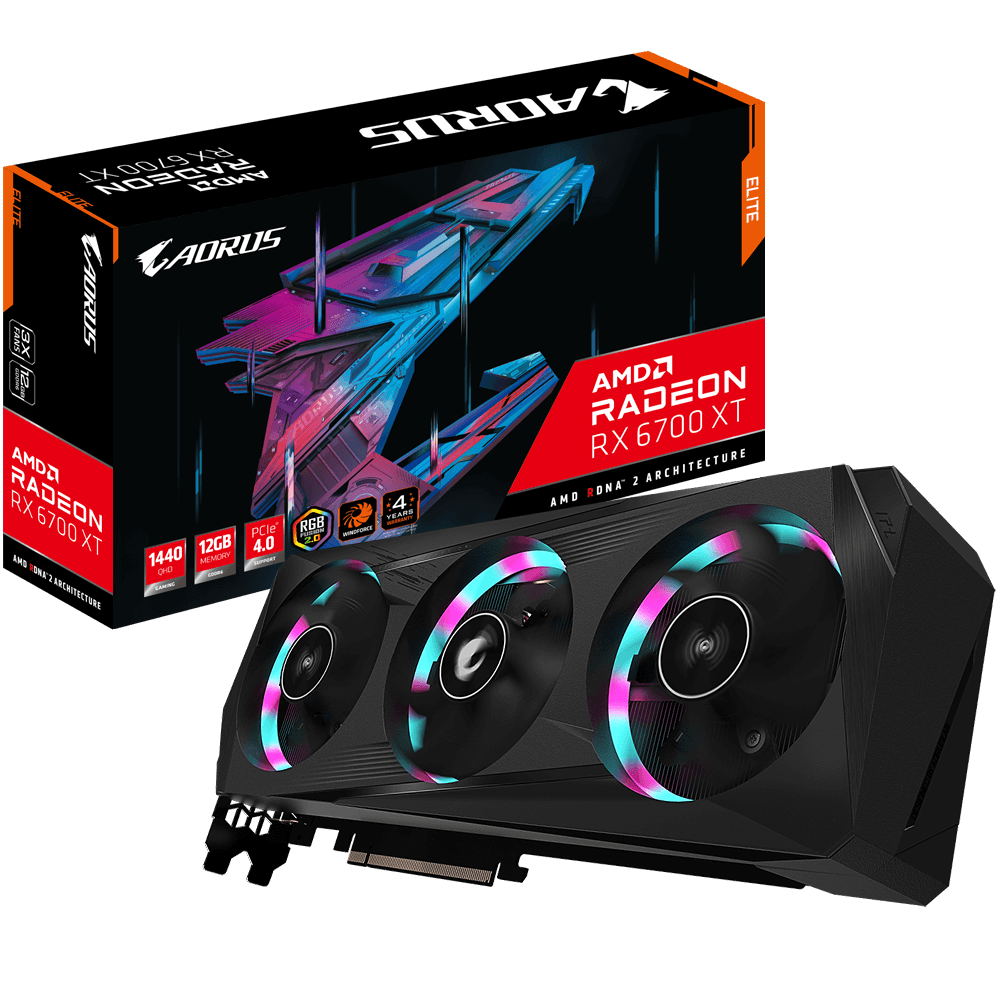
GIGABYTE
Discover AORUS premium graphics cards, ft. WINDFORCE cooling, RGB lighting, PCB protection, and VR friendly features for the best gaming and VR experience!
cyan ravine
Anyway you have a few options
But if the case is very shallow I would agree in an LP GPU
TFX power supplies like GaN units can't supply an insane amount of power
deep raven
cyan ravine
TFX power supplies like GaN units can't supply an insane amount of power
I see
 marble dune
Im trying to get into am5 for the cheap, what's my best move?
I want decent hardware
8 core atleast if I can
Without paying 7-800
cyan ravine
7600+ a620m pro rs wifi/a620m gaming x
marble dune
Also want a atx
cyan ravine
marble dune
Also want a atx
The matx boards on am5 are just as good as the atx ones but they also don't cost twice as much for only a couple more pcie slots
Man gboard doesn't stop mistyping for me with random letters
marble dune
I just want to fill the case out don't want a small board
cyan ravine
marble dune
Would that still be a big leap from my R9 5900x?
A little bit
marble dune
Would the 8 core be a big leap?
cyan ravine
About the same
cyan ravine
I kinda would
cyan ravine
Unless you went x3d
marble dune
x3d?
cyan ravine
7800x3d
cyan ravine
5800x3d
cyan ravine
Not worth buying if you have 5900x
cyan ravine
I mean objectively if you want more fps yes
marble dune
Is ddr5 worth it
cyan ravine
Not really
In gaming terms def not for a 3060
This is about as cost effective but still more than overkill as needed for am5 x3d
https://pcpartpicker.com/list/tPv3Wt
Part List - AMD Ryzen 7 7800X3D
Everything is more than enough for the cpu
If you want ATX it's going to be near 700$
marble dune
Yea I see
Think Imma spend that same 700 on a gpu instead
And if I still can't run gta6 I'm dropping a bag lol
cyan ravine
Yeah but what kind of gold
marble dune
Segotep
 cyan ravine
It's probably ok with a 7800xt
Would maybe consider changing with 6800xt/6900xt/7900XT/XTX
I think, 4070Ti I'd say the same thing too
Definitely would for a 3080TI/3080 with 3x8 pin
Just because of the power behaviour of the 5900X combined with it would make me a bit worried
And I wouldn't bother with a 4070 or less tbh in this case
marble dune
cyan ravine
Would maybe consider changing with 6800xt/6900xt/7900XT/XTX
I was looking at these
Did and finally get their drivers figured out
I remember radeon used to have so many driver and software issues
deep raven
how much is the difference between a 2600 and 3200 mhz stick of ram
actually don't answer that question, I'll just find it out myself through the goog
 plucky timber
deep raven
how much is the difference between a 2600 and 3200 mhz stick of ram
plucky timber
deep raven
how much is the difference between a 2600 and 3200 mhz stick of ram
Answer: There is no one way to measure the performance difference between a stick of DDR4 running at 2600MHz and 3200MHz, it highly depends on your usage, the architecture of your processor, the binning of your memory, as well as the die of your memory.
deep raven
plucky timber
Answer: There is no one way to measure the performance difference between a stic...
my brain used up and gained 1 extra IQ point remembering this piece of information
cyan ravine
marble dune
Did and finally get their drivers figured out
Yes, I would say especially in the last year or so AMD has come extremely good to where I'd say the driver experience is comparable to Nvidia
And I've used a LOT of both
And I like to press buttons and mess with things that people don't normally do
Lol
plucky timber
cyan ravine
Yes, I would say especially in the last year or so AMD has come extremely good t...
nvidia is complacent
cyan ravine
deep raven
how much is the difference between a 2600 and 3200 mhz stick of ram
A difference, negligible almost. It's single digits
lone flame
cyan ravine
And I like to press buttons and mess with things that people don't normally do
no wonder you're so smart with pc stuff!
plucky timber
I really wish AMD made more mobile chips
cyan ravine
plucky timber
nvidia is complacent
I wouldn't so much say complacent? More they have their eyes on the wrong things imo
Can't say AMD is free of guilt either there
plucky timber
They're not really competing that well on the mid range
AMD ate up all the market share
cyan ravine
cyan ravine
Can't say AMD is free of guilt either there
Some bugs are ever present, but it's nothing like before
plucky timber
Oh yeah
cyan ravine
plucky timber
They're not really competing that well on the mid range
Oh price? That's different
Price nvidia are stupid
plucky timber
I've only had radeons until my laptop
cyan ravine
At this point it's an easy argument to say radeon is on equal footing and yet nvidia just won't price compete outside the 4070 ti
plucky timber
The improvement in drivers for each new gpu is actually very noticeable
Especially since rdna
plucky timber
cyan ravine
At this point it's an easy argument to say radeon is on equal footing and yet nv...
I really hate that
Because like
cyan ravine
plucky timber
Especially since rdna
It's been a huge step forward since rdna 2>3
Like
Before when it was only rdna 2
plucky timber
Their gpus are really better for me in a general sense
cyan ravine
I would say, yeah? They were usable
plucky timber
Since they're good at everything
cyan ravine
The value was definitely there
cyan ravine
But I wouldn't have totally said they were "as stable as nvidia"
plucky timber
Unless you're on linux
cyan ravine
Not until rdna 3
plucky timber
💀
plucky timber
I think the value's always been there for radeon
cyan ravine
Not really applicable to the norm
plucky timber
The gap's just a lot larger now
cyan ravine
Nvidia is gambling on tensor and ai
Not wise imo
A 4080 is not worth 200 over an xtx
Not in any world bar blender
plucky timber
They're losing a lot of goodwill too
And market share
A lot of market share and revenue gained by AMD means that they could spend more on R&D
lone flame
4080 with 16gb of vram at 1200+ is such a joke
plucky timber
And fixing their drivers
So nvidia is also strengthening AMD by ignoring a large segment of the market
It's pretty scary how fast AMD is gobbling up intel and nvidia's respective markets
At least in terms of consumer grade cpu/gpus
 lone flame
marble dune
Is there and amd card comprable to like a 4080 ti
lone flame
marble dune
Is there and amd card comprable to like a 4080 ti
7950 xtx 
plucky timber
Yes it is
marble dune

The XFX AMD Radeon RX 7000 Series graphics cards, featuring the groundbreaking AMD RDNA 3 architecture, deliver ultra-high frame rates for your favorite games at 4K max settings.
vs

The XFX AMD Radeon RX 7000 Series graphics cards, featuring the groundbreaking AMD RDNA 3 architecture, deliver ultra-high frame rates for your favorite games at 4K max settings.
I dislike xfx also
but like I just dont see any good brands for radeon
crimson zinc
https://pcpartpicker.com/list/TjbKn6
@cyan ravine I can spend the extra for the white MB and the bigger CPU cooler
But I did take your advice for the monitor and GPU.
Am I okay to complete this list?
Part List - AMD Ryzen 7 7800X3D, Radeon RX 7900 XT, Corsair iCUE 5000X RGB QL Edition ATX Mid Tower
I need no further adjustments
Just need to make sure this would work properly.
marble dune
hey that keyboard sucks🫣
I have mine sitting next to me
I use the numpad on it
All the rgbs are f'ed
leds
marble dune
theres like of the leds that go down the middle of the keyboard that are the wrong color
from the rest
like I have the keyboard on a color cycle thing
and those r always the wrong hue
and some of the leds just dont work at all
its also loud and the keys just like fly off easy
crimson zinc
I want a white keyboard that goes well with the RGB inside the PC.
marble dune
you can pull all the keycaps off by hand
im just saying theres better options
razer suck
crimson zinc
Would you like to suggest me a white RGB keyboard? That will not suck.
marble dune
full size?
marble dune
fair
and me, I like tkl keyboard
keyboards
with like a macro pad if I need it
if not it goes awau
away
marble dune
I mean, you could probably do like a gmmk2 maybe

Glorious PC Gaming
The Glorious Modular Mechanical Keyboard 2. Designed to be customized. Fits all 3-Pin and 5-Pin switches. Configure your custom build starting at $79.99 USD. QMK compatible.
TKL keyboards are much easier to find/buy
Also the keyboards are the same scale no matter what you get
the tkl just gets rid of the numpad thats all
makes it shorter
 marble dune
See cause white full sized ones are just hard to find
if you dont go with the razer I would just go with the glorious gmmk2 or something

Pre-order the GMMK 2 ► https://shrsl.com/3frw7
Glorious FOX Groupbuy ► https://shrsl.com/3moqb
Buy something on Amazon ► https://geni.us/RomsicleYT
Amazon Prime FREE 30 Days ► https://geni.us/71Dc
AliExpress ► https://goo.gl/JWfSgJ
Akko Keyboards/Switches ► https://en.akkogear.com/?ref=6270
ZealPC Switches► https://zealpc.net?aff=38
Available Sw...
sound test
vs
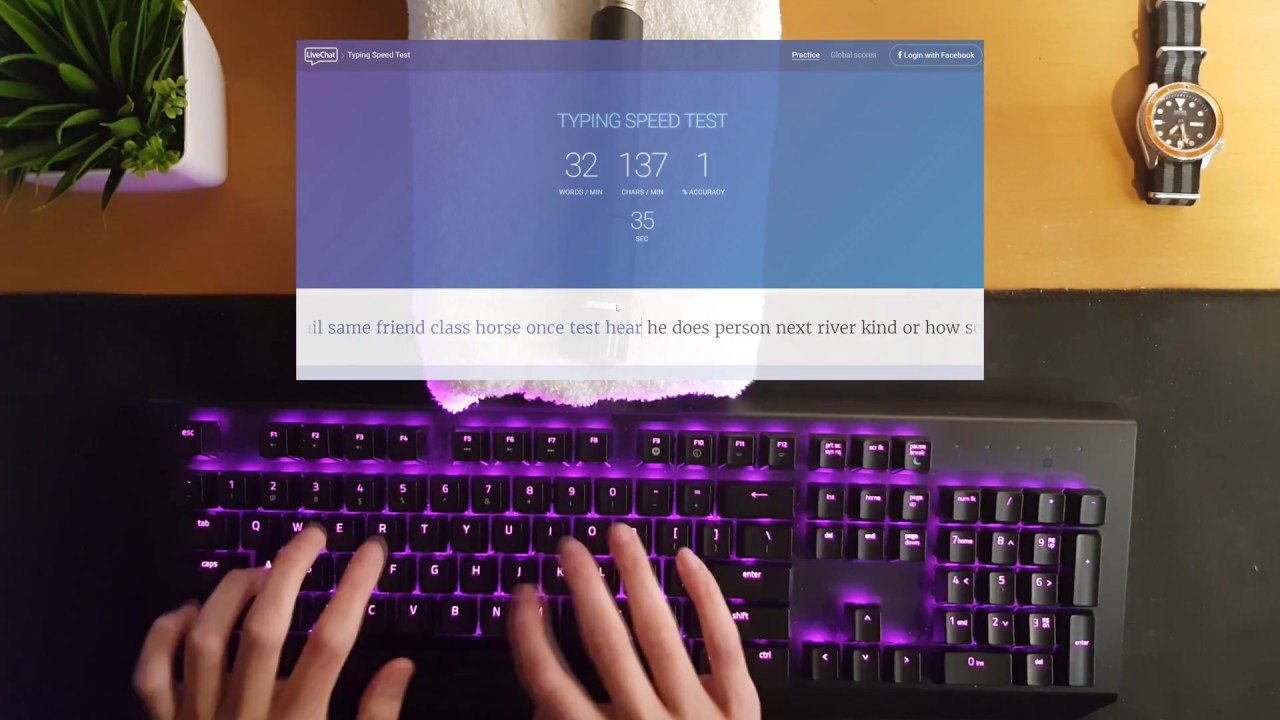
Razer BlackWidow X Chroma V1 Sound Test
Model Z03-0176
Razer Green Switches
Link: https://www2.razer.com/au-en/store/razer-blackwidow-x-chroma
the razer is just clacky and loud
crimson zinc
I don’t have any brand preference, but I enjoy the Razer clicking opposed to the gmmk
I game in a carpeted room, so it ends up being less loud
marble dune
nah its still loud
crimson zinc
It makes the Austism in me happy with the clicky
crimson zinc
Owie
marble dune
Yooooo Imma get the Nvidia cpu
lyric thistle
Get me the Nvidia Ethernet
 olive cypress
I had never tested the actual power consumption of my pc, looks like it draws 80w idle dayum 
With great power comes great power bill
olive cypress
Probably because it's a really low idle load so the efficiency is not that good
 manic cloak
Elite h510 for 40$..


Looks like it’s missing a lot of the GPU brackets
Ora whatever they’re called, kinda looks scratched up too. Also he said to bring screws/bolts? No clue if anything else is missing
 manic cloak
cyan ravine
Oh no cring
manic cloak
cyan ravine
Oh no cring

 cyan ravine
Why tf the standoffs
cyan ravine
WHY THE STANDOFFS
cyan ravine
Can buy far better new for 40
 river torrent
honestly, which is the BEST AA(anti aliasing for all) games and top tier
manic cloak
Can anyone link me a good m.2 enclosure?
marble dune
Question I never knew the answer to
Better Motherboard = better performance? Or is it negligible
stoic island
Negligible above having a decent board
marble dune
marble dune
I have a b-450 a pro max
Msi
I was thinking about going to a ASUS ROG Strix B550-XE Gaming WiFi
stoic island
at that point you should probably just save up for upgrading the entire platform
not really worth buying a brand new board and swapping boards for probably ~5% uplift
marble dune
Okay
Yea I really was just after a USB c header, rgb/argb headers, wifi and Bluetooth all thinks my mobo lacks
But for no real performance difference I'll probably stick with what I have
stoic island
I mean its 100+$ for a mobo vs 20$ wifi card + 10$ usb hub + 10$ rgb controller if you just need that
vivid copper
marble dune
I have a b-450 a pro max
Depending on the price i think it's a healthy investment...especially to get your 5900x on a board it can actually flex it's muscles (better VRMs, PCIE 4.0 support) and b550s aren't expensive so i think it's a decent quality of life decision....not really too much of a reason to be on a b450 still in 2023/2024
while important, everything doesn't have to always be price to performance decison based
pseudo pollen
I'd say that it's the most important factor when choosing pc parts,asthetics and creature comforts can come later
stoic island
The main problem is that am4 is a platform behind now, which means getting a new chip will take a new mobo, so buying a b550 board now doesn't make sense as an investment for the future when any proper CPU upgrade will take a new mobo
potent portal
Tier C yes
Meaning it can handle an overclocked 5900X at 1.2v in prime95 without throttling
vivid copper
stoic island
The main problem is that am4 is a platform behind now, which means getting a new...
Well that's pretty much everything on the market but AM5. So basically you'd be saying don't buy into anything unless it carries to that specific platform. Obviously the priority would be a new platform but we talking ~150 for what would be just a mobo doesn't set them back financially. They have a 3060 so it's not like they need to move away from AM4. They still have plenty of upgrade room before a platform change would even make sense.
vivid copper
pseudo pollen
I'd say that it's the most important factor when choosing pc parts,asthetics and...
That's personal opinion...especially when it comes to enthusiasts and enthusiast hardware. Price to performance goes out the window when you talk about flagship hardware. Nobody buys a 4090 because it's the best value or has the best price to performance ratio. We'd all have AMD cards if that was the case.
cyan ravine
Uh
Some people do for their work
If you're talking gaming - no, basically never worth it, never necessary
But for people who need to accomplish work in a timeframe it can still make sense
It's a budget quadro after all
Without the quadro features
We have a couple people here who fit that bill - basically every edge they get to finish their work faster they make a lot more money so it pays back quicker
Faster work > more jobs > better revenue > better payoff
vivid copper
Right so it's a time = money. I'm not saying a 4090 makes no sense for absolutely no-one's use case. But that's your factor for buying it. Not because it's the best value. Actually technically what's value can be debated. Who's to say i don't value 4K at 165 FPS, if i've invested over $700 in a monitor?
cyan ravine
You can still run decent fps at 4k on an xtx
And it won't look bad either
You might need to drop a few settings down to low but it's still 4k, it still will look really good
vivid copper
Correct and still people choose the 4090. Just like they chose the 3090 over the 6900xt. How much frames you get per dollar clearly doesn't matter to most people
cyan ravine
But my point is if time = money for some people then you really can make the argument that a 4090 holds more value than the calculated number and performance tier
But in this current market it's still a hard recc at 2K+
But for some it still makes sense
cyan ravine
vivid copper
while important, everything doesn't have to always be price to performance decis...
Also while I agree with this, there are def limits
vivid copper
at 2k it's really gotta be your all in...or your workload has to specifically use them tensor or cuda cores to the max....
cyan ravine
Like I think in a good pc build, something like, max 10%? Of the budget, put to aesthetics
cyan ravine
vivid copper
at 2k it's really gotta be your all in...or your workload has to specifically us...
Yes
cyan ravine
cyan ravine
Like I think in a good pc build, something like, max 10%? Of the budget, put to ...
I see purpose in pc recc's to tailor to a theme up to maybe $100 to match their needs
But like, beyond that? I tend to just not pick it
Once you hit the high, high end, where money stops being a requisite I'd say it's considerable but I'd still tell someone they can pocket a good few hundred if they drop the stupid LCD aio 
vivid copper
Yeah i agree, I would never advise someone put money into cosmetics where it can be put into achieving more performance....but if the have lets say a 2.5K budget that goes out the window....unless you min max everything but then you end up with unblanced and odd looking builds....
cyan ravine
For me that limit is beyond 3K
Because at 2.9K, provided 4090's at a regular price, you can have literally everything needed for the highest tier
For gaming that's 2.4K
But like, (and I see this a lot) say someone comes in with a 1500 budget, they've put a $150 hyte y40, $310 h150i lcd aio and a $300 msi edge motherboard, I would definitely stop them lmao
vivid copper
2K you can pretty much get whatever you need comfortably. A 7950x and a 4070ti can easily fit in a that budget....unless you gaming hardcore at 4K who needs a 4080/4090?
vivid copper
cyan ravine
But like, (and I see this a lot) say someone comes in with a 1500 budget, they'v...
this would be nuts...1.5K is barely above a budget build
cyan ravine
It happens a lot
And then people tell me still "No I want it"
We had this exact thing the other day
Guy named like "matt"?
!!matt or something
Came in and asked us if what he had was good, I changed everything around, gave him a good, 40%?
Improvement overall
Turns around and says "Nah I want what I had, not some cheap thermalright stuff"
People get really argumentative sometimes about it, and I tend to just let it go at that point
Because at that stage it's not feedback, it's affirmations they want
"tell me my list is the best" instead of "what can I improve?"
vivid copper
I mean you can't argue with that. Some people like what they like. At the end of the day it's their build and you gotta make them happy. But yeah i hate the tell me i did a good job people that try to disguise it as they want feedback.
cyan ravine
Ye
vivid copper
Especially after they bought it....like it's too late now...just go enjoy your damn PC
cyan ravine
But often in those cases people pick mobos with way overkill prices and basically zero benefit
Like z790 edge and a 12600k
Or crosshair hero and 7800x3d
Weird combinations
If you know how to fit the bill on a cpu then (especially of late) you should rarely need to go above about, 140-ish, 200 max
Even if you have some aesthetic needs
Once you hit $200 you've just about maxed out the current gen for the typical needs
Niche you could stop at like, z790i edge or a used unify x
For mem oc
Though some would prefer an apex encore or kingpin lol
vivid copper
I don't think that's wierd..any mid tier board is a safe investment..both on power limits (Intel) or when it comes to VRMs..now if you're getting a Dark Hero and pairing it with a i5 we have a problem....but with mid range boards starting at $200 it's not crazy talk to spend upwards of $300 on a mobo.
cyan ravine
Nah I kinda disagree because if you know what to look for in a board, you can find very ample options in at 200 or less
For example
B760m pg riptide
It has like, 17+2+1 vrm
$130
Bclk oc support
On the am5 side
For example
mossy venture
Yeah there's plenty of $130-150 boards that can run r9s/i9s without running into vrm issues
B760m pg sonic is great, on sale at $130
cyan ravine
cyan ravine
A620i gaming ax, iirc 8+1+1
$140
And itx
A620m pro rs wifi, I believe also 8 stage @55a
8+1+1
Or 8+2+1
Runs a 7950x
$125
The b650m is there if you want OC and also regularly $125
A620m gaming x has been $100 before and is a 6+2+1 iirc
It has been tested not to be anywhere near overheating from running a 7950x
Point is there are a LOT of options that have ample handling of the higher end under 200
Z790 ud ac?
That one even comes with the aesthetics to boot
Z690 pro-a
There really are a lot
Z690m itx/ac can also work perfectly fine with like a 12600k and that I believe is a $140 option
Which makes for a good itx combo for intel
There are even a few am4 examples like the pro4, tuf gaming a520m etc
It's just a matter of knowing what the individual board can do 
And lately I find it really hard to not recommend A boards because most people don't know how or care about OC, so it's like, why recommend they pay for it? Lol
I'd get it for like i/o options but most of these boards seem to be fine if you consider typical needs
vivid copper
But you guys are back to price/performance talk again....it's not always about maxing out every penny. If i don't want mATX i've already disqualified your number one picks off rip....also for reference Asrock power limits all of its Z790s, so you will actually loose performance so it's not about can i throw an i9 in here and it won't blow up...you have to be careful when recommending low and entry level models.....
cyan ravine
I didn't suggest an asrock z790 did I?
I did a z690, and one that has a meager vrm
So a power limit would be understandable
vivid copper
i'm just using that as an example...
cyan ravine
Ah
Well I basically almost never recc asrock z
Because beyond bios foolery it's got terrible memory support
Their new stuff is nice but not worth the price
And yeah I do push a lot of matx
Because we are beyond multi gpu in 2023 so* needing extra slots is pointless really
vivid copper
just because it's cheap and doesn't melt your CPU doesn't make it a good buy...especially on Intel....now AMD every B650 board is overbuilt and it really does not matter.....and A boards are for OEMs and office work...lol.....don't be putting nobody in a A520/A620
cyan ravine
Just about all b650 actually are
The exceptions are rev 1 prime
And they've been changed to rev 2
And the a620 boards I suggested are way over spec for A620
They're b650 boards with the wrong chipset
potent portal
A620 is a pretty decent option for a 7800X3D, it's low power and you can't overclock X3D anyway
cyan ravine
Yeah, I'd never suggest it, but even the lowest tier a620 could run a 7800x3d
88W cpu, you'd use a downdraft cooler for it
Don't get me wrong here @vivid copper I'm not saying "cheap cheap cheap is best" I'm saying a lot of what you'd expect to pay beyond $200 exists well below it in the current market
I would say like, specific aesthetics? Yeah those can be found above, I often push away from it tho as I've said earlier
vivid copper
cyan ravine
Don't get me wrong here <@823482002534826035> I'm not saying "cheap cheap cheap ...
i know that, you know that. The average person doesn't tho. So you gotta keep that into consideration.
vivid copper
They make these boards for a reason....and they sell for a reason....
cyan ravine
Yeah ofc, but like every market there is snake oil
It's a matter of weighing up what's truly worth it or not
You could never tell me those $1000+ boards like the Ace or xtreme could ever be worth it for example
Overkill example but valid
 potent portal
PG Sonic?
vivid copper
There is nothing a GODLIKE or APEX or TACHION or whatever gigabyte calles their OC board can realistically do for you that a mid tier board can't....
cyan ravine
Ehhh, well
I wouldn't say that about apex...
Tachyon....kinda also not really
Those are aimed at enthusiast overclocking, and do perform better specifically at what they do
Godlike tho, hero
Crosshair
What are a few other examples here
Ace edge
 cyan ravine
Ah yeah
Taichi
Those kind of boards, often a waste of money
Maximus (bar apex)
Any EVGA that's not a classified or dark
Gigabyte would be like
Aorus ultra? Would be where it gets pointless
Typically anyway
subtle halo
the only part that ruin this board for me
 cyan ravine
Nothing a woot sale couldn't change very quick
cyan ravine
subtle halo
the only part that ruin this board for me
The taichi logo
That's the branding of the theme tomie lolol
subtle halo
if this is functional it will be pog
 cyan ravine
Speaking of taichi, there's a design I LOVE from the taichi lineup rn
vivid copper
subtle halo
the only part that ruin this board for me
that's the taichi....that's what makes that board, that board...lol....
subtle halo
this rotates right?
vivid copper
no it's cosmetic
subtle halo
reeeeeeeeeeeeeeeeeee
subtle halo
they could atleast try to make it spin
cyan ravine
It ticks
subtle halo
when booting up
subtle halo
cyan ravine
The z590 one rotates
oooo
cyan ravine
cyan ravine
Speaking of taichi, there's a design I LOVE from the taichi lineup rn


It's so pretty


 subtle halo
yeah its indeed nice
subtle halo
cyan ravine
The z590 one rotates
too plain

not enough cogs
xD
me want more mechanical look
haha
cyan ravine
@subtle halo https://youtu.be/dqQiTcHpv2w?si=dLQxoejKzXrlGX8i
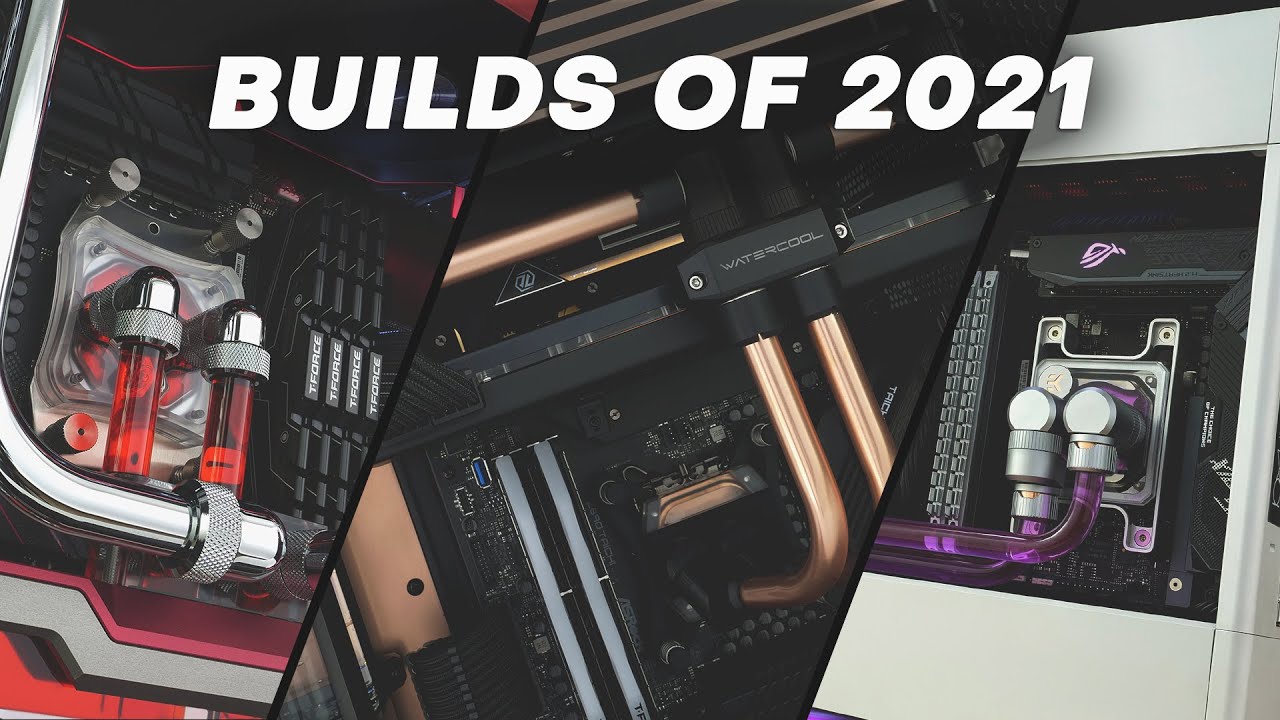
What a year 2021 has been and we saw yet another strong dominance from Lian Li. It was also the year we found our love for custom watercooled SFF builds which we wish to bring you more of in 2022.
In this video we take a look at all the builds we completed in 2021. Sit back, crank up the volume and enjoy 15 minutes of some of the cleanest build...
Skip to 14:15
You'll see that specific board you just linked move
I think that's the same one
cyan ravine
I might have to go look at the build idk
cyan ravine
Or rather in a scattered pattern
Ye I think so
That could be why, tho ggf could've had a special gold one or taken it apart himself
subtle halo
ow u know whats good that should tick even if its off so you know if bios battery runs off
xD
subtle halo
@cyan ravine

how much u will pay for this xd
this will look good in that build haha
the ai seems struggiling to know the ports xD


 gentle pollen
subtle halo
gentle pollen
subtle halo
This is honestly really cute. Would go well in a pink build featuring a romance anime like Onan high or whatever it was called on Netflix with the romance club.
gentle pollen
subtle halo
I genuinely love this. A 4090 model with this design I'd pay up to 2.4k for.
leaden mauve
subtle halo
https://tenor.com/view/dogs-cute-animals-floof-doggo-pupper-gif-10302848
thats a dog
 primal linden
When putting down the lever on a am4 mobo should I apply a bit of force to it
subtle halo
primal linden
When putting down the lever on a am4 mobo should I apply a bit of force to it
yeah if u struggle then u doing it wrong
it should just go underneat
cyan ravine
subtle halo
<@101107951401455616>
Looks like a kudan
 obsidian wigeon
kudan ai generated
 burnt stratus
subtle halo
depends on how floof to body ratio of that cat
burnt stratus
subtle halo
depends on how floof to body ratio of that cat


This is now pet channel
subtle halo
burnt stratus
thats a chill cat
burnt stratus
yeah unless she biting u
primal linden
what do I do if my mobo has 9 holes but my case has 6 standoffs
stoic island
Just screw into the places where your case standoffs are
deep raven
Man.
PC-Builds says that If I use a higher resolution it'd reduce/remove the bottleneck of a CPU + GPU combo
but a monitor with a definition higher than 1080p might just annihilate my wallet
obsidian wigeon
What's the specs of your pc?
And tbh you can just use 1080p and run fps cap if stuttering/unstable frames really is an issue
mossy venture
deep raven
but a monitor with a definition higher than 1080p might just annihilate my walle...
A decent one runs you about 160-220, 160 being very good sales
Having a bottleneck isn't the end of the world, it's impossible for there not to be a bottleneck in a pc

Acer Nitro XV1 XV271U 27.0" 2560 x 1440 180 Hz Monitor (UM.HX1AA.301)
deep raven
mossy venture
A decent one runs you about 160-220, 160 being very good sales
what's their refresh rates?
actually scrap that
60 fps is still sufficient for me
 analog hearth
nah don't hurt yourself like that
I'd go higher refresh rate if your PC can handle it
deep raven
analog hearth
I'd go higher refresh rate if your PC can handle it
yeah my PC isn't handling cripe
deep raven
I'm trying to cut down the price of my PC down to such a price that a high resolution and FPS monitor would be more expensive
God damn optiplex
SFF
analog hearth
ahhh gotcha
deep raven
with such a low-low-low end PC I wouldn't need a monitor that goes past 60 hz
Hell, even a 720p monitor could work as well
analog hearth
which Optiplex is it?
analog hearth
lolll I have that same one. I got it from work when they forgot to take it away for recycling
deep raven
analog hearth
lolll I have that same one. I got it from work when they forgot to take it away ...
what's your 7040's GPU?
something low profile?
a very old gpu?
analog hearth
Has a DVI and a DP
deep raven
My current device is an acer laptop
analog hearth
I use my Optiplex for home labbing purposes
deep raven
i3-6006u and HD Graphics 520
It can BARELY run ultrakill
I'm even lucky to be able to play L4D2 on a consistent 45 FPS
mossy venture
deep raven
with such a low-low-low end PC I wouldn't need a monitor that goes past 60 hz
What cpu and gpu do you have
Getting a 1440p monitor does not mean you get higher frame rate
You will get lower fps, if not the same depending on gpu/cpu
deep raven
mossy venture
What cpu and gpu do you have
i3-6100T & a GTX 1650 LP ._.
I'd need 2160p just to get a 7.8% Bottleneck
Wait I don't think I calibrated the regular 1650 to be similar in performance to its low profile version
vague oracle
Bottleneck calculators are just a bunch of bs random number generators
vivid copper
deep raven
I'd need 2160p just to get a 7.8% Bottleneck
That's not how it works...bottleneck calculators are BS...your GPU is not strong enough to run games at high framrates at 1440p....a 2 core 4 thread CPU just isn't strong enough for modern games....so you're going to be regulated to older titles or running games at 1080p or lower at 60 FPS or lower
deep raven
vivid copper
That's not how it works...bottleneck calculators are BS...your GPU is not strong...
Oh damn
Was I taking in misinformation by using the Bottleneck calculator from pc-builds
vivid copper
while it's true the higher you go in resolution the less the load comes of the CPU and becomes GPU dependent, your hardware has to be strong enough for those frames from the get-go.....if you don't have the horsepower to run games at 1080p you aren't certainly going to have enough to run them at 1440p
you don't have a bottleneck...your hardware simply isn't strong enough
deep raven
vivid copper
you don't have a bottleneck...your hardware simply isn't strong enough
So do I just have to ditch the 6th gen i3?
So I can just stay at 1080 with less Bottleneck
vivid copper
deep raven
So do I just have to ditch the 6th gen i3?
The truth is you have a CPU that is 8 YO. And not only is the CPU dated it wasn't a strong gaming CPU to begin with. A dual core CPU just isn't really up to snuff for modern gaming. So even if you upgraded your GPU to something stronger you will still have issues. So until you can upgrade your entire platform you just gotta make due.
deep raven
vivid copper
The truth is you have a CPU that is 8 YO. And not only is the CPU dated it wasn'...
I don't have plans to upgrade a 1650 in the future 3 years
The games I play are very light
So I guess I'll do something stupid and buy an even more powerful CPU that'll be Bottlenecked by my GPU and in the future I'll just buy a new graphics card that won't hold back the CPU
little osprey
Stop thinking about the bottleneck for a second.
If you’re genuinely determined to get better performance I’d advise moving to a more modern platform.
leaden mauve
Modern like x79