#building-and-recc-chat
1 messages · Page 206 of 1
 cursive wharf
Maybe Im just remembering mATX as ATX. Cuz mATX isnt death at least
 obsidian wigeon
only micro atx is the cheap option
$109 for non wifi asrock b650 hdv
in us that is
cursive wharf
Also ye thanks
 split cliff
no red lights, still black screen.
I took all ram off and CPU red light was always on
then took one ram stick inside and CPU red light still there
then re applied CPU, red lights are gone, black screen
obsidian wigeon
tested with cpu reinstalled and ram installed?
split cliff
yes
obsidian wigeon
if all else fails, grab a usb drive and update bios
split cliff
literally everything was working until i did the XMP
split cliff
the BIOS is already up to date tho
unless CMOS reset also put it back to old firmware?
split cliff
how to usb drive and update bios? i have the usb drive
cursive wharf
Can also sometimes fix corrupted BIOSes
split cliff
with the BIOS stuff in it
obsidian wigeon
is the usb formatted in fat32
split cliff
yes
obsidian wigeon
you'll need to download bios for your board, flashback version
rename it accordingly, all that stuff
after that you plug it into the usb port outlined in white
use the flashback button
split cliff
obsidian wigeon
use the flashback button
with pc on or off?
cursive wharf
With PSU switched on
split cliff
obsidian wigeon
but keep it plugged in
i’ll do this tmrw morning it’s 3 am here, thx for the troubleshoot, do u mind if i @ u tmrw again
split cliff
🙏
cursive wharf
If that doesnt work, consider unplugging all unessentials for POST
Storage drives, GPUs, fans, etc
obsidian wigeon
i suspect it's just bios broken by xmp on 4 sticks
cuz cmos reset evidently didn't work
cursive wharf
Hopefully
 severe hull
@mossy venture
 split cliff
obsidian wigeon
i suspect it's just bios broken by xmp on 4 sticks
split cliff
obsidian wigeon
i suspect it's just bios broken by xmp on 4 sticks
alright just did the BIOS flashback? the LED around that button is flashing green on and off rn
i assume that’s “updating”
obsidian wigeon
yes
split cliff
hopefully that’s a good sign
obsidian wigeon
the blinking means it's working as intended
split cliff
that the mobo is okay
what indicator should i look for when it’s complete?
it says it will stay a Solid Green if the flashback fails
what about if it’s a success
 analog hearth
I'd just wait for something to show up on the screen
or report back to us if the light shows a different pattern/color
analog hearth
what's the motherboard model?
analog hearth
steel legend?
split cliff
yes
analog hearth
ah the niche meme motherboard (at least the B450 version lol)
analog hearth
yours is probably better lol. don't worry
split cliff
good sign?
what to do next? power on PC?
do i remove the USB stick that’s inside the BIOS USB
analog hearth

If the LED does not light up at all then please disconnect power from the system and remove/disconnect the CMOS battery from the motherboard for several minutes. Reconnect power and battery and try again.
split cliff
ok so remove the cmos after i power everything off
split cliff
split cliff
do i remove the USB stick that’s inside the BIOS USB
what about this?
analog hearth
Probably keep it in
I would follow the instructions (take out the CMOS battery and wait a few minutes [like five or so minutes], put it back in, then turn it back on) just to see what happens
split cliff
alright cmos battery is out
analog hearth
okay now don't turn the PC on for a second, wait about 5-6 minutes, put the CMOS battery back in, then turn the PC back on
split cliff
i’ll wait 6 min
analog hearth
you may have to go through some extra BIOS setup after this
split cliff
🙏🙏 plz for once in my life i pray god that this works
swapping the mobo would be the last thing i wanna do
analog hearth
new to PCs?
split cliff
analog hearth
new to PCs?
2nd time build but overall i was better with building and stuff but for mobo and technical stuff i am still not very good
@analog hearth ok i am gonna put the cmos battery back now
and power it on
the screen is still black ……
@analog hearth :/
analog hearth
give it a second. it's possibly configuring itself
kinda like when you put a new CPU in the motherboard
split cliff
the red lights have stopped blinking
analog hearth
changing BIOS settings does some weird stuff sometimes. I changed an iGPU setting in my BIOS once and it turned off my computer and turned it back on (not restart, off and back on. it was weird)
split cliff
still black screen
analog hearth
split cliff
the red lights have stopped blinking
I think that's just the POST checker light
 analog hearth
split cliff
still black screen
analog hearth
split cliff
still black screen
yeah it may take a few minutes
 glad swallow
CPU - Intel core i5 13600K
Memory - 32GB Gskill Trident Z5 DDR5 6000 CL 36
Motherboard - Asus Prime Z690-A
Graphics Card - Asus Dual 4070 OC White
Power Supply - Asus TUF 750w 80 Plus Gold ATX 3.0
CPU Cooler - NZXT Kraken Elite 240 RGB (For 360mm AIO + $75) Storage - Western Digital SN850X 1TB
Chassis - Deepcool Ch560 Digital White
analog hearth
if not, ping Foxy again. he may know more than me lol
split cliff
analog hearth
yeah it may take a few minutes
but the red lights are gone for like a solid 4+ min or smth
analog hearth
interesting
glad swallow
Is a 12th gen i7 12700kf better then a 13th gen i5 13600k
analog hearth
@obsidian wigeon sorry for the ping but we need your advice lol
obsidian wigeon
seems to be the case
split cliff
should i plug my displayport from GPU to mobo?
analog hearth
try that just in case
split cliff
with the computer still on right?
analog hearth
yes
glad swallow
Can anyone review the specs I sent?
 obsidian wigeon
nice
split cliff
this is what happened after i plug DisplayPort into the mobo
split cliff
really?
obsidian wigeon
make sure it's properly installed
and that power connectors are connected
yeah
cause the mobo is fine
it's using the igpu
 split cliff
why would my GPU be at fault when it stopped working after i did XMP on 4 ram sticks
 obsidian wigeon
there's a lot we haven't verified
obsidian wigeon
but i feel the gpu stopped being detected somehow?
split cliff
no signal
split cliff
XMP broke my GPU…?
obsidian wigeon
idk how but all you can try is reinstalling the gpu onto the board again
wait, check bios pcie mode settings
pcie slot 1 might be on auto, and that's what's causing it to not detect the gpu
set it to pcie 4.0 mode
analog hearth
Idk if it would do anything but try without the GPU extension cables (unless I'm blind and that's 3 8-pins to a 12-pin or something)
analog hearth
ah gotcha
split cliff
obsidian wigeon
wait, check bios pcie mode settings
how do i do that
 split cliff
 obsidian wigeon
graphics features
 obsidian wigeon
hm
okay go back to first page of advanced menu
it might have changed places with am5
split cliff
 obsidian wigeon
pci config
split cliff
 obsidian wigeon
damn this is complicated
try cpu config tab
if there's nothing of interest try onboard devices

 analog hearth
Display Priority
split cliff
 split cliff
yea…
obsidian wigeon
that's pretty weird
split cliff
restore onboard defaults?
nvm that’s LED
should i try resetting the BIOS setting

ahhhh i have to leave for work in 10 min
obsidian wigeon
nah
resetting bios ain't gonna solve it
we'll try later with gpu taken off and installed back in
i hope the gpu didn't die or something
split cliff
if it did i hope it’s returnable
obsidian wigeon
it is
split cliff
but i peeled the plastic wrapping on the top already
split cliff
does newegg send a new one for replacement (worst case scenario)
obsidian wigeon
yes
they always send one for replacement if you contact for an rma
but not return
return is asking for refund
 high field
Yeah my 4080 black screen has to do with the cable it’s a huge issue with the 4080 and 4090
split cliff
high field
Yeah my 4080 black screen has to do with the cable it’s a huge issue with the 40...
the 12xxxx cable?
idk the full letters
my GPU suddenly stopped displaying after i did XMP on a 4 ram stick on mobo
that’s weird how XMP disabled my GPU’s display
glad swallow
Part List - Intel Core i5-13600K, GeForce RTX 4070, NZXT H9 Flow ATX Mid Tower
 vague oracle
💩 cooler and mobo
glad swallow
why is the mobo not good?
split cliff
@obsidian wigeon i managed to delay work for an hour
split cliff
obsidian wigeon
verify that when you have the time
ok so… i removed the GPU, now what
 obsidian wigeon
reinstall it
glad swallow
cosair then?
vague oracle
If you want something solid and white there’s this

Gigabyte Z790 AORUS ELITE AX ICE ATX LGA1700 Motherboard (Z790 AORUS ELITE AX ICE)
And only $10 more than the prime
glad swallow
wifi?
glad swallow
same price actually
Part List - Intel Core i5-13600K, GeForce RTX 4070, NZXT H9 Flow ATX Mid Tower
ok i know cooler is still the same but thats just want i want for aesthetics
cursive wharf
split cliff
does newegg send a new one for replacement (worst case scenario)
Retailers (Wegg, BestBuy, MicroCenter, etc) typically have short warranty. Manufacters (Gigabyte, MSI, Nvidia, Asus, etc) have the long-ish warranty. Might have to do RMA with manufacturer.
Also it doesnt look like you found the PCIe version setting. I'd be surprised if AsRock doesnt have that somewhere in their AM5 mobo.
Should still try looking for that and setting to Gen4 instead of prolly Auto.
vague oracle
glad swallow
ok i know cooler is still the same but thats just want i want for aesthetics
Dead set on nVidia?
glad swallow
intel and nvidia yes
vague oracle
Just because you can get a white 7800xt for ~500ish
glad swallow
i could get a black 4070 card and just paint the shroud too but
split cliff
cursive wharf
Also it doesnt look like you found the PCIe version setting. I'd be surprised if...
do u know where the pcie setting is in the bios
@obsidian wigeon reinstalling GPU does not help
cursive wharf
Use different video port?
glad swallow
4060ti 16gb better than 4070 12gb?
 weary galleon
Don't think so
Unless you're doing some sort of productivity task that really needs the vram
split cliff
obsidian wigeon
until you can change pcie settings or try with different gpu
searched through the BIOS and can’t find pcie settings
obsidian wigeon
4070 roasts 4060ti
cursive wharf
split cliff
do u know where the pcie setting is in the bios
Sadly heck if I know. Basically just gotta go through all options under Advanced tab. Maybe CBS or PBS?
obsidian wigeon
yeah without this i'd probably declare gpu as ded
glad swallow
how small is the h6 flow?
cursive wharf
Could try chipset PCIe slot instead of CPU PCIe slot
So basically the non-main x16 PCIe slot
 obsidian wigeon
hurray
split cliff
change 4 to enable?
obsidian wigeon
we found it
 split cliff
 split cliff
obsidian wigeon
we gotta figure out which of the many pcie lanes are the correct one
split cliff
obsidian wigeon
we gotta figure out which of the many pcie lanes are the correct one
ok…
i put it where GPU usually sits


 glad swallow
split cliff
glad swallow
split cliff
@obsidian wigeon
split cliff
 split cliff
obsidian wigeon
gfx lanes config set to not auto
split cliff
obsidian wigeon
gfx lanes config set to not auto
gfx?
obsidian wigeon
set link speed to gen 4
split cliff
set x16 to gen4?
obsidian wigeon
yes
split cliff
ok done
obsidian wigeon
and show me what selecting pcie/gfx lanes show
split cliff
 split cliff
ok
split cliff
ok
keep DP plugged into mobo?
or GPU
i’ll just keep it in mobo for now

OMFG IT WORKED
@obsidian wigeon is there anything i should change now? for the BIOS. leave it as gen4?
obsidian wigeon
um well
split cliff
before, GPU 1 (integrated graphics) wasn’t detected
obsidian wigeon
if you feel brave
split cliff
now both GPU displays
obsidian wigeon
use xmp
split cliff
XMP is no problem with two ram sticks right?
 little osprey
Y’all are still at this?
obsidian wigeon
sorta
little osprey
Been long enough I could crunch five and a half hours of sleep
split cliff
also is there like a complete way to reset everything? @obsidian wigeon
Aka: nvme into unallocated storage, bios is factory default, windows is not installed, bios act like first boot and will go to bios with no window OS detected on any nvme m.2)
split cliff
little osprey
Been long enough I could crunch five and a half hours of sleep
lmao my brain was furious the whole time u were sleeping
obsidian wigeon
reinstall windows
split cliff
i am so glad that at the end
my setup nothing broke
i’m just gonna replace the ram
return it etc
split cliff
obsidian wigeon
but tbh just use the pc
i was gonna do that but afraid of future problems, that’s why i wanted a “full factory reset”
after so many weird troubleshoots
split cliff
split cliff
i was gonna do that but afraid of future problems, that’s why i wanted a “full f...
so idk if it’s worth to have a “factory reset”
glad swallow
whats the best white psu for the money that comes with a 12VHPWR cable
obsidian wigeon
there's no need for the psu side to have the cable
glad swallow
even for the 4070 gpu?
obsidian wigeon
even less so
glad swallow
wtf is this guy telling me then
obsidian wigeon
nonsense
 strong raft
12vhpwr gpu side to 2x8pin psu side is common and very safe. 4090 is the only one that would really "need" more than that. 
obsidian wigeon
^
glad swallow
so say i order the asus rog strix 850g i will need no cable to ensure a complete build?
little osprey
All modular PSU’s come with their own cables
strong raft
If psu doesn't have their own "12vhpwr" adapter*/cable, then you of course use what comes w/ the gpu.
glad swallow
understood
obsidian wigeon

Corsair RM850 850 W 80+ Gold Certified Fully Modular ATX Power Supply (CP-9020232-NA)
grab this bad boy
glad swallow
lol this guy is saying if i got a black psu it would come with that cable
but if i get white it doesnt....
glad swallow
i just want to post a list and someone say nice so i can put my fricking amex in and get some cash back

see
glad swallow
Part List - Intel Core i5-13600K, GeForce RTX 4070, NZXT H9 Flow ATX Mid Tower
ik ik kraken sucks but other than that opinions?
id have to order soon before the asus psu goes back on backorder
 mossy venture
For psu amp v2
obsidian wigeon
why that psu
mossy venture
Has new connector too, and is 1000w for same price and tier
The rest you know my input on
glad swallow
maybe $20 more than teamgroup
obsidian wigeon
hey if it makes you happy, enjoy your new pc
obsidian wigeon
im not being sarcastic, just neuteal
glad swallow
i cant be happy until someone can approve and say it will work and perform well, yes it could probably perform better
mossy venture
It's literally just like.
Why
Like why specifically those parts over the other ones that perform just as good or better for less
glad swallow
asus is?
obsidian wigeon
it's just question of why
they will work together
just why spend extra basically
mossy venture
The pc will work. It's decently capable. But it is dismal value.
Even for that aesthetic and performance
glad swallow
ok changing psu out to rm850 i had chose that before but someone recommended the asus one since it has this mysterious cable
obsidian wigeon
good
glad swallow
is the 790 really that bad where you'd never put it in a system
obsidian wigeon
no
glad swallow
and as for the ssds, i plan to do them in a raid 0 array so i can allocate say 500gb for operating system and have 1.5 tb for storage
obsidian wigeon
we just prefer value over personal preference
glad swallow
which is logical
mossy venture
https://pcpartpicker.com/product/nCGbt6/asus-prime-z790-p-wifi-atx-lga1700-motherboard-prime-z790-p-wifi
https://pcpartpicker.com/product/mPt9TW/asrock-z790-pro-rs-wifi-atx-lga1700-motherboard-z790-pro-rs-wifi
https://pcpartpicker.com/product/JLjBD3/msi-mpg-z690-force-wifi-atx-lga1700-motherboard-mpg-z690-force-wifi

Asus PRIME Z790-P WIFI ATX LGA1700 Motherboard (PRIME Z790-P WIFI)

ASRock Z790 PRO RS WIFI ATX LGA1700 Motherboard (Z790 PRO RS WIFI)

MSI MPG Z690 FORCE WIFI ATX LGA1700 Motherboard (MPG Z690 FORCE WIFI)
Any of those for mobo
I think this has lcd display, better value than the kraken one https://pcpartpicker.com/product/sccgXL/corsair-icue-h150i-elite-capellix-xt-6557-cfm-liquid-cpu-cooler-cw-9060073-ww

Corsair iCUE H150i ELITE CAPELLIX XT 65.57 CFM Liquid CPU Cooler (CW-9060073-WW)

Corsair iCUE H100i RGB ELITE 59.1 CFM Liquid CPU Cooler (CW-9060078-WW)
glad swallow
not just a impression
mossy venture
I'd focus on m.2s, vrms, and if a z690 bios flash
Also I'm begging please don't spend $80 on a 1tb ssd
glad swallow
what are the main issues people experience with a kraken?
mossy venture
$13 more than one of those, twice the storage, just as good of a drive https://pcpartpicker.com/product/Mjstt6/acer-predator-gm7000-2-tb-m2-2280-nvme-solid-state-drive-bl9bwwr106

Acer Predator GM7000 2 TB M.2-2280 PCIe 4.0 X4 NVME Solid State Drive (BL.9BWWR.106)
glad swallow
well i understand that but the plan is to do a raid 0 array which allows for faster speeds
mossy venture
This is the singular best gen 4 ssd, better than sn850x
https://pcpartpicker.com/product/vrTp99/solidigm-p44-pro-1-tb-m2-2280-pcie-40-x4-nvme-solid-state-drive-ssdpfkkw010x7x1

Solidigm P44 Pro 1 TB M.2-2280 PCIe 4.0 X4 NVME Solid State Drive (SSDPFKKW010X7X1)
glad swallow
and you can allocate space for specific stuff
mossy venture
glad swallow
well i understand that but the plan is to do a raid 0 array which allows for fas...
No it does not. Not for what you're doin
Raid would actively hurt your use case
obsidian wigeon
rip data tho if one drive fails
mossy venture
It is completely useless for gaming.
mossy venture
It doesnt change that raid is pointless for gaming
obsidian wigeon
annd in turn requires another drive to keep backup
mossy venture
It also makes no sense to spend $650 for the "better" model. 40 series coolers are overbuilt
The ventus 2x will not even come close to overheating in gaming
glad swallow
so whty dont i get the 2tb sn850x then i believe its 10
mossy venture
And is much cheaper
glad swallow
120
mossy venture
Because 120 is still a bad price for it, but sure go for it. Still better than the 1tb ones
The 2tb gm7000 still far better value
glad swallow
in terms of
mossy venture
I have to go
glad swallow
okay thank you for your help
glad swallow
2tb or 1
 south cliff
2tb

NEW GENERATION GAMING SSD EXCEEDS SPEED LIMITS The Predator GM7000 M.2 SSD removes the speed limits for gaming (with up to 7400 MB/s read speed) and offers up to 2 TB in capacity. It’s a feature-packed SSD using PCIe 4.0, a 12 nm flagship 8-channel controller, independent DRAM cache, 4 K LDPC Err...
south cliff
and its a litle faster
your gonna need more than 1tb
there is no way your not gonna need more than 1tb unless you only downloading a few games
your storage fills up withoug you realizing
split cliff
already have windows installed, is it safe to remove current installed ram (4x16) to a different brand stick (2x32)?
vague oracle
mossy venture
https://pcpartpicker.com/product/nCGbt6/asus-prime-z790-p-wifi-atx-lga1700-mothe...
Meh I’d still get this one for $50 for an actually really good mobo https://pcpartpicker.com/product/hnNYcf/gigabyte-z790-aorus-elite-ax-ice-atx-lga1700-motherboard-z790-aorus-elite-ax-ice
Gigabyte Z790 AORUS ELITE AX ICE ATX LGA1700 Motherboard (Z790 AORUS ELITE AX ICE)
A good mobo actually does help a lot on DDR5 platforms
And it’s fully white
strong raft
Hopefully not 12th gen though. $70ish over msi Force for instance is quite a bit too, unless 6400+ on ram is all important. 
vague oracle
It’s a 13600k
High frequency does help a lot
He’s getting an A-die kit so 7200MT/s is doable on that Aorus elite
strong raft
That extra 600-800mt/s helping a lot is a stretch, but benchies will be fun
vague oracle
If you want, with that 6000c30 gskill kit you can get it running at 7000 or 7200MT/s with a bit of manual tuning
vague oracle
strong raft
That extra 600-800mt/s helping a lot is a stretch, but benchies will be fun
In my experience it helped a lot with the 1% lows
glad swallow
whats stock? on them
vague oracle
Stock (JEDEC) is 4800, XMP is 6000
glad swallow
they have the same ns as teamforce
glad swallow
most people enable xmp no?
vague oracle
Yeah XMP is an overclock
You’re also able to manually overclock it which nets big performance gains from tightening secondary timings and raising frequency
DDR4 wise, manually OCed 2133 outperforms a 3600 XMP
glad swallow
ok im going to stick with the sn850x 2tb
id save another 100 if i got the msrock mobo
well like $50
 cyan ravine
Can't think of any recent time if ever, there being a good reason to buy an sn850x
If you want good Gen 4, get P41 Plus, there's not really anything better beyond that worth buying
You might get lucky and see P44 pro on tiktok sales for dummy cheap, I think that's really the only time
south cliff
does the ftw3 and the ftw3 ultra 3090 have the same thermal pad like layout?

Kritical Thermal Pads
would these work
 mossy citrus
south cliff
does the ftw3 and the ftw3 ultra 3090 have the same thermal pad like layout?
mossy citrus
south cliff
does the ftw3 and the ftw3 ultra 3090 have the same thermal pad like layout?
Yeah
 limber oyster
New case arrives tomorrow
glad swallow
if im getting an h6 case and my cpu cooler will be mounted on top, one rear exhaust fan should i bother getting fans for the bottom?

 limber oyster
Look at pic
south cliff
oh nah thats a printer
limber oyster
Nope, that's a itx PC case
south cliff
limber oyster
Nope, that's a itx PC case
it looks like a printer
south cliff
220 is crazy
limber oyster
Well it has a 850w PSU and it was literally the only one for sale online. And it's OLD. So.....
I can go turn around and resell the PSU for like $75-100
south cliff
not that psu
limber oyster
You don't know my local market lol
south cliff
your right
limber oyster
I've seen lga1151 itx boards going for $500
south cliff
goly
limber oyster
And being sold next day
south cliff
holy
limber oyster
Am4 as well
 burnt dawn
I'm helping a friend to sort out a pc partpicker list, would apperciate feedback,
https://pcpartpicker.com/list/bMHkjH
Part List - AMD Ryzen 7 7800X3D, GeForce RTX 4080, Corsair 5000D AIRFLOW ATX Mid Tower
 latent saddle
do yall know if the zotac twin edge 4070 have a dual bios?
cyan ravine
burnt dawn
I'm helping a friend to sort out a pc partpicker list, would apperciate feedback...
A
https://pcpartpicker.com/list/8LzzkJ
B (Wouldn't recommend a 4080 though)
https://pcpartpicker.com/list/7x4KcH
Part List - AMD Ryzen 7 7800X3D, Radeon RX 7900 XTX, BitFenix Nova Mesh M ARGB MicroATX Mini Tower
Part List - AMD Ryzen 7 7800X3D, GeForce RTX 4080, BitFenix Nova Mesh M ARGB MicroATX Mini Tower
this is nice
https://pcpartpicker.com/list/43rzkJ
Part List - AMD Ryzen 7 7800X3D, GeForce RTX 4070 Ti, BitFenix Nova Mesh M ARGB MicroATX Mini Tower
I would recommend a *$715 4070 Ti if I had to suggest a high end nvidia card
otherwise 7900XT/X
burnt dawn
Okay
cyan ravine
And just a little background here, the 7800X3D runs on an AMD stock cooler, and the result of both builds would be the exact same performance
burnt dawn
I see
cyan ravine
oh oops I forgot the psu
burnt dawn
I thought x3D chip would run hot
cyan ravine
one sec
nah man
the old ones diid
the new gen ones are fine on basic coolers
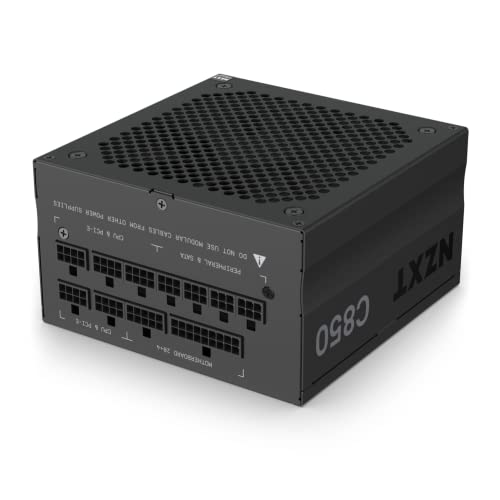
NZXT C850 (2022) 850 W 80+ Gold Certified Fully Modular ATX Power Supply (PA-8G1BB-US)
this for any of the others
https://pcpartpicker.com/product/YRJp99/corsair-rm750e-2023-750-w-80-gold-certified-fully-modular-atx-power-supply-cp-9020262-na

Corsair RM750e (2023) 750 W 80+ Gold Certified Fully Modular ATX Power Supply (CP-9020262-NA)
the RM750e is like $70 off newegg tiktok rn
cyan ravine
ye
hold on I have a video

My Patreon: https://www.patreon.com/buildzoid
Teespring: https://teespring.com/stores/actually-hardcore-overclocking
Bandcamp: https://machineforscreams.bandcamp.com/music
Twitch: https://www.twitch.tv/buildzoid
Twitter: https://twitter.com/Buildzoid1
Facebook: https://www.facebook.com/actuallyhardcoreoverclocking
#amd #ryzen #7800x3d
first ten seconds has a graph that tells basically the whole story
but the test is a stock box cooler from amd vs an aio
and all the synthetic tests, the results are basically identical
and these are harder tests than games, so that should set the precedent here
ok I updated all the lists @burnt dawn
sorry, forgot the psu lol
if you can check out the newegg tiktok shop they have a ridiculous level of discounts on a LOT of things
like an RM750e psu is like $70
a 2tb P41 Plus ssd is like $45?
you could get cheaper ram
you could also get an $87 A620M gaming X
if he didn't need wifi and/or fine with not a full white theme
 shut rampart
hi
burnt dawn
cyan ravine
ok I updated all the lists <@249208118481780737>
Thanks Felix
cyan ravine

south cliff
ive seen some things were people thermal pads were not workng and they added thermal paste and it dropped temps a lot
cyan ravine
ye
shut rampart
Is this an m.2
 cyan ravine
if you have like, old, bit dodgy thermal pads
a dab of paste fixes it right up where it's torn
cyan ravine
shut rampart
Is this an m.2
mhm
cyan ravine
nice
south cliff
i think the guy that io bought it from said that the og owner replaced thermal pads and i think they are the kritical pads and i have seen some things about them that they make the vrm temps really cool but the gpu temps high
cyan ravine
south cliff
i think the guy that io bought it from said that the og owner replaced thermal p...
yes I've heard this before as well
which points to bad thickness
south cliff
yeah sadly
cyan ravine
shut rampart
1t or 2?
whichever you need my guy
cyan ravine
south cliff
yeah sadly
as disgusting as it is, this is why I get k5 pro
it doesn't need to be measured, it just goes on
south cliff
isnt it kinda messy tho
south cliff
is there like a kit i can buy for the 3090 instead of having to buy separate thicknesses
like a thermal pad kit
south cliff
or just buy sepereate thicknesses ?
cyan ravine
mhm
south cliff
dammit
cyan ravine
K5 pro is yuck but it's the cheapest most effective method
south cliff
or it could be just ther thermal paste
cyan ravine
you buy like, 3 sticks worth, will do a whole 3090
south cliff
and or not tightened down right
cyan ravine
maybe?
cyan ravine
but I know of a couple people who had this with kritical pads
specifically on ftw3's
they're like, too stiff?
not quite the right thickness
south cliff
damn im kinda sad now
cyan ravine
I think there are others who use, I think gelid?
but you're still buying a bunch of separate sizes
south cliff
i mean it just runs at like 80
cyan ravine
80 core or 80 hotspot
south cliff
core
south cliff
can i check on x1?
south cliff
i get like 350 watts
cyan ravine
on which evga?
south cliff
ftw3 ultra
cyan ravine
you should be able to do 450W on that card no issue
south cliff
might be more tho i will check real fast
right now its at 60 doing nothing
hot spot 72 but let me run furmark or something
cyan ravine
60 idle??
south cliff
yeah
south cliff
like 10 percent
cyan ravine

south cliff
cyan ravine
<:monka:919723813573361705>
104 on memory junction
cyan ravine
lol.
south cliff
93 on gpu hot spot
cyan ravine
hm?
south cliff
cyan ravine
lol.
bad?
cyan ravine
420 is better
south cliff
i was looking at gpu rail
south cliff
gpu power max 420
cyan ravine
how much fan is it giving it
cyan ravine
that
seems not that bad actually
hotspot to core is good
mem junction is on the hotter side but as is the case with ftw3 normally
I would kinda just run with that but with a slightly better fan curve
cyan ravine
wouldn't make a difference to temps
cyan ravine
not really no
mem junction 110 would be concerning but not 104
the mount is good cos 13 degree delta between core and hotspot
south cliff
106 at the end
cyan ravine
mmm
south cliff
should i run a longer test
cyan ravine
I feel like asking other evga owners their mem junction temps might give some insight
south cliff
im going to run 3dmark
cyan ravine
there are plenty 3090 cards out there that just sit locked at 110 mem
cyan ravine
alr
south cliff
im still going to repast my cpu because why not
 tropic jacinth
is it better to build a pc with 800$ cad or buy a prebuild?
cyan ravine
tropic jacinth
is it better to build a pc with 800$ cad or buy a prebuild?
build
 potent portal
You'll get much better parts building it yourself
tropic jacinth
yea thats what farvak said
okay thank you, could you possibly reccomend some parts?
or like a list?
cyan ravine
for 800?
tropic jacinth
yea
cyan ravine
can you use newegg tiktok
cyan ravine
oh right
tropic jacinth
wym?
tropic jacinth
lol
soooooooooooooo
could you please help me make a list?
I was thinking i should get a used 5700 xt what do you think
south cliff
alright on 3d markl i got 93.3 on hot spot 81.1 on gpu temp and 106 on memory junction and max watts 420.684
cyan ravine
about the best I think can be done
sorry this
Part List - AMD Ryzen 5 5600, Radeon RX 6600, Azza Legionaire 470 ATX Mid Tower
wrong mobo in the other one
tropic jacinth
oml tysm
cyan ravine
go with a used 5700xt if it's cheaper
south cliff
south cliff
alright on 3d markl i got 93.3 on hot spot 81.1 on gpu temp and 106 on memory ju...
and max on memory 83
cyan ravine
Part List - AMD Ryzen 5 5600, Radeon RX 6600, Deepcool CG560 ATX Mid Tower
alternative if you want a better case
cyan ravine
south cliff
and max on memory 83
83 or 106 lol
south cliff
83 junction 106
cyan ravine
interesting
south cliff
i would just like the gpu temp to go down so the fans dont ramp up as loud
cyan ravine
well the answer to that question is unlikely to be a yes
if anything it deserves more fan lol
your 13C delta on the hotspot to the core temp describes that it's mounted properly
at least from what I can tell
burnt dawn
oh yeah felix
cyan ravine
what's up
burnt dawn
i have a 5800x3d and that thing runs "warm", reached 79 C on 280mm AIO using cinebench 2024
south cliff
im going to try 80 see if that helps
burnt dawn
I see, I have edited the pc case out to an non rgb one since he dont want RGB stuf
burnt dawn
and I can just tell him to not plug in the rgb header when he puts on ID cooling cpu cooler
burnt dawn
he just wants fuctionality and reliability
burnt dawn
thanks Felix
cyan ravine
@burnt dawn does he need wifi
burnt dawn
let's say its both in case
cyan ravine
alr
tropic jacinth
hey felix do you think that maybe i can get 16 gb of ram instead of 32 so i can save a bit money?
cyan ravine
https://pcpartpicker.com/list/gnXCDZ
https://pcpartpicker.com/list/TgCsmD
https://pcpartpicker.com/list/tP7c4M
Part List - AMD Ryzen 7 7800X3D, GeForce RTX 4070 Ti, Deepcool CH370 MicroATX Mid Tower
Part List - AMD Ryzen 7 7800X3D, Radeon RX 7900 XTX, Asus Prime AP201 MicroATX Mini Tower
Part List - AMD Ryzen 7 7800X3D, Radeon RX 7900 XTX, Asus Prime AP201 MicroATX Mini Tower
cyan ravine
tropic jacinth
hey felix do you think that maybe i can get 16 gb of ram instead of 32 so i can ...
nah, if you are playing games, you want minimum 32 now
south cliff
80 percent temp was 79
cyan ravine
I can make it much cheaper
south cliff
no matter what fan speed its either 81 or like 79
cyan ravine
this cheaper list doesn't hold on
Part List - AMD Ryzen 5 7600, GeForce RTX 4070 Ti, Phanteks Eclipse G300A (1 Fan) ATX Mid Tower
Part List - AMD Ryzen 5 7600, GeForce RTX 4070 Ti, Phanteks Eclipse G300A (1 Fan) ATX Mid Tower
tropic jacinth
mobo has wifi right?
cyan ravine
the last one does, as do the other 3
tropic jacinth
other 3? wait are you with me? lol
burnt dawn
Rare to see a Asrock GPU
cyan ravine
PG XTX is actually a bit goated
It's basic but gives you the highest tier XTX experience despite this
It's beefy af too despite being basic
burnt dawn
How do you make a good PC list like that? Staying on top of new tech by watching yt and stuff?
and thank you lol have a good day Felix
cyan ravine
All good, I'm still here for another minute
About, uhh
2, 2?
2 years of practice at this point
just knowing from reviews most of what performs as what, and how good it is
I tend to do extremely price optimised stuff here
While still considering a couple design choices, like say, colour
@mossy venture and @potent portal are much the same
we've all been doing this for quite a while lol
Alr time for me to dip
Good luck with the builds lads

 manic cloak
Officially a year ago
I got scammed by microcenter
Jkjk, 12600k + z690 asus tuf gaming wifi ddr4 mobo for 300$ and my g27f 2 monitor for 150$
For the prices then, amazing
Now I kinda lose out around 50$ cause of the tiktok shop
south cliff
ok so i undevolted the 3090 at about 100 percent its gets around 75-76 degrees and max power draw was 360 watts
high field
split cliff
the 12xxxx cable?
Wym?
high field
obsidian wigeon
cables could have come loose somehow too
There not loose I use two different cables and have the same problem
high field
I got a new cable tomorrow that might fix the issue but this is so dumb because it’s been going on for a year now and they still have fix it
split cliff
high field
Wym?
whatever that 12XXXX cable that plugs into 40s high end cards
strong raft
12vhpwr, and xmp w/ 4dimms bekng unstable could also he a factor on the "black screen".
high field
split cliff
whatever that 12XXXX cable that plugs into 40s high end cards
That it comes with
Cause yeah I still have the black screen problem so annoying
high field
How do u do that
obsidian wigeon
dig around in bios
 zenith cargo
Can I buy this specific extension cable or do I need to buy a whole kit?
 potent portal
There's definitely individual cables you can buy
zenith cargo
do you know where I can find them
potent portal
I'm partial to cablemod but they can be pricy. Fully customizable though.
Asiahorse is a cheaper brand I see recommended, I think you can get them on amazon
 crimson zinc
https://pcpartpicker.com/list/Y7HwqR
750w enough? (Ignore storage, sorting later)
 tranquil basin
For PC building first timer, what tutorial vids do you guys recommend?
south cliff
crimson zinc
https://pcpartpicker.com/list/Y7HwqR
750w enough? (Ignore storage, sorting later...
yes
south cliff
tranquil basin
For PC building first timer, what tutorial vids do you guys recommend?
ltt has some pretty in depth videos
mossy venture
crimson zinc
https://pcpartpicker.com/list/Y7HwqR
750w enough? (Ignore storage, sorting later...
Cooler comes with paste, and case has fans
split cliff
@obsidian wigeon doomed
apparently putting the pc to sleep and turning it back on
causes gpu to not be detected again
split cliff
how to factory reset mobo?
obsidian wigeon
cmos reset
if that doesn't work you gotta redo the pcie settings again while display is connected to mobo
split cliff
this is so weird ugh
tranquil basin
south cliff
ltt has some pretty in depth videos
Thank you! I’ll look into it
south cliff
tranquil basin
Thank you! I’ll look into it
Thanks to Seasonic for sponsoring this video! Buy a Seasonic TX 1000 PSU today at https://geni.us/aryiquT
We’ve done plenty of build guides before – But now we’re taking it to the next level. Not only will you know how to build a PC, you’ll know how to build ANY PC – This is the LAST guide you’ll ever need!
Discuss on the forum: https://linust...
 south cliff
wdym
south cliff
for what
split cliff
r u able to combine the partition after reinstall?
split cliff
yes
south cliff
oh you dont need those
split cliff
i wanna make them all unallocated and then merge them
split cliff
so if i reinstall windows on drive 1 partition 2
i can’t combine partition 1 and 3 later?
 south cliff
lol
split cliff
@obsidian wigeon i finally fixed it after constantly thinking about it at work today
it is now detecting GPU and defaults to GPU
for some reason, the motherboard loves to keep booting using integrated graphics
so what i did was i uninstalled windows
deleted all SSD and they are all unallocated
forcing the mobo to boot to BIOS
when windows was installed, i think the mobo registered the amd integrated graphics as the main boot always
so i basically removed that registration
cmos reset
put in my windows installation drive again and used DP into GPU
now when i boot, mobo has nowhere to go? except for the GPU
idk if it makes sense
PC is now entirely fixed
split cliff
obsidian wigeon
windows moment
truly a windows moment
obsidian wigeon
indeed
split cliff
it’s like windows registered mobo as its boot key
it has to go through it to boot
@obsidian wigeon thank u for ur help yesterday and today, it was helpful and i gained knowledge for future builds
really appreciate it man
split cliff
@obsidian wigeon i just hope now that the “smell” from my PSU isn’t plastic burning. cuz idk what plastic burning even smells like. i can only smell that weird smell if i put my nose against the PSU real close. i can’t smell it if i don’t put my nose close. lol

 tranquil basin
south cliff
https://www.youtube.com/watch?v=BL4DCEp7blY&t=2567s
tranquil basin
south cliff
https://www.youtube.com/watch?v=BL4DCEp7blY&t=2567s
Thanks a ton!
obsidian wigeon
split cliff
<@214044000556941312> i just hope now that the “smell” from my PSU isn’t plastic...
it's just new electronics smell
some can smell funky
cyan ravine
split cliff
<@214044000556941312> i just hope now that the “smell” from my PSU isn’t plastic...
"2 or 3 times a week" wtf
First time I've seen a post having psu burn-off like a new kitchen appliance or oven
Man, this guest guy is on another level 💀
obsidian wigeon
lmao
south cliff
tranquil basin
Thanks a ton!
no worries
 mellow meteor
mossy venture
mellow meteor
should i buy this?
https://www.newegg.com/abs-sa13400f4070-stratos-aqua/p/N82E1...
mellow meteor
mossy venture
mellow meteor
should i buy this?
https://www.newegg.com/abs-sa13400f4070-stratos-aqua/p/N82E1...
Solid price
Obviously can do better custom, but pre built idt I've seen better for that tier of pc
Though you'd want to upgrade the ram

Silicon Power Value Gaming 32 GB (2 x 16 GB) DDR5-6000 CL30 Memory (SP032GXLWU60AFDEAE)
mellow meteor
alright, thanks
split cliff
obsidian wigeon
it's just new electronics smell
yea i hope it’s just new electronic smell. i let my cousin smell it and he says it smells like gasoline and im like wtf
split cliff
mellow meteor
should i buy this?
https://www.newegg.com/abs-sa13400f4070-stratos-aqua/p/N82E1...
it looks pretty good for both specs and the looks, for a pre built ngl, if i wasn’t gonna build my own i’d buy this
limber oyster
I'm sad, just realized I can't do a water loop in my new case
potent portal
Not with that attitude. A Dremel and some creativity can fix that no matter what case it is.
limber oyster
potent portal
Not with that attitude. A Dremel and some creativity can fix that no matter what...
TSA restrictions say otherwise
 tall knot
Heavy rendering, running server, 3d modeling, editing, work, data processing and gaming ofc. Everything
Ignoring the fact that there is no gpu or cooling in this list, would this be a decently built top of the line pc for the above use cases still or should I upgrade a certain part before I buy the parts.
(Yes the storage is split up that way for a reason)
(Also yes intel is preferred)
https://pcpartpicker.com/list/fw99t7
Part List - Intel Core i9-13900K, GeForce RTX 4090, Thermaltake Core P6 ATX Mid Tower
analog hearth
@split cliff I'm glad your build is finally working :)
mossy venture
tall knot
```Heavy rendering, running server, 3d modeling, editing, work, data processing ...
Ssd sizes confuse me a lil and diff ram
tall knot
mossy venture
Ssd sizes confuse me a lil and diff ram
Yeah they are split like that into different drives instead of just making partitions for a reason. Any ram you would recommend instead? Dominator also looks nice
obsidian wigeon
Corsair ram is bad
split cliff
analog hearth
<@261693301583773698> I'm glad your build is finally working :)
Thank u :)
tall knot
obsidian wigeon
Corsair ram is bad
Is it that bad? Honestly for the ram I just picked the with the lights I liked since the big diffused bar is meh imo
obsidian wigeon
Corsair is hit or miss with qc on their ram
tall knot
obsidian wigeon
Corsair is hit or miss with qc on their ram
Is ram the only thing on the build I should change though?
tall knot
I'm just buying alot of the stuff Amazon has on sale rn and it doesn't include ram yet
Ok cool thanks
Oh yeah would that PSU be good enough for a 4090 and custom loop for everything all said and done?
tall knot
Gotcha Thanks
obsidian wigeon
can squeeze 850 but since you have the bag
might as well splurge on 1000
13900k can and will guzzle 300w+
little osprey
Corsair is bad
BAD
The world would not change one bit if they were to cease to exist
potent portal
They make exactly 1 good product, PSUs
obsidian wigeon
and now one good keeb
potent portal
Corsair's cable system makes it super easy to find and make compatible custom cables, or add new standards to your old power supply like when they made the 12VHPWR cable
Now if I want to use a 40 series GPU I don't need to use the stupid 4x 8 pin adapter, I just need $20 to modernize my old RMx.
 empty cape
Anyone could help me check if I've done a good job?
https://ca.pcpartpicker.com/list/YnQZz6
Part List - AMD Ryzen 7 7800X3D, GeForce RTX 3060 12GB, Corsair 4000D Airflow ATX Mid Tower
weary galleon
The case is good and the CPU is good
Pairing a 3060 with a 7800x3d isn't great
Personally I would opt for an air cooler bit if you really want liquid go for a 280mm or 360
weary galleon
More of a budget card and not great price/performance. I'd go for a 3060ti or 6700xt minimum, but with a 7800x3d something more powerful would be better
empty cape
ok
weary galleon
Thermalright peerless assassin is good
empty cape
is the mobo good? never paid that much for a mobo before
weary galleon
Or thermalright phantom spirit
empty cape
weary galleon
empty cape
is the mobo good? never paid that much for a mobo before
Honestly I don't know, though expensive Mobo doesn't always mean better performance
weary galleon
empty cape
https://www.newegg.ca/p/0VE-01P6-00019
Price seems a bit high, I'm seeing them for ~$35USD
empty cape
ok thanks
little osprey
https://pcpartpicker.com/list/YH7WBL can someone let me know if this is good or not and lmk what to change please
cyan ravine
empty cape
Anyone could help me check if I've done a good job?
https://ca.pcpartpicker.com/...
Part List - Intel Core i5-13600KF, Radeon RX 7900 XT, Azza Legionaire 470 ATX Mid Tower
cyan ravine
little osprey
https://pcpartpicker.com/list/YH7WBL can someone let me know if this is good or ...
Part List - AMD Ryzen 5 7600, Radeon RX 7900 XT, BitFenix Nova Mesh M ARGB MicroATX Mini Tower
Part List - AMD Ryzen 5 7600, GeForce RTX 4070 Ti, BitFenix Nova Mesh M ARGB MicroATX Mini Tower
ask in #peripherals-and-displays for a good DAC+AMP recommendation or stick to the sound card build into the motherboard. We don't really recommend add-in sound cards here
I can highly suggest a $5 Apple usb-c DAC off of amazon
it tears the pants off of most sound cards, and is amazing value for money

The USB-C to 3.5 mm Headphone Jack Adapter lets you connect devices that use a standard 3.5 mm audio plug — like headphones or speakers — to your USB-C devices.
$8 sorry
then use it with a good headset like a pc38x
little osprey
alr thank you
cyan ravine
little osprey
these are just builds you recommend right?
little osprey
im on a strict budget rn
like 1.1-1.2 before I sell my current pc then maybe 1.3-1.4 with the money from selling my pc
cyan ravine
If you can use newegg tiktok shop these lists could go way cheaper
the reason I say that and not offer a second list, is cos the step down is a bit significant from here
Part List - Intel Core i5-12600KF, Radeon RX 7900 XT, BitFenix Nova Mesh M ARGB MicroATX Mini Tower
Part List - Intel Core i5-12600KF, GeForce RTX 4070 Ti, BitFenix Nova Mesh M ARGB MicroATX Mini Tower
otherwise you go to 6950/6900XT, or otherwise 7800XT
Part List - AMD Ryzen 5 7600, Radeon RX 6950 XT, BitFenix Nova Mesh M ARGB MicroATX Mini Tower
little osprey
yeah
im just tryna upgrade to something better that will last a while before needing a new upgrade
cyan ravine
these all will
little osprey
my current pc is 4 years old and thats before whenever the parts came out
cyan ravine
motherboard
in a couple years you should be able to buy another cpu from a newer amd gen and just drop it in without any real problems
that's even if you need to
7600 is really competent
 near garden
Question I built my pc like 2 years ago I added 16gb of ram 3600 I’ve noticed I need more so do I have to get a new 32gb kit or can I mix a random 16gb kit because I dont see the kit I have currently anymore for sale on stores it just has to be the same speed if I do ?
cyan ravine
near garden
Question I built my pc like 2 years ago I added 16gb of ram 3600 I’ve noticed I ...
mixing is generally not a great idea, also, getting a 32gb kit then selling the old 16gb kit is usually the cheaper way to go about this
near garden
cyan ravine
mixing is generally not a great idea, also, getting a 32gb kit then selling the ...
Alright thank you
cyan ravine

Silicon Power GAMING 32 GB (2 x 16 GB) DDR4-3200 CL16 Memory (SP032GXLZU320BDAJ7)
get these, then sell your old kit
or these

TEAMGROUP T-Create Expert 32 GB (2 x 16 GB) DDR4-3600 CL18 Memory (TTCED432G3600HC18JDC01)
otherwise these
https://pcpartpicker.com/product/7MVmP6/oloy-blade-rgb-32-gb-2-x-16-gb-ddr4-3600-cl18-memory-nd4u1636181drkde

OLOy Blade RGB 32 GB (2 x 16 GB) DDR4-3600 CL18 Memory (ND4U1636181DRKDE)
little osprey
cyan ravine
in a couple years you should be able to buy another cpu from a newer amd gen and...
alr thanks
 hollow crag
Do cpus come with thermal paste
potent portal
No but coolers do. If there's a stock cooler in the box it'll be with that.
potent portal
Yes, I believe the paste is pre-applied to the stock cooler too
The 7600 comes with the cooler, the 7600X is higher power so it does not
hollow crag
Amazing, thanks
analog hearth
bruh
mossy venture
potent portal
The 7600 comes with the cooler, the 7600X is higher power so it does not
Idk how but I read this as "7600 is higher hot"
And that made sense to me too
 lament scarab
I was wondering if anyone could help me spec out a PC to be used as a Plex Server while Black Friday/Cyber Monday deals are floating around.
My storage needs are already satisfied and that I would like to build in a smaller form factor. No monitor, keyboard, mouse, or operating system needed.
I would like to be able to support three or four 4k transcodes simultaneously. I don’t really know the amount processing power required for that or if Intel/Amd has any proprietary technology which would be beneficial to this use case. I also don’t know if this would required dedicated graphics or not, but I would assume not. I would need a motherboard that supports 10 GB Ethernet and has at least 4 USB 3.1 port with a bus that can support a good amount of simultaneous data transfer.
Budget would probably be around $300-$600. Any help would be appreciated.
high field
4080 still black screen for me
potent portal
lament scarab
I was wondering if anyone could help me spec out a PC to be used as a Plex Serve...
This is about the cheapest I can make that meets your needs. The key factor is the AV1 encoding support on the A750, it makes transcoding way faster and better quality. There's also very few motherboards that have 10Gb ethernet so you have to add an adapter. https://pcpartpicker.com/list/7N9Gn6
Part List - AMD Ryzen 5 4500, Arc A750, Fractal Design Core 1000 MicroATX Mini Tower
The cheapest motherboard with 10Gb without going for used parts is $300
high field
Any fixes to my issue?
potent portal
Short of the things I've already suggested or changing parts, no idea
potent portal
5800X is in a weird spot. The 5700X is identical performance so might as well either go with that and save money or upgrade to the 5800X3D for up to 25% more fps.
lament scarab
potent portal
This is about the cheapest I can make that meets your needs. The key factor is t...
I really really appreciate the help, thank you so much. I’m not super familiar with Intel graphics cards but I know they’re relatively new to the market, is there any concern about long-term support or firmware bugs?
potent portal
Nothing that would be an issue with a Linux Plex server
The cards have been in the kernel since 6.0
 brazen pond
potent portal
5800X is in a weird spot. The 5700X is identical performance so might as well ei...
brazen pond
potent portal
5800X is in a weird spot. The 5700X is identical performance so might as well ei...
Upgrading from an i3 9100f, rx 580 build LOL I don’t rlly care as long as the build’s mid-high tier
potent portal
The DS3H would also not be able to handle the power of the 5800X now that I think about it. Smol heatsink, overheats easily.
brazen pond
But like tbf I just got the 5800x because it was a hella good deal on Amazon
little osprey
Corsair RMX 850 or MSI MPG A850G PSU
brazen pond
potent portal
The DS3H would also not be able to handle the power of the 5800X now that I thin...
Damn
potent portal
little osprey
Corsair RMX 850 or MSI MPG A850G PSU
Corsair imo
brazen pond
I’ll have to upgrade next year or something
I hear 5800x overheats very easily
Also idk if my cpu cooler on my old b365m ds3m will support b550m, kinda worried it might not be. I forgot which one I bought 😅
potent portal
Yes, nothing short of a strong 240mm or average 280mm AIO will keep the 5800X cool. I have one on a strong 420mm and it still hits 80C.
And that's undervolted
brazen pond
Damn man
little osprey
who makes best AIO? 360mm for friend
potent portal
AMD or Intel
little osprey
Intel 14600k
brazen pond
Is nvenc h264 that much better than amd’s h264?
brazen pond
That’s the one of the main reasons why I chose nvidia over amd
Damn
I should’ve done more research
potent portal
little osprey
Intel 14600k
Easily one of the best AIOs for LGA1700, on a great sale now too https://pcpartpicker.com/product/yBDQzy/deepcool-ls720-se-8585-cfm-liquid-cpu-cooler-ls720-se

Deepcool LS720 SE 85.85 CFM Liquid CPU Cooler (LS720 SE)
brazen pond
This build was from like 3 years ago (the one I’m upgrading now) and haven’t really been part of the pc building community ever since so I barely know anything about the latest tech and the best parts
But do you think 650w psu is good enough for my build?
potent portal
Yeah plenty, as long as it's C tier or better
Tier list for reference https://cultists.network/140/psu-tier-list/

PSU Tier List will help you to choose the best PSU out of hundreds of models on the market. From budget to the highest end Power Supplies.
little osprey
Would a 4070ti run games well on 3440x1440p Ultrawide?
potent portal
Depends on the game. Baldur's Gate 3? Sure. Starfield? Not on your life.
potent portal
I'm holding onto mine until the creation kit is ready
The game is rather repetitive and empty without mods
potent portal
I have a rather tame list compared to other people in skyrim, only about 150 mods total