#building-and-recc-chat
1 messages · Page 200 of 1
 potent portal
 earnest olive
ooh interesting
 tepid crater
So what I put my HDD into my roommates ps then download windows onto it?
tepid crater
There's no USB port on my hdd
tepid crater
Oohhh wait i get you
potent portal
You create the windows installer on the usb, and boot the usb to install windows on the hdd
tepid crater
Dunno if I have a USB big enough
earnest olive
8gb
earnest olive
lol
I actually did some testing on that btw
I was able to get it to pass with 5.6gb
at 5.5gb it complained the drive was too small and 8gb was required
potent portal
Slightly above a standard dvd. With some trimming using ntlite you could get it to dvd size.
earnest olive
but at 5.6gb no complaints install finished
tepid crater
This is gonna be fun cause I've never done this before
earnest olive
what gpu are you planning to upgrade to btw
so I can give you an appropriate psu recommendation
tepid crater
It's a Radeon something. Gimme a sec
potent portal
I wouldn't call installing windows 10/11 onto a hdd "fun."
"Time-consuming" and "painstaking" come to mind.
tepid crater

Since I can't find a 2070 super for less than 400 bucks
@potent portal I mean I've never done it via USB so
Standard 2070s are around 270 bucks but I want the super. If I get the standard I might aswell just buy a 1080ti
 mossy venture
the 6700xt is $310-330 and beats the 3060 ti/2080 super
I'd take a 6650xt for 225-230 over a 7600 at 270
potent portal
10 series is starting to lose support from game devs, probably going to lose driver support soon
I do not recommend a 1080 ti at this time for gamers
earnest olive
this should be good enough
the wattage is pretty overkill but at least on the current market you're sacrificing more than just wattage by going cheaper
earnest olive
potent portal
10 series is starting to lose support from game devs, probably going to lose dri...
isn't maxwell still getting driver support?
pascal probably has a few more years of driver support
it's just the API level that's the issue
potent portal
earnest olive
isn't maxwell still getting driver support?
Only for game ready stuff, no new features or fixes
earnest olive
is there anything known left to fix on maxwell?
 potent portal
Drive 0 is your hdd from the look of it
2 partitions, it appears your boot sector was installed there (thanks windows 🙄 )
tepid crater
The second one Labled slow is my HDD. The first one is my ssd
mossy venture
it's the same drive, just separate partitions
tepid crater
Oh your right woops.
Either way it's not letting me install windows cause it's saying it's already installed. But it won't boot off the HDD
potent portal
The problem is there's already data on the hdd
You'd have to delete it all so it can build the partition scheme again
tepid crater
So format it. Not a big deal
potent portal
Not format, delete both partitions
potent portal
Once you delete them select the unallocated space and hit next
tepid crater
Sounds good
Honestly I'm just hoping the shop can get my files off the ssd at the very least
@earnest olive what do you think of corsair? I've used they keyboard and mouse stuff for years but not any internals yet
earnest olive
very hit or miss
they have some excellent psus
some not so excellent psus
their fans are fine but generally overpriced for what you're getting
tepid crater
I've always loved the mouse and keyboards I've gotten. I was actually looking at a few of they're psu's aswell
earnest olive
some excellent cases, some cases that are not bad but overpriced, some bad cases
their entire ram lineup is basically not worth looking at unless buying used
tepid crater
I like the case I have so not worried about it. Old school master cooler and it gets the job done lol
earnest olive
their coolers are all overpriced
tepid crater
 earnest olive
apparently they have some of the best thermal paste on the market, but their lower end thermal paste is complete garbage
tepid crater
Asking cause I've had this one saved for awhile
earnest olive
rm750e is a great unit, just typically recommended for higher end systems than what you're aiming for
it won't hurt to buy it but you won't really see benefits vs the cheaper one i linked you
it's your $25 to spend anyways
tepid crater
That's why I was asking.
earnest olive
i wouldn't put much thought into "future proofing" power supply now
tepid crater
If 25 bucks gives me more room for future upgrades I figure why not
earnest olive
the future of power supplies is currently pretty uncertain
atx 3.0 is starting to be adopted and also still nobody knows what's going on with atx12vo adoption
imo it is pretty pointless to buy a power supply now with the intent of keeping it for 12 years
mossy venture
earnest olive
imo it is pretty pointless to buy a power supply now with the intent of keeping ...
but my evga w1 from 10 years ago is still running my 2nd gen intel igpu build fine
tepid crater
I mean I don't do any kind of hard-core gaming honestly. And I'm not a huge fan of rgb
earnest olive
rgb does not use as much power as you seem to think it does
tepid crater
I don't figure it uses much, but it's still extra pull
mossy venture
the gx pro 750 could run a 4090, if it had the pcie power cables
earnest olive
my build is pretty much worst case scenario for rgb power draw and it's probably not exceeding 20 watts
mossy venture
though pigtails might work id spend the extra for the rme on a 4090 lol
earnest olive
multiple rgb devices running solid white light (which is the highest power consumption for lighting)
tepid crater
I honestly just want a 2070 super or it's equal and I'm good on gpu's for awhile. It's not like I have the monitors for 4k or anything like it anyways
earnest olive
the psu i linked you is already quite overkill for your planned rx 7600
i'd just buy it if that's your goal
tepid crater
I gotcha
earnest olive
you could honestly use that psu with a 7900xt/4080 no problem
you can probably get away with it as well for 7900xtx/4090 but if you are spending that kind of money you might as well beef up the psu too
tepid crater
Right
earnest olive
even for the 4080 i'd rather go for the rm750e at that point
then again, my 4080 is currently being driven by a $0 chinese psu
tepid crater
I need to find a bundle deal on a gpu and psu lol
earnest olive
those bundle deals usually aren't really doing much for you
i'd consider replacing your current psu to be pretty urgent
tepid crater
Well...the good news on having to reset my pc is it was due for a cleaning anyways. And I can just port over stuff from the HDD to my new ssd once that happens
earnest olive
so i'd look to buy something immediately rather than wait for a bundle to pop up
mossy venture
if you would be fine with an extra $40, the 6700xt is $310 and outmatches the 3060 ti, as well as 12gb vram which is nice for newer games

ASRock Radeon RX6700XT CLD 12G Radeon RX 6700 XT 12 GB Video Card (RX6700XT CLD 12G)
 lone flame
earnest olive
rm750e is a great unit, just typically recommended for higher end systems than w...
lone flame
earnest olive
rm750e is a great unit, just typically recommended for higher end systems than w...
mine has recently had really bad coil/electrical whine under load i might return it
lone flame
mossy venture
https://pcpartpicker.com/product/8HBG3C/asrock-radeon-rx-6700-xt-12-gb-challenge...
oh hey thats mine i think
earnest olive
lone flame
mine has recently had really bad coil/electrical whine under load i might return...
meh, one-offs happen for any model
i've bought a few rm750es
did not have such issues
earnest olive
sometimes you just get unlucky
lone flame
i guess i got unlucky
i got it in person at best buy
so i will likely be able to return it fairly easily
earnest olive
one time i had a client build that i had to repeatedly delay because 6 of the parts came in defective
that customer was an angel
💀
i quit pc building for 3 months after that whole disaster
lone flame
earnest olive
one time i had a client build that i had to repeatedly delay because 6 of the pa...
damn thats crazy
were they all like
the same part that kept coming in defective
earnest olive
literally got 2 dead motherboards in a row and the second one was so dead it killed a known good cpu and ssd
the case arrived like this but seemed fine

until i finished the build and found that the internal connection for the front audio was broken
so i had to take it all apart and get a replacement case
lone flame
thats rough
earnest olive
the only reason i was able to even troubleshoot all of the different defective parts was because i had 3 ryzen builds in progress at the same time
now imagine how impossible it would be to do all that troubleshooting as someone doing their first build
💀
lone flame
im so glad my build went over smooth besides just some driver issues I had
earnest olive
that's good
my first build had no defective parts
beginner's luck lol
if that nightmare build happened to me on my first build i would have never gotten into this hobby
prebuilts for life after that
tepid crater
Hmm..well I got the pc to boot but it's not acknowledging my second monitor XD
earnest olive
because driver isn't installed yet
you can manually install nvidia driver or just wait a while until windows automatically installs one
and then it should show up
lone flame
earnest olive
that's good
i might do a case swap for christmas, nzxt h6 and king 95 look really appealing to me
earnest olive
good luck, hopefully everything about it works lol
tepid crater
God you don't realize how much faster a ssd is till you don't have one anymore lol
my pc is moving at like half the speed of smell
i have gig highspeed fiber internet and steam is throttled to 200mbps because of this HDD XD
 lyric thistle
200 isn't even an issue
tepid crater
i know but still. with the ssd it was faster. im just getting a kick out of the lag between trying to open a program and when it actually opens
lone flame
earnest olive
good luck, hopefully everything about it works lol
i want to go all black i think, something almost like this

something about it looks so good
 teal dome
@mossy venture 32gb ddr4 ram 3200, 5600x and msi mag tomahawk board for 250? Worth?
mossy venture
teal dome
<@654444344274845698> 32gb ddr4 ram 3200, 5600x and msi mag tomahawk board for 2...
Imo nah not used
32gb ram $35-40, cpu $100-120, b550 $40-90
teal dome
So what’s fair?
It was listed for 300 I asked for 250 and they yes
Also is the mushkin helix L a good ssd?
mossy venture
I wouldnt pay over 200 personally, since buying a 5600 b550 and ram separately you could likely get around 200
I've not a clue, never heard of it
teal dome
What’s a good atx case?
teal dome
mossy venture
I've not a clue, never heard of it
Oh alright
My friend trynna buy it im trying to build a pc for him
mossy venture
teal dome
What’s a good atx case?
There's a lot, g300a 903 max and x3 are some cheap ones
teal dome
Good modular psu?
Part List - AMD Ryzen 5 5600X, Phanteks Eclipse G300A (1 Fan) ATX Mid Tower
list so far
lmk if i should change
mossy venture
Gx pro I think is semi mod?
Which is functionally the same thing, only things you can't take off are cpu and mobo power
teal dome
budget around 500
mossy venture
Which are obviously needed
teal dome
its alright if its a little higher
also how much is reasonable for a used 3060ti
listed for 230
mossy venture
230s not bad
Check refurb price on ebay, they used to be 250 or so, but that was a couple months ago
Prices mightve dropped a bit
mossy venture
200-210 would be nice
 cursive wharf
earnest olive
my first build had no defective parts
cursive wharf
earnest olive
my first build had no defective parts
My first was prebuilt and it would've been ungodly hard to 100% pinpoint my issue. Defective GPU that would only sometimes fail to POST after some sort of change that could affect the GPU (OS/driver update, plug display from one HDMI port to another, use diff display, etc). I only managed to confirm it by switching it into another build. The repairee that looked at my build at Acer was real cool tho. Never managed to replicate my issues, had to go by my unreliable info as I couldnt say I tested the GPU in another build (Hmmmm, I love bad warranty agreements), and upgraded me from a 970 to a 1070 for free during the 2018 GPU shortage.
lyric thistle
my 280w psu was a fairly easy fault to find
mossy venture
teal dome
is a 600w enough for 3060ti and 5600x
Yes
teal dome
mossy venture
Yes
alright
cursive wharf
cursive wharf
My first was prebuilt and it would've been ungodly hard to 100% pinpoint my issu...
This was also when I was a little bit less smarter with tech. Even now I have no clue how I'd diagnose that without extra parts and breaking the illegal warranty practices
earnest olive
cursive wharf
My first was prebuilt and it would've been ungodly hard to 100% pinpoint my issu...
that sounds like hell to diagnose lol
but glad they made it right eventually
 hollow crag
Bacca if your in here, i asked someone ab the build you gave me and they said just swap the ssd out for this one https://pcpartpicker.com/list/mZ9ph3 is that reasonable?
mossy venture
hollow crag
Bacca if your in here, i asked someone ab the build you gave me and they said ju...
That's the same ssd I had in mine I think
Did you send the wrong link?
hollow crag
yes woops
mossy venture
Either is fine, the z440 is faster and better but it doesn't really matter in gaming
For that small of a difference though why not
hollow crag
oh okay
mossy venture
Will make a bit of a difference in loading times, extremely small but for $4 no point
cursive wharf
earnest olive
but glad they made it right eventually
I was debating on RMA for a long time, didnt really know how well it'd go with an issue that is hard to replicate. Also wasnt a major issue, but I got scared that it'd outright fail outside of warranty or smth.
mossy venture
hollow crag
then ill just save the money
Oh I was saying to just get the z440, there's no point not to* is what I should've said
Sorry
hollow crag
mossy venture
Oh I was saying to just get the z440, there's no point not to* is what I should'...
ohokay
i dont knowhow to add it to the link you sent me tho
mossy venture
I got you one sec
Part List - AMD Ryzen 5 7600, Radeon RX 6700 XT, BitFenix Nova Mesh M ARGB MicroATX Mini Tower
hollow crag
thanks so much
 thorny flint
best budget gpu for around 120-130 usd? new or used
mossy venture
thorny flint
best budget gpu for around 120-130 usd? new or used
I'd try for a used 2060 if you can find it
Otherwise 1080/ti, 5700xt, 5600xt, 1660 super or ti, 1070
Maybe an a750?
thorny flint
alright thx
 plucky timber
Used?
plucky timber
Kinda hard to get anything decent new for that price
 cyan plaza
used laptop
 little osprey
Just a gift for my girlfriend who uses bottom of the barrel chromebooks alr and wants a new laptop and tablet and I wanna kill two birds with one stone for low dineros
little osprey
plucky timber
Upgrading from a chromebook to a chromebook isn't much of an upgrade
I figured chromebook since that's what they're used to 🤷🏾♀️
plucky timber
Heavily depends on the use case
little osprey
It's just be like, the basics
Web browsing and what not
some digital art if applicable
(partially why 2-in-1)
cyan plaza
sadly I have very little knowledge on chrome books, kinda avoided them for how they work. so not sure the reseouce useage it needs vs what you get when you buy a device
little osprey
Windows could work too they'd just have to learn it
(Or I can throw ChromeOS Flex on it)
little osprey
plucky timber
I'd reckon just get something as new as possible
Alright, I'll try, thanks
mossy venture
little osprey
Just a gift for my girlfriend who uses bottom of the barrel chromebooks alr and ...
You can def get a windows laptop for that price
Try looking for like an 8th-11th gen i3 with 8gb+ ram and an ssd
mossy venture
Same, it limits you so much
 jagged ember
So damn much
mossy venture
I'd rather my old 4030u laptop with an ssd over a chromebook
little osprey
mossy venture
You can def get a windows laptop for that price
Yeah I asked in other places and I was recommended some decent machines
Honestly kinda baffled at what you can get for 150$ nowadays
little osprey
little osprey
Honestly kinda baffled at what you can get for 150$ nowadays
Even more baffling I only really heard good reception when using those as drawing tablets too
 dusky hearth
Need a $900 build for VR, specifically vrchat so it would like a decent cpu as well
Région is in the us
dusky hearth
https://pcpartpicker.com/list/N6BH34 this is the list i've configured so far with my not-so-current-knowledge of the hardware space so please make any edits 🙏
Part List - AMD Ryzen 7 5800X, Radeon RX 6700 XT, Cooler Master MasterBox Q300L MicroATX Mini Tower
also need a monitor to go with this
little osprey
dusky hearth
Région is in the us
I knew you were French
dusky hearth

little osprey
jagged ember
Binbows as a touch only device kinda sucks in my experience tho
I was wondering about that
Maybe Windows 11 is a bit better?
dusky hearth
windows 8 was pretty good for purely touch, but sucked for mouse and keyboard
jagged ember
little osprey
Maybe Windows 11 is a bit better?
Maybe, I just gave up on windows as touch only
dusky hearth
8.1 improved kb& mouse
jagged ember
Worth a shot I guess
dusky hearth
windows 8 no more support though
i believe microsoft has improved touch input from windows 11, but i havent tried windows 11 with touch
i dont like touchscreens because it gets fingerprints all over it and i have to wipe it clean
little osprey
jagged ember
Maybe, I just gave up on windows as touch only
tbf this would be 2in1 so it'd probably be fine
jagged ember
little osprey
tbf this would be 2in1 so it'd probably be fine
Nah, I had a surface pro
I had to treat it as a laptop after 1 week of trying windows touch only lol
But it was also w10
That's pretty much one of the most tablet laptops that uses windows natively
Worth a try anyway though
tepid crater
@earnest olive so I called the pc shop that I bought the ssd from and had install it. And like I figured would happen they were just like "yup, sounds like it died. We can install a new one for 180 including labor"
So yeah it looks like I'm ordering a new ssd and PSU and gonna swap them out, see what happens
jagged ember
tepid crater
So yeah it looks like I'm ordering a new ssd and PSU and gonna swap them out, se...
Just do it yourself tbh
Save the labor cost and put it into a better SSD maybe
Or into the psu
Unless parts are hard to come by where you are
earnest olive
tepid crater
<@122901618369757184> so I called the pc shop that I bought the ssd from and had...
jesus
180 for a 1tb ssd and 5 seconds of labor?
potent portal
What a con job. When I worked in repair like that I would have charged the drive cost +10% and that's it.
tepid crater
Yeah I'm gonna do it all myself. And get this, they charge a flat rate of 199 to do data recovery off my old ssd lol
potent portal
Assuming they can actually do the recovery that's not a bad price there
tepid crater
Not worth it really
dusky hearth
tepid crater
Yeah I'm gonna do it all myself. And get this, they charge a flat rate of 199 t...
$200 for real data recovery is a good price
but obviously not needing data recovery is the ideal choice, so always make backups
dusky hearth
little osprey
Could hackintosh
not worth imo
macos isnt touch compatible anyways afaik
little osprey
alr
little osprey
dusky hearth
macos isnt touch compatible anyways afaik
I believe it is but its probably not much better than windows
jagged ember
little osprey
would macos be better?
macos doesn't do touch
iPad os does
Linux I have no clue
Just use it like a laptop with touch
little osprey
Linux does touch, and probably in a lot of ways better than Windows, I just wouldn't use it in this scenario 😭
dusky hearth
hear me out
dusky hearth
android
tepid crater
@dusky hearth I just don't have anything worth recovering on the ssd.
earnest olive
tepid crater
Yeah I'm gonna do it all myself. And get this, they charge a flat rate of 199 t...
199 is actually pretty cheap for data recovery if they are data recovery professionals
just had a customer recently ask me how to get his data back after he reinstalled windows cause apparently the usb drive he copied his data to failed
apparently he got a $3000 quote from a data recovery service
teal dome
I want to salvage the ram cuz it’s ddr4 surprisingly
How do I remove this

This is the hard drive right? How do I connect it to my pc? Is there any way, I wanna try getting data from here if possible
 potent portal
teal dome
How do I remove this
potent portal
teal dome
How do I remove this
Pull the metal clips on the sides outwards
potent portal
teal dome
This is the hard drive right? How do I connect it to my pc? Is there any way, I ...
Easy, it uses a standard SATA interface once you pull off the adapter cable there. So you just need power and SATA data to connect to PC.
teal dome
So sad this laptop is broken man, it has expansion slots and it even has changeable ram 
teal dome
potent portal
Easy, it uses a standard SATA interface once you pull off the adapter cable ther...
How do I remove it tho
potent portal
teal dome
This is the hard drive right? How do I connect it to my pc? Is there any way, I ...

Unscrew there
teal dome
There’s like that connected to it
 potent portal
It pulls right out
teal dome
Why they gotta be so small
potent portal
That cable goes under
teal dome
I don’t got that small of a screw driver
 potent portal
You can check if the disc drive is SATA
teal dome
potent portal
You can check if the disc drive is SATA
Which one?
potent portal
DVD drive

 potent portal
Yeah that looks like SATA to me, you can reuse that then
 potent portal
The adapter for the HDD, comes right off
Pull from the plastic and not the cable though
potent portal
Noice
teal dome
potent portal
Pull from the plastic and not the cable though
Yeah I just pulled the adapter off
Any use for the ram?
Do I need to format the drive or some?
potent portal
You'll probably want to delete the partitions and format after you get the data off
That way you get the full drive to use
potent portal
Windows what?
teal dome
potent portal
Windows what?
8 or 10 i forgot
teal dome
 obsidian wigeon
wipe the drive
obsidian wigeon
wipe the drive
I want the data in there
teal dome
It was my moms old laptop which was broken, since I know a little more about pcs I decided to take it apart
obsidian wigeon
but disable any networking
potent portal
If it's 8 you can salvage the key using a key finder like magical jellybean. 10 the key is saved to your account and should be transferable digitally.
obsidian wigeon
unplug ethernet, turn wifi off
teal dome
Hmm ok
potent portal
Oh you could probably salvage the Wi-Fi card too, but it's likely an older model
teal dome
I’ll turn it the pc on and remove WiFi real quick
teal dome
potent portal
Oh you could probably salvage the Wi-Fi card too, but it's likely an older model
If it works it works
Show me how
It’s new
potent portal
One screw and the antennas just pop out
obsidian wigeon
it's probably ac wifi
which is a tad old
the antennas are black and white golden cables
they're pretty small
teal dome
Is that Wi-Fi?
 potent portal
Yep
obsidian wigeon
ya
obsidian wigeon
it's m.2 e-key
teal dome
How do I salvage the antennas? Or I cannot?
teal dome
obsidian wigeon
it's m.2 e-key
What does that mean
potent portal
The antennas run up the back of the screen and are glued to it
obsidian wigeon
^
teal dome
I mean it’s broken
And I like remove devryrhing anyways
I removed the battery as well
teal dome
Aight
obsidian wigeon
you can just buy antennas
teal dome
But the Wi-Fi card won’t work without the antennas no?
obsidian wigeon
yeah
potent portal
Any new e key carrier card will come with antennas anyway
teal dome
What’s a e key!
teal dome
Oh is it backward compatible?
This screw is not coming off man
So like how do I boot off the new HDD?
It’s gonna be soooo slooowww
teal dome
Hold up lemme find a sata plug
 south cliff
Ok so ive been watching videos on the valve index and people were saying that it has horrible build quality but i got the whole kit for a good price just about 413 dollars but im kinda skeptable about it breaking because i hit stuff a little to much when i play vr if anyone has a valve index is it really that bad?
potent portal
teal dome
What’s a e key!
It's the shape of the connector basically. SSDs are typically M or B key.
obsidian wigeon
^
teal dome
obsidian wigeon
boot up into bios
I forgot what key it is I gotta check
potent portal
You don't want to boot the old os in a new PC, it's 50/50 if it works at all. Your best bet is to put the old drive into an already working and installed OS and copy what you need, then wipe it.
teal dome
Isn’t this a little bit too small!
 teal dome
potent portal
You don't want to boot the old os in a new PC, it's 50/50 if it works at all. Yo...
teal dome
potent portal
You don't want to boot the old os in a new PC, it's 50/50 if it works at all. Yo...
I mean my computer works
So I just plug it in and go the drive?
potent portal
Yep it'll show up like a flash drive in "this PC"
teal dome
Ok
teal dome
teal dome
Isn’t this a little bit too small!
Isn’t this too small? Will it work?
potent portal
That's correct for the power
You also need data, which motherboards come with those
 teal dome
potent portal
You also need data, which motherboards come with those
teal dome
potent portal
You also need data, which motherboards come with those
Hmm idk where to find.
Lemme check my motherboard box
Idk if it comes with that
I don’t think I got the cable for it
potent portal
Every motherboard that's been sold in the last 15 years comes with SATA cables
teal dome
No the thing I plugged in is connected with psu
south cliff
big psu small motherboard
obsidian wigeon
i haven't worked with sata lmao
teal dome
Bro I’m not capping, I got no cables man
obsidian wigeon
for like a year by now
south cliff
teal dome
Bro I’m not capping, I got no cables man
gotta order them
teal dome
Gigabyte sucks
potent portal
It's a 50 cent cable max anyway
south cliff
did you buy it new?
teal dome
Shipping and all that will make it higher
potent portal
That's why they still include them to this day, it's cheap so why not
south cliff
should come with some
teal dome
south cliff
did you buy it new?
Ye TikTok shop
potent portal
teal dome
Shipping and all that will make it higher
Amazon
teal dome

 teal dome
potent portal
Amazon
teal dome
potent portal
Amazon
No prime moment
south cliff
welp you got scammed out of one
teal dome
I mean I’m not complaining
south cliff
i got like 3 in my motherboard
teal dome
B550m mobo for 60
south cliff
box
teal dome
south cliff
i got like 3 in my motherboard
Ship me one
How do I know which data cable works?
potent portal
SATA is SATA
south cliff
i would but you can just buy from like bestbuy or amazon
potent portal
Occasionally you get an older revision but that doesn't matter for HDD
teal dome

SATA Cable III, Benfei 3 Pack SATA Cable III 6Gbps Straight HDD SDD Data Cable with Locking Latch 18 Inch for SATA HDD, SSD, CD Driver, CD Writer - Black
Does this work?
south cliff
yes
obsidian wigeon
yee
 obsidian wigeon
laptop only
teal dome
True
teal dome
What type of cable is that?

 strong raft
Maybe SAS
obsidian wigeon
sata still
strong raft
hah, was thinking of that or u.2. The "connected" version was in my head
 white crest
Hi guys, can I get your opinions on this build?
https://newegg.io/f243440
white crest
Yup. Haven't built one in years.
Probably only need around a 3070 tbh
don't care about water cooling but I'll do it if that's just how it's done these days
trying to pick all white parts but not at the expense of quality
anyway, thanks for any input / suggestions
obsidian wigeon
Part List - AMD Ryzen 7 7800X3D, Radeon RX 7900 XTX, Fractal Design Pop Air ATX Mid Tower
ah no aio needed?
Part List - AMD Ryzen 7 7800X3D, Radeon RX 7900 XTX, Fractal Design Pop Air ATX Mid Tower
boop
way cheaper
still white
Part List - AMD Ryzen 7 7800X3D, Radeon RX 7800 XT, Fractal Design Pop Air ATX Mid Tower
or this
to lower the budget
mossy venture
Nice lists
Seconded across the board
There's also a white 4070 ti for I think $790 as an inbetween
teal dome
Is my fan layout alright? There’s so much heat in there

I can’t tell if they are exhaust or intake
 jagged ember
teal dome
Is my fan layout alright? There’s so much heat in there
jagged ember
teal dome
Is my fan layout alright? There’s so much heat in there
The side with the four legs on the fan is the exhaust side
teal dome
 pseudo pollen
Turn back one around
pseudo pollen
Turn back one around
i figured so
jagged ember
In your current configuration you're drawing air from the back and the front, you want to flip your rear fan yes
teal dome
ill change the one fan to exhaust
jagged ember
It'll help a lot
jagged ember
The heat will have somewhere to go now lol
jagged ember
For an all intake and no exhaust fan config that's not enough haha
obsidian wigeon
i'd get thermalright c12-c whatever rgb fans instead of that thing
little osprey
obsidian wigeon
i'd get thermalright c12-c whatever rgb fans instead of that thing

Thermalright TL-C12C-S X3 CPU Fan 120mm ARGB Case Cooler Fan, 4pin PWM Silent Computer Fan with S-FDB Bearing Included, up to 1500RPM Cooling Fan(3 Quantities)
this one?
obsidian wigeon
yes
little osprey
you know
I would ask why this is cheap
but the last time I got recommended a Thermalright (the CPU Cooler) it's actually pretty freaking good
obsidian wigeon
thermalright has been making nice and cheap products lately
teal dome
jagged ember
For an all intake and no exhaust fan config that's not enough haha
It’s working, it’s only 70 c with full load, I’m playing Minecraft so I’m chilling
little osprey
obsidian wigeon
thermalright has been making nice and cheap products lately
so will this work on a Hyte Y60?
obsidian wigeon
ye
pseudo pollen
teal dome
It’s working, it’s only 70 c with full load, I’m playing Minecraft so I’m chilli...
70c isn't the best temps, but it's completely reasonable at full load
I get like 60c max on my GPU full load, 40c on my cpu because I have an overkill cooler on it
earnest olive
pseudo pollen
I get like 60c max on my GPU full load, 40c on my cpu because I have an overkill...
40c on your cpu?
curious as to what you think full load means
my i3-12100 with contact frame and galahad 360 was hitting 53c full load with 18c ambient
pseudo pollen
earnest olive
curious as to what you think full load means
100% usage all core
earnest olive
in what
pseudo pollen
Cine bench multi core test
I have an ap201 with 7 p12 max fans with an aggressive fan curve set
earnest olive
meh, cinebench is not that heavy on cooling
your ambient must be low though to be hitting 40c in cinebench still
earnest olive
cinebench runs like 15c colder than prime for me
and the difference would probably be bigger if i wasn't thermal throttling in prime lol
pseudo pollen
I'll try that tmr when I get on my pc
pseudo pollen
I don't even break 130w with my 13500
earnest olive
cinebench runs like 85c 250W 5.6ghz
pseudo pollen
What cpu?
earnest olive
360W in genshin loading screen when using igpu
earnest olive
my school bought it for me
pseudo pollen
Man I need to go to that school
white crest
obsidian wigeon
https://pcpartpicker.com/list/bcB6BL
Thanks so much for these!
teal dome
obsidian wigeon
sata still
I tried connecting my sata from my psu and it did not fit
teal dome
pseudo pollen
70c isn't the best temps, but it's completely reasonable at full load
Yeah true, I don’t got my screw driver rn so I did not switch yet
 vague oracle
earnest olive
my school bought it for me
vague oracle
earnest olive
my school bought it for me
I should get my school to buy me a 14900k
teal dome
vague oracle
I should get my school to buy me a 14900k
Make that 149000k
earnest olive
vague oracle
I should get my school to buy me a 14900k
but I already bought you one
you didn't check your mailbox yet?
is it a bad bin? do you want another one?
vague oracle
earnest olive
you didn't check your mailbox yet?
Smh I ain’t get nothing yet 
 earnest olive
someone sent you a new message on tinder huh
vague oracle
earnest olive
someone sent you a new message on tinder huh
Shhhh
not cheating on you
earnest olive
it’s ok I deserve to be cheated on because your 14900k hasn’t arrived yet

 proven salmon
Hay im having some issues lately with my pc for some reason my light in my pc turn on and off and my keyboard and mouse disconnect is there something I can try. To fix it?
Also I try to open some games and they open but immediately close
 stoic island
proven salmon
Hay im having some issues lately with my pc for some reason my light in my pc tu...
stoic island
proven salmon
Hay im having some issues lately with my pc for some reason my light in my pc tu...
For the RGB in your PC, are you controlling them with software? If so, what software? What motherboard do you have? And is it specific games that always immediately close or it just happens once in a while to any game? And are your graphics drivers updated?
 desert gulch
vague oracle
Why you scam me 😭
desert gulch
vague oracle
Why you scam me 😭
only scam i see is gradescope
i literally hate gradescope
 manic cloak
200$ for a 2080ti is that any good?
mossy venture
Pretty nice
 wide sparrow
Very
pseudo pollen
earnest olive
cinebench runs like 15c colder than prime for me
getting around 40C on the e cores, and 50-60C on the P cores.
earnest olive
still overkill as hell but yeah sounds more reasonable for a full load value
your 13500 on air shouldn't be running colder than my 12100 on water
pseudo pollen
still, aggresive fan curve
what rpm were your fans at?
mine probably go to 1500-2000 at full load
pseudo pollen
odd
earnest olive
the bottleneck was fully at the IHS transfer
cooling the radiator harder won't do anything when there's barely any heat to dissipate
pseudo pollen
I am actually considering getting an aio if I see one for a good price in the future
Since I'm the type of guy who likes to get temps as low as possible, even if there's no performance gain
earnest olive
not worth it
adding more points of failure to your system
aios are also louder than air coolers in a situation like that
and you're probably also bottlenecked by IHS transfer anyways
pseudo pollen
earnest olive
aios are also louder than air coolers in a situation like that
eh, I already have a lot of background noise, so my pc making some really doesn't matter for me
pseudo pollen
earnest olive
and you're probably also bottlenecked by IHS transfer anyways
Yeah I expect that, isn't there a way of sanding down the IHS to get better transfer? I heard of someone doing that and getting better temps
pseudo pollen
pseudo pollen
Since I'm the type of guy who likes to get temps as low as possible, even if the...
I mean
earnest olive
you should upgrade to a 14900k so you can have more degrees to knock off
pseudo pollen
I don't have that kind of money sadly, but a 14900k in a b660 with a 3070 would go great
plucky timber
pseudo pollen
Yeah I expect that, isn't there a way of sanding down the IHS to get better tran...
you'll get better results by undervolting it
pseudo pollen
It's a locked cpu
plucky timber
Have you tried limiting the TDP?
pseudo pollen
I actually unlocked the tdp to get better performance, it pulls around 120w rn
pseudo pollen
I keep laptop plugged in anyways
 analog hearth
My most powerful server’s CPU’s TDP is 35W
 honest knot
😳very stronk
 split cliff
im too lazy to build a pc, is this good https://www.bestbuy.com/site/thermaltake-view-i467t-r4-gaming-desktop-12th-gen-intel-core-i7-12700f-32gb-memory-nvidia-geforce-rtx-4070-ti-1tb-nvme-m-2-white/6560192.p?skuId=6560192

Best Buy
Shop Thermaltake View i467T R4 Gaming Desktop 12th Gen Intel Core i7-12700F 32GB Memory NVIDIA GeForce RTX 4070 Ti -1TB NVMe M.2 White at Best Buy. Find low everyday prices and buy online for delivery or in-store pick-up. Price Match Guarantee.
mossy venture
split cliff
im too lazy to build a pc, is this good https://www.bestbuy.com/site/thermaltake...
It looks solid
Case isn't the best
Well more accurately case looks actively bad
But as far as pre builts go, solid
split cliff
yea that case is quite ugly but what can i do T_T
mossy venture
split cliff
yea that case is quite ugly but what can i do T_T
If you'd want to, you could do a custom build and have someone local to you build it
Pay* someone local to
Would probably be $100-200, but overall you could get a better quality pc
Potentially anyways, let me pull a list together rq
mossy venture
split cliff
yea that case is quite ugly but what can i do T_T
Part List - AMD Ryzen 5 7600, GeForce RTX 4070 Ti, Phanteks Eclipse G300A (1 Fan) ATX Mid Tower
Or if you want white could do one for that too
Part List - AMD Ryzen 5 7600, GeForce RTX 4070 Ti, Montech AIR 903 BASE ATX Mid Tower
split cliff
mossy venture
https://pcpartpicker.com/list/Cpb7wg
omg thank u so much for this. i might swap ryzen 5 for a 7 while at it, and some other tweaks
obsidian wigeon
not worth the sacrifices to pay $100 more just to have 7700x tbh
mossy venture
split cliff
omg thank u so much for this. i might swap ryzen 5 for a 7 while at it, and some...
Eh, are you playing at 1440p?
split cliff
yea i have 1440p
mossy venture
The 7600 would be fine then, at 1440p it limits the 4080 at most by 10%, it's def fine with a 4070 ti
(Ofc depends on game, but in almost all games where you'd notice a difference with a better cpu, you're already getting 500+ fps)
obsidian wigeon
im sad about ssds creeping up in price ngl
mossy venture
Same
Still glad I got my 1tb m450 for $28 and 2tb p41 plus for $35
And nv2 for $34 for my partners pc
1tb
split cliff
mossy venture
The 7600 would be fine then, at 1440p it limits the 4080 at most by 10%, it's de...
i see, thx for the info. i’ll send u a modified list later and see if it’s good? (eating dinner rn lol)
obsidian wigeon
glad i bought my 1tb mp33 for $26
mossy venture
split cliff
i see, thx for the info. i’ll send u a modified list later and see if it’s good?...
Sure, but if you'd rather tell me specific things you're looking for I could find something that fits your needs
Or foxy if they're not busy
split cliff
i just wanna swap the ram to white colors and the tower to this: https://pcpartpicker.com/product/7ZBG3C/nzxt-h9-flow-atx-mid-tower-case-cm-h91fw-01
…and most importantly, i’m not sure about water cooling. it looks cool, or is using a radiator good enough?

NZXT H9 Flow ATX Mid Tower Case (CM-H91FW-01)
@mossy venture ^
mossy venture
Yeah I gotchu, would h7 flow be fine?
@split cliff
Part List - AMD Ryzen 5 7600, GeForce RTX 4070 Ti, NZXT H9 Flow ATX Mid Tower
Aio also has an lcd display
split cliff
mossy venture
Yeah I gotchu, would h7 flow be fine?
would be best if it’s h9
pseudo pollen
mossy venture
Aio also has an lcd display
Nope
mossy venture
split cliff
would be best if it’s h9
That list is it then
mossy venture
pseudo pollen
Nope
Wait what?
pseudo pollen
Just rgb
split cliff
mossy venture
That list is it then
last dumb question, best way to find a local person to build pc for u?
mossy venture
Huh, my bad
mossy venture
split cliff
last dumb question, best way to find a local person to build pc for u?
Fbm, or maybe local pc shop. Best buy geek squad might, but they're normally expensive and have varying levels of quality, some know what they're doing some don't
But I guess that's true for the local pc shop and fbm
Could also do this for aio btw https://pcpartpicker.com/product/YdGhP6/thermalright-frozen-prism-argb-704-cfm-liquid-cpu-cooler-frozen-prism-240-white-argb

Thermalright Frozen Prism ARGB 70.4 CFM Liquid CPU Cooler (Frozen Prism 240 White ARGB)
And there's quite a few other cheap options from thermalright
$63 360mm is very well priced https://pcpartpicker.com/product/VnMMnQ/thermalright-frozen-prism-argb-704-cfm-liquid-cpu-cooler-frozen-prism-360-white-argb
Thermalright Frozen Prism ARGB 70.4 CFM Liquid CPU Cooler (Frozen Prism 360 WHITE ARGB)
Also another case option, if you like the look too
https://pcpartpicker.com/product/gY26Mp/phanteks-nv5-atx-mid-tower-case-ph-nv523tg_dmw01

Phanteks NV5 ATX Mid Tower Case (PH-NV523TG_DMW01)
split cliff
so good, thank u for ur time @mossy venture 🙏🙏
split cliff
@mossy venture btw the compatibility notes on that list said
"The video card PCIe 16-pin power connector adapter is being supplied by three 6+2-pin power connectors. Please ensure that the three 6+2-pin power connectors are not daisy-chained and do not share the same power cable."
will this affect anything?
 mossy venture
split cliff
<@654444344274845698> btw the compatibility notes on that list said
"The video ...
mossy venture
split cliff
<@654444344274845698> btw the compatibility notes on that list said
"The video ...
Will need an adapter
You could avoid it with this
https://pcpartpicker.com/product/9GLdnQ/thermaltake-toughpower-gf-a3-750-w-80-gold-certified-fully-modular-atx-power-supply-ps-tpd-0750fnfagu-l

Thermaltake Toughpower GF A3 - TT Premium Edition 750 W 80+ Gold Certified Fully Modular ATX Power Supply (PS-TPD-0750FNFAGU-L)
But no white cables
split cliff
mossy venture
But no white cables
that's all good, ill get the phanetks nv5 tower to hide the black PSU
little osprey
What's the best CPU processor as of this year guys?
potent portal
little osprey
What's the best CPU processor as of this year guys?
It sounds weird but for gaming, 7800X3D
For productivity, 7950X unless you can get a monster cooler for a 13900k (don't bother with the 14900k, it's just a slightly overclocked 13900k)
For HEDT, threadripper, no contest
little osprey
I was complete dilemma between Intel and Ryzen these days perhaps I guess, I'll choose your prefer option, the last time I get ROG complete gaming setup view I bought from seller, it wasn't bad for productivity nor gaming and experience.
little osprey
potent portal
It sounds weird but for gaming, 7800X3D
Thanks!
split cliff
does AIO act as exhaust fan for the entire pc?
im thinking 3:1 ratio, having more sets of intake,
and 1 set of exhaust (the AIO) at the top of the case,
is this a good idea?
pseudo pollen
All 4090s are overbuilt, just choose the cheapest one
pseudo pollen
split cliff
im thinking 3:1 ratio, having more sets of intake,
and 1 set of exhaust (the AIO...
Ideally you want the aio up front getting cool air, but yes it will act as exhaust if put up top
split cliff
pseudo pollen
Ideally you want the aio up front getting cool air, but yes it will act as exhau...
alright, i’ll do front and bottom getting cool air and then exhaust hot air on top and back of the case
pseudo pollen
What case do you have
split cliff
pseudo pollen
What case do you have

Phanteks NV7 ATX Full Tower Case (PH-NV723TG_DMW01)
pseudo pollen
Just make sure not to put the aio at the bottom
split cliff
i’m putting it at the top, above the CPU
pseudo pollen
Alright, won't be bad
I'd personally put it on the side, but that's just me
Because if it's at the top it's drawing in hot air coming from the GPU, which increases cpu temps
split cliff
pseudo pollen
I'd personally put it on the side, but that's just me
when u mean side, the back side?
pseudo pollen
Yeah
 pseudo pollen
Oh wait
Nah not that side
The back of the case, like where the cables go
To the right of the front panel
split cliff
oh hmm
i didn’t buy the parts yet but that side can fit 4 fans, not sure how the AIO will work there
pseudo pollen
Honestly in such a big case it might not make a difference between the top and the side
You can put it at the top or side, it just might look weird at the side.
Personal preference at that point
Ok, good for you
split cliff
pseudo pollen
Honestly in such a big case it might not make a difference between the top and t...
basically what i mean
 pseudo pollen
👍
teal dome
jagged ember
Why's it tilted
Picture I think
split cliff
yo anyone have a recommendation on motherboard that has SPDIF
cpu: ryzen 5 7600
gpu: rtx 4070 Ti
monitor: 1440p
split cliff
oh forgot to mention i would want it to go with a white themed build
 split cliff
yo anyone have a recommendation on motherboard that has SPDIF
cpu: ryzen 5 7600
...
split cliff
split cliff
yo anyone have a recommendation on motherboard that has SPDIF
cpu: ryzen 5 7600
...
and no 4K, that was just idk
obsidian wigeon
lemme sift thru some boards, there's gotta be something good
split cliff
i was considering this https://pcpartpicker.com/product/qcbRsY/asrock-b650m-pro-rs-wifi-micro-atx-am5-motherboard-b650m-pro-rs-wifi
but damn it had no SPDIF

ASRock B650M Pro RS WiFi Micro ATX AM5 Motherboard (B650M Pro RS WiFi)
potent portal
split cliff
i was considering this https://pcpartpicker.com/product/qcbRsY/asrock-b650m-pro-...
You could always get an add in card or USB adapter for spdif
External sound cards always worked better than onboard for me too
split cliff
potent portal
External sound cards always worked better than onboard for me too
i was worried it would lose audio quality
obsidian wigeon

Gigabyte B650 AERO G ATX AM5 Motherboard (B650 AERO G)
this is as kow as i can find
potent portal
If anything it'll be better quality because it'll be electrically isolated from the rest of the motherboard
obsidian wigeon
which is.. very expensive at $259
split cliff
potent portal
If anything it'll be better quality because it'll be electrically isolated from ...
i see, do u recommed any?
split cliff
obsidian wigeon
https://pcpartpicker.com/product/bCjBD3/gigabyte-b650-aero-g-atx-am5-motherboard...
huge RIP
 split cliff
thx for looking tho
yea i might just do a audio card
gonna need to find a good one
potent portal
split cliff
i see, do u recommed any?
How much are you willing to spend?
You'd be looking at $30-100
https://www.amazon.com/ASUS-XONAR-SE-Channel-Compatibility/dp/B07HCX1NY9
https://www.amazon.com/Creative-Blaster-Audigy-Performance-Headphone/dp/B00EO6X7PG
https://www.amazon.com/Creative-Internal-Headphones-Discrete-Supports/dp/B08HYPH5T6?th=1

The ASUS Xonar SE delivers 5.1-channel, 192kHz/24-bit Hi-Res audio with a 116dB signal-to-noise ratio and built-in 300ohm headphone amplifier providing rich, immersive sound with punchy, defined bass. Connect front panel audio to the onboard header for easy access. Exclusive Hyper Grounding techn...

Creative Sound Blaster Audigy PCIe RX 7.1 Sound Card with High Performance Headphone Amp

Creative Sound Blaster Z SE Internal PCI-e Gaming Sound Card and DAC, 24-bit / 192 kHz, 116 dB SNR, ASIO, 600Ω Headphones Amp, Mic EQ, Discrete 5.1 / Virtual 7.1, Supports Dolby Digital Live, DTS
split cliff
potent portal
How much are you willing to spend?
thx, these are great
 sullen spoke
did you already have some form of soundcard, dac/amp? since I saw you were looking for spdif
potent portal
They were looking for AM5 motherboards with spdif which are apparently becoming rare and expensive
So it would actually be cheaper to buy a $140 motherboard and get a $60 sound card
plucky timber
potent portal
They were looking for AM5 motherboards with spdif which are apparently becoming ...
Wow
I remember seeing spdif on my boards
And never using them
Think it was even on a 775
jagged ember
Spdif is now becoming more rare?
That's crazy
For a thing that hasn't seen a single update in a decade
obsidian wigeon
yeh
it's weird
board makers are making it a special feature
just like bios debug display
south cliff
my friends alienware laptop is 300hz but when he connect it to monitor its only 60
he uses hdmi
if he switches to dp will it fix it
potent portal
south cliff
my friends alienware laptop is 300hz but when he connect it to monitor its only ...
Which screen is only 60? The internal or external?
And what resolution on both
teal dome
south cliff
my friends alienware laptop is 300hz but when he connect it to monitor its only ...
Change resolution or use display port cable
If your laptop doesn’t have display port cable use hdmi adapter
potent portal
An adapter won't change the max bandwidth on the port
What could work is a USB C dock
south cliff
potent portal
Which screen is only 60? The internal or external?
its a 240 hz alienware
south cliff
teal dome
Change resolution or use display port cable
trid
tried it
not dp cable tho
potent portal
south cliff
its a 240 hz alienware
Ok, but which one is being limited to 60 and what resolution are they
potent portal
Ok, so the external display is 1080p 240hz and the internal is 1080p 300hz? And the external you can't change from 60hz?
south cliff
yes
potent portal
Do you happen to know what HDMI version it is
potent portal
No I mean the port
On the laptop and the monitor, both will need to be at least 2.0
mossy venture
Also could try changing it nvidia control panel by setting a custom resolution
If that doesn't work it'll reset in 15s
south cliff
ok
south cliff
mossy venture
Also could try changing it nvidia control panel by setting a custom resolution
how do i apply the custom res
or how does he
mossy venture
Ss of where at now?
mossy venture
Ss pls my brain is not comprehending
Its been a long time since I've looked at nvcp
south cliff
yes it has a dp
mossy venture
That should work
 fickle inlet
not sure if this is the right place for this or not but i had a question
i purchased a ASUS ROG Strix Z690-F motherboard last month, with the help of my buddy we were going to upgrade the motherboard and CPU to try and get a better preforming computer as mine was about 8 years old. So during a sale i got the motherboard and an Intel Core i5 LGA 1700, then some things got in the way he was busy for a bit then when we starting diving into the computer build he noticed my current fan and ram weren't compatible with the motherboard so long story short I had to go an get new RAM and a new cooler not that big of a deal just was unexpected expense. Well to make a long story short I am returning the motherboard because according to my buddy it was dead on arrival, so now I am in a pickle I can either put my old computer back together and wait for another sale of the Strix Z690-F or find another board that will work with all my new components which brings me to my question. I see there is a sale on a ASUS TUF gaming Z690-Plus motherboard will this motherboard work with the following parts.
Intel Core i5-12600KF LGA 1700 600 series chipset CPU
Samsung 980 Pro SSD
Crucial 16GB RAM DDR5 4800
DeepCool AK400 CPU Air Cooler says it works with the Intel LGA 1700
RX580 graphics card
my buddy who is the computer expert is going to again help me out putting it together and trouble shooting if there is problems but I would really like to not have to buy more new components to fit into the motherboard if at all possible. So if the TUF Z690 doesnt fit I would much rather buy another motherboard that would fit all my current new components instead of buying all new parts.
mossy venture
fickle inlet
not sure if this is the right place for this or not but i had a question
i purch...
Yes but I wouldn't recommend the ram or cooler either
There's plenty of mobos in the $100-130 area that'll work with that build though
16gb ddr5 is bad, 8gb sticks perform like 40% worse than 16gb sticks, and only using one stick of ram is almost as bad
https://pcpartpicker.com/product/r2xxFT/silicon-power-xpower-zenith-gaming-32-gb-2-x-16-gb-ddr5-6000-cl40-memory-sp032gxlwu600fdg
Or https://pcpartpicker.com/product/6JLFf7/teamgroup-t-force-vulcan-32-gb-2-x-16-gb-ddr5-5600-cl32-memory-flbd532g5600hc32dc01

Silicon Power XPOWER Zenith Gaming 32 GB (2 x 16 GB) DDR5-6000 CL40 Memory (SP032GXLWU600FDG)

TEAMGROUP T-Force Vulcan 32 GB (2 x 16 GB) DDR5-5600 CL32 Memory (FLBD532G5600HC32DC01)
Second one is actually better of the two performance wise
Then b760m pro rs or pg lightning, if you're in the US
fickle inlet
okay. shoot i didnt want any more expenses since it started with just a power issue and has grown to almost a whole new computer
mossy venture
How much was the mobo?
And could you return the mobo, ram, and cooler?
Or the mobo and ram?
I'll be back in like 10-15min
fickle inlet
the mobo is in its box getting ready to go back i was still within the time frame, i dont know how the ram works and i assume i could clean up the cooler and send that back if i cannot i guess i have wasted more on other stuff
the mobo was 180
mossy venture
Then if you returned the mobo and ram, you could get a cheaper mobo with a 32gb kit of ram
Part List
$20 over the cost of the z690 alone
The ak400 will be fine, it's not great value but it's not a bad cooler
fickle inlet
so you are saying i should maybe stay away from the TUF mobo?
i can still "splurge" on the higher ram no problem i just really didnt want to buy a motherboard and then have the same problems i had before where oh the cooler doesnt fit need a new one there or the ram is a different pin set so new ones there, my buddy was sort of in a hurry when he said you should get this mobo and cpu and forgot to check what ram it would take and just spaced out that my ADM cpu cooler wouldnt work on my intel cpu. i mean since i spent 180 of the mobo i am returning and as long as i can return the 16 RAM kit i would be upgrading my ram and only have to spend another 5 on more ram. old setup $180 for mobo and 60 for Ram vs new set up $160 mobo and $85 ram
mossy venture
fickle inlet
so you are saying i should maybe stay away from the TUF mobo?
i can still "splu...
The cooler, you need the lga 1700 bracket
It should've come with one, but if not contact deepcool
The tuf is a better motherboard, but if you don't plan to cpu overclock there's no point. And cpu ocing doesn't really help that much in gaming anymore
I'd rather spend the extra $10 for hynix ram and ram tune, the difference in that would be much more than from cpu overclocking
Actually I'd take this over the tuf, it's better https://pcpartpicker.com/product/K9Fbt6/msi-pro-z690-a-wifi-atx-lga1700-motherboard-pro-z690-a-wifi

MSI PRO Z690-A WIFI ATX LGA1700 Motherboard (PRO Z690-A WIFI)

Gigabyte Z790 UD AC ATX LGA1700 Motherboard (Z790 UD AC)
Both come with wifi, both have a better feature set
But if you don't plan to cpu oc, I'd still go for a cheaper b760
fickle inlet
okay thats for your help
mossy venture
Np, if you've any questions feel free to ping me
split cliff
do u need an AIO for the CPU if u plan on custom liquid looping ur GPU and CPU?
little osprey
split cliff
do u need an AIO for the CPU if u plan on custom liquid looping ur GPU and CPU?
What?
If you’re gonna do a custom loop you’re gonna need a radiator
AIO’s aren’t meant to be serviced or modded
mossy venture
split cliff
do u need an AIO for the CPU if u plan on custom liquid looping ur GPU and CPU?
Custom loop will run you upwards of $800
Just for the custom loop parts
An aio is separate from a custom loop, two different things
split cliff
little osprey
If you’re gonna do a custom loop you’re gonna need a radiator
so from my understanding, custom loop can water cool both CPU / GPU, but it requires you to buy radiator and other parts (CPU waterblock, GPU radiator, tubes, pumps, etc) and connect them all together urself
where as AIO is pre-built u just need to mount it to ur CPU and it only water cools the CPU
sorry im like not very good with pc building knowledge rn
split cliff
mossy venture
Custom loop will run you upwards of $800
im aware it's expensive but it looks cool :P
little osprey
It’s gonna pose reliability issues and is ultimately only serves a purpose if you do XOC
Even then people would much rather run LN2
I would heavily recommend just sticking to an AIO if you’re new to the whole thing or just running stock clocks
The gamble of having leaks isn’t worth it
vague oracle
mossy venture
Custom loop will run you upwards of $800
Meh not really
You can put together a decent loop for around $400ish
mossy venture
split cliff
im aware it's expensive but it looks cool :P
You also have to drain it and clean it every 2-4 months
vague oracle
No?
Maintenance is more like once a year
Can be even like once every 2 years if you’re running clear coolants
split cliff
mossy venture
You also have to drain it and clean it every 2-4 months
i heard it's like 2 years if u use nanofluids
 balmy lichen
Hi guys, I'm looking for lga1700 mobo that supports 4090 and gen5 m.2. Any suggestions?
Please 🙏:)
mossy venture
split cliff
i heard it's like 2 years if u use nanofluids
I was told 2-4 months, I've no clue about nanofluids
mossy venture
balmy lichen
Hi guys, I'm looking for lga1700 mobo that supports 4090 and gen5 m.2. Any sugge...
What're you using the pc for?
vague oracle
No one is using nanofluids in loops
mossy venture
If gaming gen 5 is pointless
balmy lichen
Gaming
mossy venture
And what cpu are you going to use
vague oracle
Clear coolant is all you need
balmy lichen
I914900k
vague oracle
Gen 5 M.2 throttles your 4090
balmy lichen
Wow
mossy venture
Also no point for 14900k for gaming when 7800x3d outmatched it and 13600k and 14600k perform within a few percent of it, but one sec
vague oracle
Most boards share PCie lanes between the Gen 5 M.2 slot and GPU
GPU only will run at pcie4.0x8 instead of PCIex16
Gen 4 will let it run at full speeds
balmy lichen
vague oracle
Most boards share PCie lanes between the Gen 5 M.2 slot and GPU
Interesting
balmy lichen
mossy venture
Also no point for 14900k for gaming when 7800x3d outmatched it and 13600k and 14...
I'll look into it
vague oracle
Any M.2 in that Gen 5 M.2 slot will cause the gpu to run at PCIe 4.0x8
mossy venture
https://pcpartpicker.com/product/K9Fbt6/msi-pro-z690-a-wifi-atx-lga1700-motherboard-pro-z690-a-wifi
https://pcpartpicker.com/product/8ncG3C/gigabyte-z790-ud-ac-atx-lga1700-motherboard-z790-ud-ac
https://pcpartpicker.com/product/xXxRsY/gigabyte-z790-ud-ax-atx-lga1700-motherboard-z790-ud-ax
MSI PRO Z690-A WIFI ATX LGA1700 Motherboard (PRO Z690-A WIFI)
Gigabyte Z790 UD AC ATX LGA1700 Motherboard (Z790 UD AC)

Gigabyte Z790 UD AX ATX LGA1700 Motherboard (Z790 UD AX)
vague oracle
I had to take mine out to get my 4090 running at 100%
balmy lichen
Is there a website I can assemble a virtual pc and see it's bench?
mossy venture
balmy lichen
Is there a website I can assemble a virtual pc and see it's bench?
See it bench no, but what are you looking to spend on the build?
And do you have a specific aesthetic in mind?
And on YouTube you can find benchmarks for cpu/gpu combos
balmy lichen
Unlimited$ with financing for 2 years
balmy lichen
mossy venture
And do you have a specific aesthetic in mind?
Performance priority
mossy venture
balmy lichen
Performance priority
Targeting 1440p or 4k
And im assuming you want 4090? If not, the 7900xtx performs only 25-30% worse while being like $850 cheaper
balmy lichen
mossy venture
Targeting 1440p or 4k
1440 in newest titles. 4k in old games
balmy lichen
mossy venture
And im assuming you want 4090? If not, the 7900xtx performs only 25-30% worse wh...
I'll pay for 30% better)
mossy venture
Part List - AMD Ryzen 7 7800X3D, GeForce RTX 4090, Phanteks Eclipse G360A ATX Mid Tower
The 4090 is pretty awful value rn, but if you're set on it that's the list I'd do
mossy venture
Well dual gpu is pointless, so def don't get 2 gpus
balmy lichen
Ok
mossy venture
Do you alr have a monitor in mind?
If not, do you want a 4k monitor and you'll downscale to 1440p when needed, or do you want two separate monitors
balmy lichen
KOORUI 27 inch Gaming Monitor - WQHD (2560x1440) Computer Monitor, 240Hz, 1ms, Extreme Low Motion Blur, Adaptive Sync, HDR400, HDMI DisplayPort 2K Monitor, VESA Mountable, Black 27E3QK https://a.co/d/3egzPJ4
mossy venture
You're in canada?
balmy lichen
Yup
balmy lichen
Thank you for you time!
mossy venture
And one sec I'll get back to you on the monitor. I'd avoid that one though, normally brand doesn't matter but that one tends to be a red flag
Specs on paper look good, but I highly doubt the panel is any good
balmy lichen
Ok
balmy lichen
Wifi6 is enough. I can get ethernet cable too
mossy venture
Part List - AMD Ryzen 7 7800X3D, GeForce RTX 4090, Phanteks Eclipse P400A Digital ATX Mid Tower
Could spend some more for a better mobo
balmy lichen
Is assassin better than noctua NH-U12a?
Please feel free to throw in whatever is best
mossy venture
balmy lichen
Is assassin better than noctua NH-U12a?
Yeah
mossy venture
balmy lichen
Please feel free to throw in whatever is best
It's not really a matter of what's best and moreso a matter of spending hundreds of dollars on some very small things
I think this is the most I'd spend https://ca.pcpartpicker.com/product/jN3gXL/asrock-b650-pg-lightning-atx-am5-motherboard-b650-pg-lightning

ASRock B650 PG LIGHTNING ATX AM5 Motherboard (B650 PG LIGHTNING)
Part List - AMD Ryzen 7 7800X3D, GeForce RTX 4090, Phanteks Eclipse P400A Digital ATX Mid Tower
Put in a better psu too
balmy lichen
What do you think of this?
CORSAIR Vengeance RGB DDR5 RAM 96GB (2x48GB) 6800MHz CL40 Intel XMP iCUE Compatible Computer Memory - Black (CMH96GX5M2B6800C40) https://a.co/d/gUa6wp0
mossy venture
Amd doesn't like over 6000mhz ram, and if you go intel there's better options
mossy venture
There's 6400c32 kits
balmy lichen
Also how are amd cpu contact frames like? I didn't do any research on amd yet
vague oracle
Doesn’t need a contact frame
mossy venture
Intel side, but worse than 7800x3d https://ca.pcpartpicker.com/list/kMybpB
Part List - Intel Core i5-14600KF, GeForce RTX 4090, Phanteks Eclipse P400A Digital ATX Mid Tower
The 14600kf you might want a contact frame
Could also do this for mobo and could take out the wifi card in the list, since this comes with wifi https://ca.pcpartpicker.com/product/QJC48d/asrock-b760m-steel-legend-wifi-micro-atx-lga1700-motherboard-b760m-steel-legend-wifi

ASRock B760M Steel Legend WiFi Micro ATX LGA1700 Motherboard (B760M Steel Legend WiFi)
balmy lichen
Is G.Skill 32 GB (2 x 16 GB) DDR5-6400 better than corsair 2×48 6800?
mossy venture
Well first off over 32gb is pointless for gaming, 48gb would be excusable
Above that is just silly
Corsair does something with their ram that makes it not great, they lock the VID voltage iirc which leads to it performing worse
mossy venture
Also, above 6400 you're mostly just paying for diminishing returns
At that point, just get the 6000c32 kit and go into bios and change a couple settings
balmy lichen
I like factorio and dsp, scaling of factories there was making my old laptop with 32 ram lag badly
mossy venture
And it'll perform better than the XMP 6800c40 kit
vague oracle
balmy lichen
I like factorio and dsp, scaling of factories there was making my old laptop wit...
That’s your cpu struggling, not really ram
balmy lichen
Thank you
mossy venture
https://ca.pcpartpicker.com/product/mCwmP6/gskill-ripjaws-s5-48-gb-2-x-24-gb-ddr5-6800-cl34-memory-f5-6800j3446f24gx2-rs5k
https://ca.pcpartpicker.com/product/RV4Zxr/gskill-ripjaws-s5-48-gb-2-x-24-gb-ddr5-6400-cl32-memory-f5-6400j3239f24gx2-rs5k

G.Skill Ripjaws S5 48 GB (2 x 24 GB) DDR5-6800 CL34 Memory (F5-6800J3446F24GX2-RS5K)

G.Skill Ripjaws S5 48 GB (2 x 24 GB) DDR5-6400 CL32 Memory (F5-6400J3239F24GX2-RS5K)
One of those if you want more than 32gb
vague oracle
I’m running Factorio with MASSIVE accumulator arrows on my 13900k and I don’t break 10gb of ram usage
balmy lichen
Thank you a lot! It's astonishing how much learning one has to do to just buy a pc these days 😂 I gotta go, gents. I appreciate your time, opened all the links, see yall later!
mossy venture
Cya
balmy lichen
Last but not least, air cpu cooling or liquid?
I'm afraid of this novel way. Dangerous?
mossy venture
Either. Am5 is limited by IHS thickness and thermal transfer
One sec
The 14600k doesn't need an aio, but its not exactly bad to have one
I've an aio on my 13600k
Aios have shorter life spans though, typically 3-5 Years
mossy venture
mossy venture
Either. Am5 is limited by IHS thickness and thermal transfer
Basically $20 cooler is fine for even a 7950x3d
Is what that means
If you did want an aio, I'd get
https://ca.pcpartpicker.com/product/yBDQzy/deepcool-ls720-se-8585-cfm-liquid-cpu-cooler-ls720-se
https://ca.pcpartpicker.com/product/RD7scf/thermalright-frozen-notte-argb-7237-cfm-liquid-cpu-cooler-frozen-notte-360-black-argb-d1

Deepcool LS720 SE 85.85 CFM Liquid CPU Cooler (LS720 SE)
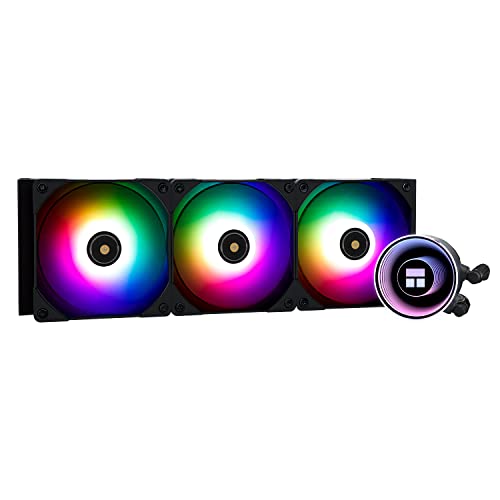
Thermalright Frozen Notte ARGB 72.37 CFM Liquid CPU Cooler (Frozen Notte 360 BLACK ARGB-D1)

EK AIO 280 D-RGB 116 CFM Liquid CPU Cooler (EK-AIO 280 D-RGB)
balmy lichen
Thank you for suggestions
Idk if I want any water cooling 🤔
If it's possible to live without it, I'll avoid it
balmy lichen
Is there a cheaper cpu that performs better in games? Amd?
mossy venture
7800x3d
lone flame
mossy venture
https://pcpartpicker.com/list/FTZBvj
1800 for a 4090 is wild
1800 for a gpu in general is
mossy venture
lone flame
1800 for a 4090 is wild
Yeah, prices are up
And seconded
7900xtx is basically half the price
While only being 25-30% worse
pseudo pollen
4080 around that price too iirc
mossy venture
Cheapest is $1060 rn
 stiff vapor
I have the need to make a custom build. There are some special conditions to consider. I want to use Linux as the OS, in particular Linux Mint (a fork of Ubuntu) and my use is for audio / video production and for using VMs to create virtual network labs. I am looking to use an SSD for the operating systems and Raid 5 with HDDs for storage. I do need quick response and could even use to run flight simulator software, as there is good software written for Linux. I would only use windows as the base OS if it was the last resort. Thoughts?
Oh, and I am tyring to keep the price below 2500.00 USD
mossy venture
stiff vapor
Oh, and I am tyring to keep the price below 2500.00 USD
Are you in the US?
And is what you're doing gpu intensive too, or just cpu/ram
mossy venture
If you do need a gpu, this with either a 7900xtx or 4080, and then there's still budget left for hdds
Part List - Intel Core i7-14700KF, Phanteks ECLIPSE G500A Performance ATX Mid Tower
If you dont need a gpu https://pcpartpicker.com/list/WyBmxH
Part List - Intel Core i9-13900K, Phanteks ECLIPSE G500A Performance ATX Mid Tower
balmy lichen
mossy venture
Above that is just silly
But is it worse to have bigger ram in any way other than financially?