#building-and-recc-chat
1 messages · Page 195 of 1
 rustic linden
i want a case that has the 2 usb ports and other ports on the front like the corsair cases
 mossy venture
So that'd be what, 375mm with the fans?
mossy venture
rustic linden
i want a case that has the 2 usb ports and other ports on the front like the cor...
Ah alr
Like usb c?
Or headphone and mic jacks
rustic linden
i just want that kinda case
i want normal usb ports and 1 usb c
like 2 or 3 usb ports
mossy venture
Kk
rustic linden
something like a corsair case
 potent portal
Make sure the motherboard has the header for USB C, or else buy an adapter
mossy venture
Cheapest halfway decent case I see with USB c is h5 flow
Aside from 903 max
But what about if the mobo has usb c?
Would that work for you?
mossy venture
mossy venture
Cheapest halfway decent case I see with USB c is h5 flow
$85 for the h5 flow btw
rustic linden
i dont need a usb-c just want a case similar to a corsair case
corsair casees too expensive
mossy venture
Yeah, it's $80 elsewhere
For rgb you'd want the same c12c rgb 3 pack for $13
So would come to $93
If you like the look of this one, this isn't half bad https://pcpartpicker.com/product/fYdG3C/magniumgear-neo-air-2023-atx-mid-tower-case-mg-ne520a_dbk02
List would be https://pcpartpicker.com/list/CXHFsh
Though again, can get better psu
rustic linden
i like that magniumgear case
mossy venture
rustic linden
looks like the corsair one
mossy venture
Then xt x3d list would look like
https://pcpartpicker.com/list/rHhXkJ
7600 and xtx would be https://pcpartpicker.com/list/ZcYZJy
rustic linden
alr ty for the help today m8
mossy venture
Yeah np, any questions feel free to ping
rustic linden
k
mossy venture
Or just ask, there's plenty of other people here who'd be happy to help as well
 tired radish
mossy venture
Or just ask, there's plenty of other people here who'd be happy to help as well
tired radish
mossy venture
Or just ask, there's plenty of other people here who'd be happy to help as well
Your recommendations the other day was a big help, thanks btw
mossy venture
Am I crazy or is this not a terrible deal? 13900kf 4090 build for $2830 https://www.lenovo.com/us/en/p/desktops/legion-desktops/legion-t-series-towers/legion-tower-7i-gen-8-(34l-intel)/90v7003bus?
ww-single-model-gaming-desktops-default
Building yourself, if you actually need the multi core perf, is "only" $180 less https://pcpartpicker.com/list/MVcn6D
 real crown
building rn and idk how to put my storage drive in
ik where it goes and, i just don’t know where to put it
 little osprey
What kind of storage
 obsidian wigeon
what's your parts list?
real crown
little osprey
What kind of storage
looks like a stick of gum
little osprey
So M.2 NVMe SSD?
real crown
look in dms
 real crown
yes
little osprey
Remove that, slide the SSD in at an angle then lightly screw it in
Then put the heatsink back on, make sure to remove the filament if there's adhesive
real crown
okay so idk how much room i have to do this bc my big fan is in the way
little osprey
It shouldn't take much
Just set the motherboard ontop of it's box
One second there should be a video for this
real crown
it’s screwed in already..
little osprey
real crown
it’s screwed in already..
The SSD?
real crown
the motherboard
potent portal
I think he means his CPU cooler is already in and blocking the m.2 slot
real crown
YES
little osprey
MB
real crown
potent portal
I think he means his CPU cooler is already in and blocking the m.2 slot
nono it’s not i just have little room to work with and i’m not sure how to fit it in
potent portal
Ahh
real crown
i don’t know@how to lay the ssd in there
little osprey
Shouldn't need too much of an angle to slide in the SSD
little osprey
real crown
i don’t know@how to lay the ssd in there

Learn how to install your M.2 SSD drive with this simple tutorial. We won't dig into everything about these drives and will be showing you just how to install them. Straight and to the point.
Some motherboards use screws to hold the M.2 down and others use a retaining clip like ours.
Depending on the M.2 and the motherboard things may look s...
 hot kite
So I have this build I’m about to pull the trigger on buying, my question is how much cheaper do you think it will be with Black Friday/cyber Monday being just next month, and should I just wait? https://pcpartpicker.com/user/PcElite/saved/#view=MBMW99
 pseudo pollen
 potent portal
Chances are we'll see some good deals late November so it could be worth waiting
mossy venture
hot kite
So I have this build I’m about to pull the trigger on buying, my question is how...
It's privated
pseudo pollen
if it's anything like prime day, the deals aren't going to be all that good
hot kite
mossy venture
It's privated
https://pcpartpicker.com/user/PcElite/saved/#view=443Lyc basically same thing I just swapped the GPU to the 7800XT instead of 6800XT and made it for public viewing
mossy venture
I wouldnt recommend most of thst
I could make you a list to compare, if that's alright?
I'd just need to ask a few questions
hot kite
Sure
mossy venture
Total budget for tower and everything inside?
Do you care about looks, and if so what do you like?
What is the pc being used for?
Do you already have a monitor, and if so what resolution?
hot kite
Shoot me a dm if you want
hot kite
Total budget would be $2000 but if I can get it down to around $1500- $1600 that would be preferred.
I do care about looks I like the look and compatibility of what Corsair offers so that’s why I went with the AIO and Case. The setup is being used strictly for gaming and for VR (possibly streaming in the future. I have an Asus Predator monitor that is 1080p but I want 240H 1440 IPS. I hardwired my computers to the router so WiFi is not necessary but wouldn’t be opposed.
mossy venture
Corsair overall is pretty bad value
 earnest olive
cooler almost as expensive as cpu
mossy venture
hot kite
Total budget would be $2000 but if I can get it down to around $1500- $1600 that...
In the budget, would you like a 1440p 240hz monitor included?
Or separate but recommendation included
hot kite
mossy venture
In the budget, would you like a 1440p 240hz monitor included?
If possible
mossy venture
Alright then it will be closer to 2k, just a heads up
earnest olive
what games are you expecting to run at 1440p 240 fps
mossy venture
earnest olive
what games are you expecting to run at 1440p 240 fps
This, though with the budget I'm putting an xtx in the list
hot kite
earnest olive
what games are you expecting to run at 1440p 240 fps
I play a wide variety of games so really anything.
potent portal
earnest olive
what games are you expecting to run at 1440p 240 fps
CS2 would be the popular answer to that rn
mossy venture
Which could very well push 1440p 200fps+ in a good few popular titles
earnest olive
cause a 4090 isn’t gonna hit that in every game lol
hot kite
mossy venture
Black and white with rgb?
Yeah that would be preferable
earnest olive
let alone this 7800xt
mossy venture
earnest olive
just make sure 240hz is something you actually care about
mossy venture
With tiktok shop you could get a 32in 1440p 240hz IPS monitor for $260
Sold by newegg
If you're open to that
mossy venture
mossy venture
https://pcpartpicker.com/list/Rk9DZJ
Btw aio is completely unneeded, can either use stock cooler or 214xt and be perfectly fine
Just added in for the aesthetic since I assumed you liked that
Can def bring cost down, though to do so I'd partially suggest "downgrading" monitor
earnest olive
can you tell between 144hz and 240hz enough that you need to buy 240hz
mossy venture
Lower cost would be smthn like this https://pcpartpicker.com/list/tDqZJy
Oh also for the aio, if you want the LCD display corsair has on their aios
Go for thermalright scenic v2
earnest olive
I play a competitive game at a high level and I cannot tell between 144 and 240
mossy venture
Not much more than the notte, white, no rgb, and has the display
mossy venture
mossy venture
Lower cost would be smthn like this https://pcpartpicker.com/list/tDqZJy
Could also drop gpu to 7900xt
Or 4070 ti, 4070 ti is same price rn for some reason
mossy venture
I lied, $10 more
earnest olive
surely I need 2 displays inside my pc now
mossy venture
earnest olive
oh there’s a cheap display aio now?
Yeah one sec lemme grab link
$55 for the 240mm
mossy venture
Thermalright has been absolutely dominating the cooler market
I'm not sure, felix might know if you wanna ask him
real crown
okay so i’m back again with a question about wiring
 lone flame
mossy venture
https://pcpartpicker.com/product/C888TW/thermalright-frozen-magic-scenic-v2-69-c...
lone flame
mossy venture
https://pcpartpicker.com/product/C888TW/thermalright-frozen-magic-scenic-v2-69-c...
2.2 stars

real crown
should i have the plugged into my motherboard? i have my cpu fans plugged in and my case fans are built in, this was optional with the back of my case and i’m wondering if i just need to take this off or if i can keep it on
 little osprey
Customer reviews really aren’t that helpful as some people will claim, they’re often based off personal opinion and really don’t hold any value as far as an informative source
 south cliff
mossy venture
Customer reviews don't really mean much
south cliff
mossy venture
Customer reviews don't really mean much
i got those fans hope they look ghood
good
little osprey
I got some Thermalright B12’s and they’re really testing my G300A’s limits with the mesh front and how much air they’re pulling through
Nothing this is with a radiator in from of them too
With my 360mm Liquid Freezer II my temps have only peaked at 70-75 degrees on a 13600K running benchmarks and what not
Gaming they lurk around 35-40 degrees
Granted when I was running my 240mm Frozen Notte the temps were only like 5-10 degrees higher and that AIO was half the price of a new 360mm Liquid Freezer II
I got mine B-stock for $70 so kinda offsets the comparison, but either way Thermalright is doing really well right now for what they’re offering around the price range
south cliff
I got the c12s
little osprey
Hard to beat their value, $12 for three fans
south cliff
yes i got 9 for 41.67
little osprey
And don’t use obsolete connectors either
south cliff
im just wondering how im going to connect all of them
little osprey
south cliff
im just wondering how im going to connect all of them
Daisy chain
It’s pretty straight forward
They follow a male to female connection if I’m not mistaken
Or something similar, I did it myself either way
south cliff
little osprey
Daisy chain
alright but how many can i put on a daisy chan before its to much i bought 9 in total
 plucky timber
I'd connect the closest 3 to the closest motherboard header
south cliff
Bruh I swear this did not just happen
I restarted my pc now it won’t show a picture and is going to cpu and dram for the snug
Dbug light
plucky timber
What did you change?
south cliff
I’m finna reset CMOs
 south cliff
My computer is Geeking
It’s working tho
But now the rgb light on the case is on
I swear it only woke when it want to
 lyric thistle
My computers are always woke
south cliff
I meant works auto correct sucks
lyric thistle
My computers always work too
south cliff
Mine dosent
south cliff
 manic cloak
<@883177420176363551> yo
manic cloak
<@883177420176363551> yo
we good now i guess my bios stuff was broken i just reset cmos
manic cloak
Ah
I have that issue rn if
Cause sometimes if I don’t shut down and let it sleep
My pc can boot, my monitor won’t
lone flame
yeah uh
dont let that happen
i did and my screen just like
horribly glitched
like pink/black tearing on half of the screen after i woke it up
i always try to shut down now
or just let it run
south cliff
@mossy venture Are those fans just as good as the p12s? i just watched a video and they were not even close

The C12C from ThermalRight comes in Black or White. Plus there are ARGB versions as well. But is the C12C a good case fan? Spoiler alert… it's NOT!!!
What's up everyone, Erik here and welcome to hardware for gamers, for those of you who are new to the channel I review and test PC cases, CPU coolers, PC case fans, and Video Cards. Before I get ...
mossy venture
south cliff
<@654444344274845698> Are those fans just as good as the p12s? i just watched a ...
Everyone I've seen use them (probably over a few dozen atp) have only has good things to say about them
From what I've seen, they've very similar in performance to p12s
south cliff
mossy venture
Everyone I've seen use them (probably over a few dozen atp) have only has good t...
alright just wanting to know i will test them and if i dont like them i will prob return them which is very unlikely becasue i dont want to take them back out of the case when i put them in
south cliff
mossy venture
Everyone I've seen use them (probably over a few dozen atp) have only has good t...
also how many 3 pins do i need for the rgb
 cyan ravine
south cliff
<@654444344274845698> Are those fans just as good as the p12s? i just watched a ...
cyan ravine
south cliff
<@654444344274845698> Are those fans just as good as the p12s? i just watched a ...
P12s but with a far far higher range basically
cyan ravine
Full speed they're only dumping a small amount of air through a rad but quietly and quite effective
Meanwhile
Other fans can go much higher in the level of airflow
As they ramp themselves up to high rpm
C12C is similar
south cliff
so do you think i should replace my nzxt fans with them
my radiator fans i should say
cyan ravine
Any nzxt fan is basically dogwater
Expensive and low airflow
You will notice a difference even with somewhat decent fans
And frankly decent/great starts at $4 per fan so it's a no brainer imo
south cliff
Alr thanks im going to stress test my cpu and gpu before the fans come to see if it makes a deference
diffrence*
cyan ravine
south cliff
Alr thanks im going to stress test my cpu and gpu before the fans come to see if...
You may or may not notice
Depends on the circumstances
 vague oracle
cyan ravine
Depends on the circumstances
vague oracle
cyan ravine
Depends on the circumstances
iPPC Noctuas>>>>>>
cyan ravine
vague oracle
~~iPPC Noctuas>>>>>>~~
WHAT?
vague oracle

cyan ravine
vague oracle
~~iPPC Noctuas>>>>>>~~
I CAN'T HEAR YOU DID YOU SAY SOMETHING?
vague oracle
cyan ravine
I CAN'T HEAR YOU DID YOU SAY SOMETHING?
I SAID IPPC NOCTUAS>>>>
cyan ravine
WHAT?
potent portal
I CAN'T HEAR HIM EITHER OVER MY DELTA FANS
vague oracle
OPEN YO DAMN EARS
cyan ravine
WHAT!?
vague oracle
DONT MAKE ME TAKE AWAY YOUR SUBWAY
cyan ravine
WHAT!?!
 cyan ravine
STOP SHOOTING IT DOESN'T NEED TO GET, ANY LOUDER IN HERE
DO YOU HAVE A LICENSE FOR THAT?
 vague oracle
cyan ravine
DO YOU HAVE A LICENSE FOR THAT?
vague oracle
cyan ravine
DO YOU HAVE A LICENSE FOR THAT?
WHOS GONNA CHECK?
cyan ravine
STOP JACKHAMMERING
cyan ravine
vague oracle
WHOS GONNA CHECK?
WHAT?
vague oracle
WHAT?
vague oracle
MAKE ME
cyan ravine
WHAT?
vague oracle
I SAID MAKE ME!
cyan ravine
WHAT?
vague oracle
Oooh so you’re a dead one
cyan ravine
WHAT?
 frigid night
I need some help with this build. All parts in the list are already bought. Guy wants a 4070 (what's better? +I don't think he wants amd) and 2tb of storage. Will need a PSU added as well.
 leaden mauve
vague oracle
https://tenor.com/view/work-endless-on-the-job-work-and-play-gif-4739064
leaden mauve
vague oracle
https://tenor.com/view/work-endless-on-the-job-work-and-play-gif-4739064
 obsidian wigeon
frigid night
I need some help with this build. All parts in the list are already bought. Guy ...
obsidian wigeon
frigid night
I need some help with this build. All parts in the list are already bought. Guy ...
if they insist nvidia, may i suggest you of used 3080?
or used 3080ti/3090
cyan ravine
frigid night
I need some help with this build. All parts in the list are already bought. Guy ...
This + asiahorse 16awg white custom cables
Or white black
Should come to about 650-ish
Maybe a cooler master masterfan argb & pwm hub (my good shorten ur names cm) for the fans if you need/want
Or p12's instead to fill the void if you're reusing them
Another like, 15$ or something on top
 round cloud
Guys I’ve got a problem. My pc has no problems and now idk what to tinker with
obsidian wigeon
What kind of problem?
cyan ravine
round cloud
Guys I’ve got a problem. My pc has no problems and now idk what to tinker with
nice
glad it's working well mate
lemme give you a link mike
one sec
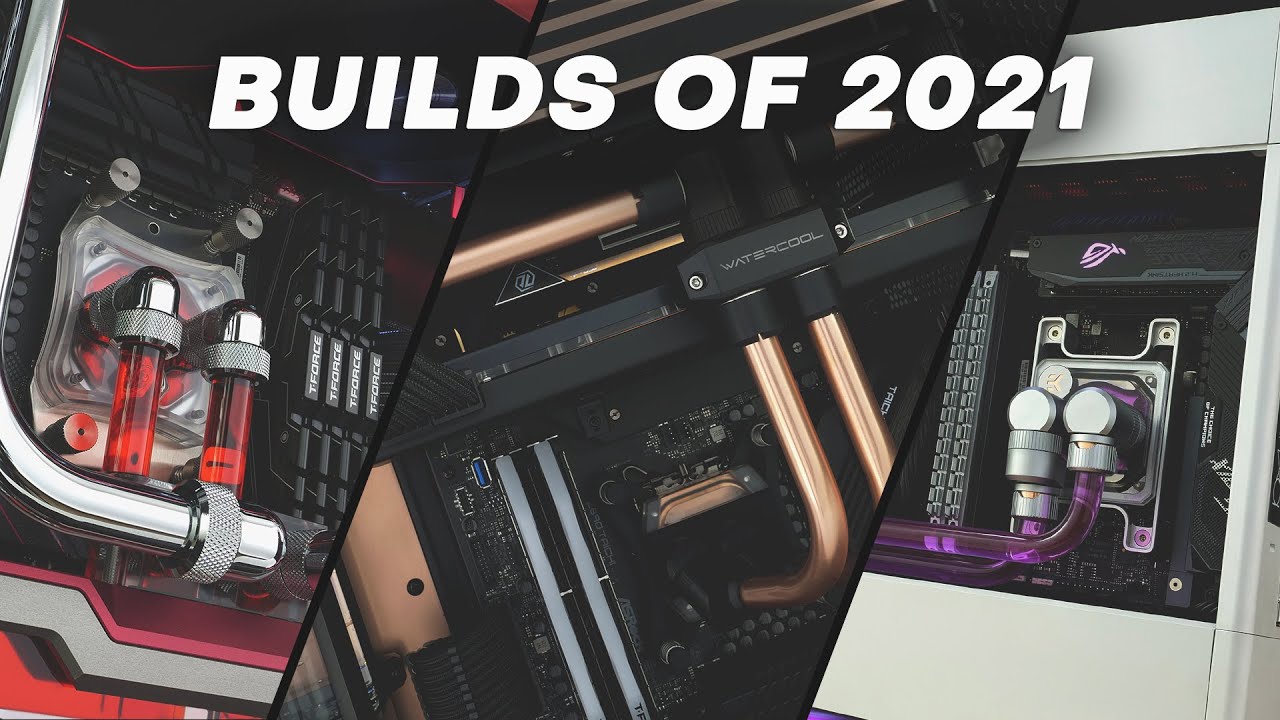
What a year 2021 has been and we saw yet another strong dominance from Lian Li. It was also the year we found our love for custom watercooled SFF builds which we wish to bring you more of in 2022.
In this video we take a look at all the builds we completed in 2021. Sit back, crank up the volume and enjoy 15 minutes of some of the cleanest build...
watch this and get a little inspired
💀
frigid night
cyan ravine
https://pcpartpicker.com/list/zZX6DZ
He's dead set on a brand new card. I ran it buy him, but he still wants the 4070
frigid night
Yeah. Like mushy does.. I only try to convince once. Their money.
cyan ravine
cheapest
it really won't matter
at least 4070 one of the milder options as far as price
round cloud
cyan ravine
💀
💀
cyan ravine
round cloud
💀
honestly one of my favourite videos for just pc gushing

he made a new build recently
thermalright ceres? I believe the name of the case
absolutely gorgeous

 vague oracle
cyan ravine
<:feelsgood:584211220874133504>
vague oracle
cyan ravine
<:feelsgood:584211220874133504>
…damnit you’re making me want to do another build
cyan ravine
mossy venture
Looks like another o11 alternative
it's an air mini
the cheap one

oh wait, you mean the ceres?
hold up


the floor is like this matrix of LED's
they said "Screw you Asus, hold my beer"
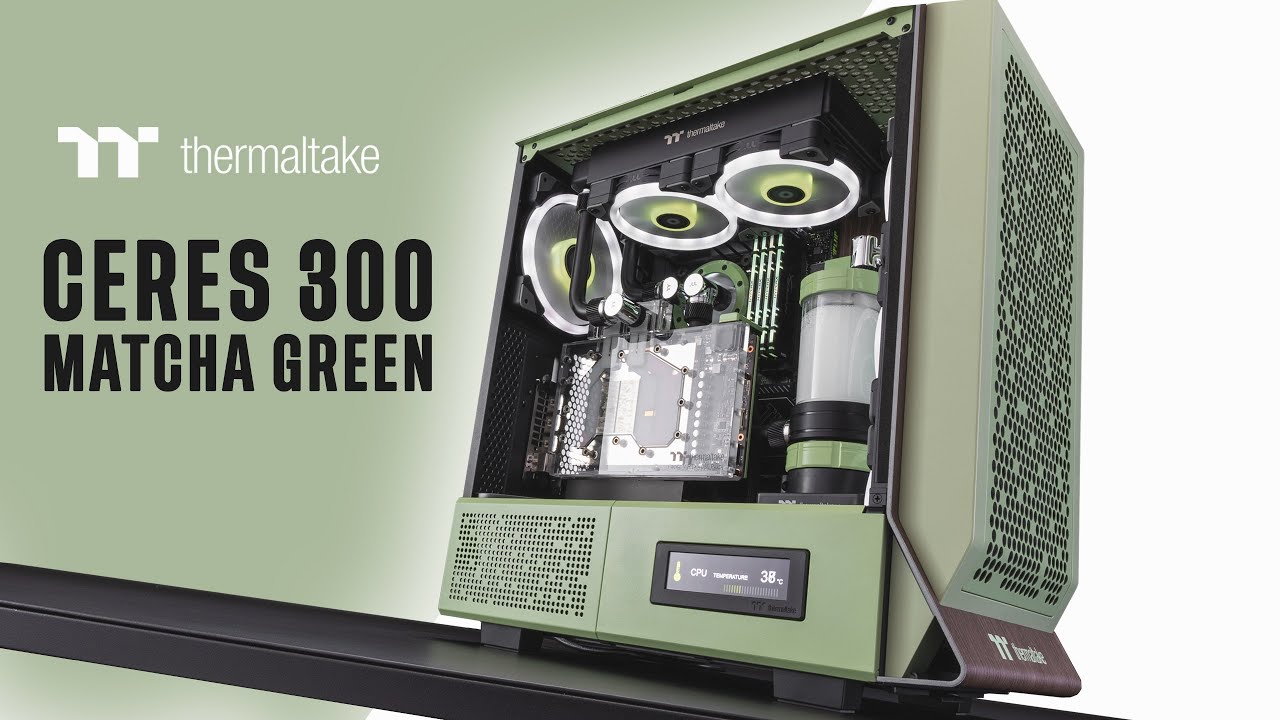
Thermaltake sent us their recently launched Ceres 300 in Match Green to take a look at. And like always, we bring you a custom liquid cooled build with some matching accents to complete the finished setup.
Learn more about the Ceres 300 - https://thermaltakeusa.com/products/ceres-300-tg-argb-matcha-green-mid-tower-chassis-ca-1y2-00mewn-00
00:0...
mossy venture
cyan ravine
<:feelsgood:584211220874133504>
Oh lol I thought you were saying this was the ceres and I thought "that looks a lot like an o11d" lol
No wonder
cyan ravine
obsidian wigeon
matcha green case
earnest olive
cyan ravine
honestly one of my favourite videos for just pc gushing
sir… I don’t think you want your custom looped pc to be gushing
 stoic island
It's a feature not a bug
 lime star
Hi, my10+yr old machine breathed it’s last and will starting a new build. The problem is technology has skyrocketed the last decade and I find myself in uncharted waters. I’m running Pro Tools and use 5 monitors to manage several windows. Three of the monitors are connected by DVI so I want to use my existing GPU’s, a GTX 580 and GTX 980. Will these cards work with todays mobo such as Z690/790? BTW, have always used intel boards & CPU’s.
mossy venture
lime star
Hi, my10+yr old machine breathed it’s last and will starting a new build. The pr...
Are you looking to a build a whole new pc?
lyric thistle
Yes they should
mossy venture
And just carry over gpus?
lyric thistle
A 580 is pushing it though
mossy venture
Though also, I'd just get yourself a cpu that has an igpu, and run two monitors off that
And then three monitors off the 980
lime star
What is an igpu?
lime star
You're talking about the 2 monitor ports on the mobo?
mossy venture
Yeah, though some come with more I believe
Depending on the cpu you buy, those could be used as display outputs
Like all of amds new gen lineup, or a non f sku from Intel
earnest olive
you should just ditch the old gpus, they'll cause driver issues, waste power, and take up space
mossy venture
Or a g sky from previous amd gens
earnest olive
it would be cheaper and make more sense to just use DVI adapters for your old monitors
mossy venture
Though also depending on what your monitors are, those might be due for a replacement too. Monitors have come a long way since 500 series was the current gen, if it's been that long since you've replaced
Well alright, to simplify this
What are you looking to spend
And what are you looking to keep from your current build
That's a good starting point
lime star
That brings up another concern, namely driver issues for the old GPU's. I assume adapters for Display to Dvi are readily available on a new GPU.
lime star
Budget is $2.5K
lyric thistle
Monoprice sells adapter cables for a decent price
mossy venture
lime star
Budget is $2.5K
Ok you should be building a whole new pc
Maybe carry over your storage as secondary drives
lyric thistle
Or using less budget
mossy venture
But aside from that you want to replace everything
I could make you a build list if you would like, I'd just have to ask some more questions
lime star
There is a significantly $ difference between i7 and i9 CPU's. Some Pro Tools files have 24 tracks. Is the i9 required?
 strong raft
Just a few more Ecores, so no
mossy venture
Do you need an nvidia gpu?
Or do you even need a powerful gpu?
Or just strong multi core cpu perf
Not including gpu, can do a full 14700k build with 32gb ram and 2tb ssd for under $900
lime star
From what I have read here given compatibility issues a new GPU along with the igpu is the way to go.
mossy venture
Do you need a strong gpu though
Do your tasks benefit from a powerful gpu, or are they just cpu focused
lime star
Yes to the strong GPU.
mossy venture
Ok, and do you need nvidia?
lime star
I have used EVGA and Gigabyte. Not knowledgeable about nvida.
mossy venture
Evga and gigabyte are partners, they produce shrouds for nvidia gpus
Evga doesn't anymore though, they dropped nvidia after 30 series
Here
$1866 and one of the best cpus for what you're doing, and the second best gpu that current exists
Though wait I meant to change the case
mossy venture
lime star
I have used EVGA and Gigabyte. Not knowledgeable about nvida.
There's a lot of good cases, it just kinda depends on what you like. Do you want rgb, and what color case?
And do you care if there's a glass side panel, or would you rather there not be one
Alright I promise this is the last question, do you know if what you do is ram heavy? Would you benefit from 64gb ram?
Ok wait sorry one more, do you want more than 2tb storage
lime star
It sounds you are recommending nvidia as a recommended strong GPU.
mossy venture
Eh, nvidia is only needed for a few specific things, mainly blender
If you're not using blender, amd is a better choice
7900xtx beats the 4080 and is $150 cheaper
lime star
At least 64gb ram.
I'm not into color on the case. Only the front of the case is visible. Currently have a Cooler Master. Its big and just barely fits beside the Mac Pro in my studio.
lime star
I'm not familiar with blender so I assume it's not a game changer for me.
mossy venture
With $2500 atm, I have a list with 14700k and 7900xtx with 6tb ssd storage and 64gb ram, as well as a really nice monitor for you to replace one of yours if desired
$2440 total
Also in case you're unfamiliar with it, pcpartpicker looks through a bunch of websites and finds the lowest price for each part
It's not a retailer itself
Though from what I can tell you're not using the pc for gaming, so there's cheaper options on monitor. Lemme find some
So that would be https://pcpartpicker.com/list/QvKvjH
lime star
Sorry, I was bumped off but I'm back now. Storage: 1T for OS and apps, 4T for data.
mossy venture
Well I included 6tb, so you got some extra
Could downgrade if you want but not much point
lime star
Which mobo? Looking at Z690 & Z790. I understand PCIe 5.0 is the desired option.
mossy venture
Pcie 5.0 serves no purpose right now
The z690 a pro is plenty for the 14700k, I linked a list above if you didn't see it
It's $140 and can run a 14900k
Just will need to update the bios, which is pretty easy
Just install something to a flash drive, rename it,put the flash drive in a specific USB slot on the motherboard and press a button
lime star
Does updating bios involve downloading from the internet? If so where?
mossy venture
Msis website
lime star
Ok Bacca you have given great recommendations. Now that you know what trying to do can you summarize a build list?
mossy venture
Like make a build list, or explain the one I made?
If you want me to just make one I linked two above, the pcpartpicker.com links
I gotta take a shower though so I'll be back in 20 min or so
lime star
I went to the pcpartpicker you linked. Is that a list you made?
obsidian wigeon
mhm, those are lists bacca made
lime star
Thanks
mossy venture
lime star
Thanks
Do you know what monitors you have?
If they're as old as your pc, I would likely recommend replacing them. The difference in quality would shock you
Or replacing 1 or 2, as your main ones
mossy venture
lime star
Thanks
Oh one last comment, from what it seems you're not really doing gpu heavy tasks. If you're not, you could do a much cheaper build with a new gpu that would provide you the same experience
lime star
I would agree concerning the GPU.
mossy venture
Then there's a few options
You could either go dirt cheap just for display outputs, used, or middle of the pack
lime star
The DVI monitors are (2) ViewSonic VX2250WM-LED and an Apple 21" Cinema Display (2005- Apple products last forever)
mossy venture
And you use 5 displays?
New list
Much cheaper gpu, will be supported for many years to come, and it has 4 display outs
Oh also
This is with two gpus, so total of 8 display outs from those, and with a cpu without an igpu. However, the cpus multi core performance is noticeably worse, as it has 6 less cores
lime star
I don't feel comfortable losing CPU performance. Using the 2 mobo monitor outs and a GPU on a PCI slot could be the answer.
mossy venture
lime star
I don't feel comfortable losing CPU performance. Using the 2 mobo monitor outs a...
The 14700k is better, but its also really hot. It requires an aio, whereas the 14600k and 13600k are fine with a good air cooler
Air coolers have longer life spans, but if you're fine with that tradeoff then 14700k it is
mossy venture
mossy venture
https://pcpartpicker.com/list/QddZJy
This would be the list
And with 3 new monitors, $1700
Could save $100 on gpu by going for the a380
lime star
Is aio a liquid cooler?
mossy venture
Yes
frigid night
cyan ravine
ew
Messaged me back and said he'd be fine with a used 3080 12gb xD
lime star
My expertise does not include a custom DIY aio system as I've seen is pictures, maybe a closed loop setup. Still my case does not support aio of any kind. What kind of maintanence is required for aio.
It seems to me closed loop is the way to go for first time aio builders.
frigid night
AIO would be the way to go. There is virtually no maintenance as they are closed system so you can't service them. It fails you get a new one. There are a few outliers that you can service to an extent (swap out gaskets/swap fluid), but that's about the extent of serviceable.
lime star
Is it recommended to change the coolant in a closed loop system?
lime star
Is it possoble or even recommended to retrofit an older case for a closed loop?
frigid night
lime star
Is it possoble or even recommended to retrofit an older case for a closed loop?
yes/no.
What case do you have
frigid night
Get a new case.
There are a couple good ones that'll support an AIO that are relatively cheap compared to other PC hardware.
mossy venture
lime star
My expertise does not include a custom DIY aio system as I've seen is pictures, ...
There's a new case, and all aios are self sufficient and dont need anything else
Maintenence, none. However, their life spans are 3-5 years, as opposed to heatsinks typically lasting 10 and beyond
lime star
A 3-5 yr life span is a game changer. I certainly don't want to replace an aio every 3-5 yrs. Now the question is will the 14600K be enough. I do not want just adequate. Is that an i7?
How involveed is replacing a closed loop? What about expense?
frigid night
lime star
A 3-5 yr life span is a game changer. I certainly don't want to replace an aio e...
Enough for what? Gaming? Production? Every day general use?
frigid night
lime star
How involveed is replacing a closed loop? What about expense?
Closed loops are easy to install.
mossy venture
lime star
A 3-5 yr life span is a game changer. I certainly don't want to replace an aio e...
It will be plenty yes
lime star
Pro Tools with as many as 24 tracks.
mossy venture
Think of it this way
lime star
and special effects
mossy venture
You've been making do with a 10 year old rig and it's been getting the job done, right?
Any semi modern rig will blow that out of the water
lime star
Good point.
frigid night
I'd be more concerned about the amount of RAM you'll want in your system
mossy venture
frigid night
I'd be more concerned about the amount of RAM you'll want in your system
64gb kit in the list I made for them
frigid night
mossy venture
64gb kit in the list I made for them
Ah, I did not notice you made a list.
mossy venture
Yeah its a good bit up the chat, nw
frigid night
I founds it 😛
It looks like protools would benefit much more going to 128gb especially since he's gonna be utilizing it a lot.
frigid night
lime star
Pro Tools with as many as 24 tracks.
Is this a lot?
lime star
I'm not sure as I don't have the box or documentation anymore and the mobo is out of the case. However you have already made the point of my antiquated system ...lol
frigid night
lime star
I'm not sure as I don't have the box or documentation anymore and the mobo is ou...
Nothing wrong with your system being antiquated. No judgement here.
I don't know much about media creation, but what I can do is research. I'm just throwing out there that from what I see, protools wants 64gb as a baseline for workloads and multi-tasking with 128gb being the best for whatever you can throw at it.
I'd hate to see you figure out that you can do soo much more with your new system than your previous, only to be bottlenecked by something you could have gotten in the first place.
lime star
In this particular file 12 tracks were the original recording, the others were post production adding effects. That is quite a few tracks. And you are correct about memory. My friend has a new Mac Pro running Pro Tools Ultimate with 128gb.
I want to that you both Reo and Bacca for all the advice and time you have given me. Had I just started this project with what I knew from previous builds I'd be headed for a train wreck. Thanks Bacca for the pcpartspicker. What a big help that is.
frigid night
lime star
I want to that you both Reo and Bacca for all the advice and time you have given...
np, but the mvp here is definitely Bacca. ❤️
lime star
A special thanks to you Bacca. With the knowledge you have imparted to me I now feel confident to continue with this build. Thanks again.
 full atlas
https://pcpartpicker.com/list/VfG9cH I might build something like this for fun using some spare parts and a couple other things I would need
pseudo pollen
lol I saw you post this in the techsource discord a couple hours ago
anyways, if you can, get the storage and ram off of tiktok shop, as you get 32gb of ram and 2tb ssd for the same price
manic cloak


He lives close by, I think of trying to put the display in another port to see if it works.
pseudo pollen
Maybe, or just rma it
little osprey
What speed ram for z790 and 13700K that will work by just turning on XMP and going without problems?
mossy venture
little osprey
What speed ram for z790 and 13700K that will work by just turning on XMP and goi...
6000c32 is $83
Best option
Oloy kit 32gb
little osprey
had problems with oloy in past any others?
mossy venture
potent portal
Fans are easy, but that card isn't a fan problem
mossy venture
It could be something as simple a vbios flash, or it could be bricked
manic cloak
Hmm
mossy venture
Or a wide variety of things between that
manic cloak
So there’s a possibly if I just ddu my system to 3070gi graphics, plug it into my system, it could work?
Ik that too
mossy venture
It could be perfectly fine too and be something with his system
manic cloak
Especially the aorus model
mossy venture
manic cloak
So there’s a possibly if I just ddu my system to 3070gi graphics, plug it into m...
Don't even have to ddu
mossy venture
I mean eventually yeah you should, but to check if it works nah
potent portal
You'd only need to get into bios to see if it's working somewhat
mossy venture
You can plug an amd gpu into a system that's had an nvidia gpu in it without dduing to see if it works
potent portal
Yeah it'll just use the default driver and limit your resolution/refresh
mossy venture
Yeah, like fresh install of windows
manic cloak
Ah
Im just wondering if it’s even possible to get my Pc to my copshop
Which is half a mile away
I did tell him if I can’t figure out the issue I won’t buy
So LETS GOOOO
DOMAIN EXPANSION, IDLE DEATH GAMBLE

Probably find a friend to bring me over there to the cop shop or library tbh
I should probably just bring my pc w an hdmi and dp
Screwdriver too
Well
I gotta test the card
So I’m bringing my build over there
Idk maybe
Who knows
I probably should bring my monitor too
💀
potent portal
There's a lot of scammers on ebay, fair warning. Techs will buy cards "for parts/not working" and try to fix it (possibly breaking it more in the process), then when they can't fix it they'll play dumb with the "idk it does this, dunno why" routine.
mossy venture
^
I would never take anyone at face value unless they have a lot of very positive reviews
Like there's some refurb sellers on ebay with 95%+ positive feedback with thousands of sales
 austere basalt
Hey y'all. Just built my first PC with a friend. I'm not super knowledgeable on computer stuff but he is (CSE major with build experience). Made up a build that refuses to boot. All connections have been triple checked. No debug lights on motherboard, but the PSU is for sure good
 austere basalt
Yep!
lyric thistle
Good good 👍
austere basalt
And the front panel connections are good as well. Standoffs are in place too
lyric thistle
Standoffs?
austere basalt
Suspected faulty MoBo but not entirely sure. There's just no power getting to it.
I'm in a sticky situation though because I can order a replacement MoBo, hope that that's the issue and just build it again, or pay $180 for a computer store to fix it
lyric thistle
If you're confident it's the motherboard, you can get it replaced via warranty/returns hopefully
plucky timber
Could just be headers
austere basalt
My friend and some of his other building buddies are confident it's the MoBo but as someone with no real experience I'm stuck on what to do next
What would the headers be?
Ah the connections. They all appear to be fine
potent portal
I'd try jumping the power pins instead of using a button
austere basalt
How do you do that?
 analog hearth
With a flathead screwdriver
potent portal
Get a screwdriver and touch the pins together with it
austere basalt
Which pins fellas?
potent portal
What motherboard?
lyric thistle
Should be the power switch pins that will be found in the motherboard manual
austere basalt
Gotcha. Does this have any risk in damaging the system?
 analog hearth
Nah. Just dont touch any other pins (other than the power switch pins)
austere basalt
lyric thistle
Should be the power switch pins that will be found in the motherboard manual
Oh wait I know these ones!
potent portal
So on that jfp1 header you want the two pins on the top right
austere basalt
Okay, so PSU switch on, but disconnect the front panel connections and jump the top right pins?
potent portal
Yep
austere basalt
That's to check if the button on the case is faulty right
lyric thistle
Yea
potent portal
Or if the wires got crossed somewhere
austere basalt
Cool, let me go try it quick
potent portal
I've plugged the reset button into the power switch header before lol
austere basalt
Alright. Didn't work.
lone flame
potent portal
Or if the wires got crossed somewhere
I was so mad with how long that took me to fix, my on off pins were like one pin too far to the left lol
austere basalt
If needed I can also provide pictures
potent portal
24 pin cable is securely inserted? That's the one that controls telling the PSU to turn on
Maybe take it out and put it back, on both ends
 jagged ember
Pictures may help
austere basalt
For whatever reason can't send pictures. The cables are all secure, yep. Going forward with getting a new MoBo, seems like most logical next step, yes?
lone flame
austere basalt
For whatever reason can't send pictures. The cables are all secure, yep. Going f...
send them to me in dms ill send them
lyric thistle
Image permissions require a certain amount of messages
lone flame
@potent portal


 potent portal
Those are some thicc fans
What I would do, since you're going to be disassembling it anyway, is take everything off that it doesn't need to post.
What CPU is it?
If the SKU ends in F then you need the GPU in, otherwise you can take the GPU out and just plug the monitor into the motherboard
lyric thistle
Oh wow those are thick
austere basalt
It's a i7 13700k
potent portal
Not KF? Perfect. One less variable.
austere basalt
potent portal
What I would do, since you're going to be disassembling it anyway, is take every...
What does this mean haha
potent portal
Take the GPU and SSD out, disconnect all cables except the 24 pin and 8 pin CPU
Then try to jump it again
I have seen shorted out SSDs trigger protections on the power supply so it refuses to turn on
Same with GPUs
And occasional loose/misplaced wires
austere basalt
Alright I'll try that
My motherboard has 12 pins for the CPU, should I keep that as well?
potent portal
austere basalt
What does this mean haha
Do you mean POST? Power On Self Test, a hardware check it goes through before it boots
potent portal
austere basalt
My motherboard has 12 pins for the CPU, should I keep that as well?
You only need 8 unless you're doing LN2 overclocking
The less variables there are the better right now
austere basalt
Gotcha
austere basalt
Alright. Still nothing. No post codes either. Dead MoBo?
Literally everything is unplugged except the 24pin and 8 pin just like you said @potent portal
potent portal
If you're sure that the power supply works then yes at this point I'd call it the mobo
When you take out the CPU to return it check the socket for bent pins
If there's bent pins they might refuse to accept the return
austere basalt
Okay. Thanks for all your help!
 limber oyster
My next watercooling build
 potent portal
I think you're going to want a bigger reservoir with a radiator that big
cyan ravine
I think you're gonna want a separate loop for that ram
also don't buy a strix if you're gonna waterblock it
get a suprim x at most
1750 and it's better than a strix
or a 1600 tuf
tuf you can just load the strix vbios onto and it's identical at ambient pretty much
potent portal
Or a FE for that matter
potent portal
Speaking of, do you know of anyone that's successfully cross flashed a 40 series FE?
potent portal
I know 30 series you couldn't because of the power plug config but 40 shouldn't be as much of an issue I think
cyan ravine
but even still, the variance is basically nill cos of the 1.1v/1.07v voltage lock
manic cloak
manic cloak
@mossy venture and fal
 potent portal
So they did test on 2 different systems
manic cloak
Yup
potent portal
It won't be an easy one then
manic cloak
So it’s definitely a card issue
Hell, it still doesn’t rule out that the port he’s using is broken
Though
It wouldn’t matter if the card itself is broken, afterall I heard there’s a lot of issues with this model on 3070s
cyan ravine
pcie slot
manic cloak
I doubt
If he has two builds he likely has more than 1 card
Then again, his monitor could be broken
potent portal
If he knew enough to test in multiple PCs then he probably knew more than just the bare basics
manic cloak
Thing is
cyan ravine
manic cloak
I doubt
no I mean the gigabyte 30 series has pcie slot issues
manic cloak
He did say something about warranty, he put it inside the aorus warranty and it said active but he had no clue what it meant
manic cloak
Oh you mean the hook?
cyan ravine
mhm
manic cloak
That’s from the weight
cyan ravine
ye
manic cloak
- if card warranty is still active
cyan ravine
3070ti still thick boi
manic cloak
He had to buy it in the past 3 years
manic cloak
cyan ravine
3070ti still thick boi
True
potent portal
True that is gigglebit that has the worst of the cracking issue
 manic cloak
This gpu definitely fried
potent portal
4th hand GPU, probably doesn't have the original receipt to claim warranty
manic cloak
Confirm my issues LOL
cyan ravine
don't buy don't buy
manic cloak
Ya ya i won’t
Tomorrow I’ll message him
“Hey so like.. I’ve thought about it and I’ll pass. Sorry!”
potent portal
Send him this lol https://youtu.be/wb5tlHJHVBs?si=VKKcP4oGqlLBRC_t

Gigabyte 30 Series GPUs have started cracking and Gigabyte REFUSES to warranty them! This needs to be addressed and possible sued! Check out Louis Rossmann's video here https://www.youtube.com/watch?v=JFgsL5NFn_Y
Get your JayzTwoCents Merch Here! - https://www.jayztwocents.com
○○○○○○ Items featured in this video available at Amazon ○○○○○○
► A...
manic cloak
Anyways there’s a 3070 for 200$
manic cloak
potent portal
Send him this lol https://youtu.be/wb5tlHJHVBs?si=VKKcP4oGqlLBRC_t
I asked him if there’s any pcie cracks
He’s checking
potent portal
It would be extremely small
manic cloak
True but it’d stick out like inside marble
You can just see the line but it looks like it isn’t there
@potent portal @cyan ravine checked the guys profiler, definitely a pc builder.
So he 100% knows this card is F’d, tried scrapping a broken pc likely for an investment and lost, now he’s reselling it as if he doesn’t know why this issue happened
potent portal
potent portal
There's a lot of scammers on ebay, fair warning. Techs will buy cards "for parts...
Called it lol
manic cloak
True lol
limber oyster
potent portal
I think you're going to want a bigger reservoir with a radiator that big
@cyan ravine I'm running two separate loops.
cyan ravine
limber oyster
<@101107951401455616> I'm running two separate loops.
also as the proud owner of these fans, they're terrible, they'll also take 7 weeks to ship

get C12C's instead they're much better
or if you must get alphacool, alphacool apex fans
cyan ravine
 limber oyster
cyan ravine
also as the proud owner of these fans, they're terrible, they'll also take 7 wee...
limber oyster
cyan ravine
also as the proud owner of these fans, they're terrible, they'll also take 7 wee...
I already have some of those fans, they're not bad
cyan ravine
limber oyster
I already have some of those fans, they're not bad
well, if you don't mind waiting 7 weeks then go ahead. 💀
advice is purely optional
limber oyster
cyan ravine
well, if you don't mind waiting 7 weeks then go ahead. 💀
I still need the desk and the GPU 😅
Also, we just lowered my brothers 6700xts temp by 14°C on idle
lyric thistle
I too did something pointless today
round cloud
What would you guys do with this? I7 8700, 2070, 16gb ram
Easiest thing would be to just sell but it’s missing the side panel lol
Could I turn it into a sffpc for <$200?

 olive cypress
round cloud
What would you guys do with this? I7 8700, 2070, 16gb ram
Easiest thing would ...
olive cypress
round cloud
What would you guys do with this? I7 8700, 2070, 16gb ram
Easiest thing would ...
If you want to sell it I guess someone could still be interested even without side panel as far as the price is fair. You could also turn it into a cheap sff pc, of course not itx as mb and GPU aren't so small, but you can get a mAtx case for that
lyric thistle
Just cut out a piece of large format paper and punch holes in the right places
round cloud
olive cypress
If you want to sell it I guess someone could still be interested even without si...
Yea I’d maybe search locally for an itx mobo. Figured if a random happened to be selling one, it would probably be a good price
Like from someone who just upgraded
Perhaps
lyric thistle
Okay damn this thing is dustier than mine
round cloud
What do you guys think a fair price would be to just sell it?
lyric thistle
How can that be
olive cypress
Mhmh
You could also get a asrock h310 (I don't really recommend it) but it's almost itx and offers good stuff for cheap
round cloud
lyric thistle
How can that be
I have no emotional attachment since it’s a prebuilt
And it has no side panel
round cloud
olive cypress
450..?
Not bad, I’d take that
round cloud
olive cypress
How much is that SSD?
It was $100 not long ago
lyric thistle
I wouldn't buy it for 100
 olive cypress
You give it a good clean as well and you may be able to sell the pc for 400 or about that
round cloud
olive cypress
You give it a good clean as well and you may be able to sell the pc for 400 or a...
Yea I guess I’ll list it and see if I get bites
And use that $$ to buy a fancy monitor perhaps.
lyric thistle
I'd bite for 50
round cloud
lyric thistle
I'd bite for 50
$50 for the whole pc?
lyric thistle
Yessir
round cloud
That’s mean
mossy venture
round cloud
That's really overpriced
Idk if you're looking to buy it or not I didn't read above
 teal dome
Buy a 2tb nvme ssd for around 60
round cloud
mossy venture
That's really overpriced
It’s the one currently in my old pc I’m pondering what to do with
earnest olive
used value is probably 40-50 now
depends on the health/writes you’ve done to it
50 if it’s pretty lightly used
 haughty zodiac
yea
olive cypress
You could have bought mine for 65 buck
haughty zodiac
little osprey
Just bought a 3600X for $70
You can make 20 in a hundred with me.
earnest olive
little osprey
Bad price?
meh, it’s okay
including or excluding tax?
if that’s including tax or on a platform where you don’t have to pay tax then it’s decent
little osprey
earnest olive
including or excluding tax?
Excluding
It was like $80 total for shipping and tax
earnest olive
okay that’s not a good price anymore
mossy venture
Yeah 5500 for $62 on tt shop before tax free shipping
 weary galleon
Why do so many people buy things and then ask for advice
little osprey
I don't necessarily think about tax and shipping, just more so the base price of the product
As long as it suffices for my needs it should be fine, I was just curious
potent portal
weary galleon
Why do so many people buy things and *then* ask for advice
Because they don't want advice, they want validation
little osprey
😔
potent portal
It's not just you don't worry. It's a really common thing. People buy on impulse and either start to second guess themselves or want pats on the back for making good purchases. It's not my place to judge your specific scenario, though.
little osprey
Well I suppose I should give some context for those who don't know
I've been trying to put together a rig free of cost for my GF and her sister to use since they're still running a 4th gen Intel iGPU to play games and only now is their HDD failing them
So I felt bad and decided to pull together some spare parts and went looking for stuff I needed
Let me find the list real quick
Had to toss it together RQ
For mainly Minecraft, Fortnite, and Roblox
manic cloak
little osprey
For mainly Minecraft, Fortnite, and Roblox
or you can spend around 500$ for a tiktok shop build
but with that in your pcpp, is that like facebook market or?
little osprey
manic cloak
but with that in your pcpp, is that like facebook market or?
The PSU, RAM, and storage I all had as spare parts
The CPU, motherboard, and GPU I've all bought semi recently
Also like I said I'm doing this out of pocket, so I really can't expend THAT much
south cliff
Yo got my fans
manic cloak
little osprey
Also like I said I'm doing this out of pocket, so I really can't expend THAT muc...
Then ya that should work
south cliff
It all works good
They look pretty good
Just my case light doesn’t sync
But turns on
I put 4 of the fans on 1 Argb header and the other 4 on another and 4 fans on 1 fan header and the other 4 on another fan header is that fine?
potent portal
Yes
south cliff
Ok I didn’t expect them to be this good for 13 dollars a pack
weary galleon
Thermalright really started popped off
mossy venture
little osprey
Had to toss it together RQ
G300a should be cheaper
Especially w tiktok shop
It was $25 the other day on tt shop, not sure if it still is
austere basalt
Alright guys, new MoBo arrives tomorrow. Is it worth testing it before putting it in the PC? Is that even possible?
cyan ravine
Man $25 for a box sounds just so worth it
mossy venture
cyan ravine
Thermaltake, deepcool
Phanteks and fractal design are still my favorite ones, not because of their brand just for the quality of the cases they have at the prices they are right now
austere basalt
Like have the MoBo with the CPU and ram in, then plug in the 24 pin and CPU pins to the PSU and turn it on?
little osprey
I'm trying to make this as low profile as possible
cyan ravine
austere basalt
Alright guys, new MoBo arrives tomorrow. Is it worth testing it before putting i...
You could, but at the same time, just a couple extra steps in the process
mossy venture
little osprey
I'm trying to make this as low profile as possible
Ah
little osprey
So getting a micro ATX case without a side panel is what I'm opting for
cyan ravine
mossy venture
Phanteks and fractal design are still my favorite ones, not because of their bra...
That's the problem with the ones I'm talking about, they're arguably fabulous, just always the wrong price.
Ch371 would be my forever go to if it was $20 cheaper
austere basalt
@cyan ravine just put the whole thing together then? I had an issue with a dead MoBo so ig I'm just kinda nervous haha
cyan ravine
austere basalt
Like have the MoBo with the CPU and ram in, then plug in the 24 pin and CPU pins...
Ye you could
mossy venture
little osprey
So getting a micro ATX case without a side panel is what I'm opting for
I think this one would be similar size, but I didn't check exactly
 cyan ravine
Stick it on the mobo box
mossy venture
Q300l is also kinda crap but it's an matx box with a mesh front
Also nx200m is decent
austere basalt
What do I even need to check if the MoBo works? Just the 24 pin and then front panel power button connections?
cyan ravine
Mobo 24 pin
mossy venture
If none of those are smaller then the one you had in the list is good
cyan ravine
Cpu 8 pin
jagged ember
mossy venture
Also nx200m is decent
its got nice airflow
cyan ravine
Short the power pins
jagged ember
no filters though
cyan ravine
And it turns on
austere basalt
And install the CPU or nah
cyan ravine
If you install cpu, it will want the cooler
At least in some capacity
But you can't post without cpu and ram so, yeah
austere basalt
Gotcha
austere basalt
How's that work with an aio, do I need that plugged into the MoBo?
austere basalt
Gotcha
austere basalt
And I'm at no risk of hurting it by shorting the power pins?
austere basalt
Right right
cyan ravine
You're doing it instead with a screwdriver
austere basalt
Cool, thanks man
cyan ravine
All good
austere basalt
Hopin it works out
cyan ravine
If anything's still unclear don't hesitate to ask
I take a little bit of pride in that, the more we know, the better our advice is around here
austere basalt
Appreciate it. Been trying to get it up and running since Monday
austere basalt
First build I just can't believe my MoBo was shot
austere basalt
At this point I'm just hoping the CPU pins are fine. The friend helping me build knows what he's doin though so it should be aight
Because assuming that's fine, all should work
cyan ravine
What cpu and mobo?
mossy venture
Iirc it was a 13700k but I could be wrong, seeing as they said cpu pins I'm doubting myself
Yeah 13700k
cyan ravine
Be just the mobo I'd worry about then
little osprey
mossy venture
I think this one would be similar size, but I didn't check exactly
I hate to deny your suggestion, but it has a transparent side panel
cyan ravine
If the pins are intact and you install it carefully, should be totally fine
 little osprey
Motherboard is dusty and RAM is ugly
earnest olive
don’t need rgb to make a system look decent
dust can be cleaned
ram can be delidded
or just ignore it lol
potent portal
rgb isn't required but it's a shortcut lol
little osprey
earnest olive
dust can be cleaned
I dunno how to clean the board
potent portal
Compressed air
little osprey
My air compressor is for diesel engine sized vehicles 💀
potent portal
That might be a tad overkill
little osprey
Yeah I was gonna say
potent portal
Handheld blowers are fine, or the disposable cans
little osprey
Unfortunately I don't have either on hand
earnest olive
you can clean a board with alcohol wipes too
potent portal
As long as it's a high concentration of alcohol yeah
potent portal
Higher is better, less water content less chance of corroding something you can't see
little osprey
I have some isopropyl alcohol but not wipes
potent portal
That works, what %
potent portal
You can just throw that into a spray bottle and go at it
Or do it the lazy way and douse it
little osprey
My step mom brought it home from a dental office so I dunno if that's a good or bad thing
potent portal
Probably high concentration then
Which is good
Alcohol evaporates very fast
Lower alcohol content means more water, which can sit for long enough to corrode things
little osprey
So can I just use a new toothbrush and let it sit and dry after I get all the dust?
potent portal
Soft bristle only if you go that route, and don't put any pressure
You don't want to dislodge something important
 obsidian wolf
Who’s thrill for the xtx probably going down more in price after the new 4080 releases
obsidian wigeon
new 4080?
you meant 4080s/ti, those very overpriced gpus?
that wouldn't be the reason for xtx to drop further
but it will drop anyway
radeon gpus always sink in msrp
lone flame
obsidian wolf
Who’s thrill for the xtx probably going down more in price after the new 4080 re...

obsidian wolf
obsidian wigeon
you meant 4080s/ti, those very overpriced gpus? <:kekw:741678350791081994>
Yeah but you get what I mean
I don’t mean new 4080 as in 4080 obviously is a different model
lone flame
why a 4080ti though
obsidian wolf
And you responded to yourself, the more nvidia drops, the more Radeon prices lower which for others mean a win
obsidian wolf
lone flame
why a 4080ti though
Who Tf knows
lone flame
just so they can edge out the xtx in performance?
obsidian wolf
Lol
lone flame
obsidian wolf
Who Tf knows
what 6950xt do you have btw
obsidian wolf
lone flame
what 6950xt do you have btw
Forgot how you called them but the Radeon make one
lone flame
obsidian wolf
Forgot how you called them but the Radeon make one
reference card?
obsidian wolf
Yes
lone flame
such a cool looking card

the reference 6000 series have to be my favorite looking gpus ever
south cliff
Also I think the fans are made the wrong way
Like instead of the normal
It’s the opposite
potent portal
It doesn't matter which way the fans spin
In fact there's some cards that have the center fan rotating in the opposite direction of the other 2 fans. Supposedly it helps with turbulence and noise.
little osprey
potent portal
In fact there's some cards that have the center fan rotating in the opposite dir...
Whole bunch of turbulence 
vague oracle
lone flame
such a cool looking card
until you vertical mount it
cyan ravine
lone flame
just so they can edge out the xtx in performance?
Nvidia does this funny thing it seems like for every time AMD drops new cards (I'm gonna reference J2C for the first time in years) where they drop a card to compete, AMD has this similar card that is better in certain ways, and Nvidia just decides it can't have that
so they release another card
aimed to better match the AMD card, but with all the nvidia features
from my memory, the price never seems to make sense in this regard?
but this is why we had the:
3080 12gb
Nvidia Super cards
the uhhh
I know there's more examples but I got a massive headache atm sorry

cyan ravine
it's basically like
 cyan ravine
Nvidia seems to have this massive, I wanna say, FOMO?
they like to line up their raw performance figures perfectly with the AMD cards, or at least as has been proven in the past
the 20 series super cards purely existed because of RDNA 1
even though, they don't and never really did make a lot of sense
plucky timber
yeah
the 2070S was more of a competitor to the 5700XT than anything
the 5700XT was still better value at $399 compared to the 2070S at $499
even though it didn't have RT
cyan ravine
Pretty much
It remains to be seen how a 4080 Ti stacks up, but it wouldn't surprise me if it's about the same as the XTX in raster, or closer to the 4090
lone flame
cyan ravine
Nvidia does this funny thing it seems like for every time AMD drops new cards (I...
also does j2c refer to jayztwocents
or however you spell it
cyan ravine
mhm
potent portal
At least the 2070 didn't spontaneously explode like the 5700 XT would
round cloud
My PC is running great and temps are fine, but fans are lil loud
cyan ravine
3080 12gb
round cloud
think its the FC120 in the AIO
 dim forge
thoughts on upgrading a 12100F?
potent portal
round cloud
My PC is running great and temps are fine, but fans are lil loud
Double check your settings in bios. 3 pin fans (and pumps) should be set to DC control mode. If it's set to PWM mode then the fans will run at 100%.
cyan ravine
dim forge
thoughts on upgrading a 12100F?
With a 2060? Mostly pointless
potent portal
dim forge
thoughts on upgrading a 12100F?
13600k is about as high as I'd go, and it's a significant upgrade
dim forge
cyan ravine
With a 2060? Mostly pointless
I'm planning to sell my 2060
cyan ravine
Depends on the motherboard too
dim forge
cyan ravine
Depends on the motherboard too
it's a b660 msi-a

 potent portal
If you're at 1080p then an upgrade to the CPU could do you some good with a 6600 XT
potent portal
lone flame
The prices will only get higher as stock gets lower
dim forge
I also need a new cooler, my stock cooler got damaged when I shipped my pc
and my cpu is running hot
lone flame
potent portal
The prices will only get higher as stock gets lower
it just dropped another 10 bucks
i am going to try and get it tomorrow
round cloud
potent portal
Double check your settings in bios. 3 pin fans (and pumps) should be set to DC c...
They're not always loud though, they seem to step up and down
round cloud
I had heard about eco mode, researched a bit, saw it was not applicable to 7800x3d

 round cloud
potent portal
You can adjust the fan curve then to help
round cloud
potent portal
You can adjust the fan curve then to help
Should I poke around in BIOS or do you reccomend any software?
potent portal
round cloud
I had heard about eco mode, researched a bit, saw it was not applicable to 7800x...
Yeah it's a really low power processor already. The stock wraith cooler is sufficient with that thing.
round cloud
I was thinking of replacing the fans on the AIO
potent portal
round cloud
Should I poke around in BIOS or do you reccomend any software?
Bios is good, "fan control" on github gives more options for control but it's a bit of a learning curve
potent portal
dim forge
I also need a new cooler, my stock cooler got damaged when I shipped my pc
https://www.amazon.com/dp/B09SDGBJ55
This would handle a CPU upgrade later too

Thermalright Burst Assassin 120 ARGB CPU Air Cooler,6 Heat Pipes,TL-C12CG-S PWM Quiet Fan CPU Cooler,for AMD AM4 AM5/Intel 1700/1150/1151/1200
round cloud
I dont think I can unwind them much, they seem to kick in as needed and my temps never really go past 70 at the most peak gaming
Ill mess with stuff...
potent portal
You can safely run the 7800X3D up to about 85C without throttling at all so you can relax the curve a bit there.
Here's some fans to consider too. https://www.amazon.com/dp/B0BKJJM5M2?th=1

Thermalright TL-C12C-S X3 CPU Fan 120mm ARGB Case, 4pin PWM Silent Computer Cooler Fan with S-FDB Bearing Included, up to 1550RPM(3 Quantities)
round cloud
Also I can feel case vibrating slightly
round cloud
KK cool
Ill def look into relaxing curve a bit, I feel better about running cooler, but honestly its whatever i suppose.
potent portal
potent portal
Bios is good, "fan control" on github gives more options for control but it's a ...
Here's that if you want to take a look https://github.com/Rem0o/FanControl.Releases

GitHub
This is the release repository for Fan Control, a highly customizable fan controlling software for Windows. - GitHub - Rem0o/FanControl.Releases: This is the release repository for Fan Control, a h...
dim forge
potent portal
https://www.amazon.com/dp/B09SDGBJ55
This would handle a CPU upgrade later too
would It be an overkill to get PS120?
round cloud
@potent portal thx, back to gaming for now but I will check this out.
potent portal
dim forge
would It be an overkill to get PS120?
That's overkill for most people yes. That can handle a 13700k doing an all core blender workload.
cyan ravine
dim forge
would It be an overkill to get PS120?
if you plan to use it with a bigger upgrade later like a 13600k then no
dim forge

dim forge
I don't know, I'm also on the verge of selling my pc and getting an expensive laptop
potent portal
If you travel around a lot that might be a good move
round cloud
Is it safe to move a PC while its on if no HDD?
Like, rotate it 90 degrees
to its side
potent portal
Yeah that's fine. If you have liquid cooling you might cause an air lock and kill your pump though.
But that's unlikely
Keep the pump below the rest of the loop and it's fine basically, air floats to the top. If the air gets to the pump, it grinds metal.
round cloud
Was just wondering really, that’s kinda cool it’s basically safe
potent portal
It would be safe even if you did have a HDD. It's not the movement so much as sudden shocks and drops that damage them
round cloud
I forgot to put a side panel back on while building
potent portal
Vibration can be a killer too but most cases have anti vibration damping
round cloud
Vibration would kill what?