#building-and-recc-chat
1 messages · Page 157 of 1
 potent portal
That's outside my expertise so I'll take your word on it
 little osprey
same for me, that's what my teacher explained when he made one explode
(he wasn't trying to make it explode)
funny day ngl
 runic spruce
It’s also best to not charge it past 80% and not let go below 20% on lithium batteries
potent portal
 little osprey
"if something explodes it's the examiners fault"
he checks one circuit and says its fine: 
the circuit explodes
potent portal
runic spruce
It’s also best to not charge it past 80% and not let go below 20% on lithium bat...
Your battery will live longest following these guidelines yes
little osprey
"It's all your fault for making the circuit wrong"
runic spruce
little osprey
"if something explodes it's the examiners fault"
he checks one circuit and says...
But but the explosion was a feature*
Jk
little osprey
runic spruce
But but the explosion was a feature*
bro made the problem
look 100x worse
than it really was
bro started getting the fire extinguisher
(it wasn't even on fire)
then said to everyone leave the room
(it was fully controlled and it was a condenser of the size of less than half a pinky)
and said it was a huge loss
(it was less than a cent)
runic spruce
True but it’s always best to choose the safest option even if it was extreme

 dim forge
those electrolytic condensers can pop if it's in reverse polarity
a friend of mine did that in class
little osprey
dim forge
I've always been scared of electronic components
I am aswell
but I needed to work with them in case I wanted to pass highschool
potent portal
I'm the opposite, I put a paperclip into an outlet when I was 4 and I never lost that curiosity
potent portal
That outlet is still black and broken to this day lol
potent portal
I loved the look on my lab partner's face when we were learning how to use multimeters, and I probed the 120V outlet
dim forge
potent portal
That outlet is still black and broken to this day lol
I had a cheap fake version of a psp console
tha back came off and the circuit was visible
I plugged the charger and touched the circuit
little osprey
potent portal
I loved the look on my lab partner's face when we were learning how to use multi...

dim forge
the zap it gave was enough to never mess again with electricity
that and me being humbled by completely obliterating like 30 fuses in electronic class
 dim forge
maybe he just burned the fuses
potent portal
Or put AC mode on a DC circuit
dim forge
yeah that
potent portal
What about it
little osprey
or 4070
potent portal
6950 any day of the week
Unless you live in germany where the electricity is like 1 eur/kWH
runic spruce
dim forge
the zap it gave was enough to never mess again with electricity
I remember sticking my finger between the prongs of an apple charger and just made my finger feel funny
Doesn’t like really hurt tho
potent portal
I used to like licking 9 volt batteries
runic spruce
runic spruce
I remember sticking my finger between the prongs of an apple charger and just ma...
Well it does but not like normal pain from stubbing a toe or something
runic spruce
potent portal
I used to like licking 9 volt batteries
Your cells hate u
potent portal
I was like 9 lol, I liked the tingle
runic spruce
9 volt batteries r not a good energy bar supplement
runic spruce
potent portal
I was like 9 lol, I liked the tingle
Did u not have soda lol
Or sparking water
little osprey
I asked my mother if she thought it would be a good thing to buy
she just said
do as you want
it's your money

potent portal
little osprey
or 4070
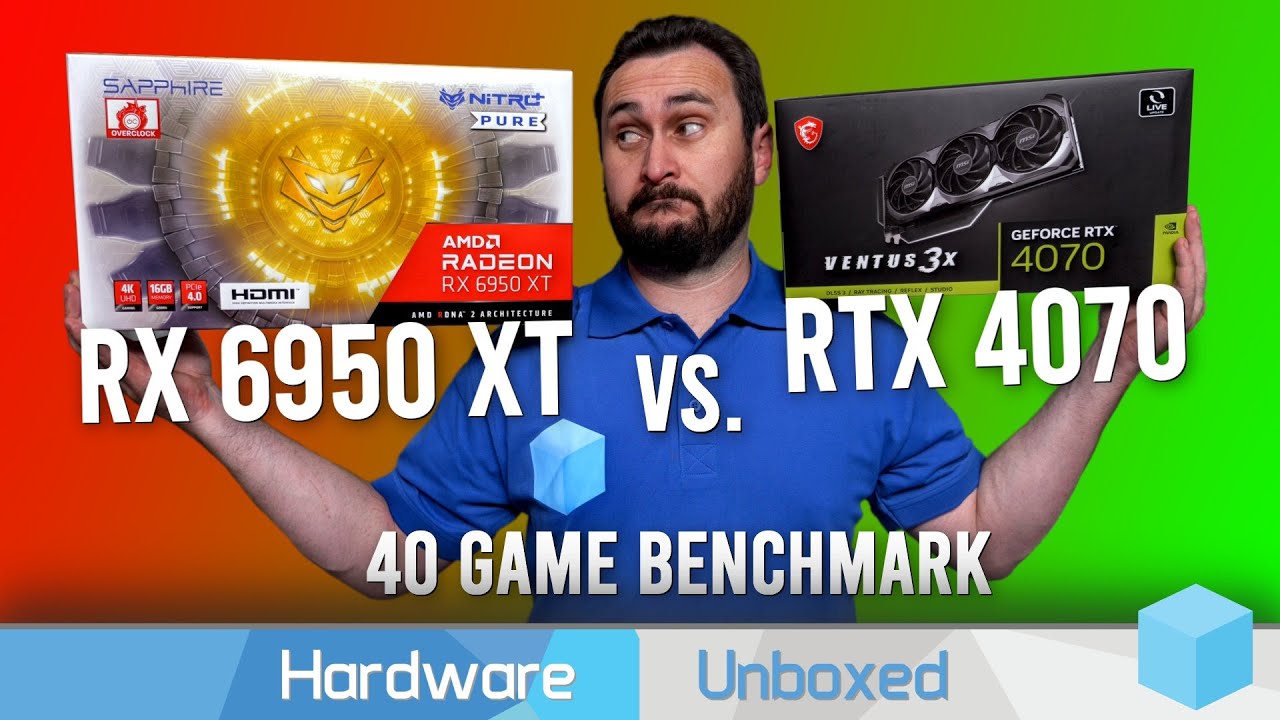
Get the right PC built for you at https://skytechgaming.com/
Support us on Patreon: https://www.patreon.com/hardwareunboxed
Join us on Floatplane: https://www.floatplane.com/channel/HardwareUnboxed
Buy relevant products from Amazon, Newegg and others below:
Radeon RX 7900 XTX - https://geni.us/OKTo
Radeon RX 7900 XT - https://geni.us/iMi32
GeF...
Their charts are a little hard to read but this means the 4070 is about 15% slower than the 6950 on average
 runic spruce
potent portal
I was never a huge fan of soda
runic spruce
potent portal
I was never a huge fan of soda
Still healthier then batteries lol
potent portal
runic spruce
Still healthier then batteries lol
Hey I got my electrolytes without intaking any calories at all, I call it a win
little osprey
potent portal
Their charts are a little hard to read but this means the 4070 is about 15% slow...
oh then we bing chilling
potent portal
Do you have CPU-Z? I can verify real quick with the mainboard tab
little osprey
potent portal
Do you have CPU-Z? I can verify real quick with the mainboard tab
I'm just installing

I need to sleep after this
ngl
almost 8am
I think that's it yeah
 lone flame
I have a 6700 XT now. If I wanted to stick to team red and upgrade in the future, what would be a viable card? 6900?
 weary galleon
Though in the future™️ there may be a better option
 potent portal
Don't worry about it
potent portal
Those are rarely accurate, and they want you to buy bigger capacity than you really need anyway
little osprey
the gpu is way too big for my current case
potent portal
2 reasons to recommend more: kickbacks from the PSU companies, and extra breathing room for worst case scenarios like running a 13900k with it
little osprey
aahhhhh
yeaah I just checked in a wattage calculator
662
and 677 with the 5800x3d
potent portal
Assuming the CPU and GPU are running at 100% power yes, but it's quite likely that the CPU would be at about 50% power at most when gaming
little osprey
idk sometimes my cpu just decides to go 90%
I got hella lucky
as soon as the pc finished the bios update
the power in my city had a spike
potent portal
Oh man that's scary close
Does your board have flashback? There's usually a little button on the back if so
little osprey
idk tbh, but that's why I'm scared of this kind of things
I always get the worse luck
potent portal
If you do have flashback you can easily recover from a bad flash, you just need a usb drive
A lot of X570 boards came with it
little osprey
well
this update will force me to readd thermal paste
haven't done it in 3 years 
why??? I'm lazy
potent portal
It's about time to do it anyway then. A good paste will last 2-3 years.
potent portal
Cheap oily stuff would be more like 6mo-1yr
little osprey
what are good paste?
potent portal
Generally I recommend Arctic MX-4
It's cheap and performs within a few degrees of some of the best pastes
little osprey
the only I can buy in tech stores here is the nplay one
that doesn't look good
other than that I'd need to buy on amazon or smth
little osprey
potent portal
It's cheap and performs within a few degrees of some of the best pastes
what would be the best then?
potent portal
That's a matter of great debate
little osprey
considering that I'll have a cpu that heats like it's finna do a whole course meal
potent portal
I'm probably missing a couple but MX-6, NT-H2, PK-3, kryonaut (NOT extreme) are all some of the best you can get

Com sua composição aprimorada, o ARCTIC MX-6 possui uma resistência térmica mensuravelmente menor do que o MX-4. A base para o cálculo é a diferença de
Or twice the size for some extra just in case you want to do your GPU or something later https://www.globaldata.pt/pasta-termica-arctic-mx-6-4g-actcp00080a

Encomende Pasta Térmica Arctic MX-6 (4g) online agora e beneficie de envio rápido. Globaldata - We upgrade your life.
little osprey
potent portal
I'm probably missing a couple but MX-6, NT-H2, PK-3, kryonaut (NOT extreme) are ...
I'll check it out then
well, omw to the bank

 little osprey
 manic cloak
no clue if it’s supposed to be like that but I don’t think it is <:kekw:74167835...
manic cloak
no clue if it’s supposed to be like that but I don’t think it is <:kekw:74167835...
NZXT case
Checks out
manic cloak
air cooler positioning 
little osprey
manic cloak
air cooler positioning <:PepeRealizes:1024543017949986856>
ive seen worse
the same position
but there wasn't no heat pipe
cooler was just hanging around
it was an intel cooler
 graceful saffron
manic cloak
graceful saffron
manic cloak
it is
that specific cooler can only be mounted that way
it's super dumb
manic cloak
yikes
mmmm warm air flow, not cool 
“Barely” used 6800xt for 400$ is fair right? They don’t have the box cause they tossed it out.
 earnest olive
not bad, not exceptional
manic cloak
earnest olive
not bad, not exceptional
unfortunately. lady bought it for her boyfriend but he never used, shame tbh
manic cloak
no clue if it has any problems
manic cloak
earnest olive
damn
nope
they still posing together in her profile
should I just bring my rig to wherever to test it? 💀
manic cloak
but I would have to probably ddu and etc beforehand right
earnest olive
my gf at the time had to come with me, said she had to fight off all the other women that would be throwing themselves at me
6650xt to 6800xt? unlikely
should be able to plug and play
manic cloak
oh
earnest olive
would recommend you do a fresh install after getting home
manic cloak
well uh
earnest olive
but for just testing it there, should be fine
manic cloak
i’m sitting in a 3/22 version of 6650xt drivers tho
trying to fix that “pa-300” gavin was having
earnest olive
6650xt is a newer card than 6800xt, it'll detect
manic cloak
gotcha
earnest olive
I'd recommend loading up superposition benchmark onto your pc beforehand
and googling an expected score for a 6800xt
also get hwinfo to make sure the card's thermals are fine, it's hitting expected power targets, etc.

rate my setup
I should have gotten my gf to pose with it lmao
manic cloak
earnest olive
I'd recommend loading up superposition benchmark onto your pc beforehand
superposition?
earnest olive
just google it
earnest olive
nice benchmark that runs offline and gives you a score
I use it for my used gpu tests
you can probably tell but I do this a lot lol
 vague oracle
You do? Never would’ve guessed
manic cloak
^
but i’d still need a new psu likely unless I undervolt my cpu
13600k + 6800xt on a 750w?
earnest olive
that's plenty
manic cloak
Part List - Intel Core i5-13600K, Radeon RX 6800 XT, Lian Li LANCOOL 205 Mesh C ATX Mid Tower
ah
earnest olive
I ran 13700k 3090 on 750w with 3090 flashed to xoc vbios
little osprey
between the white snow lian li o11 dynamic
manic cloak
ah
earnest olive
also ran 3600x + 3080 + 3070 on 650w lol
little osprey
and the white lian li small o11 dynamic
manic cloak
jesus 💀
earnest olive
that b tier 650w was fighting for its life
 remote gale
where can i go to check the compatability of my build?
dim forge
pcpartpicker usually works fine
little osprey
Hey @mossy venture remember when you were helping me build my PC that one time?
And in the end you recommend me getting the RTX 4070?
....With my 5600x
 mossy venture
the 5600 is fine with a 3090 at 1440p
the 4070 loses to the 3090
even at 1080p it won't be a big bottleneck
little osprey
But I remember you telling me that the 4070 should be fine for me with that specific CPU
But I am now noticing that there's a bottleneck between the CPU and GPU
mossy venture
there will always be a bottleneck
in some games the cpu will be it
in others, the gpu
little osprey
Ain't it recommended for PC builders to always balance things out between the CPU and GPU?
mossy venture
yes
which is what the 5600x and 4070 do
that is a balanced build
you can ask others here if you would like to
pato, felix, foxy, sips, forks, pretty much anyone who frequents these channels
 mossy venture
dude
my guy
bottleneck calculators are bull crap.
if you dont want to listen to me dont
little osprey
It's not that I don't want to listen to you
mossy venture
but im not going to keep having this abck and forth discussion that will go nowhere
little osprey
Bruh then show me how they are both balanced

This is the first thing that comes up on Google
mossy venture
bottlenecks are impossible to avoid
little osprey
Not necessarily
mossy venture
using the 4070 at 1080p is stupid anyways
mossy venture
little osprey
Not necessarily
my dude
it is IMPOSSIBLE for a cpu and gpu to work perfectly together in every single scenario
little osprey
mossy venture
it is IMPOSSIBLE for a cpu and gpu to work perfectly together in every single sc...
The Ryzen 7 5800x with the 3070 TI.........
mossy venture
the cpu limiting the 4070 by 10% in a single game at a resolution that is extremely easy to run on even a 3060 isn't an example
mossy venture
little osprey
The Ryzen 7 5800x with the 3070 TI.........
then the gpu is bottlenecking the cpu
I'm done with this conversation.
little osprey
Anyone wanna fill in on this?
vague oracle
Bottleneck calculators are basically just random number generators
You’re going to have a bottleneck somewhere in the system no matter what
No bottleneck = infinite performance
Literally anything can be a bottleneck in a system, gpu bottlenecking cpu, ram bottlenecking cpu, cpu bottlenecking gpu, etc
little osprey
Either way, with the 5600x and the RTX 4070....as much as everything will have some sort of bottleneck, don't these 2 components have a Jurassic bottleneck?
vague oracle
No?
mossy venture
thank you alec
vague oracle
@earnest olive was literally running a 12100f with a 3090 without issues
Tuned ram but still
little osprey
Obviously there won't be issues, but the GPU is limited on what it can do
vague oracle
Not really
Unless you’re playing like low 1080p or 720p
Depends a lot on the resolution and graphic settings
CPU matters a lot less the higher resolution you go
little osprey
Can the Ryzen 5 5600x even handle 1440p gameplay?
vague oracle
vague oracle
CPU matters a lot less the higher resolution you go
Read this
mossy venture
1440p is more gpu focused than cpu focused
the 5600x is fine with a 7900xtx at 4k lmao
hell 3600 is fine with a 4070 at 1440p
 earnest olive
vague oracle
<@122901618369757184> was literally running a 12100f with a 3090 without issues
earnest olive
vague oracle
<@122901618369757184> was literally running a 12100f with a 3090 without issues
(don't recommend this to average users, tuned ram literally doubled the 12100f performance, the bottleneck would have been massive without it)
vague oracle
Just an example, wasn’t recommending it
graceful saffron
little osprey
Obviously there won't be issues, but the GPU is limited on what it can do
No
5600x is miles better than a 3600/2700x and those two have minimal bottlenecking with 3080
like 5600x is sooo much better
why would it be any different with a 4070
mossy venture
graceful saffron
5600x is miles better than a 3600/2700x and those two have minimal bottlenecking...
2700x definitely has a decent bottleneck with the 3080, it's single core is comparable to a 4770
the two have similar multi core but 3600 is a good ways ahead in single
graceful saffron
mossy venture
2700x definitely has a decent bottleneck with the 3080, it's single core is comp...
lol no
I've tested this myself
with XMP ram sure
i shoudl have said that
mossy venture
i stand corrected
 vague oracle
Damn 2700x and 3600 are that close to each other?
mossy venture
i dont think in real world perf they are
but i definitely thought the gap was bigger
graceful saffron
vague oracle
Damn 2700x and 3600 are that close to each other?
yes
graceful saffron
mossy venture
i dont think in real world perf they are
they are
2700X OC vs 3600 OC it curbstomps
cause 1.38v is safe ~ i only ever tested upto 1.325v and that was 4.2ghz all
i could have gotten 4.3 likely
single they're super similar with OC
but the multi stacks
little osprey
little osprey
This is the first thing that comes up on Google
For all we could know that could be UserBenchmark
A single Googled question isn't a great basis for a claim
There are dozens of factors when it comes to identifying a "Bottleneck"
manic cloak
this isn’t a bad barebones build with gigabyte 3070 is it? https://pcpartpicker.com/list/QNMnmr
Part List - Intel Core i7-12700K, GeForce RTX 3070 LHR, Gigabyte AORUS C500 GLASS ATX Mid Tower
earnest olive
is 550 for that case including the gpu and mobo only?
little osprey
earnest olive
is 550 for that case including the gpu and mobo only?
Yeah
I think
Lemmie find the deal RQ
earnest olive
hmmm
little osprey
@earnest olive https://www.microcenter.com/product/664311/l
little osprey
I mean don't 3070's go for $300 used?
manic cloak
earnest olive
is 550 for that case including the gpu and mobo only?
the mobo, gpu and case
earnest olive
little osprey
I mean don't 3070's go for $300 used?
no
manic cloak
mobos at 176$ rn
earnest olive
good price for a used 3070 is like, 250
earnest olive
manic cloak
mobos at 176$ rn
it's last gen though
manic cloak
z690 is still a good board?
earnest olive
should be worth a little less than retail when you can get z790 boards for not much more
z790 is a lot better at ddr5 oc in general
won't matter if you run xmp
manic cloak
true
earnest olive
but i don't like valuing last gen products at retail
manic cloak
cheapest z790 is an asrock

ASRock Z790 PG LIGHTNING ATX LGA1700 Motherboard (Z790 PG LIGHTNING)
no wifi though
manic cloak

Gigabyte Z790 UD AX ATX LGA1700 Motherboard (Z790 UD AX)
earnest olive
just saying why i'm valuing it at 150
earnest olive
does microcenter have any deal on 13600k/kf rn?
earnest olive
oof
well, i feel like you might as well just get the 12600k
good price on that
seeing 196 in tustin
manic cloak
issue is the 12600k combo is an a750 and the 12600k for 35$
earnest olive
not much of a point stepping up to 12700k
manic cloak
350$*
manic cloak
12700k, you could get the ddr4 bundle, upgrade the cpu to the 13600k for like 30$
earnest olive
not sure if intel is running any promo on 12600k rn
you're getting a ddr5 board so the ddr4 bundle is not meaningful to you
manic cloak
true
earnest olive
and new ddr4 is so cheap right now that there's really not much demand for ddr4 if you resell it
16gb ddr4-3200 is worth like $25 resell maximum
even then it'll be hard to find a buyer
since it's $30 new and you get lifetime warranty with that
manic cloak
ya, I bought my ddr4 for practically what a 32gb kit of ddr5 6000/5600 cl32 is rn
aka 85$
earnest olive
and then if you can't find a local then you'll need to pay like $5 for shipping
and then you only make 20
just get 12600k imo
that cooler will also be happier on a 12600k
manic cloak
true
also this guy i’ve been talking to for his vg27aq monitor finally sent me the barcodes
issue is, the monitor is 3 years old
 earnest olive
3 years isn't that bad
is it a good deal?
I'm dailying a 12 year old monitor right now as my second monitor
got a 18 year old monitor in my room that still works perfectly fine
1080p 75hz and has hdmi
earnest olive
well, it's 60hz but being old enough to vote hasn't stopped it from overclocking to 75hz
yeah that sounds like a good deal
manic cloak
alr
earnest olive
I don't think 3 years old is a problem
manic cloak
he says it has no problems too
but idk why he’s selling so cheap
but also, there’s a lady who lives in the same area looking to buy monitors
and she was asking about mine rn
earnest olive
it's hard to sell monitors especially if you live in an area that isn't super populated or super well off on average
manic cloak
so i’m planning to go sell my monitor for 130$ then buy his for 125$ on same day
manic cloak
earnest olive
it's hard to sell monitors especially if you live in an area that isn't super po...
30 mins from twin cities, and i got all original boxing lmao
earnest olive
well, even then
earnest olive
it's definitely harder to sell than, like, a cpu
manic cloak
true
earnest olive
picked up said 12 year old second monitor for $25
1920x1200 with full ergo adjustment, IPS, native displayport, included a DVI to HDMI adapter
I'm using it as a 1200x1920 vertical monitor
it's incredible
10:16 is just 
earnest olive
gl
 serene onyx
Guys
I just got home
Turned my pc on
And it's not working
I have 2 error lights
Cpu
And dram
What do I do
It's not turning ofd
Off
@earnest olive
@obsidian wigeon
I need help please
It's not even showing display
GUYS
IM PANICKING
WHAT DO I DO
mossy venture
serene onyx
It's not turning ofd
Hold the power button
serene onyx
😭😭
mossy venture
Calm down
serene onyx
OK OK
mossy venture
Try turning it back on after that, and see if it does
If not, hold power button again.
Reseat ram
Try again
mossy venture
Is anything still on?
serene onyx
Yes
mossy venture
Like fans, rgb, lights, anything?
serene onyx
Just the error lights and my rgb
mossy venture
You've been holding it and it hasn't turned off?
serene onyx
No
mossy venture
Like, pressing down and holding
serene onyx
Yes
mossy venture
For 5+ seconds?
serene onyx
Yup
mossy venture
If that doesn't work thats quite odd
Could try turning psu off via the power switch but I'm not sure that's safe, one sec
mossy venture
@fossil cedar you available?
mossy venture
serene onyx
This pc is new
Has it been turned on before?
serene onyx
Yes
It's been working fine for the whole week I've had it
But rn
It just stopped working
mossy venture
Alright, my first guess would be ram needs to be reseated
serene onyx
It just messed up rn
mossy venture
But have to turn pc off first
mossy venture
I'm not sure if it's safe, so I would wait for someone else to answer
Give me a second
serene onyx
Ok
mossy venture
Ima check general for someone who'd know
mossy venture
@stoic island by chance?
serene onyx
@stoic island
mossy venture
Alright, try holding the power button for 15 seconds
One more time
@earnest olive you available?
 stoic island
So it's not turning off?
serene onyx
No
mossy venture
Yeah it won't
stoic island
No to not turning off or no as in no, it's not turning off
mossy venture
It is not turning off
serene onyx
It's not turning off
stoic island
Flip the psu switch
mossy venture
Even via holding power button
serene onyx
Ok I'll flip it off
mossy venture
stoic island
Flip the psu switch
Alright that's what I thought but wasn't sure if it was safe, ty
serene onyx
Ima reaseat the ram rq
mossy venture
From there, first reseat ram, and then try clear cmos
serene onyx
But what about the cpu error light
stoic island
All the safety mechanisms should still be there
stoic island
serene onyx
But what about the cpu error light
Were they both on at the same time or did CPU light turn on, then off, then DRAM light turn on?
serene onyx
Same time
stoic island
You should reseat the CPU too then
earnest olive
mossy venture
<@122901618369757184> you available?
no not really
mossy venture
earnest olive
no not really
Alr sorry for bugging you
earnest olive
all good
 fossil cedar
mossy venture
<@191276897227898880> you available?
fossil cedar
mossy venture
<@191276897227898880> you available?
waddup
mossy venture
Got it all figured out, ty

 weak flint
thats an expensive boi
7900xt is like cheaper well i presume its different in your countries market
besides it performs just aswell
little osprey
weak flint
7900xt is like cheaper well i presume its different in your countries market
a 7900xt is 1.2k
weak flint
little osprey
a 7900xt is 1.2k
7900xt is $800💀
oh aas in ur country
wtf?
that's insane
little osprey
 serene onyx
weak flint
7900xt is like cheaper well i presume its different in your countries market
serene onyx
weak flint
7900xt is like cheaper well i presume its different in your countries market
I found one for 500
It was a power color one
I saw it on Ali express
I was so mad cause it doesn't ship to the USA
BUT IT WAS SO CHEAP
 rain bloom
https://uk.pcpartpicker.com/list/jrjXmr
Thoughts? Trying to make a 1080p machine for under 800
Part List - AMD Ryzen 5 5600, GeForce RTX 3060 12GB, NZXT H510 ATX Mid Tower
fossil cedar
rain bloom
https://uk.pcpartpicker.com/list/jrjXmr
Thoughts? Trying to make a 1080p machine...
Unless you need CUDA or are insisting on ray tracing (would not recommend on a 3060 if you want much fps), also that case and psu are just terrible
Anyway I'd do this, much better gpu too
https://uk.pcpartpicker.com/list/WJLkv3
Part List - AMD Ryzen 5 5600, Radeon RX 6700 XT, Phanteks Eclipse G300A (3 Fan) ATX Mid Tower
rain bloom
fossil cedar
Unless you need CUDA or are insisting on ray tracing (would not recommend on a 3...
Much better indeed, this is why I double check lol. Thank you!
fossil cedar
You're welcome
earnest olive
it's been quite some time since I saw an h510 in here
you know those "days since last workplace accident" signs?
maybe we need one of those but it's "days since last h510"
 frigid night
earnest olive
maybe we need one of those but it's "days since last h510"
frigid night
earnest olive
maybe we need one of those but it's "days since last h510"
A bot. When someone mentions it. It throws that phrase out there.
earnest olive
frigid night
A bot. When someone mentions it. It throws that phrase out there.
I love it
fossil cedar
frigid night
A bot. When someone mentions it. It throws that phrase out there.
Now i really wanna make one goddamit
frigid night
fossil cedar
Now i really wanna make one goddamit
Do it. Just make sure it only logs this chat.
I'm sure there is already a bot out there that can do it.
frigid night
fossil cedar
I'd love to but repeat exam is soon, maybe after for the lols
If you make your own. Call it PatoBot
potent portal
serene onyx
I saw it on Ali express
That was a scam
Lots of scams on ali. If it looks too good to be true it probably is.
serene onyx
I guess ur right
Guys
I'm having problems with my pc again
I fixed it from earlier issues right
And rn
All of a sudden
It was working perfectly fine right
But now, all of a sudden
My pc just stopped working
All the fans stopped spinning, it just stopped working
But there's no error lights
Wtf is happening to my pc
Display entirely cut out
Fans stopped spinning
I'm genuinely concerned
Ok so, I flipped the psu switch
And I'm getting the same cpu and ram error lights again, wtf is happening
 obsidian wigeon
Unplug the pc, or switch psu off
Hold down power button for 30 sec, wait 10 minute then boot normally
If it doesn't work do cmos reset
serene onyx
Ok
This happened earlier
But I reseated the ram and cpu and it worked
Amd now it's doing the same, give me a min ima do that
Ima hold it doen
runic spruce
Was the motherboard used?
obsidian wigeon
It's a new build
serene onyx
runic spruce
Was the motherboard used?
All new parts
It's been 1 minutes of holding it doen
Nothing
How I clear cmos
obsidian wigeon
I meant the holding power button should be 30 seconds
runic spruce
What’s the cpu and motherboard?
serene onyx
It doesn't turn off
serene onyx
obsidian wigeon
I meant the holding power button should be 30 seconds
I did
It didn't do anyt
obsidian wigeon
And you wait with sitting there for 10 min
obsidian wigeon
It's a power cycle reset
obsidian wigeon
Clearing cmos you'll have to find cmos batt, it's a coin batt
serene onyx
the same cpu and dram lights are on
obsidian wigeon
If the board has cmos reset button or jumper, you can also do it
serene onyx
How I jump it
obsidian wigeon
Something metallic
serene onyx
Cause it has a jumper thing
obsidian wigeon
Like a spoon
serene onyx
Screwdriver?
runic spruce
serene onyx
Screwdriver?
Flathead screwdriver
serene onyx
Ok, ima have to look for one of those and ima have to look at the manual for the cmos reset thing
serene onyx
Yeah
runic spruce
What was it
obsidian wigeon
A620M Pro RS and 7600
runic spruce
That’s weird, bent pin on the mobo maybe
serene onyx
Hm
serene onyx
Yeah, I havnt done that
obsidian wigeon
Once you get it working
serene onyx
It was working for a whole week just fine
obsidian wigeon
Maybe update the bios
serene onyx
I'll try
obsidian wigeon
Random shut downs isn't right
little osprey
waitig till the r7 5800x3d is in discounts
runic spruce
obsidian wigeon
He's never taken it apart yet
Pins can come broken even if there new, but I’d try the bios update first
serene onyx
Yeah, cause this doesn't seem right
little osprey
to then buy a new cooler and psu 
serene onyx
Ok so like 6 minutes left till its been 10 minutes waiting
This is so random, idk why it's doing this
serene onyx
Do u think it could be one of my cables not being plugged in all the way?
runic spruce
You’d have to check that
runic spruce
U didn’t like put the hdmi in the motherboard right
serene onyx
I think my cmos is either under my gpu
mossy venture
I'd check motherboard power, cpu power, and pcie power
Both on psus end and on motherboard and gpu
serene onyx
mossy venture
I'd check motherboard power, cpu power, and pcie power
Yeah I was thinking the same thing
runic spruce
My guess is a pin might’ve been bent on the mobo
serene onyx
I hope not
mossy venture
What psu is it?
mossy venture
Mwe gold v2?
mossy venture
Solid psu, doubt that's the issue
serene onyx
Yeah
runic spruce
It’s prob the motherboard like I said eariler
serene onyx
Hm
When I reseated the ram and cpu it worked tho
That's so weird
Ok 2 more minutes just incase, then I'll check cables
serene onyx
Yeah, it turned on like nothing ever happened
I was even playing l4d2 and watching Netflix
runic spruce
Did u reset the bios yet
runic spruce
It might just be a bios issue if u were playing around withy it
serene onyx
Yeah
Prolly
Ima double check the cables
Then ima try and power it on
If it works, ima check bios
If not, I'll cmos reset
Ok
So
It's working now
I unplugged and reconnected every cable from the psu and mobo
And now it's working
How do I access bio to check for update
@runic spruce
@obsidian wigeon
How I enter bios
I'm on bios
Now what
Guys
Hello
I'm so lost
GUYS
😭
HELLOOO
@runic spruce @obsidian wigeon
Ples
runic spruce
serene onyx
How do I access bio to check for update
Spam f1
serene onyx
I'm alr in it
serene onyx
I'm alr in bios
runic spruce
And u then want a usb 2.0 stick to download the bios then update
runic spruce
If it’s working u prob don’t need it
runic spruce
serene onyx
Can I do it using wifi
No
serene onyx
Yeah, cause it's working now
runic spruce
Then u prob do need a bios update
runic spruce
U need a usb stick to update it
serene onyx
Can I just go back to my regular pc screen, do it while my pc is working then go into bios and do it that way?
runic spruce
I don’t follow
serene onyx
Huh
Ok I exited bios, ima put it onto a USB while my pc is working
Then ima update it
runic spruce
Yea u can download the bios on the usb while in windows then just go back into bios
Look up a tutorial on YouTube
runic spruce
Delete it
serene onyx
Ima delete it
Yeah
Which way do I do it

Do I press flashback on the recent one
obsidian wigeon
flashback if you want easy way
obsidian wigeon
you can update it with flashback button on mobo
serene onyx
Ok
obsidian wigeon
make sure you plug the usb drive in flashback usb port too if you haven't
it's always outlined in white on io-shield
serene onyx
Oh ok
OH
NO WONDER MY THING WASNT WORKING
They released a new bios update
TODAY
😭🤦🏽♂️
obsidian wigeon
Could be lol
Or that you had some loose cables
But perhaps a bios update might help still
serene onyx
Probably
mossy venture
Bios don't have to be updated to be working
serene onyx
Wdym?
mossy venture
You just update it if there's major firmware/security updates or if you're having issues
obsidian wigeon
he's having some odd random power off issues
serene onyx
It doesn't power off, well sorta
It just stops working
And error lights pop up
So do I install this new bios update then?
It's a beta
mossy venture
I'm not saying to not update, just saying that new bios being released today doesn't mean much
obsidian wigeon
ye
serene onyx
So I still do it?
obsidian wigeon
serene onyx
So do I install this new bios update then?
Nah I would try non beta bios first
The latest non beta one
obsidian wigeon
ye
obsidian wigeon
Right click on it in windows explorer
serene onyx
I did
 zenith cargo
best cheap liquid cooling suggestions?
little osprey
zenith cargo
best cheap liquid cooling suggestions?
Frozen Notte
little osprey
However might be overkill depending on your CPU
little osprey
There's plenty of good air coolers I would consider first depending on your CPU
obsidian wigeon
master leaker as i like to call
zenith cargo
5800x
obsidian wigeon
also yeah, an air cooler is only like $40
zenith cargo
soon the 3d
obsidian wigeon
you can get away with thermalright coolers
something like phantom spirit and peerless assassin
 mossy venture
The pa120 se is same price or cheaper and better than the 225xt
mossy venture
The thermalright frozen notte 240 is $53 on amazon
Pa120 se is around $35-40, or ps120 se, or ft120, fc140, silver soul 110, silver soul 135

Thermalright Peerless Assassin 120 SE 66.17 CFM CPU Cooler (PA120 SE-D3)
This is a lil bit better and is rgb https://pcpartpicker.com/product/MzMMnQ/thermalright-phantom-spirit-120-se-argb-6617-cfm-cpu-cooler-ps120se-argb

Thermalright Phantom Spirit 120 SE ARGB 66.17 CFM CPU Cooler (PS120SE ARGB)
serene onyx
Ok time to power off my pc and install bios
Rahhh
@obsidian wigeon
U said the bios USB port is surrounded with a white outline?
On the io shield
obsidian wigeon
Use that flashback button
Hold it down I think is what you should do
And release once you see some lights blinking
Then wait
obsidian wigeon
You might have to wait up to 10 minutes while it does its job
obsidian wigeon
Gimme a pic of the back of it
 obsidian wigeon
okay you want the gray outlined one
serene onyx
Ik
obsidian wigeon
weird
also keep the usb drive plugged for the whole process
that's probably why it's not doing the update
obsidian wigeon
then do again and wait, or try following the manual
I gotta go grab some breakfast lol
little osprey
guys I bought 6 fans
for my new lian li o11d
Idk where to use 2 of them
recommendations?
serene onyx
ITS WORKING
IM SO DUMB
THE REASON IT WASNT WORKING IS CAUSE I DIDNT MOVE THE ROM TO THE MAIN DIRECTORY OF THE USB
serene onyx
little osprey
Idk where to use 2 of them <:adios:1041881918838427678>
Erms
How is ur case
@obsidian wigeon will installing this bios update get rid of any of my stuff?
little osprey
like this
 little osprey
serene onyx
<@214044000556941312> will installing this bios update get rid of any of my stuf...
little osprey
serene onyx
<@214044000556941312> will installing this bios update get rid of any of my stuf...
oc stuff iirc
serene onyx
Ok so
Huh
U got 1 on the back
3 on the bottom
3 on the side
Front
And top
Well spots
 cyan ravine
You can put a mesh panel on the front for more fans
serene onyx
Put 1 on each
little osprey
since I'm buying a cooler (when I buy the new cpu)
cyan ravine
The case is expensive tho
cyan ravine
Welp
serene onyx
Uh oj
cyan ravine
It's not a bad case, I have one
But compared to the air mini it's mostly rad compatibility and modularity
little osprey
and I'm not confortable having the gpu 10cm from the front panel
where I should put some radiator
serene onyx
Oh lord
 little osprey
yeah I saw that
I really hope the pc doesn't need to be undervolted
since till cpu discount
I'll be running with 750W psu
(r9 3900x and 6950xt)
well, it will be starting from the 26th (when gpu is delivered)
serene onyx
Bios update complete
manic cloak
i’m so stupid
I’m removing my graphics card and i realized that i don’t need to upgrade my psu unless for wattage concerns
i thought 1 pcie cable only had 1 8 pin pcie to it
not 2
so i don’t have to worry about having 3 pcie slots for a gpu 💀

 manic cloak
?
cyan ravine
you can see left and right sides the paste is thicker where the tabs are holding it down
cyan ravine
no it spread properly
cyan ravine
it just pooled around the tabs cos thats where all the pressure is
manic cloak
too much pressure then?
manic cloak
what is ilm
cyan ravine
that's why the contact frame exists
the thing holding the cpu down
internal load mechanism
cyan ravine
ye
you're swapping that so the pressure is even instead of being on the two sides left and right with the little metal tabs
it makes a huge difference to temperatures
manic cloak
i thought it was like 1-2 degrees celcius
which is still a bit but
i’m also reseating my gpu to see for any damages
pain in the ass to lift the lever
such a huge human mechanism error
like.. why isn’t there a button for it, instead of a hard to reach lever
 south cliff
What is a a good 500 dollar build
Haven’t been looking at the tech news been grinding dbl and Pokémon go
little osprey
south cliff
What is a a good 500 dollar build
12100F/13100F (Whatever is cheaper)
B660M/B760M DS3H(?)
16GB-32GB of DDR4/DDR5
south cliff
Ok let me see what I can build real fast
manic cloak
south cliff
Haven’t been looking at the tech news been grinding dbl and Pokémon go
ayyy pmkn go
little osprey
Yeah
Good card
MP33/MP34 are good choices for storage
Then get a A or B tier PSU
little osprey
I would recommend checking used prices for a GPU
south cliff
And I’ll send and see if it’s good
little osprey
👍
south cliff
It’s not for me it’s for freind
little osprey
It’s a gaming orientated build, yes?
south cliff
Yes
little osprey
Alrighty, ping me with that list when you get that done
little osprey
south cliff
Bruh did the 6600xt go up
Brand new?
manic cloak
@cyan ravine you still here?
little osprey
Possibly, it was on sale recently IIRC
cyan ravine
south cliff
What is a a good 500 dollar build
Part List - AMD Ryzen 5 4500, Radeon RX 6600, Fractal Design Focus G Mini MicroATX Mini Tower
cyan ravine
manic cloak
<@101107951401455616> you still here?
hi
manic cloak
so issue
little osprey
cyan ravine
https://pcpartpicker.com/list/pXd6nt
4500???

 cyan ravine
little osprey
4500???
cyan ravine
little osprey
4500???
you could do 12100f but no wifi as a result
south cliff
little osprey
4500???
Part List - Intel Core i3-12100F, GeForce GT 710, Lian Li O11 Dynamic Mini Snow Edition ATX Mid Tower
cyan ravine
manic cloak
indeed
cyan ravine
I can't really remember I might ping someone who does
manic cloak
it looks like PINS are missing
little osprey
cyan ravine
you could do 12100f but no wifi as a result
Oh board issue
manic cloak
 south cliff
manic cloak
south cliff
manic cloak
Oh nah
little osprey
south cliff
https://pcpartpicker.com/list/yk7hDq
I would opt for a cheaper case and maybe a different PSU if you don’t already have it
cyan ravine
it can't have missing pins by definition of spec
south cliff
little osprey
I would opt for a cheaper case and maybe a different PSU if you don’t already ha...
It was a joke
I thought the 6600xt was cheaper
Guess the 6600 will have to do
cyan ravine
lol wtf why is the bottom corner look like all the pins are bent
cyan ravine
ah yeah I zoomed in
manic cloak
should i stream?
cyan ravine
nah
it looks pretty much fine zoomed in
we can check

the three you see that look sus
are they like way bent or just a little
I'm seeing just a little
which is all likely fine
manic cloak
no clue
it looks a little
i did notice that when i got the board
but i thought i was tripping
cyan ravine
it's likely fine