#building-and-recc-chat
1 messages · Page 148 of 1
 jagged ember
 little osprey
REAL
 manic cloak
i’ve been to iowa once, but it was at this lake
pretty great
it was like a fair or something
 mossy venture
ive been consumed by iowa
manic cloak
💀💀
little osprey
RAGBRAI is coming up here soon
Basically bikers ride across the state
It can be rough, sixty miles a day on average
But the food and music as well as other stuff is amazing
 stoic island
mossy venture
ive been consumed by iowa
stoic island
mossy venture
ive been consumed by iowa
Have you tried taking off the trench coat
little osprey
stoic island
Have you tried taking off the trench coat
You will be consumed by corn
stoic island
I'm consuming corn
little osprey
Nom nom
stoic island
I'll out consume it
mossy venture
i did now
little osprey
Y'all would be surprised how much corn is just at one grain station
mossy venture
didn't help much
manic cloak
lol
mossy venture
stoic island
Pop it
now I'm just puffier
manic cloak
there
little osprey
Nirvana actually played at a historical bar here in Iowa before they hit it big
mossy venture
your states biggest flex being nirvana playing at a bar is an L tbh
little osprey
mossy venture
your states biggest flex being nirvana playing at a bar is an L tbh
The bar is historical for a lot of artists that've came
stoic island
mossy venture
now I'm just puffier
Take it off of the cobb
mossy venture
little osprey
The bar is historical for a lot of artists that've came
im just messing with you
CT literally has nothing
little osprey
To be fair Iowa is a little bland compared to other states
But that goes for the most of the Midwest
mossy venture
so are like 15 states
basically all of the midwest and then new hampshire, vermont, connecticut and whatever other states no one lives in up here
little osprey
Yup
I think my cousin is out in Italy for some month long class that Iowa State University
It's a bit weird we have two universities that have Iowa in their name
But the divide is huge when it comes to sports
manic cloak
wait @mossy venture is the gigabyte monitor (from earlier) able to go over 144hz
little osprey
I have a 165Hz monitor but I don't feel it's anything special since it's 1080p
Still like it though, just needs cleaned
Forget how I'm supposed to do that
mossy venture
manic cloak
wait <@654444344274845698> is the gigabyte monitor (from earlier) able to go ove...
g27q
manic cloak
mossy venture
g27q
yes
manic cloak
little osprey
I have a 165Hz monitor but I don't feel it's anything special since it's 1080p
same
jagged ember
little osprey
Forget how I'm supposed to do that
Water
Wet the microfiber cloth
Wipe
After you clear the dust
little osprey
jagged ember
After you clear the dust
There's no dust
I hate to say it, but purely spit
little osprey
@mossy venture, I think the B760 on Amazon is actually out of stock
Explains why the expected shipped date is so late
little osprey
mossy venture
what's the shipping date?
All the way in July
mossy venture
ntb
manic cloak
it’s still in stock
little osprey
manic cloak
also july is like 2 weeks
little osprey
This is just genuinely more appealing
little osprey
manic cloak
also july is like 2 weeks
Two weeks for a single board seems like awhile TBF
manic cloak
hey, i waited 3 weeks for my ssd
cause it was ordered before christmas
got lost
and then reordered
little osprey
I don't like the idea of having multiple drives
Unless the drive is for a single specific thing like images or videos
manic cloak
i find it weird aswell
cause i’m maxing out on my 1 tb (like 460gb left) with the os drive on it
tbh i wanna get that p41 2tb but it’s not really needed for me since i have a 670p
little osprey
Yeah I've been fine on 1TB drive for a long while now
I still have almost 600GB left
 manic cloak
damn
manic cloak
mossy venture
g27q
anyways uh.. is this able to get frames over 144hz or no? 😭
mossy venture
no clue
little osprey

Intel LGA 1700 Socket: Supports 12th Gen Intel Core Series Processors DDR4 Compatible: Dual Channel Non-ECC Unbuffered DDR4, 4 DIMMs Commanding Power Design: 12+1+1 Twin Hybrid Digital VRM Design with 60A DrMOS Cutting-Edge Thermal Design: Fully Covered Thermal Design, High Coverage MOSFET Heatsi...
I think I'm just gonna go with this
DDR4 just seems cheaper
Also the black on it is more appealing than silver
manic cloak
little osprey
Also the black on it is more appealing than silver
you can spray paint it
plus tbh, I don’t stare at my motherboard and say “damn this is ugly”
little osprey
Meh, this build isn't gonna get any upgrades for a bit outside of many storage or GPU
It's designed to last me through high school but also so I can build a complete new one after
Plus I can actually allocate some money for a above average DDR4 kit
 rugged sparrow
I bought two new sticks of ram for my computer and when I installed them in my computer my monitor wouldn’t get a signal so then I went back to my old ram sticks and the same thing happens
little osprey
rugged sparrow
I bought two new sticks of ram for my computer and when I installed them in my c...
Clear CMOS
Take out the CMOS battery and turn off the PSU
Let it sit for like five minutes
rugged sparrow
Should I try it with my old or new ram sticks in first?
little osprey
rugged sparrow
Should I try it with my old or new ram sticks in first?
Just let the PC set turned off with a closed circuit and no CMOS battery for five minutes
Then put in the new RAM kit
Then put in the CMOS and switch the PSU back to an open circuit
If it doesn't work when you turn it on LMK
Make sure they're in the right slots as well if it's dual channel
manic cloak
I realized that I can't even use a 6900xt without getting a 850w psu
cause my PSU (750w evga gt) only has 2 vga slots/8 pins.
rugged sparrow
@little osprey it still isn’t working
rugged sparrow
prime b450m for motherboard and Corsair Vengeance 2x16 3600 as the new kit
And some no name ram kit that came with the prebuilt
manic cloak
rugged sparrow
And some no name ram kit that came with the prebuilt
send images
of the old ram
cause i'm bored, but uh is your computer recieving power just no boot/display or is it not recieving power at all?
 little osprey
So I got a pc off fb marketplace. Like $300. Ik I need to upgrade but Idk what I should upgrade to. If I should stick with Intel or go to AMD
It’s an i7-3770, gpu is Evga gtx 1060 6gb GDDR5X. The memory n motherboard suck.


I have an mATX, idk what that is that’s just what someone told it was. Also have a 460 cooler master psu
Boyfriend has extra pc parts if I need them.
Asus prime a320m-k motherboard
Ryzen 3 3300 X
manic cloak
rugged sparrow
No boot or display
is there any like light on the mobo that lights up?
idk if yours would but who knows
little osprey
little osprey
So I got a pc off fb marketplace. Like $300. Ik I need to upgrade but Idk what I...
No point in going AMD
You'd be changing entire platforms
Although that CPU is a bit oudated
manic cloak
whole platform is out dated lmao
rugged sparrow
manic cloak
is there any like light on the mobo that lights up?
No
It’s actually a b550m-k
little osprey
little osprey
Although that CPU is a bit oudated
How outdated is it?
little osprey
little osprey
How outdated is it?
I forget the socket off the top of my head
little osprey
little osprey
Boyfriend has extra pc parts if I need them.
Asus prime a320m-k motherboard
Ryz...
Let me go check something RQ
kk
Ouch DDR3 and LGA1155
Let me go check the AMD stuff
Case is a mATX Mid tower if that helps
little osprey
 little osprey
little osprey
little osprey
Clean looking build I must say
But yes use the 3300X
AM4 and utilizes DDR4 instead of DDR3 and a CPU from 2012
Damn
little osprey
little osprey
Damn
You need wifi or do you use Ethernet?
ethernet
Then that board is fine
You might need a new CPU cooler assuming you don't have the mounting hardware for AM4
As well as a new RAM kit
But both of those together can easily be found for under $100
Sweet
Give me a second
little osprey
little osprey
Sweet
Do you mind if the RAM kit is used or would you prefer brand new?
Either works
Alright
@little osprey https://www.amazon.com/dp/B07T637L7T?

Team T-Force Vulcan Z - DDR4 - 16 GB: 2 x 8 GB - DIMM 288-PIN - ungepuffert
CPU Cooler Non-RGB: https://www.amazon.com/dp/B09LHBFPJ6
CPU Cooler RGB: https://www.amazon.com/dp/B09LHLS4V4

Thermalright Assassin X120 Refined SE CPU Air Cooler, 4 Heat Pipes, TL-C12C PWM Fan, Aluminium Heatsink Cover, AGHP Technology, for AMD AM4/AM5/Intel LGA 1150/1151/1155/1156/1200/1700 (AX120 R SE)

Thermalright Assassin X120 Refined SE ARGB CPU Air Cooler, 4 Heat pipes, TL-C12C-S PWM Fan, Aluminium Heatsink Cover, AGHP Technology, for AMD AM4/AM5/Intel LGA 1150/1151/1155/1156/1200/1700 (SE ARGB)
little osprey
Dunno if they have a stock cooler
little osprey
little osprey
Boyfriend has extra pc parts if I need them.
Asus prime a320m-k motherboard
Ryz...
@mossy venture
little osprey
Currently they're on LGA1155 and I recomended moving to AM4 if the board and CPU are free
mossy venture
seconded
little osprey
Speaking of which I got my board ordered, but still gotta figure out a DDR4 kit
Or more so my brother did it for me since I got a loan from him
mossy venture
i mean best performing decent priced kit right now is this afaik, https://pcpartpicker.com/product/Rdstt6/mushkin-enhanced-redline-stiletto-32-gb-2-x-16-gb-ddr4-3600-cl16-memory-mrf4u360gkkp16gx2 but imo not really worth it over 3600c18 or 3200c16

Mushkin Enhanced Redline Stiletto 32 GB (2 x 16 GB) DDR4-3600 CL16 Memory (MRF4U360GKKP16GX2)
Could look for a used kit of rev e or b die if you would oc
little osprey
mossy venture
i mean best performing decent priced kit right now is this afaik, https://pcpart...
Doesn't look half bad, just lacking RGB but if what @manic cloak said about the extra RGB bit conflicting with my Phantom Spirit is true that might just be the kit I'll get
manic cloak
imo it's not worth
there isn't much of a difference between ddr4 3200 and 3600
1% at 1080p if I recall
manic cloak
not much of a difference probably, i mean faster than both of them but
i kinda estimate by like 3-5%
little osprey
Probably
manic cloak
also slovskii i’ll show you my pc rn
mossy venture
you plan to ram tune right slovskii?
little osprey
Possibly
Never done it before
I guess the 12600K would be a good place to start with
manic cloak
little osprey
Really packed in there, jeez
manic cloak
my case has a 160mm clearance for the cooler
and the fan has to be risen cause of the ram
the cooler/pa120 se stands at 155mm
the fan is about 1-2mm away from the glass.
little osprey
Jesus
Yeah looking at 3600CL16 kits they aren't too cheap compared to 3200CL16 or 3600CL18
little osprey
manic cloak
resend that list
I already got a G300A on hand for this build
manic cloak
ah alr hold on
you got clearance for the cpu fans
it’ll be around 4mm if you do raise the fans likely but otherwise you shouldn’t worry
little osprey

Kingston FURY Beast 32 GB (2 x 16 GB) DDR4-3200 CL16 Memory (RFBB14-32C16K2/32)

Kingston FURY Beast 32 GB (2 x 16 GB) DDR4-3200 CL16 Memory (KF432C16BB1K2/32)
I got my eyes on this kit but unsure which is better
Offset by like $10 between them
 paper summit
little osprey
Yeah looking at 3600CL16 kits they aren't too cheap compared to 3200CL16 or 3600...
paper summit
little osprey
Yeah looking at 3600CL16 kits they aren't too cheap compared to 3200CL16 or 3600...
Yeah completely dif die lol
If youre going for 3600 c16 u might wanna just get bdie depending on the price
if u plan on oc
little osprey
paper summit
if u plan on oc
Mushkin Enhanced Redline Stiletto 32 GB (2 x 16 GB) DDR4-3600 CL16 Memory (MRF4U360GKKP16GX2)
little osprey
paper summit
b die would be like 30 more

Kingston FURY Renegade 32 GB (2 x 16 GB) DDR4-3600 CL16 Memory (KF436C16RB1K2/32)
paper summit
little osprey
https://pcpartpicker.com/product/Y9QcCJ/kingston-fury-renegade-32-gb-2-x-16-gb-d...
Then bdie would be worth lol
but
little osprey
That's B die?
paper summit
no reason to buying that kit if the other one is the same for cheaper lol
little osprey
Ouch
 little osprey
Those are 32GB kits
 vague oracle
Anyone got any clue, on why my PC won’t boot? It turns on and immediately off
It’s my 3700x rig
paper summit
vague oracle
Could having my bios flashed for 5000 series not allow compatibility with a 3700x? The board is an X470 Taichi
vague oracle
Because I’m stumped rn
Cleared CMOS, reseated RAM/CPU
Debug Display shows nothing
Nvm, I’m just a complete moron
little osprey
What was wrong?
vague oracle
…I didn’t push in one of my ram sticks
little osprey
MFW
manic cloak
bro didn't hear the :click:
vague oracle
Nvm, wasn’t the ram
 potent portal
stoic island
Only drops zen and zen+ iirc
potent portal
stoic island
Only drops zen and zen+ iirc
Usually not even this, just the APUs typically get dropped if anything. Who's using a first gen Ryzen APU anyway?
vague oracle
I give up at this point
Only thing it seems like is a bios but the guy I bought it from had a 5600x before me
potent portal
vague oracle
Anyone got any clue, on why my PC won’t boot? It turns on and immediately off
This is often a short circuit protection issue
Double check the pins and socket
vague oracle
Yeah I reseated the CPU already to check
…unless this PSU somehow has the same keying for PCie and CPU
They ain’t labeled
potent portal
Ok. I'm sure you've checked already but yeah I've seen PCIe plugged into EPS rather recently
vague oracle
Yeah I was there for that, that’s what just popped into my mind
little osprey
HEEEEEEEEEEEEEEEEELP
vague oracle
6+2 is 100% PCIe right?
potent portal
yes
little osprey
I'm going insane trying to pick out a RAM kit
potent portal
For what cpu?
vague oracle
You going to overclock?
potent portal
This would be a good option https://www.amazon.com/dp/B09Y96KF5C
TEAMGROUP T-Force Vulcan Z DDR4 32GB Kit (2x16GB) 4000MHz (PC4-32000) CL18 Desktop Memory Module Ram TLZGD432G4000HC18LDC01 Gray
little osprey
Unsure, like I said depending on how things turn out
potent portal
4000 c18 should be an easy set and forget on a 12600k
vague oracle
4+4 is 100% EPS right?
vague oracle
Okay so it ain’t that then
little osprey
potent portal
This would be a good option https://www.amazon.com/dp/B09Y96KF5C
Been told about that, just the silver heat speader is what's making not want it
vague oracle
There’s only one end, non-modular PSU

 potent portal
Ripjaws then? https://pcpartpicker.com/product/dqbTwP/gskill-ripjaws-v-32-gb-2-x-16-gb-ddr4-4000-cl18-memory-f4-4000c18d-32gvk

G.Skill Ripjaws V 32 GB (2 x 16 GB) DDR4-4000 CL18 Memory (F4-4000C18D-32GVK)
vague oracle
I have the 64Gb version of that ram, it’s fine but Hynix die
little osprey
I'm gonna go mental
I don't get it anymore
Hynix for this, Samsung for that
Die this die that
potent portal
The die only matters if you're going to overclock
vague oracle
If you want the possibility of being able to OC well, then you care about die
If you don’t, then anything is fine
little osprey
I mean it's not a priority, would be nice however if I was given the opportunity
potent portal
95% of the time people want to just toggle XMP on and call it good
little osprey
I mean is tuning difficult by any means?
potent portal
little osprey
I mean it's not a priority, would be nice however if I was given the opportunity
Is that opportunity worth spending more money to have?
vague oracle
Nope, just time consuming
little osprey
potent portal
Is that opportunity worth spending more money to have?
If the results are good I'd say so
But I'm not the brightest when it comes to overclocking anything at all
So it'd purely be for learning
potent portal
It won't be as good results as getting a DDR5 set would be
vague oracle
DDR5 is great because A-die kits are so cheap
potent portal
By the time you've spent the extra $40 on a good overclocking DDR4 kit you've spent more than you would have on a DDR5 motherboard and memory
little osprey
Yeah you got a point there
little osprey
potent portal
Ripjaws then? https://pcpartpicker.com/product/dqbTwP/gskill-ripjaws-v-32-gb-2-x...
I had my eyes on these initially
https://pcpartpicker.com/product/xQ7scf/kingston-fury-beast-32-gb-2-x-16-gb-ddr4-3200-cl16-memory-rfbb14-32c16k232
https://pcpartpicker.com/product/2NGhP6/kingston-fury-beast-32-gb-2-x-16-gb-ddr4-3600-cl18-memory-rfbb4-36c18k232
Kingston FURY Beast 32 GB (2 x 16 GB) DDR4-3200 CL16 Memory (RFBB14-32C16K2/32)
Kingston FURY Beast 32 GB (2 x 16 GB) DDR4-3600 CL18 Memory (RFBB4-36C18K2/32)
Unsure if the extra $10 is worth the 3600CL18 over 3200CL16
little osprey
Oh, no those are assuming I just turn on XMP and call it a day
vague oracle
Then they’re fine for that
There’s a 32Gb silicon power kit for cheaper, give me a sec
little osprey
I really don't wanna take a gamble with Silicon Power again
Got an SSD from them and that was DOA
As well as the RAM kit I got from them died on me as well
Have yet to actually get to sending that back
I'm throwing the towel
@potent portal https://www.amazon.com/dp/B09Y96KF5C
TEAMGROUP T-Force Vulcan Z DDR4 32GB Kit (2x16GB) 4000MHz (PC4-32000) CL18 Desktop Memory Module Ram TLZGD432G4000HC18LDC01 Gray
This is fine for overclocking, yes?
I can't be picky on a budget I've just realized
potent portal
Yeah they should be decent enough
Depending on luck partially
But the advantage of getting a 4000+ kit is it narrows down the number of dies you could get
little osprey
Alright whatever I'll take the gamble
potent portal
Red is an option too if you didn't want grey https://www.amazon.com/dp/B09Y94D51C

TEAMGROUP T-Force Vulcan Z DDR4 32GB Kit (2x16GB) 4000MHz (PC4-32000) CL18 Desktop Memory Module Ram TLZRD432G4000HC18LDC01 red
potent portal
potent portal
Ripjaws then? https://pcpartpicker.com/product/dqbTwP/gskill-ripjaws-v-32-gb-2-x...
Couple bucks more gets you black, and a solid lifetime warranty
little osprey
Part List - Intel Core i5-12600K, Phanteks Eclipse G300A (1 Fan) ATX Mid Tower
little osprey
potent portal
Couple bucks more gets you black, and a solid lifetime warranty
Eh the logo sticker really throws me off
potent portal
Cover it
paper summit
potent portal
95% of the time people want to just toggle XMP on and call it good
me touching my ram every week
vague oracle
Me wanting to throw my ram through a window
paper summit
Fr
manic cloak
@little osprey
your practically 6-9$ away from ddr5
issue is, the b760 aorus went back up to 169.99$
your literally a few bucks off for a 32gb kit of ddr5 😭
little osprey
Yeah unfortunately
potent portal
Memory prices wildin
little osprey
little osprey
Dunno if they have a stock cooler
I do have one so I should be good on that! So is it just the new ram I need? Everything else is good to go?
little osprey
little osprey
I do have one so I should be good on that! So is it just the new ram I need? Eve...
Storage possibly, but outside of that nothing comes to mind
Just moving from LGA1155/DDR3 to AM4/DDR4
If you don’t have any thermal paste for installing the CPU cooler I’d recommend Arctic MX-4 just because of how relatively cheap it is
Okay sounds good! Thanks for the help
mossy venture
Cooler should come with some
little osprey
On pcpp it tells me this "The Asus PRIME A320M-K Micro ATX AM4 Motherboard supports the AMD Ryzen 3 3300X 3.8 GHz Quad-Core Processor with BIOS version 5007. If the motherboard is using an older BIOS version, upgrading the BIOS will be necessary to support the CPU."
little osprey
little osprey
On pcpp it tells me this "The Asus PRIME A320M-K Micro ATX AM4 Motherboard suppo...
It'll be fine
Lemmie go check if it can do a BIOS flash just in case
Not the end of the world if not
can't i just upgrade that motherboard to something else that might be better?
at least a little bit better
There's nothing wrong with that board
potent portal
The board does not have flashback so in the event you need to upgrade the bios you'd need an older CPU
Whether it needs that update will depend on how long it's been sitting on that shelf
little osprey
If the 3300X was running on it before it'll be fine
little osprey
little osprey
There's nothing wrong with that board
ik but just incase i can get something a little bit better than what i have rn i wanna go for it for the time being
potent portal
If it was fine before then it's fine now yeah
little osprey
little osprey
ik but just incase i can get something a little bit better than what i have rn i...
It's really not gonna change anything
I would just use the given board
okay
mossy venture
little osprey
ik but just incase i can get something a little bit better than what i have rn i...
A520m plus wifi would be a good choice if required
$90 for a board that can run a 5800x3d later on whenever you have the chance to upgrade
little osprey
Can a 3300X even run on that?
little osprey
Hmm, I was mistaken
mossy venture
Any am4 chip could I believe
little osprey
I think it was the generational difference that threw me off and made me think that
What architecture is 3300X?
potent portal
Zen 2
potent portal
It's a codename for Ryzen generations
 obsidian wigeon
3300x is same arch as 3600
little osprey
didn't know, cool
obsidian wigeon
I don't see it wouldn't run on A520
little osprey
No point in spending the money though in my personal opinion
no youre right
Just wanted to see
Sure sure
My psu was fine?
What is the PSU?
460 coolermaster
obsidian wigeon
Sounds kinda like fire hazard
little osprey
what
obsidian wigeon
What's the exact model of that cooler master psu do you have?
potent portal
If you can, get a picture of the label that shows the model and power stats
little osprey
little osprey
what
PSU's have ratings
Some tend to be more faulty and a bigger hazard than others

that?
Mhm
obsidian wigeon
Or get new tbh, they're not too expensive
little osprey
Whats a good brand for psu?
potent portal
Every brand has good and bad in general https://cultists.network/140/psu-tier-list/

PSU Tier List will help you to choose the best PSU out of hundreds of models on the market. From budget to the highest end Power Supplies.
obsidian wigeon

Thermaltake Toughpower GX2 600 W 80+ Gold Certified ATX Power Supply (PS-TPD-0600NNFAGU-2)
apevia costs the same but i'd rather get gx2
little osprey
🤔
obsidian wigeon
has free mousepad if you buy from newegg
little osprey
oh cool
obsidian wigeon

FSP Group Hydro G Pro 750 W 80+ Gold Certified Fully Modular ATX Power Supply (HG2-750)
This is for A-tier unit
85.99
little osprey
jesus
obsidian wigeon
Attributes of a-tier psu is silent fan, high quality components and everything
little osprey
boyfriend has a psu
obsidian wigeon
But c-tier is fine
mossy venture
What's the model?
little osprey
let me get the name
mossy venture
There's some that are just a little explodey
obsidian wigeon
If that one is good we'll just use it
little osprey
gd
little osprey
obsidian wigeon
https://pcpartpicker.com/product/qv3mP6/fsp-group-hydro-g-pro-750-w-80-gold-cert...
OOOOOOOH
thats what he said
THAT'S STILL $85
mossy venture
Gd is OK I think
obsidian wigeon
GD is ok
mossy venture
Should be fine
obsidian wigeon
Depends on which model year it is tho
mossy venture
As long as he has cables and all that I'd go for it
little osprey
he don't know
obsidian wigeon
Look at manufacturing date
little osprey
hes gonns try n look tho
obsidian wigeon
Should be labeled on the psu
potent portal
GD would be at least a C tier, maybe B
little osprey
he has a photo of it but its too bright or its a too dark of a photo lol but he said he'll look when he gets home
obsidian wigeon
Either way shouldn't be a worry if it's not older than 2017
little osprey
He is selliung it butttt he'll prolly give it to me
he said its not older thna 2017
obsidian wigeon
2017 model is the desirable one, but newer is perfectly usable too
obsidian wigeon
rip
little osprey
so take his power supply?
mossy venture
Yeah
little osprey
Okie
obsidian wigeon
Which current gpu do you have?
obsidian wigeon
I want to know cause you'll have to uninstall its drivers before swapping to the 6600xt if it's Nvidia
obsidian wigeon
Ah, then do make sure to uninstall gpu drivers
little osprey
How to do that
 jolly riverBOT
DDU (Display Driver Uninstaller) Guide by Pato
https://github.com/NeweggTechie/Graphics-cards/wiki/How-to-use-DDU

GitHub
Contribute to NeweggTechie/Graphics-cards development by creating an account on GitHub.
obsidian wigeon
Take a read of this and follow through when you're in the process of upgrading gpu
little osprey
kayy
 unborn mesa
Is there a performance decrease if i use my 2nd x16 pcie slot for my gpu?
 cyan ravine
Depends on the motherboard and gpu
Some boards support bifurcation (splitting of the lanes down to the second slot of the mobo from the cpu) and let you run x8
Those that don't....I believe run off the chipset?(???) Hella slow
I'd double check this but quite busy rn sorry
unborn mesa
cyan ravine
I'd double check this but quite busy rn sorry
Nah your fine
I just wanna run a hyper m.2 card and for it to recognize all 4 m.2 drives it has to be on the first lane
unborn mesa
cyan ravine
Depends on the motherboard and gpu
B550 f gaming 1 and a 4080
 mighty lantern
manic cloak
how good is the h115i 280mm?
mighty lantern
manic cloak
how good is the h115i 280mm?
I’ve got one, temps with my 12700kf are pretty great, ~30-35c idle and usually during gaming 60-65c max. I haven’t really adjusted fan curves much tho
Haven’t had any problems with the pump yet, it’s been 7-8 months of use
mossy venture
manic cloak
75$ on fbm, no fans though
Can get the ek 280 for $94, which is better and will come with fans
potent portal
unborn mesa
B550 f gaming 1 and a 4080
Your second x16 slot is only wired for 3.0 x4 so it'll hurt GPU performance a lot
unborn mesa
potent portal
Your second x16 slot is only wired for 3.0 x4 so it'll hurt GPU performance a lo...
Any idea what motherboard would work so it dont loose performance
 warm crescent
need some one to send me a build for around 1500 to 2000 wqant it ti run my games smoothly
potent portal
Seems like 3.0 x16 is fine. Margin of error difference.
potent portal
unborn mesa
Any idea what motherboard would work so it dont loose performance
This one can run both of the reinforced PCIe slots at 4.0 x8 so if your expansion card is 4.0 it would work.
https://pcpartpicker.com/product/zfMTwP/asus-strix-b550-xe-gaming-wifi-atx-am4-motherboard-strix-b550-xe-gaming-wifi

Asus Strix B550-XE Gaming WiFi ATX AM4 Motherboard (Strix B550-XE Gaming WiFi)
unborn mesa
potent portal
This one can run both of the reinforced PCIe slots at 4.0 x8 so if your expansio...
Its the asus hyper m.2 gen 2 or sum like that
potent portal
V2? Looks to be 3.0
unborn mesa
Nah let me find it
Mightve been gen 4
ASUS USA
ASUS ThunderboltEX 3-TR is a Thunderbolt™ 3 add-on card that delivers 40 Gbps bi-directional bandwidth and DisplayPort™ 1.4 support. It's able to support up to six Thunderbolt-enabled devices in a daisy-chain configuration, and its USB Type-C® port enables up to 100-watt charging for laptops.
This one
potent portal
Weird the embed got the wrong product lol
4.0 x8 should be plenty of bandwidth for that
unborn mesa
potent portal
Weird the embed got the wrong product lol
Lmao i saw that
unborn mesa
potent portal
4.0 x8 should be plenty of bandwidth for that
They have a compatibility sheet for how many ssds itll show
potent portal
I don't see a compatibility sheet anywhere
potent portal
warm crescent
need some one to send me a build for around 1500 to 2000 wqant it ti run my game...
Is there anything special you need, like wifi?
unborn mesa
potent portal
I don't see a compatibility sheet anywhere
Ill find it and @ you when i do
potent portal
warm crescent
need some one to send me a build for around 1500 to 2000 wqant it ti run my game...
Well here's what I got so far. I can make adjustments as needed. https://pcpartpicker.com/list/DvPW2m
Part List - AMD Ryzen 7 7800X3D, Radeon RX 7900 XTX, Fractal Design Focus 2 RGB ATX Mid Tower
unborn mesa
Actually that motherboard would work perfectly ngl
potent portal
That's almost the best that money can buy right now
mighty lantern
Got to start testing some games, I want to confirm if this is just coil whine?
little osprey
@manic cloak, you weren't lying about the RGB RAM interfering with the cooler

Had to move the fans behind the towers
potent portal
mighty lantern
Got to start testing some games, I want to confirm if this is just coil whine?
Yep textbook coil whine
mighty lantern
Cool. I can ignore it with my headphones on, so shouldn’t be a problem then?
potent portal
Correct, no problem
mighty lantern
Awesome thanks! Good to know everything’s working fine
little osprey
Yeah, if the coil whine didn't exist on my CX650M it'd be a B tier
But unfortunately C tier because of that
But whatever, same case as you and I don't hear it
mighty lantern
Yeah, it’s definitely much less noticeable with the case panel on for sure
Gotta do some tweaking with RDR2 because it doesn’t seem to like the new gpu
jolly riverBOT
DDU (Display Driver Uninstaller) Guide by Pato
https://github.com/NeweggTechie/Graphics-cards/wiki/How-to-use-DDU
GitHub
Contribute to NeweggTechie/Graphics-cards development by creating an account on GitHub.
potent portal
If you went from an AMD card to an AMD card then just use the "clean install" option and reinstall the drivers
mighty lantern
I did do a DDU before I swapped from my previous gpu and fresh installed the new drivers after swapping
potent portal
Ah good then
mighty lantern
I’ll try reinstalling them next time I get a chance though. If that doesn’t work I’ll reinstall RDR2
Other games seemed to work fine, though, Forza 4 went through max settings benchmark no problem and Elden ring stayed locked at 60fps on max
potent portal
Elden ring is 60 fps locked by the engine iirc
mighty lantern
Yeah, just wanted to make sure it actually did.
With the old gpu it would have frame drops at max 1440p so I never had it beyond high
When I have time I’m gonna check if maybe RDR2 files have a previous config file saved in there to see if removing it works
 icy jasper
asking for a friend, $900 budget with work and editing in mind and a little bit of gaming
vague oracle
I put this together for just under $900, opinions? https://pcpartpicker.com/list/gdDvzf
Part List - AMD Ryzen 5 7600, Radeon RX 6700 XT, Montech AIR 100 ARGB MicroATX Mid Tower
cyan ravine
vague oracle
I put this together for just under $900, opinions? https://pcpartpicker.com/list...
Like this
https://pcpartpicker.com/list/BYNVrD
Part List - AMD Ryzen 5 7600, Radeon RX 6700 XT, Montech AIR 100 ARGB MicroATX Mid Tower
The board you picked is one of the few boards that are a hard miss
vague oracle
Oh 7600 has a stock cooler?
vague oracle
Really? Wasn’t it you that was saying HDV A620 is fine?
cyan ravine
I said b650m hdv is fine
vague oracle
Ohhhh
vague oracle
Guess everything can’t be nice
cyan ravine
It's 7 more dollars
And you get a completely bulletproof system

It can be nice with 1% more
 earnest olive
why are you exchanging it?
vague oracle
If MC has a merc310 and a waterblock for it, sure
vague oracle
earnest olive
why are you exchanging it?
HORRIBLE vram
Like can’t break 2700 MHz bad
vague oracle
It wasn’t open box
Went to a different micro center because the open box 7900xtx still had liquid in it
Spend the extra to get a new one
earnest olive
surprised they let you exchange that
vague oracle
It’s microcenter, no questions asked at all
cyan ravine
Wait wha
vague oracle
Also still within 30 day return policy
cyan ravine
vague oracle
Went to a different micro center because the open box 7900xtx still had liquid i...
That should be expected

vague oracle
cyan ravine
That should be expected
You’d be surprised
Some people buy waterblocked card not knowing you need a loop
cyan ravine
??
No like, you should expect water in an open box waterblock

Otherwise they'd sell it new

vague oracle
They won’t sell it new if it’s opened
icy jasper
any laptops to recommend for $900? for work and light editing and a bit of gaming
thinking of nitro 5
manic cloak
little osprey
<@364936187623768076>, you weren't lying about the RGB RAM interfering with the ...
told ya, they aren’t rgb so don’t worry about the fans lol
icy jasper
please anyone lol

 dusty cedar
i like how e is labeled as spare like there isn't 14tb of storage there or something
"spare"
potent portal
It's also the most full
manic cloak
what do you even keep on there?
manic cloak
icy jasper
please anyone lol
what country
paper summit
manic cloak
what do you even keep on there?

obsidian wigeon
icy jasper
thinking of nitro 5
nitro 5, hp victus, dell g15, lenovo legion and ideapad gaming
look for those ones
especially for ones with amd cpu
any of these with best specs for the value
there's also asus tuf, don't forget that
all of these with at least zen 2 cpu from amd will be very good
icy jasper
awesome, thanks very much
cyan ravine
The less it has to do with zeph the better 💀
icy jasper
it's for a friend but I'm gonna be in college in 2 years so I'll start saving now
I'll consider these too but maybe there's better deals in the future
cyan ravine
Pretty sure you can land a 3060 lappy for 900usd there
Tuf dash f15 is my first guess
icy jasper
yup
 lone flame
think I am actually going to buckle down and order the parts and try and build this thing. is there any other parts I'd need like extra cable extensions/zipties or anything? any parts changed, i'd like to keep it under 1k
Part List - AMD Ryzen 5 7600, Radeon RX 6700 XT, Montech AIR 100 ARGB MicroATX Mid Tower
cyan ravine
I remember a friend who got a 3060 tuf there for 56K php
cyan ravine
Ya
I have a few PH friends
Just search for the best value laptop with the best gpu for the price
icy jasper
we usually do get a lot of things here that are lower priced
cyan ravine
Laptops are worth more there than desktops for value for money
Building a desktop there is just horrible 💀
icy jasper
same with rubiks cubes which i just started playing around with lol
icy jasper
lmao exactly my pc
obsidian wigeon
Same for thailand tbh
Building a new pc is horrible value here
Tho used gpus are so goddamn cheap
cyan ravine
But yeah best gpu for the price. Model and cpu are a bit secondary in this case
obsidian wigeon
$300 6800
icy jasper
$1000 (at the time) 1050ti r5 2400g 2x8 2666mhz and a b350 mobo and no rating power supply
icy jasper
not even joking
cyan ravine
icy jasper
i like my new case tho i bought it for myself after moving houses
oh I can't send pictures yet, new acc 
 lone flame
think I am actually going to buckle down and order the parts and try and build t...
lone flame
lone flame
think I am actually going to buckle down and order the parts and try and build t...
@cyan ravine 
cyan ravine
lone flame
<@101107951401455616> <:pepehmmm:903335097305034783>
Looks good tbh
Go for it
Upgrade the ssd to 2tb cos you needed that ye?
So like this
https://pcpartpicker.com/list/H4V8W4
Part List - AMD Ryzen 5 7600, Radeon RX 6700 XT, Montech AIR 100 ARGB MicroATX Mid Tower
Looks good 👍
cyan ravine
Yeah, asiahorse or ez-diy fab
They have white cable extensions
At that point it's really white
Hold on, I'll see if I can add more
@lone flame i was only able to really change the ram while keeping it still reasonable
Part List - AMD Ryzen 5 7600, Radeon RX 6700 XT, Montech AIR 100 ARGB MicroATX Mid Tower
lone flame
The ram has rgb on it? That’s awesome
What else should I have for the build? Cable extensions? Zip ties?
cyan ravine
Cable extensions from asiahorse or ez-diy fab
If you're not afraid of taking apart the gpu, you could paint the shroud
Then everything is totally white
Or you could go up to the $500 asrock pg 6800xt, which is black/white
$20 spray can, 6-8 coats
Plastidip for non-permanent (has a weird finish but still good) or regular acrylic for otherwise
Metal paints for metal too
lone flame
I’m not comfortable with painting stuff for my first build
Since that will also void any warranties if things go south
cyan ravine
Plastidip is non-permanent
You can peel it off and it's like new again
💀
It's weird stuff, spray on rubber basically
But it's a white coating
lone flame
I will consider it
How do I install windows and drivers and stuff on it
Ik I need a key
Where should I get it from
cyan ravine
You need an 8gb usb stick
And you download windows on another pc
Then you create media onto the usb
Plug it into the pc and it'll give you the option to boot
Make sure you enable xmp in the bios
Before you boot to the windows install
Then when windows is done go here
https://www.asrock.com/MB/AMD/A620M Pro RS WiFi/index.asp#Download

Supports AMD Socket AM5 Ryzen™ 7000 Series Processors; 6+2+1 Power Phase, Dr.MOS, 120W CPU Ready; Supports DDR5 6000+ MHz (OC); 1 PCIe 4.0 x16; Graphics Output Options: HDMI, DisplayPort; Realtek ALC897 7.1 CH HD Audio Codec,, Nahimic Audio; 4 SATA3, 2 Hyper M.2 (PCIe Gen4x4),, 1 M.2 (PCIe Gen3x2); 2 USB 3.2 Gen1 Type-C (1 Rear, 1 Front),, 5 USB...
That'll give you all the downloads for drivers
Then you can download rgb software like polysync or openrgb
Install games
Malwarebytes (antivirus) etc etc
This video (albeit long) should have all the answers
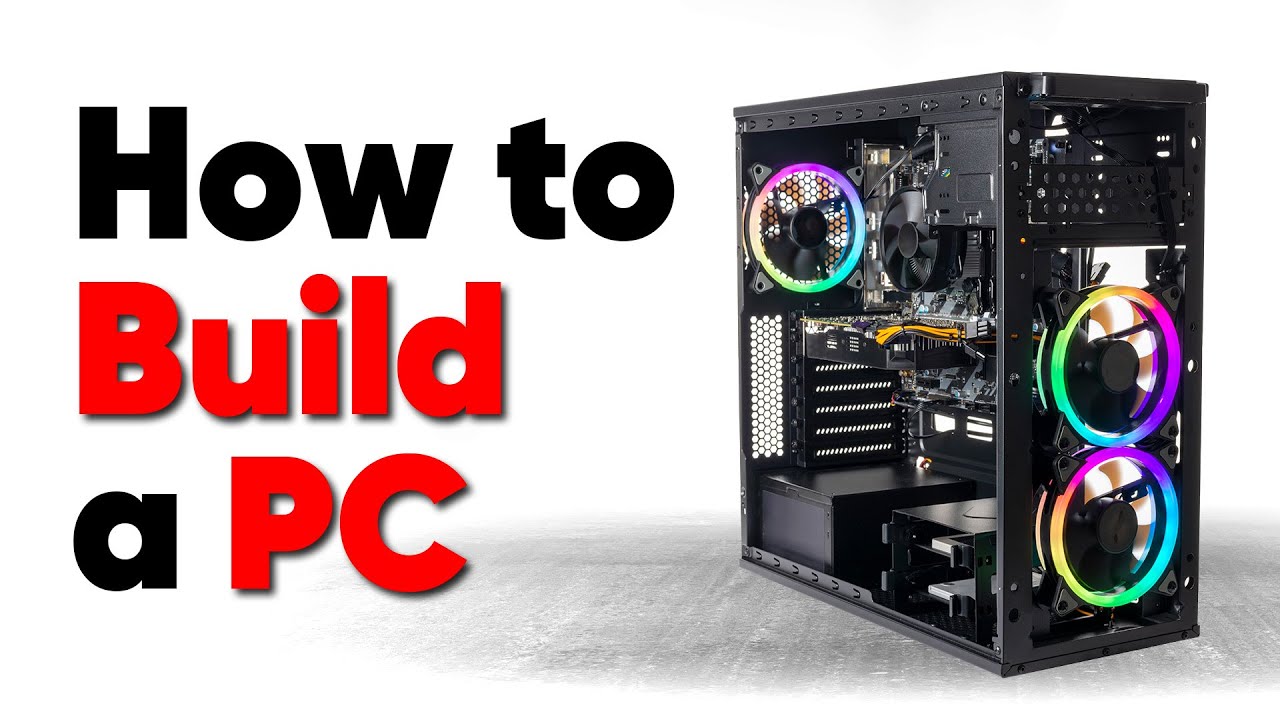
Thanks to Seasonic for sponsoring this video! Buy a Seasonic TX 1000 PSU today at https://geni.us/aryiquT
We’ve done plenty of build guides before – But now we’re taking it to the next level. Not only will you know how to build a PC, you’ll know how to build ANY PC – This is the LAST guide you’ll ever need!
Discuss on the forum: https://linust...
lone flame
That’s a ton of info that I will ask again once I get closer to that step
Thank you for the help
 potent portal
lone flame
Ik I need a key
potent portal
lone flame
Ik I need a key
No you don't
There's really no need to activate windows
 runic spruce
Only downside is that u can’t change the wallpaper and you’ll have a watermark
But if u restart after booting the watermark goes away sometimes
Btw I wouldn’t do any of those yt tutorials to change the background or remove the watermark, disables antivirus
potent portal
runic spruce
Only downside is that u can’t change the wallpaper and you’ll have a watermark
You can change the wallpaper, you just can't use the personalization menu
Right click any picture, set as background. Want a slideshow? Wallpaper engine.
little osprey
Is $350-$400 a reasonable price to sell my current PC for?
My friend’s sister apparently needs a new PC since hers is from like 2007
I got a 12100F, Phantom Spirit, DS3H, 5700, 16GB 3600CL18, 1TB 980, P300A, and CX650M running
Which I’m assuming is fine for Minecraft and the other less demanding games she plays
obsidian wigeon
That's reasonable yeah
little osprey
obsidian wigeon
That's reasonable yeah
I wanna cut her a deal since she's a friend, but also don't wanna sell it for dirt cheap
Is $350 a good spot for that?
obsidian wigeon
Look I sold my pc with worse gpu for 400 and got away with it
Granted I had to give monitor too
But tbh $400 for it is what I'd do without feeling like I lose money lol
little osprey
I think I'll do $350 since she's a friend
obsidian wigeon
Fair enough


 mossy citrus
 urban oyster

paper summit
 tidal moth
What
tidal moth
What
Chicken butt
 leaden mauve
urban oyster
leaden mauve
urban oyster
Did you buy what I think you did...
mighty lantern
Update on the GPU swap issue with RDR2: deleting settings config folder and reapplying settings worked. Ran just fine afterward

Can also actually play 2077 with ray tracing on without the gpu wanting to explode
urban oyster
leaden mauve
Did you buy what I think you did...
 urban oyster
leaden mauve
Did you buy what I think you did...
urban oyster
leaden mauve
Did you buy what I think you did...
 leaden mauve
Remember when I strongly suggested not buying the Chinese board because there's literally no reason to
Crazy how people keep ignoring my advice
2696v3 is a better as well as cheaper iirc
Cool system though
Looks clean
unborn mesa
paper summit
<:hhhhh:1033285446857412638>
All my steam games are on that one
little osprey
@little osprey hey do you remember the motherboard I have? Do you think the Evga psu would work on it? Unfortunately the cpu fan doesn’t work with the asus motherboard so I have to wait to get it


I feel like I’m missing some parts of the psu on the motherboard rn
little osprey
little osprey
I feel like I’m missing some parts of the psu on the motherboard rn
Certain sockets have certain mountings depending on the cooler
The new motherboard

Stock coolers for either Intel or AMD don't work for each other
Mine is more square
That's normal
Just a different form factor
M-ATX
@little osprey, would you mind showing me what cooler you were trying to use on the AMD motherboard and CPU?

That one
little osprey
little osprey
I don’t think so
That's probably why
It's set up for LGA1155 right now and if you don't have the AM4 mountings for the cooler you'll either need to get the mountings for that specific cooler or get a new cooler
Get a new cooler
little osprey
little osprey
Sure
Thermalright Assassin X120 Refined SE ARGB CPU Air Cooler, 4 Heat pipes, TL-C12C-S PWM Fan, Aluminium Heatsink Cover, AGHP Technology, for AMD AM4/AM5/Intel LGA 1150/1151/1155/1156/1200/1700 (SE ARGB)
This'll be fine for a 3300X
Bet, thank you!
NP
Hold up I have mounts

These right?
manic cloak
does it make any difference on how many 8 pin slots a graphic card has
like I see the powercolor hellhound 7900xtx with only 2, yet cards like asrock or powercolor red devil have 3
mighty lantern
Virtually no difference, unless you want to do overclocking. Just make sure if it’s got 3 they’re all plugged in
manic cloak
i see, so 0 difference if I oc'd on a 6800xt with 3 pins and one with 2 pins?
mighty lantern
The ones with 3 slots will allow for higher power draw when overclocking, otherwise the 2 8-pin slots is enough even for the 7900XTX
 paper summit
💀
unborn mesa
not terrible fps but the bottleneck is crazy
paper summit
What res are u playing at?
unborn mesa
no idea tbh i got dlss on
unborn mesa
monitor is a 2560 x 1440
unborn mesa
ah its my first time playing it on this new drive so all the settings were already changed
unborn mesa
paper summit
Try without it
down to 30-70 fps
paper summit
Bruh
Gotta be something up Because my 6700xt was at a steady 100 at 1440p
Doesn't seem right

 paper summit
Warzone does love amd lol
unborn mesa
that it does
i got that 6900xt in the pc my brother is using and it runs fine
its fine tho i limit my game to 120 fps and so is my monitor
 limber widget
Hey maybe someone here can help me? I installed a new cpu today and now my PC will power on and light up but no beeps, nothing boots, and I can't power it back off unless I flip the main psu switch. Anyone know why this might be?
little osprey
limber widget
Hey maybe someone here can help me? I installed a new cpu today and now my PC wi...
CPU and board?
limber widget
little osprey
CPU and board?
Aorus b450 elite and ryzen 7 5700x
little osprey
limber widget
Aorus b450 elite and ryzen 7 5700x
5700X the new chip you tried putting in?
limber widget
little osprey
5700X the new chip you tried putting in?
Correct
little osprey
limber widget
Correct
What were you running before?
limber widget
A ryzen 5 not sure which gen ><
little osprey
Hmmm
I wanna say you need a BIOS update
If the chip you had in there was a generation or so older
limber widget
How can I do that if it won't boot up?
If I put the old chip bank in can I update the bios?
little osprey
limber widget
If I put the old chip bank in can I update the bios?
That
Or I would check if you can do a BIOS flash
Just shove the file onto a USB stick and name it to whatever it's supposed to be
That is if your board allows a BIOS flash
little osprey
@limber widget, go ahead and toss in the old chip, check if that boots
If it does let me know and I'll grab you the link for the BIOS files
limber widget
Okay I had put the old chip.back in already lol I'm all booted up now
limber widget
little osprey
If it does let me know and I'll grab you the link for the BIOS files
Kay I should be good to go
little osprey
limber widget
Kay I should be good to go
Alright give me a second
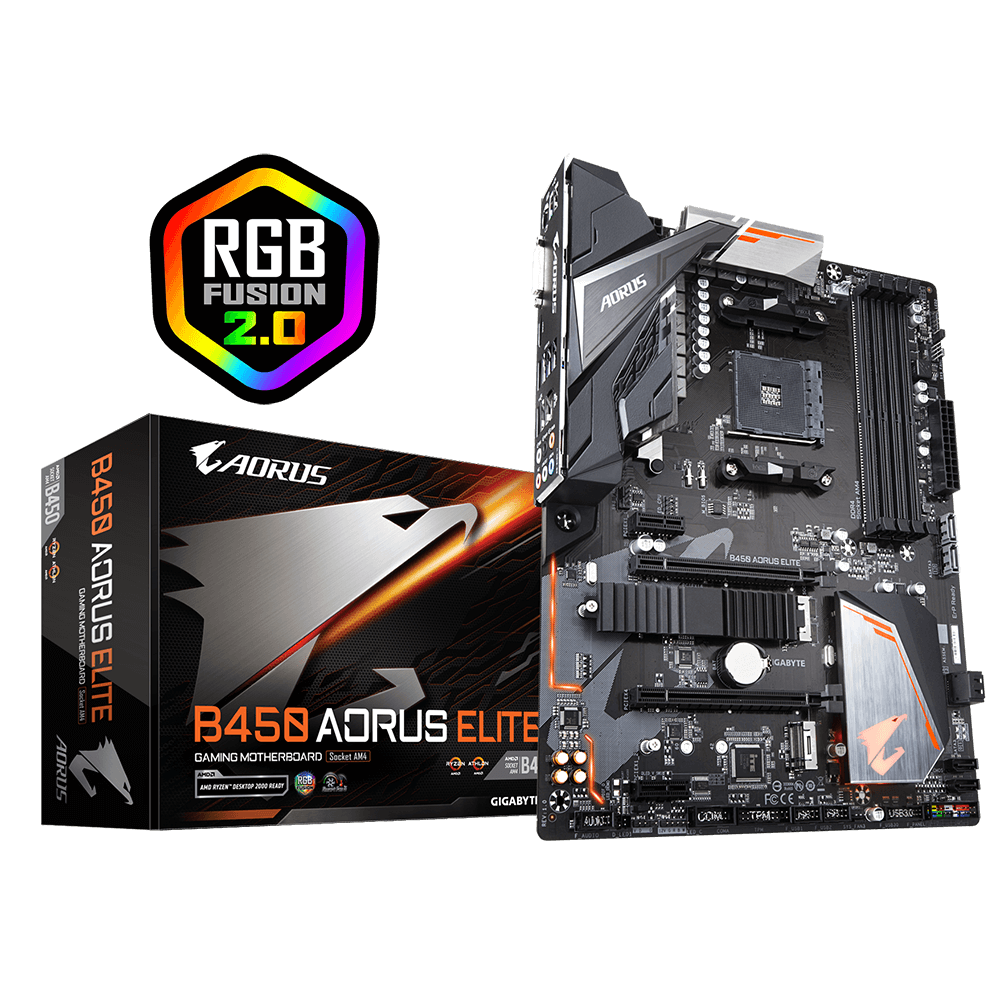
GIGABYTE
Lasting Quality from GIGABYTE.GIGABYTE Ultra Durable™ motherboards bring together a unique blend of features and technologies that offer users the absolute ...
Go ahead and download this one

Get a flashdrive and make sure nothing else is on it
Then put what you just downloaded onto there
Then you'll wanna reboot into the BIOS
Then from there you'll wanna navigate to BIOS flash or BIOS update
Whatever it's called, then it should show your USB flash drive
Then select the BIOS file you downloaded onto that USB flash drive
Then from there it should do the rest
limber widget
Okay great thank you so much! I'll let you know what happens
little osprey
👍
 coarse coral
AHHHHHHHHHHHHHHHHHHHHHHHHHHHHHHHHHHHHHH
limber widget
I'm at the update bios screen but I don't see my flash drive... I was probably supposed to unzip those files though
little osprey
limber widget
I'm at the update bios screen but I don't see my flash drive... I was probably s...
Yeah
Sorry probably should've mentioned that
My bad
limber widget
little osprey
My bad
That's okay! So I did that and I'm back in my bios. There is q flash option
little osprey
limber widget
That's okay! So I did that and I'm back in my bios. There is q flash option
Yup
Go ahead and do that
limber widget
I went there and selected update bios and now I have this screen

I don't see the flash drive in the dropdown at the bottom
I've got these options

And then two more E: unknown device
But anything I select it says can't read file
little osprey
Hmmmm
little osprey
limber widget
But anything I select it says can't read file
None of the drives are showing any files?
limber widget
They are
limber widget
little osprey
None of the drives are showing any files?
This is what I want?
 little osprey
limber widget
This is what I want?
little osprey
limber widget
This is what I want?
Yup
limber widget
Bios ID check error
little osprey
What drive is that on?
little osprey
No, the entire reason were trying this is to see if the BIOS is the issue and it just isn't supporting your new chip
obsidian wigeon
Hm
little osprey
limber widget
Do*
@limber widget, is the file still in the folder?
When you unzipped it
limber widget
Which file?
obsidian wigeon
.rom
little osprey
Okay, so you know how you unzipped the download?
It creates a folder with the file inside
limber widget
Right
little osprey
Take that specific file out and put it on the drive
limber widget
The .ROM file?
obsidian wigeon
yes
little osprey
Make sure that's the only thing on the flash drive as well
obsidian wigeon
^
obsidian wigeon
Well I suggest you checking the board's manual
See what they say about bios updating process
limber widget
Okay so the B450AE.65a file didn't work. I got the same bios I'd check error
Thanks for the help guys, guess I'll take it in to someone to try and figure this out
 frigid night
limber widget
Thanks for the help guys, guess I'll take it in to someone to try and figure thi...
frigid night
limber widget
Thanks for the help guys, guess I'll take it in to someone to try and figure thi...
I like your Au Ra profile pic.
limber widget
frigid night
I like your Au Ra profile pic.
Thanks!
frigid night
limber widget
Thanks!
What dc?
limber widget
Chaos
frigid night
limber widget
Chaos
Noice. I'm Aether.
limber widget
Cool! I used to be on Crystal but I moved to EU to follow a loyal client 🤩 I do housing designs!
frigid night
That's awesome. I thought about getting into design. I myself was in Crystal for years.
limber widget
Small world 😄
I've only been playing for a couple years, I was a religious WoW player from vanilla to BFA then jumped ship
 frigid jackal
anyone wanna help me identify what these specs are in this olf ass computer lol
leaden mauve
frigid jackal
anyone wanna help me identify what these specs are in this olf ass computer lol
Post pictures and info 
 bitter breach
hello, i just built a pc, and the system is going into a boot loop. it doesn’t display on a tv and there is a red light on the mobo for the cpu
bitter breach
potent portal
What motherboard and CPU?
msi z690-a ddr4 and i7-12700k
bitter breach
potent portal
Double check that the ram is clicked all the way in too
ram is good
potent portal
Try updating the bios using flashback.
Latest bios https://download.msi.com/bos_exe/mb/7D25v1C.zip
Flashback instructions https://youtu.be/K5aFhNh_u4U

Got an MSI motherboard with a Flash BIOS button on the rear I/O? Here's a step-by-step guide on what you will need and how to use the Flash BIOS button.
Chapters:
0:00 BIOS Flash Button Tutorial Intro
0:25 What You'll Need
0:29 Creating the USB stick to flash the BIOS
0:49 Formatting the USB stick
1:14 Downloading the BIOS from us.msi.com
1:43 ...
lone flame
would these white cables work with this build
https://www.newegg.com/p/1W7-00AB-00006
https://pcpartpicker.com/list/VRxvzf
this is going to be my first build so I apologize for knowing like nothing
Part List - AMD Ryzen 5 7600, Radeon RX 6700 XT, Montech AIR 100 ARGB MicroATX Mid Tower
idk how cable compatability works I just want some cables that look nicer
cyan ravine
They would ye
They just connect on at the end of the psu cables
If there's a 16AWG option that's still relatively cheap I'd go that route instead of 18AWG
18 is still good but 16 is worth at least a couple dollars more
lone flame
cyan ravine
If there's a 16AWG option that's still relatively cheap I'd go that route instea...
what does awg mean
and whats the difference between 16 and 18
obsidian wigeon
awg is basically cable ratings
the lower number the thicker, more capable a cable is at carrying higher loads
cyan ravine
lone flame
i cant find any 16 from asia horse
The 16AWG's are on Amazon
lone flame
cyan ravine
The 16AWG's are on Amazon

ASIAHORSE 16AWG PSU Cable Extension Power Cords, Customized Power Supply Mod Sleeve Extension Cable, ATX/EPS/8-pin PCI-E/6-pin PCI-E for PSU Cable (White)
cyan ravine
Yea them's the ones
lone flame
will that be enough to hook up like every part
lone flame
what else should i have for the build
aka like cable management wise
cause that scares me
cyan ravine
Uhhh
I'd say asiahorse cable combs
If you want to really make it neat looking
And then some velcro straps
lone flame
any brands/links you can send me/recommend
cyan ravine
Zip ties work too? But if you make a mistake then you have to cut them and I've made too many fatal mistakes with zip ties and scissors
cyan ravine
lone flame
any brands/links you can send me/recommend
Cheapest
No recommendation
Asiahorse cable combs (if they sell them separately) will add a bit more to the cable management. They already have some with the cables you're getting tho
So really just a cheapo roll of velcro or pack of straps for a couple dollars
lone flame
cyan ravine
So really just a cheapo roll of velcro or pack of straps for a couple dollars
👍
cyan ravine
You should be fine from this point onwards man
You still have the video guide to help ya and we're here if you get stuck
cyan ravine
Ya, don't hang around too long or the sales will change and we'll have to tidy the list up again
Might not get the same value out of it
lone flame
yeah makes sense
dusty cedar
lone flame
would these white cables work with this build
https://www.newegg.com/p/1W7-00A...
i have those cables and you can get them on amazon for way cheaper.
little osprey
dusty cedar
i have those cables and you can get them on amazon for way cheaper.
They're the same price right now
dusty cedar
ok
cyan ravine
Yes but amazon is 16awg vs newegg 18awg
That $1 is more than worth it
Better quality cables, also much thicker and broader for a more full effect
dusty cedar
Idr what the prices were when I got mine. Just know that when I was looking Newegg wanted almost 36 bucks for them and I got them on Amazon for around 20
I was just goin by the conversation I wasn't clicking on links since I didn't care that much.
limber widget
@little osprey Heyo just wanted to let you know I finally got that cpu working 😄 I had to do a series of bios updates before I could get the latest to work lol
little osprey
limber widget
<@456226577798135808> Heyo just wanted to let you know I finally got that cpu wo...
Ah yeah, I had to do that once but to get to an older BIOS
Glad to hear that's finally working for ya
limber widget
little osprey
Glad to hear that's finally working for ya
Thank you so much for your help! You were on the right track!
little osprey
limber widget
Thank you so much for your help! You were on the right track!
Any time, just holler if you need anything else
 pseudo pollen
Opinions on this pc? https://pcpartpicker.com/user/duckyboiiii/saved/NKHsK8 It's going to be used as a file server and video editing rig, maybe some gaming when guests come over.
mossy venture
pseudo pollen
Opinions on this pc? https://pcpartpicker.com/user/duckyboiiii/saved/NKHsK8 It's...
Private list
pseudo pollen
oh crap, sorry
Part List - 2 x Intel Xeon E5-2699 V3, 2 x GeForce GTX 1070 Ti
Might change the gpus to just one
And I forgot to add the case, but it's gonna be this one https://pcpartpicker.com/product/34LFf7/deepcool-cg560-atx-mid-tower-case-r-cg560-bkaae4-g-1

Deepcool CG560 ATX Mid Tower Case (R-CG560-BKAAE4-G-1)
stoic island
What do you already own?
pseudo pollen
Nothing in that list, just looking to build something completely new
stoic island
Would switch the GPU but would generally work if you find the parts at those prices
pseudo pollen
I'm not very sure on what gpu to get, as I'm not going to be doing many gpu intensive workloads
But if I can find a sub-$250 3070 that'd be great
stoic island
Yea
mossy venture
Paging our x99 expert @leaden mauve
leaden mauve
my rate is $20/hr
pseudo pollen
Counter offer, I'll allow you to talk about something you're good at
leaden mauve
you seem like an experience negotiator
pseudo pollen
That I am not
leaden mauve
offer accepted under 1 condition: you have to vc with me because i hate typing about technical stuff
pseudo pollen
Offer declined, reason being I sound like a 3 year old
leaden mauve
i dont judge people for their voice and attributes they cant control in general, that's incredibly shallow and mean
but alright np
ill just type
pseudo pollen
Just give a brief explanation on why the build I made sucks
leaden mauve
that wouldnt be very productive of me lol
im looking at the list rn-
what dual socket lga2011-3 board did you find that's 70 dollars?
leaden mauve
Post a link to that combo
leaden mauve
x2 1070ti's? Are they cards you already have?
pseudo pollen
Nope, just filler cards that I put there in place of what I'll decide in the future