#building-and-recc-chat
1 messages · Page 141 of 1
 obsidian wigeon
No wonder it runs that hot
That temp is fine, but the cooler is honestly crap
It's one of those coolers that are either worse, or performs as well as stock coolers
Sufficient to cool lower power cpus, but not worth buying if the cpu already comes with a cooler
 little osprey
Gosh dang it
Man and I asked if my specs were good before I bought it for opinions
little osprey
obsidian wigeon
Nothing wrong about the pc, it will work
Even with temps going to 80 degrees while I'm in a game?
obsidian wigeon
Yes
That's still well below maximum safe temperature
The cpu is made to run up to 95c without any damage
little osprey
Apparently mine does too...
I can still render 3D Blender models tho with my specs correct?
obsidian wigeon
Yes
little osprey
Gud
obsidian wigeon
 zenith flicker
https://pcpartpicker.com/user/CDennison527/saved/#view=kjbZcf
zenith flicker
https://pcpartpicker.com/user/CDennison527/saved/#view=kjbZcf
GPU maybe? It's still a pretty potent pc
zenith flicker
Sound good
 bold stone
Foxy you still helping? Lmao
 brittle tinsel
is it safe to do this? https://www.addictivetips.com/windows-tips/move-appdata-windows-10/#:~:text=Users cannot move this folder,folder to the new location.
im running out of space on my ssd (windows is located on) and its because I have 100gb of AppData on the SSD. if I move it like this article states, will it cause issues?
 fossil cedar
A junction link should work ye
You can also press windows and R and into the box type %temp% and press cntrl and A to select all then press delete/right click and delete the empty your recycle bin
 untold vessel
Fal, I'm hitting 207f in Cyberpunk now. Cause for concern? What should I / could I do?
fossil cedar
untold vessel
Fal, I'm hitting 207f in Cyberpunk now. Cause for concern? What should I / could...
97c thats a bit concerning is this your cpu/gpu?
 autumn gulch
untold vessel
Fal, I'm hitting 207f in Cyberpunk now. Cause for concern? What should I / could...
autumn gulch
untold vessel
Fal, I'm hitting 207f in Cyberpunk now. Cause for concern? What should I / could...
What is your cpu and cooler
 jagged ember
Also for component temperatures please use celcius
Fahrenheit doesn't make any sense especially for hardware
 earnest olive
using fahrenheit for pc hardware is illegal
 mossy venture
It's like using a fork to eat sushi, it works but it's awful
untold vessel
fossil cedar
97c thats a bit concerning is this your cpu/gpu?
70C for GPU, 97C for CPU
untold vessel
autumn gulch
What is your cpu and cooler
11400F with the CPU-Equivalent of RAM XMP (Can’t remember the name) enabled, and I can’t identify the air cooler I have
 desert gulch
If you send a picture of the cooler we can probably identify it
fossil cedar
untold vessel
11400F with the CPU-Equivalent of RAM XMP (Can’t remember the name) enabled, and...
Does it look like this kinda?

Also whats your case?
autumn gulch
untold vessel
11400F with the CPU-Equivalent of RAM XMP (Can’t remember the name) enabled, and...
So overclock?
Or turbo
earnest olive
I interpreted it as multicore enhancement
fossil cedar
Hey I'm good you?
bold stone
Pretty good
Feeling confident I can get a scholarship which is yet to be announced (to buy a pc)
should be announced soon
Can I ask you a question
 dusty cedar
you just did 
bold stone
Can I ask him 3 questions
 bold stone
These are too good to be true right?

 earnest olive
what currency is that
jordan, huh
they’re very overpriced by US standards but idk about market conditions in jordan
bold stone
Very bad for pcs
bold stone
earnest olive
they’re very overpriced by US standards but idk about market conditions in jorda...
Which makes me confused of the good price
Also that's a very good pc if I upgrade ssd
earnest olive
it's decent
not sure how trustworthy the power supplies are
depending on how expensive ram is over there and how suspect the psus are, the i3 might be the better deal
 gentle pollen
untold vessel
11400F with the CPU-Equivalent of RAM XMP (Can’t remember the name) enabled, and...
gentle pollen
untold vessel
11400F with the CPU-Equivalent of RAM XMP (Can’t remember the name) enabled, and...
Thermal Velocity Boost.
earnest olive
thermal velocity boost doesn't exist on the 11400F
supported cpus are 10900/F/K/KF, 11900/F/K/KF, 12900KS, 13900/F/K/KF/KS
as far as mainstream desktop cpus go, anyways
curious that it's not supported on 12900/F/K/KF but is on 12900KS, breaking the trend from the other generations
doesn't seem to be supported on any laptop or HEDT chips
nor any T chips
gentle pollen
Really? It's not on the 12900K even?
 vague oracle
TVB is only on i9s?
autumn gulch
earnest olive
supported cpus are 10900/F/K/KF, 11900/F/K/KF, 12900KS, 13900/F/K/KF/KS
Oh only i9’s
autumn gulch
gentle pollen
Really? It's not on the 12900K even?
It is
earnest olive
gentle pollen
Really? It's not on the 12900K even?
i don't own one myself so i can't independently verify, but it is not mentioned on the intel spec sheet (whereas it is for the 11900K, 12900KS, etc.)
also, important to mention that there's two different kinds of TVB, some CPUs will have a stock configured TVB, some have user-configurable TVB even if they don't have stock configured TVB (like my 13700K). i think user-configurable TVB is limited to K cpus, not sure. it's considered overclocking and wouldn't be found on any official spec sheet.
probably the 12900K has user-configurable TVB but no stock TVB (which is what i was talking about)
12900K doesn't turbo past 5.2GHz under any circumstances

while 12900KS has a normal turbo of 5.3GHz but TVB up to 5.5 at low enough temperatures at stock

@honest knot @mossy citrus do either of you know if custom TVB is allowed on the 13600K?
 honest knot
believe so?
earnest olive
nice
but yeah, it's considered overclocking on 13600K/13700K
whereas 13900K already has TVB at stock (though you can configure it differently)
the distinction is important here because we're talking about applying it to an 11400F lol
 mossy citrus
earnest olive
<@255061019322351618> <@624806883580182540> do either of you know if custom TVB ...
mossy citrus
earnest olive
<@255061019322351618> <@624806883580182540> do either of you know if custom TVB ...
Pretty sure
obsidian wigeon
go ahead
obsidian wigeon
What's your budget?
I can arrange a better list with pcpartpicker. You won't be buying from only one source, but you'll get most value this way
 calm tinsel
2k is around the most I’d spend
obsidian wigeon
Because for one, 11900K is outdated by now. An i5 12600k would beat it
Alright, gimme a sec
dusty cedar
that got me looking at gpus again and oh boy, i can save 1 whole dollar
was $899.99
is now $899.00
obsidian wigeon
calm tinsel
2k is around the most I’d spend
Do you have an idea of the resolution target that you want to run your games in?
I would say 1440p+ with such high budget
calm tinsel
Highest possible but yeah, that would be fine
obsidian wigeon
Alright, Imma do 1440p then
For monitor there's Gigabyte G27Q for about $220 I believe
It's on newegg, if the deal hasn't ended
calm tinsel
Basically just want to make sure I’m getting good value and everything will work together. I haven’t bought a new pc in a long time.
What’s your experience with computer building?
obsidian wigeon
Do you want wifi?
Well my experience with building itself is pretty tame, but I can do it on my own basically
I just like hunting deals and getting parts lists up for people lol
calm tinsel
How do you decide which parts to pick? There are so many options these days
And wifi, how much does that cost itself?
dusty cedar
calm tinsel
And wifi, how much does that cost itself?
its usually included on most motherboards these days at no real extra cost most of the time
obsidian wigeon
^
calm tinsel
Sure you can add it
Can you guys offer any basic tips and knowledge that might help me? I’m just learning the basics, like how certain parts can only work with certain motherboards, even the towers can only fit certain cpus etc
It all seems very confusing and that’s before even getting into which parts are optimal in their slots and how well they work together
dusty cedar
everything you have in your cart or list, whatever it is, is compatible with one another. i would change the memory sticks though.
calm tinsel
Yea I think the pc builder on newegg automatically shows compatible parts, so that’s good
Change to what?
dusty cedar
from my expereince, not always
obsidian wigeon
https://pcpartpicker.com/list/Zv9ywc @calm tinsel
Part List - Intel Core i5-13600KF, Radeon RX 6950 XT, Phanteks Eclipse G360A ATX Mid Tower
Check this one out
I can step gpu up to 7900 xtx but it'd be spending more
Still below 2k
calm tinsel
I5 vs i7 vs i9, what are the advantages?
obsidian wigeon
They're just names
calm tinsel
I was wanting i9 just cause it’s newer
mossy venture
The 11900 is older
obsidian wigeon
^
obsidian wigeon
13600KF also has gaming performance near that of 13900K
While beating 11900K in every way
calm tinsel
So wait…i5 is not considered older than i9? What’s the difference?
obsidian wigeon
Part List - Intel Core i5-13600KF, Radeon RX 7900 XTX, Phanteks Eclipse G360A ATX Mid Tower
mossy venture
The numbers at the begging is the generation
obsidian wigeon
And this is with better gpu
mossy venture
13600k is 13th generation
obsidian wigeon
Also i3 i5 i7 names are branding on Intel's Core products
The following numbers are generation and their respective tier of performance
13 is 13th generation, and 600 is well, just performance tier
Like 13700K being higher than 13600K
calm tinsel
What does the 3,5,7 indicate then?
obsidian wigeon
Tiers of products
dusty cedar
i5 i6 i7
dusty cedar
to make it simple
calm tinsel
So i9 is the best, but there are variations that arent as good
dusty cedar
in your case 3 5 7. i3 i5 i7
mossy venture
Typically the higher the number, the higher core count, but that isn't valid across different generations
obsidian wigeon
Generations
mossy venture
The 13600k is an i5, but has more cores than the 11900
obsidian wigeon
i9 11900K for example is from 11th generation
An i7 from 2008 wouldn't be faster than an i5 from 2023
Anyway, I wouldn't worry too much
Pick either of the two builds I've put together
6950XT
https://pcpartpicker.com/list/Zv9ywc
and
https://pcpartpicker.com/list/x7N2tn
7900XTX
Part List - Intel Core i5-13600KF, Radeon RX 6950 XT, Phanteks Eclipse G360A ATX Mid Tower
Part List - Intel Core i5-13600KF, Radeon RX 7900 XTX, Phanteks Eclipse G360A ATX Mid Tower
calm tinsel
Why do you choose the i5 here over a different i9? What’s considered “optimal”?
mossy venture
calm tinsel
Why do you choose the i5 here over a different i9? What’s considered “optimal”?
The 13600k is cheaper and better
obsidian wigeon
The 11900K still costs as much as it does because of high end fee
mossy venture
It has faster cores, better cores, and more cores
The i9, i7, i5, i3 branding is irrelevant, it's actual performance that matters
obsidian wigeon
13600KF is cheaper, faster and newer
mossy venture
 cyan ravine
@calm tinsel just remember their branding of products, much like ryzen 5, 7, 9, is just branding. It has little indication on the actual real world performance especially in things like games
Games use 4-8 cores usually, so going higher provides little to no benefit if even detriment
For example a ryzen 7 is usually faster in games than a ryzen 9
calm tinsel
Can you give me a quick rundown on why you chose each part? You can dm me if I’m taking up too much space here. I appreciate all the help
@obsidian wigeon
I have saved your lists
obsidian wigeon
Okay, so. I picked all the parts because I'm optimizing your budget for best performance while also getting some fancy extra stuff that will also contribute to better performance and experience
Compared to your newegg list
obsidian wigeon
ye
cyan ravine
That's amazing
obsidian wigeon
xtx droppin
cyan ravine
obsidian wigeon
6950XT
https://pcpartpicker.com/list/Zv9ywc
and
https://pcpartpicker.com/list/x7...
That second list is actually poggers
If anything the ram, and the psu to the 850w revolt
calm tinsel
The cheaper cooler, is that not a very important part? Also the ssd vs ddr5, what purpose does each one serve?
cyan ravine
That's it
obsidian wigeon
I just don't like mail in rebate
cyan ravine
Fair enough
obsidian wigeon
calm tinsel
The cheaper cooler, is that not a very important part? Also the ssd vs ddr5, wha...
That cooler is one of the best performing ones you could get
It beats even many AIOs
Good air coolers are nicely priced these days
The SSD offers decent value for the performance and capacity it has
gentle pollen
Is a admin or mod available? I was DMed a crypto scam.
 obsidian wigeon
DDR5 helps in performance by 10-20% on the CPU
Leads to better gaming performance too
Extra expenses that are worth it in my opinion, since you have the money for them
calm tinsel
What functions require the ddr5? Why can’t the pc run entirely on the ssd?
obsidian wigeon
SSD is still much slower than ram
Ram is a vital part to the cpu, it's the second fastest memory it could access apart from L1-L3 (sometimes L4) cache that comes with the cpu
SSD is merely a storage for you to store the OS, games and applications inside
 potent portal
The system will not start without at least some RAM installed
obsidian wigeon
And that too
gentle pollen
gentle pollen
Is a admin or mod available? I was DMed a crypto scam.
@potent portal
gentle pollen
Thanks.
cyan ravine
@calm tinsel what I'd do if you want a second opinion but the list Foxy did was good too
https://pcpartpicker.com/list/4Ysj3y
Part List - AMD Ryzen 7 7800X3D, Radeon RX 7900 XTX, Montech AIR 100 ARGB MicroATX Mid Tower
calm tinsel
I see. Why that motherboard and supply? They’re known to be good quality?
Also, what difference in graphics will I notice between the two gpus?
obsidian wigeon
Basically extra fps
potent portal
gentle pollen
<@396513761550270464>
Can you tell me the 4 digit number extension on their name, we have 3 users with that name
calm tinsel
Will I be able to play Diablo 4 on the highest settings with either?
cyan ravine
calm tinsel
I see. Why that motherboard and supply? They’re known to be good quality?
Yes, we usually try our best to research what each board or psu provide on a pretty raw level. So the boards we've suggested we know can handily manage the CPUs we've suggested with them
gentle pollen
I already removed the msg. Could refer to the profile picture though.
cyan ravine
The A620M motherboard for example will have no problem running a ryzen 9, it's well over build for what's needed
obsidian wigeon
^
potent portal
gentle pollen
I already removed the msg. Could refer to the profile picture though.
It's not in the picture
cyan ravine
And the z790 motherboard in the same capacity can run up to an i9
calm tinsel
Should I even bother with the more expensive card then? Are any other more expensive options worth considering for any parts?
cyan ravine
The air cooler as well is excellent for both CPU's, it's had multiple revisions which have since fixed 13th/12th gen revisions
cyan ravine
calm tinsel
Should I even bother with the more expensive card then? Are any other more expen...
It's more, "if you want to" sort of thing
Either gpu is fine
potent portal
Oh I see what you mean, yeah got the ID
obsidian wigeon
Fruit for thought
obsidian wigeon
Not really
cyan ravine
Any game if you're insane enough
obsidian wigeon
Unless you run 4k lol
potent portal
Not even close to needing the best lol
obsidian wigeon
1440p is sweet spot honestly
potent portal
New does not mean it requires the absolute highest end stuff
calm tinsel
What game or games require the best gpus? @potent portal
I’m a PoE fan and my pcs have always struggled
obsidian wigeon
Either gpus chosen will just go through any games with no fuss
calm tinsel
Just not 4k
obsidian wigeon
Especially ones you play
bold stone
Is this good?
 obsidian wigeon
Frankly just 1440p will give you good experience
calm tinsel
Got it. Would you get the better card yourself if you were me?
obsidian wigeon
I mean, it's up to you
I would settle with 6950xt and be happy with more money in my pocket, but that's me
bold stone
obsidian wigeon
I mean, it's up to you
But it's good right
cyan ravine
calm tinsel
Got it. Would you get the better card yourself if you were me?
We normally recommend the 6950XT more here as it's better value
bold stone
Oh he isn't talking to me
cyan ravine
Similarly the 6800XT as it goes so cheap
potent portal
calm tinsel
What game or games require the best gpus? <@396513761550270464>
These for a start https://www.digitaltrends.com/computing/the-most-demanding-pc-games/

Digital Trends
These games will push your gaming PC or laptop to the limit. Here are the most demanding PC games in 2023.
obsidian wigeon
The 7900XTX is just that "if you want" choice
bold stone
😬😬
cyan ravine
Yeah the 7900XTX @calm tinsel is a halo card for if you want to splash the big bucks
Same with the 7800x3d
calm tinsel
Got it. Yeah it’s 400$ less so
cyan ravine
It's a halo cpu, both are very fast
potent portal
4k is the target for the XTX
cyan ravine
Yeah it's a 4k card
calm tinsel
I’ll go with the cheaper one then
 calm tinsel
Alright well that’s about it, thanks a lot everyone
cyan ravine
Np
obsidian wigeon
@bold stone idk bout your country but that looks ok i guess
$689, that's not bad
gentle pollen
potent portal
It's not in the picture
The PFP has what looks like a old judge hitting his wooden hammer thing I forgot the name of.
obsidian wigeon
I would replace the psu to be safe
potent portal
gentle pollen
The PFP has what looks like a old judge hitting his wooden hammer thing I forgot...
Gavel
I already got it
gentle pollen
Great. Thanks for the help.
bold stone
obsidian wigeon
<@934812560904048652> idk bout your country but that looks ok i guess
Oh lmao
I came here becuase their price is so good
So that shoukd tell you the prices here lmao
@obsidian wigeon If I try to collect the same build using the cheapest jordan sites
It's 600jd without the case
calm tinsel
Whats the best 11th gen gpu in terms of value?
calm tinsel
So I’m considering just upgrading my current pc
The motherboard is an asrock b560m-c
And I’m trying to figure out the best gpu and also a memory upgrade
That will fit
It says for graphics it supports xe graphics architecture (gen 12) and memory I have no idea what I’m looking at
potent portal
The cost of the 11900k would be more than buying a new 12400 and B660 board, and the 12400 beats it in gaming
calm tinsel
Oh ddr4 okay
potent portal
calm tinsel
It says for graphics it supports xe graphics architecture (gen 12) and memory I ...
That's just for the integrated GPU, that's built into the non-F SKU chips.
mossy venture
calm tinsel
The motherboard is an asrock b560m-c
I would look for a used 11400/f, 11600k/kf, 11700/f/kf/k or 10700/f/k/kf
What cpu do you currently have?
cyan ravine
potent portal
The cost of the 11900k would be more than buying a new 12400 and B660 board, and...
This, the sunk cost would make upgrading to 11th kinda pointless
potent portal
mossy venture
I would look for a used 11400/f, 11600k/kf, 11700/f/kf/k or 10700/f/k/kf
And that generation was a weird, sad time. 11700 = 10700, and 10900 > 11900.
mossy venture
Tho tbf $134 isn't awful, still not ideal with 5600 at $120-130 tho https://pcpartpicker.com/product/qp2WGX/intel-core-i5-11400f-26-ghz-6-core-processor-bx8070811400f

Intel Core i5-11400F 2.6 GHz 6-Core Processor (BX8070811400F)
cyan ravine
Unless you have like some, 10100f I wouldn't worry tbh
calm tinsel
I don’t want to touch the cpu, just the gpu and memory
calm tinsel
I5-11400f
mossy venture
11400f fine with a 6950xt at 1440p
cyan ravine
Oh you know what that's perfectly good for diablo
We can do this even better
How many gb ram
And what's your psu
calm tinsel
It’s a pre-built machine from cyberpower, idk what model exactly
 potent portal
Ye cyberpower isn't known for good PSUs lol
cyan ravine
@calm tinsel how much ram do you have
calm tinsel
I think that is a big issue as well as ram
bold stone
potent portal
The cost of the 11900k would be more than buying a new 12400 and B660 board, and...
Lmfao
 cyan ravine
And how many tb is your ssd
bold stone
Wrong pic
calm tinsel
8 gb ram and uhhh Idk about ssd
cyan ravine
How big is your storage
 mossy venture
calm tinsel
I think that is a big issue as well as ram
mossy venture
calm tinsel
I think that is a big issue as well as ram
https://pcpartpicker.com/list/mQTtcb what I'm thinking so far
Part List - Radeon RX 6950 XT, Fractal Design Focus 2 RGB ATX Mid Tower
potent portal
mossy venture
https://pcpartpicker.com/list/mQTtcb what I'm thinking so far
11th gen doesn't support gen 4 PCIe so no point in the P41
mossy venture
Oh that sucks
cyan ravine
I'd go even more barebones
calm tinsel
Will all that work w my board?
mossy venture
Part List - Radeon RX 6950 XT, Fractal Design Focus 2 RGB ATX Mid Tower
cyan ravine
Yeah that's nice too
potent portal
Or actually yeah there is exactly one gen 4 M.2 slot on that board
calm tinsel
How can I check my current power supply?
potent portal
It was just more rare then
cyan ravine
calm tinsel
How can I check my current power supply?
You can turn off the pc and open up the back
But we're assuming it sucks
As pre-built psu's usually do
mossy venture
Cyberpower has some decent psus, it's possible it's OK
potent portal
I've never seen cyberpower ship better than a C tier PSU, usually D or E units
potent portal
Assuming they used their first party PSU which is actually uncommon
mossy venture
The 800w gold one they have in their customizable builds as default
 potent portal
Right nzxt is shockingly good on their BLD
cyan ravine
Way other end of the spectrum where your psu rules but the case sucked
obsidian wigeon
nzxt now also has bld player
potent portal
Yep too bad they almost force a H510 down your throat
obsidian wigeon
genuinely decent prebuilts
calm tinsel
 obsidian wigeon
no more h510 pain
mossy venture
potent portal
Yep too bad they almost force a H510 down your throat
I'd like to see that
Someone trying to force an entire h510 in someone's mouth
calm tinsel
Ok so…power supply? You guys want to know that?
mossy venture
Yeah
calm tinsel
Did someone already figure out my best options?
mossy venture
That'll be a big part of it
obsidian wigeon

NZXT
Powered by an AMD Ryzen 5000 Series processor and an RTX 30 and 40-Series Graphics Card, Player: Two is built by our PC experts in the H5 Elite.
mossy venture
If its a good quality 650w, I'd say go 6800xt for sure
potent portal
It's probably not a great one but it's still good to know just in case
mossy venture
If its a good quality 750 or higher, 6950xt is an option
potent portal
H510 still 
mossy venture
If its meh quality or just plain bad I'd replace it, in which case personally I'd get either the fsp g hydro 750 or d.f 2 850 and get a 6950xt
calm tinsel
I have to open the back don’t I
obsidian wigeon
potent portal
H510 still <:weggCringe:903404186425782312>
that ain't no h510 tho
h5 elite
h5 flow is on player one
player three is either h7 flow or elite
potent portal
obsidian wigeon
h5 elite
Still, a 1.5 inch vent instead of a 0.5 inch vent isn't that much better
cyan ravine
Wow Foxy NZXT smart 
obsidian wigeon
ye ofc

NZXT
Powered by a 12th Gen Intel Core processor and NVIDIA RTX 30-Series graphics, Player: One Gaming PC is built by our PC experts in the H5 Flow.
now this is where nzxt has a brain
cyan ravine
Funny how they still draw inspiration from one case by a guy out of Hyte from nearly 10 years ago
obsidian wigeon
$946 for 3060 too
cyan ravine
Then said guy does the case better with the Y40
obsidian wigeon
1199 for 3070 ver
cyan ravine
obsidian wigeon
1199 for 3070 ver
Yuck
cyan ravine
obsidian wigeon
$946 for 3060 too
Meh
obsidian wigeon
Ain't very bad, but it's certainly meh
 cyan ravine
Did you unscrew the psu at the back
obsidian wigeon
I sure hope it's not their 80+ white
cyan ravine
Or was that always like that
calm tinsel
I unscrewed
potent portal
obsidian wigeon
evga, hm
That could be very good or VERY bad
calm tinsel
Isn’t there an easier way to look up all this? A model # or something
obsidian wigeon
Nope
cyan ravine
calm tinsel
I unscrewed
Ah ok
obsidian wigeon
We gotta see the sides of the psu
cyan ravine
calm tinsel
Isn’t there an easier way to look up all this? A model # or something
That's what we're doing by opening the pc
calm tinsel
I showed the side earlier
potent portal
calm tinsel
I showed the side earlier
The side of what? I don't see a pic of the PSU anywhere
calm tinsel
Not of the psu, idk how to get in there
obsidian wigeon
Other side panel that's the opposite from where you aceess the parts
Try opening that
potent portal
I see the screw is removed so pull the handle here
 calm tinsel
It pushes inward
But everything down there is enclosed in a metal box
On the inside


Guys?
You all left at the most crucial time?
potent portal
No I was setting up a screenshot, have a little bit of patience
calm tinsel
I don’t think I’m meant to get down in there, if that is where the power supply is
potent portal
Can we get a better angle on the side of the PSU here, that'll say the model
 jagged ember
What?
 potent portal
Does that say 600 GQ?
jagged ember
Is that a 600 BQ?
calm tinsel
Evga 600 gd
I have no idea how I would replace the part though cause I can’t get through the metal case on the inside
It’s really sealed shut
potent portal
potent portal
I see the screw is removed so pull the handle here
The handle is on the left, from the perspective looking at the back
That opens the access panel on the side
You'd pull towards you
calm tinsel
You mean the side opposite of the main door
potent portal
Yes
calm tinsel
Yea there seems to be some way in there
jagged ember
The back panel
calm tinsel
But something is holding it closed
jagged ember
You can remove it since it looks like you've already removed the screws
calm tinsel
It won’t open
dusty cedar
why not just pull the side panel off on the left in the picture that was posted like 20 min ago?
potent portal
calm tinsel
But something is holding it closed
There's 2 screws, I see the bottom one is removed already so check the top
dusty cedar
slide it towards the back and then pop it out
 potent portal
Pull not push
dusty cedar
yes, that. if there are no screws slide it towards you and itll come free
calm tinsel
 jagged ember
Well, the gd is either a tier c or a tier b
bold stone
calm tinsel
Wait... a pc on carpet?
jagged ember
It's not a bomb at least
bold stone
jagged ember
It's not a bomb at least
My account is💀
calm tinsel
 dusty cedar
calm tinsel
Must be fun to replace
dusty cedar
calm tinsel
Must be fun to replace
it's actually not bad at all
dusty cedar
i would but it's not bad or intimidating
potent portal
If you want to do the 6950 XT that was recommended yes, but it could probably handle a 6800 XT
jagged ember
Oh, so we have a list already
obsidian wigeon
We did but now the goal changed
jagged ember
Ah
obsidian wigeon
Now it's upgrading a rig
jagged ember
Fair
dusty cedar
plus the cables you get with a new one you can pick and choose what cables are used to minimize cable spaghetti. only if you get a modular psu though
calm tinsel
So psu, gpu and memory all need upgrades? What are my options or what do you all need
jagged ember
GPU and memory most likely
PSU might be fine depending on what GPU you get is what we're saying
calm tinsel
Gotcha
potent portal
A 6800 XT would be quite capable of 1440p gaming on high/max settings
jagged ember
Is good card
potent portal
A 6950 XT would "future proof" you a bit more as games get more demanding
calm tinsel
And these work with my current supply
cyan ravine
I'd swap the psu
dusty cedar
jagged ember
6800xt will work with current PSU
idk anything about whatever gpu youre talkin about but that only uses 1 pcie power cable? looks like that's all he has available in his current setup
jagged ember
I was wondering about transient spikes
cyan ravine
But we had this initial expectation anyway, pre-built psus usually suck
jagged ember
It's something you can upgrade down the line if current one doesn't cut it
calm tinsel
I could just sell the whole system and start from scratch
dusty cedar
just upgrade it now. you were lookin at spending 2k on a pc originally and you're already saving money so
cyan ravine
jagged ember
It's just an hour or two of electronic legos lol
It's really this @calm tinsel . It's just grown up lego
calm tinsel
Doesn’t the motherboard determine if the gpu that will fit
cyan ravine
calm tinsel
Doesn’t the motherboard determine if the gpu that will fit
No, they all fit
dusty cedar
no
dusty cedar
your case is what determines if it fits since that's what has to hold it
earnest olive
I just wanted to say that the rear i/o on that motherboard is legitimately horrifying
jagged ember
If it's a chonkers 4.5 slot 300mm GPU that thing ain't fitting anywhere.
earnest olive
that has to violate some sort of international law
earnest olive
calm tinsel
Doesn’t the motherboard determine if the gpu that will fit
theoretically, yes
jagged ember
earnest olive
I just wanted to say that the rear i/o on that motherboard is legitimately horri...
Or the lack thereof lol
earnest olive
but the motherboards that will give you physical compatibility issues with modern GPUs may be older than you
obsidian wigeon
It's 100% the case that decides whether a gpu will fit or not fit for modern boards
jagged ember
Mxm module moment
calm tinsel
If I can just replace the gpu and memory and fix most issues then I’d do that
The power supply is more expensive
dusty cedar
obsidian wigeon
It's 100% the case that decides whether a gpu will fit or not fit for modern boa...
number 2 reason why i got the y60 case. i just like the way it looks for number 1 reason lmao
earnest olive
theoretically you can have a valid connection between an rtx 4090 and a motherboard from june 1992 at the oldest
jagged ember
calm tinsel
The power supply is more expensive
Than the memory? Yes. Than the gpu? Nope
calm tinsel
But what ddr4 memory should I get?
dusty cedar
calm tinsel
The power supply is more expensive
you can get a 750w psu for sub 200 bucks. a gpu is leagues more expensive.
earnest olive
dusty cedar
you can get a 750w psu for sub 200 bucks. a gpu is leagues more expensive.
in the US, top tier rm750e is $100
dusty cedar
earnest olive
in the US, top tier rm750e is $100
yeah, see exactly. i got somethin different til the white one was available again 
been on back order for a while tho
obsidian wigeon
There's cooler master mwe gold for like 119
850 watts
It's the one I put in pcpp part lists
earnest olive
jagged ember
ROG strix 750w psu maybe
ASUS ROG Strix Matrix White 750W 80+ Unobtainium
For those who dare to declare bankruptcy
obsidian wigeon
asus better make an rog maximus hero psu
earnest olive
In search of incredible shareholder profits
calm tinsel
I hate to break up the fun but…what card and memory will work for me?
cyan ravine
calm tinsel
But what ddr4 memory should I get?
The cheapest 32gb kit
obsidian wigeon
ddr4, and 6700xt max for current psu
obsidian wigeon
11400f
calm tinsel
Does the ddr4 i pick matter or is it just the size
earnest olive
do we know if the mobo is h510?
 cyan ravine
calm tinsel
Does the ddr4 i pick matter or is it just the size
cyan ravine
calm tinsel
Does the ddr4 i pick matter or is it just the size
Silicon power gaming 32gb 3200
$50
Just that one
earnest olive
iirc h510 mobo will limit 3200 to run at gear 2
jagged ember
Eh
earnest olive
might be wrong but
cyan ravine
Doesn't 11th gen have 3200 jedec
jagged ember
I don't actually even know what gears are on motherboards
earnest olive
that's a pretty big oof if I'm remembering correctly
cyan ravine
Also I remembered the board
earnest olive
cyan ravine
Doesn't 11th gen have 3200 jedec
yes, but jedec spec is gear 2
cyan ravine
It's asrock b560-c
calm tinsel
You guys are nuts btw
earnest olive
on my hm570 laptop, with nothing else changed, going from gear 2 to gear 1 automatically applies the jedec 2933 strap and timings
earnest olive
cyan ravine
It's asrock b560-c
okay nice, can run 3200 gear 1 then
cyan ravine
He should be able to default gear 1 on b560
jagged ember
Oh cool
calm tinsel
Never thought I’d get this level of help on discord
jagged ember
That's probably really good
earnest olive
that should slightly alleviate cpu bottlenecking
if it was an h510 mobo honestly even a 6700xt would be a little bit suspect
potent portal
jagged ember
I don't actually even know what gears are on motherboards
If you know AMD FCLK think of it like that, gear 1 is synced, gear 2 is desynced. There's a latency penalty.
jagged ember
calm tinsel
Never thought I’d get this level of help on discord
It's the people, not the server/platform lol
 paper summit
calm tinsel
Never thought I’d get this level of help on discord
paper summit
calm tinsel
Never thought I’d get this level of help on discord
Yeah, this server is surprisingly good comparison to alot of others I see lmao
jagged ember
potent portal
If you know AMD FCLK think of it like that, gear 1 is synced, gear 2 is desynced...
Oh that makes a lot of sense
cyan ravine
calm tinsel
Never thought I’d get this level of help on discord
We're the hidden side of newegg

jagged ember
The oldeggs
dusty cedar
calm tinsel
You guys are nuts btw
 cyan ravine
(we're also randoms with no affiliation to newegg)
jagged ember
I still remember when Mike was admin lol
Dude if we got paid for all the help we give out
dusty cedar
jagged ember
Dude if we got paid for all the help we give out
youd have a whole 5 dollars
jagged ember
We'd probably be somewhat in the net positive for revenue
Nah like working tech support per hour money
earnest olive
haha loser I get paid 0.5 theocoin per month
jagged ember
NOOO
calm tinsel
My personal IT squad
And you all work pro bono 👌
jagged ember
Me sitting here with my wallet of 3 theocoin
earnest olive

the real reason why discord mods are irresistible to women
our massive supply of theocoin
dusty cedar
 calm tinsel
Did you have some new realization or were those good to go
dusty cedar
yeah boooi
calm tinsel
6700 and 32 gb
potent portal
dusty cedar
https://tenor.com/view/discord-mod-gif-25819088
Hey how'd you get my picture
jagged ember
earnest olive
our massive supply of theocoin
On god
dusty cedar
potent portal
Hey how'd you get my picture
earnest olive
6700xt is perfectly fine on your current PSU and is also a good fit for your CPU so I'd just stick with the 6700xt instead of going further up
unless you want to do a wider system upgrade
calm tinsel
👍
earnest olive
which is completely doable with your budget
but if the 6700xt suits your needs then might as well save loads of money
calm tinsel
Is it even much better than the nvidia 3060 that I have now?
earnest olive
ehh
calm tinsel
They’re about the same huh
jagged ember
Oh wait he's got a 3060 already
earnest olive
it's gonna depend on the game
potent portal
6750 XT might be worth the upgrade, it's a good bit better
earnest olive
best case scenario 6700xt is almost 50% better than 3060
calm tinsel
Is the psu worth upgrading? Will it improve performance by itself?
earnest olive
worst case scenario (ray tracing) 3060 wins
earnest olive
upgrading PSU will allow you to run a higher end GPU but won't otherwise increase performance
jagged ember
It's just a power supply
dusty cedar
i have a 3080 and most games don't even have recommendations higher than a 20 series card to begin with. obviously the better the gpu the more frames you'll get out of it but you're already doin better than most people on prebuilts with a 3060
earnest olive
but to run a higher end GPU you'll also want a new CPU
and then you'll also need a new motherboard
and possibly a new cooler
potent portal
calm tinsel
Is the psu worth upgrading? Will it improve performance by itself?
A good PSU is one you don't notice. Once you notice it, you have problems. Things start shutting off mid-game kind of problems.
Sometimes fire problems.
jagged ember
potent portal
A good PSU is one you don't notice. Once you notice it, you have problems. Thing...
This is very true
earnest olive
dusty cedar
i have a 3080 and most games don't even have recommendations higher than a 20 se...
don't look at the games coming out recommending a 4080 for 60 fps
calm tinsel
So all I can really do w this junk heap is upgrade memory
I think it only has 8 gb now
earnest olive
a memory upgrade will do way more than you think it will
potent portal
32GB would be an effective, cheap upgrade
jagged ember
earnest olive
~~don't look at the games coming out recommending a 4080 for 60 fps~~
PC game ports peeking around the corner
earnest olive
8gb single channel 3200 jedec to 32gb dual channel 3200c16 could be as much as a 400% performance upgrade in some games
for like $50 lol
calm tinsel
Damn
jagged ember
Yeah memory can make a big difference
calm tinsel
Yeah I’ve been having crashing issues
potent portal
That can be caused by low memory in some games yes
jagged ember
GPU too, but a 3060 ain't bad
earnest olive
heck, I went from 16gb single channel 2400c17 to 16gb dual channel 2400c14 in a laptop and saw +400% in league
dusty cedar
earnest olive
~~don't look at the games coming out recommending a 4080 for 60 fps~~
the only game i can think of that might require that is that new game called........ uhhhhhhh. its on my steam list in beta hold on. the finals. that game was running hard on people even with 4090's
calm tinsel
I can only play D4 on the lowest possible settings
jagged ember
dusty cedar
the only game i can think of that might require that is that new game called.......
Doesn't have enough vram hurr durr
Needs 6900tb VRAM to run at 60fps 1440
dusty cedar
i was pulling almost full power out of my 3080 running that game on medium settings
earnest olive
3060 should definitely produce a playable result in any game at 1080p
are you at 1080p
jagged ember
Game companies don't have time to optimize anymore it sucks, but this is off topic anyway
earnest olive
is the PC on right now
jagged ember
Windows or the monitor box
calm tinsel
My pc is in shambles
calm tinsel
After I tore it apart for ya’lls entertainment
potent portal
jagged ember
Game companies don't have time to optimize anymore it sucks, but this is off top...
Good game
Optimized
Few bugs on launch
Pick 2
earnest olive
then you'll need to know what monitor you bought
dusty cedar
calm tinsel
After I tore it apart for ya’lls entertainment
it wasn't for entertainment. but it's easy to put back together again.
jagged ember
I mean all you really struggled with was the side panel and 4 PSU screws
dusty cedar
everything you did to make it look the way it does now, do the opposite of. should take like 20 min max
jagged ember
Two of which you technically don't even need to screw in
earnest olive
"oh no we didn't finish the game in time but we have to meet the deadline let's ship an unfinished game to show our dumb managers what happens when you enforce deadlines"
"wait... our game is getting terrible reviews... but people won't stop buying it"
and now here we are
calm tinsel
There were at least…10 screws. I’m not about manual labor
dusty cedar
earnest olive
"oh no we didn't finish the game in time but we have to meet the deadline let's ...
they don't care and i say this all the time all over the internet. ever since the ps3 came out all developers stopped giving a sssssssh... because they can just hotfix or push a patch out
jagged ember
Played it fully during 1 months gamepass
earnest olive
look at all the complaints about pokemon scarlet/violet... best seller, millions of copies sold as always
jagged ember
calm tinsel
There were at least…10 screws. I’m not about manual labor
You'll be fine putting em back in haha
dusty cedar
they don't need to care because oh look here's a patch
jagged ember
It'll go a lot quicker now that youve taken it apart
potent portal
dusty cedar
they don't care and i say this all the time all over the internet. ever since th...
Tony Hawk Pro Skater 5 shipping a disc with effectively a demo and you have to download the entire game because they couldn't finish it in time for the deadline 
jagged ember
Doom eternal was pretty much the last game to come out as a functioning and well optimized thing
As far as I remember
Have there been games that surpass this low bar after eternal?
potent portal
potent portal
Tony Hawk Pro Skater 5 shipping a disc with effectively a demo and you have to d...
And it was still a buggy mess. Try to do a full pipe without flying through the ground.
earnest olive
companies don't need to bother putting in effort when it doesn't make them money to do so
dusty cedar
you get a patch and you get a patch and we all get a patch. patches for everyone for things that should have been included in a 70 dollar game. 🥳
jagged ember
Mw2 moment lmao
earnest olive
people just keep buying the worst games ever made and wondering why new games are so bad
jagged ember
BOOM 20GB PATCH YOU FOOLS
potent portal
jagged ember
Doom eternal was pretty much the last game to come out as a functioning and well...
A big difference being they took extra time for that optimizing and bug squashing. The game was delayed a long time.
paper summit
jagged ember
As far as I remember
We love vulkan api
jagged ember
potent portal
A big difference being they took extra time for that optimizing and bug squashin...
Rather it be delayed and released as a full product tbh
earnest olive
honestly who cares about gaming anymore just play hwbot
paper summit
jagged ember
BOOM 20GB PATCH YOU FOOLS
Fsr 2.1 now
earnest olive
the real reason to be into pc hardware
jagged ember
Halo infinite could have been so good on launch
potent portal
jagged ember
Rather it be delayed and released as a full product tbh
Same but the industry is all about fast money
jagged ember
If THEYD JUST ADDED THE FEATURES THEY HAVE NOW
potent portal
The sooner a product is profitable the better
jagged ember
AND SPLITSCREN
earnest olive
my favorite game is 3dmark
dusty cedar
game companies be like
-we don't need to pay for game testers or qa anymore because we get free crowd sourced data and patches
earnest olive
3dmark is well optimized, not buggy, has great graphics 8)
potent portal
earnest olive
my favorite game is 3dmark
Unironically one of the top played in duration on my steam list, right after skyrim
dusty cedar
we'll just call it "early access" and get away with any and every thing
jagged ember
It's true tho
earnest olive
it would be my most played on steam if I was still using the steam version
I think my most played steam game is either yakuza 0 or stardew valley
potent portal
This isn't even counting my bench OS that doesn't use the steam version yeah
earnest olive
damn I made great use of my 3090 huh
earnest olive
8 year old console port and 2d pixel art game
potent portal
All those pixels, each one is 100GB
earnest olive
jagged ember
Barely enough vram to run Stardew
stardew but with AI generated content

jagged ember
Stardew but characters are run on chatgpt
earnest olive
💀
potent portal
The Witcher but NPCs are adaptive AI
dusty cedar
jagged ember
Stardew but characters are run on chatgpt
swap that to snapchats chatbot instead.
jagged ember
Oh no he did the bad jeebies
dusty cedar
calm tinsel
I got all the screws back in in case anyone was concerned
i wasn't but thanks for the update. i had faith in you
jagged ember
Side panel before boot
potent portal
jagged ember
Side panel before boot
Nah he didn't take out anything that would cause a boot fail
jagged ember
earnest olive
pro tip: if you don't enjoy dealing with case screws, simply omit the case
 calm tinsel
It started up against so that’s a good sign
jagged ember
Woo no bad jeebies
 dusty cedar
calm tinsel
It started up against so that’s a good sign
dusty cedar
calm tinsel
It started up against so that’s a good sign
yeah, putting a pc together or takin one apart and putting it back together isn't hard. it can just be tedious sometimes
jagged ember
You'll get used to it if you do it enough
earnest olive
if you tried hard enough you could do a full pc without a single screw
dusty cedar
yeah just leave it on the motherboard box
earnest olive
jagged ember
Duct tape the damn heatsink
sir
potent portal
earnest olive
if you tried hard enough you could do a full pc without a single screw
Cooler and M.2 would be a bit jank lol
earnest olive
clip coolers exist
jagged ember
Leave the nvme hanging out
earnest olive
tape down the m.2 or use a sata ssd lol
jagged ember
earnest olive
clip coolers exist
No. Duct tape.
earnest olive
or just leave the m.2 loose
potent portal
Precisely, jank
calm tinsel
So new question while I have all you geniuses here, any important facts for building a brand new pc?
jagged ember
Don't drop it
earnest olive
no touchy pins
jagged ember
Handle CPU with care
calm tinsel
I remember the cpu is kinda tricky with some special fluid or something
jagged ember
Align the gold triangle
potent portal
Thousands of important things but few are relevant at a given time
dusty cedar
jagged ember
Duct tape the damn heatsink
no. we use this instead.
 earnest olive
jagged ember
No. Duct tape.
earnest olive
jagged ember
No. Duct tape.
I disagree, we cool the CPU using A5 wagyu direct-die
potent portal
calm tinsel
I remember the cpu is kinda tricky with some special fluid or something
Do you mean thermal paste? A pea sized dot of it in the middle usually does it
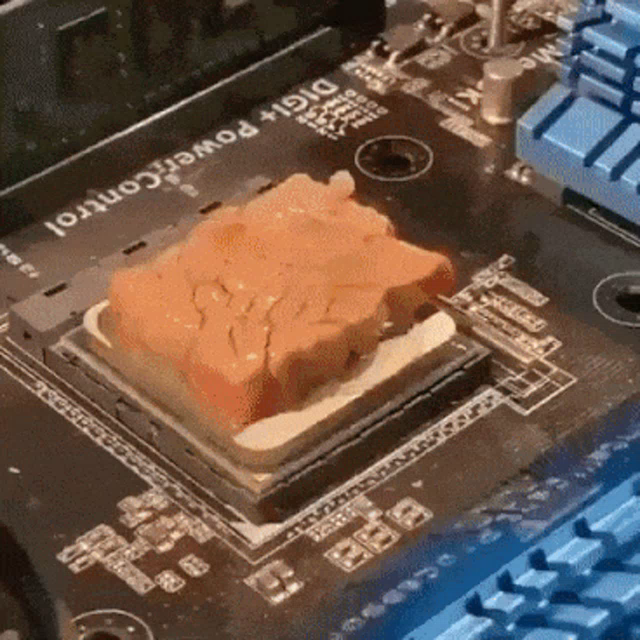 jagged ember
Apply cross pattern screwing for the cooler
jagged ember
potent portal
https://tenor.com/view/cooking-cpu-hot-meat-yummy-gif-25343056
Tasty
dusty cedar
just blow on it with your mouth. save the money who needs a cooler
dont listen to me im a troll
jagged ember
Apply a pressure washer to CPU
dusty cedar
or so some would say to someone who makes jokes
calm tinsel
potent portal
Do you mean thermal paste? A pea sized dot of it in the middle usually does it
Pea sized…roger
potent portal
dusty cedar
just blow on it with your mouth. save the money who needs a cooler
Instructions unclear, passed out from lack of oxygen
calm tinsel
Anything else or pretty straightforward? Legos?
potent portal
Mostly lego
earnest olive
I once cooled a ryzen 5 3600 with a half full mug of room temperature coffee
potent portal
Wiring is the hard part imo, especially with RGB
earnest olive
cool your cpu and reheat your coffee at the same time
jagged ember
Look up build guides but yeah it's not tough
earnest olive
efficiency
dusty cedar
calm tinsel
Anything else or pretty straightforward? Legos?
everything snaps together. if it fits, it sits. like a cat. never force anything
jagged ember
Oh, cable management is definitely the worst part lol
earnest olive
yeah I'm an engineer how could you tell
jagged ember
dusty cedar
everything snaps together. if it fits, it sits. like a cat. never force anything
Well don't force it too hard
You'll still need to clip in your ram or unplug your 24pin or something
dusty cedar
jagged ember
Well don't force it too hard
only if you know it's supposed to go there then push it til you hear a click
earnest olive
unplugging 24-pin cable requires approximately 1600 pounds of force
dusty cedar
earnest olive
unplugging 24-pin cable requires approximately 1600 pounds of force
a pair of scissors works better
calm tinsel
My monitor is pretty doodoo. What’s a good mid tier option?
earnest olive
meanwhile plugging in 12vhpwr
it goes in and then you apply a ridiculous amount of force to it anyways because you want to make damn sure it's actually in
jagged ember
It's okay
earnest olive
jagged ember
Who tf thought the 24pin was a grand idea
I mean... those pins are all actually doing something
jagged ember
One PSU added yellow paint to the inside so you know if it's not in
earnest olive
12VO will tidy it up but
dusty cedar
earnest olive
I mean... those pins are all actually doing something
testing the limits of flexibility of your board
earnest olive
adoption of new standards is always slow
jagged ember
Couple generations maybe
earnest olive
bro I put a 4070ti in a client build and I applied SO much force to that 12vhpwr
earnest olive
would not be surprised if I legit applied over 50 pounds of force to the 12vhpwr connector
dusty cedar
id recommend my monitor but everyone here hates my monitor. i think its pretty good
earnest olive
the gpu had an interesting unique design where you could screw it into the motherboard for structural stability
so I could apply a lot of force safely
jagged ember
Instead of using a flashlight as a GPU sag bracket?
earnest olive
lol
yeah, I actually really liked the gpu sag bracket design
let me see if I can dig up a pic
earnest olive
but you screwed the bracket into the right end of the graphics card itself
and then screwed it into the motherboard standoffs
jagged ember
earnest olive
but you screwed the bracket into the right end of the graphics card itself
That's actually great tbh no need to think about a bracket or whatever
dusty cedar
less than 200 bucks. but its only 1080p
jagged ember
Let him cook
earnest olive
 jagged ember
OOHH I SEE THE BRACKET
dusty cedar
can we start making it a law to remove that stupid sticker
jagged ember
That's genius
earnest olive
it's such a smart design
jagged ember
dusty cedar
can we start making it a law to remove that stupid sticker
Just leave the plastic film on but don't have a dumb sticker on it
earnest olive
dusty cedar
can we start making it a law to remove that stupid sticker
lol it's part of the protective plastic and I had to pack the pc up after
calm tinsel
This is mine 🥲
https://www.amazon.com/gp/product/B07CVL2D2S/ref=ppx_yo_dt_b_asin_title_o05_s01?ie=UTF8&psc=1

The Acer SB220Q bi 21. 5" Widescreen LCD IPS display combines stylish ultra-thin functionality with amazing 1920 x 1080 resolution, allowing you to enjoy High-Definition entertainment in the comfort of your home. Incredible 100, 000, 000: 1 contrast ratio and rapid 4ms response time highlight the...
earnest olive
like I said, client build
calm tinsel
I bought this whole setup on a black friday sale and have since regretted it
earnest olive
the warning label comes off with the plastic film
dusty cedar
earnest olive
lol it's part of the protective plastic and I had to pack the pc up after
is it though? mine was stuck to the glass and then covered by plastic
earnest olive
that should be illegal
dusty cedar
go tell hyte
jagged ember
earnest olive
the warning label comes off with the plastic film
But i want the film on
I'm Andy
No peels
dusty cedar
calm tinsel
I bought this whole setup on a black friday sale and have since regretted it
why?
jagged ember
Infinite visibility and airflow
earnest olive
direct air intake for my ram cooler
wooo
I could actually make my PC bsod by putting the side glass on back when I had the 3090
calm tinsel
dusty cedar
why?
It’s all cheap and below average performance wise. I should’ve sprung for higher end.
dusty cedar
calm tinsel
It’s all cheap and below average performance wise. I should’ve sprung for higher...
sounds like you're winning already with the savings plus the ability to still upgrade it
jagged ember
At least you don't have an Alienware
earnest olive
because the 3090 was so large and close to the glass, the glass would basically direct the exhaust heat from the 3090 directly into my ram cooler and heat up the ram instead of cooling it
dusty cedar
dont be me and spend 2600 on pc parts
jagged ember
Eugh, I feel bad even saying Alienware lol
earnest olive
and b-die gets very very crashy when temp is >45
calm tinsel
I’m seriously considering building a new one for 1500
jagged ember
Stupid airflow case, super over engineered nonsense
dusty cedar
good luck with that
potent portal
jagged ember
At least you don't have an Alienware
120mm AIO exhaust with no intake on a 13900k 💀
jagged ember
Stupid expensive for not good components
calm tinsel
I think it will be worth it.
earnest olive
calm tinsel
It’s all cheap and below average performance wise. I should’ve sprung for higher...
get a better monitor and use the one you have as a second monitor
 stoic island
earnest olive
because the 3090 was so large and close to the glass, the glass would basically ...
stoic island
earnest olive
because the 3090 was so large and close to the glass, the glass would basically ...
Should've just ran ram at jedec
dusty cedar
i said i have a 1800 dollar budget, then upped it to 2k and ended spending 2600
earnest olive
stoic island
Should've just ran ram at jedec
should've just not gotten a case
dusty cedar
that isnt even factoring in cost of monitor either and i got a cheap one
calm tinsel
earnest olive
get a better monitor and use the one you have as a second monitor
Probably should. I don’t think mine is even HD
stoic island
earnest olive
should've just not gotten a case
Should've just not gotten a GPU
jagged ember
Unless it's like a 2000s era monitor
calm tinsel
Op it is actually
stoic island
Genshin is your stability test anyways
earnest olive
did I tell you? when I tested 13700K igpu in genshin
CPU reached 360 watts in genshin loading screen
compared to 40 when running on dgpu
dusty cedar
thats why i said get this. its 1080p fhd runs at 240hz over dp
https://www.newegg.com/p/N82E16824028006?Item=N82E16824028006
stoic island
Just gaming too hard
dusty cedar
less than 200 bucks
earnest olive
stoic island
Genshin is your stability test anyways
I think I need gpu upgrade
stoic island
Upgrade from 1660?
earnest olive
I was getting 18 fps in genshin with overclocked 3080 😦
stoic island
Lol
stoic island
earnest olive
I was getting 18 fps in genshin with overclocked 3080 😦
Stability issue
jagged ember
Play star rail instead
stoic island
Just use dlss
jagged ember
Come be a trailblazer bro
stoic island
Can use NIS or whatever it's called
potent portal
DSR+FSR running "8k", genius
earnest olive
also the fsr implementation is only for AA, no upscaling 😦
also it looks kinda terrible compared to SMAA
stoic island
But nis is basically glorified integer scaling and doesn't look that good
potent portal
earnest olive
also the fsr implementation is only for AA, no upscaling 😦
DSR is game independent though, it's driver level and simply exposes higher resolutions to games than the monitor supports natively
earnest olive
they originally replaced SMAA with FSR 2, but quickly reinstated SMAA after what I imagine was a boatload of complaints
earnest olive
potent portal
DSR is game independent though, it's driver level and simply exposes higher reso...
I'm not talking about DSR
FSR wasn't a typo
potent portal
potent portal
DSR is game independent though, it's driver level and simply exposes higher reso...
So then you use FSR to render the 8k image at 4k and you can say you ran the game at 8k 60 fps
earnest olive
I used 4x DSR and 1.5x internal render scale from 1440p to run 8k "native"
potent portal
I kinda want to do this on a demanding game I have now... what do I even own that has DLSS though...
Control ig
earnest olive
you know what's fun
run 4x DSR with overwatch and then use the 9x screenshot scale setting
generate a >1gb screenshot
overwatch I think goes up to 2x render scale too
imagine the screenshot size if you started with a native 8k screen lmao
potent portal
I think the PC would have a seizure
earnest olive
potent portal
I think the PC would have a seizure
extra immersive d.va ult
screenshot when you use the ult, you'll get an explosion in real life too
earnest olive
stoic island
Upgrade from 1660?
what makes you think I need an upgrade

1660ti is the perfect gpu
(no, this is not downclocked, this is at 2100mhz core/2075mhz mem)
earnest olive
there's no reason to not go 32gb at this point
mossy venture
Good list
cyan ravine
Great list just change board
mossy venture
A520m plus wifi for $90^
cyan ravine
@golden bloom use this board https://pcpartpicker.com/product/T6YmP6/asus-tuf-gaming-a520m-plus-wifi-micro-atx-am4-motherboard-tuf-gaming-a520m-plus-wifi

Asus TUF GAMING A520M-PLUS WIFI Micro ATX AM4 Motherboard (TUF GAMING A520M-PLUS WIFI)
mossy venture
That
potent portal
I'd put a board that has flashback, in case it's not updated for the 5600
cyan ravine
And yeah use the difference for 32gb
One sec
@golden bloom https://pcpartpicker.com/list/r27Zk9
Part List - AMD Ryzen 5 5600, Radeon RX 6700, Montech AIR 100 ARGB MicroATX Mid Tower
Like that is * perfect *
You can upgrade the cpu later with this board unlike the other one, and yeah 32gb ram is slowly becoming the minimum
earnest olive
I think 32gb is still far from the minimum
but the price difference is so low at this point that it's like
why bother buying 16gb new in 2023
potent portal
Some games crashed for me when I had 16GB, but that's running 1440p with ray tracing usually
 lyric thistle
earnest olive
why bother buying 16gb new in 2023
lyric thistle
earnest olive
why bother buying 16gb new in 2023
To go with my existing 16GB
earnest olive
huh, I was able to play games at 1440p with ray tracing just fine with 16gb
potent portal
lyric thistle
To go with my existing 16GB <:deviousfroge:1054935096811081768>
ew 2dpc
(says the person running 2dpc)
earnest olive
did you have pagefile disabled or something?
potent portal
earnest olive
huh, I was able to play games at 1440p with ray tracing just fine with 16gb
Control especially would crash frequently with "out of memory" errors. I had pagefile increased even, which helped a little.
earnest olive
I recently tried windows 10 on 4gb ddr3, it was surprisingly usable, probably because it was combined with an nvme
earnest olive
potent portal
Control especially would crash frequently with "out of memory" errors. I had pag...
interesting, control is one of the games I tried
 golden bloom
Hopefully I can run the games I wanna play haha I don’t care much for graphics
earnest olive
in fact, control used incredibly low ram
I saw my ram usage at 7gb/16gb playing control at 1440p max settings + rtx
earnest olive
golden bloom
Hopefully I can run the games I wanna play haha I don’t care much for graphics
there's nothing that PC won't produce a playable result in
cyan ravine
golden bloom
Hopefully I can run the games I wanna play haha I don’t care much for graphics
At 1080p you should be able to run everything
potent portal
golden bloom
Hopefully I can run the games I wanna play haha I don’t care much for graphics
You'll be off to a great start with gaming and that build. It's a good time to buy and those are great parts.
golden bloom
Nice nice. Thanks I truly appreciate it. Is there anything I should know as it is going to be my first build lol
earnest olive
I'm actually not sure how control used so little ram, but it didn't seem to be a misread (multiple sources agreed)
my pagefile was manually set to 28gb at the time because of mining, but I don't think that's relevant with so much free ram available
cyan ravine
golden bloom
Nice nice. Thanks I truly appreciate it. Is there anything I should know as it i...
Don't force anything too hard, everything goes together without too much effort
potent portal
earnest olive
I saw my ram usage at 7gb/16gb playing control at 1440p max settings + rtx
If I had so much as Discord running in the background it would crash far more frequently, it would crash on loading if I left Firefox open.
I monitored with hwinfo and while physical use was low, the VIRTUAL memory usage was 99.9%
cyan ravine
golden bloom
Nice nice. Thanks I truly appreciate it. Is there anything I should know as it i...
Watch where screws go
And you should be good
It's just grown up lego
💀
potent portal
I don't have it installed any more to test again and show you but I'll install it if you want to see
earnest olive
I think it was hitting 13gb in minecraft 1440p rtx
not super debloated, running normal background tasks
potent portal
And that wasn't the only game that was crashing, just the worst offender
They all stopped crashing once I got more memory.
earnest olive
even now that I have 32gb it's incredibly rare to see memory usage exceed 16gb
I remember some guy here claimed I was lying about cold war being playable on 16gb
so I took a screenshot where I was getting 270 fps at 1440p while running a firefox window with 10 tabs, 4K60 youtube video playing, discord, spotify playing, teamviewer open, openrgb open, and argus monitor open
💀
ram usage was still at 13.5/16gb
frametime graph flat line
oh yeah, fun fact
genshin is completely playable at smooth 60 fps with 700mb of ram
was playing it while running ram stress tests lmao
 frigid night
So dryy
 frigid night
So dryy
frigid night
frigid night
So dryy
26c decrease in thermals and that's with the case fans at 50% vs the 100% I had them at before.
untold vessel
fossil cedar
Does it look like this kinda?
Yes! It looks like this!
untold vessel
autumn gulch
So overclock?
I believe it's called "intel turbo boost"
obsidian wigeon
That's just stock clockspeeds
Turbo still isn't ocing cause it's still within factory speed
untold vessel
fossil cedar
Does it look like this kinda?
Here it is! Some kind of cooler master. ‘Am also cleaning it today
 obsidian wigeon
untold vessel
Here it is! Some kind of cooler master. ‘Am also cleaning it today
obsidian wigeon
untold vessel
Here it is! Some kind of cooler master. ‘Am also cleaning it today
That right there is the root of your issue
That cooler is wholly inadequate for the cpu
fossil cedar
untold vessel
Here it is! Some kind of cooler master. ‘Am also cleaning it today
All your problems will be fixed with a 20$ id cooling se 214xt or thermalright assassin x
untold vessel
fossil cedar
All your problems will be fixed with a 20$ id cooling se 214xt or thermalright a...
Thank you, Pato. Saving the day again! Where can I buy either one? Should I also buy thermal paste?
fossil cedar
untold vessel
Thank you, Pato. Saving the day again! Where can I buy either one? Should I also...
Should both be on Amazon for 20$ they come with paste
untold vessel
fossil cedar
Should both be on Amazon for 20$ they come with paste
I think I'll go with the Thermalright assassin x! What kind of cooling gains should generally I expect to see from it?
fossil cedar
untold vessel
I think I'll go with the Thermalright assassin x! What kind of cooling gains sho...
Probably maxing out around 60-70c
untold vessel
Good Lord, I can fix my 100C gameplay with just $20?


 untold vessel
fossil cedar
Probably maxing out around 60-70c
untold vessel
fossil cedar
Probably maxing out around 60-70c
80C for CPU & 65C for GPU. Are these safe levels?