#building-and-recc-chat
1 messages · Page 135 of 1
 rugged quarry
 tawdry lance
Would an APU be fine for a game server?
 mossy venture
tawdry lance
Would an APU be fine for a game server?
mossy venture
tawdry lance
Would an APU be fine for a game server?
likely yes, but what apu?
 south cliff
my 5600x for my friend came in today and the guy put the cpu in the cpu holder wrong and bent the pins smh
mossy venture
Message them, if they refund chargeback
south cliff
yea i sent them pics hopefully they will respond back quicky maybe they will give me it for free because its broken but who knows
 potent portal
What you're looking for is called MOCA, you need special adapters and compatible modems.
 rough loom
thats a fair assessment
tawdry lance
mossy venture
likely yes, but what apu?
I was thinking a ryzen 5600g.
 lyric thistle
Not enough traffic for networking huh 
 little osprey
Hey so I got a Samsung Odyssey CRG5 Monitor and there is no audio coming out of it
 limber oyster
I found my next fans. Gonna replace my Alphacool fans
 obsidian wigeon
little osprey
Hey so I got a Samsung Odyssey CRG5 Monitor and there is no audio coming out of ...
obsidian wigeon
little osprey
Hey so I got a Samsung Odyssey CRG5 Monitor and there is no audio coming out of ...
The monitor has no speakers
little osprey
Why the heck does it have a Volume option then
little osprey
mmmm
Gotcha
even tho I'm going to be using Headphones on my PC
What's the difference between plugging it in your PC and the monitor
obsidian wigeon
The monitor will have worse audio quality
little osprey
Gotcha
obsidian wigeon
Best to just use pc for that anyway
little osprey
exactly
 tawny violet
potent portal
What you're looking for is called MOCA, you need special adapters and compatible...
tawny violet
potent portal
What you're looking for is called MOCA, you need special adapters and compatible...
I don't think that'd work for my application so I'll probably just get a data SIM and a router that can take it and have my own internet that way
 heady kayak
tawny violet
I don't think that'd work for my application so I'll probably just get a data SI...
heady kayak
tawny violet
I don't think that'd work for my application so I'll probably just get a data SI...
uhhh
isn’t that like several times the cost
tawny violet
Let's hop over to #electronics
 vagrant thistle
can anybody tell me if the parts i picked was good ?
potent portal
Sure
vagrant thistle
ASRock Z690 Phantom Gaming 4 LGA 1700 Intel Z690 SATA 6Gb/s DDR4 ATX Intel Motherboard
GIGABYTE Gaming OC GeForce RTX 3070 8GB GDDR6 PCI Express 4.0 ATX Video Card GV-N3070GAMING OC-8GD (rev. 2.0) (LHR)
CORSAIR RMx Series (2021) RM750x CP-9020199-NA 750 W ATX12V / EPS12V 80 PLUS GOLD Certified Full Modular Power Supply
Intel Core i5-13500 Desktop Processor 14 cores (6 P-cores + 8 E-cores) 24MB Cache, up to 4.8 GHz - Box
SAMSUNG 970 EVO PLUS M.2 2280 2TB PCIe Gen 3.0 x4, NVMe 1.3 V-NAND 3-bit MLC Internal Solid State Drive (SSD) MZ-V7S2T0B/AM
Kingston FURY Beast 32GB (2 x 16GB) 288-Pin PC RAM DDR4 3200 (PC4 25600) Desktop Memory Model RFBB14-32C16K2/32
Thermaltake TOUGHAIR 510 180W TDP CPU Cooler,
NZXT H9 Flow - All Black - CM-H91FB-01 - Dual-Chamber Mid-Tower Airflow Case
im on a budget of 1.5 sso i wanna know if like if for that price
i got whats best
obsidian wigeon
I would change out all the parts honestly
vagrant thistle
why
potent portal
1500 gets you an absolute top tier gaming system
obsidian wigeon
top tier last gen, but yes
vagrant thistle
bro idrk
jack ab pc's
just got into it my last prebuilt broke
i spilt water on it lol....
potent portal
You're in the right place then, we can help make informed decisions
You can probably salvage most of that prebuilt too
potent portal
Ah ok then
potent portal
I don't play that but probably
I've got everything pretty well maxed out overclocked too
vagrant thistle
how do you overclock
a pc
i searched it up it says it makes it run smoother faster
obsidian wigeon
Part List - Intel Core i5-13600KF, Radeon RX 6950 XT, Phanteks Eclipse G360A ATX Mid Tower
potent portal
There's a few different ways. Mostly through the bios. The most effective overclock you can do is the memory imo. That gets you better minimum frame times (less stuttering).
obsidian wigeon
The budget allows for a nicer case, if you really want
vagrant thistle
dude
obsidian wigeon
RGB version of the cooler I picked is same price
potent portal
The key takeaway from foxy's list is that you can get a MUCH more powerful GPU and a better CPU at the same budget
obsidian wigeon
exactly
vagrant thistle
yeah but is everything else gonna be fine
potent portal
I'd go for a 4070 ti personally, and drop the CPU down a tier
obsidian wigeon
There are three 6950XT models with same price
And yes
You might need to update bios
obsidian wigeon
But I can make it easy with swapping for Z790
vagrant thistle
pause
potent portal
Don't be a troll
potent portal
We don't need that here
obsidian wigeon
lol
 coarse coral
 obsidian wigeon
vagrant thistle
whats bios
obsidian wigeon
vagrant thistle
whats bios
Okay so to put it simply, bios is a piece of software that allows the motherboard to work
lyric thistle
Me when the internet lets me do pointless stuff without consequences
obsidian wigeon
And a bios has cpu microcode, which is basically a list of processors it will recognize and boot
The cpu being newer than the motherboard will need its microcode updated
Basically requiring a bios update
 potent portal

vagrant thistle
obsidian wigeon
And a bios has cpu microcode, which is basically a list of processors it will re...
anything else i would need to do to it besides the windows thing
obsidian wigeon
Part List - Intel Core i5-13600KF, Radeon RX 6950 XT, Phanteks Eclipse G360A ATX Mid Tower
This new list costs a bit more
But it will have updated bios
You simply install all the parts together
obsidian wigeon
vagrant thistle
anything else i would need to do to it besides the windows thing
Once you have everything up and running, you will also need to download and install gpu, audio, ethernet and chipset drivers
vagrant thistle
yeah sadly
obsidian wigeon
It's all good
potent portal
Here's another option, better GPU https://pcpartpicker.com/list/hGwmY9
Part List - Intel Core i5-13500, GeForce RTX 4070 Ti, Phanteks Eclipse G360A ATX Mid Tower
obsidian wigeon
Part List - Intel Core i5-13600KF, Radeon RX 6950 XT, Phanteks Eclipse G360A ATX Mid Tower
This is with wifi
obsidian wigeon
potent portal
Here's another option, better GPU https://pcpartpicker.com/list/hGwmY9
tbf for that list 13400f is better
13500 is the same but more expensive than 13400
potent portal
That has the 12th gen cores though, 13500 is actual 13th gen
obsidian wigeon
nop
there's 13400 with 13th gen cores now
later batches
which people have been getting
potent portal
Interesting
Normally Intel would upcharge for that and call it a 13405 or something
potent portal
In that case here's a better option https://pcpartpicker.com/list/MsWJY9
Part List - Intel Core i5-13400F, GeForce RTX 4070 Ti, Phanteks Eclipse G360A ATX Mid Tower
DDR5
potent portal
Oh 100%
Yeah I like to leave that "just in case" room
Besides 650 isn't any cheaper
obsidian wigeon
True that
potent portal
It comes with the cpu
obsidian wigeon
@vagrant thistle Sorry for confusing you if we did. You can choose falcie's latest list or my wifi list with 13600kf
vagrant thistle
ohhh
obsidian wigeon
13400f has a cooler on it
vagrant thistle
what
potent portal
Intel includes a basic box cooler that's good enough for gaming on without losing performance
obsidian wigeon
My list has faster cpu, but not nvidia gpu
potent portal
Nvidia is nice for eye candy like ray tracing and DLSS
obsidian wigeon
Falcie's has slower, well not much slower cpu but nvidia gpu
Less vram, but it isn't problem
It's up to you whether you want to choose between the two lists
Each has their strengths and weaknesses
potent portal
So we're at
Better CPU https://pcpartpicker.com/list/GwpQtn
Better GPU https://pcpartpicker.com/list/MsWJY9
The choice is yours. Both are very valid.
Part List - Intel Core i5-13600KF, Radeon RX 6950 XT, Phanteks Eclipse G360A ATX Mid Tower
Part List - Intel Core i5-13400F, GeForce RTX 4070 Ti, Phanteks Eclipse G360A ATX Mid Tower
vagrant thistle
Ok so the gpu
is better for running more than one task at once
where as the cpu is
faster at loading?
obsidian wigeon
Not necessarily
potent portal
The CPU is better at multi-tasking, and the GPU is better at sending more frames per second to the monitor
Load times are the same either way
obsidian wigeon
Just increased smoothness in games, especially with many apps open
A better cpu delivers more stable frame time and frame rate
With Nvidia gpu using DLSS in compatible games however, the deficit in cpu performance will be filled
potent portal
Better CPU = smoother frame rate
Better GPU = higher frame rate
potent portal
Since you're asking about CoD I'm guessing that you play that one a lot, and a better CPU really does help in that game. There's plenty that it doesn't, but online games like that it does.
obsidian wigeon
As the 13600KF list has its budget spent on motherboard and cpu
vagrant thistle
potent portal
Since you're asking about CoD I'm guessing that you play that one a lot, and a b...
yeah thas why frames r good just no point if i cant run the game smooth
obsidian wigeon
I can step it down to B760 if you don't want to mess with cpu overclocking
potent portal
obsidian wigeon
I can step it down to B760 if you don't want to mess with cpu overclocking
You could even switch to DDR5 if you did that, better upgrade imo
13th gen does like them rams
obsidian wigeon
Modern cpus already boost to their stable daily limits
Alright, let me edit that list and revise it
potent portal
obsidian wigeon
It's not very simple, and doesn't net much gains
But I like having my 5800X reach the temperature of the surface of the sun
potent portal
It's a minor exaggeration but that is already one of the hottest CPUs in existence
And that's before overclocking
vagrant thistle
then
obsidian wigeon
Part List - Intel Core i5-13600KF, Radeon RX 6950 XT, Phanteks Eclipse G360A ATX Mid Tower
Here it is
Better CPU list with cheaper price and extra performance
Still has wifi
potent portal
potent portal
It's a minor exaggeration but that is already one of the hottest CPUs in existen...
Which is what the absolute unit of a CPU cooler is for
obsidian wigeon
Right lol
vagrant thistle
aslong as it dont blow for atleast 2 years or overheat
obsidian wigeon
13600KF while isn't as hot as the sun, it still needs a chunky cooler which I picked
It will have no trouble keeping the cpu within reasonable temperatures
potent portal
Better than reasonable tbh
potent portal
24/7 365
potent portal
It's not like your old HP, these computers have actual airflow so they don't gradually increase in temps over time
obsidian wigeon
^
obsidian wigeon
Yep
You can upgrade ssd to 2tb
Get silicon power A60
If you're happy with it as is, it's good
vagrant thistle
alr i really appreciate the help @obsidian wigeon @potent portal
ima keep my case though : P
obsidian wigeon
If you're willing to spend more then yeah, no problems
H9 Flow is a good but expensive case
Costs as much as a whole cpu lol
vagrant thistle
bro it looks good asf though
obsidian wigeon
It does
obsidian wigeon
Just NZXT fees
obsidian wigeon
Yeah those are custom loop liquid cooling systems
They get expensive quick
Expect a minimum of $300 to spend on just cpu loop
obsidian wigeon
Yep
It's the custom stuff that costs a lot
They don't really offer much benefits than looks honestly
As you can get closed loop liquid coolers for less
The pre assembled ones
potent portal
obsidian wigeon
Expect a minimum of $300 to spend on just cpu loop
Absolute barebones and getting combo units like a pump/res/radiator, yes
 fossil cedar
List of failed pc parts, that you might wanna double check before buying/make sure nothing you own is on there or if it is on there, check that a suitable fix was implemented
https://gamers.nexus/failure-list
Gamers.Nexus | Failure & Root Cause Analysis, Ethics
fossil cedar
fossil cedar
List of failed pc parts, that you might wanna double check before buying/make su...
potent portal
Or if it is on there, check that a suitable fix was implemented
Like when Fractal actively recalled the Torrent, going so far as to take them off shelves, so they could replace the fan hub.
fossil cedar
potent portal
Or if it is on there, check that a suitable fix was implemented
Good point, I've added that to the og post
potent portal
I'm gonna start leaving pc lowercase now, it just feels right for some reason
(Yes my wife hates me but she loves to hate me)
No my actual wife you goof
I do the same kind of thing to her, bugging her with little things like that
fossil cedar
YOU WANT ME TO CAPITALISE pc?
 tepid roost
@potent portal peerless assassin 120 se doesn't come with am4 mounting backplate
potent portal
It doesn't need a backplate
potent portal
It attaches to the stock backplate with a bracket
tepid roost
The green backplate thingy?
potent portal
I don't know what color the backplate would be, it varies by board model but it's usually black
From the thermalright page
 tepid roost
Like the stock backplate of the ryzen cooler or the blocky backplate of the mobo
potent portal
The backplate would be attached to the back of the motherboard, usually double sided taped in place
tepid roost
Why wouldn't they just make their own mounting
I have no clue where the original backplate is
NVM I found it thanks @potent portal
potent portal
Good to hear
 weary galleon
tepid roost
Why wouldn't they just make their own mounting
weary galleon
tepid roost
Why wouldn't they just make their own mounting
cheaper
 strong dirge
Anyone knows a good looking case ? I've been looking and the nicest for the price I've found is the cooler master q300l but I don't know if it is a good option for the price
tepid roost
@potent portalthis is disgusting, on apex legends I still max at 85-90
weary galleon
tepid roost
<@396513761550270464>this is disgusting, on apex legends I still max at 85-90
what are your system specs?
tepid roost
5600x 3060 ti
weary galleon
gpu/cpu/ram/monitor
weary galleon
make sure monitor is set to the correct refresh, check if your ram is set to xmp
Also try disconnecting the second monitor
tepid roost
yes
5600x with a peerless assassin 120 se
I'm only using one of the 2 fans
don't have room for the 2nd rn
I'm definitely soon gonna get a new case and mobo and some more fans but still 85-90 isn't a difference from my deepcool gammax
tepid roost
only 2 rn which isn't a lot ik
weary galleon
What case
weary galleon
If you have a hardware monitoring program does it show the CPU wattage?
tepid roost
40 to 50s outa 65 at least
tepid roost
weary galleon
If you have a hardware monitoring program does it show the CPU wattage?
I mean it's really maxing out ig
idk why it needs to for one game but apex is sort of intense at 240 fps
@weary galleonok yeah I took my side panel off to test
now it's in the 60s
so
weary galleon
More fps generally doesn't increase cpu load unless it's running physics
weary galleon
tepid roost
now it's in the 60s
Yeah just case then
weary galleon
Also 85-90c isn't ideal but it's fine for the CPU
tepid roost
yeah
weary galleon
They're rated for 95-100 and will throttle if they get too hot
weary galleon
The Corsair airflow cases are pretty popular
weary galleon
Couple of budget options, look decent but read some reviews before buying
https://www.newegg.com/p/N82E16811853125?
https://www.newegg.com/black-montech-x3-atx-micro-atx-mid-tower/p/2AM-00CN-00036?
tepid roost
also I want a spacey case
I want plenty of room to work in
forgot to mention that part
potent portal
Less https://pcpartpicker.com/product/fv2WGX/fractal-design-torrent-atx-mid-tower-case-fd-c-tor1a-06

Fractal Design Torrent ATX Mid Tower Case (FD-C-TOR1A-06)
tepid roost
does it come with fans?
potent portal
Enormous ones
tepid roost
alright
potent portal
2x 180mm on front and 2x 140mm on bottom
tepid roost
oh wow
it looks decent as well
are they rgb or led or nah
nvm
there's an rgb version forget I asked
potent portal
That model has a rgb strip on the top by the power supply
 jagged ember
potent portal
Less https://pcpartpicker.com/product/fv2WGX/fractal-design-torrent-atx-mid-towe...
jagged ember
potent portal
Less https://pcpartpicker.com/product/fv2WGX/fractal-design-torrent-atx-mid-towe...
Sheesh the baller airflow case
Decent seems like an understatement
potent portal
Oh yeah this thing is awesome, I have one. You can fit certain models of 420mm radiators on the front.
When I go custom loop I'm going to get the monsta dual 180mm radiator
tepid roost
Msi 550-a Pro atx is the mobo you recommended me right falcie?
potent portal
Possibly, I recommend a lot of boards and tend to pick the cheapest that meets your needs
tepid roost
just a mobo that's am4/am5 ofc and has plenty of ports for everything
it's the one I saved so I think it's the one you recommended me
potent portal
potent portal
When I go custom loop I'm going to get the monsta dual 180mm radiator
If you're curious what that looks like when it's installed...

That sucker is 85mm deep
tepid roost
yeah I saw a 4090 in there
it had so much room in it still
plus the person had a very big heatsink for their cpu
I'm definitely gonna get it
 frigid night
potent portal
If you're curious what that looks like when it's installed...
frigid night
potent portal
If you're curious what that looks like when it's installed...
Sheesh
potent portal
Who needs a reservoir when your radiator holds 1L of water
lyric thistle
Might as well just drink it
 gentle pollen
tepid roost
plus the person had a very big heatsink for their cpu
gentle pollen
tepid roost
plus the person had a very big heatsink for their cpu
I also have the Fractal Torrent case.
I have the gray gun metal version.
 gentle pollen
potent portal
Who needs a reservoir when your radiator holds 1L of water
gentle pollen
potent portal
Who needs a reservoir when your radiator holds 1L of water
Looking at it I think I am also gonna get the Monsta 180mm rad when I go full custom cooling.
 potent portal
That looks like a nightmare to pipe lol
little osprey
this worth, or naw.

i am about to start moving, no time to actually build my computer myself because taking a trip soon too, finding something prebuilt that isnt complete ass
if i cant find anything ill just wait until i have time myself to buy parts n build
potent portal
Nah you can build a better pc for less money than that, and that's with brand new parts
obsidian wigeon
that's pretty terrible price
obsidian wigeon
besides the cpu ain't very good for rust anyway
little osprey
real
i take rust more seriously than csgo even though im better at csgo
idfk rust more fun csgo got boring
i love getting offlined by 12 deep zerg
rough loom
ok
little osprey
how do we feel about this
 rough loom
I was attempting to figure out what kind of stuff they put in this to equate to 2 grand
little osprey
messed upp
rough loom
and like, my PC new barely hit 2k
rough loom
nah
potent portal
If you do a 5600 mebbe
obsidian wigeon
ye
potent portal
But that would gimp the 4090
little osprey
dude i hate everything, cant build pc due to time everyone on facebook an unpleasant individual
rough loom
I mean you could build a PC in the hotel room
little osprey
cool workstation bro 
little osprey
rough loom
I mean you could build a PC in the hotel room
housekeeping install cpu for me
rough loom
like the deals you are posting are attempts to straight up rip you off
little osprey
thats a massive moment

my honest reaction
dude i dropped 60$ on rust skins for my 1660 pc to die and now im here
rough loom
what died?
little osprey
anyone know why my case fans won’t work? I have them run from the controller on the back of the mobo into sys-fan1 and it just does nothing? I’ve tried system fan 2 and 3 also and still nothing?
very confused but still getting 29° cpu and gpu without em
potent portal
little osprey
anyone know why my case fans won’t work? I have them run from the controller on ...
They're probably on a curve, and they have a minimum speed before they just shut off. Put some load on the CPU and see if they spin.
If not make sure the fan hub has power, not just the motherboard connection
little osprey
potent portal
They're probably on a curve, and they have a minimum speed before they just shut...
I’ve tried the cpu under load and still nothing
I’ll have to look again after work but there should be power
I’m baffled
little osprey
it’s a 4 pin and says pwm on it
so I plug it into the 4 pin system fan like it says to do
no spinny
potent portal
Yeah you would need to set it to PWM mode in bios
potent portal
It's usually under some sort of system monitor
A lot of motherboards have a search feature too, you'd search fan mode
little osprey

Thermalright ARGB Fan HUB Controller Support 8 Groups of Fans, 8-Port 4 Pin PC Fan Controller, 5V 3 Pin Fan Hub, Strong Paste+Magnetic Suction, (12V 4-pin RGB is not Supported)
Is there any way I can mount this in a 4000D Airflow without using the adhesive?
mossy venture
Might be a place for it in the back of the case?
Like where you cable manage, it's just a guess though
little osprey
potent portal
A lot of motherboards have a search feature too, you'd search fan mode
I’ve been in the fan mode thing and it just says there’s nothing plugged into system fan 1-3
little osprey
mossy venture
Like where you cable manage, it's just a guess though
Hmmm alright thanks
Do you have any experience with ITX builds?

In Win Chopin MAX Mini ITX Desktop Case w/200 W Power Supply (IW-CS-CHOPINMAXGRE-PS200W)
I was looking at this case and was kinda tempted to do an ITX build, unsure what it would be oriented towards
Maybe iGPU gaming or utility PC
 paper summit
STOP BUYING 💩 😭🙏🏼
obsidian wigeon
Main pc goal fading away
paper summit
Fr
little osprey
paper summit
STOP BUYING 💩 😭🙏🏼
The addiction is real
I need to just completely empty my card
little osprey
obsidian wigeon
Main pc goal fading away
Yeah, you’re completely right
I need to get my 7600X and motherboard before my school year ends
Or get my case and PSU
obsidian wigeon
Good, focus on your main
You already have some unlocked amd funny oc benching thing
 leaden mauve
paper summit
STOP BUYING 💩 😭🙏🏼
leaden mauve
paper summit
STOP BUYING 💩 😭🙏🏼
Gonna buy more ddr3
 remote fiber
halp me build best pc to push my gt 210 plz
gentle pollen
remote fiber
halp me build best pc to push my gt 210 plz
........ can that GPU even game nowadays?
potent portal
Not anything made in the last 15 years probably lol
remote fiber
gentle pollen
........ can that GPU even game nowadays?
newest game I play is league of legends, the other 2 are from 2001 and 1999
potent portal
Get a CPU with an integrated GPU
It'll perform way better than a 210 will
I suggest an AMD 5600g
 earnest olive
I think a gt 210 is a bit too weak for even league
and I've run league on some impressively weak hardware
$10 dell display adapter from 10 years ago doing 120 fps
remote fiber
this is what i'm getting on gt210 rn
 paper summit
the legend actually did it
 urban oyster
If you had 32 sticks of ddr3 16 gb laying around
What would you do with it

They are server dimms btw
paper summit
urban oyster
What would you do with it
Give them to me for my 4770k
urban oyster
paper summit
Give them to me for my 4770k
That isn't profitable lol
paper summit
Yes it is
 paper summit
urban oyster
How exactly
paper summit
urban oyster
How exactly
What speed is it
urban oyster
@paper summit im in bed atm on my phone, atm idk
remote fiber
I want it to do better tho I'm using a pentium E5700 want to u/g it
paper summit
urban oyster
<@852241324886720583> im in bed atm on my phone, atm idk
ok lolll
potent portal
I would happily take 8 of those 32 sticks to put in my server. (remember with rdimms you need certain motherboards, a 4770k can't run them)
earnest olive
remote fiber
this is what i'm getting on gt210 rn
how do you even play like this?
like 33 fps is kind of playable
but 177ms too?
i'd lose my mind
remote fiber
earnest olive
how do you even play like this?
?? it's just league splitpush 24/7
otherwise i play tick based, so 600ms per tick

 viral ore
pee nut butter
paper summit
earnest olive
how do you even play like this?
Same way I used to play beamng on a 2014 laptop at 20fps
It only ran gridmap
earnest olive
I got pretty high ranked in league at 25 fps
but that was with 65 ping
don't think it would be doable with 177 ping
paper summit
viral ore
pee nut butter
Nut butter
paper summit
earnest olive
don't think it would be doable with 177 ping
He's using mobile hotspot
earnest olive
😭
mobile USB tethering might be better if that's an option
I've used mobile USB tethering as a backup before when home internet went down
4500 ping on mobile hotspot vs 72 ping on mobile USB tethering
remote fiber
earnest olive
don't think it would be doable with 177 ping
it's not too bad tbh
 earnest olive
that's... TFT rank
paper summit
remote fiber
it's not too bad tbh
You're the league players jelly tells me to stay away from
earnest olive
i'm talking master+ though
was around there on 25 fps back in the day but with stable 65ms
177ms probably would be stuck in gold
paper summit
okay but can the 210 run DaBabyKart
paper summit
paper summit
okay but can the 210 run DaBabyKart
 viral ore
hittin the dababy kart
earnest olive
tfw i can't go look at my default option of time spy bc i'm pretty sure the 210 can't run time spy
potent portal
Yeah it needs to be able to run dx12
earnest olive
let's see if i can find 3dmark05 results for the uhd 730
paper summit
viral ore
hittin the dababy kart
When does the dababy flavored cart launch
potent portal
maybe fire strike?
paper summit
Damn
viral ore
 earnest olive
okay so the i5-12400 with UHD 730 @ stock clock and 3700 14-14-14 scores 38025 in 3dmark05
the geforce 210 scores 5251
that's slightly less of a gap than i was expecting
paper summit
viral ore
https://www.youtube.com/watch?v=_VrKwS7tr4E
I need
viral ore
it tastes like grape
earnest olive
i wonder if the geforce 210 has compatibility issues with league
now that league is on dx11
geforce 210 has dx11 support but feature level is only 10_1
could always go back to dx9 mode i suppose
remote fiber
so it should go faster if i upgrade my E5700 right?
obsidian wigeon
no
paper summit
obsidian wigeon
no
YEs
potent portal
Could upgrade to a Core 2 Quad Q9650
paper summit
Its really not this serious
potent portal
obsidian wigeon
no
They're apparently not allowed to use newer hardware
paper summit
Exactly
obsidian wigeon
wha
paper summit
Lga 775 and x58 for life
 remote fiber
I'm using Biostar TZ775 for mobo
paper summit
So true
remote fiber
is there an adapter so I can keep my mobo and just upgrade cpu?
paper summit
LMFAO
potent portal
potent portal
Could upgrade to a Core 2 Quad Q9650
LGA 775, no mobo change required
Best chip I could find for the platform
remote fiber
oh thought he said get a 12400
remote fiber
yeah, isn't that good chip?
paper summit
remote fiber
oh thought he said get a 12400
Get a fx-8150
potent portal
Yeah it's great but it's only 2 years old and my understanding is that's a no-no
remote fiber
I can't just get a slotket?
potent portal
Those don't exist any more
heady kayak

paper summit
remote fiber
I can't just get a slotket?

eBay
Find many great new & used options and get the best deals for Slot 1 socket PGA 370 adatper slotket for Pentium II/ III CPUs at the best online prices at eBay! Free shipping for many products!
heady kayak
I ain’t clicking that
remote fiber
ahh that looks like what i had before i got the e5700
heady kayak
I need protection
paper summit
heady kayak
I need protection
Says who
heady kayak
eBay
Find many great new & used options and get the best deals for Slot 1 socket PGA 370 adatper slotket for Pentium II/ III CPUs at the best online prices at eBay! Free shipping for many products!
paper summit
paper summit
Says who
how do you think im here
potent portal
heady kayak
I ain’t clicking that
Funny thing is it has too much metadata and wouldn't load 
paper summit
remote fiber
ahh that looks like what i had before i got the e5700

PART 713 - Slotket - CPU Adapter (This video is 1 Part : Part 713). They are on my playlist with name "MONGO TV - LOOKING AT GAMER PC HARDWARE") I like try do this, to get help read difficult technical English text loud. That will help me a bit to understand the text :-) Maybe this video could be helpful for some other too, that don't speak and ...
remote fiber
alright, so what do i need to run that 12400
obsidian wigeon
you will need a new board and ram
potent portal
A new motherboard, and probably power supply if yours is only 20 pin
paper summit
remote fiber
alright, so what do i need to run that 12400
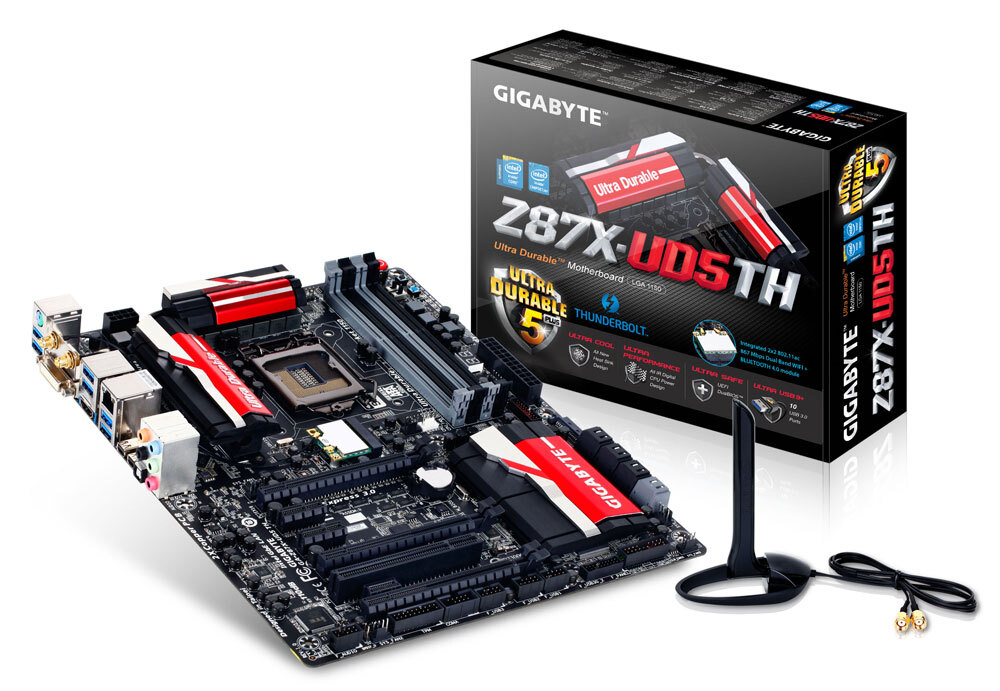
GIGABYTE
Lasting Quality from GIGABYTE.GIGABYTE Ultra Durable™ motherboards bring together a unique blend of features and technologies that offer users the absolute ...
obsidian wigeon
slam the cpu in there
potent portal
Might have to bend a few dozen pins
paper summit
yeah?
 obsidian wigeon

Tom's Hardware
Intel starts to offer CPU and GPU combos starting at $423.
Get this upcoming bundle
remote fiber
423 sounds pretty good
paper summit
Should have made it 420
obsidian wigeon
12600k and arc a750 for 423
hm
isn't it more expensive than buying parts individually?
nvm not really
same price
gentle pollen
How many errors is considered within the margin of error for ram oc DDR4, using TM5?
obsidian wigeon
^
gentle pollen
potent portal
A single error is a fail
Fair. What should I set tCWL to?
potent portal
Start with tCWL = tCL
gentle pollen
So far getting 0 errors on all secondaries at extreme profile according to DDR4 OC guide.
potent portal
You might be able to do 1 or 2 less, and it prefers to be even numbered
gentle pollen
potent portal
Start with tCWL = tCL
Is tCL the first cas latency number?
Like 18 in my case?
potent portal
(tCWL is cas write latency, tCL is cas read latency)
Yes it's the first primary timing
gentle pollen
Gotcha after I run an extra test on TM5 to ensure I get no errors I will try setting tCWL.
If I get an error with tCWL what should I change?
potent portal
It's unlikely you will with it being that high
Unless you're running very fast memory
gentle pollen
Oh.
gentle pollen
I tried with it set to 18 and with it set to auto. I got 2 errors when it was on 18.
potent portal
Which one? cas?
gentle pollen
gentle pollen
I tried with it set to 18 and with it set to auto. I got 2 errors when it was o...
tCWL at 18 with tCL at 18
Got 2 errors with that. With tCWL on auto I got 0 errors.
potent portal
Ah I see. tCWL to 20 then. It prefers to be even.
potent portal
It's good for a quick check
tepid roost
@potent portal does the fractal torrent come with fan splitters
potent portal
It comes with a pwm hub yes
That was the reason it got recalled, so they could fix the hub
Which they did, all the ones you can buy are fixed
potent portal
One cable for SATA power, one connects to the motherboard for speed control
tepid roost
Alright thanks
potent portal
You need to disable gear down mode to run odd numbered cas
Which does cause potential stability issues
If you leave it on it rounds it up to 16
 stoic island
Could just run 2t CR
potent portal
Totally not worth it
Adding more latency just for a single digit improvement on cas
gentle pollen
stoic island
Could just run 2t CR
I got tCL 14 working without changing to 2t CR.
stoic island
potent portal
Adding more latency just for a single digit improvement on cas
Always an option when gdm doesn't make everything else stable enough
gentle pollen
Currently testing if I can get tWRWR_SCL stable at 2.
Then I will give another try at running tRDRD_SCL at 3 or lower.
 strange thorn
would you use this mb which is due to inflation where i live 110 dollars with amd r5 5600 and a rx 6600 for gpu plus a 550/600w psu
The AMD Ryzen series desktop processors include AM4 & AM5 socket motherboards. The processor doesn't need a discrete graphics card.
fossil cedar
Wheres that? Biostar isn't usually the best
fossil cedar
Ah, ant other options?
strange thorn
but it pushes me to a rly bad case
fossil cedar
Any cheaper am4 boards?
strange thorn
nope due to inflation just no vrm heatsinks at all
fossil cedar
Yeah but for a 5600 you wouldn't need one with a heatsink, I'd take a (especially when cheaper) almost any other board over biostar
strange thorn
i was looking for am4 b550 for pcie 4.0 for future gpu potential upgrades two three years
fossil cedar
Yeah but which boards are available for cheaper?
fossil cedar
strange thorn
i was looking for am4 b550 for pcie 4.0 for future gpu potential upgrades two th...
I mean 4090 barely uses a full pcie 3x16 slot anyway
strange thorn
yeah but sadly this gpu is pcie 4.0 x8 so i dk how safe it will go you know bugs and issues
potent portal
fossil cedar
I mean 4090 barely uses a full pcie 3x16 slot anyway
Which means if we extrapolate based on recent trends, even a 5080 will barely use a full 3.0 x16 slot
PCIe is completely backwards compatible, there's no bugs to worry about
I put a 3090 into a PCIe 2.0 system
 strange thorn
when you are building your first pc you tend to be a f*** ton careful because there a very few adjustments you can make and since we are going to be getting mainly pcie 4.0 gpus i was a bit worried for future proofing it
 austere condor
what are the go too gen 4 NVMes right now? i really havent been keeping up with them lately
i wish the NV2 wasnt such a gamble on getting a good or bad one
stoic island
Og P41 always nice
fossil cedar
austere condor
what are the go too gen 4 NVMes right now? i really havent been keeping up with ...
The silicon power ud85 looks decent probably can't remember if i could find reviews of it, it's like 2$ more than the lower tier drives
austere condor
stoic island
Og P41 always nice
out of the price range im looking for
going gen 4 is already overkill, i use the P41's as workstation drives
austere condor
Part List - AMD Ryzen 7 7800X3D, GeForce RTX 4090, Phanteks Eclipse G360A ATX Mid Tower
stoic island
P41 plus at least has a bit higher than gen 3 speeds
austere condor
working on a quote for a 4090 gaming PC
strange thorn
https://www.asrock.com/MB/AMD/B450M Pro4-F/index.asp this is 85.6 dollars

Supports AMD AM4 Socket Ryzen™ 2000, 3000, 4000 G-Series, 5000 and 5000 G-Series Desktop Processors; Supports DDR4 3200+ (OC); 1 PCIe 3.0 x16, 1 PCIe 2.0 x16, 1 PCIe 2.0 x1; AMD Quad CrossFireX™; Graphics Output: HDMI, DVI-D, D-Sub; 7.1 CH HD Audio (Realtek ALC892 Audio Codec), ELNA Audio Caps; 4 SATA3, 1 Ultra M.2 (PCIe Gen3 x4)*, 1 M.2 (SATA3)...
stoic island
austere condor
out of the price range im looking for
Damn sale ended, P41 2tb was 130$
fossil cedar
strange thorn
https://www.asrock.com/MB/AMD/B450M%20Pro4-F/index.asp this is 85.6 dollars
That one wont work, no bios flashback :/
fossil cedar
austere condor
https://pcpartpicker.com/list/pDxmY9
P41 plus is 99 for 2tb?
stoic island
p41 plus prob still best option atm
mp600 core xt specs looked promising but looks to be worse than p41 plus
 languid pewter
Hello hello everyone. I am hoping to build my first PC this year. I have come here to look for advice
fossil cedar
How close this year are you looking? Because if it's more than 2 weeks any recommendations we give will probably completely change
Even a day old list can be meh
languid pewter
fossil cedar
How close this year are you looking? Because if it's more than 2 weeks any recom...
I plan on having my build be completed before fall
potent portal
We're expecting new GPUs coming within 2 months so any list that's made won't reflect any of the new stuff that's coming
languid pewter
I plan on doing intense rendering And modeling in blender, Photoshop and drawing, simulations, video production, music production, and some light gaming with my PC
potent portal
Ok so probably a stronger CPU and an average GPU
languid pewter
I'm not really sure what my plan is for my GPU as of now. Which is why I'm here
potent portal
And the average GPUs are the ones that are coming soon
languid pewter
Sounds good
potent portal
$400 4060 ti comes later this month
We can only guess it's performance right now though
languid pewter
I see I see
fossil cedar
But yeah you'd be better off coming back a lot closer to the time that you wanna buy
languid pewter
I suppose so
I wanted to build my PC last year. But I told myself I should just wait next year until the prices go down. A year later, they have gone up and I'm afraid they'll keep going up so I'm wanting to build it now instead of making the same mistake last year
fossil cedar
They've dropped massively in price
languid pewter
Huh. That's good news
austere condor
@stoic island @fossil cedar SiiconPower XS70?
fossil cedar
That's a good drive
fossil cedar
stoic island
it's p41 level
Not as good rand tho afaik
potent portal
Upgraded US70 iirc
stoic island
almost forgot s70 is an option too
it's just better everything from us70
xs70 is just your standard e18 b47r drive
austere condor
Part List - AMD Ryzen 7 7800X3D, GeForce RTX 4090, be quiet! Pure Base 500DX ATX Mid Tower
i think ive got it all nailed down
stoic island
Looks pretty nice
austere condor
guy wanted to avoid spending extra for RGB
other than the ram being RGB
cause its just a good kit in general
stoic island
The guy has good taste
fossil cedar
They don't like the ls720 se?
potent portal
It's the same with a different pump block cover
austere condor
ah
 dense brook
Hi Newegg and chat. I have got this put together by a builder yesterday.
It was running fine lastnight. N this morning the motherboard lights is on but it won’t turn on.
The motherboard light was on all the time after I turn it off lastnight.
Asus b450m pro s
Does anyone know how to fix this?
Thanks
 earnest olive
motherboard light being on while the PC is off is normal
it runs off of 5V standby
whatever is causing it to not turn on is unrelated to that
if it bothers you, it's possible to disable that in bios once you have the system running again
having that light on at least rules out the possibility that you accidentally left the power supply switch off
what happens when you press the power button? @dense brook
no response? or do fans spin up but it just doesn't boot correctly?
I see the board has debug LEDs near the top right corner, do any of them light up after you press the power button?
dense brook
earnest olive
what happens when you press the power button? <@577723651726508035>
There is no response. It was running fine lastnight.
earnest olive
first thing I'd try is to sort short POWER_SW directly instead of using the power button
possible that the POWER_SW connector came loose during transport
dense brook
No debug lights
earnest olive
since the motherboard lights are on, we can rule out total death of the motherboard and power supply
dense brook
When pressing the power button. No response
gentle pollen
What I've gotten to on my ram after nearly 20hrs of work.
Samsung D Die, 2x16GB
 earnest olive
remove the glass and locate the FPANEL header (you should refer to the motherboard manual to find this)
remove the connector on the POWER_SW pins and then connect them directly using any piece of conductive metal (such as a screwdriver)
this is basically bypassing the case's power button to see if it turns on
earnest olive
if you switch the PSU off, the motherboard lights may take some time to go out as there's still residual power left in the board
motherboard lights should go out within 30 seconds of PSU switch off
not sure how long you observed it for
usually you can drain the board power faster by holding case power button while PSU is switched off, lights might go out in 1 or 2 seconds in this case (assuming the power button is working)
alternatively, since someone built this PC for you, you could ask them to do the troubleshooting for you
dense brook
Thanks @earnest olive
earnest olive
np, let me know if I can be of further assistance
earnest olive
it's held in by 2 screws on the left, and then a clip on the slot
i'd disconnect the monitor cables and power cables from it before removing the screws
the extra stability from the screws just makes it easier to unplug stuff
i'd also strongly recommend that the psu is off and unplugged while removing the gpu
and that you wait until the motherboard lights are off
dense brook
How to unclip?
earnest olive
just press down on it and it should release, might need to exert a little bit of force, but if it feels like an excessive amount of force stop and re-evaluate
dense brook
Is this sw_power. My case is small🤪
 earnest olive
no, it's usually near the bottom right corner of the board
you will probably need to remove the gpu to be able to unplug the power_sw connector
since it's an matx board
this is a link to the manual for your board
you can find the board layout on page 10
fpanel is right here

directly to the left of the 4 sata ports
these two are the POWER_SW pins

so you'll want to remove the connector attached to those two pins specifically
you can leave the other ones alone if there are any
dense brook
It was working fine lastnight. 🤨
Thank you so much orange mushroom I’ll bring it to the builder later. 😭
earnest olive
dense brook
It was working fine lastnight. 🤨
that's why i'm thinking the f_panel connector just came loose
so that's why my first idea is to bypass the power button and see if the rest of the system is working
i build systems for other people, so that's just my perspective on this
but yeah, it's perfectly valid if you don't want to troubleshoot it yourself
if you paid someone to build it, it's their responsibility to make sure that everything works well
personally every time i sell a system if i don't hear anything from them i'll follow up in 3 days or so to make sure that everything is good
dense brook
earnest olive
that's why i'm thinking the f_panel connector just came loose
❤️ that’s very thoughtful of you
I think I’ll unplug the gpu n sw_power plug myself to save myself a trip to the builder who is a little far.
Hopefully replug it will fix the problem
Unplugged and re plug it still wont turn on.
earnest olive
did you try directly connecting the power_sw pins with a screwdriver or other metal object?
it's possible that the power button itself is broken
it's not common, but I've had that happen to me before
dense brook
Won’t start with screwdriver
It doesn’t 😭
It was perfectly fine lastnight. So weird
earnest olive
are the motherboard lights still on?
earnest olive
lyric thistle
Start PC with your finger 😎
technically possible
not a good idea but technically possible
lyric thistle
I'm sure it would be fine 
earnest olive
you'd have to be sweaty enough to be able to conduct between the 2 power_sw pins, pretty sure you'll be getting that sweat elsewhere on the board
potent portal
It's possible the 24 pin came loose
earnest olive
pretty sure your actual skin/flesh has too high resistance to start it, so you'd have to rely on sweat to do the conducting
then again, I'm not sure if sweat can do that, not like I've tried it (though it probably could)
disclaimer: I am not an electrical engineer
potent portal
It wouldn't be able to send a power signal if the 24 pin was loose
earnest olive
it can't be the 24 pin
24 pin supplies 5VSB and his motherboard rgb is on
I mean I guess theoretically it's possible that somehow 5VSB is connected and some other critical pin isn't but
potent portal
Right if it's loose then some pins could contact while others aren't
earnest olive
with my knowledge of how the 24 pin connector is I'd have to imagine that the chance of that being the case has a denominator in the billions at least
potent portal
And yet I've seen it before
earnest olive
5VSB is supplied near the middle of the 24pin, not one of the edge pins and not part of the +4 attachment
dense brook
earnest olive
are the motherboard lights still on?
Yes mobo light is on
earnest olive
with how rigid the connector is and how much sliding friction is required to remove it, I cannot imagine 5VSB being connected and the rest of it not being connected
especially considering it was working yesterday
but anyways it doesn't hurt to give a little push down on the 24pin connector
why not?
dense brook
Ok
earnest olive
also, maybe try pushing down on each memory stick
just be careful that the force you're exerting is straight down
earnest olive
potent portal
And yet I've seen it before
the ease of checking this makes the discussion purely academic anyways
I probably wouldn't recommend bothering if it was anything more difficult, but it's not difficult at all
dense brook
Still no response. I’ll take it to the builder 😭
 earnest olive
EPS12V (CPU power cable) is something that can become fully disconnected without interfering with motherboard lights
while it's hard to believe that it could fall out on its own, checking it is also simple
yeah, at this point just take it back
you've already done more troubleshooting than I would expect you to as a builder myself
if this was my client build I'd be offering to drive over to you
as long as it's within the first month, I'd offer to be the one making the trip
luckily I've never had anyone contact me about an issue that early into ownership
dense brook
Any chance of it being a cmos battery problem? As the board it’s a deadstock
obsidian wigeon
Maybe
potent portal
No it would still turn on even if there was no battery at all, and just spit out an error message
earnest olive
CPU is honestly most likely
mobo rgb being on indicates that the mobo at least isn't completely dead and is still getting power
ram failures are just very rare
do you have an igpu by any chance?
there's a chance that it's a gpu issue, though it's not common for a gpu issue to cause no sign of life
usually with a dead gpu you'll at least see case fans/cpu cooler ramp up, since VGA initialization happens later in the boot process than CPU/memory
or with a gpu that's causing a short you'd hear the power supply tripping and shutting off
dead storage shouldn't cause no sign of life either, PC should be able to enter bios without storage
it could still be mobo/psu/ram failure, but imo cpu is more likely given what we know
in any case, it's his problem to deal with and not yours
dense brook
It’s psu. Strange.
Brand new nzxt c650 bronze dead in 1st fat
Day
Is antec neo gold zen good?
 plucky timber
Part List - Intel Core i5-12600KF, GeForce RTX 4070, Deepcool MATREXX 55 MESH ATX Mid Tower
friend has a 2K AUD budget
2000 AUD = ~1330 USD
any improvements or optimizations i could make to this list?
potent portal
dense brook
Is antec neo gold zen good?
It's a C tier unit so it's not bad at least
plucky timber
I haven't been in the zone for a while so my parts selection are pretty mid
https://au.pcpartpicker.com/list/ZDKQtn updated to include fans
Part List - Intel Core i5-12600KF, GeForce RTX 4070, Deepcool MATREXX 55 MESH ATX Mid Tower
fossil cedar
plucky timber
https://au.pcpartpicker.com/list/ZDKQtn updated to include fans
Do they want ray tracing? Otherwise there's deff better options for the gpu
Cuz I'd do this instead
https://au.pcpartpicker.com/list/MxMQtn
Part List - AMD Ryzen 7 5700X, Radeon RX 6950 XT, Deepcool CG540 ATX Mid Tower
plucky timber
hmm
Might just swap out the gpu
And the ram
Actually imma merge both lists
I kinda wanna keep the i5 in there
In case he ever wanted to upgrade to to 13th gen
potent portal
Or 14th gen since it's going to be the same socket
plucky timber
Yeah
potent portal
(it's a refreshed 13th gen)
plucky timber
That's kinda the main reason behind the Intel preference here
potent portal
If you want an upgrade path you need to put ddr5 on there
plucky timber
Hm
potent portal
Because ddr4 already holds back the 13400
plucky timber
Oh fr?
The hell
B760s are cheaper than B660s?
That's so dumb but eh not complaining
potent portal
plucky timber
Oh fr?
It's not a small amount either. The 13400 would even be limited to 3466 on ddr4.
 potent portal
Bingo
That's because ddr5 effectively has dual channel on each stick
plucky timber
damn
Part List - Intel Core i5-12600KF, Radeon RX 6950 XT, Deepcool CG540 ATX Mid Tower
here's a rough list
now i just have to bring the price down
will probably swap out the psu if i wanna keep that 6950xt
How's the MP33 compared to other ssds?
potent portal
It's a great gaming drive
plucky timber
hmm
what about as a boot drive?
would someone really notice the difference between a higher end drive such as the SN770 and the MP33?
plucky timber
oh poggers
dense brook
Are dell ultrasharp still reliable nowadays?
I have u2410 n wants a 34” for gaming 😃
fossil cedar
plucky timber
In case he ever wanted to upgrade to to 13th gen
Not worth building a list for potentials tbh also wouldn't be worth going from 12600k to 13700k
Also the 6950xt demolishes the 4070
 cyan ravine
 fossil cedar
I mean you've been able to get them for around 610$ online for a while so not worth really, personally I'd wait til the 4060ti/7600 release yeah (just to see if they drop prices more)
Nooo
 💯
💯 limber oyster
Does anyone know of a chainable ARGB fan similar to the phantenks m25?
obsidian wigeon
I would check hardware canucks rgb fan reviews
limber oyster
The m25 is seriously weirdly priced rn....a single pack is $31 and a 3 pack is $39.
That's not counting shipping
obsidian wigeon
They have a good list of fans
earnest olive
got excited thinking chainable meant without cables like unifans
and for only $39
rip
limber oyster
earnest olive
got excited thinking chainable meant without cables like unifans
I tried Unifans....not worth the price at all
They didn't even fit my case 😂😂😂
Both cases
earnest olive
well they'd fit in my case for sure
i'm just not a fan of the price
been eyeing HWS to maybe find deals on them
i do need to replace my fans
two of them are having stuck LED issues now
but hey, the fact that $3 fans lasted this long
i can't complain
i use static white so the LEDs getting stuck on the first color they're set to isn't a huge issue
it's only annoying when i want to turn lighting off and there's just like 5 LEDs stuck on white
i was only interested in unifans because of the reduced cable clutter
i know thermaltake makes a similar product but i think they're even more expensive than unifans
I would like to reduce this insane amount of cable clutter if I'm gonna replace fans
 heady kayak
earnest olive
I would like to reduce this insane amount of cable clutter if I'm gonna replace ...
heady kayak
earnest olive
I would like to reduce this insane amount of cable clutter if I'm gonna replace ...
my case fr
my system has a mess of cabling
earnest olive
the amount of cables that having 12 argb fans introduces 💀
none of them are even daisy chain
cable extensions definitely not helping either
gentle pollen
Next fans I am buying are gonna be Uni SL-Infinity for the reduced cable clutter.
My case is a nightmare especially since I don't have cable extensions.
 unborn mesa
earnest olive
i know thermaltake makes a similar product but i think they're even more expensi...
unborn mesa
earnest olive
i know thermaltake makes a similar product but i think they're even more expensi...
110usd for 3 pack and i think they only rgb not argb

 fossil cedar
You can do way better yourself
gentle pollen
What would be a good upgrade on my system within say around $300?
R7-5700G
B550M DS3H
lT720
RTX 3070
2x16gb DDR4 3933@cl16
Would like to get more frames in games like Halo and modded MC. I am getting around 80fps on modded MC currently which feels very choppy.
 runic spruce
I’d just save up a bit more
Cant get to much more performance for a 300 dollar upgrade unfortunately
Besides the cpu but it prob won’t be noticeable
little osprey
fossil cedar
You can do way better yourself
is there a good price i might be able to talk the guy down to
i just wanna play rust again mane 😭
little osprey
how do we feel abt this
 paper summit
I like how his cpu fan and exhaust are working against each other\
little osprey
😭
obsidian wigeon
I would just suggest waiting
$750 for that ain't bad, but y'know you'd need upgrades
runic spruce
little osprey
I’d say it’s good if u don’t want to build it yourself but u could build a pc with a 13400 and a 3070 for 300 off eBay for 1k or less
With 1tb of nvme or 2 and 16-32gb of ram depending on how u budget
runic spruce
runic spruce
I’d say it’s good if u don’t want to build it yourself but u could build a pc wi...
U could also maybe try to look for a 2080 ti or another gpu for 300 bucks
Or 6800 xt or 6750xt possibly
gentle pollen
runic spruce
Besides the cpu but it prob won’t be noticeable
Games I play a lot are Halo, Modded Minecraft (I get about 80fps), and Cyberpunk 2077.
Workstation apps would include, Blender, World Painter, and Davinci Resolve.
runic spruce
I’d just save up and upgrade to a 13600k or 13700k
Depending on how much power you need
But u could upgrade to a 13400, though I don’t believe u would get to a big or noticeable performance boost
paper summit
gentle pollen
Would like to get more frames in games like Halo and modded MC. I am getting ar...
Do you use curseforge for modded mc because it had my usable ram set to 4gigabytes 💀
potent portal
 hollow steeple
Why do people have 256 go ssd and 1tb hard drive
hollow steeple
Why do people have 256 go ssd and 1tb hard drive
It used to be more cost effective when SSDs were more expensive. It used to cost $80 for that 256GB drive. So for more storage without breaking the bank, you would buy the 1TB HDD.
little osprey
how do we feel abt this


1200$ usd
could probably talk the guy down a bit but
how do we feel about this hypothetical purchase
obsidian wigeon
pretty okay
heady kayak
little osprey
how do we feel abt this
abysmal
obsidian wigeon
but tbh cpu too old
heady kayak
CPU is fine, GPU is fine, even the RAM is fine (though meh)
it's the 512GB SSD that kills it for me
little osprey
moment
is there a better price i could try to get for it
and then could hypothetically order 2tb ssd tonight, get it and install
obsidian wigeon
honestly eh
but again
1tb ssd is so cheap
or 2tb is also doable
mp33 mega chesp
potent portal
$70 2TB 
gentle pollen
paper summit
Do you use curseforge for modded mc because it had my usable ram set to 4gigabyt...
I got 16 gigs allocated. I've used MultiMC, Technic, CurseForge, Lunar, etc.
runic spruce
little osprey
1200$ usd
Could u just negotiate the price down to like around 1000 -1100
It’s a good build but you’d have to add more storage ( if u need extra storage)
Tho u could build a pc with a 6900 or 6950xt with a 13400 for 1250
potent portal
Or if you like ray tracing a 4070 instead, it's not far behind the 6950 in raster and passes it using RT
little osprey
yeahh ray tracing ew
im jus playing rust and csgo man lmfao ion need raytracing
hypothetical
-negotiate 900
-new cables (funny)
-tforce 32gb 3600mhz
-ssd 2tb
yall fw it
or naw
obsidian wigeon
i wouldn't bother upgrading ram
obsidian wigeon
not really a big gain to be had compared to the expenses
potent portal
You could probably spend 5 minutes and overclock your 3200 to 3600 anyway
gentle pollen
Would a 3080 ti be a decent upgrade? There's a 3080 TI FE being sold for about $110. My current GPU is a RTX 3070.
fossil cedar
little osprey
is there a good price i might be able to talk the guy down to
Not familiar with the used market in the US, but I'd probably not pay anything above 800 for ot
fossil cedar
little osprey
how do we feel abt this
Much better
earnest olive
gentle pollen
Would a 3080 ti be a decent upgrade? There's a 3080 TI FE being sold for about ...
...$110?
gentle pollen
it's a bid.
earnest olive
it's not going to stay anywhere near that lol
earnest olive
in your dreams
average sale price of 3080ti is still 550-600 in the US
gonna be more expensive for you
gentle pollen
I know it's highly unlikely but I am trying to figure out if a 3080 ti or even a 3080 would be a nice lil upgrade over my 3070.
earnest olive
no not really
gentle pollen
Isn't it like a 20-30% faster?
earnest olive
3080ti is like 40% faster
but i'd just hold out for a larger system upgrade
your 5700g is probably gonna bottleneck the 3080ti a bit at 1440p, more if 1080p
gentle pollen
Really?
earnest olive
basically games like a 3700x
my 3600x was holding back my 3080 non-ti a bit at 1440p
gentle pollen
So I'd need a cpu with better IPC to not bottleneck a 3080 or beyond?
gentle pollen
ooof
earnest olive
it was a negligible bottleneck at pure raster but
that might not be true in newer games
you should just save up more money for a full system upgrade
gentle pollen
I forgot, how does a 1080 perform?