#building-and-recc-chat
1 messages · Page 127 of 1
 upper condor
12600KF is only a little bit extra AFAIK, mainly comes down to the case and cooling
 dark island
Also the z590 montherboard had an insane deal I got it for 130 dollars
upper condor
But if it's what you'd like then that's fine ofc
dark island
upper condor
12600KF is only a little bit extra AFAIK, mainly comes down to the case and cool...
But I upgrade it I’m gonna also have to upgrade the motherboard while is also a pain in the ass
upper condor
If you got a different cooler/case you could probably fit it in but it's all up to you
Again I don't wanna like say anything since I'm not super knowledgable besides high end parts that I've used personally
upper condor
If you wait a bit in here someone more knowledgeable will probably come in and help
dark island
Who
upper condor
I know theres people who can make some insanely good builds for budgets
upper condor
dark island
Who
Someone'll come by
dark island
upper condor
I know theres people who can make some insanely good builds for budgets
Already got most of the stuff 😅
dark island
upper condor
Someone'll come by
Alr
upper condor
dark island
Already got most of the stuff 😅
arrived or just ordered?
 leaden raft
bruh
when i was picking my psu people thought i was fine but now some ppl are thinking im getting power throttled
leaden raft
ryzen 9 5950x gpu 3070ti 750w lianli
 cyan ravine
Lian li sp750?
 south cliff
750 should be fine
leaden raft
ye
south cliff
It might get 500 watts
leaden raft
idk, my frames have been really awful ever since i switched psu and ive tried so much and my latest thing i went in a discord and the guy thought 750 was not enough for that build
he was saying theres draw for the monitors and a 5950 and 3070ti are drawin -455w on their own
cyan ravine
Monitors have nothing to do with the psu
Monitors have their own psu and plug
It's totally fine power wise
So frames have been awful, hm, was there anything else you did when you switched psu?
You made sure the cables were the right way around and correct?
leaden raft
455 w = 290 w gpu + 65 w for hdmi,hdmi and dp connectors and 105 w for the cpu - oh sry forgot 5w then even ~460 ^^
this was his math
leaden raft
cyan ravine
You made sure the cables were the right way around and correct?
yup
and ive been monitoring temps and what not too
MAYBE it could be an adapter for the hdmi or something but i tried to confirm they were rated for that stuff
cyan ravine
leaden raft
455 w = 290 w gpu + 65 w for hdmi,hdmi and dp connectors and 105 w for the cpu -...
Power for hdmi lolwut
No such thing as power over hdmi
Not like this
It's more like
290W GPU + transients of gpu (290x0.6)+ 105W+130W PBO
Transients get ignored 99% of the time so it's really just, 290+235+maybe hard drive, ssd and lights on 3.3/5v rails
So 525W + maybe 60W system power
Still wayyyy under 750W
And those are just ballpark numbers
Real numbers will be lower
Unless you slam the whole system regularly with stress-test like scenarios (you won't)
cyan ravine
Didn't factor any overclocking in
cyan ravine
PSU's don't throttle they keep drawing until they hard switch off
You'll turn off if you're drawing too much power
No
leaden raft
darn so then its not my psu
cyan ravine
Yes
leaden raft
weird
cyan ravine
It's not
leaden raft
idk what could be causing frame issues like this
leaden raft
i like to think im not inept but
cyan ravine
Bare with me a sec
A faulty psu could potentially cause issues like this
Have you tried switching back the psu's
leaden raft
i have some serious coil whien
whine*
but i heard that was standard of sfx 750 lianli
cyan ravine
You didn't reuse the old psu cables yeah?
leaden raft
dont think so
cyan ravine
Try swapping the psus back using the cables they came with
And see if it goes away
If it doesn't it's not the psu
leaden raft
darn thats a lot of work
cyan ravine
Yeah man, if you're suspicious it's the psu tho that's what it entails
leaden raft
i have to take apart my whole build to get to anything, just frustrating
cyan ravine
I can't exactly rule it out either tho cos I had a faulty psu once that behaved like this
leaden raft
i gotcha
cyan ravine
Very hitchy, terrible performance, it also took out hardware with it
leaden raft
i try to watch things and the only thing i can see when stuff goes bad is a spike in ram but it only hits like 40% which i dont think is insane for all i have going on
cyan ravine
Other things it could be are windows updates or new vga drivers
leaden raft
my storage is kinda funky rn too
cyan ravine
Nvidia drivers I regularly clean out with DDU as they cause more inevitable problems than they fix on any of my systems
leaden raft
i should probably just clean resest everything before taking apart my pc and putting it back together
whats DDU?
 jolly riverBOT
DDU (Display Driver Uninstaller) Guide by Pato
https://github.com/NeweggTechie/Graphics-cards/wiki/How-to-use-DDU

GitHub
Contribute to NeweggTechie/Graphics-cards development by creating an account on GitHub.
cyan ravine
This^
leaden raft
ty
cyan ravine
You could also try a separate windows install as well (don't delete the old one) to see if it runs better stock
 fossil cedar
cyan ravine
This^
fossil cedar
cyan ravine
This^
I'll ddu you in a minute
cyan ravine
Cos then you can tally it up to drivers
fossil cedar
cyan ravine
Hey that's my line
Get uno reversed
leaden raft
im just thinking cuz i think i have some stuff downloaded twice
 leaden raft
idk if that would cause my issues but
cyan ravine
leaden raft
idk if that would cause my issues but
Just a case of going through the possibilities
What changed around then/changed since?
That might lead you to the answer
leaden raft
i put my pc into a new case-->new motherboard
no issues
i changed the psu and added a storage-->didnt seem like there were issues
havent changed anything in over a month-->issues
cyan ravine
You did all that same time?
leaden raft
no
new case and motherboard was like new years
and then psu and storage was a month and a half later
cyan ravine
Did you carry over the same install
leaden raft
i honestly might have 2 installs on the two drives
im not exactly sure
cuz i had 2 pcs
and one nvme was in each
and i put them both in this pc
cyan ravine
Lol
 leaden raft
what?
cyan ravine
I'm tryna know if you used either of these windows on like, older intel or maybe really old amd systems
cyan ravine
Then you're likely fine windows wise tbh unless you didn't do chipset drivers
leaden raft
the 5950x that im using rn with my current motherboard I installed windows on another amd board from the same generation just a 550f instaead of 570i
leaden raft
cyan ravine
Then you're likely fine windows wise tbh unless you didn't do chipset drivers
did
 distant musk
Anything I should change? (Power supply is a Enermax 750w)


 coarse grail
So I’m looking at 13th gen motherboards should most have an updated bios
 earnest olive
if it's 700 series, it will work with 13th gen out of the box guaranteed
 mossy venture
^
earnest olive
a significant amount of performance
 surreal basalt
You can undervolt ur current gpu
earnest olive
absolutely zero video encoding
and if you have a pcie 3.0 system
a LOT more performance
surreal basalt
Buying a new gpu will defeat the whole purpose of saving money on the powerbill
Probably idk
But its something
How tf is it that expensive
Running a pc with a 570
 potent portal
That's not even close to how much you'd be saving
surreal basalt
^
potent portal
Unless that's running at 100% 24/7
surreal basalt
My pc running for 8hours at MAX load with a 3080 costs less than 30 cents
I’m Canadian tho
earnest olive
300 euros a month? doubt your rx 570 is a big part of that
used to pay $200/month running the equivalent of 7x rx 570 tdp 24/7 mining
then I got solar and it became $0/month
fossil cedar
You can guesstimate by just googling the standard rate in your country
If you're gaming the difference between like a 3060 and 3090 are like maybe €20 extra a year if that
earnest olive
I live in cali, heating is not necessary
 untold vessel
Everyone, what is the best 240hz+, any Resolution, 1ms/0.5ms Response Time monitor for $150-$300 that we can get right now?
---I saw @mossy venture's recommendation in #tech-deals for $149.99, but couldn't find any more information for that model on Rtings.com. I like to do extensive research & study real-life testing, so stats "on the box" aren't necessarily perfect unless real-life testing can be shown.
---I additionally found this monitor on Rtings.com, https://www.rtings.com/monitor/reviews/viewsonic/xg2431. It was the best recommended, but was very close to the $300 budget maximum, being $279.99 + Tax.
---Additionally, on the building side of things, which PC Hardware is an absolute must to support this kind of monitor output? Current Use case for this particular question is an i5-12600K + EVGA 3060 + 32 GB of 3200mhz CL16 RAM. Is this more than enough to run even the heaviest of Competitive eSport titles? (For the budget, we're most likely looking at 1080p performance)
TL;DR: Looking for the best 240Hz monitor for Hyper-Completive eSports titles. I am currently also looking at other important stats, such as 0.5ms / 0.3ms response times as valuble too. Budget: $150-$300, good deals/lower prices preferred if the cost-to-benefit ratio is > than higher priced cost-to-benefit ratios.
earnest olive
winter is like 10c
I moved to an even warmer part of cali for school
now winter nights are like 14c
ah yes
europeans would not survive the summer
nah, 50c is perfectly reasonable
potent portal
It's the off season right now, they go down to $1 later
earnest olive
now what's minimum wage
works out to $2640/month in cali
so the $4 strawberries are relatively cheaper
absolute cost of living is really high though yeah
my old 2 bedroom apartment was 3250/month
earnest olive
(that was in norcal)
potent portal
Bay Area then?
earnest olive
yeah
potent portal
Everyone wants to live there for some reason so it gets really expensive
 gentle pollen
Which ram kit is better, keeping in mind the die as I'd like to be able to OC the kit a fair bit.

Ripjaws S5 是一款高性能 DDR5 DRAM 内存系列,采用手工筛选内存 IC 制成,通过 G.SKILL 严格的验证测试。 每个 Ripjaws S5 内存套件在性能、兼容性和稳定性之间实现理想的平衡,并有哑光黑色或哑光白色铝散热器。
potent portal
You don't need to triple post, it makes it hard to keep track of what's been said
gentle pollen
My bad.
 heady kayak
gentle pollen
Which ram kit is better, keeping in mind the die as I'd like to be able to OC th...
heady kayak
gentle pollen
Which ram kit is better, keeping in mind the die as I'd like to be able to OC th...
on what platform?
32GB sticks aren't going to OC well.
gentle pollen
earnest olive
amazon.cn?
Moving back to China in a few months
Postponing purchase of said parts till I am back to avoid having to ship it over.
gentle pollen
heady kayak
32GB sticks aren't going to OC well.
Need the capacity for Blender.
gentle pollen
As for platform I am buying the x670e Tomahawk board.
heady kayak
neither of those sets will hit XMP
earnest olive
gentle pollen
Postponing purchase of said parts till I am back to avoid having to ship it over...
just wait a few months then
heady kayak
you won't even be doing 6400
potent portal
heady kayak
Can you get away with 2x24GB?
Not on AMD
earnest olive
don’t bother thinking about what to buy now
heady kayak
potent portal
Not on AMD
lmao I didn't realize they were running AM5
earnest olive
the market will be different in a few months
gentle pollen
I like to know things in advance and keep and eye on pricing.
heady kayak
I would buy a 2x32GB 6000 kit.
gentle pollen
heady kayak
I would buy a 2x32GB 6000 kit.
Would cost me about the same from what've seen so far.
potent portal
Yeah 6000 is about the most you could expect from it but he'll be manually overclocking anyway
heady kayak
I wouldn't expect 6400
gentle pollen
heady kayak
I wouldn't expect 6400
Ik.
earnest olive
there’s some value in having an xmp profile that you can expect to work even if you’re planning to manual ram oc
potent portal
You can make your own DDR5 profiles though
earnest olive
though I guess you could just turn on xmp and set 6000
kinda just nice to have a fallback like if your friends wanna game but your ram oc is still in progress
potent portal
Yeah you can program your own XMP timings into DDR5 to do just that
earnest olive
that’s neat
potent portal
Not a lot of extra work tbh
earnest olive
buy a-die kits and rewrite their xmp to sell for more money
gentle pollen
Worst case I don't mind hopping off games for a day or two to get the timings stable.
potent portal
Just copy/paste
earnest olive
I’ve been messing with my ram for months
potent portal
earnest olive
~~buy a-die kits and rewrite their xmp to sell for more money~~
It's not quite that simple, there's 5 slots for profiles similar to how DDR4 had 3 (but only ever used 2).
3 slots are reserved for the manufacturer for the rated XMP/EXPO profiles.
2 slots are user programmable.
earnest olive
does it let you save all subtimings too?
potent portal
Not all of them but some
earnest olive
😦
potent portal
It's really nice for if you're tuning your tertiaries and you bork it, needing to clear cmos and start over
Load your user profile and you didn't lose much
potent portal
Picked a random kingston memory page, says this

Here's what you can program in a XMP profile
 earnest olive
at least they got some of the more important ones
but why did they include tRFC2 and tRFC4 😭
potent portal
It's part of the spec, even if it's an unused part
Just like resizable BAR was an unused part of the PCIe spec for a long time
earnest olive
they could have put tREFI and tCWL there smh
south cliff
What is a good monitor around like the 130-160 dollar range for a ps5
 runic spruce
Ig i saved it back in October lmao
I was looking for an old picture and thought it looked cool so I posted
 paper summit
runic spruce
Ig i saved it back in October lmao
paper summit
runic spruce
Ig i saved it back in October lmao
series s up in there
runic spruce
How was the performance on that fine graphics card of yours
paper summit
lmaooo
 tawny fiber
Soo a friend wants to sell a 3060ti
What should the sell price be like
I don't think it will be possible to sell for 350$ given how the thing only has 8gb
 obsidian wigeon
350 is doable
 vague oracle
 I just sold a 2080 super for almost $300 lmao
south cliff
tawny fiber
I don't think it will be possible to sell for 350$ given how the thing only has ...
i dont think 350 would sell fast he would have to wait
 obsidian wolf
vague oracle
<:kekw:741678350791081994> I just sold a 2080 super for almost $300 lmao
obsidian wolf
vague oracle
<:kekw:741678350791081994> I just sold a 2080 super for almost $300 lmao
I saw one for 615$
the rog strix one
though
south cliff
obsidian wolf
I saw one for 615$
scam
earnest olive
vague oracle
<:kekw:741678350791081994> I just sold a 2080 super for almost $300 lmao
that's a fair price
in general 3060tis are still going for 300-325 rn
3070s still 350-375
vague oracle
Really? I’ve seen 2080 supers go for around $200ish on eBay
fossil cedar
400 for a 2080 super in mid 2023 pfft
vague oracle
earnest olive
what platform did you sell on?
In person
Well technically RPI buy/sell discord
earnest olive
fossil cedar
400 for a 2080 super in mid 2023 pfft
I mean it's ebay
earnest olive
vague oracle
In person
well, ~280 is pretty in line with HWS prices
and on the absolute lowest end of ebay prices
vague oracle
Ahh ok, so I gave him a decent price then
I kinda just pulled $300 out of my ass when I was offering him a price and hoped it was decent
potent portal
Yeah that deal was pretty balanced on both sides
earnest olive
if I was selling a 2080 super to a stranger 300 would be my asking price
would take an offer of 275
to a friend I guess 250 is enough
potent portal
What if it was me, your very best friend in the whole world?
earnest olive
I'd pay you $250 to take it obviously
potent portal
D'aww
I expected you to say "for you? $400"
earnest olive
as long as you're prepared to fight pato and rommy for that title
potent portal
I think I could take a potato but Rommy...
earnest olive
potent portal
Yes the ban hammer is mighty
earnest olive
pato is very powerful too
you just have to call him british to unleash his true power
fossil cedar
earnest olive
I mean it's ebay
but like you can get 3060 ti's new for that price and 6700xt/6750xt for that or less smh
earnest olive
yeah but it's ebay
fossil cedar
earnest olive
you just have to call him british to unleash his true power

lol didnt realise ebay was that bad in us
earnest olive
because the smart people are on HWS
fossil cedar
cries in eu
 leaden mauve
earnest olive
because the smart people are on HWS
leaden mauve
earnest olive
because the smart people are on HWS
big doubt
earnest olive
for gpus anyways
tawny fiber
How much would you guys pay for this rig
 potent portal
leaden mauve
big doubt
potent portal
leaden mauve
big doubt
You just say that because there's never any good DDR3 there
 cerulean snow
anyone knows if theres a $500 pre-built pc that can run boneworks?
south cliff
cerulean snow
anyone knows if theres a $500 pre-built pc that can run boneworks?
gonna need to up your budget a little if you want it to look good (the game)
cerulean snow
ok
south cliff
500 is not really a good budget for a pre built
potent portal
You're going to get sick from the low frame rate and resolution
south cliff
because you will also might install mods
south cliff
potent portal
You're going to get sick from the low frame rate and resolution
thats kinda how i feel on the quest 2
cerulean snow
ok
south cliff
so your gonna have to save for a little while till about 850-1000
cerulean snow
alright
potent portal
Recommended spec is probably a 1080 ti or 2070 to be able to hit the 90 fps most headsets can do
Or 3060/6600 XT
cerulean snow
ok
south cliff
but just save for a little while
cerulean snow
i will
 still crystal
I got a question what's the average price for a hardliners watercooled pc
Hardline*
potent portal
Both the CPU and GPU in the loop?
still crystal
Yeah
potent portal
It varies a lot but you can expect around $1k+ for just the loop, including all the parts, fittings, etc
You can save money in some spots by cutting corners and getting combo units and spend maybe $600-700
potent portal
Yes
still crystal
Yeesh
potent portal
It's an expensive hobby lol
still crystal
Okay well say I wanted to put a 4070ti and a i7 processor in it
That would be what 2grand?
potent portal
Total for the whole PC?
More like $2500
Unless you cut a few corners
But going for a full double rad loop like the server banner is pricy
mossy venture
Custom loop only really worth it if you're already buying top of the line components
"Worth it" being used loosely
potent portal
Yeah honestly a 4070 ti doesn't need the extra cooling
leaden mauve
potent portal
You just say that because there's never any good DDR3 there
good deals has nothing to do with smart people
there's a lot of idiots on HWS
as well as normal people lol
potent portal
That goes for just about everywhere lol
leaden mauve
more or less
vague oracle
earnest olive
if I was selling a 2080 super to a stranger 300 would be my asking price
Sold it for $285
That was the actual price
runic spruce
still crystal
Okay well say I wanted to put a 4070ti and a i7 processor in it
U should just get an aio, water cooling really isn’t that important with mid low budget parts
It’s only meant for top end parts but still the performance will be around the same in gaming and other task , it’ll only have cooler temps and higher clocks
leaden mauve
runic spruce
U should just get an aio, water cooling really isn’t that important with mid low...
Aios use water?
still crystal
Ite thx
runic spruce
leaden mauve
Aios use water?
I meant like custom water cooling
still crystal
So how much would u say a prebuild of this would cost

Click the image idk why it shows the comment section
obsidian wolf
still crystal
So how much would u say a prebuild of this would cost
White actual concept that I say would be worth it
Part List - Intel Core i7-12700K, Radeon RX 7900 XTX, NZXT H7 Flow ATX Mid Tower
Anything white is overprice most of the time
that xtx is like 150$
over the black one u can get
you can get less ram
and make it cheaper
 elfin flame
leaden mauve
elfin flame
leaden mauve
that memory is not worth 350 
obsidian wolf
Well yeah........
But again...............
White stuff
overprice
However if choose to do black without no ram rgb
and upgrades and everything black
I can make this build in a 1800$
or less
I think
Wanna see?
I will use (Deals)
😦
runic spruce
U can’t even see the white psu lol
 jagged ember
350 FOR 128GB 3200 CL16??
potent portal
Wait what
No
No one needs 128GB unless you're doing super heavy workstation tasks like huge databases
If you want white and RGB this is fine https://pcpartpicker.com/product/ZRpmP6/team-t-force-delta-rgb-32-gb-2-x-16-gb-ddr4-3600-cl18-memory-tf4d432g3600hc18jdc01

TEAMGROUP T-Force Delta RGB 32 GB (2 x 16 GB) DDR4-3600 CL18 Memory (TF4D432G3600HC18JDC01)
jagged ember
Hey look reasonable priced ram
 frigid night
an A tier 1000w PSU would be enough for this 4090 and a 13900k?
https://www.gigabyte.com/Graphics-Card/GV-N4090AERO-OC-24GD/sp#sp
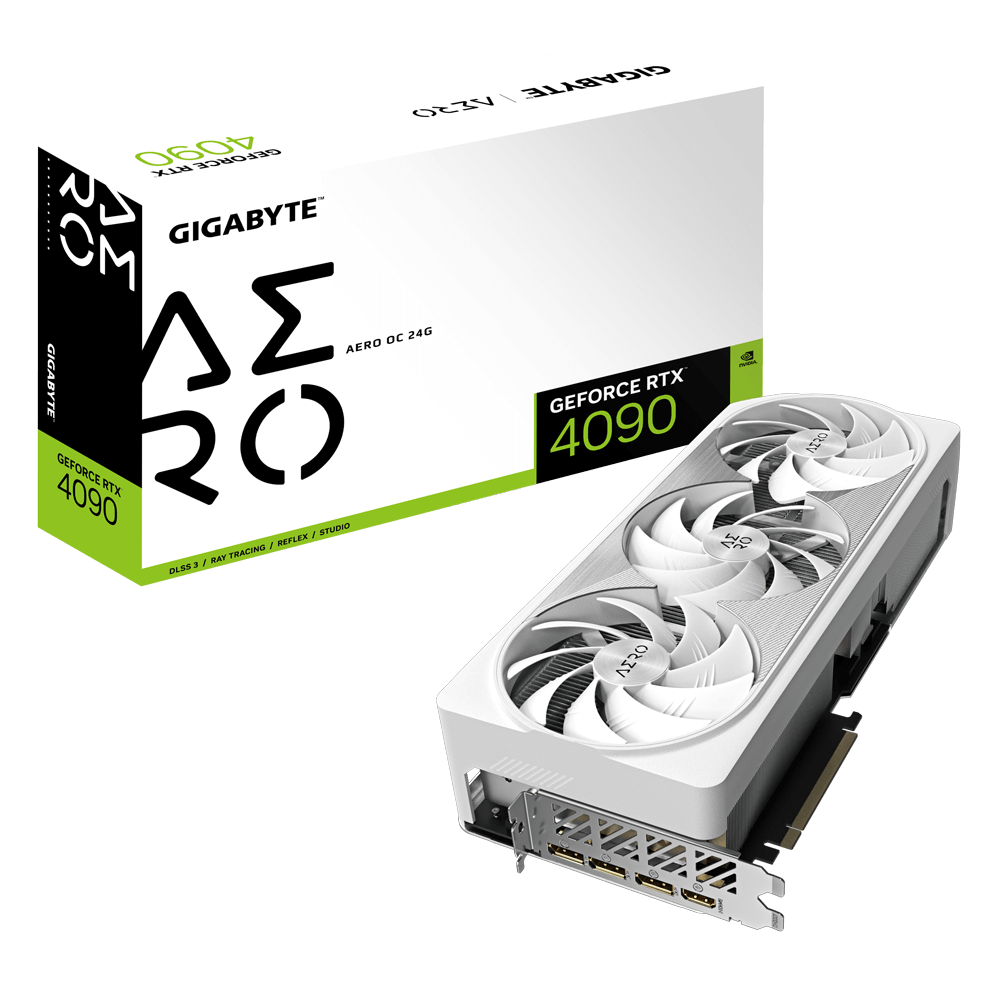
GIGABYTE
Discover AORUS premium graphics cards, ft. WINDFORCE cooling, RGB lighting, PCB protection, and VR friendly features for the best gaming and VR experience!
 dusty cedar
frigid night
an A tier 1000w PSU would be enough for this 4090 and a 13900k?
https://www.gig...
dusty cedar
frigid night
an A tier 1000w PSU would be enough for this 4090 and a 13900k?
https://www.gig...
i would assume yes. i've already looked into it for mine when i swap to that combo and it is suggested i would need a 950w psu for the 13900k and a 4090 and i have a 3080 and a 13700k right now so. 🤷♂️
thats assuming i'm using exactly what i already have and only changing those 2 pieces of hardware. i would also need to up my psu to 950w minimum.
frigid night
gotcha.
I'm planning on getting that gpu and then selling my 3080 12gb aorus master and then grabbing the cpu. I don't think I truly need a 13900k though so I may just go for 13600k/13700k
then I'd be upgrading to ddr5
cyan ravine
frigid night
an A tier 1000w PSU would be enough for this 4090 and a 13900k?
https://www.gig...
Yes
dusty cedar
yeah i already got all that but i wanted to save some money so my wife wouldn't flip her shh.... at the cost. i have the funds for it but the 13700k and 3080 is fine for me for now. i dont think i would actually NEED anything more but why not
cyan ravine
13600K would be fine with it tbh @frigid night , you won't gain much at all between that and the i9
Just promise me you go 4K lol
frigid night
cyan ravine
13600K would be fine with it tbh <@913267599779971133> , you won't gain much at ...
swheet. I just wanna start gaming at 4k.
dusty cedar
they're all stupid expensive
frigid night
idk what msrp is for the 4090 but neweg has it listed for 1749
cyan ravine
I'd go suprim instead if it was similar price or better to aero
Ehh 1749 is suprim price
dusty cedar
maybe dropping these days now but i havent looked in a while either so
cyan ravine
Surpim is actually better lol
frigid night
is it?
frigid night
the aero seems to have almost all good stuff on it
cyan ravine
Suprim is unironically the 2nd best behind HoF
dusty cedar
its also water cooled if you cared about that aspect
frigid night
oh ok
cyan ravine
HoF is best but also 3 grand
cyan ravine
Awesome
frigid night
unless you know anyone that needs to get rid of one? 😉
 lyric thistle
Whatever it is please don't give it to me
frigid night
cyan ravine
13600K would be fine with it tbh <@913267599779971133> , you won't gain much at ...
it seems like the 12600k and 13600k don't have to much of a difference when it comes to gaming.
in most games
some games def have a huge jump with the 13600k
I might just skip going 13th gen and just upgrade to ddr5
dusty cedar
the ddr5 i got is plenty fast and is fairly cheap
https://www.newegg.com/g-skill-32gb-288-pin-ddr5-sdram/p/N82E16820374328?Item=N82E16820374328 its on sale now to so theres that 
100 bucks
dusty cedar
yeah. i have an all white build so yeah. but you can get it in whatever color they have
frigid night
dusty cedar
yeah. i have an all white build so yeah. but you can get it in whatever color th...
yeah I too have a white build
dusty cedar
i just got the those because it wasn't 300 bucks for 2 sticks of ram ya know
also keeps the rgb to a minimum. i wanted some but not everything needs to glow
frigid night
yeah I don't need RAM to glow. just a solid white is ok for me
frigid night
yes my love?
frigid night
cyan ravine
There's also teamgroup for $95
white?
cyan ravine

TEAMGROUP T-Force Delta RGB 32 GB (2 x 16 GB) DDR5-5600 CL32 Memory (FF4D532G5600HC32DC01)
cyan ravine
frigid night
white?
Ye these too one sec
frigid night
meh rgb
cyan ravine
Ah no the 95$ ones are black vulcans not steel nvm
These would work too @frigid night
https://pcpartpicker.com/product/9MWzK8/gskill-ripjaws-s5-32-gb-2-x-16-gb-ddr5-6000-cl32-memory-f5-6000j3238f16gx2-rs5w

G.Skill Ripjaws S5 32 GB (2 x 16 GB) DDR5-6000 CL32 Memory (F5-6000J3238F16GX2-RS5W)
Perform basically the same on intel
6000 might be a touch faster
frigid night
cyan ravine
These would work too <@913267599779971133>
https://pcpartpicker.com/product/9MW...
so If I bought the 5600cl28 and oced it to 6000.. it would proably end up at cl32 anyways?
cyan ravine
It'll be the same chips so same result
frigid night
crazy how this ddr5 is cheaper than my ddr4 ballistix LOL
cyan ravine
Auto training will mean they'll still run within like a couple % of each other
What's more important you get a kit that has a lot of potential to it
So you can reuse it later
frigid night
right soo.. the 5600 has more potential?
cyan ravine
Both the same
frigid night
right ok
frigid night
cyan ravine
It'll be the same chips so same result
duh
cyan ravine
Going by clocking up xmp? Meh, 5600 cl28 a little bit
frigid night
now to find a good white mobo 😛
I might do the mobo/ddr5 first and see if the 4090 will drop a little more
cyan ravine
frigid night
I might do the mobo/ddr5 first and see if the 4090 will drop a little more
Any z790 at like near or under 200usd would be best imo
Or just roll with the z690 you have
I think there's a couple white boards that cheap
frigid night
cyan ravine
Or just roll with the z690 you have
but can't use ddr5
I plan on selling each of the components I'm replacing.
although.. maybe I should go for a 13th gen cpu so I can just build the old stuff in another pc and sell it that way
cyan ravine
Oh it's not ddr5? Ah
frigid night
cyan ravine
Oh it's not ddr5? Ah
yeah.. I finally got my taxes from last year + interest, which is what I was going to use to build my PC last year.. so now I'm just gonna use it to revamp my whole PC this year.
frigid night
@cyan ravine Mister Suprim X master.. I never got a vertical mount for my o11d evo.. It looks like I will need to get one. I can't remember which one you were recommending.
cyan ravine
frigid night
<@101107951401455616> Mister Suprim X master.. I never got a vertical mount for ...
don't need to for O11D evo
I currently have mine horizontal
if you were getting one get the one that Lian Li sells
specifically for the case
frigid night
cyan ravine
don't *need* to for O11D evo
I was checking compatibility list on Lian Li's site and it says it can fit horizontal without the nvidia adapter?
So I'm not sure what that means then
frigid night
I think so. I have the Antec HCG Gold 1kw psu
cyan ravine
hm might need one then
frigid night
I mean, I wanted to get one any ways
cyan ravine
me with suprim + cablemod 12vhpwr I can use it horizontal
no angled adapter just a cable
frigid night
How long did it take before you got the cablemod ?
cyan ravine
a little while
supply is probably better now
I ordered like, before the suprim was out

frigid night
ah lol ok
which one? variant a or b?
I figure I'll get it ordered now
nvm. Cablemod has te compatibilty list
so it's variant a
for the 90 degree
It's only $50 more for the liquid cooled version of the suprim x
cyan ravine
frigid night
It's only $50 more for the liquid cooled version of the suprim x
Imo both are more than enough
I can't remember which variant yeah 
 little osprey
Yo
Looking for a GPU that supports 1080p without any drivers
Something like GT 710
But cheaper, perferably AMD to fit the theme
paper summit
Love old amd gpus 😭
cyan ravine
I love 
paper summit
cyan ravine
I love <:AMD:598279099244609556>
STOP, because that 6950xt deal is really REALLY tempting! 😭
untold vessel
In practice, is there any hardware setup currently available that could run AAA Games at 4K in 240hz? https://www.rtings.com/monitor/reviews/samsung/odyssey-neo-g8-s32bg85

RTINGS.com
The Samsung Odyssey Neo G8 S32BG85 is the first 4k, 240Hz monitor available to the consumer market. It features a 1000R curve and is released alongside the Samsu...
little osprey
cyan ravine
AMD IS THE GREATEST COMPANY OF THE TRIOPOLY
Are you goobers gonna stop goofing around and help me?
Otherwise take your clown license and leave 😤
little osprey
cyan ravine
It's definitely gonna be an old card
 compact girder
so im going back and forth with this, and can’t figure it out.
i currently have a pcie 3.0 1tb drive and i’m upgrading my mb and getting a pcie 4.0 . 2 Tb.
Would I be able to use both the pcie 3.0 and 4.0 at the same time in this motherboard
Asus ROG Strix B550-F Gaming WiFi II AMD AM4 (3rd Gen Ryzen) ATX Gaming Motherboard (PCIe 4.0,WiFi 6E, 2.5Gb LAN, BIOS Flashback, HDMI 2.1, Addressable Gen 2 RGB Header and Aura Sync) https://a.co/d/hHg1quq

Experience next-level performance and connectivity with the Asus ROG STRIX B550-F GAMING WIFI II, featuring PCIe 4.0, WiFi 6E and 2.5Gb Ethernet. Robust power and effective cooling make the ROG Strix B550-F Gaming (WiFi 6) the perfect partner for 3rd Gen AMD Ryzen CPUs. Futuristic aesthetics, int...
while pairing it with the 5800x3d
paper summit
cyan ravine
It's definitely gonna be an old card
OH MY GOD WOW CONGRATS YOU'RE SO SMART FELIX
compact girder
@cyan ravine what u think? about what I asked
little osprey
compact girder
so im going back and forth with this, and can’t figure it out.
i currently have...
Yeah
PCIe generation doesn't really matter too much
compact girder
little osprey
PCIe generation doesn't really matter too much
ok, sounds good, ty
little osprey
👍
gentle pollen
compact girder
so im going back and forth with this, and can’t figure it out.
i currently have...
Yes, all it'll do for example is if you put a 4.0 drive in a 3.0 slot it will just run at 3.0 speeds.
fossil cedar
compact girder
so im going back and forth with this, and can’t figure it out.
i currently have...
Yes but it's a very overpriced board
 lyric pivot
Trying vertical mount a water cooled 3090 just don’t know what the best mounting piece I should get for it
compact girder
fossil cedar
Yes but it's a very overpriced board
what do u recommend?
i got a 3080, getting the 5800x 3d
fossil cedar
What country you in and do you have any pcie slot requirements? WiFi etc?
Honestly i wouldn't get the 5800x3d these days unless the price has dropped again
compact girder
fossil cedar
What country you in and do you have any pcie slot requirements? WiFi etc?
usa, need 2+, and i need WIFI
compact girder
fossil cedar
Honestly i wouldn't get the 5800x3d these days unless the price has dropped agai...
then what u think I should i look at?
preferably amazon
but Im fine with other sellers
fossil cedar
compact girder
then what u think I should i look at?
If you where to go 5800x3d this is probably the minimum (cooling wise anyway) I'd go
https://pcpartpicker.com/list/TJVjLs
But I'd recommend this instead
https://pcpartpicker.com/list/vtWz4s
Part List - AMD Ryzen 7 5800X3D
Part List - Intel Core i5-13600KF
13600kf and 5800x3d trade blows while being able to be cheaper especially after factoring in the cooler
And the z690 has 3 nvme slots
compact girder
i’ll look into it, i appreciate it
fossil cedar
No probs
vague oracle
paper summit
STOP, because that 6950xt deal is really REALLY tempting! 😭
BUY IT
JOIN ME
fossil cedar
Mtn dew it
paper summit
vague oracle
BUY IT
Does it actually work unlike my 6700xt
fossil cedar
paper summit
Does it actually work unlike my 6700xt
What's wrong with your 6700
obsidian wigeon
csgo stutters
gentle pollen
Mhmm, all goes well my ram just arrive in 3 days then it's OC time.
G.Skill Ripjaws 4000cl18
fossil cedar
Hmmm, have they tried diff driver versions with clean install? Verifying game file?
paper summit
fossil cedar
What's wrong with your 6700
Oh nothing just I CANT RUN ANYTHING 😭
paper summit
fossil cedar
Hmmm, have they tried diff driver versions with clean install? Verifying game f...
I've tried what seems like everything pato
vague oracle
paper summit
Does it actually work unlike my 6700xt
YEEEESS
fossil cedar
Well if you try expand on what you've done and what's wrong i might be able to help more
vague oracle
Mine is literal perfection
paper summit
fossil cedar
Well if you try expand on what you've done and what's wrong i might be able to h...
I've done what you just said I've reinstalled windows, tried dif drivers, rebuilt the pc, cleared cmos, a whole new psu,took my extensions out, ran at stock everything, reinstalled games.and put it in a whole new system.
fossil cedar
paper summit
I've done what you just said I've reinstalled windows, tried dif drivers, rebuil...
Have you tried a different gpu with it? Might just be a faulty psu
Gpu***
gentle pollen
why is it AMD seems to pretty much always be the one with gpu issues....
vague oracle
Ngl, I had more issues with my 2080 than all 3 of my AMD cards
gentle pollen
oh strange.
paper summit
I was just gonna buy a 3080 but I've heard from people that the cards with the most issues are the 6700xt and 6600xt
So maybe 6900/6950 will be fine?
gentle pollen
What are you currently running?
Oh wait, 6700xt.
I mean you can always refund the gpu if it has issues so why not.
Oh.
Refund the man!
paper summit
gentle pollen
Refund the man!
Not her fault
obsidian wolf
paper summit
So maybe 6900/6950 will be fine?
6950 is lovely
Just to cheap at this point for people to skip it
And with FSR 3 coming to the 6000 series as well
I just see the 6950 as the best option tbh
obsidian wolf
I had minimal issues with it at the start
But it was due to the Radeom software
Ocing the card without me doing anything to it like that
Automatically
But the software notice it fast enough, since them I haven’t seen that many crashes and those crashes have been more cause on the type of games I play that are known for having a lot of them
obsidian wolf
Trust me it will be good
6950 xt in my opinion is the best money / performance
Currently
vague oracle
FSR3 is coming to 6000 series?
obsidian wolf
One could argue a used 3090 at like 800$ is also good but meh for that you have the 4070 to with like dlss 3.0
obsidian wolf
vague oracle
FSR3 is coming to 6000 series?
Yeah
vague oracle
That makes me even happier about buying my 6950
obsidian wolf

Hardware Times
The upcoming third iteration of FSR will likely work on existing Radeon cards and competitor GeForce offerings. AMD’s Frank Azor revealed this in an interview with PCWorld. According to the Alienware founder, FSR 3.0 isn’t a reaction to DLSS 3. Instead, he explained AMD’s open-source approach and stated that designing an advanced upscaler with i...
obsidian wolf
vague oracle
That makes me even happier about buying my 6950
I had mix feelings when I got it
But the more I used everyday the happier I am with my purchase
vague oracle
For me it was either 6950x, RTX6000 or one of the Radeon Pro cards
Went for cheapest option and I’m so happy with it
OCs like crazy and gets so much done in my CAD work
obsidian wolf
Nice
For me since I just game and stuff with it
For now at least I get to do stuff I couldn’t before but obviously any graphic card past the 6700xt in my case would’ve achieve that
But I don’t only look at that I also look at how much I spent for it
And how much it can actually do outside of that gaming sector
Like 600$ and 650$ for a graphic card that was the best for its generation in its respective company is crazy
vague oracle
I once bought a 6700xt way back when the shortage was a thing and I remember returning it because I wasn’t happy with the performance
Ended up with a 6800xt
Then warranties the 6800xt and got a 3080 12gb
Still have that 3080 but it’s back home and I was using a 2080 super here in college
Then sold the 2080 and bought the 6950
fossil cedar
gentle pollen
why is it AMD seems to pretty much always be the one with gpu issues....
the Nvidia fanboys never mention when they have issues 
paper summit
fossil cedar
~~the Nvidia fanboys never mention when they have issues~~ <:Sip:804415139591749...
So true
AHHHHH why am I so indecisive
paper summit
Hmm
fossil cedar
Like here's an issue i had with Nvidia ish, tensorflow 1.x requires cuda 10 but cuda 10 doesn't support 3000 series and tensorflow 2.x requires code to be rewritten
My gpu was too new to gpu accelerate the code because no support for cuda 10

vague oracle
Skill issue
fossil cedar
Clearly
paper summit
vague oracle
Join me in my OC ways
What cpu do u have
vague oracle
10700k
paper summit
Wait then who had the 5900x🗿
fossil cedar
Actually danny have you tried enabling/disabling resizeable bar?
fossil cedar
Hmm
vague oracle
paper summit
Wait then who had the 5900x🗿
Technically I also have a 5900x but not in this PC
vague oracle
That’s in my PC back home that my dad is using
paper summit
Mmm ok
vague oracle
…I probably could convince him to give it back
paper summit
Well does he need 12 cores?
paper summit
EXACTLY
vague oracle
Nah tho, 10700k works better for what I need this PC to do
Well half of what I need it to do
The other half a 5900x would be better…
paper summit
Sneak the 10700k in his pc 🗿
vague oracle
I think he’d notice the AIO being gone and replaced with a giant ass tower cooler
vague oracle
I probably could convince him the CPU is the cause of his occasional crashes
paper summit
Oh nahhhh
 paper summit
leaden mauve
the more the merrier <:JJKWOKE:586696010978557953>
paper summit
leaden mauve
the more the merrier <:JJKWOKE:586696010978557953>
HONESTLY
obsidian wolf
Honestly I was indecisive at the start
as well due to the great marketing Nvidia has which is the main issue with AMD
"THE BEST GAMING GRAPHICS CARD" MF
I need more info and accessible faster from one eye catchy add
Not just a plain sentence telling me that is just gaming
But again Danny is all about what you are doing with your computer
gaming or work?
Video editing, rendering, testing, etc
frigid night
fossil cedar
~~the Nvidia fanboys never mention when they have issues~~ <:Sip:804415139591749...
That's because there are none. 


 atomic epoch
does a 7900 xtx really not fit in a mid atx?
leaden mauve
some mid-towers like yours are really shallow length-wise, so yea. some dont
atomic epoch
ripperoni
leaden mauve
😔
atomic epoch
the internet told me this will fit it so i just ordered it

 flint sapphire
North would barely fit it, 355mm max
atomic epoch
I fiddled with it for a little bit. there's no chance Ill get it in there lol
vague oracle
atomic epoch
Time to get the hacksaw
 regal shard
atomic epoch
the internet told me this will fit it so i just ordered it
regal shard
atomic epoch
the internet told me this will fit it so i just ordered it
What are you trying to fit
atomic epoch
regal shard
What are you trying to fit
7900xtx
atomic epoch
what how lol
 atomic epoch
Ill try fitting it when i get there
for right now im having trouble getting these plastic adapters for the heat sink off the mobo
these screws will not budge
 regal shard
Damn your build is gonna be crazy
atomic epoch
🙂
regal shard
Do you have the case rn or are u still waiting for it?
atomic epoch
i have it right now yes
regal shard
Oh yeah it’ll fit %100 the 7900xt is smaller than my gpu
atomic epoch
interesting thanks
atomic epoch
regal shard
Do you have a pc parts picker list?
it is very close to this
Part List - AMD Ryzen 7 7800X3D, Radeon RX 7900 XTX, Phanteks Eclipse P300A Mesh ATX Mid Tower
soory i forgot crty v lol
 tribal crater
What would you say is the better MB option for RGB? I had fusion and didn't like how it had basic option for a lot of things like memory, MB and RAM, and better options for fans. Is there a better option like mystic lighting or Icue? or do they all not have the same lighting options for everything? Ended up having to use Signal RGB. Like to try and simplify the next a build a little as far as the one type of RGB throughout.
jagged ember
Singalrgb or OpenRGB are the most simple and non bloatwaree
Everything else is bloatware or just doesn't work well
As far as I know, at least
runic spruce
atomic epoch
does a 7900 xtx really not fit in a mid atx?
Depends, mid atx cases aren’t all the same
They usally give u the measurements of the case online
atomic epoch
anyone around? I just cant find the power pins on my motherboard


 dusty cedar
what power pins are you even talking about?
atomic epoch
to turn my system on
dusty cedar
its literally the thing right next to that red circle
obsidian wigeon
i think you're looking at the wrong side of the mobo
dusty cedar
to the right of it. the picture you posted is also the top right of the board
dusty cedar
bottom left is your hd audio. far bottom right is power
turn your board to match the picture......
 dusty cedar
what even is their website. the mouse tracker cant even keep up


 dusty cedar
these have got to be the most unhelpful pictures i've ever seen tbh. i'm trying to look for the user manual for that and even their website is a mess
atomic epoch
hats why im having trouble lmao
dusty cedar

ManualsLib
ASROCK B650M PG Riptide WiFi Manual Online: Motherboard Layout. BIOS _FB1 USB 3.2 Gen2 T:USB32_1 B: USB32_TC1 USB 3.2 Gen1 Top: T: USB32_2 RJ-45 B: USB32_3 M2_WIFI_2 CPU_FAN2 29 /WP LAN AUDIO CODEC HD_AUDIO1 28 27 6 1 2 ATX12V2 ATX12V1 PCIE1 PCIE2 PCIE3 PCIE4 CHA_FAN1 CHA_FAN2 TB1 /WP...
page 10
number block 15 on the board.
 atomic epoch
just to make sure I don't f up is it the two on the bottom right?
dusty cedar
ManualsLib
ASROCK B650M PG Riptide WiFi Manual Online: Connecting The Front Panel Header. 1 2 System Panel Header Power SW (-) B Power SW () Power LED (-) A Power LED () 28 10 9 RESET SW () D RESET SW (-) HDD LED (-) C HDD LED () 2 1 PANEL1 Front Panel Wires A B C D...
atomic epoch
ah gotcha ty
dusty cedar
any question you have or will have about your motherboard is in there. your motherboard should have also come with a manual or a link to one.
atomic epoch
okay another idiot question, i have the computer on but no signal to the monitor
i tried the display port and hdmi onboth the mobo and graphic card
potent portal
atomic epoch
i tried the display port and hdmi onboth the mobo and graphic card
Only use the GPU ones, the mobo ones are disabled when a GPU is installed by default.
What lights are turned on? There's a set of 4 at the bottom, to the left of the USB 3.0 headers.
AM5 can take up to 15 minutes to train the memory and boot the first time, if you are unlucky and got an early bios version.
atomic epoch
there's these two little red ones that are under my gpu at the bottom and a few pulsating rgb above that
atomic epoch
potent portal
Only use the GPU ones, the mobo ones are disabled when a GPU is installed by def...
cpu fans are on and the gpu is getting power but it's fans are not on
I'll let it sit for 15 minutes ot so see if that does anything
potent portal
Are the red ones these lights?
 atomic epoch
right next to where it says usb 32 yes
potent portal
Ok, which ones are lit, Boot, VGA, DRAM, or CPU?
atomic epoch
to be completely honest I can't tell the gpu is in the way. if I had to guess it looks like cpu and vga
potent portal
CPU is bad
That's not a waiting light that's an error
If it was DRAM then it would be training and waiting
Were you using a X3D processor by chance?
atomic epoch
it's a 780px3d
potent portal
Ah that'll be it then
atomic epoch
7800x3d
atomic epoch
dang I've heard that can be tough lol
potent portal
It's not too bad
Extract that file to a FAT32 formatted USB (doesn't have to be empty) and rename it CREATIVE.ROM
atomic epoch
if is actually cpu and dram what would that mean?
potent portal
Plug drive into the correct USB port on the back, press flash button, and wait for flashing to stop
atomic epoch
and could it be an external ssd yhays all I have on hand
potent portal
atomic epoch
if is actually cpu and dram what would that mean?
Same thing CPU isn't supported by bios
atomic epoch
gotcha
potent portal
The correct port to use will be this one probably, they made it stand out
 potent portal
atomic epoch
and could it be an external ssd yhays all I have on hand
potent portal
atomic epoch
and could it be an external ssd yhays all I have on hand
As long as there's a FAT32 partition it might still work. Some boards are picky though.
atomic epoch
gotcha I'll try all that. thanks
atomic epoch
unfortunately the light is still red 😦
potent portal
atomic epoch
unfortunately the light is still red 😦
Did the light on the flashback button flash or turn solid green?
If it flashed, about how long was it flashing?
atomic epoch
it flashed for probably about 5 minutes, then turned off
potent portal
That's good at least
Can you tell which light is on now out of the 4? Maybe get your phone in there to take a pic/vid
atomic epoch
it is 1 and 3 looks like. cpu and cga
potent portal
Try with just 1 stick of RAM and see if that changes anything
Counting from the left the first and third lights would be "boot" and "DRAM" also
atomic epoch
 potent portal
Mmmm DRAM and CPU then
dusty cedar
does his motherboard have a digital debug code light on it or just those indicators?
untold vessel
Guys, what's the cheapest way to run a 4k120hz signal for 40ft? The wire is going from my PC to a 4k120Hz TV across the room. The current solutions I've found have been purchasing a 40ft 4k120Hz HDMI cord, but they're >/= to $100. Any better or cheaper options? 'Not too knowledgeable about wires.
atomic epoch
dusty cedar
does his motherboard have a digital debug code light on it or just those indicat...
just those
dusty cedar
f
potent portal
The code display is a super rare feature this gen, you won't find it on a board under $300
dusty cedar
seriously?
potent portal
Sadly yes
atomic epoch
taking a stick out didn't help
dusty cedar
thats wack
potent portal
Ok I say try the flash again
dusty cedar
i thought it was standard tbh
potent portal
And if it still doesn't work, again, and again, and again
I've seen it take a dozen tries to get it to stick, and 3 different USB sticks
Some boards are picky like I said
Worst case you get a twin pack of cheap USB 2.0 drives for $1 with same day delivery on amazon
Slight exaggeration but still cheap https://www.amazon.com/PNY-Attaché-Flash-Drive-Black/dp/B01193UP24

The Attaché 4 USB 2.0 Flash drives from PNY Technologies are simple and reliable storage solutions for life on the go. Store, transport and share photos, videos, music, documents and more from PC to PC, or connect to your digital picture or printer to view and share your photos. These USB drives ...
frigid night
potent portal
Worst case you get a twin pack of cheap USB 2.0 drives for $1 with same day deli...
must be nice to have same day delivery
 potent portal
Well when they have to cross a thousand miles of outback to get to you that'll happen
dusty cedar
ever since i moved cities and states i get next day. not even same day. i hate the place i'm in now.
almost everything else through anything else is 3 day delivery
cyan ravine
potent portal
Well when they have to cross a thousand miles of outback to get to you that'll h...
I must live like 10 minutes from Noctua HQ lmao
fossil cedar
atomic epoch
does a 7900 xtx really not fit in a mid atx?
Mid atx is multiplied different sizes, trust me you don't wanna put a 7900xtx in a h510 anyway
dark island
Hey guys
Does anyone know if the 4070 gigabite windforce oc comes with the 16 pin or if I should buy a atx 3.0 psu
obsidian wigeon
dark island
Does anyone know if the 4070 gigabite windforce oc comes with the 16 pin or if I...
Not sure, but all gpus with 16 pin comes with adapters that works with normal psus
From what I'm looking at, it seems to use traditional 8 pin
dark island
obsidian wigeon
From what I'm looking at, it seems to use traditional 8 pin
Yea that’s so confusing
We haven’t had smth like this since the 16 series CPU’s
Gpus *
obsidian wigeon
Either way you don't need to buy atx 3.0 psu
dark island
Now I js gotta pray to god that it fits in my case
dark island
obsidian wigeon
Usually one or two for 4070
Yeye
obsidian wigeon
I mean, you can easily read case specs to verify if it fits with it
dark island
dark island
Now I js gotta pray to god that it fits in my case
Cuz I got a h510 elite 😅
dark island
obsidian wigeon
I mean, you can easily read case specs to verify if it fits with it
I did but still not sure
obsidian wigeon
It can fit 4090's
So I don't see 4070 wouldn't
Even 3 fan ones
Windforce is way below it being tight in the case
It's 261mm long
dark island
obsidian wigeon
It can fit 4090's
No way
dark island
obsidian wigeon
Windforce is way below it being tight in the case
No shot
Cuz i also installed a radiator so things can get abit tight
regal shard
dark island
Cuz i also installed a radiator so things can get abit tight
How’s the rig?
dark island
I’ll say good so far
Thx for asking
Js need to buy the gpu and the psu
That’s why I’m asking questions
regal shard
What psu u getting??
regal shard
dark island
Thx for asking
Np I’m just curious
dark island
regal shard
What psu u getting??
850w NZXT
dark island
regal shard
Np I’m just curious
U good u good
regal shard
Yeah that’ll be plenty
dark island
Ye I’m js future proofing incase I upgrade anything
regal shard
This your first time owning a gaming pc?
dark island
dark island
Ye I’m js future proofing incase I upgrade anything
Not rlly owning
Still building one
But yes
It’s my first time
 dim forge
guys a friend of mine is choosing a new laptop
he does multimedia stuff, like rendering, adobe photoshop, illustrator
would a 12500H and a 3060 be a good start?
vague oracle
Is he doing it professionally or not?
dim forge
Yeah, he's just finishing college and he studies like smth multimedia engineering
obsidian wigeon
honestly, we can't really help if there's no budget
 wide barn
obsidian wigeon
honestly, we can't really help if there's no budget
wide barn
obsidian wigeon
honestly, we can't really help if there's no budget
ill figure it out rn
later**
atomic epoch
how many times on a new build should I have to flash the bios? CPU led is still on so I'm not sure what else to do. I've switched the ram and adjusted the cpu cooler a little to see if either of those was what caused it
I've tried 3 different drives and a out 5 times each
obsidian wigeon
This sounds pretty unusual
Are you sure you're using the correct bios file with correct version?
The version with update on supporting X3D chips
atomic epoch
latest version yes
obsidian wigeon
Maybe latest version doesn't include the update you need
Spot the exact version that adds support for new cpus
 atomic epoch
unfortunately that wasn't successful either
 deep osprey
what is a solid cpu/gpu combo for a $1100-1200 build
i was thinking a 6700xt and a i5 12400f for cpu and gpu but i don’t have much experience with stuff like that
obsidian wigeon
atomic epoch
unfortunately that wasn't successful either
Well, then I'm gonna assume the board is having issues
Or in a very rare case, the cpu happens to be dead. That I very much doubt however
It's usually the mobo
atomic epoch
dang that would suck
still crystal
I need some advice I have a budget of 2000 and I want a 40 series at least with a decent processor Preferably a prebuilt
And this chat is dead isn't it
 still crystal
I need some advice I have a budget of 2000 and I want a 40 series at least with ...
still crystal
still crystal
I need some advice I have a budget of 2000 and I want a 40 series at least with ...
@atomic epoch u got any suggestions
atomic epoch
still crystal
I need some advice I have a budget of 2000 and I want a 40 series at least with ...
most likely a 4070ti
dusty cedar
still crystal
And this chat is dead isn't it
it's not dead. also, good luck getting a prebuilt with a 40 series card for anything less than 3 to 3.5k from a store since for 2k budget their still putting a 10 series cards in them. maybe a 30 series if you're lucky.
but you can build one yourself for around that much
mossy venture
Part List - Intel Core i5-13600KF, GeForce RTX 4080, Phanteks Eclipse G360A ATX Mid Tower
Or 7900xtx, same perf for cheaper
mossy venture
still crystal
I need some advice I have a budget of 2000 and I want a 40 series at least with ...
^
 strong raft
deep osprey
i was thinking a 6700xt and a i5 12400f for cpu and gpu but i don’t have much ex...
strong raft
deep osprey
i was thinking a 6700xt and a i5 12400f for cpu and gpu but i don’t have much ex...
That's solid, perhaps 6750/6800 also.
frigid night
@austere condor confirmed to be a paid reviewer 😉 
 austere condor
frigid night
<@161975221098774528> confirmed to be a paid reviewer 😉 <:troll:928081955239641...
austere condor
frigid night
<@161975221098774528> confirmed to be a paid reviewer 😉 <:troll:928081955239641...
?
frigid night
austere condor
?
I'm poking at your latest build
atomic epoch
okay new idiot question, I have posted and then turned evrything off and added my GPU
the display port signal is still coming from my motherboard now and i see the GPU is on with the fans spinning
Is there something im forgetting or should that be happening?
atomic epoch
I have tried re seating the gpu and making sure the power connectors are all the way in
deep osprey
is a 6750xt and ryzen 5 7600x a good choice?
south cliff
atomic epoch
I have tried re seating the gpu and making sure the power connectors are all the...
.
atomic epoch
thanks
deep osprey
south cliff
what are you going to spend on it
i priced a build out about $ 1260with tax and shipping from newegg
went real cheap with the case though
lyric thistle
Mine wasn't exactly bottom dollar but it was 45 dollars I think
 dense brook
Part List - AMD Ryzen 5 2600, GeForce RTX 2060, Asus Prime AP201 MicroATX Mini Tower
mossy venture
Part List - AMD Ryzen 5 5600, Radeon RX 7900 XT, Phanteks Eclipse G360A ATX Mid Tower
mossy venture
dense brook
https://pcpartpicker.com/list/QNz9Vw
If you dont own any of this, hell no
mossy venture
mossy venture
https://pcpartpicker.com/list/2MwpXy
@deep osprey meant to tag you with this
tawny fiber
the 7900xt build was significantly stronger
mossy venture
I wouldnt go am4 for any "budget" ish system
deep osprey
yea i know i think i’d rather spend less though but i don’t know a whole lot about pcs but the the 5600 doesn’t seem like enough for a 7900 idk though
mossy venture
5600 is good enough for even a 7900xt at 1440p for gaming
deep osprey
oh alr just wasn’t sure about it
mossy venture
If you look at gaming benchmarks comparing 5600 to 7600 with a 7900xt at 1440p, it isn't a very big difference
It performs a hell of a lot better than 7600 and 6750xt in a lot of scenarios
deep osprey
yeah i’m only planning on using 1440p anyways
 normal tide
By any chance can someone dm me so I can make sure I have everything compatible and the right parts? I have it all in pc part picker already
obsidian wigeon
Just post the link here
dusty cedar
well, on the website it will tell you on the bottom if everything is going to conflict. unless your part list is all on newegg?
potent portal
They said pc part picker specifically
 analog hearth
normal tide
By any chance can someone dm me so I can make sure I have everything compatible ...
analog hearth
normal tide
By any chance can someone dm me so I can make sure I have everything compatible ...
just put the link here
normal tide
Alright I wasnt sure if there was any bot that deletes links
But I switched the power supply to this https://www.amazon.com/EVGA-Certified-100-W1-0600-K1-Power-Supply/dp/B0160XJAQK/ref=asc_df_B0160XJAQK/?tag=hyprod-20&linkCode=df0&hvadid=312142335725&hvpos=&hvnetw=g&hvrand=1242486575000220636&hvpone=&hvptwo=&hvqmt=&hvdev=c&hvdvcmdl=&hvlocint=&hvlocphy=9006782&hvtargid=pla-522509858574&psc=1
obsidian wigeon
Oh dear
The evga white 80+ psu is pretty low quality, I would suggest against buying it
cyan ravine
You swapped a good power supply for a literal bomb...
analog hearth
I think it would be best to switch at that bomb (PSU)
obsidian wigeon
^
analog hearth
80+ isn't enough. it's a lower tier than 80+ Bronze
obsidian wigeon
Mobo might risk not working with the cpu
obsidian wigeon
Go Felix 
cyan ravine
@normal tide do all this instead
https://pcpartpicker.com/list/KF9vPX
Part List - AMD Ryzen 5 5600, Radeon RX 6650 XT, Phanteks Eclipse P300A Mesh ATX Mid Tower
normal tide
So is that list a lot better?
cyan ravine
Not to mention the board has a 100% chance of working instead of an uncertainty
Quite a powerful board too, could handle a 5950x
Few.other things too, CPU is better, GPU is slightly better, you now also have 32gb of ram instead of 16gb which is a big deal in 2023
If anything you could still use a G5 650W but that 109$ price is very hefty for it
Quite a few good options prior that are cheaper and meet a good enough, similar or better safety spec for that level of system
normal tide
Yeah I’m just attempting to keep it a budget build
cyan ravine
We're just about in that, entry level tier for a proper budget build with this list
Once you hit about below the $650-$700-ish mark the value drops off tremendously for a whole new build
normal tide
Yeah I’ve heard it’s around that line
I’ve just been having people help me along the way because I know next to nothing about pc’s
jagged ember
Felix's list good
dark island
Hey guys I have a question
Is an atx 3.0 power supply necessary
Cuz I may get a 4070
And it’s abit more expensive than others
Is it worth the few bucks ?
mossy venture
dark island
Cuz I may get a 4070
No
dark island
mossy venture
No
So it’s not necessary or ?