#building-and-recc-chat
1 messages · Page 123 of 1
 fossil cedar
 formal mica
Fren
 cyan ravine
Fren
formal mica
Felix are u my fren
 earnest olive
pato and i are so much more than friends
cyan ravine
I am all person fren
earnest olive
pato is my favorite coffee fetcher
 earnest olive
fetching coffee for mods is in the techie job description
smh
go get me some coffee felix
fossil cedar
earnest olive
pato and i are so much more than friends

cyan ravine
How is he even techie if he can't even find any
cyan ravine
earnest olive
go get me some coffee felix
Get ur own
fossil cedar
cyan ravine
How is he even techie if he can't even find any
i have my ways
formal mica
Oh when did you guys first meet
cyan ravine
(Rate me 10/10 australian service)
cyan ravine
formal mica
Oh when did you guys first meet
Here ages ago
fossil cedar
well the oldest time i replied to sips was march 2021
earnest olive
you are no longer techie. submit your 13900KS immediately. you are receiving a free upgrade to FX 4100. please do not resist.
earnest olive
we will also be exchanging your custom loop for a corsair h100i platinum with icue.
cyan ravine
earnest olive
we will also be exchanging your custom loop for a corsair h100i platinum with ic...
N-NO
earnest olive

cyan ravine
I DON'T WANT 8 PLUGS WITH MY AIO
earnest olive
does this look like the face of mercy?
 earnest olive
lmao okay but actually the amount of cables involved with this h150i i got yesterday is hilarious
did you see my scuffed chair setup?
i just had the controller dangling in the air suspended by the cables
cyan ravine

fossil cedar
cyan ravine
N-NO

Corsair iCUE H60x RGB ELITE 47.73 CFM Liquid CPU Cooler (CW-9060064-WW)
 fossil cedar
skull
earnest olive
i had to plug the actual PWM connectors into the board instead of the fan hub
cause apparently x570 tuf refuses to boot if no cpu fan is detected
fossil cedar
acttually no non rgb for you
earnest olive
kinda weird, i remember being able to disable cpu fan warning on my older asus boards
fossil cedar
120mm rgb corsair 
cyan ravine
No joke I lowkey like corsair fan hubs but I HATE that they're proprietary
earnest olive
honestly
cyan ravine
The basic ones
earnest olive
this h150i isn't bad
fossil cedar
earnest olive
kinda weird, i remember being able to disable cpu fan warning on my older asus b...
weird
earnest olive
corsair has 2 problems
- icue
- price
i avoided both
cyan ravine
Ya if none of corsair's rgb crap or fan crap was proprietary I'd feel way more comfortable
earnest olive
paid 50% of retail and i'm using openrgb to control it perfectly fine
so i feel pretty good about it
 paper summit
Wasn't there a really good 1k parts list here the other day
earnest olive
the pump comes with a DC connector so you don't need icue to control it either
cyan ravine
paper summit
Wasn't there a really good 1k parts list here the other day
Who made it
earnest olive
it kind of amuses me that the DC connector only has 1 pin out of the 3 actually connected
cyan ravine
Hmm
earnest olive
making a new part list is better than going looking for an old one
the time you spend will be the same and the old one might be outdated
paper summit
Or not search isn't working
fossil cedar
cyan ravine
https://pcpartpicker.com/list/hPTtzf
sir you missing a case
fossil cedar
cyan ravine
https://pcpartpicker.com/list/XkKkpH
also the b450 has no flashback smh bad techie
earnest olive
I mounted that h150i with no thermal paste btw
fossil cedar
skul
earnest olive
and 60% of the radiator was blocked by a solid box
cyan ravine
fossil cedar
also the b450 has no flashback smh bad techie
It was a micro center deal so presumed working
fossil cedar
cyan ravine
It was a micro center deal so presumed working
ahh fair enough
earnest olive
held 4.1ghz all core with no pbo curve
thermal paste optional component 
did you see the crazy octa socket build I did yesterday?
fossil cedar
send
 earnest olive
it's an m1
earnest olive
but that's a soldered chip so still octa socket
paper summit
cyan ravine
<@852241324886720583> did you find it
Search is broken
fossil cedar
ah yes
formal mica
Where you get stickers
earnest olive
I bought all those cpus
cyan ravine
paper summit
Search is broken
Part List - AMD Ryzen 5 5600, Radeon RX 6800 XT, Cougar MX330-G Air ATX Mid Tower
 cyan ravine
It works
formal mica
I meant the other stickers
paper summit
Thanks lol
earnest olive
I like mx330-g
fossil cedar
cyan ravine
Here
https://pcpartpicker.com/list/V4qp78
bad techie no flashback
cyan ravine
Qflash
earnest olive
formal mica
I meant the other stickers
uhh my ex gave me a lot of stickers
fossil cedar
cyan ravine
Qflash
only on the b550 one
earnest olive
I dunno where she got them from
fossil cedar
i had a ds3h b450 trust me
paper summit
Rip
cyan ravine
Smh u rite
formal mica
Can I have ex number
fossil cedar
cyan ravine
Smh u rite
told u
earnest olive
💀
cyan ravine
@paper summit
https://pcpartpicker.com/list/yTBc9r
Part List - AMD Ryzen 5 5600, Radeon RX 6800 XT, Cougar MX330-G Air ATX Mid Tower
fossil cedar
ikr
earnest olive
the un-techieing will continue until morale improves
cyan ravine
- grabs another cigarette *
fossil cedar
cyan ravine
<@852241324886720583>
https://pcpartpicker.com/list/yTBc9r
i approve
 vague oracle
earnest olive
the un-techieing will continue until morale improves
vague oracle
earnest olive
the un-techieing will continue until morale improves
There is morale here?
 desert gulch
fossil cedar
i had a ds3h b450 trust me
desert gulch
fossil cedar
i had a ds3h b450 trust me
My deepest condolences
desert gulch
You still had that moment in life you had that
fossil cedar
it was fine it was only a 3600
vague oracle
Should’ve put a 5800x3d on it smh
fossil cedar
it would have melted
cyan ravine
Tmw when an a520 was unironically better
desert gulch
But the vrms won't handle like a 400w 3600 on pbo smh
 coarse coral
Delete techie role
 coarse coral
You do know that you were give a choose to not be techie if you wanted right
fossil cedar
we get paid in theocoin lol
 desert gulch
Major amount of copium
fossil cedar
coarse coral
You do know that you were give a choose to not be techie if you wanted right
he signed his soul over to wegg ofc he do
desert gulch
coarse coral
You do know that you were give a choose to not be techie if you wanted right
I thought it was a draft system
cyan ravine
coarse coral
You do know that you were give a choose to not be techie if you wanted right
I am yoking

Yes
coarse coral

coarse coral
Theo coin crashed months ago
 cyan ravine
I survive with bread
desert gulch
Buy it now before the rise
cyan ravine
I am hodl
coarse coral
Diamond hands
 flint sapphire
Wait we don’t get paid for this?
coarse coral
You're not even a techie
desert gulch
Theo your checks haven't been clearing for me
flint sapphire

coarse coral
desert gulch
Theo your checks haven't been clearing for me
Who r u
formal mica
Who r u
desert gulch
Employee #23
flint sapphire

formal mica
Sus
formal mica
I'm about to spend 146 dollars in taxes at microcenter
 obsidian wolf
formal mica
I'm about to spend 146 dollars in taxes at microcenter
obsidian wolf
formal mica
I'm about to spend 146 dollars in taxes at microcenter
Is usual
but what's the whole buikd
before you get out of there
formal mica
I'm not there yet but that's how much it said when I was about to checkout on microcenter 1 sec I'll get the list
Psu and storage got off newegg


 cyan ravine
Solid build
That ak620 is the only thing I'd change
For a thermalright phantom spirit SE 120
formal mica
To what?
formal mica
I was told I needed that one
cyan ravine
The phantom spirit is the best dual tower period
No competition
Anyone who says AK620 has their info outdated by 2 months
flint sapphire
The dark rock pro 4 has it beat in the screwdriver department
 obsidian wigeon
phantom spirit now the new best?
cyan ravine
Yes
cyan ravine
Np
formal mica

Thermalright PS120SE ARGB CPU Air Cooler, 7 Heat Pipes CPU Cooler,Dual 120mm TL-C12B-S V2 PWM Fan, AGHP 4.0 Technilogy, S-FDB Bearing, for AMD AM4 AM5/Intel 1700/1150/1151/1200, PC Cooler
This it
cyan ravine
Ye that's it
formal mica
Ok I'll just get that and save 20 bucks and get something else I brought another 150 if I saw anything else
flint sapphire
 I don’t think it comes with a long enough magnetic screwdriver though -1 point
cyan ravine
formal mica
Ok I'll just get that and save 20 bucks and get something else I brought another...
Np, pump that into your monitor instead
Get a gigabyte m27q
formal mica
Felix said that one was better
formal mica
Oh
cyan ravine
I like the list but the m27Q slaps the LG
formal mica
That mod dood that's not online
flint sapphire
formal mica
Fal cie
cyan ravine
No rtings likes the m27q more
M27q also has clout
And a kvm iirc
Kvm's are amazing
Worth the $30 extra
Kvm means you can have two pc's with one monitor, keyboard and mouse
formal mica
I don't think they have at the store
cyan ravine
Probably another amazon thing
flint sapphire
Only potential issue with it is quality control, tends to be a bit bad and you’ll probably want to set cleartext in windows due to its odd pixel layout it goes bgr instead of rgb
formal mica
I'm trying to get everything at microcenter
Other than cpu fan and what I already bought
cyan ravine
Alr fair enough
formal mica
It's because I'm paying in cash
And to put cash in the bank for me I have to mail and no clue when that would happen
formal mica
cyan ravine
Alr fair enough
If don't mind could you recommend me a monitor from microcenter Columbus ohio
cyan ravine
But the cooler was def worth doing
formal mica
Yea
cyan ravine
I had a quick look and didn't see a lot
 formal mica
I might ask when I go in just to be sure
cyan ravine
Ye
That LG, M27Q, G27Q, X32, X27Q
Grab the cheapest of those 5
M27Q for as much as 280
Whichever you land on
It'll be decent
flint sapphire
You can always go on rtings and check their suggestions
formal mica
flint sapphire
You can always go on rtings and check their suggestions
I don't do that because sometimes I could be just the mothers that don't know anything saying it's good
fossil cedar
formal mica
I don't do that because sometimes I could be just the mothers that don't know an...
rtings is a company that does reviews its ppl who know what theyre talking about
not just random amazon reviews
cyan ravine
Maybe go 4K if it's cheap enough
M28U/M32U
7900XTX more than capable of running 4k
 mossy citrus
formal mica
Anything else I should grab with the extra bucks ibhave
mossy citrus
formal mica
Anything else I should grab with the extra bucks ibhave
How much we talking about
cyan ravine
cyan ravine
M28U/M32U
These are the only 2 monitors I'd recommend tho
mossy citrus
Vr headset 
formal mica
150 dollars extra
mossy citrus
Oh nvm
I mean u could look for a used Rift S
Thoes are like $80-120
VR isnt for everyone tho
 scenic stirrup
How often should I replace my liquid cpu cooler, or change the paste
cyan ravine
scenic stirrup
How often should I replace my liquid cpu cooler, or change the paste
When it doesn't work, 6 months to a year
scenic stirrup
I can just use normal paste right, I'm a noob
mossy citrus
^
cyan ravine
Yea normal paste is fine
mossy citrus
Thermal paste yeah
cyan ravine
Mx-4 arctic is normal
scenic stirrup
Alright thank you
scenic stirrup
I built this beefy ass computer with my brother and he left mealone to matinence it
formal mica
Socks to be you
obsidian wolf
cyan ravine
When it doesn't work, 6 months to a year
Meh
Is it worth the extra 50 bucks for one if you have to do this every year
flint sapphire
cyan ravine
You should do that for air cooling too
I'm saying 6 months to a year to change paste
That's a given
flint sapphire
Or you can just cross your fingers and hope your paste isn’t dry and wait for the heat death of your cpu before repasting
 mossy venture
obsidian wolf
Is it worth the extra 50 bucks for one if you have to do this every year
mossy venture
obsidian wolf
Is it worth the extra 50 bucks for one if you have to do this every year
He means change the paste
Not the aio
obsidian wolf
ah
formal mica
cyan ravine
You should do that for air cooling too
I haven't changed mine in 6 years
formal mica
Finally about to head to microcenter my parents hangout at ikea for 3 hoursb
 gentle pollen
what pc are you making?

 potent portal
Ah but the curved ones are all VA and not IPS
formal mica
Idk the difference
potent portal
It'll still be fine but just not as good as it could be
VA has more "ghosting" and worse colors
formal mica
Idc about colors was about to only have one monitor
And this will be a upgrade from my 60hz 32 inch samsung monitor
But yea I got too excited when I saw them since it said out of stock online
 potent portal
$200 is still a good price for that
Since you're used to curved anyway I doubt you'll care much about VA
It's still a nice upgrade
formal mica
I've been playing on a laptop for a year now I hope so
So should I update the bios @potent portal
Or wait to see if I have problems
potent portal
Is there a sticker on the box for the board that says the factory bios version? It's usually near the barcodes
formal mica
That's all the stickers I see
 potent portal
It'll probably be fine but you can update if you have problems
formal mica
Ok
Did you see the case I had to end up picking since the other one wasn't big enough for my gpu
I'll send a picture of the build when I build it later
Or most of since I don't got psu cooler or storage
obsidian wolf
No
You don’t have to update the bios
Is the same deal I bought
My computer run from the get go
potent portal
Yeah but if it's on an old bios revision it can take a good few minutes to boot
It's less about compatibility and more about platform fixes
gentle pollen
Why is it when I start my computer it's still asking me if I want to load into Windows 11 or 10? I already used Disk Cleaner to remove Win10 from my boot drive.
gentle pollen
potent portal
Run msconfig and see if 10 shows up in the boot tab still
this?
 potent portal
yes
formal mica
Falcie could you send me a tutorial for how I transfer windows from HDd to sdd without wiping my hardrive
potent portal
formal mica
Falcie could you send me a tutorial for how I transfer windows from HDd to sdd w...

This tutorial will show you how to clone a disk using Macrium Reflect 8. The destination disk will be larger than the original source disk and we will resize the new partitions.
https://www.macrium.com/
formal mica
Thx bud

 formal mica
Is it just the resolution you can't play Val on linux
earnest olive
who said anything about linux
potent portal
earnest olive
I’m no expert on valorant but this seems suspicious
And apparently LoL has the same fps at 1080 and 1440
earnest olive
it’s a 5600g system for context
I can tell you for sure my 13700K igpu can run league at above 165 fps at 1440p
13700K oced igpu with tuned ram probably pretty competitive with stock 5600g and prebuilt ram
potent portal
Sad that it takes that much effort lol
earnest olive
well, the 13700K doesn’t have to lose an entire generation of cpu performance to include the igpu
formal mica
Is there a test to see the performance of your computer will get in games
earnest olive
and it does what I want it to do
earnest olive
formal mica
Is there a test to see the performance of your computer will get in games
yeah, it’s called games
formal mica
Smart ass
potent portal
In game benchmarks work, lots of games have them
formal mica
I knew you were going to say that
I don't have the pc built yet and wanted to know how it will perform
earnest olive
google benchmarks for your graphics card
potent portal
That'll depend on your settings but youtube benchmarks will give an idea
earnest olive
assuming your system does not bottleneck it
graphics card will be the main limiter
formal mica
7900xtx?
earnest olive
then google 7900xtx benchmarks
formal mica
Okay
earnest olive
put 7900xtx [resolution] [game name] in youtube
or watch a reputable 7900xtx review
earnest olive
what cpu
formal mica
7700x amd
potent portal
You can expect an average of about 180 fps at 1440p with that gpu
earnest olive
it could be the bottleneck if you’re gaming at like 1080p medium
potent portal
Some game will be more, others less
earnest olive
but at reasonable settings for a 7900xtx, no
formal mica
Ok
earnest olive
reasonable settings being 1440p high or 4k high
formal mica
Falcie if I wanted to do upgrades in the future what should I do
potent portal
That'll depend on the future of gaming
formal mica
Part List - AMD Ryzen 7 7700X, Radeon RX 7900 XTX, Lian Li LANCOOL 215 ATX Mid Tower
potent portal
You're already about as high end as it gets as of today, we can't predict the future
potent portal
It'll really depend on how you use it, what games you play, and how future games run
If you like to have hundreds of games installed at once, more storage. Things like that.
formal mica
Yea I was thinking of upgrading storage since I only got a 2tb ssd and 1 tb HDD
potent portal
See how much you actually use before upgrading that at least
You can always slap another M.2 SSD in later, they'll be cheaper then too
potent portal
2TB will fit dozens of games easy
formal mica
I went from a Radeon 480 to Radeon 7900xtx
potent portal
You can fit more than 20 CoD installs into 2TB and that's one of the worst offenders for space
potent portal
With all the DLC maybe, that's an exception lol
formal mica
So would you rather paid for the LG for 250 and only get one or get two of these for 400
 potent portal
It'll be fine, much better than your old ones anyway
formal mica
I'm just curious what you would have done
I felt kinda rush and didn't think straight
potent portal
I do a single good monitor and a cheap secondary
gentle pollen
potent portal
yes
Thanks for the tip man.
obsidian wigeon
he was talking about if you expect that massive upgrade again, it'd have to be multiple generations of gpus before tou can even get such an upgrade
formal mica
That was the plan
Because with the economy and what's going in the US it could go south real quick or it might be fine rather be safe than sorry
obsidian wigeon
I mean, futureproofing isn't a thing with a pc anyway since every few years the new thing comes out. But since you have budget for high end parts, might as well enjoy it
formal mica
Yea not doing that again for long time
I'm hoping it will last me 5 to 8 years but idk
Monitors look nice can't build pc till Friday because that's when psu is coming I hate how long shipping is

Can someone help me understand this auto hertz and resolution for the monitors
obsidian wigeon
Then use displayport cables
 obsidian wigeon
Easy way to check the maximum support your current setup supports is getting into resolution settings
Not of the monitor, but within windows
cyan ravine
Some monitors enable higher hz using the monitor's osd
formal mica
Funny I can go 2k with the straight hdmi but hdmi to isb only 1080
cyan ravine
Yea that'll be a bandwidth limitation
cyan ravine
Almost always bandwidth or edid
formal mica
Uh defiantly older bought in like 2017 or 16
Same with hdmi
To protect eyes
Which one is the blue
 obsidian wigeon
Blue light honestly doesn't damage your eyes as much as you think
obsidian wigeon
However setting warmer colors helps with eye strain
I would check the manual for that honestly
HP using some weird words
Set it to warm and see I guess
Or night mode
obsidian wigeon
Warm or nights should be the ones
formal mica
Night looks kinda dumb
It's defiantly warm tho
Still stuck at 2k with 60 hertz
How does one go in opti.al mode

 south cliff
formal mica
How does one go in opti.al mode
south cliff
formal mica
How does one go in opti.al mode
You get it built yet?
formal mica
Can't till Friday parts coming in
And of course the psu takes the longest to get here
So I can't even hook everything up yet it's just in a box waiting to be built);
gentle pollen
Anyway to keep all my usb devices plugged in?
formal mica
USB hub?
gentle pollen
would a USB hub cause any quality loss?
formal mica
gentle pollen
would a USB hub cause any quality loss?

Super User
I have two devices I want maximum throughput and latency with (MIDI drums and MIDI keyboard for example.)
Would connecting both to the same USB port via a hub effectively limit the maximum data tr...
 frigid night
This is def a good read. Make sure to read further down than the first comment.
potent portal
gentle pollen
would a USB hub cause any quality loss?
USB spec allows for 255 devices on a single port, so it's designed to handle things like that. (obviously you'd need powered hubs for that many)
As that post mentions, any time you add more wire to things latency must increase. It's pure physics. That extra latency is minimal when you add up system latency, though.
 dusty cedar
sounds a whole lot like dmx channels
without the latency issues obviously and with some minor differences.
 tardy pecan
Amalgamation of parts new and old I'm putting together for my brother's 18th bday as a gift
Should I change anything?
Part List - Intel Core i5-12400F, Radeon RX 5700 XT, Fractal Design Pop Air ATX Mid Tower
fossil cedar
tardy pecan
Amalgamation of parts new and old I'm putting together for my brother's 18th bda...
You can get them an id cooling se214xt which is basically the same cooler and save like a dollar, but you've purchased everything but the cpu and cooler so not much i can say for the rest lol
If you bought the 970 evo plus recently for 70$ and can return it (if you have time) i would because that's a bad price for it these days
Same for the memory bad for the price these days but they're probably your old used parts
tardy pecan
fossil cedar
If you bought the 970 evo plus recently for 70$ and can return it (if you have t...
I was originally going to throw in a SP A80 but I remembered how recently one I had died after a month. Left a sour taste in my mouth. Missed the deal for the 55$ 970 evo :(
tardy pecan
fossil cedar
Same for the memory bad for the price these days but they're probably your old u...
60$ is bad for 32gb of ram? Dang
fossil cedar
Well 70 is
tardy pecan
ooh
Would you say the 12400f is a powerful enough CPU for his needs? He really only plays games or occasionally photoshops / lightly video edits
When I upgrade my GPU in a year or two I wanna toss my 6800 in his system
fossil cedar
tardy pecan
I was originally going to throw in a SP A80 but I remembered how recently one I ...
If you can return the 970 Evo I'd grab this instead https://pcpartpicker.com/product/3s92FT/solidigm-p41-plus-1-tb-m2-2280-pcie-40-x4-nvme-solid-state-drive-ssdpfknu010tzx1

Solidigm P41 Plus 1 TB M.2-2280 PCIe 4.0 X4 NVME Solid State Drive (SSDPFKNU010TZX1)
My bad actually i misread the the 59.99 as 69.99
fossil cedar
tardy pecan
Would you say the 12400f is a powerful enough CPU for his needs? He really only ...
Yep
tardy pecan
I paid 70$ for the SSD, 60$ for the ram
fossil cedar
Yeah ssds not good price, ram is
tardy pecan
fossil cedar
If you can return the 970 Evo I'd grab this instead https://pcpartpicker.com/pro...
This looks like a much better deal if it too has SLC cache and a DRAM buffer
tardy pecan
fossil cedar
Yeah ssds not good price, ram is
I do have a 970 evo in my system and I quite like it. Wanted to give him a drive I know from experience is reliable
I use mine as a game drive
fossil cedar
They're decent drives but they've been priced horribly for the past year anyway
Drives dying is extremely rare
tardy pecan
yeah really too close to a gen 4 drive
Usually only a couple bucks difference between that and a 980 pro
fossil cedar
The random speeds on the p41 plus are crazy for the price
980 pros price has been terrible for a while too
Still usually priced like an S tier but it's only an A tier these days
fossil cedar
tardy pecan
How bout the SN850X?
Great drive although honestly a waste of money for someone who's not doing production workloads or something
obsidian wigeon
^
fossil cedar
Most people need high random speeds because that's what you use day to day
obsidian wigeon
hell i would go as far as saying budget drives such as mp33, a60 and the likes are enough
for what this person does
fossil cedar
And the sequential speeds are usually hardly ever even fully utilised for game downloading etc cus you're bottlnecked by your internet speeds lol
 languid nimbus
I’m getting new internet soon, gonna be 2gb (hopefully). My mobo is limited to 1gb, so if I get something like this https://www.amazon.com/NICGIGA-Ethernet-Interface-Adapter,-Compliant/dp/B0BG2CZTYC/ref=pd_aw_ci_mcx_mh_mcx_views_0? , would that work?

2.5Gb PCIe Network Card, NICGIGA 2.5 Gigabit Ethernet Interface Adapter, witch Realtek RTL8125B, Wake on LAN, 2.5G NIC Compliant Windows/Linux/MAC OS
Also - do I need cat6e Ethernet cable or 7?
languid nimbus

60 ft Ethernet Cable, Cat 6e/Cat 6 Long Internet Cable with Snagless Rj45 Connector, High Speed Patch Cord Than Cat 5e/Cat 5, Flat White Shielded LAN Cable for Network Switch, PS4 and Modem
Oh woops this says 6e lol
languid nimbus
Gotcha, so if I was gonna run an Ethernet around ~85ft, but still want to try to keep internet speeds as fast as possible, what would I need?
fossil cedar
85ft is like 28ish metres so you should be able to do 10gbps with cat 6
fossil cedar
Np
languid nimbus
https://www.amazon.com/Ethernet-2000MHz-Internet-Connector-Switches/dp/B08629DGMW?th=1&psc=1 so I’m finding this and it’s around as cheap as I can find 6a or anything, would there be a reason to not go with cat8?

CAT8 Ethernet Cable 100ft, High Speed 40Gbps 2000MHz SFTP Flat Internet Network LAN Cable with Gold Plated RJ45 Connector for Router, Modem, PC, Switches, Hub, Laptop, Gaming, Xbox (Black, 100ft/30m)
other than price
 jagged ember
Flat cables are garbage imo
I had a shorter 25ft flat cat6 cable and half the time it couldn't even keep up gigabit
Returned it immediately
cyan ravine
My cables are flat and long
But my internet is so ass I'd never know if I was scammed
 tepid roost
can someone recommend a good 240mm cooler for am4?
languid nimbus
Hmm, so I plan on running my internet to a building that’s behind my house. Hence why I’m needing a cable that’s fairly long. I plan on burying it & putting the cable in a PVC or metal pipe, then having a router at said other building to plug the Ethernet into
cyan ravine
tepid roost
can someone recommend a good 240mm cooler for am4?
Thermalright phantom spirit 120 SE is $41 on amazon and better than a 240 aio
It's a dual tower
Good aios start at like, 60-80-ish
Not really worth double for the same or worse perf imo if you can fit a dual tower
tepid roost
what are the temps for the thermal right
cyan ravine
That is a very broad question
cyan ravine
Still broad, implying it's the same across any cpu lol
tepid roost
cause mine normally runs 70-80 which I'm not a fan of
oh my b
5600x
I forgot the cpu part lol
cyan ravine
Oh you don't need even a 240 aio for that nor a dual tower
What cooler have you got rn
cyan ravine
Ah the bleh one
tepid roost
yeah never been happy with it
cyan ravine
Very much a meme cooler nowadays
Well the thermalright will run like 1-3C cooler than 240 aios typically
cyan ravine
You will still have relatively high temps in a lot of situations tho, it's by nature on a 5600x
cyan ravine
tepid roost
so what would that probably be on a 5600x
Overkill by definition
cyan ravine
Especially if it's an old hyper 212
Big improvements
But a single tower should technically be pretty sufficient
tepid roost
the thermalright is 38 lol no reason not to get it anyways
for future upgrades as well maybe
cyan ravine
You should be able to run pbo on 24/7 for years under 95C on a single tower
Yeah for upgrades I can agree
Phantom is good enough for almost any am5
tepid roost
alright well I'll get that, thanks
cyan ravine
Np
earnest olive
why?
5600x will run on any mobo that it's compatible with without problems
you can run a 5600x on super weak vrms
tepid roost
this mobo I'm using is missing features and has issues
thanks to my friend not taking good care of his stuff at the time
I don't have front ports nor usb 3.0
earnest olive
you could solve those with pcie cards for cheaper if the rest of the board is worth keeping
what board is it?
tepid roost
b450 tomahawk max
also if I upgrade I can give this to a friend so he can sort of upgrade cause yes
 tepid roost
I'm not worried about it being cheaper rn
earnest olive

MSI B550M PRO-VDH WIFI Micro ATX AM4 Motherboard (B550M PRO-VDH WIFI)
tepid roost
also I want it atx lol not micro
earnest olive

MSI B550-A PRO ATX AM4 Motherboard (B550-A PRO)
earnest olive
very unlucky that it won't be ryzen 5000 ready out of the box at this point
but in case that happens, it has bios flashback anyways
has front usb 3.0 and front usb-c
no wifi not sure if you need that
tepid roost
I also have a 3600x still I can use if it's not
don't need the wifi so it should be fine
obsidian wigeon
you can use the 3600x to update bios
but the board has flashback anyway
requires no cpu to update bios
formal mica
What can of intake and out for fans
I have 3 intake already I have two for the top and the back what do I do with them
I figured just two more intakes and the back fan the outake
 cyan ravine
Front intake top rear exhaust
 formal mica
Ok
cyan ravine
Oh wait you're doing tower cooler rite?
formal mica
?
cyan ravine
In that case no top fan
formal mica
Yea got the one you recommed
cyan ravine
Ye the phantom
formal mica
It's in shipping now
obsidian wigeon
one exhaust on the back side
cyan ravine
So no top or front most top intake
obsidian wigeon
fans on top not needed cuz it'll steal intake
cyan ravine
Ye
formal mica
More intake?
cyan ravine
Up to u
formal mica
I got two fans
obsidian wigeon
it's up to you really
cyan ravine
It's a 7700x
obsidian wigeon
but never use top fans, unless it's for intake
but intake top fan sucks in dust so oof
 formal mica

 obsidian wigeon
that's a nice looking case ngl
formal mica
Yea I'm glad for the person that recommended it
Literally someone picked up the white case then layed it back down. Then I looked to see if it was a black one and he almost had a heat attack since that's the one he wanted but he put back on the shelf
Someone also said that's a nice case once I left microcenter right outside the doors
formal mica
obsidian wigeon
but never use top fans, unless it's for intake
It has two spots for fans at the bottom
obsidian wigeon
you can use those for intake if you want
direct air for gpu
never ever use them for intake, because it'll do the same as top exhaust
steal air from the parts
formal mica
obsidian wigeon
never ever use them for intake, because it'll do the same as top exhaust
You mean as exhaust?
So is 5 intake and 1 exhaust any good
Or bad
formal mica
So should put the last two intakes at the bottom
obsidian wigeon
mhm
formal mica
Ok
1080 to 2k
is a big jump
idk how I used to play with 1080
can someone help me understand this mess

nvm
 olive cypress
On the left you got the specific name of the res, then you get how it is commonly named, the aspect ratio is just the ratio of pixel (short side compared to long side) and then the actual pixels (long side first)
You can also calculate the number of pixels of one side if you know the aspect ratio and the number of pixels on the other side
formal mica
Part List - AMD Ryzen 7 7700X, Radeon RX 7900 XTX, Lian Li Lancool II Mesh C RGB ATX Mid Tower
Fans installed idk if I should've waited till I motherboard in but o well waiting till Friday now to build the rest
 gentle pollen
potent portal
USB spec allows for 255 devices on a single port, so it's designed to handle thi...
gentle pollen
potent portal
USB spec allows for 255 devices on a single port, so it's designed to handle thi...
Oh so the only concern would be latency. Any hubs you guys recommend?
formal mica
nope
Google search
why does it say im new here still
@fossil cedar whats the best cpu can get on LGA 1700 scoket for around 250
in your opinon
fossil cedar
formal mica
<@191276897227898880> whats the best cpu can get on LGA 1700 scoket for around 2...
for gaming?
formal mica
yes
formal mica
Now does E cores help at all in gaming I cant remeber
my brother used to have this i3-12100f, but he just bought this for 230 at microcenter i5-12600k my parents asked me if he wasted his money
gentle pollen
formal mica
Now does E cores help at all in gaming I cant remeber
No.
Not unless your P cores are also handling background tasks.
In which case those tasks get moved to the E cores
formal mica
Okay thats what I though
formal mica
fossil cedar
um probably the 12600k(f)/13400(f)
https://www.newegg.com/intel-core-i5-13500-core-i5-13th-gen/p/19-118-429 Wouldnt this have been better?
gentle pollen
Looking at it, the 12600K is a bit of a. Upgrade since some games can take advantage of 6 P cores and the e cores would take a load off the P cores by handling background task
formal mica
when did newegg do combos lol
 fossil cedar
formal mica
https://www.newegg.com/intel-core-i5-13500-core-i5-13th-gen/p/19-118-429 Wouldnt...
fossil cedar
formal mica
https://www.newegg.com/intel-core-i5-13500-core-i5-13th-gen/p/19-118-429 Wouldnt...
For gaming no it's basically a 13400 with an extra 4 e cores, e cores aren't used in gaming
formal mica
yea but he bought i5 12600k for 240
that wouldve been more for his money would it not
gentle pollen
formal mica
when did newegg do combos lol
....
Why, just why.....
🤦♂️
A 13900K I get but for a 12600KF?!
I think I solved the USB issue.
I forgot that my headset stand has a built in USB hub.
fossil cedar
formal mica
that wouldve been more for his money would it not
so would a 13400f?
formal mica
yea there was a bunch of different option
might be a little lat for asking but the 7900xtx gpu I bought does it have OC on autmatically
or it just a option
cyan ravine
Option, not really necessary
fossil cedar
Uh if it says oc in the name it'll have a tiny tiny factory oc that's basic stock
gentle pollen
Why does my audio keep going in and out?
cyan ravine
Welcome to ryzen
cyan ravine
It's a common problem
gentle pollen
Please tell me there is a way to fix it.
formal mica
cyan ravine
Option, not really necessary
Well I want it off?
cyan ravine
It's off by default
cyan ravine
gentle pollen
Please tell me there is a way to fix it.
There's a couple ways
formal mica
Didnt know since it said OC and didnt think much about it
cyan ravine
Update bios/reinstall audio drivers, increase vsoc/VTT/IO(?)
cyan ravine
formal mica
Didnt know since it said OC and didnt think much about it
Well it'll have a factory oc but it means basically nothing
Think of it the same as stock
gentle pollen
cyan ravine
Update bios/reinstall audio drivers, increase vsoc/VTT/IO(?)
Would updating bios also reinstall audio drivers?
cyan ravine
No
formal mica
so its not going to tear up my card is it
cyan ravine
No
gentle pollen
cyan ravine
Update bios/reinstall audio drivers, increase vsoc/VTT/IO(?)
what is this? increase vsoc/VTT/IO(?)
cyan ravine
formal mica
so its not going to tear up my card is it
It's actually quite hard to break an XTX in any standard use case, even with OC
formal mica
Well I want the card to last as long as possible
cyan ravine
The card will happily run at twice the power it's set up to do
formal mica
not just a year or two
cyan ravine
OC won't shorten the life
formal mica
Over clocking I was taught it tearing the card up for a little bit more performance
gentle pollen
formal mica
Over clocking I was taught it tearing the card up for a little bit more performa...
I think that was only an issue like way back.
gentle pollen
It's no longer an issue nowadays if it ever was.
cyan ravine
gentle pollen
what is this? increase vsoc/VTT/IO(?)
It's 3 bios voltages you can increase to remove audio issues
@formal mica promise you the card won't break from any OC anyway
gentle pollen
cyan ravine
It's 3 bios voltages you can increase to remove audio issues
Do you know a good video on how to do those steps because the audio going in and out is driving me a bit nuts.
cyan ravine
gentle pollen
Do you know a good video on how to do those steps because the audio going in and...
@earnest olive can you help this lad cos I forgot the audio crackle fix
And I'm tired

earnest olive
isn't he using a 5700G?
gentle pollen
Please help!
formal mica
Hopefully I get a good card with thermal paste reading some more reviews and some people have bad paste applied
gentle pollen
earnest olive
isn't he using a 5700G?
Yea.
earnest olive
yeahh I dunno if it's gonna be the same when the chip doesn't have an I/O die
but you can try it
cyan ravine
It's the same issue I just can't remember the steps
earnest olive
download zentimings and see if it reports your VSOC, VDDP, and VDDG voltages
cyan ravine
formal mica
Hopefully I get a good card with thermal paste reading some more reviews and som...
I'm here to help fix it if you have a problem
gentle pollen
earnest olive
download zentimings and see if it reports your VSOC, VDDP, and VDDG voltages
your telling me this yes?
earnest olive
yes
 earnest olive
0.75 VDDP seems like a mis-read, but I'm not familiar with these chips
go into bios
set 1.1 vsoc, 1.0v VDDP, and 1.0v to both VDDG voltages
see if that fixes your audio
gentle pollen
Is that safe?
earnest olive
probably higher than needed for ddr4-3000, but well within safe tolerances
formal mica
cyan ravine
I'm here to help fix it if you have a problem
Ill be here on friday if I have any
gentle pollen
any quick way to access Bios without needing to reboot the pc?
formal mica
no
earnest olive
bios is completely separate from OS, so no
earnest olive
I'm not familiar with asus bios
gentle pollen
Using gigabyte.
formal mica

Amazon Basics Line-Interactive UPS 1500VA 900 Watt Surge Protector Battery Power Backup, 10 Outlets - Black
earnest olive
thought tweaker was what asus called it
holy url vomit
anyways, just look for them and show me anything you think might be it
 earnest olive
yes
gentle pollen
Oh wait it's only saying + or minus volts.
fossil cedar
formal mica
so its not going to tear up my card is it
If you don't touch the voltage that's literally impossible, you can usually do a decent amount extra on gpu core and memory
earnest olive
ugh, gigabyte why?
is this b450?
I remember being able to set them manually on b550 aorus
gentle pollen
B550M DS3H.
fossil cedar
I heard ds3h what's up
fossil cedar
I had no problems with ds3h
earnest olive
inability to set manual vddp is a problem
I think I had the same issue on my b450m ds3h wifi
no manual vsoc
 earnest olive
fossil cedar
What i had manual vsoc
earnest olive
fossil cedar
What i had manual vsoc
hmm well I have zen 1 cpu in it maybe that's the issue lol
fossil cedar
Mayhaps
 fossil cedar
If you do normal i think it'll open up an option to type in value
gentle pollen
Shoot, I am sorry but I gtg are you guys available later?
earnest olive
fossil cedar
Mayhaps
though my asrock b350 pro4 could do manual vsoc with the same zen 1 cpu
fossil cedar
I'll be asleep
earnest olive
and the gigabyte b450m ds3h wifi couldn't
earnest olive
gentle pollen
Shoot, I am sorry but I gtg are you guys available later?
probably not
fossil cedar
🤷
gentle pollen
Ooof ok.
fossil cedar
Oh btw i did have vddg control, it wasn't in the main area tho, had to go into like overclock in a separate section
formal mica
any reccomendations for pc fan hub controller
dusty cedar
isnt that determined by the brand of fans you have?
since everything these days needs to be "proprietary" instead of universal for some reason
dusty cedar
i dont see why not. so the issue with that is the header is only capable of putting out so much power and if you exceed it then it wont be able to put out enough to power everything plugged into it. so youll have to figure out the total power draw of all the fans you plug into it and your headers max output
formal mica
How much does a 120mm fan usually take
dusty cedar
if you're within its limits then its fine. if you exceed it you can damage your header or there just wont be enough power being supplied to the fans
 dusty cedar
fan specifications should be printed on the box they came in or on the sticker of the fan itself
just dont exceed 24w and you're good.
 dusty cedar
amps don't really matter. power draw is on the wattage i think. i might be wrong but thats what google is for
 flint sapphire
So artic p12s should be daisy chain-able, should have a header hanging off
formal mica
What's that
flint sapphire
Can just plug groups of them in together
formal mica
How I do that
 formal mica
No
flint sapphire
Welp
formal mica
 flint sapphire
They don’t have this cable hanging off?

Ones the plug another one is a fan header?
formal mica
It's all by it self single fan port

 stoic island
flint sapphire
They don’t have this cable hanging off?
stoic island
flint sapphire
They don’t have this cable hanging off?
Only pwm pst is daisy chain
Normal p12 pwm doesn't have the extra connector
Use splitters if you don't have enough headers
formal mica
Nvm the fans with my case are daisy chain just looked
Now I know daisy chian is a thing lol
fossil cedar
flint sapphire
So artic p12s should be daisy chain-able, should have a header hanging off
Only the pst versions are, btw
 leaden mauve
cyan ravine
Far had the crackle problem on 5600g
leaden mauve
cyan ravine
Far had the crackle problem on 5600g
lmao it was the board, not the cpu
i said so like 4 times
 green egret
Is it ok to daisy chain 2 NON-RGB fans and 1 RGB fan?
potent portal
dusty cedar
amps don't really matter. power draw is on the wattage i think. i might be wrong...
W = V x A
So a 1A header at 12V is a 12W capacity, 2A at 12V is 24W, 2A at 5V is 10W, etc etc
For those fans, at full speed they'll be at 12V x 0.08A = 0.96W
stoic island
green egret
Is it ok to daisy chain 2 NON-RGB fans and 1 RGB fan?
Daisy chaining the 4 pin pwm connectors, yea, trying to plug 4 pin RGB into 4 pin pwm? Just don't
stoic island
green egret
Is it ok to daisy chain 2 NON-RGB fans and 1 RGB fan?
Do keep in mind it'll only be doing 1 speed though, and with different fans, it might mean weird rpm result
green egret
stoic island
Daisy chaining the 4 pin pwm connectors, yea, trying to plug 4 pin RGB into 4 pi...
Yea my cooler master fan is only a 3 pin fan anyway
I just didn’t do it
Ty for responding
stoic island
Yw
potent portal
A 4 pin fan will work in DC (3 pin) mode but a 3 pin fan won't work in PWM (4 pin) mode
As mr1111 mentioned if you chain 2 different fans together you'll get a RPM reading from only the first fan
formal mica
What are molex from my power suply do
stoic island
Not always useful nowadays
formal mica
what were they for?
 strong raft
Fans & even longer ago, hdds/disc drives
stoic island
It can still be used as extra power for anything as long as you have the converter for it, not that it's recommended to use those adapters
Still commonly seen in prebuilts for fans and rgb/argb
 fleet heron
Yo @gaunt yew we got such similar specs lool
south cliff
fleet heron
Yo <@580190046393597952> we got such similar specs lool
i got almost the same thing bruh just diffrent cooler and case
same everything else
fleet heron
we all basically got the full expensive rgb setup lmao
Part List - Intel Core i5-12600K, Radeon RX 6700 XT, Corsair 4000D Airflow ATX Mid Tower
formal mica
stoic island
It can still be used as extra power for anything as long as you have the convert...
so if I dont have enough space on motherboard I could hookup to a molex
stoic island
What
formal mica
a fan
dusty cedar
No
formal mica
darn then they are useless
dusty cedar
You can get some fans that are able to be daisy chained and it will free some headers up on your board.
formal mica
already bought fans to late lmao
its fine I was just curious and wanting to learn
since I have 6 of them
dusty cedar
Or get something from corsair or lian li that come with controllers that use the USB header on your motherboard then you plug all your fans into the controller instead.
obsidian wigeon
formal mica
so if I dont have enough space on motherboard I could hookup to a molex
The fans doesn't use molex
And they can be daisy chained
Usually a header can take up to 9 fans
Or almost 20 if it's gigabyte with 2 amps on the header
formal mica
if had daisychain
obsidian wigeon
Is it the pst model of p12?
obsidian wigeon
Yeah that's daisychain able
formal mica
how?
obsidian wigeon
The connector that looks different than the one you use to connect fans to mother board is where you plug the fan connector into
Use only one fan to connect to the board and you're done

Connect the plug to socket of another fan
Repeat until you're at the last fan
Then use that last fan's plug to connect to the mother board
Into the 4 pin pwm header
formal mica
I dont got the pwm socket but maybe the other fans with my case do since they are diasy chained
obsidian wigeon
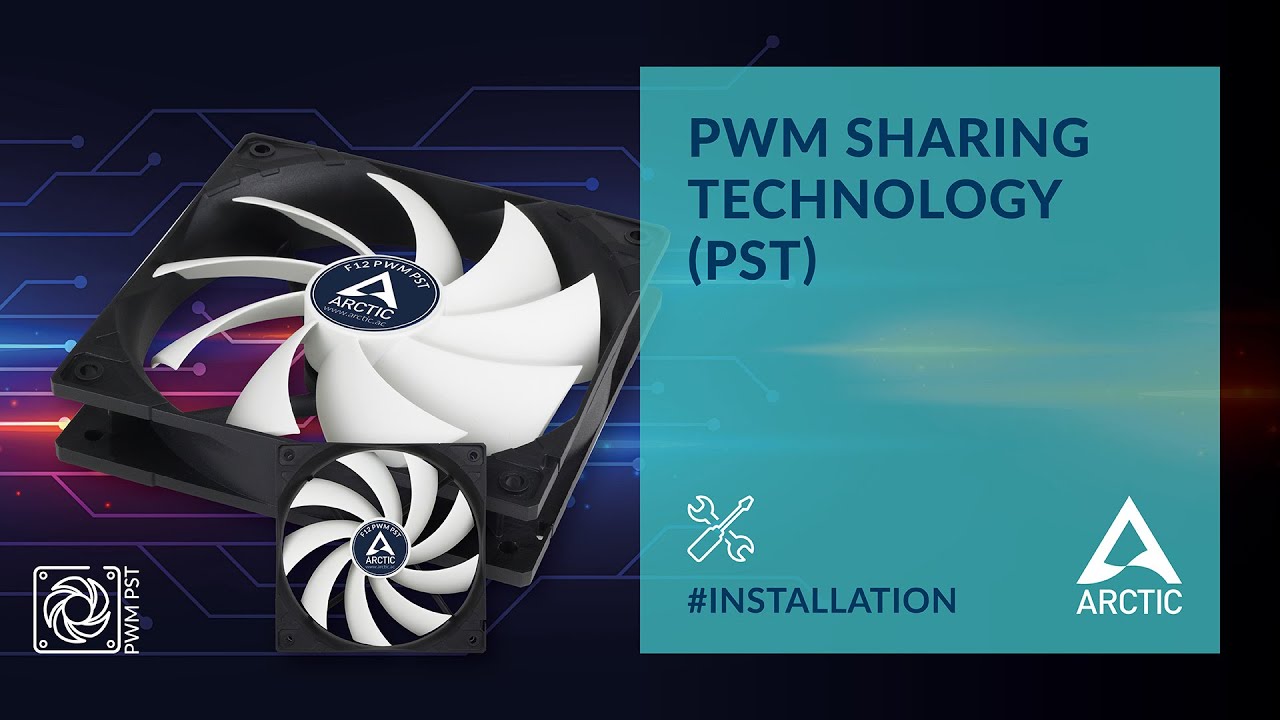
Total System Control: The innovative PWM Sharing Technology
The video was done by our friend stevenspelberg.
00:00 Intro
00:03 Overview and Installation
00:09 What is so special about the PWM Sharing Technology?
00:34 How to connect
01:29 How to configure
02:26 When is PST used?
02:45 PST Advantages
02:57 Outro
FAQ: https://www.arctic.de/en/fa...
I'm sure you should have them if they're pst
formal mica
scroll up pwm
obsidian wigeon
Well it looks like it wasn't pwm lol
formal mica
lol
formal mica
itll work how it is now can I use the daisy chain with the fans that come with the lian li
obsidian wigeon
Since you'll be running lots of fans
It can work if the motherboard has enough headers to support all your fans that you're putting in there
Otherwise a fan hub is easiest
You can get 10 fan arctic fan hub for 10 bucks
 formal mica
ok then i got just enough
obsidian wigeon
Use cpu fan for cooler cause it's closest to the cooler
formal mica
I have two fans with cooler
obsidian wigeon
Probably won't need a fan hub then
If you do well you can always get one of course, it's $10
formal mica
not waiting anymore its already killing me I have to wait till friday
obsidian wigeon
That $10 will fix any headaches
formal mica
with 7900xtx on the dineing room table
obsidian wigeon
Yeah you can get the hub later if all the fans aren't be able to be used
It'll still work fine with no fans added into the case
formal mica
Wish I wouldve got those 30$ rosewill on newegg for the same price i got mine
gentle pollen
Why does my computer keep booting to this weird screen?
formal mica
what screen
gentle pollen
 obsidian wigeon
hm
gentle pollen
Will try again just restarted
obsidian wigeon
well that's probably no os detected
gentle pollen
Nothing happens.
formal mica
yea
obsidian wigeon
did boot drive go missing from it?
formal mica
it should say something tho
obsidian wigeon
check on bios
gentle pollen
Can't access bios.
formal mica
uhhh
obsidian wigeon
turn it off
formal mica
reboot
gentle pollen
Spam DEL?
formal mica
f2 usually
obsidian wigeon
ya
dusty cedar
if thats how you get into your bios then yes
gentle pollen
Brought me right back to the same thing.
dusty cedar
rip
dusty cedar
sounds like its time to buy a new motherboard
formal mica
thats what i was about to say lol